Customer Ratings & Reviews
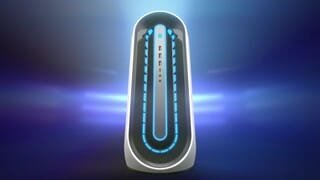

- Model:
- AWAUR12-7006WHT-PUS
- SKU:
- 6455825
Rating by feature
- Value
Rating 3.1 out of 5 stars
- Quality
Rating 2.9 out of 5 stars
- Ease of Use
Rating 3.6 out of 5 stars
Customers are saying
Customers are pleased with the Aurora R12's GPU and overall performance, frequently citing its ability to run games flawlessly. However, many customers express concerns regarding the system's cooling capabilities and the noise levels produced by its fans. The single-channel RAM configuration also receives criticism, along with some negative feedback on the case design and value for the price.
This summary was generated by AI based on customer reviews.
- Pros mentioned:PerformanceCons mentioned:Cooling
An all round good performance
||Posted .This reviewer received promo considerations or sweepstakes entry for writing a review.Really enjoying this product so far. I havent ran into any issues and performance is meeting expectations. Havent had the cooling issues other reviews have mentioned, but i havent pushed it to its limits yet either
I would recommend this to a friend - Cons mentioned:Cooling
easy to overheat
||Posted . Owned for 1 week when reviewed.This reviewer received promo considerations or sweepstakes entry for writing a review.everything going smoothly until its get hot, its difficult to lower the temp inside.
No, I would not recommend this to a friendBrand response from YourDellTeam
Posted .Hello,
Thank you for taking the time to share your feedback and response. We are extremely sorry to hear about the overheating concerns affecting your system performance. The contents of your review will be used to help improve now and future Dell products. We can understand how upsetting this can be. Here are some tips that can help prevent overheating from happening:
Here are the recommended steps for troubleshooting overheating:
1. Prioritize cooling by opening the Alienware Command Center application and select the 'Cool' thermal profile.
2. Ensure that you're running the latest BIOS. An out-of-date BIOS can cause thermal's issues. You can download the update here - https://dell.to/3CRasBs.
We recommend following the steps above to resolve your overheating issue. If the issue continues, please contact our support team here: https://bit.ly/DellSupportTeam.
Best,
Wendy C.
https://bit.ly/DellSupportTeam.
Phone number to Dell: 1-800-264-9896.
- Cons mentioned:Price
There’s better options
||Posted . Owned for 3 weeks when reviewed.This reviewer received promo considerations or sweepstakes entry for writing a review.For the price there’s many competitors like the omen 30l that blows it out of the water
No, I would not recommend this to a friendBrand response from YourDellTeam
Posted .Hello,
Thank you for your review. We are sorry to hear you were unsatisfied with the price of your Alienware desktop. We really do appreciate your feedback. If you come across any further questions, issues or concerns, please visit the Support Page your product.
Best regards,
Wendy C.
https://bit.ly/DellSupportTeam.
Phone number to Dell: 1-800-264-9896.
- Pros mentioned:Performance
Warm
||Posted . Owned for 4 months when reviewed.This reviewer received promo considerations or sweepstakes entry for writing a review.Took it apart almost immediately and put it into a new case. Works fine now.
No, I would not recommend this to a friendBrand response from YourDellTeam
Posted .Hello,
Thank you for taking a moment to share your response. We are glad to hear that your Aurora R12 is working fine. We are sorry to hear that its design has not met all of your expectations. The contents of your review will be used to help improve now and future Dell products. If you come across any questions, issues, or concerns, please contact Dell Support here: https://bit.ly/DellSupportTeam.
Best,
Wendy C.
https://bit.ly/DellSupportTeam.
Phone number to Dell: 1-800-264-9896.
- Cons mentioned:Cooling
It looks cool !, but operates hot
||Posted . Owned for 1 week when reviewed.This reviewer received promo considerations or sweepstakes entry for writing a review.It looks cool !, but operates hot. The individual components in the computer are really good, But I would strongly advise you to upgrade the CPU cooler to a water cooled one, Luckily it had can accommodate a single fan, radiator CPU cooler.
I would recommend this to a friend - Cons mentioned:Cooling
Thermal throttles
||Posted . Owned for less than 1 week when reviewed.This reviewer received promo considerations or sweepstakes entry for writing a review.Probably worth buying just to get 3080 but it thermal throttles and doesn't give you a good performance. I don't like that the case is so small and it's really difficult to get the access to the hardware and it also leads to high temperature inside. Requires additional investments.
No, I would not recommend this to a friendBrand response from YourDellTeam
Posted .Hello Rainmaker,
Thanks for your review. We are sorry to hear that your Alienware is running a little warmer than you would like. Your feedback is sincerely appreciated. We would recommend checking to ensure that the latest BIOS is installed on your system. There was a BIOS update for this series and you can download the update here - https://dell.to/3tAQ4PI. We hope this helps with any overheating issues that you are experiencing.
Best regards,
Wendy C.
For further assistance, you can contact Dell directly with the information below Chat or Call:
https://bit.ly/DellSupportTeam.
Phone number to Dell: 1-800-264-9896.
- Cons mentioned:Price
Expensive
||Posted . Owned for 1 week when reviewed.This reviewer received promo considerations or sweepstakes entry for writing a review.Very expensive my husband likes playing his game on it
No, I would not recommend this to a friendBrand response from YourDellTeam
Posted .MomOfBoys26,
Thanks for your feedback on the new R12 Desktop. If you or your husband have any questions about the new computer you can check our Product Support Page here: https://dell.to/2WG12Zo.
Best,
Bryan@Dell
If you require further assistance, you can contact Dell directly with the information below
Chat or Call:
https://bit.ly/DellSupportTeam
Phone number to Dell: 1-800-624-9896
- Cons mentioned:Cooling, Noise
Over heats. Fans are loud.
||Posted . Owned for 1 month when reviewed.This reviewer received promo considerations or sweepstakes entry for writing a review.Over heats.fans are really really really loud. I do not recommend buying this.
No, I would not recommend this to a friendBrand response from YourDellTeam
Posted .Hello,
Thank you for sharing your review on your Aurora R12. We are sorry to hear about your desktop getting hot and loud fans. We can understand how frustrating an overheating computer can be. We would recommend checking to ensure that the latest BIOS is installed on your system. You can download the update here - https://dell.to/374rFZw. We hope this helps with any overheating and fan issues that you are experiencing. If the issue persists after updating the BIOS, we invite you to contact Dell Support at 1-800-264-9896.
Best regards,
Wendy C.
https://bit.ly/DellSupportTeam.
Phone number to Dell: 1-800-264-9896.
- Cons mentioned:Cooling
Terrible
||Posted . Owned for 2 weeks when reviewed.This reviewer received promo considerations or sweepstakes entry for writing a review.This must be the worst prebuilt ever. Believe it or not, out of the box, the CPU cooler had 2 of the 4 mounting screws not even touching the motherboard. I only realized this because the CPU would hit 100c on boot. Also, the air cooler is terrible. If you read the other reviews everyone is complaining that this should've came with the liquid cooler. This is going to be returned.
No, I would not recommend this to a friendBrand response from YourDellTeam
Posted .Hello Brian,
We really appreciate your review and feedback. We will use it to help improve our current and future products. Since system thermals and fan are of concern, please ensure that the latest BIOS is installed on your system. There was a BIOS update for this series released last week. You can download the update here - https://dell.to/2Rv3AXC.
Below, we have provided a link that can be used to prioritize cooling by opening the Alienware Command Center application, and select the 'Cool' thermal profile. Here is the link to the full article for further assistance: https://dell.to/3fx7ecO.
Best regards,
Wendy C.
For further assistance, you can contact Dell directly with the information below Chat or Call:
https://bit.ly/DellSupportTeam.
Phone number to Dell: 1-800-264-9896.
Disappointing
||Posted . Owned for 1 week when reviewed.This reviewer received promo considerations or sweepstakes entry for writing a review.I spent two hours with tech support on remote access to the computer to do everything they could possibly do. Updated bios, drivers, chipset, everything. I only play CSGO which this should be total overkill for that game. At 1080p you will be lucky to get 200 fps standing still. Averaging 90-150. My last computer was using an I7 4770k and a geforce 760 which was released in 2013. That ran maybe 20 frames less than this computer does. By comparison most of my friends are getting double the frames with much older and less powerful hardware. There is a problem here and Alienware should absolutely acknowledge it and offer a solution.
No, I would not recommend this to a friendBrand response from YourDellTeam
Posted .Hello DonKedick,
Thank you for your feedback and review. We are extremely sorry about the trouble you have encountered with the gaming performance of your Alienware. To make sure we can help in the future, below is a link that can be used to maximize your gaming experience. We hope this helps with any gaming performance issues that you are experiencing.
Here is the link to the full article to assist with your gaming performance issue:
https://dell.to/3nNAT46.
Best regards,
Wendy C.
For further assistance, you can contact Dell directly with the information below Chat or Call:
https://bit.ly/DellSupportTeam.
Phone number to Dell: 1-800-264-9896.
- Cons mentioned:Cooling
Powerful gaming desktop, gets a little toasty
||Posted . Owned for 2 weeks when reviewed.This reviewer received promo considerations or sweepstakes entry for writing a review.Sleek case and design for a gaming PC, but could use better cooling. The RTX 3080 is hard to find and is a solid video card, so this is a good PC for the price
I would recommend this to a friend - Pros mentioned:Gpu, Speed
i do not regret my purchase
||Posted . Owned for 2 weeks when reviewed.This reviewer received promo considerations or sweepstakes entry for writing a review.overclocks well staying below 50C on high load. elegant chassis, well built. very capable GPU. fast computer.
I would recommend this to a friend - Cons mentioned:Cooling
Not worth your time, I returned it!
||Posted . Owned for 1 week when reviewed.This reviewer received promo considerations or sweepstakes entry for writing a review.This case compromises looks over functionality. Thats pretty much it. Dell has had this division of their desktops for years now and every year people complain about the airflow, and the lack thereof. Yet Dell does the same thing every year. I wouldn't recommend this to anyone. It doesn't stay cool and just heats up. The components are good, but without cooling, it doesn't matter.
No, I would not recommend this to a friendBrand response from YourDellTeam
Posted .Hello Mushy,
Thank you for your review. We are sorry to hear that your Alienware is running a little warmer than you would like. Your feedback is sincerely appreciated. We would recommend checking to ensure that the latest BIOS is installed on your system. There was a BIOS update for this series and you can download the update here - https://dell.to/3tAQ4PI. We hope this helps with any overheating issues that you are experiencing.
Best regards,
Wendy C.
For further assistance, you can contact Dell directly with the information below Chat or Call:
https://bit.ly/DellSupportTeam.
Phone number to Dell: 1-800-264-9896.
- Cons mentioned:Cooling
R12 desktops are trash
||Posted . Owned for 1 week when reviewed.This reviewer received promo considerations or sweepstakes entry for writing a review.This is my 2nd one being exchanged and I will never get a open box or new they didn’t last long first one. Overheated in 90 days 2nd one I got in exchange was a open box and graphic card was fried. I ended up building my own computer . Save yourself time and don’t buy these
No, I would not recommend this to a friend Too hot when running
||Posted . Owned for 3 months when reviewed.This reviewer received promo considerations or sweepstakes entry for writing a review.Use it to mine 24 x 7 and the temp stays at 104 F I summer. Not a good build sold at Best Buy. Thought about improving it but too lazy to do that. I'll see how long it lasts.
No, I would not recommend this to a friendBrand response from YourDellTeam
Posted .Hello,
Thank you for taking a moment to share your feedback and review. We appreciate your feedback on the thermals and the build of this Aurora R12. We will use the contents of your review to help improve now and future Dell products. If system thermals are of concern, you can prioritize cooling by opening the Alienware Command Center application and select the 'Cool' thermal profile.
Also, we would recommend checking to ensure that the latest BIOS is installed on your system. There was a BIOS update for this series released in the middle of April and you can download the update here - https://dell.to/3CRasBs.
We recommend following the instructions above to resolve your overheating issue. If the issue persists, please contact our support team here: https://bit.ly/DellSupportTeam.
Best,
Wendy C.
https://bit.ly/DellSupportTeam.
Phone number to Dell: 1-800-264-9896.
- Cons mentioned:Ram
Disappointing
||Posted . Owned for 2 months when reviewed.This reviewer received promo considerations or sweepstakes entry for writing a review.Disappointed by the ventilation (too hot), noise levels and the lower than expected performance (due to the use of single channel RAM instead of dual channel RAM). At this price point, it is just too much to expect customers to fix the shortcomings of this device. Having previously been accustomed to Alienware gaming desktops, this is odd and unusual.
No, I would not recommend this to a friendBrand response from YourDellTeam
Posted .Hello,
Thank you for taking the time to share your experience and for being a loyal Dell customer. We really value our customers feedback. We will forward these issues you stated onto our product team to improve ourselves for the future. If thermals, system noise, and performance are of concern, we would recommend checking to ensure that the latest BIOS is installed on your system. You can download the update here - https://dell.to/374rFZw. If the issues persist after updating the software and drivers, you are more than welcome to contact Dell support for further assistance at 1-800-264-9896.
Best,
Wendy C.
https://bit.ly/DellSupportTeam.
Phone number to Dell: 1-800-264-9896.
- Cons mentioned:Cooling
Not a great PC! Look elsewhere!
||Posted . Owned for 3 months when reviewed.This reviewer received promo considerations or sweepstakes entry for writing a review.Not a great PC. This PC will overheat very easily when playing any modern games! Look elsewhere as this is not worth the money!
No, I would not recommend this to a friendBrand response from YourDellTeam
Posted .Hello,
Thank you for taking the time to share your response. We apologize for the overheating issue you're experiencing with your Aurora R12. Below, we have provider some tips that can assist with your overheating:
Here are the recommended steps for troubleshooting overheating:
1. Ensure that you're running the latest BIOS. An out-of-date BIOS can cause thermal's issues. You can download the update here - https://dell.to/3h23Zts
2. Prioritize cooling by opening the Alienware Command Center application and select the 'Cool' thermal profile.
We recommend following the steps above to resolve your overheating issue. If the issue continues, please contact Dell Support Team at your earliest convenience at 1-800-264-9896.
Best regards,
Wendy C.
https://bit.ly/DellSupportTeam.
Phone number to Dell: 1-800-264-9896.
2 fans GPU
||Posted . Owned for 1 week when reviewed.This reviewer received promo considerations or sweepstakes entry for writing a review.The main reason that I choose this computer was the cheapest one that comes with RTX 3080, but I got a little disappointed when I saw that GPU is only two fans, so it runs too hot and the performance is degraded!
I would recommend this to a friendBrand response from YourDellTeam
Posted .Hello,
Thank you for taking the time to share your input and review. We are sorry to hear that you are disappointed with with your Aurora R12. We understand how frustrating this can be and we would love to help right away. Here are some tips that can help prevent overheating from happening:
1. Prioritize cooling by opening the Alienware Command Center application and select the 'Cool' thermal profile.
2. Ensure that you're running the latest BIOS. An out-of-date BIOS can cause thermal's issues. You can download the update here - https://dell.to/3h23Zts
We recommend following the steps above to resolve your overheating issue. If the issue continues, please contact our support team here: https://bit.ly/DellSupportTeam.
Best,
Wendy C.
https://bit.ly/DellSupportTeam.
Phone number to Dell: 1-800-264-9896.
- Pros mentioned:Gpu, Speed
Computer
||Posted . Owned for 1 month when reviewed.This reviewer received promo considerations or sweepstakes entry for writing a review.Fast computer with 3080 gpu. Works great. The gpu is a beast. No issues.
I would recommend this to a friend - Pros mentioned:Performance
Excellent
||Posted . Owned for less than 1 week when reviewed.This reviewer received promo considerations or sweepstakes entry for writing a review.Very nice machine. Performs at a high level, and the thermals are great. GDDR6X runs hot, very hot. not sure why people reviewing haven't learned that elsewhere. Expect 102C on your VRAM, and use Performance mode in the Alien Command center. I bet 9/10 people complaining here are trying to get you to return yours so that they can scoop up an open box deal.
I would recommend this to a friend