Customer Ratings & Reviews

- Model:
- AWAUR13-9733WHT-PUS
- SKU:
- 6506915
Rating by feature
- Value
Rating 4.1 out of 5 stars
- Quality
Rating 4.3 out of 5 stars
- Ease of Use
Rating 4.5 out of 5 stars
Customers are saying
Customers love the Aurora R13's exceptional performance and fast SSD, frequently praising its impressive graphics capabilities. However, some customers have noted potential cooling concerns and a larger-than-expected case size. The powerful RTX 3080 graphics card is a highlight for many users.
This summary was generated by AI based on customer reviews.
Cannot add a new hdd
||Posted . Owned for less than 1 week when reviewed.This reviewer received promo considerations or sweepstakes entry for writing a review.Am trying to add a wd blue 2tb. And it is not being seen in the bios or windows. Not uodates help
No, I would not recommend this to a friendBrand response from YourDellTeam
Posted .Hey There Kblgy,
Thank you for taking the time to leave us your review. We're sorry to hear that you are having difficulty adding a WD Hard Drive to your Alienware Gaming Laptop. This is certainly not the experience we like to hear from our customers. Please take a moment to call or chat with a Dell Support Representative at your earliest convenience so that they can help you with your concerns: https://bit.ly/DellSupportTeam.
Should you need further assistance; we recommend that you contact Dell directly with the information below.
Chat or call: https://bit.ly/DellSupportTeam
Phone number to Dell: 1-800-624-9896.
Best,
Summer@Dell
Failing after 3 months
||Posted . Owned for 7 months when reviewed.This reviewer received promo considerations or sweepstakes entry for writing a review.Won’t run games. Fully turns off, Dell support is no help
No, I would not recommend this to a friendBrand response from YourDellTeam
Posted .Hey AaronS,
We want to thank you for taking the time to leave a review of your Alienware Aurora R13 Gaming Desktop. We are sorry to hear that you are experiencing an issue with your device powering off. That is not the type of feedback we like to hear from our customers, or the type of product Dell intends to deliver. Below I have provided a link to help resolve your issue. If for some reason this link does not help you, we recommend using the toll-free number or chat link below to speak with a different representative of our Dell Support Team.
System Troubleshooting Link: https://dell.to/3lSTkr3
Should you need further assistance; we recommend that you contact Dell directly with the information below.
Chat or call: https://bit.ly/DellSupportTeam
Phone number to Dell: 1-800-624-9896
Best Regards,
Summer@Dell
- Pros mentioned:Performance, Ssd

Absolute beast of a machine, Play anything!
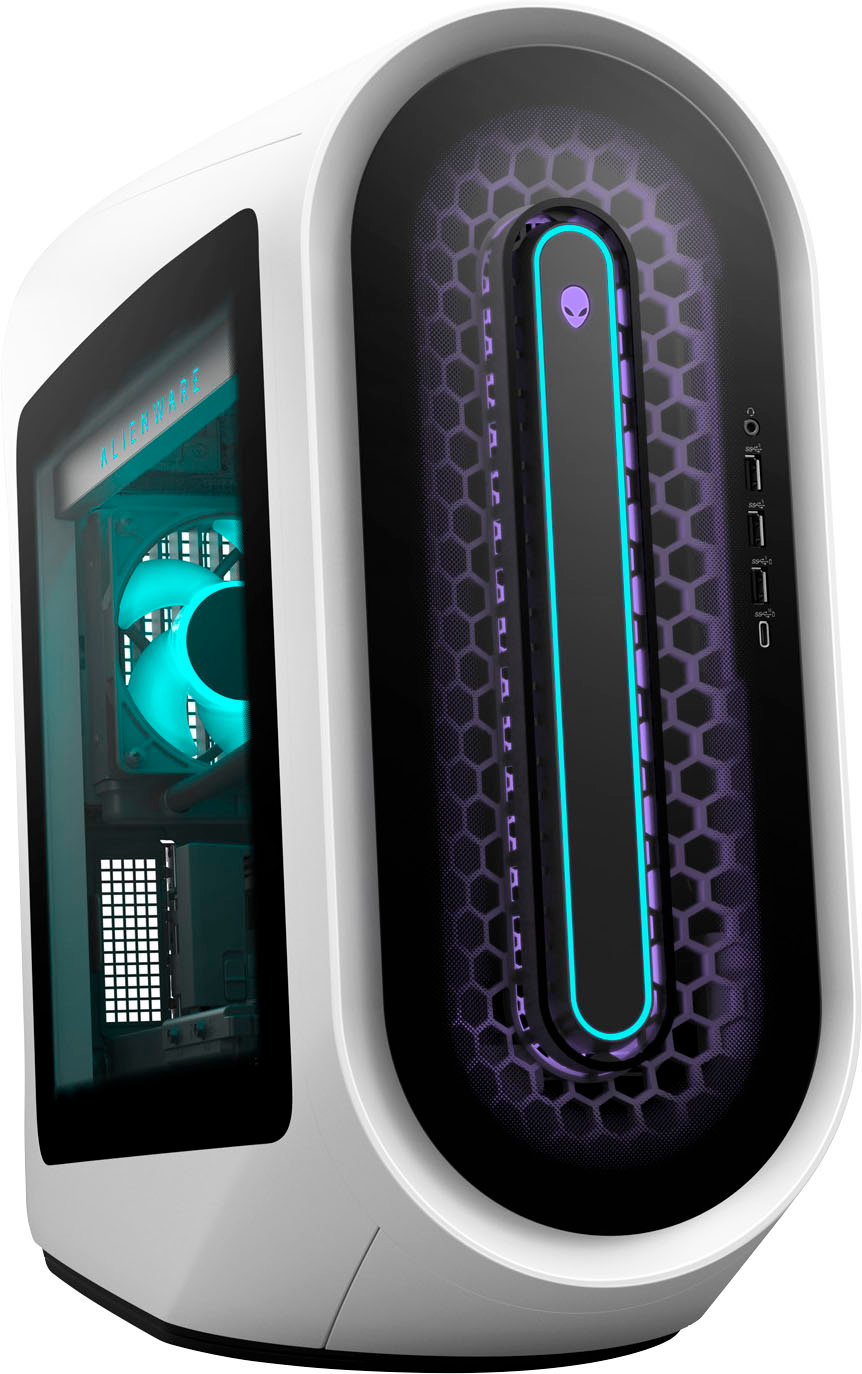
|Posted .This reviewer received promo considerations or sweepstakes entry for writing a review.First thing you will notice about this as the package arrives is that the box is huge. Its extremely well packed which is something i cant say for other PC makers that i have purchased before. Hats off to Dell for making sure this PC gets to the customer in one piece. Once unboxed you will see that the desktop is covered in protective plastics to ensure the glossy white finish doesn't get any scratches, another good choice by Dell. You also get a black box containing the cables and paperwork. Once setup you will see that you can customize the desktops lighting though one of the pre installed Alienware apps. You can customize every light in several different ways which makes it easier to make this desktop your desktop. This comes with the RTX 3080, 32gb of fast ram a fast 1TB SSD and plenty of ports. I play games at 1440P on a 32" HDR monitor and I can play all games on high settings and get over 100 fps. This thing is an absolute beast for gaming. The fans are quiet also but you can hear them when they do crank up which is to be expected with something this powerful. The i9 doesn't seem to get excessively hot either. One thing this PC has in abundance is horsepower. Its also great for video editing in both Davinci Resolve and Adobe. Both are optimized to take full use of the NVidia GPU making rendering times much lower than your on board graphics. I use DaVinci and I find its almost as quick as FCP on the fruity machines. Overall I'm very impressed with this system, it will play anything I throw at it, it edits videos extremely and does so without seeming to blow out excessive heat or fan noise. The only real negative thing about this is the included mouse and keyboard. They are low cost junk unfortunately. The mouse is made from the cheapest plastics I heave felt in a long time and the keyboard is much better when it comes to materials. This wasn't important to me as i have a mechanical KB and gaming mouse and most people who buy something like this will also have there own KB and mouse to use it so don't let that put you off, I just thought its worth mentioning
I would recommend this to a friend - Pros mentioned:Ssd
Powerhouse PC, but not without its flaws
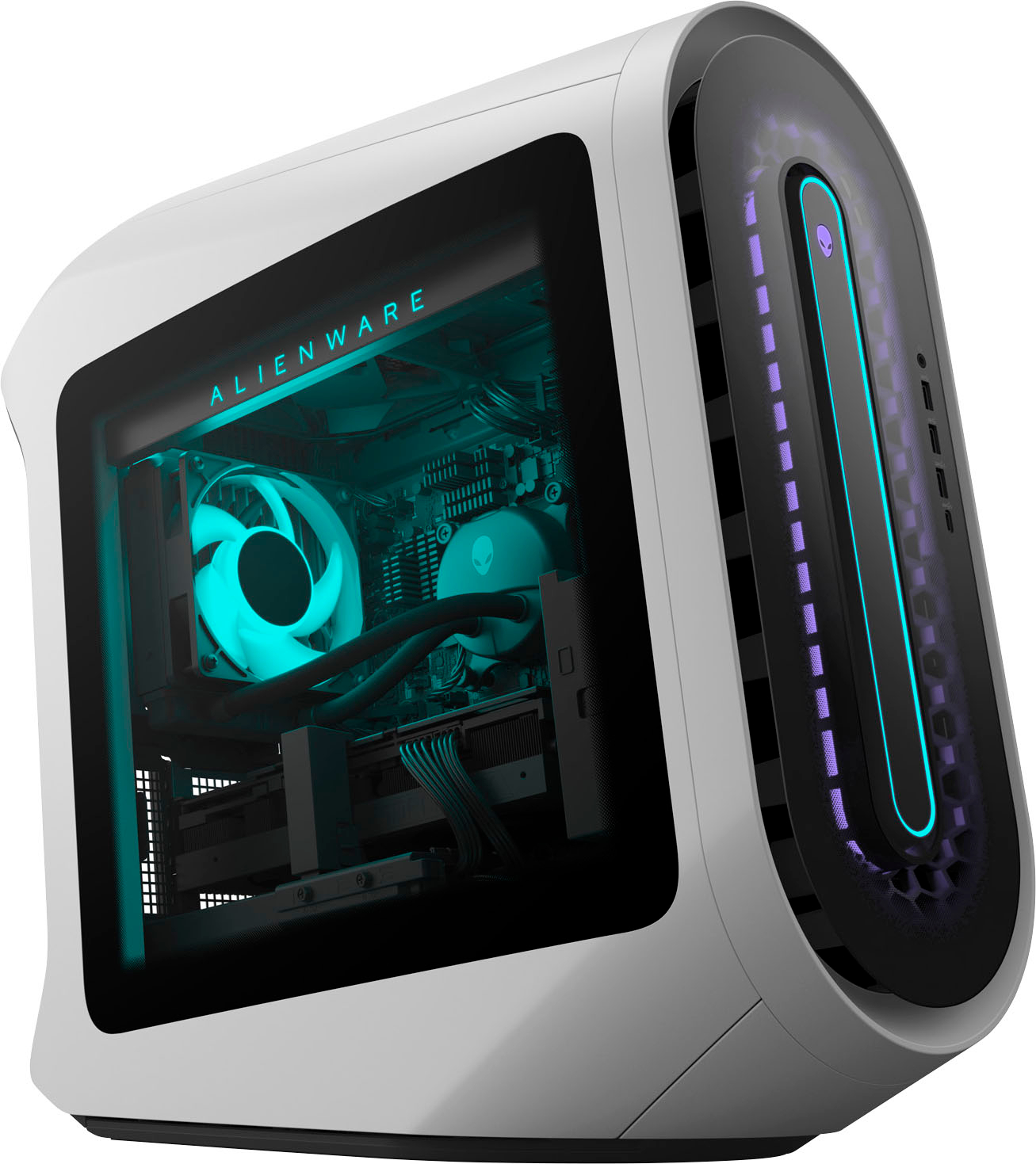
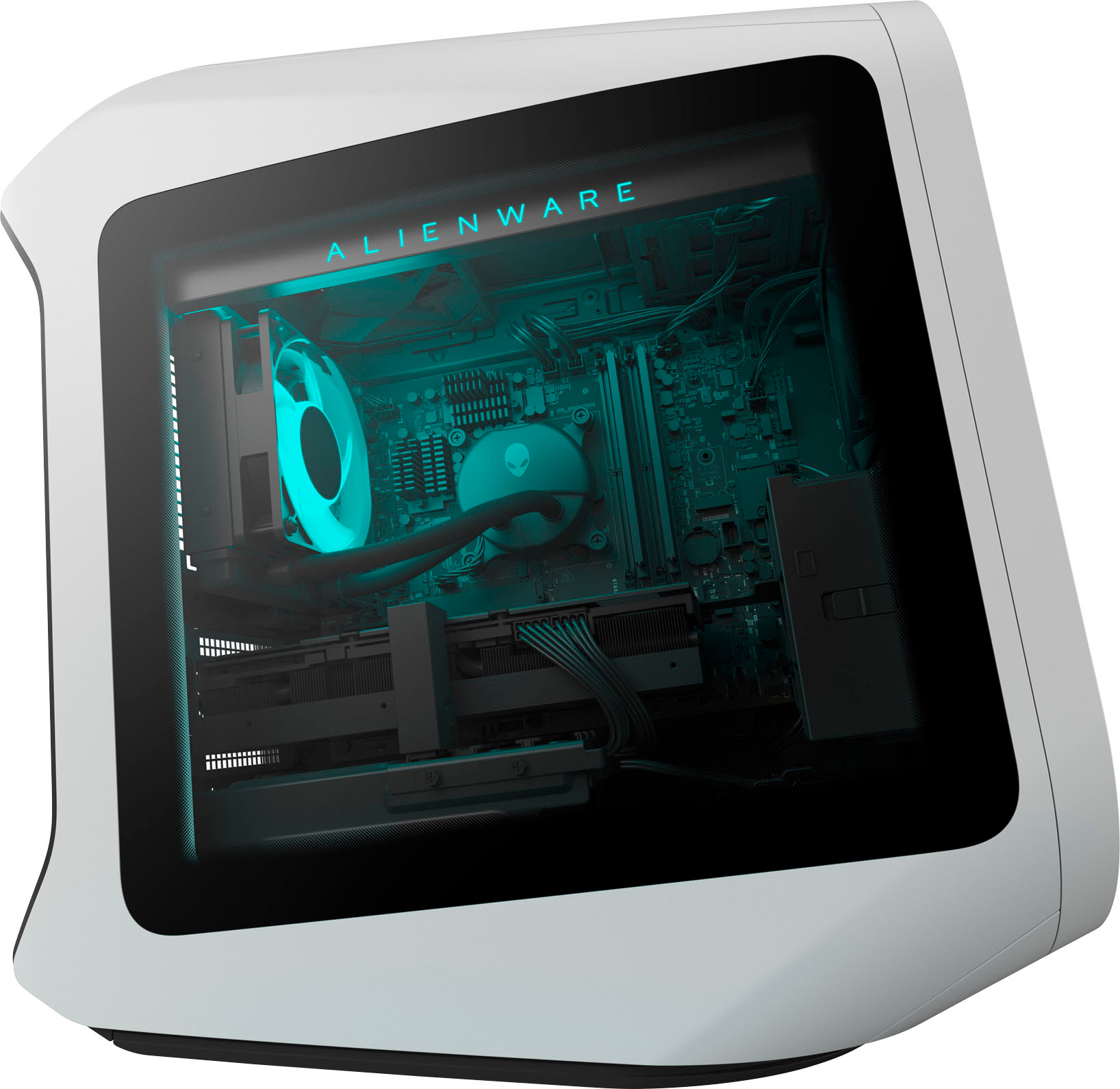
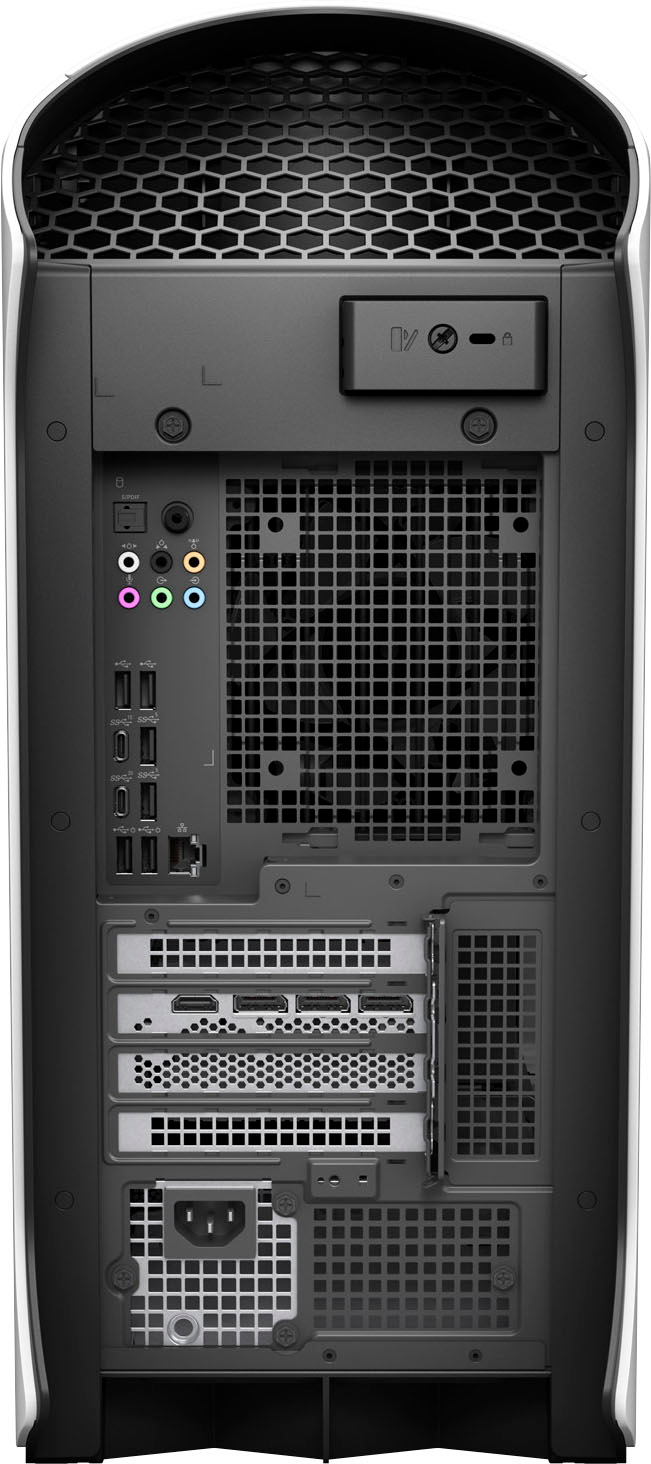
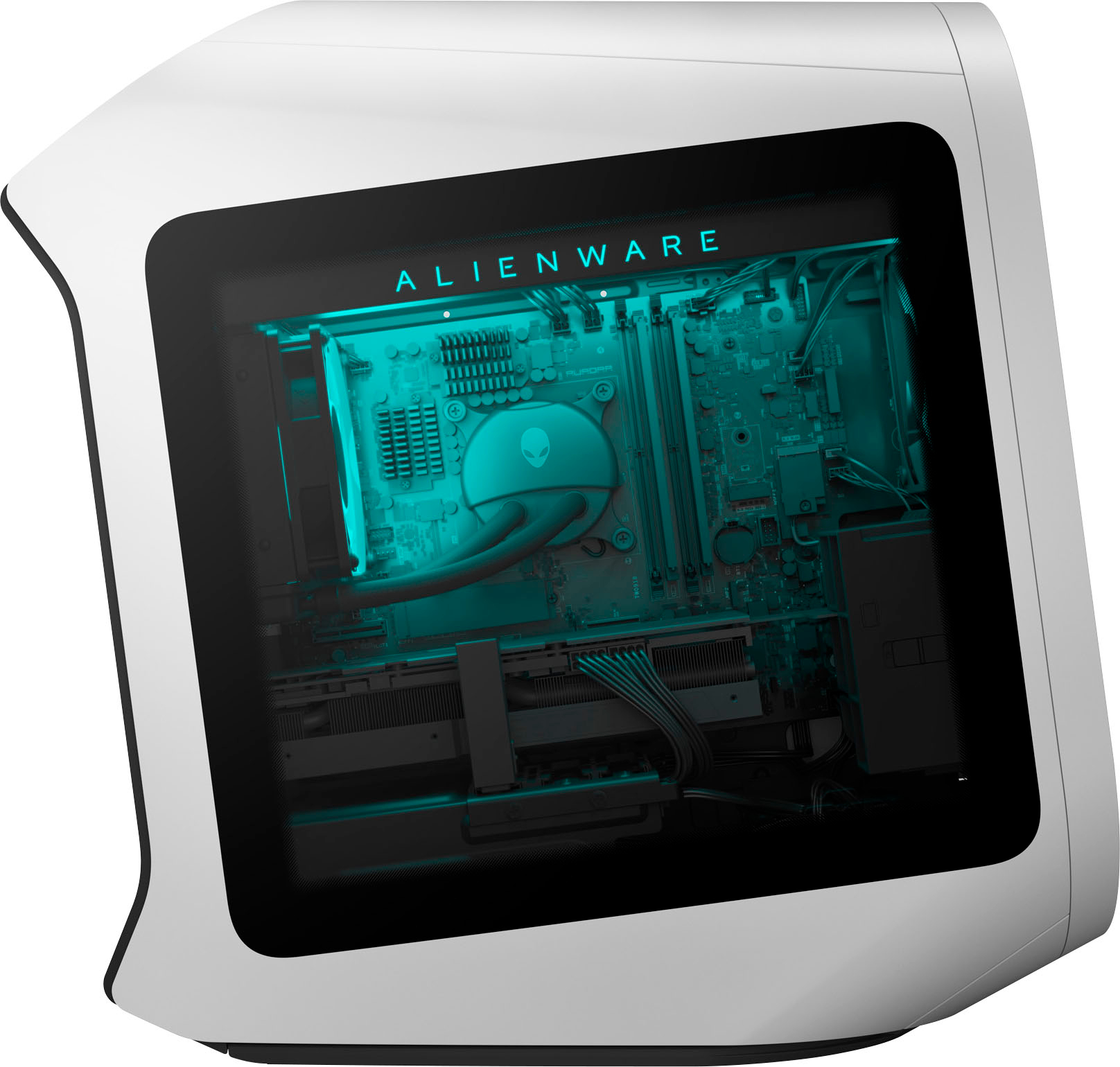
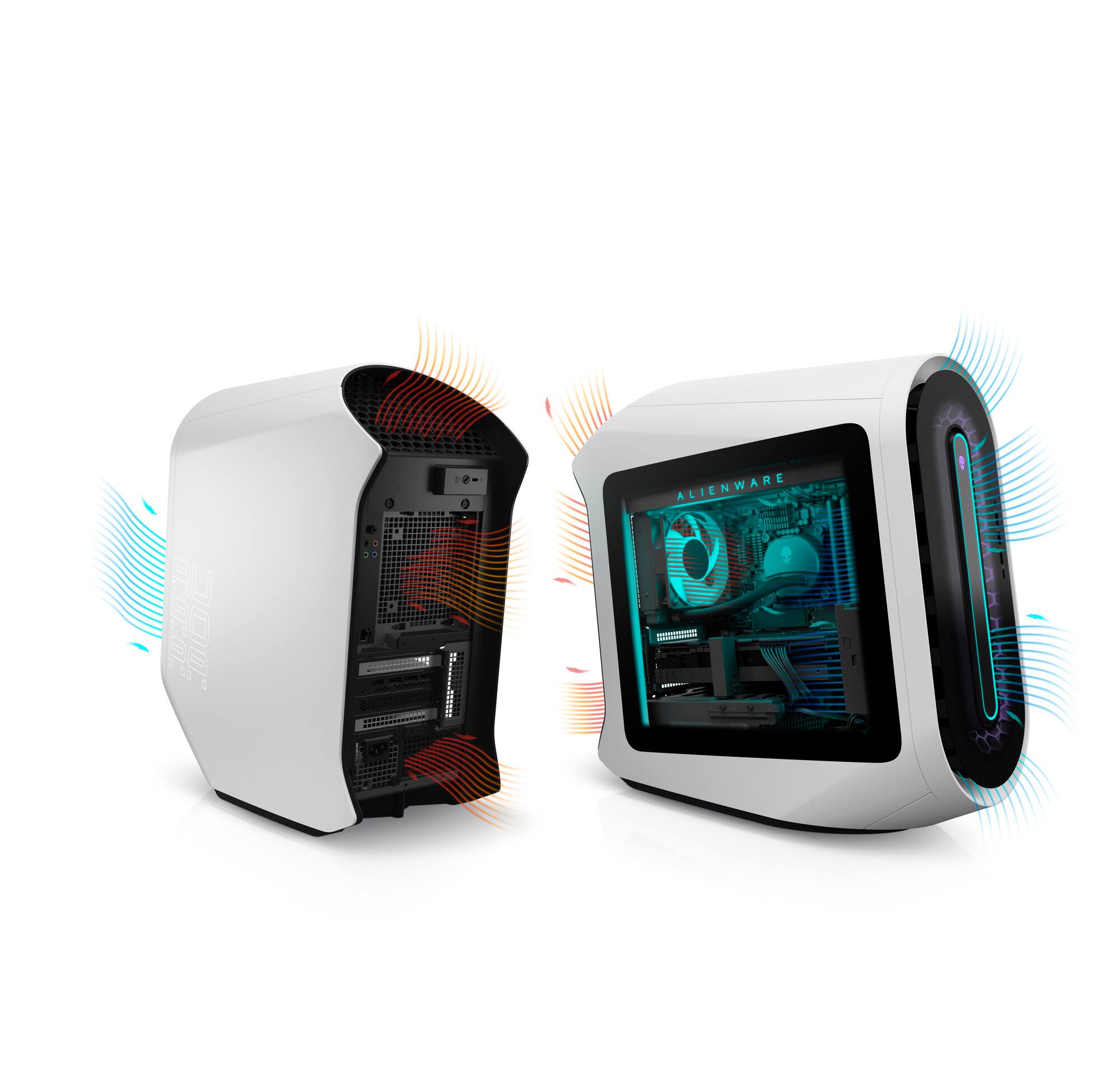
|Posted .This reviewer received promo considerations or sweepstakes entry for writing a review.The Alienware Aurora R13 is a unique device for me to use and review, as I have not purchased a gaming desktop in about 25 years, preferring to build my own. Little about it serves to sway me away from that approach, but I do certainly appreciate the idea of a ready-to-go out of the box gaming machine and how appealing that is to many. Out of the (very large) box, the Alienware Aurora R13 possesses a distinctive, space-y aesthetic. The case color scheme is called Lunar Light. Whether you like it or not may well depend upon your age: me, a middle-aged man, didn’t love it or hate it, but I found myself growing to like it as there was something of a 1990s feel to it that tickled my sense of nostalgia. My teenage son, upon first look, thought it was amazing and the coolest thing he’d seen. This chassis represents an update to the design and as such features a transparent side to allow viewing of the components inside. The spec sheet is eye-popping: a liquid-cooled Intel Core i9-12900KF CPU, a Nvidia RTX 3080 graphics card, 32GB RAM, and a 1TB PCIe SSD. The case is absolutely awash in USB ports, including Type C ports up to 20Gbps, and there are literally endless lighting customization options with the case. Sounds like PC paradise, but alas there are a few problems in paradise. Let’s start with the CPU. The i9-12900KF is near the very top of the Intel CPU heap, only outclassed by the slightly faster special edition 12900KS. As a K-series chip, it is fully unlocked for overclocking. The F-suffix indicates it does not have onboard graphics, so it will require a discrete graphics card, which is typical for a CPU this high-end. The i9 is Intel’s Alder Lake design, which has a heterogeneous architecture: 8 “performance” cores that are capable of handling two threads per core for intensive applications, along with 8 “efficiency” cores (one thread/core) for handling more mundane tasks. This gives the chip the capability to handle 24 total threads, and it’s this architecture, with Intel’s new thread scheduler to properly allocate tasks to the correct cores, that makes this require Windows 11 for maximum performance. Here’s the problem: with the 12th gen Core series, Intel has changed how these chips operate. The old TDP (thermal design power) measurements don’t mean as much, and these chips are meant to clock as high as they want, and draw as much power as they want (up to 241W in this case for a K-series chip), so long as the thermals allow them. This chip, with top clocks over 5Ghz and 8+8 cores, draws a lot of power and generates a lot of heat. And it’s cooled by just a liquid cooler with a single radiator and a 120mm fan. It’s just not enough–a 360mm AIO cooler is not overkill for this chip. The problem is that there just doesn’t seem to be room anywhere in a custom case like this to fit a liquid cooler that robust, so they stuck with a 120mm liquid cooling solution (that appears to be proprietary by the way, so don’t think you can change it). There are plenty of other case fans that attempt to mitigate–keep in mind there is a huge and very power hungry GPU in the case as well–by pulling in air through the front, over the RAM and CPU cooler and another one lower for airflow over the GPU, all trying to exhaust the air out the back. The net result is that under heavy load–Cinebench R23 benchmarking, for example, which engages all cores at 100%--the system can both be surprisingly loud and yet the CPU still appears to throttle, at least from what I can tell from HWMonitor. Will this matter for gaming? Frankly, no, apart from lesser but still increased fan noise. Games do not engage the CPU to that extent, and probably won’t for the expected lifespan of this machine. And unless you are gaming at a very low resolution (for super high frame rates in competitive shooters), you will be GPU bound far before this CPU limits you. What this does mean is that if you have ambitions to make this a dual-purpose gaming and production workstation, rendering for hours at 100% CPU usage is perhaps not this device’s strong suit. This is probably my number one issue with the device. The CPU is seated in a (sadly) proprietary motherboard, which is in turn powered by a (sadly) proprietary 750W power supply. Alder Lake CPUs can be run with either older DDR4 RAM or new DDR5 RAM, depending upon the motherboard configuration. DDR4 is still quite competitive with all but the fastest DDR5 due the latter’s latency penalty, a phenomenon that has arisen in the past during other memory standard transitions. This motherboard, based upon the top end Intel Z690 chipset, looks forward to the future by using DDR5, but it’s not particularly fast RAM and appears to be underclocked: CPU-Z reports it as 32GB (2x16GB) SK Hynix DDR5-4800, but it’s being run at 4400Mhz. I’m a little puzzled at the decision, but Dell, in my experience, can be pretty conservative with things like memory timings, perhaps to prize stability over performance or to regulate thermals. The slower RAM speeds probably serve to hold back the chip somewhat in certain memory-sensitive scenarios, but the 32GB amount is more than sufficient for just about any mainstream usage. Also curious for a gaming machine that has a window on the side to look in: no flashy RGB or heatsinks on the RAM. Just two plain green sticks. For a gaming desktop, the real star of the show is the GPU, and here there’s no disappointment. The Nvidia RTX 3080, which debuted in 2020, is still near the top of the Nvidia product line, only eclipsed by the RTX 3090 and some refresh variants of the 3080. With 10GB of speedy GDDR6X VRAM and support for the latest Nvidia features like ray-tracing and (more importantly) DLSS 2.0, there’s little that you can throw at this card that it can’t handle. In benchmarking, I focused on 4K gaming at the highest possible details, since my preference is always for maximum eye-candy. I tested in 4 different games, all visually stunning AAA titles that feature built-in benchmarking tools: Assassin’s Creed Odyssey, Shadow of the Tomb Raider, Horizon: Zero Dawn, and Forza Horizon 5. All were tested fully updated and with the latest Nvidia driver. In AC: Odyssey, at 3840x2160 resolution and every graphical detail maximized, the system achieved an average of 64fps, with a low of 40 and a maximum of 104. In Horizon Zero Dawn, using the Ultimate Quality preset at 2160p, it was good for 78fps on average, with a low of 48, a high of 124, and a 99% percentile of 66 (meaning 99% of the time frames were at 66fps or above, so very fluid). For Forza Horizon 5, the latest release of the four, settings were for 2160p and above the highest preset–every setting was put to the maximum (ultra or extreme), ray tracing turned on, TAA enabled. It achieved 66fps with a low of 57 and a high of 79.1. Shadow of the Tomb Raider launched as a title that supported Nvidia’s Deep Learning Super Sampling (DLSS) and some limited ray tracing; it’s since been updated to support the even better DLSS 2.0 of the Nvidia 3xxx series cards. DLSS is “free performance” and so I always turn it on, usually in Quality mode. Results were good for 81fps on average at 4K with everything set to maximum, including ray tracing. These are great results, but my similar homebuilt system (also a 3080) with a much less powerful CPU (Ryzen 5600X) spits out similar numbers, so the ultra-powerful CPU isn’t completely necessary to generate great gaming performance, though other applications will definitely see a difference. I’d be very curious to see this machine with an i5-12600K/RTX 3080 configuration as I think it’d still fly in games but run cooler overall. Storage is supplied by a Western Digital SN810 PCIe 4.0 SSD. It appears this is largely a model supplied to OEMs . It is rated by WD for up to 6600 MB/s sequential read speed and 5000 MB/s sequential write speeds. I actually found it to outperform those numbers in CrystalDiskMark, with the sequential read speeds just a hair under 7000 MB/s. This system doesn’t have any additional storage, but it appears there is a second M.2 slot open on the motherboard, along with a handful of SATA ports for connecting additional storage. Network connectivity is provided either by a Wireless AX connection, or the Killer 2.5Gbps ethernet port. The rear I/O panel also sports a variety of analog and digital audio out ports in addition to a bevy of USB ports. Included peripherals are a very basic but serviceable keyboard and mouse; they clearly expect you’ll buy your own “gamer-centric” gear. The included software, Alienware Command Center, made light customization really easy and fun to use through the AlienFX tab, though the “Thermals” button was buggy and refused to load after an update, even after uninstalling and reinstalling the software. It seems to be a common issue. There are other settings for power configurations and the ability for it to manage your game library. After all that, I’m in a weird position thinking about this device. On the one hand, it’s a gaming desktop, and in that role, it will do what it’s supposed to do and you’ll be happy with it. You’ll install your games, they’ll run great, and you’ll have fun. It has a cool aesthetic (if it’s your thing) that stands out from the square boxes of other desktops, and there are tons of fun lighting customizations. You also don’t have to build it yourself and you get a warranty and tech support. It’ll do what it needs to do for a long time to come. However, there are things that I as a DIY gaming PC builder have a hard time overlooking. The underpowered cooler and resulting noise. The proprietary, non-standard parts. The curiously underclocked RAM. The knowledge that I could build my own machine with similar specs for less money and with fewer compromises. If you are in this camp, I don’t think this is for you. But if you’re in the first group–someone who just wants to plug it in and game, then it’s worth your consideration.
I would recommend this to a friend - Pros mentioned:Performance
Mind blowing performance and build quality!
|Posted .This reviewer received promo considerations or sweepstakes entry for writing a review.I knew this computer was supposed to be a powerhouse, but I was still surprised at exactly HOW powerful it actually is. My main computer is a few years old, but I built it myself out of the best parts money could buy at the time and it's been good to me, but it was time to upgrade. I chose the Alienware Aurora R13 because it has all the same components that I would have picked if I built it myself, but it comes pre assembled, tested, and with a warranty. So basically a no brainer. Once it arrived at my house I was impressed with how large of a box it came in, and how well it was packaged. I unboxed it, hooked the included mouse and keyboard to it and plugged it into the wall, and my monitor, and powered it on. First let me say the fit and finish on this computer is unreal, it's like luxury car quality... the little details are everywhere... the intake fan area has a multi layer honey comb design the looks almost 3D of holographic depending on how I look at it, the motherboard layout, cable management, and water cooling lines are impecable. It's a straight up work of art any way you look at it. And the tech specs are amazing. All the latest USB standards, on both the front panel and the back, hook ups for anything and everything. It connected to my wifi wihout any issues or hickups and I was able to download and install all the updates and drivers relatively quickly. I didn't notice any bloatware, or other programs preinstalled that I didn't want, just a nice clean Windows 11 install and the alienware guide. Once all updated an running I decided to play some games and my mind was blown. I didn't know my games were capable of so much detail. I am seeing things in the games I never saw before. It's almost like getting new ones. Now I need to replay them all with all the eye candy turned up just to see what I was missing before! I'm absolutely floored by how good this computer is! Amazing!
I would recommend this to a friend Fan Noise
||Posted . Owned for 2 weeks when reviewed.This reviewer received promo considerations or sweepstakes entry for writing a review.Fan noise is absolutely atrocious. Don’t even try and stream while running any game on “decent” settings. For the price tag I am extremely disappointed. Will be returning very soon.
No, I would not recommend this to a friendBrand response from YourDellTeam
Posted .Hello Golfer,
Thank you for taking the time to leave us your review. We apologize for the fan noise issues that you are experiencing with your Alienware R13 gaming desktop. It's important for us to hear about discrepancies in our products for consideration for future development. Below I have provided troubleshooting instructions with the full article that can help resolve this issue.
Here are the steps to help resolve your fan noise issue:
1. Check and clean air vents.
2. Provide proper ventilation.
3. Run a hardware diagnostic test.
4. Update the BIOS and device drivers.
5. Download and install Microsoft Windows Updates.
6. Run optimize my computer using Dell Support Assist.
7. Limit startup programs.
8. Scan your computer for malware.
How to Troubleshoot Fan Issues: https://dell.to/33NYLLE
If you continue to experience this issue, please reach out to Dell Support directly by using the information provided below for further guidance.
Best,
Katarina@Dell
Should you need further assistance, you can contact Dell directly with the information below.
Chat or call: https://bit.ly/DellSupportTeam
Phone number to Dell: 1-800-624-9896
- Pros mentioned:Graphics
Outstanding gaming computer
|Posted .This reviewer received promo considerations or sweepstakes entry for writing a review.A computer designed for gaming and at this price level should check all the boxes, and this one does in spades. Setup was easy. Just connect the included power cord, mouse, and keyboard, supply your own monitor, and you’re up and running and through the Windows setup process in a matter of minutes. The included mouse and keyboard, while nice for what they are, are basic in terms of design and features, and most gamers will want to immediately substitute their own favorites as well as connecting any other desired peripherals. With a 1 TB hard drive, there is plenty of room for games, and the graphics and audio are limited only by the quality of the monitor and sound system you attach. As is typical in my experience with gaming computers at this level, the box itself is an attractive, sculpted case of black and white with a clear plastic side panel with “GEFORCE RTX” lit up in big, bright, white letters. My favorite game of all time is Microsoft Flight Simulator, and I had to try the latest edition on this machine. It’s hard to say anything more than simply that the result is stunning. Graphics are clear and vibrant, and movements are stutter-free. If I’m not careful, I’m going to spend inordinate amounts of time in front of this machine and forget all about my other life. If you want a great gaming PC, you can’t go wrong with this machine.
I would recommend this to a friend Bad Time
||Posted . Owned for 1 week when reviewed.This reviewer received promo considerations or sweepstakes entry for writing a review.Do not buy this, I purchased one of these and it had a GPU failure due to over heating. The replacement had the same issue which I also returned.
No, I would not recommend this to a friendBrand response from YourDellTeam
Posted .Hello Lucas,
We would like to thank you for taking the time to provide us with your feedback. We are sorry to hear you came across some issues with your first and second Alienware Aurora R13 gaming computer because it was overheating and that you have ultimately decided to return this system. This is certainly not what we like to hear from our loyal customers. We will share your review with our quality team so improvements can be made now and in the future. In the future, we would love the opportunity to help troubleshoot any problems you may be facing.
If you come across any questions or have concerns about Dell products, please don’t hesitate to contact Dell Support Team at the information provided below.
Best,
Katarina@Dell
Should you need further assistance, you can contact Dell directly with the information below.
Chat or call: https://bit.ly/DellSupportTeam
Phone number to Dell: 1-800-624-9896
Never thought I'd go back to prebuilts.
|Posted .This reviewer received promo considerations or sweepstakes entry for writing a review.I have been building my own PCs since the mid-90s and the last time I bought a prebuilt system (other than laptops) was a 486. As of the last few years of only using laptops or tablets I felt it was time to update my desktop but seems parts were not plentiful due to chip shortages plus I don't have the same amount of tinker time to myself as I used to. The spec on the R13 are seemingly beastly so I figured why not. So far after updating the system the system is running as expected. Runs the games I have without a hitch, ALTHOUGH the fans do like to RAMP up from time to time and it sounds like the system wants to take off! but that seems to level off and starts to get down to acceptable levels. The R13 does run hot when running hard so it heats up my computer room which doesn't have the best AC flow. But it is running an i9 and a RTX1080 so that is of no surprise. However, I think Alienware missed the mark with using a 120mm rad vs a 240mm. The 120mm doesn't seem adequate to tame the i9 when it's full tilt. But with some ingenuity it appears that a 240mm rad can fit into the case. Speaking of the case, it is cable managed nicely with a clean layout. Clearly some serious origami skills went to the whole design. Dell never fails to impress AND perplex with how they hinge and mount everything. Aesthetically the interior is sleek ... that is until you look at the memory (and Intel Killer wifi). Why, when everything is black, they plant green memory modules. I wonder if that is just because memory was scarce for a while? it just seems out of place in the sea of black. Additionally there seems to be a lot of room in it with nothing to do with the added space. No real room for any expansion cards (save for one PCI express) or optical drives (even though most will argue optical drives are ded... i refuse to let go ... it is not a full computer without 3.5" or 5.25" drive bay). But it is seems oddly cavernous in there. There is only space to add 1 additional M.2 drive and 1 2.5" SSD and 1 3.5" drive and the 2.5+3.5 bays have cables prerun to them which was thoughtful. Maybe if you get creative you can add a few additional 2.5" drives. But for what it has and my current uses, I am content. In day to day use this is the fastest computer I have ever used. It boots and is awaiting login before my monitor powers up. It plays any games I throw at it beautifully. Coupled with gigabit fiber internet and WiFi 6E wireless, I have no complaints when computing/interneting. It is a odd looking thing that is tucked under my desk so it isn't too obtrusive. I never liked the proprietary games Dell likes to play with their hardware. This whole monster will need to be binned when the MoBo becomes obsolete. When my previous ATX case (which will now be assigned to media server duty) I have used for several generations of chipsets. While I used to like tinkering/fighting w/ hardware to get it up and running the way I want, I can not deny the simplicity of just pulling the whole package out of the box and having it up and running (after updates galore). So for less than advanced techy gamers looking for an out of the box desktop experience, Alienware Aurora R13 shouldn't be overlooked.
I would recommend this to a friendExcellent in most ways!
|Posted .This reviewer received promo considerations or sweepstakes entry for writing a review.I was excited at the thought of getting this new Alienware pc to review, since I have owned several Alienware products over the years, but never owned once since Dell bought them out. It was obvious that this machine had top of the line specs and components, and, obviously, there was a ton of savings to be had buying this thing all assembled with top notch hardware installed at Dell. It shipped in a super protective large box, that was sort of like a puzzle to open and re close, but the machine was super protected, very thick sponge padding, and a layer of static plastic around almost all the external parts; lots of plastic, but thats what everything is made out of now a days, so it wasnt surprising. Lots of open slots for expansion, lots of ports on the rear and the front, and of course the lighting effects are "out of this world" also equipped with the latest I9 Intel processor, this machine flies, and doesnt slow down one bit no matter how many programs you having running on it, and, it can handle any game out there now, at full resolution with no stutter or blocking what so ever. my only "gripes" if you can call it that, is the lack of a real air flow/cooling solution, and a weird water cooling setup' the fans dont pass enough air through the case to keep things cool during extreme gaming, and the water cooling housing doesnt look like any brand that I have ever seen or heard of, so hoping that those items wont cause any premature failures. I've paired this with the Alienware 38inch widescreen monitor, and together this setup is fantastic! If you are looking for a pre built gaming rig, you'd be hard pressed to find a better overall package at this price anywhere else!
I would recommend this to a friendThis Machine Exceeds Expectations
|Posted .This reviewer received promo considerations or sweepstakes entry for writing a review.This is the fourth GeForce powered gaming machine we've had over the past 3 years and it is fantastic. I won't be giving you hardcore specs and specific details on the CPU and GPU performance but instead can give you an idea of what you can expect if you buy this PC. Chances are it will exceed your expectations. First off, this is a true gaming machine and is very powerful. It is capable of playing games that other computers can't handle and at graphic levels that most PCs can't produce. The graphics processor is extremely powerful and fast. We play several 4K graphic intensive games and up until this point, have not been able to unlock the full level of graphics in the games. This gaming desktop autodetected the graphics settings to the highest level and the differences in playing the games is very noticeable. The backgrounds render seamlessly and provide nearly twice the detail we were used to. Even with slightly lower GeForce GPU in our other machines, we were not able to play at max settings and there was still noticeable lag in the racing and flight simulator games. This machine did not experience any lag on any of the several graphic intensive 4K games we played. We specifically maxed out all graphic settings and pushed the games as hard as possible with no performance issues whatsoever - very impressive! Second, this machine is extremely quiet. I would credit this to the liquid cooling system and a very quiet fan. While this may not seem like a big deal, the other gaming desktops and laptops that use air cooling can get rather loud when using any graphic intensive programs. In fact, the fans in our other systems became so loud it was almost difficult to talk over them, and we would periodically take a break from gaming to let the system cool. Having a well cooled and very quiet machine is more important than I had originally thought, and this machine meets that goal. Third, the machine is well designed. For those that like the RGB colors it has customizable colors that light up inside the clear sided case and in a cool pattern on the front of the machine. The startup button is a little alien which also fluctuates colors when sleeping. The case is sturdy and very sleek looking and is quite a bit larger than other computers. It is rounded at the top and bottom and has USB and USB-C outlets in both the front and back. Fourth, the machine is upgradeable. There is lots of room to add additional memory, storage and components. The 1TB SSD hard drive is big and fast, but a large game can take up 20% of the space so there could be a need to add more storage if you play a lot of games or don't want to clear your old games from the drive. Out of the box the machine comes with a very low end mouse and keyboard, but that is standard as most gamers will want to pick out their own devices. We upgraded both the mouse and keyboard. Finally, the software is hassle free and works as you'd hope. The Alienware software is easy to setup and use. Customizing the graphics and RGB is easy and you can quickly monitor and control your performance. After using buggy software from other gaming developers this was a nice surprise. Overall, this machine has outstanding performance and passes all the tests that other machines failed. I would highly recommend it!
I would recommend this to a friendGood
Posted .This reviewer received promo considerations or sweepstakes entry for writing a review.Pc arrived 1 day earlier of the estimated shipping day, everything was connected properly, got it yesterday 06/23 , easy to install , i do love it! Lets wait in the future how it works…..
I would recommend this to a friend