Customer Ratings & Reviews


- Model:
- RNHC4
- SKU:
- 6406940
Rating by feature
- Display Quality
Rating 4.9 out of 5 stars
- Ease of Use
Rating 4.8 out of 5 stars
- Features
Rating 4.8 out of 5 stars
Customers are saying
Customers have good things to say about the refresh rate and picture quality of the AW2521HFL monitor, frequently praising its performance in gaming. Many also appreciate the monitor's design and find it easy to use, while some note the value for its price. However, a few customers have mentioned issues with the stand being bulky and the lack of built-in speakers. Some also reported experiencing problems with dead pixels.
This summary was generated by AI based on customer reviews.
Burn in warning
||Posted . Owned for 1 year when reviewed.This reviewer received promo considerations or sweepstakes entry for writing a review.I have owned the device for 1.5 years and regulalry game with it for 3 hours a day. Today it randomly developed the worst case of burn in I have ever seen. The monitor was working amazingly before this but the random burn in is not something I expect from a monitor of this price or brand. I recommend the geek squad protection in order to get a replacement. Aside from this the monitor never failed me.
I would recommend this to a friendBrand response from YourDellTeam
Posted .Hello Nexus,
We appreciate you taking the time to leave us your valued feedback. We sincerely apologize for the issue you are having with the burn-in on the display of your Alienware Gaming Monitor. Below I have provided a link to an article to help troubleshoot the issue.
How to Troubleshoot Display Issues: https://dell.to/33QqrmZ
If you still encounter this problem after you have finished troubleshooting your Monitor, please feel free to contact our support team here at your earliest convenience: https://bit.ly/DellSupportTeam.
Best,
Ashley@Dell
Should you need further assistance, you can contact Dell directly with the information below.
Chat or call: https://bit.ly/DellSupportTeam
Phone number to Dell 1-800-624-9896

A Monitor Out of this World
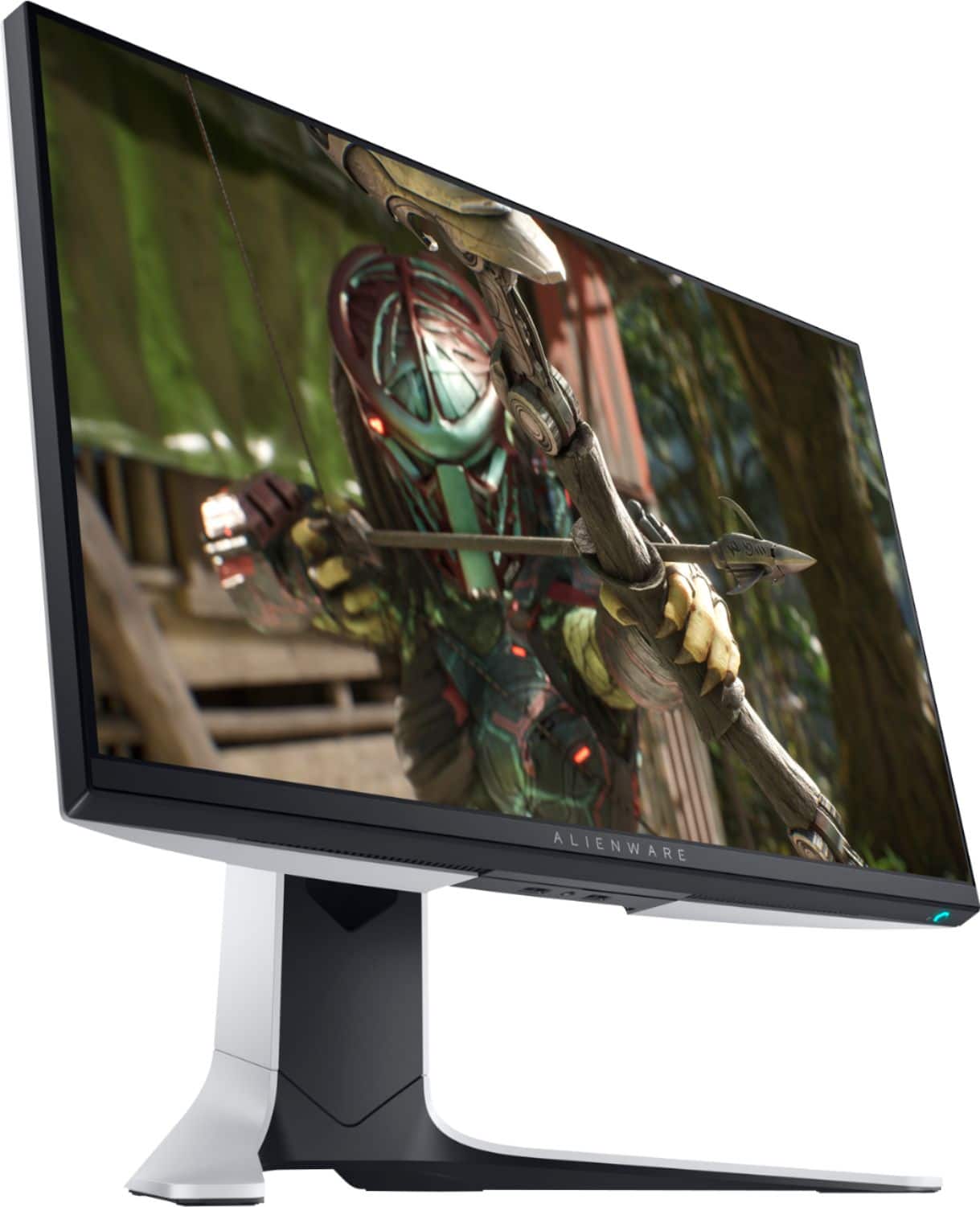
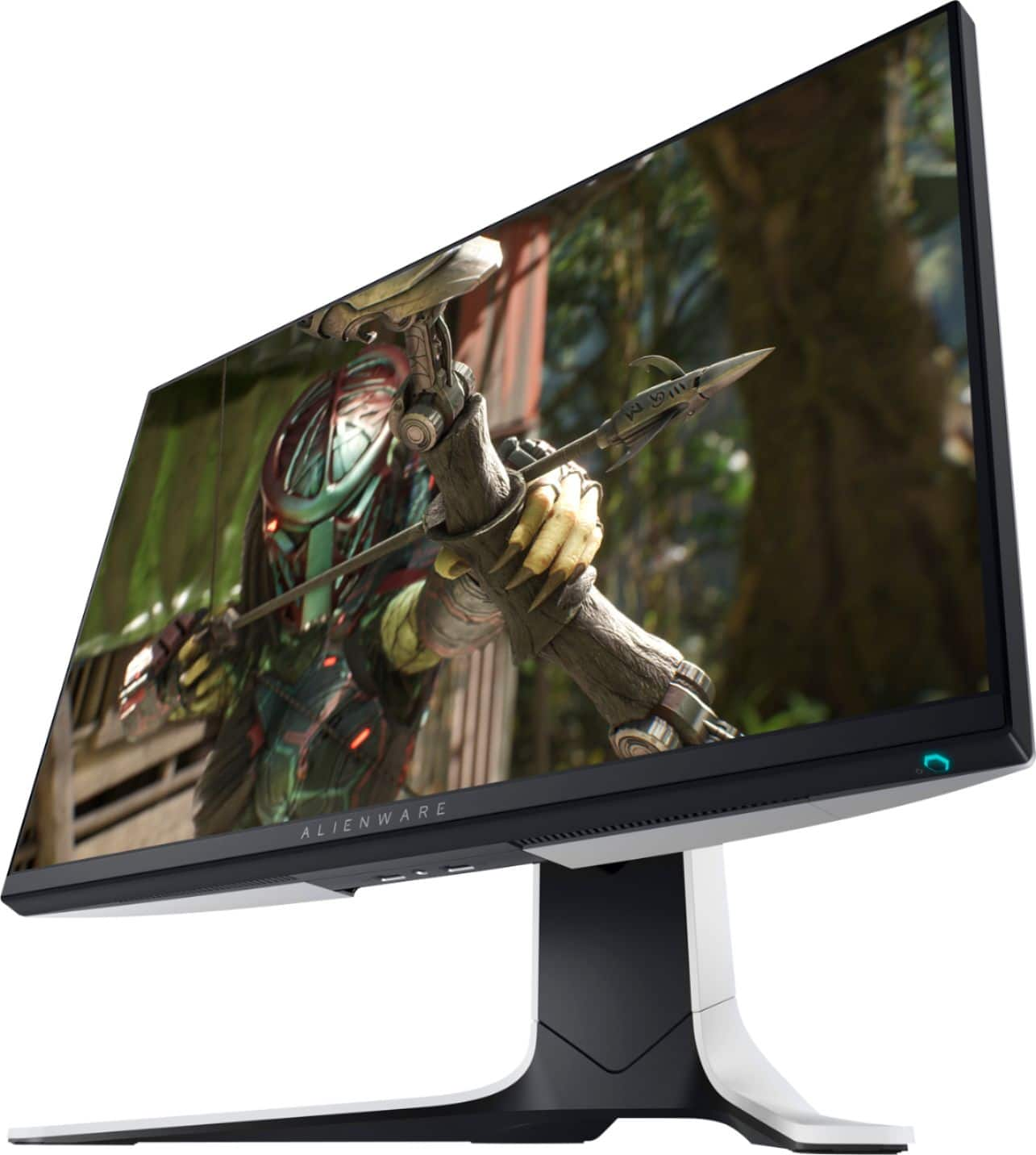
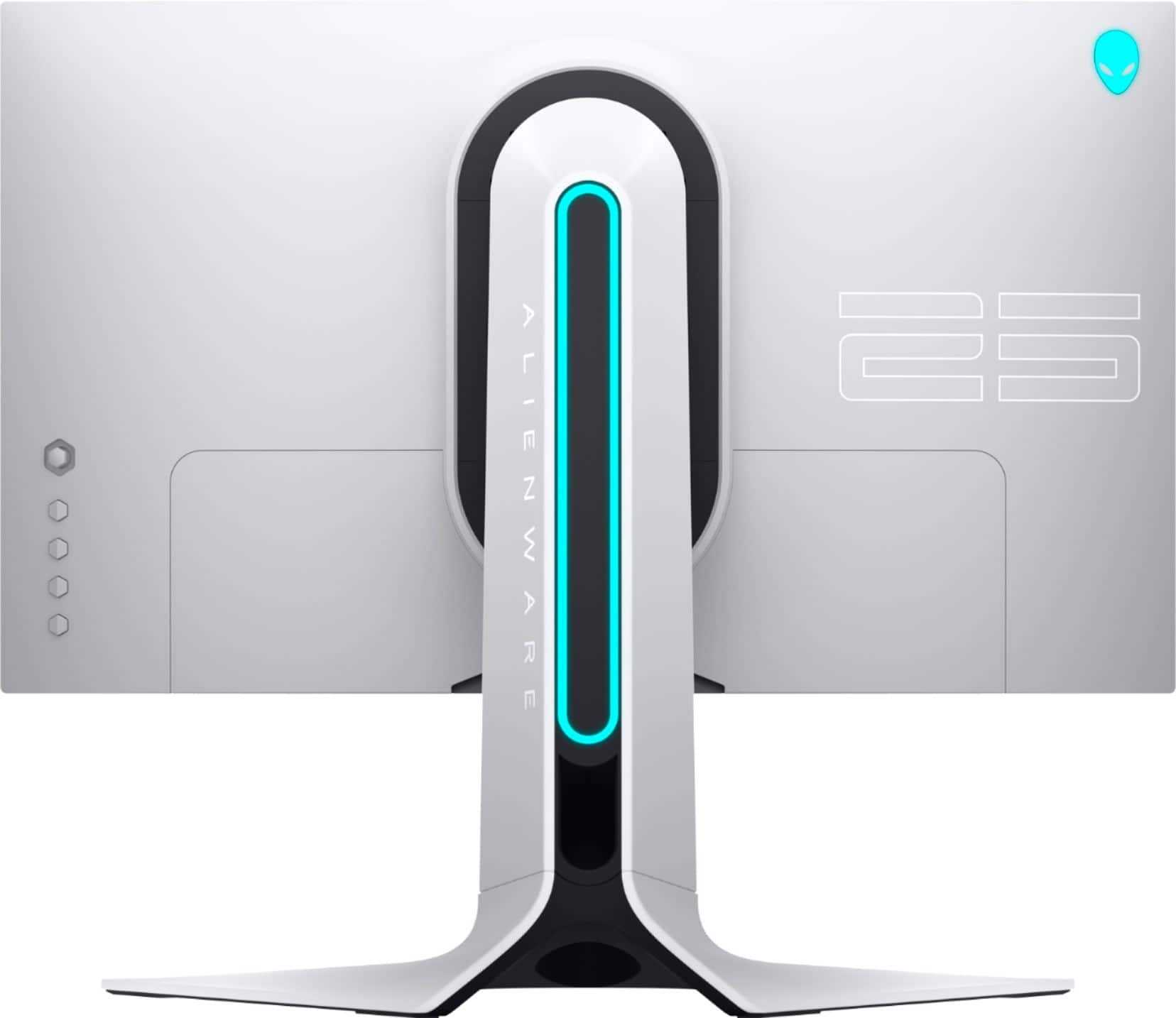
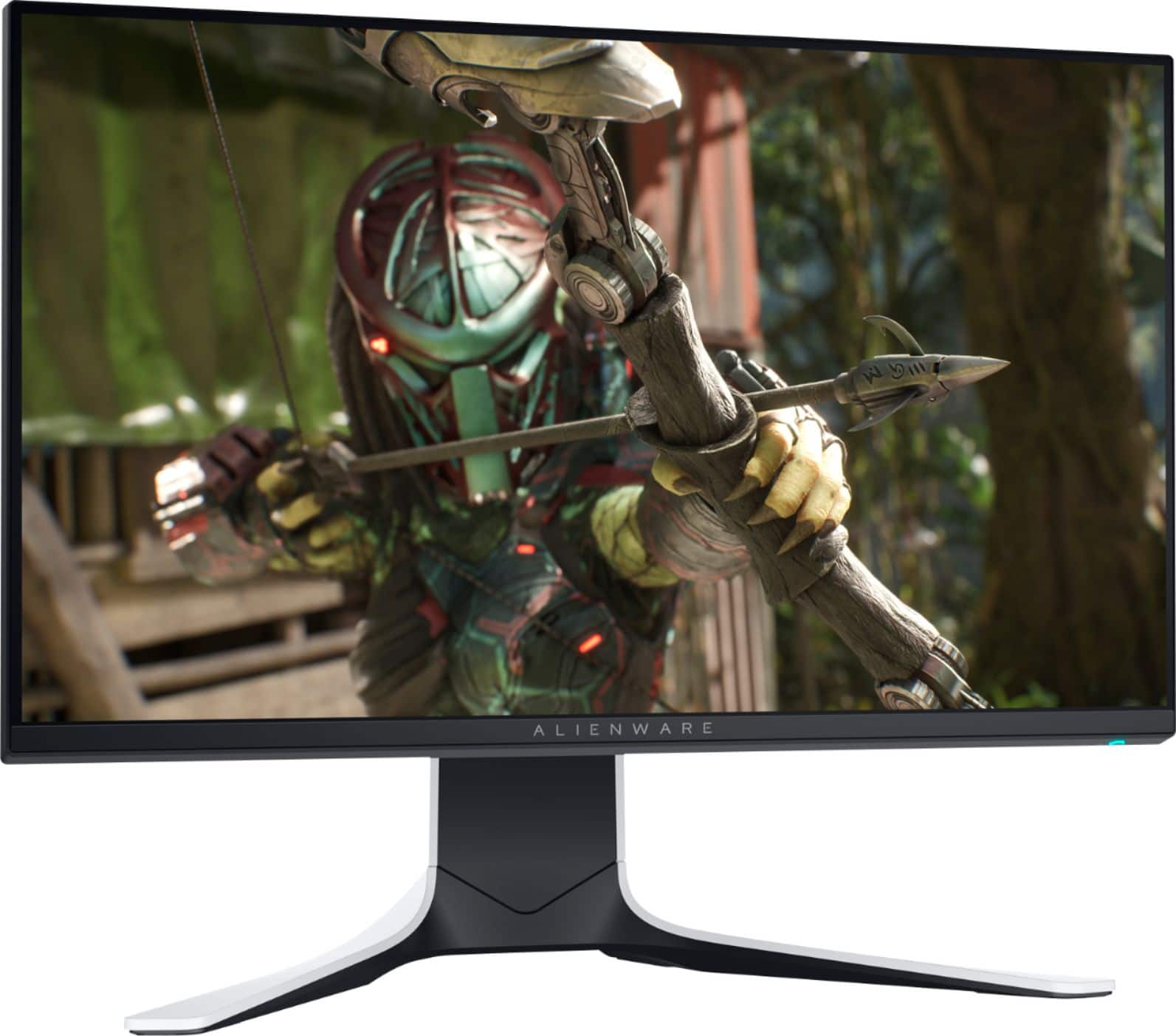
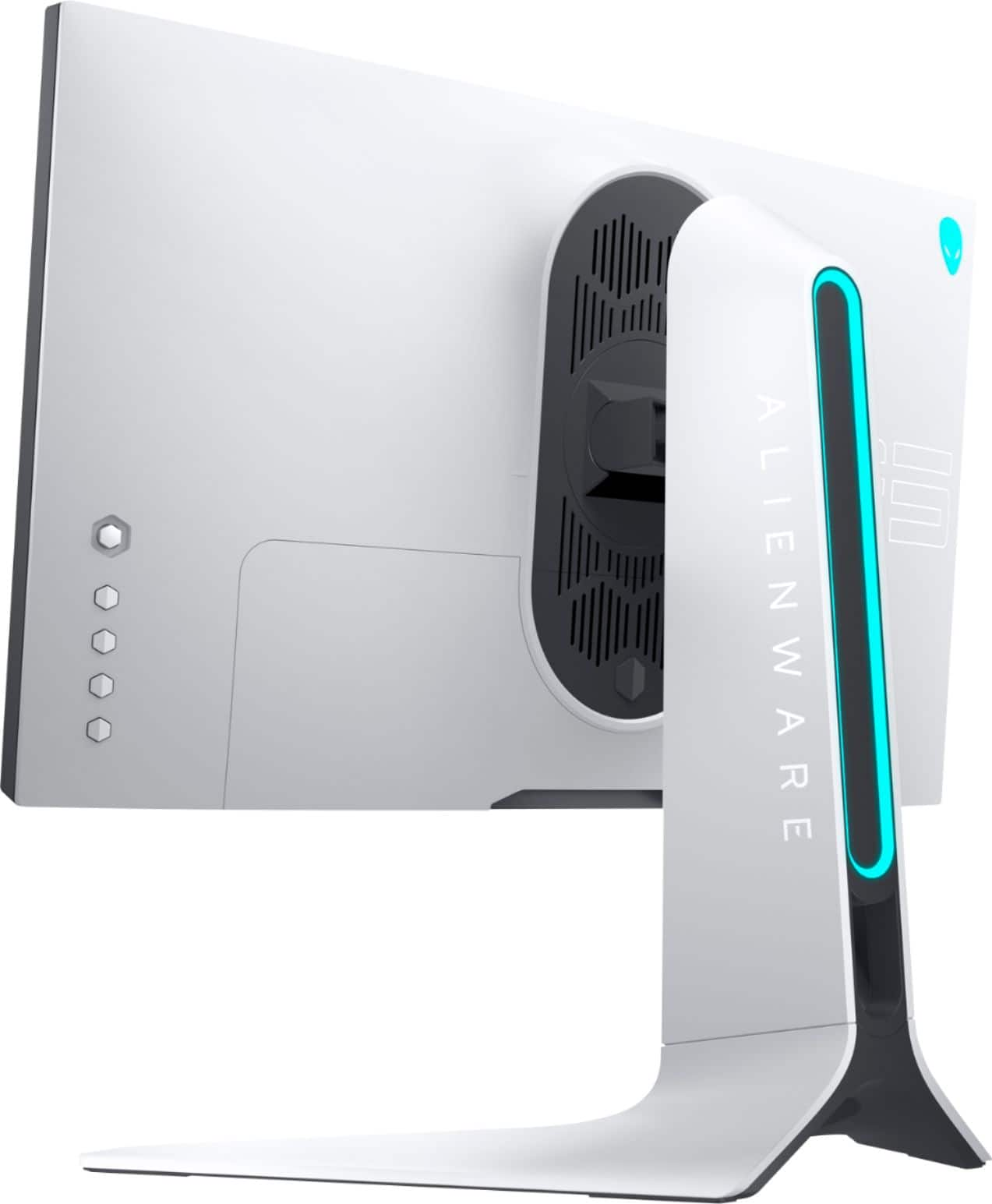
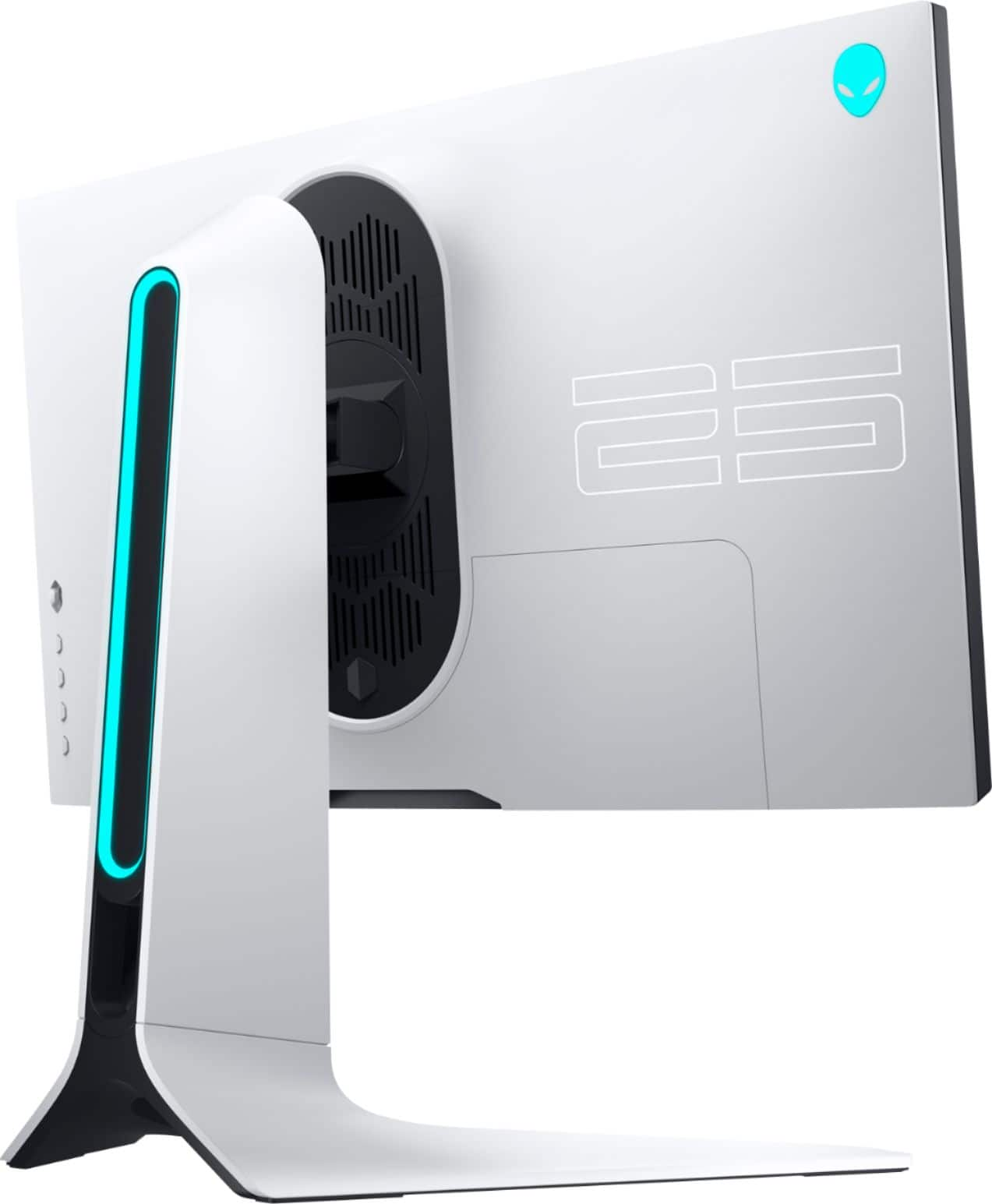
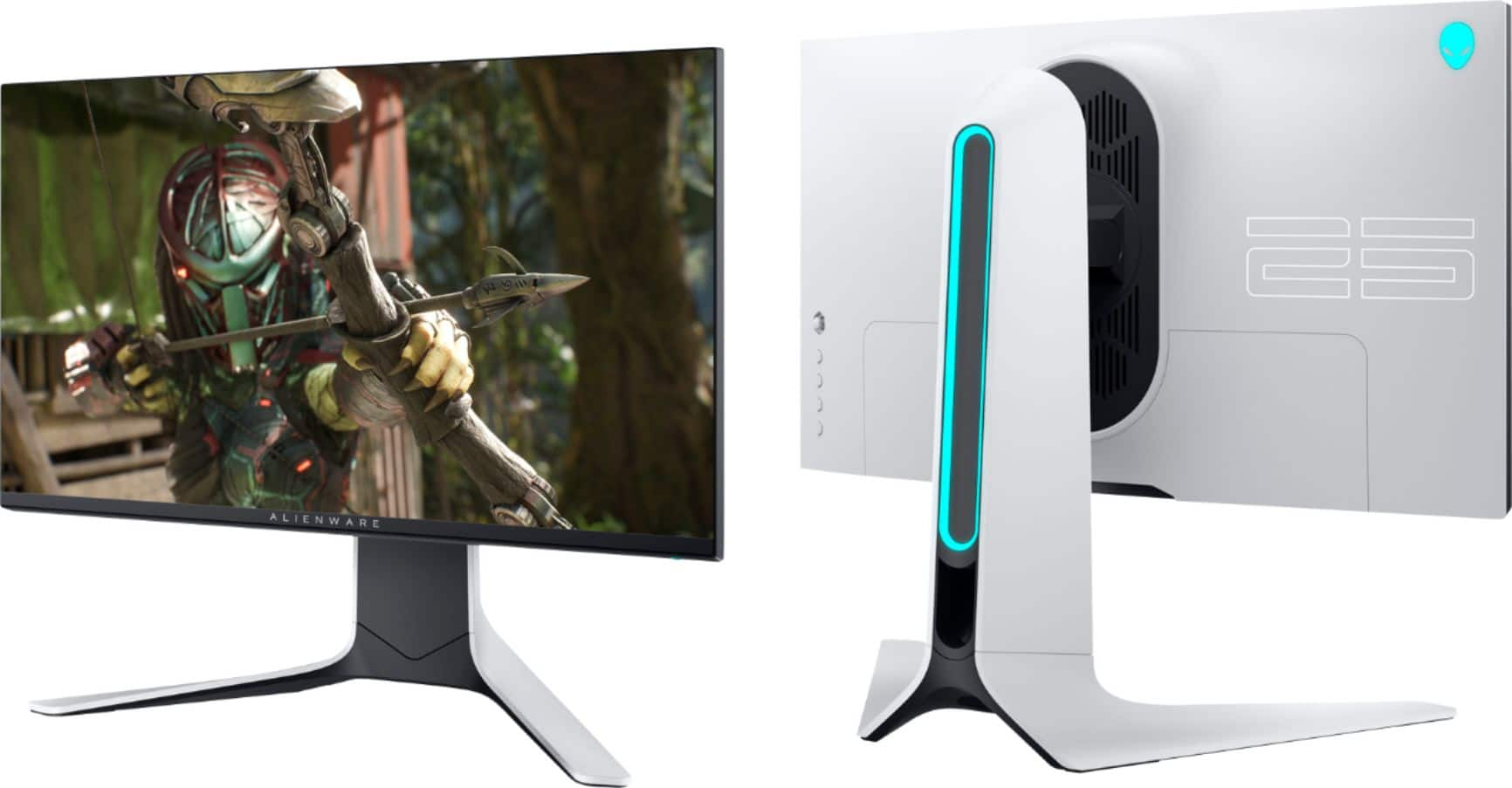
|Posted .This reviewer received promo considerations or sweepstakes entry for writing a review.If you are looking for a premium gaming monitor, this should be on the top of your short list. I was using a regular non-gaming monitor, and I feel like I have a brand new system; that’s how much this monitor improves the experience. This really offers just about everything; build quality, style, connectivity hub, insane fast reponse time, great colors, and fast refresh rates. First, the build quality on this is bar-none, head and shoulders above just about anything offered on the market. I have the lunar white version of this monitor, and the style and look of it is pure eye candy. It’s a very nice departure from most of the monitors on the market. I love the RGB accents on the back of the monitor and the power button on the front. You get a nice glowing ring on the stand, the Alienware logo on the back left corner, and a tiny glowing pill shaped power button on the bottom right of the monitor. You can leave all of these lit a solid color, or it can go throught the specturm of colors. The stand is also very hefty and solid, and has a pass through to help with cable management. Once on the stand, the monitor can easily be adjusted. It offers easy adjustment of height, angle, and even rotation. Secondly, the image on this is amazing. Its colors, vividness, are all what you would hope for in a premium gaming monior. It offers both compatibility with Nvidia G-SYNC, and AMD FreeSync Premium to sync with your graphics card and keep the image from tearing. The 1ms and up to 240Hz response time also removes ghosting or blurring. All of this is in a great 25” FHD 1080p image. Everything on the screen moves smoothly and very fluid. This monitor is hard to beat for any type of fast gaming. I tested it out by playing a bunch of my games, Apex Legends, CoD, Fortnite, Halo, Borderlands 3, and even some World of Warcraft. The monitor was plugged into my gaming rig that is currently running a Nvidia GeForce GTX1660 Ti 6GB graphics card with a AMD Ryzen 7 processor and 16GB of RAM. The gaming experience was amazing in each one of these games. Honestly, the price is a tad high, and some might wish that it was 4k comptible, but if you are looking for a great gaming monitor, you would be hard pressed to find a better complete package. My only worry at this point is that it will be very difficult to go back to anything less. This is a hard standard to beat. This is an easy recommendation for any serious gamer.
I would recommend this to a friendYour Next Gaming Monitor
|Posted .This reviewer received promo considerations or sweepstakes entry for writing a review.The Dell Alienware AW2521HFL monitor is amazing. That's it. End of review. Pick it up now! Okay, it isn't quite that simple, but thanks to its tremendous refresh rate, low response time, excellent build quality, and great on screen color reproduction, the Dell Alienware AW2521HFL monitor is the monitor to make all your gaming friends jealous. This is my favorite monitor. This monitor provides the speeds of a TN monitor with the color reproduction and viewing angles of an IPS display. It is the best of both. The higher refresh rates and Freesync technologies lead to smoother frame rates in FPS and strategy games while the improved color reproduction of the IPS display keeps everything looking great in the process. Assembly: The monitor comes with two HDMI cables, a Display Port cable, and a USB cable to connect the built in USB hub. Important to make sure you plug the USB cable into a high speed USB port on the computer. Connecting the two base pieces to the monitor is simple. If you decide later that you want to wall mount the monitor to a VESA compatible wall mount, the base stand is easily detached via the alien head button on the back of the stand. Front cable management and an optional rear panel, help keep cables tidy. The stand does take up a decent footprint on the desk (in my experience about ten inches for depth), but the stability is great and everything just feels solid. Setup: Windows will detect this as a pnp compatible monitor on start up. Drivers can be downloaded by googling DELL Alienware AW2521HFL. The included QR code in enclosed pamphlet did not work for me, but googling the product ID will take you to a DELL page where you can download Alienware Command Center and the display driver. You can use the Alienware Command Center to change the lighting profile for the back lighting on the monitor, or you can use the preset lighting options included with the monitor itself. Make sure you go into your display adapter properties and set the monitor refresh rate to 240hz. By default, I found that the monitor was set on 59hz out of the box. I tested the monitor on three different computers. Two with AMD freesync and another with an NVIDIA set up. The monitor looked and performed great with all the computers. In my experience, AMD Radeon Software detected and enabled Freesync and G-Sync by default. Unfortunately, some light bleed was noticeable around the top of the screen in the model I tested and black reproduction wasn't quite as rich as monitors that featured HDR, but on the whole, the color reproduction still won me over. To notice any light bleed, the screen would have to be totally black and even then you have to really look for it. It's possible that this was just a variance among monitors and that it could be nearly eliminated with just some more tweaking. (For what it's worth, I prefer the initial preset and the gaming preset profiles on the monitor.) This is a very good gaming monitor. Purists might quibble a bit with the slight light bleed / leak, but I'm in love with this monitor. It's truly the best gaming monitor I have ever had. I highly recommend it.
I would recommend this to a friendSeriously over-engineered for seriously good PQ!
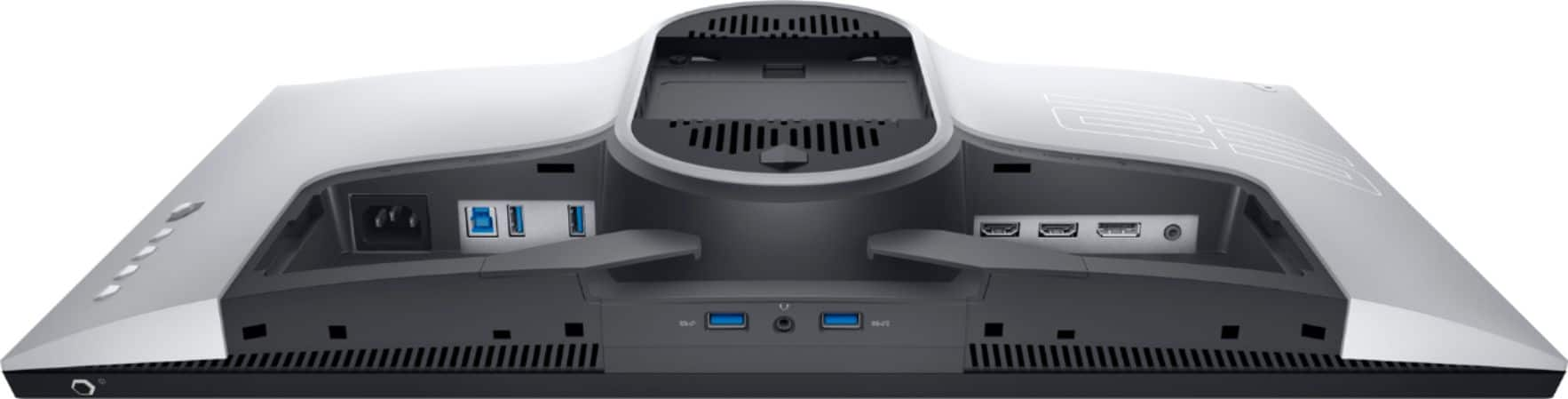
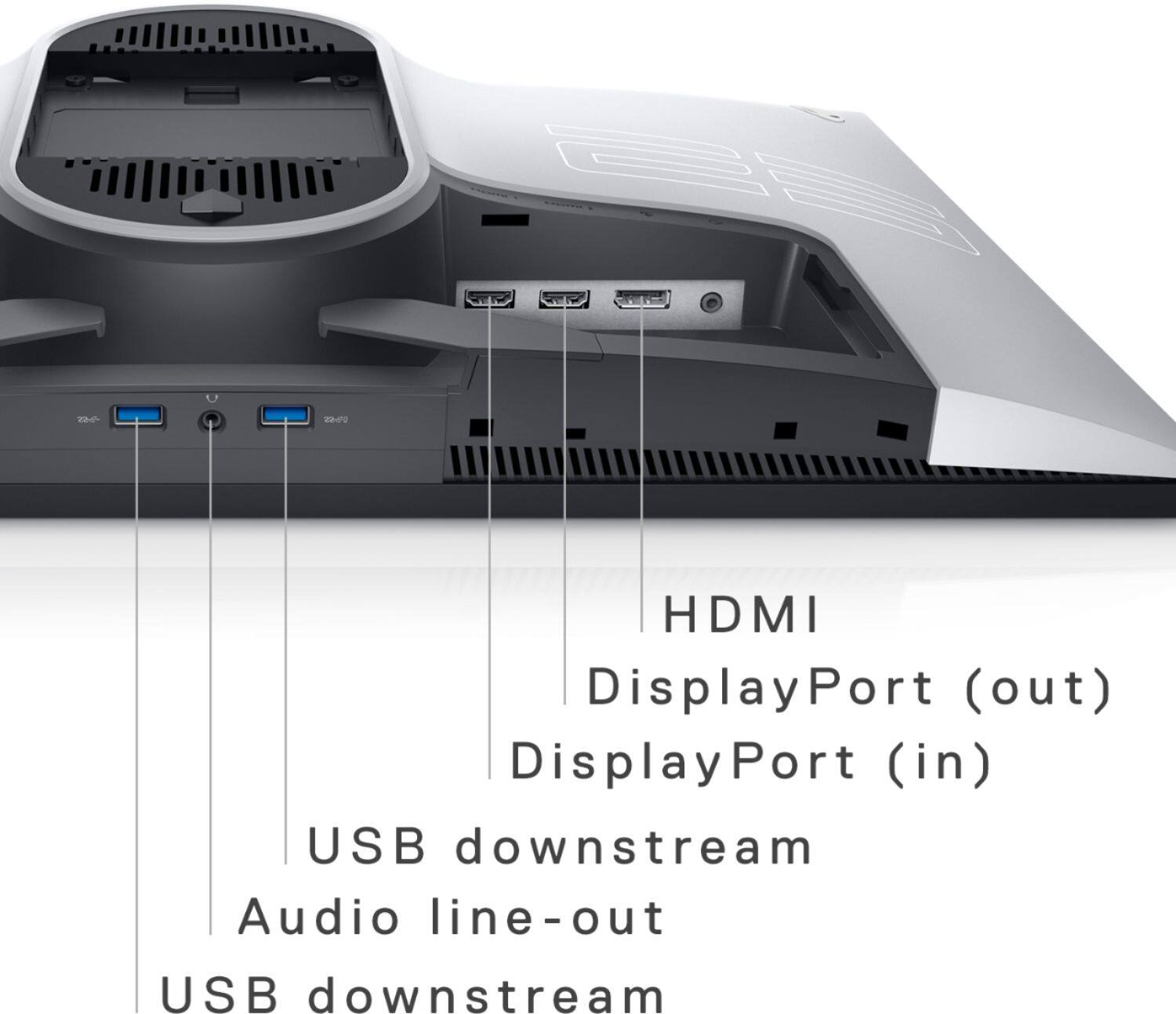
|Posted .This reviewer received promo considerations or sweepstakes entry for writing a review.Alienware often demonstrates a flair for “over-the-top” design that goes for the jugular of the “gamer aesthetic”…one look at the glowing alien, angular shape, and oval LED cutout at the back of the stand and you know this monitor was designed with serious, unashamed gamers in mind. But that’s what makes the performance of the AW2521HFL even more compelling—its almost intimidating set of adjustments for picture quality and video performance would make this monitor ideal for digital content creators as well as gamers shooting for buttery smooth HD at over 200 fps. DESIGN OBSERVATIONS There’s not much I can say in terms of appearance you can’t get by looking at the product images, so I’ll run down some observations that might not be obvious. First, Dell packed in a DP, USB and HDMI cable so nothing could get in the way of quickly getting this beautiful monitor up and running. Assembly is mercifully quick with the oversized base attaching to the beefy riser with a single wing-headed screw. The box even features a handy cut out so you can attach the riser to the back of the monitor BEFORE you have to unpack and unwrap it—it is brilliant packaging that ensures protection of the screen until the monitor is actually on your desk and ready for action. And yes, it IS beautiful—the lunar white is really eye-catching, as is the LED alien head and ambient riser LED--if you’re looking at the back of the monitor. This monitor simply BEGS to be sitting out on a free-standing desk where people can walk in and marvel at your tricked-out rig. But if your monitor faces a wall or into the back of a hutch or something, all you’re going to see up front is the LED power button at the lower right of the bezel, and the glow of the rear LEDs bouncing off whatever is behind the monitor. The effect is still really cool, but most of that awesome and visceral impact of the monitor aglow on your desktop is a little lost because virtually all of it faces away from you. This is even truer if you use a VESA mount as the largest LED accent is on the back of the riser. Maybe if some of the LEDs would cast onto the surface below the monitor, perhaps even projecting a little image of the Alienware mascot??? That would be entirely possible because empty space between the stand’s feet is ENORMOUS with an inverted U-shaped opening going from 4” wide to more than 16” wide at the front of the stand. And despite being only a 25” monitor, its stand, while providing a spectacular range of rise, tilt and swivel, needs nearly 11” of clearance from the front of the feet to the back of the base to sit securely on your desk. This may not be problem for many, but if you happen to have a soundbar or something like that normally underneath your monitor, you might end up chewing through most of your available real estate. But otherwise, you DO have acres of spare space under the monitor to stash a controller or a headset (or Funko figures). Speaking of a soundbar, that this monitor doesn’t have built-in speakers—not that you necessarily need them as there is a 3.5mm headphone jack between two bottom-facing USB ports, but even a modest pair of speakers would have been welcome for some quick YouTube or Web audio. Still, connectivity is plentiful with 4 USB ports, the headphone jack, 2 HDMI inputs, a Display Port input, and a line-out jack for a pair of powered speakers. Other thoughtful design touches include a cable-management cut-out in the riser that does a good job of keeping front-facing cable clutter to a minimum and a plastic rear cover to streamline the backside by enclosing the cut-outs for all cables and connectors. OPERATION, CUSTOMIZATION AND CALIBRATION How does the monitor look and perform? In a word: superb! Image quality out of the box, even on “Standard,” via DP was actually VERY good with white temperature (measured via Datacolor Spyder colorimeter) reading 6663K and just a hint of green push. But spelunking through the menus for color and performance options got a little confusing at first. For example, none of the color presets are under “Display” though that is where you specify the color format (RGB or YPbPr) and set brightness and contrast. All picture adjustments of note actually fall under the “Game” menu and the adjustments are as extensive as they are sometimes perplexing. First, we have the color presets, most of which I rarely use because I’ve always found them somewhat gimmcky and unnatural though YMMV. There are color presets supposedly “ideal” for FPS, MOBA/RTS, RPG, and SPORTS, but best I could tell, those modes have similar, nearly neutral color temps, but all seemed (to my eyes) to futz with the brightness/contrast values to varying degrees, with FPS in particular greatly enhancing detail retrieval in dark areas—which, of course, simply washed out dark areas into a murky grey so you can see stuff hidden in corners better. There are also 3 other customizable “Game” presets, “Comfortview” which came in at 6073K and had a strong push in green and deep cut in blue, “Warm” which measured 6690K and strangely featured just a hair of green push and a slight cut in the reds, “Cool” at 8550K with completely overblown blues and a deep cut in reds, and then another “Custom” color preset that featured even more customization options. I dialed in the Custom preset to within 5 degrees of 6500K at a luminance reading of 206.3 lux using the following Gain settings: R 98%, G 86%, B 91%. But here’s where things get better (or worse, depending on how OCD you are). Some presets allow you to individually adjust gray-to-gray response separately from the global setting so you can, for example, have a global color preset with 2ms response time but an FPS color preset for eSports with 1ms response. There are 3 response time options: 4ms, 2ms, and 1ms. 1ms is the “Extreme” setting for the ultimate in blur-busting, but I’m guessing it’s achieved via some kind of overdrive because the manual warns this setting might introduce “slight and noticeable visual artifacts into the image.” I haven’t noticed any artifacts in the past few weeks, but in practice I tend to stick to the 2ms option just to wring a little more life out of the panel down the road. All color presets allowed adjustment of the “Dark Stabilizer” which “improves visibility in dark gaming scenarios”…again, it looked like the workings of brightness/contrast sliders that gradually washed out blacks to better make out shadow detail. But the gaming and custom presets ALSO provided adjustments for offset (RGB), 6-channel saturation (RGBCMY) and 6-channel hue (RGBCMY). I’ve never come across a consumer-level gaming monitor with this much granular control over so many settings. I would imagine someone working in media creation with calibration tools could take this monitor even further than a color temperature and grey-scale calibration alone (which is frankly where I’ve always stopped). Sadly, the instruction manual spends more time describing how to use the AlienFX app to adjust the LED lighting effects than it does describing the use case for some of these picture control settings, but it’s nice the option is there for those with the know-how and capability to take advantage of all that adjustability. There are additional options for the LED color and effects, audio, shortcut key settings and menu personalization, even LCD conditioning to combat burn-in, as well as a host of other features; but the picture settings and response times were where I devoted most of my attention. However, one particularly handy feature is the “Game enhance mode” which allows you toggle a display for current FPS, a timer, and even display alignment hashes for aligning multi-monitor setups. As some have pointed out, this monitor may initially be recognized by Windows as a 60Hz display. This can be adjusted up to the 240Hz cap under Windows display adapter properties using “List all modes” or in the NVIDIA control panel resolution selector by scrolling down past the default resolution sets covering “Ultra HD, HD, SD” to the “PC” resolution settings for 1920x1080—the 240Hz refresh rate will then be available in the pull-down. BOTTOM LINE This thing ROCKS—the pictures I've attached simply cannot do the panel's PQ justice! The Radeon RX-580 in my daughter’s computer immediately recognized the monitor as a FreeSync device; the 2080 Ti in my own rig also recognized the unit as a G-Sync display. Playing DOOM Eternal at 240 fps is a positively sublime experience, as is the stutter-free G-sync action during those few dips below the screen’s max refresh rate. There is a bit of backlight bleed at the 4 corners but it’s pretty uniform and barely noticeable in action; overall, the panel is more than capable of delivering some pretty satisfying inky blackness when you’ve got the color dialed in just right. Dell and Alienware really seem to have upped their game with this monitor and the performance, picture quality, and seemingly rock-solid build honestly make this a monitor that feels like it is well worth the asking price. Sure, an ultra-wide or 4K monitor will give you more eye candy, but if you want the pinnacle of HD video performance (or that’s all you can drive at 100+ frame rates with your current setup), it’s probably going to be hard to do much better than this panel right now…enthusiastically recommended!
I would recommend this to a friendFor true competitive gaming
|Posted .This reviewer received promo considerations or sweepstakes entry for writing a review.I got the chance to upgrade the Alienware - 24.5" IPS LED FHD and I am please to say I couldn't be more happy with it. Let's start of with the simple things, IPS. if you don't already know, IPS monitors have the best all around viewing angles. Most older TN displays, you won't be able to see at certain angles. Alienware really did good upgrading their latest round of gaming monitors. Not that you would be playing a game at a weird angle but it's good for when my friends come by and want to watch each other play. Next, the big game changer, pun intended, 240HZ. If you're a competitive gamer, this monitor is for you! You're going to notice a big difference going from 60HZ to 240HZ. You might not so notice it if you're going from 144HZ to 240HZ. The weird thing is, I feel i actually got better at online multi-player shooters. I'm able to spot things more clearly when opponents are moving. Or it could just be a placebo affect, that I got this monitor and now I feel actually feel I'm getting better. Not saying this will make you an all time national champion but it seems to really help me spot certain movements. Things I like about this monitor: 1. blazing fast refresh rate 2. IPS display (upgrading from a TN display) 3. Awesome look of the display itself, have you seen this thing? 4. The monitor built in hub, get rid of the need for an separate USB hub 5. The monitor stand you can easily position into any viewing angle, this is stupid but I'm pretty tall and I appreciate being able to easily move it for my best viewing Things I didn't like: 1. Alienware says you can change the color LED on the back but I haven't been able to so probably user error. I have an R7 Alienware gaming computer but I think you'll need to update to the latest AlienFX. 2. Size, I also do video editing and I use a 34 inch monitor for the extra workspace but for gaming the 24.5" is actually perfect. I wouldn't say the extra monitor space is really beneficial for gaming. In all honesty, I would highly recommend this monitor if you're doing competitive gaming or looking for a new gaming monitor.
I would recommend this to a friendOverall a good monitor
||Posted . Owned for 3 weeks when reviewed.This reviewer received promo considerations or sweepstakes entry for writing a review.Good monitor for the price, the only draw back is the backlight bleed this monitor comes with, but it's something to except from a IPS monitor. Other than that there's no other issues with this monitor!
I would recommend this to a friendBrand response from YourDellTeam
Posted .Hello,
Thank you for sharing your feedback. While we are glad to hear you are pleased with your monitor, we are sorry to hear about the backlight bleeding you are experiencing. Your feedback is sincerely appreciated and will surely be taken into consideration when designing future products. If you have any other questions, you are more than welcome to visit the support page for your product.
Best regards,
Wendy C.
https://bit.ly/DellSupportTeam.
Phone number to Dell: 1-800-264-9896.
Amazing 1080p Gaming Monitor
|Posted .This reviewer received promo considerations or sweepstakes entry for writing a review.Dell has shocked me with their Alienware line-up in the recent days. I haven't owned a Dell monitor in YEARS, but this thing is a BEAST for FHD gaming. If 1080P is what your looking for, well then, look no further. 25 inch, 240hz and 1ms is all your going to need. And it looks so clean to boot. I always chuckle at the lights in the back of a monitor, cause really? Who's gonna see it? lol But the blue on white set up on it is really gorgeous to admire. Assembly is easy, you literally install it while it's still in the box. I did not use the included HDMI cable as I hook everything up to Display Port. After it's all put together, it just looks fantastic. Enough with aesthetics and on to performance! Now this is where EVERYONE is different. Depending on your rig, there are always going to be different results. I am testing this monitor on a 2080 Super so here is my own opinions. At 1st, I had a problem with the games maxing at 60hz (like wtf?!). Using an RTX, I went in an enabled G-SYNC and works perfectly. If you have issues with 60hz max, follow these steps! Right Click desktop -> Display Settings -> Scroll down to Advance Display Settings -> Display Adapter Properties -> LIST ALL MODES -> 1920 x 1080 240hz. After doing the above, OMG. That paired with G-SYNC was heaven. BFV found the monitor no problem @ 240 and others (shown in pics) showed the FPS @ 240. Now with Ultra Settings on some, FPS does vary between on average 160-200+. BFV, CoD and GTFO averaged in the mid to high 100s. Download the drivers from Dell's site. Also there is Alienware Command Center suite you can DL as well, but it acts just like GeForce Experience (if you are familiar with it). It "attempts" to optimize your game settings depending on your rig's specs. I do not use it, but it's there for those who want to give it a try. If FHD gaming is your thing, I will recommend this hands down. Alienware line-ups are getting better and better as time goes on.
I would recommend this to a friendNightmare
||Posted . Owned for 1 week when reviewed.This reviewer received promo considerations or sweepstakes entry for writing a review.The monitor itself seem beautiful from other reviews I'm reading on here, but I've had a nightmare of an experience , but one of mine shipped with no power cable, display port cable, hdmi or usb.. Also missing the stand and feet mount screw to keep the stand sturdy, and i wish this was a prank but missing the back plate to hide wires. I purchased two of these and for one of the products to be like this is disheartening. I contacted the best buy chat agents back on December 12 for a replacement that was supposed to be here before Christmas for this gift and they said Dec 22 and nothing came. I contacted them again to only get told they saw the replacement order and they placed another order. I wait again and nothing so i contacted chat agents again to be told no order was placed in the first place (2 hours on the chat line) still nobody to help and it's now December 27th, so I'll be returning the monitors . Good luck with everyone else out i hope the best
No, I would not recommend this to a friendexcellent
||Posted .This reviewer received promo considerations or sweepstakes entry for writing a review.pretty good monitor. is big and displays crispy quality.
No, I would not recommend this to a friend240Hz is Buttery Smooth
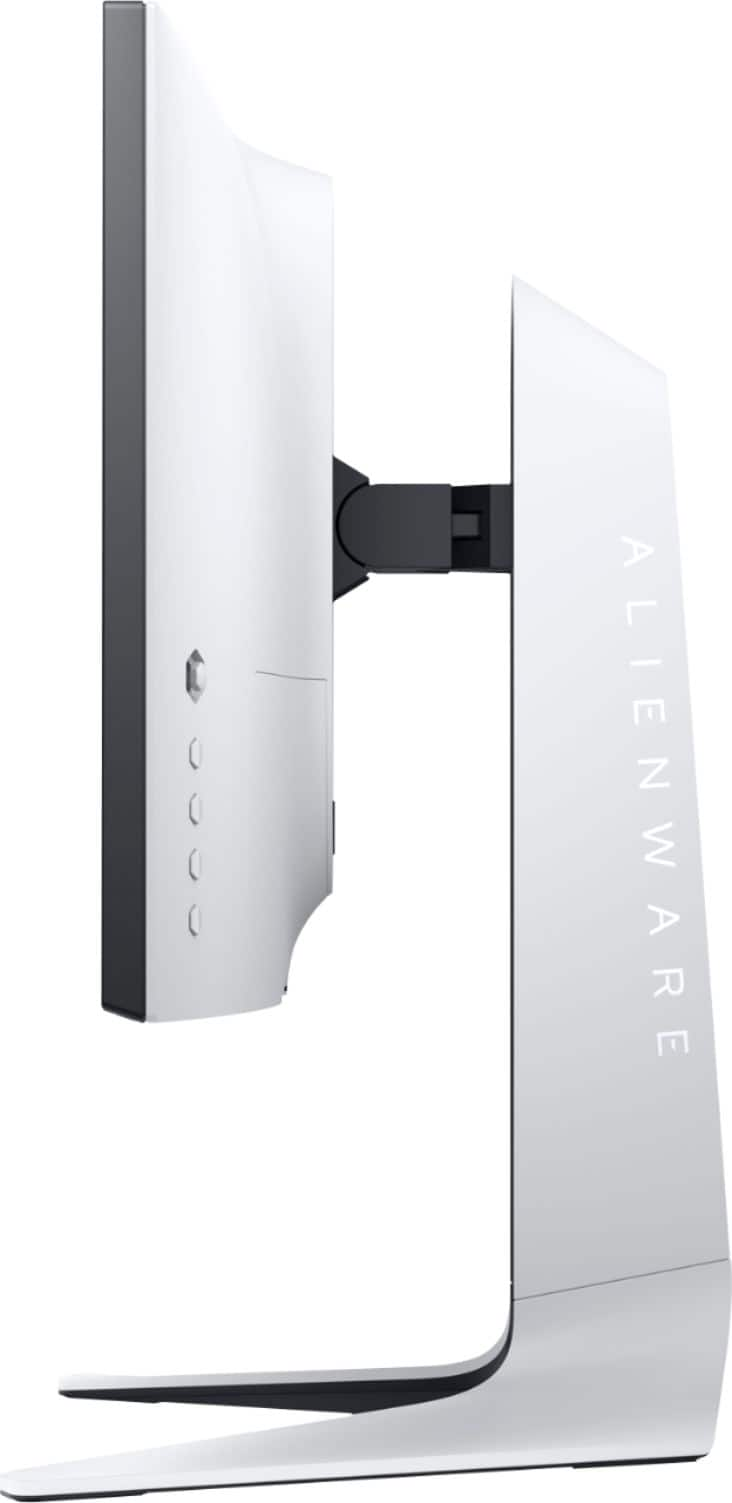
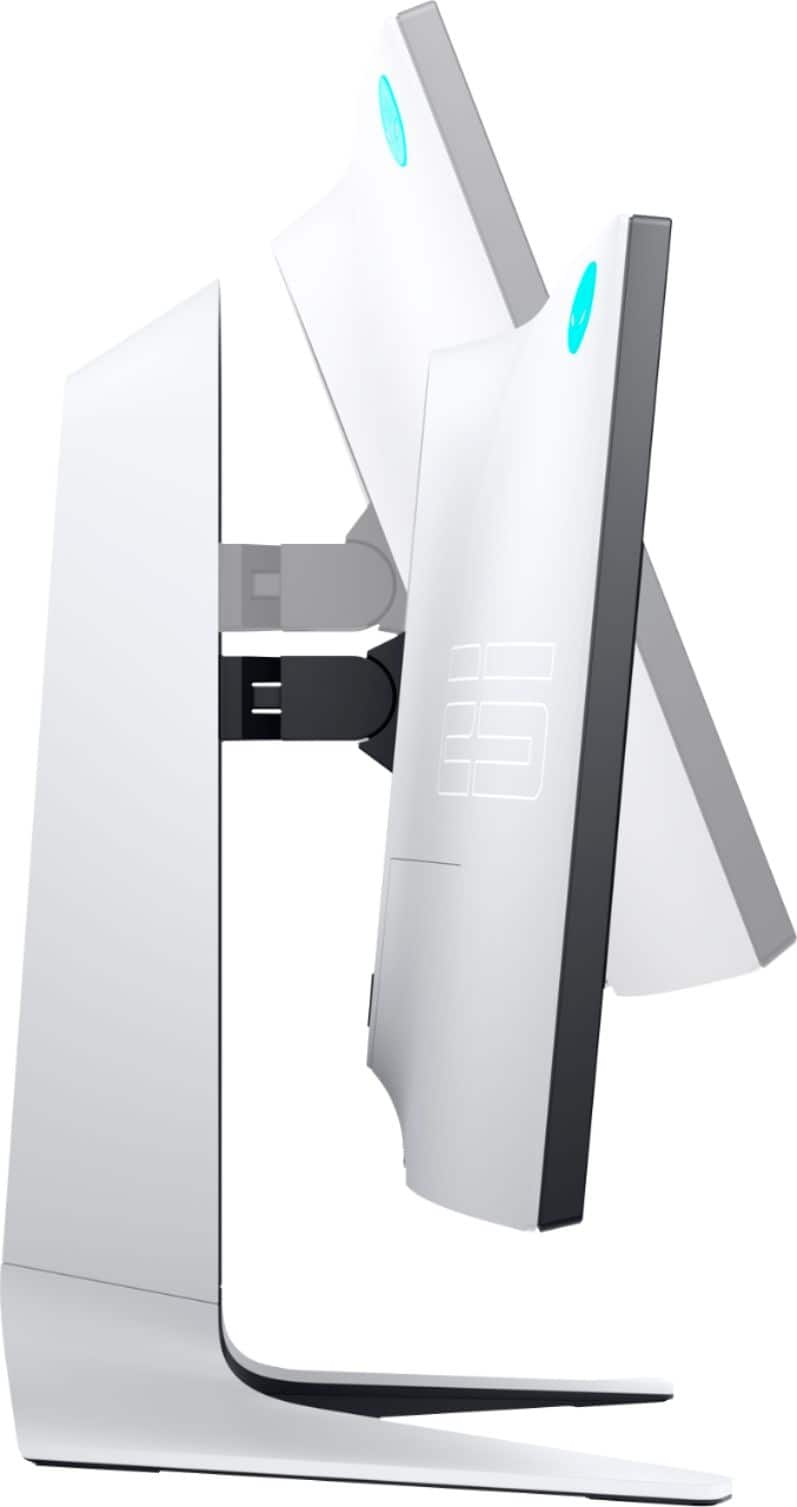
|Posted .This reviewer received promo considerations or sweepstakes entry for writing a review.When I started my PC gaming adventure a few years ago, I was on a pretty limited budget. Until now, I’ve had two inexpensive 60Hz monitors hooked up to my desktop. I swapped both for this monitor and I couldn’t be happier! The difference between 60Hz and 240Hz is night and day. At 60Hz, you can literally see your cursor skipping across the screen. At 240Hz, there’s no skipping and everything is buttery smooth. This has been so helpful, especially when playing FPS like Warzone. This monitor is one of the many upgrades I am making to my rig. Right now, I’m using a Nvidea GeForce 1050Ti (don’t judge) and to be frank, it isn’t amazing, but it does the job. One significant issue that I’ve had with this graphics card and my old monitors has been screen tearing. Since hooking this new monitor up, I haven’t had that issue whatsoever. G-Sync has been an absolute godsend through its communication with my graphics card. My gameplay has improved, as has my KD. Textures, shadowing, and the lot are still issues, but that’s not on the monitor. I just need some other hardware upgrades. Not only does this monitor work well, but it’s gorgeous too. The Lunar Light color is a perfect combination of white and gray. And the Alienware lighting on the back is unmistakable. Range of motion on this monitor is excellent and it’s nice that you can easily switch orientation from landscape to portrait. The only thing I’d really like to see changed about this monitor is the screen resolution. At this price point, I would love to see a bit higher resolution, but I also understand there are limitations on this right now. Maybe soon we’ll see a 4k monitor that can push 240Hz? Long story short, I do truly love this monitor and I cannot wait to improve some other hardware in my rig to really push it to it’s full abilities. I’d highly recommend this monitor if you’re in the market.
I would recommend this to a friendVery Disappointed
||Posted . Owned for 3 weeks when reviewed.This reviewer received promo considerations or sweepstakes entry for writing a review.Was a good run until exactly 25 days it started showing this white screen.... Maybe it is the unlucky one out of the bunch but I would not recommend buying from this merchant.
No, I would not recommend this to a friendBrand response from YourDellTeam
Posted .Ramon,
We're sorry to hear about the issues that you're having with your new monitor. Here's an article that should help you troubleshoot the display issues that you're experiencing: https://dell.to/2CLF6yC.
Best,
Bryan
1-800-624-9896
Monitor review
||Posted . Owned for 1.5 years when reviewed.This reviewer received promo considerations or sweepstakes entry for writing a review.Amazing the 240hz is amazingly smooth and the colors and 1080p looks great
I would recommend this to a friendBeautiful Performance for Gaming and Work.
|Posted .This reviewer received promo considerations or sweepstakes entry for writing a review.Unpacking and Setup The Alienware 25" Gaming Monitor (AW2521HFL) is a beautiful beast! This is evident from the box's size and the packing that keeps this fantastic monitor safe for shipping. The vertical support post was quickly attached to the V-shaped base with a single anchor screw, and the unwrapped monitor clicked into the mount. A single push button is available for quickly releasing the monitor from the stand. I soon discovered the need for this to get the cables attached to the monitor. The bottom back of the slides down and off to reveal the ports for the cables. Grooves below the ports firmly secure the wires. Reattaching the monitor to the stand is a quick snap, and a cable tunnel in the stand is perfect for threading the cables. As soon as I plugged in power, the back of the monitor came alive with light from the Alienware logo and a u-shaped light bar on the vertical support. The lights cycled through a range of colors and ended in a nice glowing red. I connected the monitor to my Geforce equipped computer with an HDMI cable for video and a USB upstream cable for enabling the two USB ports on the bottom of the monitor. The power button for the monitor is on the bottom right. When pressed, it will cycle through colors until blue. Configuration Menu A push of a small joystick button on the right back of the monitor enables the monitor configuration menu. This menu provides settings for Game Modes, Input Sources, AlienFX Lighting, Display settings, Audio volume, Menu settings, Personalize settings for customizing the three Shortcut buttons, and Other settings. The AlienFX Lighting settings are for configuring the light colors of the logo, stand light, and power button. I set mine to Spectrum for rotating through all the colors. Other settings are for enabling DDC/CI, LCD Conditioning, Firmware version, Service Tag, and Factory Reset. Game Modes The monitor comes with five preset modes: -Standard -FPS: First Person Shooters -MOBA/RTS: Multiplayer Online Battle Arena and Real-Time Strategy games. -RPG: Role-Playing Games -SPORTS: Best color settings for sports games Three custom game modes can be saved and assigned to the three bottom push buttons on the back of the monitor. Gaming The performance of this monitor is crazy fast. My games of choice are No Man's Sky, Hardspace Shipbreaker, Sid Meier's Civilization V, and Minecraft. The monitor was able to handle everything I threw at it. Entirely no ghosting, no stuttering, or frame freezing. Only on No Man's Sky did I get a bit of stuttering in the maximum graphic settings, which is due to my video card and not the monitor. Pros -Crazy fast performance. A gray-to-gray response of 1ms in Extreme mode. -The stand is very adjustable in height and tilt. Monitor can be rotated to portrait for us code geeks. -Beautiful non-glare monitor with a nice looking edge-to-edge minimum bevel. -Back-mounted joystick control for monitor settings. -Plenty of ports for connectivity. 2 HDMI, 1 DP, Upstream USB, 2 USB out on the bottom, 2 USB out on the back, Headphones jack, and Audio out. -It can be mounted to VESA mounts. -Supports AMD FreeSync for the highest possible frame rates. -DDC/CI support for controlling the monitor settings from the computer, via Alienware's downloadable software. -LCD Conditioning for reducing minor cases of image retention. The non-glare coating and the ability to rotate makes this monitor a flexible choice for gaming, programming, and writing. -Timer display mode for 30,40,50,60,90 minutes. Nice for in-game cycle reminders. Cons -While the manual says the monitor is Nvidia G-Sync compatible, I could not find any settings for controlling this. G-Sync is hardware-driven, whereas AMD FreeSync is software-driven. Since FreeSync is touting compatibility with G-Sync, I feel this can't be accomplished without integrating the G-Sync hardware. -The Frame Rate setting only showed the Refresh Rate of the monitor, and it never did show the Frame Rate of the games. -The base of the monitor stand is deep at 10.5 inches. Be prepared to lose some desk space. Some Specs and Features -AW2521HFL, Lunar Light model. -Interface: HDMI (2), USB 3.0, DP -Headphone port. -Audio line-out. -Resolution: 1920 x 1080 -Refresh: 240Hz with 1ms response -Video Compatibility: AMD Free Sync, G-Sync compatible -Brightness: 400 nits -On-Screen Design with six preset modes for quick selection of screen settings to match the gaming mode. -On-screen timer for tracking time-based game events. -FPS Counter for showing frame rate touted but did not work. -Visual alignment lines for aligning with multiple monitors. -VESA standard mounting holes -TN panel, LED edgelight system, Active matrix. TFT LCD 1920 x 1080 at 240 Hz and 1 ms gray-to-gray response time. -Preset video modes for First-Person Shooter, Real-Time Strategy, RPG, and Racing. And three customizable game modes. -Back-mounted joystick for monitor controls. -Selectable color modes for the back of monitor Alienware logo and light strip. -Dark Stabilizer mode for improving visibility in dark gaming scenarios. Summary The Alienware 25" Gaming Monitor is an ideal match for gaming and working. The lack of a "true" Nvidia G-Sync implementation is a minor detail, and the monitor can handle whatever I could throw at it. It is a perfect match for my dual-use needs.
I would recommend this to a friendSigma
||Posted . Owned for 1.5 years when reviewed.This reviewer received promo considerations or sweepstakes entry for writing a review.The monitor I recently purchased has exceeded all my expectations, making it the best monitor I've ever owned. The exceptional display quality, characterized by its vivid colors and sharp resolution, truly brings digital content to life. Whether I'm working on graphic design projects, gaming, or simply browsing the web, the seamless and smooth experience it provides is unparalleled. The design is sleek and modern, fitting perfectly into any setup, and the adjustability features enhance ergonomic comfort. Additionally, the connectivity options are versatile and user-friendly. In every aspect, this monitor has proved to be a worthwhile investment, enhancing my productivity and viewing pleasure.
I would recommend this to a friendTop of the line gaming monitor - 240Hz!
|Posted .This reviewer received promo considerations or sweepstakes entry for writing a review.-Style is beautiful and futuristic looking -It's 1080p FHD BUT it feels like it's 4K with the bright colors, contrast, sharpness, and just overall look. -Pairs perfectly with my Nvidia graphics card - no more screen tearing! -Offers AMD freesync which is a MUST HAVE for any gamer and gaming setup -240hz is so smooth. Gaming on this with my pc compared to my 60hz setup for my Xbox one is night and day. Literally like butter! Overall I'm very, very happy with this monitor. It's definitely top of the line and if upgrading from a regular non-gaming monitor like I did you will seriously notice a HUGE difference in your PC gaming experience.
I would recommend this to a friendChange The Way You Game!
|Posted .This reviewer received promo considerations or sweepstakes entry for writing a review.This Alienware monitor is beyond amazing! Prior to owning this Alienware monitor, I was just playing on a simple monitor. The difference is huge and my gameplay has changed. The graphics being so smooth and crisp I think Im finally getting the full use and advantage out my computer hardware like my graphics card. Now I see that I have been gaming on the PC wrong this whole time for not getting an Alienware monitor sooner! The funny thing about this monitor is I can even tell a difference in video. Watching action movies or some of my favorite basketball games seem to look better and smoother. The 48-240Hz actually does mean something and I can tell with this monitor. The other amazing and cool thing about this monitor is all the different ways you can angle and position the monitor. It moves up and down, side to side. I wish all monitors had this feature so Alienware did a great job of including that feature. Overall its a very great monitor and it also looks great too. I recommend this Alienware monitor.
I would recommend this to a friendBest monitor
||Posted . Owned for more than 2 years when reviewed.This reviewer received promo considerations or sweepstakes entry for writing a review.I love my monitor so much. It’s the best. I play video games or even watch movies with my cousins on it. It’s a very big screen. I’d recommend getting and it makes a lovely gift.
I would recommend this to a friendOne of the best at 240HZ Great Colors
||Posted . Owned for more than 2 years when reviewed.This reviewer received promo considerations or sweepstakes entry for writing a review.I used this monitor as my primary monitor for the last 3 years, it has been one of the best monitors I have ever used. 240 HZ and it has lightning fast reactions. The colors are great straight out of the box.
I would recommend this to a friendGreat value
||Posted . Owned for more than 2 years when reviewed.This reviewer received promo considerations or sweepstakes entry for writing a review.Great monitor for the price. Really good picture quality and refresh rate great for gaming.
I would recommend this to a friendalienware monitor
||Posted . Owned for more than 2 years when reviewed.This reviewer received promo considerations or sweepstakes entry for writing a review.Have had this for a little over two years now and the jump from 60hz to 240 is like night and day. Monitor is still holding up quality wise and the picture quality is decent as well. Highly recommend.
I would recommend this to a friend