Customer Ratings & Reviews


- Model:
- GY2XK
- SKU:
- 6375328
Rating by feature
- Display Quality
Rating 4.9 out of 5 stars
- Ease of Use
Rating 4.8 out of 5 stars
- Features
Rating 4.9 out of 5 stars
Customers are saying
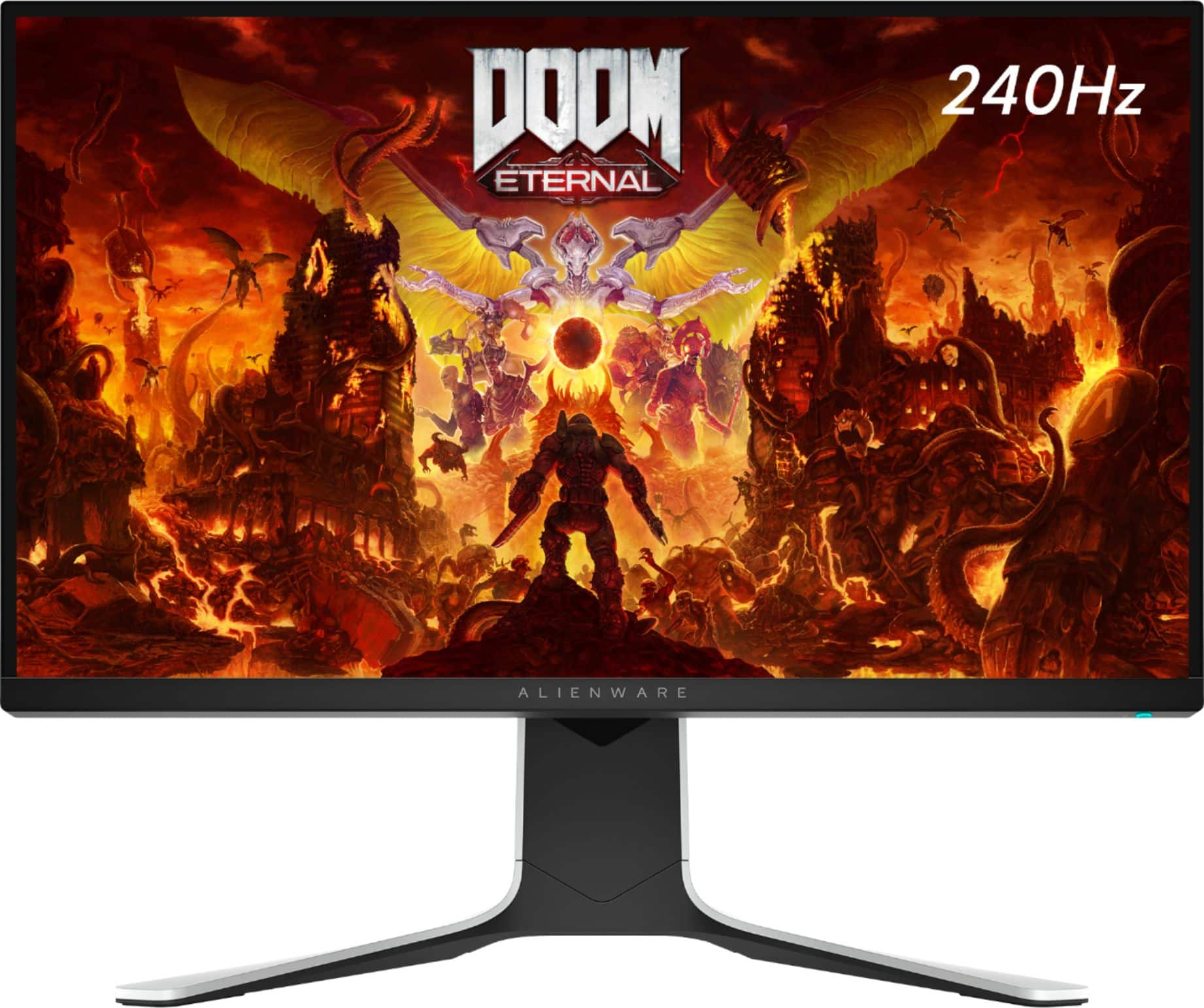
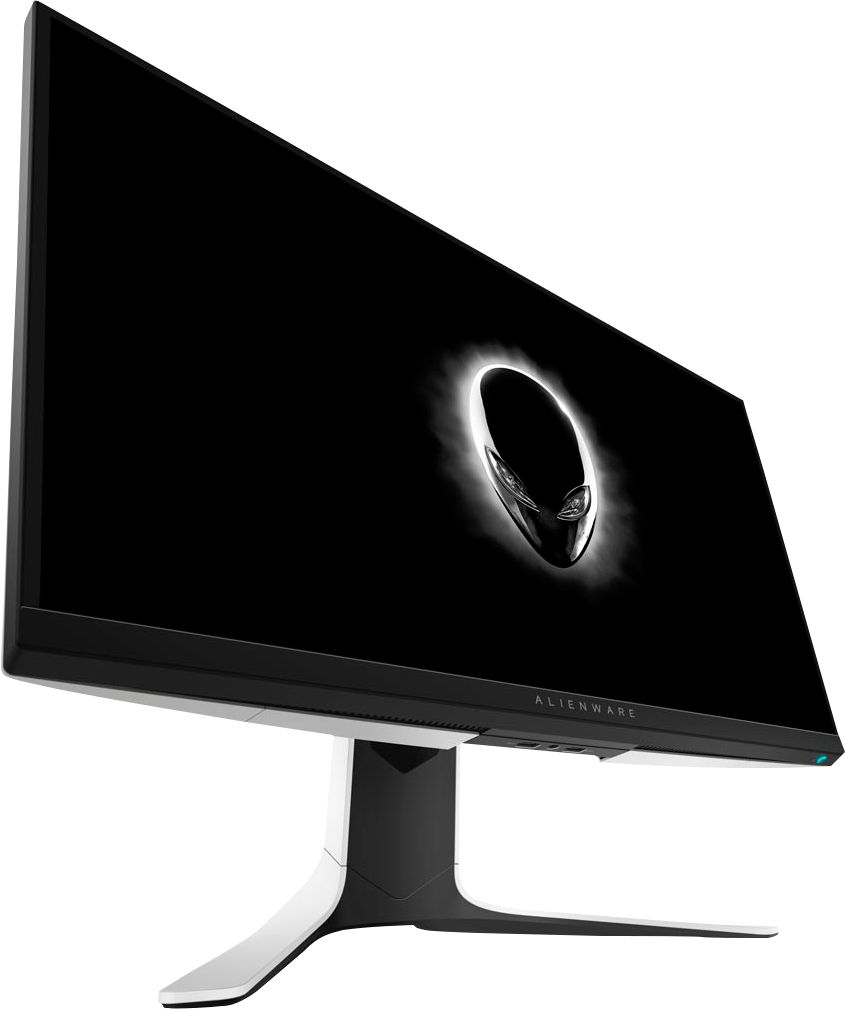
Customers are satisfied with the picture quality, refresh rate, and graphics of the AW2720HF monitor, with many praising its performance in gaming. The ease of setup and value for the price are also frequently cited as positive aspects. While some users wish it included built-in speakers, most find the monitor's weight and lack of curvature to be minor drawbacks.
This summary was generated by AI based on customer reviews.
Broken On Open
||Posted .This reviewer received promo considerations or sweepstakes entry for writing a review.Great! Only thing is when I unboxed and plugged in the screen was cracked and had a massive spiderweb across the screen. Had to order a new one so waiting on that.
I would recommend this to a friendBrand response from YourDellTeam
Posted .KB34,
Thanks for your review and we're sorry to hear about the damage that your monitor had when you received it. We hope that once you receive your replacement that it will work the way you intended it to. Here's the product support page for additional help: https://dell.to/35W82Bg.
Best,
Bryan
1-800-624-9896
Would not get not worth 300 dollars.
||Posted . Owned for 2 weeks when reviewed.This reviewer received promo considerations or sweepstakes entry for writing a review.So i got this for my series x and my pc. I tried every adjustment and well to achieve 1ms and 120hz seems to only work well when using the freesync but i encountered ghosting alot. Without the freesync its just too much tearing. I though 240hz would give me that competitive advantage but this monitor has more cons than pros. Would not recommended. At 1080p i would think it would perform better but no.
No, I would not recommend this to a friendBrand response from YourDellTeam
Posted .Dear Craanee,
We appreciate you taking the time to leave us your review. We apologize for the problems you have had with your Alienware Monitor. We would recommend you have the Dell Display Manager installed and up to date for your monitor, along with any other drivers and downloads. I have provided a link to the Drivers and Downloads page for your monitor below so you can check for and do any applicable installations and updates.
Drivers and Downloads Page: https://dell.to/31AqKR0
After utilizing the troubleshooting options provided, if the issue persists, please feel free to reach out to our support team here: https://bit.ly/DellSupportTeam.
If you require further assistance, you can contact Dell directly with the information below.
Chat or call: https://bit.ly/DellSupportTeam
Phone number to Dell 1-800-624-9896
Best,
Ashley@Dell
Just ok
||Posted . Owned for 4 months when reviewed.This reviewer received promo considerations or sweepstakes entry for writing a review.Nice picture and graphics. Had for less than a year and the stand is already loose. Tightened it each time and it still won’t stay tight.
I would recommend this to a friendBrand response from YourDellTeam
Posted .Hi Eaj3,
We appreciate you taking the time to leave us your review. We are glad you like the picture and graphics of your Alienware 27” gaming monitor but we are sorry to hear that the screws on its stand are coming loose, even after you tighten them up. We will share your comment about this issue with our quality team, so future improvements can be made.
If you come across any questions or have concerns about this product, please don’t hesitate to contact Dell Support Team at the information provided below.
Best,
Katarina@Dell
Should you need further assistance, you can contact Dell directly with the information below.
Chat or call: https://bit.ly/DellSupportTeam
Phone number to Dell: 1-800-624-9896
Do not purchase "Open Box Excellent"
||Posted . Owned for less than 1 week when reviewed.This reviewer received promo considerations or sweepstakes entry for writing a review.I purchased this online since not available in store around me, plus the local store is 60+ miles for me to travel to. I had chose the open box excellent since it was like $35 less than the new one and I have never had any issue with open box products when choosing the excellent condition. Shipping was fast as advertised and received it in the 3 days from ordering late evening. The box was all taped up and not consistent with previous purchased excellent condition opened box that I have previously received. No user manual and no bolt or screw to connect the stand together (although the description stated would have all contents), not a big issue since I do service work and have many bolts and washers. Got stand put together and then connected to monitor and pulled out to a great disappointment of the most nasty looking monitor I have seen. There was all kinds of "gunk" on the screen and at the bottom bezel was a huge scratch that was very noticable. Cleaned the screen and was already deciding to return it for a new one since was worse than purchasing a used one from an individual, but wanted to try it out as I was wanting to try the 240Hertz first person to decide if wanted to get a new one of the same monitor or going elsewhere. Hooked it up and turned on to a bigger disappointment of the screen was blank and no display, just backlight bleed. No OSD and so tried the hdmi instead of display port and still no display. No logo and no picture on screen at all. Get online to start a return for defect and either pay to ship or I have to travel to the local 60+ miles store to return. Will definitely stick to Amazon for future customer service and easy returns if defective.
No, I would not recommend this to a friendGet a smaller 1080p monitor
||Posted .This reviewer received promo considerations or sweepstakes entry for writing a review.Decent monitor but would prefer to get a smaller monitor since everything looks like a smeary mess. Colors are too dark even when calibrated properly
No, I would not recommend this to a friendBrand response from YourDellTeam
Posted .Hello koji,
Thank you for your input and review. We apologize for the issues you have come across with your display color. We have provided steps below that can help adjust your color depth through Windows 10.
1. Close all open programs.
2. You can either right click Start, and then click Control Panel or click on start and type Control Panel and click the icon that appears.
3. In the Control Panel window, click System, and then click Display.
4. Select the monitor you want to change, if more than one is connected to your PC.
5. Click the Display Adapter Properties link.
6. Select List All Modes.
7. Choose your resolution, color depth and refresh rate from the list and click on OK
8. Click OK again to exit the properties window.
If you still require further help with adjusting your display, this contains more details and troubleshooting steps: http://dell.to/3oitVT6.
Best regards,
Wendy C.
NOT FOR FPS GAMING
||Posted .This reviewer received promo considerations or sweepstakes entry for writing a review.I was excited to try this new tech on IPS with advertised “1ms” response time set to extreme. It looks like this is not tested on actual FPS games before release, there’s alot of ghosting with response time set to extreme and super fast, Its only playable on fast setting which is the slowest, probably 4-5ms response time. Colors are amazing though, It might be ok with moba games or other games just not fit for FPS games, looks like IPS tech still can’t keep up with TN speed.
No, I would not recommend this to a friendBrand response from YourDellTeam
Posted .TheWeekEndGamer,
Thanks for your review. We're sorry to hear that your monitor is not as responsive as you hoped it would be. One thing that we always advise customers of is to check to make sure that the game settings are not what is limiting your game play speed. It sounds like you have already tried to adjust this but if you are trying to play other games and are looking for a higher FPS rate, just double check the game settings as well.
If you have additional questions about your monitor you can check our Product Support Page here: https://dell.to/35W82Bg.
Best,
Bryan
1-800-624-9896
Meh
||Posted . Owned for 2 weeks when reviewed.This reviewer received promo considerations or sweepstakes entry for writing a review.Not what i was expecting fell short with other options out there with same price point. Returned mine for an LG.
No, I would not recommend this to a friendBrand response from YourDellTeam
Posted .Hello Ghost,
We want to thank you for taking the time to leave us your valued feedback. We are sorry the hear you were not completely satisfied with your Alienware Gaming Monitor and ultimately decided to return it. This is certainly not what we like to hear from our loyal customers.
If you require further assistance, you can contact Dell directly with the information below.
Chat or call: https://bit.ly/DellSupportTeam
Phone number to Dell 1-800-624-9896
Best,
Ashley@Dell
Alienware 27"
||Posted .This reviewer received promo considerations or sweepstakes entry for writing a review.clean and clear picture crazy monitor mobility as well. crazy expensive...
No, I would not recommend this to a friendBrand response from YourDellTeam
Posted .Hi Brian,
Thank you for taking the time to leave us your review. We are happy to hear you are enjoying your Alienware Gaming Monitor. This is what we like to hear from our valued customers. Below I have provided a link to a support page for your monitor, should you need technical assistance in the future.
Support Page Link: https://dell.to/33WUxVW
Sincerely,
Ashley@Dell
Should you need further assistance, you can contact Dell directly with the information below.
Chat or call: https://bit.ly/DellSupportTeam
Phone number to Dell 1-800-624-9896
Great monitor, bad quality
||Posted . Owned for 1 week when reviewed.This reviewer received promo considerations or sweepstakes entry for writing a review.the product came as if it were an open box item, but It worked at least. I'm so used to 2k gaming that I forgot how bad 1080p looks. Great monitor if you don't mind the quality.
No, I would not recommend this to a friendBrand response from YourDellTeam
Posted .Hi Eddy,
Thank you for taking the time to leave us your review. We are sorry to hear you are not completely satisfied with your Dell Monitor. It is important for us to hear about any inconsistencies with our products. We will share your feedback with our quality team so improvements can be made now and in the future.
If you require further assistance, you can contact Dell directly with the information below.
Chat or call: https://bit.ly/DellSupportTeam
Phone number to Dell 1-800-624-9896
Best,
Ashley@Dell
Sleek design... but buyer beware!
||Posted . Owned for 1 month when reviewed.This reviewer received promo considerations or sweepstakes entry for writing a review.I love the design! It doesn’t appear it’s compatible with the PS5 or Xbox S. Without the 120hz specs in play, there’s no point in having this monitor to pair with next gen consoles.
No, I would not recommend this to a friendBrand response from YourDellTeam
Posted .Sonyae3K,
Thanks for your review and we're sorry that it seems as though your new monitor is not compatible with PS5 or Xbox S. This monitor actually provides more power than what is needed for these systems. It's possible that you can look into another one of Dell's 27" monitors with a lower Hz output that will better meet your needs for your gaming consoles: http://bit.ly/3hpNBCN.
Best,
Bryan
1-800-624-9896
- Cons mentioned:Expensive
DO NOT BUY
||Posted . Owned for 3 weeks when reviewed.This reviewer received promo considerations or sweepstakes entry for writing a review.Poor quality monitor NOT matched to price paid. I mean, i get it's a 240hz...but PLEASE go with something else if you wanna buy
No, I would not recommend this to a friendBrand response from YourDellTeam
Posted .AvidGamer24,
We're sorry that you're not happier with your new Dell monitor. We'd recommend checking our product support page if you have any technical questions about your monitor: https://dell.to/35W82Bg.
If you'd like to adjust some of your settings on your monitor you can read this article: https://dell.to/2CLF6yC.
Best,
Bryan
1-800-624-9896
Monitor review
||Posted . Owned for 1 week when reviewed.This reviewer received promo considerations or sweepstakes entry for writing a review.Weak picture quality, comparable to other cheap monitors.
No, I would not recommend this to a friendBrand response from YourDellTeam
Posted .fabsworld,
Thanks for your review and we're sorry that your monitor's picture quality is not as clear as you'd like it to be. We'd recommend the following article for tips on how to improve your display: https://dell.to/2CLF6yC.
Best,
Bryan
1-800-624-9896
Monitor
||Posted . Owned for less than 1 week when reviewed.This reviewer received promo considerations or sweepstakes entry for writing a review.Graphics are not what we expected. For the price they should be much better.
No, I would not recommend this to a friendBrand response from YourDellTeam
Posted .Hello,
Thank you for your feedback and review. We apologize for the issues you have come across with your Graphics. We would love to help right away! We have provided steps that can be used to run a Self-Test on the monitor to help diagnose the issue.
To run the monitor built-in self test (BIST):
1. Make sure that the monitor screen is clean (no dust particles on the surface of the screen).
2. Unplug the video cable(s) from the back of the Dell monitor and the PC. The Dell monitor should now enter self-test mode.
3. Press and hold Button 1 for 5 seconds. A gray screen should appear.
4. Carefully inspect the screen for abnormalities.
5. Press Button 1 on the front panel again. The color of the screen should now change to red.
6. Inspect the screen for any abnormalities.
7. Repeat Step 5 and Step 6 to inspect the screen in green, blue, black, white and text screens.
8. The test is complete when the white screen appears.
9. Press Button 1 to exit the built-in self test diagnostics.
If your monitor still has issues, this link can be used to help run further steps and provide more in-depth information: https://dell.to/3jTiTFm. If you still run into issues, please use the information below to contact Dell Support.
Sincerely,
Wendy C.
https://bit.ly/DellSupportTeam.
Phone number to Dell: 1-800-264-9896.
240hz Monitor
||Posted . Owned for 1 month when reviewed.This reviewer received promo considerations or sweepstakes entry for writing a review.Broke randomly. It spazzed out and made a scary noise that sounded like a frying pan and a taser and stopped working after that and it happened a day after the return period, hmm coincidence:|. I do not recommend buying atleast this monitor from best buy and if you do buy from them go with benq or asus.
No, I would not recommend this to a friendBrand response from YourDellTeam
Posted .Hello Tsukimi,
Thank you for your feedback and review. We apologize for the issues you have come across with your monitor. We have provided steps that can be used to run a Self-Test on the monitor to help diagnose the issue.
1. Power off the Dell laptop.
2. Disconnect any external devices that are connected to the computer.
3. Connect the AC adapter (charger) to the computer.
4. Make sure that the LCD (screen) is clean (no dust particles on the surface of the screen).
5. Press and hold the D key and power on the computer to enter LCD built-in self-test (BIST) mode.
6. Continue to hold the D key, until you see color bars on the LCD (screen).
-The screen displays multiple color bars and change colors to black, white, red, green, and blue.
-Carefully inspect the screen for abnormalities.
If your monitor still remains black, this link can be used to help run further steps and provide more in-depth information: http://dell.to/2XeDTdr.
Best regards,
Wendy C.
For further assistance, you can contact Dell directly with the information below Chat or Call:
https://bit.ly/DellSupportTeam.
Phone number to Dell: 1-800-264-9896.
Where’s the power cord?
||Posted . Owned for less than 1 week when reviewed.This reviewer received promo considerations or sweepstakes entry for writing a review.I have no way of knowing how good or bad this product is if I don’t have the correct power cord. I was sent a power cord for a desktop instead of the power cord for the monitor like I was supposed to get. Very unimpressed with the obvious lack of checking if everything is in order and correct.
No, I would not recommend this to a friend- Pros mentioned:Gaming, Refresh rate
Good monitor
Posted .This reviewer received promo considerations or sweepstakes entry for writing a review.Great monitor for fps game like csgo2,valorant i enjoy using it i just have to upgrade to 360 HZ but this monitor is amazing .
I would recommend this to a friend Flickering / screen blacking out
||Posted . Owned for 2 weeks when reviewed.This reviewer received promo considerations or sweepstakes entry for writing a review.Going to return monitor if I don’t find a fix to the screen going black when playing FPS games on pc. Search the model and flickering problems to see what I’m talking about. Still trying to find the solution for it.
No, I would not recommend this to a friendBrand response from YourDellTeam
Posted .Cris,
Thanks for your review and we're sorry to hear about the flickering issues that you're having with your new monitor. Here's a troubleshooting article that we'd suggest you use: https://dell.to/2XvnQsk.
Here are some additional support articles for your monitor as well: https://dell.to/35W82Bg.
Best,
Bryan
1-800-624-9896
Online service
||Posted .This reviewer received promo considerations or sweepstakes entry for writing a review.The item good worst experience I had in my life trying get an item online, I recommend don’t buy any item online your best bet is go to store
No, I would not recommend this to a friendDont buy
||Posted .This reviewer received promo considerations or sweepstakes entry for writing a review.I bought this monitor thinking the graphics was butter I returned this the same day . DO NOT BUY THIS . Screen was poor quality no good .
No, I would not recommend this to a friendBrand response from YourDellTeam
Posted .Hello Dayanara,
Thank you for your feedback and review. We are extremely sorry to hear that the graphics and display resolution have not met all expections. Your feedback is incredibly valuable as we build current and future products. We would love to help right away and have provided steps below that can help adjust your resolution through Windows 10 if needed in the future.
Setting the resolution in Windows 10:
1. Close all open programs.
2. You can either right click Start, and then click Control Panel or click on start and type Control Panel and click the icon that appears.
3. In the Control Panel window, click System, and then click Display.
4. Select the monitor you want to change, if more than one is connected to your PC.
5. Click on the Resolution drop down box to see a list of recommended resolutions for that display.
6. Click on the one you want, to change the screen resolution, and then click Apply.
7. Click on keep changes if you want to keep the new settings. If not select revert.
- Note: If new settings do not work, Windows® will attempt to revert back to the original settings automatically.
8. Restart the computer to ensure that the changes stay in effect.
If you still come across issues with your display resolution, you can use this link for further steps and details: http://dell.to/3oitVT6.
Best,
Wendy C.
https://bit.ly/DellSupportTeam.
Phone number to Dell: 1-800-264-9896.
Only 1080p
||Posted . Owned for 2 months when reviewed.This reviewer received promo considerations or sweepstakes entry for writing a review.Pricey for only 1080p. The box could have better highlighted the resolution. I wouldn’t have bought it.
No, I would not recommend this to a friendBrand response from YourDellTeam
Posted .Dear TheRealMrWendell,
We want to thank you for taking the time to leave us your review and valued feedback. We are sorry to hear that you are not too happy with your Dell Alienware 27” gaming monitor because its resolution is not good for its price.
We will share your comment about this issue with our quality team, so future improvements can be made.
If you come across any questions or have concerns about this product, please don’t hesitate to contact Dell Support Team at the information provided below.
Best,
Katarina@Dell
Should you need further assistance, you can contact Dell directly with the information below.
Chat or call: https://bit.ly/DellSupportTeam
Phone number to Dell 1-800-624-9896