Customer Ratings & Reviews

- Model:
- AW410K
- SKU:
- 6436211
Rating by feature
- Value
Rating 4.2 out of 5 stars
- Quality
Rating 4.3 out of 5 stars
- Ease of Use
Rating 4.4 out of 5 stars
Customers are saying
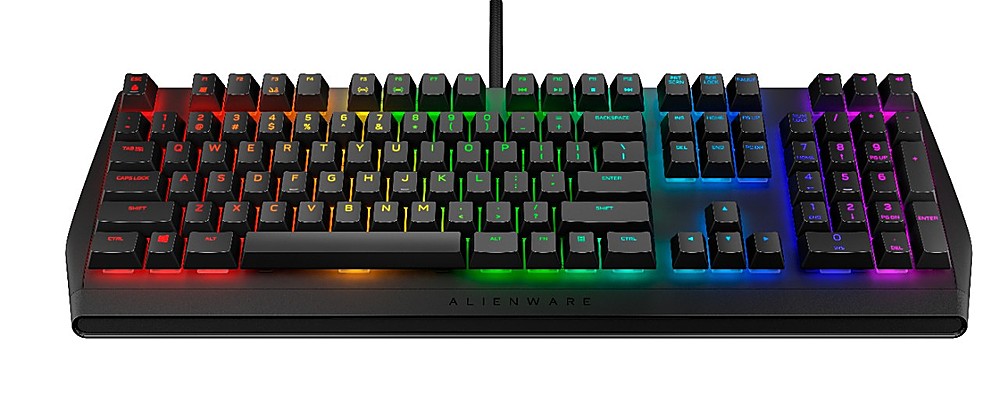
Customers recognize the high quality of the AW410K keyboard, particularly praising the feel of the Cherry MX Brown switches and the vibrant, customizable RGB lighting. Many appreciate the convenient USB passthrough port and the generally user-friendly design. However, some users express disappointment over the lack of a wrist rest and find the accompanying software somewhat difficult to navigate.
This summary was generated by AI based on customer reviews.
alienware 410k keys
||Posted . Owned for 1 week when reviewed.This reviewer received promo considerations or sweepstakes entry for writing a review.great keyboard for most people, but hard to type fast because the keys stick up so much. otherwise five stars, i wouldn't have returned it otherwise.
I would recommend this to a friend- Pros mentioned:Key feel, Keyboard quality, Rgb lightingCons mentioned:Wrist rest

Super accurate and super fast
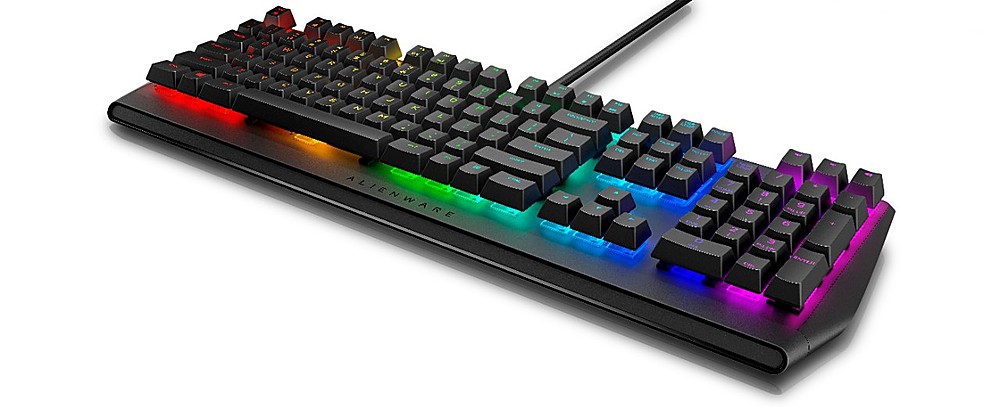
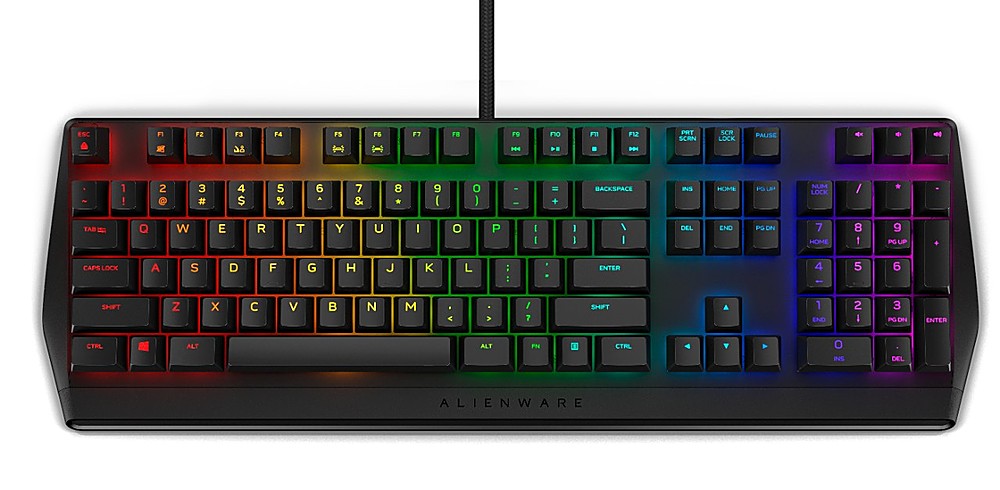
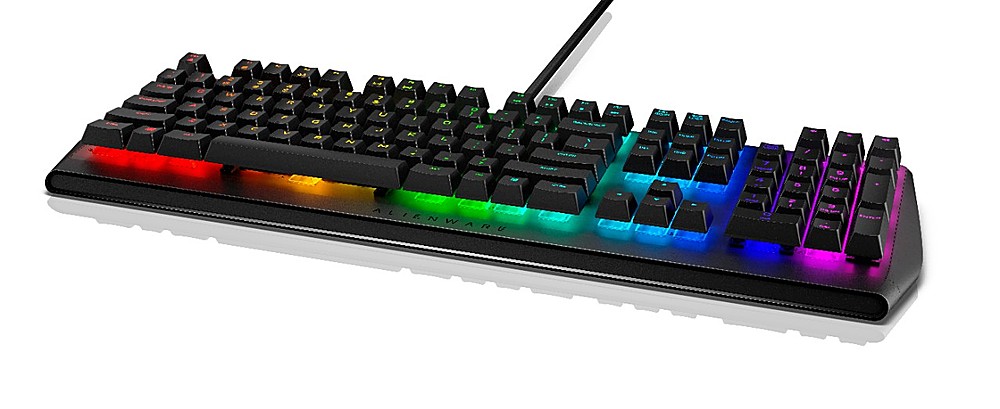
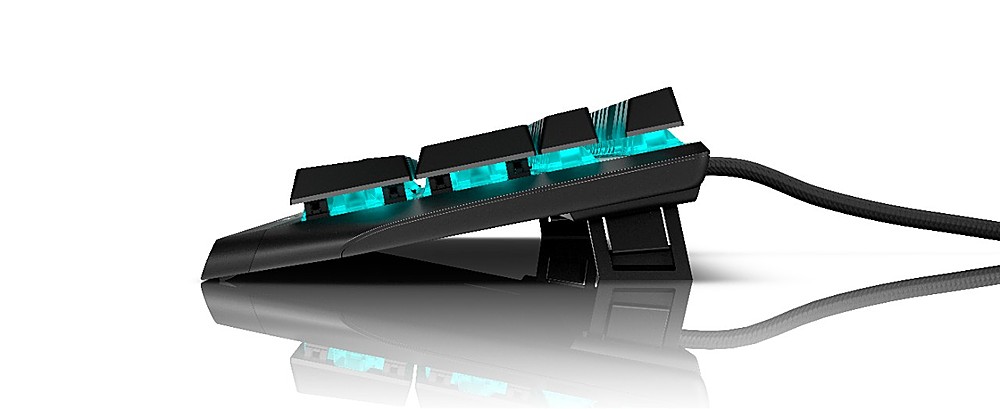
|Posted .This reviewer received promo considerations or sweepstakes entry for writing a review.Right away you can feel the quality of the AW410K. Nice and heavy aluminum construction with a thick braided nylon cable that should be able to stand up to anything. You get a full size keyboard, but the styling does make it feel slightly compact. They have trimmed the bezels on all sides, making the keys the star of the show here, and boy do they shine. I do wish they would have included some kind of ergonomic wrist rest, but I understand they were trying to keep the footprint small. They do include multiple height positions though, through a dual height set of feet. You can lay the keyboard flat, only use the inside of the feet to get a small height bump, or extend the outer portion of the feet to get the max height adjustment. I love using it flat, but even using the mid height middle feet is also very comfortable. And I love the USB pass through feature to connect other accessories or charge a device, very convenient. The AW410K comes with Cherry MX Brown keys. They are placed in a floating design and require almost no actuation pressure. That leads to incredibly fast and accurate responses from all the keys. I don’t know that I’ve used a keyboard that feels as “fast” as this one. I’ve used it for both gaming and office productivity, and when playing games, the keystrokes are so accurate and precise. And since they require such little effort to register, you’re probably shaving milliseconds of response time off your reactions and gameplay moves, it is noticeable. And for productivity, this keyboard outruns me every time. I’m a pretty fast and accurate typer, but this keyboard pushes me to the max, and most of the time I cannot keep up, its simply too fast and accurate. The Cherry Brown switches give the ever so satisfying click of each key, but not the overly loud and distracting kind. The click is “just right” and feels great. Perfect either by yourself, or in a setting where other mechanical keyboards with other switch types might drive those around you insane with the volume of their clicks. Out of the box the RGB lighting is set to a light blue, and by downloading the Alienware Command Center software, you have access to adjust and customize it. I would have loved to have some additional preset options for fully animated, full color options to just set and forget, but you do get the fully customizable options to edit per key, which is great. You can select from an almost infinite amount of color choices and set the colors to your specific liking for either the entire keyboard, banks of keys, or each key one by one. You can customize your heart out. I don’t normally use macro keys bindings, but with the Alienware Command Center, you have tons of customization options for Macros.
I would recommend this to a friend Good keyboard for the money (not just for gaming)!
||Posted . Owned for 1 week when reviewed.This reviewer received promo considerations or sweepstakes entry for writing a review.Needed a reasonably priced keyboard with physical keys (not necessarily for gaming). This fit the bill nicely.
I would recommend this to a friendNice for high-profile gamers adaptive!
||Posted . Owned for 1 week when reviewed.This reviewer received promo considerations or sweepstakes entry for writing a review.I’ve both low and high profile and I used each one for different mode ;D
I would recommend this to a friendAlien rocks
||Posted . Owned for 9 months when reviewed.This reviewer received promo considerations or sweepstakes entry for writing a review.Perfect keyboard for my PC. Love the way it lights up helps a lot at night.
I would recommend this to a friendAwesome
||Posted . Owned for 1 week when reviewed.This reviewer received promo considerations or sweepstakes entry for writing a review.Very colorful and vibrant. Love how the lights flow
I would recommend this to a friendAlienware Gaming Keyboard
||Posted . Owned for 8 months when reviewed.This reviewer received promo considerations or sweepstakes entry for writing a review.Love this Product it so smooth and the response time is amazing. Never had any Issue LOVE THIS
I would recommend this to a friendAwesome
||Posted . Owned for 1 week when reviewed.This reviewer received promo considerations or sweepstakes entry for writing a review.Awesome. Really adds to my setup. Caught it on sale to make it even better
I would recommend this to a friendLove it
||Posted . Owned for 1 week when reviewed.This reviewer received promo considerations or sweepstakes entry for writing a review.My husband loves this and it completes his Alienware set up.
I would recommend this to a friendGood
||Posted . Owned for 1 month when reviewed.This reviewer received promo considerations or sweepstakes entry for writing a review.An excellent product is to recommend and is beautiful.
I would recommend this to a friendIT INSTALLS A TRACKING COOKIE!! SHOULD BE ILLEGAL!
||Posted .This reviewer received promo considerations or sweepstakes entry for writing a review.DO NOT BUY THIS KEYBOARD!!! As soon as I plugged it into my laptop, it AUTOMATICALLY downloaded and INSTALLED the Alienware Command Center and my anti-virus software immediately said a Tracking Cookie has been installed on my computer and needs to be removed!!! My anti-virus wants me to pay to have this crap removed!! This is invasive and should be ILLEGAL to do!! I've never had a gaming keyboard do this before!! It's a good thing I didn't hook this up to my work computer!! THIS ABSOLUTELY SHOULD NOT AUTOMATICALLY INSTALL THEIR COMMAND CENTER WITHOUT YOU AGREEING TO IT AND ALSO SHOULD NOT INSTALL ANY TRACKING COOKIES!! NOW I CANNOT REMOVE THIS CRAP UNLESS I PAY!! ALIENWARE SHOULD PAY!! THEY SHOULD BE SUED!! I WILL NEVER BUY THEIR PRODUCTS EVER AGAIN!!
No, I would not recommend this to a friend- Pros mentioned:Ease of use, Keyboard quality, Rgb lighting
One of the BEST mechanical keyboards I've used
|Posted .This reviewer received promo considerations or sweepstakes entry for writing a review.I’ll be completely honest, and up-front…while I used to be a fan of Alienware, since Dell purchased the company they’ve mostly “ruined” the name. This is NOT to say that Alienware products are no longer good, as Dell, itself, makes high-quality products, and they maintain the same standards in the ‘Alienware’ line that they maintain for their own Dell products. Additionally, when it comes to peripherals, I’ve been a huge fan of Logitech products for a great many years, and I’ve found it INCREDIBLY difficult to replace them, in the long term, with keyboards & mice from other companies. A perfect example would be the Corsair K57 Wireless, K95 Platinum Mechanical, and Strafe RGB MX Silent Mechnical keyboards, as well as the Corsair Dark Core RGB Pro mouse, all of which got used for a fairly short period of time, before I reverted back to Logitech products (most recently, the G915 Wireless Mechanical Lightspeed keyboard (yes, you did read that correctly – wireless AND mechanical), and G502 Lightspeed mouse)…so, for what might be considered ‘obvious reasons’, I was already prepared to be seriously disappointed. For those who understand what I mean, and believe they don’t need to read any further, then feel free to stop reading right now, and go about your business. However, for those who want the “full scoop”, and possibly a few “surprises”, then…by all means…read on. UNBOXING AND INITIAL IMPRESSIONS: Packaging is quite nice – a strong/sturdy/thin corrugated cardboard outer ‘shell’, followed by a more traditional cardboard inner ‘tray’. For those concerned with environmentally-friendly packaging, know that the only plastic used is the “bag” covering the keyboard, and a 0.25” thick sheet of polyethylene closed-cell foam under the keyboard (to protect it). for those unfamiliar with this material, it’s the same material used in “pool noodles”, is very recyclable, and is biodegradable. While I give HUGE kudos to Dell’s/Alienware’s environmentally-friendly packaging, where included items are concerned, they SERIOUSLY fail. As with most peripherals these days, you must download the drivers/software, as well as the full “User Manual”, and the info for doing so is found on the included “Quick Start” guide. More on this under ‘SETUP’. Upon pulling the ‘tray’ out from the outer ‘shell’, and looking upon the keyboard for the first time, I discovered two keys missing. Worse, as I opened the bag, so as to remove the keyboard, I noticed three other keys appearing as if they were ready to fell off. By the time I removed the keyboard from the bag, those three keys had fallen off. Thankfully, all 5 “missing” keys were found, loose, in the bag. This led me to wonder about how well the keys “gripped” the mechanical switches. I replaced the five keys, and then proceeded to press every key on the keyboard. Next, I held the keyboard over my bed, upside-down, and proceeded to give it three “shakes”. On the first, one of the two keys that had been ‘missing’ when I opened the box slid partway off the switch, but it didn’t fall off. On the second, that key slid almost all the way off (but didn’t actually fall off), and two other keys (one of which was one of the previously-mentioned keys) slid partially off. On the third (the first two were “light” shakes, while the third was just slightly greater in force), the first key fell completely off, and the other two slid further off (but didn’t fall off). At this point, I was thinking Dell/Alienware has a quality-control issue on their hands. However, I don’t know if the problem is in the keys, themselves, or in the switches (my ‘guess’ would be the keys). SETUP: Starting with installing the drivers/software, unfortunately, Dell has completely failed to even include so much as the typical (and MUCH-needed) Quick Start guide. The ONLY notation included, which you’ll find printed along one of the lengthwise sides of the ‘tray’, is a URL…which leads to the next step of the buyer’s confusion, as you are presented with two “boxes” – an “Auto search” option, and a “Search support” option. if you haven’t already plugged the keyboard into an unused USB port, the “Auto search” option is useless. If you just type the keyboard’s ‘base’ model number (ie. 410K) into the box, nothing is found. If you look on the bottom of the keyboard (be careful to not lose any keys when doing so), you discover the “official” model name is ‘AW410K’, and typing that into the “Search support” box finally pulled up what’s needed – access to the Quick Start guide, User Manual, driver, and Command Center software (after all, this is an RGB keyboard, and you’ll need a way to customize it (and any other Alienware FX-capable products you have, such as my Alienware monitor…which, btw, through the monitor’s built-in menu, I had perilously disabled the FX lighting, but might re-enable). Truth-be-told, there’s no need to download/install the drivers, as they are also built into the keyboard, and install themselves when you plug it in. Once you’ve plugged the keyboard in, and downloaded/installed the Command Center software, you’re good-to-go. ACTUAL USE: First, I have to admit it’s been over a year since I’ve typed on a “standard” mechanical keyboard, as I’ve been using the Logitech G915 for the past year, and the actuation height on those keys is about half the normal actuation height of typical mechanical switches. That having been said, the keyboard, itself, is extremely nice – the actuation is great, and the travel is about as good as it gets. However, preferring “clicky” mechanical keyboards, I miss the audible ‘click’ when the keys reach their actuation point, as the MX Cherry Brown switches are virtually ‘silent’. The overall shape is very “alien”, meaning that it perfectly fits into Alienware’s ‘shape’ of things. Layout is typical, with three ‘volume’ keys (mute, volume down, & volume up) in the upper right-hand corner of the keyboard. Compared to the volume “scroll wheel” of the Logitech G915 I’ve been using, it’s not an ‘enjoyable’ way of controlling volume. On the ‘down’ side, for what’s supposed to be a “gaming” keyboard, it doesn’t have ANY gaming-specific keys (as you find on (pretty-much) all other “gaming” keyboards). Also, instead of having dedicated “media” keys (again, as found on most keyboards of this ‘level’), the Fn key utilizes the F9-F12 keys as “media” keys. On the ‘plus’ side, instead of having a switch (as some gaming keyboards do) to deactivate/reactivate the “Windows” key, the 410K uses a Fn+F1 combo. Another advantage is the Fn+F3 combo, which goes through the keyboard’s multiple FX lighting configurations. Unlike the Logitech keyboards, with their (limited) 3 configurations, the K410 gives you 5…which I find to be an even better ‘plus’ than the first. An even better ‘plus’ is the Fn+F5 & Fn+F6 combinations. While Logitech & Corsair provide a single (dedicated, mind you) button for cycling through the keyboard’s brightness levels, the 410K gives you individual control of “up” & “down” brightness levels. One-upping Logitech & Corsair, which only tend to provide 3-5 levels of brightness, the 410K gives you 10 (in addition to “off). Low-Med-Hi has NEVER been enough control, and even 5 brightness levels might not be enough for some people…but, 10 levels is absolutely fantastic. “COMMAND CENTER” SOFTWARE: Regarding Alienware’s “Command Center” software, not only can it control the FX lighting of the keyboard (and other FX-enabled items), but you can create different “themes” for games, which (I would assume) are automatically enabled when a ‘known’ game is started up. From Command Center’s ‘Home’ page, you can have it automatically scan your system for games, making the process easier. Unfortunately, I was ‘forced’ into doing a “clean install” several days ago, and haven’t gotten around to reinstalling my games…so, I currently have no way of testing this feature out (yet…but, I will). From what I have been able to “play around” with, your games (and associated FX settings) are found on the ‘Library’ page, lighting settings are found on the ‘FX’ page…and then there’s a “Power Management” section, found on the ‘Fusion’ page. The “Power Management” offers 3 preset configurations (Balanced, High performance, & Power saver), but also allows you to add your own. As for the settings, themselves, there are three – “Turn off display after” (1 minute, to 5 hour, plus ‘never’, options), “Sleep after” (same options), and “Alien FX” (‘On’, or ‘Off’). Command Center has some of the same power as Corsair’s CUE software, but with an interface that’s easier to use (similar “ease of use” as Logitech’s G HUB software). There are available downloadable “Alienware FX themes”…but, unfortunately, from what I’ve (so far) been able to determine, they are currently limited to Alienware laptops. FINAL VERDICT: Despite the loose keycap matter, the 410K keyboard is an excellent keyboard. And, truth-be-told, the keycap matter was probably an early-production “slip”, which Dell is now aware of, and should be resolved before retail units reach retailers. Although I have been a huge fan of Logitech keyboards & mice for a great many, many years, I will state that my Logitech keyboard has been transferred from my keyboard tray, to my wife’s, as I am now using the Alienware 410K Wired Mechanical Keyboard full-time. If you want to take that as a recommendation, by all means, please do so. Disclaimer: This product was provided free, or at reduced cost, for the purpose of reviewing the product. Nevertheless, the above review, be it positive, negative, or anywhere in-between, is a 100% honest review, and the price paid played absolutely no part in my review.
I would recommend this to a friend - Pros mentioned:Key feel, Keyboard quality, Rgb lighting
Great gaming keyboard
|Posted .This reviewer received promo considerations or sweepstakes entry for writing a review.Unboxing this keyboard I had quite a few keys that were no longer installed, needless to say they are easily removed for cleaning. The keys are elevated off the board, so it is already easier to clean under them with a little bit of conpressed air. This is a great mechanical keyboard for gaming. The keys have good pressure and tactile feel while being very responsive and clicky. The key switches aren't too loud or too soft, rather a happy medium. There's plenty of colors and customization with the rgb lighting. I appreciate the extra long cord, and with the usb passthrough I can connect a controller or mouse to it and game from a little further away if needed. All in all I think this is a pretty solid gaming keyboard and would definitely recommend it!
I would recommend this to a friend Lighting does not work with Windows 11
||Posted . Owned for 1 week when reviewed.This reviewer received promo considerations or sweepstakes entry for writing a review.Unfortunately you cannot control or customize the RGB lighting with Windows 11. Their Alienware command control center does not support Windows 11, no matter how much I tried to configure it. Without the software, it is just one solid boring color. Returned it.
No, I would not recommend this to a friendBrand response from YourDellTeam
Posted .Hey Fierfaerie,
Thank you for taking the time to leave a review of your Alienware Full-sized gaming keyboard. We are sorry to hear that you were experiencing an issue with your device and made the decision to return it. That is not the type of product Dell intends to deliver to our customers. We have noted the details of your statement and will escalate them to our quality team for improvements in current and future products.
We recommend that you contact Dell directly with the information below if you need further assistance.
Chat or call: https://bit.ly/DellSupportTeam
Phone number to Dell: 1-800-624-9896.
Best,
Summer@Dell
- Pros mentioned:Keyboard quality, Usb port
Smooth as butter
|Posted .This reviewer received promo considerations or sweepstakes entry for writing a review.Honestly this is my first mechanical keyboard so I don't have a lot to base this on. However typing on it is fantastic. I look forward to any opportunity I get to type something up. I'm just able to type so smooth and effortlessly. All the keys are just in the perfect place. It is very sturdy and at a good angle. I also like the customizable lighting on it and the volume controls. I had zero issues gaming. There was no latency and very responsive. Also I like that it has a built in USB port that I use to plug my mouse in and helps with cord management. Again no issue with latency or responsiveness with the mouse going through the keyboard. It pairs well with my Alienware desktop. Now some issues I had with it. First, when I pulled it out of the box 3/4 of the keys were laying in the bottom of the box. It was quite difficult to get all the keys back in the proper place and pushed in all the way. Secondly, instructions were severely lacking. I had to Google to figure out how to customize the keyboard. There were some built in themes to switch between but I had to download additional software to change the color to the one I wanted.
I would recommend this to a friend - Pros mentioned:Key feel, Keyboard quality, Rgb lighting
Great for gaming and typing
|Posted .This reviewer received promo considerations or sweepstakes entry for writing a review.I am thoroughly impressed with my Alienware AW410K Mechanical Gaming Keyboard. I know that this is marketed as a gaming keyboard and admittedly it is a joy to game on. However, it is also fantastic to use for even mundane tasks such as writing a report. Honestly, I’m not sure if it’s the feel of the buttons as I press them or the resulting sound that I enjoy more. Typing on the Alienware AW410k reminds me of using an old electric typewriter my father used to own. Frankly, it kind of sounds like that too, minus the end-of-line bell and impact from the typebars of course. Personally, I enjoy the additional noise generated by using a mechanical keyboard. Though I could see it becoming an annoyance for others if you are rushing through a last-minute essay in the wee hours of the morning. The AW410K is highly customizable to suit your individual tastes/needs. I have it plugged into my Alienware gaming laptop so I already had the Alienware Command Center application installed. Through here, I can adjust the color and brightness of the RGB lighting, as well as any lighting effects I wish to have active. You can customize the color of each individual key separately or you can simply apply a global scheme. One nice touch is that the Num Lock, Caps Lock, and Scroll Lock buttons switch to white illumination when each feature is active. Unfortunately, this is also true even if the keys are already set to white and I didn’t see a way to choose another color for this. The Command Center also allows you to program up to 75 different macros which you can map to any button except the FN key. One thing I discovered about the AW410K is that the exposed key design makes the keyboard very susceptible to collecting dirt and dust. Or maybe the dirt is just more noticeable since there are no bezels for it to hide in. On the other hand, the lack of bezels also makes it very simple to clean.
I would recommend this to a friend Cheap Plastic Base
||Posted . Owned for 1 month when reviewed.This reviewer received promo considerations or sweepstakes entry for writing a review.The all plastic frame/base/chassis makes this keyboard feel really really cheap.
No, I would not recommend this to a friendBrand response from YourDellTeam
Posted .JohnJaneDoe,
Thanks for your review and we're sorry that your keyboard's build quality is not meeting your needs. If you have any questions about your keyboard you can always check our Product Support Page here: https://dell.to/2Uik5nZ.
Best,
Bryan
1-800-624-9896
- Pros mentioned:Rgb lightingCons mentioned:Wrist rest
Love the feel of this!
|Posted .This reviewer received promo considerations or sweepstakes entry for writing a review.I have to say, this is probably one of the best feeling and easiest to type on keyboards I have ever owned! The keys have the perfect resistance and its very easy to type extremely fast on them! They are clicky but not too loud. The case for the keyboard is a nice solid and thick plastic. The lighting features are pretty much standard with what you find on all these types of keyboards. Lots of customization options as well as a bunch of preset colors and patterns. One of the major selling points of this keyboard that I have not seen on ay other gaming keyboard like this is that not only are the numbers illuminated, but the symbols underneath them like the #$%^ are illuminated as well!!!! I have owned 5 or 6 of these gaming keyboards and the symbols were never illuminated and it was very frustrating because I am more of a touch typist that is always looking at my keyboard. One thing I dont like about this keyboard is that there has been a few occasions when I am typing and keys will just pop off. They dont seem to be very secure. In fact when I opened the box there were 5 keys that had come off of the keyboard during shipping. So I think in the future that should be addressed for future models. ALso, there is no wrist rest included. Every other gaming keyboard I have ever purchased had a included wrist rest that would magnetically attach to the keyboard. You dont get one of those with this keyboard either. Overall, I love this keyboard more than any other keyboard I have ever used in my life. It is such a pleasure to type on it! The keys randomly popping off is a little annoying, but its worth it! Definitely give this one a try if you're in the market for a gaming keyboard!
I would recommend this to a friend Not satisfied
||Posted . Owned for 1 week when reviewed.This reviewer received promo considerations or sweepstakes entry for writing a review.I'm returning it tomorrow nothing else to say sorry
No, I would not recommend this to a friendBrand response from YourDellTeam
Posted .Hello Cookie,
Thank you for taking the time to share your review. We are sorry to hear that this keyboard has not met all of your expectations. If you come across any questions, issues, or concerns, please contact Dell Support here: https://bit.ly/DellSupportTeam.
Best regards,
Wendy C.
https://bit.ly/DellSupportTeam.
Phone number to Dell: 1-800-264-9896.
- Pros mentioned:Key feel, Rgb lighting
Great mechanical backlit keyboard
|Posted .This reviewer received promo considerations or sweepstakes entry for writing a review.Overall, this keyboard shows the premise behind Alienware's new ability to try to reach out to the mid-level market versus just the pie in the sky best of the best. The keyboard itself is well apportioned with your standard litany of colored light schemes. The control system is a bit finicky and they definitely could do some work with the software to make it easier to play with. The MX brown switches are what you'd expect so the housing doesn't detract from that. While I don't prefer them for gaming, you definitely notice the benefits associated such as the more precise typing due to the longer travel providing better feedback. The one caveat I'll add is that the keys are much easier to remove. I don't know if that's a feature of the brown switches, but pulling the keyboard out of the bag there was a key that had come loose. When I placed it back on and tested other keys, they had some level of hold onto the key but it was very very simple to remove them without much pressure aka no keycap puller necessary. Again this may just be a feature of the style, but definitely an interesting note and would make it super easy to change out your keys.
I would recommend this to a friend