Customer Ratings & Reviews

- Model:
- AW410K
- SKU:
- 6436211
Rating by feature
- Value
Rating 4.2 out of 5 stars
- Quality
Rating 4.3 out of 5 stars
- Ease of Use
Rating 4.4 out of 5 stars
Customers are saying
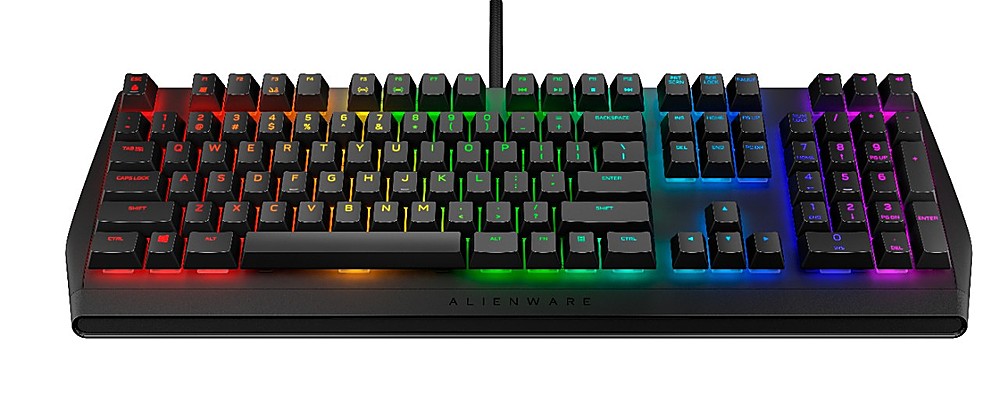
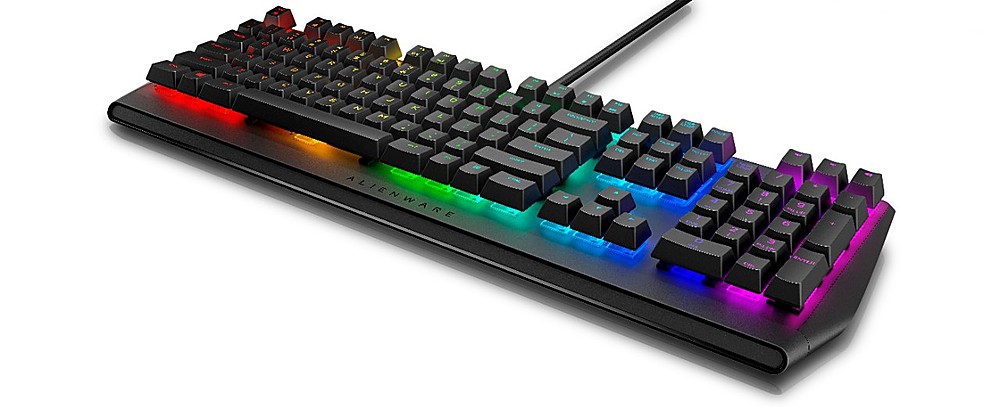
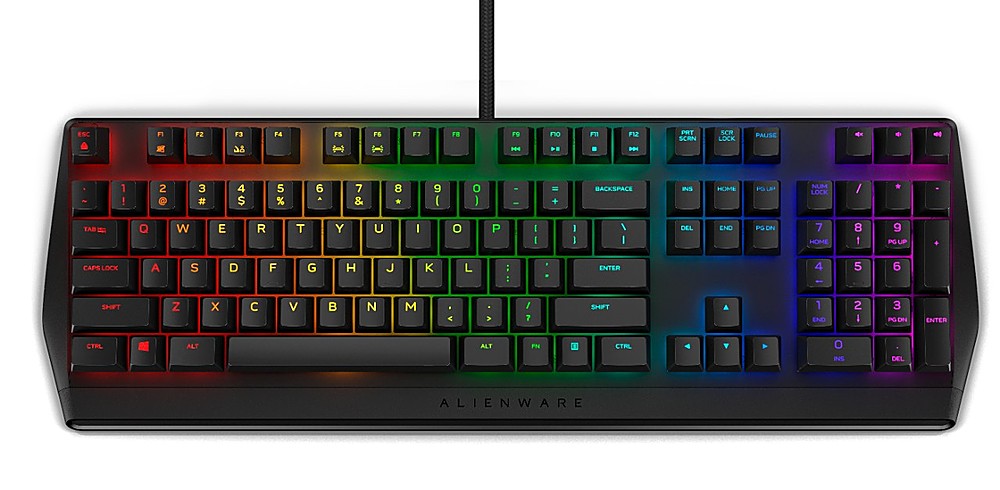
Customers recognize the high quality of the AW410K keyboard, particularly praising the feel of the Cherry MX Brown switches and the vibrant, customizable RGB lighting. Many appreciate the convenient USB passthrough port and the generally user-friendly design. However, some users express disappointment over the lack of a wrist rest and find the accompanying software somewhat difficult to navigate.
This summary was generated by AI based on customer reviews.
- Pros mentioned:Key feel, Usb port

Last Keyboard I need
|Posted .This reviewer received promo considerations or sweepstakes entry for writing a review.Having started on and still use IBM Model M keyboards, I'm tuned into the clickety-clack highly-tactile key feel and have found over the years very few KBs that get it right. My latest KB eventually cut like a razor on my patience, it's slightly tighter keypitch leading me to toggle off the Caps Lock key in the KB software as I kept inadvertently turning it on. So using the Alienware AW-410K, while not built like the Model M and using different switches, is now my main KB. The switches allow for more WPM with their positive feel and short actuation stroke, this translate into fast response times whether typing or gaming. It has taken a very short period to adjust the lighter force need for actuation and shorter stroke. An onboard USB port is a necessity for me and is fulfilled here. The Alienware configuration app is a little quirky when to comes setting colors but is very detailed. It will add games automatically to its library, if desired, and can be used assign themes individually and allow you to selectively assign colors, macros and other settings on a per game basis. I can say without any reservations that this is the keyboard I've been looking for.
I would recommend this to a friend - Pros mentioned:Key feel, Rgb lighting
Alienware and CherryMX - match made in heaven
|Posted .This reviewer received promo considerations or sweepstakes entry for writing a review.I'll start this by saying I have owned a LOT of keyboards. A LOT. And most of them have been gaming keyboards... and I'd say more than half of those have been mechanical keyboards. So having an Alienware mechanical keyboard was definitely something up my alley and something I was very interested in. To start, it's packed like most keyboards, in a relatively narrow unassuming box. It doesn't have an excess of documentation and rightfully so, it's a keyboard. Once connected, it, of course, 'just works'. Mechanical keyboards even gaming keyboards are still just keyboards. It doesn't have any craziness going on with it outside of the RGB functionality, and it doesn't need it. Typing on the keyboard is a dream. The keys are tactile and responsive without an excessive amount of travel time (for me). It really makes for a pleasurable experience. So off I went into some gaming. As expected, gaming with the keyboard is equally as enjoyable. I mean it has Cherry MX switches, you cant really go wrong there. It feels equally responsive in Arena and FPS games (Overwatch, Doom Eternal) as it does in more slow paced games like World of Warcraft. Setting the RGB is no issue. The software is unobtrusive which is a joy when compared to many of the RGB software solutions out there... Why most other companies feel the need to have this massive software suite just to change some colors is beyond me. All in all, it's a wonderful gaming keyboard. You would do well to select this one.
I would recommend this to a friend - Pros mentioned:Key feel, Usb port
This Could Be Great...
|Posted .This reviewer received promo considerations or sweepstakes entry for writing a review.Overall, this is a solid gaming keyboard, sporting solid keys and a decent feature set, but I can't help but feel that it's ultimately let down by its shortcomings... The keyboard market is incredibly competitive and I'm not sure the AW410K does enough to stand out. To start, the important thing here is that it has some great keys, the very nice Cherry MX Browns. This is my first keyboard with these, and I do believe these are now my favorite. I've used Blues for years, owing to my love for the tactile feel they provide, but finally had enough of the overwhelming noise they make. Cherry MX Reds, on the other end of the spectrum, are very quiet, but the linear feel of those just didn't suit my needs (I'm a programmer by day, hobby gamer by night). The Browns sit somewhere in the middle, offering about the same low noise level as the Reds, but with slightly more tactile feel. Not nearly the feel of the Blues, but they're about 80% quieter and the tradeoff is worth it for me. Typing and gaming both feel great on this keyboard, simple as that. Another crucial feature on gaming keyboards is the presence of an extra USB passthrough port, which this board does have. This allows for easy use of wireless mice, which I use exclusively. I see two main issues here that prevent me from committing to this keyboard long term. First, the board has extensive RGB abilities, but customizing the RGB lighting requires installing Alienware Command Center. I've used this software previously on an Alienware PC, and it mostly got the job done. I no longer have an Alienware PC, and I've found trying to install ACC cumbersome and frankly, not worth the hassle. As such, I'm left with the out of box options, which is unfortunate. My second main issue is that build quality doesn't feel great here. The base is very plastic feeling, and key presses tend to feel very clangy and hollow (for lack of better terms). Being accustomed to Logitech boards with aluminum bases, this is quite a noticeable change in quality. While the keys themselves feel great to type on, the keyboard feels fairly cheap when you bottom the keys out. Overall, this is a decent keyboard, with great keys and an essential added USB passthrough, but the downsides for me will keep this from being my primary board.
No, I would not recommend this to a friendBrand response from YourDellTeam
Posted .Jturn,
Thanks for your review and we're sorry to hear that your keyboard is not meeting all of your needs. If you do have any technical questions about your keyboard you can check our Product Support Page here: https://dell.to/2Uik5nZ.
Best,
Bryan
1-800-624-9896
- Pros mentioned:Keyboard quality, Rgb lighting
Fun to Use and Excellent Software
|Posted .This reviewer received promo considerations or sweepstakes entry for writing a review.Right off the bat this keyboard is impressive in its looks. The RGB lighting when you program it to your liking is eye popping and definitely lights up a room. When you get down to using it for gaming, the keys are very sensitive so being quick on the touch is very simple. I was fluidly moving from from keystroke to keystroke and you can immediately tell that you are gaming on a Cherry MX Brown switch keyboard. The keyboard is relatively big in size so it will take up a lot of desk space but it is worth it. The actual physical keys themselves do come off easily so don't be alarmed if they have fallen out of place when you open the box. I had this issue when I opened the box and a few keys had fallen off. This makes the keyboard easy to clean and possibly easy to replace the keys if needed. Customization is definitely a major plus by getting an Alienware keyboard. The software is simple to learn and you can program different macros for each individual game you play down to the lighting sequence if you wish. Overall, I am having a lot of fun using this keyboard and it will be in my arsenal for many many matches to come. Alienware does not disappoint!
I would recommend this to a friend - Pros mentioned:Key feel
Amazing keyboard for both gaming and general work
|Posted .This reviewer received promo considerations or sweepstakes entry for writing a review.The Alienware AW410K is a great keyboard for people who want to take their gaming experience to a higher level. I made the switch to this keyboard from a membrane keyboard and the difference was like night and day. The Cherry MX Brown switches feel like heaven compared to a normal membrane keyboard, and I feel like I play better just by having made that switch. Typing speed I feel is faster because of the raised keys. Gaming wise, I feel like this keyboard is a great choice if you want fast inputs and still hear that click. The Cherry switches feel so much better and they respond faster than my membrane keyboard used to. The only qualm I have with the keyboard is that the shift key sometimes momentarily stops sending an input. This causes you to suddenly start running in games and make noise. In games such as VALORANT, it's possible for that to lose you a round, or even a game, so it's something to keep in mind. It might only do that for my keyboard, but I feel that it's still important to note. For typing or just doing general work I still love and prefer this keyboard over my old keyboard, or a laptop keyboard. I love how the keys feel more raised up and hearing the click makes me feel as if I'm typing faster. It's also extremely satisfying to hear the clicks too lol. Overall a great keyboard to get if you want to have better performance in your games and your general work. The keys feel amazing when you click them and the audible click is always nice to hear. If you're debating on whether to buy this keyboard or not, I would recommend you to get this keyboard (for what a random person's two cents is worth).
I would recommend this to a friend - Pros mentioned:Rgb lighting
I Like this Keyboard
|Posted .This reviewer received promo considerations or sweepstakes entry for writing a review.This was my first gaming keyboard so I wasn't sure what to expect when comparing to a standard keyboard. Right out of the box it is clear that the gaming keyboard has bigger, taller keys than a standard keyboard. It took some getting used to and I had to slightly change the way I typed but got used to it pretty quickly. The coolest part about this keyboard is the lighting. Make sure you download the app on your computer so you can program in the colors and macros that you desire. My favorite effect is to the have the keyboard flash colors each time you type. I should also point out that the colors under the keyboard actually light up the letters and numbers on the keys too, which is pretty cool. When you are in the dark it is much easier to type and the colors really make it fun. One last function worth commenting is the USB support. The keyboard has two USB cables. You plug one in to control the keyboard and the other to turn on the USB port on the back of the keyboard. That way you can use the USB port for phone charging or other needs without having to reach behind your computer to plug it in. Overall, I really like this keyboard and would recommend it.
I would recommend this to a friend Great Features but long travel
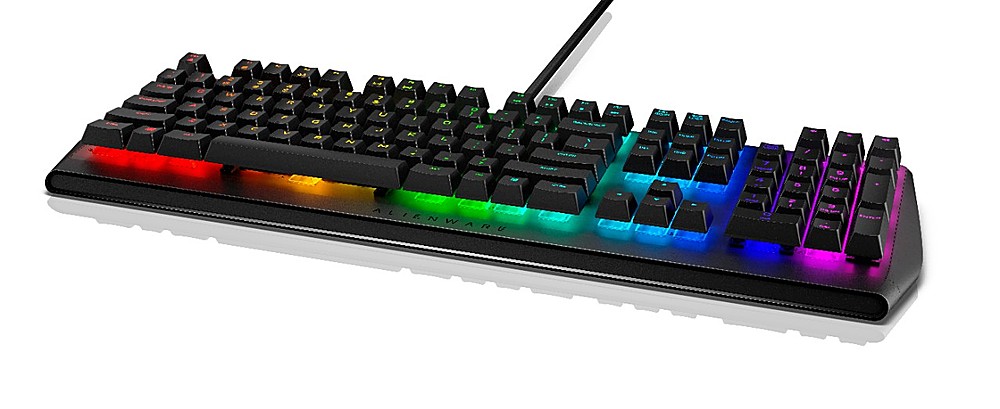
|Posted .This reviewer received promo considerations or sweepstakes entry for writing a review.I've used mechanical KB's for about 10yrs now. Not a single one has been pushed aside for failure compared to how many membrane KB's I've had to toss. Longevity is a key feature of mechanical. The Alienware AW410K is a solid KB encased in plastic. There's no flex when you activate the keys but if you're heavy fisted I'm sure you can make the board bend. It comes with the "industry standard" RGB lights and the colors are bright enough to see fully in a brightly lit room. Even the shift keys are backlit, just not as pronounced as the primary keys. The AW410K supports macros that you can assign to any key as well as automatic profile switching. There aren't any dedicated macro keys so you'll have to use the F keys or any unused key for macro assignment. There are two issues I have with the KB though. One is the lack of a wrist rest. The bottom sits .5" off the table, way too high for my had position. 15yrs ago you could get a $20 that would include a wrist rest and now these $100+ KB's can't include one. The other is that the keys have waaay too much travel before actuation. On my other KB's I barely press and the key is active. I have to press as far down as a good membrane KB for these keys to activate. During typing I miss quite a few keys. some might prefer the longer strokes, but I'm not one of them - I tried typing a capital S twice and missed on this sentence. Fix those two issues and this would have be a 5 star KB.
I would recommend this to a friend- Pros mentioned:Keyboard quality, Rgb lighting
Good for Windows, Not so good for Mac/IOS
|Posted .This reviewer received promo considerations or sweepstakes entry for writing a review.i was excited to setup and use this cool new keyboard; Cherry Keys, RGB, what else could you want? How about Mac/IOS support? AFAIK, there are MILLIONS of folks using mac machines now a days; 3 in our house alone.. Its sad when a great keyboard like this, has wonderful features built into it, but ONLY work with a windows program installed on your pc; NO customizations for a Mac/IOS machine, just lighted keys, and nothing else...great keys, nice feel to it, and the cherry keys are wonderful, but if you want to use all the rgb/lighting/other nice features this keyboard has, and you have a Mac machine...look elsewhere..
No, I would not recommend this to a friendBrand response from YourDellTeam
Posted .wase4711,
Thanks for your review and we're sorry to see that your new keyboard is not meeting all of your needs. We hope that you will find a use for this keyboard with a Windows based computer. If you have any technical questions you can check our Product Support Page here: https://dell.to/2Uik5nZ.
Best,
Bryan
1-800-624-9896
Excellent Mechanical Keyboard
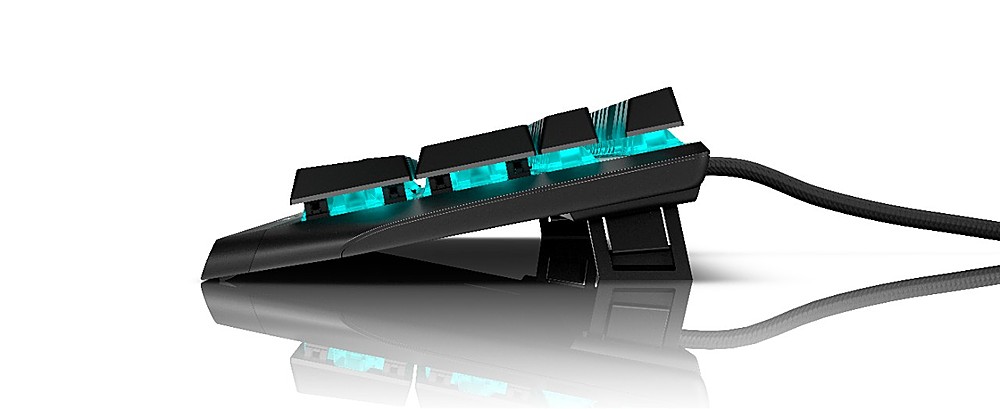
|Posted .This reviewer received promo considerations or sweepstakes entry for writing a review.I've been on the look out for a mechanical keyboard for a while with Cherry keys and back-lighting. Compared a few brands, but this Alienware AW410K delivers everything I was looking for in a name that I'm familiar with. I've owned/used other Alienware products in the past, so I was pretty sure that I would be getting a quality product, and once again, they did not disappoint. It has everything I've been looking for in a new keyboard: programmable lighting for all keys, Cherry MX Brown switches, controls media (nice add) and USB. Can't get enough of that "click-clack" sound while typing. Even though this is a gaming keyboard, I find myself using it more for daily activities like answering emails and typing up reports (when I work remotely). You can adjust the tilt on it per your preference. I've seen similar keyboards come with a wrist rest. I wish this one did, but I won't hold that against Alienware. Overall, I'm very happy with the performance of this product.
I would recommend this to a friendApp and build quality hold back a great keyboard
|Posted .This reviewer received promo considerations or sweepstakes entry for writing a review.I selected the Alienware AW410K because I had been having issues with a product from a competitor that I thought might be the keyboard itself. This was great timing and I figured it wouldn't hurt to test out the competition. There are two things I think keep this keyboard from being one that can strongly recommend. The first one is that unlike most keyboards at this price point, it's plastic. The lack of a metal frame just makes it feel like you're spending a lot of money for the lighting and programmability. Once it comes time to do all that programming you will find that the app is not user friendly at all. It took me a long time to figure out how to access the themes because it isn't labeled logically. There's also this whole concept of game-specific lighting themes that Alienware pushed to the forefront, and I think the priorities were just backwards there. As for keyboard feel - the Cherry MX brown keystrokes do not disappoint and are somewhat less "clangy" than the other colors. I find that I can type fast without distracting everyone on conference calls and when playing games the response time is impressive. All in all I think this is an alright keyboard for the price if you're a fan of Alienware, but when compared to other products on the market you are likely to find others that feel more substantial and have easier to use interfaces.
No, I would not recommend this to a friendBrand response from YourDellTeam
Posted .CPWoody,
Thanks for your review and we're sorry that your new keyboard is not meeting all of your needs. If you do have any technical questions about your keyboard you can check our Product Support Page here: https://dell.to/2Uik5nZ.
Best,
Bryan
1-800-624-9896
- Pros mentioned:Ease of use
great keyboard
Posted .This reviewer received promo considerations or sweepstakes entry for writing a review.excellent keyboard, very easy to use and soft to the touch 100% recommended.
I would recommend this to a friend Do Not Buy
Posted .This reviewer received promo considerations or sweepstakes entry for writing a review.Trash, will fall apart. Dell Tech / support will not help you. Horrible horrible dell customer support.
No, I would not recommend this to a friend