Customer Ratings & Reviews

- Model:
- AW410K
- SKU:
- 6436211
Rating by feature
- Value
Rating 4.2 out of 5 stars
- Quality
Rating 4.3 out of 5 stars
- Ease of Use
Rating 4.4 out of 5 stars
Customers are saying
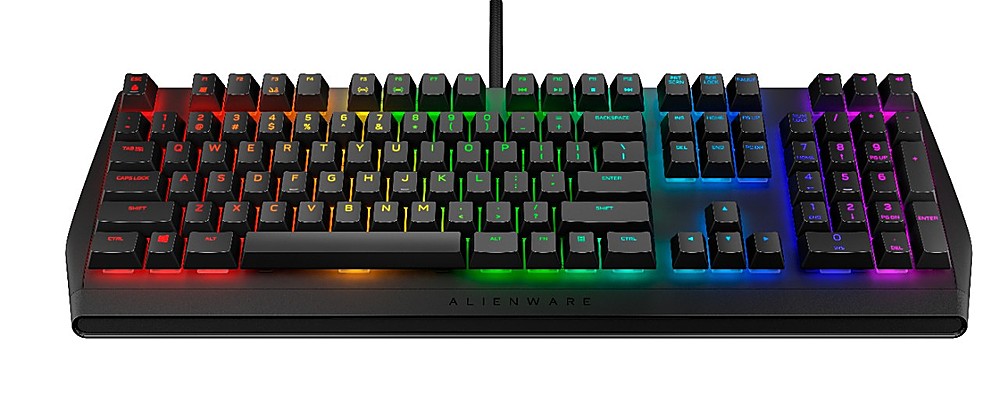
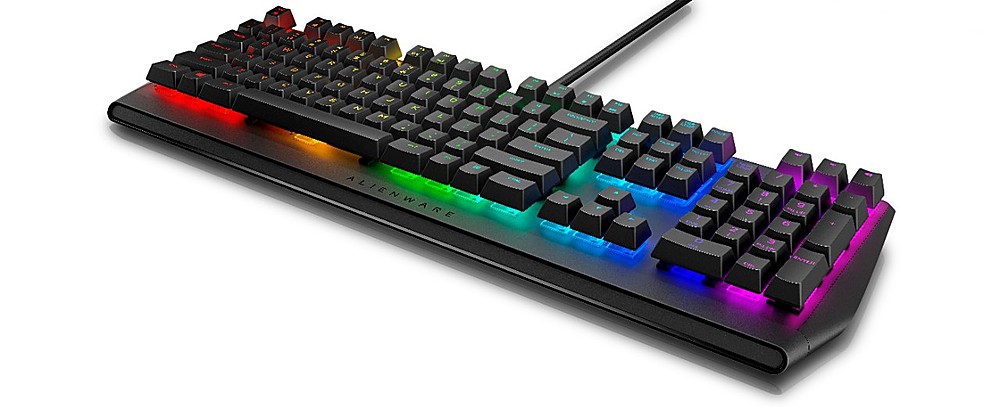
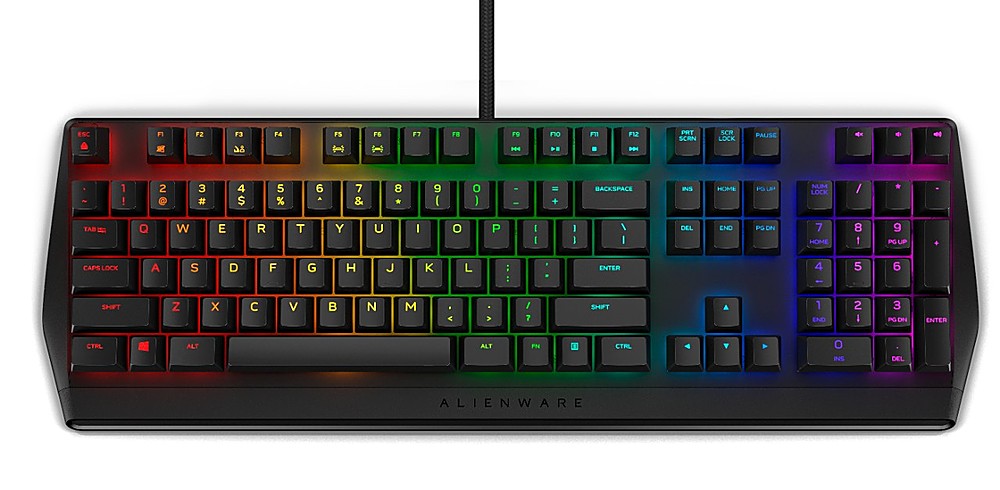
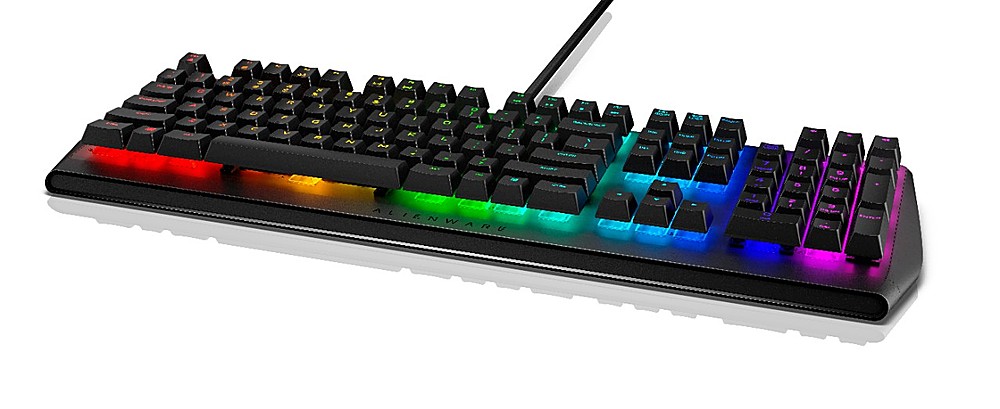
Customers recognize the high quality of the AW410K keyboard, particularly praising the feel of the Cherry MX Brown switches and the vibrant, customizable RGB lighting. Many appreciate the convenient USB passthrough port and the generally user-friendly design. However, some users express disappointment over the lack of a wrist rest and find the accompanying software somewhat difficult to navigate.
This summary was generated by AI based on customer reviews.
Fantastic product
||Posted . Owned for 1 week when reviewed.This reviewer received promo considerations or sweepstakes entry for writing a review.Flawless craftsmanship. I purchased this to use in my home office. Exceeds expectations! #alienware
I would recommend this to a friend- Pros mentioned:Keyboard qualityCons mentioned:Software

Good gaming keyboard
|Posted .This reviewer received promo considerations or sweepstakes entry for writing a review.The Alienware - AW410K Wired Mechanical CHERRY MX Brown Switches Gaming Keyboard with RGB Back Lighting is a recent keyboard offering from Alienware. It is a standard sized full layout mechanical keyboard which is mainly plastic made. It is a Cherry MX Brown rated mechanical keyboard which is sort of a hybrid between gaming and typing. It offers a tactile feedback but yet has less noise which appelas to both types of users. But being an Alienware keyboard, this will always be touted as a gaming keyboard. The keyboard has two USB connectors presumably to add more power. But having tested it on my gaming class desktop and laptop, suffice to say there is no need for me for additional power to use this keyboard. There are no manuals included in the box. But upon initial connection the your PC, it automatically downloads the Alienware Command Center. While this may be a boon for some users as there is no need to search online for software, others may find it intrusive. Usage of the software to customize the common features of a gaming keyboard are pretty much intuitive. But I pretty much prefer the lighting customizations of other branded keyboards as they have a simple color palette to choose from. But that’s just me. While I see no main advantage of this keyboard to my other two gaming keyboard, I’s still recommend this as a solid gaming keyboard.
I would recommend this to a friend - Pros mentioned:Keyboard quality
Alienware delivers a stellar keyboard.
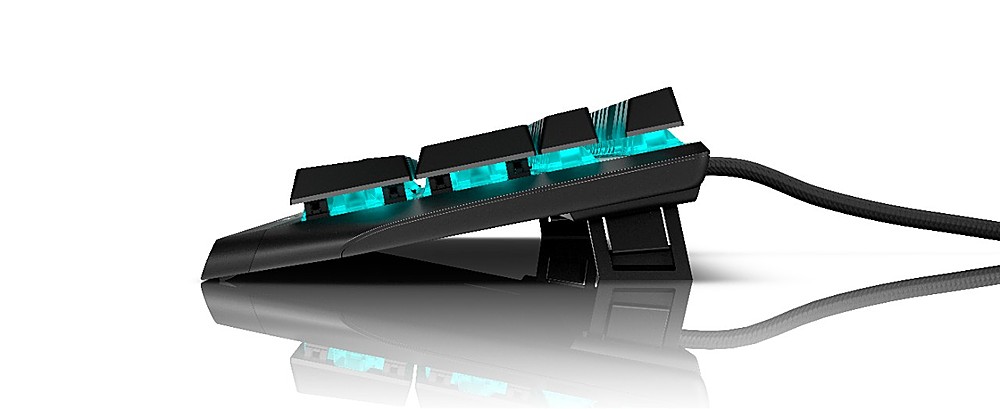
|Posted .This reviewer received promo considerations or sweepstakes entry for writing a review.Upon receiving the keyboard the packaging was what I would call standard for Alienware brand: stylish & practical, however, once I started unboxing I quickly noticed that quite a few of the keys were detached and floating around the plastics covering the keyboard itself. As most other reviewers have said, it is not functionally impacting, it just appears the keys are easier to remove then some people would expect. No big deal really. Once out of the box and keys reattached I hooked up the dual USB connections to my PC, one thing I should mention is this braided cord is much more flexible than my other gaming keyboards, making it easier to manage with the other cords on the desktop. Without downloading the Alienware Command Center app, you can manage getting through some of the preset color schemes, although the default static color is that Alienware “blue”. Using the Fn key you can change to a few different dynamic backlit effects, the first few are somewhat standard, however there is one that I thought was cool where the keys are unlit until you press them and they do this slow burn to fade effect. These things being said, I HIGHLY RECOMMEND installing the AWCC app if you do not already have it. This is where you get full customization of the keyboard you just spent $130 on. In the app you’ll find tons of different ways to customize your color scheming, especially for those that like to really create something unique. You can specify key groups, individual keys or just the whole keyboard and change their color or how they react to key strokes. There is also more options for keyboard effects, I personally found the “SCAN” effect to be my favorite. Really cool stuff! In the AWCC app you will also find the Macro customization’s, for me I do not use this too much in games (not as hardcore as I used to be) but I do like to use macro’s with everyday productivity things. Overall, standard macro setup, create the sequence, store in library, assign to key, etc. etc. Once you’ve created macro’s and color scheme’s you can save the theme - you can also assign a theme to a specific game so it will load up automagically when you load the game. Last but certainly not least, the physical feel and layout of the keyboard. Overall, a very small footprint on my desk, which has some advantage’s but not without some sacrifice. The keyboard is lighter but still feels sturdy to me, key strokes are excellent and without having a wrist pillow I can comfortably use it for a couple hours at a time (though I would recommend a wrist pillow for ergonomic reasons). The two adjustable stands actually have two stands within them, so you have two option for height without having to change any feet out or anything, well played Alienware! Now the only negative’s I see with this keyboard are the lack of dedicated keys or buttons to change color schemes that my other keyboard has, not a deal breaker but I got used to that option and miss it in this product. You’ll have to use the Fn and function keys to change schemes if you don’t setup the theme in the AWCC app. The only other thing I would have liked is a roll bar for volume instead of the typical volume up and down keys. To be honest I think all keyboards should have them as it is much faster and controllable when gaming. Again, I see these as negatives mostly because I am used to having those functions, but if you don’t already have them you won’t miss them! Overall, the AW410K is an outstanding keyboard in a market flooded with competition, it’s customization’s and easy to use AWCC app help set it apart from the rest. I highly recommend this product, you will not regret this purchase!
I would recommend this to a friend - Pros mentioned:Keyboard quality, Rgb lighting
Super SMOOTH
|Posted .This reviewer received promo considerations or sweepstakes entry for writing a review.A mechanical keyboard is something new to me and I am really liking it. I can't believe the difference in feel, the responsiveness is absolutely amazing and each key feels unbelievable. The aesthetics are really sleek & modern, completely changing the look of my setup. I have many HUE lights and can now have my computer blend in with the customizable lighting of this keyboard, the included software let's gives you plentiful options with colors, patterns and key setup. I love this thing!
I would recommend this to a friend - Pros mentioned:Ease of use
I like it!
||Posted . Owned for 1 week when reviewed.This reviewer received promo considerations or sweepstakes entry for writing a review.Contrary to another review it DOES work with Windows 11, custom light patterns, colors and all. I like it. It feels good. It takes up less space than my Logitech G910 did. I like the volume buttons better than the wheel that my old Logitech did. It has a mute button, which is good to have. The cost was much better than the Logitech was. I think Alienware Command Center seems much simpler than G-Hub though I’m yet to see the mouse part of it.
I would recommend this to a friend - Pros mentioned:Keyboard quality
Alienware Keyboard
||Posted . Owned for 3 weeks when reviewed.This reviewer received promo considerations or sweepstakes entry for writing a review.I LOVE the keyboard. I have the Alien gaming system and the keyboard is a plus and works great gaming.
I would recommend this to a friend Incredible Keyboard
||Posted . Owned for less than 1 week when reviewed.This reviewer received promo considerations or sweepstakes entry for writing a review.Incredible keyboard. I’ve actually bought and returned 2 other mechanical keyboards this month. Both of which I was making all sorts of typos on and just wasn’t pleased with the key switches. This keyboard, my typing was spot on immediately. The cherry MX Brown switches really help with typing accuracy. These definitely are not silent switches. But they aren’t annoyingly loud like you’ll hear in switches designed to be clicky. Just enough audio feedback and actuation feel to let you know that a key has registered. My one complaint is that the keyboard arrived with about 70% of the key caps off of the board. They were all very easy to put back into the board and I’m sure no one would have a difficult time doing this. Overall very pleased with this purchase and would definitely recommend for anyone looking for a keyboard that will give you great typing accuracy while also being a great gaming keyboard.
I would recommend this to a friendSo happy!
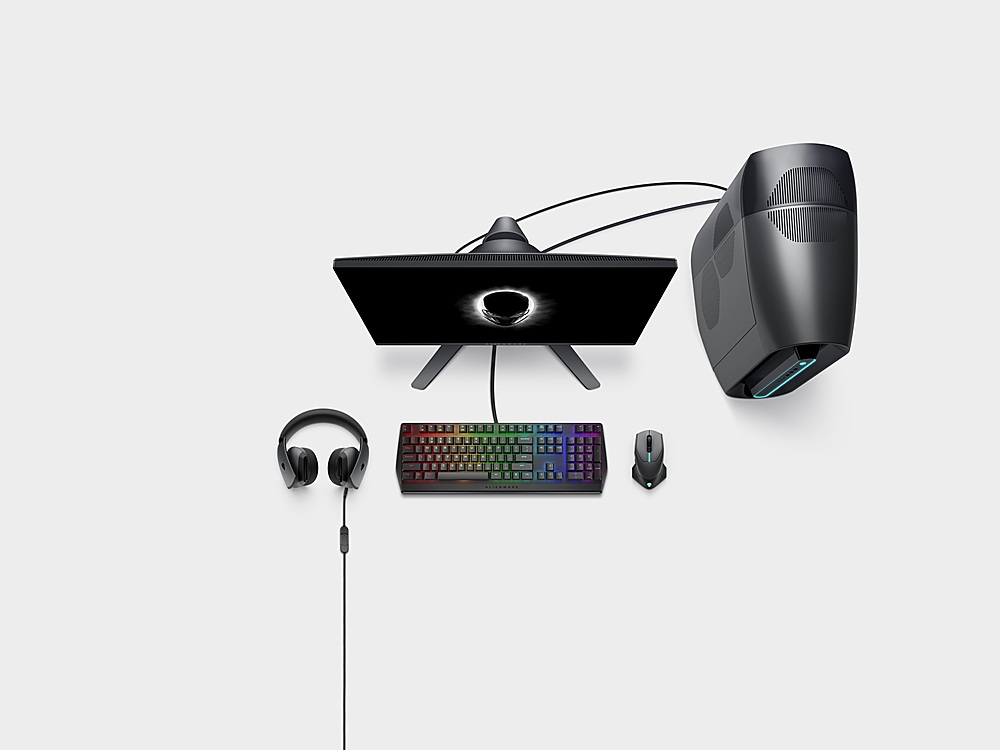
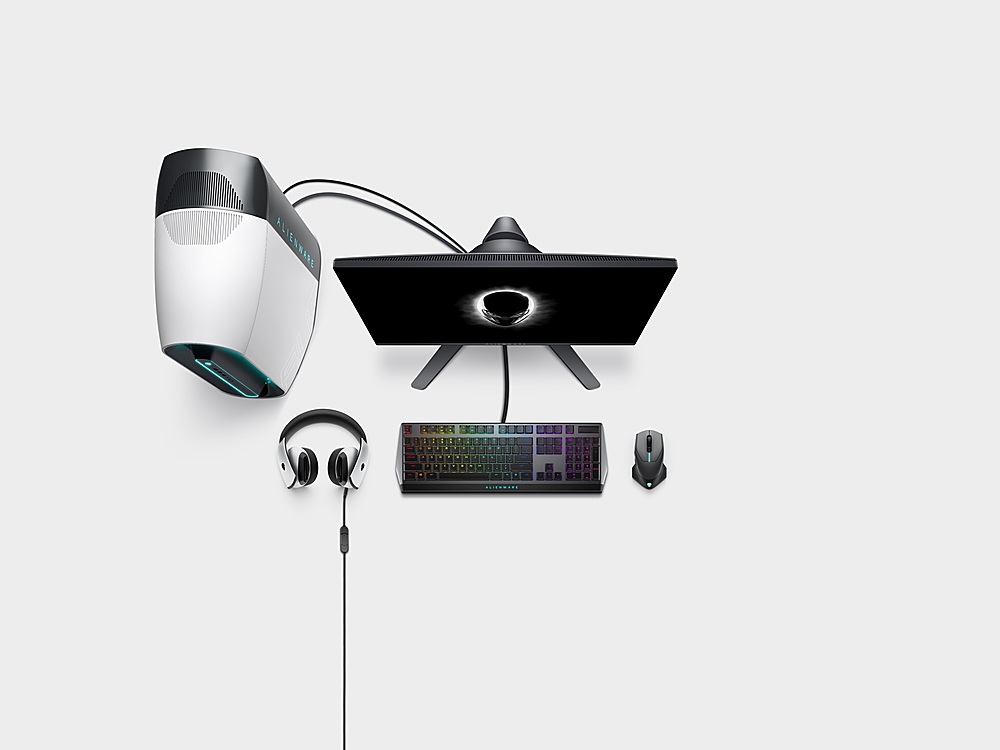
||Posted .This reviewer received promo considerations or sweepstakes entry for writing a review.Goes well with the whole Alienware setup super happy I did everything from mouse, headset, keyboard, and pc.
I would recommend this to a friend- Pros mentioned:Keyboard quality
Keyboard
||Posted . Owned for 1 week when reviewed.This reviewer received promo considerations or sweepstakes entry for writing a review.I have been loving this it is a great keyboard. Iwould recommend getting it
I would recommend this to a friend - Pros mentioned:Keyboard quality

For a gamer
|Posted . Owned for 6 months when reviewed.This reviewer received promo considerations or sweepstakes entry for writing a review.I love this keyboard so much. I play a lot and this is what I was looking for
I would recommend this to a friend - Pros mentioned:Ease of use
Fun keybaord
||Posted . Owned for 1 week when reviewed.This reviewer received promo considerations or sweepstakes entry for writing a review.Easy to use. Very stylish. Just plug in and ready to use.
I would recommend this to a friend - Pros mentioned:Keyboard quality
Cool gaming keyboard
||Posted . Owned for 2 weeks when reviewed.This reviewer received promo considerations or sweepstakes entry for writing a review.Bought as a gift for my son for Christmas. He is into gaming and is very happy with this keyboard.
I would recommend this to a friend - Pros mentioned:Keyboard quality
No issues
||Posted . Owned for 2 months when reviewed.This reviewer received promo considerations or sweepstakes entry for writing a review.This keyboard works great and looks even better. Definitely worth the price.
I would recommend this to a friend Good addition
||Posted . Owned for 3 weeks when reviewed.This reviewer received promo considerations or sweepstakes entry for writing a review.My son loves it. He uses it for his online gaming.
I would recommend this to a friend- Pros mentioned:Keyboard quality
Worth It
||Posted . Owned for 1 month when reviewed.This reviewer received promo considerations or sweepstakes entry for writing a review.Great feel and response. Excellent keyboard for the price
I would recommend this to a friend - Pros mentioned:Key feel, Keyboard quality, Rgb lightingCons mentioned:Wrist rest
Super accurate and super fast
|Posted .This reviewer received promo considerations or sweepstakes entry for writing a review.Right away you can feel the quality of the AW410K. Nice and heavy aluminum construction with a thick braided nylon cable that should be able to stand up to anything. You get a full size keyboard, but the styling does make it feel slightly compact. They have trimmed the bezels on all sides, making the keys the star of the show here, and boy do they shine. I do wish they would have included some kind of ergonomic wrist rest, but I understand they were trying to keep the footprint small. They do include multiple height positions though, through a dual height set of feet. You can lay the keyboard flat, only use the inside of the feet to get a small height bump, or extend the outer portion of the feet to get the max height adjustment. I love using it flat, but even using the mid height middle feet is also very comfortable. And I love the USB pass through feature to connect other accessories or charge a device, very convenient. The AW410K comes with Cherry MX Brown keys. They are placed in a floating design and require almost no actuation pressure. That leads to incredibly fast and accurate responses from all the keys. I don’t know that I’ve used a keyboard that feels as “fast” as this one. I’ve used it for both gaming and office productivity, and when playing games, the keystrokes are so accurate and precise. And since they require such little effort to register, you’re probably shaving milliseconds of response time off your reactions and gameplay moves, it is noticeable. And for productivity, this keyboard outruns me every time. I’m a pretty fast and accurate typer, but this keyboard pushes me to the max, and most of the time I cannot keep up, its simply too fast and accurate. The Cherry Brown switches give the ever so satisfying click of each key, but not the overly loud and distracting kind. The click is “just right” and feels great. Perfect either by yourself, or in a setting where other mechanical keyboards with other switch types might drive those around you insane with the volume of their clicks. Out of the box the RGB lighting is set to a light blue, and by downloading the Alienware Command Center software, you have access to adjust and customize it. I would have loved to have some additional preset options for fully animated, full color options to just set and forget, but you do get the fully customizable options to edit per key, which is great. You can select from an almost infinite amount of color choices and set the colors to your specific liking for either the entire keyboard, banks of keys, or each key one by one. You can customize your heart out. I don’t normally use macro keys bindings, but with the Alienware Command Center, you have tons of customization options for Macros.
I would recommend this to a friend Good keyboard for the money (not just for gaming)!
||Posted . Owned for 1 week when reviewed.This reviewer received promo considerations or sweepstakes entry for writing a review.Needed a reasonably priced keyboard with physical keys (not necessarily for gaming). This fit the bill nicely.
I would recommend this to a friendAlien rocks
||Posted . Owned for 9 months when reviewed.This reviewer received promo considerations or sweepstakes entry for writing a review.Perfect keyboard for my PC. Love the way it lights up helps a lot at night.
I would recommend this to a friendAwesome
||Posted . Owned for 1 week when reviewed.This reviewer received promo considerations or sweepstakes entry for writing a review.Very colorful and vibrant. Love how the lights flow
I would recommend this to a friendAlienware Gaming Keyboard
||Posted . Owned for 8 months when reviewed.This reviewer received promo considerations or sweepstakes entry for writing a review.Love this Product it so smooth and the response time is amazing. Never had any Issue LOVE THIS
I would recommend this to a friend