Customer Ratings & Reviews
- Model:
- AW510K-L
- SKU:
- 6385105
Rating by feature
- Value
Rating 4.5 out of 5 stars
- Quality
Rating 4.8 out of 5 stars
- Ease of Use
Rating 4.8 out of 5 stars
Customers are saying
Customers commend the AW510K gaming keyboard for its quality, customizable RGB lighting, and satisfying key feel. Users appreciate its ease of use and handy volume control. Some customers mention the keyboard requires two USB ports and express concerns about the software. A few customers also noted the price and the absence of a palm rest.
This summary was generated by AI based on customer reviews.
Its ok; steel series 7 much better.
||Posted . Owned for 1 month when reviewed.This reviewer received promo considerations or sweepstakes entry for writing a review.It was ok. I exchanged for steel series 7 whixch I Liked that sooooo much better for everything. Lighting, ease of use and keyboard noise. Steel series is mac compatible; however this alien keyboard is not mac compatible.
No, I would not recommend this to a friendBrand response from YourDellTeam
Posted .Dear Musicislife,
We want to thank you for taking the time to leave us your review. We are sorry to hear you were not completely satisfied with your Alienware Gaming Keyboard. We will share your comments with our quality team so improvements can be made now and in the future.
If you require further assistance, you can contact Dell directly with the information below.
Chat or call: https://bit.ly/DellSupportTeam
Phone number to Dell 1-800-624-9896
Best,
Ashley@Dell
Great keyboard
||Posted . Owned for 1 week when reviewed.This reviewer received promo considerations or sweepstakes entry for writing a review.I love the keyboard! The colors look nice, and buttons are smooth! I type A LOT, and I appreciate the smoothness of the keys (I do not like when keys are very stiff and loud). The volume control is very convenient as well.
I would recommend this to a friendKey components are already breaking a year in
||Posted . Owned for 10 months when reviewed.This reviewer received promo considerations or sweepstakes entry for writing a review.One year old now. Parts are breaking off under the keys. Keys show noticeable wear (which affects typing because it's now uneven on the keyboard). Letters are wearing off. Impossible to keep clean. It's a beautiful keyboard and was a great keyboard for about 10 months. If you don't want to replace your keyboard every year, don't buy this one. Held up terribly.
No, I would not recommend this to a friendBrand response from YourDellTeam
Posted .Hello wbrabbit,
Thank you for your thorough review on your keyboard. We are sorry to hear that the keys are showing noticeable wear. Your feedback is incredibly valuable as we build current and future products. If you have any other questions, feel free to visit the support page for your product.
Best regards,
Wendy C.
For further assistance, you can contact Dell directly with the information below Chat or Call:
https://bit.ly/DellSupportTeam.
Phone number to Dell: 1-800-264-9896.
Reliable, but too expensive for what you get.
||Posted . Owned for 2 weeks when reviewed.This reviewer received promo considerations or sweepstakes entry for writing a review.Can't turn off the light without using the Function Key and F5. No one button for it or it's always on. You have to use the Alienware app to change the colors. The options for specific titles and games aren't extensive. It's better than the pile of garbage Logitech I had in terms of reliability but considering the price, the features I listed as missing above should be there.
No, I would not recommend this to a friendBrand response from YourDellTeam
Posted .darkrepast,
Thanks for your feedback on your new Alienware keyboard. At Dell we are always striving to make improvements to future products and we value feedback like yours. If you have any questions about your keyboard you can check our Product Support Page here: https://dell.to/2W1cLxn.
Best,
Bryan@Dell
If you require further assistance, you can contact Dell directly with the information below
Chat or Call:
https://bit.ly/DellSupportTeam
Phone number to Dell: 1-800-624-9896
Not my favorite
||Posted . Owned for 1 month when reviewed.This reviewer received promo considerations or sweepstakes entry for writing a review.OS is hard to work and I wasn’t a large fan of the low profile buttons.
No, I would not recommend this to a friendBrand response from YourDellTeam
Posted .Hello Buyer117,
Thank you for your review. We really do appreciate your feedback and will use it to help improve our current and future products. If you come across any further questions, issues, or concerns, please use the information below to contact Dell Support at your earliest convenience.
Best regards,
Wendy C.
For further assistance, you can contact Dell directly with the information below Chat or Call:
https://bit.ly/DellSupportTeam.
Phone number to Dell: 1-800-264-9896.
Sticking Keys
||Posted . Owned for 3 weeks when reviewed.This reviewer received promo considerations or sweepstakes entry for writing a review.Keys continuously kept sticking. Had to return it.
No, I would not recommend this to a friendGreat keyboard
||Posted . Owned for 1 week when reviewed.This reviewer received promo considerations or sweepstakes entry for writing a review.More like laptop keys than gaming. Not mechanical.
I would recommend this to a friendBrand response from YourDellTeam
Posted .Lockit1425,
Thanks for your feedback on your Alienware keyboard. If you have questions about your keyboard you can check our Product Support Page here: https://dell.to/2W1cLxn.
Best,
Bryan
1-800-624-9896
Unimpressive for the price, should be wireless
||Posted . Owned for 1 month when reviewed.This reviewer received promo considerations or sweepstakes entry for writing a review.For the price this should be wireless, shame they don't offer. It's stylish but the low rise key feels is not great.
No, I would not recommend this to a friendBrand response from YourDellTeam
Posted .Hey There DanielM,
We value your feedback and want to thank you for taking the time to leave a review of your Alienware wired mechanical keyboard. We are sorry to hear that you are not completely satisfied with the feel of your device. That is not the type of feedback we like to hear from our customers, or the type of product Dell intends to deliver. We have noted the details of your statement and will use them to improve current and future products.
If you continue to experience issues, please reach out to Dell Support directly by using the information provided below.
Chat or call: https://bit.ly/DellSupportTeam
Phone number to Dell: 1-800-624-9896
Best,
Summer@Dell
Good keyboard
||Posted .This reviewer received promo considerations or sweepstakes entry for writing a review.Really like it so far I only had it a few days looks nice and isn’t as loud as other gaming keyboards I would wait till it goes on sale $150 is a lot
I would recommend this to a friendLooks like quality, feels like not quality...
||Posted . Owned for 7 months when reviewed.This reviewer received promo considerations or sweepstakes entry for writing a review.All looks, horrible key stroke feel. Get a Razor or Logitech instead for the money.
No, I would not recommend this to a friendBrand response from YourDellTeam
Posted .Hello OnlineSlacker,
Thank you for taking the time to leave a review of your Alienware Full Size Wired Mechanical Keyboard. We are sorry to hear that you are not completely satisfied with your device. That is not the type of feedback we like to hear from our customers, or the type of product Dell intends to deliver. We have noted the details of your statement and will use them to improve current and future products.
If you need further assistance, we recommend using the toll-free number or chat link below to reach a member of our Dell Support Team.
Chat or call: https://bit.ly/DellSupportTeam
Phone number to Dell: 1-800-624-9896
Best,
Summer@Dell
Quite and sleek
||Posted . Owned for 1 week when reviewed.This reviewer received promo considerations or sweepstakes entry for writing a review.Buttons keel smooth and auite when typing. Love it
I would recommend this to a friend- Pros mentioned:Key feel, Rgb lighting, Volume control

A nice keyboard
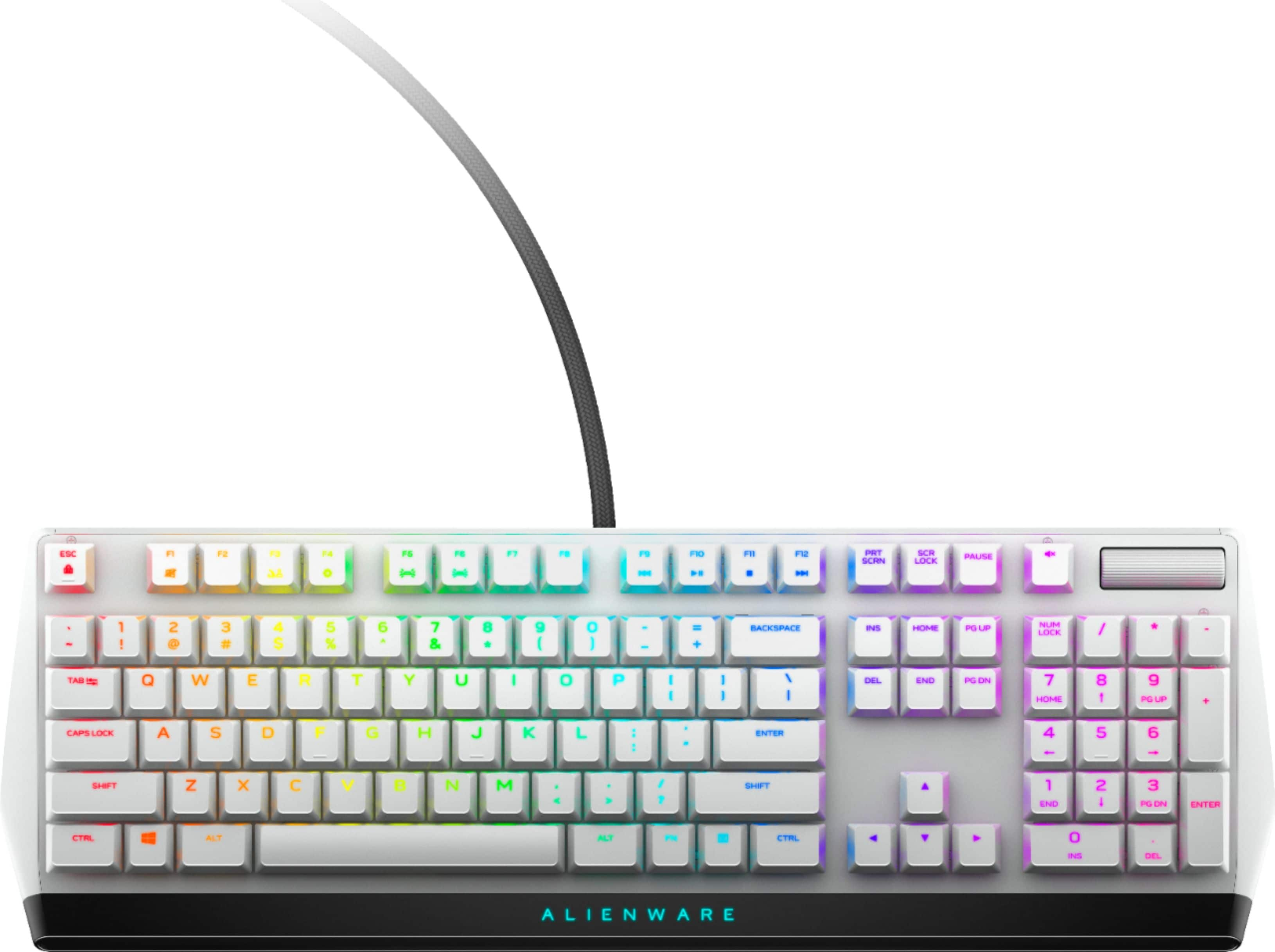
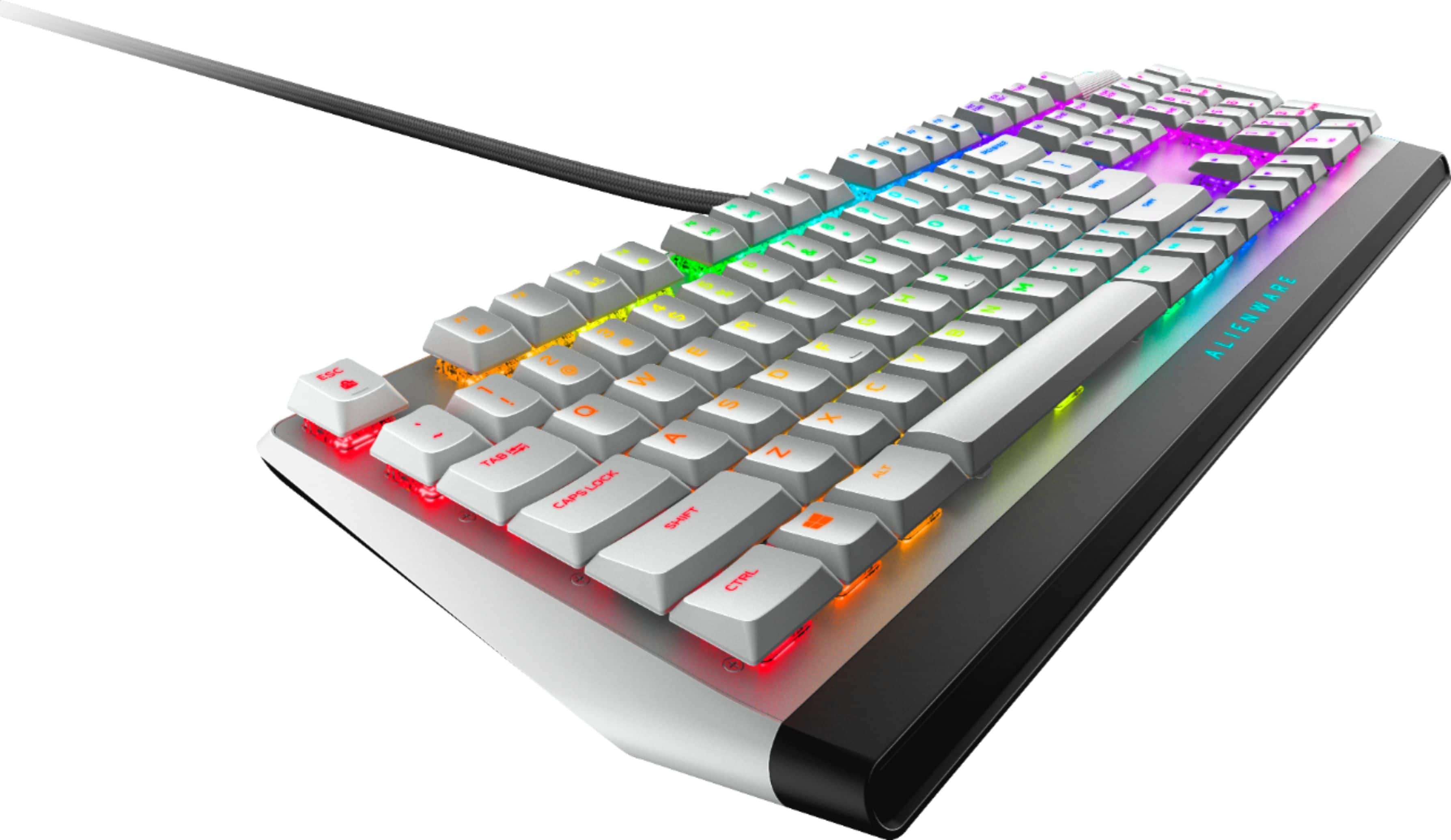
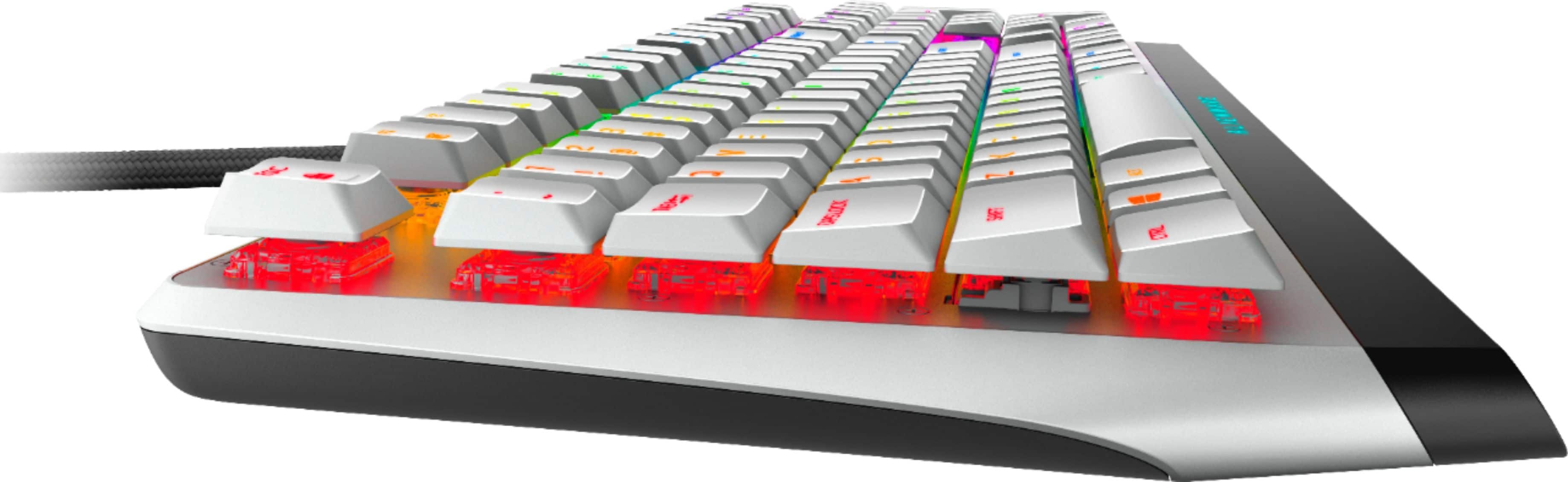
|Posted .This reviewer received promo considerations or sweepstakes entry for writing a review.The AWM510K matches the design scheme of my Alienware R9 Aurora Lunar Light. This keyboard can be used on any other computer with a USB port, but its features make more sense as an accessory for the R9 Aurora. The low-profile keys have a nice feel to them, with a quick response time, and they are pretty quiet. This is my first gaming keyboard with Cherry MX switches, and they feel great. It has customizable color selection and lighting effects, even per key, through Alienware Command Center. Handy design for volume control, some built-in FN shortcuts, but lacking a shortcut for sleep mode
I would recommend this to a friend Keyboard
||Posted . Owned for 2 months when reviewed.This reviewer received promo considerations or sweepstakes entry for writing a review.Very complicated to setup with my computer as it seems it is only compatible with a dell in order to get all the RGB lighting benefits. The tactile feel of the keyboard is not good at all either. The keyboard is very pretty though.
No, I would not recommend this to a friendBrand response from YourDellTeam
Posted .Dear Mona,
We appreciate you taking the time to leave us your valued feedback. We apologize for the trouble you have had with setting up your Alienware Wired Mechanical Keyboard. I have provided a link below to the Drivers and Downloads page for this keyboard so you can download the drivers need to help use the lighting features of this keyboard.
If you require further assistance, you can contact Dell directly with the information below.
Chat or call: https://bit.ly/DellSupportTeam
Phone number to Dell 1-800-624-9896
Best,
Ashley@Dell
Drivers and Downloads Page: https://dell.to/3jWqdPT
Keyboard
||Posted . Owned for 3 weeks when reviewed.This reviewer received promo considerations or sweepstakes entry for writing a review.Stopped working after a week, pretty expensive keyboard for only a weeks worth of use
No, I would not recommend this to a friendBrand response from YourDellTeam
Posted .Dear MyrandaW,
We value your feedback and want to thank you for taking the time to leave a review of your Alienware gaming keyboard. We are sorry to hear that you are experiencing an issue with your device not working properly. We have noted the details of your statement and will use them to improve current and future products. Below I have provided a troubleshooting link to help resolve your issue.
Keyboard Troubleshooting Link: https://dell.to/3huBztr
If you continue to experience issues, please reach out to Dell Support directly by using the information provided below.
Chat or call: https://bit.ly/DellSupportTeam
Phone number to Dell: 1-800-624-9896
Best,
Summer@Dell
For the price I was expecting more DO NOT BUY
||Posted .This reviewer received promo considerations or sweepstakes entry for writing a review.This is one if the worse keyboards I ever had it claims it’s mechanical but feels nothing of the sort I immediately returned it Don’t buy it’s has the same quality as a cheap 20$ onn keyboard
No, I would not recommend this to a friendLooks good, breaks Easily
||Posted . Owned for 9 months when reviewed.This reviewer received promo considerations or sweepstakes entry for writing a review.Looks great. Cheaply made. W key broke and cannot get a replacement. Do not recommend for serious gamers or any gamer for that matter.
No, I would not recommend this to a friendBrand response from YourDellTeam
Posted .Hi Yamamax54,
Thank you for taking the time to leave us your valued feedback. We sincerely apologize for the issues you have had with your Alienware Full-size Wired Mechanical Low Profile Red Switch Gaming Keyboard. This is certainly not what we like to hear from our loyal customers. We would recommend reaching out to our support team at your earliest convenience for further guidance.
You can contact Dell directly with the information below.
Chat or call: https://bit.ly/DellSupportTeam
Phone number to Dell 1-800-624-9896
Best,
Ashley@Dell
- Pros mentioned:Key feel, Keyboard quality
Solidly built, requires software for management
|Posted .This reviewer received promo considerations or sweepstakes entry for writing a review.It came without any instructions, which I do not think that they were missing, it just had a card thanking me for a smart purchase. Yeah, I feel special already. But still was clueless in the beginning on how to take advantage of its features. More about it later. The keyboard has the quality built. The keys lighting adjustment requires the Alienware Command Center software, where you can customize it in the FX section. But if you use the same keyboard on multiple computers this creates a problem because once you switch the keyboard to another computer the lighting feature goes away. Additionally the secondary symbols on the keys (like $ on 4) are not well lit, they appear much dimmer than the primary characters. Even when holding the Shift key in order to select them does not make them any brighter. The high adjustment comes in two levels. You have the ability to lock in the FN key. There is a sound mute button and the sound volume level is adjusted by the scroller on the top right side. It takes at least ten scrolling attempts to go from zero to 100%. You can assign macros to the keys through the Alienware software, including your own custom macros. Keyboard offers an USB port for further expansion. This is a hardwired keyboard as expected, no surprise here though the USB end with two USBs on its end. The keys require very little travel in order to generate an effect on the screen (typing a character or sending a command in the game). As the result you can barely touch it in order to get action out of it, there is no need to push to the bottom of the travel and generate the click sound. This might at first feel unintuitive for some as you can generate action without feeling any feedback from the key if you just barely touch it and it does what is being asked for. In terms of playing a game where quick action is required I think this is great that the keys are so sensitive and act so quickly, it just may take some time to adjust that you can get the result so quickly without hearing the key click or feeling the pressure when it hits the bottom of the travel path. Overall it is a very solidly built keyboard, great quality, with focus on gamers, enormous customization features in terms of lighting, custom shortcuts and special macros, which can make a big difference in some situations.
I would recommend this to a friend - Pros mentioned:Key feel, Rgb lightingCons mentioned:Usb ports
Great gaming keyboard
|Posted .This reviewer received promo considerations or sweepstakes entry for writing a review.Customer review of free product. This is my first mechanical keyboard. It was a bit of a learning curve to familiarize myself with all of the features. I really like the response and feel. Backlit keyboards are the way to go, especially in low light environments. Two USB ports are required. Only a concern if you have limited USB ports available. Works very well for gaming and non-gaming. Recommended. Pros: lighting is awesome solid and durable responsive Cons: small keys (too easy to hit multiple keys at the same time)
I would recommend this to a friend - Pros mentioned:Keyboard quality
wow
|Posted .This reviewer received promo considerations or sweepstakes entry for writing a review.this my first expensive gaming Keyboard, recently just got into PC gaming and first thing I bought was Red Dragon keyboard and those blue mechanical keyboard was nice but they were loud, and had a great weight to them. but this alienware keyboard is so sexy, I love the design I love the fact that it has USB pass through. never had cherry reds switches and i’m in love! the keys are not loud and I think it’s deff something that I like as well, this Alienware 510k keyboard are low profiles, first time owning low profile keyboard and ill give it a thumbs up. the fonts on the keyboard was also somewhat I like, it’s not aggressive fonts, very clean and i’m glad alienware went with that. the only downside i’d say is the command center of alienware is not that great, I wish I could have more options to customize the keyboard and how fast you want, there is a section to adjust the speed of the light, but I felt like it wasn’t enough, also i’m not gonna take away a star on my review even tho I didn’t really like the command center, for me I kept it on the rainbow rgb colors and I think they look fantastic, overall i’m loving the keyboard, thanks alienware!
I would recommend this to a friend - Pros mentioned:Keyboard quality, Rgb lighting
One of the best, but isn't clicky and tactile =(
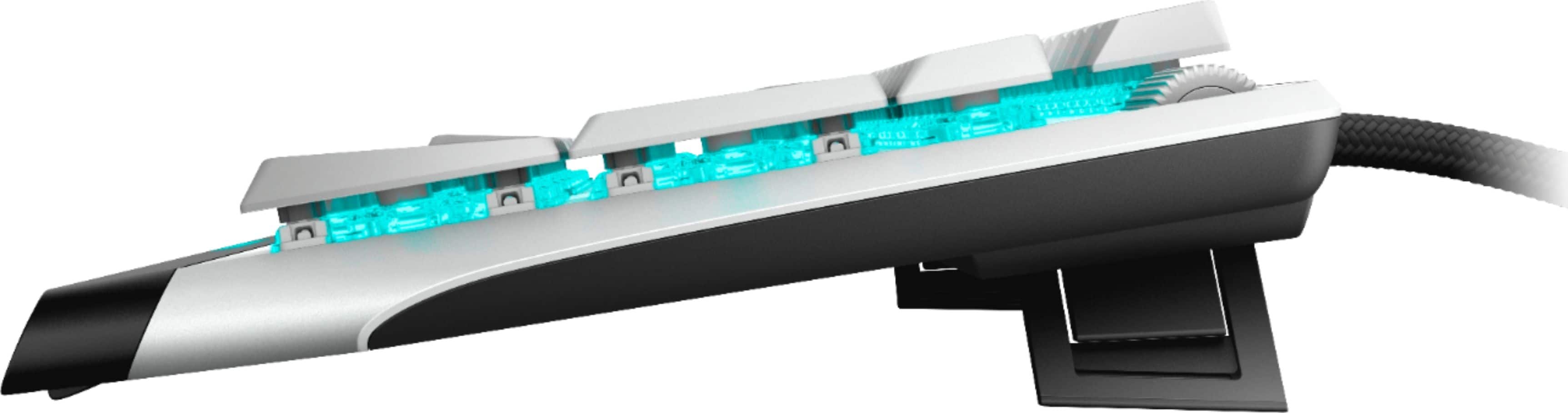
Posted .This reviewer received promo considerations or sweepstakes entry for writing a review.I bought this like it was a no-brainer because I love the Cherry MX mechanical keyboard on the X17 R1 that I have. This keybaord is by far the most solid-built, attractive, well-lit RGB keyboard I've ever used. The kickstands can bring it up much higher than most gaming keyboards I've used in the past. One thing I will mention, it doesn't have the clicky tactile feel I really expected, which I do have from my X17 keyboard. It's more mushy, and honestly more like my non-mechanical Razer keyboard. That aside, I still love this thing. I'll adjust. If they come out with something that feels more like the clicky X17 though, I'll switch in a heartbeat. It also has a usb port for convenient plug in, which explains the forked usb cables that it has, which at first left me gobsmacked. Very neat addition.
I would recommend this to a friend