Customer Ratings & Reviews




- Model:
- AW610M-D
- SKU:
- 6408626
Rating by feature
- Value
Rating 4.5 out of 5 stars
- Quality
Rating 4.7 out of 5 stars
- Ease of Use
Rating 4.7 out of 5 stars
Customers are saying
Customers are positive about the AW610M-D gaming mouse's long battery life, vibrant RGB lighting, comfortable design, and wireless functionality. Many appreciate its high-quality build and customizable DPI settings, while some find the weight and size to be ideal. However, customers are negative about the stiff scroll wheel and some software issues. A few users reported problems with the scroll wheel's functionality and responsiveness.
This summary was generated by AI based on customer reviews.
LEDs lights dont work anymore after not even a yea
||Posted . Owned for 8 months when reviewed.This reviewer received promo considerations or sweepstakes entry for writing a review.I like the mouse its nice and all but my problem is after owing it for not even a year the LED lights dont work no more
No, I would not recommend this to a friendBrand response from YourDellTeam
Posted .Dear Paulie,
We appreciate you taking the time to leave us your review. We are glad you are enjoying some of the features of your Dell Alienware Optical gaming mouse but we are sorry to hear that you are not 100% satisfied with it because its LED lights stopped working after some time of using it. This is certainly not the experience that we like to hear from our customers. We appreciate your feedback and will use it to help improve our current and future products.
Please take a moment to call or chat with our Dell Support Team at the information provided below so we can help you to resolve this issue.
Best,
Katarina@Dell
Should you need further assistance, you can contact Dell directly with the information below.
Chat or call: https://bit.ly/DellSupportTeam
Phone number to Dell: 1-800-624-9896
- Pros mentioned:Wireless
Not worth it, but matches *shrug*
||Posted . Owned for 3 weeks when reviewed.This reviewer received promo considerations or sweepstakes entry for writing a review.Actually prefer my $20 Amazon mouse, it’s quieter and moves more easily.
No, I would not recommend this to a friendBrand response from YourDellTeam
Posted .Hello,
Thank you for taking the time to share your feedback and review. We are extremely sorry to hear that this gaming mouse has not met all of your expectations. The contents of your review will be used to help improve now and future Dell products. If you come across any questions, issues, or concerns, please visit the Support Page of your mouse - https://dell.to/3mORkgy.
Respectfully,
Wendy C.
https://bit.ly/DellSupportTeam.
Phone number to Dell: 1-800-264-9896.
- Pros mentioned:Wireless

Great, once its set up.
|Posted .This reviewer received promo considerations or sweepstakes entry for writing a review.Overall I like this mouse. The feature that I like the best is that it is a dual mode mouse. I prefer wireless, but can do wired if needed. But what I hate is when I forget to keep it charged / replace the batteries and then everything is interrupted or put on hold until I can buy new batteries or I let it sit on the charger for enough time. With this one I just plug it in and keep going. Maybe I don't play the right games, but the extra buttons for gaming didn't wow me. I just don't have a game where changing the dpi on the fly really matters, and scrolling speed changes at a click weren't too impressive, especially if you have to pick up the mouse and turn it over. I can go into settings and change that if needed. The other button customization is nice and really helps to shortcut things in games to save yourself from a keyboard command. Depending on the games you play you may like this feature more or less. You can also customize the buttons per game so that you don't have to set it up or select the profile every time you open a game. It is annoying you have to download the alienware command center program to run the custom buttons, but that's forgivable since it is a specialized feature. The reason I took off one star is for setup and a weird bug in the device. When I first plugged it in, it worked just fine. Then the Dell updates loaded and the laser just stopped working. All the buttons worked just fine, but it would not let me move the cursor around. I tried a different mouse pad and with no luck since that's what the online troubleshooting said to to. In the end I had to delete all the drivers and the command center (with the mouse unplugged using my old mouse), then install them in a specific order (command center first, then driver), rebooting twice (in-between each install), then plug my mouse in (after the install so it didn't detect and start installing things without me telling it to). Finally it didn't seem to work but I tried to run it on a piece of white paper one more time since that was the troubleshooting suggestion and after the selective re-install and running on the paper it suddenly started working. Once the laser started working it now works no problem on my old mouse pad that it previously wouldn't sense. It was a pain and took me 20 min. to figure out the issue and get it working. Which was really annoying since it worked fine until the updates kicked in. Someone less techy may have just given up and returned it as a broken device. There is also next to no documentation to help you that comes in the box. They have a bunch of papers but its just the legal warnings and a card that lets you know "Alienware is Great". The card's web address listed doesn't even get you to the support page, you have to click around to find it. It was faster just to google the model number and the word "problem". Maybe it was just my computer I set it up on, but if its a common problem and someone else runs into this issue, maybe this will help.
I would recommend this to a friend - Pros mentioned:Battery life
Great for gaming and everyday use
|Posted .This reviewer received promo considerations or sweepstakes entry for writing a review.With the AW610M, Alienware delivers a mouse that's great for gaming and also excellent for everyday use, with outstanding tracking, a comfortable grip, and solid battery life. Pros: - Great design makes for a very comfortable grip, even for longer gaming sessions. - Outstanding tracking accuracy and resolution that can be switched on the fly. - Great tactile feedback on buttons and scroll wheel, the latter of which can also be changed to coarser or finer detents. - LED light and other elements can be configured for multiple profiles and linked to games. - Excellent battery life, even with the LED on. - USB extension cable included in the box. This is a really thoughtful addition that ensures the receiver won't have interference issues from sitting behind a large gaming rig. It also makes it easy to switch to wired mode. Cons: - Alienware's configuration utility has limited options for button mapping, and doesn't support different button functions for specific non-game applications. - Only two additional assignable control buttons, so might not be ideal if your game of choice benefits from a larger number of mouse-based shortcuts. - The glowing alien head logo, while fun for a gaming mouse, might not appeal to everybody. Summary: This has become my go to mouse for general use and gaming at home. It's accurate, comfortable, and offers great battery life. While I wouldn't choose it as a "work mouse", it's more than capable of handling home office duties and the high DPI tracking could make it useful for CAD applications too. Highly recommended.
I would recommend this to a friend - Pros mentioned:Design, Wireless
Awesome gaming mouse that stands out!
|Posted .This reviewer received promo considerations or sweepstakes entry for writing a review.This mouse is so sleek and beautiful designed that you may forget it's a gaming mouse, but don't let that fool you! This is honestly the best mouse I have ever owned, the buttons are easy and the feedback is immediate. I love that is wireless because it makes my gaming station look cleaner and the wireless connectivity is top notch. No issues whatsoever with this mouse.
I would recommend this to a friend - Pros mentioned:Comfort
Fairly Barebones, But It's a Performer
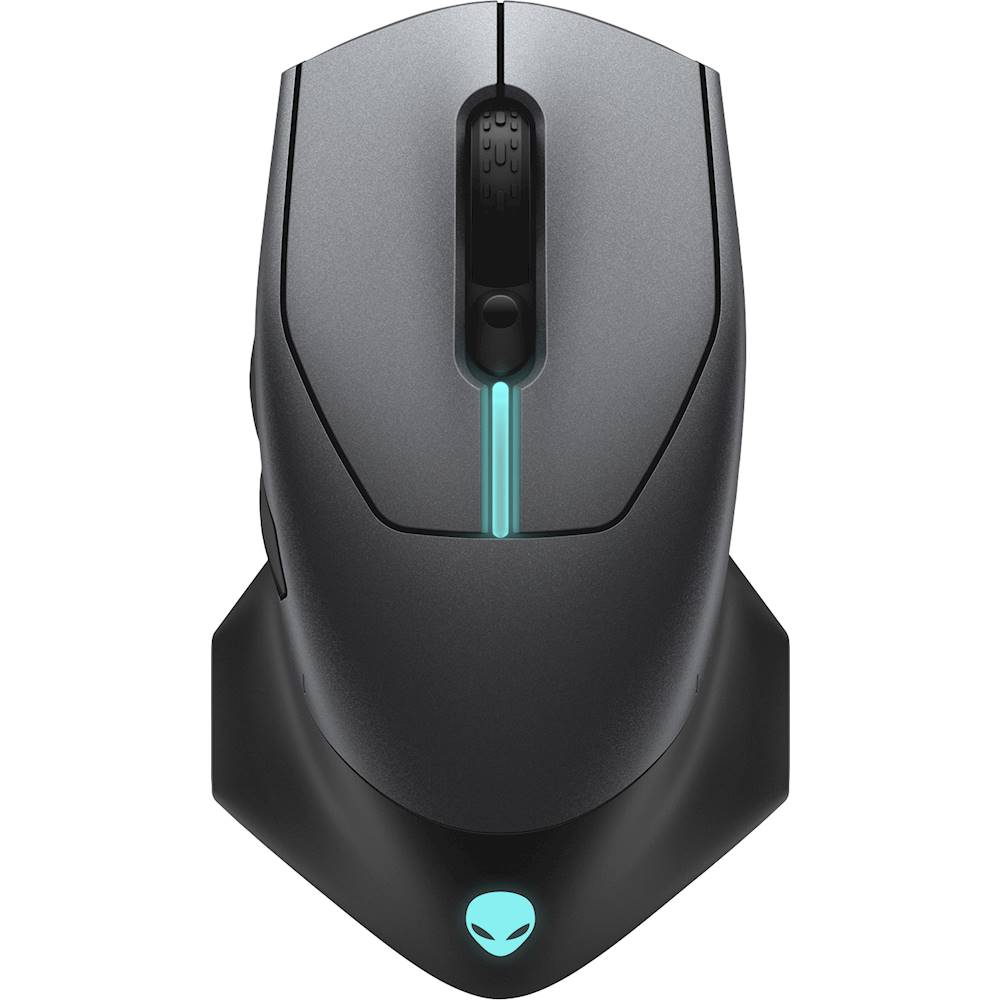
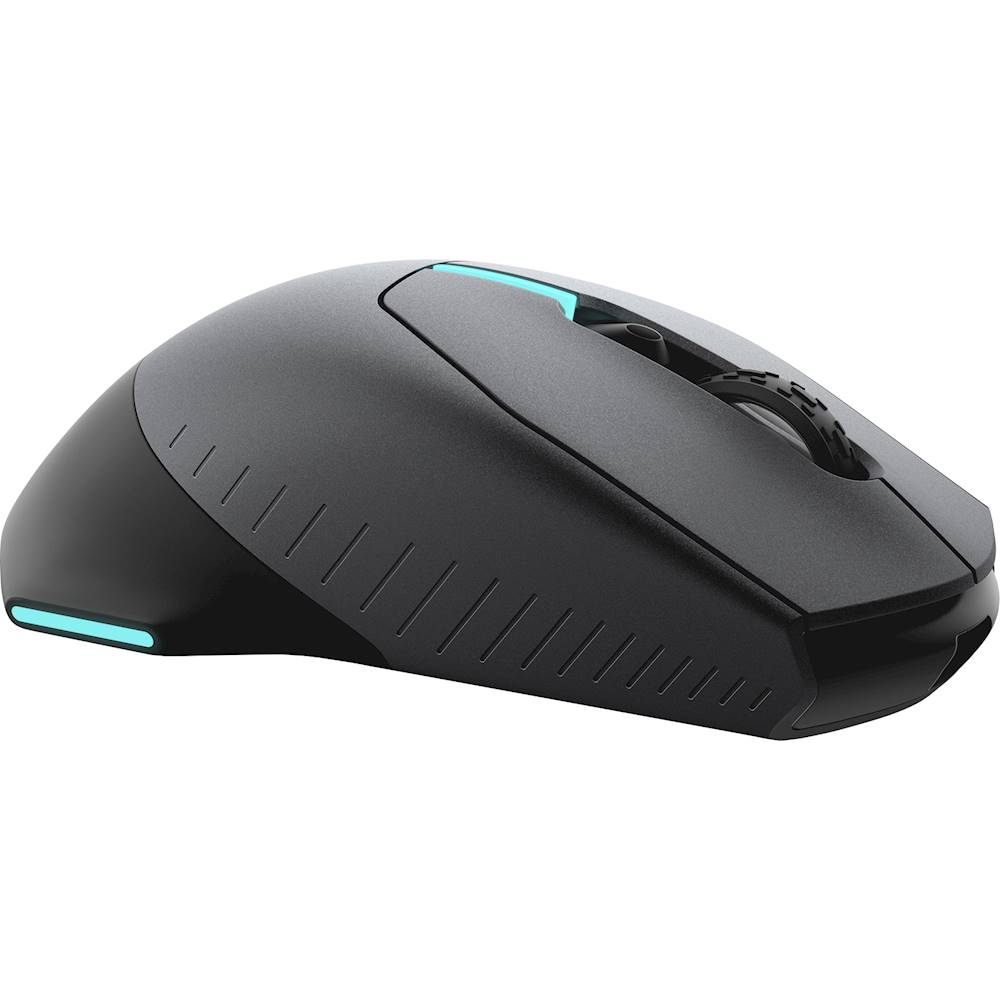
|Posted .This reviewer received promo considerations or sweepstakes entry for writing a review.I'm always on the lookup for new mice, so when I came across the Alienware AW610M, I decided to give it a shot. Though it's barebones when it comes to input buttons, its top notch comfort and wireless/wired performance make this a mice worth considering for gamers. This is an interesting looking mice. It carries a minimalist amount of buttons; left/right click, scroll wheel with click, DPI adjustment rocker, and back/forward buttons. Besides the back/forward side buttons, it's a lefty-friendly design, and has a wide base stance, complete with LED lights on each side and on top. This wide base lends itself to being very comfortable, as affirmed by a marathon gaming session I put the mouse through 2 days after I got it. Everything feels well placed and stable. Performance of the AW610M is on par with all the best wireless mice around. Over multiple hours long gaming sessions, I've not once experience any connection issues, latency, etc. Performance-wise, it's as instant wireless as it is plugged in. I switch mice constantly, but this one feels like a mainstay. I primarily play FPS games, and the relative lack of buttons isn't an issue for me, and the performance and comfort mean I have zero issues with long gaming sessions.
I would recommend this to a friend Don't waste your money or time.
||Posted . Owned for 4 months when reviewed.This reviewer received promo considerations or sweepstakes entry for writing a review.Lights stopped working after 3 months, can't return it. Now just have a $100 regular crappy mouse. Wtg Alienware/dell
No, I would not recommend this to a friendBrand response from YourDellTeam
Posted .Dear Maddoe,
We would like to thank you for taking the time to provide us with your feedback. We apologize for the issue you have come across with your Alienware gaming mouse because its light stopped working. We will share your review with our quality team, so future improvements can be made.
Please contact Dell Support Team at the information provided below at your earliest convenience so we can help you to resolve this issue.
Best,
Katarina@Dell
Should you need further assistance, you can contact Dell directly with the information below.
Chat or call: https://bit.ly/DellSupportTeam
Phone number to Dell 1-800-624-9896
Broken after 3 months
||Posted . Owned for 6 months when reviewed.This reviewer received promo considerations or sweepstakes entry for writing a review.It just stops moving after 6 months, can click and scroll but mouse cursor won't move.
No, I would not recommend this to a friendBrand response from YourDellTeam
Posted .Dear Bryan,
We appreciate your feedback and review. We are sorry to hear you are having trouble with your Alienware Gaming Mouse because it stopped working and its cursor won’t move.
We recommend making sure all drivers are updated. There are 5 drives listed under this product, so please check for any applicable updates at the link below. I have also provided a link to a troubleshooting article for your mouse.
Drivers and Downloads: https://dell.to/3esF29z
Alienware Gaming Mouse Usage and Troubleshooting Guide: https://dell.to/3prw9DG
If you still experience this issue with your mouse after utilizing troubleshooting, please feel free to reach out to our support team for further guidance here: https://dell.to/3I91d2q.
Best,
Katarina@Dell
Should you need further assistance, you can contact Dell directly with the information below.
Chat or call: https://bit.ly/DellSupportTeam
Phone number to Dell 1-800-624-9896
dont really know
||Posted . Owned for 1 week when reviewed.This reviewer received promo considerations or sweepstakes entry for writing a review.not sure how it works, because the new gaming computer i bought with it crashed after 1 day and since everythings closed due to covid i cant get it fixed or repaired.
No, I would not recommend this to a friendBrand response from YourDellTeam
Posted .aronmee1969,
Thanks for your review. We're sorry to hear that your computer gave you trouble before you were able to try your mouse. We hope that it will meet your expectations once your computer is repaired. Here's a link to additional support for your mouse if you need it: https://dell.to/2XxO2D2.
Best,
Bryan
1-800-624-9896
- Pros mentioned:Battery life
Best mouse.
Posted .This reviewer received promo considerations or sweepstakes entry for writing a review.Love the design and feel of this mouse. Reliable and looooong lasting battery. High dpi
I would recommend this to a friend Cursor quit moving.
||Posted . Owned for 3 months when reviewed.This reviewer received promo considerations or sweepstakes entry for writing a review.Have only had this mouse for a few months. Now the cursor will not move. It will still click and scroll but can't move the cursor.
No, I would not recommend this to a friendBrand response from YourDellTeam
Posted .Jimmy,
Thanks for your feedback and we're sorry to hear about the issues that you've been having with your new Alienware mouse. We'd recommend that you check the Product Support Page for answers to any technical questions that you may have with your new mouse: https://dell.to/2sbCEzK.
Best,
Bryan
1-800-624-9896
Great mouse for the price.
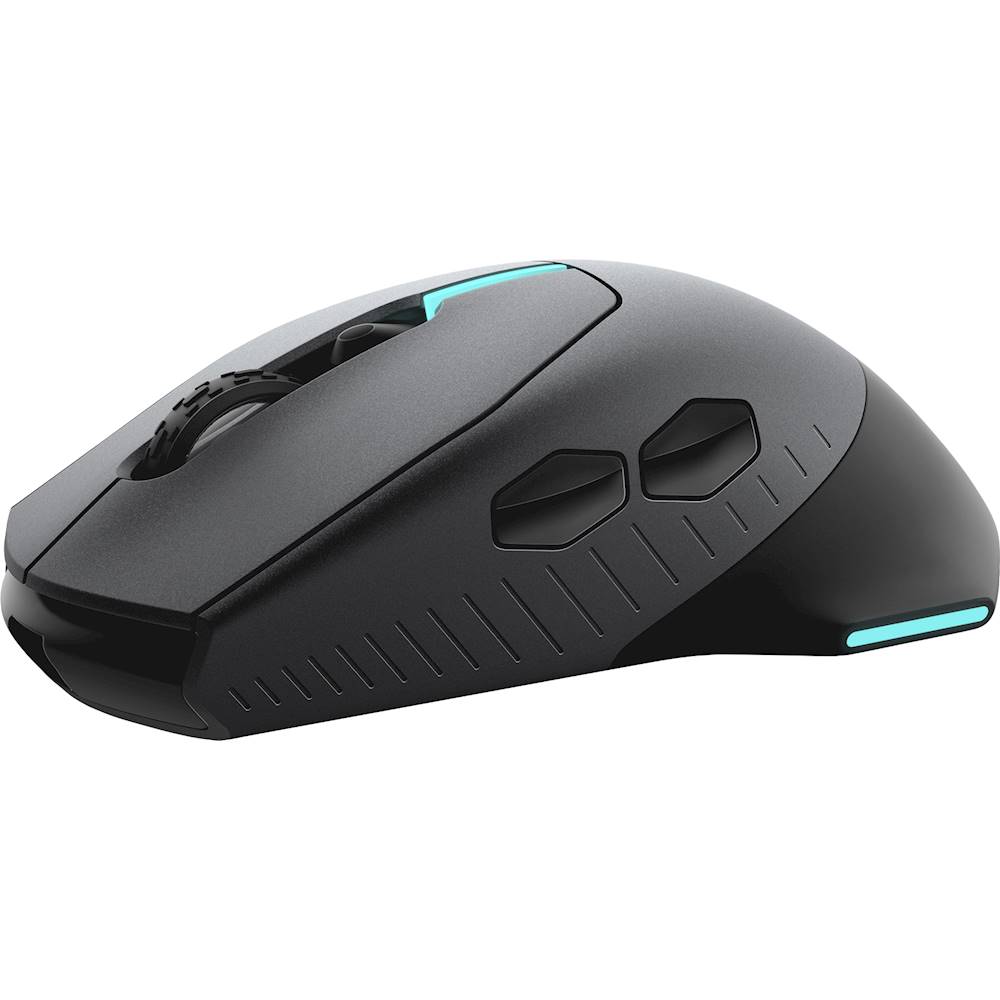
|Posted .This reviewer received promo considerations or sweepstakes entry for writing a review.I have an Alienware PC/Keyboard, so adding an Alienware Mouse to the mix was nice. It's a pretty nice mouse. It has great precision and feel. One complaint I have is my palm seems to sit kind of far back, making the natural resting grip slightly short of the mouse wheel. The white on black color is super cool. The LED lights can be programmed through Alienware Command Center. The mouse wheel has a good feel and soft clicks. The two side buttons have a soft feel to them. The material for them is a gloss plastic, along with their contour make them feel nice.The mouse buttons have little resistance. This is also a light mouse. It weighs very little, which makes moving it around pretty easy. Overall, I really like this mouse.
I would recommend this to a friend...
||Posted .This reviewer received promo considerations or sweepstakes entry for writing a review.Doesn’t charge past 86% . Double clicks with single click every 6-7 clicks.
No, I would not recommend this to a friendBrand response from YourDellTeam
Posted .Hello NotHappy,
Thank you for your feedback and review. We apologize for the battery and performance issues you have with your mouse. Below are steps that can be used to diagnose the direct issue with your mouse input.
1. Run diagnostics on your mouse, and you have the option to run online or built-in diagnostics (you will need a known good mouse that is attached to start the diagnostics).
-Online diagnostics.
2. Browse to the Online Mouse Diagnostics page.
-The test will start automatically.
3. You may be prompted to install or update the SupportAssist program, if so, follow the prompts.
4. Make sure to perform the test on the mouse that is having the issue.
This link can be used to begin the diagnostic test: http://dell.to/3faPBha.
Best regards,
Wendy C.
If you have any questions or concerns, you can contact Dell directly with the information below Chat or Call:
https://bit.ly/DellSupportTeam.
Phone number to Dell: 1-800-264-9896.
DO NOT BUY
||Posted . Owned for less than 1 week when reviewed.This reviewer received promo considerations or sweepstakes entry for writing a review.Terrible support, Open box condition listed as excellent and arrived filthy without cables and will not hold charge.
No, I would not recommend this to a friendBrand response from YourDellTeam
Posted .Mike,
We're sorry that your mouse did not arrive in the condition that you hoped it would. We'd recommend reaching out to Best Buy to see what your return and exchange options are: http://bit.ly/2v2IVhI.
Best,
Bryan
1-800-624-9896
Old guy new to gaming
|Posted .This reviewer received promo considerations or sweepstakes entry for writing a review.Got this mouse to be able to play with my grandson. Not an accomplished gamer. Very impressed with the response, feel and performance. 16,000 adjustable dpi resolution makes this mouse extremely fast and accurate. Programmable buttons allow for easy interface with most games. Have to download the manual online in order to understand and change programmable settings as well as changing the resolution for different games and non gaming activities but once you've done it, easy to replicate. I'll update this review once i have more experience with both online games and the mouse but for now I highly recommend it.
I would recommend this to a friendGreat gaming mouse with an interesting design
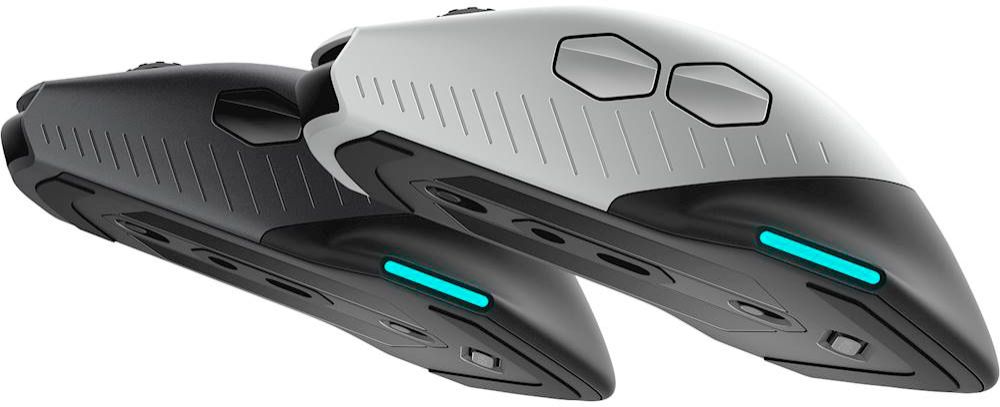
|Posted .This reviewer received promo considerations or sweepstakes entry for writing a review.The Alienware AW610M seems to fit the bill quite well as a gaming mouse. I think the mouse has a lot to offer for the price point that it comes in at. There are several competing mice on the market that, for a little less, only provide you with a wired option. I've been gaming with this mouse for the past 2 weeks and I can confidently report that it performs well when used either wired or wireless. I couldn't find the exact sensor that Dell is using for this mouse but to provide a reference, I can easily say that it performs as well, if not better, than a mouse with a PWM3389 sensor. I kept switching back and forth between the Alienware AW610M and a mouse with the PWM3389 sensor and the performance was, again, just as good or better on the Alienware AW610M. The build quality of the mouse is very good. You get a very smooth matte finish. I was pleasantly surprised that the scroll wheel feels of high quality with very discernible scroll wheel clicks. There are also two modes for the scroll wheel. Underneath the mouse there's a button that you can toggle back and forth to increase or decrease the resistance of the scroll wheel. However, there is only two different resistances. The omron switches used in this mouse are very clicky and responsive. I'm also a huge fan of the hexagonal shaped back button. It allows for a wide surface area so my thumb never misses it. The mouse performs extremely well when either wired or wireless. I was not able to tell a difference. I played several first person shooters such as Overwatch, CS:GO, Quake Champions, and PUBG. Very impressed. The wireless dongle that comes with this mouse is the traditional braided cable that's USB on one end and a micro USB on the other end. The micro USB end attaches to an adapter that allows you to connect the USB wireless dongle. This dongle perfectly stows away underneath the mouse. You can either connect this USB wireless dongle directly to your PC or you can use the USB cable + the USB dongle attached to it (this is typically the recommended option for PCs as it allows you to quickly take off the USB adapter to charge your mouse). The battery life was great!! I've been able to get around a full week when using the mouse 4+ hours a day. While I love the white and black color scheme of the mouse, the design and weight of the mouse is why I docked it a star. While, aesthetically, the mouse looks gorgeous, it's very interesting "hammerhead" like shape just wasn't practical or functional as I would have liked; at least not for the shape of my hand. While the shape didn't constantly pester me or hinder my performance when gaming, I sometimes found my pinky and thumb naturally hitting the protruding sides toward the bottom of the mouse. This wasn't a very natural feel. Also, not only is the mouse a little on the heavier side, but it also feels a little bottom heavy due to the hammerhead shape placed on the back of the mouse. For me, I still prefer the typical mouse design that I've gotten used to over the years. However, I'm sure some one will find some practical use in the protruding edges. I can see people using their pinky along this edge for a possible quicker lift off. Overall, this is a very good gaming mouse with the flexibility of being wired or wireless. Especially at it's price point. It will also be a pleasant surprise for Alienware fans who love the Alienware Command Center software which allows you deck out your mouse in whatever RGB pattern is to your liking. Aside from the unique shape that takes a little getting used to and the fact that it's a bit on the heavy side, this is an extremely solid option for someone looking for a good gaming wired/wireless mouse that doesn't break the bank.
I would recommend this to a friendBad
||Posted .This reviewer received promo considerations or sweepstakes entry for writing a review.Bad mouse would not recommend us even for my kids.
No, I would not recommend this to a friendBrand response from YourDellTeam
Posted .Hello KevinM,
Thank you for sharing your thoughts. Your feedback is sincerely appreciated and will surely be taken into consideration when designing future products. If you have any other questions, feel free to visit the support page for your gaming mouse.
Best,
Wendy C.
For further assistance, you can contact Dell directly with the information below Chat or Call:
https://bit.ly/DellSupportTeam.
Phone number to Dell: 1-800-264-9896.
bad
||Posted .This reviewer received promo considerations or sweepstakes entry for writing a review.Bad mouse would not recommend us even for my kids.
No, I would not recommend this to a friendBrand response from YourDellTeam
Posted .Hello KevinM,
Thank you for your review. We are sorry to hear that this product has not met all your expectations. If you have any questions, don't hesitate to visit the support page for your gaming mouse.
Respectfully,
Wendy C.
If you have any additional questions or concerns, you can contact Dell directly with the information below Chat or Call:
https://bit.ly/DellSupportTeam.
Phone number to Dell: 1-800-264-9896.
Lightweight and Comfortable
|Posted .This reviewer received promo considerations or sweepstakes entry for writing a review.My first impression was that the Allienware Gaming Mouse was very light. While some people may see this as a plus. I actually prefer a little heavier mouse. The weight, however, hasn't been an issue so far. The back has what remind me of stingray wings. I find they give my thumb somewhere to rest naturally just below the second side button and make the mouse really comfortable.The wings also have a grippy feel while the main mouse itself is more smooth. The scroll wheel can be set up to scroll a few lines at a time or many lines based on a switch on the bottom. I like that I can select quickly as needed manually without going into software. Also on the bottom are a power switch (it's rechargeable via micro USB. Why isn't it USB C at this point?) and a cavity in which to store the USB receiver. I had a heck of a time removing the receiver the first time. I even resulted to using long-nose pliers to remove it from the mouse, but that didn't even work. Eventually I was able to slowly wiggle it out a little at a time. I'ts loosened up some, but it really is a pain to remove! Overall, it's a good, solid gaming mouse with terrific accuracy. The Lunar Light color might be a good choice if you game on a Mac, although the software to control the color of the alien logo is Windows Only.
I would recommend this to a friend- Cons mentioned:Scroll wheel
Good, could be better
Posted .This reviewer received promo considerations or sweepstakes entry for writing a review.The mouse works well for what it is and fits nicely in large hands. Two problems, the scroll wheel is difficult to scroll and the side buttons are a little too sensitive
I would recommend this to a friend