Customer Ratings & Reviews


- Model:
- AWM15R4-7726BLK-PUS
- SKU:
- 6453648
Rating by feature
- Battery Life
Rating 3.6 out of 5 stars
- Speed
Rating 4.7 out of 5 stars
- Display
Rating 4.7 out of 5 stars
Customers are saying
Customers commend the m15 R4 laptop's high performance, powerful GPU ideal for gaming and 3D modeling, and sharp, high refresh rate screen. Positive feedback also highlights the keyboard quality and sleek design. However, some users point to significant drawbacks regarding battery life, overheating issues, and loud fan noise. The soldered RAM was also a point of concern for some customers.
This summary was generated by AI based on customer reviews.
It was a good experience while it lasted.
||Posted . Owned for less than 1 week when reviewed.This reviewer received promo considerations or sweepstakes entry for writing a review.Worked great until about 3 days in when it just suddenly stopped working. I was loading up a game and the screen froze followed by a buzzing noise and then lead to shutting down. Since then it’s not turned back on.
No, I would not recommend this to a friendBrand response from YourDellTeam
Posted .Hello Kody,
Thank you for your feedback and response. We apologize for your experience and would love to help right away! We have provided steps below that can assist with your startup issues.
1. If the computer is displaying the Dell logo and does not move past that point, it has probably failed POST.
2. If the power indicator lights up and it is amber or orange, this is usually an indicator that it has failed POST.
3. If you see text on a black screen, the computer is currently performing the POST. If the computer stays in that condition and does not move past it, it has probably failed POST.
4. If the video screen displayed anything at all during the startup process but is now black, this probably indicates that the computer failed POST.
5. If the computer is beeping or if Caps/Num/Scroll Locks are flashing, note if there is a particular pattern in which it beeps or flashes.
6. If the computer is not beeping and caps/num/scroll locks are not flashing, unplug all connections and remove all media communication devices (e.g. external monitors); reconnect one at a time and check if the computer functions.
7. For a notebook, press and hold the Fn key and then press the power button. This starts the pre-boot testing and will launch ePSA. In case you have a Desktop at the Dell logo screen tap the F12 key to enter One Time Boot Menu and use the arrow keys to highlight Diagnostics and press enter.
You can read the full article here - http://dell.to/2uj1Sby.
Best regards,
Wendy C.
For further assistance, you can contact Dell directly with the information below Chat or Call:
https://bit.ly/DellSupportTeam.
Phone number to Dell: 1-800-264-9896.
- Cons mentioned:Battery life
Power of a desktop with battery of a flip phone
||Posted . Owned for 3 weeks when reviewed.This reviewer received promo considerations or sweepstakes entry for writing a review.Worst battery life I've ever seen in a laptop. Power saver mode typing on MS word yields <2 hrs. Also the display was mediocre for a FHD.
No, I would not recommend this to a friendBrand response from YourDellTeam
Posted .Hi Curious,
Thank you for your valued feedback. We apologize for the battery performance issue you are experiencing on your Alienware M15 R4 Gaming Laptop. Below I have provided steps to help increase the battery performance and the full article for additional troubleshooting.
Change the Power Plan:
1. On the notification area of the taskbar, right-click the Battery icon.
2. On the options list, click Power Options.
3. Select a power plan on the battery meter, such as Power Saver or Balanced. Windows 10 has a built-in 'Battery Saver' mode that can be activated to extend your system's battery life. The Battery Saver mode will monitor and limit background activity and other features such as push notifications. You do have the option to enable or disable this mode within settings or within advanced Battery Saver settings, you can customize the mode to best suit your needs.
a) Click on the Action Center icon in the taskbar and select the tile for Battery Saver.
b) If running Cortana then type Battery Saver into the search box and select from the results.
Within the Battery Saver settings page, you will be able to turn on and off the feature and customize the feature to best meet your needs.
c) Turn Battery Saver On or Off.
d) Additional settings available via the Battery use and Battery saver settings links.
e) Battery use shows further info on apps and their power usage.
f) Battery Saver Settings screen allows you to customize further Battery Saver features.
You can read the full article here - http://dell.to/2vfXWf4.
If you still experience any issues after you've finished troubleshooting your laptop, please reach out to our support team here: https://bit.ly/DellSupportTeam.
If you require further assistance, you can contact Dell directly with the information below.
Chat or call: https://bit.ly/DellSupportTeam
Phone number to Dell 1-800-624-9896
Best,
Ashley@Dell
Alienware is not what it used to
||Posted . Owned for 1 month when reviewed.This reviewer received promo considerations or sweepstakes entry for writing a review.A disaster. After only one hour of usage I was never able to turn it on again. I followed all the troubleshooting steps over the phone for 2 hours until Dell decided to send me a technician. The technician came after almost a week, stayed in my house for almost 4 hours, replaced the motherboard and started working again. The alien on the back display never turned on and a few screws where left aside. I decided to return it, the only good thing about the laptop was best Buy that took the computer back and refunded me the money.
No, I would not recommend this to a friendBrand response from YourDellTeam
Posted .Hello,
Thank you for your review. We apologize for your experience with your laptop not functioning properly. We're glad to hear that a technician replaced the motherboard but your Alien back display never turned on. We have provided steps below that can assist with your startup issues if needed in the future.
1. If the computer is displaying the Dell logo and does not move past that point, it has probably failed POST.
2. If the power indicator lights up and it is amber or orange, this is usually an indicator that it has failed POST.
3. If you see text on a black screen, the computer is currently performing the POST. If the computer stays in that condition and does not move past it, it has probably failed POST.
4. If the video screen displayed anything at all during the startup process but is now black, this probably indicates that the computer failed POST.
5. If the computer is beeping or if Caps/Num/Scroll Locks are flashing, note if there is a particular pattern in which it beeps or flashes.
6. If the computer is not beeping and caps/num/scroll locks are not flashing, unplug all connections and remove all media communication devices (e.g. external monitors); reconnect one at a time and check if the computer functions.
7. For a notebook, press and hold the Fn key and then press the power button. This starts the pre-boot testing and will launch ePSA. In case you have a Desktop at the Dell logo screen tap the F12 key to enter One Time Boot Menu and use the arrow keys to highlight Diagnostics and press enter.
You can read the full article here - http://dell.to/2uj1Sby. If you come across any further questions, issues or concerns, please visit the Support Page of your m15.
Best,
Wendy C.
https://bit.ly/DellSupportTeam.
Phone number to Dell: 1-800-264-9896.
- Pros mentioned:SpeedCons mentioned:Heat

Super Fast!
|Posted .This reviewer received promo considerations or sweepstakes entry for writing a review.I could not wait to start this computer! Believe it or not, my favorite part of the computer is the rainbow colors! I really enjoy the colors at night when I'm on the computer. My second favorite part of the computer is the super fast speed which is unbelievable! Extremely responsive when you play games and when you're just browsy regularly on the computer. As thick as this computer is I really thought it had a disk drive, which I would have loved to watch some movies on here every now and then. Even though it's called a laptop, if you play for long hours it will get pretty warm, so you may want to put it on a desk or table if you want to play for long periods of time. Other than that I find this laptop super enjoyable and extremely fun for gamers! I would definitely recommend it to anyone for the first timer or even someone more experienced.
I would recommend this to a friend App Sucks contact info not easily available
||Posted . Owned for less than 1 week when reviewed.This reviewer received promo considerations or sweepstakes entry for writing a review.I ordered multiple item on this purchase I tried to find out a date on the website app and no phone number to talk to someone was Easily available. Best Buy forces you to ask some dumb computer program not real person SUCKS Thier standard answer on app is “we are working on it and will get back to you when order is ready “ REALLY no mention on dates ??!!?
I would recommend this to a friendBrand response from YourDellTeam
Posted .Dear Valued Customer,
We would like to thank you for taking the time to provide us with your feedback. We apologize for the trouble you have come across with your Alienware m15 R4 gaming laptop and that you were not able to resolve these issues using the web support app. With a little more information from you, we would like to help you as soon as possible.
Please contact Dell Support Team at the information provided below at your earliest convenience. We hope that the representative you speak with can help you to resolve the issues with your computer to your satisfaction.
Best,
Katarina@Dell
Should you need further assistance, you can contact Dell directly with the information below.
Chat or call: https://bit.ly/DellSupportTeam
Phone number to Dell 1-800-624-9896
- Cons mentioned:Heat
Super-fast laptop; average build quality
|Posted .This reviewer received promo considerations or sweepstakes entry for writing a review.This is a super-fast, no-lag, fun laptop. The internal specs are great and it seems to take advantage of the good internals. It tackles MS Flight Sim easily and smoothly, with all of its accessories attached and at the highest detail level settings. The screen quality is fine, about average for a gaming laptop, plenty bright, but not amazing or super sharp. Connectivity for an external display is fine, with HDMI and thunderbolt options, although would be nice to have a full size DPI port as well. A mini SD card reader is available on the right side, but for a gaming laptop I would have a preferred USB-C port in that spot instead. While this is a super-fast gaming laptop, there are a few items that knock it one star for me: - With all of that internal power, the laptop runs very warm, even when simply browsing the web. And it runs HOT when gaming. I find that I have to cool off my hands after several minutes of use. My hands sweat and get uncomfortable. - The screen hinge feels too loose. So with heavy, key-hitting gaming, the screen wobbles so that I have to put a book behind it to stabilize the shake. - The trackpad feels like it wasn't set right. It makes a plastic clicking sound when I am scrolling and not pressing down on the trackpad. - Key responsiveness is very soft for a gaming computer. A more solid feedback is preferred. Keys feel "mushy" for my preference. - The speakers are rather weak and tinny for me. My 2019 iPad sounds blows away the Dell sound. I use speakers when at home, but would be nice to have better speakers when not docked. So overall, a fast gaming laptop with excellent specs. However, external fit and finish are only okay. But at this price point, it might be an okay balance.
I would recommend this to a friend Worst laptop I’ve ever bought
||Posted . Owned for 11 months when reviewed.This reviewer received promo considerations or sweepstakes entry for writing a review.Trash. Absolutely trash. I’ve had this laptop for nearly 1 year and it’s broken every 3 months. The company does nothing to stand by their products. Never buy Alienware. Look on Reddit for their products and it’s everyone complaining about them breaking in weeks.
No, I would not recommend this to a friendBrand response from YourDellTeam
Posted .Hi Chan,
Thank you very much for your feedback. We are sorry to hear that you are not too happy with your Alienware m15 R4 gaming laptop because it is constantly breaking and not working as it should. We understand how frustrating this could be. With little more information from you, we would like to help you as soon as possible.
Please contact Dell Support Team at the information provided below at your earliest convenience, so we can help you to resolve the issues with your gaming laptop.
Best,
Katarina@Dell
Should you need further assistance, you can contact Dell directly with the information below.
Chat or call: https://bit.ly/DellSupportTeam
Phone number to Dell 1-800-624-9896
Air from the fan to warm
||Posted . Owned for 3 weeks when reviewed.This reviewer received promo considerations or sweepstakes entry for writing a review.Why is too warm when you using the laptop near by the speaker
No, I would not recommend this to a friendBrand response from YourDellTeam
Posted .Hello,
Thank you for sharing your review on your m15. We are sorry to hear about your laptop getting hot. We can understand how frustrating an overheating laptop can be. Below are steps that can help with overheating in the future.
• To tune your system, go to Alienware Command Center and select out of 4 different thermal profiles that will help you manage system temperatures as well as performance output to your preference. These include Cool, Quiet, Balanced, and Performance thermal profiles.
• Our Alienware m15 follows 8th and 9th generation Intel performance design guidelines, which can lead CPU temperatures to reach 100°C to output top in-game performance.
• We fully warrant the product under these conditions. If you see CPU temperatures rising beyond 100°C on Alienware Command Center, please contact support and they will take care of your issue - https://dell.to/2Inbc8F.
• One option to help with the overheating concern is to update the BIOS. There was a BIOS update for this series released last week and you can download the update here https://dell.to/2U711fW.
This article contains further details that can help with your overheating: https://dell.to/2IIhqjJ. If the overheating issue continues after updating your system, please contact Dell Support at your earliest convenience at 1-800-264-9896.
Sincerely,
Wendy C.
https://bit.ly/DellSupportTeam.
Phone number to Dell: 1-800-264-9896.
BEATIFUL BUT FAULTY
||Posted . Owned for less than 1 week when reviewed.This reviewer received promo considerations or sweepstakes entry for writing a review.Brand new out of the box and while setting up windows it was heating up then boom no power even with the power adapter on. Call Dell but all they offer was a new power adapter so i decided to head back to best buy for a new one and see what happens.
No, I would not recommend this to a friendBrand response from YourDellTeam
Posted .Hello,
Thank you for taking the time to leave us your valued feedback. We sincerely apologize for your experience. This is certainly not what we like to hear from our loyal customers. To help with possible boot-up issues if needed in the future, I have provided a link to an article, which suggests doing a hard reset on your PC. I have given you the steps to perform the hard reset below.
Perform a Hard Reset
1. Turn off the computer.
2. Disconnect the AC adapter or power cable from the computer, and remove the battery (for Dell laptops with removable battery).
3. Disconnect all devices such as USB drives, printers, webcams, and media cards (SD/xD).
4. Press and hold the power button for 15 to 20 seconds to drain residual power.
5. Connect the AC adapter or power cable and the battery (for Dell laptops).
6. If your Dell computer can turn on but is unable to boot into Windows, identify the symptoms and follow the appropriate troubleshooting guide.
7. If your Dell computer is not able to turn on, follow the troubleshooting guide for no power symptom in the table below.
Dell Computer Does Not Turn on or Boot into Windows: https://dell.to/3pgWIvE
If you require further assistance, you can contact Dell directly with the information below.
Chat or call: https://bit.ly/DellSupportTeam
Phone number to Dell 1-800-624-9896
Best,
Wendy C.
- Pros mentioned:Screen qualityCons mentioned:Battery life
Incredibly fast but limited battery capacity
|Posted .This reviewer received promo considerations or sweepstakes entry for writing a review.This laptop with the RTX3070 graphics card benchmarks as well as my GTX2080 Super which, for a laptop, is incredible. The screen is bright and responsive; the colors are vibrant and fully saturated. Common operations (web browsing, watching video, etc) feel very fast. It’s as good as a desktop on games (maybe better on some titles due to ray tracing). The keyboard feel is good. The only downside is that you’re pretty much tethered to the power brick as the laptop is limited to less than three hours on the battery. Forget using it on those long cross country flights. That said, I love the laptop and the battery limitation doesn’t bother me.
I would recommend this to a friend Poor Quality Laptop
||Posted .This reviewer received promo considerations or sweepstakes entry for writing a review.The Alienware m15 R4 product failed within 4 days of purchase. And this was a replacement for N m17 R4 that also failed. Avoid at all costs.
No, I would not recommend this to a friendBrand response from YourDellTeam
Posted .Hello,
Thank you for sharing your review. We are sorry to hear that your m15 isn't functioning as expected. We are happy to help you troubleshoot this issue but would need more information. Please feel free to visit the Support Page of your m15 at your earliest convenience.
Best,
Wendy C.
https://bit.ly/DellSupportTeam.
Phone number to Dell: 1-800-264-9896.
Arrived DOA
||Posted . Owned for less than 1 week when reviewed.This reviewer received promo considerations or sweepstakes entry for writing a review.Arrived with a bad power supply. So never got to use. Sad really
No, I would not recommend this to a friendBrand response from YourDellTeam
Posted .Hi Vader,
Thank you for taking the time to leave us your valued feedback. We are sorry to hear the PSU for your Alienware M15 R4 was not working when you received it. Below I have provided a list of troubleshooting steps, along with a link to the full article.
*Inspect the AC adapter, cables, and the adapter (DC-in) port on the laptop for damages
*Verify that the wall outlet is working correctly
*Drain residual power
*Connect to the correct USB-C power port (if applicable)
*Disconnect and reconnect the power cable and AC adapter
*Check the LED indicator on the AC adapter
*Verify the AC adapter wattage
*Run the Dell ePSA hardware diagnostic test
*Update the BIOS
How to troubleshoot AC Adapter issues: https://dell.to/3yCUjwM
If you still experience this problem after you have finished troubleshooting your system, please contact our support team here at your earliest convenience: 1-800-624-9896.
If you should require further assistance, you can contact Dell directly with the information below.
Chat or call: https://bit.ly/DellSupportTeam
Phone number to Dell 1-800-624-9896
Best,
Ashley@Dell
Best gaming laptop for the price
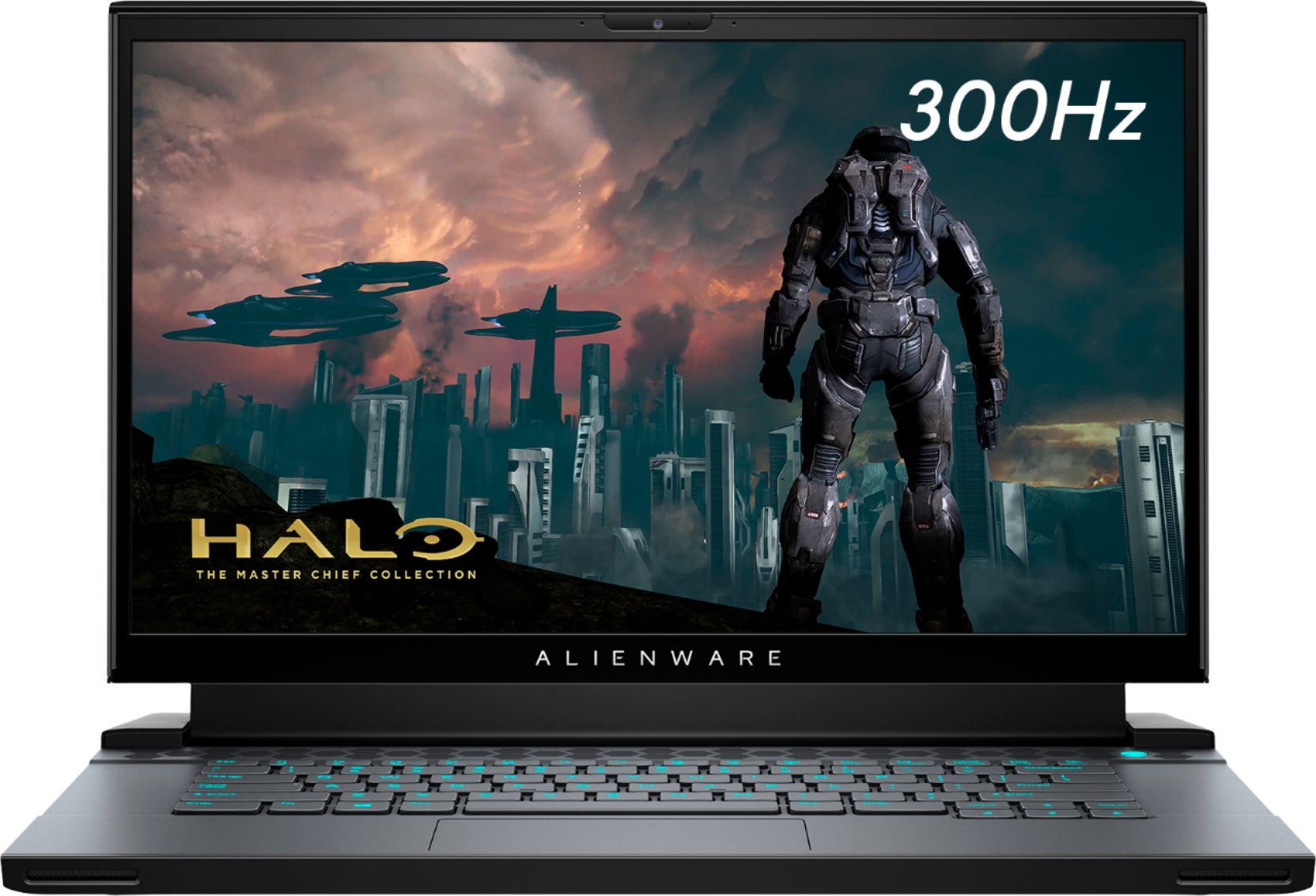
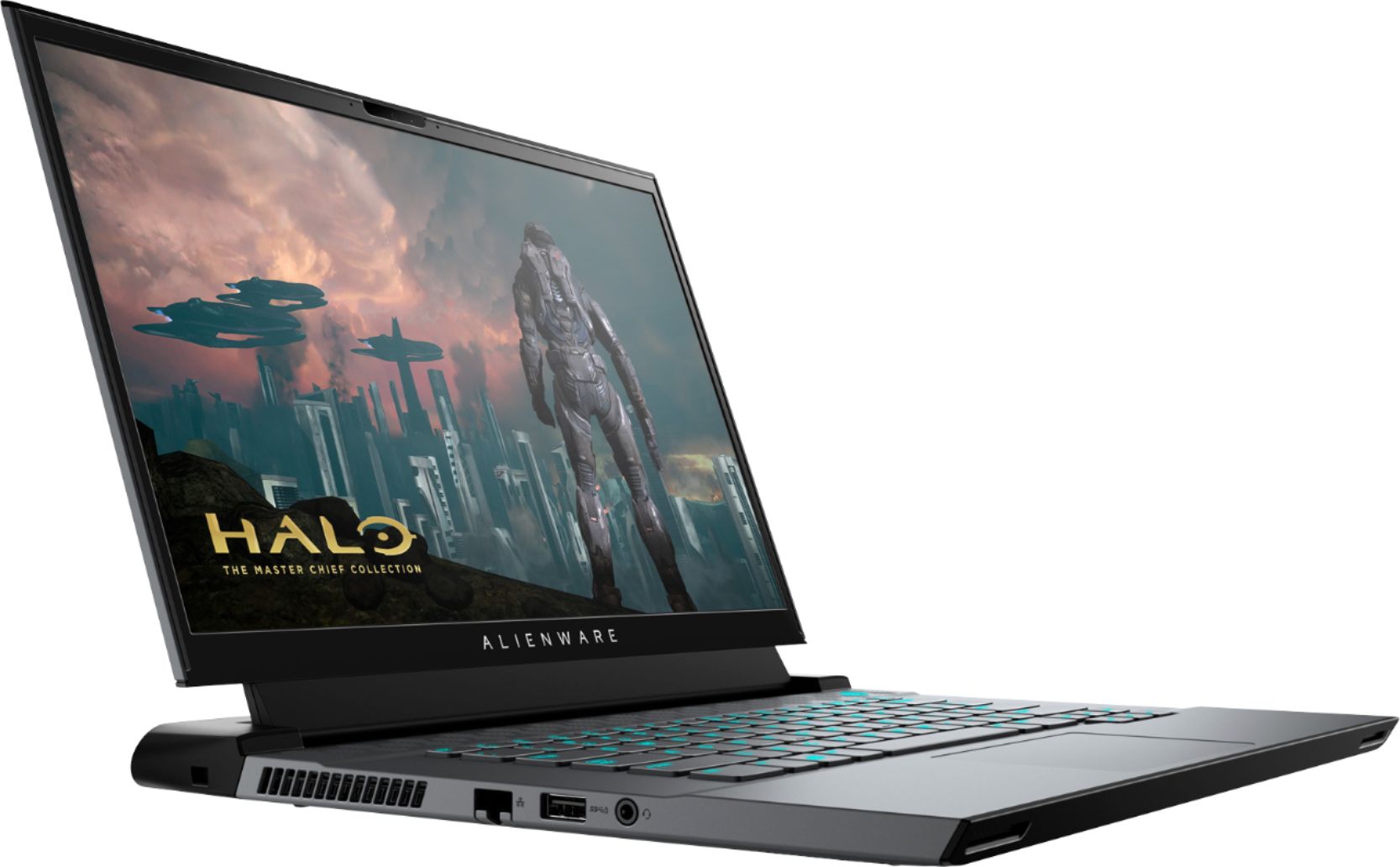
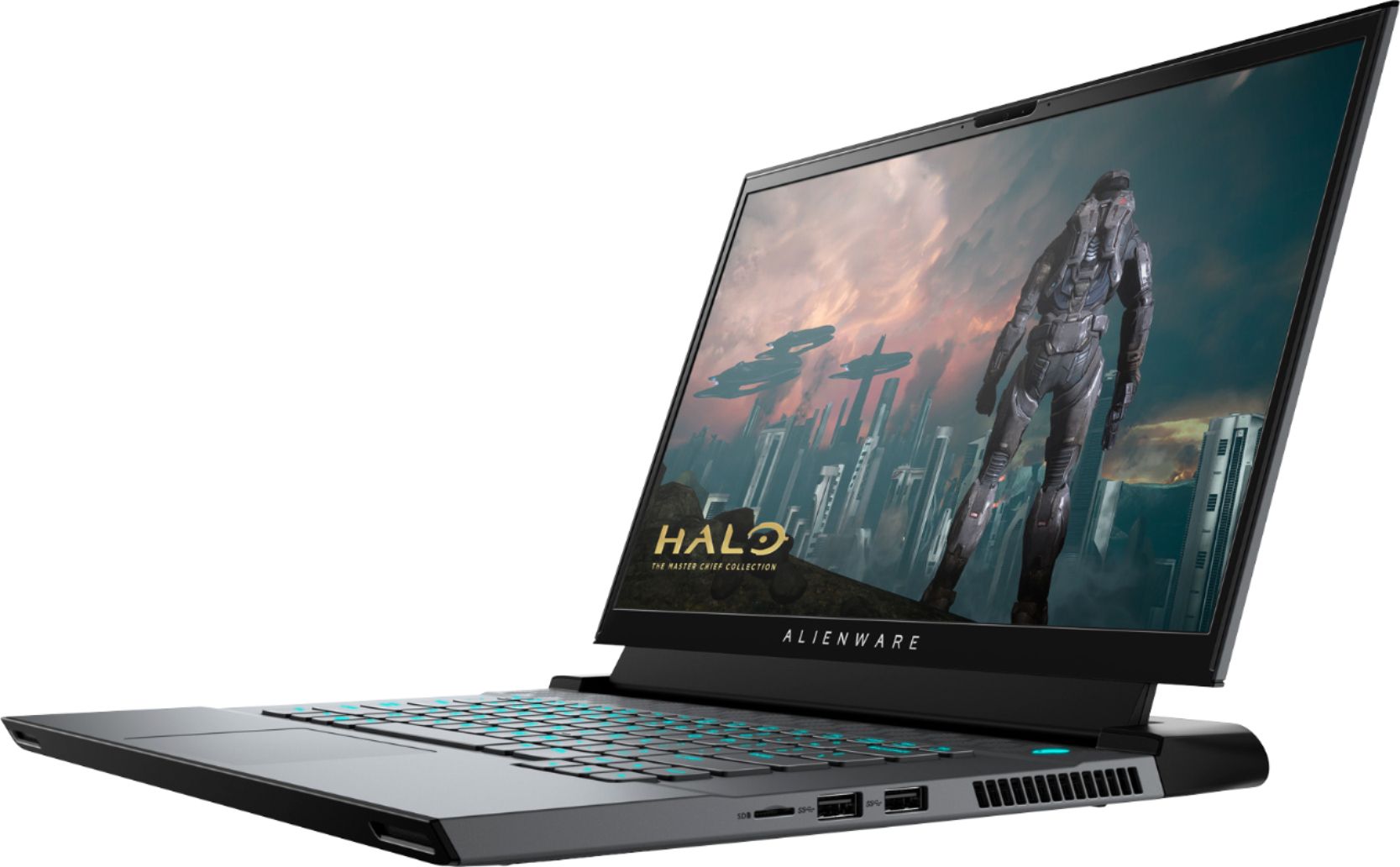
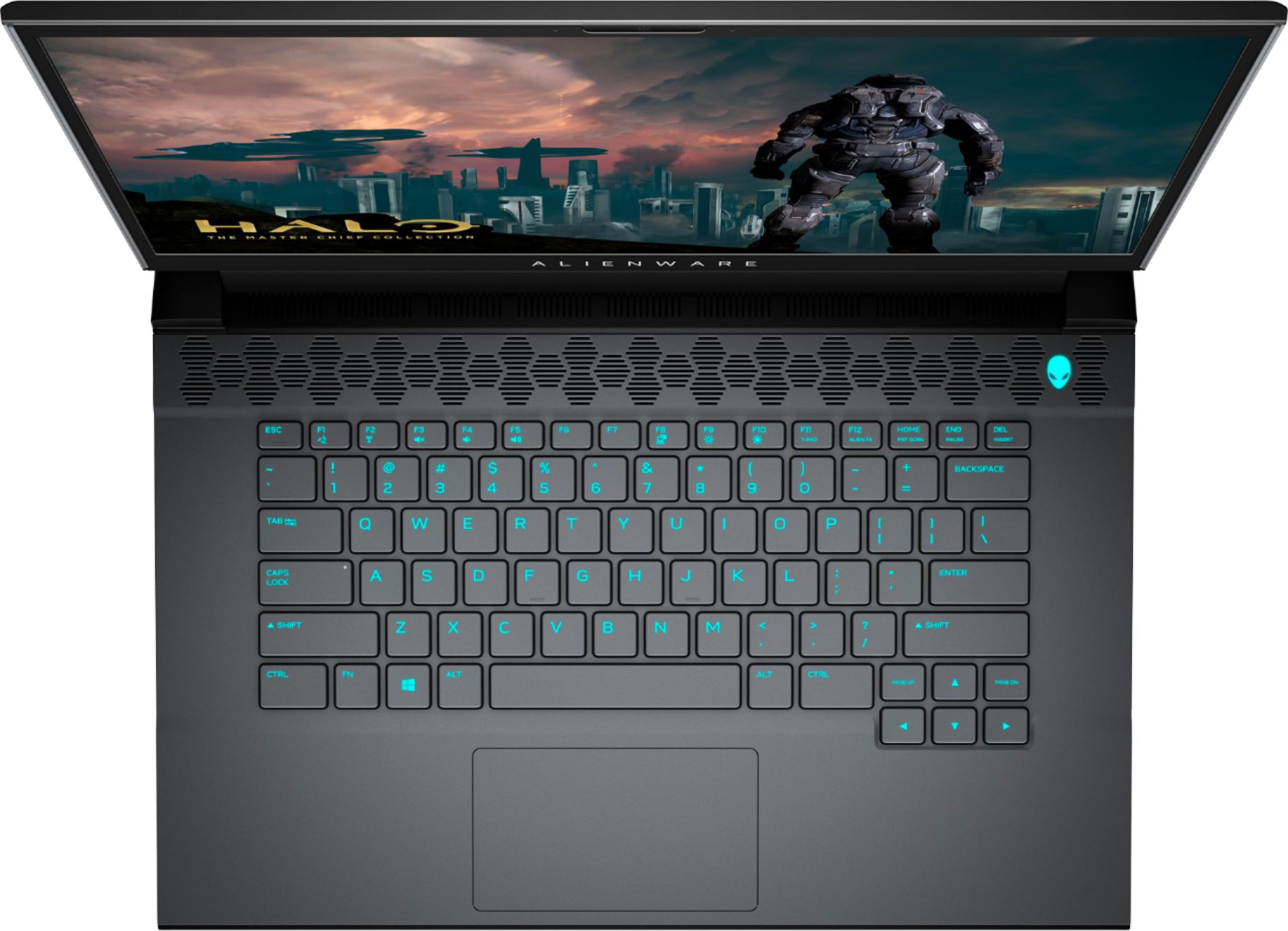
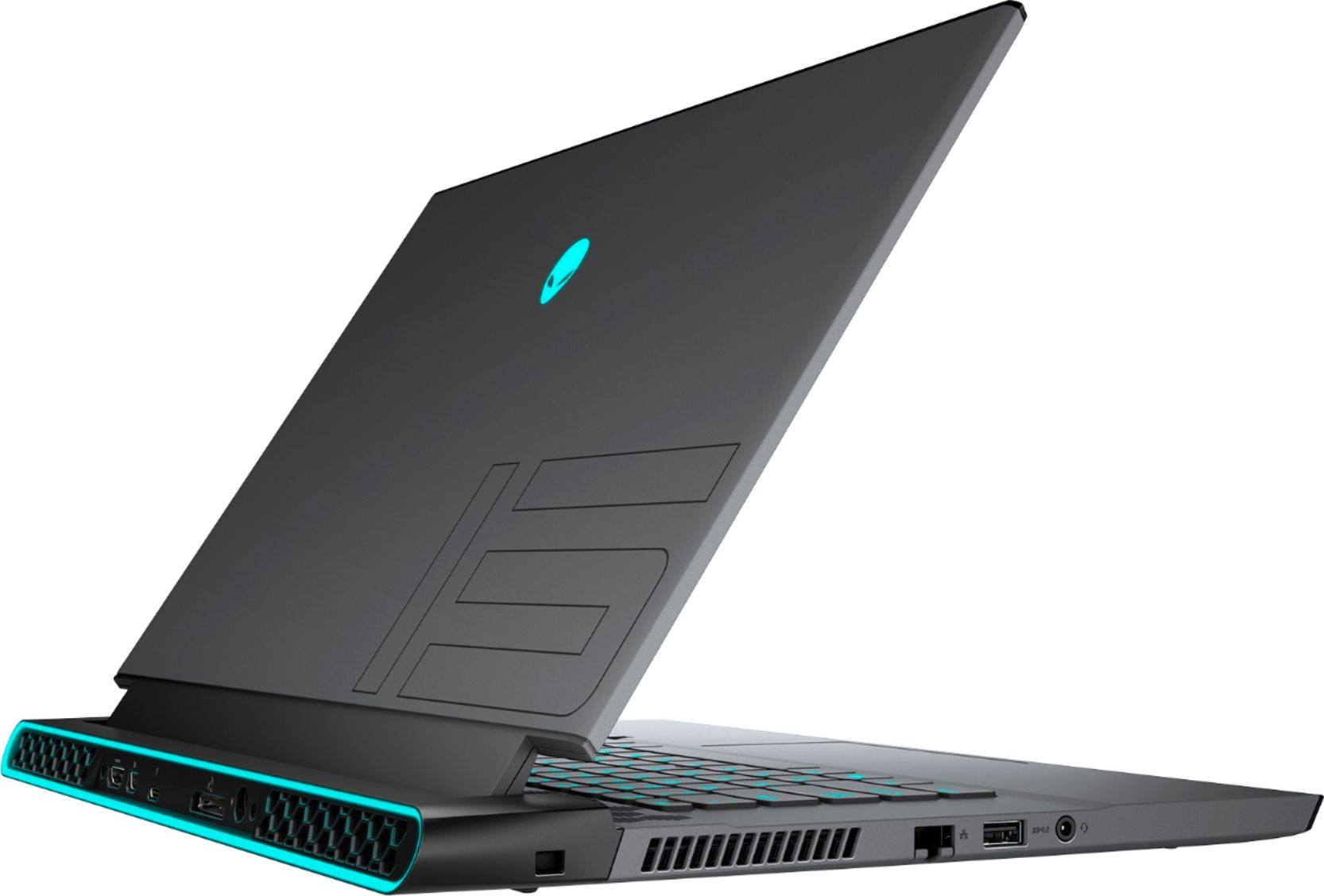
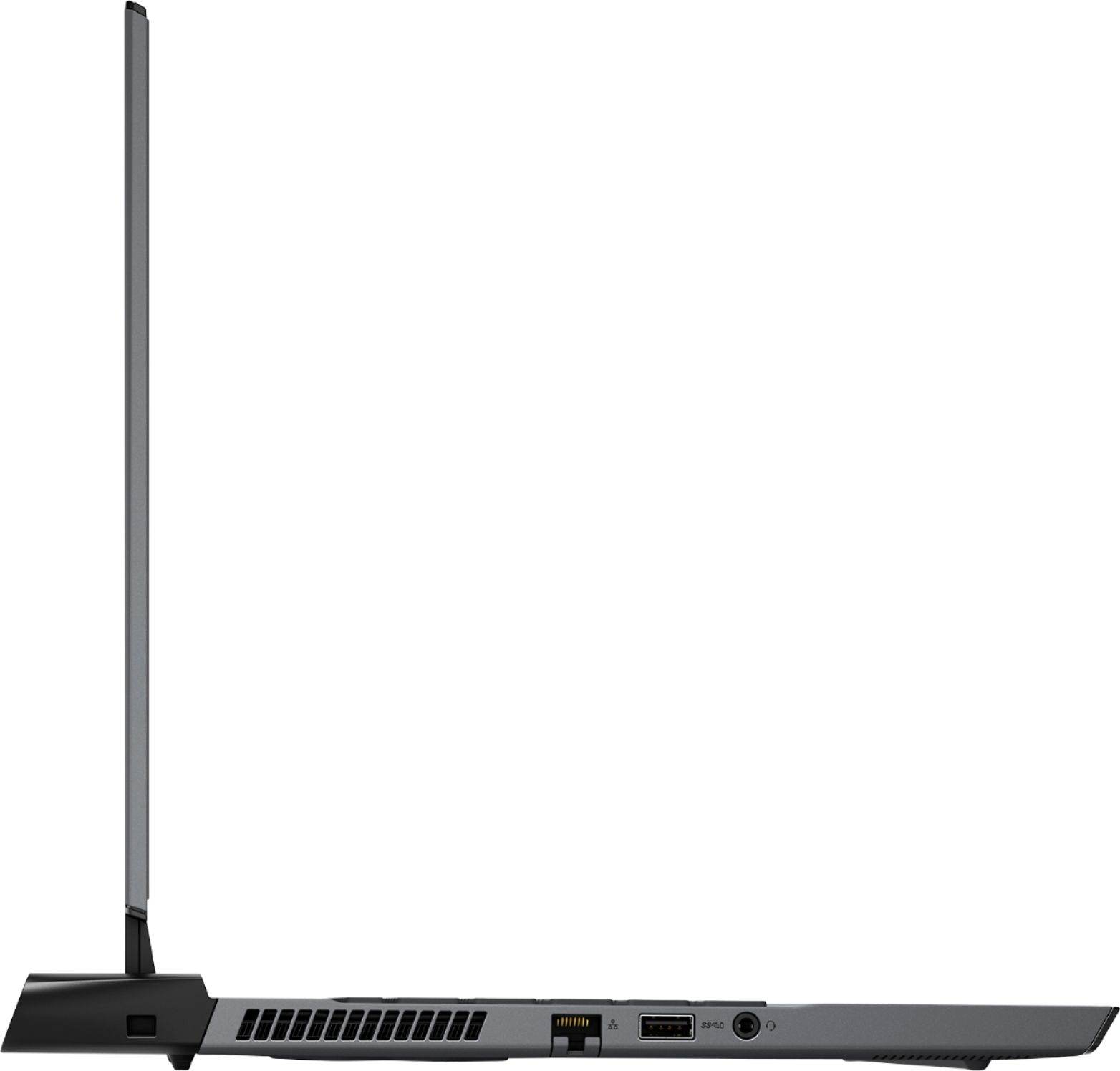
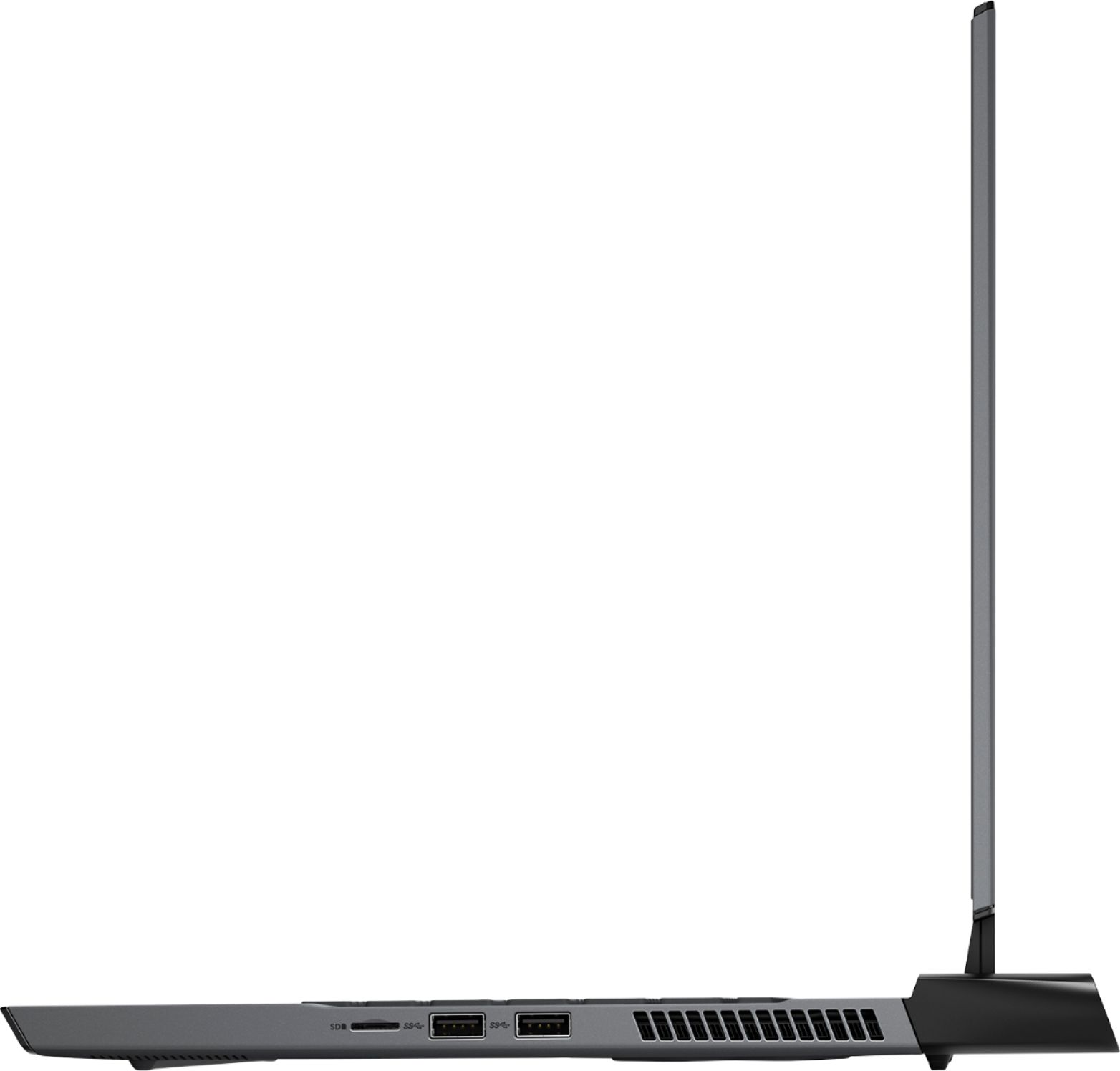
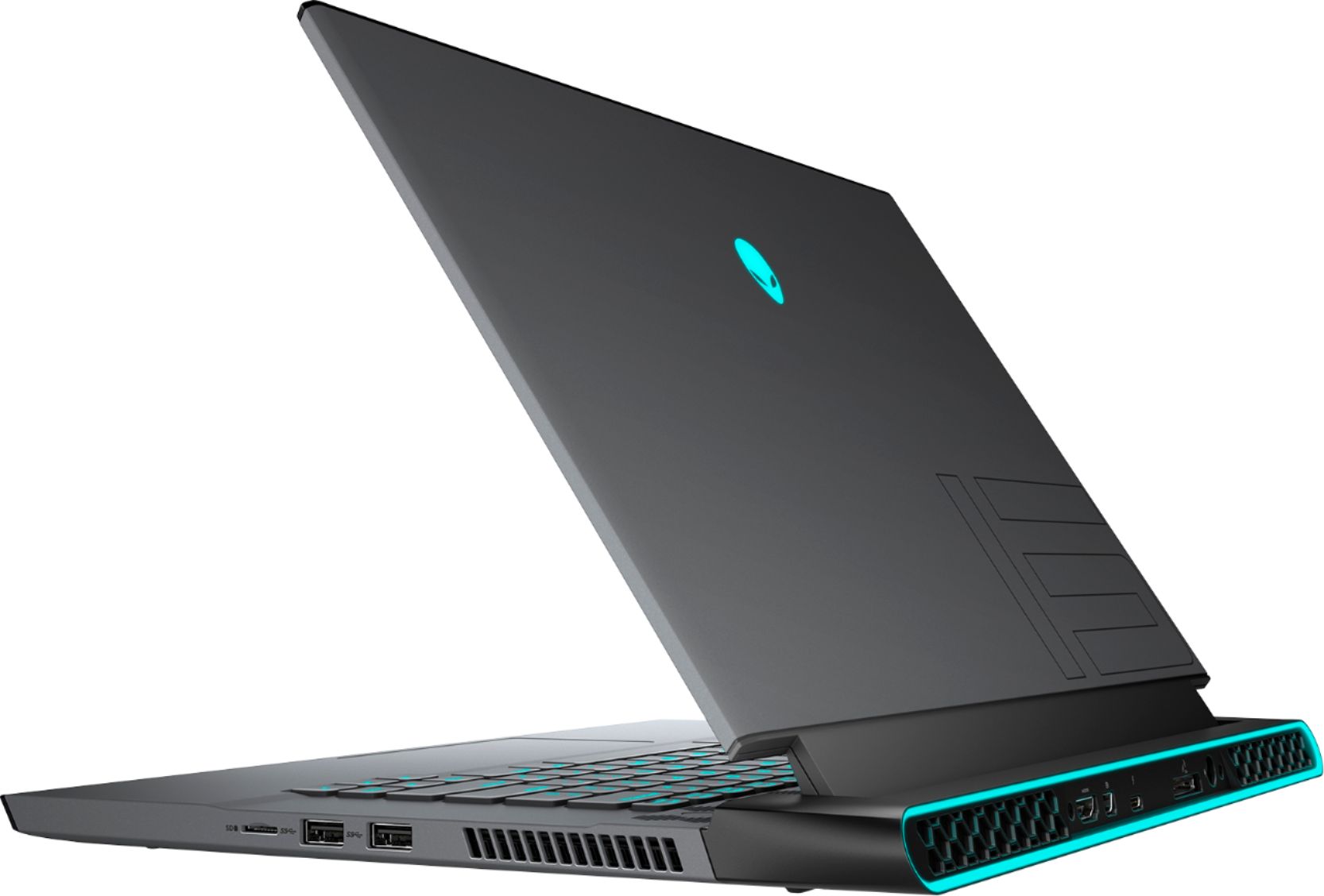
|Posted .This reviewer received promo considerations or sweepstakes entry for writing a review.The Alienware m15 R4 is an excellent gaming laptop for the money. It is using a 10th Generation Intel processor with a Nvidia 30x generation graphics processor and a SSD, all of which means you get a laptop that can handle all of the applications you can throw at it while producing incredibly nice graphics with very fast loading speeds. It is a very nice combination to pair with the long-known quality of Alienware products and their support. I would recommend it for gamers and everyday users, but be aware this is a gaming laptop so it will not have long battery life nor it will be particularly quiet. The GPU is going to consume much more power than a typical notebook and has a good cooling system to perform at a high level; this is par for the course for all gaming laptops. The specs on my model are as follows: Processor: 10th Generation Intel® Core™ i7-10870H (up to 5.0GHz frequency) OS: Windows 10 Home English Display: 15.6" FHD 300Hz with webcam GPU: NVIDIA GeForce RTX 3070 8GB GDDR6 video memory Memory: 16GB DDR4 2933MHz Hard Drive: 512GB PCIe M.2 SSD Style: Dark Side of the Moon Wireless: Killer Wi-Fi 6 AX1650 802.11ax 2x2 Wireless LAN Ethernet: Killer E3100X 10/100/1000Mbps/2.5Gbps NIC Bluetooth: Bluetooth 5.1 Keyboard: RGB 4-zone Backlit keyboard Power: 6-Cell 86WHr Integrated, 240W Adapter Weight: 4.65 lbs Size: .8 in thick, 14.2 in wide, 10.87 in long Ports: Right: MicroSD-Card Reader, 2 USB 3.2 Gen 1 Type-A Back: HDMI 2.1b with HDCP 2.2 Output, Mini DisplayPort 1.4 Output, Thunderbolt 3 Port, Alienware Graphics Amplifier Port, Power/DC-In Port Left: Lock Slot, Killer Networks E3100x Gigabit Ethernet, USB 3.2 Gen 1 Type-A, Audio Out 1/8" jack This laptop looks very modern while still maintaining the Alienware distinctive style. The Dark Side of the Moon style has a dark gray and black motif for the chassis, which has a sturdy metallic feel without being too heavy. The unit does have a clear coat polish that prevents fingerprints from being obvious, which can be an issue on a dark chassis. There is a hexagonal venting pattern above the keyboard and on the bottom side of the unit, and some cowling that protrudes from the rear of the unit to protect ports and fan grills. There is a lit Alienware symbol on the outside of the lid, and lighting on the rear cowling. The keyboard does have configurable 4-zone RGB lighting, but it can be turned off if you don't care for it. For an Alienware laptop, these unique touches are fairly subdued which means that it doesn't look out of place around the home or particularly identifiable as a powerful gaming laptop. The keyboard felt nice to type with using a membrane exterior over stainless steel mechanical switches underneath, and had the typical cramped spacing of a laptop keyboard compared to a desktop keyboard. I did note that the keyboard can get quite hot during gaming sessions. The 4-zone RGB is competely configurable via the Alienware Command Center software. Sometimes, the manufacturer software that comes with a computer is not very useful but I feel that the Alienware Command Center suite is incredibly nice as it not only allows customization and configuration of all the options on the laptop (like the keyboard RGB) but it also allows for automatic driver updates and can connect you to Alienware support if needed. The trackpad worked well and is slightly offset to the left in an unobtrusive location. The speakers that are built-in to the laptop are serviceable, especially if you are streaming music or shows. However, the internal fans do get very loud during gaming sessions and I would highly recommend a headset for gaming purposes. The fans are adjustable with various profiles that can be set, including a quiet mode. But, be aware that the fan will need to run constantly and quite loudly to prevent the unit from overheating when using it for gaming. If you have ever had a gaming laptop before, this is not unexpected. Speaking of gaming, all of the games I tested looked amazing and played flawlessly. I tested with Cyberpunk 2077, Assassins Creed Valhalla, Call of Duty Cold War, and several other games, and they all looked better and played more smoothly than when I play them on my gaming desktop. All of the games looked amazing and really popped onto the screen. Ray-tracing effects looked incredibly nice in the games where that is supported and I think this is an enticing benefit to the Nvidia 3070 GPU. Obviously, this is not a 4k resolution setup but I am more than happy with the trade off of getting buttery smooth graphics at 300Hz. For testing purposes, I did use the laptop without the battery a couple different times. When I was gaming, the battery lasted a little over an hour. With normal use, the battery lasted about 4.5 hours. Seeing as how this laptop is designed for gaming, I understood that I would be using it plugged in most of the time because of the power it needs to run for any length of time. I will call out that most gamers are going to either want more hard drive space internally or access to a good external hard drive to store their games as 512GB does fill up quickly the large download sized of today's games. In my case, I have an external hard drive for long term storage. But the SSD that is in the laptop makes everything load so fast and the speed of transitions within games is noticably speedy. To summarize my thoughts, I have had both gaming laptops and gaming desktops before the Alienware m15 R4. The combination of the power and speed of the components, with the style and support from Alienware, with the ease of getting it setup and integrated into my home, has made this the best laptop I have ever used. And while it excels at gaming, it does everyday and office tasks with ease. I would recommend the Alienware m15 R4 for any person looking for a laptop for any purpose, and especially for a gaming experience that will work well into the future.
I would recommend this to a friendSolid gaming laptop
|Posted .This reviewer received promo considerations or sweepstakes entry for writing a review.Graphics- Running an RTX 3070 with 16 gbs of ram this gaming laptop can handle just about anything you throw at it. I played Destiny 2 on Steam for hours without a graphical hiccup on the highest settings possible. Rendering was smooth, and while the laptop got warm, it was not getting too hot under my playing conditions. Screen was bright, picture was crisp, and gaming in 1080p was more than enough to capture the slightest of detail. I also plugged in a PS5 controller and pairing was seamless. Response time was great, and felt almost like playing on console. There was haptic feedback, but you will not get the full use of the PS5 controllers attributes. All in all, while this gaming experience is not a immersive as the OLED tv I game on (and you can attach this laptop to a tv via the HDMI on the back), it was more intimate, and allowed for a different type of gaming experience that was just as, if not more enjoyable espesially in competitive gaming situations.
I would recommend this to a friendBest small budget gaming laptop
Posted .This reviewer received promo considerations or sweepstakes entry for writing a review.It's an amazing laptop for a great price! I've owned it for three years and have never had a bad laptop issue. The 512 GB of storage can make it difficult to download heavier games, but I never really play them, so I don't mind.
I would recommend this to a friendNot recommended for long time use
Posted .This reviewer received promo considerations or sweepstakes entry for writing a review.Soldered components, poor upgradeability, nice aesthetics
No, I would not recommend this to a friend- Pros mentioned:Performance
Top Grade Alienware laptop.
Posted .This reviewer received promo considerations or sweepstakes entry for writing a review.Alienware top grade laptop. Beast of performance and flawless gaming machine.
I would recommend this to a friend