Customer Ratings & Reviews
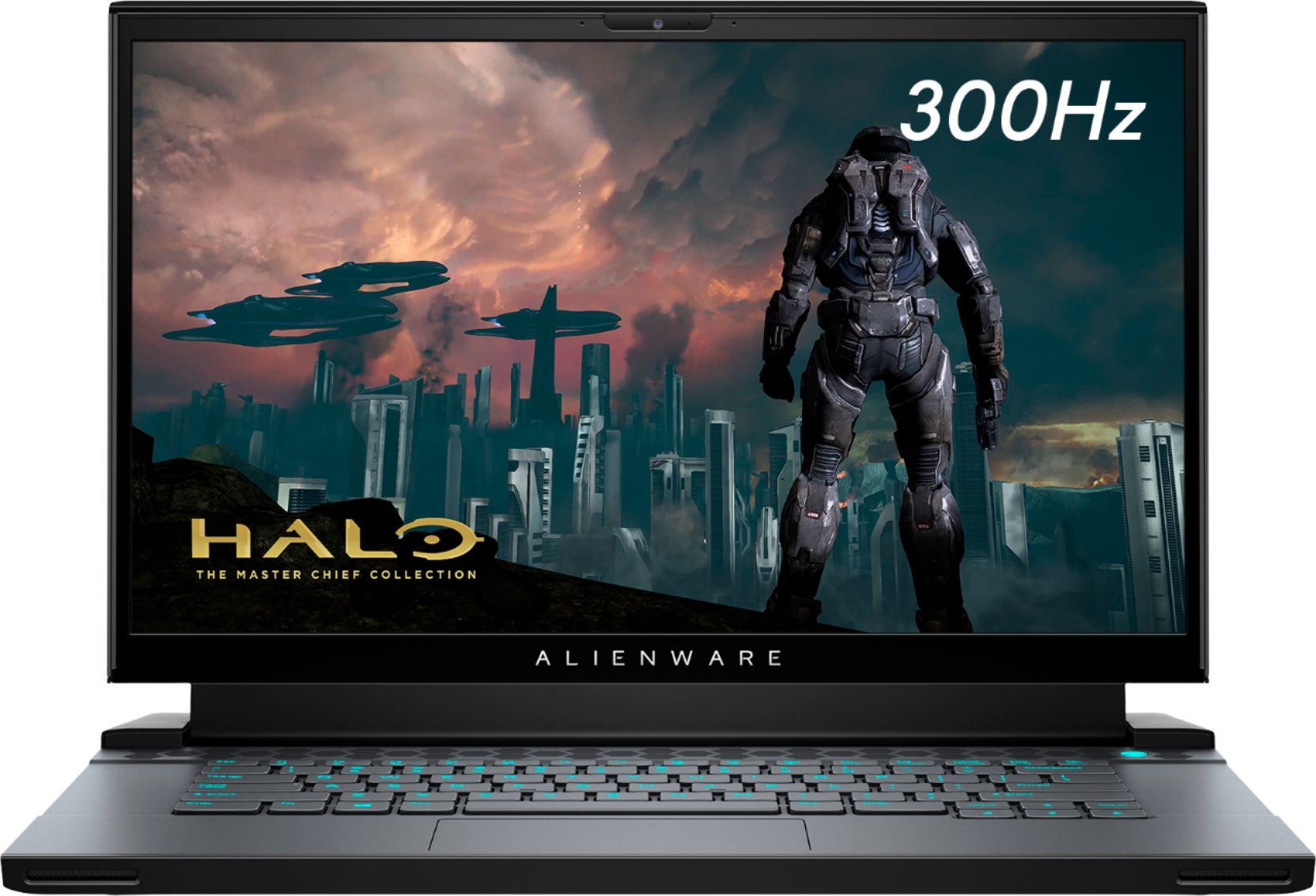
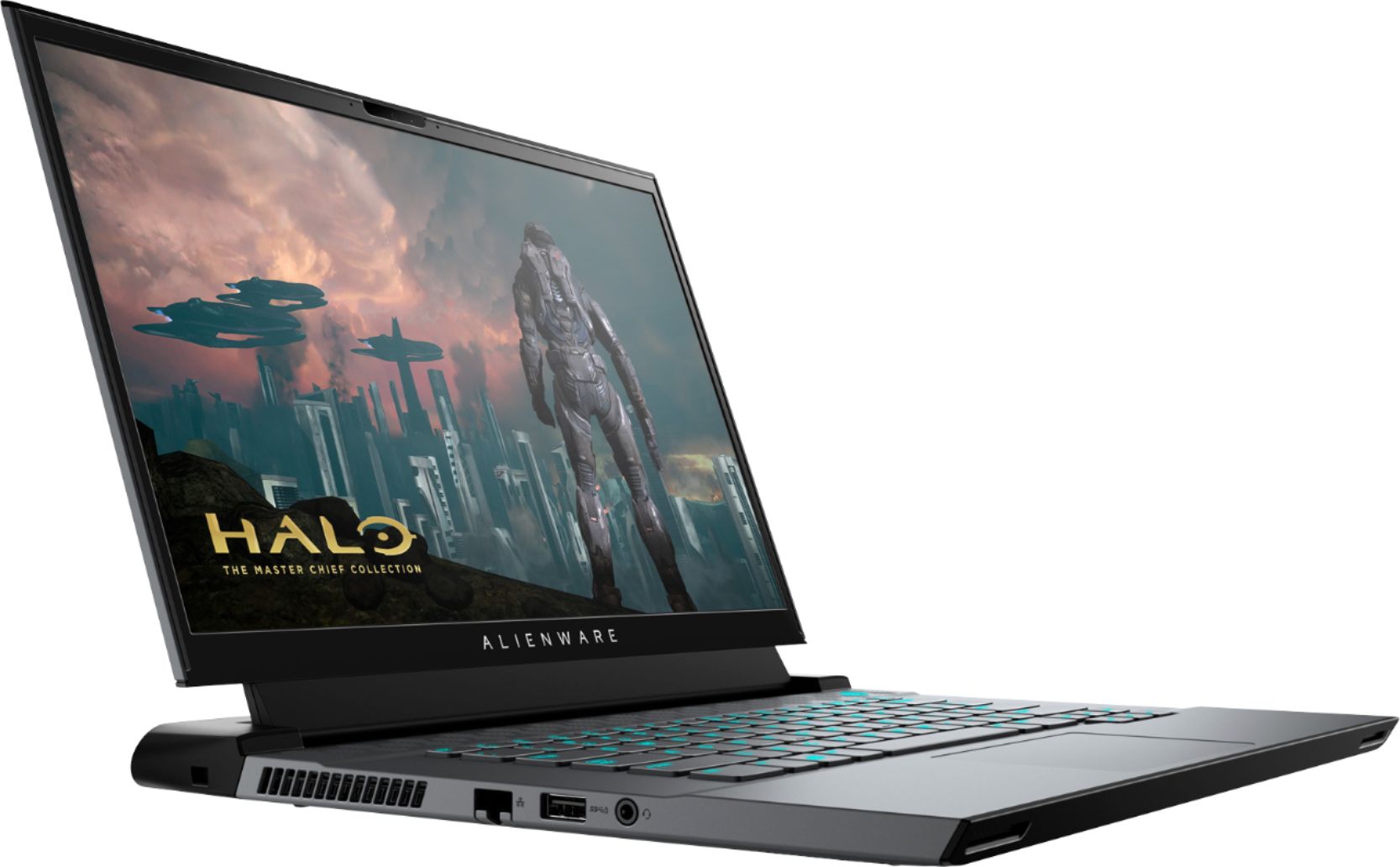
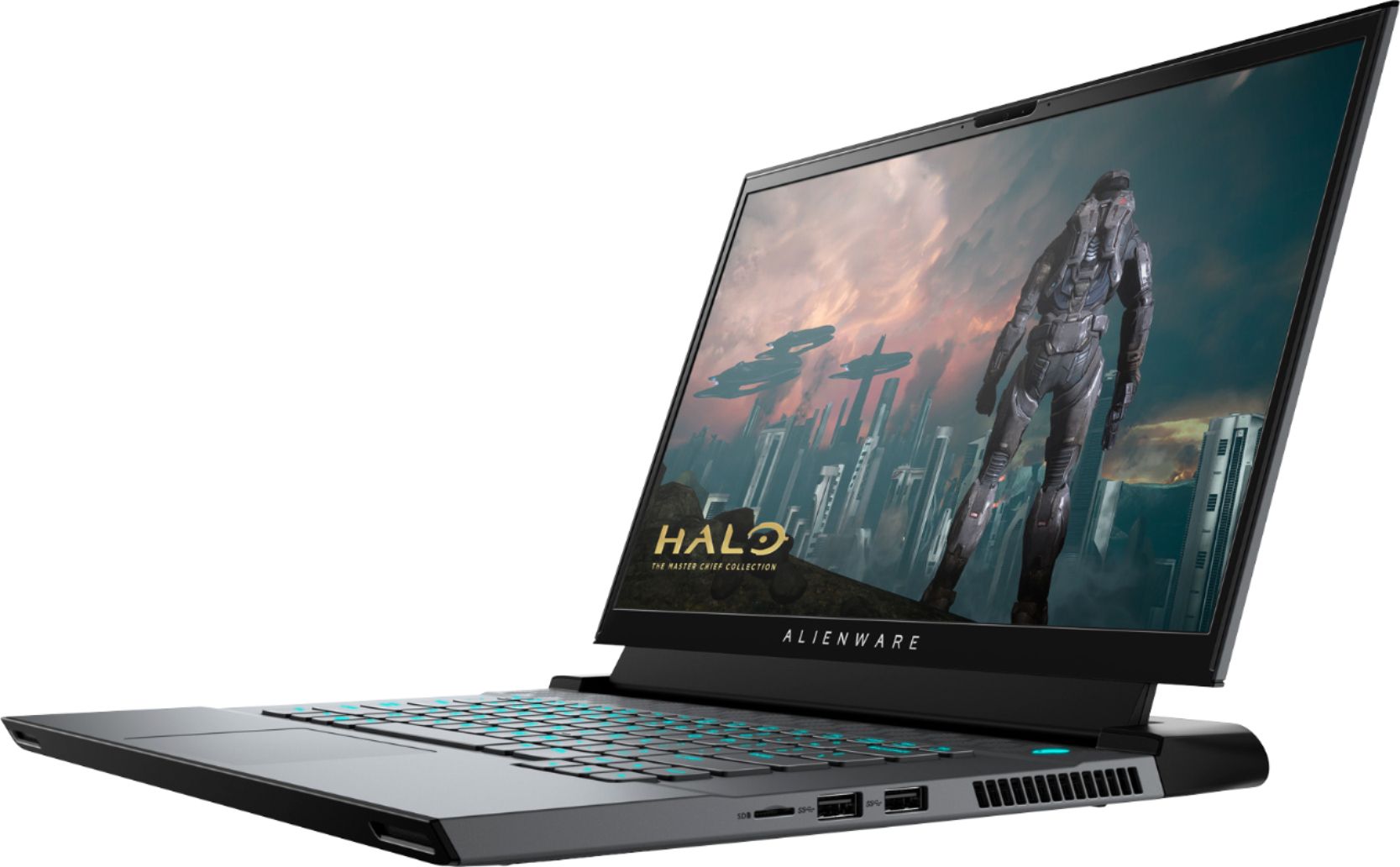
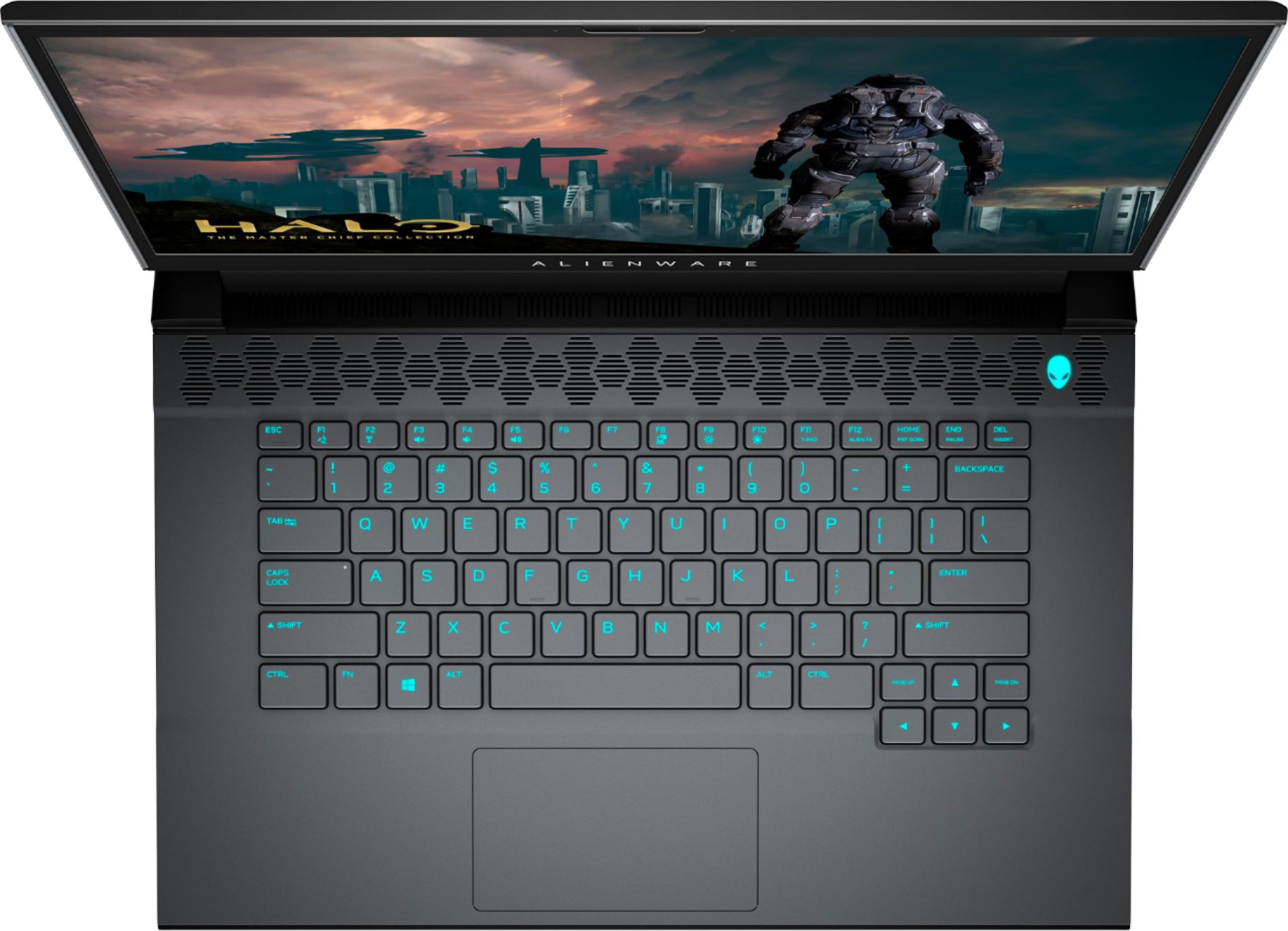


- Model:
- AWM15R4-7726BLK-PUS
- SKU:
- 6453648
Rating by feature
- Battery Life
Rating 3.6 out of 5 stars
- Speed
Rating 4.7 out of 5 stars
- Display
Rating 4.7 out of 5 stars
Customers are saying
Customers commend the m15 R4 laptop's high performance, powerful GPU ideal for gaming and 3D modeling, and sharp, high refresh rate screen. Positive feedback also highlights the keyboard quality and sleek design. However, some users point to significant drawbacks regarding battery life, overheating issues, and loud fan noise. The soldered RAM was also a point of concern for some customers.
This summary was generated by AI based on customer reviews.
- Pros mentioned:Keyboard, Performance

Powerful Portability in a stylish package
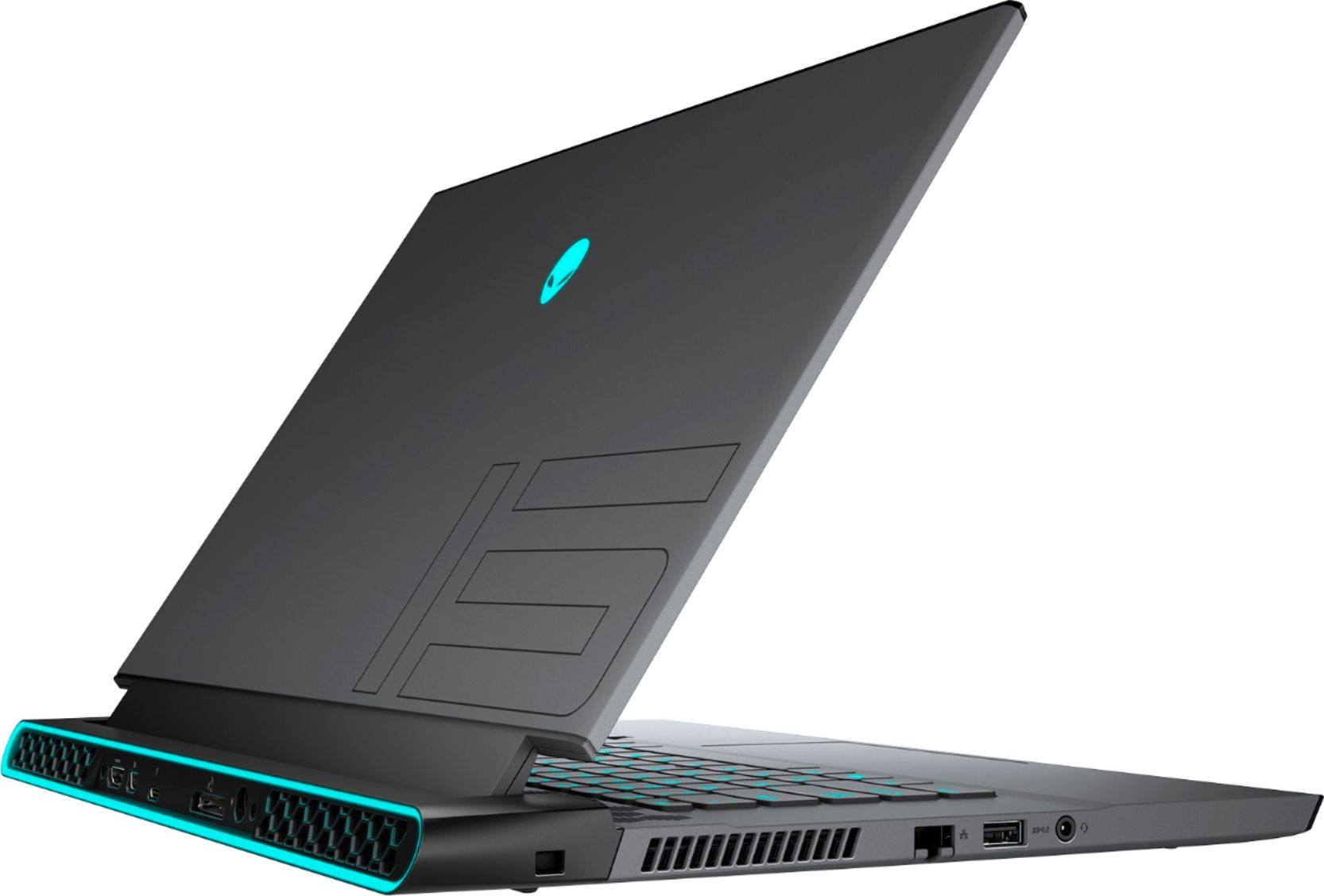
|Posted .This reviewer received promo considerations or sweepstakes entry for writing a review.for how large this is physically, its quite thin and light (checked on a scale and its 5lbs). The brick, while taking up a large than expected area, is quite low profile and slim so that's nice for packing initial setup was very easy, especially if you've already been using Windows 10, log into your account, and you'll sync up and be good to go quickly. System is very snappy and responsive, as can be expected given the specs. The display looks fantastic, though the majority of my gaming is via VR system (Oculus). I have maxed out settings and have had no issues. It doesn't get too hot; it'll obviously get warm, but a reasonable amount. Now i can take my VR with me to other places without having to lug a monitor and huge tower PC. There were no issues running my games, and play was extremely smooth. AlienFX is fun and the kids enjoy it the scrolling colours. You can customize various sections of the keyboard which is cool, its not just one and done setting for the whole keyboard. Webcam and mic is very nice. Have received positive feedback on sound and display while doing video calls, however speakers are lack luster. Having game audio coming out was tinny and not very good. When gaming alone, you'll want to use your headphones, but if youi're doing group games like Beatsaber or whatnot, you'll want to output to some sound system to make it more of an enjoyable group event.
I would recommend this to a friend - Pros mentioned:GpuCons mentioned:Heat, Ram
Good gaming pc, with caveats.
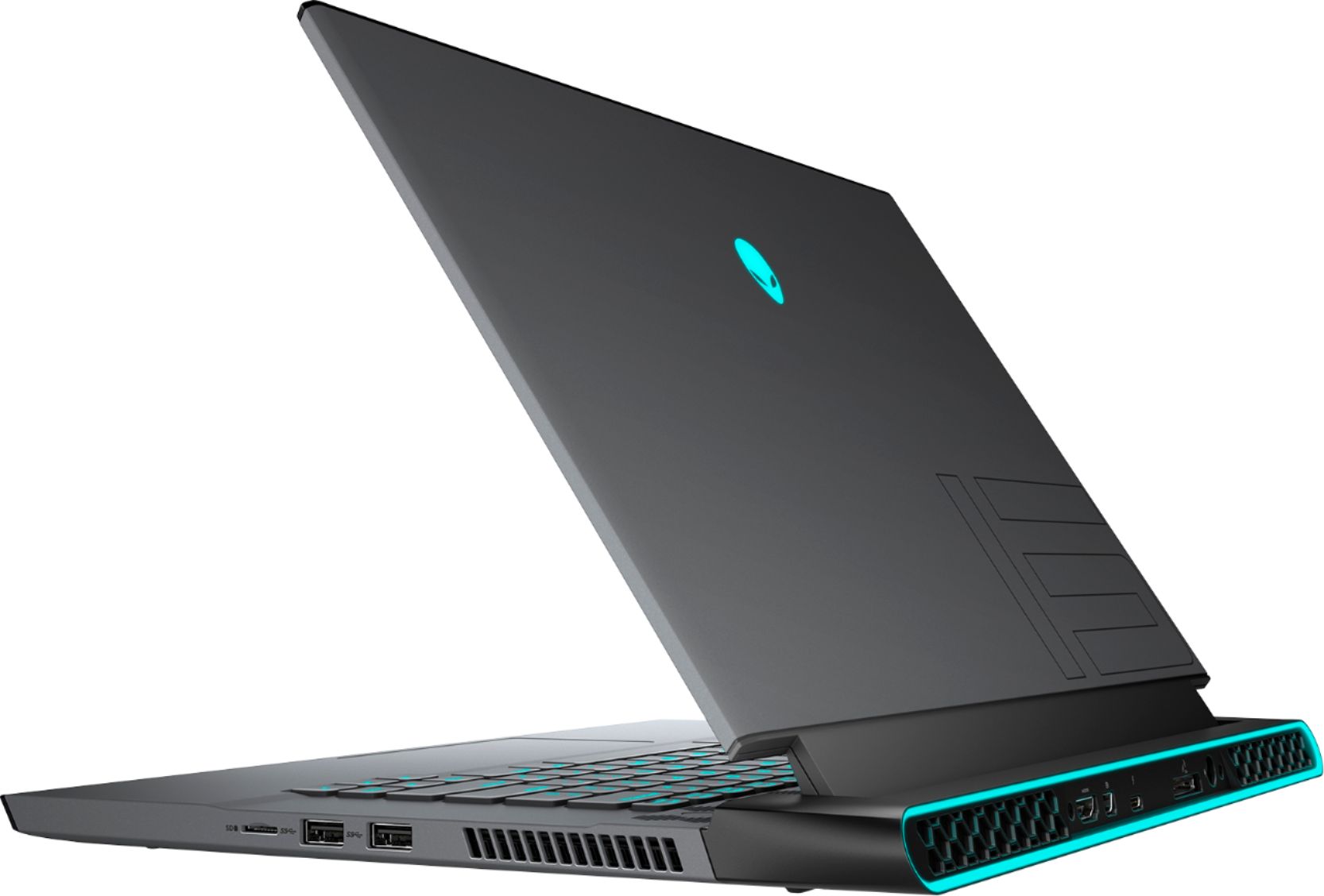
|Posted .This reviewer received promo considerations or sweepstakes entry for writing a review.I like the look and style of this Alienware/Dell gaming laptop. The Intel is currently can handle pretty much anything I've thrown at it effortlessly from gaming to multiple browser tabs open along with editing software for pictures. The fast refresh rate of the screen really helps during game play. I love all the rgb on the lid, keyboard and rear vent area of the laptop. The power brick is really beefy, one of the biggest of any laptop I've ever owned. I like that this has the newer AX WiFi6 built in. You can customize the rgb zones or turn them off to suit your taste and mood. The 3070 gpu handles any and every game I played with easeand settings on high. This laptop does get toasty while heavy to moderate game play. Ok. For my dislikes, I'm not a fan of the soldered ram, while it has 16gb built in, I would love to be able to bump it up to 32gb, but can't since this laptops ram is soldered down to the board. I like that there's a Samsung 512GB nvme ssd in this for storage and a 2nd empty nvme slot for extra storage and expansion. But no standard Sata expansion for a Sata SSD. I do like this gaming laptop and it's capabilities of heavy gaming with its newer 3070 gpu, but for its cost of $2k it has to many caveats forme to reccomend it to others.
No, I would not recommend this to a friendBrand response from YourDellTeam
Posted .Hello Todd,
Thank you for sharing your feedback. Thank you for taking the time to share your thoughts on Alienware. We are sorry to hear it did not meet your expectations. We will share this feedback with the team to improve future generations of our products. If you have any other questions, feel free to visit the support page for your product https://dell.to/3dA7XaZ.
Best regards,
Wendy C.
For further assistance, you can contact Dell directly with the information below Chat or Call:
https://bit.ly/DellSupportTeam
Phone number to Dell: 1-800-264-9896
- Cons mentioned:Battery life
Stay away of this
||Posted . Owned for 2 months when reviewed.This reviewer received promo considerations or sweepstakes entry for writing a review.Not work it... i running untill many issues ... too long to write it down ... restart screen suddenly flickering. Do not recommend poor life and thre wire are made in a way to wears quickly
No, I would not recommend this to a friendBrand response from YourDellTeam
Posted .Hi John,
Thank you very much for your feedback. We are sorry to hear you are not too happy with your Alienware M15 computer. We apologize for all the issues you have come across with this gaming laptop.
To help with screen issues, we recommend making sure, that all drivers are current and up to date. I have provided a link to the Drivers and Downloads Page for your laptop where you can check for any applicable updates.
Drivers and Downloads Page: https://dell.to/3BXDbVa
For issues with your screen, we recommend following these troubleshooting tips:
1. Run the automated tools in SupportAssist to ensure that the drivers and BIOS are up to date and your computer is optimized
2. Verify display or video issue on an external monitor
3. Check for physical damage on the LCD screen
4. Run hardware diagnostics on the LCD screen
5. Verify the display or video issue in Windows Safe Mode
6. Download and install Microsoft Windows Updates
7. Change the video or display settings, and adjust the brightness
8. Touch screen troubleshooting
9. Run a Video Stress Test using Dell SupportAssist
10. Perform a Windows System Restore
11. Restore the computer to factory defaults
The whole article on this subject can be found here:
How to Troubleshoot Display or Video Issues on a Dell Laptop: https://dell.to/3pE7wm4
If the issue with your screen is still not resolved after utilizing the troubleshooting options above, please contact the Dell Support Team at 1-800-624-9896 for further guidance.
Best,
Katarina@Dell
Should you need further assistance, you can contact Dell directly with the information below.
Chat or call: https://bit.ly/DellSupportTeam
Phone number to Dell 1-800-624-9896
- Pros mentioned:Gpu, KeyboardCons mentioned:Battery life, Ram
Powerful Laptop at its Best performance!
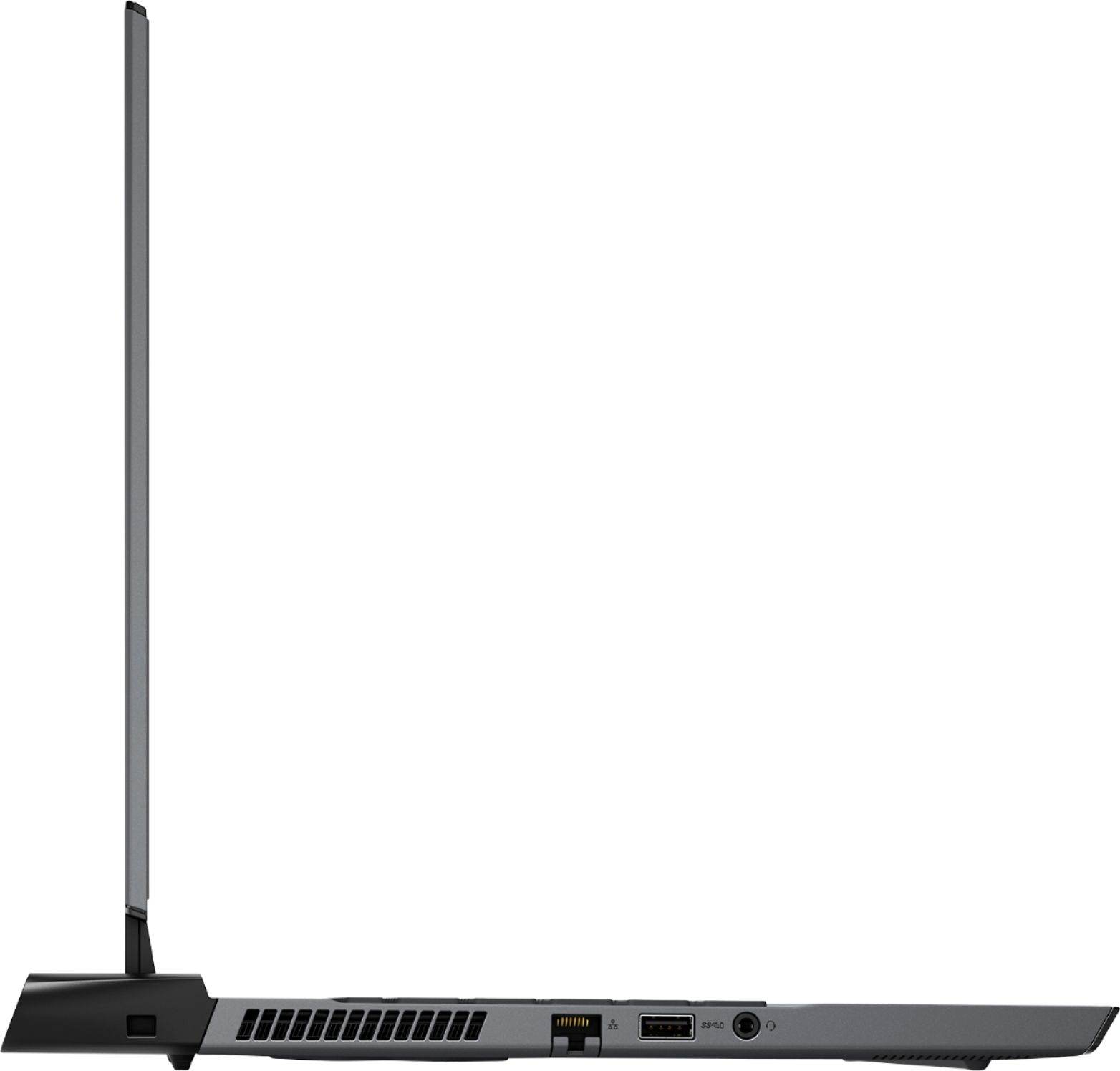
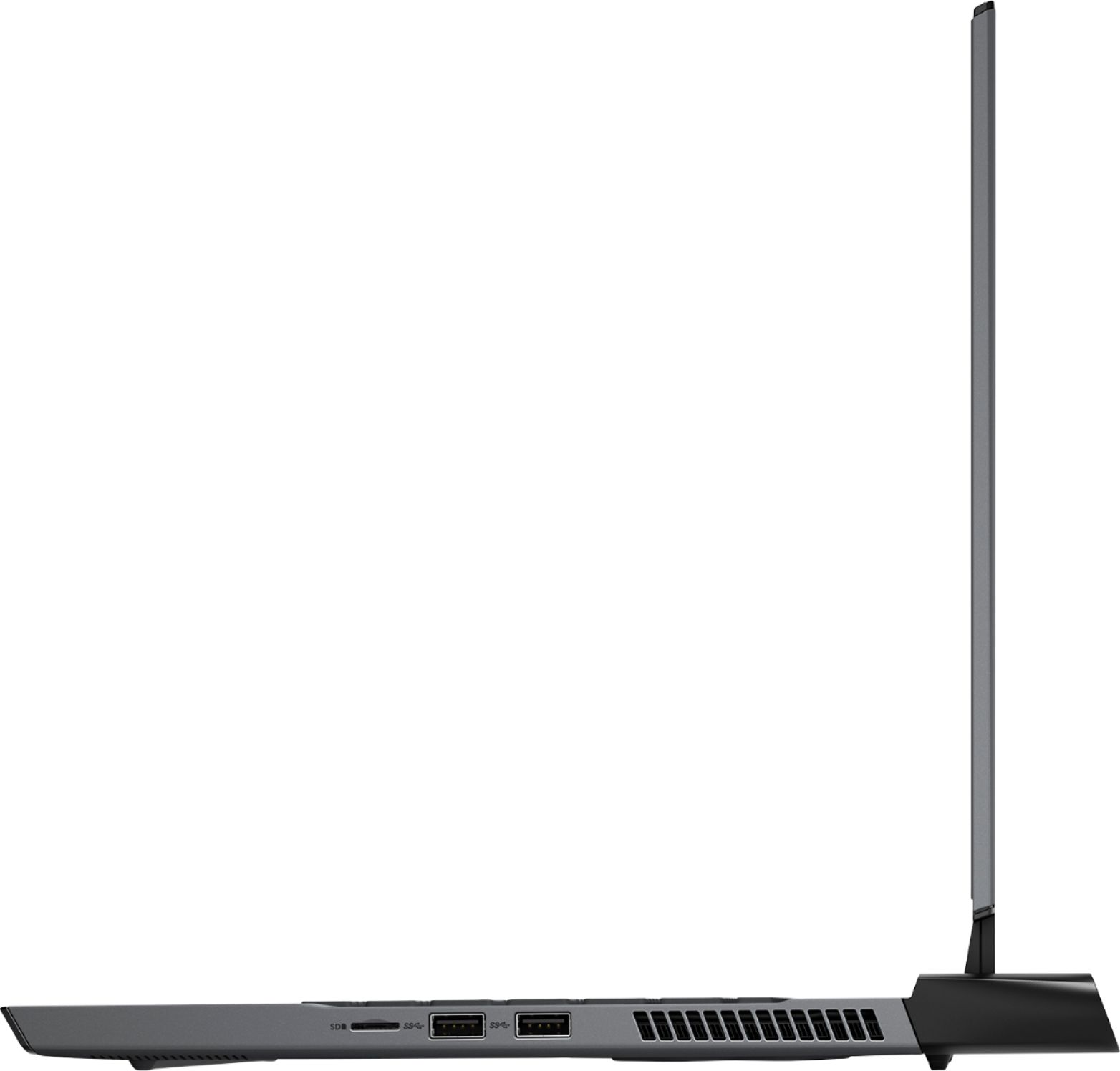
||Posted .This reviewer received promo considerations or sweepstakes entry for writing a review.Let me start by saying this is the most powerful laptop I have ever owned, and the first Alienware product as well! I have been working with computers for many years, and I have say, this machine is far beyond meets my expectations! Let's dive in a bit: Pros: Slick design, smooth typing keyboard, and fully customizable RGB lights are a nice touch. Mouse is well responsive; however I'd rather use a wireless mouse/controller personally. Sound from the speakers is fair to say the least. They are loud in sound, however they tend to have a slight echo. Not a big problem, but should be noted. The RTX 3070 is a mean machine, it handles anything you throw at it, most games run flawlessly ( I haven't tested many, but there are several youtube videos on this model of GPU) The I7 in this model meets my expectations for processing power. Performing well with everyday use with little drawbacks. A MAJOR PRO for me is the charging port location. FINALLY it's behind the laptop. Not to mention that many of the external ports are located on the back rather than sides. Great job Alienware! Air vents are behind the laptop not just underneath. No more burnt legs after playing games for more than an hour! Windows 11 installed flawlessly, without driver issues. Wireless capabilities are superb as well. Whereas it is a great laptop, there are some Cons. Lets dive in: My biggest complaint has to be the RAM. There is zero upgrade ability for the Memory as it soldered to the motherboard. Huge letdown. 16GB is the standard for TODAY's computing needs, but as far as futureproofing? There MAY be issues. If the product goes bad, the laptop will need to be serviced. Mind you, in all my years of owning a laptop/pc. I have had maybe or two instances of RAM failures. Nonetheless, this idea is a con for me. Secondly, is the 2-hour tops battery life. Cmon Alienware, I get we are trying to be as light as possible, however the Delta 15 from MSI has a capacity standing for 11 hours in 2021. Something to consider in your next model. Another Con, but not major, is the screen resolution. Again, we are in 2021. 1440p would have been sufficient in this model. The 3070 is very capable in running todays AAA games under 1440p. The sacrifice for resolution for refresh rate. 300hz is beautiful for videos, gaming, streaming, so like I said, not a huge con for me. Out of Box Storage of 512GB. (however, there are TWO additional NVMe slots, 1 standard and 1 mini. ) No options for SSD. Not a huge con for me, but you absolutely will have to spend an extra 100 dollars on storage, right out of the box. Final Thoughts? For a 2100 dollar laptop before tax the performance is hard to match. Lots of great features, and lots of potential to improve on. I know this laptop will be sufficient for a minimum of 5 years at the least. My purchase from Best Buy was an open boxed display model, therefore I received a very nice discount on the product.
I would recommend this to a friend - Pros mentioned:Keyboard, Speed
Great gaming laptop
|Posted .This reviewer received promo considerations or sweepstakes entry for writing a review.This laptop is pretty light for a gaming laptop. It is very fast, the games have been running smoothly. The speakers are good and can get loud. Definitely better than most laptops. The keyboard is pretty responsive and the backlighting is great. I was worried I wouldn't enjoy this coming from a 17 inch but this is perfect, loving the back light effects and it is easier to really take anywhere. The addition of the microsd slot is a plus. I am loving the overall look and feel of this laptop.
I would recommend this to a friend - Pros mentioned:Gpu, Keyboard, Screen qualityCons mentioned:Heat, Ram
A Ray Tracing beast in a small package.
||Posted . Owned for 1 month when reviewed.This reviewer received promo considerations or sweepstakes entry for writing a review.This laptop is a beast. The 300Hz display is buttery smooth. The specs alone tell you almost everything you need to know. I've played a handful of games from Destiny 2, CoD Warfare, and The Ascent without any issues or need to tune down the graphics. I will warn you though, since this model doesn't use a Max Q version of the 3070, it does get hot. Due to vent placement you can really feel it towards the top of the keyboard on longer gaming sessions. The overall form factor is what drew me to this device. For the specs, its a very lean machine. The included software makes it easy to adjust fan speed and other performance tweaks, but I wish the keyboard was slightly more adjustable when it comes to the rgb lighting. The keyboard feels nice and is easy to type on. The touchpad works very smoothly and detects all your windows gestures with ease. The biggest drawback I'd say to this laptop is that the RAM is soldered on, and is not upgradable. The 16gb included should carry you for a while though, especially if your mainly gaming with this laptop.
I would recommend this to a friend Geek squad certified is trash
||Posted . Owned for less than 1 week when reviewed.This reviewer received promo considerations or sweepstakes entry for writing a review.Geek squad certified is absolutely trash they say they clean it and do a multi point inspection however mine came dustier than my grandmas cupboards and had a couple of scratches just get the other condition ones
I would recommend this to a friend- Pros mentioned:Gpu, Performance, Screen qualityCons mentioned:Heat
Great Gaming and Workstation Laptop
||Posted . Owned for less than 1 week when reviewed.This reviewer received promo considerations or sweepstakes entry for writing a review.With hardware shortages it is a great option if you are looking for a portable gaming setup that is also powerful enough to handle current AAA games and be docked at a desk for multi monitor use. Added a Windows 10 Pro key and the system is also great as a workstation. Please pay attention to the wattage of the gpu when purchasing a 30 series laptop. This is the one to get. Yes you will have a massive 240W power brick to carry around, however, you will be getting Max performance out of the card. The 300hz 1080p display is crisp and incredibly responsive. If you care more about having a vibrant screen and can lose a few frames go for the 4K display. I wish there were a 1440p option because that would be the best option. The design is nice and not too flashy or over the top. This laptop runs hot just like most with high end hardware but that’s to be expected.
I would recommend this to a friend - Pros mentioned:Gpu, Keyboard, Screen qualityCons mentioned:Battery life
Good but could be much better
||Posted . Owned for 1 week when reviewed.This reviewer received promo considerations or sweepstakes entry for writing a review.Had this laptop for aroud two weeks before returning it . Positives : Excellent build quality with a good keyboard , Mighty powerful and takes full advantage of the powerful GPU . Gaming is excellent on the 300hz 1080p screen . Speakers are also good for a gaming laptop . You can game at high Frame rates on new AAA titles . Negatives : Battery Life is horrible , 1- 2 hours max just brwosing mainly because Dell has decided to not use Nvidia Optimus and use the integrated GPU while not gaming to save energy so the laptop is always running on the RTX 3070 and sucking up the battery .ALienware sells the same laptop with 144 hz panels that use optimus but for some reason only let Bestbuy sell the 300jz version. Also the panel is 1080p but I feel that these new Laptops are easily able to powers a 1440p resolution and that should be a choice in 2021. Intel 10th gen processors also get hot , heats up to uncomfortable levels while gaming and that is not got for the longevity of the components . lastly the alienware software is quite janky . Overall this laptop can game but be ready for lots of heat . And if you are going to use this laptop for any kind of work then be ready for terrible battery life .
No, I would not recommend this to a friendBrand response from YourDellTeam
Posted .Hello FrankTHEJIN,
Thank you for your review. We apologize for the issues you have come across with your product. We really do appreciate your feedback and will use it to help improve our current and future products. If you come across any further questions, issues or concerns, please use the information below to contact Dell Support at your earliest convenience.
Best regards,
Wendy C.
For further assistance, you can contact Dell directly with the information below Chat or Call:
https://bit.ly/DellSupportTeam.
Phone number to Dell: 1-800-264-9896.
- Pros mentioned:Performance, Screen qualityCons mentioned:Battery life, Ram
Great Gaming Laptop, especially for Travelers
||Posted . Owned for 2 weeks when reviewed.This reviewer received promo considerations or sweepstakes entry for writing a review.I've always wanted an Alienware laptop since I was a kid, as a 33 year old, I finally decided to just pull the trigger and pick one up. After about 3 weeks, here are some pros and cons: PROS: - POWER DRAW: This RTX 3070 pulls 125W + 15W boost, which makes it one of the best performing 3070 gaming laptops. This is extremely important, because there are some laptops with an RTX 3070 that only do 80W, which in theory could be up to 40% slower than this one. Do your research on this before buying a laptop! - Build quality: This feels almost as high quality as my 2020 Retina Macbook. Keyboard, display, shell, lights, all look and feel amazing. The touchpad is not nearly as good as the macbook though. - Cooling: This thing gets really hot, but it's designed in a way where all of it is exhausted through the back fans without heating up the bottom and top of the laptop. You could put this on your lap and game without burning your legs, it's wonderfully designed. - Size: The laptop is not that heavy, and doesn't have a large footprint. It's very portable, which is perfect for someone like me who has a house here and one in South Korea that I bounce between often. - Performance: This thing is a beast. I've tried several games side by side with my PS5, and I believe this laptop outperforms it (obviously once the Sony first-party titles like horizon comes out, those will probably look better). Cons: - This is probably the common con for this machine, and that's soldered RAM. You can't upgrade the RAM on this machine. Not a huge problem though, I don't see 16GB of ram being an issue until mid-late console cycle, and by then all the other components in the machine will probably need upgrading anyway. - Battery: it's not very good, maybe 1-1.5hrs browsing the web. Kind of understandable though since the laptop is very light for how it performs Overall, a great machine and I've had no issues so far.
I would recommend this to a friend Top-tier for gaming laptops. It's a BEAST!
|Posted .This reviewer received promo considerations or sweepstakes entry for writing a review.I was chomping at the bits to get this laptop delivered. My custom desktop PC is now approaching the 5yr mark and I can tell it's starting to show it's age. It's running an i7-6700K CPU (Quad-core), which is truly the bottleneck, along with an eVGA RTX 2080 video card. I'm using a Razer 27" monitor at 2k resolution. So, while I can still pretty much max out MOST of my games, it's getting pretty close. I can consistently stay around 60-80 frames on most graphic-intensive games I play...but I know that this system will soon be very limited. When I got my M15 R4 Alienware laptop, I immediately got to work on getting it set up. I even went out of my way and bought a nice wireless mouse for it (the Logitech G502 Lightspeed...as well as the PowerPlay mat), along with a WD SN750 2TB M.2 SSD to add in. Booted it up with zero issues, got past setup and quickly got all my normal programs installed (as well as all the regular game launchers...Steam, Battle.net, Epic Games, Origin, GOG Galaxy, etc) and let Windows fully update to the latest version. Once that was done, I ran the Alienware update utility, which got me up to speed on everything but the BIOS. For some reason, that one wasn't updating. It kept stalling out at "installing". After about 4-5 reboots due to this, I finally got aggravated enough to just go to the Dell Support site and download/install it manually. After that, ran the Alienware Update utility again and no more updates! Once this initial setup was done and I got logged into all my accounts, I powered everything down, flipped it over, removed the back panel and got that sweet SN750 drive installed. Put everything back, booted it up and went into Disk Management. Set the drive up as my D: Game drive and formatted it. It's flawless and I didn't even need to install a thermal cover for it...but I may still contact Dell and order a copper one for a few bucks, juuuuuust for peace of mind. The drive runs regularly at 113 degrees F. Once in a while, it'll spike to 143 F for a minute or two, then drops back down to 113. Not a big deal since it's just a once or twice spike...I'm guessing just when something is being written to the drive or when the framerate dips massively (like the explosion after a match of Nuketown '84 in Cold War). The ONLY issue I've had with the SSD drive I bought and added is sometimes when I boot the system, I get a popup asking what I want to do with the removable storage. When right-clicking the drive, I get an "Autoplay" option. Not sure why the system is seeing the drive like this...it's a bit annoying for my self-diagnosed OCD, but it doesn't affect the performance or anything. So, maybe it'll fix itself as time goes on with some future Windows updates and such. I've tested some of my regular go-to games (which aren't too graphically intensive), such as Loop Hero, Valheim and Hades, as well as Warzone and MW. I even bought Cold War on PC as an excuse to test it out, haha (I already own it on PS5, but gotta love that Cross-Save/Cross-Play). I used the "simpler" games to test for long-term stability and Cold War with everything Maxed (including Ray Tracing) and 100 on the FOV setting to test intense usage stability. Let me put it this way - I play Cold War almost exclusively all weekend, since they had a 2XP event going on. With everything maxed and the Thermals set to Performance, I played it for 3 days for hours at a time, all day, throughout those 3 days. Smooth as butter and not a single crash, freeze or hiccup. On Nuketown '84, I'm averaging 120-140 FPS...MAXED. This is nuts!!! My desktop is lucky to get 70-80 FPS, lol. Oh and this thing can handle Total War: Three Kingdoms and Total War: Warhammer II without even breaking a sweat. I'm in amazement. I also love the 300hz screen. It's bright enough - I keep it at 90 - and the 300hz means that I never really have to worry about turning on VSync, as most games will never go past my refresh rate, anyway. So, no worries of screen tearing or anything like that. League of Legends also runs beautifully on it and that 300hz screen really makes that game shine. Honestly, if I had any negatives, I'd really be nit-picking. I do wish the Alienware Command Center had a way to sync the lights on the Keyboard with the lights on the back of the system (Alien Head/Tron). I wish it was a bit friendlier in adding a second M.2 SSD, so as it isn't recognized as a removable drive (there's not eject media/drive option or anything...just the option for AutoPlay...which should never appear on an internal drive). I'd also loved to have seen the inclusion of a num-pad off to the side, like the M17's have. It's taken me a bit of adjusting to get used to not having one. The mouse track-pad doesn't feel very firm. It has this slight "wobbly" feeling to it and I did have some issues from time to time with it properly registering a click. But I don't use it often enough for this to make a difference and it works good enough when I need it. But for the price of this system, that part just feels lacking. I've not felt this issue on other Alienware laptops, so it could just be mine, who knows. 5 stars. Get this. It's a bit pricey, but you get what you pay for and it's a long-term investment. I have a weird relationship with Alienware. I refuse to have their desktop PC's (bad luck with personal experiences), but I absolutely LOVE their laptops. As for performance, I've not dropped below 110-ish FPS on anything I've thrown at it yet. This thing is seriously becoming a replacement for my slowly aging desktop PC. Perhaps I'll upgrade that next year, lol...as I think the wife is getting annoyed at this being on the kitchen table all the time, now!
I would recommend this to a friend- Pros mentioned:PerformanceCons mentioned:Ram, Weight
Great laptop... if it works.
||Posted . Owned for 1 month when reviewed.This reviewer received promo considerations or sweepstakes entry for writing a review.So, I want to start by saying, I purchased this laptop via the open box program, so that could contribute to why it needed to be returned. I will, nevertheless, try my best to guide others by my experience. The good: - Seems durable and made of good quality. - Screen is crisp and did not notice any glare. - Runs any game you can throw at it. - Battery life is one of the better results in its class. - Great for photo, video and audio editing. The bad: - Screen went bad, had to return after short ownership. (could be open box issue) - Although it seems made of very sturdy construction, that comes at a price -- weight. It's heavy. If you want something portable, look elsewhere. - Looks like something made for a teenager... and I'm getting too old for that. lol - 512GB is pretty small for storage these days, you'll probably need to add additional storage. - The 16GB of RAM is also pushing it if you're wanting to run demanding applications, and what's worse is that RAM is soldered. Not good. Really not good. Overall, if you can get this laptop under 2000, you've got a very solid choice for anyone that is into gaming. If you're just a casual user who plays a game every now and then, this laptop is overkill. Go for the 3060 variant. The 3060 versions will run games just fine and cost less, 3070s at the max-p level should be reserved for people gaming all the time or video editing on a constant basis, unless you can afford it. -
I would recommend this to a friend - Pros mentioned:Gpu, PerformanceCons mentioned:Battery life, Heat
Great Gaming Laptop
||Posted . Owned for 6 months when reviewed.This reviewer received promo considerations or sweepstakes entry for writing a review.My first Alienware but not my first gaming laptop. This thing is a work horse. It will play any AAA title game worth at least 70-100fps. There are 2 downsides. One, is battery life while being mobile. Don't expect a long battery life while gaming being unplugged. Two, Alienware laptops do get hot. So make sure you have good ventilation. Other than that, an excellent laptop.
I would recommend this to a friend - Pros mentioned:PerformanceCons mentioned:Battery life, Heat, Weight
Alienware being Alienware, look good
||Posted . Owned for 1 month when reviewed.This reviewer received promo considerations or sweepstakes entry for writing a review.Ok I’ll be honest, i love the design of this laptop, it’s beautiful but.. Pros: Powerful enough to play every triple A games ultra setting Good design Nice screen (and fast) It’s like any gaming laptop you can play with it CONS: Hot. Not upgradeable Hot Poor battery Heavy and big
No, I would not recommend this to a friendBrand response from YourDellTeam
Posted .Hello Hector,
Thank you for your feedback and review. We're sorry to hear about the heating and battery issues that you had with your laptop. Your feedback is incredibly valuable as we build current and future products. In regards to your concerns, we have a number of solutions to ensure you have the best experience with your m15.
• To tune your system, go to Alienware Command Center and select out of 4 different thermal profiles that will help you manage system temperatures as well as performance output to your preference. These include Cool, Quiet, Balanced, and Performance thermal profiles.
• Our Alienware m15 follows 8th and 9th generation Intel performance design guidelines, which can lead CPU temperatures to reach 100°C to output top in-game performance.
• We fully warrant the product under these conditions. If you see CPU temperatures rising beyond 100°C on Alienware Command Center, please contact support and they will take care of your issue - https://dell.to/2Inbc8F. You can view additional information on this site: https://dell.to/2IIhqjJ.
Lastly, here is a link that can assist with maximizing and troubleshooting any possible issues with your battery: http://dell.to/34UUp6t.
Best regards,
Wendy C.
If the issue persists, you can contact Dell directly with the information below Chat or Call:
https://bit.ly/DellSupportTeam.
Phone number to Dell: 1-800-264-9896.
- Pros mentioned:Gpu, KeyboardCons mentioned:Battery life
Amazing computer, sub-par battery
||Posted .This reviewer received promo considerations or sweepstakes entry for writing a review.So absolutely pleased with this purchase. I initially bought it because I needed something to handle my accounting software, but I have been able to run so much on this beast of a machine, that it has basically become my center-piece of electronics. Everything runs so smooth and easy on this computer, I have absolutely no complaints in the speed of this computer. Easy to customize, the screen is pretty and crisp, the keys are responsive, super easy to work with especially if you enjoy computers. My one reservation is the battery. If you aren't able to keep this computer plugged in basically at all times, it's probably not for you. Don't let it scare you though, it's not great, but I will say, it's kind of expected with a computer with these specs. A PC with these components would have a beefy power supply with it, so I understand why the battery does not last long. Overall, an amazing computer I will undoubtedly have for years to come. I have always liked Alienware, and now that I have one, I will likely never go to anything else.
I would recommend this to a friend - Pros mentioned:KeyboardCons mentioned:Battery life
Rock Solid Performer, Lighter, Faster and Tough !
||Posted . Owned for 1 week when reviewed.This reviewer received promo considerations or sweepstakes entry for writing a review.Great gaming notebook - awesome for general productivity as well. This notebook is slimmer and lighter than any past Alienware (10+) I have owned but is still built tough enough to expect a decent usable life out of. I was initially thrown off by by the new finishes when seeing this at the store, something about the finish under commercial lighting makes it seem more ... plasticky ? Than past versions but once home it's the same old Alienware tough. The Keyboard and upper plate are solid with great action on the keys, the high refresh panel is EXCELLENT and the fans do a stellar job of sending all the heat directly out of the rear end. ( On that note - watch for adequate venting at the rear !) Overall - Rock solid under heavy use running AI/ML sets or games. Can handle the CPU and graphics at 100% for hours on end. Battery life is passable for light/ basic use on the road but don't expect to game hard for hours on end without plugging in.
I would recommend this to a friend - Pros mentioned:PerformanceCons mentioned:Battery life
My dream, with a keyboard and trackpad attached
||Posted . Owned for 2 months when reviewed.This reviewer received promo considerations or sweepstakes entry for writing a review.I am in love with this laptop and i apologize to it every time i have to be apart from it. Its powerful, beautiful and super flasy. The design should be cherished because its gone thanks to the x15. It has multiple ports and a thinderbolt 3 usbc port for display, charging and file transfer. You can customize each light. It plays games flawlessly. Really the only problems are its horrendous battery power and loud fans, i cant hear well so the latter does not bother me at all. Like always my only regret with alienware is i didnt purchase the more expensive option. This is NOT a budget laptop or for people who are on a budget, go to walmart for that. I am so in love with this product, it has helped me with depression and social anxiety, its the best there is
I would recommend this to a friend - Pros mentioned:Gpu, Performance
Power uncapped
||Posted . Owned for more than 2 years when reviewed.This reviewer received promo considerations or sweepstakes entry for writing a review.Upgraded from a 17r4 and it's been amazing cad, games and literally anything else, the rtx video card is fully unleashed unlike some manufacturers who limet the voltage.
I would recommend this to a friend - Pros mentioned:PerformanceCons mentioned:Battery life, Heat
Excellent Laptop
||Posted . Owned for 1 week when reviewed.This reviewer received promo considerations or sweepstakes entry for writing a review.So far so good. Runs smoothly with the games I play keeping them with high frame rates. Works great for things outside of gaming as well. The only issues I have are it overheats tremendously while I play, and the battery life is awful. If not plugged in with barely anything open (not gaming), I feel like I am barely getting 2 hours of battery life at times.
I would recommend this to a friend - Pros mentioned:Performance, Screen qualityCons mentioned:Battery life
A+ for light gaming
||Posted .This reviewer received promo considerations or sweepstakes entry for writing a review.Nice laptop. Runs very strong on all online games. Competes strong with my xbox series X. Battery dies fairly soon <4 hours. This is less than my M17 R4 that is a year older. So I only take it off the power cord for short periods of time. Screen quality is great. I will not carry by the top/scree as it does not seem very sturdy. I make sure to carry by the base.
I would recommend this to a friend