Customer Ratings & Reviews


- Model:
- AWM15R4-7726BLK-PUS
- SKU:
- 6453648
Rating by feature
- Battery Life
Rating 3.6 out of 5 stars
- Speed
Rating 4.7 out of 5 stars
- Display
Rating 4.7 out of 5 stars
Customers are saying
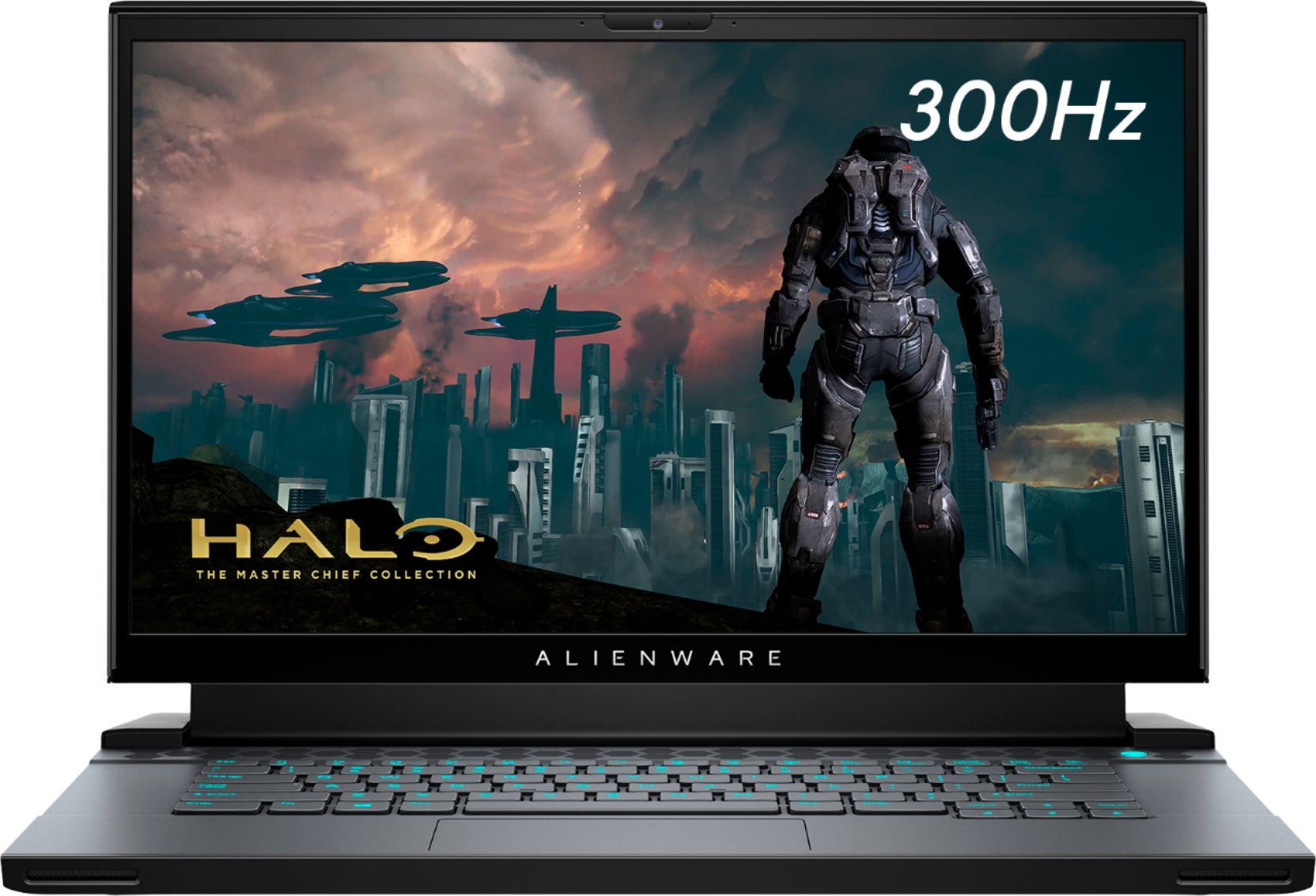
Customers commend the m15 R4 laptop's high performance, powerful GPU ideal for gaming and 3D modeling, and sharp, high refresh rate screen. Positive feedback also highlights the keyboard quality and sleek design. However, some users point to significant drawbacks regarding battery life, overheating issues, and loud fan noise. The soldered RAM was also a point of concern for some customers.
This summary was generated by AI based on customer reviews.
- Pros mentioned:Performance, Screen quality
Expansive but good quality laptop
||Posted .This reviewer received promo considerations or sweepstakes entry for writing a review.Just here for the points but might as well make a honest review. If have the money and want a decent gaming laptop then get it. The Alienware m15 r4 has a solid built and runs AAA games beautifully. The only thing was the price but that comes with companies that have made a name for themselves like Alienware. If you see it on sale don’t hesitate and get it.
I would recommend this to a friend - Pros mentioned:Performance
Great Gaming Laptop!
||Posted . Owned for less than 1 week when reviewed.This reviewer received promo considerations or sweepstakes entry for writing a review.I had purchased the Alienware M15 R4 to replace my Dell XPS 9550. I originally had my mind on the Asus M16 but I literally returned 3 of them because they all had QC issues (i.e. severe backlight bleed)! After my experience with the Asus M16, I looked into Alienware and purchased the M17 R4, however, I ended up returning it because of the backlight bleed. Next, I turned to the M15 R4 and I literally had to go through 2 of them with the second being the one that satisfied my requirement of having an acceptable backlight bleed. After experiencing how large the M17 R4 was, I'm glad I settled for the M15 R4 as it is truly more portable and has the same specs as the M17 R4 plus it was a few hundred dollars cheaper! I'm actually typing this review on my M15 R4 and so far so good - it may not have the latest Intel processor or the top of the line GPU but it handles all of my needs very well. In fact, I'm currently playing Civilization VI, downloading my movies on iTunes, browsing the web, and running a distributed computing program without any bottlenecks! If you're looking for a high quality laptop at an affordable price as well as portability, I recommend taking a look at the Alienware M15 R4!
I would recommend this to a friend - Pros mentioned:Gpu, Keyboard, Performance

Outstanding performance
|Posted .This reviewer received promo considerations or sweepstakes entry for writing a review.I have always been a fan of Alienware laptops, harking back to the days before they were bought by Dell. Given the availability of competitive brands and products it is always hard to stand apart, though I think AW has always done that well. The AW m15 R4 configuration comes with what I would expect to see in any gaming rig. Intel 10th Gen i7, beefed up RAM, heavy duty graphics via an NVIDIA RTX3070, 512GB SSD and a 300mhz full HD display. My previous AW laptops have always had issues with cooling, and I found myself always buying a separate cooling pad to keep with up with the heat generated form gaming. In this model I think the cooling system has finally caught up with the times and the offset screen with a larger back for cooling not only keeps the pace but also operates at minimal sound level; still noticeable if you don’t have any game sound on but not intrusively loud still. The whole design of this laptop is something to see, as is par for the course with AW, there are lighted LED accents and various amounts of color customizations to have you occupied for hours. The m15 R4 has a very small footprint as well so it is highly portable (as it should be) unlike some other monster competitors I have seen in recent years. The power brick is pretty sizeable, but I think expected given the hardware running on this machine, I also like the placement of the input at the rear of the laptop and not on the side. The m15 R4 offers multiple video connection options like Thunderbolt and HDMI 2.1 so you are able to get the real refresh rates of higher end monitors. I find the trackpad to be responsive and usable and the keyboard layout and response to be satisfying. One aspect of AW rigs I have enjoyed in the past is the ability to add in additional RAM or SSD’s, however with this specific model it appears my only upgrade option is with adding an additional SSD for RAID configuration (which I plan to do). I’d love to add another 16GB of RAM but it is not a necessity at this point. The games I run can vary on any given day, but for this specific review I have been running Doom Eternal, Call of Duty Warzone and Cyberpunk 2077; all games are running at maximum graphics and performing at a high rate of FPS over 70! This is a first for me as my budget in the past for gaming PCs has always been on the low end so my expectations for performance have always been somewhat reserved, not the case with the m15 R4!! So far, I have only put a mild 3 hours of continuous play on the games but the m15 is keeping the pace – there is some significant heat coming off the device, but it does not appear to be affecting performance at this point. At this price point, I think you get not only a solid hardware build but also the design and functionality of Alienware gaming. Obviously, you can opt for some beefier components, but this configuration will immediately upgrade any average gamers set up into a whole new level of quality streamlined and seamless gaming. I think I would have liked to see a 1TB SSD as a standard offering over a 512GB, as it kind of sets you up at a disadvantage considering most of that 512 is already consumed via Windows. Overall, this is a great gaming rig for those looking to upgrade their set up or to have something powerful in a small package. Highly recommend!
I would recommend this to a friend Great performance, high temps
||Posted . Owned for less than 1 week when reviewed.This reviewer received promo considerations or sweepstakes entry for writing a review.I tried 3 other laptops before settling on this one, the MSI GE66 that's similarly specced, the Asus TUF dash, and the other Alienware with a 2070 Super. I think there's one big thing to note with all of these machines, and what explains some discrepancies between various reviews. A lot of the performance is dependent upon what power/fan profile you choose, and each manufacturer has their own profiles, and the names can be misleading when comparing profiles between 2 manufacturers. Because of this it's pretty difficult to make an apples to apples comparison, but what concerns me is every one of these machines frequently hits into the 90 degree celsius range, and sometimes hitting the 100 cap when on any sort of performance or balanced profile. I've seen numerous reviews claim, for example, the MSI GE66 never goes above the 80's, which is the only reason I gave that machine a chance, and that's just not true. I think this is a whole other problem with reviewers, it really seems to me like some of them are blatantly lying. I found an Alienware YouTube video that showed the 2070 Super laptop, the exact model I had purchased, playing Avengers at like 130+ fps and the temps never went above 87. If you purchase that machine you can pretty easily tell that is just a blatant lie. Not only were the fps nowhere close to that, the temps maxed out at 100. But putting all of that aside, I find this machine to be really impressive. It has I think 5 fan profiles, versus other manufacturers only having 3, and the extra ones they added are very helpful. If you want to just cruise the web and do other random, non-gaming things, you can either set it on balanced or cool. With balanced I'd say the fans are actually kind of similar to my MacBook Pro 16 inch (I literally had them sitting side by side while messing with both of them and the sound level was very similar). Where they're off/very quiet most of the time unless you start pushing it a bit and the fans might ramp up a bit. The Cool profile is nice in that it down clocks everything and the fans seem similar to balanced, but it keeps the whole machine, the chips and the chassis and everything, a lot cooler at the expense of performance. This is very useful if you're like sitting on the couch with the laptop on your lap and don't want it to get so hot it gets uncomfortable. There's a performance mode, and I feel like Alienware needs to update this or fix it to some extent. Even though it indicates performance should ramp up the CPU more than Balanced, I've found that Balanced typically results in higher CPU clock frequencies. Performance seems to have an issue of dropping clock speeds unnecessarily, and what seems like at random. Sometimes temps can be in the 90's and CPU clock is like 3500, but other times temp is in the 80's and CPU clock is all the way down to like 2600 and won't budge. Maybe there's something else going on here, like a power limitation or something, but that wouldn't explain why balanced doesn't seem to have that issue. Performance also results in fans being quite a bit louder at idle, although nothing crazy, just not silent like Balanced goes down to. So given this, performance mode is almost kind of pointless. It also has like a Full mode, where turns fans max speed and cranks up clock speeds on everything. It's nice for like benchmarks, but the temps really get too high for me to be comfortable with gaming with that consistently or anything (not to mention fans are really loud at that point). And one thing I'd like to point out is fan noise level on this during gaming is really decent compared to the other laptops I tried. The Asus TUF Dash I got was the one with the 3060 and new intel i7 cpu, and what drew me to that one was the idea that it would be quieter and more portable and have longer battery life given the new 4 core intel CPUs and the lower end GPU. It was really loud, definitely louder than this Alienware, and up there with the GE66, although the temps did seem to stay quite a bit lower, mainly sticking around the 80's but still hitting the 90's at times. And for the GE66, fans were loudest out of all of these. Even just sitting browsing the internet on the Balanced profile the fans were very audible. And even with the fans being quite a bit louder than the Alienware, the temps still hit into the 90's frequently, although I don't think I saw it hit 100 as often as the Alienware. I really didn't like the GE66, it felt quite a bit cheaper. I did really like the Asus TUF Dash though, felt solid, had a nice look to it, and although the performance is quite a bit lower, it was a lot cheaper and more portable. The fans were just way too loud for me. But overall, the performance is really incredible on this Alienware, tried numerous games already, Outriders, Control, Avengers, Battlefield 5, Smite, etc., all of them play with really high frame rates, and ray tracing and DLSS even work really well. Played it on my 1440p 165hz monitor, as well as the built in display, and it did not disappoint. Reason I give 4 stars is due to what I consider deceptive marketing with their YouTube videos, as well as temps that are just really high. There are times during gaming I kind of wish the fans would get a bit louder to keep it a bit cooler. Although maybe I can do that with custom profiles, haven't messed with those yet. Oh, and if you're torn between the 6 core i7 with the 2070 Super that's a bit cheaper than this one, the 3070 GPU is not thaaat much faster, but I think the updated ray-tracing and DLSS support is a big plus, and the 8 core CPU makes a pretty drastic difference given the 6 core I found to frequently bottleneck the 2070 super.
I would recommend this to a friend- Pros mentioned:Performance
Good for gaming and regular work
||Posted . Owned for more than 2 years when reviewed.This reviewer received promo considerations or sweepstakes entry for writing a review.Really good for games. It’s run very smooth. Long lasting battery
I would recommend this to a friend - Pros mentioned:Gpu
Super fast gaming laptop which weighs less.
||Posted . Owned for less than 1 week when reviewed.This reviewer received promo considerations or sweepstakes entry for writing a review.I am a huge Alienware laptop fan. I currently have 5 year old Alienware 15 r3 with 1080 GPU. Finally after lot of debate decided to upgrade and buy this laptop. This is a great laptop for the price and the build quality. My previous laptop was over 8 pounds. So when I bought this new Alienware m15 r4, it feels super light and small right next to m15 r3. 3070 GPU is a huge plus as you cannot buy it due to shortage. Played cyberpunk on it without any issues. I also edit videos using Adobe suite and it processed it in no time. I however decided to return it and get 17 inch as the screen feels too small. For some people m15 will work but I usually use my laptop screen for presentations and with 15 inch I have to push the laptop closer to the clients for them to see better. M15 or M17 r4 is a great laptop no matter what you go with.
I would recommend this to a friend - Pros mentioned:PerformanceCons mentioned:Fan noise
Excellent gaming laptop as I expected
||Posted . Owned for 3 weeks when reviewed.This reviewer received promo considerations or sweepstakes entry for writing a review.Excellent gaming laptop as I expected. Though to guarantee max performance, I have to keep the fan running at max speed, which is noisy. But it is manageable, because I always put on noise-cancelling headset when gaming. With noise-cancellation on, I can barely hear any noise of the fan.
I would recommend this to a friend - Pros mentioned:Gpu, Keyboard, Screen qualityCons mentioned:Battery life, Fan noise
Powerful and light
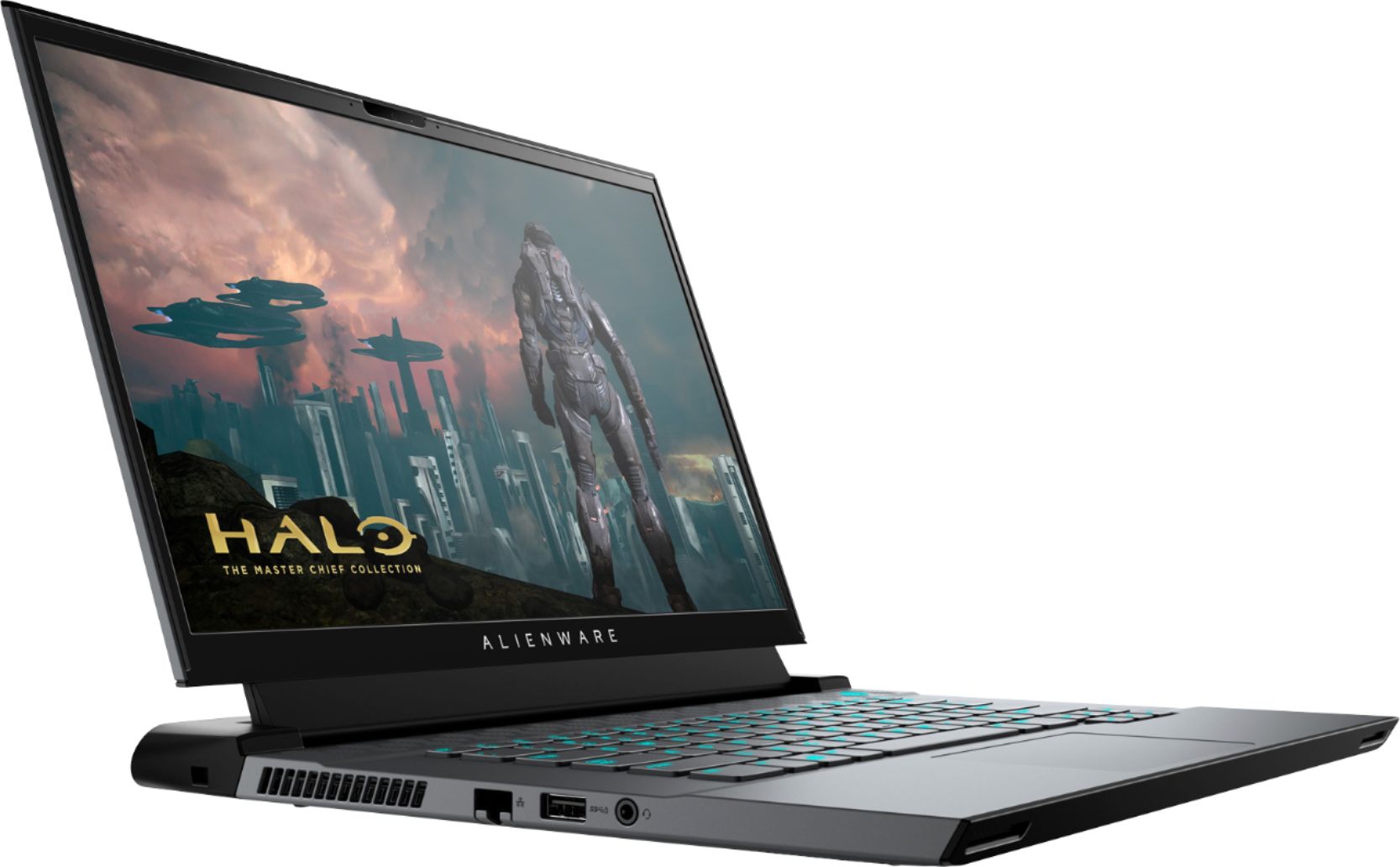
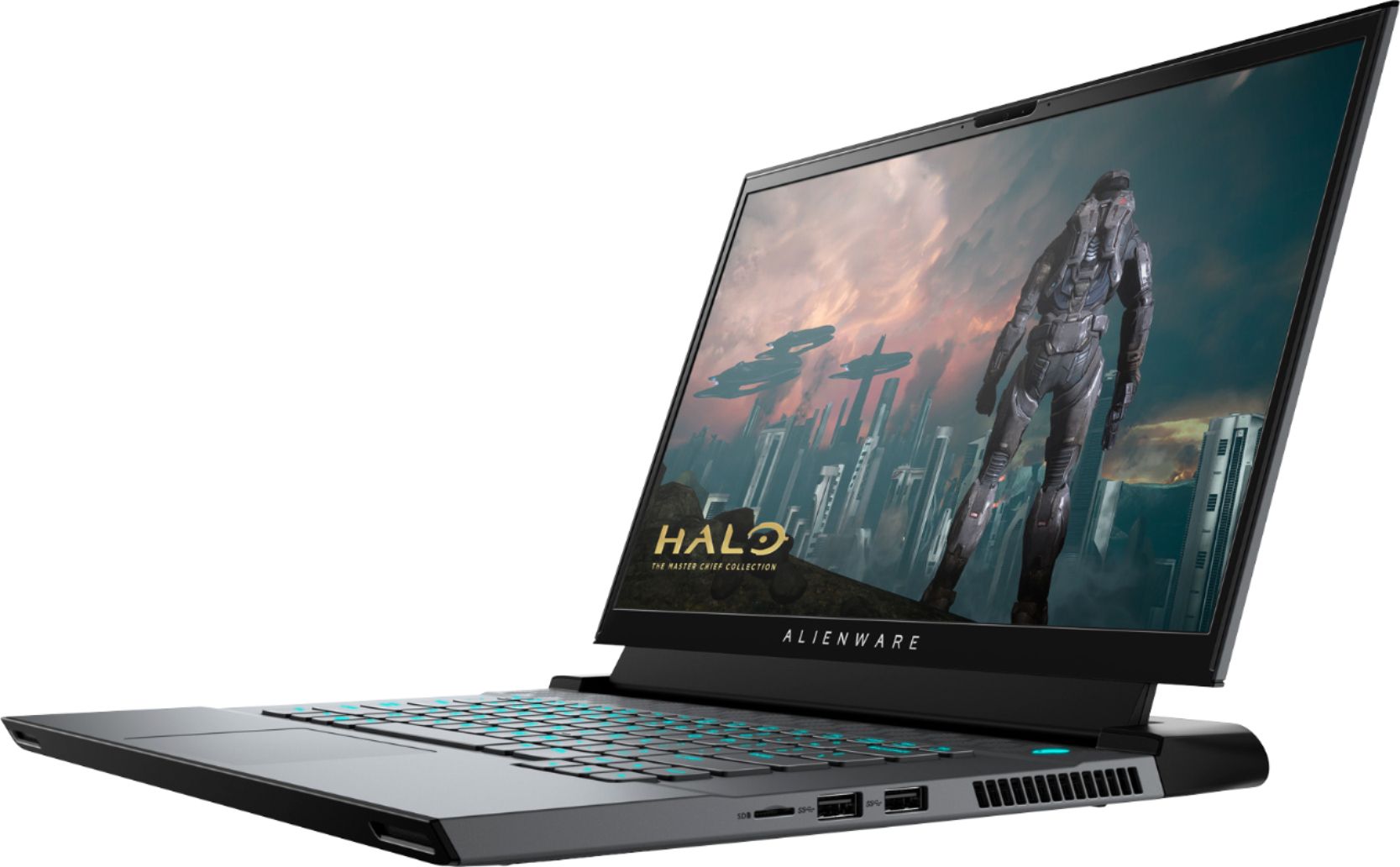
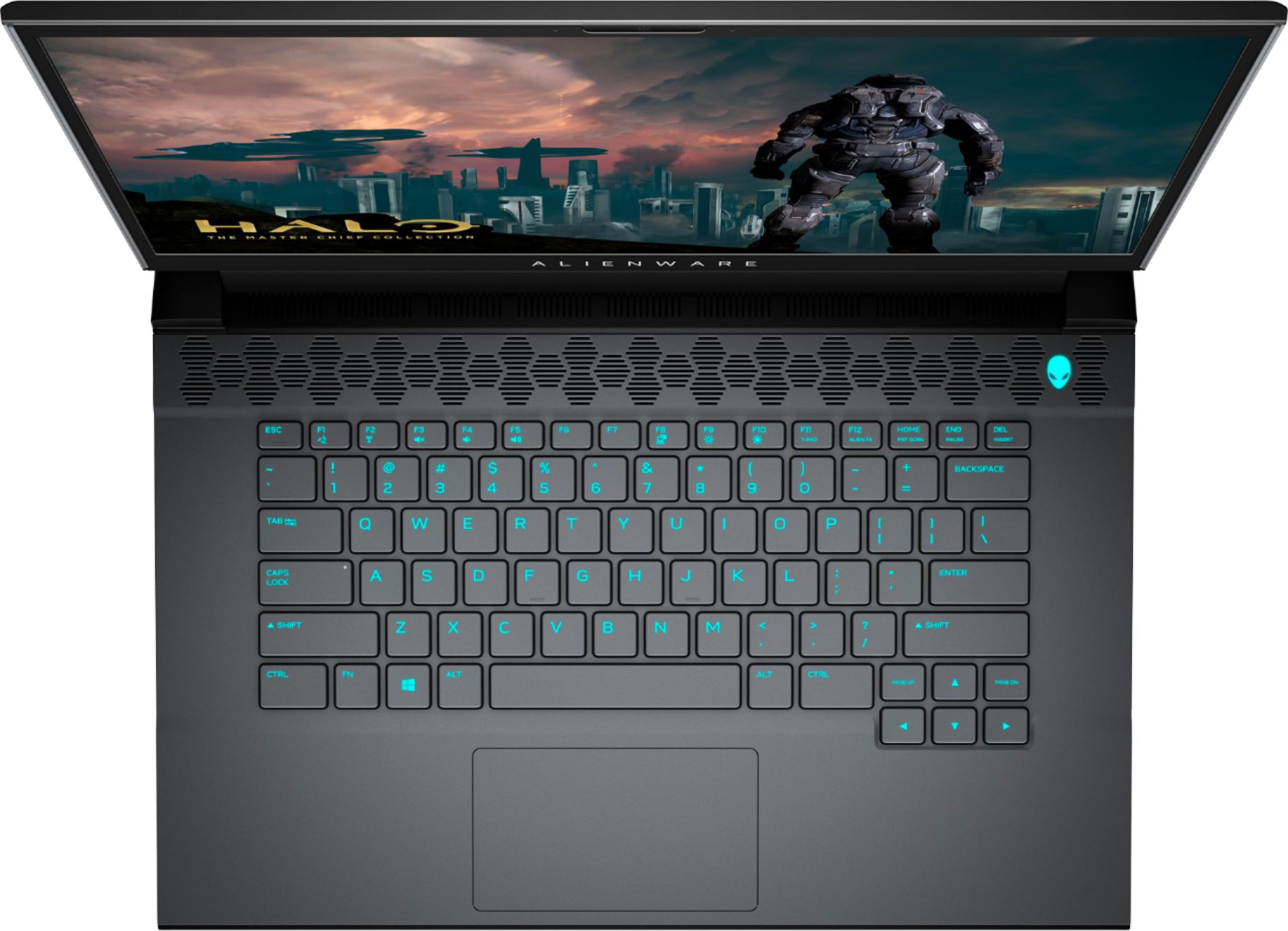
|Posted .This reviewer received promo considerations or sweepstakes entry for writing a review.The Alienware M15 R4 is a fierce mobile gaming laptop that always has you amazed. As soon as you pick it up for the first time you will instantly notice how thin and light feeling it is. Coming in a 5.5 pounds, it certainly does not feel that way when you are holding it. The chassis structure feels very solid and there is very little flex to it. It does come with 3 USB 3.2 SS Type A ports which isn't too shabby, but I do like that it includes a mini SD port as well as a USB C thunderbolt port. After setting up Windows, you will need to do a volley of updates through windows update and Alienware Update, which includes a BIOS update. Also downloading the Geforce Experience and updating your graphics drivers is going to be key as well. One thing that is not set is the refresh rate for the screen. It is automatically set to a 60hz refresh rate. You will need to go to your advanced display settings and change it to 300hz if you want to utilize that feature, which I recommend, especially for gaming. I would not recommend running this laptop on battery power for heavy gaming. The performance is dramatically decreased and FPS is cut way down. The battery life just browsing the web or playing non intensive games is fairly decent. I was able to get about 6 hours with my settings. Playing intensive games like Rainbow Six Siege gave me about an hour of battery life. Gameplay is great and so smooth. On max settings, Apex Legends runs between 120-220 FPS, with an average of 160FPS. Shadow of the Tomb Raider on Ultra settings was able to run between 40-65fps with its testbench averaging 53 FPS (Even with 16x Aliasing). The system really shines with VR as well. On the rift it performed extremely well, and was able to run Oculus Tray tool super sampling at about 1.6 before it started stuttering. The keyboard and touchpad are always going to be a difficult thing to review, as everyone has their own preference, but this laptop has a pretty decent button lay out and feel. The keys don't have much of a mechanical feel to them at all like gamers like, but they are smooth and the layout is good positioning in my opinion. The touchpad is a decent size and very responsive. The laptop has a little RGB lighting, which is fully customizable in the Alienware Command Center. You can even select every individual key on the keyboard and give it a different color, or just leave the keyboard black and only light up specific keys. Very cool feature. The laptop only comes with 512GB of SSD storage, so you will definitely need to consider an upgrade or have an external HD or SSD you can take with you. Now, onto my gripes. While the performance is very good and the display is super fast and smooth, it is going to have its quirks elsewhere. One is the heat output during gaming. It is hard to have the laptop on your lap during trips because the peripheral input bank on the very back gets extremely hot during gaming and is almost hard to touch, and second is the fans are extremely noisy, so unless you have some good headphones with you while gaming, be prepared to listen to fans the whole time. I recommend keeping it on breathable elevated surfaces to help with cooling. Overall, this is one very powerful, but slim and comfortable laptop. It's super fast and clear 300hz display helps bring everything to life better and super fast response time gives you that great edge while gaming. All of this is with out overclocking as well. There is not a whole lot of room to overclock on this system, and not sure I could recommend it considering the heat output from just normal system settings.
I would recommend this to a friend - Pros mentioned:Gpu, Performance, Screen qualityCons mentioned:Heat
The Alienware flagship m15 R4 with “Ampere”
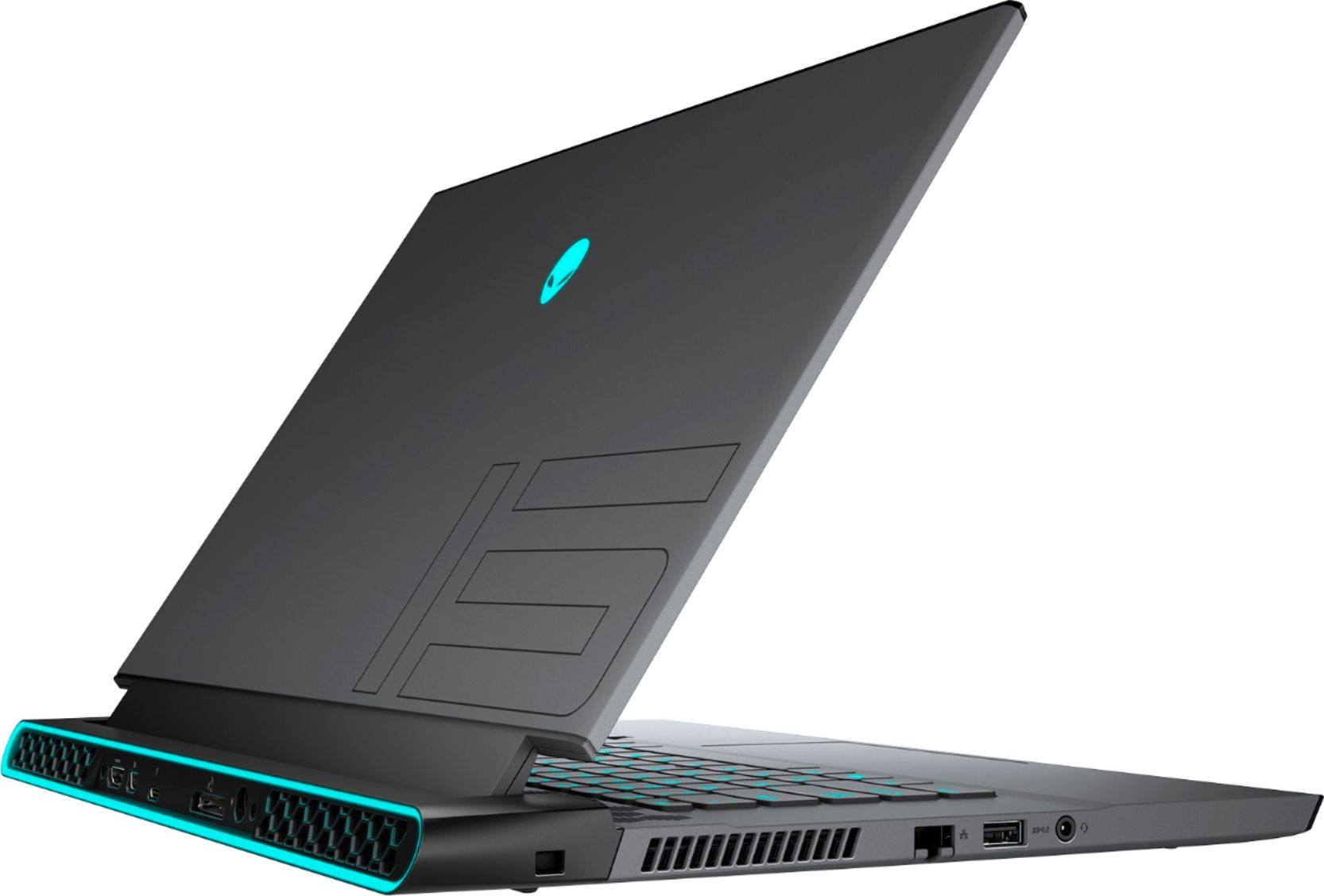
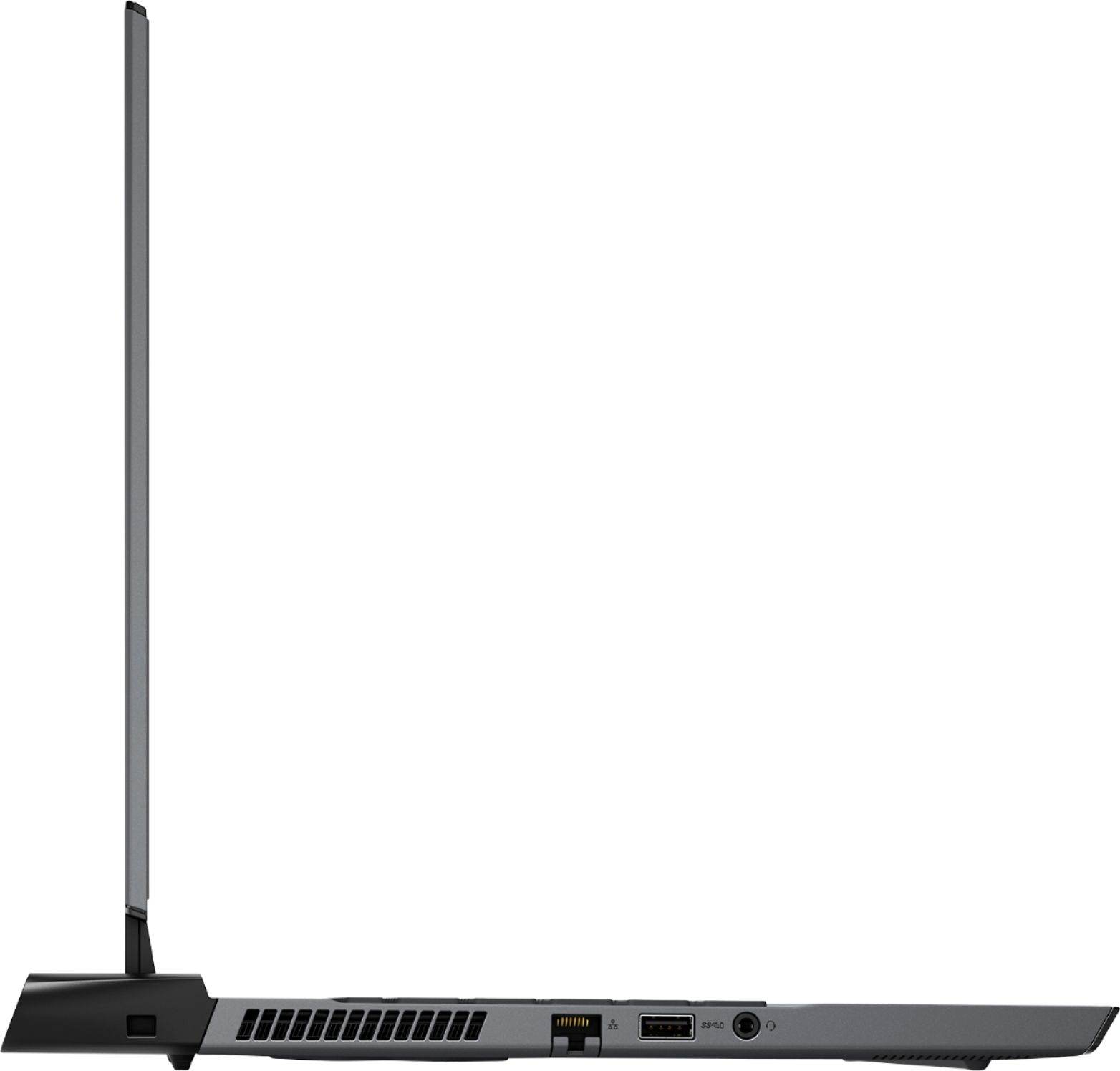
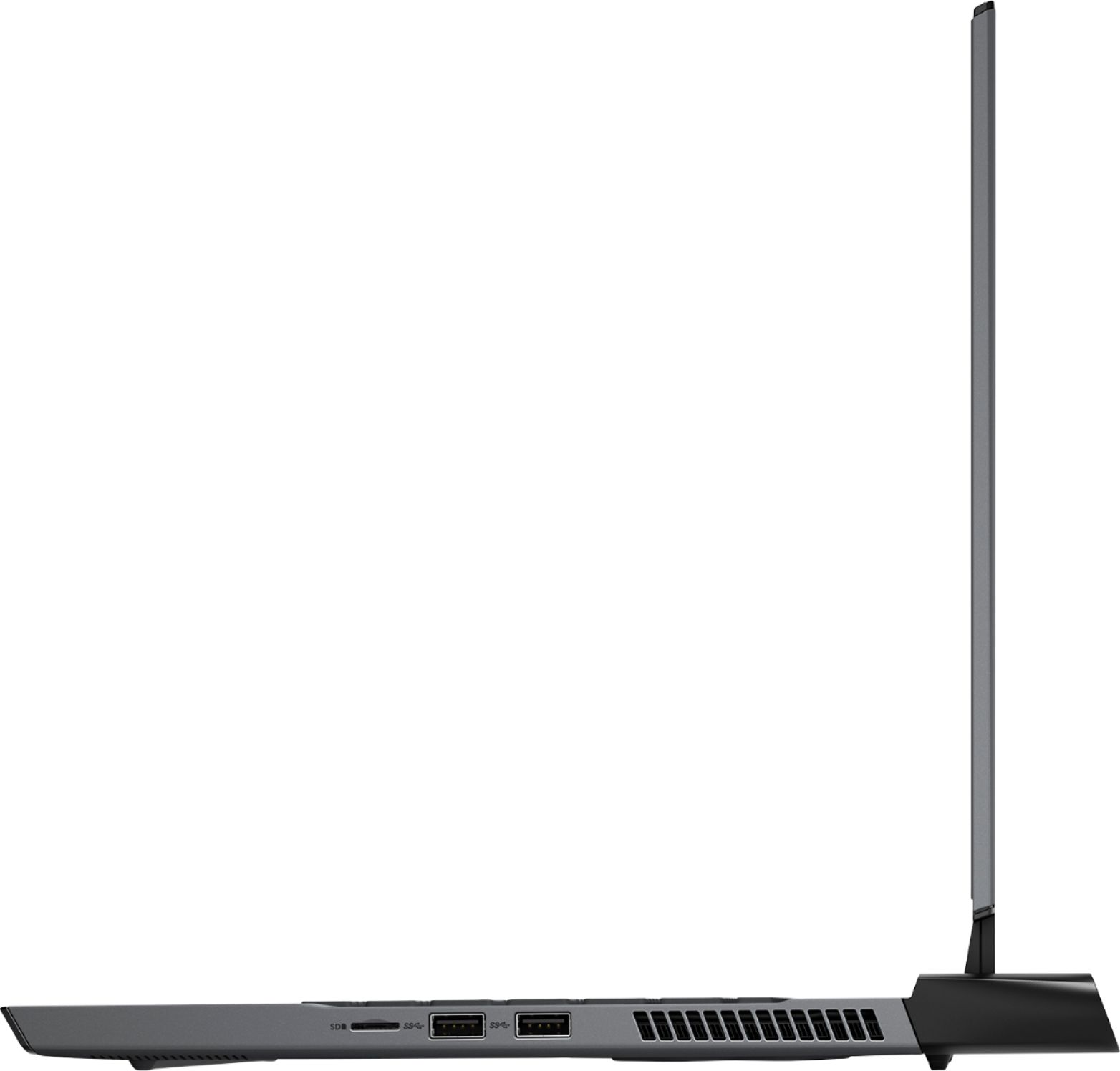
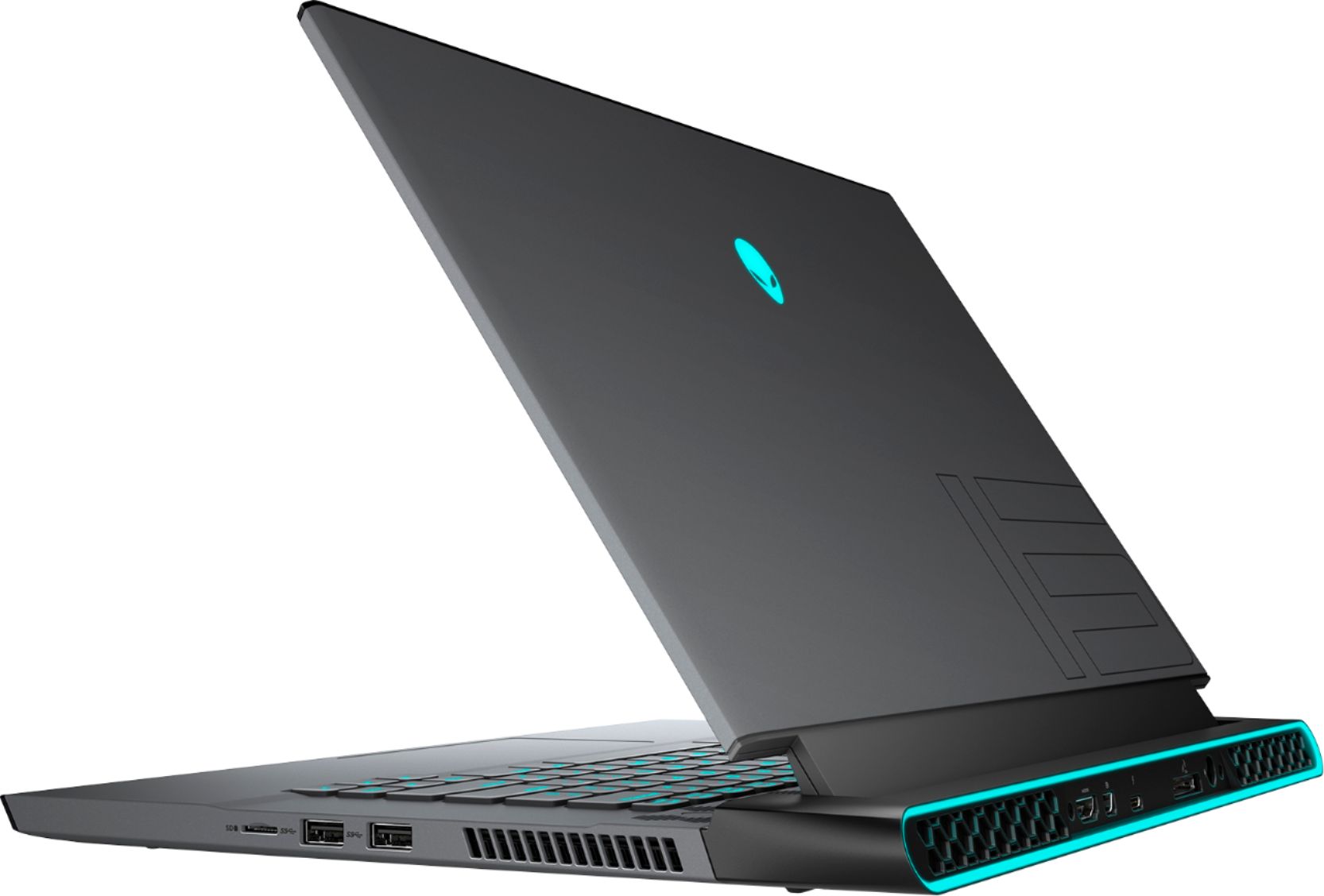
|Posted .This reviewer received promo considerations or sweepstakes entry for writing a review.Basically, the same design as last years R3 but adds the Nvidia GeForce RTX 30 series GPU for improved gaming performance. This unit includes the RTX 3070 which is much improved over the previous version 20 series GPUs with noticeable frame rate improvements and makes 60 fps ray tracing possible. Included with this is a 512GB solid state hard drive, 16GB of memory, 300Hz refresh rate 1080p screen and the Intel Core i7-10870H 8 core 16 thread processor. Styling is Alienware all the way (not a bad thing). Laptop comes in a Lunar Light color or Dark Side of the Moon gray (which this unit is). Customizable LEDs for the keyboard and rear edge with a unique honeycomb ventilation on the top of the keyboard and rear. Overall, the feel and build quality are top notch with a metallic feel throughout. You can lift the screen with one hand, no need to hold down the laptop with the other hand. Ports - The left side has one USB 3.1 Type-A port, ethernet and audio. Right side houses two USB-A ports and microSD slot. The rear includes a USB-C thunderbolt supporting port, HDMI, mini DisplayPort, connection for Alienware’s external graphics card enclosure and the power adapter. Front and down firing speakers sound decent, not going to win any awards for sound quality but get the job done. Gaming is a treat on this machine with the 8GB RTX 3070. Running COD Cold War without a hiccup and most settings turned as high as possible, achieving frame rates of 75-100fps. Heat and fan noise however are a concern. This thing runs hot. It is amazing that something like this even functions with these temperatures. This thing at idle is in the high 50s and the top where the honeycomb ventilation lives, it is warm to the touch. Gaming revs up the fan noise and temps quickly climb up to the 90s on the CPU the video card stays a bit cooler and only gets to the 80s. I have a major concern about the longevity of something like this putting out this kind of heat. Gaming laptops need to do better with the cooling for me to want to use and recommend them. I always recommend going with a desktop computer if gaming is a priority. For other things, graphic editing, CAD work etc. etc., this is would be a potent unit, although pricey. All said, the Alienware m15 R4 is a very solid well-built machine, with most of the bells and whistles taken care of. The heat generated and fan noise are a con for me and is a common trait in a gaming laptop. Stick with a desktop if gaming is your priority.
I would recommend this to a friend - Pros mentioned:Screen qualityCons mentioned:Ram
Great premium system
||Posted . Owned for 1 week when reviewed.This reviewer received promo considerations or sweepstakes entry for writing a review.Wow great system thought the msi ge66 was a beast this is all that and more... runs a little hotter but a cooling pad makes that a no issue... only drawback Is soldered ram at 16g but that is the only negative so far great build quality
I would recommend this to a friend - Cons mentioned:Battery life, Heat
M15 Gaming Laptop
||Posted . Owned for 2 months when reviewed.This reviewer received promo considerations or sweepstakes entry for writing a review.This is a quality high end gaming PC. The only drawback is how hot it gets with high performance games as well as it’s limited battery life. I basically always have this plugged in when in use.
I would recommend this to a friend - Pros mentioned:Performance, Screen qualityCons mentioned:Heat
RUNS VERY HOT
||Posted . Owned for 3 months when reviewed.This reviewer received promo considerations or sweepstakes entry for writing a review.Used it for a month for light gaming and normal web browsing. 1 thing about this laptop in particular is it gets VERY HOT very quick. Even on idle the laptop gets very hot. While gaming the fans are quite but suggest you change that to keep temps low. GET A LAPTOP COOLING PAD if you buy this or any laptop. Overall it’s a great laptop heavy but built good. Wish it was not as hot. Performance wise the 3070 is a beast so can’t complain.
I would recommend this to a friendBrand response from YourDellTeam
Posted .Hello,
Thank you for your feedback and response. We're glad to hear that you're pleased with various aspects and the gaming performance of your m15. We are sorry to hear about the overheating issue you have mentioned. If system thermals are of concern, We recommend ensuring that your m15 is running the latest software and drivers. There was an update recently released for this series. You can download it here: https://dell.to/3g7agV7. Below are steps that can help with overheating:
• To tune your system, go to Alienware Command Center and select out of 4 different thermal profiles that will help you manage system temperatures as well as performance output to your preference. These include Cool, Quiet, Balanced, and Performance thermal profiles.
• Our Alienware m15 follows 8th and 9th generation Intel performance design guidelines, which can lead CPU temperatures to reach 100°C to output top in-game performance.
• We fully warrant the product under these conditions. If you see CPU temperatures rising beyond 100°C on Alienware Command Center, please contact support and they will take care of your issue - https://dell.to/2Inbc8F.
You can view additional information on this site: https://dell.to/2IIhqjJ. If the overheating issue persists after the BIOS update, please contact Dell Support at your earliest convenience at 1-800-264-9896.
Best,
Wendy C.
https://bit.ly/DellSupportTeam.
Phone number to Dell: 1-800-264-9896.
- Cons mentioned:Battery life, Ram
Hot loud short battery life but amazing otherwise
||Posted . Owned for 1 month when reviewed.This reviewer received promo considerations or sweepstakes entry for writing a review.Fantastic machine. Hot loud and terrible battery life though. Only gets about a half hour of crypto mining or serious ultra-settings gaming before dying. Soldered ram prevents upgrade but if you’re just gaming you’ll never need more. Three m.2 nvme slots for expansion.
I would recommend this to a friend Horrible software, good hardware. Disappointed.
||Posted . Owned for 1 week when reviewed.This reviewer received promo considerations or sweepstakes entry for writing a review.Very well-built hardware but software issues are terrible. I purchased this hoping the Alienware name would mean a rock-solid laptop. I was not ready for the hours of software and driver issues. I have spent several hours finding a solution for many driver, service and software issues. I just got off the phone with their tech support and was informed that I do have the rgb keyboard - they are and have been aware the drivers don't work for it - they know people pay extra for it - they cannot tell me when or even if they will fix this issue and offer no solution. Get used to that support. The software and drivers are very outdated and there seems to be zero internal support for the alienware division within dell. Many of the client update issues have been going on for over a year with no resolution - the same issue exists when you upgrade to windows 11. I could go on but there are a lot of gaming laptops out there that are comparable. It really comes down to the whole package of hardware and software/drivers. Dell is not doing a very good job there. Their drivers are outdated or not working and their software suit is very difficult and really looks like 20 different teams put it together as a class project without a project manager. Its disjointed and confusing. I may keep the computer but I will order a razer today as a backup. I am a fan of gaming and not a real fan of any one pc manufacturer. I did have high hopes for an Alienware laptop but I was very disappointed. My wife's HP omen has worked flawlessly and the software it came with is easy to use and makes sense. Best of all it has had sever upgrades and it all works! BTW the hardware and cpu in this laptop is 2 generations old so I would not expect many if any of the open issues with this laptop will be addressed by Dell. For the money I will stay away and hope they update this laptop soon.
No, I would not recommend this to a friendBrand response from YourDellTeam
Posted .Hi Laptop,
We want to thank you for taking the time to leave us your review. We sincerely apologize for the trouble you have had with the software and drivers of your Alienware M15 R4. This is certainly not what we like to hear from our valued customers. To help with the driver issues, I have provided a link to the Drivers and Downloads Page for your system, so you can check for and do any applicable updates. As for the support for Alienware, I have provided a number for future reference.
Drivers and Downloads Page: https://dell.to/3ESKc9E
Alienware Support: 1-800-254-3692
If you require further assistance, you can contact Dell directly with the information below.
Chat or call: https://bit.ly/DellSupportTeam
Phone number to Dell 1-800-624-9896
Best,
Ashley@Dell
- Pros mentioned:Gpu, Performance
Great portable gaming laptop!!
||Posted . Owned for 3 months when reviewed.This reviewer received promo considerations or sweepstakes entry for writing a review.Overall Great Thinner Laptop. Would definitely recommend if you are using on a desk, or lap-desk. Performance will max most games with ease. Would recommend upgrading the size of the ssd, but other than that overall nice.
I would recommend this to a friend - Cons mentioned:Battery life, Heat
Decent laptop
||Posted . Owned for 11 months when reviewed.This reviewer received promo considerations or sweepstakes entry for writing a review.I said I wasnt going to get a alienwarebut here I am writing a review Its works great. It has all the standard gaming laptop tropes of battery life is ehh and its hot af if on your lap. But it works and runs everything fine.
I would recommend this to a friend - Pros mentioned:Keyboard, Performance
Great but not perfect
||Posted . Owned for 3 months when reviewed.This reviewer received promo considerations or sweepstakes entry for writing a review.Sometimes randomly shuts off. But it's a nice looking laptop and runs without issue otherwise. Keyboard is nice. Fast. Will update in like a year.
I would recommend this to a friend - Pros mentioned:Screen qualityCons mentioned:Battery life
Beast laptop
||Posted . Owned for 1 month when reviewed.This reviewer received promo considerations or sweepstakes entry for writing a review.The Laptop is a beast i don't have any issues with it i could run any game on max setting the screen is perfect for gaming. The only bad thing is the battery life but make sense for a gamimg laptop. 5/5
I would recommend this to a friend - Pros mentioned:PerformanceCons mentioned:Heat
Nice
||Posted .This reviewer received promo considerations or sweepstakes entry for writing a review.Good computer overall but the reviews about this thing being hot are right. Plays truck and flight simulators with ease.
I would recommend this to a friend - Pros mentioned:PerformanceCons mentioned:Heat
Gaming Laptop
||Posted . Owned for 2 weeks when reviewed.This reviewer received promo considerations or sweepstakes entry for writing a review.It works great it doesn’t run hot I watched a review off of YouTube and it pretty much fixed everything I would get throttlestop but great computer all around and pretty cheap for the performance
I would recommend this to a friend