Customer Ratings & Reviews


- Model:
- BBY-HY267FX
- SKU:
- 6524524
to a friend
Customers are saying
Customers commend the m17 R5 AMD Advantage laptop's sharp, clear, and smooth graphics, along with its effective cooling system that keeps the machine from overheating, even during extended use. Positive feedback also highlights the respectable battery life and sufficient RAM for various applications. However, some users express concerns about the keyboard's design and limited number of USB-C ports.
This summary was generated by AI based on customer reviews.
- Pros mentioned:Battery life, Gpu, Ram

Practically Perfect Desktop Replacement Laptop
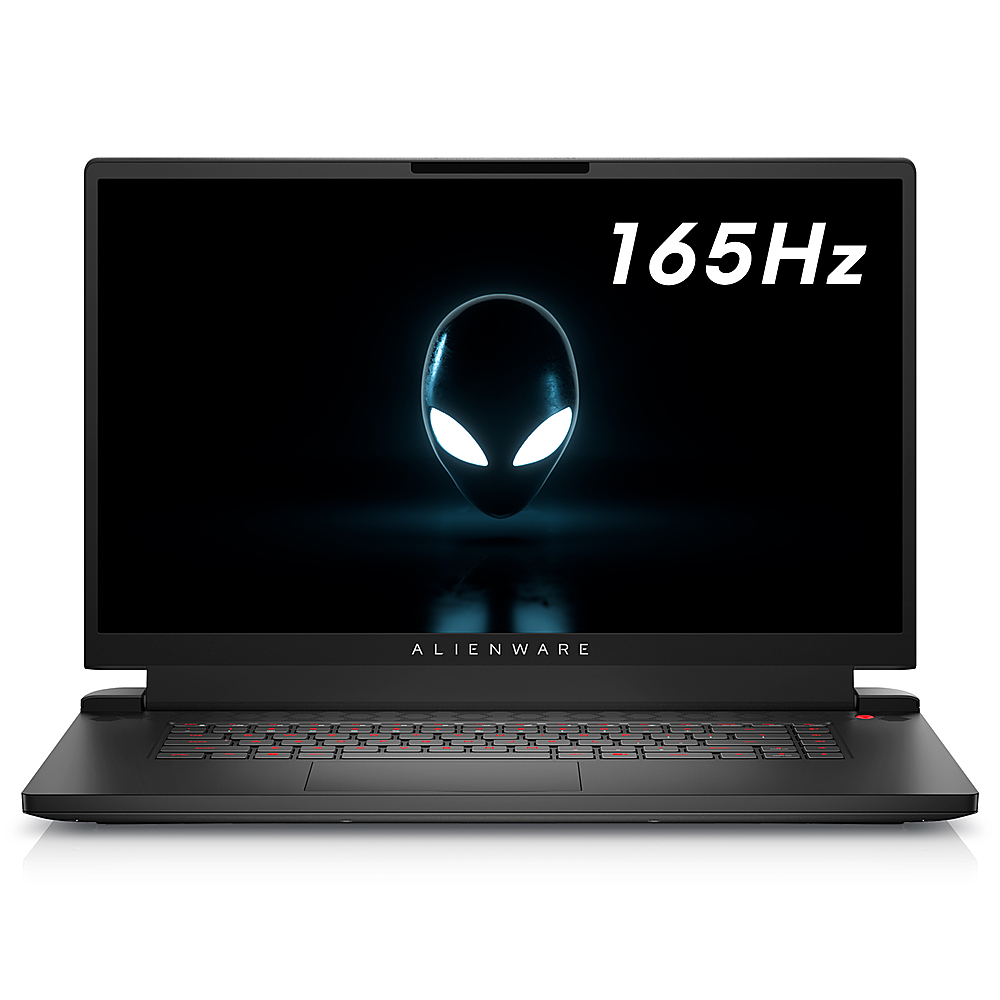
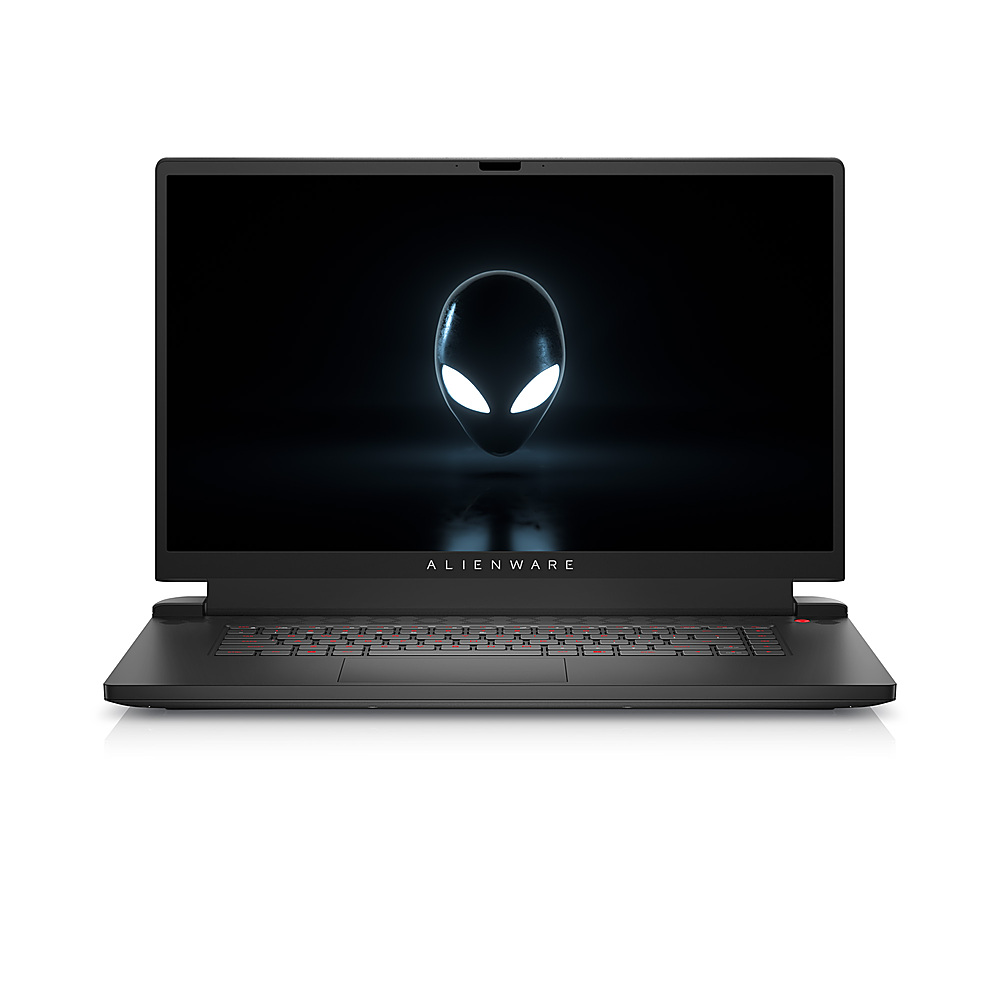
|Posted .This reviewer received promo considerations or sweepstakes entry for writing a review.At about 17.3 inches and a substantial 7.3 pounds, the Alienware m17 R5 AMD Advantage laptop is probably more suited as a desktop replacement than as an everyday travel laptop. Along with a rather large 240 Watt power adapter, it’s not something that I would want to carry in a backpack everyday. I found the Alienware to be an aesthetically very attractive and stylish looking laptop with excellent build quality. The chassis felt solid with very little or no flex. The IPS 1080p 165 Hz screen produces bright vibrant colors along with sharp text. In my short time with the laptop, the display has been excellent for playing games, general media consumption, productivity and software development work. While lacking a little in bass and fullness, the built-in speakers are able to produce loud and clear sound. My system was configured with the following components: AMD Ryzen 7 6800H with Radeon Graphics AMD Radeon RX 6700M with 10 GB GDDR6 Samsung DDR5-4800 16 GB Memory SK Hynix PC801 Gen4 NVMe 512 GB SSD (7000 MB/s read and 6500 MB/s write) MediaTek MT17921 Wi-Fi 6 Wireless adapter Realtek Gaming 2.5 GbE The components are all first rate. While I generally prefer Intel based wireless adapters, the MediaTek MT17921 wireless adapter works well with my Arris Wi-Fi 6 SURFBoard mAX router and is able to achieve a solid link speed of 1201/1201 Mbps. I am able to transfer files at the full speed of my NAS and streaming videos has been flawless. Reinstalling and downloading Resident Evil 2 from Steam gave about 85 MB/sec which is at the maximum speed of my internet plan. The SK Hynix PC801 Gen4 NVMe has been blazing fast with impressive game and application install speeds. A full install of the community edition of Visual Studio 2022 (about 38 GB) from an external SSD took only 21 minutes. When using Handbrake with the AMD VCN H.265 1080p hardware encoder preset, the Alienware m17 R5 achieved a jaw dropping peak 1250 fps with an average of 850 fps. This is about the same level of performance I saw with an Intel i7 12700F and an Nvidia RTX 3070 based desktop. The laptop has been super fast at everything I’ve thrown at it. And it is extremely quiet for most activities. The only time I hear the fan rev up is when I’m playing a graphically intensive game using the Radeon RX 6700M discrete graphics card. When I’m using the integrated Radeon Graphics chip to play a game, the fan noise is usually not noticeable to me. Overall, it’s been a very quiet laptop with good thermal performance. I think it’s really nifty having two GPUs in a laptop and being able to switch between them. If you want to play a less graphically intense game, generate lower noise and temps and have longer battery life you can use the integrated Radeon Graphics chip. And if you have access to wall power and need a more powerful GPU, you can use the discrete Radeon RX 6700M. The integrated Radeon Graphics chip is also no slouch when it comes to gaming performance. Many times, I couldn’t really tell the difference between the two unless I had a visible frame counter display which showed the Radeon RX 6700M generating much faster fps. But from a playability standpoint, many games were quite playable using the integrated Radeon Graphics. Sometimes, it’s a bit tricky to determine which GPU a game is using. On some games, you can set which GPU to use (choosing either High Performance or Power Saving mode) from within Windows. But some games weren’t detected by Windows and you have to set which GPU to use from within the game itself. And sometimes, I couldn’t figure out a way to choose which GPU to use. Marvel’s Midnight Suns is the game I am currently playing the most. At 1080p, the integrated Radeon Graphics gives about 30 to 50 fps. Using the discrete Radeon RX 6700M gives 70 to 140 fps at the cost of increased fan noise. When using the integrated Radeon Graphics, I didn’t really notice any fan noise so that’s what I actually prefer using when playing this game. Resident Evil 2 at 1080p with ray tracing enabled, gave about 78 fps running on the Radeon RX 6700M. Ray tracing was not available using the integrated Radeon Graphics. However, the integrated Radeon Graphics still ran the game beautifully at 1080p at about 66 fps. There was noticeable fan noise in both cases but the fan noise was a little louder running with the Radeon RX 6700M. The Radeon RX 6700M was able to run the Cyberpunk 2077 benchmark at 1080p with ray tracing enabled at an average 38 fps (the minimum was 27 fps and the maximum was 50 fps). For actual game play, it felt very playable to me. I’m not one to really care about actual frame rates as long as the game feels smooth to me. Overall, I’ve been very impressed with the gaming capabilities of this laptop. It’s just amazing to me that we now have laptops that are able to handle games with ray tracing at a playable frame rate. During my time with this laptop, it has been rock solid and stable. I never experienced any crashes. There was practically no software bloat and I found the Alienware Command Center to be very intuitive to use. You can control the RGB colors of each individual key. The keyboard and large trackpad felt nice but I was mostly using an external USB keyboard and mouse during my test. Temperatures have been good (both the CPU and GPU are hovering at 37 and 35 degrees Celsius as I write this review) and the laptop is usually silent for most activities. Only when running graphically intensive games does the fan noise sometimes become noticeable. I am also extremely impressed with the ease of upgrading the laptop’s memory and SSD. I haven’t actually done this yet (I am waiting for later in the year when there is less static electricity before adding an extra SSD to my laptop) but I’ve seen videos where it’s as easy as removing a few screws and popping off the bottom for easy access to the internals. All the screws are easily accessible and not hidden beneath any rubber feet. It’s probably the easiest laptop to upgrade that I’ve ever owned. For anyone looking for a desktop replacement gaming laptop, I can easily recommend the Alienware m17 R5 AMD Advantage laptop.
I would recommend this to a friend - Pros mentioned:Cooling, Gpu, Processor speed
ALIENWARE Never Disappoints
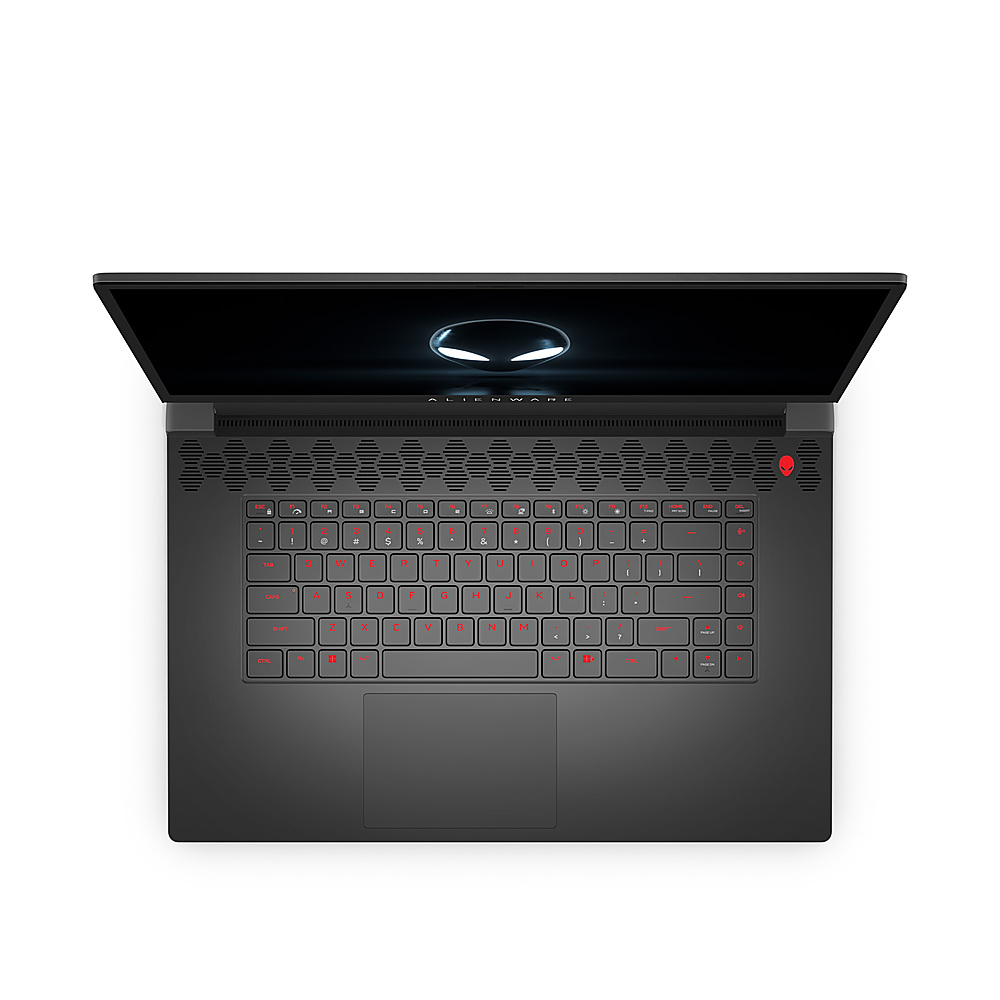
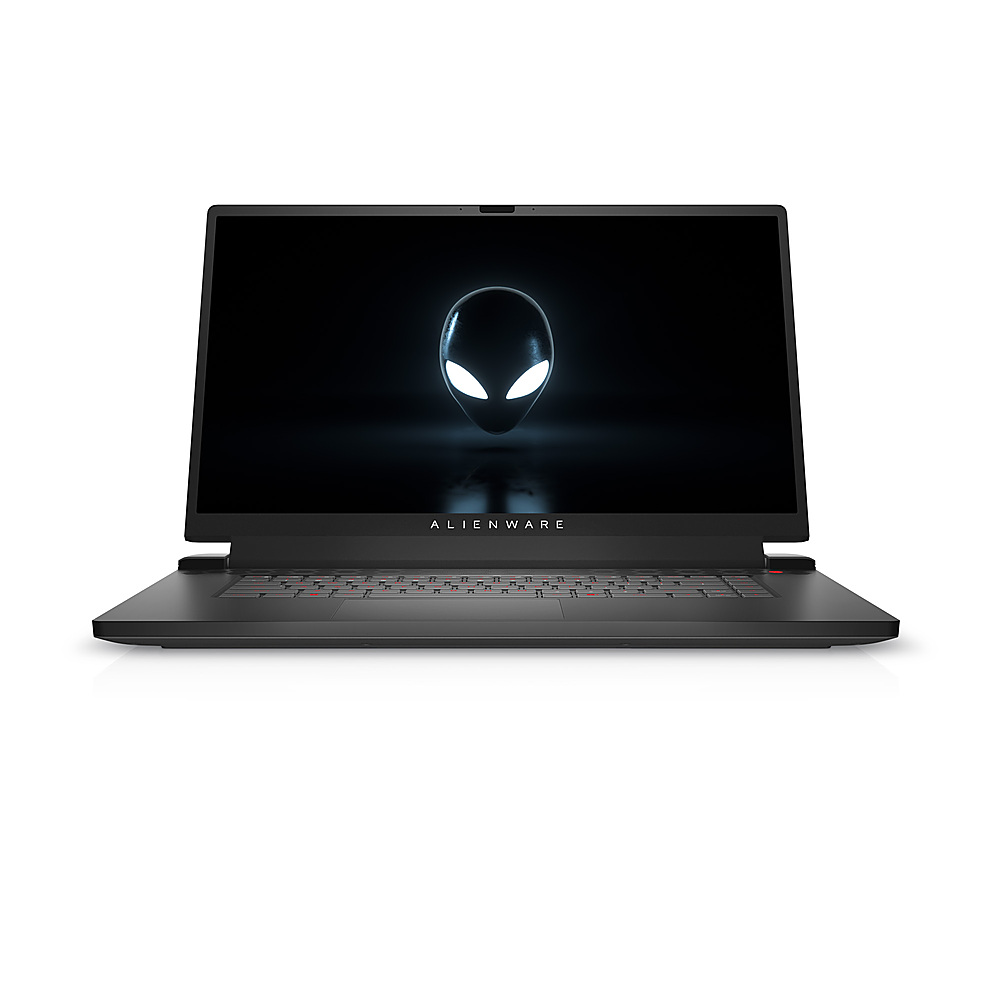
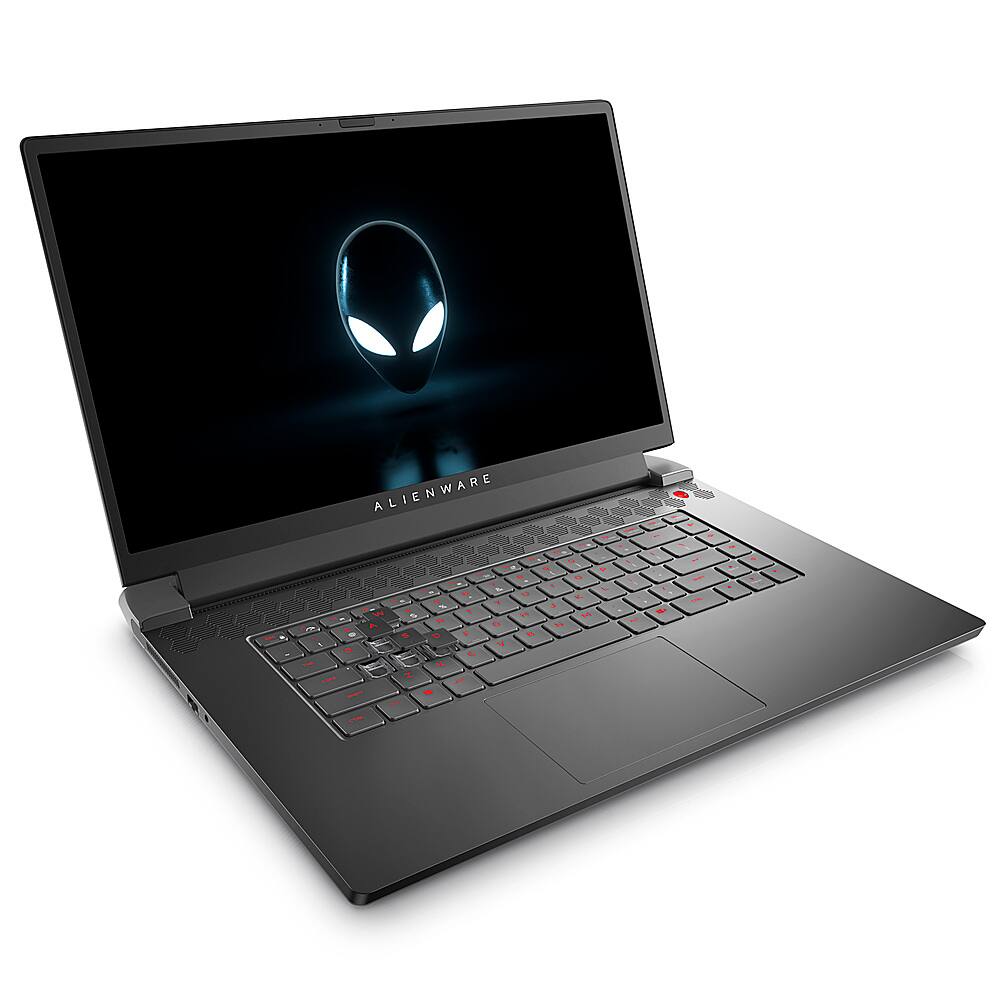
|Posted .This reviewer received promo considerations or sweepstakes entry for writing a review.The Alienware m17 R5 is a strong gaming laptop with desktop level performance that flaunts a state of the art tech and first class execution. The 17.3-inch FHD 165Hz refresh rate display emits amazing visuals, while the Ryzen 7 6800H processor and AMD Radeon RX 6700M inbuilt 10GB graphic card gives lightning-quick execution. This machine is equipped for taking care of even the most power thirsty games effortlessly, buying this beast is an ideal decision for serious gamers. The device is a genuine champion, with a smooth and snappy performance it surprises you on many aspects. This laptop bended edges and precise design gives it a modern look that makes engage gamers. This machine lighting adds a bit of style, and the enlightened Alienware logo on the rear of the top is a smart idea that separates this PC from the opposition. The core of this Alienware m17 R5 is controlled by a Ryzen 7 6800H processor and 16GB of ram. This blend gives a lot of ability to run requesting applications, including games that requires a great deal of power. This additionally includes AMD Radeon RX 6700M 10GB graphics memory illustrations, which gives unbelievable visuals and smoother refresh rates. This card is equipped for dealing with even the most requesting games, and makes certain to give a vivid gaming experience. This machine comes with a fastest first class 512GB SSD that gives lightning-quick read and write speeds. This implies that you will no need to hang tight for longer time for apps and games to load, and you'll have the option to save and access your records rapidly and without any problem. This device is upgradable for upto 64gb ram and 2TB ssd, which is perfect for putting away enormous documents like motion pictures and games. The Alienware m17 R5 likewise includes various other amazing features like latest and greatest Cryo-Tech cooling for running machine long hours with any heating issues and to get immersive feeling while gaming or watching content it comes with Dolby Atmos Sound and Dolby Vision with HDR Enabled this laptop keyboard is illuminated, making it simple to type in low-light circumstances. The console is likewise agreeable to use, with a responsive and material feel that makes it simple to type for broadened timeframes. As far as my ports, the Alienware m17 R5 gives all that you really want to get associated and remain associated includes various ports, including latest USB C, USB 3.0, HDMI, and Ethernet, so you can interface every one of your peripherals effortlessly. The laptop likewise includes latest Wi-Fi6 and Bluetooth 5.0 so you can work with web remotely and appreciate quick and stable drop less connections. All in all, the Alienware m17 R5 is a strong gaming Beast that offers a phenomenal mix of plan, execution, and usefulness. This laptop state of the art equipment and smooth and stunning visuals makes a awesome machine its an amazing decision for serious gamers, while its quick exhibition and noteworthy presentation guarantee a vivid gaming experience. Whether you're a serious gamer or only searching for a strong day to day tasks this Alienware m17 R5 makes certain to dazzle.
I would recommend this to a friend - Pros mentioned:Gpu, Processor speed, RamCons mentioned:Usb-c
Epic gaming laptop, or desktop replacement option
|Posted .This reviewer received promo considerations or sweepstakes entry for writing a review.Verdict: I love almost everything about the Alienware M17 laptop… It looks great, it feels great, and it performs exceptionally. This laptop is a capable gaming machine for home or on the go, and/or can be used to replace a large desktop to connect to a few external monitors and run graphics-intensive software. I use this laptop in both of those capacities currently. First impressions. Wow, it’s large! A 17” screen doesn’t fit everywhere actually, this will not fit in the laptop sleeve of my backpack. No problem, I’ll upgrade my backpack for this laptop. The keyboard and surrounding area are very smooth and comfortable. The screen is smaller than I expected; it’s definitely more a wide screen than a big screen. I am surprised about the bump-out in the back; I think I would have preferred that the hinges go all the way to the back so that the screen could be larger. The charging adapter is also quite large and heavy. Esthetics. This laptop has very appealing design. It looks sleek and cool. I love the Alienware logo on the power button and on the lid, and I do like the light around the fan area in the back. The patterns for the speakers and the fan look good and complement one another. The keyboard feels and types great. It’s on par with the keyboard on my other gaming laptop, but the keyboard on this laptop looks like a normal keyboard, no color or markings differentiation on WASD keys. There are no “extra” programable keys on this laptop (some gaming laptops have a lot of those). The touchpad is large and comfortable. The screen is quite wide but height is not as big as expected. It still looks great though. General computer performance. This laptop comes with Windows 11, which is a nice upgrade. With an AMD Ryzen 7 6800H Processor, 16GB of RAM, AMD Radeon RX 6700M Graphics, and Full HD 165Hz display, this laptop blazes through everyday tasks, and can handle hundreds of open browser tabs and demanding software. The SSD drive makes startup, navigation, and operation very snappy. The 512 GB SSD is sufficient for everyday use. Gaming performance. While I love most of the specs on this computer for gaming, I do wish it had more storage; 512GB is going to fill up with only a few downloaded games. This is not a deal-breaker though since I normally only play two to three games at a time. I played Resident Evil Village on this machine over the weekend, with all settings on ultra, and averaged around 120 FPS. I plan to try Gears 5 and Halo Infinite in the coming days, and I definitely plan to game on the road with this laptop. The fan keeps up nicely with higher demands, without getting too loud. AMD Software and Alienware Command Center offer all the tools you need to customize settings, save profiles, and also adjust your RGB settings. Things I love. - Great laptop to take on the road for serious gaming and work - This laptop can also replace a big desktop and carry the load at home - I love the customizable RGB keyboard - The touchpad feels great, and it is quite big - The HD screen with 165hz refresh rate looks beautiful - The AMD Radeon RX 6700M Graphics Card is very capable. It is performing on par with my RTX 3070 on my Omen Laptop… I am a fan of this AMD graphics card - The solid-state drive provides for fast startups, but 516GB will fill up quickly - I am happy with the 16GB of DDR5 RAM, but I want at least 32GB, so that is the first upgrade I will do on this laptop (upgradable to 64GB) - Excellent performance for all games on high settings, and many on Ultra - The fans keep the laptop cool without making too much noise - The speakers provide nice surround sound between the two side speakers and the center channel. The speakers don’t get super loud, but the sound is very good Things I don’t love. - I could use one more USB-C port - The bump out in the back causes some loss in screen real estate because the lid panel is not as big as it would have been if the hinges were all the way in the back of the laptop - I wish the webcam had a privacy slider. All laptops should include a slider. Overall, I LOVE this Alienware M17 laptop. It’s very sleek, with cool design. It’s powerful enough to hold its own with serious games. It can handle any day-to-day tasks. And it has a nice wide screen and quality sound. It provides a lot of value at this price range. I have been enjoying it so much that it’s going to replace my 15.6” daily driver laptop. I want to take this thing everywhere. I highly recommend it.
I would recommend this to a friend - Pros mentioned:Battery life, GpuCons mentioned:Keyboard quality, Usb-c
Impressive Gaming Laptop
|Posted .This reviewer received promo considerations or sweepstakes entry for writing a review.The Alienware m17 R5 AMD (made by Dell) is a hefty beast. It has a bright 17 inch 1920x1080 HD display and did well in benchmark tests. It comes with a whopping 240 W laptop power supply. First thing I noticed when I powered it up is the impressive light show. As the system is booting, a rainbow of lights sweep across the keyboard. Nice touch. The system has three Type A USB ports, only one USB-C, audio port, HDMI port and RealTek 2.5GbE (Ethernet) port, AMD Radeon RX 6700M graphics, and and 8 core AMD Ryzen 7 6800H CPU. The system booted into Windows 11 Home with some Alienware customizations, like a custom desktop wallpaper and an Alienware configuration/update application. When I launched the Alienware updater it updated drivers and the bios. Using PassMark Benchmarking software to test, out of the box, the laptop scored very well on the CPU, Disk and 3D Graphics tests, all in the 99th percentile. Memory was not as impressive coming in at the 66th percentile. This configuration only has 16G of RAM. That’s really a bare minimum for a gaming system. (I’d recommend bumping up to more RAM.) Battery life is respectable for a laptop with a 17 inch display and set up for gaming / performance. While I normally plug it in for gaming, it seems to last more than 4 hours on battery alone. Changing the power settings should result in much longer battery life if desired. To put the laptop through its paces I loaded up a flight simulator with high-res graphics. The system recognized my Flight Stick and soon I was flying over the U.S. and Canada. The system responded well with the load. No problems. I also loaded up a couple of Steam games that are graphics intensive. The system was responsive and gameplay was smooth. Overall, this is a very respectable gaming laptop with only a few shortcomings. There is no numeric keypad. Keyboard mappers will note this as a big shortcoming. It only has one USB-C port and no memory card slot. This configuration only has 16 Gb of RAM, but it is available with more. The pros outweigh the cons in my opinion. The AMD Radeon RX 6700M graphics, RealTek 2.5GbE for gamers who prefer a physical connection, and overall performance make this a solid gaming system. In summary, I highly recommend the Alienware m17 R5 AMD for gaming. Just go ahead and get it with more RAM if your budget allows.
I would recommend this to a friend - Pros mentioned:GpuCons mentioned:Keyboard quality, Usb-c
Alienware Taxed AMD Value
|Posted .This reviewer received promo considerations or sweepstakes entry for writing a review.Using the Alienware m17 R5 has been enjoyable. To start, this thing is an absolute unit. It's the largest laptop I've used since the early 2000s but the size is well utilized. The build is solid with the metallic top, the keyboard area does have some flex but nothing that I consider too detrimental. I'm not a fan of the slightly rubberized material on the keyboard surround as it gets oily easily. For specs, it's clearly mid to upper mid range specs/performance in a high end package. The Ryzen 7 is good and the Radeon 6700M falls between the 3060 and 3070 for performance and for me that's good enough. As for using it for gaming, I value visuals over pure speed. Running the latest version of Cyberpunk 2077, it was able to do high to ultra settings, no ray tracing and pull a consistent 80-100 FPS. Turning ray tracing on killed the frame dropping it to about 30-40 FPS with high settings. The display is decent, has well enough color profile and reproduction and if I were to calibrate it, I feel it'd look better but kept everything as stock as possible for now. Would have liked to see a 1440p display option. For my negatives, they're small but would have probably made the experience better. 1. Would have liked an extra USB-C port. It has 1 for DisplayPort, but would have personally swapped one of the 3 USB-A ports for it so I can utilize my Alienware AW720M Mouse and DisplayPort simultaneously . It does have HDMI 2.1 for VRR though. 2. Alienware Command Center is probably the worst system management applications I've used. It's difficult to use and doesn't allow you to tweak the GPU, CPU or fan to your liking, you only have presets and its auto adjustments to the games you play. 3. Price to performance Overall its a fine gaming laptop, would even say great for what I utilize it for, but it's priced a little too high for the specs you're getting. I won't be switching from my PS5 as my primary gaming option, but if I want to add some variety to my gaming sessions I'll boot it up.
No, I would not recommend this to a friend - Pros mentioned:Cooling, Gpu
Reliability issues from day one
|Posted .This reviewer received promo considerations or sweepstakes entry for writing a review.This thing has horrible wireless network speeds. It's in the exact same spot my Surface Pro 9 can copy this exact same 22 GB file I have from my Synology NAS on my Wifi 6 network at over 100 Mbs. This one couldn't break 55 Mb speeds and took more than twice as long. The keyboard is great though. It's the first thing so far I've loved about this system. The keys have a very tactile positive feel when they are depressed, but not anything that interferes with my very fast touch typing. And it's not noisy. I know a lot of people like the clicking and clacking - I'm not a fan. I like the silence of this keyboard while giving the feeling of something quality. I do like that the volume buttons, mute, and microphone mute buttons are their own row down the right edge of the keyboard. Unimpressive hard drive speeds - I have that 22 GB file I use when I rebuild a system, it has my software installs there, serial numbers, install keys, updates, reg files, everything I use to build a computer and customize it. I unzip this all the time on a lot of different systems. I've never had it take this long... Seems everything I'm doing on the system that is drive intensive is slower than I'm used to. Screen is good. A bit disappointing at only 1080, and only 165Hz. With the other options available, this is clearly the weakling of the family. But the screen was without any blemishes, no stuck pixels, and was bright and crisp. It looks good. First day the Alienware site couldn’t register this laptop though – took to day 2 before it finally worked. Then it was time to try to deal with the actual Alienware software. The support assistant - won't even run. Tells me that it is setting up for the first time, then says it is taking too long, and tells me to reboot and try again. This is an endless cycle. So the support assistant is useless. And the lights were intermittent for what I could set and what would persist. But these issues finally simply "worked" the second day after I did nothing else... Back to the Alienware control center. So this is really not as useful as you'd hope. All you can do is monitor the GPU frequency, voltage, and usage. Same with the GPU. A few more things to monitor for memory. But you think of a gaming system, and you think of really tweaking hardware. Here, you can't. Even my ROG motherboard in my media center PC allowed for me to overclock things. I'm guessing I'll simply be unable to natively overclock this without going into third party tools. I knew there was a second unused M.2 slot in here, so I ordered a 1 TB M.2 to fill it. It was in stock for half price and delivery within 2 hours. Popped the bottom of the laptop off (simple screws, and no issues removing it) and saw they had a cover in place already for where it would go, and that cover also had the thermal two-sided foam strip applied to it. Nice touch. Booted up, formatted the drive, and that's where I'll be installing any games and oculus things moving forward. Since today was Groundhog Day I thought I'd watch the movie and check out the speakers and such for videos. But I was nailed with the horrible wireless performance I've mentioned earlier. Streaming an MKV file from my NAS box just gave me a lot of juddering video every 8 or 10 seconds. I can do this with my Surface Pro and never have a single hiccup. But the network performance even for simple things like copying files is over twice as fast on the Surface Pro as this Alienware system. I saw a popup saying that Alienware was updating my recovery partition data. I clicked the notification, and then for the first time the dell support program opened and worked. Showed updates for my laptop. Finally, as I was trying to get this done since yesterday. I see there's updates for everything from firmware and bios to drivers including several for the wireless. All completed as expected, and still, on either of my WiFi 6 networks available here, it can't get even half as fast as my Surface Pro does copying the exact same files from the same network path while physically sitting in the exact same spot in the room. When I check my connection properties to my first WiFi 6 network, I see 573 Mbps. My Surface Pro 9 at the exact same spot to the exact same network shows anywhere from 1.4 to 2.2 Gbps. Time to install the gaming things. I have the Xbox Game Pass Ultimate and an Oculus Rift S as well as Steam. Let's use this thing for what it was designed for now. I was very happy to see my USB C / Thunderbolt to Display Port adapter worked, and the Oculus was recognized right away. But now I have to wait, and let Steam, Oculus, and Xbox download the nearly 650 GB of total games I have between all accounts. Next day I thought let's check network speeds again after all the updates and everything. Still horrible local network speeds for file copies or streaming. But it was time to test gaming, so I fired up the Oculus. But the performance is not at all what I'd expect from this. To put this in perspective, I have a system I got when the first Oculus was becoming available, an Asus ROG. With a 6th gen i7. 16 GB RAM, an Nvidia GeForce GTX980... Yet that one makes this Alienware Laptop seem ancient. The main lobby for the VR "home" is horrible as far as performance and quality goes. I've never seen it look this bad. On my old system it still looks great with the exact same headset. On this Alienware it looks like junk. Jumpy, pieces flickering, just not drawn well at all. Now, I tried one of the first VR games my son and I played, Lucky's Tale. It was a great example back in the day of what VR could be. Oddly enough for the MOST part that plays OK on this Alienware. Some hitches here and there with stuttering visuals but for the most part it played smooth. Exit the game, back to the buggy lobby again that this system simply can NOT render well for some reason. Most of my Oculus titles had similar issues. Powered off for lunch, turned things back on. Now my brand new 1 TB SSD that I installed yesterday that just worked fine this morning (and all day yesterday and all night downloading over 600 GB of games) is gone. Power off, back on, second SSD simply is not seen any more at ALL. Even device manager. Even in BIOS. Powered it off, removed it, stuck it in an M.2 external USB case I have as a spare USB drive, and plugged it into the Surface Pro 9. Seen right away, all the data there. It wasn't loose or anything when I removed it from the Alienware, so I have no idea now what to expect from this thing. I put it back, powered on, hit the BIOS, it was seen again. When I booted into Windows, it was there again. This does not leave me with any kind of warm fuzzy feeling of trust with this Alienware. I figured I'd try the Destiny 2 install from Steam now that the drive it was installed to is working again. I wasn't expecting much after how horrible this thing does with the Oculus. But I'll say I was very surprised. Graphics were sharp, clear, smooth. Game play was very good, everything I could have asked for. This thing did a great job with that, something that should be far more graphics intensive than the Oculus lobby that this just can't display. Tomb Raider also worked without any issues. As I went through my Steam games, I couldn't find anything that did not play nicely on this system. Then it was time for Halo Infinite. THIS is where I finally got to hear the cooling kick in. And while it was noticeable, it was not at all distracting even sitting just a couple feet from the screen in front of me on the arm of the couch. Not until I quit the game did I register just how high the cooling system was running, since that was the first time I really HEARD it at all. In all my normal laptop usage it never spun up at all. In the bit of things with Oculus, also never ramped up. Glad it runs as a normal laptop so quietly, and even when it starts cranking air, it's more nearly unnoticed background noise compared to the sounds from the game. Halo defaulted to its standard things, so I cranked it up with minimum framerate of 59 and max of 165. Kicked the settings for graphics up a notch at a time as well until I was on the ultimate settings. Moved smoothly, looked really good. I encountered no issues graphically. It is only the Oculus Rift side of things that this really doesn't do well with. That's my disappointment, I had hoped to use this as a replacement for the desktop system I used for that. I was going to give that whole rolling cart, computer, curved screen, and the original Oculus Rift to a family member to play with their kids on... maybe I won't be able to do that now... I purchased that system Spring of 2016, nearly SEVEN years ago - and that almost 7 year old computer still runs Oculus better than this new Alienware laptop. Not to mention that I'm still not sure what happened with this thing and the second SSD drive, and if it will be reliable enough moving forward or not. I would rather not have to unplug and replug an SSD card into this every time it decides it doesn't want to see it anymore. And I'm still having issues with the network, and sometimes when I go to do something like TeamViewer, or even just open Reolink to check the cameras at the office, it just spins and spins. No connection. I can ping via IP outside, ping via name so DNS is good, but things simply don't WORK over the network until I shut down and reboot. Meanwhile the other things like my iPad, iPhone, Surface Pro 9, all have perfect connectivity through all these times that the Alienware has its issues. I know it was supposedly delayed due to chip shortages and such as a result of Covid and the pandemic, but I also wonder how much of the delay was them trying to resolve inherent design flaws that they simply weren't able to overcome in time... My unit definitely is not ready for prime time.
No, I would not recommend this to a friendBrand response from YourDellTeam
Posted .Hi JDThird,
We value your feedback and want to thank you for taking the time to leave a review of your Alienware M17 Gaming Laptop. We are sorry to hear that you are experiencing several different issues with your device. We would love to help you. We recommend reaching out to our support team with the toll-free number or chat link below. In the meantime, we have noted the details of your statements and will use them to improve current and future products.
Should you need further assistance; we recommend that you contact Dell directly with the information below.
Chat or call: https://bit.ly/DellSupportTeam
Phone number to Dell: 1-800-624-9896.
Sincerely,
Summer@Dell
- Pros mentioned:Gpu, Ram
Monster of a Gaming Machine that Won't Disappoint!
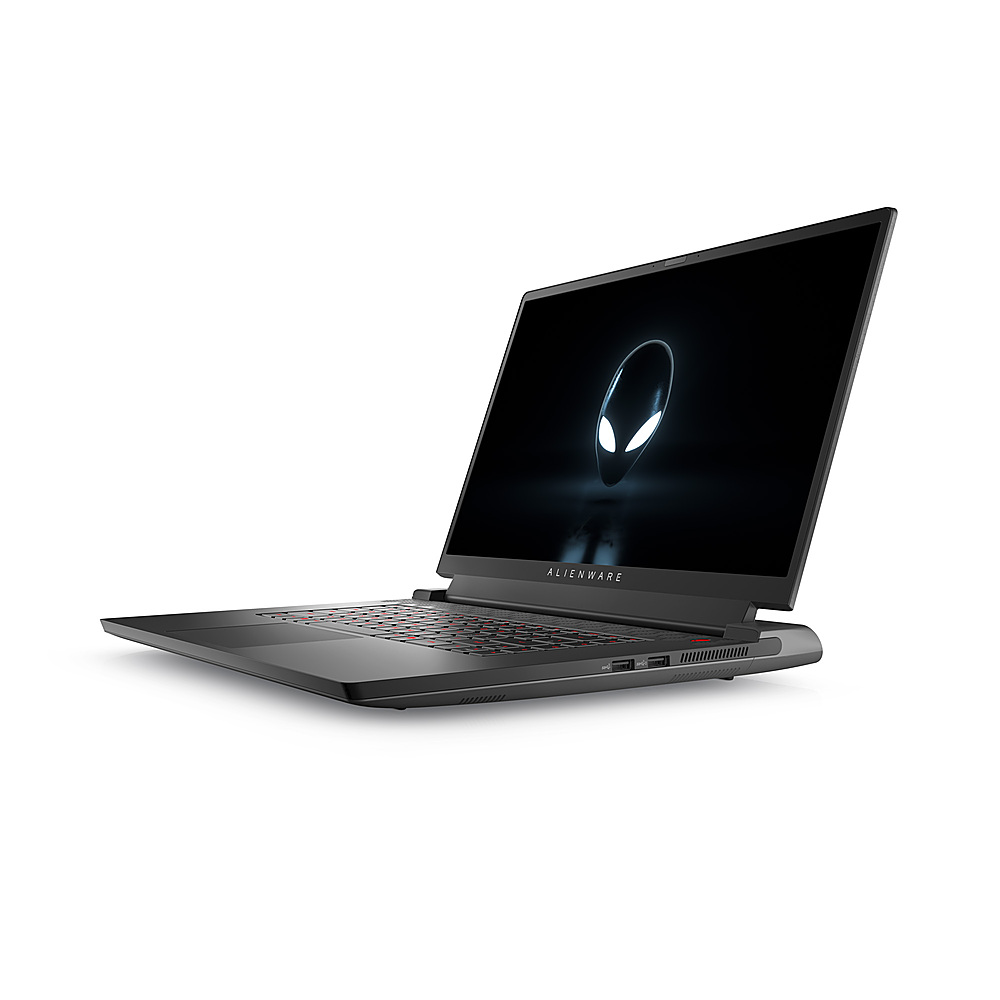
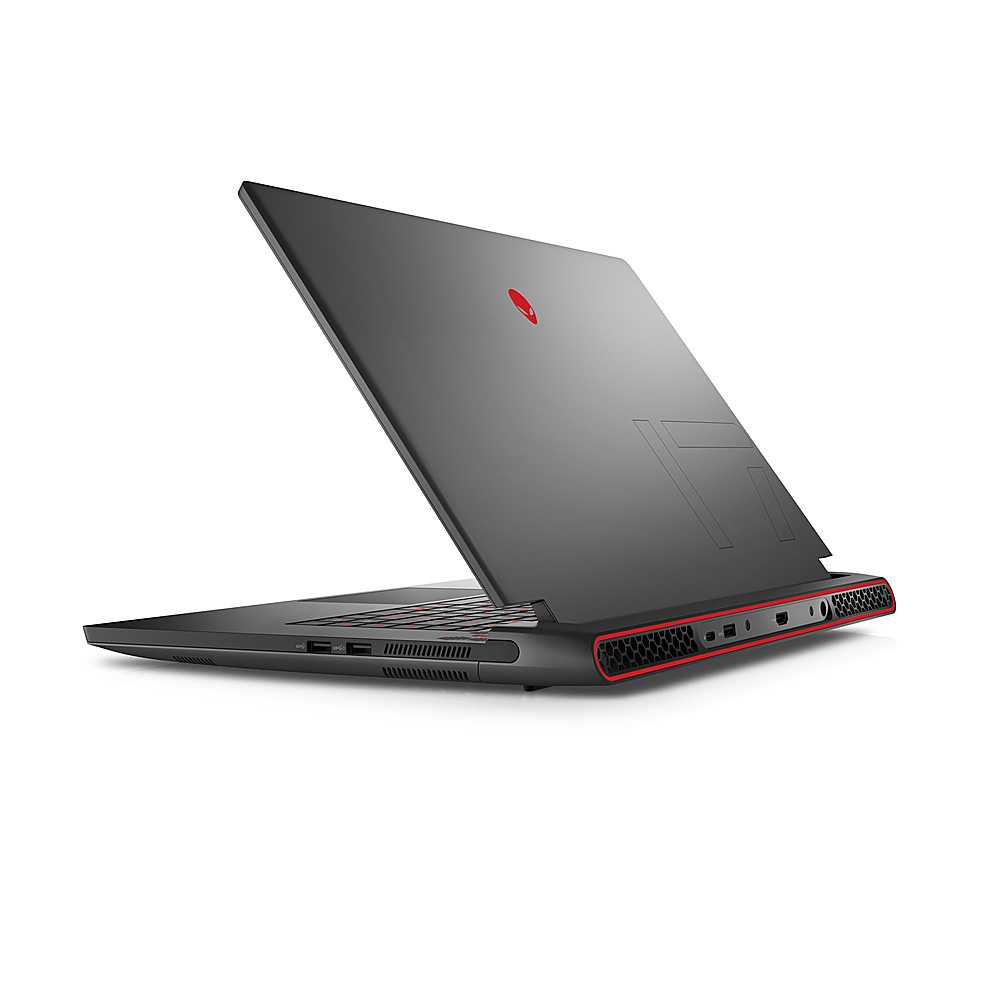
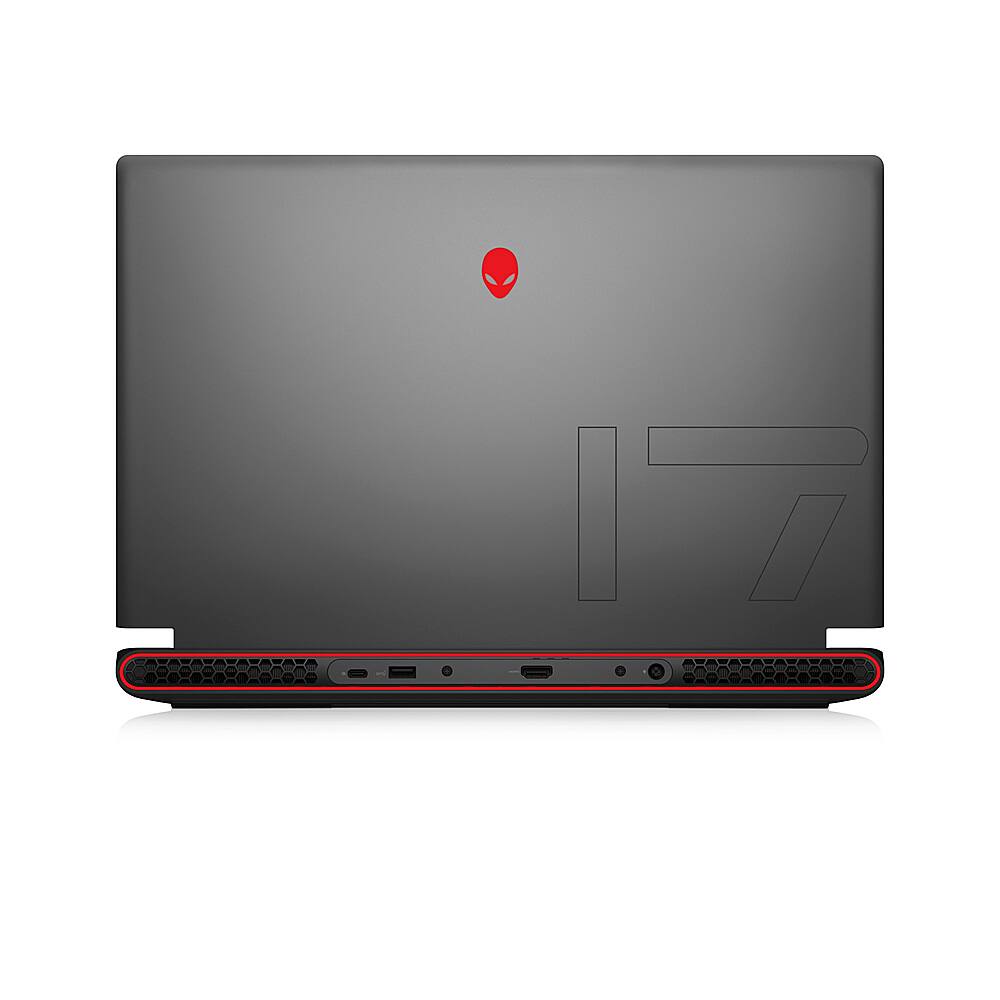
|Posted .This reviewer received promo considerations or sweepstakes entry for writing a review.The Alienware m17 R5 is a monster of a computer inside and out. The short of it? You cannot go wrong with this gaming computer. Read on for more details though! Let’s start with the outside – the aesthetics of it. This is a very attractive computer. As the Dark Side of the Moon name implies, it’s jet black computer punctuated by RGB lighting. The lighting includes the Alienware alien head on the back of the display, along with lighting all around the ports on the back of the machine under the display. Opened up, the power button is also an RGB alien head and the keyboard has full RGB. All lighting is customizable within the Alienware Command Center app. The power brick isn’t very tall, but is sizeable and weighty – something that you can’t avoid with internal components that rival a full tower machine. It is a 240W adapter! The touchpad is metal, smooth and responsive. There are fans above the keyboard and behind it - running a game at full graphics settings you will hear them, but they’re not as bad as say, the Playstation 4 fans. They do run hot, as well, on some graphically intensive games. You’ll want this computer on a flat surface allowing airflow for sure. Ports wise, you’ve got one USB C port (also serving as a DisplayPort), 3 USB A ports, an HDMI port, ethernet, and headphone/microphone combo port. If this is not enough, the USB-C should allow for easy addition of a connected device with more ports. There is a front facing camera that comes in at 720p. 720p is fine for video calls and zoom, but if you’re planning on streaming on something like Twitch, you’ll likely want to upgrade to a 1080p or 4k resolution camera. The machine itself is not small by any stretch – it’s a 17 inch screen and comes in at over 7 pounds. Portable is a relative term here: Yes, you can easily move it, but you probably aren’t going to be carrying in your bag as a daily commuter work machine. Again, that’s the trade-off for a gaming machine. You’re not going to be getting this computer for spreadsheets and email. The screen itself is a 19020x1080 resolution. It’s worth noting it is not a touch screen, but that didn’t bother me. There are higher resolution screens out there – this is a little lower end than I’d want in a perfect world, but certainly not anything to complain about. Internally, it’s got great specs. The AMD Ryzen 7 processor with 16GB RAM is going to be enough to really run whatever you throw at it. The graphics processor, the AMD Radeon RX 6700M is mighty! I ran several games on it, including the relatively newer Guardians of the Galaxy at Ultra Settings with Ray Tracing turned on and didn’t have any issues. It’s worth noting that you can upgrade the RAM. Storage is a 512GB SSD. Honestly, this I find to be the weakest part of the machine. I’d have liked to see at least 1TB. 512 isn’t bad at all, but with Windows and built in programs taking up roughly 80GB or so, this isn’t a machine you’ll install every game on. Rather, you’ll likely end up removing and installing games as you go through them. However, this, too, is upgradable. Speaking of downloading, beyond the aforementioned ethernet port, it is WIFI6 for wireless, so if you’ve a newer router, you’ll get plenty of wireless downloading speed. Initialization of the computer is pretty standard. Like all machines, you’ll need to run Windows update a few times, register it, update applications, and run through the Alienware Command Center updates for drivers and BIOS. There is a noticeable, and appreciated, lack of bloatware on this machine. The Alienware software work fine, but wish it was a bit more cohesive. There doesn’t feel like any one program does enough that there should be three different machines for finding out about support and settings. I think the RGB settings could be a little better, but they’re certainly functional and passable. The sound is Dolby Atmos enhances and it does a great job through the internal speakers, although I suspect most users will use a headset. I tested several games and had no issues running them at the highest graphic settings. Running the 3DMark Time Spy benchmark puts it in as good, and better than 61% of all results – and that’s against full gaming desktops. Frame rates did drop below 60FPS, but never below 40. Running the benchmark on Guardians for the Galaxy, I saw an average frame rate of 61 FPS. I certainly am no authority on gaming benchmarks and standards – but I’m confident that this machine will do you well on anything you throw at it. You can’t really compare a gaming laptop to a fully decked out tower PC desktop experience, but this one most definitely is worthy. As of this review I don’t think there’s a game it couldn’t handle and couldn’t handle at the very top of its graphics limits. For all this power in a machine that’s designed to move around with ease you simply can’t go wrong. This is a power gaming machine in a form factor that you can move from room to room with. Minor issues and wishes aside, this is a piece of hardware that not only looks cool, but performs to a standard one would expect from Alienware.
I would recommend this to a friend - Pros mentioned:Gpu
Perfect College Laptop!
|Posted .This reviewer received promo considerations or sweepstakes entry for writing a review.Let me preface this review as I'm a gamer, and have a decent amount of knowledge on building my own computer, water cooling my desktop, building a custom laptop, delidding, soldering, etc. I've done it all. THIS laptop is ideal for economically minded gamer. The specs are as listed you can review on the product specs itself, but the important thing to know for the person using it (end-user) is that it's running 1920x1080 (also known as 1080p). This may seem a generation or 2 behind, but this perfectly matches the power of the computer (AMD Rx 6700M gpu, and CPU Ryzen 7 6800H), for this screen size. As you will see from the screen shot performance below, this is more than adequate for modern highest end games. There is minimal set up, so if you are not familiar with setting things up, you turn it on, it will walk you through asking simple questions, then you restart, update Windows, restart, then Alienware software will update, answer those questions, and done. Takes about 15 minutes. The wifi strength is adequate, I was able to play without any lag/slow internet issues on the second floor where my router sits on the first floor, but anything further than that I start to have minor stutter. Otherwise a very powerful, not overly bulky, gamer laptop, that doesn't have any bloatware (additional software you don't need). Doesn't run hot, runs with a hum even at it's most powerful state, PERFECT laptop. Now for my more picky readers, I highly recommend you also fire up the AMD software and optimize to your liking. Setting up windows to your liking, I generally take out the pagefile if I don't plan to photoshop / video edit, as an example. After a little optimization I was able to squeeze out about 10% more performance. This was amazing, impressed with AMD's efficiency/optimization. There is no media controls or biometric, or any other interface on the keyboard/keypad, it's just a keypad/keyboard and a power button. Audio is as good as it gets for a laptop, rated with ATMOS, so it has the highest standards. The ports available to you are pretty standard, you get USB 3.2 x3, USB-C (Display Port), HDMI 2.0. Wifi 6 (aka 802.11ax) pretty standard nowadays and very nice but I would still stay within the same floor if possible. Bluetooth 5.2 which is not the latest, but gets the job done. Not a deal breaker but something you should be aware of. 5.3 vs 5.2 difference is mostly device switching and signal strength, but if you're sitting close which you will be for a laptop, it should not be a big deal. Is this the BEST GAMING LAPTOP? No, but is it the best gaming laptop for this price? Very likely the best you can find at this price range. In summary: Pros - Powerful, perfectly matched CPU/GPU/Monitor - Price to performance , and the Alienware brand and service, unmatched. - Not OLED but very beautiful blacks and responsive 165hz IPS screen - Just enough RGB to call it a gaming laptop but not overdoing it/aesthetically pleasing - Runs cooler and quieter than other similarly equipped laptops Cons - No media control/Biometric built into the laptop interface - Bluetooth 5.2, not 5.3. - The power plug/power brick is HUGE, see picture.
I would recommend this to a friend A Beast! This laptop can do it all!
|Posted .This reviewer received promo considerations or sweepstakes entry for writing a review.This baby is a beast! The Alienware m17 R5 is powerful, robust, and multifunctional. As a work-from-home professional that also loves gaming, this system is exactly what I needed. The 17.3 inch display is exactly what I need - wherever I am trying to compare several reports at once or fit many addons onto my screen on my screen to play World of Warcraft’s new Dragonflight expansion. The AMD Radeon RX 6700M has everything I need to play the latest games. The added features like ray tracing, Dolby Vision HDR, and Nvidia G-Sync allow for a smooth, lag-free experience that is accentuated by vibrant graphics, realistic lighting, and stunning environments. I was very excited to try out the newly released Hogwarts Legacy on the Alienware m17 R5. When the game launches, it automatically applies the recommended settings after reviewing the system you are using. You can, of course, adjust them to your liking as well. I was able to easily run the game on ultra settings on the Alienware and take advantage of the ray-traced reflections, ambient occlusions, and shadows that the game added in. As a night owl, a backlit keyboard is an absolute necessity for me. Alienware has the best command center for customizing the lighting of any system out there, in my opinion. I love that I can make my WASD keys one color, my numbers another, and can individually customize any color that I want for any individual key that I want in order to highlight keys that I use for key binds or macros. You can also add movement to the lighting as well so that the keys look like they are breathing, or the keys can light up in a wave of colors. Another key feature is that you have the ability to assign different lighting schemes to the keys as well. So if you want Call of Duty to be red and bloody looking and Hogwarts Legacy to be blue and mystical looking, you can have it automatically change when you open that particular game. This is very immersive and such a unique feature to have. Despite being such a solid gaming laptop, it is not heavy for a 17.3 inch system. On the contrary, it is the lightest 17.3 inch gaming laptop I have owned or used, and yet it is loaded with high-quality components. Weighing in at just over 7 pounds, I don’t mind bringing the Alienware m17 R5 with me on the road, whether traveling for business or for pleasure. I try to dig for cons to items I review when possible. This one was really hard. I believe the only thing I would really like to have on this computer that it doesn’t offer is a number pad. That is it. Everything else about this laptop is awesome. You might also consider purchasing accidental protection as well. I have personally had to use accident protection before, and it was worth every penny. It may sound like a lot, but when your child, dog, or (gasp) you knock your prized laptop to the floor, and it ceases to work, you will be glad you bought it - or at least I was.
I would recommend this to a friendA Powerhouse Gaming Laptop!
|Posted .This reviewer received promo considerations or sweepstakes entry for writing a review.This Alienware M17 gaming computer is a great option for those looking to play modern, demanding titles with no sacrifice in graphics quality or gameplay. Before I get into the gaming portion of my review, I want to speak about the other aspects of this PC that make it an appealing choice for someone looking for a portable powerhouse of a computer. The first thing you’ll notice with this PC is the exceptional packaging. The unboxing experience is pleasant, and the Alienware itself is a well-built machine. For the shell of the computer, it appears to be made of aluminum, with a gorgeous grey “Dark side of the moon” finish that screams quality. When you open the computer, you are greeted with a soft-touch rubberized material that covers the majority of the inner panel around the keyboard, touchpad, and speaker grills. Around the screen is more dark plastic, with a webcam in the upper part of the screen's bezel. This Alienware boasts some pretty cool RGB lighting that allows you to customize the colors on the outer "Alien" head, the outer "stadium" lights, the "Alien" power button, and various sections of the keyboard. These colors are nearly endless, as they can be picked from a wheel of colors where the only limit is your imagination (or patience). As for the computer itself, it is a very big and chunky piece of hardware. With a 17.3” 1080p display, and a rather rugged, boxy exterior, I found this PC to be quite large when sitting in my lap. While I preferred to sit this computer on a desktop while I was using it, it is certainly feasible to leave it on your lap if you're sitting on a chair or a sofa. It is also heavy, and I did not feel comfortable picking it up and carrying it with only 1 hand. That being said, I've never owned a 17" laptop before, so I cannot speak to how common these things are with laptops of this size. The touchpad on this model is very responsive and easy to use, and I had absolutely no problems with it. The keyboard is not the greatest in the world, but it certainly could be much worse. I appreciated that the keys were illuminated, which makes it easy to use in darker environments. For daily use, I had no issues using these components, and I would be happy to work with them for an extended period of time. I won’t speak too much about the operating system (Windows 11), as that is not specific to this PC. As far as windows goes, it’s pretty easy to use and very intuitive, and I did not have any problems playing games with this operating system. The Alienware M17 model has a 17.3” 1920 x 1080 (1080p) display with a 165Hz refresh rate. While the 1080p may seem a bit “low-end” for modern technology, with the amazing refresh rate, games actually look incredible on this screen. Never once did I wish that the screen resolution was higher (perhaps 4K), as everything just looks so crisp, well-defined, and buttery smooth on this display. The colors are vivid and bright, there is great contrast between light and dark, and every game I tried looked absolutely amazing. As for what is powering this computer, it has an AMD Ryzen 7 6800H processor; AMD Radeon RX 6700M Graphics; 16 gigs of DDR5 RAM; and a 512-gig solid-state hard drive. I'm not going to sit here and pretend that know exactly what all of those specs mean, I can only tell you that I had no problems running any of the games I tested. One quick note is that right out of the box the hard drive had about 40 gigs that were not usable. Meaning the 512 gigs were closer to 470, which is something to keep in mind when determining what size hard drive you’ll need. And with that, let’s get into the gaming portion of this review. (All games were played on Steam, using an Xbox controller via Bluetooth). Cyberpunk 2077: Cyberpunk 2077 is admittedly a very graphically demanding title, so I definitely wanted to see how the Alienware could handle it. When the graphics settings were set to “Ray Tracing: Ultra” the framerate was noticeably low, and there seemed to be some stuttering in the visuals. Moving it down to “Ray Tracing: Medium” and there was still some visual stuttering. Looking at the performance overlay, it appeared that the framerate was maxing out at about 29-30 FPS in these settings. I then moved the graphics setting over to “Ultra” (no Ray Tracing) and wow, what a difference! Everything suddenly became buttery smooth, with little to no visual hiccups. While “Ultra” was pretty good, I settled on “High” as that was not really noticeably different from "Ultra," and the FPS were even more stable. In less energetic scenes, the FPS hovered around 100-109 on this setting. In more demanding sections, the FPS dropped to the 80s or 70s, yet visually (to my eyes) there wasn't much of a difference. During gameplay that took place in crowded downtown sections or intense combat scenarios, there were never any issues with graphics or framerate, and the Alienware handled it with ease. While playing Cyberpunk, the fans did run at full blast pretty much the entire time, and the PC got a bit warm. Due to the Alienware's "Cryo-Tech Cooling" with dual-intake, quad exhaust design, this heat was never more than the computer could handle. While some may not like the sound of the fans, I would always rather hear a fan running than have a system overheat! I suppose the case could be made that this computer should be able to run "Ray Tracing" mode a bit better, but from what I understand, that is very graphically taxing, to say the least. For me, I was more than happy to be able to play this game on Ultra or High settings with consistently high framerates and absolutely no issues in gameplay. Fallout 4: As an older title (2015), I expected this game to run flawlessly on this system. And I was pretty much right! During testing, I ran Fallout 4 on "Ultra," and spent a lot of time in the ruins of downtown Boston, which is typically thought to be the most graphically demanding area in the game. While I played, the FPS stayed locked in at 55, nothing more, nothing less. While technically not as high as they were in Cyberpunk, the visuals were still stunning, and the gameplay looked ultra-smooth on the 165Hz display. In this game, on lesser systems, you can clearly see a line of demarcation where shadows are rendered in higher detail as you get closer to them. On this computer, there was no line, as it appeared that all shadows were rendered so far out that I could not visually see it (a first for me and this game). Additionally, god rays from the sun, multiple buildings or people, and frenetic action were never enough to cause even a minor slowdown or hiccup on the Alienware. As with Cyberpunk 2077, textures looked phenomenal, with every detail being rendered in the highest possible quality. Occasionally the fan would come on during gameplay, but never as much as it did with Cyberpunk 2077. Fallout New Vegas: As a much older title (2010), I expected New Vegas to have no problems whatsoever on this hardware, and once again I was not disappointed. On the highest graphics settings, Fallout New Vegas ran smoothly with a framerate in the high 70s. I never noticed the fan coming on with this game, as it seemed to barely impact the high-powered components in this PC. It appeared that the only game to make the system sweat was Cyberpunk 2077, being the newest title with the most demanding graphics. A couple of things to note, are the speakers and battery performance. The speakers sounded very nice for laptop speakers and were perfectly acceptable during the time I spent testing out my games. As for the battery, depending on the game, the battery life was not all that great. During one session of Cyberpunk, I ran down 45% of the battery in about 35 minutes. Keep in mind that this was with the speakers on (about 1/3 of max volume), the keyboard lit up, and every possible RGB light was also lit up. I suspect that if you were to disable most of the lights, you would see some better battery life. While this is not a dealbreaker by any means, it is something you might want to consider if you’re thinking about buying this laptop. Overall, I was very happy with how this PC performed with the games I chose to play. Considering the price of this computer, and the fact that it is portable, I would say that this is an excellent choice for a gaming laptop. Additionally, I see no reason why this also couldn’t work as an amazing music production PC or be put to use editing videos and other power-intensive tasks. The Alienware M17 R5 AMD Advantage Gaming Laptop is an exceptional value for those looking for a capable machine that can easily run any game thrown at it, and also offers incredible style as a sleek and futuristic piece of technology.
I would recommend this to a friend- Pros mentioned:Gpu
Fast Gaming Laptop with Amazing Graphics
|Posted .This reviewer received promo considerations or sweepstakes entry for writing a review.This laptop is fantastic! It is fast, beautiful and well designed. The setup out of the box was easy and quick. After a usual registration with MS, it required a software update immediately, so it had to restart, but after that, the machine was ready for use. I was able to load games in less than half the time they usually take on non-gaming PCs. I've been playing Subnautica for a while now and this game has amazing graphics to begin with but the colors and the details are even more amazing on this screen. Also, I don't experience any lag or framerate problems, unlike my previous rig. The design of the casing and keyboard is very slick and formidable. I like the way the keys light up and the way that the keyboard responds with key pressure. I also like the arrangement of the keys in relation to each other. Most refreshingly, this laptop is very quiet. While you do hear some noise from the cooling system, it is minimal and does not distract or interfere with my game playing, which is important. I am very pleased with Alienware m17 R5 and it has enhanced my game playing experience immensely!
I would recommend this to a friend Capable gaming machine with powerful AMD chips
|Posted .This reviewer received promo considerations or sweepstakes entry for writing a review.I've been using this laptop for the past few days and wanted to share my thoughts thus far. This isn't my first gaming device; I've had NVIDIA graphics cards and laptops in the past, so I'm familiar with what to expect. It is my first AMD GPU machine, however. I'll break down each category and my feedback below. Physical Device: it's 17" and has a corresponding footprint. It's larger than most 15.6" and 16" machines (i.e. Lenovo Legion 16" w/NVIDIA), which is to be expected. Weight is pretty reasonable for the size. It's not a casual toss-in-bag device vs. many other portable options. If you don't want a desktop machine, this will easily take that role. The power brick is an actual brick, large and heavy, FYI. Build quality is superb. Keyboard isn't a Cherry or other mechanical design, it's a run-of-the-mill laptop keyboard and is fine to type on. One thing that I found immediately irritating is the backlight. It has per-key RGB color, but the secondary functions of the key are impossible to see at night as the backlight only shines through the number/letter (i.e. you cannot see that the * is on the 8 key since all that's illuminated is the number itself). I'm a touch-typer but don't memorize where every secondary symbol is, which is frustrating with this design. Trackpad is fine, but not impressive (Apple still reigns supreme by far). Screen: It's 1080p and doesn't look to be an IPS panel, so quality and viewing angles are sub-par vs. today's high DPI screens. As a gaming machine first, this is to be expected since FPS and performance are the priority but I don't enjoy using the screen for non-gaming purposes. Speed and Graphics Performance: The AMD platform processor and GPU work very well together. It plowed through everything I've thrown at it so far, including keeping up with Ultra settings on games. I primarily play racing games (Forza, Wreckfest, Dirt) and this machine has no problems keeping up with those. I imagine there is a AAA game out that will tax the machine on Ultra settings, but I didn't have any issues as a casual gamer. Battery life is fine, a few hours if not gaming and less when gaming - It's about what you'd expect from a 17" laptop. RAM is 16gb, presumably upgradeable, although I couldn't get the back cover off. I'm sure if I tried harder and found online guides, it would be simple to open and upgrade the RAM/SSD drives. The RAM is entry-level for this class of machine and would likely have better performance with 32gigs. The first time I loaded up a game, I got some weird message about being out of RAM, which was an unpleasant surprise. Ports and I/O: Nothing missing here, 3 USB-A, 1 USB-C, HDMI 2.1, RJ-45 port, headphone jack. It has the basics, but many other gaming machines, especially of this size, have more I/O, so it would be nice to have more ports. The HDMI port supports high frame rate gaming and I was able to maintain a full 120 FPS while gaming, connected to an external LG display my LG OLED48CX with ease, especially while gaming @ 120Hz. Overall, I'm a fan of the hardware and performance. Summary: Good: • Crisp keyboard • CPU and GPU are plenty powerful (yes it plays Crysis lol) • Decent I/O ports • Battery life seems better than average • Pricing fits the market if not a bit high for what you get IMO Bad: • Keyboard backlight only shines through the letter or number, secondary key functions impossible to see in dark. • 1080p screen in a 17" body is fine for gaming, but not good for text clarity • Speakers are not impressive; tinny and zero bass • Power brick is a true brick • Physical size and weight means it's best as a desk queen Verdict: It's a good gaming machine marred by an outdated, low DPI screen. It handles Ultra settings on everything I tried, but I preferred using it connected to an external 120fps TV. If this is your budget and you don't expect a super-portable high-resolution machine, it's a fine machine in today's market.
I would recommend this to a friendImpressive Graphics Performer for Hi-end Gaming
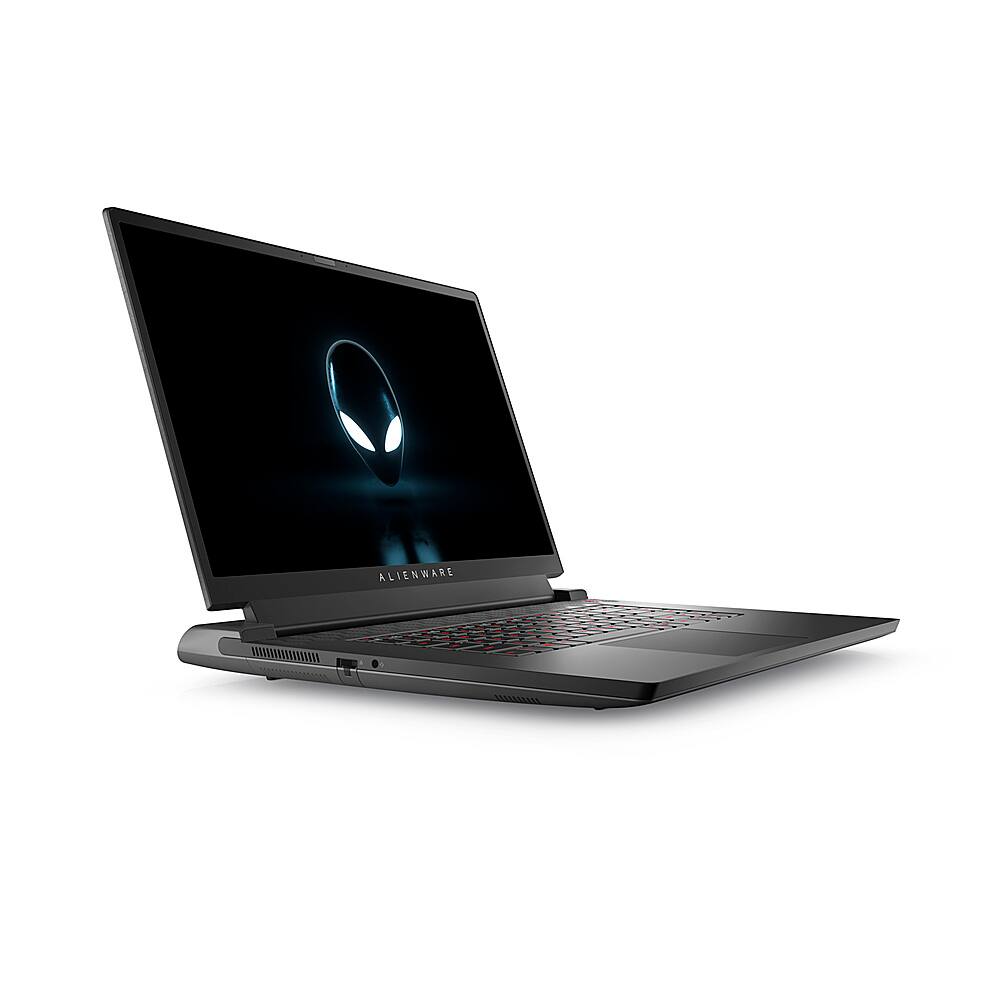
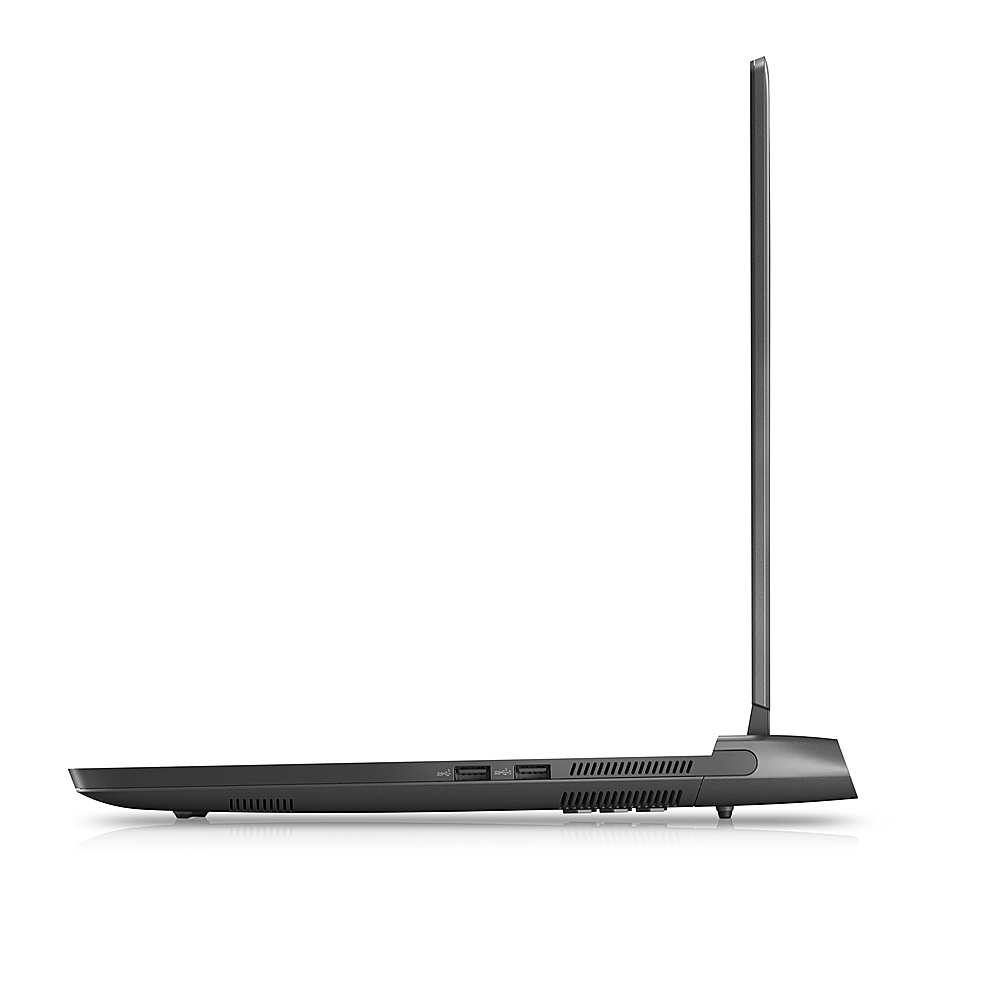
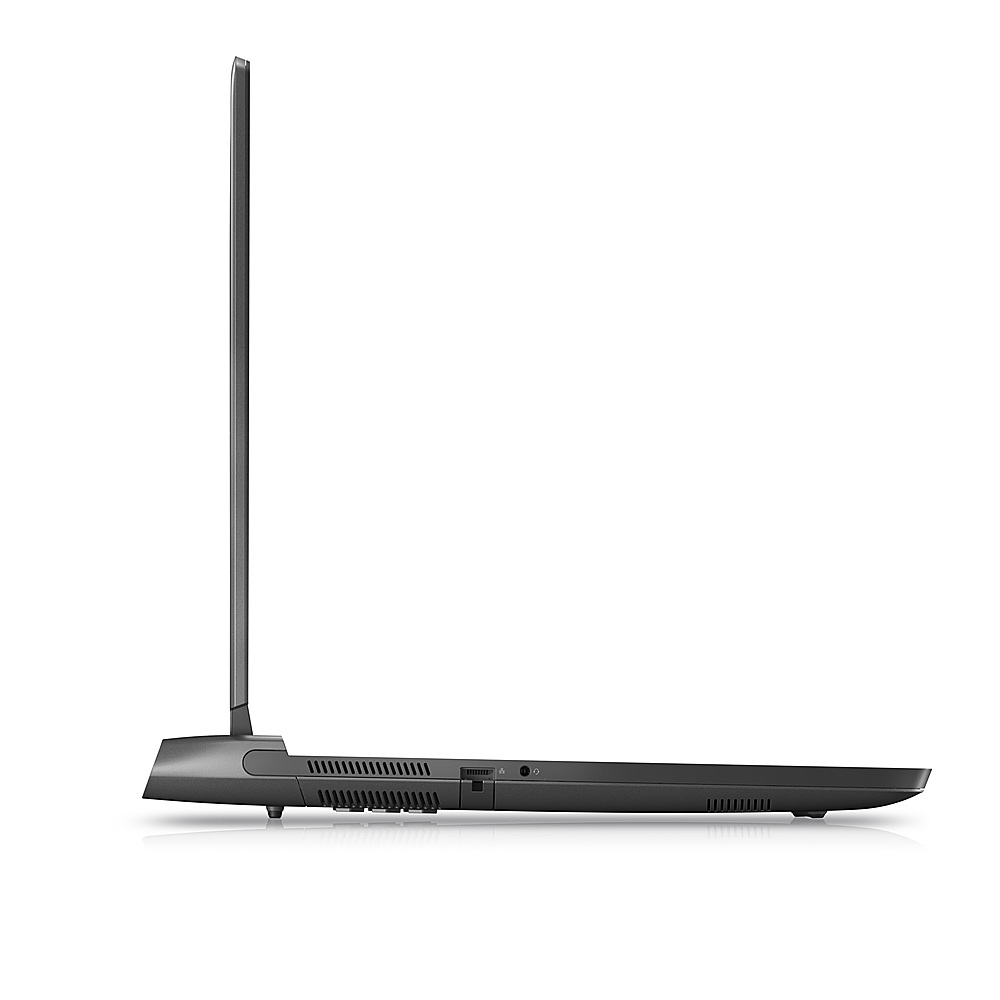
|Posted .This reviewer received promo considerations or sweepstakes entry for writing a review.Unboxing The Alienware M17 R5 Gaming Laptop arrived in a sleek white box with a gold-colored logo on the lid. The laptop was packed in a foam top and a "made from recycled plastics" base. A thin plastic sheet encased the computer. The monster-sized power supply and cord are packed in a side cardboard compartment. The included documentation shows illustrated ports, a plug, a power button, and a QR Code for the support website. The laptop's sleek, flat-black base and lid have a smooth micro-texture. A backlit logo and embroidered number 17 are on the top. The left side has a small vent, an ethernet port, and an audio jack. The right side has a small vent and two USB ports. The back has a USB Type-C port with DisplayPort, a USB Gen 1 port, an HDMI 2.1 port, a power adapter port, two vents, and an RGB light color border. The bottom of the base has a strip of hexagon vents running the width of the base and two solid rubber strips for slight elevation and stability. Even with the 7.5-pound weight, raising the lid requires keeping a hand on the base. I'm assuming the tight resistance will get easier with use. The keyboard has a light touch and wide spacing, and the backlit keys have short and quiet travel. With the amount of space available on the left and right sides of the keyboard, I am surprised that it is a partial-size keyboard. A strip of hexagon vents runs the width above the keyboard, and the Alienware logo on the top right is the power button. A single AMD Ryzen sticker is on the right toward the front. A spacious touchpad is slightly off-center below the keyboard but centered with the spacebar. Above the display are an RGB-infrared camera for photos, videos, facial recognition, a camera status light, and dual microphones. Setup and Configuration The initial push of the power button has a 10-20 second delay before the Alienware logo appears. After that, only 4-5 seconds. The setup of Windows 11 Home went smoothly. Running Windows Updates included a Bios/CMOS update. The total configuration time to be up and running was a couple of hours and required a couple of reboots. I appreciate not having to uninstall a bunch of unwanted bloatware apps. Configuration software includes My Alienware and the Alienware Command Center, which provides system information, documentation, community support, and the ability to create custom performance settings and color themes. Overclocking settings include CPU, GPU, and Memory Clock by temperature and power consumption. Custom profiles can be set for each game installed. The AMD Adrenalin Edition Software also customizes the graphics, audio, and video settings. I recommend enabling the Radeon Super Resolution, Anti-Lag, and Enhanced Sync for the best gaming performance. Gaming Performance As a devoted fan of Microsoft's Flight Simulator (MSFS) and the massive sci-fi environment of No Man's Sky (NMS), I spent almost two days installing Steam, MSFS 2020, and NMS with all of their options and updates. I configured the MSFS graphics settings to use Ultra Graphics Mode and highly detailed weather, textures and moving objects. Most of my initial flying was around Alaska, and the fantastic details of the mountains, rivers, towns, and airports made it worth the two-day wait. The photo-realistic graphics are smooth without any freezing, lag, or stalling of sections of scenery. In NMS, I set the graphics configuration to Ultra for the best quality and highest performance. Whether I was flying through a massive field of asteroids with stars and planets in the distant background or roving around in a world full of plants, animals, aliens, terrain, and atmospheres - the play was smooth and immersive. Getting this level of performance did not require any overclocking settings. However, the fan noise when playing with this level of performance is significant. I highly recommend the use of headphones for blocking out the fan noise. Along with reviewing how my games performed, I ran some benchmarks, and the results are below. Overall, the measurements are good, especially when the benchmark takes advantage of the RX 6700M GPU. As a default, with the built-in screen, the laptop will use the Radeon Graphics GPU, which will give lower performance statistics. Ensure your software is configured to use the Radeon RX 6700M GPU for proper high-end performance. Overview The Alienware M17 R5 Gaming Laptop is an excellent choice for replacing an older desktop gaming computer and having the portability of a laptop. The 4K 17.3" display is crisp and responsive for gaming, and the stereo speakers are adequate for portable use. Due to the fan noise under high-performance gaming, I recommend headphones for a more immersive experience. The lack of a full-size keyboard is disappointing but acceptable since I use an external keyboard at my desk. My only other ding is the 512GB SSD drive. A complete Steam, Flight Simulator, and No Man's Sky installation required 313 GB, leaving only 165 GB. That's enough of an issue to drop a star off the review. Even as a four-star review, I still recommend this laptop. As a large-screen, high-performance gaming laptop at a reasonable price, I am happy with the Alienware M17 R5. I'll be more pleased after upgrading the SSD to a full terabyte. Features ○ Windows 11 Home ○ CPU: AMD Ryzen 7 6800H 4.34 GHz 8 Cores, 16 Logical Processors ○ GPU 1: AMD Radeon™ Graphics 512MB DDR5 2400 MHz ○ GPU 2: AMD Radeon RX 6700M Graphics, 10 GB, GDDR6 2000 MHz ○ Display: Anti-glare 17.3" UHD 3840 x 2160, 165 Hz, 3/7ms response ○ Low blue light mode ○ Memory: 16 GB DDR5 ○ Drive: 512GB SSD ○ Wi-Fi 6 Wireless, 802.11n 2.4/5 GHz ○ Bluetooth 5.2 ○ Ethernet Realtek Gaming RJ45 2.5GbE ○ Two USB 3.2 Gen 1 ports ○ USB 3.2 Gen 1 port with PowerShare ○ One USB 4.0 Gen 2 Type-C port with DisplayPort ○ Universal audio jack ○ HDMI 2.1 port ○ RGB backlit rubber dome keyboard ○ Camera: HD RGB-Infrared 30 fps ○ Mics: Left & right digital array in the camera assembly ○ Touchpad: 4.52"x3.15" >300 DPI Performance Tests Novabench CPU Score: 1782 GPU Score: 397 Direct3D 11: 125 FPS Memory Score: 284 Storage Score: 472 3DMark • Speed Way Score: 1840 • Time Spy DX12 Scores ○ Overall: 10265 ○ Graphics: 10520 ○ CPU: 9026 ○ Test 1: 81.45 FPS ○ Test 2: 74.80 FPS ○ Better than 78% of all 3DMark Time Spy Scores. • Fire Strike DX11 Scores ○ Overall: 25102 ○ Graphics: 30330 ○ Physics: 24799 ○ Test 1: 144.65 FPS ○ Test 2: 121.16 FPS ○ Better than 93% of 3DMark Fire Strike Scores • Valley Benchmark : FPS: 172.7
I would recommend this to a friendBeefy machine w/ limited portability
|Posted .This reviewer received promo considerations or sweepstakes entry for writing a review.This is a beast of a machine that's probably intended as a desktop replacement; however, if does provide you with the option to move around with it given that it is a laptop. The power brick is quite hefty (4"x8") but it is relatively flat (1") for easy portability in a backpack. Design-wise, this is a beautiful machine with matte dark gray design (close to black but not quite there). The chassis has a high durability clear coat so it's more resistant to scratches and stains. The keyboard is low-profile RGB LED lit, which is actually incredibly pretty with the various color options. The keys are comfortable with sufficient click and recoil for easy typing and game playing. The case has SEVERAL areas for proper ventilation- left and right sides has small perforations but the majority of the intake and exhaust regions are on the back of the base, below the machine itself (with some rubberized lifts for optimal airflow) and also on the top (just above the keyboard). I have noticed that the fans go on-and-off throughout the day even without it being used so there's clearly some baseline energy consumption going on and I would highly recommend having sufficient ventilation AROUND the laptop itself. The front-facing camera is a bit disappointing spec'd out at 720p at 30 fps - if you plan on doing any Twitch streaming, I would recommend an external 1080p-4k webcam with good lighting. When writing this review, I had played Fortnite and Star Craft II, and it was able to COMFORTABLY run both games. Starting up Fortnite only used about 10-15% of the CPU with the base specifications- running through the game itself, you only hit about 50% of both the CPU and GPU, which is pretty good. I wouldn't necessarily consider this a go-to machine for video editing - editing and rendering a 4K video took 15-20 minutes, which is a bit slow from my perspective. Overall, this laptop is wonderfully powered and can easily run games and will, NO PROBLEM, be able to do normal office work (MS Office, Programming, etc.). I wish there was a proper number pad but I could see why it would be difficult to add that feature given the dimensions of this machine- it would really sacrifice the comfort of the main keyboard. The build quality is phenomenal and surprisingly well-built, given that the parent company is Dell. The customization of the lighting is a nice and being able to tune into various colors is comfortable on the eyes for using this in darker lighting conditions. HIGHLY recommend!! PRODUCT SPECIFICATIONS Processor - AMD Ryzen 7 6800H - 20 MB total cache - 8 Cores - 16 Threads - Up to 4.7 GHz Max Video Card - AMD Radeon 6700M - 10 GB GDDR6 Memory - 16 GB (2 x 8GB) - DDR5 - 4800 MHz - Dual-Channel Hard Drive - 512 GB SSD - M.2 - PCIe NVMe Display - 17.3" Viewable, Not Touch-Screen - FHD 1920x1080 - 165 Hz Refresh Rate Operating System - Windows 11 + Alienware Software for customization Dimensions - Height (Front): 0.58" - Height (Peak): 1.05" - Width: 15.64" - Depth: 11.76" - Weight: 7.3 lb! (hefty)
I would recommend this to a friendThis thing kicks butt!
|Posted .This reviewer received promo considerations or sweepstakes entry for writing a review.The Alienware - m17 R5 AMD Advantage was released to much hype, and it delivered! This thing is a beast of a gaming PC. It looks cool, the RGB on the back and keyboard is a great look, and it plays the crap out of all the games I've thrown at it! Out of the box there is a little bit of setup but the Alienware updater tool made quick work of it. There really isn't any bloatware from Dell on the PC but the usual Windows forced apps for Social Media and other Apps is there. All said and done it literally took less than a minute to remove the unwanted programs and about an hour to download and install updates for hardware, software, and Windows, windows needing the most time. After all the updates were done I ran a PC Mark Time Spy Benchmark. It scored an overall score of 10,588 (Great) with a 10689 GPU score and 10053 CPU score and noted it should pull 105fps at 1440p on Battlefield 5. That is pretty solid! I tested Warzone 2, Genshin Impact, The Long Dark, and Hitman Absolution over about 30 hours since recieving the laptop and all games play butter smooth and look great on max to ultra graphics settings. Warzone 2 ran great maintaining around 100fps. The display is gorgeous for a laptop and I have had no problem with any tearing in the graphics or stuttering in gameplay. The WIFI is absolutely incredible as well. I was able to maintain over 50MB/s on my steam downloads on WIFI. The fans can get loud while playing which didn't bother me because I was wearing heaphones but my wife noted it's a little loud under full load. The RGB setup is a really nice touch and it is fully customizable through the Alienware Command Center; however the effects are a little limited and could work a little better (i.e. the breathing effect is a little wonky).The only con's I have is that the storage is limited to 2 NVME slots so it can be expensive to upgrade and from what I can tell, there is no space for a 2.5" slot so NVME is the only way. Also, with the hardware under the hood I wish the display was 1440p instead of 1080. That being said, the display still looks good as is so it is more a personal preferance for me. All in all, this is a great looking gaming laptop that doesn't scimp on performance. I am really impressed with the speed, and fluid gaming on this laptop, It's a beast!
I would recommend this to a friendExcellent Gaming Laptop
|Posted .This reviewer received promo considerations or sweepstakes entry for writing a review.I finally got my hands on an Alienware laptop and I'm not dissapointed. The first boot was impressive with the keyboard, power button, and back LEDs all light up. Setup was easy, though likely the result of Windows 11, not Alienware. Once the computer was set up, I was able to quickly install my own software/games. There doesn't appear to be any of bloatware on this laptop, which is refreshing. The Alienware software allows you to customize a number of different things. I was able to change the LEDs from the default of blue to yellow, my son's favorite color. You even have the ability to change certain keys to different colors, like WASD, QWERTY, and the numbers. This might be on the lower end of the spectrum for Alienware gaming laptops, but you wouldn't know it based on how it performs. This laptop performs flawlessly with Halo Infinite and Far Cry 5 (a little older, but still good). The fan runs while playing, but it's not all that loud and the fan speed seems to be steady while playing a game. The speakers perform well. They sound is better than any other laptop I have. The power brick is quite big and heavy, but I guess that's expected for a laptop this size. My one problem with the brick is that the plug seems to come out fairly easily, so I have to be careful when moving the cord or brick around. If you are looking for a quality, fast gaming laptop, but don’t need the top of the line, then this is the laptop for you.
I would recommend this to a friendPowerful, Stylish, Well Designed Gaming Laptop
|Posted .This reviewer received promo considerations or sweepstakes entry for writing a review.As the specs suggest, this laptop is a powerhouse that can handle anything you throw at it without any issues. And the price is pretty reasonable when compared to other gaming laptops with the comparable specs. Here are details: I love the design of the laptop. It is both sturdy and stylish. It has Alienware dark side of the moon theme and the alien logo on the top looks great. The keyboard has its own customizable lighting so its easy to find the keys in the dark. However the function/secondary keys are not lit which is a bit annoying. Also, there is no number pad. I use number pad quite often so this is also a feature missing. It has 3 USB Type A ports (1 on the back and 2 on right side), a USB-C port, HDMI video output, headphone jack and ethernet port. The 4K, 120 Hz, 17" display is beautiful and fast. It provides vibrant, sharp and bright picture quality. All the games that I have tried so far, produce awesome graphics and details. Also, using Command Center you can change the mode. There are 3 options: Performance, Balanced and Quiet. As expected, the fan gets loud in the Performance mode. The battery life seems good so far. Overall, this is a total value for money gaming laptop with great components, design and performance.
I would recommend this to a friend- Cons mentioned:Keyboard quality
Doesn't quite compare to what GeForce
||Posted . Owned for 5 months when reviewed.This reviewer received promo considerations or sweepstakes entry for writing a review.I recently purchased this computer, and while its performance meets the expectations for its price range, I was a bit disappointed with the graphics software. It doesn't quite compare to what GeForce offers. Additionally, I do miss having a 10-key on the keyboard. Overall, it's a decent machine, but there are areas where it could be improved.
No, I would not recommend this to a friend - Pros mentioned:Gpu
Besf gaming laptop
||Posted . Owned for 2 months when reviewed.This reviewer received promo considerations or sweepstakes entry for writing a review.Best gaming laptop for the rift graphics are insane for a laptop moat powerful laptop i ever used
I would recommend this to a friend Laptop love!
||Posted . Owned for 1 month when reviewed.This reviewer received promo considerations or sweepstakes entry for writing a review.This laptop was a replacement for a desktop pc and it has been the best thing. The size of the screen is perfect and the operating system has not skipped a beat. Love this laptop and was a welcome addition to studying abroad.
I would recommend this to a friend