Customer Ratings & Reviews












- Model:
- AWM18-A145BLK-PUS
- SKU:
- 6543535
Rating by feature
- Battery Life
Rating 3.8 out of 5 stars
- Speed
Rating 4.6 out of 5 stars
- Display
Rating 4.5 out of 5 stars
Customers are saying
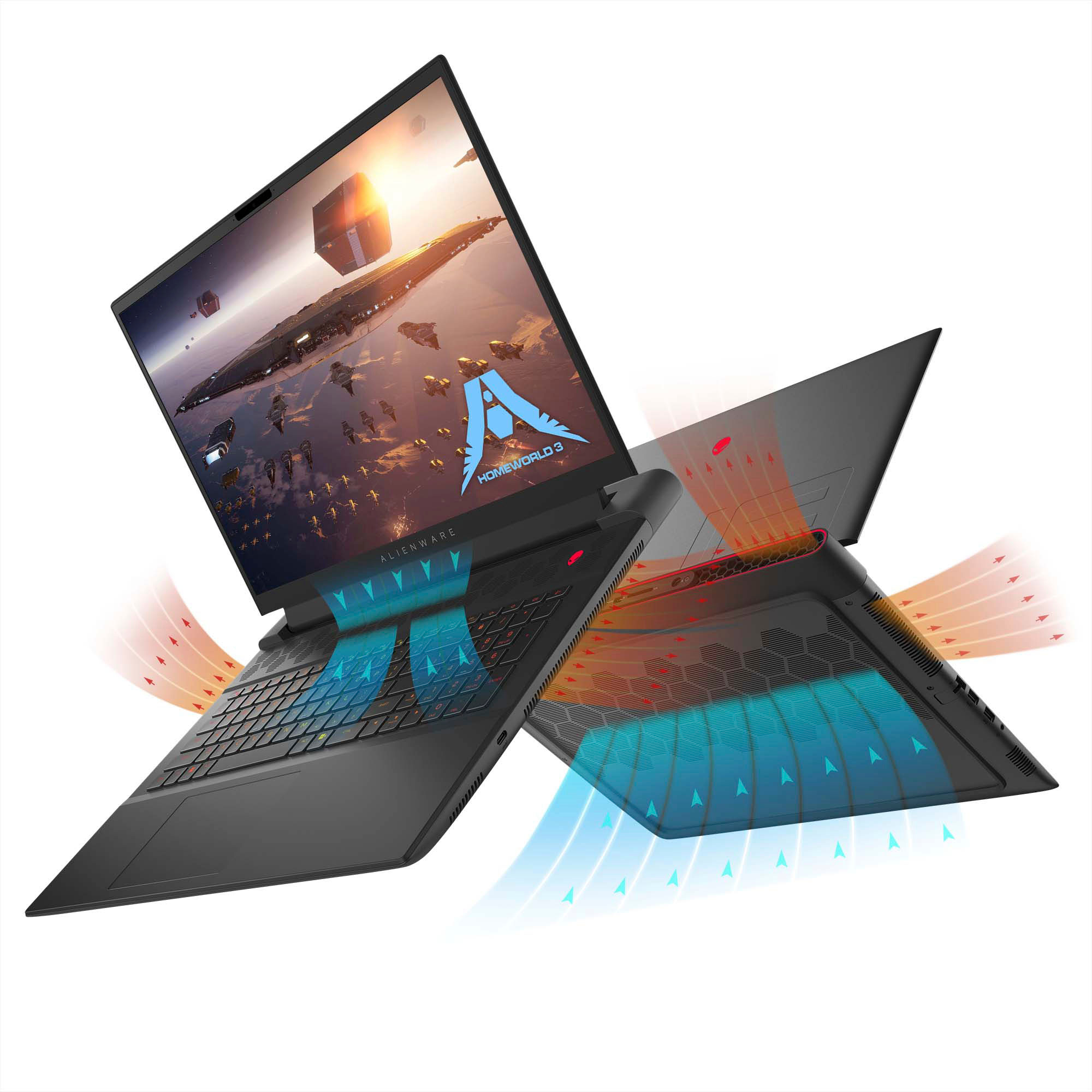
Customers are impressed with the m18 18" 480Hz Gaming Laptop's performance, large screen size, and ample RAM, frequently praising its smooth visuals and impressive graphics capabilities. However, some users have reported issues with battery life, weight, and cooling, while others have noted concerns about the speakers and motherboard reliability. The build quality and port selection received positive feedback.
This summary was generated by AI based on customer reviews.
Large power supply defeats the purpose of portabil
||Posted . Owned for 2 weeks when reviewed.This reviewer received promo considerations or sweepstakes entry for writing a review.Power supply for rhis portable PC is way too large a d heavy
No, I would not recommend this to a friendBrand response from YourDellTeam
Posted .Hey AdamM,
Thank you for taking the time to leave a review of your Alienware wired/wireless gaming mouse. We are sorry to hear that you are experiencing an issue with your mouse. That is not the type of feedback we like to hear from our customers, or the type of product Dell intends to deliver. We have noted the details of your statement and will use them to improve current and future products. We would love to help you if you need further assistance, we recommend using the toll-free number and chat link provided below.
If you continue to experience issues, please reach out to Dell Support directly by using the information provided below.
Chat or call: https://bit.ly/DellSupportTeam
Phone number to Dell: 1-800-624-9896
Best,
Summer@Dell
Performance not great for the price
||Posted . Owned for 1 week when reviewed.This reviewer received promo considerations or sweepstakes entry for writing a review.Lagged a lot when playing games. Had to return it for a better model.
No, I would not recommend this to a friendBrand response from YourDellTeam
Posted .Hey Javjav,
Thank you for taking the time to leave a review of your Alienware m18. We are sorry to hear that you were not satisfied with the performance of your device and made the decision to return it. That is not the type of feedback we like to hear from our customers, or the type of product Dell intends to deliver. We have noted the details of your statement and will use them to improve current and future products.
We recommend that you contact Dell directly with the information below if you need further assistance.
Chat or call: https://bit.ly/DellSupportTeam
Phone number to Dell: 1-800-624-9896.
Best,
Summer@Dell
Worst laptop of my life.
||Posted . Owned for less than 1 week when reviewed.This reviewer received promo considerations or sweepstakes entry for writing a review.Have updated everything that could be updated, even did a new windows install. But to no avail, this computer has already gone to bluescreen three times. Also, there is a glitch with AMD version that causes audio/frame to studder everything 10 to 30 min of game play. However, after playing a couple games the AMD processor cant open any game now without crashing. This is by fair the worst purchase I have every bought from AMD/Best Buy. If you're going to get this laptop, I'd highly suggest getting the Intel one.
No, I would not recommend this to a friendBrand response from YourDellTeam
Posted .Hello JustinS,
We want to thank you for taking the time to leave us your review. We sincerely apologize for the blue screen issue and crashing issues you are experiencing with your Alienware m18 Gaming Laptop. Your feedback about discrepancies in our products and services helps us improve with future developments. Below I have provided troubleshooting instructions with the full article that can help resolve this issue and an additional link to assist you with resolving your crashing issue.
Here are the steps to help resolve your issue:
1. At the desktop, click the Search the web and Windows box and type "problem reports".
2. Select View all problem reports viewing a list of errors that have occurred on your computer and possible solutions for them, such as updating drivers, flashing your system BIOS, or checking for updates to the software.
3. Under the Source column, look for Windows and under Summary, look for Shut down unexpectedly.
4. Right-click the line item and select Check for a solution.
We'd also suggest checking to make sure that your software and drivers are up to date on Dell's Product Page here: https://dell.to/3xcCmaM
You can read the full article on solving PC blue screen issues here: http://dell.to/2u98Cct
We'd also suggest checking to make sure that your software and drivers are up to date on Dell's Product Page here: https://dell.to/3khR75H
You can read the full article on solving PC crashing issues here: http://dell.to/2u98Cct
If you still experience any issues after you have finished troubleshooting your laptop using the steps above, please reach out to us at: https://bit.ly/DellSupportTeam.
Chat or call: https://bit.ly/DellSupportTeam
Phone number to Dell: 1-800-624-9896
Best,
Summer@Dell
M18 review
||Posted . Owned for 1 month when reviewed.This reviewer received promo considerations or sweepstakes entry for writing a review.It was pretty good. Has some hiccups and is a bit pricey.
No, I would not recommend this to a friendBrand response from YourDellTeam
Posted .Hey There Qusm,
Thank you for taking the time to leave a review of your Alienware m18 gaming laptop. We are sorry to hear that you were experiencing a few hiccups with your new device. That is not the type of product Dell intends to deliver or the type of feedback we like to hear from our customers. We have noted the details of your statement and will use them to improve current and future products.
If you continue to experience issues, please reach out to Dell Support directly by using the information provided below.
Chat or call: https://bit.ly/DellSupportTeam
Phone number to Dell: 1-800-624-9896
Best,
Summer@Dell
- Cons mentioned:Motherboard
Broke after 2-3 weeks
||Posted . Owned for 3 weeks when reviewed.This reviewer received promo considerations or sweepstakes entry for writing a review.We had this laptop for only 2 or 3 weeks before it broke. They said the motherboard broke.
No, I would not recommend this to a friendBrand response from YourDellTeam
Posted .Hey There SadGamer,
Thank you for taking the time to leave a review of your Alienware M18. We are sorry to hear that your motherboard failed. That is not the type of feedback we like to hear from our customers, or the type of product Dell intends to deliver. We have noted the details of your statement and will use them to improve current and future products. Below I have provided the toll-free number and chat link below to reach our support team at your convenience.
We recommend that you contact Dell directly with the information below if you need further assistance.
Chat or call: https://bit.ly/DellSupportTeam
Phone number to Dell: 1-800-624-9896.
Best,
Summer@Dell
- Pros mentioned:Performance, Screen sizeCons mentioned:Battery life

A powerhouse, plain and simple.
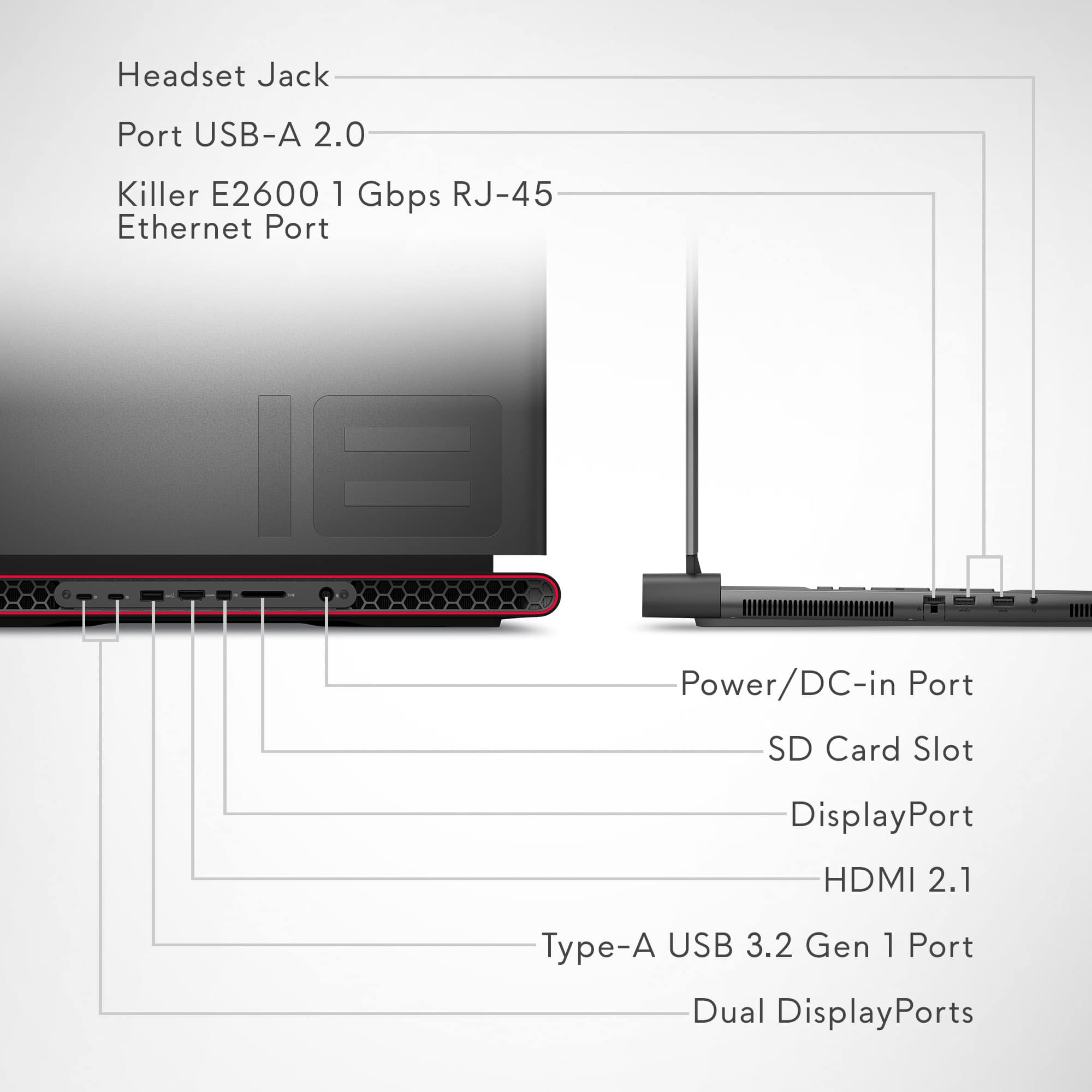
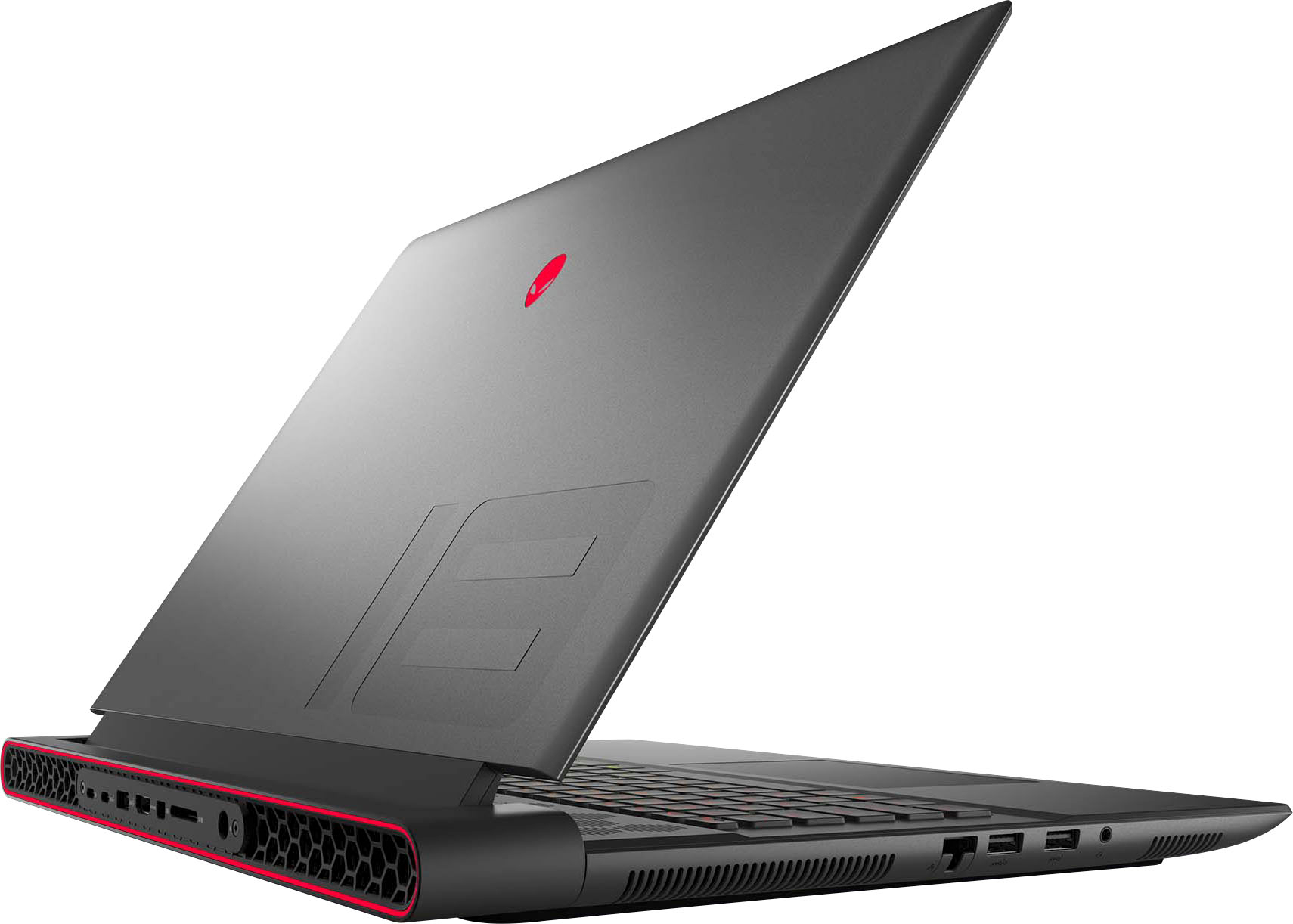
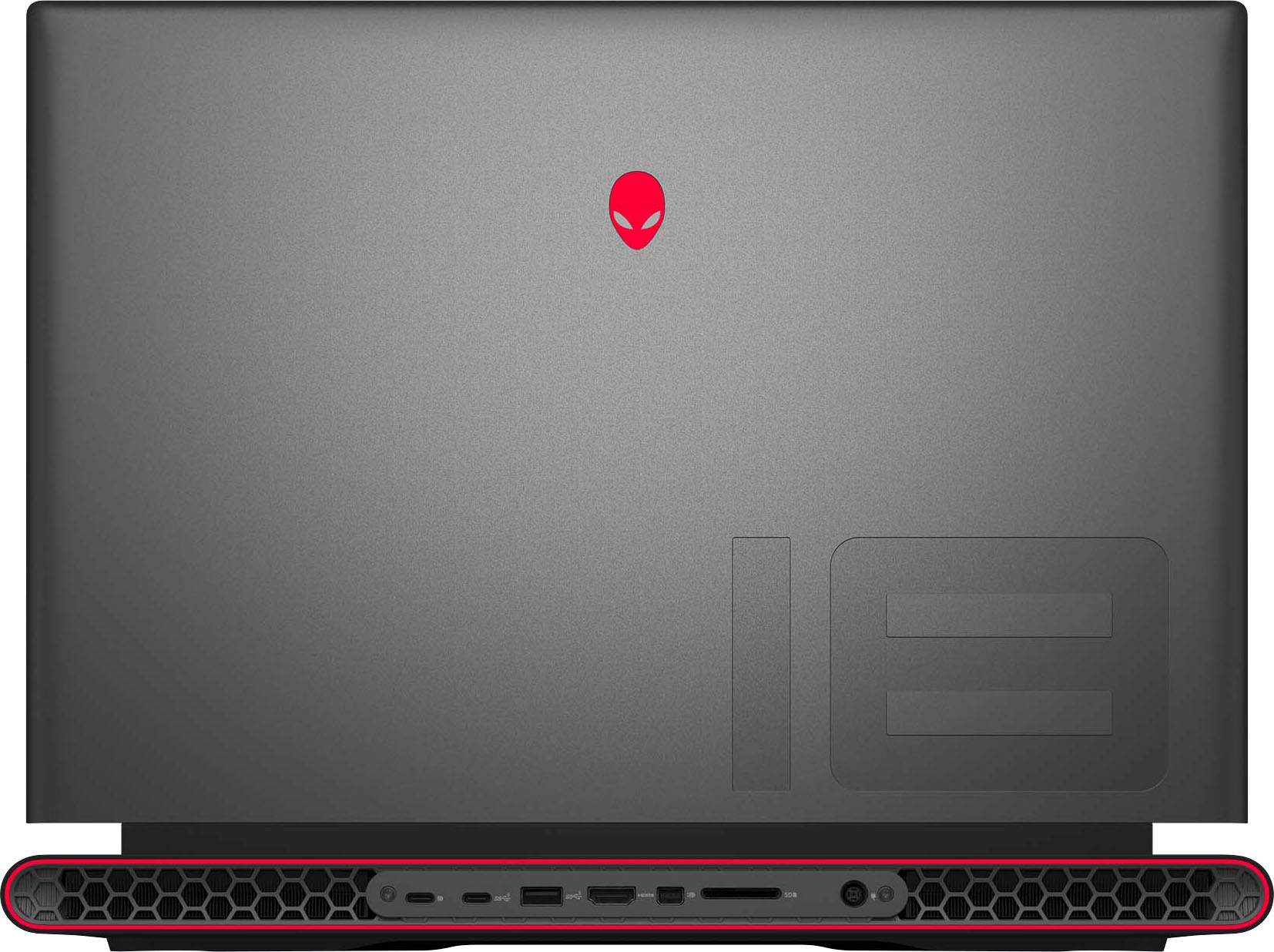
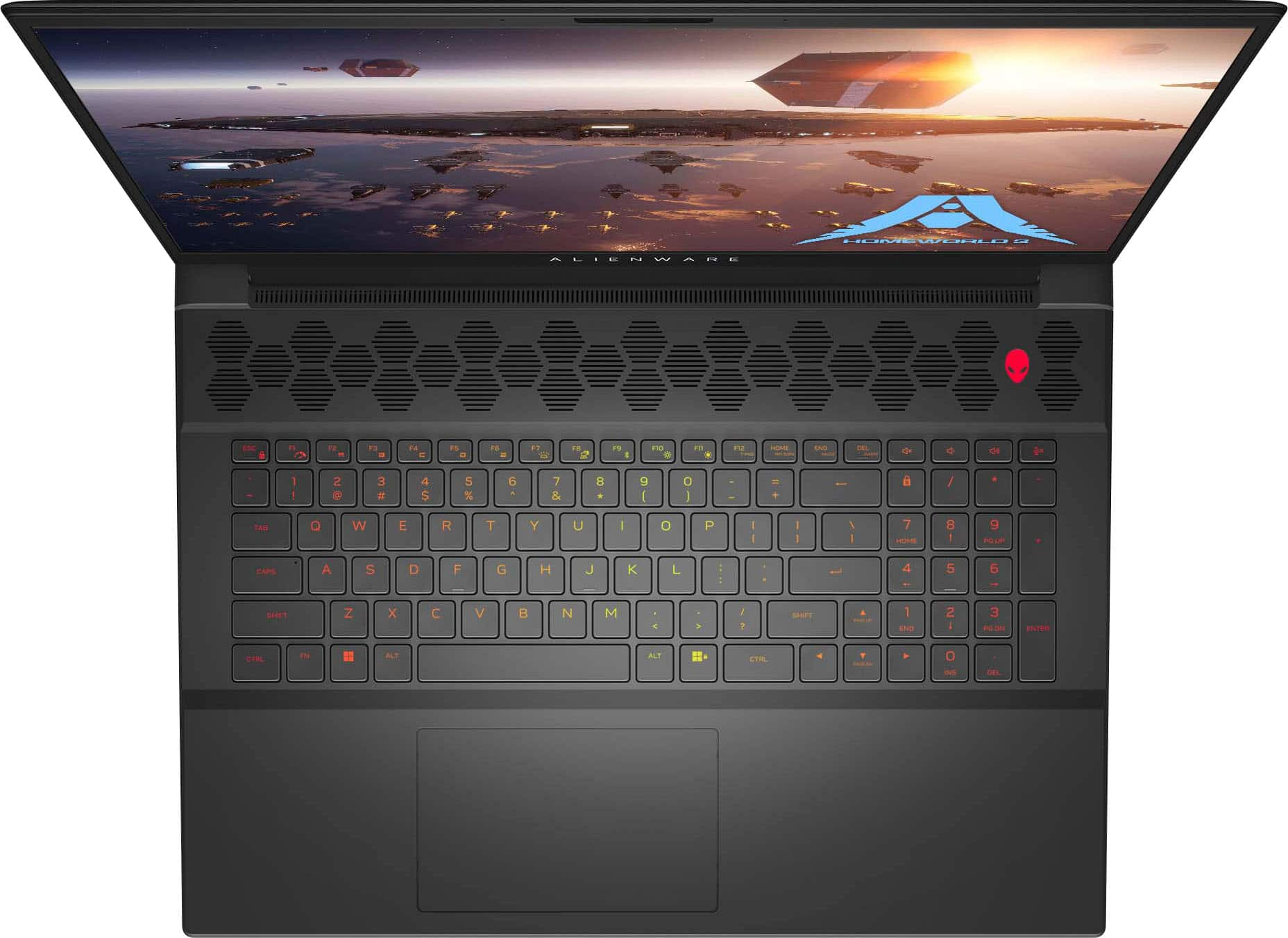
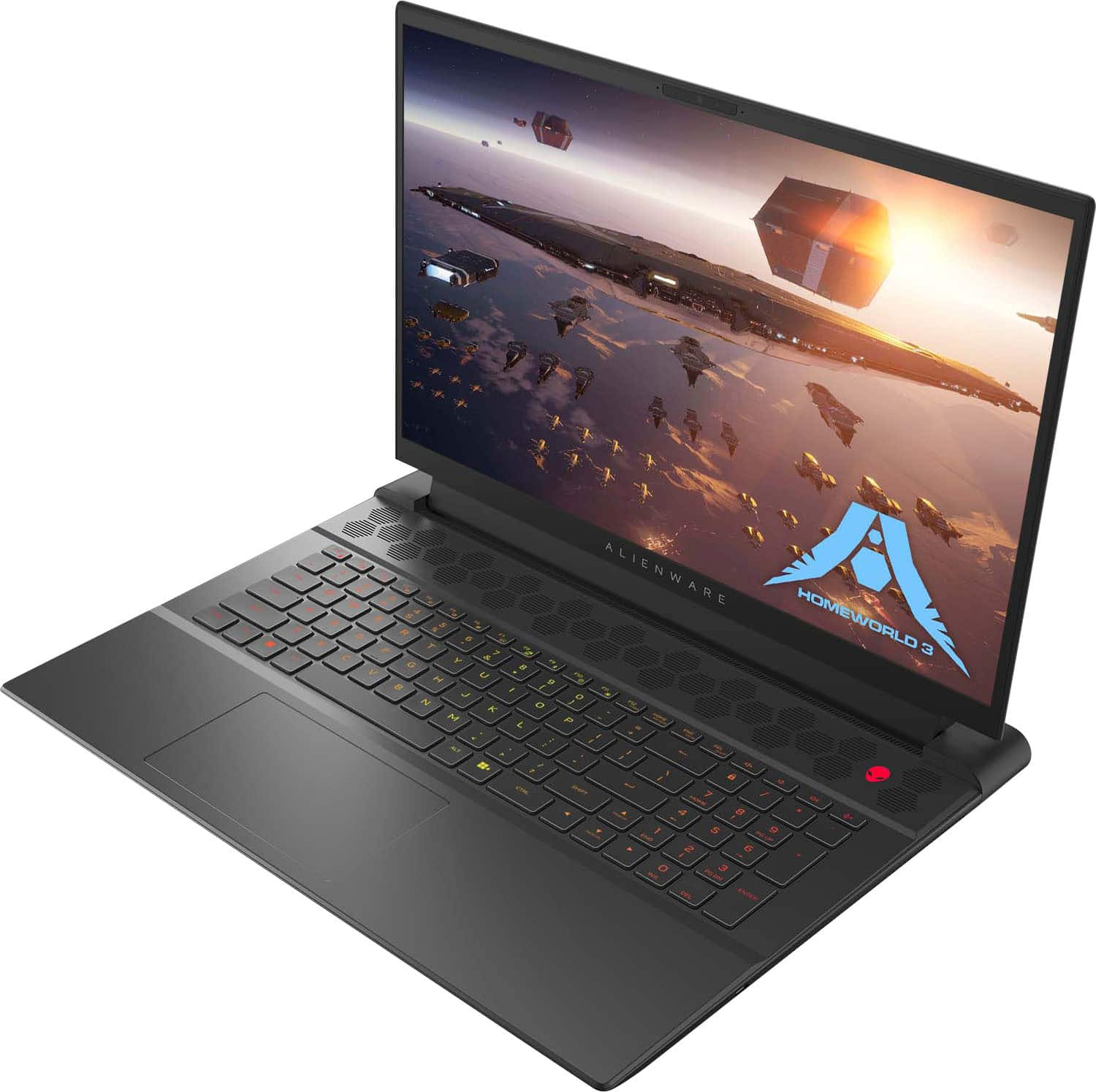
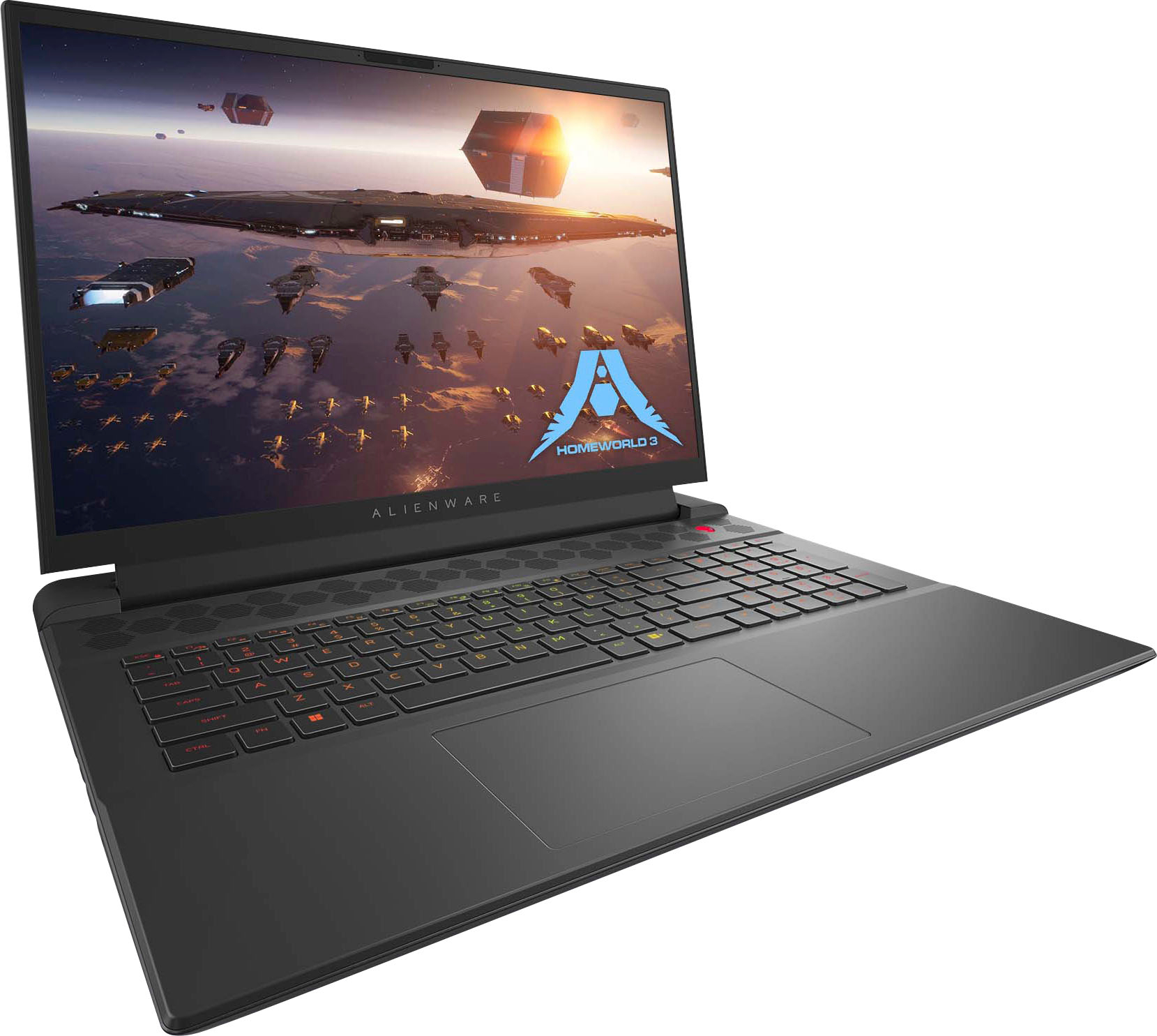
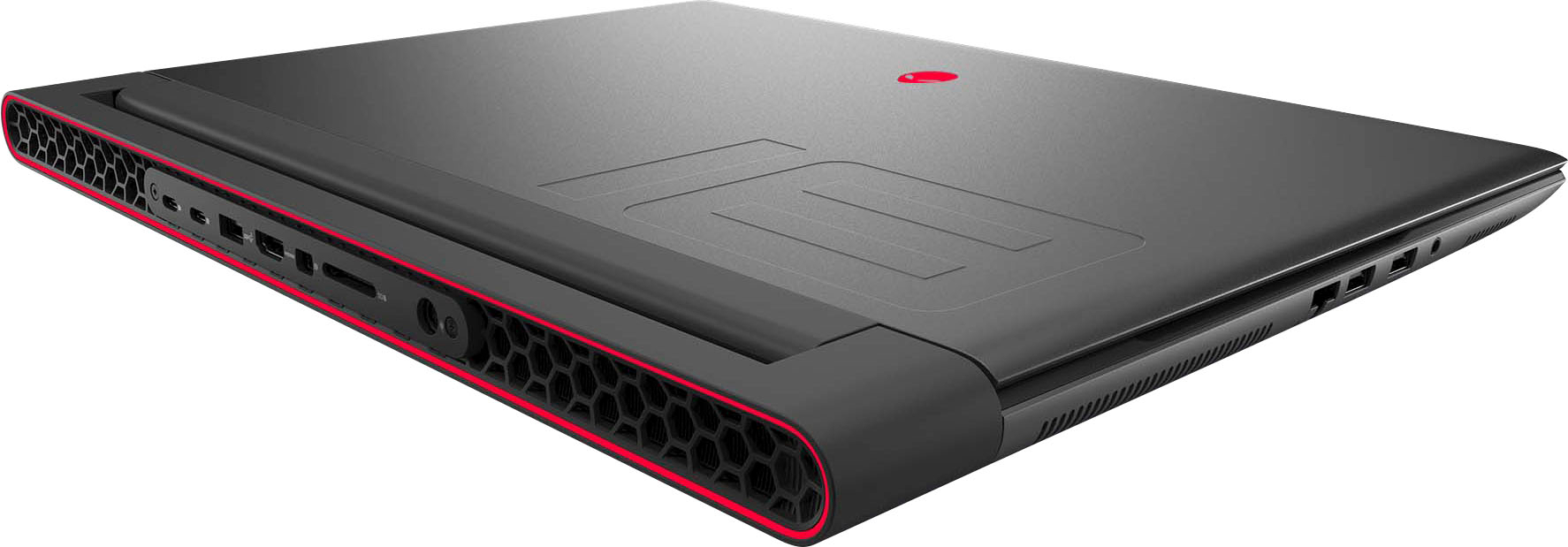
|Posted .This reviewer received promo considerations or sweepstakes entry for writing a review.This is meant to be an upgrade from an Alienware x15, and it is just that, an upgrade..with a few tradeoffs. So far, everything I've thrown at this beast has been handled with ease. No hiccups or slowdown. It was about the same with my RTX3070, but the bump in framerates are evident in the M18. Screen is big and beautiful. Vibrant colors and clean, sharp text and icons. Build is quality and feels sturdy, housing plenty of connections and ventilation points. The track pad real estate is comfy, and the heat dissipation doesn't cause any discomfort. Usually, with gaming systems, the track pad is useless because the system gets so hot, you typically avoid it, but it's balanced here. With the connections, you have everything covered. USB, USB-C, HDMI, DP, LAN, etc. While that may seem typical, there usually is a trade-off. For instance, in the x15, I needed to use a provided USB-C adapter to get a proper LAN port, which then turned into buying a HUB to account for the used USB-C port. Issue solved. It takes it all. Here's the trade-offs from the smaller x15, which most are fairly evident. In my opinion, this is not made to be a portable system. I will use it in that respect occasionally, but from the size, weight and functionality, it serves best as a desktop replacement. Battery is not good, but I have yet to own a high end system with great battery life. If you're gaming, depending on your settings, you're getting 1-3 hours, max. Charger is a hunker in itself, quite huge. All the more reason to keep it stationary. Not much more to add, if you're looking for a gaming laptop, you know what you're looking for. I can say this system is built for performance and serves that purpose with every component. I've built/owned cheaper systems over the years, but in that cutting cost, you'll eventually have to pay for constant upgrading and repairing. If my x16 is any indication of what this m18 will yield, I don't think that will be the case here. This is easily the one to beat.
I would recommend this to a friend Issues on day 1? Return it or don’t buy at all!
||Posted . Owned for 1 week when reviewed.This reviewer received promo considerations or sweepstakes entry for writing a review.Constant Directx crashes playing any high graphic game, windows run failure on wake up, all system diagnostics show nothing wrong, reinstalling/wiping comp does nothing to fix… I either ordered a lemon or this particular model is complete garbage. Returning it. Ridiculously disappointed and I’ll be returning to Acer.
No, I would not recommend this to a friendBrand response from YourDellTeam
Posted .Dear Alienwarepoo,
We appreciate you taking the time to leave a review of your Alienware m18 gaming laptop. We are sorry to hear that you are not completely satisfied with your device and made the decision to return it. That is not the type of feedback we like to hear from our customers, or the type of product Dell intends to deliver. We have noted the details of your statement and will use them to improve our current and future products.
We recommend that you contact Dell directly with the information below if you need further assistance.
Chat or call: https://bit.ly/DellSupportTeam
Phone number to Dell: 1-800-624-9896.
- Cons mentioned:Cooling
Unfortunately bad purchase
||Posted . Owned for 5 months when reviewed.This reviewer received promo considerations or sweepstakes entry for writing a review.It’s too big. Cannot find a carrying case. And it gets too hot and fails all the time.
No, I would not recommend this to a friendBrand response from YourDellTeam
Posted .Hello Mannyoh,
We value your feedback and want to thank you for taking the time to leave a review of your Alienware m18 FHD+ 480Hz Gaming Laptop. We sincerely apologize for the issue you have encountered with your gaming laptop. This is not the type of feedback we like to hear from our customers. Feedback like yours helps us improve our current and future products and services.
We would love the opportunity to help you. Please take a moment to call or chat to speak with a Dell representative at your earliest convenience using the information provided below so that we can help you resolve the issue to your satisfaction.
Chat or call: https://bit.ly/DellSupportTeam
Phone number to Dell 1-800-624-9896
We look forward to making this right for you!
Best,
Minhaj@Dell
No don't buy.
||Posted . Owned for 2 months when reviewed.This reviewer received promo considerations or sweepstakes entry for writing a review.Garbage, do not buy whatever you do waste of money do not let Alienware take your money anymore. Got the laptop with bad light bleed, like my MSI GE77 RAIDER MUCH BETTER!
No, I would not recommend this to a friendBrand response from YourDellTeam
Posted .Greetings Chris,
Thank you for taking the time to leave a review of your Alienware m18 gaming laptop. We are sorry to hear that you are experiencing an issue with your screen bleeding. That is not the type of feedback we like to hear from our customers, or the type of product Dell intends to deliver. We have noted the details of your statement and will use them to improve current and future products. Below I have provided a troubleshooting link to help resolve your issue.
Screen Troubleshooting Link: https://rb.gy/04pefz
If you continue to experience issues, please reach out to Dell Support directly by using the information provided below.
Chat or call: https://bit.ly/DellSupportTeam
Phone number to Dell: 1-800-624-9896
Best,
Summer@Dell
NIGHTMARE LAPTOP
||Posted . Owned for 1 year when reviewed.This reviewer received promo considerations or sweepstakes entry for writing a review.Has given me nothing but issues since purchasing. Nightmare laptop!!!
No, I would not recommend this to a friendRuined by poor display
||Posted . Owned for 2 weeks when reviewed.This reviewer received promo considerations or sweepstakes entry for writing a review.Solid gaming laptop except for the display. Absolutely terrible backlight bleed; unacceptable level at this price point.
No, I would not recommend this to a friendBrand response from YourDellTeam
Posted .Greetings Lac13,
Thank you for taking the time to leave a review of your Alienware m18 gaming laptop. We are sorry to hear that you are experiencing an issue with your screen bleeding. That is not the type of feedback we like to hear from our customers, or the type of product Dell intends to deliver. We have noted the details of your statement and will use them to improve current and future products. Below I have provided a troubleshooting link to help resolve your issue.
Troubleshooting Line Leakage Link: https://rb.gy/2pq8jn
If you still experience any issues after you have finished troubleshooting your device using the steps above, please reach out to us at: https://bit.ly/DellSupportTeam.
If you still experience any issues, please reach out to us at: https://bit.ly/DellSupportTeam
Chat or call: https://bit.ly/DellSupportTeam
Phone number to Dell: 1-800-624-9896
Best,
Summer@Dell
Don't bother
||Posted . Owned for 1 month when reviewed.This reviewer received promo considerations or sweepstakes entry for writing a review.Laptop was never sent to me, I waited a month. I was told 48 hours for a refund, its been 8 days, now they tell me another 7 to 10 days for a refund !!!!
No, I would not recommend this to a friendNever again
||Posted . Owned for 9 months when reviewed.This reviewer received promo considerations or sweepstakes entry for writing a review.I have had nothing but issues with this laptop since I bought it, driver timeouts, random blue screen of deaths, any game crashing. It’s been a horrible experience. I will never buy another Alienware again
No, I would not recommend this to a friendUnfortunately not worth it
||Posted . Owned for less than 1 week when reviewed.This reviewer received promo considerations or sweepstakes entry for writing a review.Had to return 2 times the computer was stuttering to perform basic tasks. Such a “powerful” machine shouldn’t have any issues straight out of the box much less the same issue in 2 different units
No, I would not recommend this to a friendBrand response from YourDellTeam
Posted .Hey There AnaM,
Thank you for taking the time to leave a review of your Alienware M18 gaming laptop. We are sorry to hear that you were experiencing an issue with the performance of your device and made the decision to return it. That is not the type of product Dell intends to deliver or the type of feedback we like to hear from our customers. We have noted the details of your statement and will use them to improve current and future products.
We recommend that you contact Dell directly with the information below if you need further assistance.
Chat or call: https://bit.ly/DellSupportTeam
Phone number to Dell: 1-800-624-9896.
Best,
Summer@Dell
Good Hardware. Not reliable
||Posted . Owned for 4 months when reviewed.This reviewer received promo considerations or sweepstakes entry for writing a review.Great computer. Bios Failed immediately. Wouldn’t recommend if you need a reliable machine.
No, I would not recommend this to a friendBrand response from YourDellTeam
Posted .Hey BenjaminF,
We value your feedback and want to thank you for taking the time to leave a review of your Alienware m18. We are sorry to hear that you are experiencing an issue with your device. That is not the type of feedback we like to hear from our customers, or the type of product Dell intends to deliver. We have noted the details of your statement and will use them to improve current and future products. If you need further assistance, we recommend using the toll-free number or chat link provided below to reach a member of our support team.
If you still experience any issues after you have finished troubleshooting your device using the steps above, please reach out to us at: https://bit.ly/DellSupportTeam.
Chat or call: https://bit.ly/DellSupportTeam
Phone number to Dell: 1-800-624-9896
Best,
Summer@Dell
Not a good purchase
||Posted . Owned for 1 year when reviewed.This reviewer received promo considerations or sweepstakes entry for writing a review.Not worth the money. The power cord keeps disconnecting, falling out of the back of the laptop. Also, sound gets out of synch with the video. Very glitchy.
No, I would not recommend this to a friendDisappointed
||Posted . Owned for 1 month when reviewed.This reviewer received promo considerations or sweepstakes entry for writing a review.Died 3 weeks after purchase. Sent off for repairs.
No, I would not recommend this to a friendBrand response from YourDellTeam
Posted .Hi GregW,
We appreciate you taking the time to leave a review of your Alienware m18 gaming laptop. We are sorry to hear that your device is not working since purchasing. We hope that you can get your issue resolved. That is not the type of feedback we like to hear from our customers, or the type of product Dell intends to deliver. We have noted the details of your statement and will use them to improve current and future products. If this happens again and your device will not power up. I have provided a troubleshooting link below for future reference.
Resolve No Power Troubleshooting Link: https://bit.ly/3wSGzSL
If you continue to experience issues, please reach out to Dell Support directly by using the information provided below.
Chat or call: https://bit.ly/DellSupportTeam
Phone number to Dell: 1-800-624-9896
Best,
Summer@Dell
Save Yourself the Money
||Posted . Owned for 5 months when reviewed.This reviewer received promo considerations or sweepstakes entry for writing a review.Random blue screens, failed startups (and you lose all your progress and tabs), graphical issues, sticky buttons, malfunctioning trackpads… save yourself the money and don’t buy this. 0/5 stars.
No, I would not recommend this to a friendBrand response from YourDellTeam
Posted .Hello BrendenL,
Thank you for taking the time to us your review. We sincerely apologize for the trouble you have encountered with your Alienware m18 FHD+ 480Hz Gaming Laptop. We can assure you that Dell takes pride in manufacturing quality products. This is certainly not the experience we like to hear from our valued customers.
We always strive to get better and reviews like yours help us develop products our customers love. Your feedback will be shared with our quality team for consideration in future enhancements in products.
To assist you with the error issues that you are experiencing with your system, I have provided troubleshooting steps with the full article that can resolve the issue.
Here are the steps:
1. At the desktop, click the Search the Web and Windows box and type "problem reports".
2. Select View all problem reports viewing a list of errors that have occurred on your computer and possible solutions for them, such as updating drivers, flashing your system BIOS, or checking for updates to the software.
3. Under the Source column, look for Windows, and under Summary, look for Shut Down unexpectedly.
4. Right-click the line item and select Check for a solution.
You can read the full article on solving PC blue screen issues here: http://dell.to/2u98Cct
We'd also suggest checking to make sure that your software and drivers are up-to-date on Dell's Product Page here: https://url.dell.com/d638eb
You can read the full article on solving error issues using the below link: https://dell.to/33Y2KFn
If you are still experiencing issues, we will need more information to help you resolve these problems to your satisfaction. Please do not hesitate to get in touch with a Dell representative using the information provided below.
Chat or call: https://bit.ly/DellSupportTeam
Phone number to Dell 1-800-624-9896
Best,
Minhaj@Dell
Blue screen almost daily
||Posted . Owned for 4 months when reviewed.This reviewer received promo considerations or sweepstakes entry for writing a review.Blue screens periodically even after making sure all drivers are up to date. (Blue Screen almost daily if you keep it running. Even from a Desktop status with no programs loaded, random blue screens... I would NOT buy this again.
No, I would not recommend this to a friendBrand response from YourDellTeam
Posted .Hello DisappointedBuyer666,
We want to thank you for taking the time to leave us your review. We sincerely apologize for the blue screen issues you are experiencing with your Alienware m18 Gaming Laptop. Your feedback about discrepancies in our products and services helps us improve with future developments. Below I have provided troubleshooting instructions with the full article that can help resolve this issue.
Here are the steps to help resolve your issue:
1. At the desktop, click the Search the web and Windows box and type "problem reports".
2. Select View all problem reports viewing a list of errors that have occurred on your computer and possible solutions for them, such as updating drivers, flashing your system BIOS, or checking for updates to the software.
3. Under the Source column, look for Windows and under Summary, look for Shut down unexpectedly.
4. Right-click the line item and select Check for a solution.
We'd also suggest checking to make sure that your software and drivers are up to date on Dell's Product Page here: https://dell.to/3xcCmaM
You can read the full article on solving PC blue screen issues here: http://dell.to/2u98Cct
If you still experience any issues after you have finished troubleshooting your laptop using the steps above, please reach out to us at: https://bit.ly/DellSupportTeam.
We look forward to making this right for you!
If you still experience any issues after you have finished troubleshooting your laptop using the steps above, please reach out to us at: https://bit.ly/DellSupportTeam
Chat or call: https://bit.ly/DellSupportTeam
Phone number to Dell: 1-800-624-9896
Best,
Summer@Dell
- Pros mentioned:Performance, Ram, Screen size
Outstanding performance at a great value
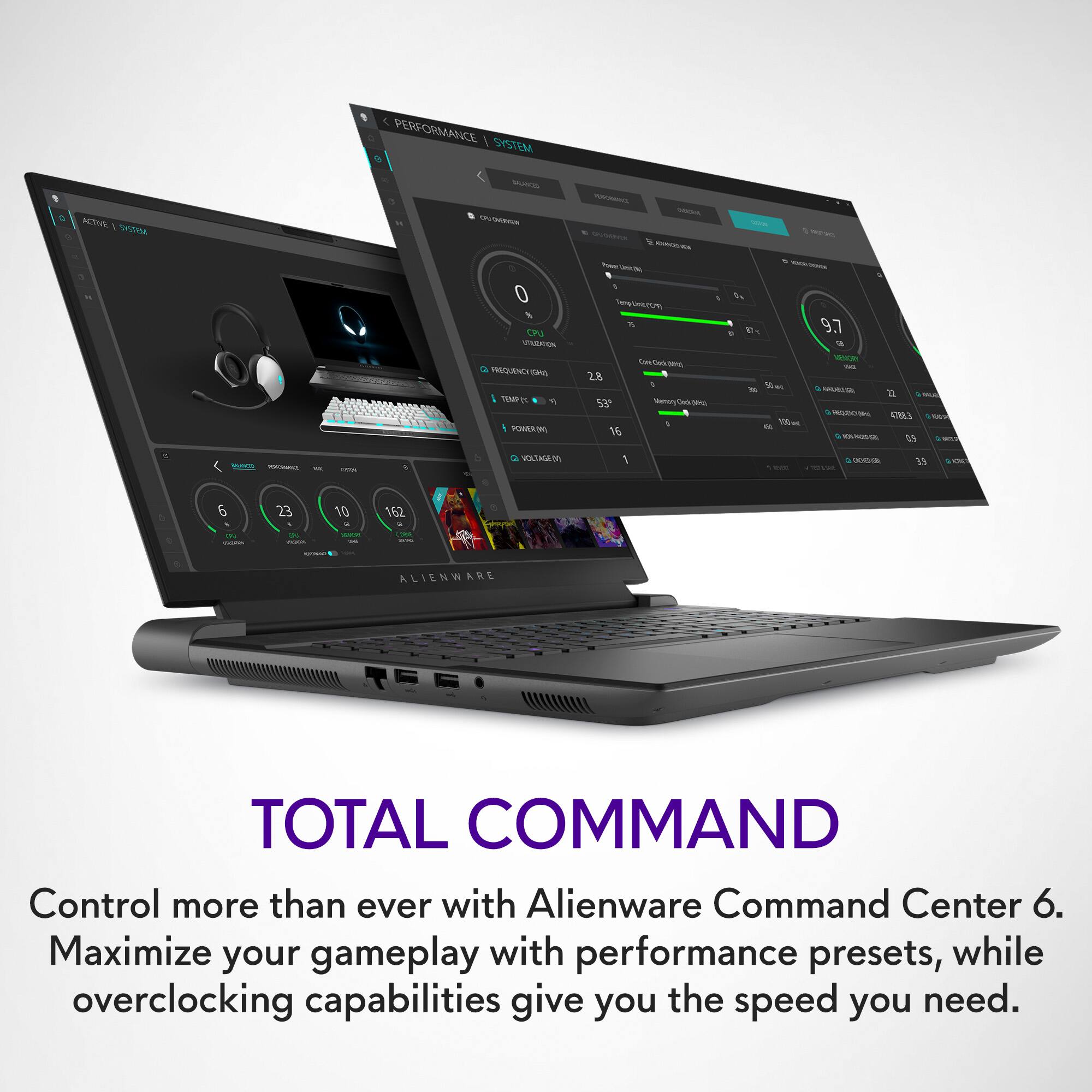
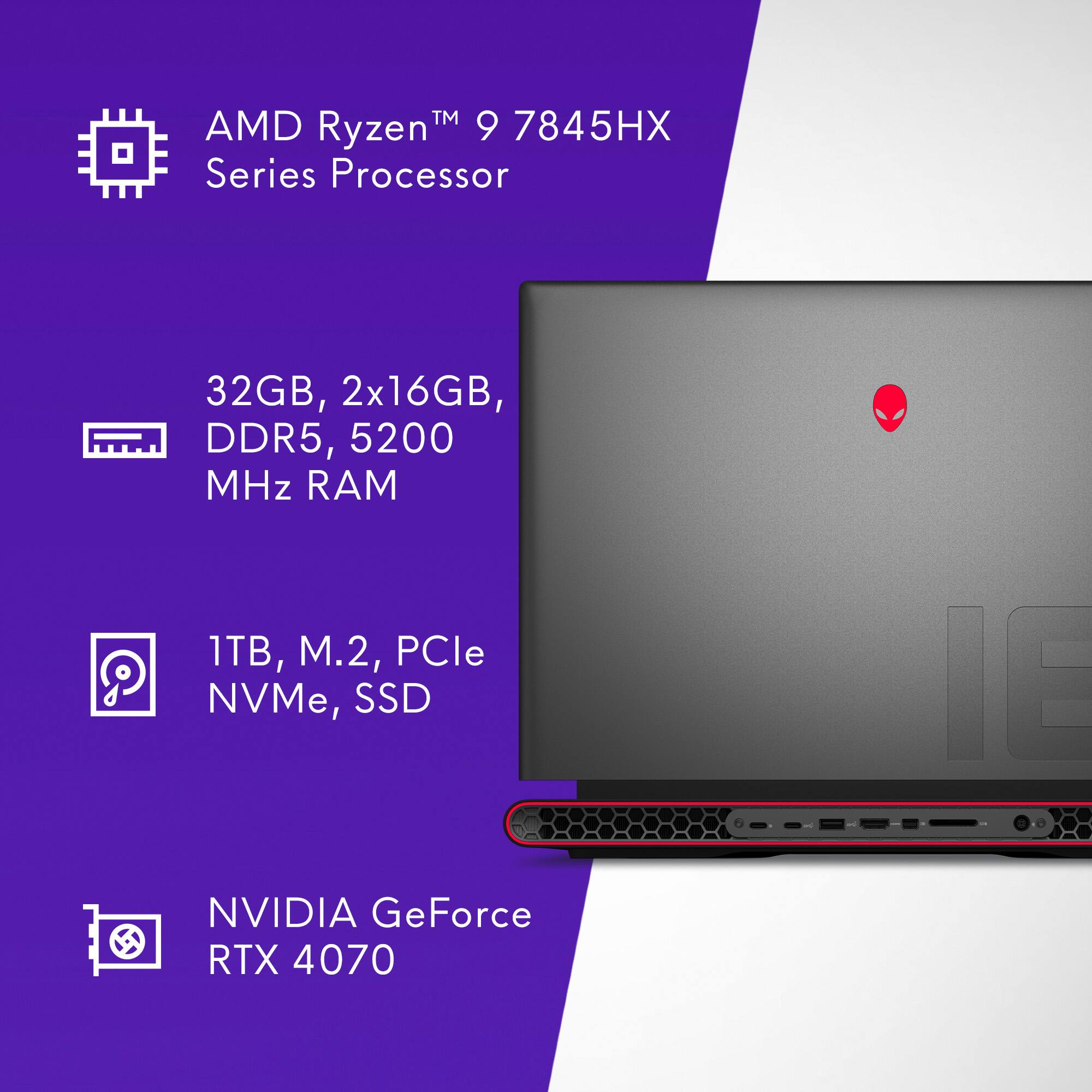
|Posted .This reviewer received promo considerations or sweepstakes entry for writing a review.The Alienware M18 is a formidable modern gaming and productivity powerhouse delivered in a sleek package at a very reasonable cost. With an AMD Ryzen 9 7845HX CPU, NVIDIA RTX 4070 Laptop GPU, and 32GB of RAM, the Alienware M18 has soundly handled everything I’ve thrown at it. Whether you’re taking advantage of the beautiful, lightning-fast 480Hz 18” FHD+ integrated screen or using an external gaming monitor with a higher resolution, the Alienware M18 is happy to drive nearly anything you desire. Even in some of the most graphically demanding new releases like Cyberpunk 2077 and Red Dead Redemption 2, I was able to achieve satisfying 60+FPS performance, even at 4K resolution with higher graphics settings enabled. In addition to its gaming prowess, the Alienware M18 effortlessly drives every productivity application I typically use, latency-free. From photo and video editing software to less-intensive applications like spreadsheet and document creation, the M18 maintains stellar performance. Additionally, with a 1TB onboard SSD and an extra M.2 2280 solid-state drive slot, the M18 has plenty of space to store files alongside some of your favorite games with extra room to expand, if need be. In addition to the Alienware M18’s outstanding performance, I was also pleased with its construction as well as its I/O configuration. Speaking to the M18’s assembly, the entire package feels quite premium. With a mix of rigid, high quality, flex-free plastic comprising most of the base and Alienware’s sleek “Dark Metallic Moon” finished aluminum comprising the lid, the laptop looks and feels exceedingly sturdy. As for the I/O configuration, the M18 sports a plethora of connectivity options capable of accommodating most workspace setups. With options for HDMI 2.1 and Mini DisplayPort video output, two Thunderbolt 4.0 ports, three standard USB 3.2 ports, one USB 3.2 Type C port, one RJ45 Ethernet port, an SD-card slot, and a universal audio jack, the M18 will happily support all the peripherals and external storage solutions you desire. Overall, I’ve found the Alienware M18 to be an amazingly capable machine in both gaming and productivity. Since migrating into the laptop, I’ve experienced almost nothing short of perfect performance. Outside of a few minor housekeeping tasks like removing some of the free software bundled with the laptop and reconfiguring Windows 11 to suit my preferences more closely, everything has worked incredibly smoothly. On the topic of free software, I would also like to note that Alienware’s proprietary hardware management software is some of the best that I’ve ever used. This was quite surprising to me as, in the past, I’ve found that most manufacturer-specific OEM software often performs poorly. I am happy to report, however, that Alienware Command Center is some of the finest hardware control software I’ve used. From modifying overclocking and power management settings on-the-fly to defining lighting profiles for the keyboard and RGB accent lights, Command Center handles it swiftly. I have been very impressed with the performance of this machine, and I believe it will continue to serve my needs well into the future.
I would recommend this to a friend