Customer Ratings & Reviews











- Model:
- AWM18-A145BLK-PUS
- SKU:
- 6543535
Rating by feature
- Battery Life
Rating 3.8 out of 5 stars
- Speed
Rating 4.6 out of 5 stars
- Display
Rating 4.5 out of 5 stars
Customers are saying
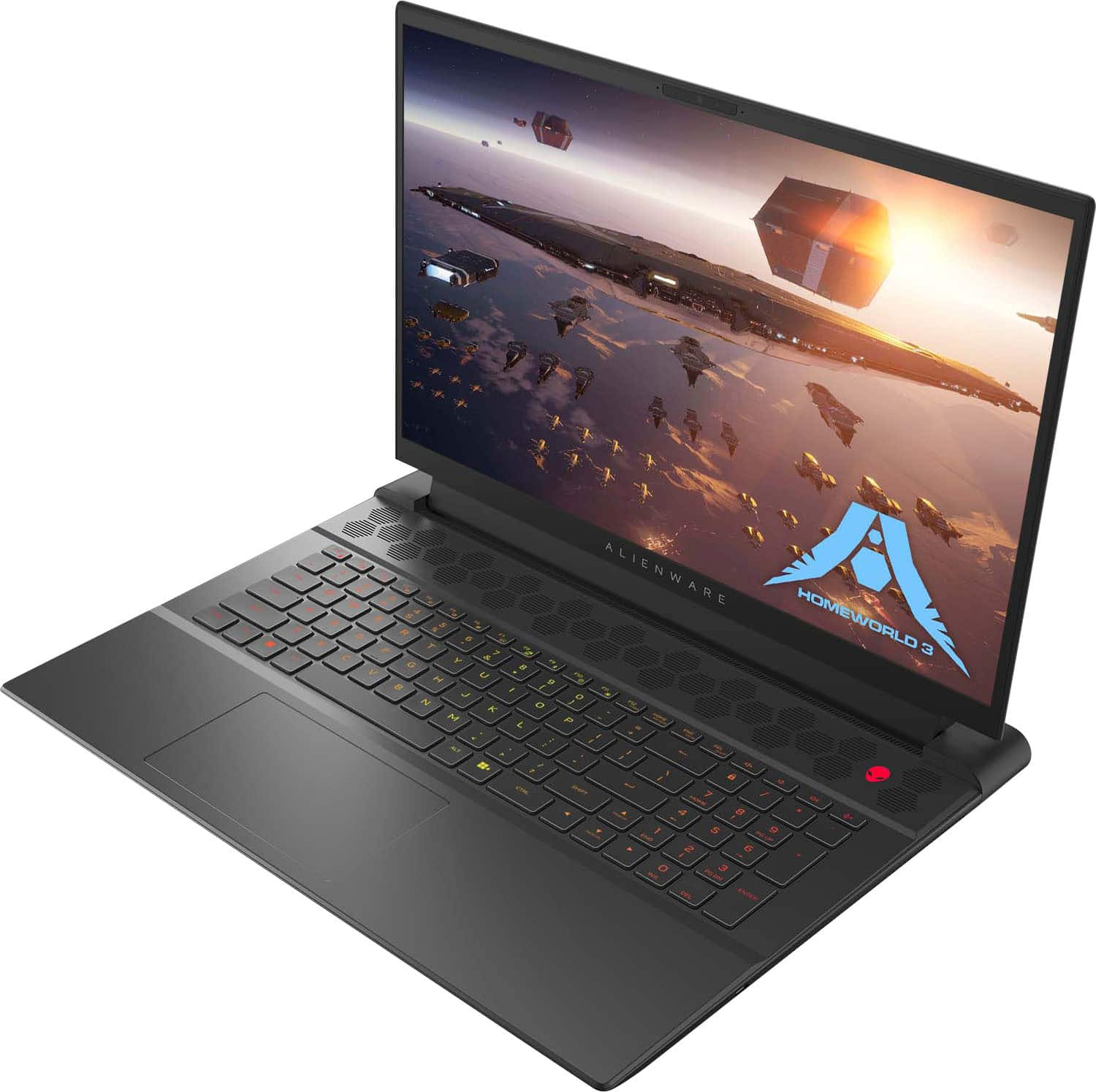
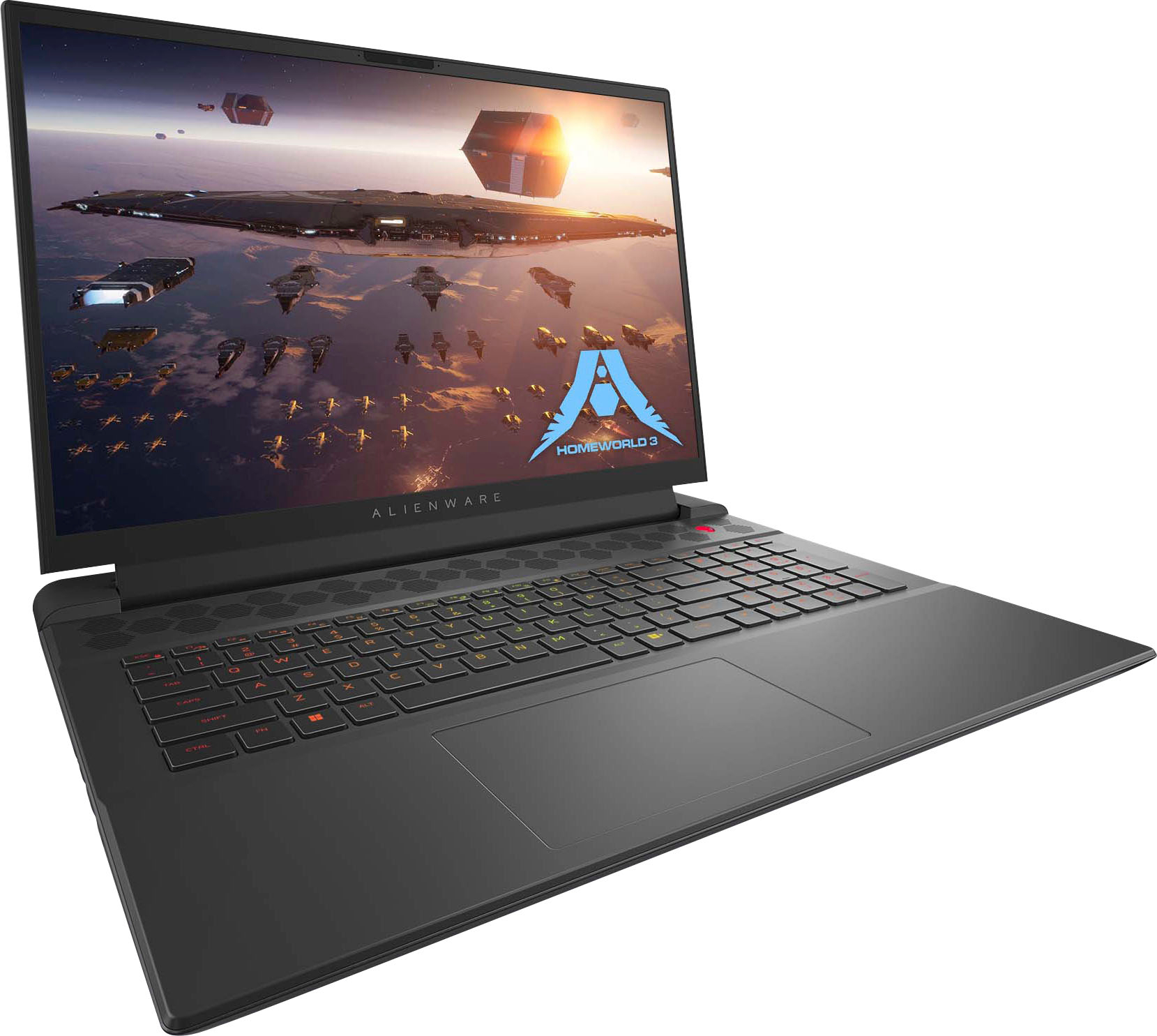
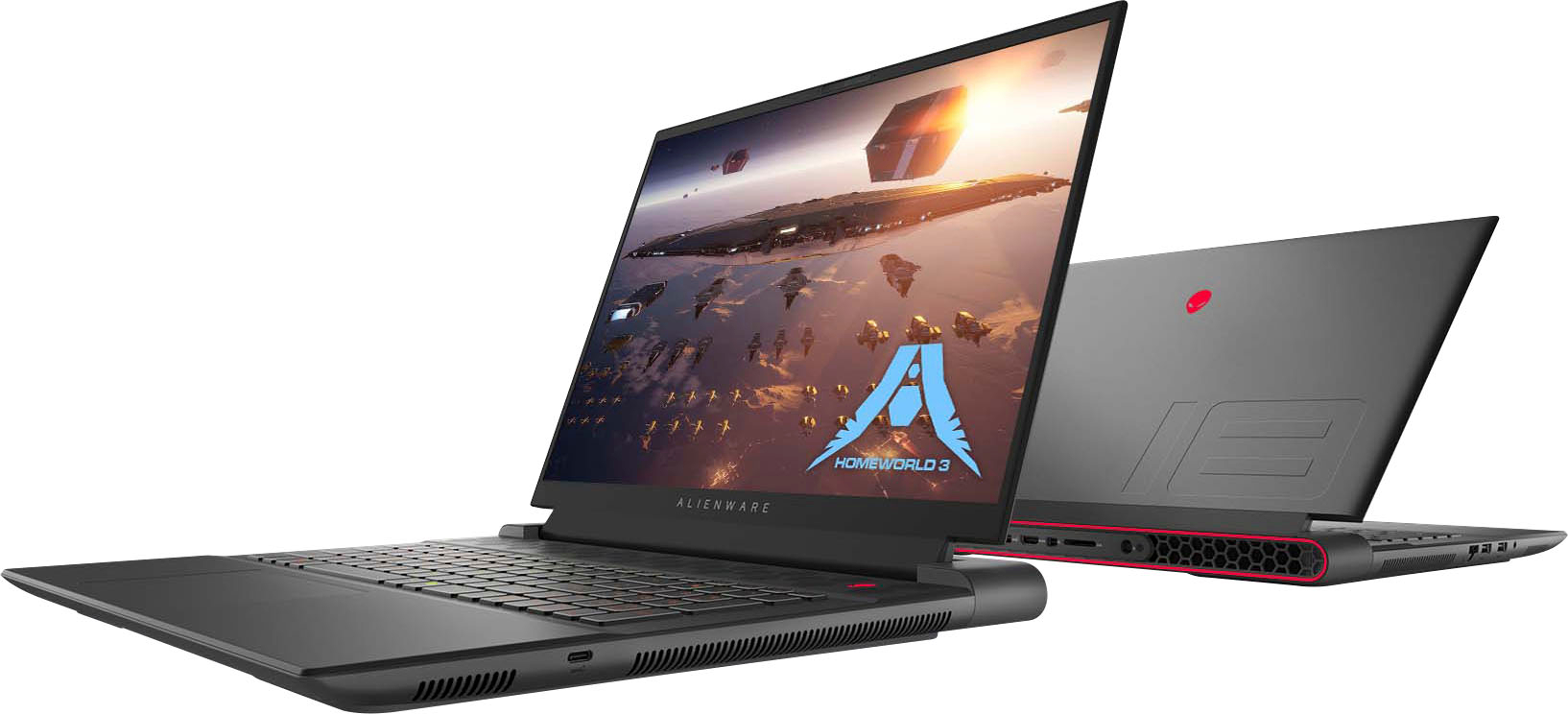
Customers are impressed with the m18 18" 480Hz Gaming Laptop's performance, large screen size, and ample RAM, frequently praising its smooth visuals and impressive graphics capabilities. However, some users have reported issues with battery life, weight, and cooling, while others have noted concerns about the speakers and motherboard reliability. The build quality and port selection received positive feedback.
This summary was generated by AI based on customer reviews.
Worst laptop ever
||Posted . Owned for 1 year when reviewed.This reviewer received promo considerations or sweepstakes entry for writing a review.I have used less than a year it does not function anymore what a joke?
No, I would not recommend this to a friendAvoid this at all costs
||Posted .This reviewer received promo considerations or sweepstakes entry for writing a review.Hooray, got a lemon. Thanks best buy. It just blue screen of death constantly and won’t even let me set it up.
No, I would not recommend this to a friendBrand response from YourDellTeam
Posted .Dear BrookeW,
We value your feedback and want to thank you for taking the time to leave a review of your Alienware m18 FHD+ 480Hz Gaming Laptop. We sincerely apologize for the blue screen issues you have encountered with your gaming system. This is not the type of feedback we like to hear from our customers, or the type of product Dell intends to deliver. Feedback like yours helps us improve our current and future products.
You can read the full article on solving PC blue screen issues here: http://dell.to/2u98Cct
We'd also suggest checking to make sure that your software and drivers are up-to-date on Dell's Product Page here: https://url.dell.com/dc8bb1
We would love the opportunity to help you but will need a little more information. Please take a moment to call or chat to speak with a Dell representative at your earliest convenience using the information provided below so that we can help you resolve the issue to your satisfaction.
Chat or call: https://bit.ly/DellSupportTeam
Phone number to Dell 1-800-624-9896
We look forward to making this right for you!
Best,
Minhaj@Dell
Nightmare of a machine and customer service
||Posted . Owned for 2 months when reviewed.This reviewer received promo considerations or sweepstakes entry for writing a review.This machine is awful. It is the specific reason why I no longer shop at Best Buy and why I will never purchase a dell product again.
No, I would not recommend this to a friendBrand response from YourDellTeam
Posted .Hi BryanS,
Thank you for taking the time to leave a review of your Alienware M18 Gaming Laptop. We are sorry to hear that you are not completely satisfied with your device. That is not the type of feedback we like to hear from our customers, or the type of product Dell intends to deliver. We have noted the details of your statement and will use them to improve current and future products. We would love to help you resolve the issue you are experiencing. We recommend reaching out to our support team with the toll-free number or chat link below at your convenience.
If you continue to experience issues, please reach out to Dell Support directly by using the information provided below.
Chat or call: https://bit.ly/DellSupportTeam
Phone number to Dell: 1-800-624-9896
Best,
Summer@Dell
mr
||Posted . Owned for 4 months when reviewed.This reviewer received promo considerations or sweepstakes entry for writing a review.ordered a "LIKE NEW" USED LAPTOP I got a poor condition laptop, fingerprints, dirty screen, nasty keyboard.No power cord. Returned it the same day.
No, I would not recommend this to a friendAvoid
||Posted . Owned for 1 month when reviewed.This reviewer received promo considerations or sweepstakes entry for writing a review.Had to bring back since the cable caught on fire. Will never buy again.
No, I would not recommend this to a friendBrand response from YourDellTeam
Posted .Dear Mkjr,
We value your feedback and want to thank you for taking the time to leave a review of your Alienware m18 FHD+ 480Hz Gaming Laptop. We sincerely apologize for the issues you have encountered with your laptop. This is not the type of feedback we like to hear from our customers, or the type of product Dell intends to deliver. Feedback like yours helps us improve our current and future products.
We would love the opportunity to help you but will need a little more information. Please take a moment to call or chat to speak with a Dell representative at your earliest convenience using the information provided below so that we can help you resolve the issue to your satisfaction.
Chat or call: https://bit.ly/DellSupportTeam
Phone number to Dell, 1-800-624-9896
We look forward to making this right for you!
Best,
Minhaj@Dell
- Pros mentioned:RamCons mentioned:Battery life, Cooling

Unmatched gaming power on the go!
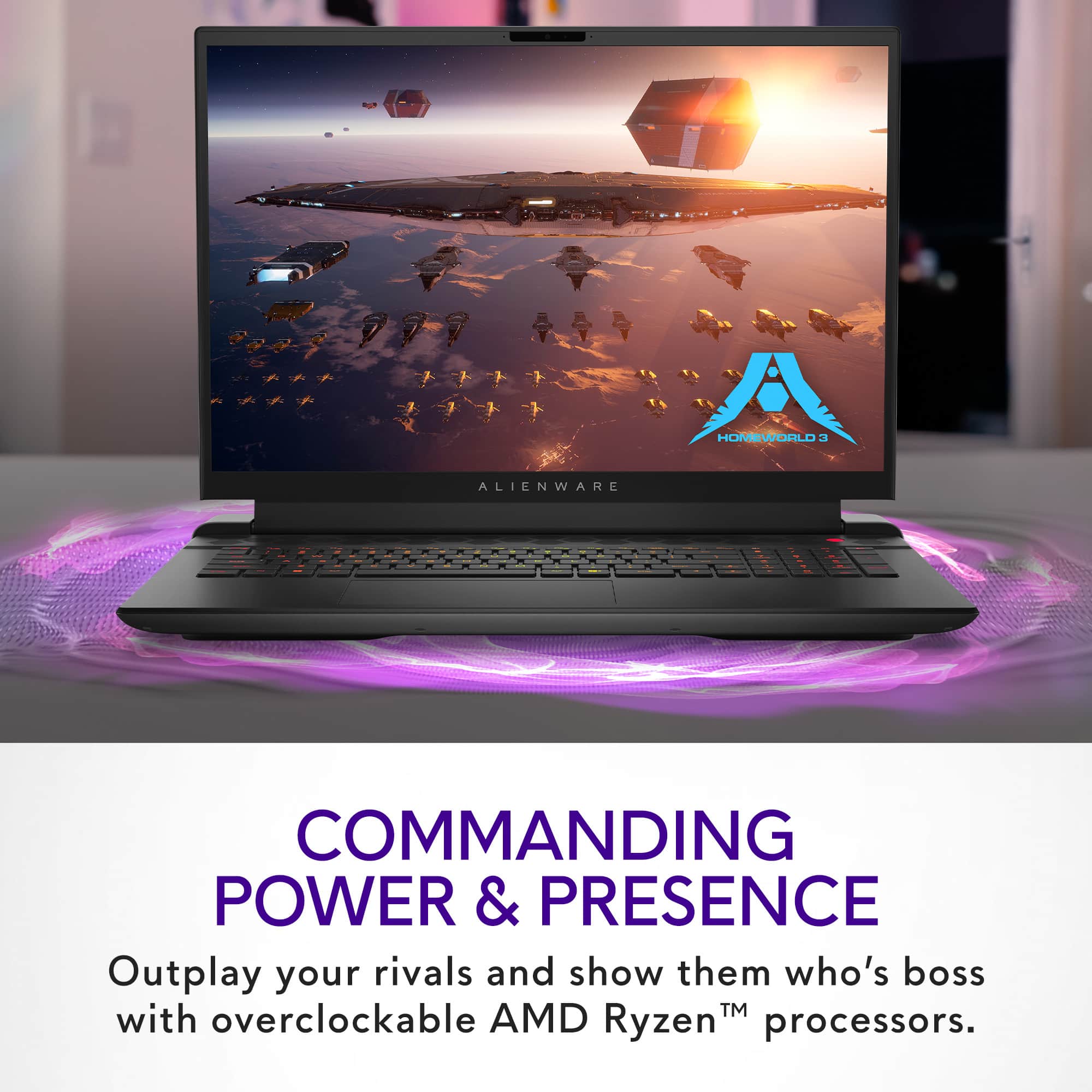
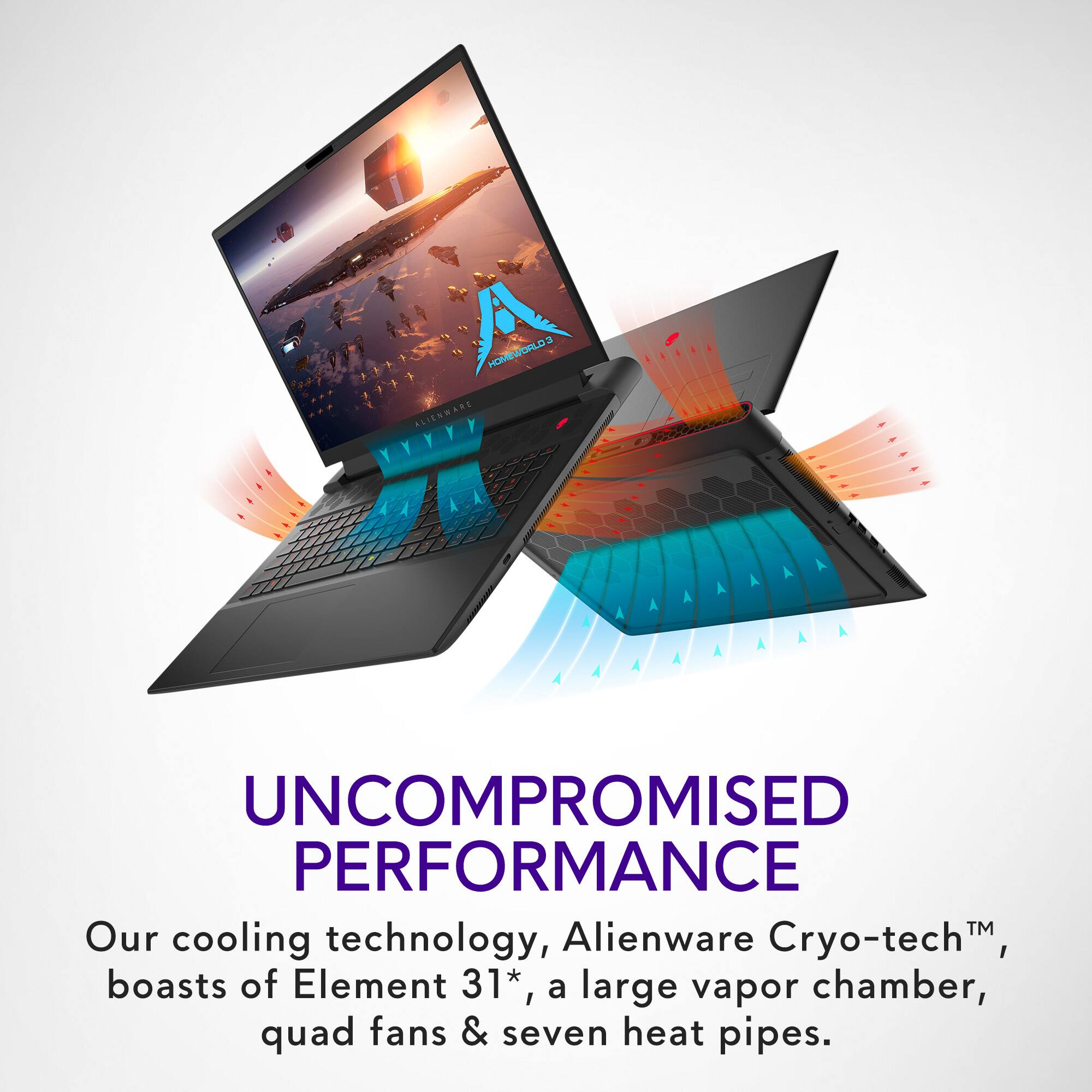
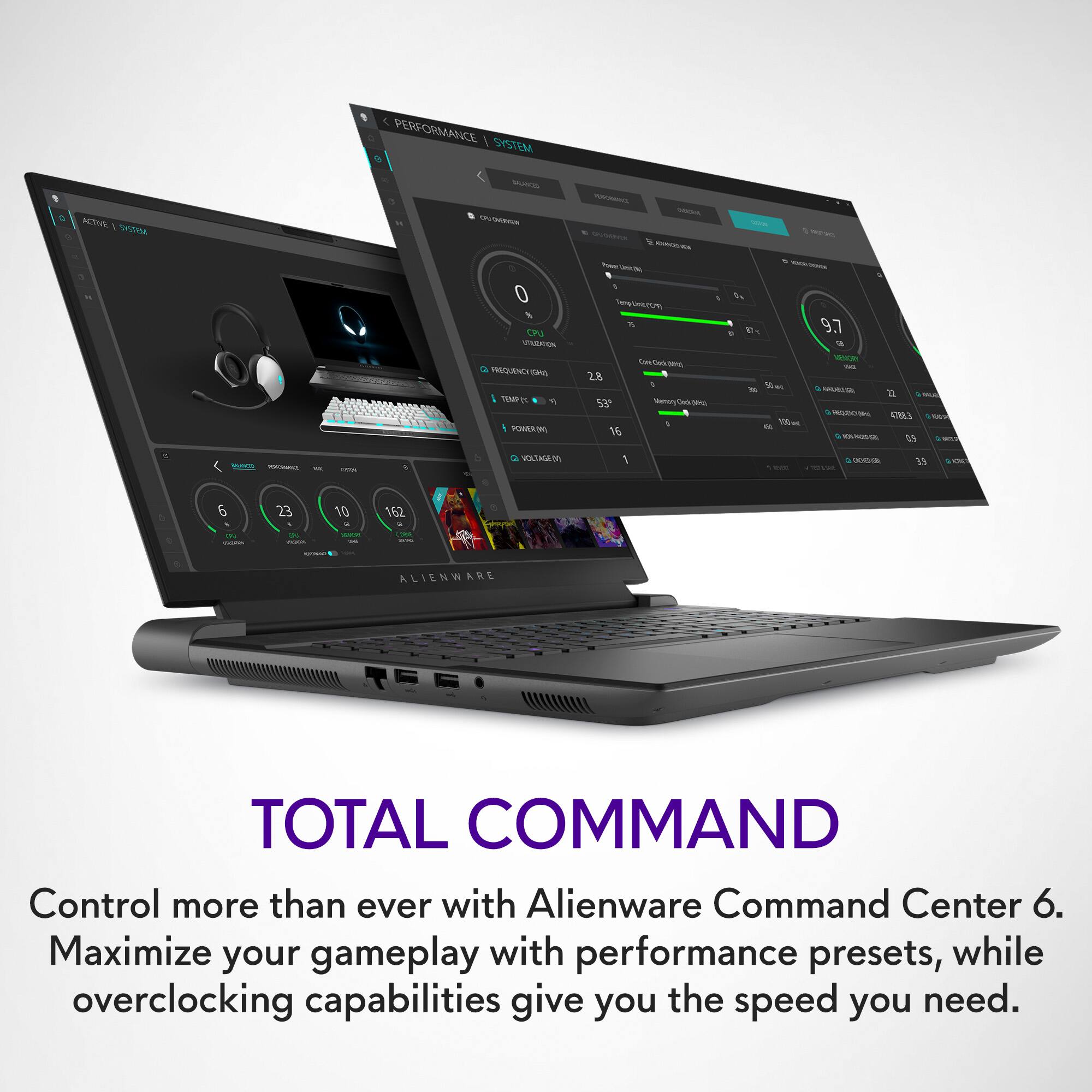
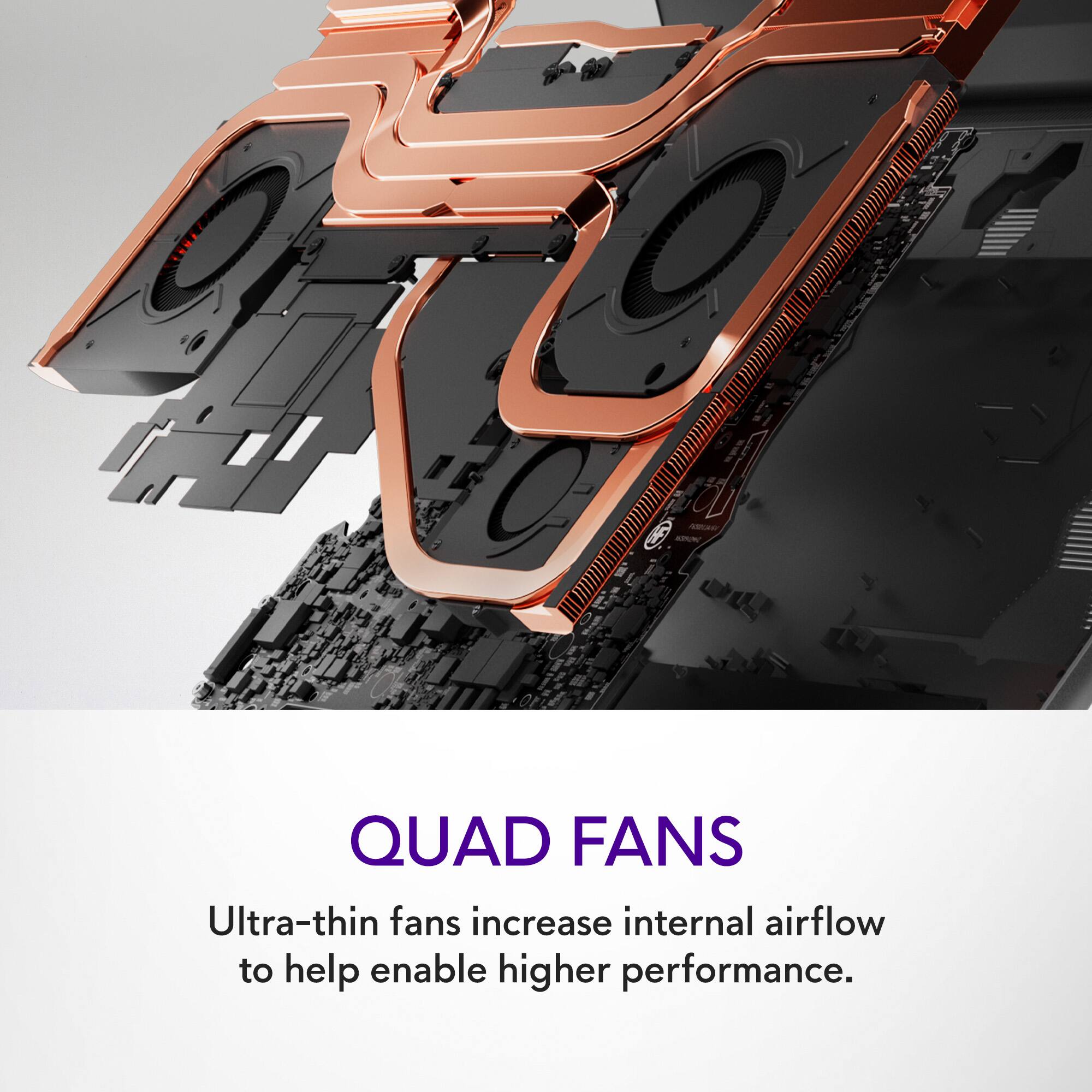
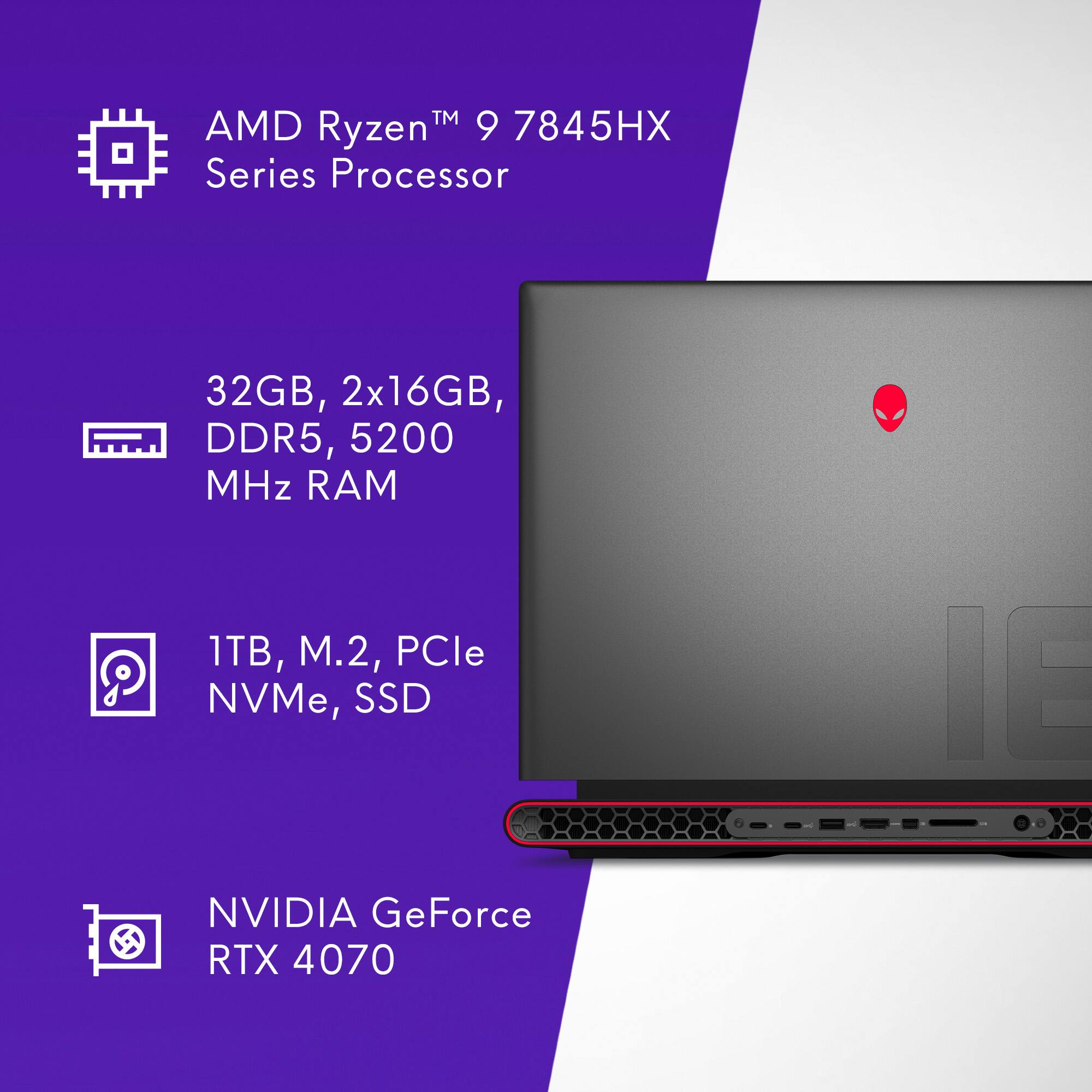
|Posted .This reviewer received promo considerations or sweepstakes entry for writing a review.The hardware specs of this laptop are unmatched at this price point. While I’d argue a dedicated gaming desktop could never be replaced by a laptop, this one does come pretty close, and is a fantastic compromise if you need ultra gaming power on the move. As always with a “gaming desktop replacement”, you’ll have the typical tradeoffs: heavy laptop, oversized power brick, a 480 HZ FHD+ display, and lots of heat and noise when pushing the laptop to utilize its power. This laptop is no exception to that rule. Weighing in at close to 9 pounds, the power brick at about 3 lbs, this is definitely not the most comfortable laptop to lug around on your back all day. What you do get for all that weight, is a fantastic set of hardware components: AMD Ryzen 9 7845HX CPU (12 core, 24 threads, up to 5.2 GHz turbo), 32GB of RAM, and a dedicated nVidia RTX 4070 GPU. Those core specs handle almost anything I threw at this laptop, provided it could keep cool. That moves us on to cooling. If you can’t keep the laptop cool, you will definitely notice a performance hit. Additionally as with most high power laptops like this, full performance on just battery alone is limited, you get much better performance keeping the device plugged in. I’d highly recommend keeping the laptop on a hard flat surface to let it ventilate properly. Best case I would place the laptop on a dedicated cooling pad to help give it even more room and cooling power. Keeping components cool is the best way to make sure you maximize your performance. The initial setup is very standard. Unboxing is simple and you can breeze through the Windows 11 setup process fairly easily. The Alienware control center allows you to customize a handful of core settings from lighting to cooling profiles. Performance wise, on battery you’ll see about an hour before you need to plug in the charger. Again I’d recommend keeping the charger plugged in while gaming for maximum performance. WIth the 1TB SSD, you can install a good selection of games and have them available at the ready. Overall, if you’re looking for a sleek, ultra high powered laptop that could replace your desktop, you absolutely need to consider this beast. WIth any high power laptop you’ll have the drawbacks of heat, noise, and limited battery life, but there will always be a spot to compromise. I think Alienware has done well weighing those compromises and getting you the best performance for your dollar possible.
I would recommend this to a friend BestBuy messed up
||Posted . Owned for 2 months when reviewed.This reviewer received promo considerations or sweepstakes entry for writing a review.I would have rated this product 5 stars, but BestBuy delivered this product to someone else.
No, I would not recommend this to a friendNot worth it
||Posted . Owned for 1 week when reviewed.This reviewer received promo considerations or sweepstakes entry for writing a review.Really wished it worked like they said. Display issues. Gets stuck in between tasks.
No, I would not recommend this to a friendBrand response from YourDellTeam
Posted .Hello Madhavsainikhil,
Thank you for taking the time to leave us your review. We sincerely apologize for the trouble you have encountered with your Alienware m18 FHD+ 480Hz Gaming Laptop. This is certainly not the type of feedback we like to hear from our valued customers, or the type of product Dell intends to deliver.
Your feedback will be shared with our quality team for consideration in future enhancements in products.
If you are still experiencing issues, with a little more information from you, we would like to help you resolve the issues you may be facing to your satisfaction. Please do not hesitate to get in touch with a Dell representative using the information provided below.
Chat or call: https://bit.ly/DellSupportTeam
Phone number to Dell: 1-800-624-9896
Best,
Minhaj@Dell
Disappointed after 2 weeks
||Posted .This reviewer received promo considerations or sweepstakes entry for writing a review.Died after 14 days, screen would not turn on. Days before games would crash and would have trouble booting up.
No, I would not recommend this to a friendBrand response from YourDellTeam
Posted .Dear Jeremy,
Thank you for taking the time to leave a review of your Alienware m18. We are sorry to hear that you are experiencing an issue with your devices screen not functioning. That is not the type of feedback we like to hear from our customers, or the type of product Dell intends to deliver. Below I have provided a troubleshooting link to help resolve your issue.
Alienware Usage & Troubleshooting Link: https://rb.gy/ll6ls
We recommend that you contact Dell directly with the information below if you need further assistance.
Chat or call: https://bit.ly/DellSupportTeam
Phone number to Dell: 1-800-624-9896
Best,
Summer@Dell
Not worth it
||Posted . Owned for 3 weeks when reviewed.This reviewer received promo considerations or sweepstakes entry for writing a review.Got 2 of these and each of got the blue screen of death
No, I would not recommend this to a friendBrand response from YourDellTeam
Posted .Hi There ChrisTheBroken,
We want to thank you for taking the time to leave us your review. We sincerely apologize for the blue screen issues you are experiencing with your Alienware m18. Your feedback about discrepancies in our products and services helps us improve with future developments. Below I have provided troubleshooting instructions with the full article that can help resolve this issue.
Here are the steps to help resolve your issue:
1. At the desktop, click the Search the web and Windows box and type "problem reports".
2. Select View all problem reports viewing a list of errors that have occurred on your computer and possible solutions for them, such as updating drivers, flashing your system BIOS, or checking for updates to the software.
3. Under the Source column, look for Windows and under Summary, look for Shut down unexpectedly.
4. Right-click the line item and select Check for a solution.
We'd also suggest checking to make sure that your software and drivers are up to date on Dell's Product Page here: https://dell.to/3xcCmaM
You can read the full article on solving PC blue screen issues here: http://dell.to/2u98Cct
If you still experience any issues after you have finished troubleshooting your laptop using the steps above, please reach out to us at: https://bit.ly/DellSupportTeam.
We look forward to making this right for you!
If you continue to experience issues, please reach out to Dell Support directly by using the information provided below.
Chat or call: https://bit.ly/DellSupportTeam
Phone number to Dell: 1-800-624-9896
Best,
Summer@Dell
Screen flickers
||Posted . Owned for 2 weeks when reviewed.This reviewer received promo considerations or sweepstakes entry for writing a review.Screen starts to flicker when turning on sometimes ..and with color lines across the screen
No, I would not recommend this to a friendBrand response from YourDellTeam
Posted .Hi Amandah,
Thank you for taking the time to leave a review of your Alienware m18 gaming laptop. We are sorry to hear that you are experiencing an issue with your screen flickering and lines across the screen. That is not the type of feedback we like to hear from our customers, or the type of product Dell intends to deliver. Below I have provided a troubleshooting link to help resolve your issue.
Display Troubleshooting Link: https://rb.gy/bd1n6
If you continue to experience issues, please reach out to Dell Support directly by using the information provided below.
Chat or call: https://bit.ly/DellSupportTeam
Phone number to Dell: 1-800-624-9896
Best,
Summer@Dell
- Pros mentioned:Ram
Great on paper but many stability issues
|Posted .This reviewer received promo considerations or sweepstakes entry for writing a review.When I got this laptop I figured it would be a good system for me. The screen refresh rate is the highest I've ever played on (even scrolling looks crisp), there's a second NVME slot for more storage, and on paper the Ryzen 9 and the 32GB of RAM and the RTX 4070 look good. I also like the array of ports - there's enough to attach all kinds of accessories. The keyboard is nice, the chassis feels solidly constructed, and the speakers are pretty great. All of this makes for a good gaming experience... when the computer actually works. I've had numerous issues. Games that this system should be able to handle will inexplicably freeze up, some flat-out refuse to launch at all, and others refuse to run on the dGPU and use the iGPU instead even when I change the GPU assignment in the settings. Furthermore, the system will sometimes freeze up completely on connecting the power adapter, and I can't do anything with it until I forcibly reboot it. Additionally, there appear to have been quality control issues - when it arrived, it had a defective battery that couldn't output enough power to keep the computer going when the charger came loose. This was replaced under warranty, but the fact that it happened on top of everything else that went wrong make me wary of the entire product line, particularly since I can't seem to fixes for half of the issues that occur. I've tested the laptop with the following games: - Horizon Zero Dawn (crashes immediately) - Overwatch 2 (mostly fine, but sometimes has issues with stutter and framerate drop) - Halo Infinite (seems to be perfectly fine) - NieR Automata (also perfectly fine, unless you turn the anti-aliasing up to the highest setting) - Elden Ring (runs perfectly) - Borderlands 3 (runs okay) - Project Wingman (I can't seem to make it use the dGPU, and it has a lot of stutter) - Scarlet Nexus (runs perfectly) - Titanfall 2 (It took more effort than I expected to get this one to use the dGPU) - Tales of Zestiria (had to manually set it to dGPU but worked fine) I've also noticed that if I play games while on a voice chat, at random points the entire system audio will sound like a TV with bad reception for a bit. This coincides with drastic framerate drops and stutter. This seems to happen less often when not using voice chat. Other things I've noticed: - While the machine gets hot, the cooling system is actually pretty good. I can put it on my lap without burning myself. - Once or twice one or two of the USB ports became completely unresponsive. - Taking the bottom off is easy, but putting it back on is annoying due to the two corner screws and the angle they're tilted at compared to everything else. You sometimes have to jimmy them around with a pick, and if you want any hope of actually sealing the case back up properly you need to screw them in first. On the plus side, it makes it easy to get the dust out of the cooling system. - I like the fact that the RAM is two discrete and removable modules. - The main SSD is also not integrated, which is nice. - The Face Unlock is a bit iffy - it doesn't seem to have long enough range to unlock without me shoving my face right into the camera. - The charging brick is huge, and almost feels heavier than the laptop itself. For what it's worth, I have noticed fewer issues after some driver updates yesterday, so hopefully the problems I've experienced are things Dell is aware of and working on. However, as it is, I can't justify recommending this system to someone just because of the lack of stability I've experienced with it. If they ever fully fix that, then I would definitely recommend it, however - the screen is great, and the modularity of the system would make it a great pick if it just ran better.
No, I would not recommend this to a friendBrand response from YourDellTeam
Posted .Greetings FrozynHeart,
Thank you for taking the time to leave a review of your Alienware m18. We are sorry to hear that you were experiencing several issues with your device but are happy to hear that after doing the driver updates that your issues seem to be resolved. That is not the type of feedback we like to hear from our customers, or the type of product Dell intends to deliver. We have noted the details of your statement and will use them to improve current and future products. If you experience any further issues we recommend using the toll-free number or chat link below to reach a member of our Dell Support Team.
If you continue to experience issues, please reach out to Dell Support directly by using the information provided below.
Chat or call: https://bit.ly/DellSupportTeam
Phone number to Dell: 1-800-624-9896
Best,
Summer@Dell
- Pros mentioned:Speed
Wonderful Gaming Laptop
|Posted .This reviewer received promo considerations or sweepstakes entry for writing a review.I don't even know where to start. This Alienware Laptop is so amazing. I have been using it almost non-stop for gaming for the last few days and I can say that I am truly impressed. The speed of the computer is amazing, it hasn't had a problem yet with any of the games, and the graphics card is an absolute monster when it comes to gaming. The overall performance of this Laptop is so phenomenal that I am completely at a loss for words. It has exceeded my expectations by far. Aside from an amazing processor and an amazing graphics card, the battery life is by far one of the best. While using the laptop in performance mode and gaming, I'm able to get approximately two hours of gameplay in before I have to plug in back into the power supply. the fact that it has a 1TB SSD does make life a little better, and again it makes the game play that much better. The laptop itself is kind of big, but it is beautiful. The RGB of the keyboard and logos on the laptop just make it that much better. I can't say enough great things about this laptop, and as far as I can tell there is nothing that I would consider a flaw at this point.
I would recommend this to a friend Solid, Hefty, Powerful and Quiet Gaming Rig
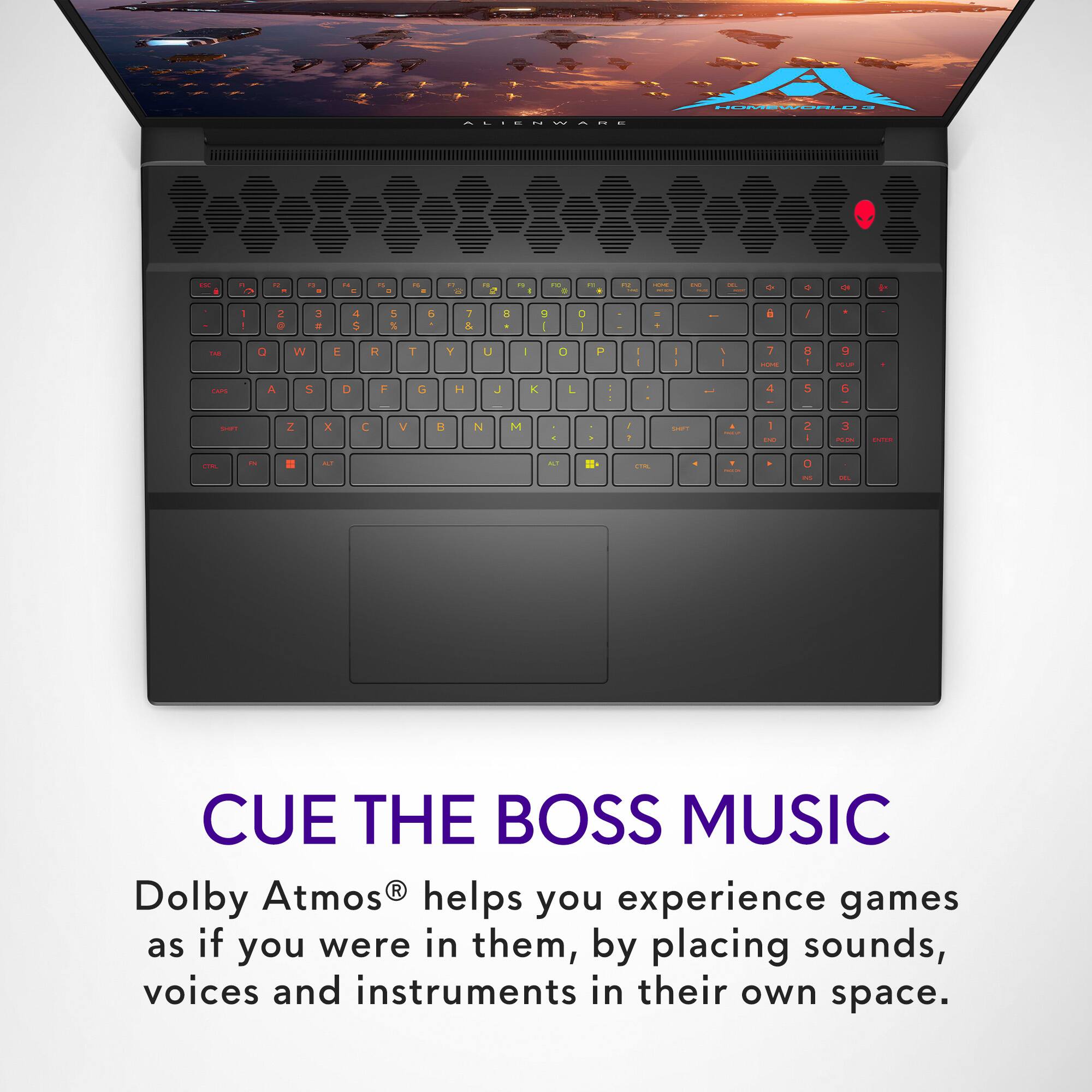
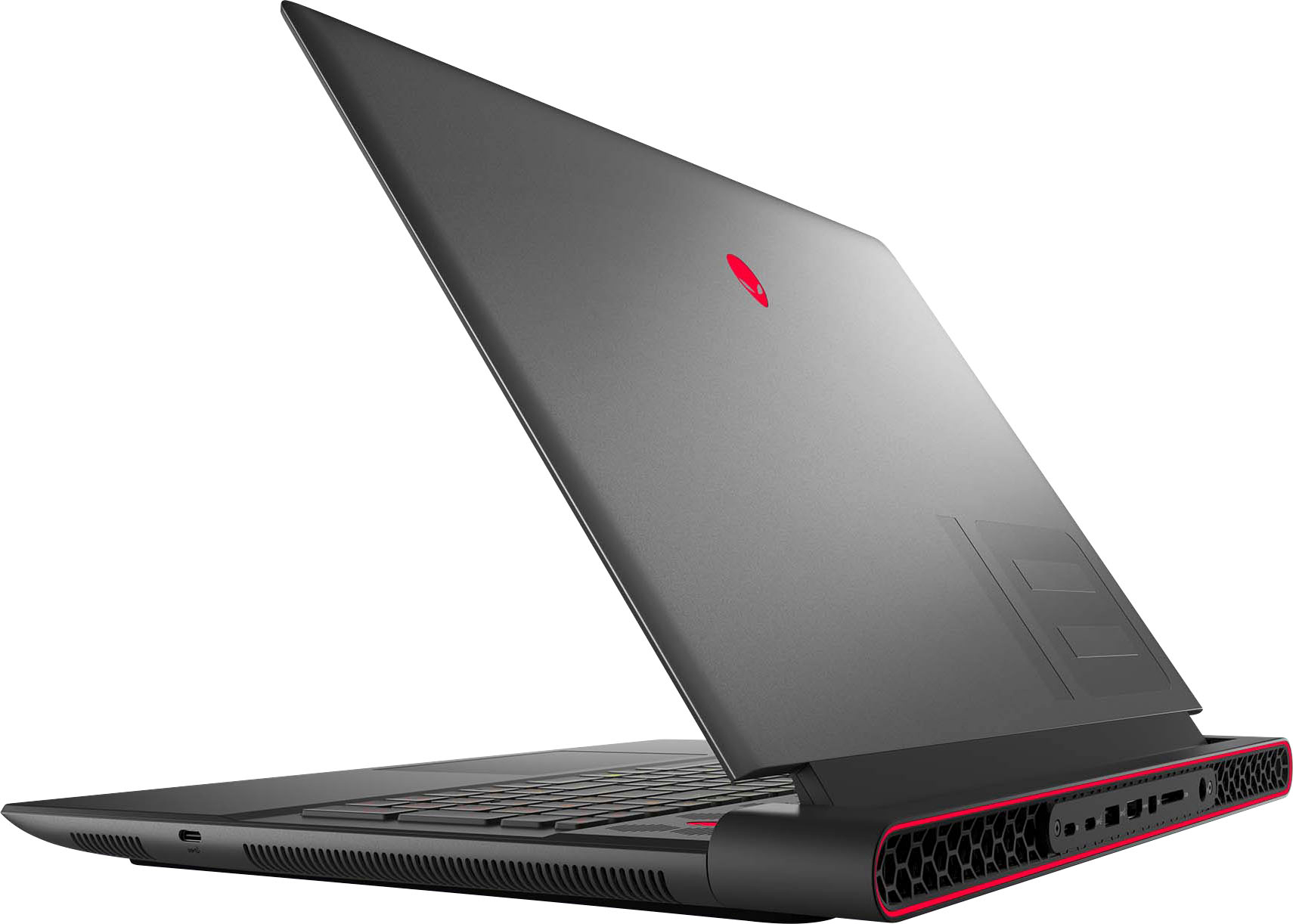
|Posted .This reviewer received promo considerations or sweepstakes entry for writing a review.The Alienware m18 w/Ryzen 9 and RTX 4070 has proven to be a very capable gaming laptop. Although I think using the term laptop is a bit of a stretch, as no one is gonna be rocking with this boat anchor on their lap. Nevertheless it offers a solid build with a quiet, yet powerful punch, in gaming performance. Let's start with the chassis and build. This machine is huge. It has an 18" display and a well built housing for all the gear inside. It seems solid enough to handle a bump or two, but I might not recommend testing that. The hinge is fluid and the design could definitely stand up to frequent open/close maneuvers. But know one thing...this beast is HEAVY! It could potentially sink the Titanic if it could float. It does come equipped with some high-quality and effective venting in the back. And the RGB LEDs are fun and can display in just the right way as to not be obnoxious. Here's the elephant in the room. If you thought the PC itself was heavy...look out for that power brick. That thing is MASSIVE, and easily competes with the laptop on mass. This will make stowing in a backpack for a trip a real chore. But alas, all that horsepower is gonna require some serious power. The display is reasonably bright for a plain old 1080p IPS panel. Aside from the overall heft of this device, the display is the only other con overall. It's only FHD+ and it really should have been QHD+ at a min with an upgrade option to OLED 4k. The 480hz refresh is overkill and doesn't really do much other than sound cool because it's a huge number. For gaming purposes 4k is a tough sell, but on a non-ultrawide display with a 4070 it should perform well enough. QHD+ would have been fantastic!! The Ryzen 9 CPU does its job...It's fast and has plenty of cores for multitasking and gaming. I really can't say much here that will sway a person's opinion one way or another unless they are a die-hard Intel fan. The sound system is good and for a laptop delivers a clean enough sound that I don't feel like I have to use headphones to enjoy the game. Matter of fact, I've been switching to this device from my desktop PC because I wanted to give my ears a break from headphones. It comes with a license for ATMOS too, so that's a win! The keyboard and touchpad do their job, and tbh the layout on the keyboard is easier to use than most laptops. I have big mitts so I always struggle a bit with typical laptop keyboards and their tiny size. I feel that this one is comfortable to use and I find myself making fewer keystroke mistakes than I do on a typical laptop. It comes with 32 gb of RAM and a 1TB SSD. The 32GB is a fantastic choice and is a nice step up from many gaming laptops that come standard with only 16GB. The SSD seems to perform well and I've got no complaints when it comes to load times for games. There's a built-in webcam that supports Windows Hello, which is nice to have. There's plenty of external ports with 6 USB ports, 3 of which are USB-C; as well there is a couple displayport ports, an ethernet port, and an SD card slot. As far as gaming performance goes, I've installed and played the following titles to date: Diablo 4, Baldur's Gate 3, Madden 23, FIFA 23, and Overwatch 2. It's ran them all perfectly. I truly couldn't be happier with the gaming performance of this machine. But that's all thanks to the RTX 4070 inside. Overall I would give this machine a 4.5, but alas I cannot choose that here. I feel like it needs to drop a half star for the display choice. It's not a deal breaker, but it's definitely not as nice as it should be. Again, it's more of an issue with the resolution vs anything else. The brightness seems fine even though it's still a bit low. There's no HDR, but let's face it...HDR sucks on Windows PCs for gaming. It is so buggy and not worth investing in...still. Which is crazy because that should totally be worked out by now. Get it together Microsoft! And even if it did have HDR this display is only about 300nits which is far too low for HDR. Aside for all that griping it's still a positive gaming experience for something portable. I would totally recommend it to a friend. I've played with plenty of gaming laptops in my day and this one is a really solid build overall.
I would recommend this to a friendBig system in both size and function. A winner!
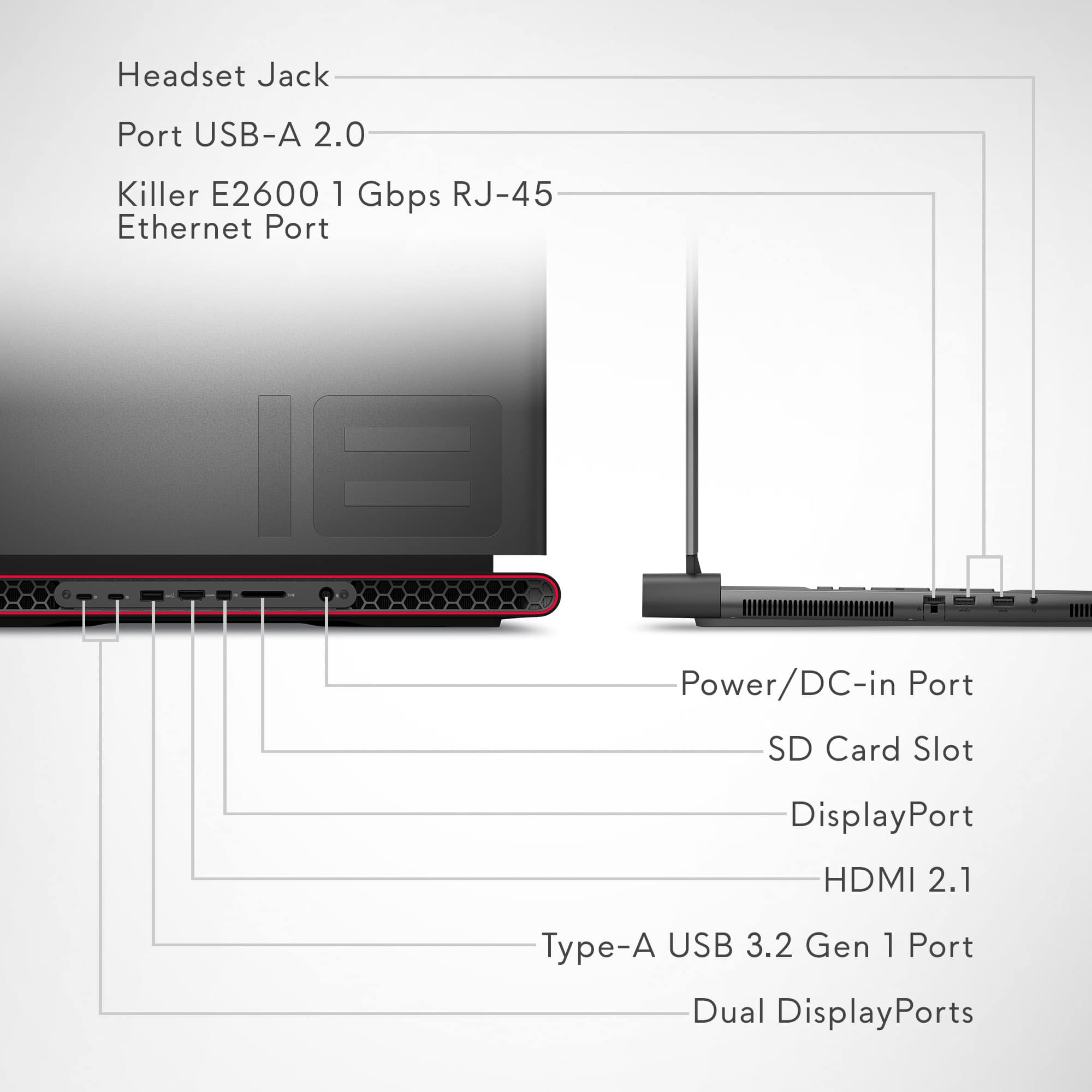
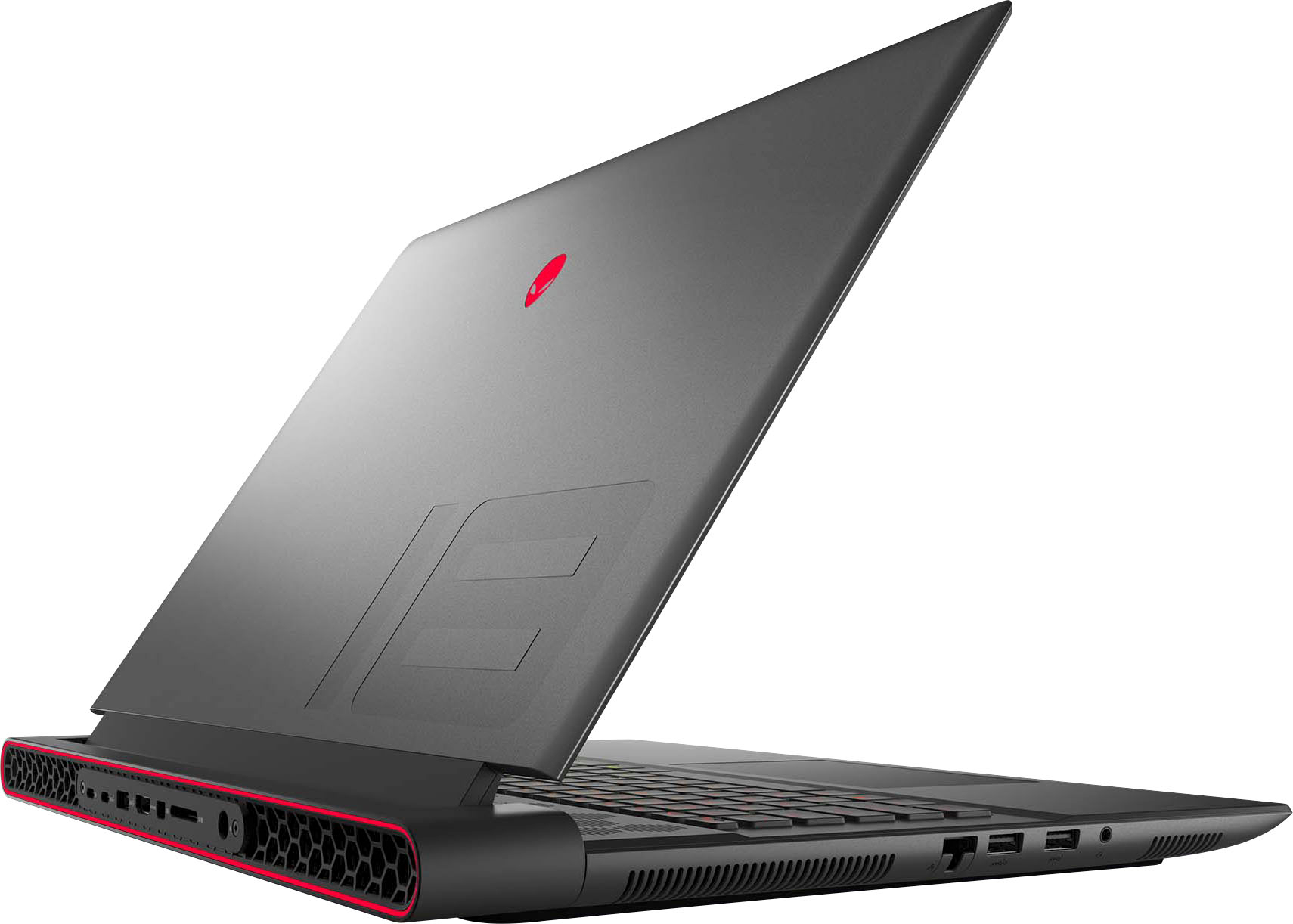
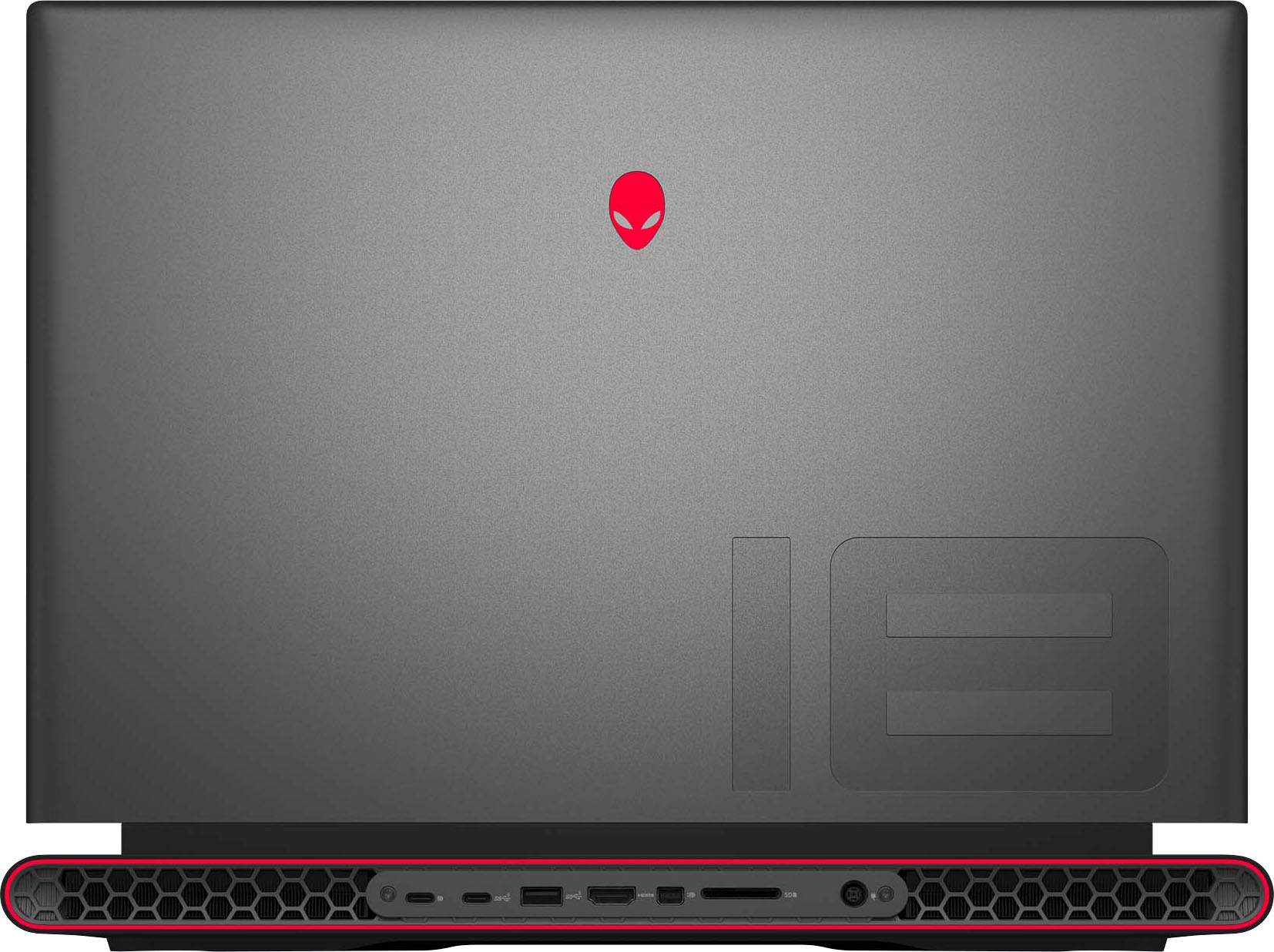
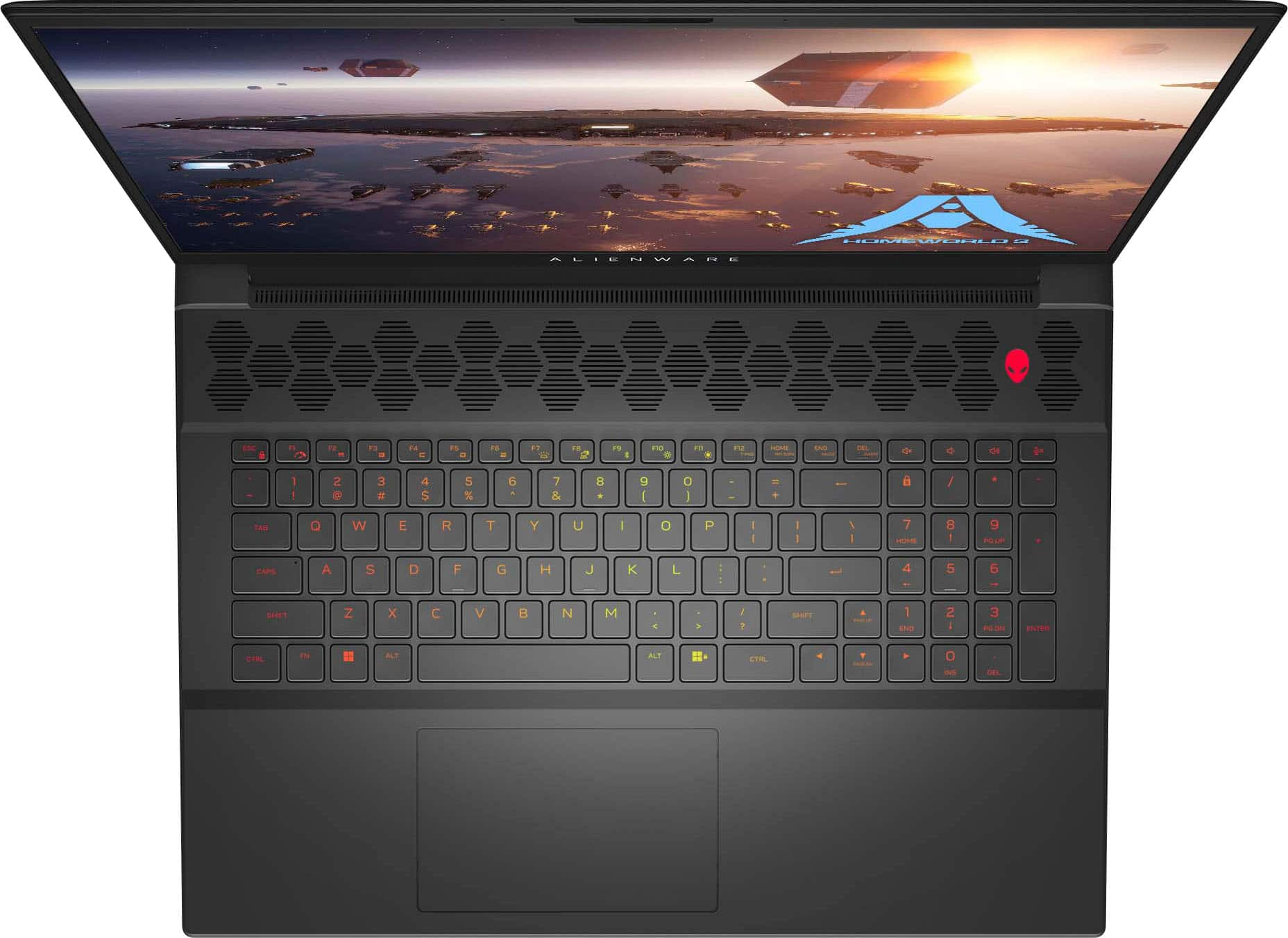
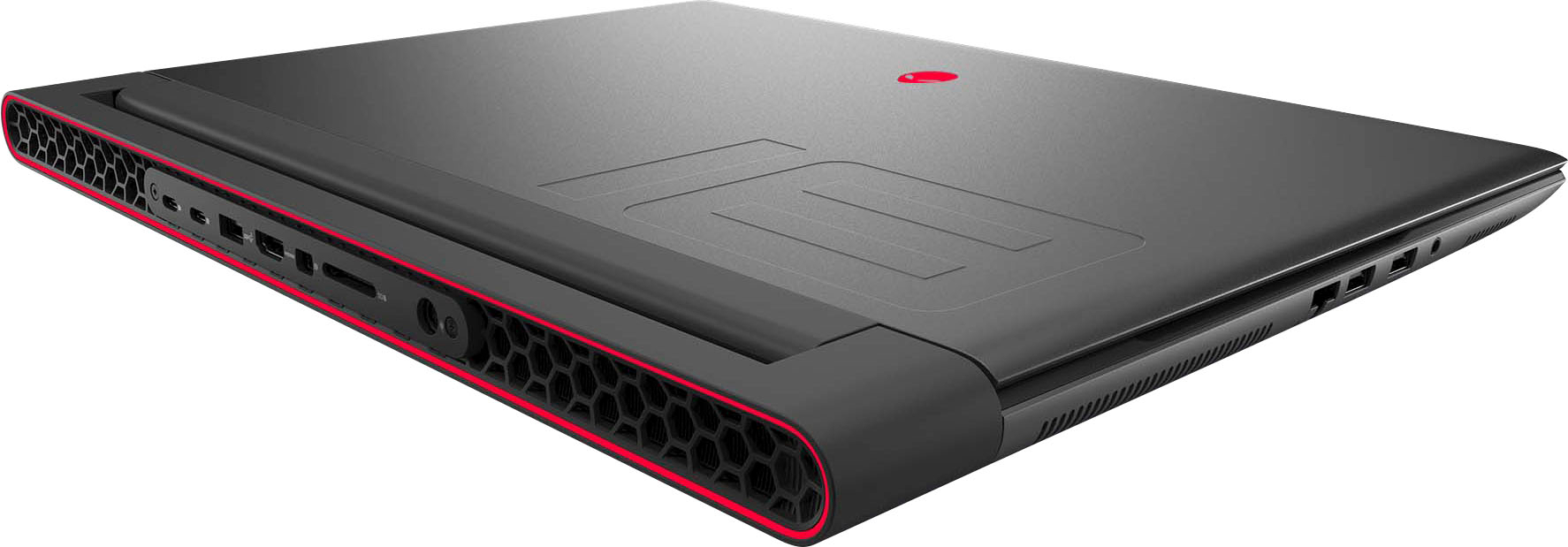
|Posted .This reviewer received promo considerations or sweepstakes entry for writing a review.I never thought I would have an 18 inch display on a laptop before, but here I am. TL;DR report, I love this machine. Long story longer, The Alienware M18 is a beast. I have another gaming laptop with a 3000 series RTX Nvidia chip, but the form factor is slim, light, and hot. I've had nothing but issues with it sleeping during gameplay. The manufacturer after taking a look at it concluded that it was a "feature". I realized for the gaming I want to do, I should probably just go for a chunky, desktop replacement type computer. I realized I don't move around a lot anyway when I game, and I have a tablet for travel reasons anyway. This does gives me the option to move around the house though when I want change of scenery. This M18 in particular comes with a 4070 chip and so far I've not found a game it can't handle. Diablo IV is smooth on this 480 Hz screen. The speakers are solid but nothing special. So headphones are recommended for an immersive experience. Back to the display, it is FHD+, and I thought I might be disappointed with a lower resolution display, especially at 18 inches, but to be honest, with this high refresh rate, this thing is actually really fun to use. It has a dedicated number pad, which works great for when I'm doing non game stuff (some light coding, excel, CAD stuff) and having the screen real estate for these things is huge! literally. The keyboard, the color ring on the back vent, and the alien head power button and on the back of the display can all be configured with various colors, rainbow, various sequential patterns, super fun. The function keys default to their system functions, and the FN key gives you the F1-F12 option. I prefer it this way. There are so many ports for expansion, with just a couple of questionable things for me. The SD card slot is on the back rather than on the side, and this sort of is a head scratcher for me. Not a dealbreaker though. There is an ethernet port, three USB C 3.2 ports, one of which is labeled for displayport, three USB A ports, an HDMI port, a mini displayport (so three ports for displays), and a headphone jack. AMD has yet to adopt Thunderbolt so another minor disappointment for me is no TB support on this machine since it's the Ryzen edition, but again not a dealbreaker. The trackpad is a "surfboard" style which means you can click at the front of it, but not at the back of it. Also having a Macbook, I have gotten used to a trackpad that clicks all over the surface, but it works fine for me and it's a very large trackpad, so there isn't really a need to click toward the back. Windows 11 feels great on here. It's smooth and fast, I am still tweaking my settings and configuration. I'm really enjoying it though. I would say Dell has really made an amazing machine here. I'm still running it through paces with gaming, I have tried both Game Pass and Steam titles and both run amazing. I highly recommend considering this machine, this model is what I consider a reasonable price for what you are getting, and believe this will last for a good while. I understand this machine has expandability, both for memory and storage, so it's pretty future proof. If you are looking for a power machine, that's mostly for stationary use, but is able to be moved around when needed, I wouldn't hesitate getting this machine.
I would recommend this to a friendLarge but Great
|Posted .This reviewer received promo considerations or sweepstakes entry for writing a review.Equipped with the ADM Ryzen 9 7845HX (with built-in graphics) and a Nvidia GeForce 4070 RTX (Laptop), this laptop is extremely powerful and rivals a desktop. Testing the system on various games such as Icarus and Universal Sandbox, the lowest fps was about 80 while on the highest detail/graphics settings including Ray Tracing in Icarus. During the stress testing of the CPU in Universal Sandbox, the highest it got to was 20% (with a star system of about 20 Sun-like stars). In addition, this laptop is capable of running the Valve Index at 120 FPS without any stuttering (tested using Pistol Whip and different performance checkers). Stepping away from games, the bulky design of the laptop hides the large number of fans. The 18" screen itself is massive with a 1920x1200 resolution, but looks amazing with a very wide range of colors. Brightness wise it does seem to be slightly lower than others, but I still had to turn it down to 50%. The built in digital keyboard is very comfortable and silent with full RGB backlighting, but I am noticing the caps lock light is very dim in comparison to the num lock or rest of the keyboard lighting. I did have to click it a few times to tell the difference between on/off caps lock, and at first I thought the button was broken but it is working as intended. The touchpad is placed perfectly and fluid, detecting some very light touches. Though I do wish there was more marking on where the right-click is located. In terms of the available ports, with a single HDMI port and mini-DisplayPort, there are not many options in terms of external displays. There are 3 total usb ports and no apparent thunderbolt usb-c port, but there are several. The full SD slot is a very nice addition though. In addition, the ethernet port's cover fits perfectly within the case. All in all, if you are looking for a laptop that rivals most gaming desktops, this is the laptop to get. I have yet to really find a single flaw (beyond the caps lock light) and will be using this laptop regularly.
I would recommend this to a friend- Pros mentioned:Graphics, Speed
Great pc
Posted .This reviewer received promo considerations or sweepstakes entry for writing a review.The graphics are amazing in this pc and its so fast, but Ive had it for only a month and I cant count how many times Ive seen the blue screen already…
No, I would not recommend this to a friendBrand response from YourDellTeam
Posted .Hello There LuisPerez,
We want to thank you for taking the time to leave us your review. We sincerely apologize for the blue screen issues you are experiencing with your Alienware m18 Gaming Laptop. Your feedback about discrepancies in our products and services helps us improve with future developments. Below I have provided troubleshooting instructions with the full article that can help resolve this issue.
Here are the steps to help resolve your issue:
1. At the desktop, click the Search the web and Windows box and type "problem reports".
2. Select View all problem reports viewing a list of errors that have occurred on your computer and possible solutions for them, such as updating drivers, flashing your system BIOS, or checking for updates to the software.
3. Under the Source column, look for Windows and under Summary, look for Shut down unexpectedly.
4. Right-click the line item and select Check for a solution.
We'd also suggest checking to make sure that your software and drivers are up to date on Dell's Product Page here: https://dell.to/3xcCmaM
You can read the full article on solving PC blue screen issues here: http://dell.to/2u98Cct
If you still experience any issues after you have finished troubleshooting your laptop using the steps above, please reach out to us at: https://bit.ly/DellSupportTeam.
We look forward to making this right for you!
If you still experience any issues, please reach out to us at: https://bit.ly/DellSupportTeam
Chat or call: https://bit.ly/DellSupportTeam
Phone number to Dell: 1-800-624-9896
Best,
Summer@Dell
- Pros mentioned:Performance
Alienware
Posted .This reviewer received promo considerations or sweepstakes entry for writing a review.You can't beat this computer its the best and will be number one always
I would recommend this to a friend - Pros mentioned:Performance
Powerful and Portable
Posted .This reviewer received promo considerations or sweepstakes entry for writing a review.This Alienware has no issues playing most games on max settings and less fan noise. Major upgrade from previous generations. Highly recommend for on the go.
I would recommend this to a friend Expensive, make sure you research
Posted .This reviewer received promo considerations or sweepstakes entry for writing a review.This laptop is massive. I know it said 18” but I really underestimated the size. There isn’t a cover or bag that can hold this, but my husband uses one of his larger backpacks and that works fine. It is also a battery drainer and the fan is pretty loud. My husband plays DND on it 90% of the time and it doesn’t last a full session (usually 3-4 hours). So that’s slightly annoying. The charger is just as big as the laptop it seems but it does charge quickly which is nice. Everything else is pretty good. The resolution is good, the RAM (16gb) is perfect for what he wants to do.
No, I would not recommend this to a friendBrand response from YourDellTeam
Posted .Dear BethG,
Thank you for taking the time to leave a review. We apologize for the battery performance issues you are experiencing with your Alienware m18 gaming laptop. It's important for us to hear about inconsistencies in our products for consideration of future development. Below I have provided steps with the full articles that can help you improve the battery performance of your laptop.
Here are the steps to help improve the battery performance of your laptop:
1. On the notification area of the taskbar, right-click the Battery icon.
2. On the options list, click Power Options.
3. Select a power plan on the battery meter, such as Power Saver or Balanced. Windows 10 has a built-in 'Battery Saver' mode that can be activated to extend your system's battery life. The Battery Saver mode will monitor and limit background activity and other features such as push notifications. You do have the option to enable or disable this mode within settings or within advanced Battery Saver settings, you can customize the mode to best suit your needs.
a) Click on the Action Center icon in the taskbar and select the tile for Battery Saver.
b) If running Cortana, type Battery Saver into the search box and select from the results.
Within the Battery Saver settings page, you will be able to turn on and off the feature and customize the feature to best meet your needs.
c) Turn the Battery Saver On or Off.
d) Additional settings are available via the Battery use and Battery saver settings links.
e) Battery use shows further info on apps and their power usage.
f) Battery Saver Settings screen allows you to customize further the Battery Saver feature.
How to Improve the Performance of a Dell Laptop Battery: http://dell.to/2vfXWf4
If you still experience any issues after you have finished troubleshooting your laptop using the steps above, please reach out to us at: https://bit.ly/DellSupportTeam
If you need further assistance, we recommend using the toll-free number or chat link below to reach a member of our Dell Support Team.
Chat or call: https://bit.ly/DellSupportTeam
Phone number to Dell: 1-800-624-9896
Best,
Summer@Dell