Customer Ratings & Reviews

- Model:
- B0DC91H3JK
- SKU:
- 6642851
Rating by feature
- Value
Rating 4.6 out of 5 stars
- Quality
Rating 4.7 out of 5 stars
- Ease of Use
Rating 4.6 out of 5 stars
to a friend
Customers are saying
Customers commend the product's overall performance, with many specifically praising its impressive HD screen. They also appreciate the generous screen size and the straightforward setup process, contributing to its ease of use.
This summary was generated by AI based on customer reviews.
ALEXA
||Posted . Owned for 2 weeks when reviewed.This reviewer received promo considerations or sweepstakes entry for writing a review.Excellent equipment, and it's also very complete for the home
I would recommend this to a friendEcho show 11 love it!
||Posted .This reviewer received promo considerations or sweepstakes entry for writing a review.Love my echo show 11, just wish it had a camera!!!
I would recommend this to a friendLove it
||Posted . Owned for 3 weeks when reviewed.This reviewer received promo considerations or sweepstakes entry for writing a review.It works fine….the only reason why i removed one star is because of unnecessary advert
I would recommend this to a friendAmazon show 11
||Posted . Owned for 1 week when reviewed.This reviewer received promo considerations or sweepstakes entry for writing a review.Amazon show 11 so far is a nice tech tool for your house. I like the feature of bigger screen, text scrolling, and security. Audio volume seems ok, but thought would be better for this price point! Is the screen supposed to go black once it hits the evening?
I would recommend this to a friendBrand response from Amazon Devices Customer Support
Posted .Hello, Cjay. Thank you for your feedback on the Echo Show 11. We are glad to hear you are enjoying the bigger screen, text scrolling, and security features! Regarding the audio volume, the Echo Show 11 features room-filling spatial audio with dual full-range drivers and a 2.8" woofer, designed to deliver a rich listening experience. If you feel the volume could be improved, you can adjust the equalizer settings through the Alexa app to better suit your preferences. As for the screen going black in the evening — this is actually an intentional feature! The Echo Show 11 uses an ambient light sensor to automatically adjust screen brightness based on the lighting in your room. When the room gets darker in the evening, the screen will dim significantly or appear to go black as part of its automatic Night Mode. You can customize this behavior by going to Settings, then Display, and adjusting the Night Mode settings. You have three options: Automatic Night Mode (uses the ambient light sensor), Scheduled Night Mode (you set specific start and stop times), or you can disable Night Mode altogether if you prefer the screen to stay at its normal brightness in the evening. If you have any additional questions or need further assistance, Amazon Customer Support is available 24/7 at 1-888-280-4331. Thank you again for your feedback, and we hope you continue to enjoy your Echo Show 11!

Echo Show
||Posted .This reviewer received promo considerations or sweepstakes entry for writing a review.Large screen and very clear, son loves it for college
I would recommend this to a friendLove the product
||Posted .This reviewer received promo considerations or sweepstakes entry for writing a review.Works great interect is alot better with alexa plus
I would recommend this to a friendAmazing!
||Posted . Owned for 2 months when reviewed.This reviewer received promo considerations or sweepstakes entry for writing a review.The echo 11 has been an amazing device to own! I love using the the photo display option, and alot of the things I own are alexa conpatibile, which is great news!
I would recommend this to a friendPerfect
||Posted . Owned for 1 month when reviewed.This reviewer received promo considerations or sweepstakes entry for writing a review.Works perfect. My brothers wife and kids loves it a
I would recommend this to a friendReviews Akexa Echo
||Posted . Owned for 1 month when reviewed.This reviewer received promo considerations or sweepstakes entry for writing a review.Nice sound and good hardware but bad IA assistant.
I would recommend this to a friendExcellent Upgrade
||Posted . Owned for 2 weeks when reviewed.This reviewer received promo considerations or sweepstakes entry for writing a review.Excellent upgrade! I like the smaller footprint and the speaker is considerably better than the last version.
I would recommend this to a friendI Love Alexa
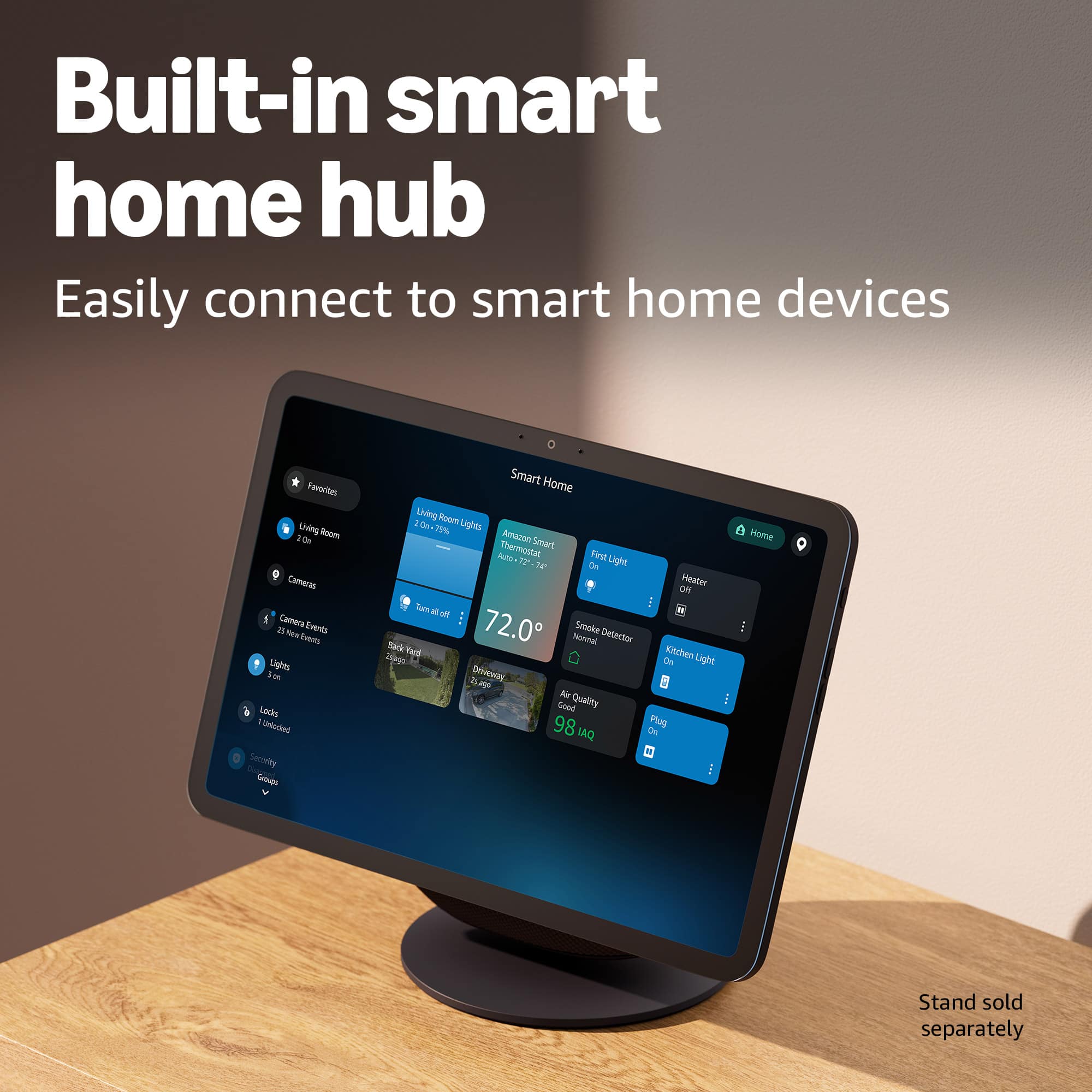
||Posted . Owned for 1 month when reviewed.This reviewer received promo considerations or sweepstakes entry for writing a review.Excellent! My wife loved it. She especially liked its features and its integration with the home and outdoor cameras, and the ability to manage everything from the mobile app.
I would recommend this to a friendBest Buy rules
||Posted . Owned for 5 months when reviewed.This reviewer received promo considerations or sweepstakes entry for writing a review.Great product and great price. As usual with Best Buy products
I would recommend this to a friendShow 11
||Posted . Owned for 3 weeks when reviewed.This reviewer received promo considerations or sweepstakes entry for writing a review.Great for my bedside... great sound for music and wakes me up in the morning...
I would recommend this to a friendAlexa Echo 11
||Posted . Owned for 2 weeks when reviewed.This reviewer received promo considerations or sweepstakes entry for writing a review.The package was received in great condition. The unit Alexa was also untampered and works just fine, easy to setup just follow directions and it’s super responsive. It’s great I upgraded from the echo 5 big difference in performance. Same display.
I would recommend this to a friendwatch
||Posted . Owned for 2 weeks when reviewed.This reviewer received promo considerations or sweepstakes entry for writing a review.very helpful with what I was looking for the sales person was very nici
I would recommend this to a friendNoice
||Posted . Owned for 3 weeks when reviewed.This reviewer received promo considerations or sweepstakes entry for writing a review.Works well when I’m in kitchen wanting to listen to whatever I want while I cook and clean
I would recommend this to a friendEcho Show 11!!
||Posted . Owned for 1 week when reviewed.This reviewer received promo considerations or sweepstakes entry for writing a review.Love it... nice speaker and other apps............
I would recommend this to a friendGreat buy!
||Posted . Owned for 1 month when reviewed.This reviewer received promo considerations or sweepstakes entry for writing a review.Very happy with my purchase! Faster and more efficient.
I would recommend this to a friendknowledge in a short time
||Posted . Owned for 1 month when reviewed.This reviewer received promo considerations or sweepstakes entry for writing a review.It has been very useful for us to be able to learn general knowledge with our children in a very short time
I would recommend this to a friendAmazon alexa
||Posted . Owned for 2 weeks when reviewed.This reviewer received promo considerations or sweepstakes entry for writing a review.I love it!!!I highly recommend to family and friends.
I would recommend this to a friend