Customer Ratings & Reviews

- Model:
- B0BP9SNVH9
- SKU:
- 10735419
Rating by feature
- Value
Rating 4.8 out of 5 stars
- Quality
Rating 4.8 out of 5 stars
- Ease of Use
Rating 4.8 out of 5 stars
Customers are saying
Customers enjoy the overall performance, ease of use, and impressive speed of this device. Users also appreciate the generous storage capacity, straightforward setup process, and competitive pricing. While most feedback is positive, a small number of users have reported occasional issues with buffering, remote control functionality, and minor lag.
This summary was generated by AI based on customer reviews.
- Pros mentioned:Overall performance
Perfect
||Posted . Owned for less than 1 week when reviewed.This reviewer received promo considerations or sweepstakes entry for writing a review.Perfect for a gift well tell everyone all about it
I would recommend this to a friend Fire stick
||Posted . Owned for 2 weeks when reviewed.This reviewer received promo considerations or sweepstakes entry for writing a review.Could not program it I have right next to my Internet,device still won’t load up
No, I would not recommend this to a friendBrand response from Amazon Devices Customer Support
Posted .Hi RonnieR,
Thank you for sharing your feedback about the Fire TV Stick 4K Max. I'm sorry to hear you're having trouble getting it set up—that's frustrating when you're ready to start streaming and the device won't load properly, even with strong Wi-Fi nearby.
Setup issues can happen for several reasons, but here are some troubleshooting steps that should help get your Fire TV Stick up and running:
Check the power source: Make sure you're using the power adapter that came with the Fire TV Stick plugged into a wall outlet (not your TV's USB port), as TV USB ports often don't provide enough power
Verify HDMI connection: Ensure the Fire TV Stick is firmly inserted into your TV's HDMI port. If it's hard to reach, use the included HDMI extender cable
Select the correct HDMI input: Use your TV remote to switch to the correct HDMI input where the Fire TV Stick is connected
Restart the setup: Unplug the Fire TV Stick from power for 30 seconds, then plug it back in and wait a few minutes for it to boot up
Wi-Fi connection: When the setup screen appears, make sure you're selecting the correct Wi-Fi network and entering the password accurately (passwords are case-sensitive)
Move closer to router: Even though your internet device is nearby, try moving the Fire TV Stick closer to your router during initial setup
If these steps don't resolve the issue and the device still won't load, please contact our support team at 1-888-280-4331 or through the Amazon app. They can walk you through the setup process step-by-step or arrange a replacement if there's a hardware issue.
Your feedback about the setup difficulty is valuable and helps us identify where additional support or clearer instructions are needed.
- Pros mentioned:Ease of use, Overall performance, Setup
Great upgrade
||Posted . Owned for 1 month when reviewed.This reviewer received promo considerations or sweepstakes entry for writing a review.This version is much better than previous ones with way more storage and great quality. The installation process is so easy.
I would recommend this to a friend This worked for my TV setup
||Posted . Owned for 1 month when reviewed.This reviewer received promo considerations or sweepstakes entry for writing a review.We have been using an older Firestick and we started getting messages, saying that the memory was full and to delete some apps. We didn't think we had that many apps, so we cleared cache, and deleted some apps. It worked for awhile, but we kept getting the same messages, so replaced our Firestick with this model which has 16 GB of memory. That is plenty of room for our applications. What I don't like about Amazon Firestick is that it doesn't let you delete Amazon apps that you don't use, like Amazon Kids, etc. If I could have deleted those, I may have been able to use my original Firestick longer, but eventually I would have had to replace it. My original Firestick only had 5 GB of available space. Some apps take up a lot of room and when there is an update, the latest version may take up more room, so eventually the day would come when I would have to buy a larger capacity Firestick. I also recommend doing your own research on these through AI before buying as the salesperson we used at Best Buy wasn't up to speed on these and couldn’t help much. If you are getting messages that your Firestick is out of space, go directly for the 16 GB Firestick replacement. There is an 8 GB Firestick model available, but it is eventually going to run out of capacity when you consider your regular apps are going to take up almost 5 GB of space. The 16 GB is not that much more pricey than the 8GB version and will give you twice as much extra space. Also you should shop around. You may find better price deals than Best Buy on these. Sorry, BB- just telling it like it is.
I would recommend this to a friendDysfunctional Firestick
||Posted . Owned for 6 months when reviewed.This reviewer received promo considerations or sweepstakes entry for writing a review.Although rated for IPV6 and 4K video, this device does not maintain its network connection and contstantly loses its network connection.
No, I would not recommend this to a friendBrand response from Amazon Devices Customer Support
Posted .Hi DP357, thank you for providing feedback on the Fire TV Stick 4K Max. I am sorry to see the experience you have had thus far. Here are some steps to try and resolve the connectivity issues. 1. Unplug your router and Fire Stick, wait a few seconds, then plug them back in.
2. Ensure the HDMI cable is securely plugged into both the Fire Stick and TV.
3. Access your Fire Stick settings to view your Wi-Fi signal strength.
4. If possible, reposition your Fire Stick closer to your router.
5. Go to Fire Stick settings to check for and install any available software updates. If these steps do not help and your are still disappointed with the device you can reach Amazon Customer service 24/7 for assistance. You can reach them at 1-888-280-4331. I hope this information helps, have a great day!
- Pros mentioned:Ease of use, Overall performance
Great
||Posted . Owned for 1 month when reviewed.This reviewer received promo considerations or sweepstakes entry for writing a review.The newest Amazon Fire TV Stick is an excellent streaming device for anyone looking for an affordable and feature-packed entertainment solution. Setup is quick and easy, and the interface provides access to popular apps like Netflix, Prime Video, Disney+, Hulu, and YouTube. The device delivers smooth performance, fast app loading times, and impressive 4K streaming quality with support for Dolby Vision and Dolby Atmos on compatible models. The Alexa Voice Remote makes searching for content convenient and hands-free. While the home screen includes advertisements and promotions, the overall value, performance, and extensive app selection make the Fire TV Stick a great choice for streaming movies, TV shows, sports, and live content.
I would recommend this to a friend Terrible lag even with high speed internet.
||Posted . Owned for less than 1 week when reviewed.This reviewer received promo considerations or sweepstakes entry for writing a review.Buffers way too much for “4k.” Just very disappointed.
No, I would not recommend this to a friendBrand response from Amazon Devices Customer Support
Posted .Hello NOLA and thank you for providing feedback on your experience with your Fire Stick. I am terribly sorry for the buffering issue you are experiencing with your device. One recommendation I would have is to see if you have any pending updates that are slowing down or preventing your device from functioning to the best of its ability. You can check this by going to Settings>Device & Software>About>Check for Updates. Another thing you can test is your network speed to see if you are running fast enough for the best experience. This can be affected by a number of things but you can check this by going to Settings>Network>(Your Wi-Fi network name)>Run Speed Test. If there is an issue, there are additional troubleshooting tips that will come up on screen for you. If you still are having issues, I would recommend contacting Amazon Customer Support at 888.280.4331 to troubleshoot further and see what options are available to you. Thank you for taking the time to provide your feedback and I do hope this helps resolve your buffering problem so you can enjoy your device. Have a terrific day!
- Pros mentioned:Ease of use, Overall performance, Setup
Amazon fire stick max
||Posted . Owned for 1 month when reviewed.This reviewer received promo considerations or sweepstakes entry for writing a review.Awesome great picture,speed, easy to setup. Great product all around 3rd party apps rule never buy subscriptions
I would recommend this to a friend - Pros mentioned:Ease of use, Overall performance, Setup
quick easy
||Posted . Owned for 1 month when reviewed.This reviewer received promo considerations or sweepstakes entry for writing a review.quick and easy to setup. no problems and very accommodating. lots apps and self explanatory
I would recommend this to a friend - Pros mentioned:Ease of use, Overall performance
Fire stick
||Posted . Owned for 3 weeks when reviewed.This reviewer received promo considerations or sweepstakes entry for writing a review.Excellent! Our Vizo tv was running slow. We tried updating tv and put it back into factory settings. Still slow! So we bought the fire stick. So quick, easy to use. Saved us from buying a new tv. Best buy employee was great. Thank you
I would recommend this to a friend - Pros mentioned:Overall performance, Storage
Great!
||Posted . Owned for 1 year when reviewed.This reviewer received promo considerations or sweepstakes entry for writing a review.He stick is way better than its predecessors. It has way more storage room which is an incredible addition. I love that I can actually take advantage of my smart 4k tv with and actually use it to watch 4k movies. The display is crystal clear.
I would recommend this to a friend - Pros mentioned:Ease of use, Overall performance
Perfect, Reliable 4K Streaming
||Posted . Owned for more than 2 years when reviewed.This reviewer received promo considerations or sweepstakes entry for writing a review.We picked this up for our secondary TV, and it has been a fantastic addition to our home. While it doesn't have the 6E capabilities of the Max version, it still delivers a premium 4K HDR streaming experience. It includes 8GB of internal storage for your apps. The setup was completely painless, and the interface makes it intuitive to navigate between our favorite streaming platforms. It’s a great value for anyone who works hard for their money and just wants a straightforward, high-quality streaming device without overpaying.
I would recommend this to a friend Great Buy!
||Posted . Owned for 6 months when reviewed.This reviewer received promo considerations or sweepstakes entry for writing a review.Easy to set up and use! Easy navigation! Sleek & Slim!
I would recommend this to a friend- Pros mentioned:Ease of use, Setup
Firestick
||Posted . Owned for 3 weeks when reviewed.This reviewer received promo considerations or sweepstakes entry for writing a review.I had no issues with setup. I love the Amazon firestick. I wish I would have gotten one sooner. It's perfect for my truck while I'm on the road.
I would recommend this to a friend - Pros mentioned:Overall performanceCons mentioned:Remote control
been wanting to try a streaming stick
||Posted .This reviewer received promo considerations or sweepstakes entry for writing a review.first i'm a big appleTV (hardware) fan and bought 4k max to try. for what i paid it's okay but if paying full msrp would be disappointed. first up is the remote .. light & cheap but works well. picture is good and UI is functional & responsive. however did experience random buffering & hangs with video (not often but this was with amazon's own app that i never experienced with appleTV & 1gb fiber & amazon app). and the interface seems like one big AD driven attempt to "integrate" different services (or hide them) under the fire UI. hdmi-cec works well with my setup and found a full selection of expected app's. the length of the power cable fell short for my setup & tv's 15w usb indicated it was under powered (but worked?) but extension cord & included usb brick worked well. without appleTV hardware, i could live with this stick as an inexpensive alternative .. just buy it on sale (often). also, storage seems limited .. my watch has 4x more .. but was more than enough for my needs.
I would recommend this to a friend - Pros mentioned:Overall performance, Setup
Fast, Smooth, and Makes My TV Feel Smarter
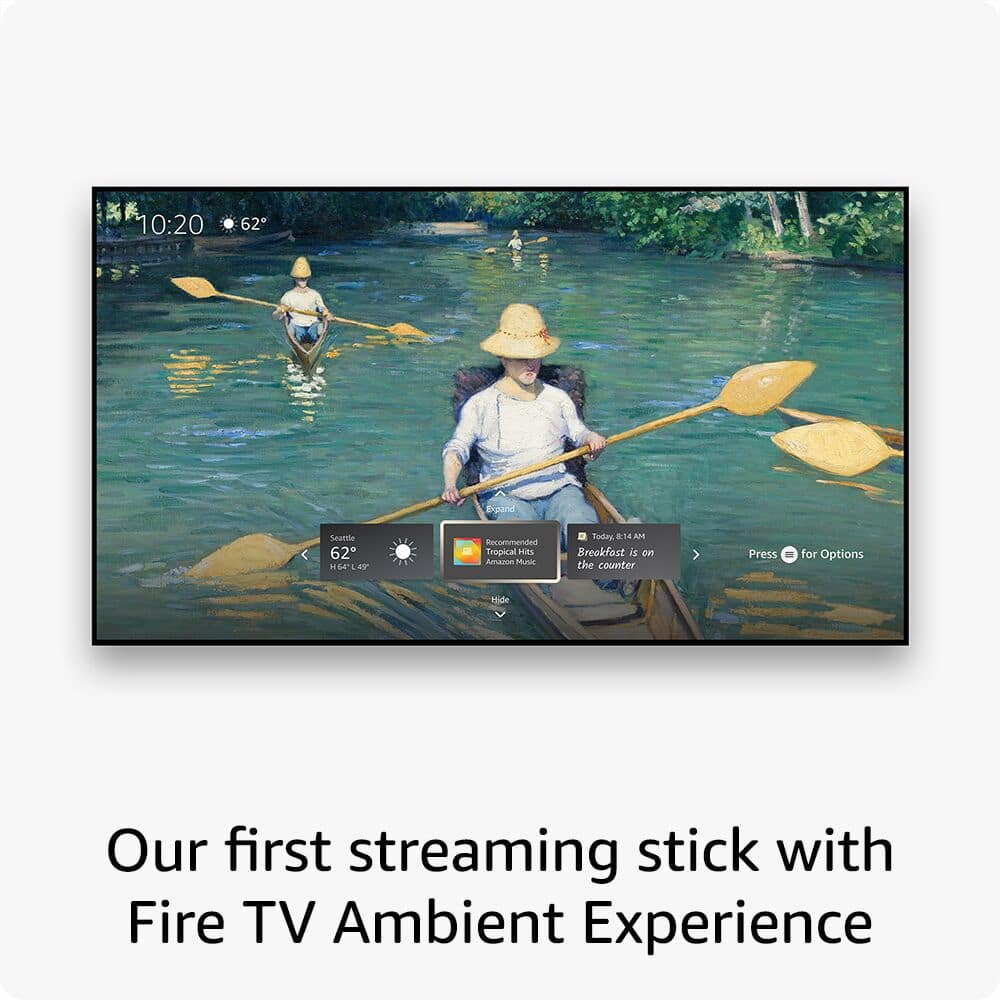
||Posted . Owned for 1.5 years when reviewed.This reviewer received promo considerations or sweepstakes entry for writing a review.I love this streaming device. The Fire TV Stick 4K Max is noticeably fast, apps load quickly, streaming is smooth, and navigation feels responsive with no lag. Setup was easy, and Wi-Fi performance has been solid. The picture quality looks great in 4K, and the Ambient Experience is a nice bonus when the TV isn’t actively in use. It’s been reliable, easy to use, and does exactly what it’s supposed to do. 10/10 — highly recommend if you want a fast, no-frustration streaming experience.
I would recommend this to a friend - Pros mentioned:Ease of use, Speed
Fire Stick 4k plus flawless connection
||Posted . Owned for 2 weeks when reviewed.This reviewer received promo considerations or sweepstakes entry for writing a review.Very good product, easy to use, easy to plug on tv, monitor or even a projector. Fast internet connection. Would really recommend this product.
I would recommend this to a friend - Pros mentioned:Overall performance, Speed
Fast, Easy, and Great Picture Quality
||Posted . Owned for 3 weeks when reviewed.This reviewer received promo considerations or sweepstakes entry for writing a review.This Fire TV Stick 4K Max works great. It’s very fast, easy to set up, and simple to use. The picture quality is excellent, with clear and sharp resolution. Streaming is smooth, and apps load quickly without lag. Definitely a great upgrade and worth it!
I would recommend this to a friend - Pros mentioned:Ease of use, Overall performance
Great budget Streaming Device
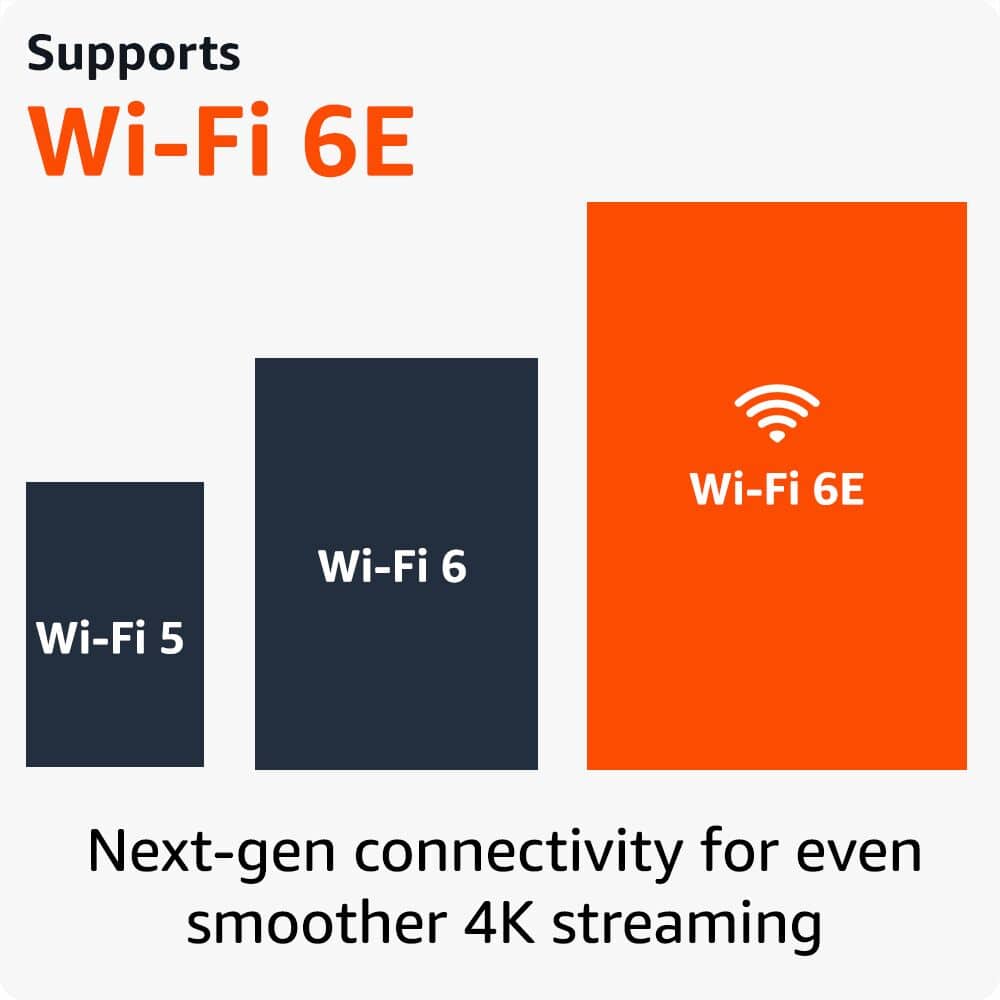
||Posted . Owned for 3 months when reviewed.This reviewer received promo considerations or sweepstakes entry for writing a review.I recently picked up the Amazon Fire TV Stick 4K Max and honestly it’s been a great upgrade. The setup was quick, apps load fast, and the 4K picture quality looks really sharp. I also like that it supports Wi-Fi 6E, so streaming feels smoother with less buffering. The only downside is the home screen has a lot of Amazon promotions, but overall it’s a solid streaming device for the price.
I would recommend this to a friend - Pros mentioned:Ease of use, Setup
Fire TV Stick 4K - yes please!!!
||Posted . Owned for 2 weeks when reviewed.This reviewer received promo considerations or sweepstakes entry for writing a review.This was an easy install with great directions. Highly recommend it for anyone wanting to break free of cable bills
I would recommend this to a friend