Customer Ratings & Reviews
- Model:
- B0C6W3D4RM
- SKU:
- 6644637
Rating by feature
- Value
Rating 4.5 out of 5 stars
- Quality
Rating 4.5 out of 5 stars
- Ease of Use
Rating 4.5 out of 5 stars
Customers are saying
Customers have good things to say about the product's strong overall performance, speed, and its user-friendliness, including how easy it is to set up and use. However, a notable concern among customers is the limited app availability, with some users unable to download applications. Additionally, there have been reports of connectivity issues, specifically problems with Wi-Fi connections.
This summary was generated by AI based on customer reviews.
Fire stick
||Posted . Owned for 1 month when reviewed.This reviewer received promo considerations or sweepstakes entry for writing a review.Instructions were easy to follow and understand like voice command.
I would recommend this to a friendGift for grandkids
||Posted . Owned for 1 month when reviewed.This reviewer received promo considerations or sweepstakes entry for writing a review.Just what was needed! Made a perfect present and great value
I would recommend this to a friend- Cons mentioned:App availability
Not recommended
||Posted . Owned for 2 weeks when reviewed.This reviewer received promo considerations or sweepstakes entry for writing a review.Not able to download different apps, garage, really short memory store
No, I would not recommend this to a friendBrand response from Amazon Devices Customer Support
Posted .Hello RodrigoL,
Thank you for sharing your feedback on the Fire TV Stick 4K Select. I'm sorry to hear that you're experiencing difficulties downloading apps and encountering storage limitations with the device.
The Fire TV Stick 4K Select comes with 8GB of storage, which can fill up more quickly than expected, especially with multiple apps, app data, and cached content. This can prevent new app downloads and affect overall performance. Here are some steps that might help free up space:
Clear cache from Settings > Applications > Manage Installed Applications, then select individual apps and clear their cache
Uninstall unused apps to free up storage space
Delete downloaded content you no longer need
Restart the device by unplugging it for 30 seconds and plugging it back in
If you're finding that 8GB isn't sufficient for your needs, you might want to consider the Fire TV Stick 4K Max, which offers 16GB of storage—double the capacity—and may better accommodate your app requirements.
If these steps don't resolve the issue or if you continue to experience problems downloading apps, I recommend contacting Amazon Customer Service at 1-888-280-4331 or through your Amazon account for further assistance.
We appreciate your feedback as it helps us understand when storage capacity may not meet customer needs.
Firestorm
||Posted . Owned for 1 month when reviewed.This reviewer received promo considerations or sweepstakes entry for writing a review.Excellent product, works as intended. Would buy again.
I would recommend this to a friendLove it so much
||Posted . Owned for 3 weeks when reviewed.This reviewer received promo considerations or sweepstakes entry for writing a review.Love it so much Amazon is the best copy and I love fire stick
I would recommend this to a friendFire Stick
||Posted . Owned for 1 month when reviewed.This reviewer received promo considerations or sweepstakes entry for writing a review.Needed extra space. Had a older Fire Stick so it was time to upgrade!
I would recommend this to a friendFire stick
||Posted . Owned for 2 weeks when reviewed.This reviewer received promo considerations or sweepstakes entry for writing a review.Perfect fire stick for my home entertainment setup
I would recommend this to a friendFire Sitck
||Posted . Owned for 2 weeks when reviewed.This reviewer received promo considerations or sweepstakes entry for writing a review.Product was extremely easy to assemble with no tools required.
I would recommend this to a friendNon Cable user
||Posted . Owned for 1 month when reviewed.This reviewer received promo considerations or sweepstakes entry for writing a review.Best option when you don't want to pay for cable TV.
I would recommend this to a friendFire stick
||Posted . Owned for 1 month when reviewed.This reviewer received promo considerations or sweepstakes entry for writing a review.Staff was extremely helpful!!! Selection was good.
I would recommend this to a friendA game changer for thouse LG tv’s!!!!!!
||Posted . Owned for 1 month when reviewed.This reviewer received promo considerations or sweepstakes entry for writing a review.A bigger market of app than the webOS system brings.
I would recommend this to a friendInitial payment of one or the cold
||Posted .This reviewer received promo considerations or sweepstakes entry for writing a review.Hahahah is the first industrial version I can you want to text
I would recommend this to a friendFire Stick 4K
||Posted .This reviewer received promo considerations or sweepstakes entry for writing a review.The firestick is more updated than my previous model
I would recommend this to a friendHas developer options
||Posted .This reviewer received promo considerations or sweepstakes entry for writing a review.This fire stick comes with developer options!! This is the one you want.
I would recommend this to a friendNot as good as hd max
||Posted . Owned for 2 months when reviewed.This reviewer received promo considerations or sweepstakes entry for writing a review.Ther is no developer option, You cant download the apps in developer option, Batter to go for hd max
No, I would not recommend this to a friendDebral
||Posted . Owned for 2 weeks when reviewed.This reviewer received promo considerations or sweepstakes entry for writing a review.Its slow when stabbing movies are adding apps it wad slow
No, I would not recommend this to a friendBrand response from Amazon Devices Customer Support
Posted .Hello DebraL! Thank you for your feedback on the Fire TV Stick 4K Select. I'm sorry to hear about the slow performance when starting movies and adding apps.
Here are some quick troubleshooting steps to improve speed. Check that your device has a strong internet connection by going to Settings > Network. Restart your Fire TV Stick by unplugging it for 30 seconds, then plugging it back in. Clear app cache by going to Settings > Applications > Manage Installed Applications, select the app, and choose Clear Cache. If you have many apps installed, uninstall ones you don't use to free up storage. Finally, ensure your software is up to date in Settings > My Fire TV > About.
I hope this helps improve your streaming experience!
- Cons mentioned:App availability
Disappointed
||Posted .This reviewer received promo considerations or sweepstakes entry for writing a review.Very disappointed,hard time adding apps to select,threw it away
No, I would not recommend this to a friendBrand response from Amazon Devices Customer Support
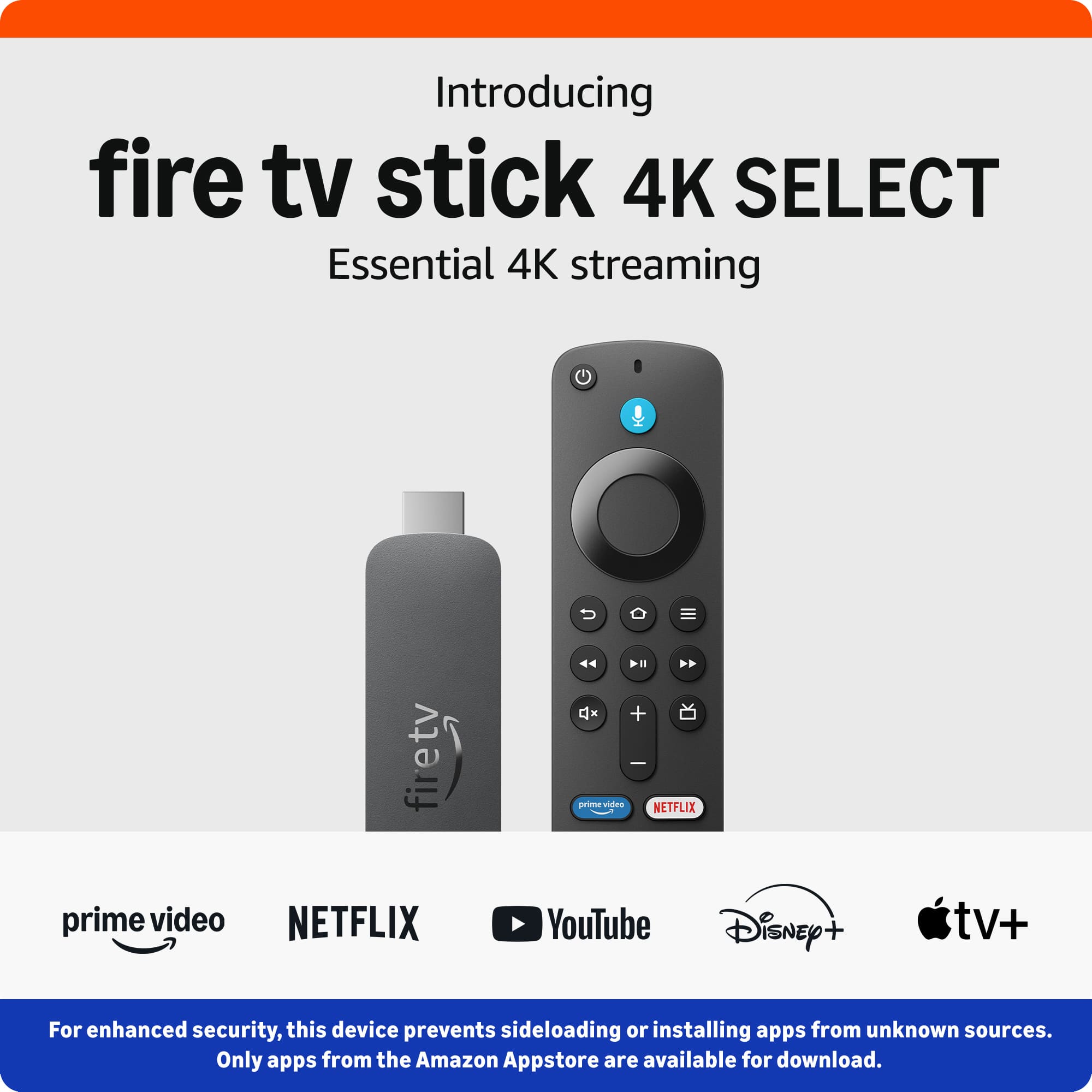
Posted .Hello Pelonstake. Thank you for your review. For enhanced security, only apps from the Amazon Appstore are available for download. Registered developers are still able to sideload. I hope that helps and have a great day!
Let the buyer beware
||Posted . Owned for 1 month when reviewed.This reviewer received promo considerations or sweepstakes entry for writing a review.You can’t sideload third party software. Amazon is making drastic changes to this device.
No, I would not recommend this to a friendBrand response from Amazon Devices Customer Support
Posted .Dear Pfunk06,
Thank you for sharing your feedback on the Fire TV Stick 4K Select. I understand your frustration—sideloading has been a valued feature for many users, and changes to that functionality can feel like a step backward, especially if it was part of why you chose the device.
Amazon has been making updates to the Fire TV platform focused on security and performance optimization, and we recognize that these changes impact users who relied on third-party app flexibility. Your feedback on this is noted and appreciated.
That said, if you're looking for more flexibility and power within the Fire TV lineup, here are some other options worth considering:
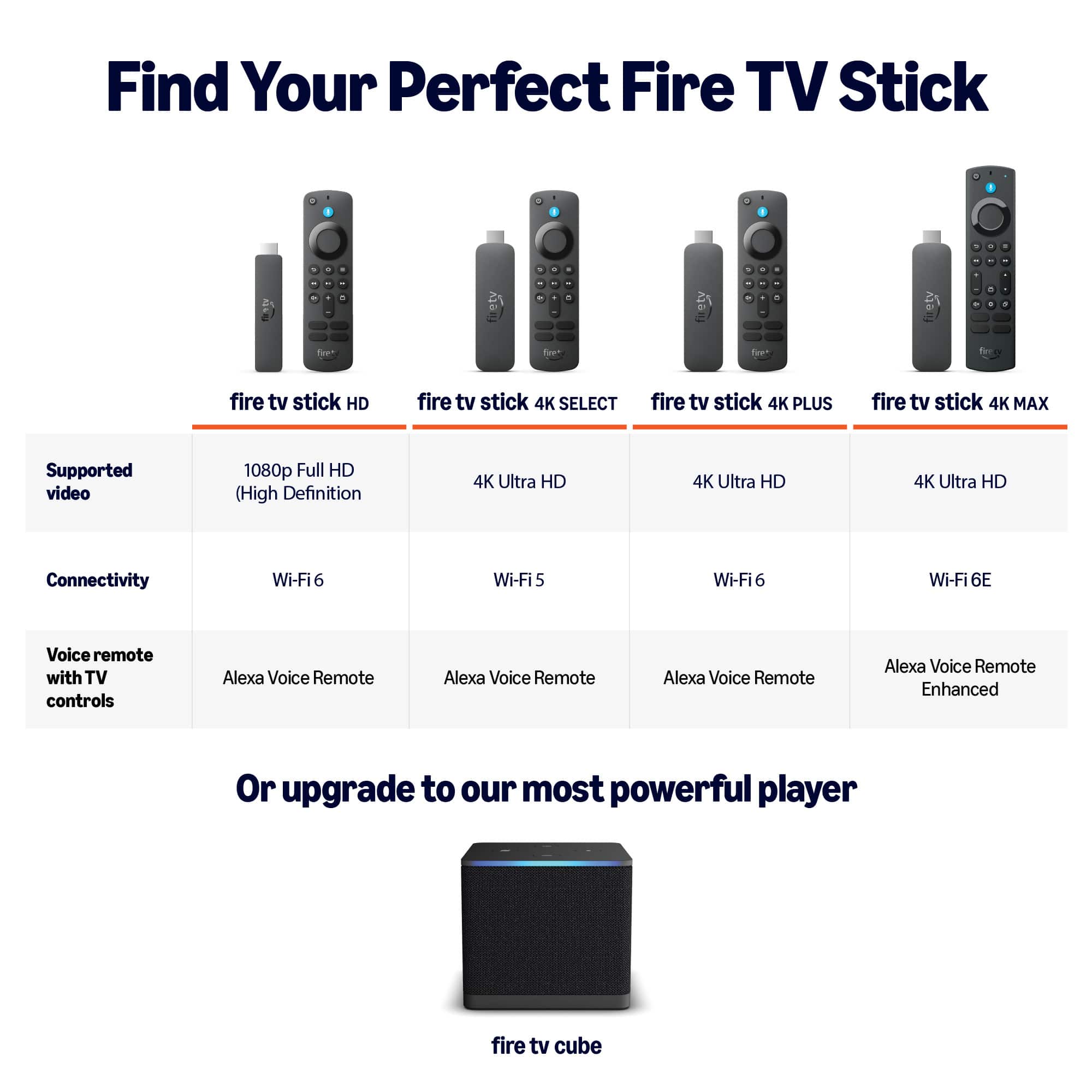
Fire TV Stick 4K Max (2nd Gen) — Offers 16GB of storage (double the 4K Select), a faster processor, Wi-Fi 6E support, and the Ambient Experience feature. The additional storage and processing power provide a smoother, more capable experience overall
Fire TV Cube (3rd Gen) — The most powerful Fire TV device available, with a built-in speaker, hands-free Alexa, an Ethernet port for wired connectivity, and the fastest processor in the Fire TV family. It also supports HDMI input, allowing you to control your cable box and other devices through Alexa
Fire TV Stick HD — If you're looking for a budget-friendly option for a secondary TV and don't need 4K, this is a solid, straightforward streaming device
Each model offers a different balance of performance, features, and price. We appreciate your honesty and hope you find the right fit.
Fire Stickq
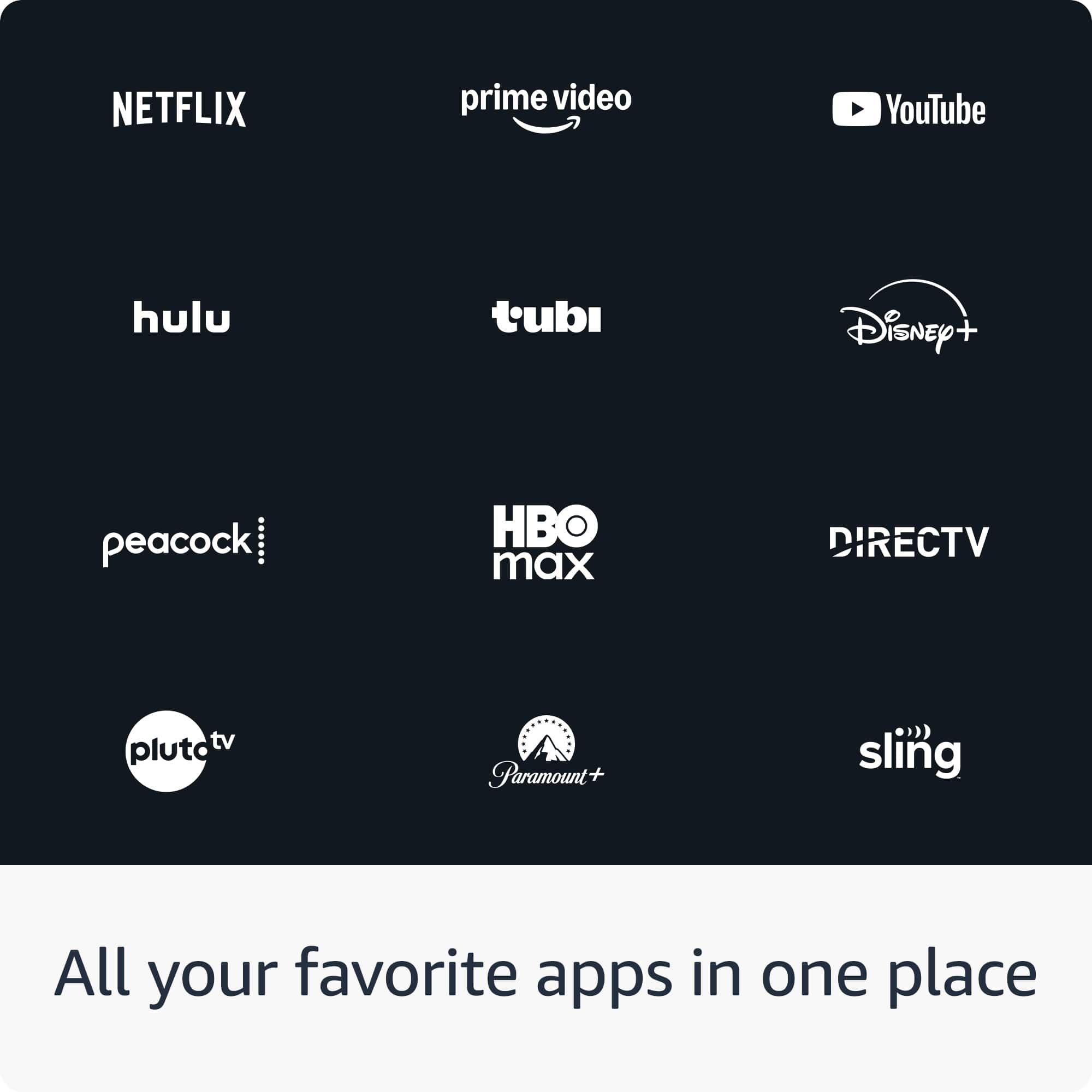
||Posted . Owned for 1 month when reviewed.This reviewer received promo considerations or sweepstakes entry for writing a review.Everytime I hit the back button, it would kick me out of DirecTV. I bought to watch DirecTV
No, I would not recommend this to a friendBrand response from Amazon Devices Customer Support
Posted .Hello Dougp,
Thank you for your feedback on the Fire TV Stick 4K. I'm sorry to hear about the frustration you're experiencing with the back button closing out of the DirecTV app. This is a common issue that can often be resolved with a few troubleshooting steps.
The back button behavior within streaming apps like DirecTV is typically controlled by the app itself rather than the Fire TV Stick hardware. Here are some steps that may help resolve this issue:
Make sure the DirecTV app is updated to the latest version by going to Settings > Applications > Appstore > Automatic Updates and ensuring it is turned on, or manually checking for updates.
Clear the DirecTV app cache by navigating to Settings > Applications > Manage Installed Applications > DirecTV > Clear Cache, then relaunch the app.
Restart your Fire TV Stick 4K by going to Settings > My Fire TV > Restart.
Uninstall and reinstall the DirecTV app to ensure you have a fresh installation with the most current version.
Check for Fire TV software updates by going to Settings > My Fire TV > About > Check for Updates, as system updates often include fixes for app compatibility issues.
I hope this information helps, and thank you for your feedback.
Glitchy
||Posted . Owned for 2 weeks when reviewed.This reviewer received promo considerations or sweepstakes entry for writing a review.It glitches a lot. We have it plugged into our TV and when we watch certain apps it stops playing or just loads and we'll catch our other TV to see if it is the app and on the other TV it plays just fine. So its the firestick.
No, I would not recommend this to a friendBrand response from Amazon Devices Customer Support
Posted .Hi JaleesaG,
Thanks for sharing your experience with the Fire TV Stick 4K Select. I'm sorry to hear you're experiencing glitching issues with playback stopping or loading indefinitely on certain apps - and it's frustrating that you've confirmed it's device-specific by testing the same apps on your other TV.
Since the issue appears to be isolated to this particular Fire TV Stick, here are some troubleshooting steps that often resolve streaming glitches:
Quick fixes to try:
Restart the Fire TV Stick by unplugging it from power for 30 seconds, then plugging it back in
Check for system updates in Settings > My Fire TV > About > Check for Updates
Clear app cache for the problematic apps in Settings > Applications > Manage Installed Applications > [select app] > Clear Cache
Ensure the Fire TV Stick has adequate ventilation and isn't overheating (move it away from the TV if it's tucked behind)
Try using the included HDMI extender cable if you're plugging directly into the TV port
If these steps don't resolve the glitching, this could indicate a hardware issue with the device. I'd recommend contacting our support team at 1-888-280-4331 - they can run diagnostics and arrange a replacement if needed.
Thanks for taking the time to share this detailed feedback.