Customer Ratings & Reviews
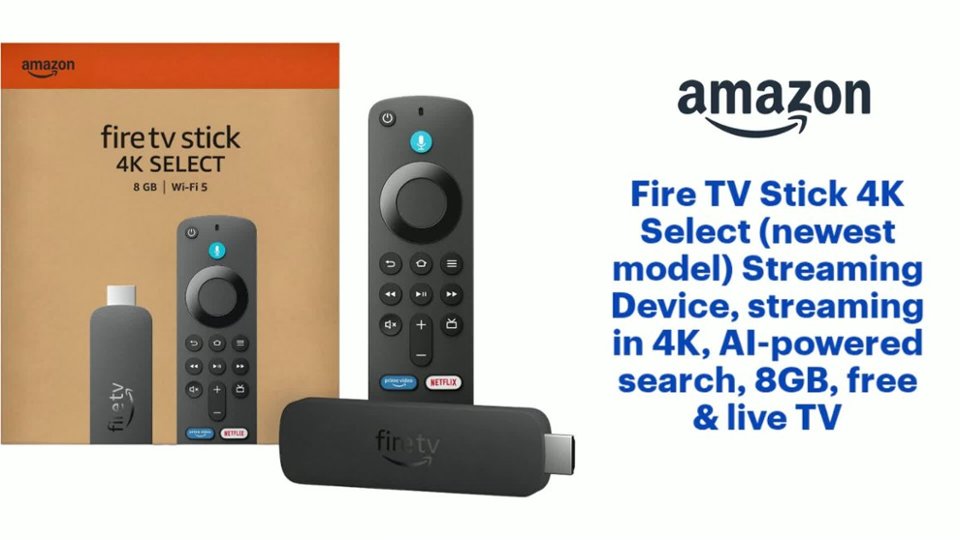
- Model:
- B0C6W3D4RM
- SKU:
- 6644637
Rating by feature
- Value
Rating 4.5 out of 5 stars
- Quality
Rating 4.5 out of 5 stars
- Ease of Use
Rating 4.5 out of 5 stars
Customers are saying
Customers have good things to say about the product's strong overall performance, speed, and its user-friendliness, including how easy it is to set up and use. However, a notable concern among customers is the limited app availability, with some users unable to download applications. Additionally, there have been reports of connectivity issues, specifically problems with Wi-Fi connections.
This summary was generated by AI based on customer reviews.
Amazon fire stick
||Posted . Owned for 2 weeks when reviewed.This reviewer received promo considerations or sweepstakes entry for writing a review.I changed my mind and returned this item without even opening the package. Thank you.
I would recommend this to a friend- Cons mentioned:App availability
Loser device
||Posted . Owned for 2 weeks when reviewed.This reviewer received promo considerations or sweepstakes entry for writing a review.Cannot jailbreak or side load apps. Might as well get a Roku since neither one can bd jailbroke.
No, I would not recommend this to a friendBrand response from Amazon Devices Customer Support
Posted .Hi JosephM,
Thank you for sharing your feedback about the Fire TV Stick 4K Select. I understand your frustration with the limitations you've encountered regarding app installation on this model.
The Fire TV Stick 4K Select is designed as a streamlined streaming device with pre-selected apps and a more controlled app ecosystem. This differs from the standard Fire TV Stick 4K and Fire TV Stick 4K Max models, which offer broader access to the Amazon Appstore for downloading additional applications. The "Select" designation indicates this more curated approach to available content.
I can see why this doesn't meet your needs if you were looking for more flexibility with app management. Your comparison to Roku is a fair point—both devices prioritize official app channels and authorized content delivery for security and performance reasons.
If you're still within the return window and want more app flexibility within the Amazon ecosystem, you might consider exchanging it for the Fire TV Stick 4K Max (16GB with full Appstore access) or exploring other streaming platforms that better align with your preferences.
Thank you for taking the time to share your experience with other customers.
- Cons mentioned:App availability
Faulty Firestick
||Posted . Owned for 2 weeks when reviewed.This reviewer received promo considerations or sweepstakes entry for writing a review.This Firestick was not usable for me because it doesn't have the Downloader app. Very disappointed :(
No, I would not recommend this to a friendBrand response from Amazon Devices Customer Support
Posted .Hi ShalithaD,
Thank you for sharing your feedback about the Fire TV Stick 4K Select. I'm sorry to hear that the absence of the Downloader app has made this device unusable for your needs and left you disappointed.
I want to provide you with important information about this specific model that may not have been clear at the time of purchase:
The Fire TV Stick 4K Select runs on a different operating system called Vega OS, which is fundamentally different from other Fire TV devices. This is a critical distinction that affects app functionality:
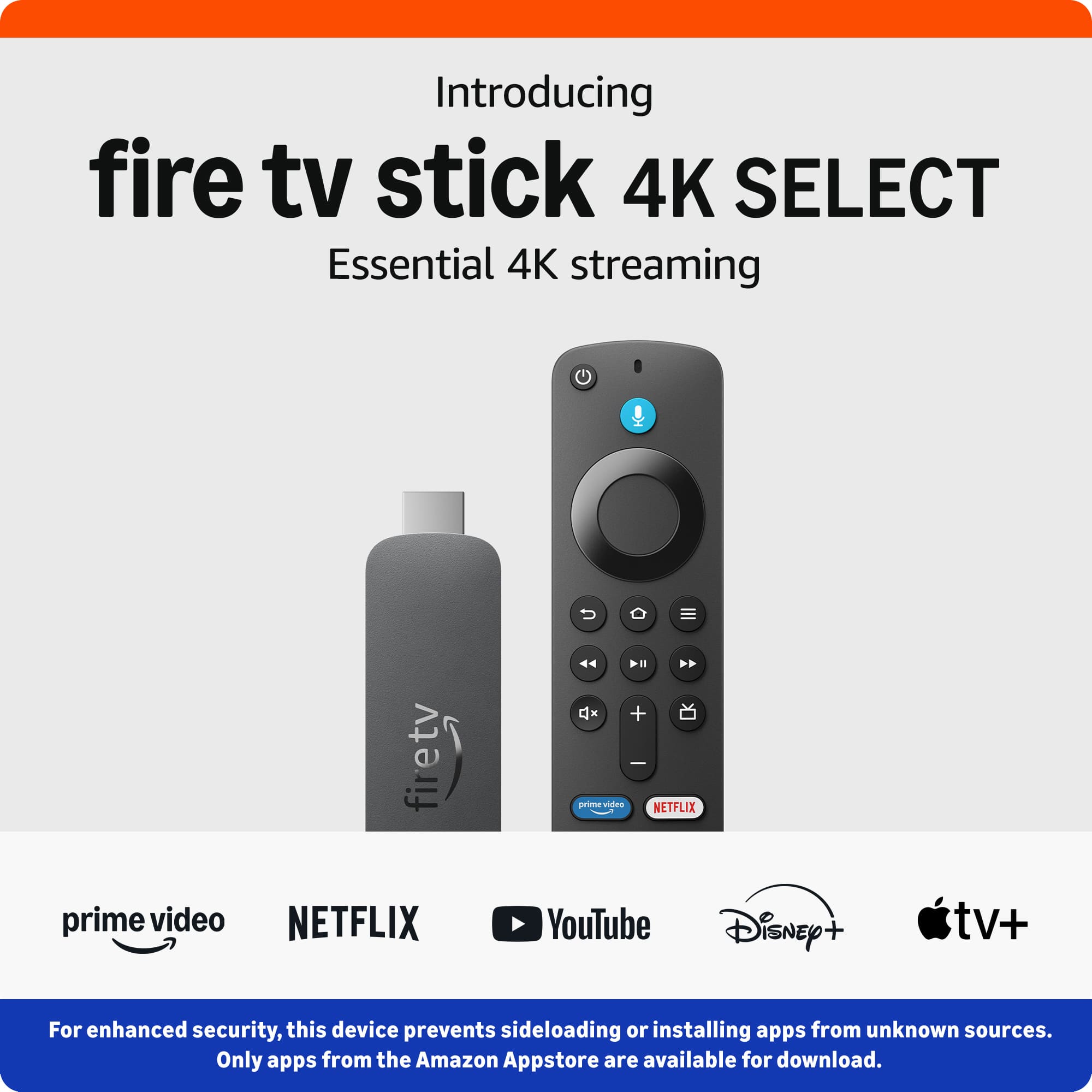
Amazon Appstore only - You can only install apps that are officially available in the Amazon Appstore
Your options:
If sideloading capability is essential for your needs, I recommend exchanging the Fire TV Stick 4K Select for one of these alternatives that still support traditional sideloading:
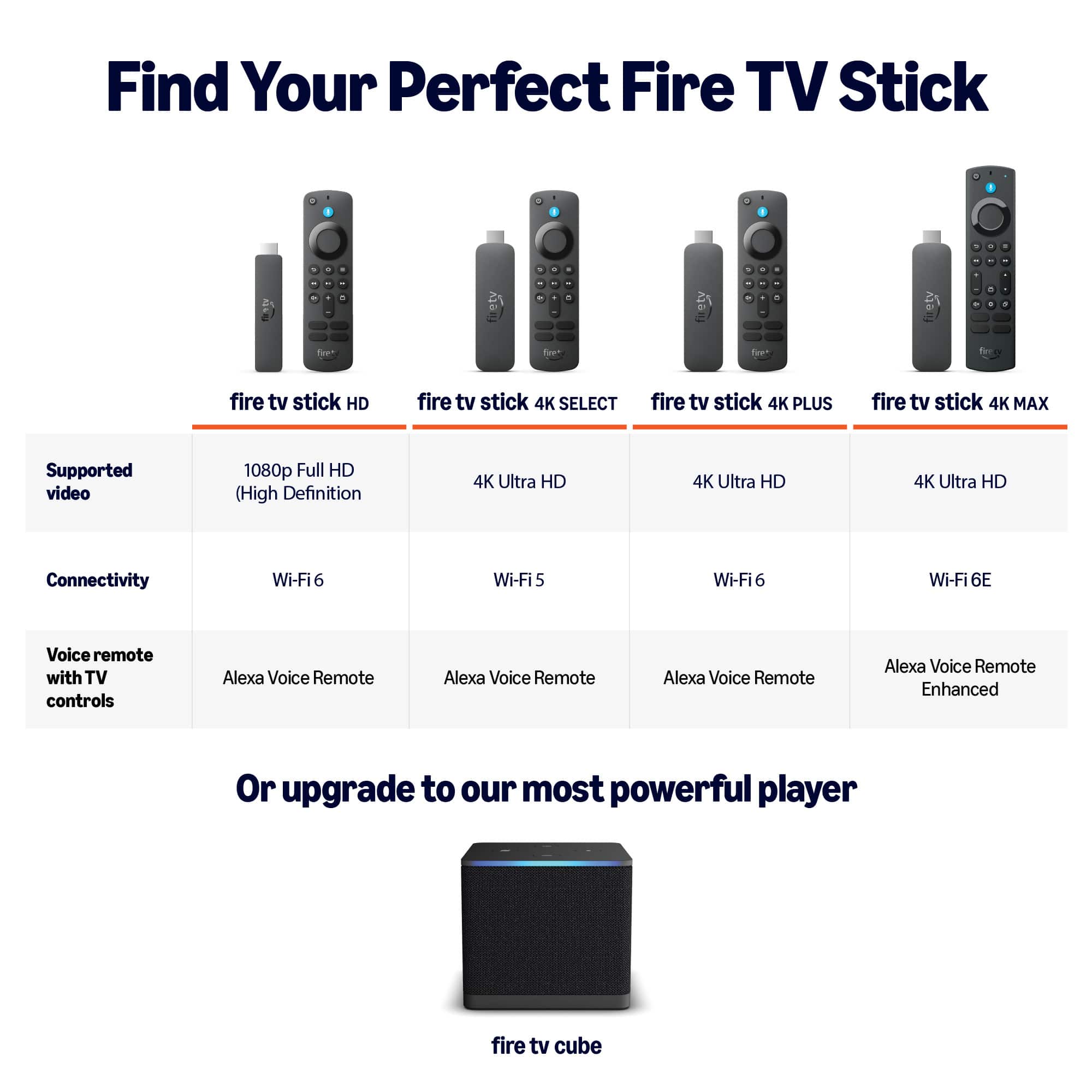
Fire TV Stick 4K Max - Runs Fire OS (Android-based) and supports full sideloading capabilities
Fire TV Stick 4K (standard model) - Also runs Fire OS and supports sideloading
Fire TV Cube - Premium option with Fire OS and sideloading support
The Fire TV Stick 4K Select is excellent for streaming from official apps in the Amazon Appstore, but it's intentionally locked down compared to other Fire TV models. If you need the flexibility to sideload apps, please return it to Best Buy and select one of the models above that better meets your requirements.
If you have any questions about which model would work best for your needs, please contact us at 1-888-280-4331.
Driver
||Posted . Owned for 1 month when reviewed.This reviewer received promo considerations or sweepstakes entry for writing a review.It’s okay I like the older one it should’ve been better
No, I would not recommend this to a friendBrand response from Amazon Devices Customer Support
Posted .Hello, AngelD. Thank you for taking the time to leave a review on the Fire TV Stick Select. I understand you're finding the experience doesn't quite match up to your previous device. The Fire TV Stick 4K Select offers several enhancements over older models, including support for 4K Ultra HD streaming with HDR10+ and HLG, improved performance, and AI-powered search capabilities. However, I recognize that transitioning to a new device can sometimes feel different from what you're accustomed to. Here are a few tips to help optimize your experience: (1) Ensure your device has a strong internet connection to take full advantage of the 4K streaming capabilities and faster processing. (2) Check that you have the latest software updates installed, as these often include performance improvements and new features. (3) Explore the settings menu to customize the interface to your preferences, including display settings, audio options, and app arrangements. (4) If you're experiencing specific performance issues, try restarting the device by unplugging it from power, waiting 30 seconds, then plugging it back in. If you have specific concerns about features or functionality that you feel are missing compared to your older device, or if you're experiencing technical issues, Amazon Customer Service is available 24/7 at 1-888-280-4331 to help address your concerns. Thank you again for your feedback, and I hope this information helps you get the most out of your Fire TV Stick 4K Select.
You can jailbreak this version
||Posted .This reviewer received promo considerations or sweepstakes entry for writing a review.Still able to jail break this version. Stay away from the lite verison .
I would recommend this to a friendFirestick
||Posted . Owned for 2 weeks when reviewed.This reviewer received promo considerations or sweepstakes entry for writing a review.Probably would of worked good but it wasn’t the one I needed
I would recommend this to a friendBrand response from Amazon Devices Customer Support
Posted .Hello AngieS! Thank you for your feedback on the Amazon Fire TV Stick 4K Select. I'm sorry to hear this wasn't the model you needed for your setup. The Fire TV Stick 4K Select is designed as a streamlined streaming device with essential features, while other models in the Fire TV lineup offer different capabilities and features that might better suit specific needs. If you're looking for expanded app compatibility, advanced features, or different functionality, you might consider exploring other Fire TV models like the Fire TV Stick 4K Max, which offers enhanced performance and additional features. I appreciate you taking the time to share your experience, and I hope you're able to find the right streaming device that meets your requirements!
- Cons mentioned:App availability
Dont Buy This Model
||Posted . Owned for 1 month when reviewed.This reviewer received promo considerations or sweepstakes entry for writing a review.DO NOT BUY THIS MODEL! This firestick does not allow you to install apps like Downloader, ESFiles, etc. The only apps available are through the Amazon APP Store.
No, I would not recommend this to a friend - Cons mentioned:App availability
Trash
||Posted . Owned for 2 weeks when reviewed.This reviewer received promo considerations or sweepstakes entry for writing a review.This version makes it impossible to enable developer options to add different apps
No, I would not recommend this to a friendBrand response from Amazon Devices Customer Support
Posted .Hi JamesW,
Thank you for sharing your feedback about the Fire TV Stick 4K Select. I'm sorry to hear that you're frustrated with the limitations you've encountered.
If you're looking for more flexibility and customization options, you might want to consider these alternative Amazon streaming devices:
Fire TV Cube – Our most powerful streaming device with hands-free Alexa, faster performance, and more advanced features for power users
Fire TV Stick 4K Max – Enhanced processing power with Wi-Fi 6E support and 16GB storage, offering better performance and more capabilities than the 4K Select
If you'd like assistance with return or exchange options, our support team at 1-888-280-4331 can help you find a device that better fits your needs.
- Cons mentioned:App availability
Not Fire
||Posted . Owned for 3 months when reviewed.This reviewer received promo considerations or sweepstakes entry for writing a review.Hard to use would not download any desired apps and had to return it no wonder it was on sale
No, I would not recommend this to a friend - Cons mentioned:App availability
Cheap but waste of money
||Posted . Owned for 3 months when reviewed.This reviewer received promo considerations or sweepstakes entry for writing a review.Don't buy this model if you need your own apps running, with this "Select" it is impossible.
No, I would not recommend this to a friendBrand response from Amazon Devices Customer Support
Posted .Hi IBASH,
Thank you for sharing your feedback about the Fire TV Stick 4K Select. I understand your frustration with the app limitations on this particular model—discovering that you can't install your own apps after purchase is definitely disappointing, especially when that functionality is important to your streaming experience.
The Fire TV Stick 4K Select is designed as a more streamlined option with pre-selected apps, which differs from the standard Fire TV Stick 4K and Fire TV Stick 4K Max models that offer full access to the app store. I can see how this wasn't clearly communicated, and your point about it being a waste of money is completely valid if the device doesn't meet your needs.
If you're still within the return window, I'd encourage you to exchange it for either the Fire TV Stick 4K (standard model with full app access) or the Fire TV Stick 4K Max (16GB with enhanced performance and full app access), both of which would give you the flexibility to download and manage your own apps.
Thank you for taking the time to leave this review—it's helpful information for anyone considering this model.
- Cons mentioned:App availability
Not compatible with a lot of apps
||Posted . Owned for 1 week when reviewed.This reviewer received promo considerations or sweepstakes entry for writing a review.Do not buy this version of the fire stick. It not compatible with a lot of apps. No idea why.
No, I would not recommend this to a friendBrand response from Amazon Devices Customer Support
Posted .Hi Illyria,
The new 4k Select Fire Stick operates on a new software that is based on Vega OS instead of Android Fire OS. All apps downloaded with our app store should be working, but the side loading of 3rd party content isn't available on this model.
- Cons mentioned:App availability
DO NOT BUY
||Posted .This reviewer received promo considerations or sweepstakes entry for writing a review.YOU CANNOT DOWNLOAD ANY APPS OR DOWNLOADER OR ANY OTHER APPS FROM IT.
No, I would not recommend this to a friendBrand response from Amazon Devices Customer Support
Posted .Hi NODOWNLOADER,
Thank you for sharing your feedback about the Fire TV Stick 4K Select. We're sorry to hear about your frustration with downloading apps.
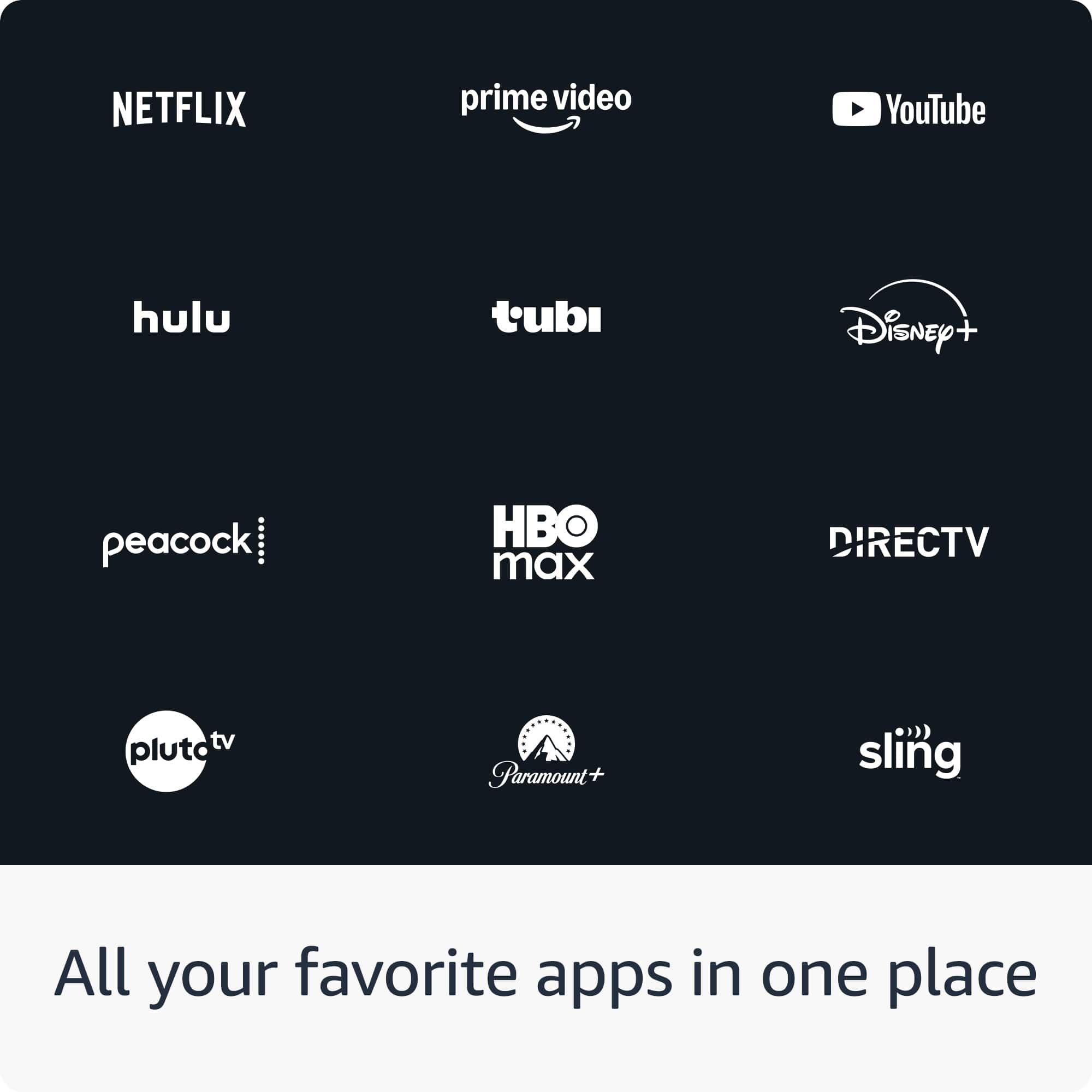
We want to clarify that the Fire TV Stick 4K Select does support app downloads from the Amazon Appstore, which includes thousands of popular streaming apps like Netflix, Prime Video, Disney+, Hulu, YouTube, and many others. However, we understand there may have been confusion or technical difficulties you experienced.
If you're having trouble accessing the Amazon Appstore or downloading apps:
Press the Home button on your remote and navigate to the "Find" menu or "Apps" section
You can also use the AI-powered search feature by pressing and holding the voice button and saying "Find [app name]"
Ensure your Fire TV Stick is connected to the internet and has completed any pending software updates
Regarding the "Downloader" app specifically, while some sideloading apps have varying availability, the Amazon Appstore offers a wide range of official apps that are optimized for Fire TV devices.
If you're still experiencing issues or if the device isn't meeting your needs, please reach out to our customer service team at 1-800-280-4331 or through the Amazon app. They can help troubleshoot the issue or discuss your options.
We appreciate your feedback and want to ensure you have a positive streaming experience.
Bad actualization
||Posted .This reviewer received promo considerations or sweepstakes entry for writing a review.I'ts new software doesn't let install another appas
No, I would not recommend this to a friendBrand response from Amazon Devices Customer Support
Posted .Hi SamuelG! Thank you for your feedback about the Fire TV Stick 4K Select. I'm sorry to hear you're experiencing difficulties installing apps with the new software update. To resolve this issue, ensure your device software is fully updated (Settings > My Fire TV > About > Check for Updates), restart by unplugging for 30 seconds, verify strong internet connectivity, and check available storage space (Settings > Applications > Manage Installed Applications). Clear the Amazon Appstore cache (Settings > Applications > Manage Installed Applications > Amazon Appstore > Clear Cache) and confirm you're properly signed into your Amazon account. If these steps don't resolve the issue, contact Amazon Customer Support at 1-888-280-4331 (available 24/7) for guidance on this software update issue. I hope this helps restore full app installation functionality.
- Cons mentioned:App availability
Firestick
||Posted . Owned for 1 month when reviewed.This reviewer received promo considerations or sweepstakes entry for writing a review.Can't add any downloads, won't let me get the app downloader.
No, I would not recommend this to a friendBrand response from Amazon Devices Customer Support
Posted .Hi JeffS,
Thank you for reaching out about the issue you're experiencing with your Fire TV Stick 4K Select. We're sorry to hear you're having trouble adding downloads and accessing the app downloader.
We want to let you know that the Fire TV Stick 4K Select model has limited availability to the Amazon App Store compared to other Fire TV models. This means some apps and features, including certain downloaders, may not be accessible on this particular device.
If you need access to a wider range of apps and features, you may want to consider exchanging for the standard Fire TV Stick 4K or Fire TV Stick 4K Max, which offer full access to the Amazon App Store and all available apps.
If you have questions about the specific apps available on your Select model or would like assistance with an exchange, we recommend reaching out to Amazon Fire TV support directly at 1-800-456-7962 or through the Fire TV app. They can provide more details about the Select model's capabilities and help you find the best solution for your streaming needs.
We appreciate your feedback and want to make sure you have the right device to enjoy all your favorite content!
I misread this product, the cheapest worse choice
||Posted . Owned for 1 month when reviewed.This reviewer received promo considerations or sweepstakes entry for writing a review.You are not able to jailbreak this device. Even if you did not want to jail breal this device you cannot download anything on to it. Its basically locked. Please go with a different product. It was too late for me to return
No, I would not recommend this to a friendBrand response from Amazon Devices Customer Support
Posted .Hi Walkies,
Thank you for taking the time to share your feedback on the Fire TV Stick 4K Select. We're sorry to hear that the device didn't meet your expectations, particularly regarding app installation flexibility. We understand your frustration, especially since you were unable to return it.
The Fire TV Stick is designed to work with apps available through the Amazon Appstore, which ensures security and compatibility with the Fire TV platform. While this does limit the ability to sideload third-party applications compared to some other streaming devices, it's an intentional design choice to maintain device security and performance standards. We recognize this approach doesn't work for everyone's needs, and we appreciate you sharing your perspective.
If you're looking for more flexibility in app installation, you might consider exploring other Fire TV models that may better suit your needs:
Fire TV Stick 4K (2nd Gen) and Fire TV Stick 4K Max (2nd Gen) offer similar streaming capabilities with 4K Ultra HD support, Wi-Fi 6/6E, and access to the Amazon Appstore
Fire TV Cube (3rd Gen) provides the most powerful Fire TV experience with hands-free Alexa, 4K Ultra HD, and enhanced processing power
All Fire TV devices work within the Amazon Appstore ecosystem for security and performance reasons, but understanding these limitations upfront can help set appropriate expectations for future purchases.
We understand that this limitation is a significant concern for your use case, and we value your feedback as it helps us understand what customers are looking for in streaming devices.
Doesn’t work!
||Posted . Owned for 2 weeks when reviewed.This reviewer received promo considerations or sweepstakes entry for writing a review.Didn’t work. It keep trying to upload and it would not upload. I left it alone for several hours and nothing. I tried on another television and it did the same thing. I gave up and purchased a ROKU at Target and I love it! Waste of money getting this fire stick.
No, I would not recommend this to a friendBrand response from Amazon Devices Customer Support
Posted .Thank you for your feedback JohannaC, I am sorry to hear the Fire TV Stick 4K did not work out for you.
Used Fire stick
||Posted . Owned for 2 weeks when reviewed.This reviewer received promo considerations or sweepstakes entry for writing a review.I bought a supposed new Fire stick then when I got home it was used, had so much issues trying to get it connected, I had to end up returning it as it was already used and it was supposed to be new!! I brought it back I am still awaiting my refund!
No, I would not recommend this to a friendPlayStation 5
||Posted .This reviewer received promo considerations or sweepstakes entry for writing a review.I haven’t used this yet because I have a different one I am using right now so not sure about it
I would recommend this to a friendBrand response from Amazon Devices Customer Support
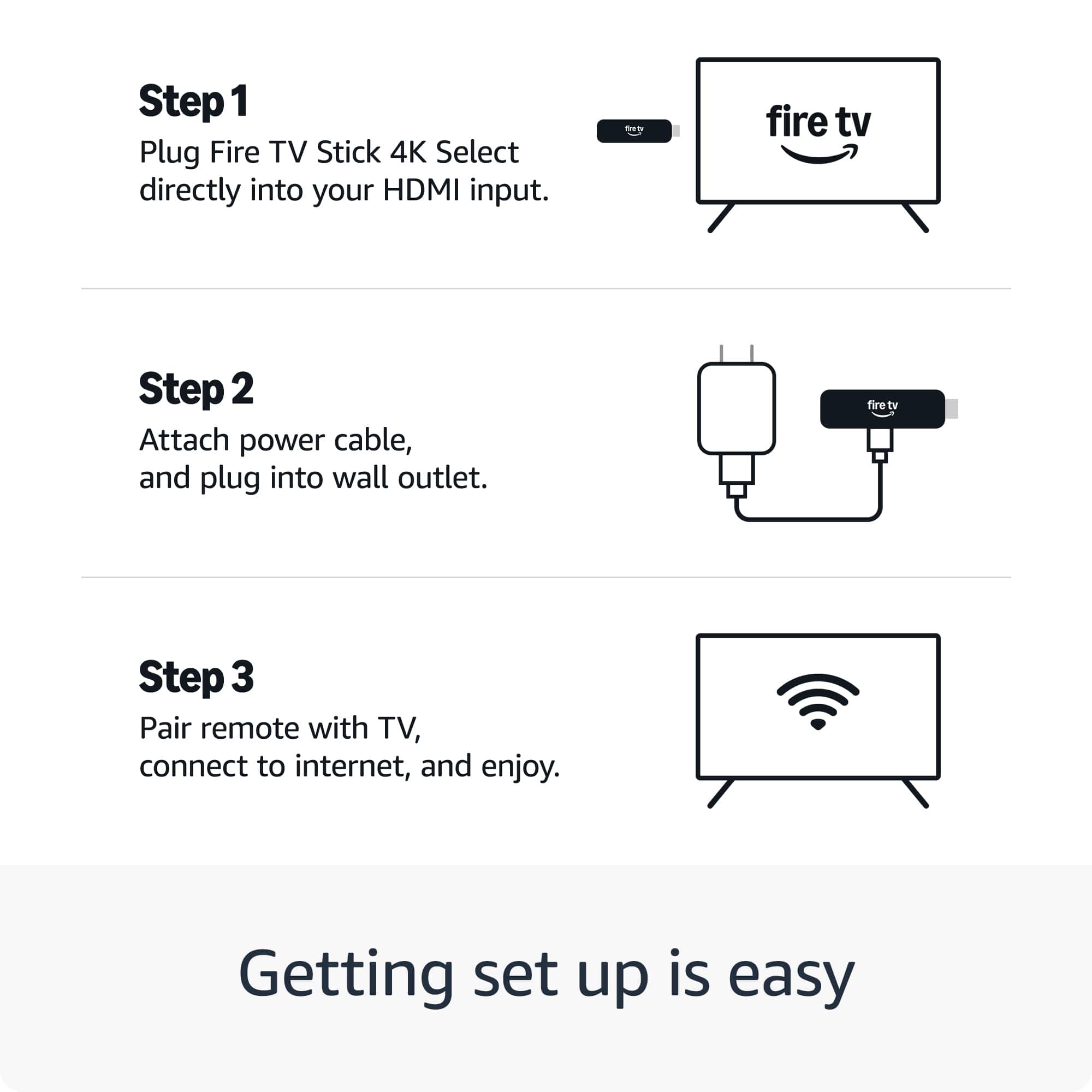
Posted .Hello LoriG! Thank you for sharing that you haven't used the Fire TV Stick Select yet because you're currently using a different Fire TV device. Since you haven't had the opportunity to use it yet, there's no issue to troubleshoot at this time. When you're ready to set it up, simply plug it into your TV's HDMI port and connect to Wi-Fi through the on-screen setup process. If you encounter any issues during setup or use, Amazon Customer Support is available 24/7 at 1-888-280-4331. Thank you for your feedback!
Firestick 4k
||Posted . Owned for 1 month when reviewed.This reviewer received promo considerations or sweepstakes entry for writing a review.Did not like that I can’t put my streaming on firsstick without a hassle
I would recommend this to a friendBrand response from Amazon Devices Customer Support
Posted .Hello GreatTV,
Thank you for your feedback on the Fire TV Stick 4K. I am sorry to hear some streaming services were not available. Some apps or streaming services are simply not made for the Firestick's operating system or hardware, or they are exclusive to other platforms. I hope this information helps.
Fire stick
||Posted . Owned for 2 weeks when reviewed.This reviewer received promo considerations or sweepstakes entry for writing a review.Too hard to find programming that you're looking for!
No, I would not recommend this to a friendBrand response from Amazon Devices Customer Support
Posted .Hello MichaelS! Thank you for your feedback on the Fire TV Stick 4K Select. I'm sorry to hear you're experiencing difficulty finding the programming you're looking for.
The Fire TV Stick 4K Select features AI-powered search capabilities designed to help you locate content more easily across multiple streaming services. Here are some comprehensive ways to improve your content discovery experience:
Voice Search with Alexa: Press and hold the voice button on your remote and simply say what you want to watch. You can search by title, actor, genre, or even say things like "show me action movies" or "find comedies from the 90s." The AI-powered search will scan across all your installed apps to find matches.
Universal Search Features: From the home screen, use the search icon (magnifying glass) to search across all your streaming services simultaneously. This eliminates the need to open each app individually to find content.
Personalized Home Screen: The Fire TV learns your viewing preferences over time and surfaces relevant content on your home screen. You can also customize your home screen by going to Settings > Preferences > Featured Content to control what appears.
Browse by Category: Navigate through the "Find" menu to explore content organized by categories like Movies, TV Shows, Apps, Free content, and Live TV. This can help you discover programming without knowing exactly what you're searching for.
App Organization: Press and hold the Home button, select "Apps & Channels," then "See All Apps" to view and organize all your installed streaming services in one place for easier access.
Live TV Guide: If you're looking for live programming, select the "Live" tab from your home screen to access the integrated guide showing what's currently airing across your streaming services.
If you continue to experience difficulties with content discovery after trying these methods, Amazon Customer Support is available 24/7 at 1-888-280-4331 to provide personalized assistance with optimizing your Fire TV Stick experience.
I hope these tips help you navigate and find your favorite programming more easily. Thank you for your feedback!