Customer Ratings & Reviews
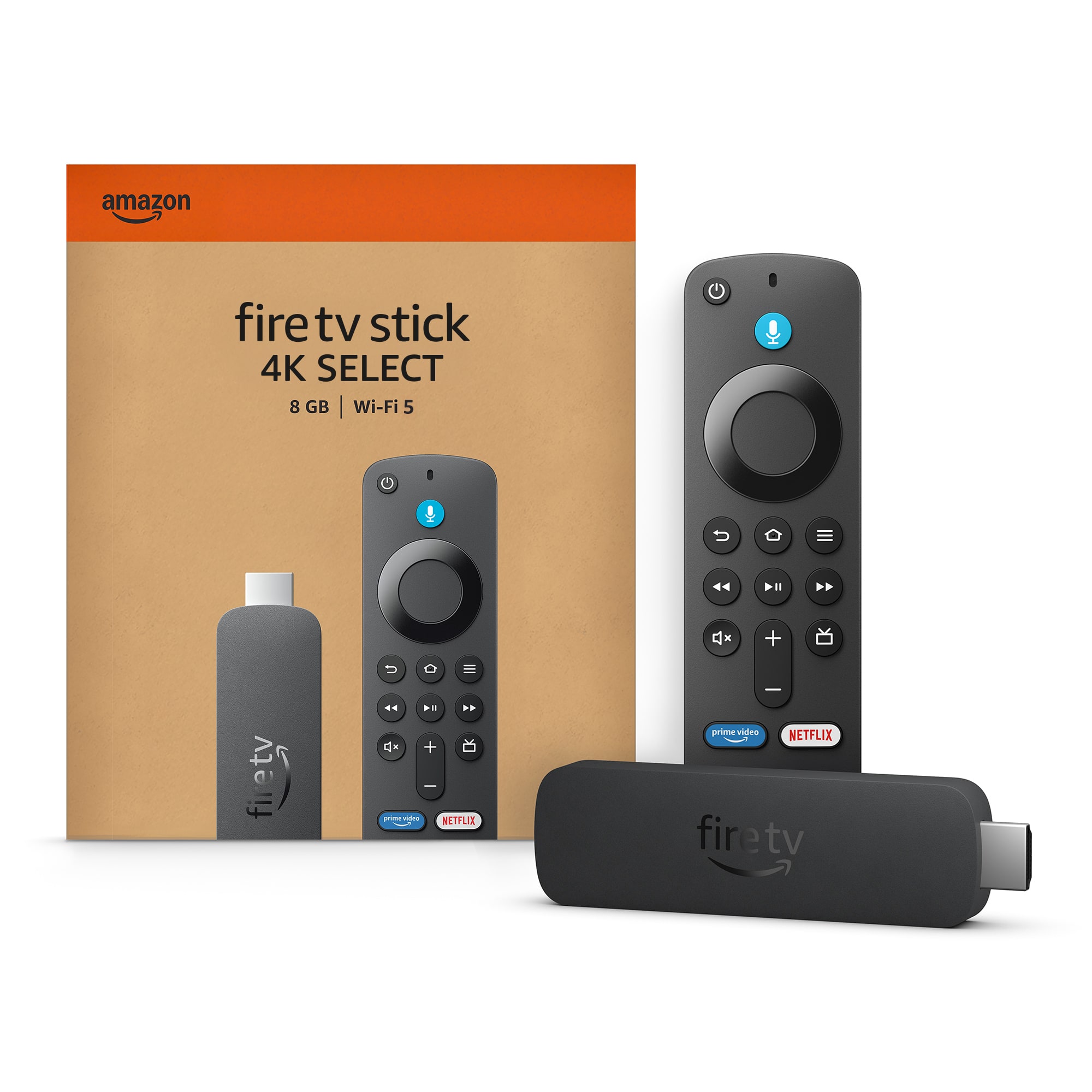
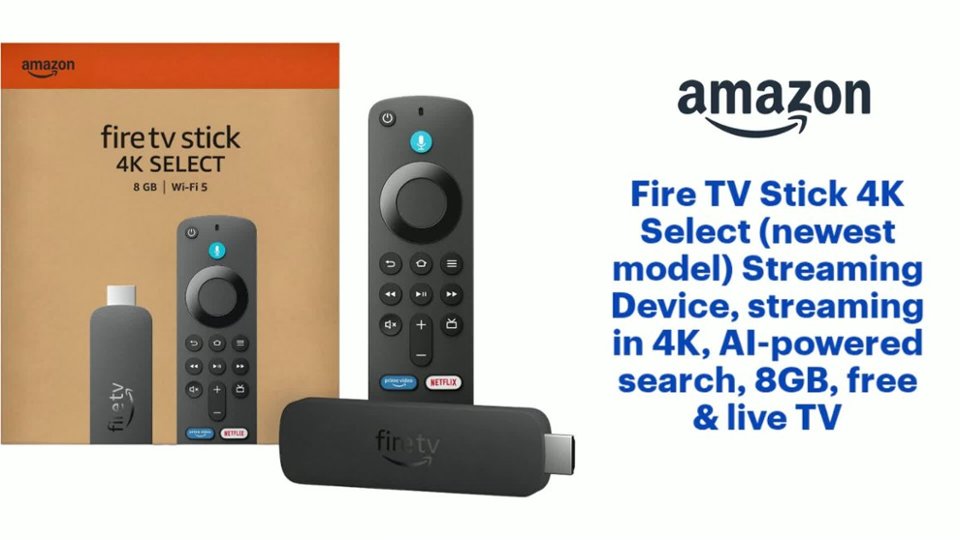
- Model:
- B0C6W3D4RM
- SKU:
- 6644637
Rating by feature
- Value
Rating 4.5 out of 5 stars
- Quality
Rating 4.5 out of 5 stars
- Ease of Use
Rating 4.5 out of 5 stars
Customers are saying
Customers have good things to say about the product's strong overall performance, speed, and its user-friendliness, including how easy it is to set up and use. However, a notable concern among customers is the limited app availability, with some users unable to download applications. Additionally, there have been reports of connectivity issues, specifically problems with Wi-Fi connections.
This summary was generated by AI based on customer reviews.
Downloads broken
||Posted . Owned for 1 month when reviewed.This reviewer received promo considerations or sweepstakes entry for writing a review.It didn’t download anything for some reason. Broken
No, I would not recommend this to a friendBrand response from Amazon Devices Customer Support
Posted .Hi AymanC,
Thank you for sharing your feedback about the Fire TV Stick 4K. I'm sorry to hear that you're unable to download anything on your device—that's definitely not the experience you should have with a new streaming device.
Download issues can sometimes be caused by:
Wi-Fi connectivity problems preventing access to the Amazon Appstore
Account setup issues that need to be completed before downloads work
Software updates that need to install first before apps can be downloaded
Storage or system errors that may require a factory reset
Since you're describing the device as not functioning at all for downloads, this sounds like it may be a defective unit or a setup issue that needs immediate attention. I'd recommend:
Contacting Amazon or Best Buy support right away—they can troubleshoot remotely or arrange a replacement
Trying a factory reset if you haven't already (Settings > My Fire TV > Reset to Factory Defaults)
Returning for exchange at Best Buy if you're still within the return window
A brand-new Fire TV Stick should work right out of the box, and we want to get this resolved for you quickly.
Firestick 4K select is Bad
||Posted . Owned for 1 month when reviewed.This reviewer received promo considerations or sweepstakes entry for writing a review.The firestick is nolonger what it was. This one runs on a new linux base OS which is terible and slow. You can no longer get apps like Downloader. I do not recommend this. Im glad i got a refund for the other stick.
No, I would not recommend this to a friendDO NOT BUY
||Posted .This reviewer received promo considerations or sweepstakes entry for writing a review.Since Amazon got in the business of denying us our rights to be able to add the apps we want to our fire sticks, they will no longer be the go to streaming device DO NOT BUY THIS, if you want to side load apps
No, I would not recommend this to a friendBrand response from Amazon Devices Customer Support
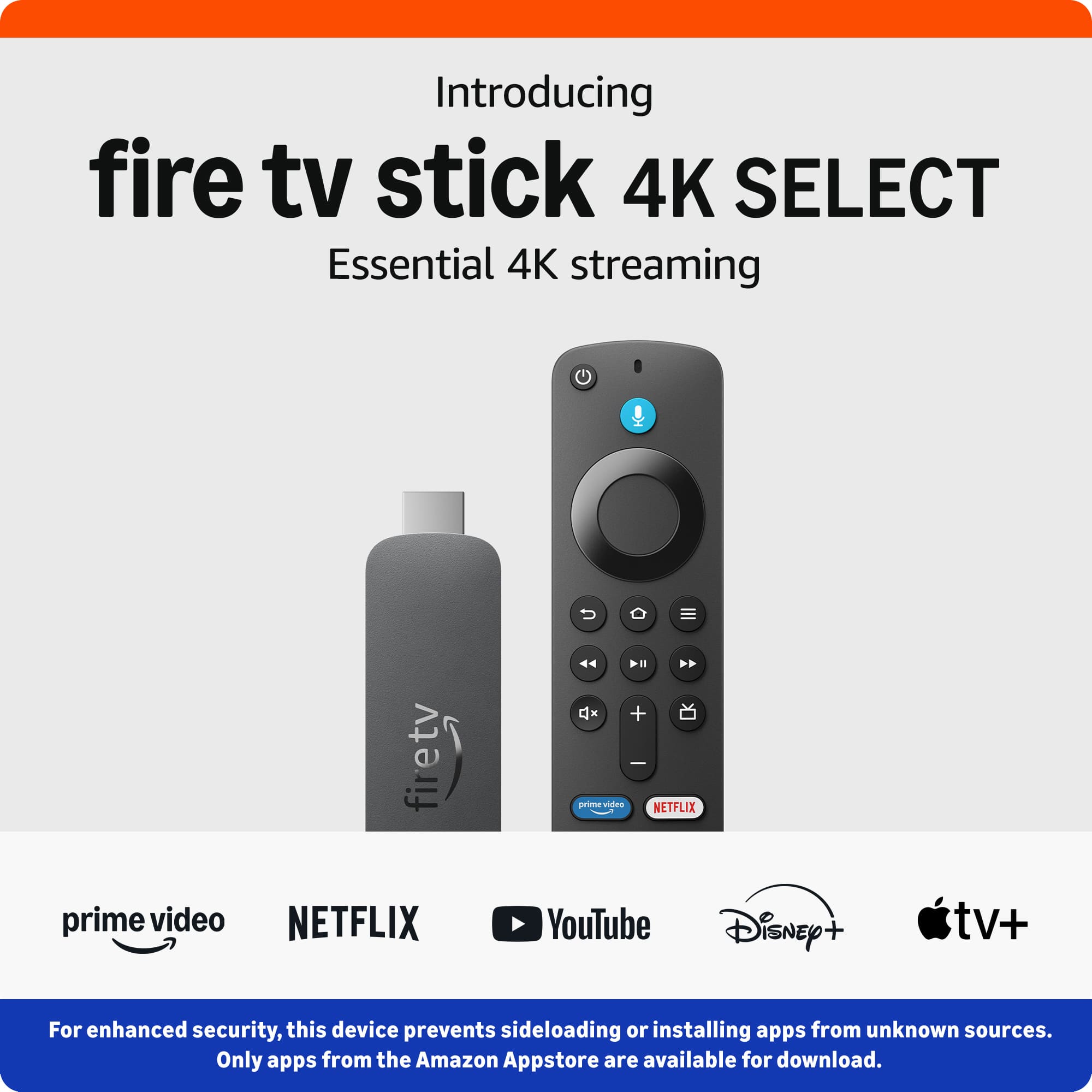
Posted .Hello DavidH. Thank you for your review. For enhanced security, only apps from the Amazon Appstore are available for download. Registered developers are still able to sideload. I hope that helps and have a great day!
Limited apps installation
||Posted . Owned for 3 weeks when reviewed.This reviewer received promo considerations or sweepstakes entry for writing a review.Basically useless with app’s limitations No developer option so We like the old version better
No, I would not recommend this to a friendBrand response from Amazon Devices Customer Support
Posted .Hi Leand,
Thank you for sharing your feedback about the Fire TV Stick 4K Select. We appreciate you taking the time to leave a review, and we hear your frustration about the app installation limitations.
You've raised an important point about developer options and app availability. The Fire TV Stick 4K Select is designed primarily for streaming popular services, and it does have limitations compared to some other Fire TV models when it comes to sideloading apps or accessing developer features. We understand that can be restrictive if you're looking for more customization options.
If you're interested in a Fire TV device with more advanced features and greater flexibility for app installation, you might want to consider the Fire TV Cube, which offers:
Hands-free Alexa voice control
More robust processing power
Better support for additional apps and services
Developer options for more tech-savvy users
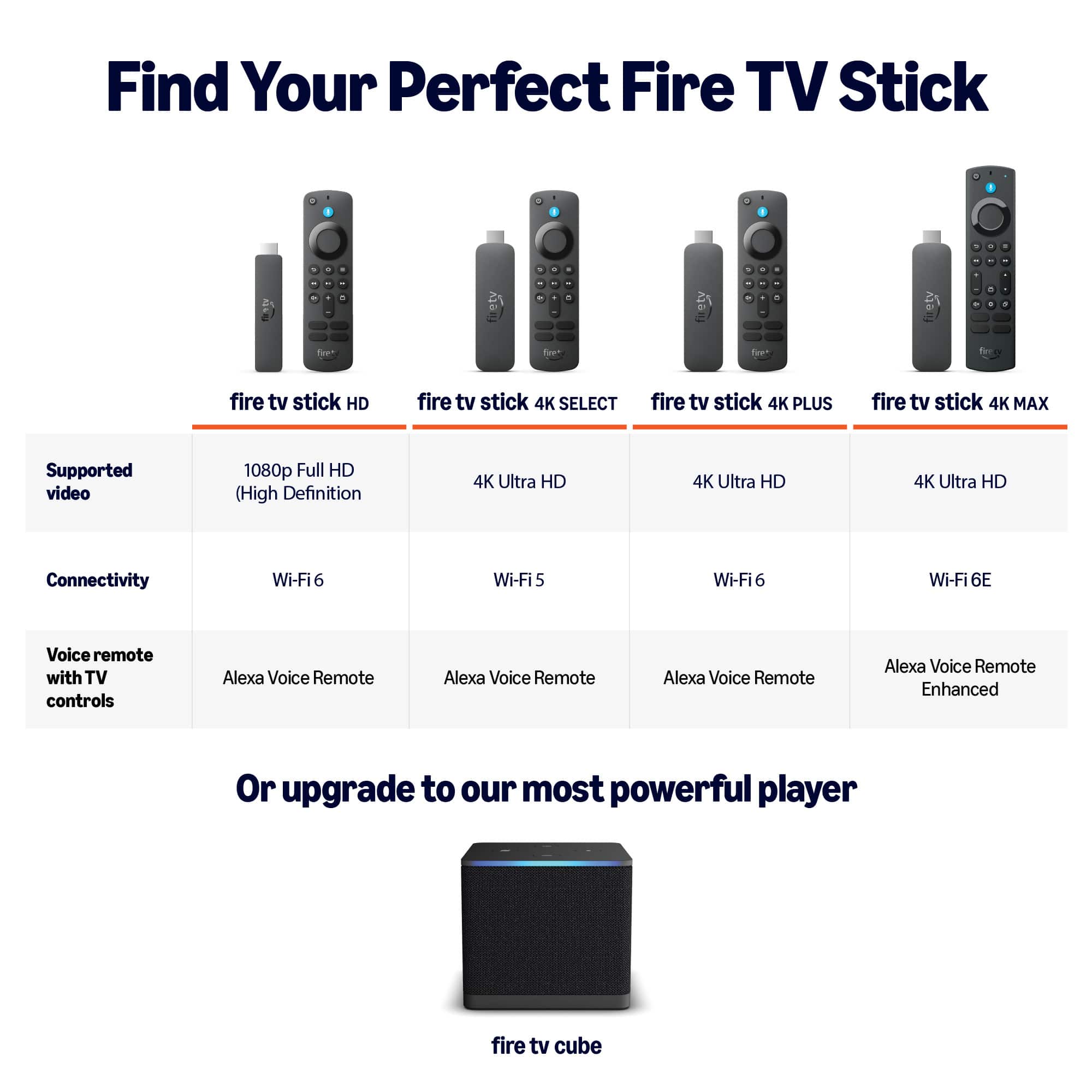
Alternatively, the Fire TV Stick 4K Max provides improved performance and better app compatibility compared to the Select model.
We genuinely appreciate your feedback—it helps us understand what features matter most to our customers
Guess who
||Posted .This reviewer received promo considerations or sweepstakes entry for writing a review.worse than my old firestick of 4 years old, do not buy 4k Select, get 4k Max, Select did not have Downloader on it and you cannot get it, no side loading! Amazon marks them all 4k very misleading!
No, I would not recommend this to a friendBrand response from Amazon Devices Customer Support
Posted .Hello SharonCC. Thank you for your review. For enhanced security, only apps from the Amazon Appstore are available for download. Registered developers are still able to sideload. I hope that helps and have a great day!
Return policy
||Posted . Owned for 1 month when reviewed.This reviewer received promo considerations or sweepstakes entry for writing a review.I bought the wrong firestick and I went to return/exchange and It was over 30 days...clerk told me nothing she could do I had receipt...I'm so upset...I left and left it at the store
No, I would not recommend this to a friendBrand response from Amazon Devices Customer Support
Posted .Thank you for your feedback TyNG.
Fire Stick glitchy
||Posted . Owned for 2 weeks when reviewed.This reviewer received promo considerations or sweepstakes entry for writing a review.I didn’t like this new Fire Stick it’s glitchy and I don’t even use it anymore. Don’t recommend it.
No, I would not recommend this to a friendBrand response from Amazon Devices Customer Support
Posted .Hi Jimmymac,
Thank you for taking the time to share your feedback on the Fire TV Stick 4K Select. We're sorry to hear that you've been experiencing glitchy performance with the device and that it's been frustrating enough that you've stopped using it. We understand how disappointing it is when a new device doesn't work smoothly, and we appreciate you letting us know about your experience.
Glitchy behavior—such as freezing, lagging, or unresponsive performance—can sometimes be resolved through a few troubleshooting steps:
Restart your Fire TV Stick: Unplug the device from power for about 60 seconds, then plug it back in and allow it to fully reboot.
Ensure proper power supply: Make sure you're using the Amazon power adapter and cable that came with the device, and that it's plugged directly into a wall outlet (not a shared power strip or USB port on your TV).
Check for software updates: Go to Settings > My Fire TV > About > Check for Updates to ensure your device is running the latest software.
Improve ventilation: Make sure the Fire TV Stick has adequate airflow and isn't overheating—avoid placing it behind the TV or in enclosed spaces.
If you've already tried these steps or if the issues persist, our support team can help diagnose the problem further and explore options including a potential replacement if the device is defective. You can reach them at 1-888-280-4331 or through the Fire TV settings menu under Help & Feedback.
We appreciate you giving the Fire TV Stick 4K Select a try, and your feedback helps us understand where we need to improve.
firestick
||Posted . Owned for 2 weeks when reviewed.This reviewer received promo considerations or sweepstakes entry for writing a review.Unfortunately had to return this product due to it would not recognize my wifi password. My cable provider said I'm not the only one that has happened to.
No, I would not recommend this to a friendBrand response from Amazon Devices Customer Support
Posted .Hi JeffreyE,
Thank you for sharing your feedback about the Fire TV Stick 4K. I'm sorry to hear that you had to return the device due to Wi-Fi password recognition issues.
I understand how frustrating it must be when a streaming device won't connect to your network, especially when your cable provider has confirmed that you're not the only customer experiencing this problem. Connectivity issues like this can stem from various factors, including compatibility with certain router configurations or Wi-Fi security protocols.
If you decide to give it another try in the future, our support team can help troubleshoot Wi-Fi connectivity issues, including steps like resetting network settings, checking router compatibility, or exploring alternative connection methods. They are available 24/7 at 1 888-280-4331.
Thank you for taking the time to share your experience—your feedback helps us identify patterns and work toward improvements.
Barely works on my tv
||Posted .This reviewer received promo considerations or sweepstakes entry for writing a review.Even with excellent high speed internet we get slow lagging images at times using the fire stick. Not worth the money in my opinion.
No, I would not recommend this to a friendBrand response from Amazon Devices Customer Support
Posted .Hi K9karl,
Thank you for your feedback on the Fire TV Stick 4k. I am sorry to hear your images are slow and lagging. Slow, lagging images on your Fire Stick are usually fixed by restarting your device, clearing app cache/data, freeing up storage, or updating the software, as these issues stem from overloaded memory, poor connection, or outdated software. If these steps do not help and you are still experiencing issues, you can reach out to Amazon Customer Support 24/7 at 1-888-280-4331.
Firestick 4k SELECT
||Posted .This reviewer received promo considerations or sweepstakes entry for writing a review.They change the software basically you can not download nothing except from the store
No, I would not recommend this to a friendBrand response from Amazon Devices Customer Support
Posted .Hi Pix503,
Thank you for your feedback on the Fire TV Stick 4K Select. I am sorry your having problems downloading apps. To download apps, use the search function on the home screen or voice search with your remote. I hope this information was helpful, have a nice day.
No more side loading
||Posted . Owned for 3 weeks when reviewed.This reviewer received promo considerations or sweepstakes entry for writing a review.The new software stops you from doing anything to it
No, I would not recommend this to a friendBrand response from Amazon Devices Customer Support
Posted .Hi AustinT,
Thanks for sharing your feedback about the Fire TV Stick 4K Select. I understand your frustration with the software restrictions on sideloading apps.
Amazon has implemented stricter security measures in recent Fire TV software updates that limit the ability to sideload third-party applications. While this change was designed to enhance device security and protect users from potentially harmful apps, I recognize it impacts users who previously relied on sideloading for legitimate purposes.
If you're looking for specific apps or functionality that aren't available through the Amazon Appstore, I'd recommend:
Alternative options:
Check if the apps you need are now available in the Amazon Appstore - the catalog has expanded significantly
Explore official alternatives that provide similar functionality
Consider using screen mirroring or casting from another device for content not available through official channels
I appreciate you taking the time to share this feedback - user input about feature changes helps inform future product development decisions.
now what I thought
||Posted . Owned for 2 weeks when reviewed.This reviewer received promo considerations or sweepstakes entry for writing a review.Thought you could use it for local station but was mislead. If you want local, go TABLO or thee Amazon cube.
No, I would not recommend this to a friendBrand response from Amazon Devices Customer Support
Posted .Hi photog6,
Thank you for sharing your feedback about the Fire TV Stick 4K Select. I'm sorry to hear that you were misled about the local station capabilities – that's definitely frustrating when a product doesn't meet your expectations for a specific feature.
I understand your disappointment about not being able to access local stations the way you expected. You're absolutely right that the Fire TV Stick 4K Select's approach to local channels is different from dedicated over-the-air (OTA) solutions. The Fire TV Stick can access local content through streaming apps and services, but it doesn't have a built-in tuner for traditional broadcast television signals like devices such as Tablo or the Fire TV Cube with an antenna setup would provide.
For viewers specifically looking for traditional local broadcast channels (ABC, NBC, CBS, FOX, etc.) via antenna, you're correct that:
Tablo: Works as a DVR that connects to an antenna and streams local channels to your devices
Fire TV Cube: Can integrate with antenna setups and cable/satellite boxes for a more comprehensive viewing experience including local channels
However, the Fire TV Stick 4K Select does offer access to local content through:
Streaming services like YouTube TV, Hulu + Live TV, or Sling TV (which require subscriptions)
Individual network apps that may offer local content
Free streaming services with some local news and content
Your feedback about the clarity of local channel capabilities is valuable and helps us improve how we communicate product features.
Slower basic fire stick
||Posted . Owned for 1 month when reviewed.This reviewer received promo considerations or sweepstakes entry for writing a review.Very slow unless you don’t need it for nothing to major.
No, I would not recommend this to a friendBrand response from Amazon Devices Customer Support
Posted .Hello LevarD,
Thank you for your feedback on the Fire TV Stick 4K. I am sorry to hear the Fire Stick is running slow. To fix a slow, lagging, or unresponsive Fire TV Stick, restart the device by unplugging it for 10-30 seconds, clear app caches via Settings > Applications > Manage Installed Applications, and uninstall unused apps to free up storage. Ensure the device is updated (Settings > My Fire TV > About > Check for Updates) and use the official power adapter for optimal performance. If these steps do not help and you are still experiencing issues, you can reach out to Amazon Customer Support 24/7 at 1-888-280-4331.
The most Basic firestick
||Posted . Owned for 1 month when reviewed.This reviewer received promo considerations or sweepstakes entry for writing a review.Do not get this if you are trying to j@!lbr3@k. It is tyhe most basic firestick, which explains the price.
No, I would not recommend this to a friendBrand response from Amazon Devices Customer Support
Posted .Hello Reviewer,
Thank you for sharing your feedback on the Fire TV Stick 4K Select. I appreciate your honest assessment of the device's capabilities.
You're correct that the Fire TV Stick 4K Select is designed as a streamlined, entry-level 4K streaming device, which is reflected in its price point. It's built for straightforward streaming experiences with legitimate apps and services from the Amazon Appstore, and it includes features like AI-powered search, 4K streaming support, and access to free and live TV.
The device is optimized for standard consumer use with official apps and services, which ensures security, stability, and compliance with content licensing agreements. For customers seeking more advanced customization options or alternative app installations, Amazon offers other devices in the Fire TV lineup with different specifications that might better suit various needs.
We appreciate you taking the time to share your perspective, as it helps other customers understand what to expect from this particular model.
Sucks
||Posted . Owned for 1 month when reviewed.This reviewer received promo considerations or sweepstakes entry for writing a review.Sucks sucks sucks sucks sucks sucks sucks sucks sucks
No, I would not recommend this to a friendDisappointed
||Posted . Owned for 2 weeks when reviewed.This reviewer received promo considerations or sweepstakes entry for writing a review.The audio won't link to my TV Tried many times but will not control the volume
No, I would not recommend this to a friendAngry Customer
||Posted .This reviewer received promo considerations or sweepstakes entry for writing a review.Poor Customer Service... Did not Receive fire stick in mail, Then at first would not refund..
No, I would not recommend this to a friendVery slow
||Posted . Owned for 2 weeks when reviewed.This reviewer received promo considerations or sweepstakes entry for writing a review.Slow and lagy. Closes os! Just get a upgrade to the 4k version
No, I would not recommend this to a friendBrand response from Amazon Devices Customer Support
Posted .Hi Dramos2072,
Thank you for your feedback on the Fire Stick 4K Select. I am sorry to hear it was slow. There are a few things to try if the Fire Stick is working slowly, first restart the device and your modem/router. Then, clear the cache for apps, uninstall unused apps, and check for system updates. If these steps do not help and you are still experiencing issues, you can reach out to Amazon Customer Support 24/7 at 1-888-280-4331.
Very difficult to use, recommend to buy an older m
||Posted .This reviewer received promo considerations or sweepstakes entry for writing a review.Very difficult to use, recommend to buy an older model (I cannot even install VLC, such a waste of money!
No, I would not recommend this to a friendBrand response from Amazon Devices Customer Support
Posted .Hello ShenC. Thank you for your feedback on the Amazon Fire TV Stick 4K Select. I understand your frustration with the difficulty installing VLC and the changes in the newest model. Amazon continuously updates Fire TV devices with enhanced security features to protect customers from potentially harmful applications and ensure a safe streaming experience. While some advanced customization options like sideloading third-party apps may have changed, the Fire TV Stick 4K Select offers robust security measures, AI-powered search capabilities, and access to thousands of apps through the Amazon Appstore including many media player alternatives to VLC that are optimized for Fire TV devices.
For media playback, you can explore apps available in the Amazon Appstore, or other video player apps that provide similar functionality to VLC while maintaining the security and compatibility standards of the Fire TV platform. The device is designed to provide a secure, user-friendly streaming experience with regular software updates that enhance performance and protect your personal information. I hope this clarifies that the changes prioritize your security while still offering robust streaming and media playback capabilities.
JT111111111
||Posted .This reviewer received promo considerations or sweepstakes entry for writing a review.Don't Buy!!!!!!!!!!!!!!!!!!!!!!!!!!!!!!!!!!!!!!!!!!!!!!!!!!!
No, I would not recommend this to a friendBrand response from Amazon Devices Customer Support
Posted .Thank you for your feedback, user575283.