Customer Ratings & Reviews
- Model:
- B08C1W5N87
- SKU:
- 6457959
Rating by feature
- Value
Rating 4.8 out of 5 stars
- Quality
Rating 4.8 out of 5 stars
- Ease of Use
Rating 4.8 out of 5 stars
Customers are saying
Customers frequently mention the ease of use, affordability, and excellent streaming capabilities of the Fire TV Stick (3rd Gen). Many appreciate the performance and the included remote control, which offers convenient TV controls. While some users noted the remote's battery life could be improved, and others wished for more storage, the positive feedback on ease of use and streaming quality outweighs these concerns. Overall, the device is praised for its ability to upgrade non-smart TVs and provide a smooth streaming experience.
This summary was generated by AI based on customer reviews.
Amazon fire stick.
||Posted .This reviewer received promo considerations or sweepstakes entry for writing a review.This item does not come with an instruction manual how to use it. It is a struggle to get to the programs I want. Also, it seems that every couple of days this item wants me to put the info for the wi-fi in again. It is &*&*&*. I rate this item very poorly.
No, I would not recommend this to a friendHaven't been able to pair the control and the devi
||Posted . Owned for 1 month when reviewed.This reviewer received promo considerations or sweepstakes entry for writing a review.Terrible. I used it for like 10 days, then the remote got disconfigured, I've followed all instructions to pair the remote and the device and nothing has worked, hence I haven't been able to watch TV ever since. Also, the instructions include pressing a LOT of buttons, waiting times, getting the batteries out of the control. Who comes up with this???
No, I would not recommend this to a friendGreat Christmas Gift
||Posted . Owned for 1 week when reviewed.This reviewer received promo considerations or sweepstakes entry for writing a review.Bought for my inlaws. Great gift idea for Christmas.
I would recommend this to a friendLousy product and service
||Posted . Owned for 1 month when reviewed.This reviewer received promo considerations or sweepstakes entry for writing a review.Bought three… none of the three work correctly. The old sticks work fine. But, I can’t get any response or help from Beat Buy except $600 Geek Squad visit. Never again will I purchase anything from Best Buy !!!
No, I would not recommend this to a friendBrand response from Amazon Devices Customer Support
Posted .Hello, DaveH. Thank you for taking the time to leave a review. I apologize for the experience you are having with the Fire TV Stick. I have some recommendations to try and help fix the problem.
1. Ensure that the Fire TV Stick is seated completely in the HDMI port. If there is another HDMI port available, I recommend changing to it to make sure it is not an HDMI port issue.
2. Make sure you are using all the factory hardware that came with the device, including the power cable and power block.
3. Unplug the power cord from your device or wall outlet for several seconds, then plug it back in.
If you're still having issues, I recommend reaching out to Amazon Customer Support 24/7 at 1-888-280-4331. I hope these steps are helpful. Have a great day!
Not worth the price.
||Posted . Owned for 3 weeks when reviewed.This reviewer received promo considerations or sweepstakes entry for writing a review.Will not turn tv on or off. Volume button doesn’t work. Only thing that works is the preset buttons.
No, I would not recommend this to a friendBrand response from Amazon Devices Customer Support
Posted .Hello Devin. Thank you for your feedback on the Fire TV Stick. I am sorry to hear of the issues you are having with the functionality of the remote. Here are a few troubleshooting tips for you to try to resolve the issues: Please try the following with your remote: 1. Simultaneously press the “Back” button, “Menu” button (three horizontal bars), and the “Left Navigation Circle” button for at least 10 seconds. 2. Wait 60 seconds for the Remote to factory reset. 3. Remove the Remote batteries and unplug the Fire TV device for three minutes from the power and TV. 4. Reconnect the Fire TV device to the TV and the power source. 5. Wait until the home screen is visible on display, before inserting the batteries into your Fire TV remote. 6. Press and hold the “Home” button for 40 seconds to reconnect the remote. If these steps do not help and you are still experiencing issues, you can reach out to Amazon Customer Support 24/7 at 1-888-280-4331. I hope this information is helpful to get your Fire TV Stick remote working properly for you. Thank you!
Malfunctions when I try to use it
||Posted . Owned for 1 month when reviewed.This reviewer received promo considerations or sweepstakes entry for writing a review.I purchased the fire stick as a present and it has been anything but a gift. The alexa feature never works, it lags everytime I use the buttons, it doesnt seem to be able to use Paramount+ on my fire stick. This is one of the worst purchases I have ever made for this fire stick, I want a new one or a refund because I’m being driven insane
No, I would not recommend this to a friendReturned, not satisfied
||Posted . Owned for 1 month when reviewed.This reviewer received promo considerations or sweepstakes entry for writing a review.Running slow (Buffering), returned it. Also its 1080 not 4k, image at 720 is pasty
No, I would not recommend this to a friendDisappointed
||Posted . Owned for 3 weeks when reviewed.This reviewer received promo considerations or sweepstakes entry for writing a review.I purchased the Firestick for my Insignia TV. However, I have been having complications. Currently, Alexa does not work. Also, I was under the impression that I would get regular TV channels as well with the local network. That did not happen. I still have to use the antenna I purchased. Which doesn't always give good reception.
No, I would not recommend this to a friendBrand response from Amazon Devices Customer Support
Posted .Hello EvelynT! I am so sorry that you are having complications with your Fire Stick. Thank you for taking the time to reach out and provide feedback though nonetheless! Alexa not working can be for a few different reasons. When you tap the Alexa button on your remote, it should give you options of how you can use Alexa. When you press and hold the Alexa button, a blue line should show up at the bottom of your screen and allow you to ask her something. If that doesn't happen, go to Settings and Alexa to see if it is enabled. If none of these work, then you can always contact Customer Support at 888.280.4331 for additional support. As for regular TV channels, I apologize for the misunderstanding. Our device is not advertised as a device that replaces antennas for local channels or cable service providers. It is meant to provide streaming options with a wide range or choice. There are local news channel options available through the News app, and there are a wide range of free programming content through the available apps and Prime Channels. But, in order for your live local programming other than news, you would have to have some sort of tuner whether it is provided through your cable service provider, a streaming service provider like Sling, YouTube TV, or Hulu Live TV, or through an off air antenna. Without one of those options, you would not be able to get live local programming other than the available News app. I hope this assists some in providing you a better experience for your Fire Stick and that you have a tremendous day!
Fire stick
||Posted . Owned for 3 months when reviewed.This reviewer received promo considerations or sweepstakes entry for writing a review.Don’t like the fact that something happens to this after a while. It’s like they get stuck!
I would recommend this to a friendBrand response from Amazon Devices Customer Support
Posted .Hello Amber,
I am sorry to hear of the trouble you are having with your Fire TV Stick. Here are a few trouble shooting steps to try and see if we can get this resolved. 1. Unplug the Fire TV Stick from the power source and the HDMI port from the back of the TV. 2.Restart or power cycle your modem and router, unplug the power adapter on each for several minutes. *reconnect power to the modem first *plug in your router once the modem shows power 3. Now try the Fire TV, plug it back into the power source and the HDMI port and check if you are able to reset it. If these steps are not helpful or you need further assistance, you can reach Amazon Customer Service 24/7 for assistance. You can reach them at 1-888-280-4331. I hope this information helps, have a great day.
Review
||Posted . Owned for 3 weeks when reviewed.This reviewer received promo considerations or sweepstakes entry for writing a review.Slower than I thought it would be. Takes a long time to switch between apps. My 4 year old Roku is more responsive.
No, I would not recommend this to a friendDefective remote
||Posted . Owned for 5 months when reviewed.This reviewer received promo considerations or sweepstakes entry for writing a review.Bought this on August 1st. Remote stopped responding and working before thanksgiving. I’ve tried everything from resetting it to trying it on other tvs.
No, I would not recommend this to a friend- Cons mentioned:Memory
Not a traveling partner
||Posted . Owned for 3 weeks when reviewed.This reviewer received promo considerations or sweepstakes entry for writing a review.Didn’t meet expectations Bought to use on a extended hotel stay Won’t hold information over night forced to program every day
No, I would not recommend this to a friend Stream TV
||Posted . Owned for 1 month when reviewed.This reviewer received promo considerations or sweepstakes entry for writing a review.Can't use Alexa for commands. Can't use on/off control and volume. Is the worst purchase I ever made. I more likely will cancel my subscription. Not satisfied with my purchase.
No, I would not recommend this to a friendMy Fire TV Lesson
||Posted . Owned for 1 month when reviewed.This reviewer received promo considerations or sweepstakes entry for writing a review.It moves a lot slower than the 4 and the pictur title is not as good as the 4
No, I would not recommend this to a friendBrand response from Amazon Devices Customer Support
Posted .Hello CarolynM,
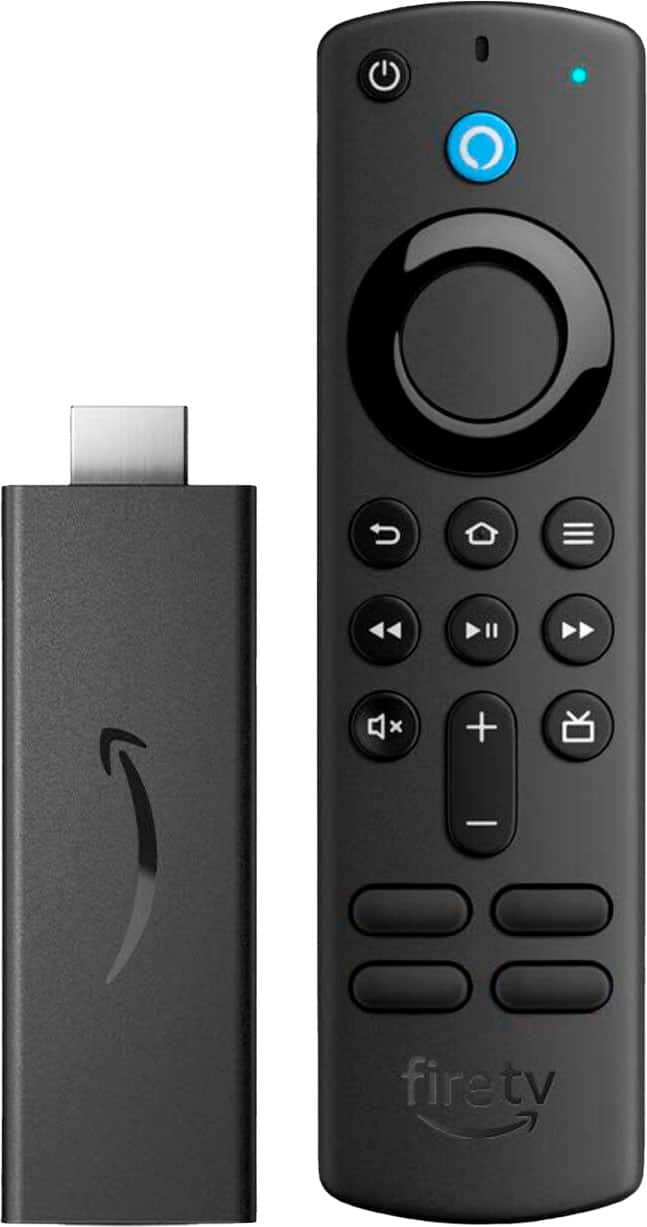
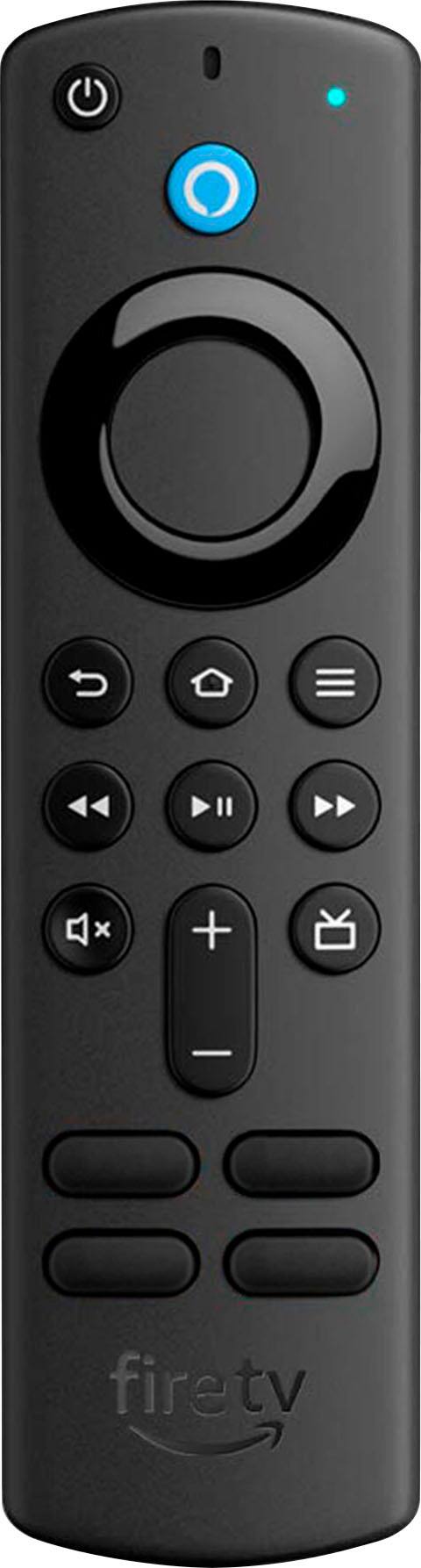
The Fire Stick plugs into your televisions HDMI Port and gives you fast streaming in Full HD. It includes Alexa Voice Remote with power and volume buttons. You can stream 500,000+ movies and TV episodes by downloading your favorite services. Tens of thousands of channels, Alexa skills, and apps - Including Netflix, YouTube, Prime Video, Disney+, Apple TV, and HBO Max. Subscription fees may apply depending on what you wish to stream. You can also watch your favorite live TV, news, and sports with subscriptions to SLING TV, YouTube TV, and others. Use the Guide button to see what's available and when.
The Fire Stick also gives you access to over 20,000 free movies and TV shows from apps like IMDb TV, Tubi, Pluto TV, and more. You can listen to music with Amazon Music, Spotify, Pandora, and others. Subscription fees may apply. The Alexa Voice Remote lets you use your voice to search and launch shows across apps. All-new preset buttons get you to favorite apps quickly. Plus, control power and volume on your TV and soundbar if you’ve got one, with a single remote! I'm sorry for any issues you are having with it moving slower or having a more difficult picture. If you are still having these issues, my suggestion would be to try a few troubleshooting steps first:
1. Check that you have a strong internet connection 2.-Wi-Fi switch: Use the switch to turn off/on the internet connection to your Fire TV device.
-Reboot Fire TV: Use this option to restart your Fire TV device from the Wi-Fi troubleshooting page on the device.
If the connection issue persists try the following:
-Use the connectors and cables that came with your Fire TV device.
-Confirm that you are using a Wi-Fi password and not an Amazon account password.
-Store your Fire TV out of enclosed areas such as closets that block your Wi-Fi signal.
-Restart your Fire TV device and any home network devices like modems or routers. If issues persist, you can reach Amazon Customer Service 24/7 at 1-888-280-4331. I hope this information helps, have a good day!
FireStick vs Roku? No comparison.
||Posted . Owned for 2 months when reviewed.This reviewer received promo considerations or sweepstakes entry for writing a review.Amazing that the Fire Stick died just after the return window closed. We have a couple Roku’s, so I figured I’d try the Fire Stick, just to see. What a mistake. I guess I’m getting another Roku.
No, I would not recommend this to a friendReturned it
||Posted . Owned for 3 weeks when reviewed.This reviewer received promo considerations or sweepstakes entry for writing a review.Returned it. Spent 2 hours trying to set it up and then it didnt have the chanels i wanted. Ease of use is terrible. Ill take the Ruko anyday
No, I would not recommend this to a friendRemote lasts only months
||Posted . Owned for 6 months when reviewed.This reviewer received promo considerations or sweepstakes entry for writing a review.Why do these remotes die after less than a year? All of our tv remotes are several years old and they still work. And why does it cost more to buy a replacement remote than it does to buy a whole new Firestick?
No, I would not recommend this to a friendFirestick Vs. Roku
||Posted . Owned for 3 weeks when reviewed.This reviewer received promo considerations or sweepstakes entry for writing a review.Was not happy with the Firestick especiallywhen compared with ROKU products. Returned the Firestick and purchased a the ROKU EXPRESS
No, I would not recommend this to a friendTurns off on it's own
||Posted . Owned for 2 months when reviewed.This reviewer received promo considerations or sweepstakes entry for writing a review.For some odd reason the firestick will restart on it's own after it's been used for a while. I can't even keep track of how often or after how long its been used because it happens at random times and this happens to both of the firesticks I have purchased at this time from Best Buy
No, I would not recommend this to a friendBrand response from Amazon Devices Customer Support
Posted .Hello evie85033! I am terribly sorry for the trouble you are having with your Fire Sticks turning off on their own. That is definitely not the typical function a customer should be having with these devices and I recommend either seeing if they can be exchanged or contacting Amazon Customer Support at 888.280.4331 to see if they are still under warranty. I can understand how frustrating this can be and hope that either of those two options assists in replacing your devices or updating them so this does not happen any further. Thank you for taking the time to provide feedback and I hope you have an awesome day!
Horrible UX, think twice before getting one
||Posted . Owned for 5 months when reviewed.This reviewer received promo considerations or sweepstakes entry for writing a review.I hate how slow is the response between the device and the UI, UX is definitely horrible, stay away from this, roku works way better!
No, I would not recommend this to a friend