Customer Ratings & Reviews
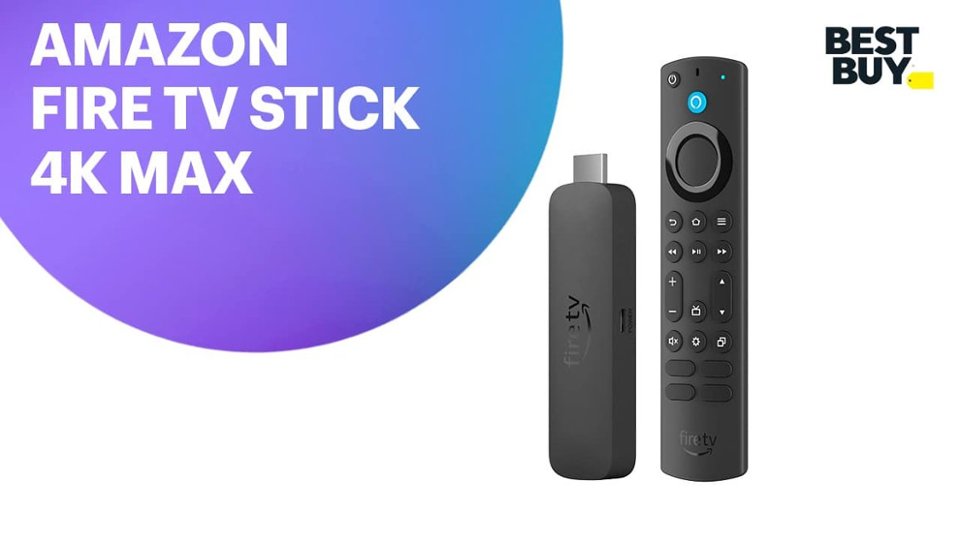

- Model:
- B0BP9SNVH9
- SKU:
- 10890387
Rating by feature
- Value
Rating 4.8 out of 5 stars
- Quality
Rating 4.8 out of 5 stars
- Ease of Use
Rating 4.8 out of 5 stars
to a friend
Tv control
||Posted . Owned for 1 month when reviewed.This reviewer received promo considerations or sweepstakes entry for writing a review.We return them because we decided that we didn’t need it
I would recommend this to a friendNew Firestick
||Posted . Owned for 2 weeks when reviewed.This reviewer received promo considerations or sweepstakes entry for writing a review.With 16 g memory it is very much faster and responsive
I would recommend this to a friendFire Stick Did Not Work
||Posted . Owned for 1 month when reviewed.This reviewer received promo considerations or sweepstakes entry for writing a review.Even after empting all my apps' caches and data, my fire tv kept continuously telling me I had no storage left on my tv, so I would need to uninstall three of my apps to provide storage. i had only four apps (Youtubetv, Netflix, Amazon Prime and HBO Max) installed. I was told by Geek Squad this fire stick would provide me the storage necessary to solve this problem. It did not solve the problem.
No, I would not recommend this to a friendBrand response from Amazon Devices Customer Support
Posted .Hi PatrickV,
Thank you for taking the time to share your feedback about the Fire TV Stick 4K Max. We sincerely apologize that the device didn't solve your storage problem as you expected based on the Geek Squad's recommendation.
We want to clarify an important point: the Fire TV Stick 4K Max's 16 GB of storage is internal to the Fire Stick itself, not your TV. The storage issue you're experiencing with your TV telling you there's no storage left is actually related to your TV's internal storage, not the Fire Stick's capacity. The Fire Stick operates independently and stores its own apps and data on its 16 GB memory.
Here's what may be happening: If you're still seeing storage warnings after installing the Fire Stick, it's possible that:
Your TV's native apps are still consuming storage on the TV itself
You may need to use the Fire Stick's interface exclusively (rather than your TV's smart features) to access your streaming services
The apps should be installed on the Fire Stick, not on your TV
To resolve this: Install YouTube TV, Netflix, Amazon Prime, and HBO Max directly on your Fire TV Stick 4K Max through the Fire TV interface. This way, they'll use the Fire Stick's 16 GB storage instead of your TV's limited storage. You may also want to uninstall or disable the apps on your TV itself if they're taking up space there.
If you've already done this and are still experiencing issues, or if the Fire Stick isn't meeting your needs, you're welcome to return it to Best Buy within their return window. We'd also be happy to help troubleshoot further if you'd like to give it another try with the setup approach above.
We appreciate your feedback and hope we can help get your streaming experience working smoothly.
Firestick on point
||Posted . Owned for 1 month when reviewed.This reviewer received promo considerations or sweepstakes entry for writing a review.I'm pleased with my purchase. Able to watch some amazing movies
I would recommend this to a friendFirestick
||Posted . Owned for 3 weeks when reviewed.This reviewer received promo considerations or sweepstakes entry for writing a review.Would be better if you did not need to sideload so many apps
I would recommend this to a friendJust another option
||Posted . Owned for 3 weeks when reviewed.This reviewer received promo considerations or sweepstakes entry for writing a review.I am a senior citizen and find using the fire stick a bit difficult. So my rating is probably not fair. After using only cable services for my TV viewing , I find the stick not as enjoyable. My TVs do not respond as efficiently as with cable.
I would recommend this to a friendBrand response from Amazon Devices Customer Support
Posted .Hi JoannH, I am sorry to hear you are having difficulty with the performance of your Fire TV Stick 4K Max. It is possible that the device may require a To update your device's software version, go to Settings on your Fire TV Stick. Select Device & Software. Select About. Select Check for System Update. Hopefully this is helpful. If this does not resolve your issue, I encourage you to reach out to Amazon Customer Support 24/7 at 1-888-280-4331. Thank you for your feedback. Have a wonderful day!
Wrong device sold!
||Posted . Owned for 3 weeks when reviewed.This reviewer received promo considerations or sweepstakes entry for writing a review.I’m very disappointed with the Cashier who was also responsible for opening the locked compartment of certain devices (avoiding theft). I showed her exactly what I wanted to buy & didn’t realize it until I got home that she sold me a Firestick that did not have the button for Hulu!
No, I would not recommend this to a friendFirer stick
||Posted . Owned for 2 weeks when reviewed.This reviewer received promo considerations or sweepstakes entry for writing a review.This part Would not work on My tv have other tv will try to see if it work their also is not easy to install will have to call the manufacturer
No, I would not recommend this to a friendBrand response from Amazon Devices Customer Support
Posted .Dear ZacharyT,
Thank you for sharing your experience with the Fire TV Stick 4K Max. I'm sorry to hear it didn't work with your TV right away—that's a frustrating experience when you're excited to set up a new device.
The good news is that the Fire TV Stick 4K Max is compatible with the vast majority of TVs with an HDMI port, so there's a good chance we can get this working for you. Here are a few things to check before calling in:
Try a different HDMI port — Some TVs have multiple HDMI ports, and not all behave the same. Try plugging the Fire TV Stick into another port and switching your TV's input accordingly
Use the included HDMI extender — If the stick is plugged directly into the TV, the included extender cable can help with fit and signal issues, especially on TVs where the HDMI ports are recessed or tightly spaced
Make sure your TV is set to the correct input — Use your TV remote to cycle through inputs (HDMI 1, HDMI 2, etc.) until you see the Fire TV setup screen
Check your TV's HDMI settings — Some older TVs require you to enable HDMI-CEC or adjust the HDMI format in the TV's settings menu for external devices to work properly
Power cycle everything — Unplug both the Fire TV Stick and your TV from power for 30 seconds, then plug them back in
If none of these steps work, please reach out to our support team at 1-888-280-4331. They can help determine if there's a compatibility issue with your specific TV model and get you up and running.
I hope it works on your other TV in the meantime, and we'd love to help you get it working on both!
Good store
||Posted . Owned for 1 month when reviewed.This reviewer received promo considerations or sweepstakes entry for writing a review.Very satisfied! With all the people ,sale ,shipping
I would recommend this to a friendnice
||Posted . Owned for 1 week when reviewed.This reviewer received promo considerations or sweepstakes entry for writing a review.nice fire stick, clean interface. and free channels
I would recommend this to a friendFire stick
||Posted . Owned for 3 weeks when reviewed.This reviewer received promo considerations or sweepstakes entry for writing a review.It's OKI really don't think it was worth the money.
No, I would not recommend this to a friendDisappointed in shipping.
||Posted . Owned for 1 month when reviewed.This reviewer received promo considerations or sweepstakes entry for writing a review.The firestick worked fine, however the box was destroyed and came looked as though it had been opened or used before.
No, I would not recommend this to a friendFair design
||Posted . Owned for 1 month when reviewed.This reviewer received promo considerations or sweepstakes entry for writing a review.A slight improvement from previous version, with new control buttons for volume/channel, but inconsistent BT operation.
I would recommend this to a friendNot happy
||Posted . Owned for 1 month when reviewed.This reviewer received promo considerations or sweepstakes entry for writing a review.I like to turn on my Firestick and have background noise , it seems to turn off Firestick and tv every 90 min , both Firesticks I ordered do the same thing
No, I would not recommend this to a frienddoesnt perform as much as the hype up
||Posted . Owned for 3 weeks when reviewed.This reviewer received promo considerations or sweepstakes entry for writing a review.i have noticed no improved performance over the original firestick 4k max, and honestly maybe processing even slower. i wouldnt recommend anyone to spend the money on upgrading to this from the 1st gen 4k max.
No, I would not recommend this to a friendReview
||Posted . Owned for 1 month when reviewed.This reviewer received promo considerations or sweepstakes entry for writing a review.My smart Tv already has these options, no firestick is really needed
No, I would not recommend this to a friendBrand response from Amazon Devices Customer Support
Posted .Hi GuadalupeT,
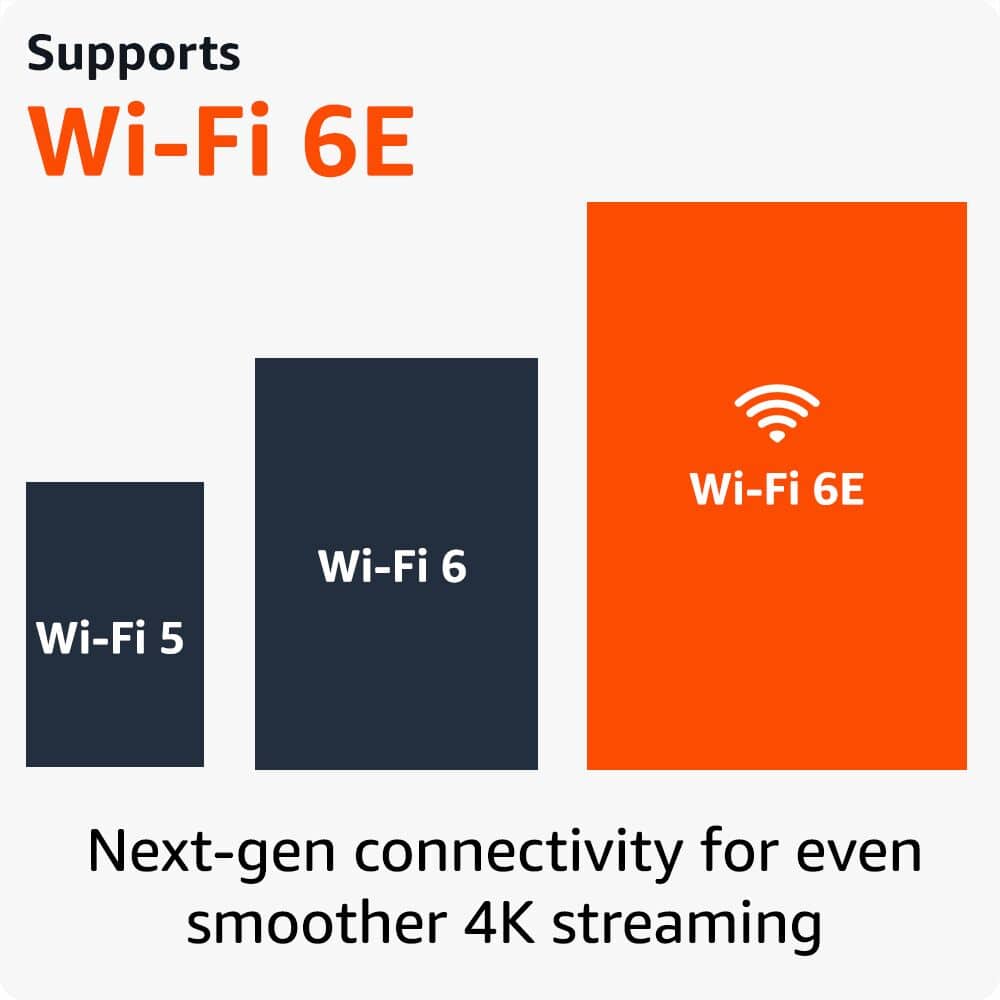
Thank you for your feedback on the Amazon Fire TV Stick 4K Max. Even with built-in TV apps, a Fire Stick 4K Max can add to your TV experience by adding a faster processor (Wi-Fi 6E for smoother streaming), broader app access (including niche apps, games like Amazon Luna), better Alexa voice control for smart home integration (doorbells, lights, volume), personalized content discovery, and screen mirroring. I hope this information is helpful.
Dan
||Posted . Owned for 1 week when reviewed.This reviewer received promo considerations or sweepstakes entry for writing a review.Have problems in adding apps. Not same as others that I bought.
No, I would not recommend this to a friendBrand response from Amazon Devices Customer Support
Posted .Hi DanielM, thank you for providing feedback for Fire TV Stick 4K Max. I am sorry that you have not had a great experience with the device thus far. Unfortunately I am not sure I can provide relevant troubleshooting with the information given. Please feel free to contact Amazon Customer Service 24/7 at 1-888-280-4331. Thank you again and have a wonderful day!
Works great
||Posted . Owned for 3 weeks when reviewed.This reviewer received promo considerations or sweepstakes entry for writing a review.Works great. Much better than the version that doesn't let you control the volume or change the channel.
I would recommend this to a friendGood video, bad audio
||Posted . Owned for 2 months when reviewed.This reviewer received promo considerations or sweepstakes entry for writing a review.It works. Not alot of lag but terrible audio sync issues, Using the tv built in apps or apple tv, I do not have this issue.
I would recommend this to a friendBrand response from Amazon Devices Customer Support
Posted .Hello, CDubbsW0rld. I'm sorry to hear about the problem you are having with the Fire TV Stick 4K Max. If you are having audio sync issues I recommend going into the settings on your Fire TV Stick and adjusting the setting. You can do this by 1. Go into settings on your Fire TV Stick. 2. Select Display and Sounds. 3. Select Audio and then select AV Sync Tuning. I hope these recommendations are helpful to you but if you need further assistance, I recommend contacting Amazon customer support at 1-888-280-4331. I hope this helps, have a great day!
Frequent disconnects, Returned
||Posted . Owned for 1 week when reviewed.This reviewer received promo considerations or sweepstakes entry for writing a review.Have had similar prime devices in the past which work well. This one was in a room next door to the router and the long range WiFi repeatedly lost connection.
No, I would not recommend this to a friendBrand response from Amazon Devices Customer Support
Posted .Hello! I'm sorry to hear you're experiencing repeated Wi-Fi disconnection issues with your Fire TV Stick 4K Max, especially when it's located so close to the router. Let me walk you through some targeted steps to address this connectivity issue.
1. Check for Wi-Fi Interference Even being in the next room, walls and other electronic devices can cause interference. Try the following:
Make sure your Fire TV Stick 4K Max is connected to the 5GHz band of your router (rather than 2.4GHz), as it offers faster speeds and less congestion — especially important for 4K streaming.
Alternatively, if walls are causing signal degradation, try switching to the 2.4GHz band, which has better range and wall penetration, even if slightly slower.
2. Use the HDMI Extender Cable The Fire TV Stick 4K Max comes with an HDMI extender cable in the box. Using it moves the device away from the back of the TV, which can significantly reduce interference from the TV itself and improve Wi-Fi reception.
3. Restart Your Router and Fire TV Stick
Unplug your router, wait 30 seconds, and plug it back in.
Then go to Settings > My Fire TV > Restart on your Fire TV Stick 4K Max.
4. Forget and Reconnect to Wi-Fi
Go to Settings > Network
Select your Wi-Fi network and choose Forget This Network
Reconnect by selecting your network again and entering your password
5. Check Router Settings
Make sure your router's firmware is up to date.
If your router supports Wi-Fi 6 (802.11ax), the Fire TV Stick 4K Max is Wi-Fi 6 compatible and should take full advantage of it — ensure Wi-Fi 6 is enabled on your router.
Check if your router has any band steering or device prioritization settings that may be causing the Fire TV Stick to drop connection.
6. Check for Software Updates Outdated firmware on the Fire TV Stick can sometimes cause connectivity instability:
Go to Settings > My Fire TV > About > Check for Updates
7. Factory Reset (Last Resort) If all else fails, a factory reset can resolve persistent connectivity issues:
Go to Settings > My Fire TV > Reset to Factory Defaults
If these steps do not resolve the repeated Wi-Fi disconnections, Amazon Customer Support is available 24/7 at 1-888-280-4331 and can provide further assistance.
Thank you for your feedback, and I hope we can get your Fire TV Stick 4K Max connecting reliably. Have a great day!