Customer Ratings & Reviews
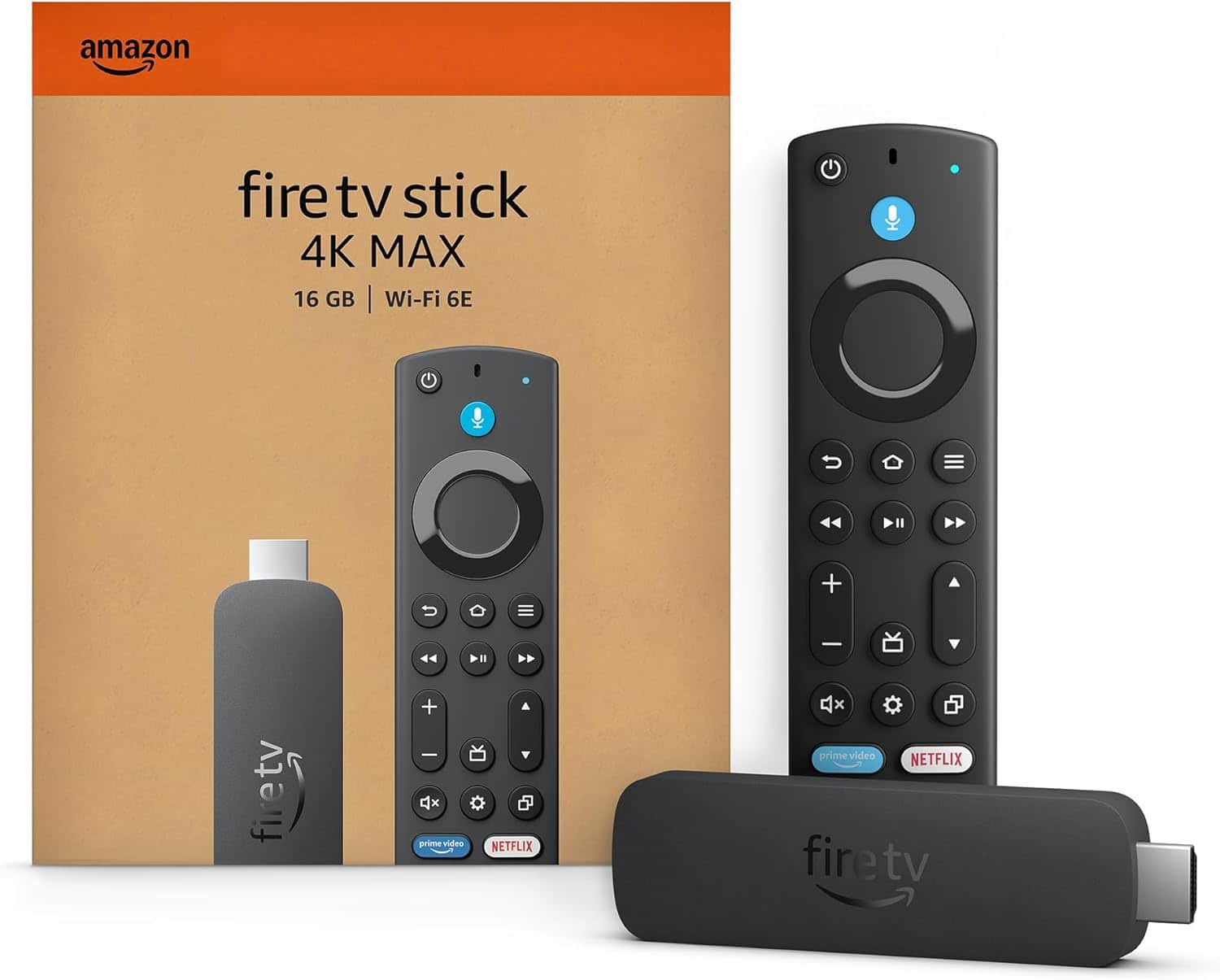
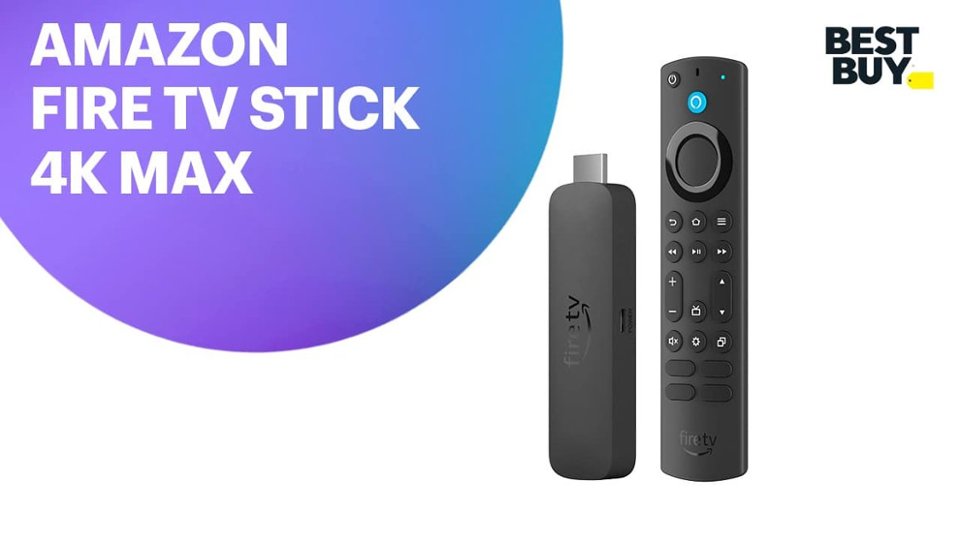
- Model:
- B0BP9SNVH9
- SKU:
- 10890387
Rating by feature
- Value
Rating 4.8 out of 5 stars
- Quality
Rating 4.8 out of 5 stars
- Ease of Use
Rating 4.8 out of 5 stars
to a friend
Fire stick
||Posted . Owned for 3 weeks when reviewed.This reviewer received promo considerations or sweepstakes entry for writing a review.Still having trouble with Hulu IT will cut out and not come in
No, I would not recommend this to a friendLower solution
||Posted . Owned for 3 weeks when reviewed.This reviewer received promo considerations or sweepstakes entry for writing a review.The quality isn't the greatest. The image's are better on Roku.
No, I would not recommend this to a friendNo third-party apps can be downloaded
||Posted . Owned for 3 months when reviewed.This reviewer received promo considerations or sweepstakes entry for writing a review.The new fire stick 4K TV does not allow you to download third-party apps like the older 4K Fire TV sticks. It only allows you to use what’s on the fire stick. I do not recommend.
No, I would not recommend this to a friendBrand response from Amazon Devices Customer Support
Posted .Hello! If you are having issues connecting or re-connecting your Fire TV remote, or trying to download apps, you can try these troubleshooting tips:
-Replace the batteries in your remote.
-Move your remote closer to your Fire TV device, within 10 feet (3 m).
-Unplug your Fire TV device from the power cord or adapter then plug it back in.
-Use the Fire TV app to pair your remote.
-If you have seven controllers paired, remove one of them before attempting to pair another.
I hope that helps get your device working. If these steps do not help and you are still experiencing issues, you can reach out to Amazon Customer Support 24/7 at 1-888-280-4331.
Firestick Woes
||Posted . Owned for 1 month when reviewed.This reviewer received promo considerations or sweepstakes entry for writing a review.Other than having more memory, this Firestick isn't worth the trouble. When streaming, the voices are out of sync, no matter which streaming service I'm using, it doesn't do it on the two other older Firesticks I'm using, it kicks off my blue tooth headphones out of the blue and doesn't allow me to clear the Cache. I've tried all the recommended routes to fix these problems to no avail. It's a total headache. I wasted my money on this product.
No, I would not recommend this to a friendBrand response from Amazon Devices Customer Support
Posted .Hello PhilBo! I am terribly sorry to hear about the problems you are having with your Fire Stick. It does sound like you have done a lot of exploring on your own to troubleshoot this and have definitely tried a few options I would have suggested. The last 2 things I would offer is to try to ensure that you have the latest software version. You can find this by navigating to Settings>Device Software and Options>About>Check for Updates. If this isn't the issue, then you can also do a factory reset from that same route in Device Software and Options. Once factory reset, you can see if setting it back up again resolves the issues. If it does not, you can always reach out to Amazon Customer Support at 888.280.4331 to troubleshoot further or explore what other options are available to you. Thank you for taking time to provide your feedback and I hope we can help resolve your problems so you can have a better experience. Have a terrific day!
Tv assistance
||Posted . Owned for 3 weeks when reviewed.This reviewer received promo considerations or sweepstakes entry for writing a review.Could have used a little more assistance on the floor
I would recommend this to a friendIs over
||Posted . Owned for 1 month when reviewed.This reviewer received promo considerations or sweepstakes entry for writing a review.Trash trash trash trash trash trash trash trash trash
No, I would not recommend this to a friendBrand response from Amazon Devices Customer Support
Posted .Hello Jose! I'm sorry to hear you're having a frustrating experience with your Fire TV Stick 4K Max. Based on what I know about common issues, it sounds like you've been dealing with freezing and navigation issues. Here are some comprehensive troubleshooting steps to help get your device back on track:
1. Restart Your Device Go to Settings > My Fire TV > Restart. A simple restart can resolve many freezing and navigation issues.
2. Check Your Internet Connection A weak or unstable Wi-Fi signal is one of the most common causes of freezing and sluggish performance. Make sure your router is functioning properly and that your Fire TV Stick 4K Max is within a good range of your router.
3. Clear App Cache and Data Cached data can build up and cause performance issues:
Go to Settings > Applications > Manage Installed Applications
Select the problematic app(s)
Choose Clear Cache and/or Clear Data
4. Free Up Storage Space If your device storage is nearly full, it can cause freezing and slow navigation:
Go to Settings > My Fire TV > About > Storage
Uninstall apps you no longer use to free up space
5. Check for Software Updates Outdated software can cause performance issues:
Go to Settings > My Fire TV > About > Check for Updates
Install any available updates
6. Reduce Background App Activity Close apps running in the background by pressing and holding the Home button and selecting App Switcher, then swipe up to close unused apps.
7. Factory Reset (Last Resort) If none of the above steps resolve the issue, a factory reset can clear up most persistent problems:
Go to Settings > My Fire TV > Reset to Factory Defaults
Note: This will erase all your settings and downloaded apps, so you'll need to set up the device again.
If these steps do not resolve your concerns, Amazon Customer Support is available 24/7 and can provide further assistance. You can reach them at 1-888-280-4331.
I hope these steps get your Fire TV Stick 4K Max working smoothly for you. Thank you for your feedback, and have a great day!
Worst Product I ever Bought
||Posted .This reviewer received promo considerations or sweepstakes entry for writing a review.It won't Pair up 2.my T.v The Remote won't work & when I Download the Remote it wants even More $ & this is the worst Product I have Bought. All i get is a Grey screen.. I absolutely Hate the Fire Stick
No, I would not recommend this to a friendBrand response from Amazon Devices Customer Support
Posted .Hi Blessed, I’m sorry to hear about the trouble you’ve had setting up your Fire TV Stick 4K Max. I know how frustrating it is when the remote won’t pair and the screen isn’t working properly. You might try a few quick steps: restart the Fire TV Stick by unplugging it from power for 30 seconds, make sure the TV is set to the correct HDMI input, and re-pair the remote by holding the Home button for about 10 seconds. If you continue to experience issues, I recommend contacting Amazon Customer Support at 1-888-280-4331. Thank you for your feedback, have a great day!
Iffy at best
||Posted .This reviewer received promo considerations or sweepstakes entry for writing a review.The first one worked great. I bought 2 more and neither worked. They stuck in a reboot loop and would never startup. I exchanged those two and tried one and it did the same thing.
No, I would not recommend this to a friendBrand response from Amazon Devices Customer Support
Posted .Hello DonB! I am so sorry for the issues you are having with our Fire Stick. I am glad that your first one worked well for you! We expect this device to function much better than this but as with any connected device, there is a chance that it may need a software update to fix any bugs that may be occurring. I would recommend contacting Amazon Customer Support at 888.280.4331 to see if we can troubleshoot with you further on your devices or if they just need to be exchanged again. I thank you so much for taking the time to provide your valued feedback and I hope you have a great day!
Remote issue
||Posted . Owned for 2 weeks when reviewed.This reviewer received promo considerations or sweepstakes entry for writing a review.Remote is crunchy to clicks and annoying. Doesn't appear to be broken but makes a funky crunch sound when buttons are pressed.
No, I would not recommend this to a friendDon't order online
||Posted . Owned for 1 month when reviewed.This reviewer received promo considerations or sweepstakes entry for writing a review.Fire stick is fine, on line order fine, picking this up from store that's where it all went wrong. There is no online pick up, you have to stand in line with everyone who is buying in store. Would have been faster to just grab one of the shelf. Then when I make a comment to the man in the front his response was I should just buy in store. Bad customer service. Might as well go to Amazon next time. Live and learn.
No, I would not recommend this to a friendSave your money
||Posted .This reviewer received promo considerations or sweepstakes entry for writing a review.Umm it is garbage freeze up hard to navigate I’ll take a Onn over this po
No, I would not recommend this to a friendBrand response from Amazon Devices Customer Support
Posted .Hello RobertM! I'm sorry to hear you're experiencing freezing and navigation issues with your Fire TV Stick 4K Max. This is incredibly frustrating, especially when a device isn't performing as expected. To help resolve the freezing and navigation problems, start by ensuring your device has a strong Wi-Fi connection, as connectivity issues can cause significant performance problems. Restart your Fire TV Stick 4K Max by unplugging it from power, waiting 30 seconds, then plugging it back in—this often clears temporary glitches causing freezing. Check for software updates by going to Settings, My Fire TV, and About, as outdated firmware can lead to performance issues. Clear cache on apps that may be causing problems by going to Settings, Applications, Manage Installed Applications, selecting the specific app, and choosing Clear Cache. Check your available storage under Settings, My Fire TV, and About, as insufficient storage can cause freezing and slow navigation. If your device is overheating, ensure it has proper ventilation and isn't enclosed in a tight space, as heat can cause performance degradation. You can also try a factory reset as a last resort by going to Settings, My Fire TV, and Reset to Factory Defaults, though this will erase all your settings and downloaded apps.
If these troubleshooting steps don't resolve the freezing and navigation issues you're experiencing, Amazon Customer Support is available 24/7 at 1-888-280-4331 for additional assistance.
Marketing tool for amazon.com
||Posted . Owned for 1 month when reviewed.This reviewer received promo considerations or sweepstakes entry for writing a review.This is a marketing device for Amazon. 4K image less than ideal, YouTube does not work as it should with this Amazon device. Please do yourself a favor and stay clear of this product. No one buys a product to serve as a marketing tool for any company.
No, I would not recommend this to a friendBrand response from Amazon Devices Customer Support
Posted .Hi VictorM,
We are sorry you are not enjoying the Fire TV Stick 4K Max. The Youtube App is available and does work on this device. To have an optimal experience, you can either download it via the Amazon App Store on your TV, or use the Silk browser on the device to view your preferred content.
If you need assistance installing the Youtube App on the Fire TV Stick 4K Max or have additional questions, please call us! Amazon customer service is available 24/7 for assistance on the device. You can reach us at 1-888-280-4331.
Hope that helps!
Issues with stick
||Posted . Owned for 1 month when reviewed.This reviewer received promo considerations or sweepstakes entry for writing a review.After 2 months of usage I started having issues. The volume would go off or you would get kicked out of what you was watching back to the Home Screen.
No, I would not recommend this to a friendBrand response from Amazon Devices Customer Support
Posted .Hello Bigmike! Thanks so much for your review and feedback on your experience with your new Fire Stick! I am so sorry to hear that your device is having issues. Sometimes these issues can be resolved via a software update. You can check to see if you have any updates pending by navigating to Settings>Device and Software>About>Check for Updates. If there are any pending updates, it will download and install and then possibly restart your device once or twice. If this does not resolve your issue, I recommend you contact us directly at Amazon Customer Support at 888.280.4331 for further troubleshooting. I hope this gets you the assistance you need to improve your experience and thank you again for your time! Have a fantastic day!
Broken Firestick
||Posted . Owned for 1 year when reviewed.This reviewer received promo considerations or sweepstakes entry for writing a review.Firestick wont Load after 1 year. SAD IVE TRIED EVERYTHING
No, I would not recommend this to a friendBrand response from Amazon Devices Customer Support
Posted .Hello BrianR! I am so sorry that your FireStick seems to no longer be functioning. I would recommend contacting Amazon Customer Support at 888.280.4331 for further troubleshooting and to explore what options are available to you. Thank you so much for your time and I hope we are able to resolve your issue quickly for you. Have an awesome day!
No fire in the fire stick
||Posted . Owned for less than 1 week when reviewed.This reviewer received promo considerations or sweepstakes entry for writing a review.The fire stick malfunctioned it would not work after countless days trying to get it to work and watching you tube it just didn’t work
I would recommend this to a friendBrand response from Amazon Devices Customer Support
Posted .Hi KSDG, I am sorry to see that your Fire TV Stick 4K Max has stopped working. I would like to provide some troubleshooting in order to get your device up and running again.
1. Replace the batteries in your remote.
2. Use the power cable and adapter included with your Fire TV device. If you lose your Fire TV device power cable or adapter replace them with Amazon branded equipment to ensure compatibility.
3. Unplug the power cord from your device or wall outlet for several seconds then plug it back in.
4. Press the source or input button on your remote and ensure your TV input matches the name or number of the HDMI port your Fire TV is plugged into (often located on the back of your TV).
5. Use an HDMI cable rated for high speed (you can purchase this separately).
6. Unplug your Fire TV from your HDMI hub (if you're using one) and plug it directly into your TV's HDMI port. If these steps do not help and you are still disappointed with the device you can reach Amazon Customer service 24/7 for assistance at 1-888-280-4331. I hope this information helps, have a great day!
Doesn't work
||Posted . Owned for 2 weeks when reviewed.This reviewer received promo considerations or sweepstakes entry for writing a review.This device would not work in my minivan as advertised.
No, I would not recommend this to a friendNot good
||Posted . Owned for 11 months when reviewed.This reviewer received promo considerations or sweepstakes entry for writing a review.Amazon Fire sticks and TV's always have issues. I don't recommend.
No, I would not recommend this to a friendBrand response from Amazon Devices Customer Support
Posted .Hi msajaja, thank you for providing feedback on the Amazon Fire TV Stick 4K Max. I am sorry to see you have had a negative experience so far. Unfortunately with the information given, I won't be able to provide any troubleshooting. Feel free to reach out to Amazon Customer Support 24/7 at 1-888-280-4331 so we can assist as best as possible. Thank you again and have a great day!
Roku all the way !
||Posted .This reviewer received promo considerations or sweepstakes entry for writing a review.As with anything Amazon .... cheap and slow and not reliable !
No, I would not recommend this to a friendBrand response from Amazon Devices Customer Support
Posted .Dear AverageJane,
Thank you for sharing your feedback about the Fire TV Stick 4K Max. We notice this is your second review expressing dissatisfaction with Amazon devices, and we take your concerns seriously.
While we respect your preference for Roku, we want to address the specific points you've raised about the Fire TV Stick 4K Max:
Regarding speed and reliability:
The 4K Max features our most powerful processor
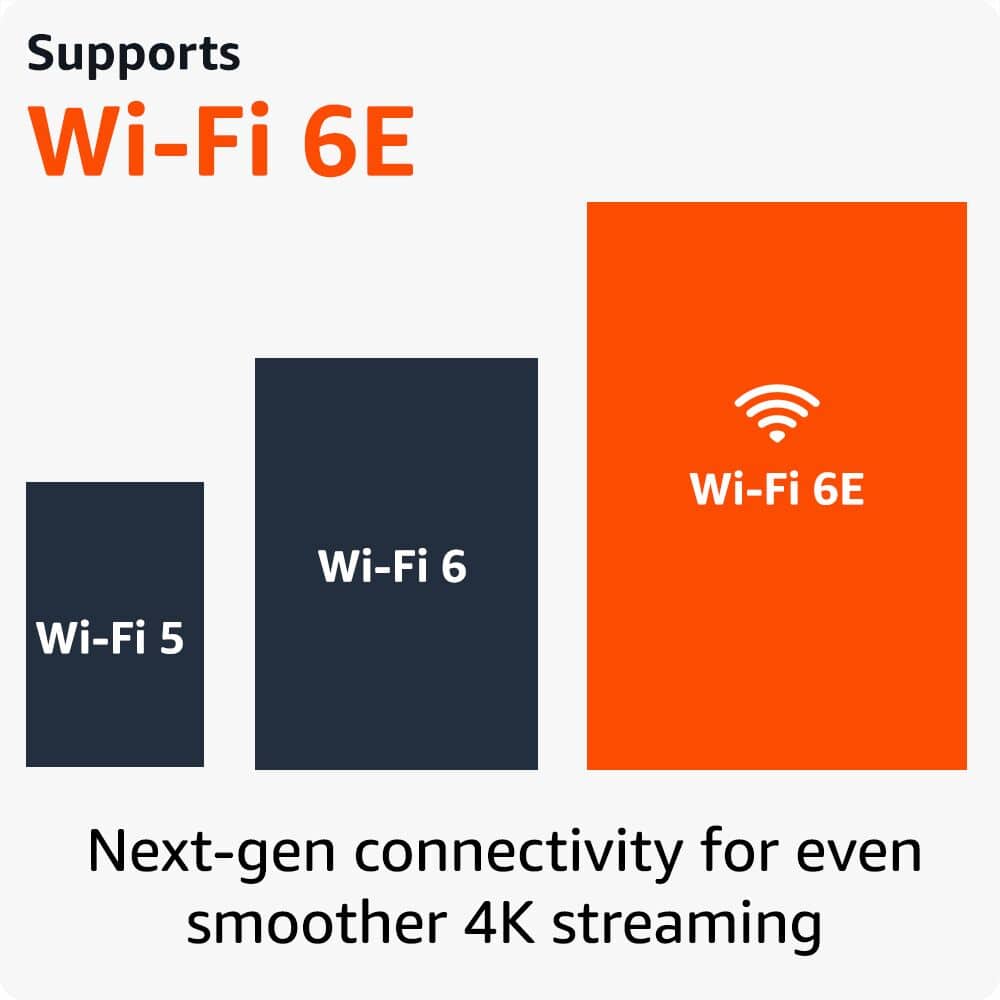
Wi-Fi 6E capability for faster streaming
16GB storage (double the previous generation)
However, if you're experiencing performance issues, there might be:
Network connectivity factors affecting performance
Settings that need optimization
System updates that could help
We'd welcome the opportunity to help resolve any specific issues you're encountering. Our customer support team is available 24/7 to assist with troubleshooting or answer any questions.
Straight garbage.
||Posted . Owned for 1 year when reviewed.This reviewer received promo considerations or sweepstakes entry for writing a review.I've been having wi-fi connectivity with this thing every since i bought it. Native apps from my tv play well but soon as i go to the firestick it says no wi-fi network. Hate i wasted my money on this. Nothing but a headache. Wish i could rate it with no stars.
No, I would not recommend this to a friendBrand response from Amazon Devices Customer Support
Posted .Hello! Thank you for leaving a review. I am sorry you are having Wi-Fi issues with the Fire TV Stick 4K Max. I have some recommendations to try and help fix the issue. First, check the network status on the device. To do this, go to settings, select network, find your network name, and press the play/pause button on your remote to see the network status and follow the recommended steps. I also recommend restarting your modem/router if that doesn't help. Unplug the modem and router, wait one minute, plug the modem back in first, wait for the lights to turn on and for it to connect to the internet, then plug in your router and wait for the lights to turn on. If these steps do not help, and you are still having connectivity issues, call Amazon customer service at 1-888-280-4331 for assistance. They are available 24/7. I hope this information is helpful. Thank you!
Remote died.
||Posted . Owned for 4 months when reviewed.This reviewer received promo considerations or sweepstakes entry for writing a review.I'm giving two stars, because out of three I ordered only two are working. The power button will not turn the TV off.
No, I would not recommend this to a friendBrand response from Amazon Devices Customer Support
Posted .Hello StephenR! I am terribly sorry for the trouble you are having with one of your three devices. If you are outside of your exchange/return period at the location you purchased this at, I would recommend you contact Amazon Customer Support at 888.280.4331 to troubleshoot further and see if they can resolve your issue and provide you with the experience you're having with your other two. Thank you so much for providing insight to your experience with the Fire Sticks and I hope you have a terrific day!