Customer Ratings & Reviews
- Model:
- B0BP9SNVH9
- SKU:
- 10890387
Rating by feature
- Value
Rating 4.8 out of 5 stars
- Quality
Rating 4.8 out of 5 stars
- Ease of Use
Rating 4.8 out of 5 stars
to a friend
Freego TV
||Posted . Owned for 2 weeks when reviewed.This reviewer received promo considerations or sweepstakes entry for writing a review.I can not actívate the fire tv to freego tv and i have three
No, I would not recommend this to a friendBrand response from Amazon Devices Customer Support
Posted .Hello CarlosO! Thank you for your feedback regarding Freego TV and the Fire TV Stick 4K Max. I need to inform you that Freego TV is not officially supported on the Amazon Fire TV Stick platform and is not available through the Amazon Appstore. While some users attempt to sideload this application, we cannot provide support for unofficial apps as this could compromise your device's security. Instead, I'd recommend exploring the many streaming apps that are officially supported on your Fire TV Stick 4K Max through the Amazon Appstore, which offer similar content through secure, supported channels. I hope that helps, have a great day!

Amazon fire stick review.
||Posted . Owned for 3 weeks when reviewed.This reviewer received promo considerations or sweepstakes entry for writing a review.Works great, is good to watch live tv and sports around the world in different language.
I would recommend this to a friendA Big Pain to set up and then it went Out!!!
||Posted . Owned for 1 week when reviewed.This reviewer received promo considerations or sweepstakes entry for writing a review.I changed from Roku streaming stick to Fire stick and from the beginning we had a hard time setting it up. My son-in-law and daughter both have one so lots of experience with the product. Finally set it up and it lasted 3 days and that was it. Returned and went back to Roku
No, I would not recommend this to a friendAmazon fire stick problems
||Posted . Owned for 3 weeks when reviewed.This reviewer received promo considerations or sweepstakes entry for writing a review.This Amazon fire stick didn't work well my TV screen kept freezing up and I couldn't go to anything else
No, I would not recommend this to a friendBrand response from Amazon Devices Customer Support
Posted .Hello meangreen739! I am so sorry to hear you are having trouble with your Fire Stick. One bit of troubleshooting I would recommend is to check to see if there are any updates pending. It may be held up in one causing this freezing issue. You can check this by going to Settings>Devices and Software>About>Check for Updates. You can also do a factory reset to this device from this menu as well and try to reset it back up to see if this improves anything for you. If none of this works, I would recommend contacting Amazon Customer Support at 888.280.4331 to troubleshoot further and to see what options you have available to you. I do hope this helps improve your experience some and that you have an awesome day!
Mehhh
||Posted . Owned for 1 month when reviewed.This reviewer received promo considerations or sweepstakes entry for writing a review.Not worth the $. Programs are tough to access and options aren’t great. Service skips often
No, I would not recommend this to a friendbroken amamzon prime app
||Posted . Owned for 2 months when reviewed.This reviewer received promo considerations or sweepstakes entry for writing a review.broken amazon prime app. Amazon diagnosed it as an issue with the app. cleared the cache, deleted data, reset to factory, re-installed the app. Did not work. less than 60 days old. Gotta get another one.
No, I would not recommend this to a friendBrand response from Amazon Devices Customer Support
Posted .Hi MarkD,
We are sorry to hear about your devices issues. If you need further assistance, don't hesitate to call us. You can call Amazon customer service, available 24/7 for assistance on the device. You can reach us at 1-888-280-4331!
Hope that helps!
Screen turn black
||Posted .This reviewer received promo considerations or sweepstakes entry for writing a review.Not good product. The screen turn black all the time super annoying.
No, I would not recommend this to a friendBrand response from Amazon Devices Customer Support
Posted .Dear Titi,
Thank you for taking the time to share your feedback about the Fire TV Stick 4K Max. I'm sorry to hear you're experiencing issues with the screen turning black.
This issue can often be resolved through a few troubleshooting steps:
Check your HDMI connection is secure
Try using a different HDMI port on your TV
Ensure your Fire TV Stick is receiving adequate power
Update your device's software if available
If you're still experiencing problems, our customer service team would be happy to help resolve this issue. You can reach us at 1-888-280-4331 or through your Amazon account support page.
We stand behind our products and want to ensure you have the best possible streaming experience.
Wrong one
||Posted . Owned for 3 weeks when reviewed.This reviewer received promo considerations or sweepstakes entry for writing a review.I returned this item after I realized that I would have to go through Amazon for all of the subscriptions we already had on Google. We purchased a Google streaming device that works with all of our current subscriptions.
No, I would not recommend this to a friendBrand response from Amazon Devices Customer Support
Posted .Hi Buyer,
The Amazon Fire TV Stick 4K Max has so much more to offer than the Google streaming stick. Yes, you would have to download and log into the apps you wished to use on the Fire TV Stick 4K Max, like Netflix, that require a subscription. The device would have prompted this during set up. You would not have been going through Amazon, you would have been downloading apps or signing up for streaming you wished to use on the device.
Hope that helps!
poor performans and poor wifi connection
||Posted . Owned for 1 month when reviewed.This reviewer received promo considerations or sweepstakes entry for writing a review.poor performans and poor wifi connection, I wanna return it
No, I would not recommend this to a friendBrand response from Amazon Devices Customer Support
Posted .Hello KenanD,
Thank you for your feedback on the Amazon Fire TV Stick 4K. I am sorry to hear your performance and Wi-Fi issues. Here are a few things to try and correct the issues: To fix a slow Fire Stick 4K, start by rebooting the device and your router. Next, uninstall unused apps, clear app caches, and update the Fire Stick and apps to free up resources and improve performance. If issues persist, connect via an Ethernet cable for a more stable connection. If you are still having issues with the Fire TV Stick, Amazon Customer service is available 24/7 for assistance on the device. You can reach them at 1-888-280-4331. I hope this information is helpful to get your device working properly for you. Thank you!
Disappoint with Best Buy
||Posted . Owned for 3 weeks when reviewed.This reviewer received promo considerations or sweepstakes entry for writing a review.One young lady pointed out where a firesticks could found.
I would recommend this to a friendLost effort
||Posted . Owned for 3 weeks when reviewed.This reviewer received promo considerations or sweepstakes entry for writing a review.Could not connect it to my television. Returned it to the store.
I would recommend this to a friendTv remote
||Posted . Owned for 1 month when reviewed.This reviewer received promo considerations or sweepstakes entry for writing a review.I don’t recommend to purchase this item It’s so bad Try to navigate online nothing don’t work
No, I would not recommend this to a friendBrand response from Amazon Devices Customer Support
Posted .Hello PCGQ. Thank you so much for your time and feedback of your Fire Stick. I am sorry to hear that you are not finding it easy to use at all. There are numerous Help features embedded into the setup of your device as well as in the Settings. There is a Help icon that gives a lot of tips and tricks and ways to troubleshoot. Also, the microphone button on the remote allows you to do quite a bit of navigation directly by using Alexa. You can just hold down the button and say what you are trying to do. Lastly, you can also always contact Amazon Customer Support directly at 888.280.4331 for further assistance. We would love the opportunity to help improve your experience. Thanks again for your time and have an awesome day!
Deceptive Advertising
||Posted .This reviewer received promo considerations or sweepstakes entry for writing a review.Yes the 3 free items with purchase is misleading as this is not offered if bought in store. Also customer service was not helpful in resolving the issue so I will return the item.
No, I would not recommend this to a friendBrand response from Amazon Devices Customer Support
Posted .Hi Miche,
We are sorry your are not satisfied with your Fire TV Stick 4k Max. Streaming subscriptions are sold separately and require forms of payment. If you need further assistance with the device you can call Amazon customer service, available 24/7 for assistance on the device. You can reach us at 1-888-280-4331!
Hope that helps!
Worst Firestick Ever
||Posted . Owned for less than 1 week when reviewed.This reviewer received promo considerations or sweepstakes entry for writing a review.Not recommended because Wifi 6E upgrade is not worth it to spend extra $, better to buy regular 4k version
No, I would not recommend this to a friendBrand response from Amazon Devices Customer Support
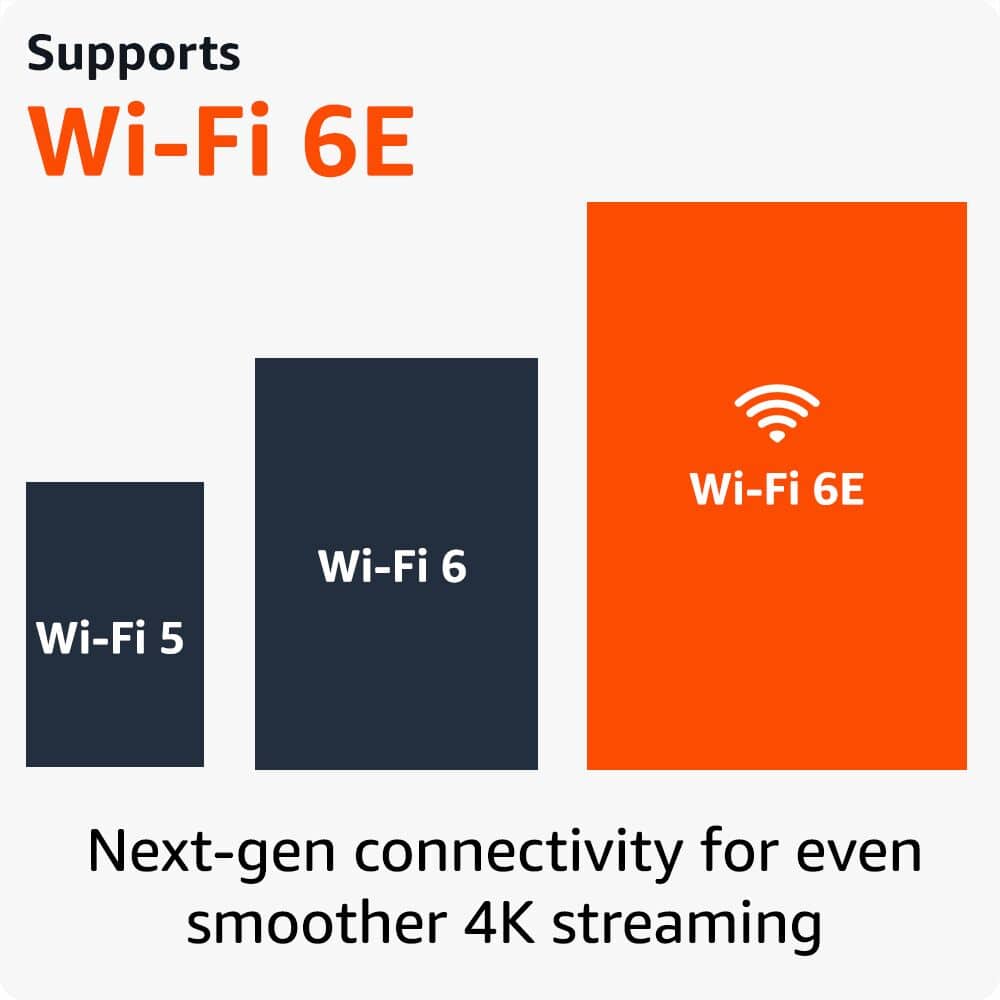
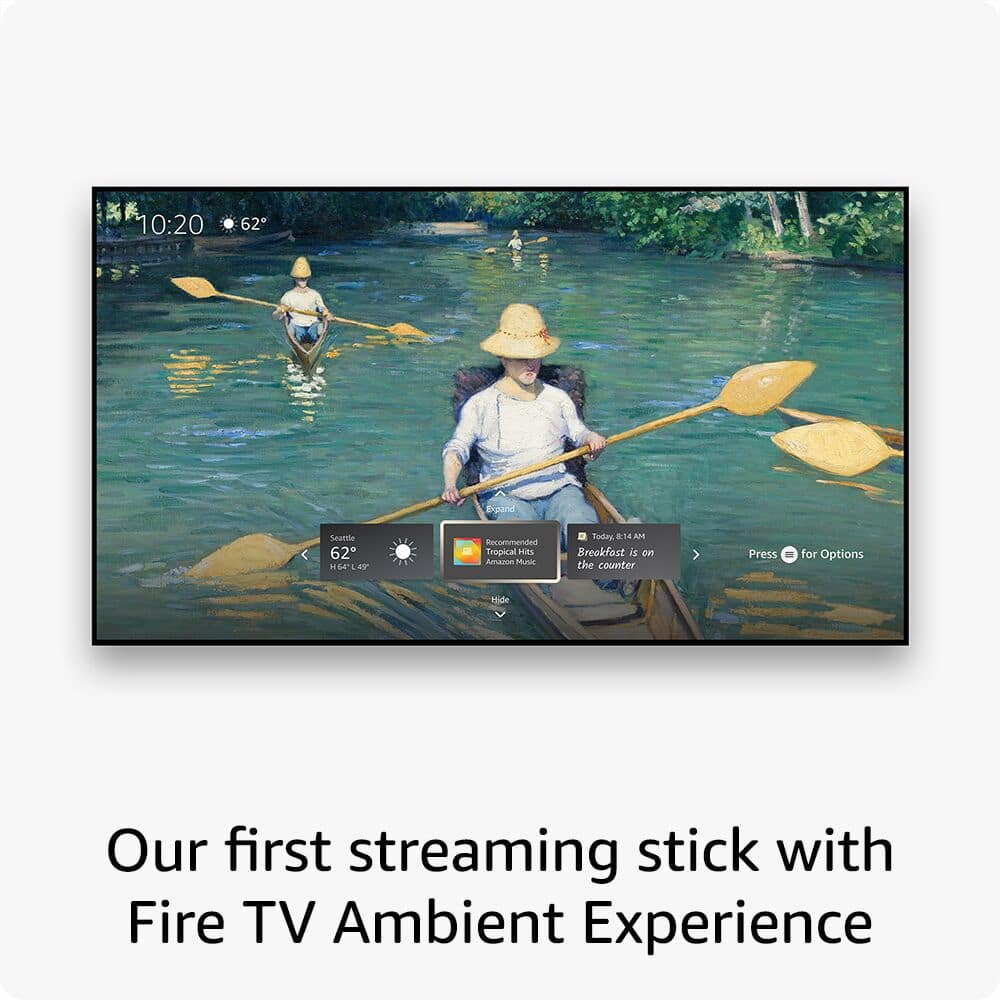
Posted .Hello and thank you for your review and feedback on your Fire Stick 4K Max. I am sorry to hear that you think this is the worst Fire Stick as this is our flagship model. It is only $10 more and offers not only the WiFi 6E support as you stated but also has a faster processor than the 4K model, has double the storage, and also has Fire TV's Ambient Mode feature which offers 1500+ free images and artwork to be used in standby mode to turn your TV into a work of art, for example. It also comes with the Enhanced Alexa Voice Remote which has some extra button controls. While the 4K model is a fantastic choice for streaming platform, this model offers quite a bit more for a small increase in price. I hope this helps shed some light on some features you have with your model so you can have a better experience with it. Thanks again for your time and feedback and I hope you have a fantastic day!
Na
||Posted . Owned for 1 month when reviewed.This reviewer received promo considerations or sweepstakes entry for writing a review.Don’t work and very badddddddddddddddddddd dddddddddddddddddd
No, I would not recommend this to a friendSimple?
||Posted . Owned for 1 month when reviewed.This reviewer received promo considerations or sweepstakes entry for writing a review.I bought two. My friend who has Direct TV tried to connect his and couldn't. We called Best Buy but the wind up was that we could pay to have a Best Buy rep come out and hook it up. I returned both. For people who know what they are doing with these items, I'm sure it's a win.
I would recommend this to a friendDisappointed in Best Buy
||Posted . Owned for less than 1 week when reviewed.This reviewer received promo considerations or sweepstakes entry for writing a review.The product itself is great hiwever my disappointment is with Best Buy, the item came with 2 free gifts which i did not get and when i rrached out to customer support i was not provided any help
I would recommend this to a friendMissing parts
||Posted . Owned for 3 weeks when reviewed.This reviewer received promo considerations or sweepstakes entry for writing a review.Its missing the freaking cord thankfully i had the old one. Next time i will buy from Amazon
No, I would not recommend this to a friendBrand response from Amazon Devices Customer Support
Posted .Hi SatisfiedCustomer,
We hope you were able to get your Fire TV Stick 4K Max up and running!
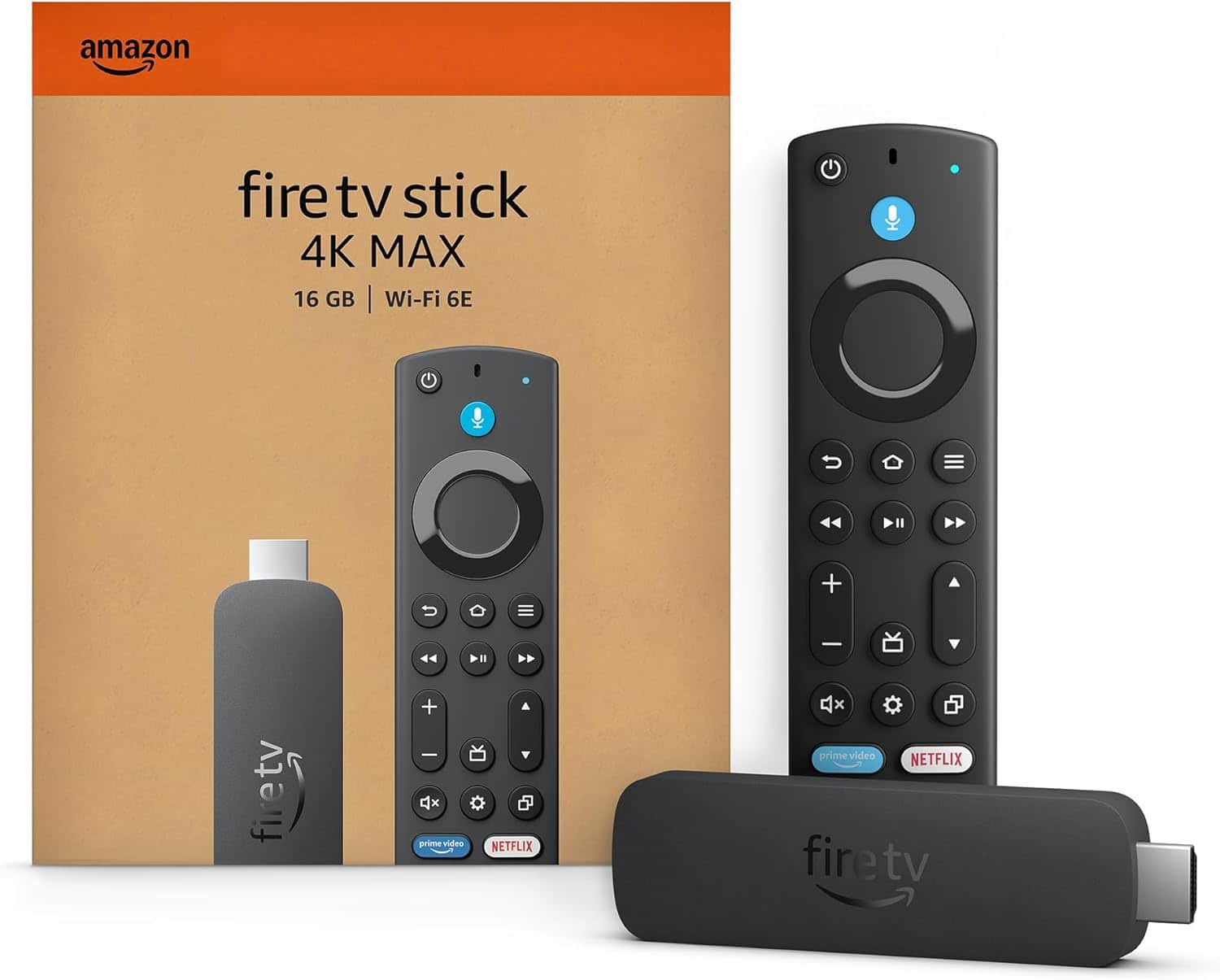
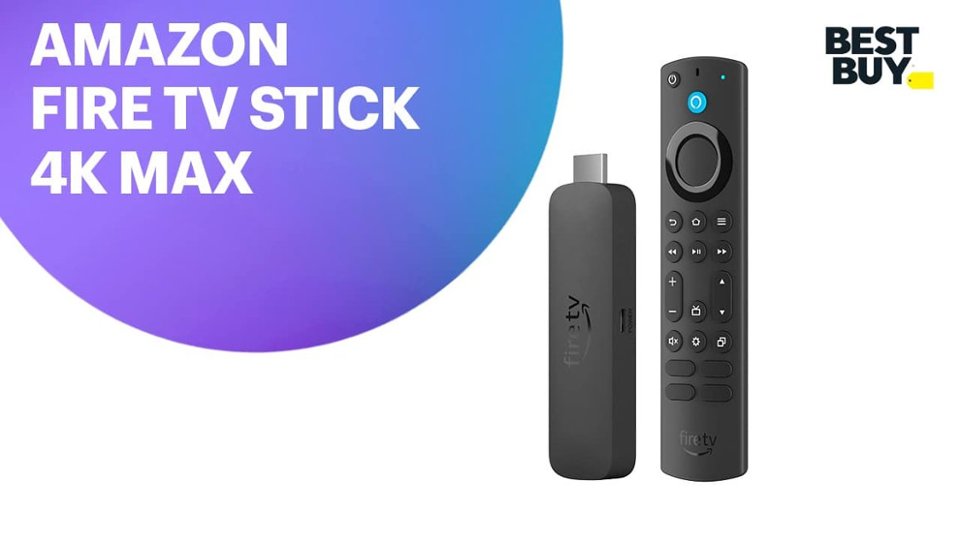
The following should've been present in the box: Fire TV Stick 4K Max, Alexa Voice Remote Enhanced, power cable and power adapter, HDMI extender cable for Fire TV Stick 4K Max (2nd Gen), 2 AAA batteries, and the Quick Start Guide.
If you have any further questions or issues, call us! Amazon customer service is available 24/7 for assistance on the device. You can reach us at 1-888-280-4331!
Hope that helps!
Not what I expected
||Posted . Owned for 2 months when reviewed.This reviewer received promo considerations or sweepstakes entry for writing a review.User Interface is not necessarily intuitive, coild not get access to the local channels without a subscription. Already have an Apple TV so did not need it at the end.
No, I would not recommend this to a friendBrand response from Amazon Devices Customer Support
Posted .Hello DragonDad, thank you for your feedback on the Fire TV Stick 4K. We are sorry to hear you were not pleased with our product and happy you found a better solution for your home. Thanks and have a great day!
Gift
||Posted . Owned for 1 month when reviewed.This reviewer received promo considerations or sweepstakes entry for writing a review.It is not used yet, it was a gift for Mother's Day until then I can do the rating
No, I would not recommend this to a friendBrand response from Amazon Devices Customer Support
Posted .Hi AshleyA,
We hope you enjoy the Fire TV Stick 4K Max! It is the first-ever streaming stick with Fire TV Ambient Experience, which lets you display over 2,000 pieces of museum-quality art and photography on your TV!
Fire TV Stick 4K Max also has 16GB of storage, double that of Fire TV Stick 4K and our other streaming sticks, for even more apps, games and downloads.You can stream more than 1.5 million movies and TV episodes. Watch your favorites from Netflix, Prime Video, Disney+, Max, and more, plus listen to millions of songs. Subscription fees may apply!
If you have any questions about set up or want to talk through it with us, you can reach out to Amazon customer service. We are available 24/7 for assistance on the device. You can reach us at 1-888-280-4331!
Hope that helps!