Customer Ratings & Reviews


- Model:
- B0F7Z4QZTT
- SKU:
- 6644638
Rating by feature
- Value
Rating 4.8 out of 5 stars
- Quality
Rating 4.8 out of 5 stars
- Ease of Use
Rating 4.8 out of 5 stars
Customers are saying
Customers are positive about the overall performance, ease of use, and speed of this product, frequently highlighting how simple the setup process is. Users also appreciate the high-quality 4K streaming capabilities and the inclusion of modern Wi-Fi 6 support at a fair price point. However, some customers are negative about the remote control, noting that it lacks backlighting for nighttime use, and others have expressed concerns regarding compatibility with certain streaming services.
This summary was generated by AI based on customer reviews.
- Cons mentioned:Remote control
Very unhappy
||Posted .This reviewer received promo considerations or sweepstakes entry for writing a review.This thing never works. We stream and the remote is crap. Tried to use phone and nothing seems to work. The tv shows connected but nothing else works.
No, I would not recommend this to a friendBrand response from Amazon Devices Customer Support
Posted .Hi LeaciaT,
We are sorry to hear you are not enjoying your Fire TV Stick 4K. To ensure that your Fire TV Stick 4K is functioning optimally, please check the wifi connection and account credentials are inputted correctly. We would love to help you if you wish! You can call Amazon customer service, available 24/7 for assistance. You can reach us at 1-888-280-4331!
Hope that helps!
remote
||Posted .This reviewer received promo considerations or sweepstakes entry for writing a review.did not work for my fire tv, I am not rating the remote but the customer service I received at the best buy in Riverside, CA. The guy, David was rude and short when I was asking for assistance in replacing remote.
No, I would not recommend this to a friendBrand response from Amazon Devices Customer Support
Posted .Hi TanyaB,
We are sorry about your experience. If you need further assistance or have questions about the remote, please call us! You can call Amazon customer service, available 24/7 for assistance on the device. You can reach us at 1-888-280-4331!
Hope that helps!
Remote
||Posted . Owned for 1 month when reviewed.This reviewer received promo considerations or sweepstakes entry for writing a review.Remote is not backlit which makes it difficult to use in a dark room.
No, I would not recommend this to a friendBrand response from Amazon Devices Customer Support
Posted .Hello Owner! Thank you so much for your feedback! We are always working hard to improve upon the customer experience through feedback such as yours. While the Alexa Voice Remotes that come with this device does not have backlit keys, we do offer a sold separately Alexa Voice Remote Pro that has this feature as well as numerous other benefits in the event that you would like to look into and take advantage of those options. Thanks again for your valued feedback and I do hope that you have an amazing day!
Not working properly
||Posted .This reviewer received promo considerations or sweepstakes entry for writing a review.This device was not working properly all the times. Hence I returned it.
No, I would not recommend this to a friendBrand response from Amazon Devices Customer Support
Posted .Hi RajaramanS,
Thank you for taking the time to share your feedback about the Fire TV Stick 4K Plus. We're sorry to hear that the device wasn't working properly and that you experienced issues during use.
We understand how frustrating it can be when a streaming device doesn't perform as expected, especially with a newer model. While we're disappointed that the Fire TV Stick 4K Plus didn't meet your needs, we appreciate that you gave it a try and respect your decision to return it.
Your feedback is valuable and helps us understand customer experiences with our products. If you decide to give Amazon streaming devices another chance in the future, we'd be happy to help ensure you have a better experience.
Not connecting to 5 g
||Posted . Owned for 11 months when reviewed.This reviewer received promo considerations or sweepstakes entry for writing a review.Not connecting automatically to 5G, I tried to fix but I can't doit.
No, I would not recommend this to a friendBrand response from Amazon Devices Customer Support
Posted .Hello VictorIF! Thank you so much for your valued feedback and time as we are always working to improve upon the customer experience based on feedback like this. The Fire Stick is set to automatically select what is the best available frequency based on distance from your router and amount of devices currently using the 5Ghz frequency in your home. One way to try to fix this is to restart your router. This typically reprioritizes the devices on your network and may help in getting your Fire Stick to pick it up. I presume that by 5G that is what you meant. You can also always reach out to Amazon Customer Support at 888.280.4331 for further troubleshooting as well. I do hope this helps resolve your problem and that you have a terrific day!
- Pros mentioned:Price
Put the Fire out
||Posted . Owned for 1 month when reviewed.This reviewer received promo considerations or sweepstakes entry for writing a review.Nice if you want movies and news from other places but not if you want your local stations good price though
No, I would not recommend this to a friendBrand response from Amazon Devices Customer Support
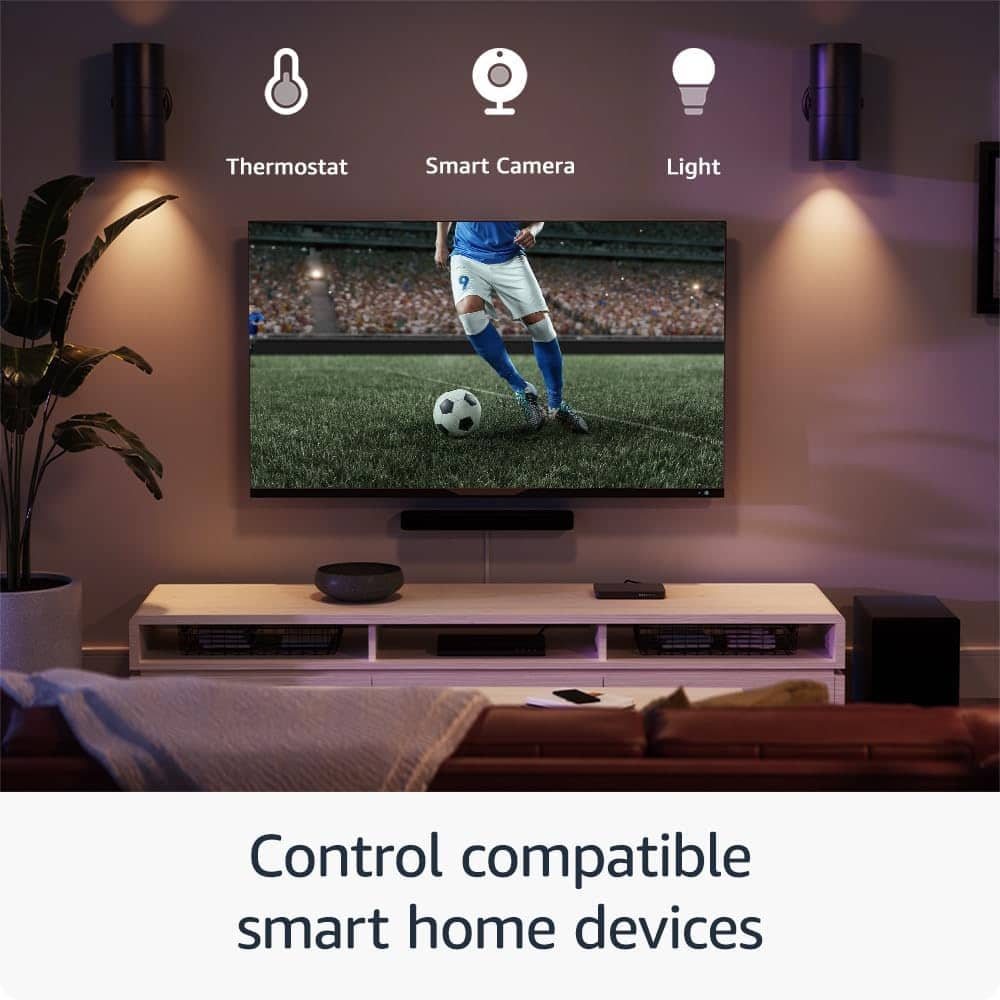
Posted .Hello Grizz57! Thank you so much for taking the time to provide feedback on your experience with our Fire Stick 4K! I am glad you got a nice deal on this device! I am so sorry for the misunderstanding of exactly what live programming is available for each area. One thing that you can do to access your live local programming is via a live service subscription through services and apps such as Hulu Live, YouTube TV, or Sling TV. While those services do require subscriptions, they do give the full experience of streaming a cable service provider. In addition to this, you can access a wide plethora of free live programming through apps like PlutoTV and there are even select markets with free Live Local news and weather available via the News app. These are all just the tip of the iceberg of what one can do with a Fire Stick as well! There are thousands of movies and shows available with an immense amount of them all being free. Also, if you do have a cable service provider, we have access to apps like DirecTV Stream and Xfinity that you can use. There are games available for download and via our Luna cloud based gaming service. And with Alexa fully integrated into this, you can use your voice and remote to control your smart home services through brands like Ring or Blink amongst many others. I hope this gives you a small taste of the many ways you can utilize the terrific priced value you got on your Fire Stick and that you have an improved experience the more you dive into your options. Thanks again for your feedback and I hope you have an amazing day!
Amazing price fire stick
||Posted . Owned for 2 months when reviewed.This reviewer received promo considerations or sweepstakes entry for writing a review.Great sticke with great subscribers that came with it
I would recommend this to a friendBrand response from Amazon Devices Customer Support
Posted .Hi RaymondS,
We are happy to hear you are enjoying the Fire TV Stick 4K! This device offers access to over 300,000 free movies and TV episodes from popular ad-supported streaming apps like Fire TV Channels, Amazon Freevee, Tubi, and Pluto TV! If you have any further questions, call us! Amazon customer service is available 24/7 for assistance on the device. You can reach us at 1-888-280-4331!
Hope that helps!
Fire Stick review
||Posted . Owned for 1 month when reviewed.This reviewer received promo considerations or sweepstakes entry for writing a review.when listening to Sirius music, it shuts off after 15 minutes. seems to be an issue with the fire stick settings that can't be updated.
No, I would not recommend this to a friendFire stick
||Posted . Owned for 1 month when reviewed.This reviewer received promo considerations or sweepstakes entry for writing a review.The fire stick freezes up from time to time and ned to reset it.
No, I would not recommend this to a friendBrand response from Amazon Devices Customer Support
Posted .Hi RussellCoburn, thank you for providing feedback on the Fire TV Stick 4K. I am sorry to see you've had issues with the device freezing up from time to time. This could be due to several reasons including network issues, overloaded apps, outdated software, or even a faulty HDMI cable; try restarting your Fire Stick, checking your Wi-Fi connection, clearing app caches, updating your Fire Stick software, and ensuring your HDMI cable is properly connected. If these steps do not help and you are still experiencing issues, you can reach out to Amazon Customer Support 24/7 at 1-888-280-4331. Thank you again and have a wonderful day!
Trouble loading apps
||Posted . Owned for 3 weeks when reviewed.This reviewer received promo considerations or sweepstakes entry for writing a review.Having trouble setting it up with my apps. Wish that there was a support phone number where I could get help,
No, I would not recommend this to a friendBrand response from Amazon Devices Customer Support
Posted .Hello BS09,
Thank you so much for taking the time to share your experience with the Fire TV Stick. I completely understand how frustrating it can be when you're trying to set up your new device and running into difficulties with the apps. It's especially disappointing when you can't find an easy way to get immediate help over the phone.
We really appreciate your feedback about wanting more accessible phone support. I'd love to help you resolve these app issues so you can start enjoying your Fire TV Stick. You can reach our customer service team at 1-888-280-4331 for personalized assistance 24/7
Thanks again for letting us know about your experience – it helps us improve our products and services for all customers.
Viewing
||Posted . Owned for 1 month when reviewed.This reviewer received promo considerations or sweepstakes entry for writing a review.The firestick was interfering with regular TV and You Tube viewing, etc. Our TV is about 8 yrs old. Perhaps that was the issue.
I would recommend this to a friendOk, but could be better
||Posted . Owned for 3 months when reviewed.This reviewer received promo considerations or sweepstakes entry for writing a review.Works but is sometimes slow and hard to get a wifi signal. Lots of buffering. Could be better
No, I would not recommend this to a friendSolid entertainment anchor
||Posted . Owned for 1 week when reviewed.This reviewer received promo considerations or sweepstakes entry for writing a review.Basic Firestick and does the job if you're familiar with this hardware.
No, I would not recommend this to a friendWinner
||Posted . Owned for 3 weeks when reviewed.This reviewer received promo considerations or sweepstakes entry for writing a review.I hate them my dog loves em !! Bought 7 in the last 3 months make it not atrracrive to labs!!
No, I would not recommend this to a friendUnable to update apps.
||Posted . Owned for 3 weeks when reviewed.This reviewer received promo considerations or sweepstakes entry for writing a review.This unit worked when first installed. When an app was updated by the service, there seemed to be no easy way to load it into the Fire TV Stick. Now it does not work at all.
No, I would not recommend this to a friendBrand response from Amazon Devices Customer Support
Posted .Hi JamesF, thank you for providing feedback about Amazon Fire TV Stick 4K Max. I am sorry to see that the device has stopped working properly. Based on the issue stemming from an app update, I would recommend trying the following steps, in order, until the issue is resolved:
1.
Unplug the Fire Stick from the power source for a few seconds, then plug it back in.
You can also restart from the Fire TV settings: Go to Settings > My Fire TV > About > Restart.
2.
Go to Settings > My Fire TV > About > Check for Updates.
If an update is available, install it.
3.
Go to Settings > Applications > Manage Installed Applications.
Select the problematic app, and then choose "Clear Cache" and "Clear Data".
4.
Go to Settings > Applications > Manage Installed Applications.
Select the app, then choose "Uninstall".
Find the app in the Amazon Appstore and reinstall it.
If you have tried all steps and are still having issues please contact Amazon Devices Customer Support directly at 1-888-280-4331. Thank you again, have a great day!
Remote/ streaming device
||Posted . Owned for 2 months when reviewed.This reviewer received promo considerations or sweepstakes entry for writing a review.Purchased this item for our family to watch movies together Great purchase.
I would recommend this to a friendFire stick
||Posted . Owned for 3 weeks when reviewed.This reviewer received promo considerations or sweepstakes entry for writing a review.A lot of glitching!!!!!!!!!!!!!!!!!!!!!!!!!!!!!!!!!!!!!!!!!!!!!!!!!
No, I would not recommend this to a friendMaybe a simple one works great too
||Posted . Owned for 3 weeks when reviewed.This reviewer received promo considerations or sweepstakes entry for writing a review.Its So So..!!! Not impressed but its ok. Not bad but not great either
No, I would not recommend this to a friendFirestick
||Posted . Owned for 3 weeks when reviewed.This reviewer received promo considerations or sweepstakes entry for writing a review.It’s good if you know how to work it .I love that it has so much options
I would recommend this to a friendWorks as intended
||Posted . Owned for 1.5 years when reviewed.This reviewer received promo considerations or sweepstakes entry for writing a review.Works as expected. Just like all Electronics starts messing up when it needs an update. Or after it's had an update LOL
I would recommend this to a friendBrand response from Amazon Devices Customer Support
Posted .Hi BCcable,
We hope you are enjoying the Fire TV Stick 4K! If you have further questions, or need assistance, please call us! Amazon customer service can be reached at 1-888-280-4331! Hope that helps!