Customer Ratings & Reviews
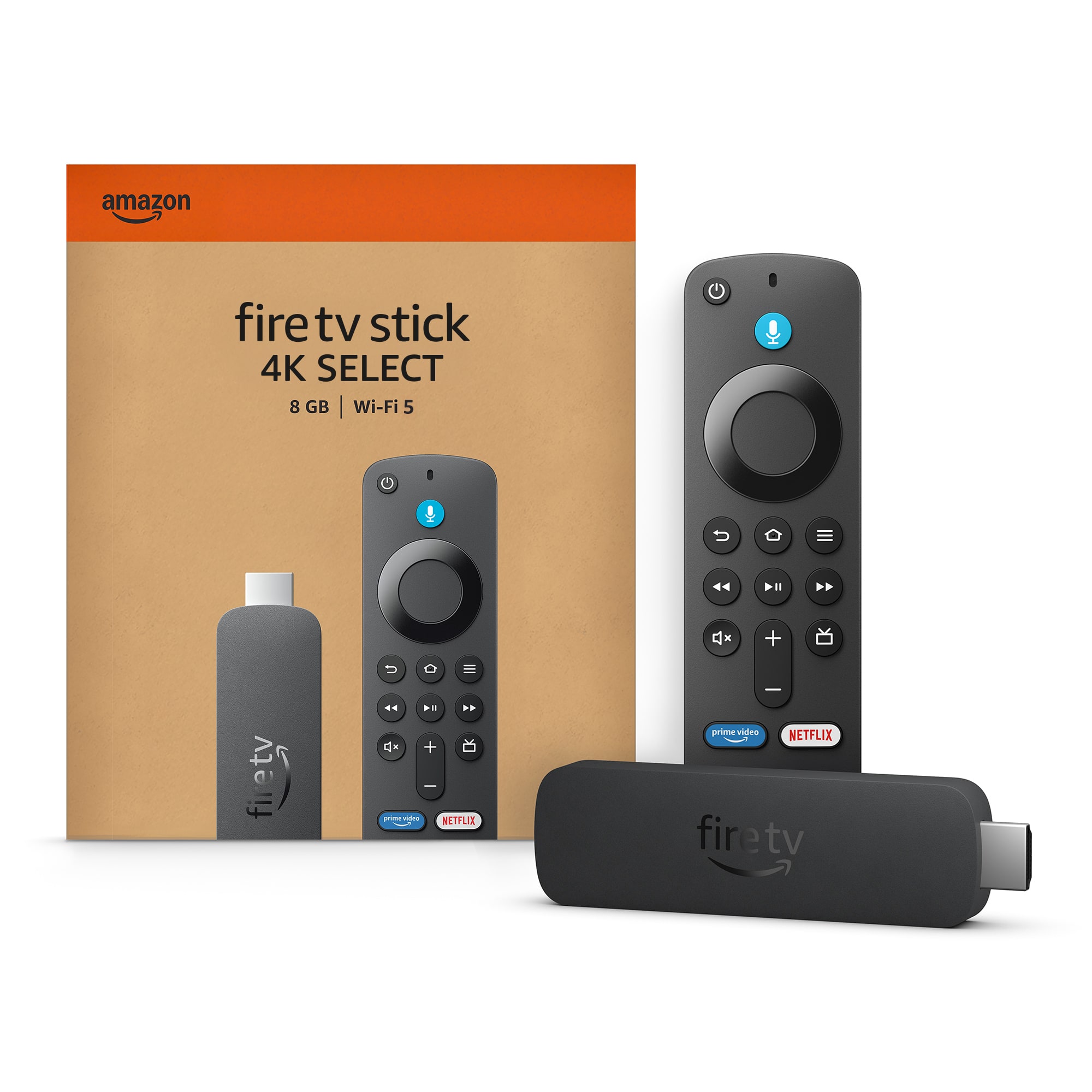

- Model:
- B0C6W3D4RM
- SKU:
- 6644637
Rating by feature
- Value
Rating 4.5 out of 5 stars
- Quality
Rating 4.5 out of 5 stars
- Ease of Use
Rating 4.5 out of 5 stars
Customers are saying
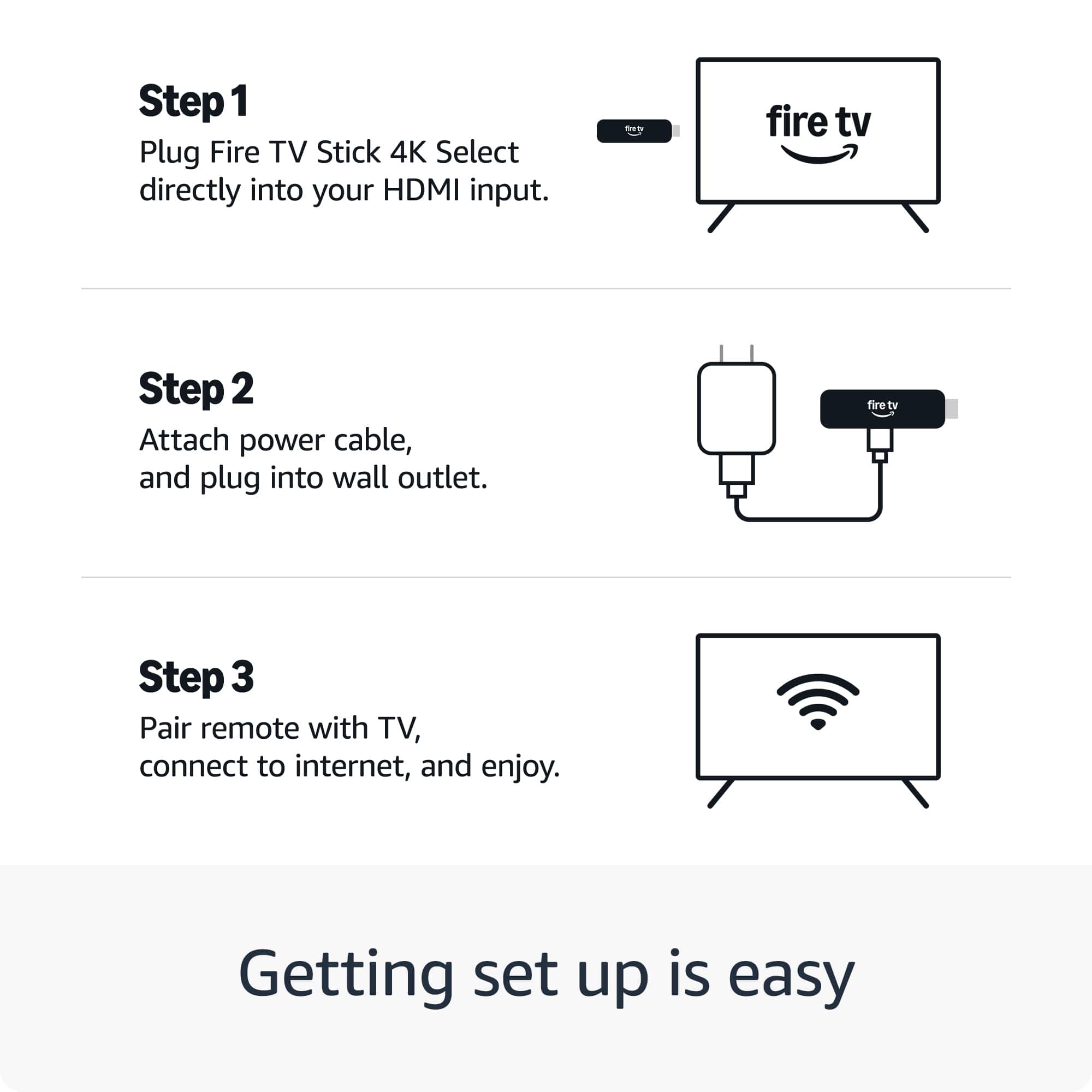
Customers enjoy the Fire TV Stick 4K Select for its overall performance, including its great picture quality. Customers also appreciate the device's ease of use, noting that it is very easy to set up. There were no negative aspects mentioned about the product.
This summary was generated by AI based on customer reviews.
Firestick
||Posted .This reviewer received promo considerations or sweepstakes entry for writing a review.Wonderful purchase but I purchased the wrong one. I've purchased these before
I would recommend this to a friendFire stick
||Posted . Owned for 2 weeks when reviewed.This reviewer received promo considerations or sweepstakes entry for writing a review.Perfect fire stick for my home entertainment setup
I would recommend this to a friendLove it so much
||Posted . Owned for 3 weeks when reviewed.This reviewer received promo considerations or sweepstakes entry for writing a review.Love it so much Amazon is the best copy and I love fire stick
I would recommend this to a friendNon Cable user
||Posted . Owned for 1 month when reviewed.This reviewer received promo considerations or sweepstakes entry for writing a review.Best option when you don't want to pay for cable TV.
I would recommend this to a friendFire stick
||Posted . Owned for 1 month when reviewed.This reviewer received promo considerations or sweepstakes entry for writing a review.Staff was extremely helpful!!! Selection was good.
I would recommend this to a friendFire Stick
||Posted . Owned for 1 month when reviewed.This reviewer received promo considerations or sweepstakes entry for writing a review.Needed extra space. Had a older Fire Stick so it was time to upgrade!
I would recommend this to a friendFire Sitck
||Posted . Owned for 2 weeks when reviewed.This reviewer received promo considerations or sweepstakes entry for writing a review.Product was extremely easy to assemble with no tools required.
I would recommend this to a friendA game changer for thouse LG tv’s!!!!!!
||Posted . Owned for 1 month when reviewed.This reviewer received promo considerations or sweepstakes entry for writing a review.A bigger market of app than the webOS system brings.
I would recommend this to a friendFire Stick 4K
||Posted .This reviewer received promo considerations or sweepstakes entry for writing a review.The firestick is more updated than my previous model
I would recommend this to a friendInitial payment of one or the cold
||Posted .This reviewer received promo considerations or sweepstakes entry for writing a review.Hahahah is the first industrial version I can you want to text
I would recommend this to a friendNot as good as hd max
||Posted . Owned for 2 months when reviewed.This reviewer received promo considerations or sweepstakes entry for writing a review.Ther is no developer option, You cant download the apps in developer option, Batter to go for hd max
No, I would not recommend this to a friendDebral
||Posted . Owned for 2 weeks when reviewed.This reviewer received promo considerations or sweepstakes entry for writing a review.Its slow when stabbing movies are adding apps it wad slow
No, I would not recommend this to a friendBrand response from Amazon Devices Customer Support
Posted .Hello DebraL! Thank you for your feedback on the Fire TV Stick 4K Select. I'm sorry to hear about the slow performance when starting movies and adding apps.
Here are some quick troubleshooting steps to improve speed. Check that your device has a strong internet connection by going to Settings > Network. Restart your Fire TV Stick by unplugging it for 30 seconds, then plugging it back in. Clear app cache by going to Settings > Applications > Manage Installed Applications, select the app, and choose Clear Cache. If you have many apps installed, uninstall ones you don't use to free up storage. Finally, ensure your software is up to date in Settings > My Fire TV > About.
I hope this helps improve your streaming experience!
Has developer options
||Posted .This reviewer received promo considerations or sweepstakes entry for writing a review.This fire stick comes with developer options!! This is the one you want.
I would recommend this to a friendGlitchy
||Posted . Owned for 2 weeks when reviewed.This reviewer received promo considerations or sweepstakes entry for writing a review.It glitches a lot. We have it plugged into our TV and when we watch certain apps it stops playing or just loads and we'll catch our other TV to see if it is the app and on the other TV it plays just fine. So its the firestick.
No, I would not recommend this to a friendBrand response from Amazon Devices Customer Support
Posted .Hi JaleesaG,
Thanks for sharing your experience with the Fire TV Stick 4K Select. I'm sorry to hear you're experiencing glitching issues with playback stopping or loading indefinitely on certain apps - and it's frustrating that you've confirmed it's device-specific by testing the same apps on your other TV.
Since the issue appears to be isolated to this particular Fire TV Stick, here are some troubleshooting steps that often resolve streaming glitches:
Quick fixes to try:
Restart the Fire TV Stick by unplugging it from power for 30 seconds, then plugging it back in
Check for system updates in Settings > My Fire TV > About > Check for Updates
Clear app cache for the problematic apps in Settings > Applications > Manage Installed Applications > [select app] > Clear Cache
Ensure the Fire TV Stick has adequate ventilation and isn't overheating (move it away from the TV if it's tucked behind)
Try using the included HDMI extender cable if you're plugging directly into the TV port
If these steps don't resolve the glitching, this could indicate a hardware issue with the device. I'd recommend contacting our support team at 1-888-280-4331 - they can run diagnostics and arrange a replacement if needed.
Thanks for taking the time to share this detailed feedback.
Not easy to add to hotel tvs
||Posted . Owned for 3 weeks when reviewed.This reviewer received promo considerations or sweepstakes entry for writing a review.Difficult to add to hotel tv when traveling Fine to use at family’s and neighbors Great to upgrade older tv picture and allow streaming stations when traveling with password s
I would recommend this to a friendBrand response from Amazon Devices Customer Support
Posted .Hello! Thank you for your feedback on the Fire TV Stick Select. I'm sorry to hear you're finding it difficult to connect to hotel TVs when traveling. Using streaming devices in hotel environments can indeed be challenging due to the specific network configurations and TV restrictions hotels often have in place.
Hotel WiFi networks typically use captive portals that require you to accept terms and conditions through a web browser before gaining internet access. The Fire TV Stick Select can struggle with these types of networks because it doesn't always display the login page properly. To work around this, try using the Fire TV's built-in web browser (Silk or Firefox) to complete the hotel WiFi login process. Go to Settings > Network, select the hotel WiFi network, and once connected (even without internet access initially), open the browser app to trigger the captive portal login page.
Another common issue is that many hotel TVs have their HDMI ports disabled or restricted to prevent guests from connecting external devices. If you're unable to switch the TV input to the HDMI port where your Fire TV Stick Select is connected, you may need to contact the hotel front desk or use the TV's service menu to unlock the input options. Some hotels specifically block external device connections for content protection reasons.
Additionally, hotel WiFi networks often have bandwidth limitations and device restrictions that can affect streaming quality. The Fire TV Stick Select may also have difficulty maintaining a stable connection if the hotel network requires periodic re-authentication. Consider bringing an HDMI cable and checking if the hotel TV allows input switching before your trip, or ask the front desk about their policy on personal streaming devices.
If you frequently travel and need reliable streaming access, you might also consider using a travel router that can bridge the hotel WiFi connection and create a private network for your Fire TV Stick Select, though this adds another device to your travel setup. Some travelers also find success by using their mobile phone as a WiFi hotspot, though this will consume your cellular data.
If you continue to experience difficulties connecting to hotel TVs and these troubleshooting steps don't help, Amazon Customer Service is available 24/7 at 1-888-280-4331 to discuss alternative solutions or device recommendations that may work better for your travel needs.
I hope this information helps make your travel streaming experience smoother. Thank you for sharing your feedback about this specific use case.
Disappointed
||Posted .This reviewer received promo considerations or sweepstakes entry for writing a review.Very disappointed,hard time adding apps to select,threw it away
No, I would not recommend this to a friendBrand response from Amazon Devices Customer Support
Posted .Hello Pelonstake. Thank you for your review. For enhanced security, only apps from the Amazon Appstore are available for download. Registered developers are still able to sideload. I hope that helps and have a great day!
Amazon fire stick
||Posted . Owned for 2 weeks when reviewed.This reviewer received promo considerations or sweepstakes entry for writing a review.I changed my mind and returned this item without even opening the package. Thank you.
I would recommend this to a friendDriver
||Posted . Owned for 1 month when reviewed.This reviewer received promo considerations or sweepstakes entry for writing a review.It’s okay I like the older one it should’ve been better
No, I would not recommend this to a friendBrand response from Amazon Devices Customer Support
Posted .Hello, AngelD. Thank you for taking the time to leave a review on the Fire TV Stick Select. I understand you're finding the experience doesn't quite match up to your previous device. The Fire TV Stick 4K Select offers several enhancements over older models, including support for 4K Ultra HD streaming with HDR10+ and HLG, improved performance, and AI-powered search capabilities. However, I recognize that transitioning to a new device can sometimes feel different from what you're accustomed to. Here are a few tips to help optimize your experience: (1) Ensure your device has a strong internet connection to take full advantage of the 4K streaming capabilities and faster processing. (2) Check that you have the latest software updates installed, as these often include performance improvements and new features. (3) Explore the settings menu to customize the interface to your preferences, including display settings, audio options, and app arrangements. (4) If you're experiencing specific performance issues, try restarting the device by unplugging it from power, waiting 30 seconds, then plugging it back in. If you have specific concerns about features or functionality that you feel are missing compared to your older device, or if you're experiencing technical issues, Amazon Customer Service is available 24/7 at 1-888-280-4331 to help address your concerns. Thank you again for your feedback, and I hope this information helps you get the most out of your Fire TV Stick 4K Select.
Loser device
||Posted . Owned for 2 weeks when reviewed.This reviewer received promo considerations or sweepstakes entry for writing a review.Cannot jailbreak or side load apps. Might as well get a Roku since neither one can bd jailbroke.
No, I would not recommend this to a friendBrand response from Amazon Devices Customer Support
Posted .Hi JosephM,
Thank you for sharing your feedback about the Fire TV Stick 4K Select. I understand your frustration with the limitations you've encountered regarding app installation on this model.
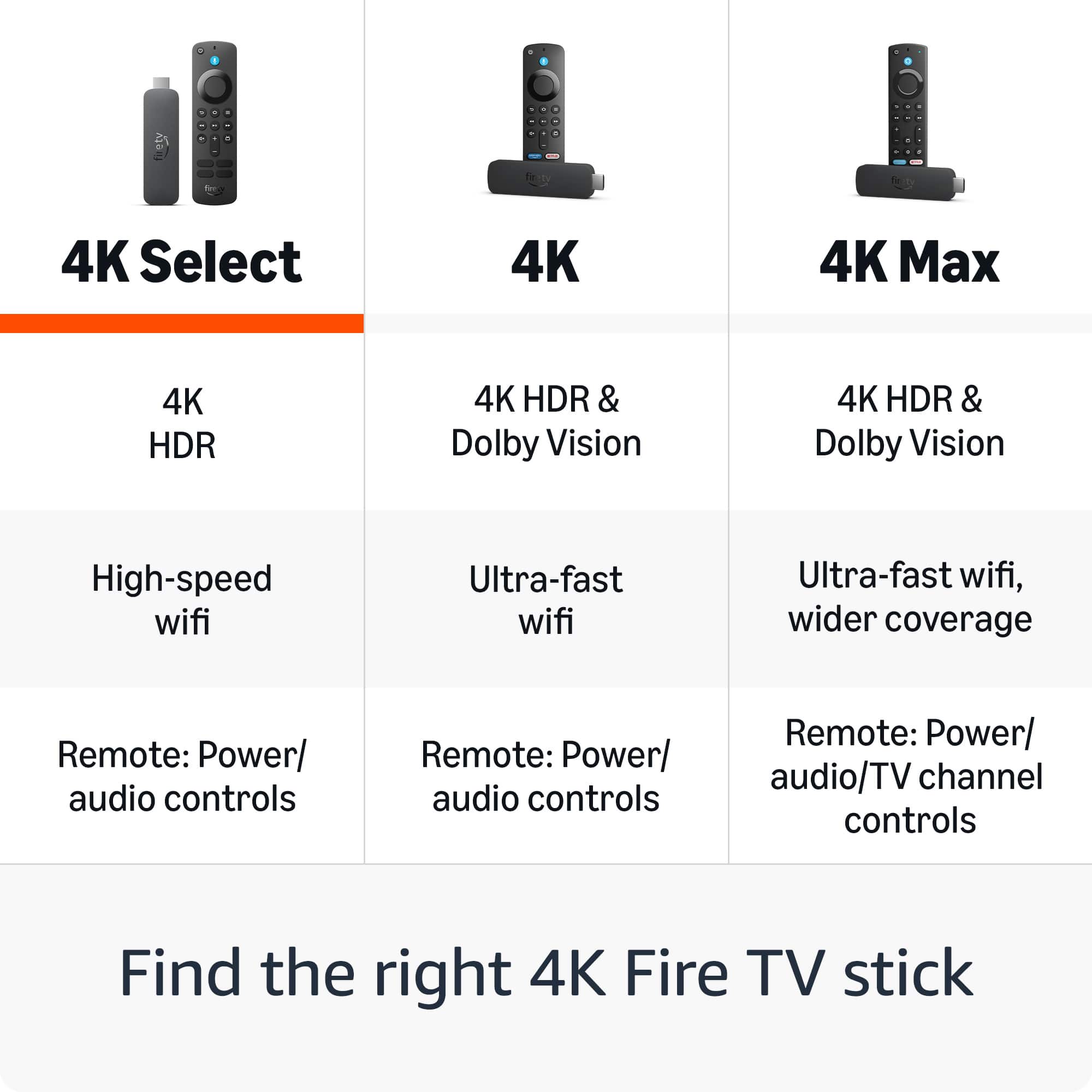
The Fire TV Stick 4K Select is designed as a streamlined streaming device with pre-selected apps and a more controlled app ecosystem. This differs from the standard Fire TV Stick 4K and Fire TV Stick 4K Max models, which offer broader access to the Amazon Appstore for downloading additional applications. The "Select" designation indicates this more curated approach to available content.
I can see why this doesn't meet your needs if you were looking for more flexibility with app management. Your comparison to Roku is a fair point—both devices prioritize official app channels and authorized content delivery for security and performance reasons.
If you're still within the return window and want more app flexibility within the Amazon ecosystem, you might consider exchanging it for the Fire TV Stick 4K Max (16GB with full Appstore access) or exploring other streaming platforms that better align with your preferences.
Thank you for taking the time to share your experience with other customers.
- Cons mentioned:App availability
Faulty Firestick
||Posted . Owned for 2 weeks when reviewed.This reviewer received promo considerations or sweepstakes entry for writing a review.This Firestick was not usable for me because it doesn't have the Downloader app. Very disappointed :(
No, I would not recommend this to a friendBrand response from Amazon Devices Customer Support
Posted .Hi ShalithaD,
Thank you for sharing your feedback about the Fire TV Stick 4K Select. I'm sorry to hear that the absence of the Downloader app has made this device unusable for your needs and left you disappointed.
I want to provide you with important information about this specific model that may not have been clear at the time of purchase:
The Fire TV Stick 4K Select runs on a different operating system called Vega OS, which is fundamentally different from other Fire TV devices. This is a critical distinction that affects app functionality:
Amazon Appstore only - You can only install apps that are officially available in the Amazon Appstore
Your options:
If sideloading capability is essential for your needs, I recommend exchanging the Fire TV Stick 4K Select for one of these alternatives that still support traditional sideloading:
Fire TV Stick 4K Max - Runs Fire OS (Android-based) and supports full sideloading capabilities
Fire TV Stick 4K (standard model) - Also runs Fire OS and supports sideloading
Fire TV Cube - Premium option with Fire OS and sideloading support
The Fire TV Stick 4K Select is excellent for streaming from official apps in the Amazon Appstore, but it's intentionally locked down compared to other Fire TV models. If you need the flexibility to sideload apps, please return it to Best Buy and select one of the models above that better meets your requirements.
If you have any questions about which model would work best for your needs, please contact us at 1-888-280-4331.