Customer Ratings & Reviews
- Model:
- B0CQMRKRV5
- SKU:
- 11830106
Rating by feature
- Value
Rating 4.8 out of 5 stars
- Quality
Rating 4.8 out of 5 stars
- Ease of Use
Rating 4.8 out of 5 stars
Fire stick
||Posted . Owned for 1 week when reviewed.This reviewer received promo considerations or sweepstakes entry for writing a review.I love my firestick from best buy. They make sure to answer any questions i have
I would recommend this to a friendAmazon sticķ
||Posted .This reviewer received promo considerations or sweepstakes entry for writing a review.Good price and good service ,good quality and information
I would recommend this to a friendFire Stick HD
||Posted .This reviewer received promo considerations or sweepstakes entry for writing a review.It’s nice but I’m not a fan of the limited internet access and blockers
No, I would not recommend this to a friendStream, streamer! LOL
||Posted . Owned for 3 weeks when reviewed.This reviewer received promo considerations or sweepstakes entry for writing a review.Fire stick is always reliable for streaming with high quality
I would recommend this to a friendBad accessibility to apps
||Posted . Owned for 1 month when reviewed.This reviewer received promo considerations or sweepstakes entry for writing a review.very hard to add apps and use them, to much time at the queue with not update
No, I would not recommend this to a friendBrand response from Amazon Devices Customer Support
Posted .Hello CesarRdz. Thank you for your feedback on the Amazon Fire TV Stick HD. I'm sorry to hear you're experiencing difficulty adding and using apps, along with spending too much time in the queue without updates. When Fire TV devices have trouble with app installation or experience delays, this can often be resolved by ensuring your device has a strong internet connection, restarting your Fire TV Stick by unplugging it from power for 30 seconds then plugging it back in, checking that your device has the most current software version through Settings and My Fire TV, and clearing the cache for problematic apps through Settings, Applications, and Manage Installed Applications. If apps are stuck in a download queue, try canceling the downloads and restarting them one at a time, or restart the device to refresh the queue, and you can enable automatic app updates through Settings and Applications to ensure apps stay current without manual intervention. I hope these steps help improve your app installation and usage experience.

Firestick
||Posted . Owned for 3 weeks when reviewed.This reviewer received promo considerations or sweepstakes entry for writing a review.Good for streaming. Pricing to high for the product
I would recommend this to a friendFire stick defective
||Posted . Owned for 6 months when reviewed.This reviewer received promo considerations or sweepstakes entry for writing a review.Burns out the batteries if you leave them in when you turn off the tv.There are even videos about the fire stick burning batteries.
No, I would not recommend this to a friendBrand response from Amazon Devices Customer Support
Posted .Hello, Frugalcustomer. Thank you for taking the time to leave a review on the Fire TV Stick HD. I am sorry to hear about the issues you are experiencing with the device and have some recommendations to try and help with the issue. First, I recommend making sure that your device is on the latest software. Go to Settings > My Fire TV > About > Check for Updates. Second, I recommend resetting your Fire TV remote:
Unplug your Fire TV from the power supply and HDMI input, then wait 60 seconds.
Press and hold the Left button and Menu button at the same time. Hold them for 12 seconds.
Release the buttons and wait 5 seconds.
Remove the batteries from your remote.
Plug in your Fire TV and wait for the on-screen remote detection error message. Put the batteries back in your remote. Press the Home button on the remote.
Your remote should be paired now. If your remote hasn't paired, press the Home button for 10 seconds. If you have any questions or need further assistance with the device, I recommend contacting Amazon Customer Support at 888-280-4331. Thank you again, have a great day!
Some Regrets, Fire TV Stick
||Posted .This reviewer received promo considerations or sweepstakes entry for writing a review.It would've been nice to know I had to use my Amazon account to login to my Fire TV Stick.
I would recommend this to a friendNot the best for what I have
||Posted . Owned for 1 month when reviewed.This reviewer received promo considerations or sweepstakes entry for writing a review.Fire Stick was fine but has limited capacity. Fine if you have a few apps. Not great if you have a lot of channels you use
No, I would not recommend this to a friendBrand response from Amazon Devices Customer Support
Posted .Hello DarrylC! Thank you so much for your time and review of your experience with the Fire Stick HD. This is our base entry level model that comes equipped with 8GB of storage available which is typically more than enough for most viewers to enjoy their apps and streaming services. The Fire Stick 4K Max and Fire TV Cube both come with 16GB of storage if you require more. They also come with a number of additional features and benefits such as faster processor, higher resolution, better Wi-Fi connections, etc. I can understand the frustration that can come with not having enough storage for what you wanted so perhaps you can explore a possible exchange (if available) if one of the other choices sounds better suited for you. Thanks again for your time and feedback and I hope you have a fantastic day!
Failed after a few uses
||Posted . Owned for 2 months when reviewed.This reviewer received promo considerations or sweepstakes entry for writing a review.bougth it in December at best buy. purpose was during travelling use netflix , prime video etc if my hotel does not have a smart tv. used it a coupe of times but then it started to crash. sometimes it last half an gour sometimes a a few minutes. wanted to retur/ exchange at best buy, but they did not give me an option. so the item is now useless for me se if i have more luck with a roku. i am very disappointed in the way it was handled by Best Buy
No, I would not recommend this to a friendBrand response from Amazon Devices Customer Support
Posted .Good Morning HeinzC, Thank you for your feedback on the Fire TV Stick HD. I’m sorry to hear of the issues you are experiencing.. Let me help you troubleshoot your Fire TV Stick. Here are some steps to try in order:
First, perform a basic restart:
Unplug your Fire TV Stick from power
Wait 30 seconds
Plug it back in
If that doesn't help, check for overheating:
Make sure the Stick has proper ventilation
Consider using the HDMI extender that came with it to move it away from the TV
Clear app cache and data:
Go to Settings > Applications
Select Manage Installed Applications
Clear cache and data
Update your Fire TV Stick:
Go to Settings > Device & Software
Check for System Update
If these steps don't resolve the issue:
Try a factory reset (Settings > Device & Software > Reset to Factory Defaults
If you are still experiencing issues you can contact Amazon Customer service 24/7 at 1-888-280-4331. I hope this information helps, have a great day!
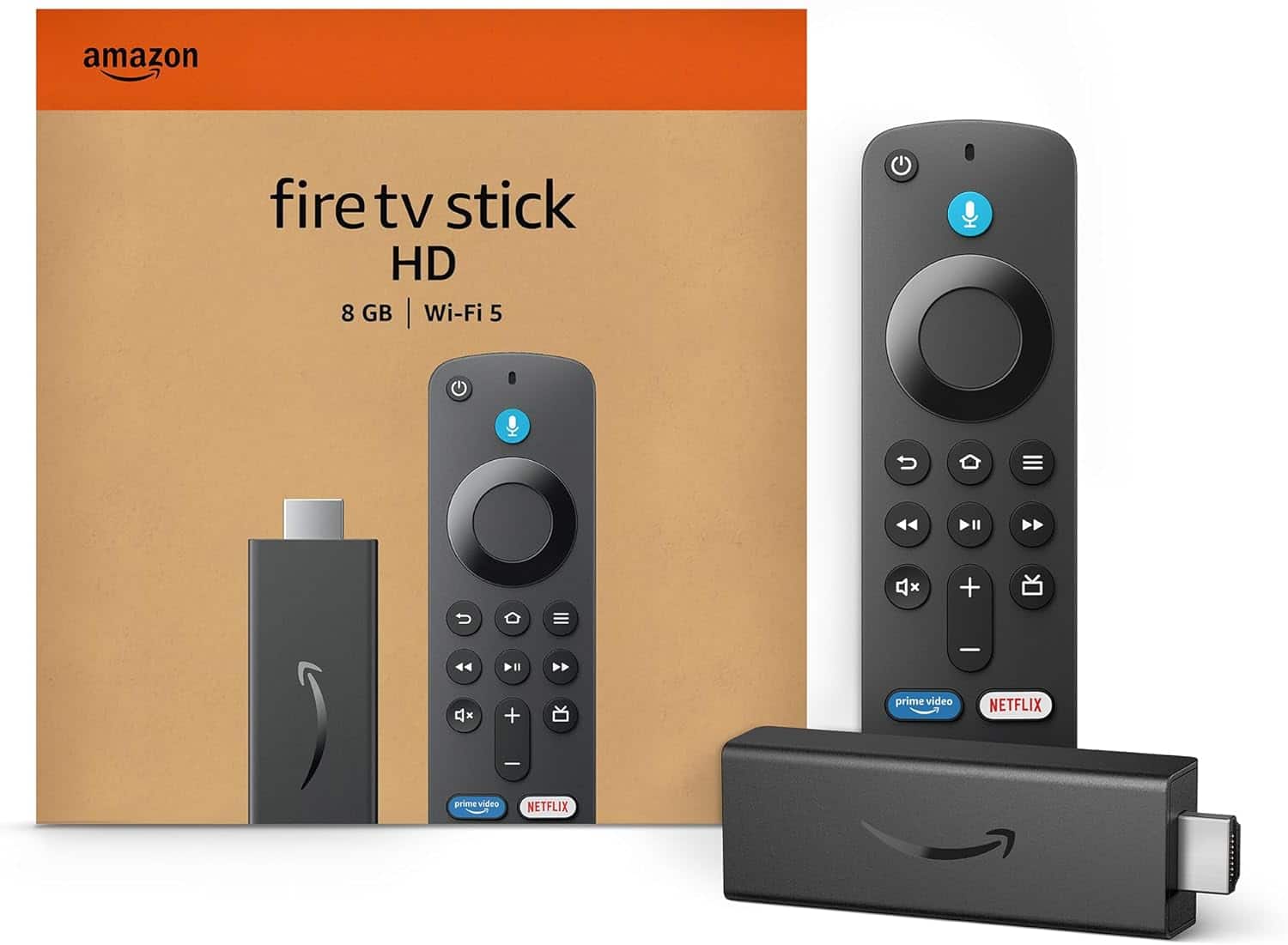
Amazon - Fire TV Stick HD, HD Streaming Device,
||Posted . Owned for 1 month when reviewed.This reviewer received promo considerations or sweepstakes entry for writing a review.It's okay, but not quite the miracle-worker I was expecting.
I would recommend this to a friendOld one died after just two years
||Posted . Owned for 3 weeks when reviewed.This reviewer received promo considerations or sweepstakes entry for writing a review.It was difficult to install and I had to login to all of my services again. The old one just died.
No, I would not recommend this to a friendGets the job done for streamers
||Posted . Owned for 3 months when reviewed.This reviewer received promo considerations or sweepstakes entry for writing a review.Great starting out but after a couple upgrades the memory lags it out
I would recommend this to a friendNot bad
||Posted . Owned for 2 months when reviewed.This reviewer received promo considerations or sweepstakes entry for writing a review.not bad, but 4k max is much better. HD is slow than others
No, I would not recommend this to a friendReturn
||Posted . Owned for 3 weeks when reviewed.This reviewer received promo considerations or sweepstakes entry for writing a review.Returned as it was too complicated for me to use and the directions were frustrating
No, I would not recommend this to a friendNot working well.
||Posted . Owned for 3 weeks when reviewed.This reviewer received promo considerations or sweepstakes entry for writing a review.This firestick remote continually stops working, and needs resetting. I'm just putting up with it. Not good for Insignia TVs.
No, I would not recommend this to a friendBrand response from Amazon Devices Customer Support
Posted .Hi PatrickW,
Thank you for sharing your experience with the Fire TV Stick HD. We're sorry to hear the remote keeps losing its connection and requires frequent resetting — we understand how disruptive that is, especially when you just want to sit down and watch something.
Remote connectivity issues with certain TV brands can sometimes be resolved with a few adjustments:
Re-pair the remote: Hold the Home button for 10 seconds to re-pair the remote with your Fire TV Stick. This can re-establish a more stable Bluetooth connection.
Check for interference: Other Bluetooth devices, wireless speakers, or even USB 3.0 devices near your TV can interfere with the remote's signal. Try moving any nearby wireless devices away from the Fire TV Stick.
Extend the HDMI connection: If the Fire TV Stick is plugged directly into the back of your Insignia TV, try using the included HDMI extender cable. This moves the stick away from the TV's electronics, which can reduce interference.
Update the remote firmware: Go to Settings > Controllers & Bluetooth Devices > Amazon Fire TV Remotes, select your remote, and check that it's running the latest firmware.
Replace batteries: Even if the batteries aren't fully dead, low battery power can cause intermittent connectivity issues. Try a fresh set of batteries.
We know "just putting up with it" shouldn't be the answer. Please reach out to us at 1-888-280-4331 or through the Fire TV app so our team can dig deeper into the compatibility issue with your Insignia TV and find a lasting solution.
Thank you for your feedback, Patrick.
Bad Picture Quality
||Posted . Owned for 3 weeks when reviewed.This reviewer received promo considerations or sweepstakes entry for writing a review.The quality on this Firestick is below standard. My old firestick I got back in 2019 has way better quality than this. I had bought it to replace my old one since my old remote control just decided it was gonna stop working. I ended up sticking to the old firestick and just programmed the new remote to work with my old firestick.
No, I would not recommend this to a friendBrand response from Amazon Devices Customer Support
Posted .Hello, Cleosim. Thank you for taking the time to leave a review on the Fire TV Stick HD. I'm sorry to hear about the issue you are experiencing and have some recommendations to try and help. First, I recommend making sure the device is on the latest software. To check for an update, go to Settings, My Fire TV, About, and then check for system updates. I also recommend checking your home Wi-Fi connection, as this can also affect quality. If you have any questions or need help with the device, I recommend contacting Amazon Customer Support at 888-280-4331. Thank you again, have a great day!
Not worth buying
||Posted .This reviewer received promo considerations or sweepstakes entry for writing a review.These are an absolute waste of money. I’ve bought two and they both quit working within 2-3 months of purchasing them. They work fine at first and then start glitching really bad; shows and screens will continuously freeze which shuts the Fire Stick down, it often won’t turn off all the way and the tv screen will be frozen on whatever was last played when you turn it on next. I will not be buying another one.
No, I would not recommend this to a friendBrand response from Amazon Devices Customer Support
Posted .Hello E82135! Thank you so much for taking the time to provide a review and feedback on your Fire TV Stick purchase! I am so sorry to hear that they are giving you trouble with glitches or freezing after a few months. That is not the typical experience that our customers have with our devices. There is a chance that your devices are stuck in a pending update and having this go through may resolve your poor experience. You can check this by navigating to Settings, Device and Software, About, Check for Updates. If there are any pending updates, this will download and install them and then possibly restart your device for you. If this does not solve your problem or if there are not any updates, we would love the opportunity to troubleshoot with you further. Please reach us at Amazon Customer Support at 888.280.4331 for further assistance. Thanks so much for your time and review and I hope this helps improve your experience with your Fire Sticks. Have a terrific day!
Firestick
||Posted .This reviewer received promo considerations or sweepstakes entry for writing a review.Service was good item I feel is not the same as purchase before
No, I would not recommend this to a friendBrand response from Amazon Devices Customer Support
Posted .Hi JoaquinS,
We hope you are enjoying the Fire TV Stick HD! If you are having any issues, please call us. Amazon customer service is available 24/7 for assistance on the device. You can reach us at 1-888-280-4331!
Hope that helps!
Junk. Freezes & stops working after three months.
||Posted . Owned for 4 months when reviewed.This reviewer received promo considerations or sweepstakes entry for writing a review.This device is junk. I have only had it since August of this year and it is so slow and it freezes a lot. I have to unplug it and remove power. I wait and few minutes and then plug it all back in and it works fine for a day and then starts slowing down until it freezes again. Complete junk.
No, I would not recommend this to a friendBrand response from Amazon Devices Customer Support
Posted .Dear DannyG,
We're very concerned about the performance issues you're experiencing with your Fire TV Stick, Frequent freezing and the need for constant restarts is not acceptable performance for a device you've only had since August.
Let us help resolve these issues:
We can check for and install any pending system updates
Review your storage management
Troubleshoot potential network interference
If needed, replace your device under warranty
Please contact our technical support team at 888-280-4331 . These symptoms often have solutions, but if we can't resolve them, your device is still under warranty and we can discuss replacement options.