Customer Ratings & Reviews
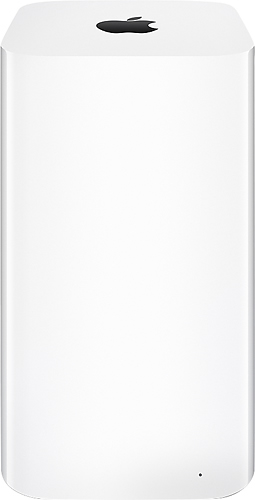
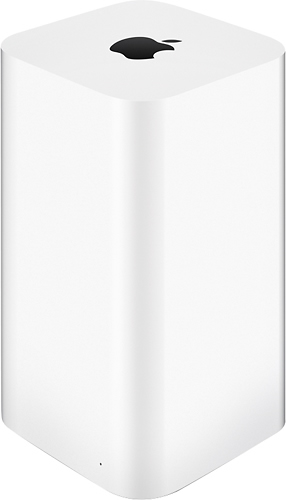
- Model:
- ME182LL/A
- |
- SKU:
- 4854512
Customer reviews
Rating 4.7 out of 5 stars with 587 reviews
(587 customer reviews)Rating by feature
- Ease of Use4.7
Rating 4.7 out of 5 stars
Customers are saying
Customers often highlight the ease of use, ample storage, and strong Wi-Fi signal as major advantages. Many appreciate the straightforward setup process and attractive design. While some find the product expensive, positive feedback on performance and reliability is also prevalent.
This summary was generated by AI based on customer reviews.
- Pros mentioned:Storage, Wi-fi
Rated 5 out of 5 stars
Great Item
||Posted .This reviewer received promo considerations or sweepstakes entry for writing a review.This is simply the best way to back-up your Mac, with Apple Time Machine. This device includes 3TB internal for storage and back-up, and also supports external USB devices to expand it's capacity. The Time capsule also serves as a wifi access point. The best thing is that your AppleCare Protection Plan, for your computer automatically covers the Time Capsule.
I would recommend this to a friend - Pros mentioned:Wi-fi
Rated 5 out of 5 stars
Great unit for WiFi
||Posted .This reviewer received promo considerations or sweepstakes entry for writing a review.This station would be great even if it didn't have the back-up option, which only makes it better. There are plenty of routers out there but if you have an apple setup, this is the way to go. It pairs with any OSx unit you have and the secure setup where you can use your own password for WiFi access is better than relying on what some third party router has set at the factory. I have used some good Netgears and Belkins but this is super fast, reliable, and what with all the streaming and WiFi equipment in my home from smart tvs, bluerays,ipads, phones,av equipment and the like, it doesn't miss a beat. I still use a good WiFi signal booster for my upper floor stuff, but the signal strength never seems to waver, something i could never say with any other brand i had over the years.
I would recommend this to a friend - Pros mentioned:Setup
Rated 4 out of 5 stars
All in one excellence, now where's the off button?
||Posted .This reviewer received promo considerations or sweepstakes entry for writing a review.Apple's 3TB time capsule is a beauty out of the box. Extremely easy to set up, seamless connectivity with iMac for backup on a vast hard drive via apple's time machine software, and a blazing fast wireless router to boot! This product has met or exceeded all of my expectations thus far. So why not a perfect rating? First, it has not (yet) passed the requisite test of time. As an external hard drive, it will need to prove it can go the distance without failing and compromising data. While I hope it can, the fact that the time capsule doesn't have an off switch vexes me. Hard drives tend to do better with frequent power-down breaks, so I've connected this to a power strip to serve this function. Unfortunately, this means I cannot connect to the internet during these nap times if I want to Netflix on my tv, web browse with my phone or tablet, etc. My ultimate upgrade? Let apple devise a system which completely powers down the hard drive unit when not needed, while still allowing for Wifi service when wanted, and a power down function to conserve energy and reduce wear and tear when neither is required. Having said that, apple's time capsule 3TB is still a winner!
I would recommend this to a friend - Pros mentioned:Ease of use
Rated 5 out of 5 stars
Terrific Router and Hard Drive Combo
||Posted .This reviewer received promo considerations or sweepstakes entry for writing a review.I bought this at a nice discount after Best Buy price-matched the cost to what another retailer was offering. I couldn't believe how easy THAT process was - the sales associate just looked it up on his tablet and applied my discount upon checking me out. Took a couple of minutes is all. I already had an Airport Extreme, same generation. This device is basically just an Airport Extreme with a hard disk inside, but no you can''t just add a hard disk to the Extreme, as some of the connectors are missing. The router portion of the Time Capsule is identical to the Extreme in terms of specs. I could have set this tip as my base station, but since I already have the Extreme as the base station, and didn't want to reconfigure my whole network and have to re-authenticate all my devices, but I needed better coverage in the west side of my house, I added this as an extender. Could not have been easier. Went into the Airport utility on my computer after powering the device up (all I did was plug it into an outlet), and the Airport utility found it and asked me if I wanted to set it up as an extender. I clicked "yes" and in a couple minutes the light on it turned green, and I was up and running. My devices logged into it automatically, and it assumed all of the configuration of my existing network with no input from me. You can see which device is attached to which unit (the Time Capsule or Extreme) in the Airport utility. My modem and Airport Extreme are in a bedroom at the far end of my house. I put this unit on a table in my living room, roughly in the center of my house (it's attractive enough to be fine in an open area where everyone can see it), and now I get 150-170 MB/s (wireless) consistently on my iMac at the other end of the house (up from about 30 or so). It has three Gigabit ports, just like the Extreme, and even on this Time Capsule which is set up as a wireless bridge, I get about 280 MB/sec on its ethernet port (my internet service is 300 MB/sec). Pretty astounding for an extender sitting in the middle of the living room several yards away from the main router. The hard drive in the Time Capsule is easily accessible in Finder on my Mac, and effortless to back up to with Time Machine, even with this set up as an extender and not as the main router. Note that you can plug a USB hard drive into either the Airport extreme or Time Capsule, and that USB hard drive behaves and is visible in the exact same way the Time Capsule's internal drive is - only difference is you can format the Time Capsule from the Airport utility, but you can't format a USB drive via the same Airport utility. However, the Time Capsule is expensive, and this might be an alternative for whose who don't want to or can't shell out the money for one of these. If you have a large house (I don't), or a house with an awkward setup that makes connection speeds difficult in areas (I do), this is a great option to extend your network with the AC protocol and super fast speeds in a seamless, quick way. It is terrific for those not technically strong who don't want to mess with configuration settings, particularly if you have Apple devices. The configuration is all wireless, and you do not need to connect it via ethernet to set up the initial config, as with many routers.
I would recommend this to a friend - Pros mentioned:Storage, Wi-fi
Rated 5 out of 5 stars
Network and Backup all in One!
||Posted .This reviewer received promo considerations or sweepstakes entry for writing a review.This is a great device. Not only will this give you the best range for your WiFi network, it will also back up all of your computers to one singular storage device. If there is an earthquake, flood, or natural disaster (God Forbid) I am leaving all my computers and grabbing this one little guy which has everything on it. Plenty of space and a wireless backup means I will never have to worry about storage and I will never have to worry about plugging in my backup. Seamless and pretty stylish as well. Great job apple!
I would recommend this to a friend - Pros mentioned:Setup, Wi-fi
Rated 5 out of 5 stars
Works better then previous version/model!
||Posted .This reviewer received promo considerations or sweepstakes entry for writing a review.I purchased this item to replace an airport extreme router that I have been using for years, and it was time to upgrade to also make use of the built in hard drive for back up of my two MacBook Pro notebooks. It was really a matter of plugging it in, and it noticed ny previous network and its setting, and in a minute I was up and running. Its been running steady for over 2 weeks with the usual no problems of any of of my Apple products. I am glad I purchased it, did I mention the range is also increased as well as speed and it has the newest wireless a/c.
I would recommend this to a friend - Pros mentioned:Ease of use, Storage
Rated 5 out of 5 stars
Super Easy Back Up Device
||Posted .This reviewer received promo considerations or sweepstakes entry for writing a review.I am new to Mac products so I cannot compare this device to any other Apple back cup devices. However, this 3TB Airport time capsule was super simple to install on my laptop and hook up to my Ubee Modem. I was able to easily follow the install instructions on my MacBook Pro which directed me to use a bridge mode in order to use the time capsule as my primary and personal router for just my laptop. The speed is fantastic and I was able to set up a guest network for my son and his friends to use Wifi with their i-phones. Back up occurs every time I turn on my laptop so I don't have to worry about anything. Can't say enough about this product. Truly worth the money.
I would recommend this to a friend - Pros mentioned:Ease of use
Rated 5 out of 5 stars
AirPort Time Capsule 3TB - Excellent
||Posted .This reviewer received promo considerations or sweepstakes entry for writing a review.I purchased this to add bandwidth in my house for multiple high bandwidth devices. This significantly sped up the transfer of data around the house, as well as increasing my backup capabilities. Easy to set up and use.
I would recommend this to a friend - Pros mentioned:Performance, StorageCons mentioned:Range
Rated 4 out of 5 stars
Good, not fantastic
||Posted .This reviewer received promo considerations or sweepstakes entry for writing a review.I was expecting better range than what it offers. That and amazing performance. Don't get me wrong...it's quite good. Perhaps my older Western Digital is just 'that' good, but the strength is the same with either device. Creating a shared drive that is accessible both inside and outside your home is very nice. Hooking up a printer to the network is very nice as well. There is the "back to my Mac" registration as well, although I'm not really sure why that's needed as that always worked just fine on all of my Macs. I had a generous gift card which lowered the price point. It's definitely got the Apple Tax here. It works very well and has some nice features, but if you want QoS or things of that nature, look elsewhere. You could replicate the features and storage of this unit with a little effort using other components. But again, this is an Apple product...it just "works" and works very well. If you're an Apple household, it's an easy no-brainer.
I would recommend this to a friend - Pros mentioned:Storage, Wi-fi
Rated 5 out of 5 stars
Awesome Backup Solution
||Posted .This reviewer received promo considerations or sweepstakes entry for writing a review.I recently noticed older backup devices were not helpful. After researching it for a few weeks, I found this to be the best device on the market. It provides wifi extending of networks or simply backing up the apple devices on a separate network.
I would recommend this to a friend - Pros mentioned:Storage
Rated 5 out of 5 stars
Easy to use router and NAS
||Posted .This reviewer received promo considerations or sweepstakes entry for writing a review.This router is a great choice for anyone that wants a simple network attached storage solution and a great router and wireless access point for his or her home. If you consider the base cost of the router compared to other 802.11ac compliant routers, this is priced well, with the addition of 3 terabytes of storage. I have this Time Capsule on the entry level of my home, and I get strong wireless signal on the second floor, in the basement and even on my back patio. I have trouble receiving good cellular connectivity in my house, but outdoors it is fine. Despite this, this router puts a strong enough signal out that I have no issues. I would recommend the Time Capsule to anyone who wants storage and a great home router, or the Airport Extreme to anyone that just needs a router and wireless AP.
I would recommend this to a friend - Pros mentioned:Setup
Rated 5 out of 5 stars
A great product for any Mac owner
||Posted .This reviewer received promo considerations or sweepstakes entry for writing a review.I have had AT&T U-Verse for a number of years and have had every generation of gateway Ethernet/WiFi router they have used. I have had terrible WiFi performance. Two years ago AT&T gave me an external Cisco 802.11n WiFi router. This gave me better WiFi but not good. I have a split level home with the WiFi router on the 3rd of three levels and my main WiFi usage area on level one. Until I got this Apple device I never had more than 8 or 9 Mbps on WiFi on level one of my home, even when I was getting 45 Mbps on the ethernet connection to the gateway. Now, with the Apple AirPort Time Capsule, I consistently get 10 - 15 Mpbs, and sometimes as much as 33 Mbps (down load speed. Uploads are always around 4.5 - 5.0 Mbps). In addition to the great speed and strong signal, the Time Capsule provides 3TB of hard drive for use with all my Apple computers (1 iMac, 1 G5, 2 Mac Minis). The set up of the WiFi and the Time Capsule with Time Machine is trivially easy. (I wasted 2 whole days one weekend trying to set up a LinkSys. It took 3 minutes to get WiFi going with Apple Air Port. It took about 2 minutes per Mac to get the backups running). There is a USB port on the device that will allow you to hang another storage device or a printer on the Air Port. I have not used this feature yet, but I am sure that I will do so in the future. Like most things Apple makes, this is a great product that might seem expensive until you consider that it does exactly what Apple claims and does it without requiring you to have a Doctorate in Geek and a weekend to kill or a death wish. It is worth every penny.
I would recommend this to a friend - Pros mentioned:Storage, Wi-fi
Rated 5 out of 5 stars
Great wiFi & storage for backups
||Posted .This reviewer received promo considerations or sweepstakes entry for writing a review.Pleasantly surprised with faster Wifi & tons of storage. Apple has made this device simple to use and extremely compact.
I would recommend this to a friend - Pros mentioned:Ease of use
Rated 5 out of 5 stars
Easy to use and strong signal
||Posted .This reviewer received promo considerations or sweepstakes entry for writing a review.The set up was easy when following instructions (I skipped a step and took awhile to figure out but hat was me) signal was strong and my apple devices are much happier with this router signal wise.
I would recommend this to a friend - Pros mentioned:Ease of use, Storage
Rated 5 out of 5 stars
Great product
||Posted .This reviewer received promo considerations or sweepstakes entry for writing a review.Super easy to set up and works great. Love the storage so I can save all my information to the drive instead of my computers.
I would recommend this to a friend - Pros mentioned:Wi-fi
Rated 5 out of 5 stars
High speed wifi + 3TB of back ups
||Posted .This reviewer received promo considerations or sweepstakes entry for writing a review.Typical Apple product. Great design, solid construction, excellent wifi range, easy no brainer back ups with Time Machine. If you have a Mac you should have Time Capsule.
I would recommend this to a friend - Pros mentioned:Storage
Rated 4 out of 5 stars
Apple Time Capsule
||Posted .This reviewer received promo considerations or sweepstakes entry for writing a review.This product was recommended by the salesman when I purchased my new Macbook pro. It was described as a backup device that would backup all my Apple products automatically and would have ample or more storage than I would need. Well that is not completely accurate. It is first a modem/router that backups up your computer automatically, but you must backup your other apple devices on your computer for them to be backed up on the time capsule. The sales person said it would do the backups automatically each night on each device. this is not accurate. I struggled with getting this device hooked up since the modem/router part was not explained. I purchased Applecare and after 2 reps helping me I finally have it working. I feel it will be beneficial for the backup but there is certainly more to this device than I was made aware when purchasing it. Ask lots of questions !!!!
I would recommend this to a friend - Pros mentioned:Ease of use, Setup, Wi-fi
Rated 5 out of 5 stars
Flawless!
||Posted .This reviewer received promo considerations or sweepstakes entry for writing a review.WiFi base station set up was a breeze as was setting up the time capsule (the real reason I bought it.) The cherry on top is that it has 802.11ac WiFi so, even though I don't have any "ac" compatible devices yet, going forward, surely, they will all be "ac" compatible and I will be able to benefit from the added speed right out of the box. Based on my experience, could not recommend it any higher.
I would recommend this to a friend - Pros mentioned:Storage, Wi-fi
Rated 5 out of 5 stars
Apple gotta love it!
||Posted .This reviewer received promo considerations or sweepstakes entry for writing a review.You can't go wrong with the Airpprt Time Capsule. Tons of space and great wifi signal. Even better than my router that came with the cable.
I would recommend this to a friend - Pros mentioned:Ease of use, Setup
Rated 5 out of 5 stars
Excellent product as network backup server for Mac
||Posted .This reviewer received promo considerations or sweepstakes entry for writing a review.Two TimeCapsule devices (3TB each) were quickly configured to provide alternating network connected TimeMachine backups for three Macs (MBPro 512GB SSD, MBPro 2TB SSD, and iMac 3TB fusion). A Seagate Backup Plus 4TB was formatted then connected via USB to one TimeCapsule to provide the extra backup space for the first complete backup of the iMac 3TB. Another external drive can be easily added on the second TimeCapsule if the sum of the backup stores become larger than the internal 3TB. While I do have some experience with non-Mac systems this was my first time to configure a network backup system for Macs. Happily with the online documentation it took less than 90 minutes. While the initial cost of the device is more than some solutions the ease of use for me to set up and maintain the configuration, and my wife and children to restore files including photos and videos is almost priceless. The compliments for this system are for its intended use as a straightforward network backup system. It is not a general purpose network file server nor does it provide a high level of redundancy if there is a simultaneous multisystem failure.
I would recommend this to a friend