Customer Ratings & Reviews
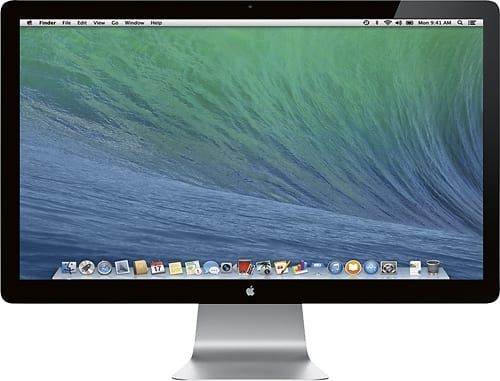
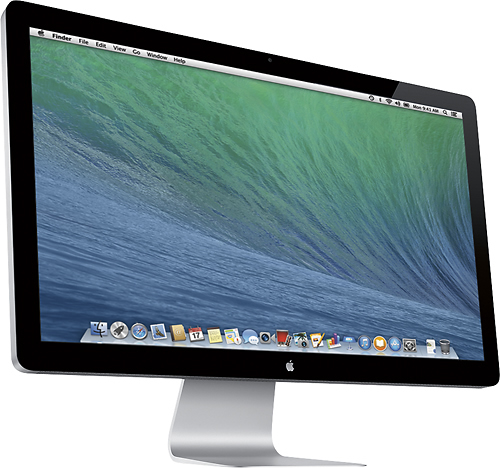
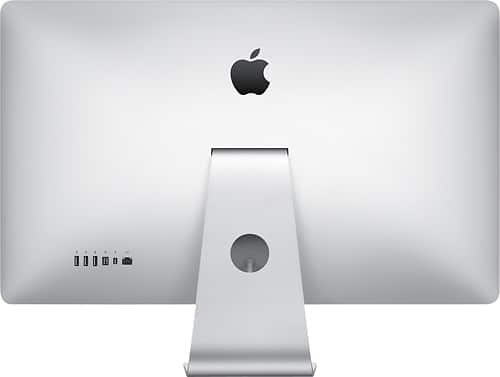
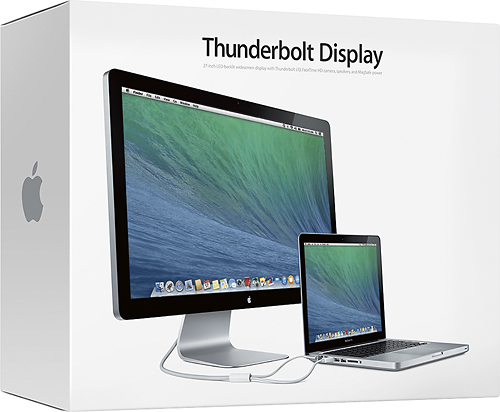

- Model:
- MC914LL/B
- |
- SKU:
- 3143129
Customer reviews
Rating 4.7 out of 5 stars with 416 reviews
(416 customer reviews)Rating by feature
- Features4.6
Rating 4.6 out of 5 stars
Customers are saying
Customers have good things to say about the Thunderbolt 27" Widescreen LED Monitor's large screen size, which helps reduce eye strain, and its sharp resolution. Many appreciate the monitor's high quality, convenient USB ports, and the ease of setup and use. The Thunderbolt connection is also frequently praised for its speed and utility. While some users mention glare as a potential issue depending on lighting conditions, and compatibility concerns with older systems, the overall feedback is positive.
This summary was generated by AI based on customer reviews.
- Pros mentioned:Screen size, Usb
Rated 5 out of 5 stars
No better Picture available than this
Posted .This reviewer received promo considerations or sweepstakes entry for writing a review.Has 3 USB ports, but 5 ports would be nicer. Charges iPad and phones thru USB while you're away from your computer, or while you're sleeping. Great for watching DVD movies. Fantastic monitor. Can have two files open simultaneously, side by side, with extra room for another page if needed. Super clear picture. It puts all other monitors to shame. You will get a $1000. worth of viewing capability with this one.
I would recommend this to a friend - Pros mentioned:Screen size
Rated 5 out of 5 stars
Great Monitor for MacBook Pro w/Thunderbolt
Posted .This reviewer received promo considerations or sweepstakes entry for writing a review.I purchased this display to allow me to dock my macbook pro (2012+) on my desk and have a bigger display for programming work. I tried using a hdmi lcd monitor previously, but the macbook pro had issues with resetting the screen resolutions when I connected and disconnected the display. It would sometimes not realize that it was no longer not connected to the display and leave the resolution to high. With this thunderbolt display, I no longer have this issue. The image quality is excellent and it performs flawlessly. The only concern that I have is the temperature of the thunderbolt cable when displaying a lot of graphics. May not be an issue, and hasn't caused any damage to my macbook.
I would recommend this to a friend Rated 4 out of 5 stars
Do a little research, you'll be happy if you did.
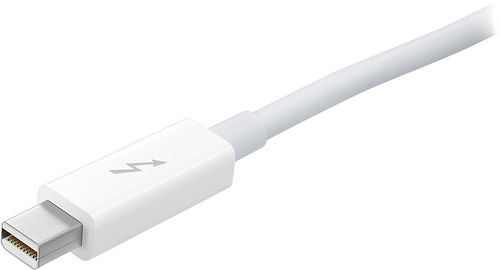
Posted .This reviewer received promo considerations or sweepstakes entry for writing a review.I got this as an open box special at my local BestBuy. Some guy bought it with is MacPro and didn't realize what he was buying. I'll take the 10 percent discount for his lack of research! First, this is the Apple Thunderbolt display. Apple still makes and sells the normal 27" Apple Display for computers that don't have the new Thunderbolt I/O interface. The big difference between this monitor and the regular monitor, or any other monitor for that matter, is that it is also a very clever port replicator. It has USB, Firewire, Gigabit Ethernet, and audio all built into it. You connect your laptop via the incorporated MagSafe power umbilical, attach the new Thunderbolt connector (this is integrated into the umbilical) and you're done. All your printers, USB peripherals, hard drives, keyboard and mouse, mount and you're off and running. Setup of this unit is truly a 30 second affair. Just connect the power and the Thunderbolt connector and you're done. Macs are great for detecting displays and within a couple of seconds your display with flash blue as it detects the display and voila, 2 display heaven. The Thunderbolt connector is the display connection, as well as the peripheral connection, and it's a super fast interface (faster than Firewire 800 or USB 3 capable of 2 10Gbps channels up and down!). Also, if you really need even more real estate, you can daisy chain 2 Thunderbolt displays and have three displays (laptop and 2 large 27" displays). Disclaimer: I believe this is model dependent so do a little research before you drop a grand on the 2nd display. This is a great monitor. The image quality is great but, as many graphics professionals will tell you, it does have a glass screen which is prone to glare. Unfortunately Apple does not make a version of this display with a non-glare screen. I currently have a current generation 13" MacBook Pro, and unlike many other external monitors I've used, the color temperature is basically identical. I can move photos from one display to the other with little or no difference in the color, contrast, temperature or the rest of it. This makes for a much less distracting workspace. Functionally, this monitor has no buttons or switches. You can not use it on anything other than a Thunderbolt capable computer. The Thunderbolt interface looks identical to the mini display port but it will not work with mini display equipped Macs. YOU MUST HAVE A THUNDERBOLT EQUIPPED MAC IN ORDER TO USE THIS MONITOR. At the time of this writing this excludes the Mac Pro but the rumor is that this will be changed when the MacPro is refreshed sometime this year. The speakers are of decent quality, adequate for at desk listening or watching movies. They are downward firing and due to the placement, don't offer the best stereo separation, but for casual listening they are just fine. I only rated this 4 out of 5 because there are still some bugs. 1st, there are times when the external drives that I have connected to my monitor don't mount. Additionally, there are times when the audio doesn't automatically go from my laptop to the monitor. So far, the only way I've been able to fix this is to reboot my computer. Normally, you should be able to find the audio in your system prefs, but for some reason the monitor doesn't show up as an option. Additionally, OS X Lion and the new iLife apps now support a "full screen mode", which is great. However this feature has not been cleanly integrated with dual monitor support. You would think that it would put, for instance, iPhoto into a full screen on the screen that you're working in and then allow you to have your browser and email on your other monitor, but it doesn't. You end up with a full screen on one side, and an unusable 2nd display. This really needs to be addressed in an OS update before you could give this display the 5 stars it deserves. If you want to unclutter your desk, get an amazing display with better than 1920x1080 resolution, AND you have a Thunderbolt equipped Mac or PC (currently on the roadmap for sometime in 2012 from many manufacturers), then I'd say you will love this monitor.
I would recommend this to a friendRated 5 out of 5 stars
Great monitor for any (recent model) Macbook user.
Posted .This reviewer received promo considerations or sweepstakes entry for writing a review.Unfortunately others have dinged this monitor pretty hard on reviews based solely on it being Thunderbolt only and not working with older hardware. Do your homework prior to purchasing and it will become obvious that this monitor requires a Thunderbolt equipped Mac to work. I decided to shell out the extra cash for this IPS panel over other brands not because it's Apple but because its integrated array of ports. I've long wanted an official dock for my Macbook devices only to find third party solutions that came up short in some regard. Nothing seemed to quite fit the bill and feel like a polished and complete solution. This monitor is close to perfection. Using a single bundled cable I can easily plug in power, monitor, speakers, webcam, USB devices, Firewire devices, gigabit ethernet as well as other devices that operate on Thunderbolt and achieve what I consider to be the first real and nearly complete Macbook dock solution I've found. Docking features aside, the 2560x1440 pixel IPS panel provides amazing picture quality and lots of screen real estate. The webcam looks pretty decent as well. I had to disable the auto-dimming feature within OS X and crank the brightness up on mine, though. Not because the display didn't look amazing but because there's a monitor right behind me on another computer that was reflecting very badly. A few features I wish that Apple would have included/changed on this display would be related to the integrated ports/dock. I would have liked to have seen USB 3.0 included in this revision as well as mini-jack ports for both microphone and speakers/headphones. Also, since I am wanting a simple one wire solution, I've been using the integrated speakers in this display which are just OK (due to lack of external mini-jack connectivity). They won't blow you away by any means but I figure you can only do so much with speakers that fit in a display. All things considered, if Apple makes a new revision of this display integrating an audio and microphone jack as well as upgrading the USB to 3.0 they will have achieved perfection. Until then, if you have a Thunderbolt equipped Macbook and aren't scared of the price, this is as close as you're going to get.
I would recommend this to a friend- Pros mentioned:Usb
Rated 5 out of 5 stars
Pricy, but worth it (in my opinion)
Posted .This reviewer received promo considerations or sweepstakes entry for writing a review.I love this display. When coupled with my MacBook Pro via the Thunderbolt connection, I have access to dual screens. The display has USB, thunderbolt, ethernet, and firewire connections, in addition to speakers and, I believe, a webcam. (Add a processor, hard drive and DVD drive to it, and you have an iMac...) The only drawback thus far is it's price. Then again, those only concerned with price are not purchasing Macs... The display works as advertised and contains some very nice features (as described above). It was a very worthwhile addition to my home office.
I would recommend this to a friend Rated 5 out of 5 stars
Amazing Graphics and Beautiful Design
Posted .This reviewer received promo considerations or sweepstakes entry for writing a review.Bought this for my 9 month old MacBook pro. Got rid of my Windows 7 PC. My desk is clean and clutter-free. Thanks to the sleek design of this monitor and the available inputs. Pros: - Amazing graphics. Warning: Not for people who don't like glossy screens! - I'm a dual monitor user but the 27" screen is huge so I don't need to use the laptop screen anymore, and complements Lion's multiple desktop. - Good speakers but not the type for blasting music or games. Better than most standard desktop speakers. - Plenty of input ports. - Thunderbolt is fast. Cons: - When my laptop battery is fully charged and if I disconnect the power cable from the laptop, I have to keep the laptop cover open so I won't loose the picture in the Thunderbolt display. P.S. DO YOUR HOMEWORK BEFORE BUYING THIS PRODUCT!!! Don't rely on BestBuy's sales associates! They are not familiar with this product. The person who helped me gave the the floor display because I said I want to get the Thunderbolt "Display". She didn't know that Apple actually sells a product called "Thunderbolt Display". The cashier didn't know any better.
I would recommend this to a friend- Pros mentioned:Resolution
Rated 5 out of 5 stars
Awesome monitor
Posted .This reviewer received promo considerations or sweepstakes entry for writing a review.I purchased this monitor to turn my Retina MacBook Pro ( rMBP )into a desktop setup at home. What that means is when I get home from work I plug the rMBP into this monitor not only does it get charged, it functions like a desktop with an added keypad and mouse or touch pad. The resolution is amazing and the screen real estate meets my needs. This is a must have for Retina MacBook Pro Owners!
I would recommend this to a friend Rated 4 out of 5 stars
Amazing display
Posted .This reviewer received promo considerations or sweepstakes entry for writing a review.Simply stunning. I use for day to day work (my day job) as well as photo editing. Colors are true from every angle. As others have said, be weary of glare, so be sure your lighting has the correct placement before purchasing this gorgeous display. As an added plus, the sound isn't too shabby for "monitor" speakers -- we often blast the sound through the thunderbolt and dance around the house, its only slightly quieter than our bose under counter system.
I would recommend this to a friendRated 5 out of 5 stars
I love this monitor
Posted .This reviewer received promo considerations or sweepstakes entry for writing a review.Super crisp, large display, well designed, the all in one cord keeps cords clean and neat, the speakers sound much better than expected for being small built in speakers. The USB hub working the same thunderbolt cable instead of and additional USB cable is a huge plus. Comfortable viewing size, worth the cost.
I would recommend this to a friendRated 5 out of 5 stars
A bit yellow
Posted .This reviewer received promo considerations or sweepstakes entry for writing a review.If you use the Display only, that's totally fine. But if you use the Display as an extension with a Macbook Retina or iMac 5K, then the Apple Display will show up a bit yellow compare to the color of the screen of the mentioned devices.
I would recommend this to a friendRated 5 out of 5 stars
Excellent for the Thunderbolt Macs
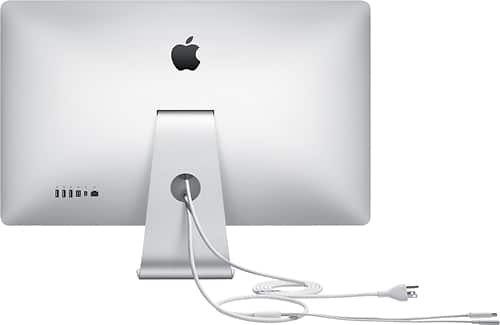
Posted .This reviewer received promo considerations or sweepstakes entry for writing a review.Gotta read the box before you buy. If you don't have a Thunderbolt equipped Mac it isn't going to work. Thunderbolt capability is on most 2011 Macs. I'm using mine on a late 2011 MacBook Pro with no problems. Graphics are excellent - however, I don't like the glossy screen. The 27" screen is nice, especially if you need to work between multiple documents, you can keep them all in view. Works great for editting photographs too. There are 4 USB ports & an additional Thunderbolt port to daisy chain multiple thunderbolt devices, including another monitor.
I would recommend this to a friend- Pros mentioned:Quality, Resolution
Rated 5 out of 5 stars
Wow
Posted .This reviewer received promo considerations or sweepstakes entry for writing a review.Great product, awesome sound, inredible resolution
I would recommend this to a friend - Pros mentioned:Screen size
Rated 5 out of 5 stars
Amazing!
Posted .This reviewer received promo considerations or sweepstakes entry for writing a review.I was able to purchase this as an open box item. It was well worth it. as a 27 incher it feels like a 42 inch screen. the screen pixels are so fine its just awesome. Got to you you one. but be warned all other screen will start to look like terrible.!
I would recommend this to a friend - Pros mentioned:Screen size
Rated 5 out of 5 stars
awesome!!!!
Posted .This reviewer received promo considerations or sweepstakes entry for writing a review.I have looked at this display for a long time at best buy and finally broke down and bought it. i could not be more happier that i did because this screen is absolutely amazing!
I would recommend this to a friend Rated 3 out of 5 stars
Good Enough
Posted .This reviewer received promo considerations or sweepstakes entry for writing a review.Got this for my Mac mini. It is nice but i've noticed some dead pixels recently. Hardly noticeable but there are more than one. It compliments a Mac mini nicely but buyer beware.
I would recommend this to a friend- Pros mentioned:Screen size
Rated 4 out of 5 stars
Nice display, fonts are a bit small
Posted .This reviewer received promo considerations or sweepstakes entry for writing a review.I love the look of this display. It is huge! My only challenge with this monitor has been that the font size on this display is small. I have not found a way to increase the font size on the monitor without making font size on all monitors large. Other than that, I love that this uses the thunderbolt connection and comes with a power supply. This serves as a great docking station for all of my peripherals!
I would recommend this to a friend Rated 5 out of 5 stars
As always great apple product
Posted .This reviewer received promo considerations or sweepstakes entry for writing a review.I purchased this from Best buy. This is a great product
I would recommend this to a friendRated 5 out of 5 stars
Awesome monitor plus more
Posted .This reviewer received promo considerations or sweepstakes entry for writing a review.This is yet another of a very well designed and engineered product. Works flawlessly with my Macbook Pro 15 (early 2011). The only complaint I have is the HUGE amount of desktop.... I'm not used to moving my head from left to right just because of so much useable space. Considering Apple used to sell their 30" monitor for about $2k, this is a massive improvement in price vs performance. My office has a huge window and I really don't see a big deal about the glossy screen. If you are thinking of adding more to your existing mac, this is the one to buy!
I would recommend this to a friend- Pros mentioned:Usb
Rated 5 out of 5 stars
Love it
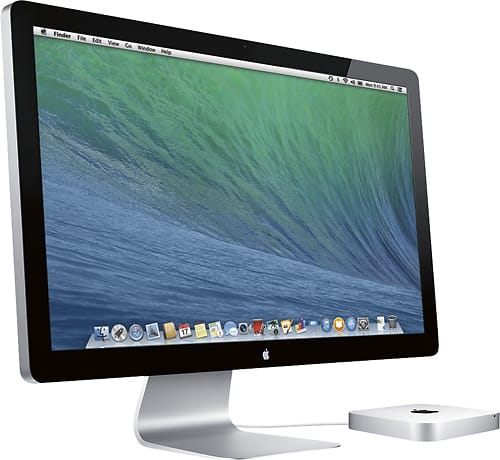
Posted .This reviewer received promo considerations or sweepstakes entry for writing a review.this is a great monitor , it has 3 usb ports fire wire and ethernet port. i use it with mac mini ,great.
I would recommend this to a friend - Pros mentioned:Screen size
Rated 5 out of 5 stars
Amazing 2nd screen
Posted .This reviewer received promo considerations or sweepstakes entry for writing a review.I use this as a 2nd screen for my Mac Book Pro and this giant of a monitor is worth the price.
I would recommend this to a friend