Customer Ratings & Reviews


- Model:
- ROG DELTA II A701
- SKU:
- 6606317
Rating by feature
- Value
Rating 4.2 out of 5 stars
- Quality
Rating 4.6 out of 5 stars
- Ease of Use
Rating 4.5 out of 5 stars
Customers are saying
Customers frequently mention the superb Sound Quality and excellent Comfort as major strengths of the product. They also highly value its practical Connectivity, impressive Battery Life, and lightweight design. Additionally, features like its good Design, cool RGB lighting, and deep Bass are noted, though a few customers have found the fit to be a bit loose.
This summary was generated by AI based on customer reviews.
- Pros mentioned:Battery life, Comfort, Connectivity
Best Well-rounded Wireless Gaming Headset!
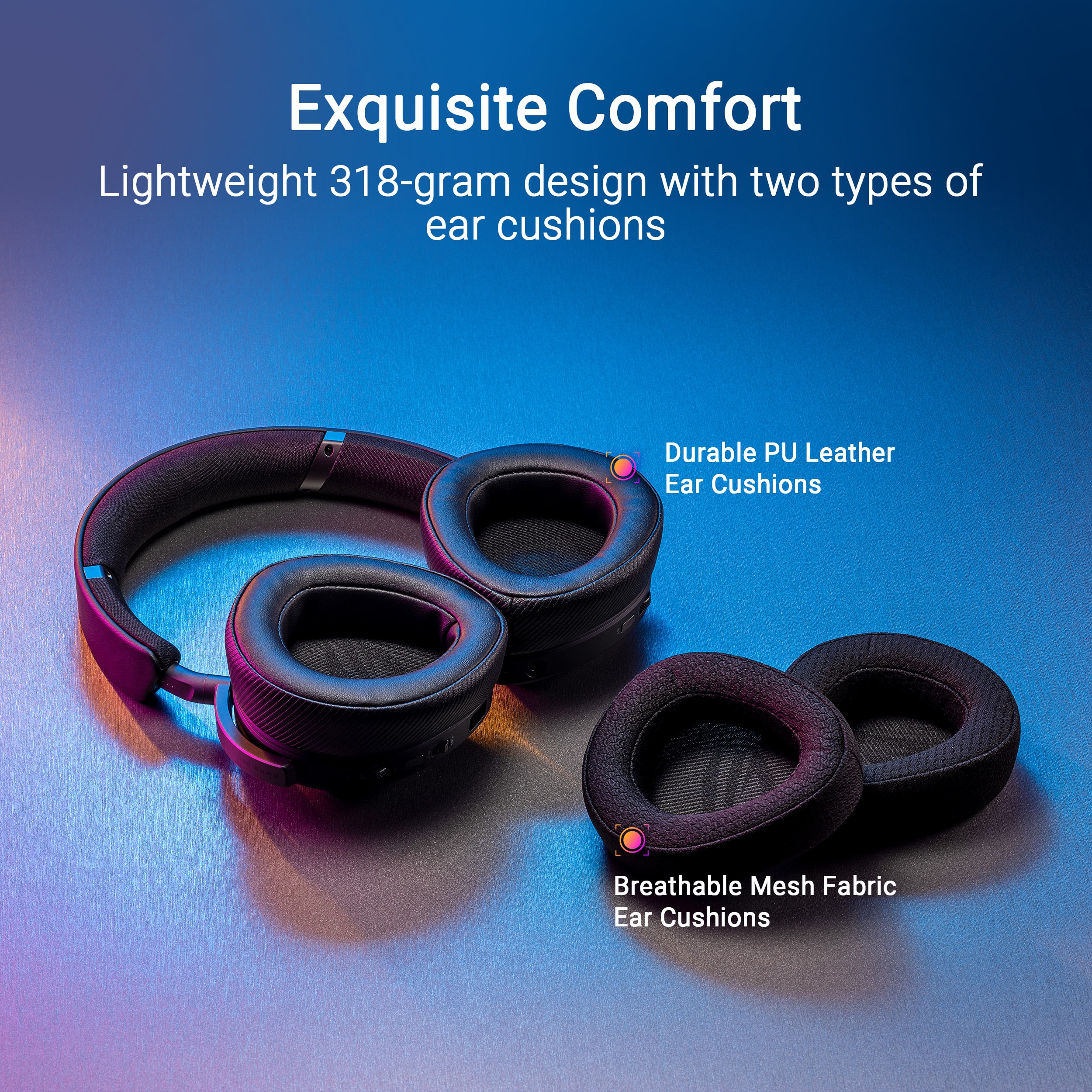
||Posted . Owned for 1 week when reviewed.This reviewer received promo considerations or sweepstakes entry for writing a review.I have tried corsair, steelseries, beyerdynamic, audeze, logitech, turtlebeach, razer wireless headsets and this one beats them all in the most important thing. (Overall Function). Great Sound, Great Microphone, Great Sidetone Volume, Great Battery Life, Lightweight Asus Gear Software, Excellent Connectivity Options (Simultaneous Bluetooth, 3.5mm and Wireless) and excellent comfort for ears as it comes with 2 different sets of ear cushions. May be loose on smaller heads as im wearing this on the stock fit without extending the headband. Make sure to update firmware to fix launch bugs!
I would recommend this to a friend - Pros mentioned:Sound quality, Weight
SO SATISFIED
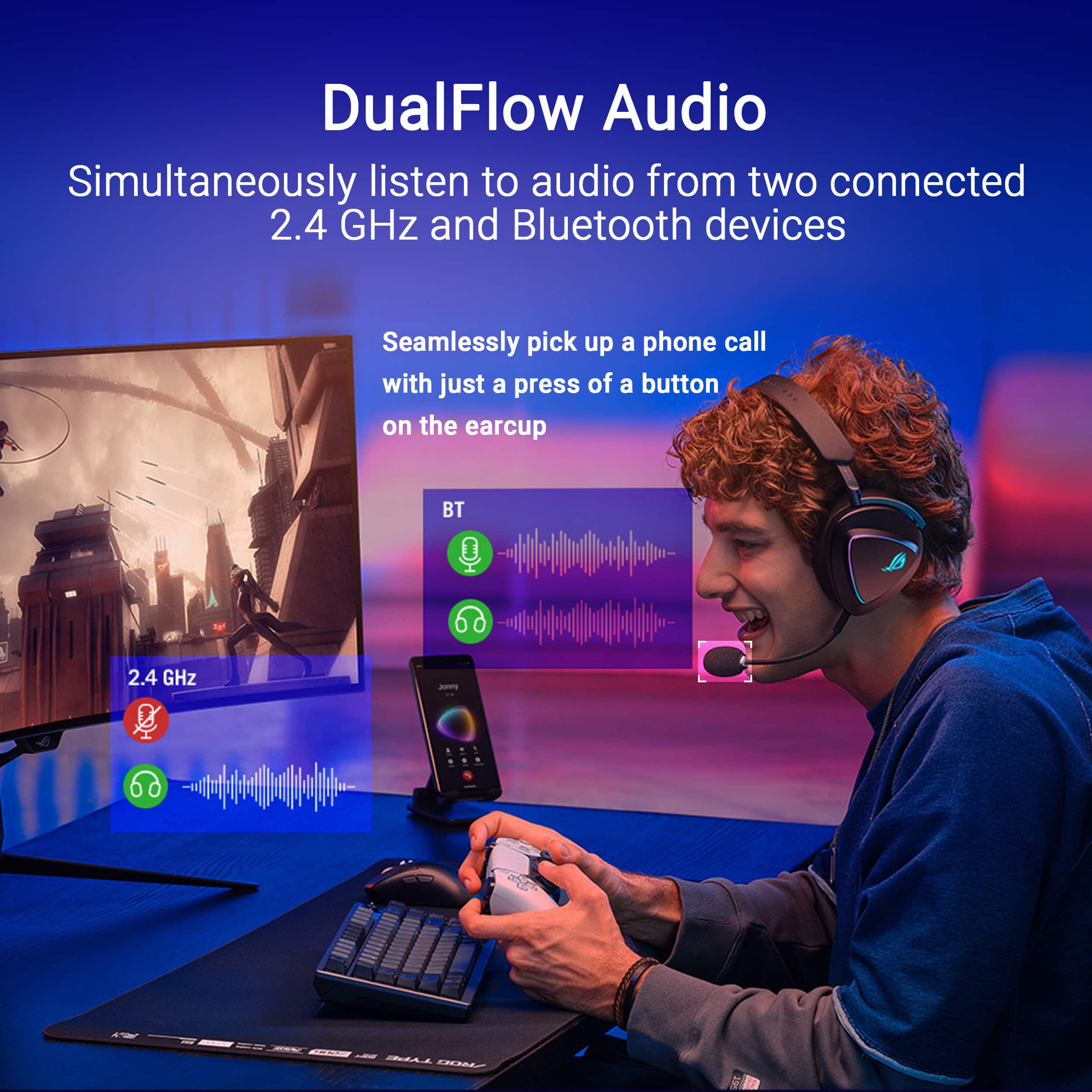
||Posted . Owned for 2 weeks when reviewed.This reviewer received promo considerations or sweepstakes entry for writing a review.This headset has everything you need & more!! My ABSOLUTE favorite feature is the dual connectivity. To be connected via 2.4 GHz to my console and via bluetooth for my phone SIMULTANEOUSLY & SEAMLESSLY is everything. They get very loud and the sound quality is definitely acceptable. The headphones are so light which makes longer sessions more bearable. I highly recommend these to anyone looking for a “budget high quality” headset. My girlfriend was sold on these immediately and had to get herself a pair. They even come with an extra set of ear cuffs! I’m trying to think of any negatives but there simply are none. I love it!
I would recommend this to a friend - Pros mentioned:Comfort, Sound quality
ASUS ROG Delta II is amazing!!!
||Posted . Owned for 1 month when reviewed.This reviewer received promo considerations or sweepstakes entry for writing a review.This is a beautiful wireless headset , souone.nd is wonderful and lightweight. The Armoury Crate app is wonderful and necessary to get the sound want out of your headset. I was so happy I bought the blackheadst then the white one.
I would recommend this to a friend - Pros mentioned:Sound quality
Really good for clean look and competitive games
||Posted . Owned for 1 month when reviewed.This reviewer received promo considerations or sweepstakes entry for writing a review.Best white headset i found, the interchangable cushings are great between leather and cloth, kind of heavy on the top of my head tho but sound and low latency are great for rocket league comp
I would recommend this to a friend - Pros mentioned:Sound quality
A Great Choice
||Posted . Owned for 1 week when reviewed.This reviewer received promo considerations or sweepstakes entry for writing a review.The ASUS ROG Delta II is a great headset! There are two things I would change, but overall I'm very happy with my Purchase. 1. I wish it had active noise cancellation (like my Sony Inzone H9s do) 2. I wish it could go a little smaller on the headband. I have a smaller head and it's slightly loose. Other than those items, the headset is fantastic. The sound is awesome and the customzations in the app are very helpful. Would definitely reccomend!
I would recommend this to a friend One of the best headsets
||Posted . Owned for 2 weeks when reviewed.This reviewer received promo considerations or sweepstakes entry for writing a review.This headset made bf6 and warzone sound much better and I can hear multiple enemies and hear the absolute cinema of bf6
I would recommend this to a friend- Pros mentioned:Sound quality
Best Buy
||Posted . Owned for 3 months when reviewed.This reviewer received promo considerations or sweepstakes entry for writing a review.Very good, good audio , good microphone and good price
I would recommend this to a friend - Pros mentioned:Battery life, Comfort, Connectivity

Asus ROG Delta II hits all the right notes
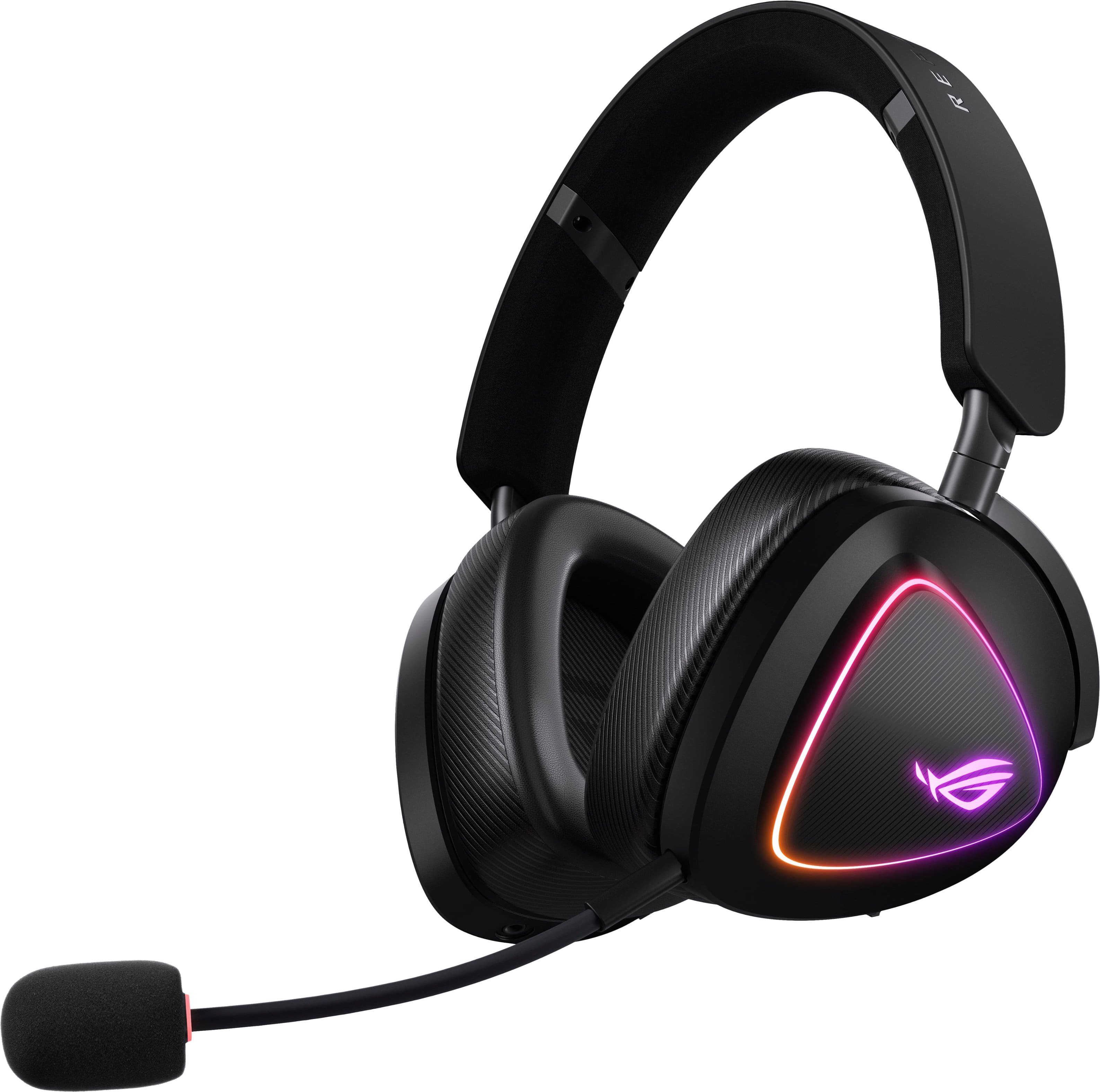
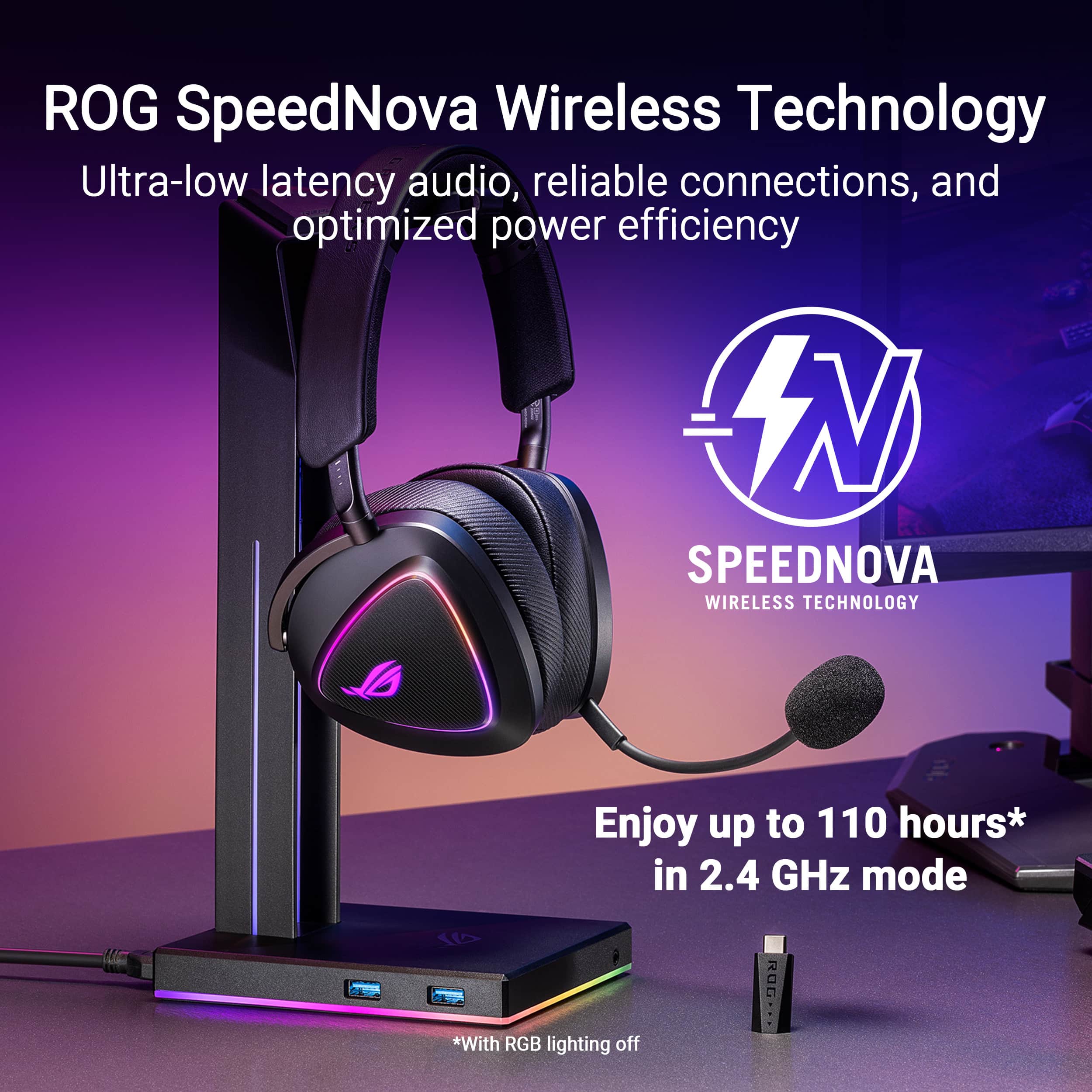
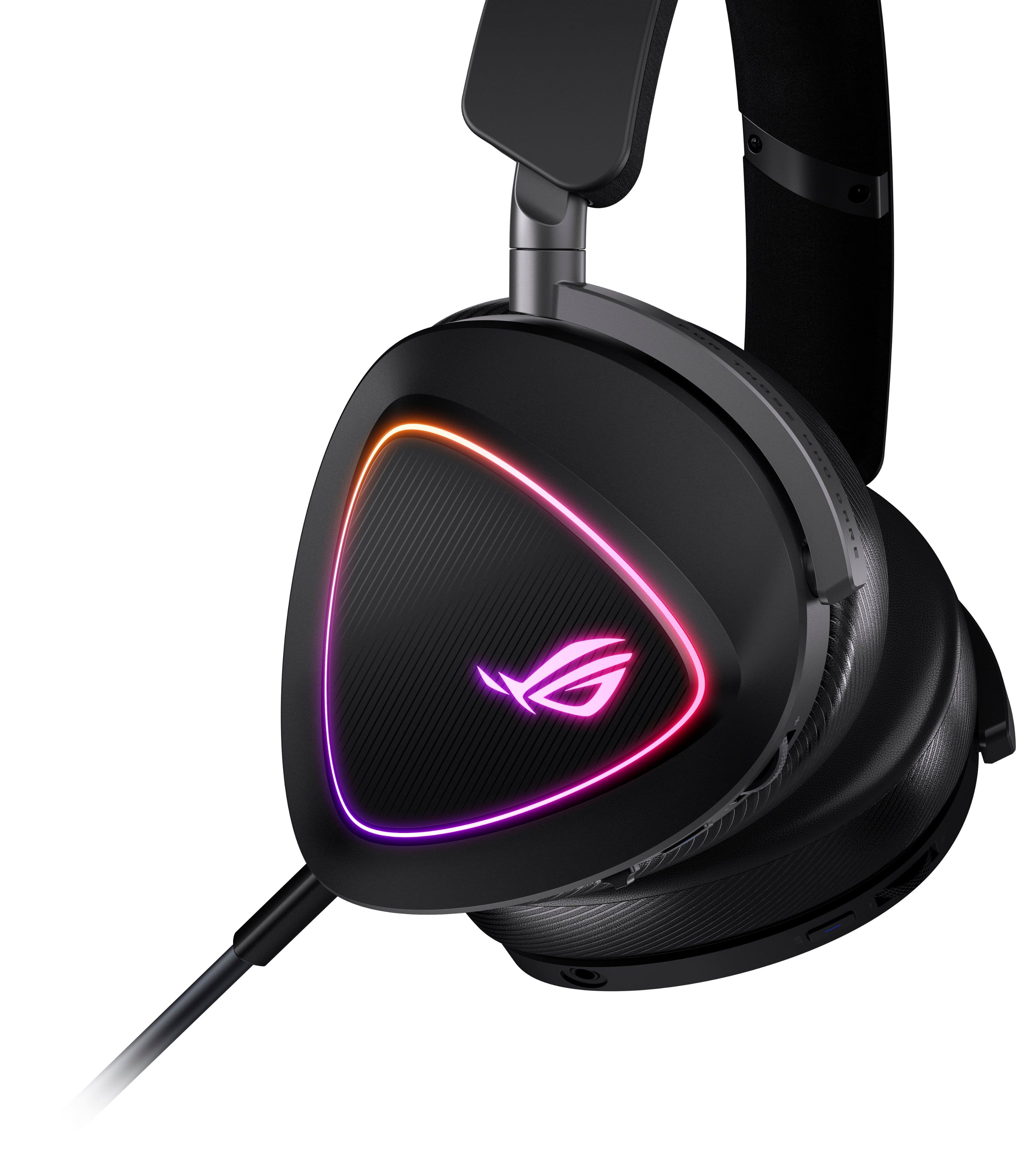
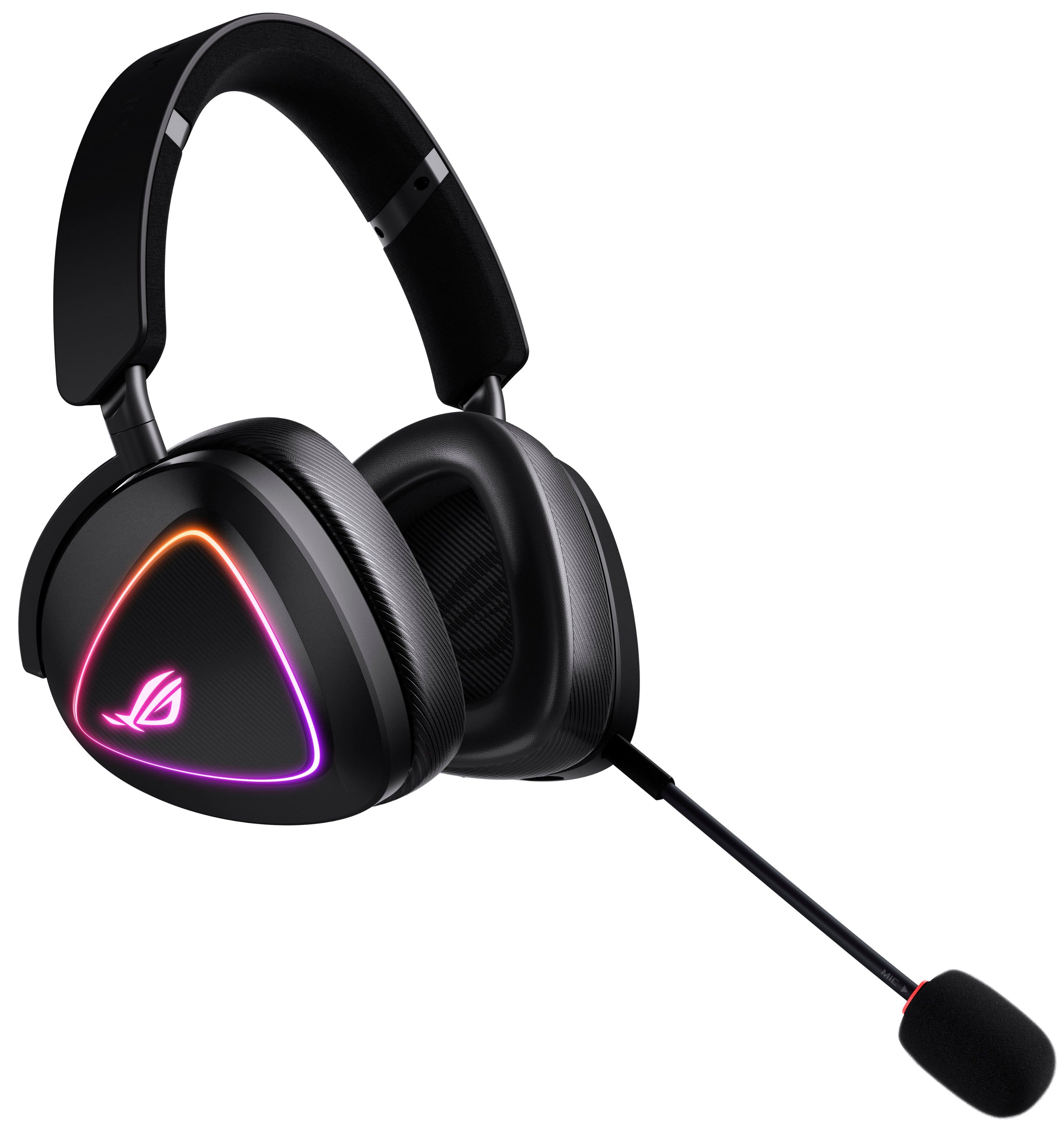
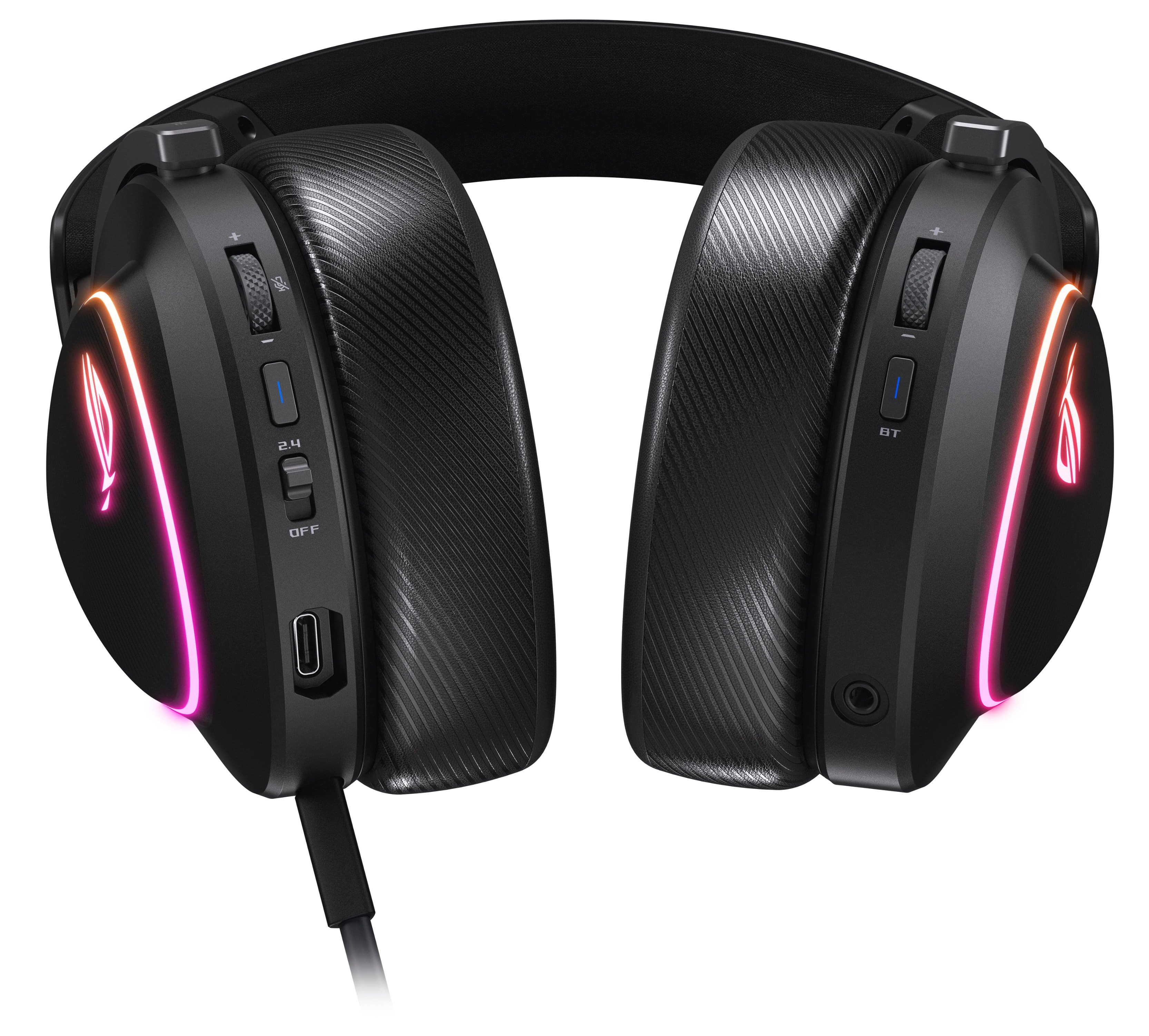
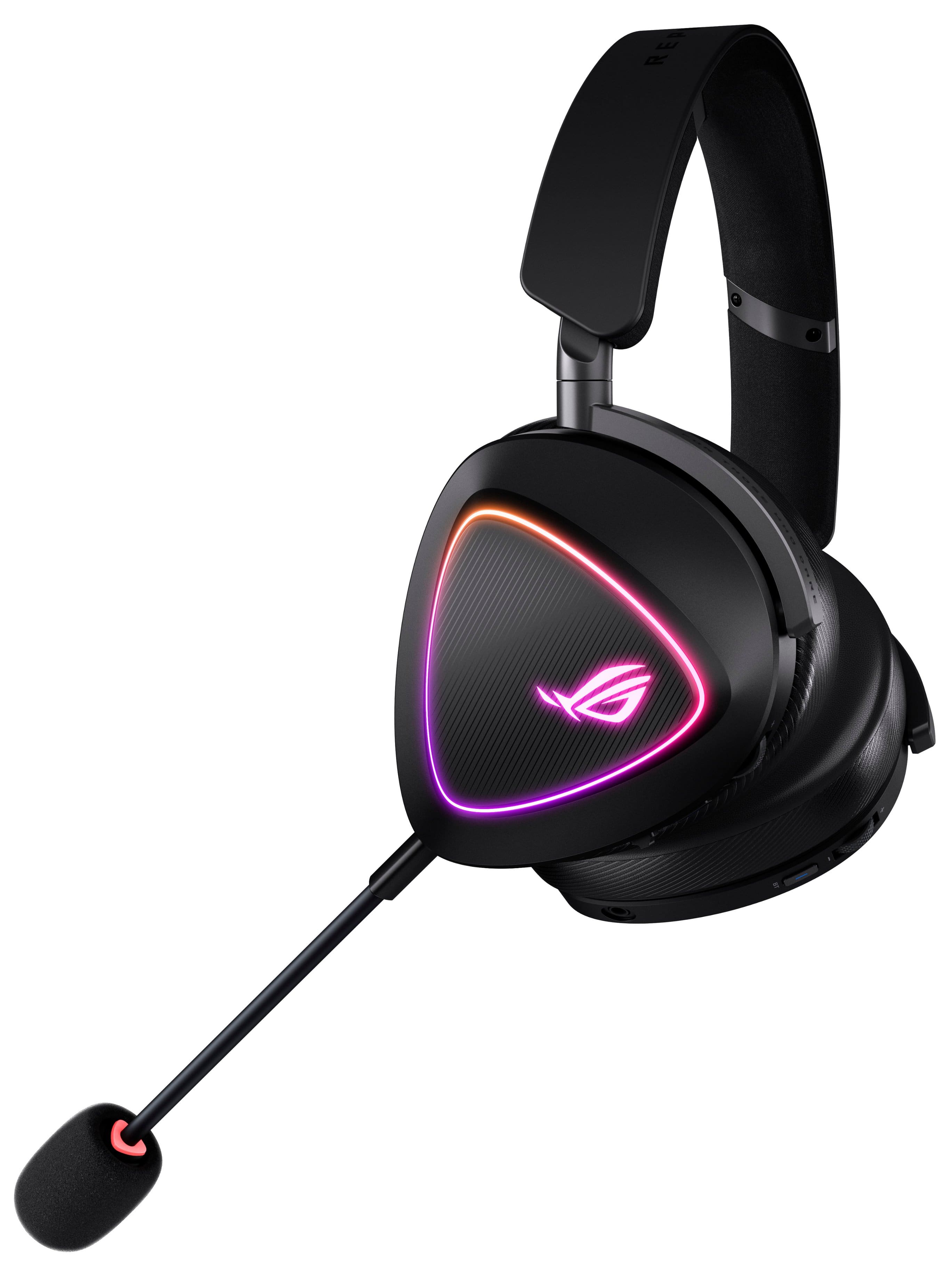
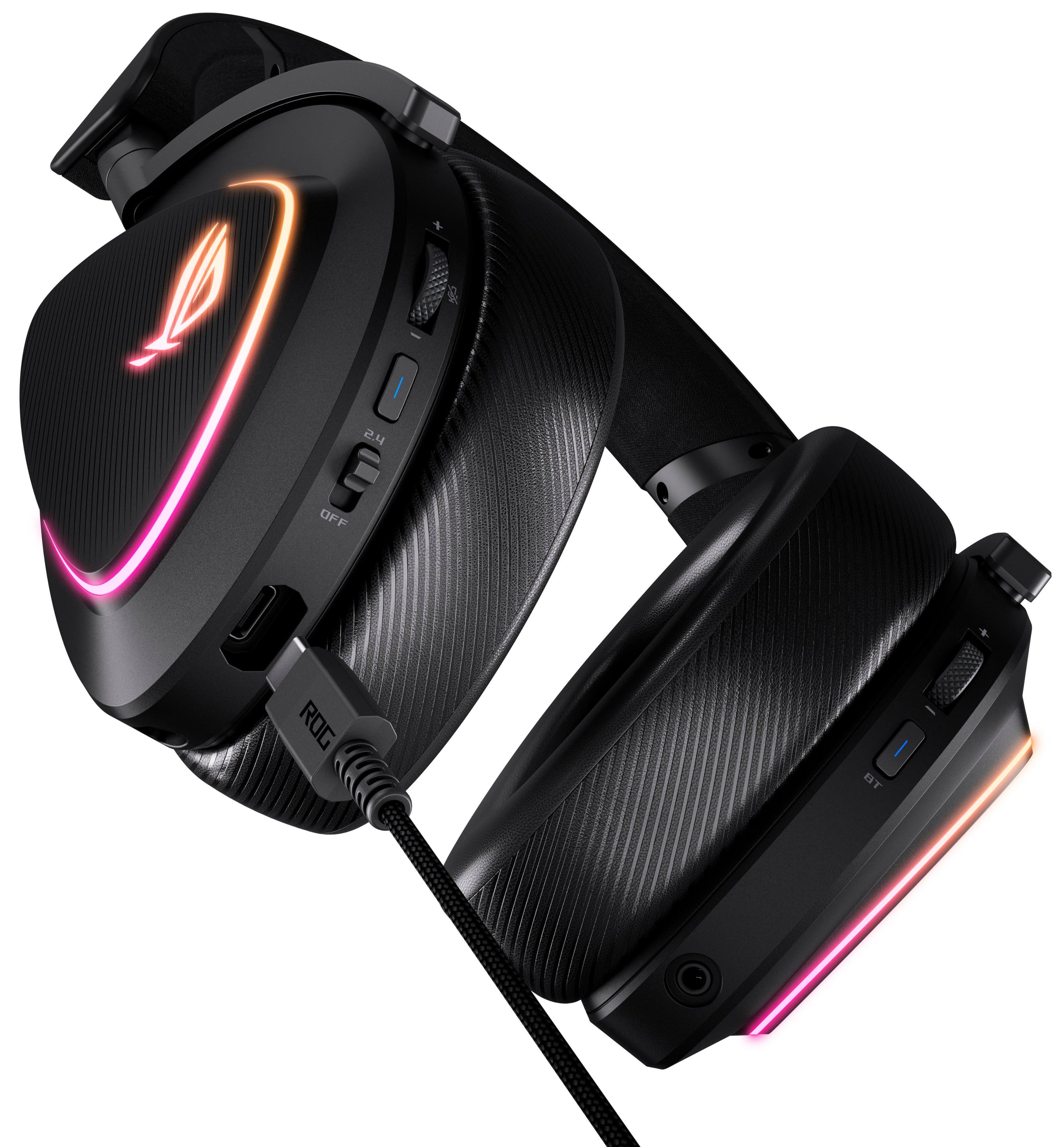
|Posted .This reviewer received promo considerations or sweepstakes entry for writing a review.The Delta II is a premium gaming headset that hits all the right notes. Looks amazing, sounds fantastic, and feels super luxe all in a sleek but subdued RGB Gamer Aesthetic that can just as easily dress down for business/work calls or being used in public environments. Right away you'll be blown away by the forward-looking attention to details. Unlike some competitors, Asus ROG has embraced the future and broken norms as you'll find a tiny USB-C 2.4GHz receiver instead of a bulky USB-A receiver. They provide an adapter if you don't have USB-C but they cater to those who are on the cutting edge and have the latest connectivity. You also have braided cables and high quality materials. Metal headband with some resistance and incremental adjustment clicks and memory foam on the headband and on the earpads. You also get the ability to swap the earpads for softer mesh covers instead of faux leather. This just comes down to preference on breathability as the foam tends to breath better than the faux leather material. Swapping the earpads is easy, you just pull and insert the inserts around the rings. This was maybe my least favorite part as I think maybe clips or even magnets would've been a bit nicer but this may be something you only do once or maybe never. If you ever need to replace the earpads, that should be easy which is a great feature. In terms of multi-connect functionality, the Delta II handles this better than maybe any headset I've used. You can connect to two devices simultaneously over 2.4GHz RF via dongle, but also via BT. The sound output is muxed together if you have both BT and RF turned on and a source playing. RF is turned on with the power switch on the left ear, and BT can be turned on/off independently via a 3 second press on the button on the right earphone. Similarly, the volume level can be changed independently as there is a volume wheel on both ears, left for RF, right for BT. Every button is slightly different feeling or sized and this is very important as you'll quickly remember what buttons does what. You can actually connect a 3rd way using the 3.5mm miniplug for those who have audio sources from 3.5mm. You can't connect more than 1 BT device at once however, so BT multi-point is not enabled. On BT only headsets, they often let you connect to two BT devices simultaneously and swap between them. The Delta II swaps this with RF connectivity which makes sense. Another nice touch is the microphone, which is super flexible and adjustable. It can be completely removed and there's a keyed triangle that only gets inserted one way. On the left ear volume wheel, pressing it actually mutes the microphone and a red light on the mouth boom lights up red as well to let you know you're muted. This is great for those work Teams calls so you're not caught on mic chomping on chips or have your kids screaming in the background. For gaming, its also helpful so you're not awkwardly getting caught on mic during your bio break in the middle of a marathon gaming session haha. Almost forgot to cover sound quality, the built-in 7.1 positional sound needs positional sound software to unlock. For Asus that means Armoury Crate, which is a bit heavy for just positional sound, but great if you already have a lot of Asus ROG ecosystem products. If you already have a license or want to pay the license fee, you can also get Dolby Access which unlocks positional sound for headsets on Windows. You can try for free, just make sure to change the positional sound to Dolby Atmos in the Sound settings and you're really in for a treat. With 110 hours of battery life and BT connectivity, I think the only thing that really prevents me from using these as my headphones for everything, even travel and mass transit, is the fact they are not noise cancelling and they don't have a travel case. Otherwise, I would be completely happy and satisfied with their audio quality and connectivity over BT offers easy connectivity to my iPhone I really love the sound, fit and comfort of these ROG Delta II and the RGB elements and the ROG logo looks amazing without being overstated. There's no doubt Asus ROG makes ultra-premium devices and the Delta II is no exception. If you're already a big Asus ROG fan that wants to add another piece to your collection or looking to try something in their ecosystem of PC gaming products, you won't be disappointed with the Delta II in your arsenal.
I would recommend this to a friend I bought on special but is better than other
||Posted . Owned for 1 month when reviewed.This reviewer received promo considerations or sweepstakes entry for writing a review.I’m happy with everything I would recommend it to everyone check the videos on you tube
I would recommend this to a friend- Pros mentioned:Battery life, Comfort, Sound quality
Checks all the boxes
|Posted .This reviewer received promo considerations or sweepstakes entry for writing a review.The design for the ROG Delta II is very well thought out. These are lightweight, which makes a huge difference when wearing for long periods of time. I can wear it all day without any fatigue. The detachable mic boom is a really nice feature, so when you are not gaming, you can just pop it off and use these as regular headphones - great for the gym, walks, or running errands. Connection Options - You can switch between Bluetooth and 2.4GHz wireless, which is very convenient. I use Bluetooth when I’m out with my phone, and 2.4GHz when I’m gaming. The 2.4 Ghz is ideal for maximizing the battery life, so many sure to use this option on your PC Sound & Mic Quality - These sound fantastic. They are easily on par with some high-end headphones I’ve used. The highs, mids, and lows are all well-balanced - it’s a rich, full sound whether I’m listening to music, playing games, or on a Zoom call. The mic is just as good. It picks up my voice clearly and would also work for recordings or meetings if needed. Aesthetics - I’m a big fan of the look. The triangular earcups have a unique style, and the RGB glow gives it a nice ambience without being too flashy or distracting. You actually don't even notice the glow when wearing them, but to others, It looks high-end. Controls - Everything is easy to access - there are controls on both sides of the headphones, and separate controls for sound volume and mic volume, and a toggle for connection modes. It’s nice being able to quickly go from a game to a phone call without digging into settings. Battery Life The battery life is insane - I’m getting over 100 hours in 2.4GHz mode. These also use USB-C for their charger, so you can charge them back up in just a few hours. This is probably the best battery life headset I've had. Overall, I couldn’t be happier with this headset. It checks all the boxes for comfort, sound, battery life, aesthetics and overall flexibility.
I would recommend this to a friend - Pros mentioned:Battery life, Comfort, Connectivity
Great Gaming Headset Capable of Everyday Use
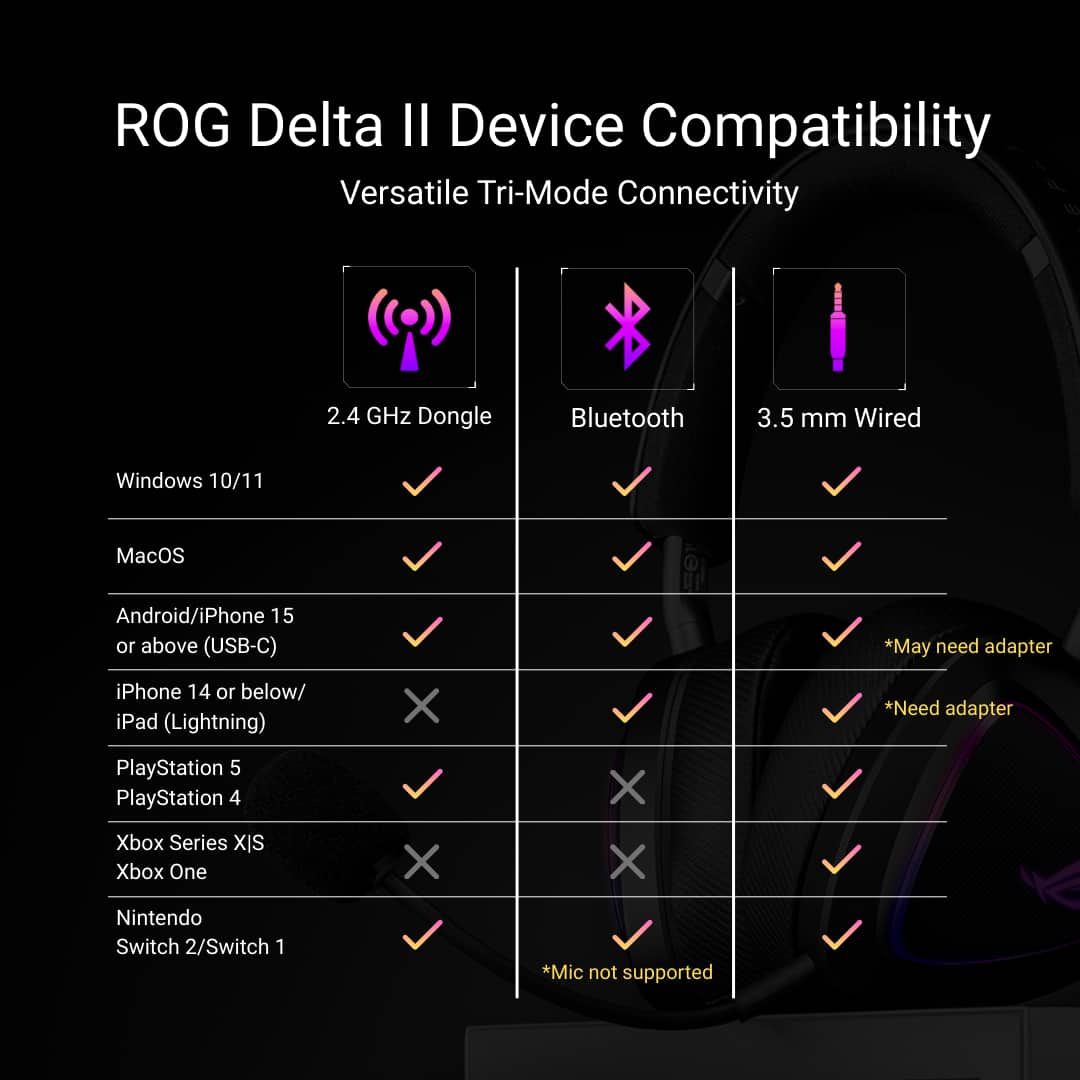
|Posted .This reviewer received promo considerations or sweepstakes entry for writing a review.For years, most gaming headsets were made just for gaming and had limited functions for other uses. I typically avoided them for this reason. Since ASUS does a great job with other gaming products, I gave the ROG Delta II headset a try. I first paired this headset to my Switch using Bluetooth, but, with Bluetooth connectivity, the microphone does not work and requires a 2.4 Ghz connection. After a little bit of searching in the box, I found the 2.4 Ghz dongle. The dongle is about the size of a thumb drive and uses a USB-C port. The 2.4 Ghz connection was almost instant and I was able to use the microphone for gaming. There was little to no lag when speaking and my voice sounded crystal clear. As for the sound with the three possible connections, they all sounded great. They may not have sounded as good as my high-end headphones, but they sounded good enough for everyday music enjoyment. Asus checked all the boxes when designing this headset to fit the various needs. With the Bluetooth connection, I was even about to use these for phone conversations. The greatest thing about this headset is that you can connect to both 2.4 Ghz on your gaming system and Bluetooth on your phone at the same time. So, no more missed phone calls during game play. ASUS also did a great job at making them comfortable and lightweight. I was unable to test out the battery life. I did not use the RBG lighting much, so I still had a lot of battery life left without recharging. Pros Multiple connections (3.5mm, 2.4 Ghz, and Bluetooth) Sound Microphone Battery life Lightweight Cons Size of 2.4 Ghz dongle (thumb drive size) Asus has made a clear winner. The ROG Delta II is top notch gaming headset and can work for everyday use. I would highly recommend these.
I would recommend this to a friend - Pros mentioned:Battery life, Comfort, Connectivity
Wired is the best but limited amount of controls
|Posted .This reviewer received promo considerations or sweepstakes entry for writing a review.The Asus ROG Delta II package is great. There are three ways to connect, wired, bluetooth, or included USB dongle for RF 2.4GHz connection. The USB dongle is convenient because it has both USB-A and Type C adapter. The charging cable is USB-A to USB-C and it is braided. Same with the 2.5mm audio cable. This should become standard with cables. It increases durability and is less likely to get tangled. The weight of the headset is great. I have been using it for about 2 hours each time and it remains comfortable. It is not too heavy. Battery life has been good as well. It also comes with an extra set of ear pads. One set is all cloth while the other seems to have leather on the outer lining. One side has the ROG logo, and the other side has “R”. Could be for “Right” or “ROG”. Doesn’t seem like it matters which side you put it on. The microphone is detachable and can only be plugged in on the left side. This is okay but the other side has the 2.5mm port. I initially thought this is where the microphone plugged in. Then people were saying they couldn’t hear me. I realized my mistake. There is also a triangle shape around the port to match the plug on the microphone. Small detail that I did not notice until later. The sound is great. It is bassy enough for music. There is no equalizer to adjust but it is fine. Here are the things I did not like or need improvement in future versions. The wireless connection method is the best. I can have the volume and input gain at 50% and works very well. No controls on the headset when using wired connection. The other two connections, RF and bluetooth have separate controls. The left side is for RF and the right side is for bluetooth. Volume control, play, skip, and go back for music. No controls for gain on the microphone. These are two sets of buttons. I hope in future versions this can be consolidated to control both RF and bluetooth. Switching between wired and wireless is a bit confusing as well. Let’s say your battery is running low. You can plug it in and go wired but if you forget to turn off RF or bluetooth, it isn’t going to work. If you’re in the middle of a game, you may forget this step. This is a sold wired headset but no on-board controls. This connection is the best. But you are limited to the length of the cables. The wireless connection is fine, but I notice I have to turn the volume and mic gain all the way up for it to be usable. Lots of room to improve in future versions.
I would recommend this to a friendBrand response from ASUS Answers
Posted .Dear Sherwinmdev,
Thank you for sharing your comments regarding the ASUS ROG Delta II Wireless Gaming Headset. We understand that it didn't meet your full expectations, and we sincerely apologize for that, as we do understand your concerns. We are committed to providing our customers with the highest-quality products, and we will forward your review to our Product team for review.
We stand behind our products and continuously strive to improve our products and processes to achieve customer service excellence. If you require any further assistance, please email us at customerloyalty@asus.com and include the case number "N2504012572-0002" as a reference. We will do our best to resolve your case quickly. Your feedback is very important to us and enables us to improve our support channels. Thank you for choosing ASUS.
Best Regards,
Chantae
ASUS Customer Loyalty US Support
- Pros mentioned:Battery life, Sound quality, Weight
New Favorite Headset
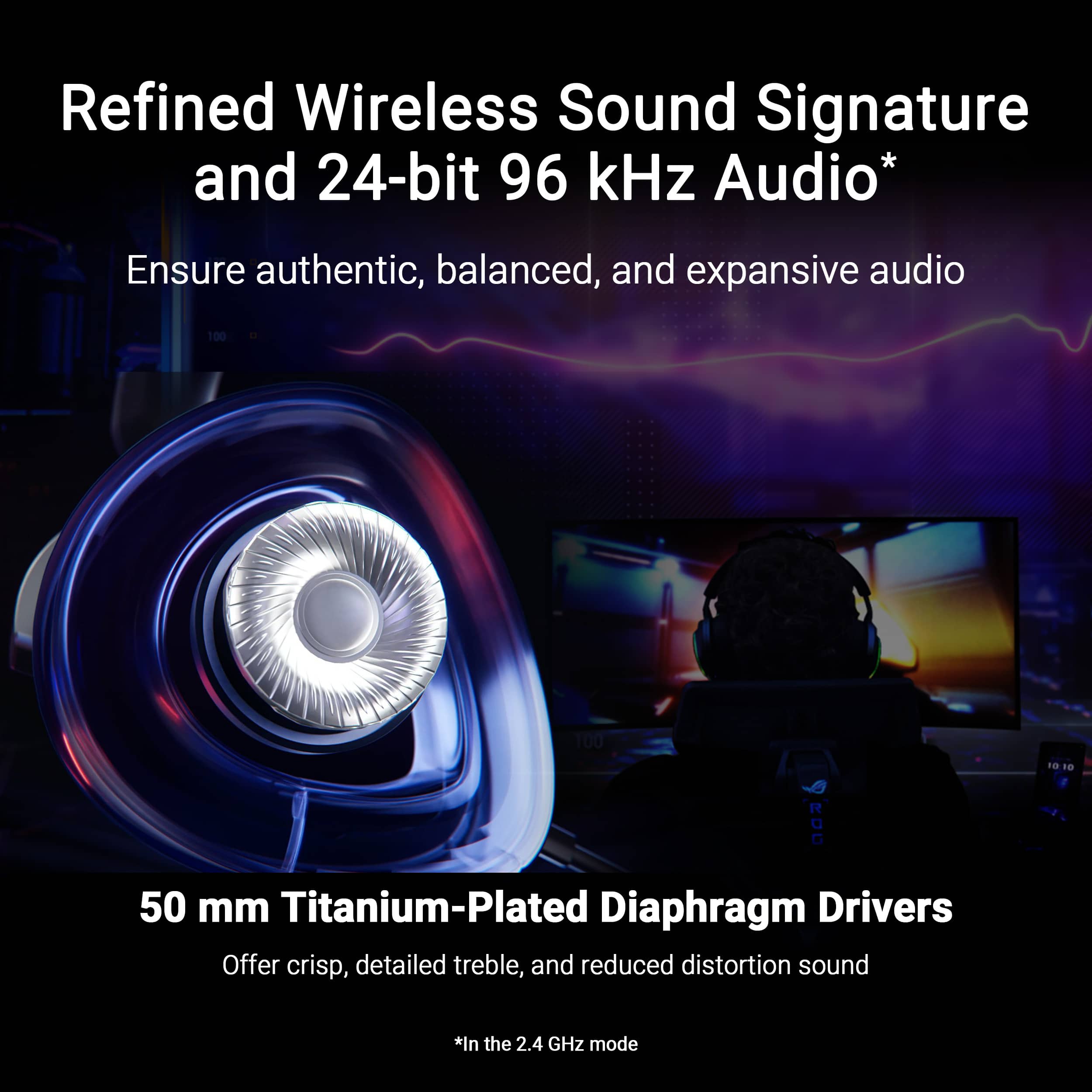
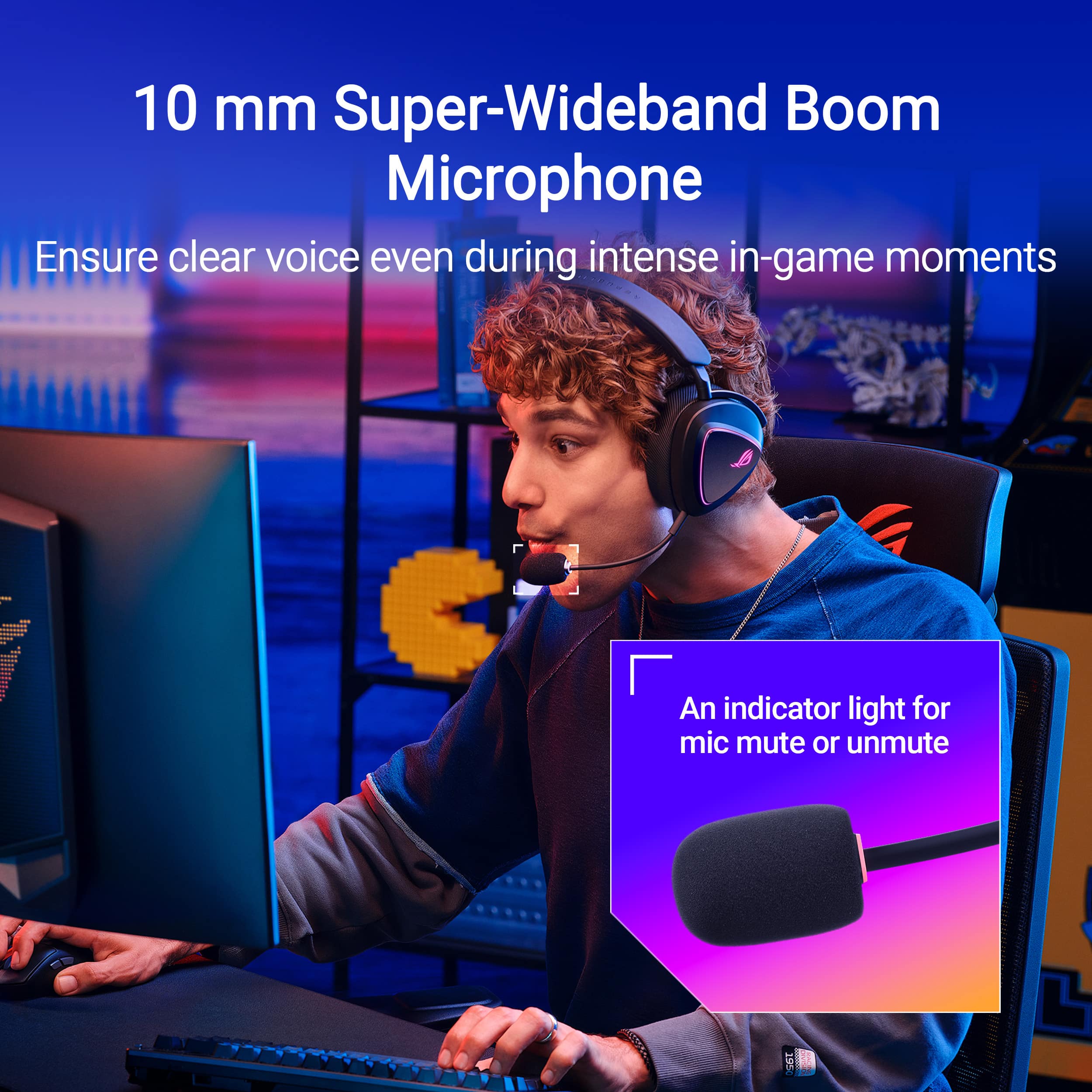
|Posted .This reviewer received promo considerations or sweepstakes entry for writing a review.I’ve been wanting to upgrade my aging SteelSeries Arctic 7; the battery life has started to dwindle due to years of use and I really want to get rid of the last Micro USB device I still use (all for that USB-C). I wanted something light, with a long battery life and multi-device support that worked with any Bluetooth compatible device. Enter the ASUS ROG Delta 2 Wireless Gaming Headset. It checks all the boxes, so hopefully it doesn’t let me down. Pros: - Lightweight. - 110hr Battery Life. - High Quality Sound. - Dual simultaneous inputs. Cons: - No active Noise Cancellation. - Dual channel sound only works with multiple inputs, not multiple channels from a single source. Setup: Just opening the box, I could tell that Asus put in the effort on this headset. From the materials chosen to the accessories included, the ROG Delta 2 headset was going to be a good experience. In the hands, I was very surprised by how light this headset is, at ~11oz this is one of the lightest gaming headsets I’ve used. The headband materials are solid but flexible, providing a comfortable but firm fit on the head. The headband adjusts on each earcup to fit your head, it’s not as tight of a fit as other headsets I’ve used but in a good way where you won’t start to feel the squeeze after those long gaming sessions. I love the Plug-&-Play of the ROG Delta 2, you can literally just take it out, plug in the dongle or connect via Bluetooth, and go. No extra software needed. This is not usually common for higher end headsets, as companies usually push all the “extra” software features. But ASUS surprised me here, but not requiring any. Software: If you do want to get into the extra features, you will need to download the Armoury Crate software from Asus website. There is an option to get the Armoury Crate Lite version, which strips out all the extra stuff, but it’s still another app to have installed. Luckily, you can install it, configure your headset, then turn it off. Armoury Crate allows you to adjust sound, microphone, power, and lighting settings. Under the audio tab there is the standard Equalizer, but ASUS also added a Sound Optimization option that adjusts all the settings to match the selected use of the headset from their preset selection. I’d recommend playing around with the different options to find what you prefer. I enabled the Virtual Surround Sound to get that 7.1 sound and Voice Clarity to help while playing games and chatting at the same time. One setting I recommend turning off is the lighting to get the most out of the battery life. I know this is a gaming headset and without the lights, it doesn’t scream “Gamer Headset” but really, you don’t even see the lights if they are on, unless you’re gaming in the dark and then it would be annoying to have lights flashing in the background. But to each their own. Performance: Sound quality on the ROG Delta 2 is amazing. The 50mm audio drivers sound crisp and clean, providing an immersive sound experience, so much so I was using the headset for everything. I was a little concerned at first as there was no active noise canceling for the audio, but after using the headset I can say the lack of ANC didn’t impact the use or experience. This is because the ear cushions cover the full ear, not just sit on top or in the ear. This isolates the ear from most external noises, there is still bleed in from loud and intense noises but not that it is disruptive. The background noise is more of a lite ambient noise. Using Armoury Crate, you can increase the sound quality to 24Bit 96kHz on the dongle, this mode is only supported using the USB dongle. This is great if you have music or audio that supports the higher quality format. But even on the default settings out of the box, everything sounded great with no distortions or imbalances. Battery life is the main area where the ROG Delta 2 is in its own league. Your results will vary based on configuration, but Asus’s stated 110 hours of use time is no over statement. Charging from zero to full takes only 2 hours, but you can use the headset while charging. Since charging to full, I’ve used the headset on multiple devices each day for the last 4 days for 10-12 hours a day, and the battery just went under 60% battery remaining. This is with lighting off, mainly using the dongle but also connecting to my phone or another device via Bluetooth. This is insane. I’ve got a few other headsets that average more than a day of charge, but nothing that is multiple days of use time. One charge could easily last a week for most users. Microphone: The microphone quality is another feature that is in a league of its own. I usually use a budget XLR microphone instead of the headset microphone, but with the ROG Delta 2, the difference in quality is so minor that the convenience of the headset wins. The microphone worked great over the Bluetooth for phone calls and meetings, I got comments from the other end that my audio was very clear and easy to hear, more so than when using the phone microphone. Additionally, the mute light on the mic boom is a feature I always appreciate as it helps reduce the accidental mute/unmuted talking. Add in the audio cue for mute, and it’s hard to miss. I often have a side conversation with my partner between games and being able to know both visually and audibly that I am in fact on mute or not, is a much-needed indicator. Multi-input sound: The ROG Delta 2 is compatible with every type of device for your audio needs, using either the dongle, Bluetooth, or wired 3.5mm jack. The best quality comes from the use of the dongle, which can be connected via a USB-C port, but Asus also includes a USB-C to USB-A adapter with the headset. Unfortunately for Xbox fans, the only way to use the ROG Delta 2 is with the 3.5mm jack. A unique benefit of the ROG Delta 2 is the “DualFlow Audio”, which allows for dual device input from the 2.4GHz dongle and Bluetooth connection at the same time. This means you can connect to a PC with the dongle and your phone or mobile device and listen to audio from both at the same time. I found this to be quite convenient, as I often miss messages or alerts on my phone because I’m not paying attention or have my gaming headset on. But with the audio tied directly into my headset, it’s hard to miss a call. The only thing you must remember is to turn on both connections, the back of the headset has a switch for the 2.4GHz connection but a button on the other headphone for Bluetooth, turning on one does not turn on the other. The DualFlow Audio is different from the normal trend of multi-channel headsets that many gaming headsets have, where they split the game and communication audio into different channels. I do wish there was a way to split the audio based on the type, Communication or Game, as I like to be able to adhoc adjust the chat volume because it can be hard to hear people over game volume. Conclusion: If you want one of the most compatible, lightweight, and long-lasting battery headsets, then the ASUS ROG Delta 2 is a solid choice for you. With up to 110 hours of battery on a single charge, this headset will last through the longest gaming session. Additionally, DualFlow audio is a convenient feature that allows you to use two device inputs at once, allowing you to game and talk on the phone without the need for a second audio device. Overall, I’ve really enjoyed using the Asus ROG Delta 2 and it has become one of my favorite headsets, if not my default headset for gaming and calls. It’s been added to my list of best gaming headsets.
I would recommend this to a friend - Pros mentioned:Comfort, Sound quality
Great sound and loaded with features
|Posted .This reviewer received promo considerations or sweepstakes entry for writing a review.The ASUS ROG Delta II is feature-packed and great sounding headset. Among the standout features for me were the quality of the sound and versatility of connection options. And for the most part, this headset satisfies all my gaming needs. I can use it with my PS5 Pro, PC, Switch, and Xbox through the various connection methods. They sound great, are very comfortable wear for extended sessions. - Setup / Connections Getting the headset connected to my platforms was very easy for the most part. For my PC, I simply plugged in the USB dongle, turned on the headset, and I was ready to go. The PS5 worked the same exact way. I wish the Xbox did too. However, due to restrictions on how the Xbox works, you can only use this headset by plugging into the 3.5mm jack. Using the wired method of using the headset is the only sort of downside to me. With the worst part being that there doesn't seem to be a way to control the volume on the headset when it's wired. So, you have to make adjustments in the Xbox dashboard instead. Not a huge deal, since once you have it setup, you don't really need to adjust it. - Audio In my experience this headset has some of the best sound in its class. Highs sound crisp and sharp, bass sounds clear and hits very well. The default settings sounded great to me, but you can also adjust them on your PC using the ASUS software if you would like to fine tune them. Easily one of the best sounding headsets that I have ever used. While playing online with my friends, they commented on how clear my voice was sounding as well. The mic is easy to adjust and sounds great. - Comfort This is another standout section for me too. The headset is very comfortable to use for longer sessions. The ear cups can be used with the default leatherette, or a fabric cover. I preferred the leatherette. It's very comfortable and didn't ever press on my ears or the side of my head. I didn't have any trouble with getting warm with them either. Some may prefer the fabric, so it's nice that they're included as well. The adjustable mic is another great feature too, and the fact that it's removable is a nice plus as well. If you're in the market for a nice, fully featured headset, this is an easy recommendation. Pros: Easy setup, Great Sound, Very Comfortable, Ear Cup Options, Works with almost any platform, detachable mic Cons: No apparent way to control the mic volume on the headset itself when using with Xbox (must be done with Xbox dashboard). Some of the quick start guide wasn't exactly clear
I would recommend this to a friend - Pros mentioned:Battery life, Comfort, Sound quality
An Excellent Headset
|Posted .This reviewer received promo considerations or sweepstakes entry for writing a review.I'm loving this ASUS ROG Delta II gaming headset. I tested it with my PS5 and my ASUS ROG STRIX 18 laptop and compared them to my Sony Inzone buds. The headset uses 50mm drivers which means audio will be crystal clear and bass will be deep and booming. It looks and feels amazing to wear, the RGB lighting and matte black looks real sleek and stylish, and the headset is ridiculously lightweight it holds without clamping down on the ears and head. The Delta II boasts an insane 110hrs of battery life and a lightining fast 15min charge time, which is amazing for intense gaming sessions. Included in box are two sets of removable ear muffs (soft fabric in the box and faux leather which is already installed), detachable mic, a 3.5mm cable, a USB A cable with USB C to A adapter, and the bluetooth USB C dongle. Connecting and using the headset is easy, there is a handy little instruction card that lists the functions, even if this is your first gaming headset it will be easy to get started. The only negative feature I could is that when using it on either of my devices, if the dongle is connected audio output is automatically set to the headset even if it's not on. Its a simple fix of just changing the audio output in settings, but it is annoying since my Inzone buds don't switch audio output unless I open the case and wear the buds, which revert back when I put them in the case/power off. Depsite this little hiccup I won't even consider it a real issue worth of removing a star. Overall, I'm loving this headset and it will be my default set when gaming on my PS5.
I would recommend this to a friend Want my money back
||Posted . Owned for 1 week when reviewed.This reviewer received promo considerations or sweepstakes entry for writing a review.Always disconnecting and my chat stinks. Plus you take the mic out. It’s dumb.
No, I would not recommend this to a friendBrand response from ASUS Answers
Posted .Dear Buttersfasho,
We're sorry to hear about any disappointment or inconvenience you've experienced with your headset. Regarding signal issues, please ensure there are no significant obstructions (like thick walls) or other wireless devices (such as routers, cordless phones, or microwaves) in close proximity that might be causing interference. Could you please clarify your specific concern regarding the microphone? While this headset does include an integrated microphone, we want to ensure we fully understand the issue you're encountering (e.g., not being detected, poor audio quality, etc.). Please contact me directly at customerloyalty@asus.com with more details, including a link to this post, so I can provide tailored assistance and work towards a resolution.
Thank you for choosing ASUS!
Best Regards,
Adrian
ASUS Customer Loyalty – US Support
- Pros mentioned:Comfort, Sound quality, Weight
A very good headset.
|Posted .This reviewer received promo considerations or sweepstakes entry for writing a review.Okay. So I have a thing for over the ear headsets. Now that's out the way. Asus made me smile with these. I tend to not like RGB so the first thing I did was turn off the lights. I have no clue why they are needed. Just a power draw that takes away from the battery life of the headset. This headset will appeal to most folks (audiophiles, gamers and streamers alike). These have a nice look to them. Interesting design for the earcups. If you have small ears you will like these. No issue with room and the weight on your head. Had them on for around six hours getting in some Wildlands and never felt any fatigue in my ears or on my head. So kudos to Asus for that. The extra set of pads (came with the leather cups on it out the box, cloth are in the box). A feature i think a lot of folks will like is that the 2.4Ghz and Bluetooth controls are separate. One on each ear cup. Nice little touch there. Detachable mic is always good. Just don't loose the 2.4Ghz dongle. I attach it to the unit when I am not using it. Good sound quality and odds are you will use whatever EQ settings you are comfortable with on whatever you are using these with. Easy to pair using either way. Haven't had them long enough to speak on reliability but they feel pretty well made so I don't foresee a issue down the road. I would recommend picking these up if you are in teh market for a new headset.
I would recommend this to a friend - Pros mentioned:Battery life, Comfort, Sound quality
Confortable, sleek, good sound
|Posted .This reviewer received promo considerations or sweepstakes entry for writing a review.The Asus ROG Delta II Wireless Gaming Headset is well built and priced right. They do have a premium look and feel, and they sound good. They come package nicely packaged with instructions on how everything works. Installed are faux leather ear cushions, but also included are two fabric cushions, a nice and surprising bonus. The first thing I noticed about these headphones is how light they are, as soon as I put them on they were super comfortable, the ear cushions were super soft and fit well. As mentioned in the box, these work on PC, Switch, and PlayStation 4 and 5. These technically work on Xbox as well, but you have to use the included 3.5 mm audio Jack cable. The RGB lights light up well and give it a nice touch. The battery life is insane, Asus claims it can last up to 110 hours, and even though I have used these headphones for a few hours, I’m nowhere near 110. The microphone worked fine, my friends were able to hear me OK. No issues that I saw there. Or all these headphones are well built and worth the price.
I would recommend this to a friend - Pros mentioned:Sound quality
Very cool RGB lit Gaming Headset
|Posted .This reviewer received promo considerations or sweepstakes entry for writing a review.Very cool gaming headset indeed with RGB LED lit on both earcups. As I was opening the box, it’s not as “packed” with say premium type feel of foam but just cardboard shaped to contour the headset and other accessories (I have another brand headset that has a contoured foam fill in the box for the headset and with some slot, cutouts for the mic and usb receiver). It has a quick reference cutout for simple instructions; even on how to turn the RGB lighting off and others. I like how this headset here powers up with a flick of the switch from off to 2.4gz (others it’s simply holding down the power button) for the headset with the usb receiver and it’s a usb c plug receiver but you have a usbc female to usb male adapter if need to use the usb a port. I have used this with my PS5 and it sounds good so far and there is some good bass but feels like there needs to be more. I glanced at the quick reference guide and didn’t see anything about changing to different sound profiles or maybe I’m overlooking somewhere. I have also googled and so far found you can change equalizer settings through an app called Amory Crate Gear; this was by going to ASUS main page and product lookup and finding under downloads. However this app is only available on Windows computer running 10 or 11. I do have an Asus Rog Ally running Win11 with one usb c port so I was able to download the software and connect to the headset with the USB c receiver connected, which also prompted saying there’s a firmware update available. I chose to update later as it said I’d need the headset also wired connected from the usbc port on the headset to my rog ally (so I had to get a usb c hub). From the app menu there were equalizer settings as well as sound optimization settings being for FPS and bass boost. Made the changes and closed the app and unplugged the usbc receiver plugging it back to my ps5 and was able to tell the difference. However, I decided to move forward with the firmware update so I gathered my usb c hub and plugged it back to my rog ally, launched the app and followed the prompted instructions carefully. So I let the update ran its course, as the progress bar reached the end it stopped saying it failed but had the option to retry. So I had re-attempted that (and this is the rog ally with a usb c hub connected to the usbc headset receiver, and a usb cable connected to the delta 2 headset, running on battery power), and as the progress bar reached the end, it was stuck, and I was nervous but I just waited it out and after hearing a couple of windows tones (when you plug in and unplug a device) after maybe 5-8 minutes, a dialogue box comes up saying it was a success. I then proceeded to disconnecting and reconnecting to my ps5 and played some more for the evening (COD BO6). Overall it’s a great headset! Also included is a 3.5mm male to male cable to connect to your wireless controller as well if you decide to go that route too! If you care about firmware upgrades and changing sound profiles you’d need a PC as I’ve mentioned earlier with win 10-11 operating system. I really like the RGB lighting pattern on these which makes you look cool, but unsure if it adds to the battery drain.
I would recommend this to a friend - Pros mentioned:Comfort, Sound quality
Excellent quality and well thought out design
||Posted . Owned for 2 weeks when reviewed.This reviewer received promo considerations or sweepstakes entry for writing a review.These are high quality headphones. The design is very well thought out and intuitive. I love that you can easily remove or put on the microphone as needed. I like the added touch of the LEDs on the sides that are also customizable. The headset padding (comes with 2 different types of headset padding you can choose from and use interchangeably) is super comfy. I have a larger sized head and they fit me super well. These don't hurt the top of my scalp like some other headsets I have owned. I love the wireless bluetooth option, it works great while gaming on my ROG PC without experiencing any issues. It comes with a cord to plug in as an option if you want to directly plug it in. The sound quality is excellent and customizable as well. These are the nicest quality pair of headphones I have ever owned. They were a little more pricey than headphones I have bought prior but you definitely get what you pay for and more with these. I normally don't do reviews but these headphones were worth the time to share my experience. I would recommend these to people who want quality, comfort, a lot of customizability and have a larger sized head.
I would recommend this to a friend