Customer Ratings & Reviews
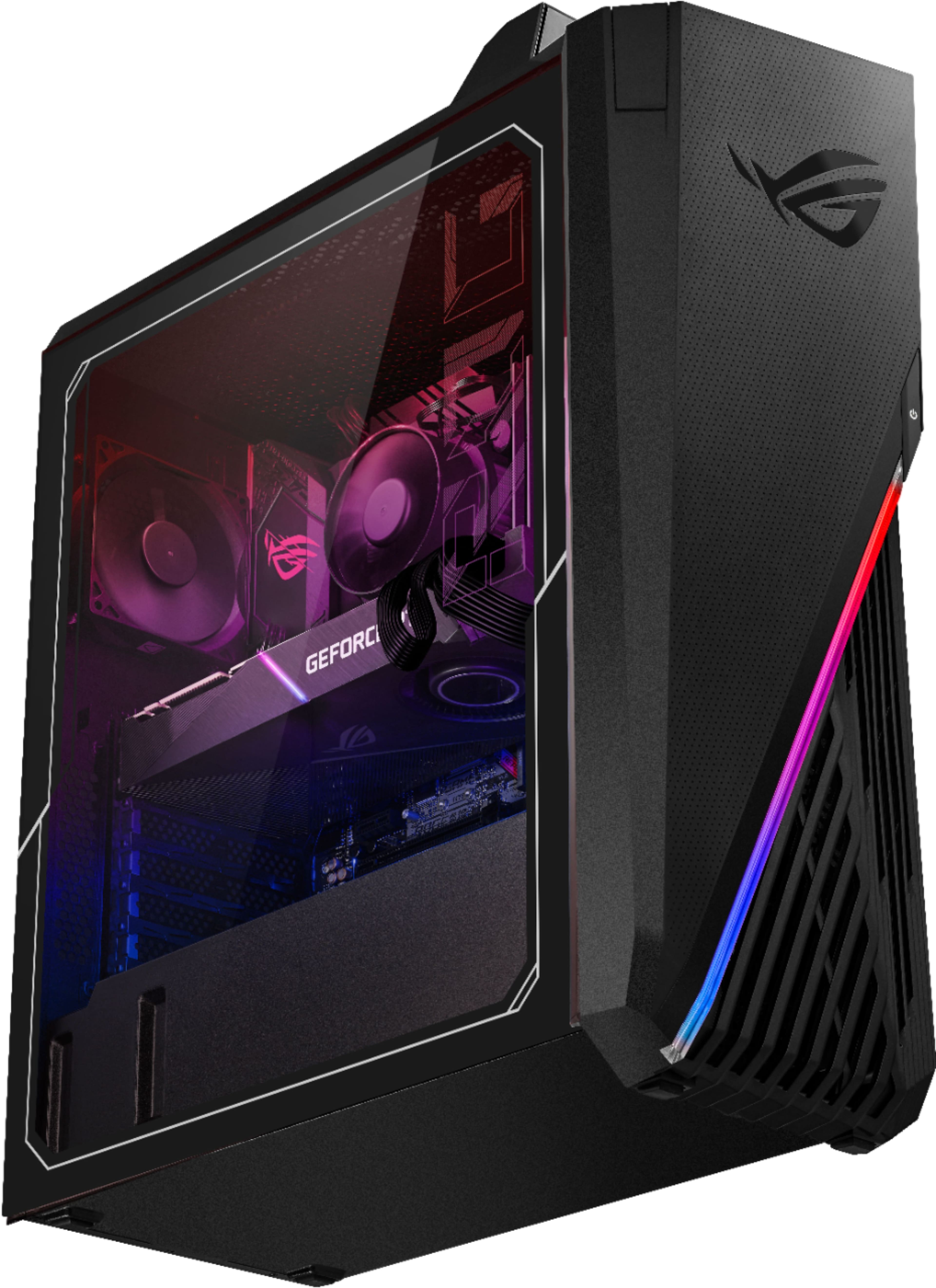
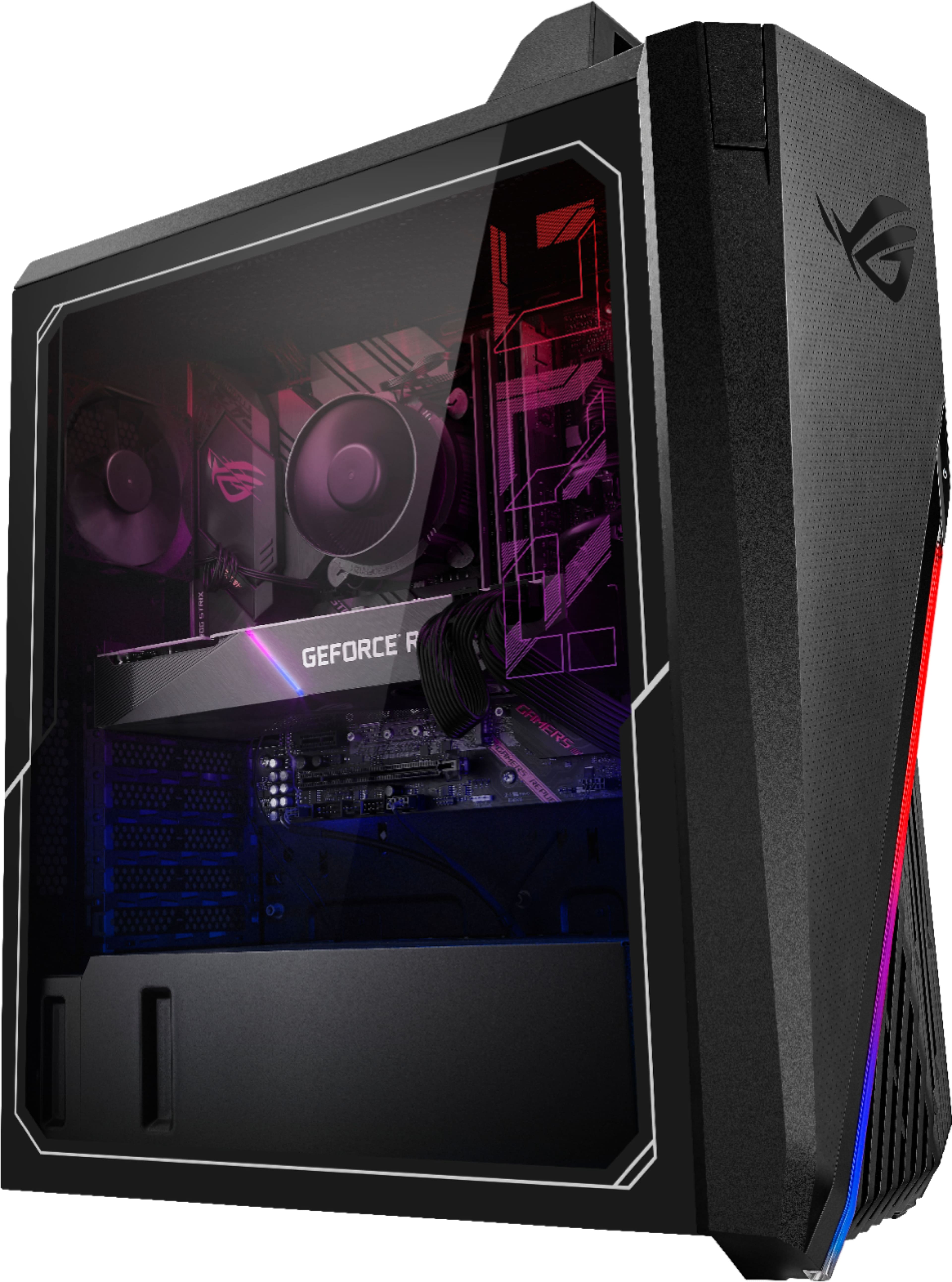
- Model:
- G15CE-B11
- SKU:
- 6455824
Rating by feature
- Value
Rating 4.1 out of 5 stars
- Quality
Rating 3.6 out of 5 stars
- Ease of Use
Rating 3.8 out of 5 stars
Customers are saying
Customers value the powerful GPU and excellent performance of the ROG Gaming Desktop, frequently praising its performance and price. However, many customers express concerns regarding the cooling system, citing excessive noise and inadequate cooling as significant drawbacks. The case design also receives mixed reviews.
This summary was generated by AI based on customer reviews.
- Cons mentioned:Cooling, Noise
Great computer!!
||Posted . Owned for 1 week when reviewed.This reviewer received promo considerations or sweepstakes entry for writing a review.All the other reviews are accurate yes this PC runs hot, though with a $14-19 fan the noice can be EXTREMELY reduced. Also you could get the Vetroo cooler and that keeps your computer working more “normal”. If you want to go all out like probably most of the people that are buying this PC. I would recommend buy a case and a better CPU cooler and you be great!! Good luck people!!! The pictures attached took a long time to figure out but it can be done. Minus 1 star because of the airflow case problem
I would recommend this to a friend - Cons mentioned:Cooling, Noise
NOT HOT BUT IT'S TOO LOUD.
||Posted . Owned for 2 weeks when reviewed.This reviewer received promo considerations or sweepstakes entry for writing a review.tbh the case is not that hot, it just the fan is too loud. I bought it from an open box, run very smooth, I want my pc as good as for the next 3-4 years so I have to move all of them into the new case with the new cooler for the cpu. The open box costed me like 1900 plus tax, and $345 more for the 4000D airflow case, corsair - iCUE H150i ELITE CAPELLIX CPU, and corsair- iCUE SP120 RGB ELITE Performance 120mm PWM Triple Fan Kit with iCUE Lighting Node. Total would be 2250 or sth. It could be said that it is the best rtx 3080 pc with this price.
I would recommend this to a friend - Pros mentioned:PerformanceCons mentioned:Case
So you think you can change a pc case…buyer beware
||Posted . Owned for less than 1 week when reviewed.This reviewer received promo considerations or sweepstakes entry for writing a review.Cons: DOLLAR STORE SEAGATE HDD A 15 gig game may take 1 hour to download with 500mb/s wifi and the rest of the computer running under 1 percent capacity. HDD will be bottlenecked around 500kb/s- 20mb/s, with the maximum around 100mb/s for only a short period. Save $200 and buy a second ssd CASE SWAPS ARE A LOT LIKE OPEN HEART SURGERY I’ve been an electrician for years and this was one of the most nerve racking experiences with electronics or electricity that I have ever had. (And I’ve worked with line wires and nothing more than some duct tape insulation) Before I plugged this thing in I estimated that there was a 10% chance that it wouldn’t be completely fried. The amount of times that I dropped screwdrivers onto very small and expensive components was sickening. Before you listen to these plug and play wizards who have maybe done 2 or 3 case swaps they’re whole life, take my advice and try not to swap the case… they’re are plenty of places you can cut holes in this case for the liquid cooler and more fans. You are clearly buying this for (performance/cost) and not looks at the $1799 price in 2022 INSTALLED RAM CAN NOT HAVE XMP ENABLED The setting for xmp in the bios can not be enabled for this stock 16gb RAM THE 3080 TUF HAS ONLY 10GB VRAM AND NOT 12GB Also expect some sag if you change cases NO INSTRUCTIONS I don’t know if I lost them or what but I was doing a lot of googling to figure out motherboard plugs (luckily they’re labeled) PROS :-:- too many to count Running heaven at avg 300 fps on max settings 3080 setup for under 1,000,000 in 2022 Very strong carrying handle on the original case Stock led strips inside; all controllable from asus armory crate Most powerful setup that I’ve ever seen Very little tweaking necessary Multi fan controller on back side of case( think it has 7 fan outputs) 1 cpu fan channel, 2 main fan channels, aio pump channel Multiple RGB HeaderS 2gpu slots Internal Intel cpu graphics for troubleshooting Very strong external wifi antenna included I used an ID cooling 360 cpu cooler for $100 but might only fit 240 in original case Open box Corsair 5000d case for $130 with many fan slots and filters
I would recommend this to a friend - Cons mentioned:Cooling
Great Guts in a wimpy body. 3080 + I7 11700KF
||Posted . Owned for 3 weeks when reviewed.This reviewer received promo considerations or sweepstakes entry for writing a review.The computer has quality parts stuffed in to a hot box with poor cooling. Asus Tuff gaming 3 fan 3080 with an intel I7-11700kf and 16 gigs of Hyundai ram @ 3200. This thing has the power to play any games at 1440p or even 4K. But it has no front fans and the worst CPU cooler I have ever seen on a computer, never mind a ROG STRIX labeled product. my solution was to buy an inexpensive high flow case and a 240mm AIO, both MSI from Bestbuy for an additional 180 dollars. Now its much better looking and runs cool and quiet.
I would recommend this to a friendBrand response from ASUS Answers
Posted .Dear PCBuilder,
We do understand your concern about the cooling system on the PC.
The cooling system is adequate to dissipate heat efficeintly while the computer is under heavy load. It is normal for the desktop, with the same hardware configuration and regardless of the manufacturer, to generate more heat than normal while under heavy load especially during gaming, WINDOWS Update and antivirus scan. When system resource utilization is high, this will generate more heat than normal and tends to trigger the fan to spin at full-throttle. Please ensure the air ventilations are free from obstructions in order to have an efficient air flow for better heat dissipation. While gaming, please ensure no resource hungry applications are running in the background, this will definitely spike the temperature. The heat or temperature does decreases or normalizes once system resource utilization goes down.
Should you need further assistance with the product, please email me at cl-rodel@asus.com and I would be more than happy to help. Or, you are most welcome to call Product Support Hotline at: 1(888) 678-3688. Also, you can chat with an ASUS live support agent at: http://bit.ly/AsusLiveChat.
Thank you for choosing an ASUS product.
Regards,
Rodel
ASUS Customer Loyalty
- Pros mentioned:Gpu, Price
Excellent Machine for the Price
||Posted . Owned for less than 1 week when reviewed.This reviewer received promo considerations or sweepstakes entry for writing a review.I came here to review and let everyone know what came in my purchase since best buy customer service has no idea. The gpu is the asus TUF Gaming 3080 OC. The MoBo version is asus strix b560-g with built-in wifi and 2 antennas are included. Excellent Machine for this price especially with a TUF 3080 going for $1900 resale alone.
I would recommend this to a friend - Cons mentioned:Cooling, Fans
CPU thermal nightmare
||Posted . Owned for 3 weeks when reviewed.This reviewer received promo considerations or sweepstakes entry for writing a review.On paper this looks like a nice machine, but I've had the same thermal issues as most other people have had. I've even taken the side panels off and aimed a big fan to see if that helps, but the PC will just randomly shut off multiple times a day. When we were initially loading software like Steam/Epic it just powered off.. no blue screen or anything. Seems like the CPU cooler is very poor quality or the thermal paste was applied improperly. I also tried setting all the fans to 100% with no success either. Very frustrating for an expensive purchase.
No, I would not recommend this to a friendBrand response from ASUS Answers
Posted .Dear Valued Customer,
It's unfortunate to hear about your issue with the thermal and the PC randomly shuts down. Have you updated the BIOS? You can further explain to me at customerloyalty@asus.com and provide this link for reference. I'll do my best to provide a quick resolution to your case. Your feedback is important as it helps with improvements to ASUS Support channels.
Thank you for choosing ASUS!
Best Regards,
Jamalie,
ASUS Customer Loyalty US Support
- Pros mentioned:PerformanceCons mentioned:Cooling
Amazing buy upgrades needed
||Posted .This reviewer received promo considerations or sweepstakes entry for writing a review.Amazing buy I would absolutely buy this at this price point the 3080 is perfect the only thing I would say is a down side would be how small the tower is for a mid size and the cooling system is horrible best thing I can say is to upgrade your fan and and add a better cooling system and if u can buy a bigger tower overall great pc runs like a beast.
I would recommend this to a friend - Cons mentioned:Cooling, Noise
Graphics card is great, The rest can't keep up.
||Posted .This reviewer received promo considerations or sweepstakes entry for writing a review.System boots, runs somewhat ok. Sounds like a fighter jet, overheats. Going to talk to support before pulling off cooler and checking thermal paste. I've never heard a PC this loud outside of a rack mounted blade server. And I work different computers daily. I made side by side videos comparing this model to my desktop it's meant to replace, a i7-8700. And it's night and day, this thing hits 100c and throttles 10 seconds into test. My old rig with a smaller cooler on it Maxes out at 66c and never throttles. Either something is wrong with this cooler / thermal paste on CPU, or this thing is just an insane power / heat hungry CPU that I don't think even a water cooler is going to tame. Not sure what I'm going to do at this point, I was hoping to do a case swap with better cooling and RAM but I'm worried I won't be able to cool this new intel CPU.
No, I would not recommend this to a friendBrand response from ASUS Answers
Posted .Dear Valued Customer,
It's unfortunate to hear that the unit overheats. This is absolutely not the kind of experience we want any of our customers to have. All ASUS products undergo intensive quality control, testing, and
inspections. What you've experienced was not intentional and this was a random case. If your issue was not resolved, feel free to reach out to me at customerloyalty@asus.com and provide this link for reference. I'll do my best to provide a quick resolution to your case. Your feedback is important as it helps with improvements to ASUS Support channels.
Thank you for choosing ASUS!
Best Regards,
Jamalie,
ASUS Customer Loyalty US Support
From pre-built to re-build
||Posted .This reviewer received promo considerations or sweepstakes entry for writing a review.Summary: PROS; Easy way to get a high-end graphics card and a reasonably fast CPU. CONS: You're paying a premium for otherwise average components, a case that runs hot, and less support for the motherboard than you would get from an ASUS retail MB. Detail: After hunting around for an NVIDIA card I ended up biting the bullet and just buying one of these systems in the hopes that it would be an overall value. After getting the machine I noted that, as others have mentioned, the case runs hot and relatively loud. I was also not terribly impressed by the components (RAM, MD, SSD, etc) that were included in the build. I decided that having an RTX3080 in hand was worth it to just tear down this machine and rebuild from scratch. So that's what I did. I kept only the RTX3080, the processor, and the motherboard. Everything else, case/fans/SSD/ram/CPU cooler, was replaced. The result is a machine that runs much faster, much quieter, and much cooler. It's unfortunate that I had to go to those lengths, but if you want an RTX card you're either waiting to get lucky, or you're taking extraordinary steps. One thing that bothers me about these ROG STRIX G15CE machines is that even though Asus is using their B560-G motherboard in them they've hobbled the board by not using the retail version's BIOS. As of this post the BIOS available for the G15CE is from July 2021, whereas the retail B560-G has an update in the past two weeks (12/2021). Search around and you'll see people have confirmed that the motherboard is the same, and some people have even gone so far as to re-program the BIOS on the G15CE board to use the retail BIOS. WE SHOULDN'T HAVE TO DO THAT! Asus should provide better support to the people that are shelling out $2000 for a complete system, vs the people that are shelling out $200 for a single component. Either let us use the retail BIOS or keep the G15CE BIOS up to date. Based on the components that shipped in this machine It's unlikely that I would consider buying another complete system from Asus. I hope that when the time comes that parts are more readily available so that I don't feel compelled to.
No, I would not recommend this to a friendBrand response from ASUS Answers
Posted .Dear RobD,
Thank you taking some time to write a comment and for sharing your experience with the desktop PC.
Should you need further assistance with the product, please email me at cl-rodel@asus.com and I would be more than happy to help. Or, you are most welcome to call Product Support Hotline at: 1(888) 678-3688. Also, you can chat with an ASUS live support agent at: http://bit.ly/AsusLiveChat.
Thank you for choosing an ASUS product.
Regards,
Rodel
ASUS Customer Loyalty
- Cons mentioned:Cooling
I dig it.
||Posted .This reviewer received promo considerations or sweepstakes entry for writing a review.Nice little pre-built that sells for cheaper than the card in it does on eBay these days. Crazy times. Luckily for me it’s been about 6 years since I’ve upgraded so I don’t need to part out the rest. I’m a fan of the little case. It sits nicely on my desk, is very cleanly wired, and has a calming slow changing light show in it. I keep reading about the lack of fans and a proper CPU cooler and how the mobo won’t overclock the i7. All valid points I guess, but I just played Cyberpunk completely maxed out w/ ultra ray tracing for 6 hours and this thing never broke a sweat or glitched out... and it was always above 60fps at 1440p. IDK, if you just wanna play games at a high frame rate w/ RTX and not be the benchmark stress test champion of the world this is a great buy in my book, and the gravy is I didn’t have to wait 4 months to get it.
I would recommend this to a friend - Pros mentioned:PerformanceCons mentioned:Cooling
Runs great, needs tinkering for the cooling
||Posted . Owned for less than 1 week when reviewed.This reviewer received promo considerations or sweepstakes entry for writing a review.Computer runs great, fantastic build for a 3080. It does require some hands on work to get the cooling under control however. I replaced the stock CPU cooler with the Vetroo V5 cooler (found on Amazon for 30 bucks) and installed two 120 mm intake fans to the front of the case. After this the CPU went from consistently getting to 85-90C during gaming to 60-70C. Do do this, I recommend taking the GPU out of the case (otherwise it's a huge pain to get the CPU fan on the heatsink). Note for taking out the GPU, there is a bracket holding the GPU in place on both ends. Additionally, the motherboard only has two case fan connection points, so you will need to daisy chain the front two fans. The rig performs like a beast otherwise, I am getting 80-100 fps in Cyberpunk 2077 at ultra ray tracing settings on a 1440p monitor.
I would recommend this to a friend - Pros mentioned:GpuCons mentioned:Noise
Good choice for gaming/mining
||Posted . Owned for 6 months when reviewed.This reviewer received promo considerations or sweepstakes entry for writing a review.Absolutely a good gaming computer. I can play all of the modern games on ULTRA settings. It also mines cryptocurrency well (85MH/s mining Daggerhashimoto) The only thing that i don't like is the loud exhaust fan. It's like a jet engine.
I would recommend this to a friend Not perfect, but it’s close.
||Posted . Owned for less than 1 week when reviewed.This reviewer received promo considerations or sweepstakes entry for writing a review.I never though I’d purchase a pre built again, but here we are. Given the unprecedented GPU prices these days, I believe this is the best deal/most convenient path to getting a 3080 these days. With that being said, this is far from a perfect build. I’ll start with the good stuff: the GPU, CPU, & power supply combo of this spec is excellent and well worth the necessary work to make this a top tier pc. The unfortunate part is that the case, cpu cooler, and ram are shockingly disparate when compared to the aforementioned components you get in this build. This is what I did and what I’d recommend for those purchasing this PC at or around $1800 usd. First, get a high airflow case that includes some decent 120, 140, or 200mm fans (I choose the Corsair 4000d at $95). Then get either a decent aio cooler or air cooler, the single fan tower this comes with isn’t going to cut it with the included case or anything else imo (I went with a Cooler Master Masterliquid Mirror 360, front mounted in the 4000d). If you want to go a step further, find some decent affordable RAM and go 32gb+, I swapped the included ugly green dimms for 2x16gb 3200mhz Corsair dominators and I plan to add some more soon, but this could be unnecessary depending on your use case. When swapping cases, there’s a few things of more that got me stuck for a bit (and I’m a very experienced builder). The pcie safe slot the gpu is installed was unbelievably difficult to unlatch on my unit, I have never been so concerned about damaging a gpu or mobo removing the gpu. Ultimately, I did get it unlocked, but it was a tremendous amount of pressure required with screwdrivers, chopsticks, etc. to successfully remove it and access the final screw securing the motherboard. The gpu also has a bracket holding it to the rear wall of the case that must be removed prior to removal of the gpu, once removed there are additional screws securing the bracket to the gpu if you wish to remove it entirely (I did). Additionally, upon removing the gpu, I found that the motherboard as well was firmly seated in the case. I found a forum post online indicating that the integrated io shield of the motherboard being seated into the rear cutout of the case was the sticking point. The key here is pushing the io shield from the back and pulling upward on the motherboard to remove it from the case. From there it should be smooth sailing, I was terrified that I’d busted the gpu or motherboard in my process, but everything was completely fine. Everything is working fine despite a weird message that the cpu changed on my first boot with the new case, cooler, and ram. Ultimately, if GPU prices are still insane, you’re comfortable with some work on the system, and you can get one of these for ~$1800 I feel it’s a very competent and fairly priced set of parts. Worked for me, might work for you too.
I would recommend this to a friend- Cons mentioned:Case, Cooling
Cooling Nightmare
||Posted .This reviewer received promo considerations or sweepstakes entry for writing a review.Overall airflow & CPU Cooler are major issues. Any serious load and the red light comes on the motherboard saying that the temps are at maximum (showing CPU @ 100+ degrees on monitoring software). CPU starts throttling to try and compensate...it sounds like a jet engine when this happens. The case is probably too small for this CPU/GPU setup. With only one exhaust fan I'm really nervous about it.
No, I would not recommend this to a friendBrand response from ASUS Answers
Posted .Dear Invictus,
We do understand your disappointment and the inconvenience this may have caused if your experiencing thermal issues with the cooling system.
The cooling system was fully-tested with no problem found with the airflow, it properly dissipates heat efficiently. It is normal for the fan to spin at full-throttle and the laptop will generate more heat than normal while under heavy load especially during gaming, WINDOWS Update, antivirus scan and while running utility software like 3DMark. When system resource utilization is high, this will generate more heat than normal and tends to trigger the fan to spin at full-throttle. Please ensure the air ventilations are free from obstructions in order to have an efficient air flow for better heat dissipation. While running 3DMark, or while gaming, please ensure no system resource hungry applications are running in the background, this will definitely spike the temperature. The heat or temperature does decreases or normalizes once system resource utilization goes down.
Should you need further assistance with the product, please email me at cl-rodel@asus.com and I would be more than happy to help. Or, you are always welcome to call Product Support Hotline at: 1(888) 678-3688. Also, you can chat with an ASUS live support agent at: http://bit.ly/AsusLiveChat.
Thank you for choosing an ASUS product.
Regards,
Rodel
ASUS Customer Loyalty
Perfect for 1440p gaming at Ultra settings
||Posted . Owned for 3 months when reviewed.This reviewer received promo considerations or sweepstakes entry for writing a review.I subtracted 1 star because this computer was so loud with the stock fans. So after doing my research, I replaced the stock cpu cooler with Noctua NH-D9L and the rear exhaust fan with Noctua NF-A9. The computer got really quiet which was great, but then I noticed my computer shutting down every time I ran a cpu stress test in 3DMark. I then went into the BIOS Q-Fan control setting and switched both fans' settings from the default "standard" mode to "silent" mode. By analyzing the graph in the Q-Fan control, "Silent" Mode produces more rpms quicker when the CPU gets hotter. Otherwise you can customize your fan settings any way you like. The result is that my computer no longer shuts down whenever I run a test in 3DMark. I'm truly amazed with Noctua fans because they manage to keep quiet during those benchmark tests and especially during intense gaming sessions. Overall, the main reason why I bought this gaming computer is because I needed an RTX 3080 card to achieve an average of 60+ fps when playing Red Dead Redemption and Cyberpunk 2077 in 1440p Ultra. Mission accomplished!
I would recommend this to a friend- Pros mentioned:Performance
Certified Buyer
||Posted . Owned for 1.5 years when reviewed.This reviewer received promo considerations or sweepstakes entry for writing a review.Very Satisfied on this purchased. I moved everything in a new bigger case and the performance is great.
I would recommend this to a friend Big fan, literally
||Posted . Owned for 1 month when reviewed.This reviewer received promo considerations or sweepstakes entry for writing a review.The PC as it comes is a beast. Although it does absolutely sound like a jet engine almost all of the time. I don't mind it but I can certainly see how it could be an issue
I would recommend this to a friend- Pros mentioned:GpuCons mentioned:Cooling
Asus rog
||Posted . Owned for 1 week when reviewed.This reviewer received promo considerations or sweepstakes entry for writing a review.Great computer but you must fix the cooling. I added the vetroo v5 cpu cooler and more case fans to have intake and exhaust.
I would recommend this to a friend - Pros mentioned:Ram
Great innards...Case Meh
||Posted . Owned for 1 month when reviewed.This reviewer received promo considerations or sweepstakes entry for writing a review.Once I had received this computer I went straight into taking it apart. If you are doing some little gaming that doesn't put too much stress on your CPU your good. Once you start getting into things that is more CPU bound then it will get hot quick. I went the route of doing a case swap, aio cooler, better fans, and faster ram. But, now don't have to worry about any thermal throttling, and can let the PC do some work.
I would recommend this to a friend - Cons mentioned:Cooling
Needs Serious Help
||Posted . Owned for 1 month when reviewed.This reviewer received promo considerations or sweepstakes entry for writing a review.Quality parts but needs major work. Started by adding a Vetroo V5 but still wasn't happy. I then started planning to gut and rebuild. After dropping from >90°c temps to a MAX of <60° I think I'm finally done. For now........
No, I would not recommend this to a friendBrand response from ASUS Answers
Posted .Dear Valued Customer,
It's unfortunate to hear that you had to replace the CPU cooler for a quicker heat dispensation. I will be letting the related department know about this concern for continuous improvements to the product line. If you need technical assistance, feel free to reach out to me at customerloyalty@asus.com and provide this link for reference. I'll do my best to provide a quick resolution to your case. Your feedback is important as it helps with improvements to ASUS Support channels.
Thank you for choosing ASUS!
Best Regards,
Jamalie,
ASUS Customer Loyalty US Support