Customer Ratings & Reviews






- Model:
- G814JZ-G18.I94080
- SKU:
- 6531333
Rating by feature
- Battery Life
Rating 3.8 out of 5 stars
- Speed
Rating 4.8 out of 5 stars
- Display
Rating 4.6 out of 5 stars
Customers are saying
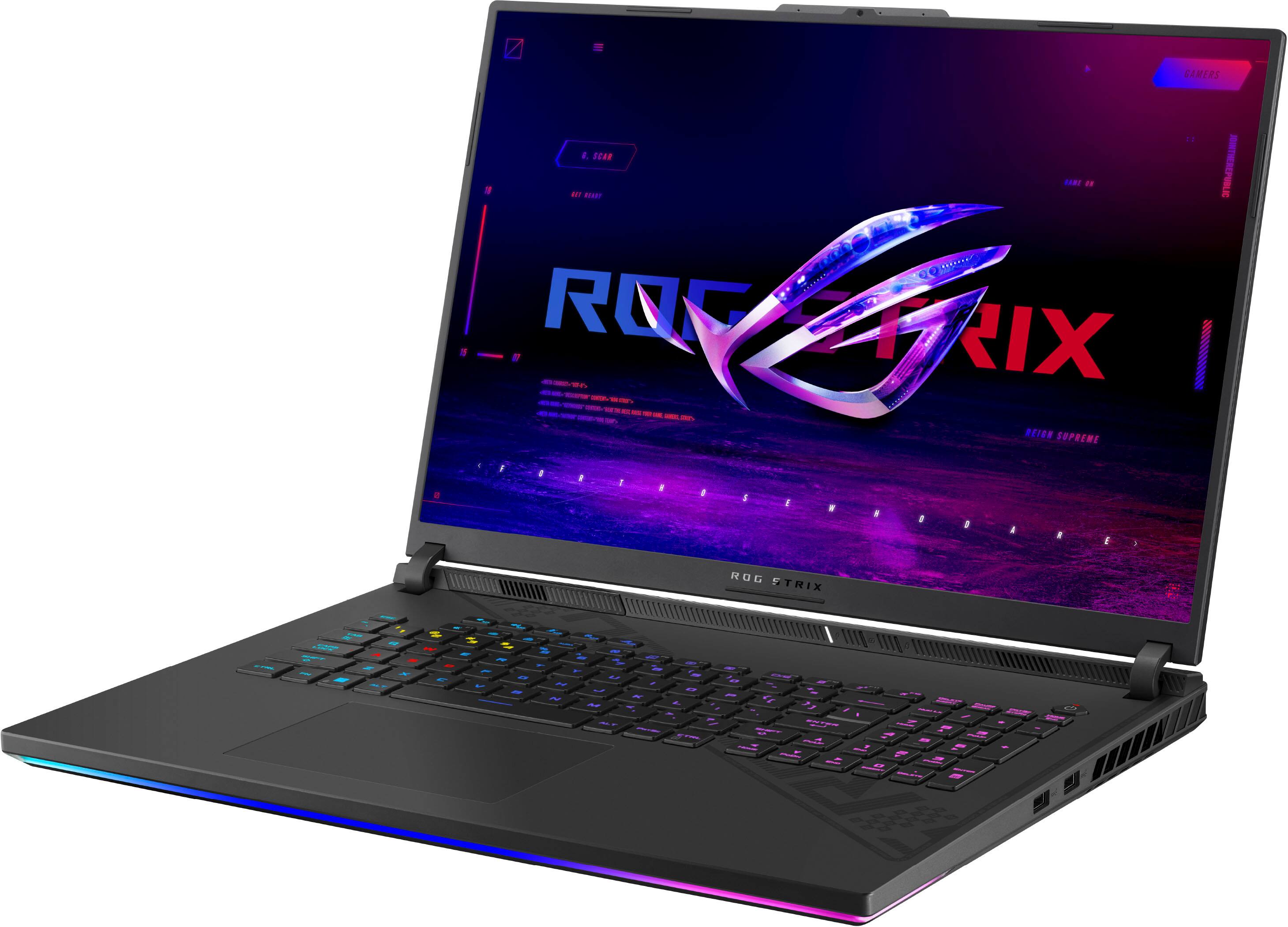
Customers are delighted by the ROG Strix 18" gaming laptop's impressive performance, large screen size, and high refresh rate, which contribute to an immersive gaming experience. However, some users have noted issues with backlight bleed, battery life, and fan noise. While many praise the build quality and graphics capabilities, concerns about coil whine and heat generation have also been raised. Overall, the laptop receives positive feedback for its powerful performance but some users experienced minor drawbacks.
This summary was generated by AI based on customer reviews.
Best laptop in soo many years and Big screen!
||Posted . Owned for 2 months when reviewed.This reviewer received promo considerations or sweepstakes entry for writing a review.This is one of the best laptops ive ever used in years its a great power house laptop for youre gaming needs! Battery obviously dosnt last long unless you turn off the gpu in the asus armoury settings then the battery is half decent! but as long as youre near a plug you can enjoy games all day!
I would recommend this to a friend- Pros mentioned:Fps, Performance, RamCons mentioned:Fan noise

Pros outweigh the cons
|Posted .This reviewer received promo considerations or sweepstakes entry for writing a review.The Asus ROG Strix 18 has surprised me right out of the box. By far, with some of it's most recent competition coming out with similar specd out machines, I would lean more towards this gaming laptop. Let me tell you why.. For an 18 inch gaming laptop it is not terribly heavy. The display is beautiful an although I lean towards more brighter panels, this suffices for gamers. The keyboard layout is great even with the included macro buttons and numpad, it feels natural to type on. I do question why there are two fan profile buttons that do the same thing! The board itself has very little flex when pressed hard on it which is great. The RGB profiles that Asus includes are fun to play with to meet your aesthetic or just turn it off completely. Performance wise, I love it. It's included 16gb memory, Intel Core i9-13980HX, and RTX 4080 GPU means that you have a powerful system that can tackle some intensive tasks. I'm a photographer and editor on the side so having something that can tackle the likes of Adobe Photoshop and Lightroom while still being able to game with high settings is what I have been patiently waiting for. When I want to keep the fans quiet, doing some casual PC stuff, I simply set the profile to match that standard quite fan mode which keeps the CPU fan at around 1700rpms with the gpu and system fan at 1900rpms (GPU has been set to Ultimate). This means, Armoury crate has the fan acoustics clocked in at around 22dBA. With gaming, expect to wear your headphones because depending on your usage, the fans will go full blast to 36+dBA. For the price, this is a good gaming laptop that you can lug around without being too "gamer bro". It checks all the boxes for gaming and then some.
I would recommend this to a friend Great laptop
||Posted . Owned for 3 weeks when reviewed.This reviewer received promo considerations or sweepstakes entry for writing a review.Great laptop. The screen is the best part. I thought I would miss the all aluminum case from my old laptop. It's bigger and more powerful but weight is almost the same. Time will tell if the frame holds up. So far it's a great replacement.
I would recommend this to a friendGood gaming laptop
||Posted . Owned for 1.5 years when reviewed.This reviewer received promo considerations or sweepstakes entry for writing a review.This laptop does it all; no complaints—it can handle every game I've thrown at it.
I would recommend this to a friend- Pros mentioned:Performance, Screen sizeCons mentioned:Battery life
Incredible Performance
|Posted .This reviewer received promo considerations or sweepstakes entry for writing a review.While the laptop itself is fairly large, it doesn't feel overly heavy for the power that it has. Nor does it feel cheap or unbalanced in it's weight. Of course, having an 18" screen will definitely increase the footprint of a laptop. While it is a larger laptop, it feels fairly compact and not just wasted space. The extra size makes including a full numeric keypad possible too. Which is something that I often miss on more compact machines. The LED lighting is nice as well, complimenting what's on screen and can be easily controlled with the software. The screen is also a little different, and being larger makes it very nice to use. The added capability of 240Hz is also a major plus. On to the hardware. The major draw of this laptop for me was the RTX 4080. I knew these cards are capable of some incredible performance, especially in regards to ray tracing, but I wanted to test them for myself. I used a few games that have great benchmarking tools and added the results to this review. I think most people following gaming will look to Cyberpunk 2077, with its full path tracing update to test new hardware. And I'm happy to say that this laptop doesn't disappoint with it. I was able to run at the laptop's native resolution using the balanced DLSS upscaling with all other settings maxed out and getting over 100 FPS. I then connected the laptop to my 4K TV to do similar testing. Targeting 4K pushed the laptop even more, but using the Ultra Performance setting with DLSS, I was able to get roughly 70 FPS. That's with everything maxed out, and full path tracing. Incredible performance, especially for a laptop. Other games faired even better, since most aren't as demanding as the latest version of Cyberpunk. I also tested Forza Horizon 5, and Gears 5. Both completely maxed out in quality and at the laptop's native resolution, 120+ fps was definitely not out of the question in those games. Less demanding games would easily be able to take advantage of the high refresh rate, and with probably minimal sacrifices to image quality, you could get most games well over 100fps. Of course, that performance does come with a cost, and that would be battery life. Running demanding games will definitely drain the battery quickly. Playing Cyberpunk ran the battery to low in under 2 hours. While not gaming though, the laptop does many things to help with battery, like switching to the onboard Intel GPU, so the RTX card isn't draining battery when unnecessary. Overall, if you're looking for a laptop with a larger screen and incredible performance, this easily does that. Pros: Incredible performance, nice looking, solid build, nice lighting Cons: Battery life (which is a struggle for all demanding gaming machines)
I would recommend this to a friend The perfect laptop
||Posted . Owned for 1 week when reviewed.This reviewer received promo considerations or sweepstakes entry for writing a review.I will say this is a must have if you’re interested I’m getting a laptop that provides  high productivity while working and on your free time very good performance, while gaming.
I would recommend this to a friendROG STRIX G18 must buy
||Posted . Owned for 1.5 years when reviewed.This reviewer received promo considerations or sweepstakes entry for writing a review.Amazing machine i have never had a single issue with it.
I would recommend this to a friendThe specs speak itself
||Posted . Owned for 1 year when reviewed.This reviewer received promo considerations or sweepstakes entry for writing a review.Pretty good laptop and has good battery life , with core i 9 and 4080
I would recommend this to a friendDo not hesitate to buy this beauty!
||Posted . Owned for 3 weeks when reviewed.This reviewer received promo considerations or sweepstakes entry for writing a review.Excellent laptop! Absolutely the best laptop ive ever purchased and ive purchased quite a few. Absolutely superb!
I would recommend this to a friendComputer
||Posted . Owned for 6 months when reviewed.This reviewer received promo considerations or sweepstakes entry for writing a review.It was a beautiful laptop.It is really helpful for my work.
I would recommend this to a friendStay as far from this as possible
||Posted . Owned for 1 year when reviewed.This reviewer received promo considerations or sweepstakes entry for writing a review.It's a shame I couldn't give it 0 stars. I couldn't be more dissatisfied with a product. This was a $2500 paperweight, I got on sale for just under $2300. I had issues with it from day 1. BSOD after waking from sleep, and crashing while gaming. Faulty RAM sent from the factory. I replaced it myself and that seemed to correct the BSOD. The real issue was the complete system crash/lock. I sent it in for repair twice. First time they replaced the motherboard -- didn't resolve the crashing issue. Second time they replaced the SSD where the OS was installed. After I received the laptop back from service, it appeared to be working normal. I reinstalled windows and performed normal updates. During the update process while Windows woukd periodically restart to install updates, the device decided to no longer work. Specifically, the device will not power on. I press the power button, the keyboard RGB lights up but the device never powers on. No fans run, can't enter bios, no light on the screen, NOTHING. I took it back to Geek Squad and it was a few days past the one year warranty. Theybl refused to offer me any assistance despite the track record of the device. It's a shame Best Buy is unwilling to help their customers, especially loyal ones thst have been Best Buy members for over 10+ years.
No, I would not recommend this to a friendAsus ROG-Strix Laptop
||Posted . Owned for 3 weeks when reviewed.This reviewer received promo considerations or sweepstakes entry for writing a review.Love my Asus ROG- STRIX 18 in. Gaming laptop. Run great and plays everything well!
I would recommend this to a friend- Pros mentioned:Screen size, SpeedCons mentioned:Battery life, Coil whine, Fan noise
Great laptop, with just a few problems.
||Posted . Owned for less than 1 week when reviewed.This reviewer received promo considerations or sweepstakes entry for writing a review.So far, this laptop has been great to me since I started using it. Build quality is good, screen quality and refresh rate is awesome. No problems with the keys, bottlenecking with the GPU and CPU power limits (so far), or pretty much anything. This machine can content create and game at the same time. Weight: Due to the laptop having less aluminum/metal in the chassis, it is a lot lighter. The charger brick itself is like a 1/4 the weight of the laptop. Build Quality: For my standards, not to shabby. It feels solid, the lid feels solid, and the keyboard does not flex unless significant pressure is applied. It is made with plastic parts, if this is a major contributing factor towards your purchase then I say wait until more reviews come out. Battery: Not good off the charger, but that should be expected with a 13th Gen Intel Processor and 4080M in the chassis. Speed: Fast. Super fast. I was getting 45 MB/s download speed. GTA V took 25 minutes to install, as an example. Boot Up: Fast again. Longest I’ve seen was about 18 seconds. Display: Crazy awesome. Smooth like butter with the 240hz refresh rate and 2560x1600 resolution. Gaming: Fantastic. Fans are loud on Performance Mode, but with the Armory Crate software (which is a bit buggy), you can toggle between different modes. For Cyberpunk 2077 with RTX and DLSS 3 enabled I was 70-80+ frames at Ultra settings. FPS games were also insanely fun to play on this. Content Creation: Again, really good. The only gripe is that this laptop only comes with 16 GB of RAM, which is not bad, but for certain applications more is better. With all good things, however, comes some not so good ones. I have experienced two problems with this beast. 1. Sometimes the fans throttled from low to high RPM in a very short period of time. A windows update (for some reason) fixed this. 2. Very minute coil whine (for me at least). It’s kind of random when it appears, and it’s not very loud. It sounds like a faint buzzing noise that lasts for about 5 seconds before going away. For me, that’s not a huge deal. If you hate having loud fans or cool whine though, than consider your options before purchase. (Edit: it also was much more noticeable during the setup phase. It was again, a faint buzzing noise that lasted about 4 seconds in intervals of roughly 7 seconds. This went away after a Windows Update and restart, but as mentioned above it is kind of random sometimes.) Would I recommend this? For the price, absolutely. If the fans being loud and the possibility of coil whine are something to turn you away, then I recommend checking out some other options first.
I would recommend this to a friend Rog ftw
||Posted . Owned for 1 month when reviewed.This reviewer received promo considerations or sweepstakes entry for writing a review.Best laptop ever perfect for gaming and stream whit that 18 display
I would recommend this to a friendSatisfied customer
||Posted . Owned for 1 month when reviewed.This reviewer received promo considerations or sweepstakes entry for writing a review.delivered as promised. no problem. everything is working.
I would recommend this to a friendLaptop
||Posted . Owned for 3 weeks when reviewed.This reviewer received promo considerations or sweepstakes entry for writing a review.Fascinated, I am hooked, the laptop is top notch I ❤️ it
I would recommend this to a friend- Pros mentioned:Fps, Performance, Screen sizeCons mentioned:Coil whine
Best bang-for-the-buck Gaming desktop replacement!
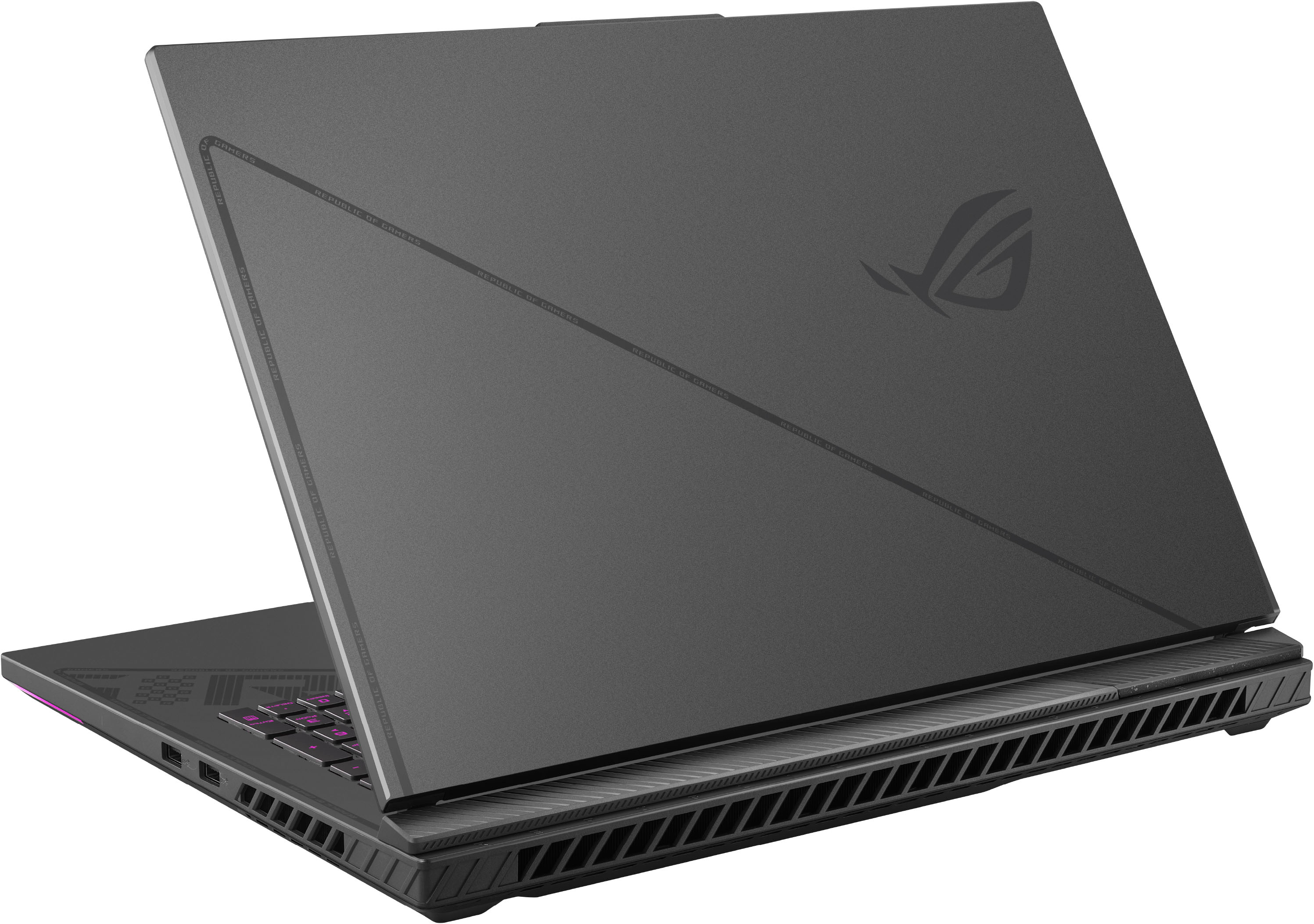
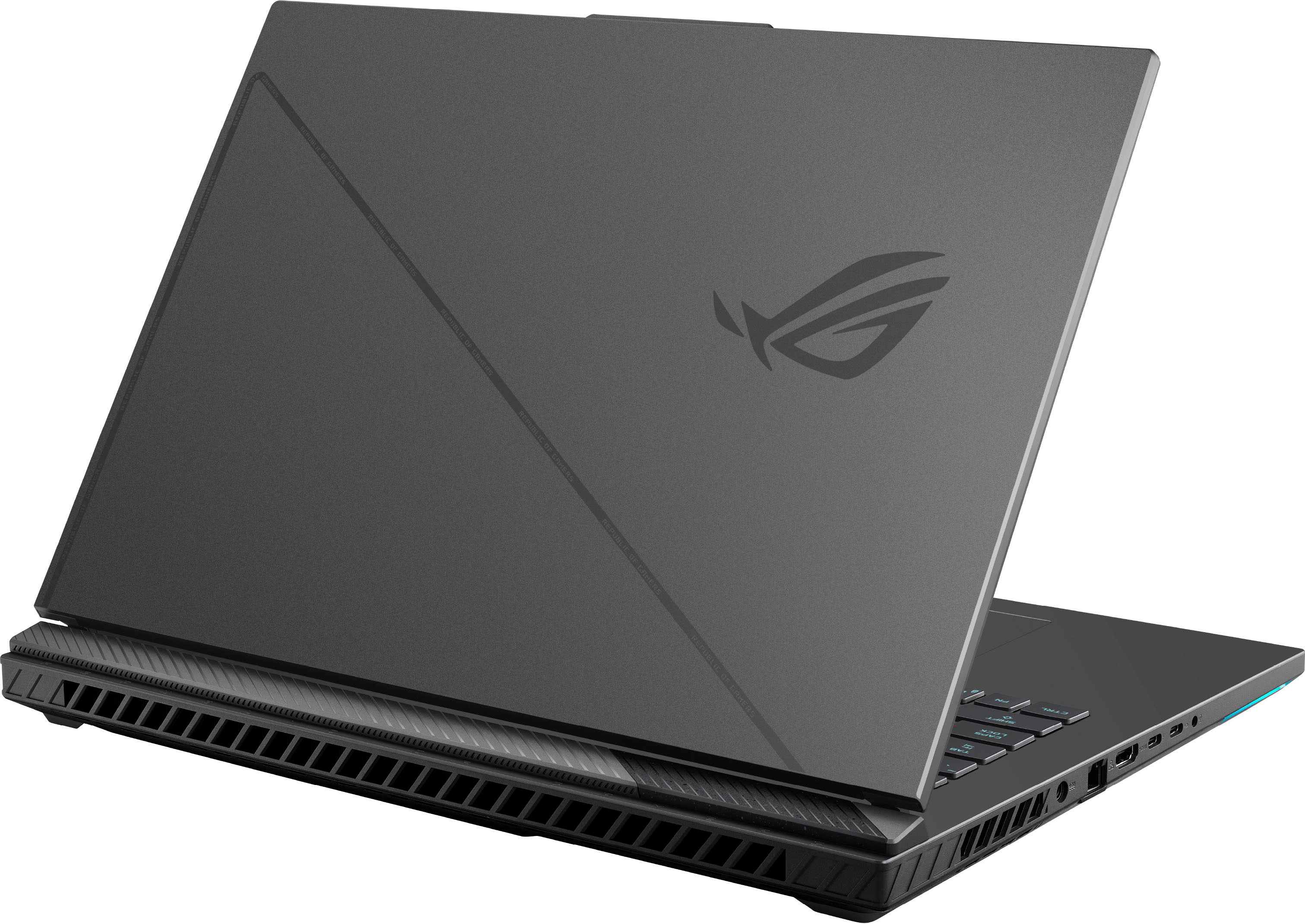
|Posted .This reviewer received promo considerations or sweepstakes entry for writing a review.Asus G18 Strix - Intel Core i9 13th Gen (13980HX), 16 GB RAM, Nvidia RTX 4080, 1 TB SSD, 240hz QHD display Quick Overview ================================= At nearly 7 pounds and housing an 18" QHD 240hz screen and a fully-loaded spec sheet, there's no other way to say it: This thing is a beast: Intel Core i9 13th Gen (13980HX), 16 GB RAM, Nvidia RTX 4080, 1 TB SSD, 240hz QHD display. To fit top-end processors, screen, and GPU into one package in one of the most affordable packages, you'd think they'd have to cut a lot of corners somewhere, but let's see if Asus has figured out the best combination of quality, performance, and price. If you're looking at a laptop of this size, weight, and specs, chances are you're looking at this is a large desktop replacement that can occasionally be moved around the house. This is not for road warriors and frequent fliers. Not only is it pretty heavy and bulky, finding a bag that fits isn't easy. Having said that, if this is what you're in the market for, it's hard to beat the price/performance on offer here. Overall build ================================= This is not a shiny, metal unibody, milled out a single block of space-age metal. This thing is plastic. There's no getting around that. However, I think Asus did a great job with the case. It's got rougher textures underneath, and smooth textures for the palm rest. The screen lid doesn't flex as you open and close it (great news for such a large panel) and there are plentiful grills for cooling, which is important with a RTX 4080 GPU. On the plus side, the plastic construction probably keeps the cost and weight down versus a metal build. Doing a side-by-side with an Alienware M15 R5 Ryzen edition makes the Alienware seem tiny but also shows that some gaming computers are just fine in quality plastic. I've had (or still have) MacBook Pros and Razer Blades that feel ultra-premium, but also cost a lot more. After powering it on, you'll immediately be greeted by a flashy logo and lighting. There's a bright (and tasteful?) RGB lightbar just below the front edge that illuminates the area right below where you'd rest your wrists. This area is smooth and not a matte finish like the Alienware. I think some reviewers have mentioned that it could be a fingerprint magnet or show smudges/oil, but so far, so good! Of course, this wouldn't be a gaming laptop without customizable RGB lighting and you can do that in Asus' Armoury Crate app. You'll initially have to wait a few minutes while it downloads updates, but after that you can customize power profiles, lighting for the keyboard and other areas of the laptop, and more. I think many reviewers and owners complain about Armoury Crate's bloat, and compared to the Alienware's Command Center it might be, however I haven't noticed a slowdown perhaps because of the sheer power of this device. Regarding the power profiles, by default you'll see this set for Performance and surprisingly, the fans are quiet during normal Windows usage. Sure, they'll fire up during gaming or another intense task, but I was pleasantly surprised at the relative silence throughout my work day. You'll notice an extended "flat trapezoid" shape extending from the top of the lid where the webcam is housed. Unfortunately, this is a 720p webcam and it's about as bad as you'd think it is in 2023. I'm guessing they had a ton of these leftover and decided to install them into their cutting-edge laptops to finally get rid of them. It's a glaring oversight in what is a great laptop overall. Ports - 2x USB-A on your right side (laptop's "left") and power, RJ-45, HDMI, 2x USB-C (one with PD/DisplayPort, the other with Thunderbolt 4, DisplayPort), and headphone/combo jack on the other side. Nothing on the rear except exhaust outlets. Also, there's no card reader so if you're using the SD/microSD card slot often for photography or other pursuits, you'll need a separate reader. The power supply is big, but perhaps not as big as you'd expect for a 330w unit. If you're used to seeing the old, wide Alienware/Dell PSUs this is just a bit thicker but narrower overall. Interestingly enough, you can charge via USB-C in a pinch, but don't even think about gaming on that as you'll be drawing more power than the 100w max that the USB-C port can supply. Coil whine can be an issue on some gaming laptops, but I didn't notice any during normal nor gaming-oriented usage. Having said that, some reviewers have heard it so your mileage may vary. Screen/Display ================================= We have to talk about the screen since it's a defining characteristic of this 18" gaming laptop. It's an IPS QHD+ panel with a native resolution of 2560x1600 that supports G-Sync at up to 240hz. It's an anti-glare panel that supports Dolby Vision HDR and is rated at 100% DCI-P3 and also Pantone Validated. That's a lot of words to say this panel looks great and will support your games without tearing. The color accuracy and gamut will also work well for creative work like photo editing and digital art. Unlike some reviews, this panel is very uniform with no hotspots, no dead pixels, and minimal backlight bleed on a black background (see photo). Overall I've definitely seen worse panels and I'd confidently say this is one of the best gaming panels I've seen lately. Can this Nvidia RTX 4080 actually push any games at native resolution near 200+ hz? Depending on the game and graphic settings, yes. Gaming Performance ================================= Look, with a very high-end spec sheet for 2023, there should be no performance issues. And, spoiler-alert, there aren't. Doing some side-by-side testing with my Alienware M15 R5 Ryzen edition (5900hx, Nvidia 3070) using the game "Control" (DX12), we can clearly see how big of a jump in performance there is between these laptops that are a few generations apart. Control on the Alienware M15 R5 Ryzen (GPU temps at 80 C) ------------------------------------------------------- Native resolution 2560x1440, Medium preset, no RTX/no DLSS: 70-80fps Native resolution 2560x1440, Medium preset, RTX on (med)/no DLSS: 50-53fps Now, Control on the Asus G18 (GPU temps at 80 C) ------------------------------------------------------ Native resolution 2560x1440, Medium preset, no RTX/no DLSS: 120-129fps Native resolution 2560x1440, Medium preset, RTX on (med)/no DLSS: 79-90fps Native resolution 2560x1440, Medium preset, RTX on (high)/no DLSS: 59-63fps Sure these laptops are just a few generations apart, but that is a big performance difference! I wouldn't recommend upgrading gaming laptops on an annual basis anyway, but look at the difference 2 years or so can make! It's pretty safe to say that whatever your game is, FPS to RPG, this machine will let you play it at maximum graphical settings. The only GPU that can beat it currently is Nvidia's own 4090 which arguably, might not be worth the price premium. For online/connected games, I'd recommend using the wired/RJ45 LAN connection, but if you must use wireless, at least you're getting a modern Wifi 6E (802.11ax) card that should get you peak wireless performance. Conclusion ================================= Gaming laptops aren't for everyone. They're large, bulky, loud, hot and typically more expensive than what the average user would need. A giant 18" gaming laptop is even more niche, but the Asus G18 is just one of a few choices at this size. The Asus ROG Strix G18 was one of the first 18" offerings in 2023 and at a great price. If you don't have an unlimited budget and are interested in the maximum performance you can get from a large, desktop replacement, I think you'd have a hard time finding a better combination of performance and price than this G18.
I would recommend this to a friend Puré Power
||Posted . Owned for 1 month when reviewed.This reviewer received promo considerations or sweepstakes entry for writing a review.It is one of the best machines I have ever had……..
I would recommend this to a friendExcellent
||Posted . Owned for 2 weeks when reviewed.This reviewer received promo considerations or sweepstakes entry for writing a review.Awesome! I’m happy, because it’s very nice laptop for games.
I would recommend this to a friend- Pros mentioned:Performance, Ram, Screen size
Beast of a machine
|Posted .This reviewer received promo considerations or sweepstakes entry for writing a review.Got this laptop Wednesday but wanted to make a couple upgrades first before doing a full review. I'll start by saying that this laptop was already a beast of a machine before my upgrades. It handled multiple apps open all at the same time and flipping between them. I had like 20 apps open all at once, no problem there. As far as games go, I played 3 different games, one from each of the gaming apps I have. Diablo 3 from Battle.net, Uncharted Legacy Collection from Steam and Death Stranding from Windows all played phenomenal and ultra settings and max resolution. The games loaded up very quickly and played with no slowdown at all. They were flawless in my experience. Now as far for my upgrades that I mentioned earlier. I actually added an extra 1tb ssd into the 2nd M2 slot and replaced the 2 8gb ram modules of DDR5 4800 with 2 16 gb ram modules of DDR5 4800. This brought the storage to 2tb of storage and 32 gb of ram memory. After the upgrades I played the games again ant same settings and they loaded even faster and played much better even though they played flawlessly before the upgrades. It made the loading and performance even better so now this laptop is a super beast. I saw from other reviews that people mentioned the screen bleeding. I on the other hand do not have that at all. There were no pixels or anything bleeding through the screen. I guess it was just a batch of bad luck that people found themselves dealing with the scream bleeding. This laptop has a very decent build. I actually thought it was going to be heavier than expected. It still has some weight to it but still more on the lighter side. It's very well constructed and sturdy with a big beautiful screen. There's actually more screen than chassis. The screen is at even size all around compared to the other laptops I've had whee there would be more chassis on the bottom of the screen. The laptop is easily upgradable as I mentioned earlier about the storage and ram. For the ssd you just snap it right in and push it down so you can tighten the screw that holds it in place. For the ram memory you just release the clips on each side of the modules and pull them right out and snap the new ones in and push the clips back in to hold them in place. That simple! After you boot the laptop back up it will let you know about the new ssd that's installed so you can format and add partition. Pretty easy process. For the the ram it might take a few more seconds longer to boot up because it's being added to the bios boot process. After everything is done though the laptop is ready to go. This laptop was already a beast to begin with with everything I put it through before my upgrades and then like I said I turned it into a super beast with the upgraded storage and ram memory. I would definitely recommend this laptop to any hardcore gamer. Just be aware that while some reviewers have had problems with the screen bleeding others have not. I guess it's a game of chance. As far as my experience goes I have not encountered any problems at all. Great laptop! Super fast and great for gaming at ultra settings and max resolution.
I would recommend this to a friend