Customer Ratings & Reviews

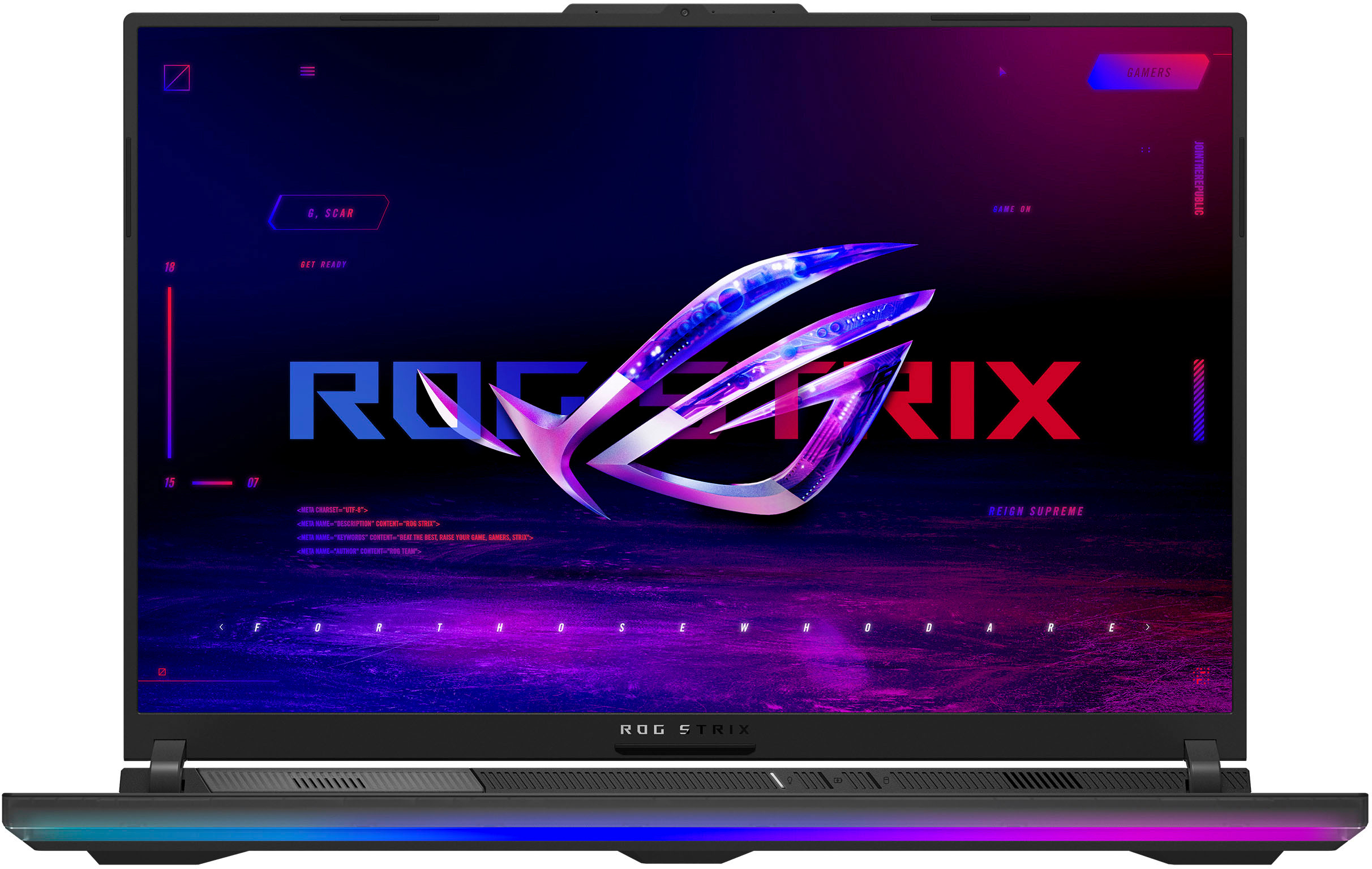
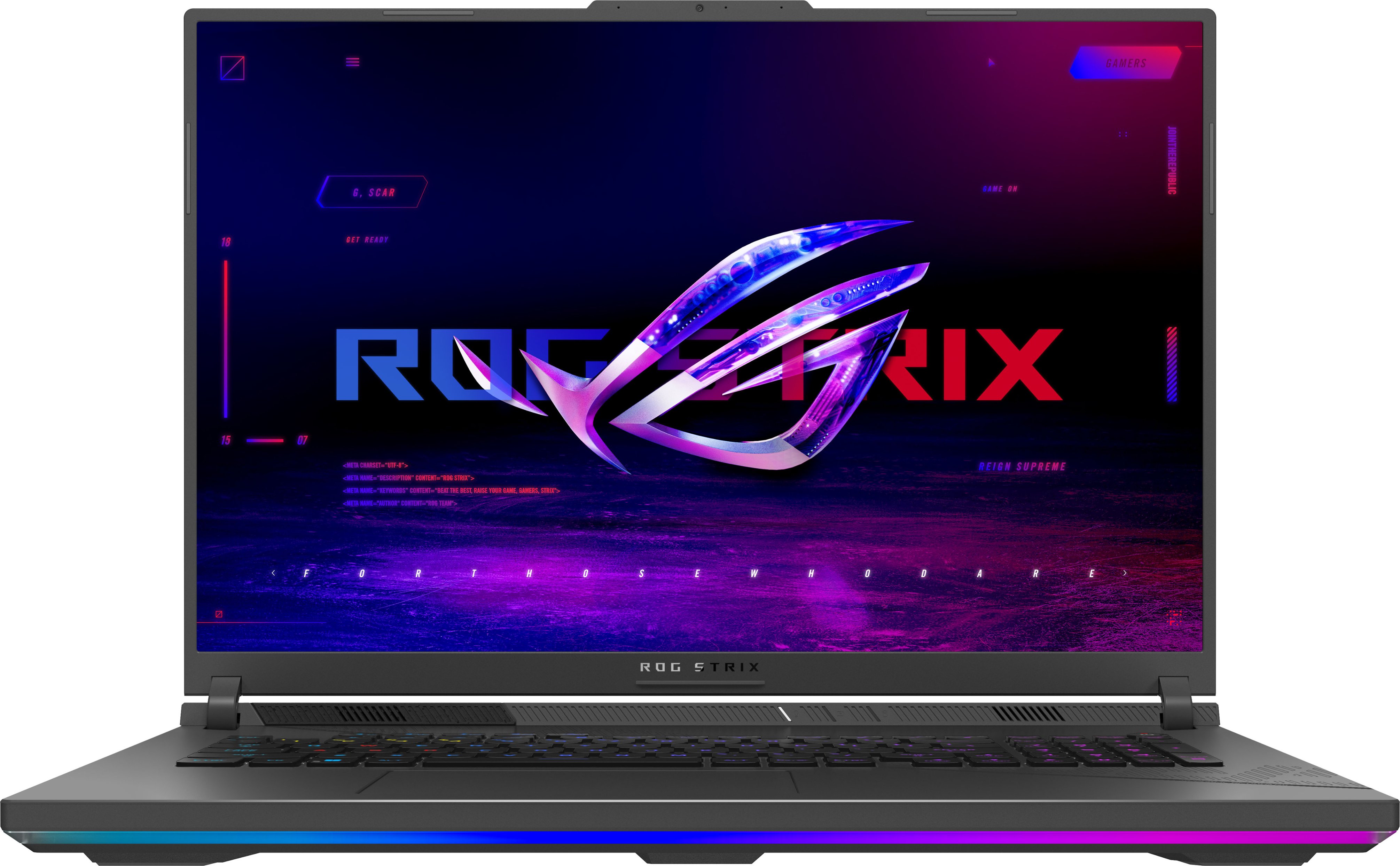

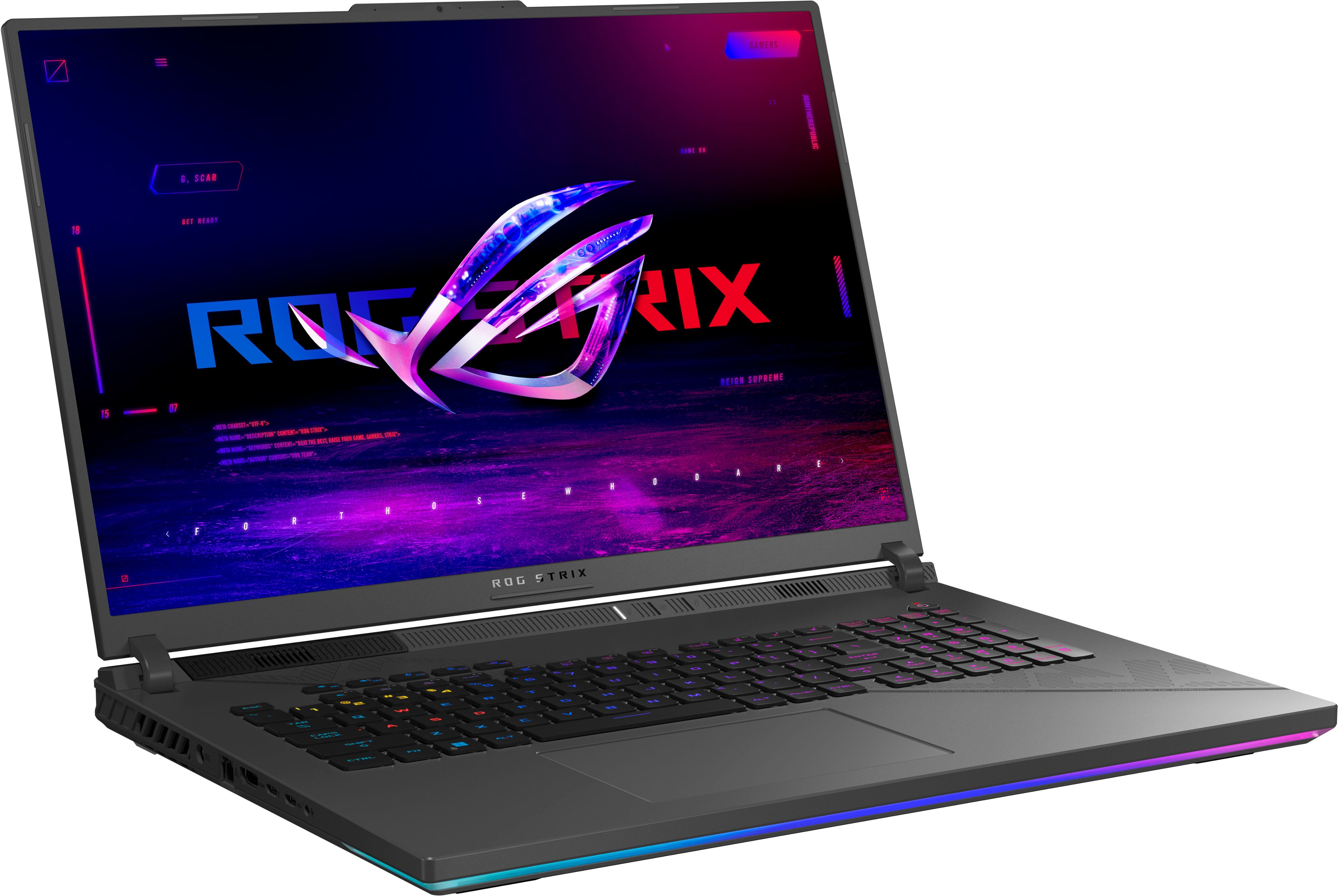
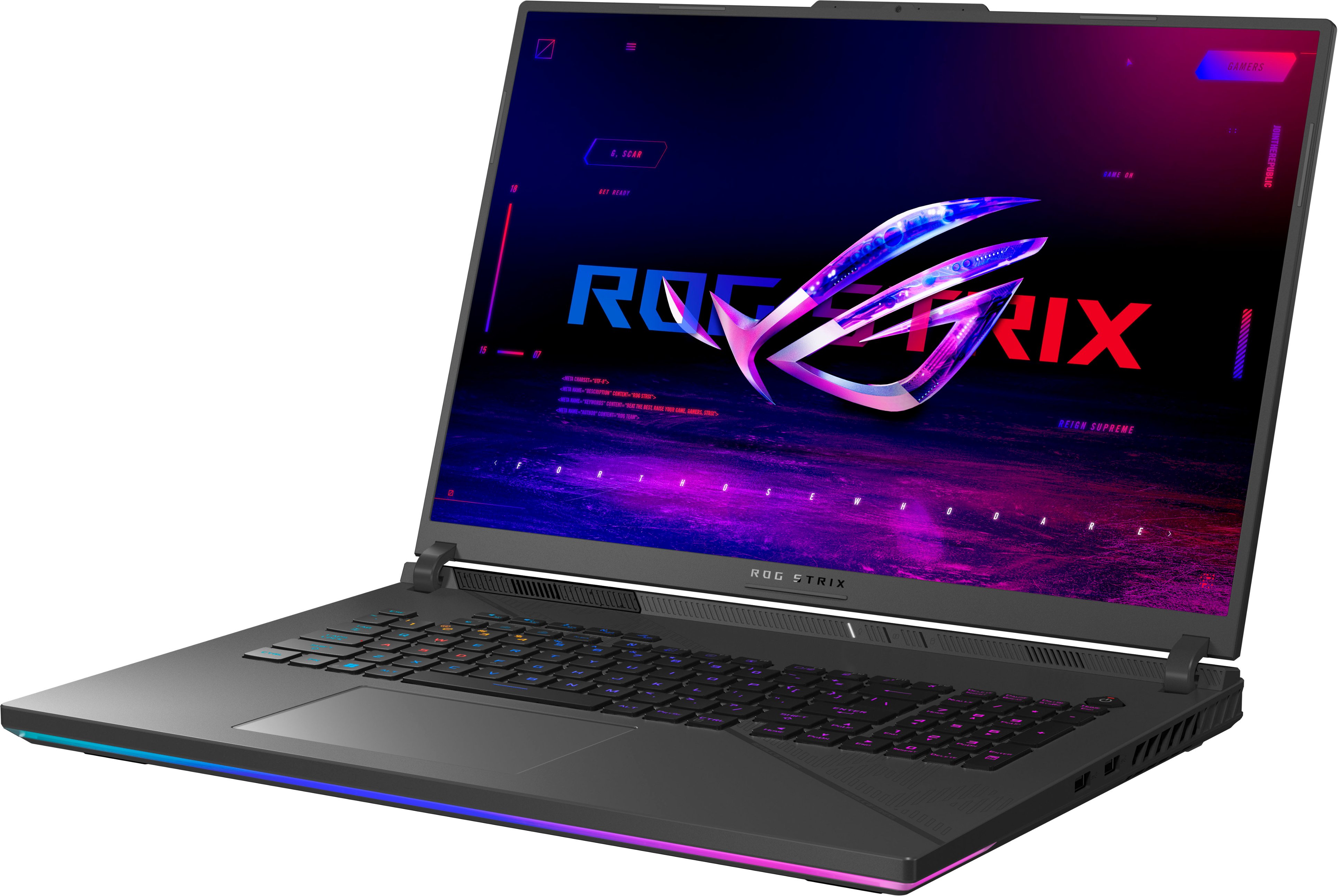





- Model:
- G814JZR-G18.I94080
- SKU:
- 6570224
Rating by feature
- Battery Life
Rating 3.9 out of 5 stars
- Speed
Rating 4.8 out of 5 stars
- Display
Rating 4.7 out of 5 stars
Customers are saying
Customers regard the ROG Strix 18" QHD 240Hz Gaming Laptop as a high-performance machine, particularly praising its powerful processing capabilities, stunning visuals, and smooth refresh rate. The large screen size is also a major plus for many, though some users note the significant weight and relatively short battery life as drawbacks. Positive feedback frequently highlights the impressive frame rates achieved in various games. However, the substantial size and weight may be a consideration for those who frequently transport their laptop.
This summary was generated by AI based on customer reviews.
- Pros mentioned:Build quality, Performance
A very powerful laptop
||Posted . Owned for 1 week when reviewed.This reviewer received promo considerations or sweepstakes entry for writing a review.It really seems well built, good materials on the plastics and the keyboard. Loved the screen and the power of the graphics
I would recommend this to a friend - Pros mentioned:Performance
Perfect Laptop for Work and Gaming!
||Posted . Owned for 3 weeks when reviewed.This reviewer received promo considerations or sweepstakes entry for writing a review.This laptop has exceeded my expectations! I use it primarily for running AutoCAD and playing Steam games, and it handles both environments flawlessly. The performance is smooth, even with demanding tasks, and the graphics are stunning. It's perfect for work and play. Highly recommended for professionals and gamers alike!
I would recommend this to a friend - Pros mentioned:Performance
Happy Gamer Husband
||Posted . Owned for 3 weeks when reviewed.This reviewer received promo considerations or sweepstakes entry for writing a review.Very nice computer. My gamer husband whom is also an engineer needed a new travel computer. I did alot of research and almost paid twice as much for a custom built one. I am glad I choose this purchase he is happy and no complaints. Paying for anything more would have just been expensive bragging rights.
I would recommend this to a friend - Pros mentioned:Performance
ASUS ROG Strix 18) - A developer’s powerhouse
||Posted . Owned for 1 month when reviewed.This reviewer received promo considerations or sweepstakes entry for writing a review.As a professional gamer and game developer, I need a machine that can seamlessly handle intensive gaming sessions while also delivering raw power for heavy development tasks. After using the ASUS ROG Strix 18 (240Hz) for the past three weeks, I can confidently say that this laptop has exceeded my expectations in every aspect.
I would recommend this to a friend Very good display and color accuracy
||Posted . Owned for 3 weeks when reviewed.This reviewer received promo considerations or sweepstakes entry for writing a review.I have to say that the image quality of this laptop looks insane and it is not even the mini-LED version. This is a great laptop for the money. Excellent performance, great quality and it doesn’t cost 3,000 dollars. If you are looking for a gaming laptop that has good performance and visuals without spending a crazy amount of money then I recommend this one. Obviously, this laptops is even better if you use it while is plugged in so it doesn’t drain the battery quickly and be limited by power. If you want all the juice then use it while plugged in. You can use it unplugged but I recommend you plugged it in if you are going to run any heavy tasks or games.
I would recommend this to a friend- Pros mentioned:Screen size
The best gaming laptop!
||Posted . Owned for 1 month when reviewed.This reviewer received promo considerations or sweepstakes entry for writing a review.The ASUS ROG Strix 18 is the gaming laptop that offers performance, design, and features that cater to serious gamers and creators alike. With its massive 18-inch display gaming feels so much better!!!Absolutely love and recommend this laptop!!!
I would recommend this to a friend Quick, Efficient, Reasonable price
||Posted . Owned for 1 month when reviewed.This reviewer received promo considerations or sweepstakes entry for writing a review.Perfect upgrade with reasonable price. Pros: large Storage, fast start up, fast operation speed with broad scope of applications from video editing and game graphics. Con: touch pad, 2 usb, and power supply plugin location on left side versus the back of laptop.
I would recommend this to a friend- Pros mentioned:Performance
This is an open box product? This is really new!
||Posted .This reviewer received promo considerations or sweepstakes entry for writing a review.The laptop looks really nice and works well. Although it is open box, it is actually seems to be not even opened. Thank you for your great purchase and delivery service.
I would recommend this to a friend - Pros mentioned:Build quality, Heat dissipation, PerformanceCons mentioned:Battery life, Keyboard layout

My best laptop ever
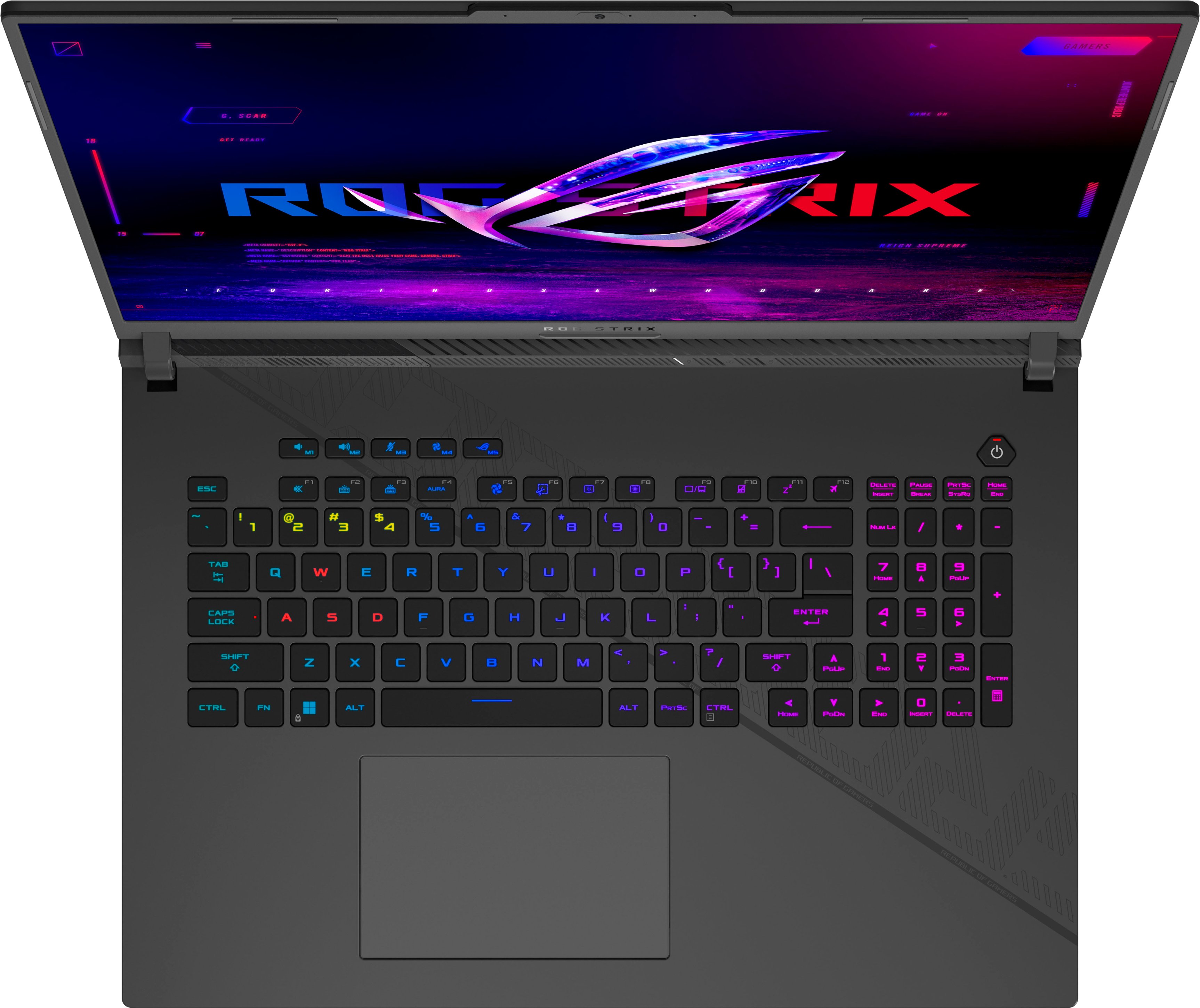
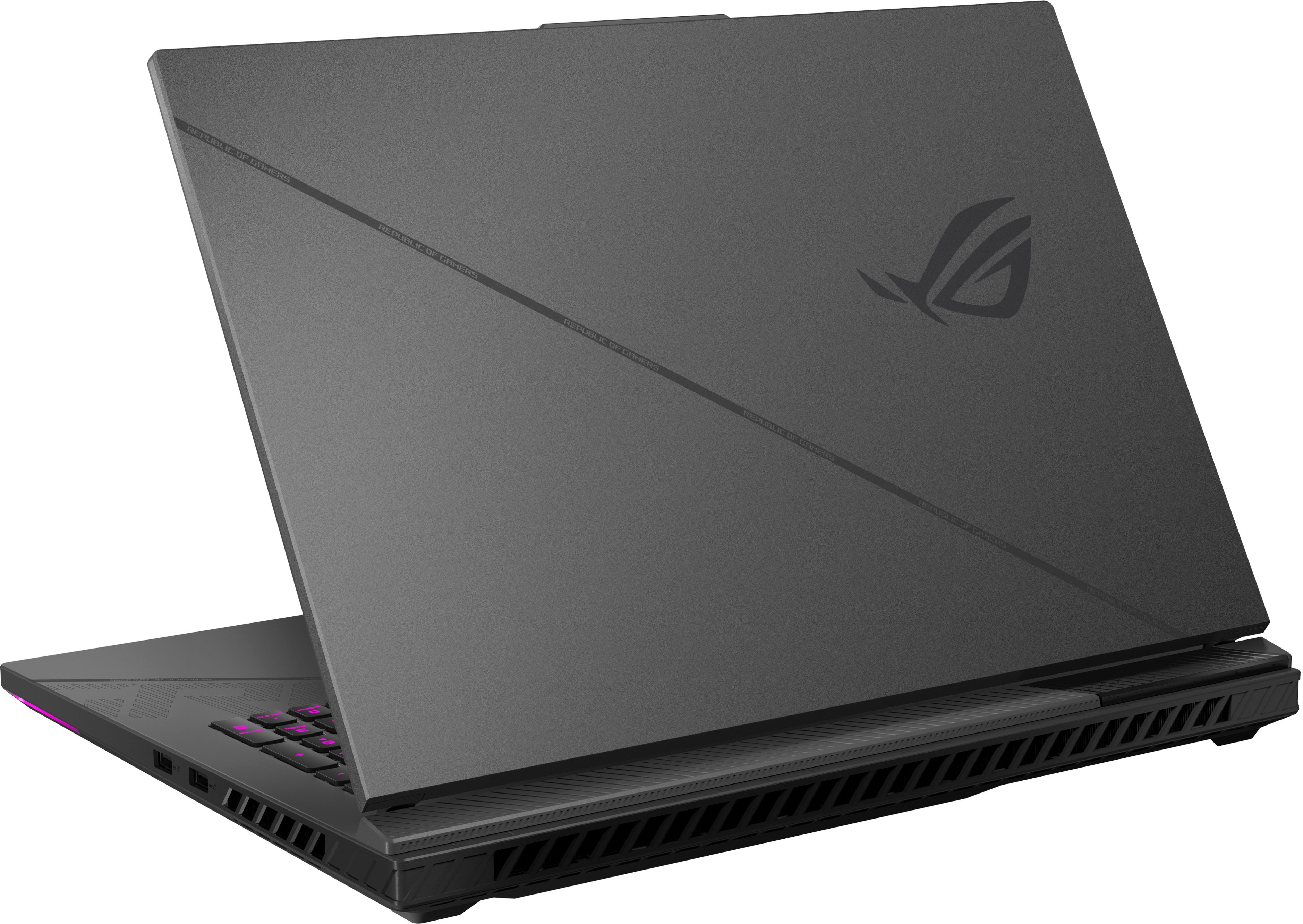
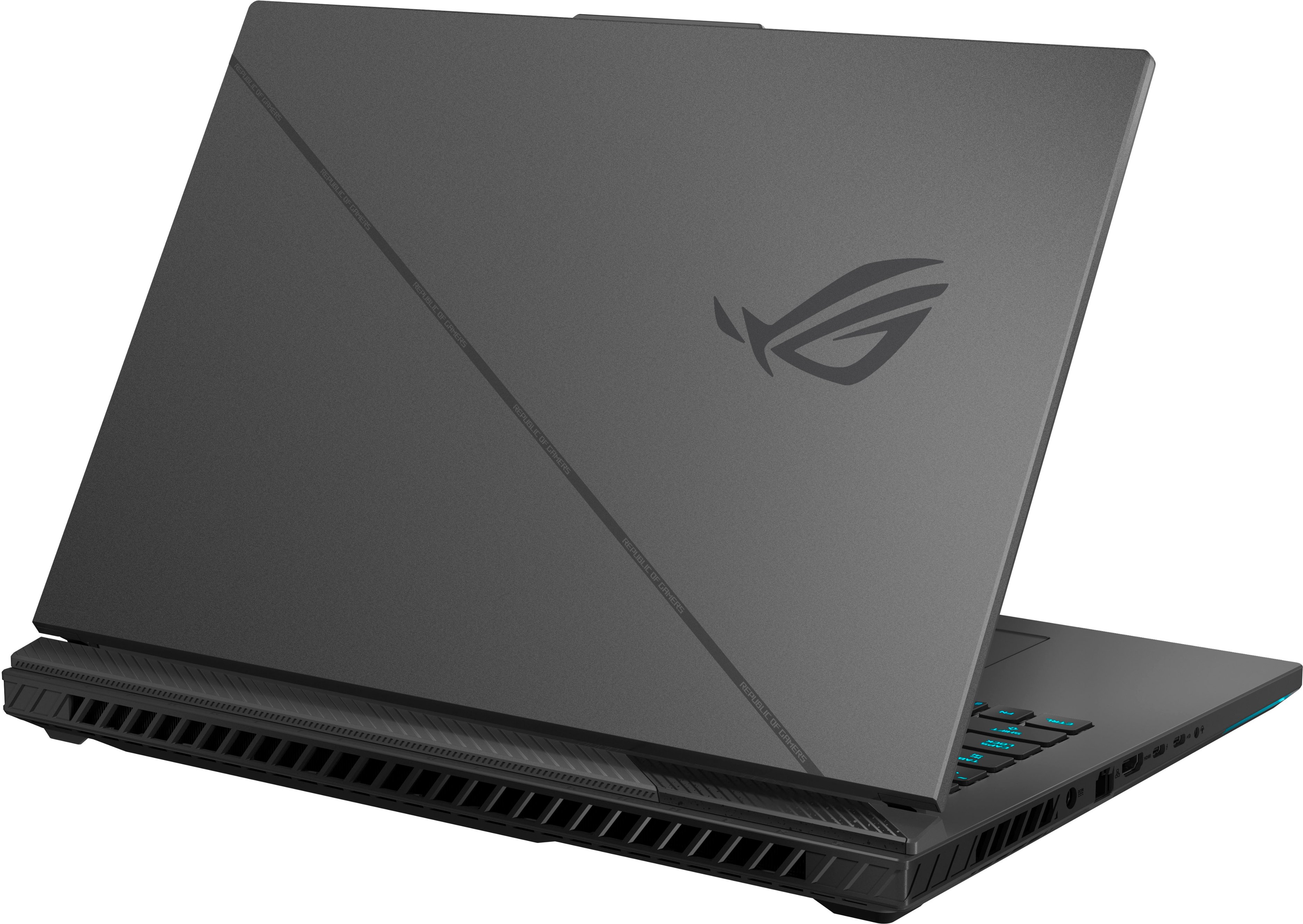
|Posted .This reviewer received promo considerations or sweepstakes entry for writing a review.One of the best OOBE (out of box experience) I've ever had with a laptop. Love the graphics on the inner box, and love how, flipping down the side, it acutally TILTS UP the laptop for easier grabbing in the box, as well as pulls out the box under the laptop to make it easy to get at the power brick. Other than some sheets of paper for regulation stuff, that is all there is in the box - laptop and power brick and power cord. No bad pixels anywhere I can see. Keyboard feels alright for a chicklet keyboard. I generally like something a bit more mechanical feeling for gaming, but this feels similar to the 1 year old Alienware M17 R5 laptop I've been using for games. Trackpad feels good as well. And other than three annoying stickers to peel off the keyboard surface, it looks great. One thing people may NOT like is the fact that there are no ports on the back. Some people like them on the back to help hide things out of the way. For me, it's a benefit. Personally I prefer them on the sides so this is a design choice that works for me. I know they did it to facilitate the heat dissipation with the fans but I'm glad I will not have to tilt the screen down to try to find where to plug something in. I got it on my wireless network just fine, keyboard and trackpad working well. It installed some updates and got the Windows account set. I know I've seen people asking if the ROG symbol on the back of the display was LED - it is NOT. No LED's anywhere on the back of the computer. Just the glowing effects under the front lip, and down the side lip underneath for about two inches, and the LED lit keyboard. Love having the 10 key on the side, but it throws off my touch typing for now until I'm used to how offset the keyboard is from the screen. And they did something really poorly with the function keys - they offset them so that they do NOT line up the way every other keyboard lines up. This means that someone like me, who touch types and uses Alt+F4 a LOT, will have problems since this is the ONLY keyboard that does not align with the normal setup. Fortunately, Alt+F3 doesn't seem to break anything when I'm hitting it incorrectly all the time. But I never cheer a company that alters actual STANDARDS for layouts for things like a keyboard. I don't mind the extra keys, I applaud them, but the ones that are on every single keyboard, leave them alone and don't mess with their locations. System is just about completely silent sitting in my house with no other ambient sounds other than occasionally the furnace fan going on randomly for air circulation. I love the dedicated volume buttons, and dedicated home / end / page up / page down. Even has a dedicated button for the fans, and the ROG symbol on another to launch the Armoury Create program. The fan button allows you to choose between silent, turbo, and performance. And even at turbo, it's surprisingly quiet. It's not a common annoying fan sound, it's just an airflow sound, not a real FAN sound. I absolutely LOVE that there's an LED for hard drive activity. That is something I got used to back in the 80's with the old IBM PC's before computers started showing up in people's homes. And it's one thing I miss on hardware the last decade or more. For gamers, there is the "home" bump on the W key to let you find it without looking. Great for keyboard/mouse gamers. I do wish gaming systems would add an IR component to the webcam though for Windows Hello... Finally got through all the updates, and logged in to the desktop. And the screen is outstanding. Much wider viewing angle compared to my Alienware screen. I played a few movies and some music, to compare the speakers to my Alienware - much better bass response on the ROG laptop, not nearly as tinny. Can't wait to hear how that comes across in Destiny or Horizon Zero Dawn. The Asus software found some updates, and updated the BIOS as well. I had seen in the ROG Strix Facebook groups that some people had it appear to brick when they did this, so I was a bit nervous, although I had seen there were steps to try to get it to continue even after it hung. But it processed fine, no issues. I didn't have to mess around with a Function key lock to get alt+F4 to work, unlike most systems lately. Yippee. I installed my Oculus Rift software and got everything set, then installed Steam and my games. After I'm done testing I'll put in another 1TB drive in here to help with space issues, but for now the 2 TB drive is sufficient. I had to replace the Wi-Fi card in the Alienware when I first got it, the network performance was so horrible. I'm glad to see this ROG works rock solid with my Wifi6. Got the Oculus software installed for my Rift S, set up went fine. Oddly enough, when I reopoened the Oculus software, I see it shows that my computer doesn't meet the updated minimum specifications. Which I find to be hilarious considering the specs on this system. But everything I did ran smooth. My Alienware had issues even in the default room where you launch things from. The GAMES on the Alienware ran fine, but the room with the fireplace, it just couldn't handle for some reason. So far, this ROG has handled everything I tried in VR. Steam installs and Vortex mod went fine. The first thing I tried then was Horizon Zero Dawn. And it was flawless. On my Alienware I'd get anywhere from 140 to 165 FPS. On the ROG, I'm bouncing between 200 and 220, with an occasional drop down to 175 or 180. This is at the highest quality settings. Then I did the same thing with Destiny 2. This had a much bigger difference, I'm guessing Zero Dawn isn't as complex so it was easier on the less powerful Alienware. But Destiny 2, the Alienware gave me 95 or so at the highest, clipping down to 50 in the intensely graphic areas. On the ROG, I saw 136 as the LOWEST number I saw on highest quality, and I averaged 165 to 170 during gameplay in the same spot that the Alienware ran at 80 on average. And both of these comparisons are with the Alienware running at its native 1920x1080, and the ROG running at the native QHD 2560x1600 resolution. The difference went up even more for Destiny when I changed the ROG to 1920x1080, reaching 200 and more usually. USB ports, the A and C, all work well, no issues. I like to test with my USB SSD drives, and file copy speeds were all fast, just where they should be. The chassis is solid, there's little flex when picking it up by one of the front corners, or when pressing down hard around the keyboard and edges and corners of the base. My Alienware makes a creaking sound when I rest my left palm on the front corner, which was just one of those annoyances you deal with, but no such issues here. But the trackpad apparently sits a bit loose. I prefer to lightly tap it for use, not actually clicking the button built inside of it, since that generally is less noisy when I'm working. But this one, that looseness means it makes a loud noise then when I do that, since it's floating a bit and then you get the plastic on plastic knocking sound. But it won't impact me at all for gaming as I'll be using either my Logitech gaming mouse or an Xbox controller. So I can live with that small annoyance. I'll include my 3DMark results here as well, both photos and the text details here. Time Spy Score was 17,843, which put this better than 89% of their total results. Fire Strike score was 31,269, better than 95% of their total results. Night Raid score was 78,718, which was better than 97% of their total results. Not bad at all for a laptop with a 4080 GPU. I wished I could've grabbed a system with the 4090 but those were all unavailable, so I ended up with this 4080 based system. Battery - If you're buying this laptop, you clearly aren't looking for an all day laptop. I've been playing around with it on battery and I've still got things to learn apparently. Despite everything showing the Nvidia 4080 as the active GPU, Armoury Crate showing it in Ultimate GPU mode, and all settings on Horizon Zero Dawn set to ultimate and best quality, I only get about 34 or 35 FPS when I have this on battery. So somewhere there's some kind of throttling happening on battery only. Plugged in I get over 200 FPS, on battery, low 30's. I'm going to assume there's still tricks I have to learn. But right now, it's only got 65% of the battery left already, and it tells me that will give me anywhere from 37 minutes to an hour and 17 minutes, depending on what is happening in the background. No programs running but a file explorer and this text file in notepad. So for simple things when I just need to get some work done, I could run this unplugged for a bit and be fine. I'm sure someone can really get down into the tiny details and disable a lot of things to make it last more, but for me, this is a gaming laptop. I'm not going to work hard to make the battery last in a low power mode, I'm going to have this puppy plugged in and screaming at the top of its lungs. I've been working with computers since the early 80's, and have had probably 30 or more PC's and 25 personal laptops up to this point. This laptop is absolutely my favorite computer I've ever owned. It's just an absolute thing of beauty in just about every respect. I don't mind the lack of LED on the back of the monitor - I'm not a big fan of the garish LEDs on everything, and I can't see back there anyway when I'm using it. I like when the companies focus on the things that really MATTER and not the eye candy. And this one delivers everywhere I need a gaming laptop to deliver. From the excellent cooling setup and the much quieter fans, to the quality of the display and the speed of the graphics and CPU - it's simply stunning in every respect. The surface on the top around the keyboard is an absolute fingerprint magnet, unfortunately, but I can live with that.
I would recommend this to a friend - Pros mentioned:Performance
Looks as great as it plays
||Posted . Owned for 3 weeks when reviewed.This reviewer received promo considerations or sweepstakes entry for writing a review.Absolute powerhouse of a laptop. Has no issues with multiple monitors, gaming, multitasking. Built in speakers sound great for a laptop, especially compared to rival laptops. Haven't observed any coil whine.
I would recommend this to a friend Power
||Posted .This reviewer received promo considerations or sweepstakes entry for writing a review.Best for that price, really guys if you want smth powerful that it is
I would recommend this to a friendI play world of Warcraft
||Posted . Owned for 3 months when reviewed.This reviewer received promo considerations or sweepstakes entry for writing a review.So far I've loved it. ASUS app can set the battery capacity to 80% max even when plugged in so that it preserves the longevity. Similar to my Tesla. I play World of Warcraft and then have Dkayed YouTube replays on the other monitors. It works wonderfully. I have the laptop screen and two 1440p monitors. Laptop size is somewhat larger size but nothing unreasonable. Wish it had more USB ports, but nothing a dongle can't solve. Overall I'd recommend it. I've had it for 3-4 months. I did buy a laptop fan, again to preserve the laptop's longevity to take care of it.
I would recommend this to a friendBest value for the price
||Posted . Owned for 2 weeks when reviewed.This reviewer received promo considerations or sweepstakes entry for writing a review.Excellent, the best value for your money, with a better price-value scale than the one with the 4090 graphics card, a 1000 bucks saving compared with the one with the 4090 graphics card
I would recommend this to a friend- Pros mentioned:Performance
Best laptop in the world right now
||Posted . Owned for 1 month when reviewed.This reviewer received promo considerations or sweepstakes entry for writing a review.The best laptop I've owned. It certainly plays whatever you put in it with all the highest settings. I enjoy it!
I would recommend this to a friend - Pros mentioned:Heat dissipation, Performance, Screen sizeCons mentioned:Keyboard layout
Great 18-inch QHD laptop with some minor sins.
|Posted .This reviewer received promo considerations or sweepstakes entry for writing a review.This review is for the Asus ROG Strix 18 inch 2560 x1600 resolution screen (not a touch screen) laptop. It is equipped with an Intel i9 14900HX 2.2 Ghz (peaks at 5.7 GB/sec and runs at about 4 GBs/sec at steady full load) CPU, Intel UHD integrated graphics, dedicated Nvidia RTX 4080 12 GB GDDR6 VRAM GPU, 32 GBs of DDR5 5600 RAM, it has a PCI-e 5.0 motherboard and has a 2 TB NVMe SSD. It has a Dynamic lighted keyboard and has the Armory Crate App for controlling lighting, fan curve and a host of other features. The display is a 240 hz G-Sync screen. You can let it automatically choose whichever display adapter it needs or lock in the RTX 4080 for everything. It has good speakers with a little woofer thump. Good volume. If you want it loud, it will get as loud as you want, providing there was good audio volume recorded on the content you are viewing. Surround effect is good. It has two USB type A receptacles, one each of HDMI, Ethernet, USBC and Thunderbolt. It comes in a great box that is shipped inside of a box with formed padding. AS a note regarding setting up lighting in Armory Crate. You need to go to Windows settings>personalization> dynamic lighting control and move Armory Crate to the first selection. You do this by dragging Armory Crate to the first option. Don't know why the Windows engineers couldn't just have used check boxes. If you don't do this, then every time Windows starts or wakes up it will revert to the default keyboard lighting theme. And you have to have Dynamic Lighting in Windows turned on if you want to use a static/constant single color. I am going to state my complaints, which unfortunately are your first impressions of the laptop first. The power brick is quite large, not a problem. The power cord that feeds the brick is plenty long, the cord that comes from the brick that plugs into the laptop is way too short ( 4 Ft.). It has a ninety degree plug, which is nice, but instead of the power receptacle being in the back or at one of the rear corners it is on the left side 4 inches from the back corner and the anti-static collet on the cord is right at the corner of the laptop so the cord can't go around the corner smoothly. Huge mistake by Asus. The plug should have been in the back, which is convenient regardless of where you want to put the power brick and put a long enough cord on it so you can put the brick wherever you want. Or send a cord extender for those who need a long cord. Also, the backlighting on the keys, only lights the main characters on the keys and not the shift options. And the shift option symbols on the keys are hard to see even in a bright room, as they are painted gray and there is little contrast between the gray of the symbols and the black keys. If you aren't really familiar with keyboard shift options, you are not going to like this keyboard. Although neither of the previous complaints affect the overall operation of the laptop, they are an ever-present aggravation and Asus engineering should not have let such obvious easily corrected issues be a constant aggravation. This may not be an issue to someone who is going to use this strictly for gaming, but this is a very versatile powerful laptop that users of Office and Graphic apps are going to be drawn to for its high-end features and the extra vertical real estate of the 16:10 screen. You have to be a very proficient keyboarder to not have to look to the keyboard when you are using the Shift enabled features. Regarding the power cord, this is a big laptop that in most cases is going to be stationary and even if you use it mobile, the battery isn't going to last long unless you neuter all its features and run the screen dim, and then it becomes an exact opposite of why you bought it. So therefore, the charger is nearly always necessary, and not being able to leave the charger brick on the floor and reach your laptop with the cord is a huge mistake. The display is a QHD (2560 x 1600}/ 16:10 display. Although it is an 18 inch it is really about the same width as a 16:9 17-inch laptop, but it is taller, so it gives you a lot more vertical real estate. This is great for everyday use but can be a positive or negative for games. Out of the box the display is a disappointment as it is not sharp and quite dull. But setting the video setting in Armory Crate to Vivid and setting Nvidia's Super Resolution to Auto or 2 and turning up sharpness a tad, makes a huge difference. Not quite as good as 4K, but way better than out of the box. Performance wise it is great. I run flight sims. I have a desktop with an RTX 4080, 5800X3D and a 32-inch 4K 144 hz monitor and while running DCS World with all the performance settings in DCS and the Nvidia control panel set to high, it runs at 120 FPS. This Intel i9 14900 and RTX 4080 laptop CPU and GPU with the same settings run DCS World at 100 to 110 FPS at 2560 x1600 resolution. Pretty good for these laptop chips. I didn't hook it up to my 4K monitor, but I think it would run it at 80 FPS, which is more than acceptable for Flight Sims. But there is a fly in the ointment when it comes to cooling. This laptop runs hot. Even with the fan set to Turbo. I was hitting 100 Celsius on the CPU and it was doing a lot of throttling. So, I put 3/4-inch extensions on the rear legs and that brought max CPU temps down to 90. Dropped the GPU temps about 4 degrees. Just can't get enough air under it as it is built. This also helped with angling the keyboard towards you, which is a big help, because the keyboard is set back from the front edge farther than what is comfortable as it has a large touchpad and hitting the touchpad with your wrists while typing screws up what you are typing. Also, this helped with the static collet as it now goes under the case corner and the bend in the cable isn't as obtrusive. It boots fast. Really quick, opening and running apps, as it should be with the i9 14900. You don't need to be adding RAM or another SSD as it comes with 32 GBs of RAM and a two TB SSD. I partitioned the two TB SSD. Set Windows at 350 GB, Data at 500 GB and the rest for Games. Colors seem quite accurate. Don't think I would recommend it for critical photo or video editing, you really need to get the 4K version for that, but it should make a great graphic processing unit for non-critical work. If you are going to use it with a high-quality external monitor, then you should find this a great laptop for graphics work. It is really quiet. Even when the fans are at full speed it isn't bad. It has a really good WiFi adapter. I get the fastest downloads on Speadtest's Ookla of all my computers that are connected wirelessly. Bluetooth saw all my devices. Hardcore gamers should like the WiFi and the features in Armory Crate. Everyday users and office users should really love the large screen with the extra vertical screen space. A full hearted recommendation for this laptop this is a hard choice for me. Power cord is a nuisance. Keyboard lights will be a minus for non-expert keyboarders. The touchpad is too easy to hit when reaching for the keyboard with the extra setback on this large laptop, but you can turn it off and use a mouse. Under steady demanding use it will get hot unless you get some air under it. Come on laptop builders. You are all guilty of this. Give us rear feet extensions that we can use if needed. But, if you want a large screen, fast processing, a great GPU, great speakers, great WiFi, well-built solid screen hinges and be able to compete competitively when online gaming, then this fits the bill. As another note to the gamers, you can run this at 2560 x 1440 and gain another 10-15 FPS and still have the same real estate as a 17 inch 16:9 laptop and not give up any screen quality, and after all, how good the display looks is still the most important part of a PC.
I would recommend this to a friend - Pros mentioned:Performance
A good laptop for games!
||Posted . Owned for 2 weeks when reviewed.This reviewer received promo considerations or sweepstakes entry for writing a review.The laptop is definitely worth its money! The only thing I noticed is that it definitely needs a stand with coolers! I play on maximum settings!
I would recommend this to a friend - Pros mentioned:Performance
Great Gaming Laptop
||Posted . Owned for 2 months when reviewed.This reviewer received promo considerations or sweepstakes entry for writing a review.Nice gaming laptop for gaming! Has all the write hardware for gaming and priced right!
I would recommend this to a friend Asus rog strix 18 4080 Open-box Excellent
||Posted .This reviewer received promo considerations or sweepstakes entry for writing a review.Great laptop, but disappointed with the open-box purchase I bought this gaming laptop in "Excellent" open-box condition online and received it on April 30, 2025. For the first month, everything seemed perfect. However, after running a system diagnostic, I discovered that one of the fans wasn’t working — a critical issue for a high-performance gaming laptop. Now it's in a Best Buy service center, and I'm outside the 15-day return window. I spent nearly $2,500 expecting a product that was "like new," but instead I feel misled and let down. "Excellent condition" should mean fully functional, especially at this price point. I can’t in good faith recommend buying open-box if this is the quality control standard.
I would recommend this to a friendBrand response from ASUS Answers
Posted .Dear Thatguy318,
We're sorry to hear that the fan on the ASUS ROG Strix G18 G814JZR Gaming Laptop is not working, and we apologize for the inconvenience this may have caused you. This is not the kind of quality to expect from our products and it's not the norm. We understand that you have sent the device in for repair, and we hope that repairs will be completed as soon as possible so that the laptop can be returned to you.
We stand behind our products and continuously strive to improve our products and processes to achieve customer service excellence. If you require any further assistance, please email us at customerloyalty@asus.com and include the case number "N2404031094-0013" as a reference. We will do our best to resolve your case quickly. Your feedback is very important to us, and it enables us to improve our support channels. Thank you for choosing ASUS.
Best Regards,
Chantae
ASUS Customer Loyalty US Support
- Pros mentioned:Performance
I love it
||Posted . Owned for 1 month when reviewed.This reviewer received promo considerations or sweepstakes entry for writing a review.Amazing purchase. This laptop is a beast. I can play all games with ultra graphics and many fps
I would recommend this to a friend - Pros mentioned:Performance
Perfect
||Posted . Owned for 2 weeks when reviewed.This reviewer received promo considerations or sweepstakes entry for writing a review.Good Fast Good price next time I will buy another one very good gaming laptop
I would recommend this to a friend