The vast majority of our reviews come from verified purchases. Reviews from customers may include My Best Buy members, employees, and Tech Insider Network members (as tagged). Select reviewers may receive discounted products, promotional considerations or entries into drawings for honest, helpful reviews.
Page 5 Showing 81-95 of 95 reviews
Rated 1 out of 5 stars
Graphic Issues :(
|
|
Posted . Owned for 3 weeks when reviewed.
This reviewer received promo considerations or sweepstakes entry for writing a review.
This is receiving one star because I was given a defective model. Per other reviews, this has happened to more people. I had graphics issues that seemed to have no solution. Everything was incredibly grainy. I had to run 5 pixel cleanings before I could even make out text on my screen. :((
I wish I could have seen how amazing the monitor's specs are!
No, I would not recommend this to a friend
Rated 2 out of 5 stars
Disappointing
|
Posted .
This reviewer received promo considerations or sweepstakes entry for writing a review.
Disappointing overall. Display not as game changing as LG comparable, much happy after swapping it out.
No, I would not recommend this to a friend
Brand response from ASUS Answers
Posted .
Dear LandonK,
Thank you for your comment.
We do understand your disappointment with this monitor and the inconvenience this may have caused if it did not meet your expectations. On the contrary, lots of satisfied customers, having
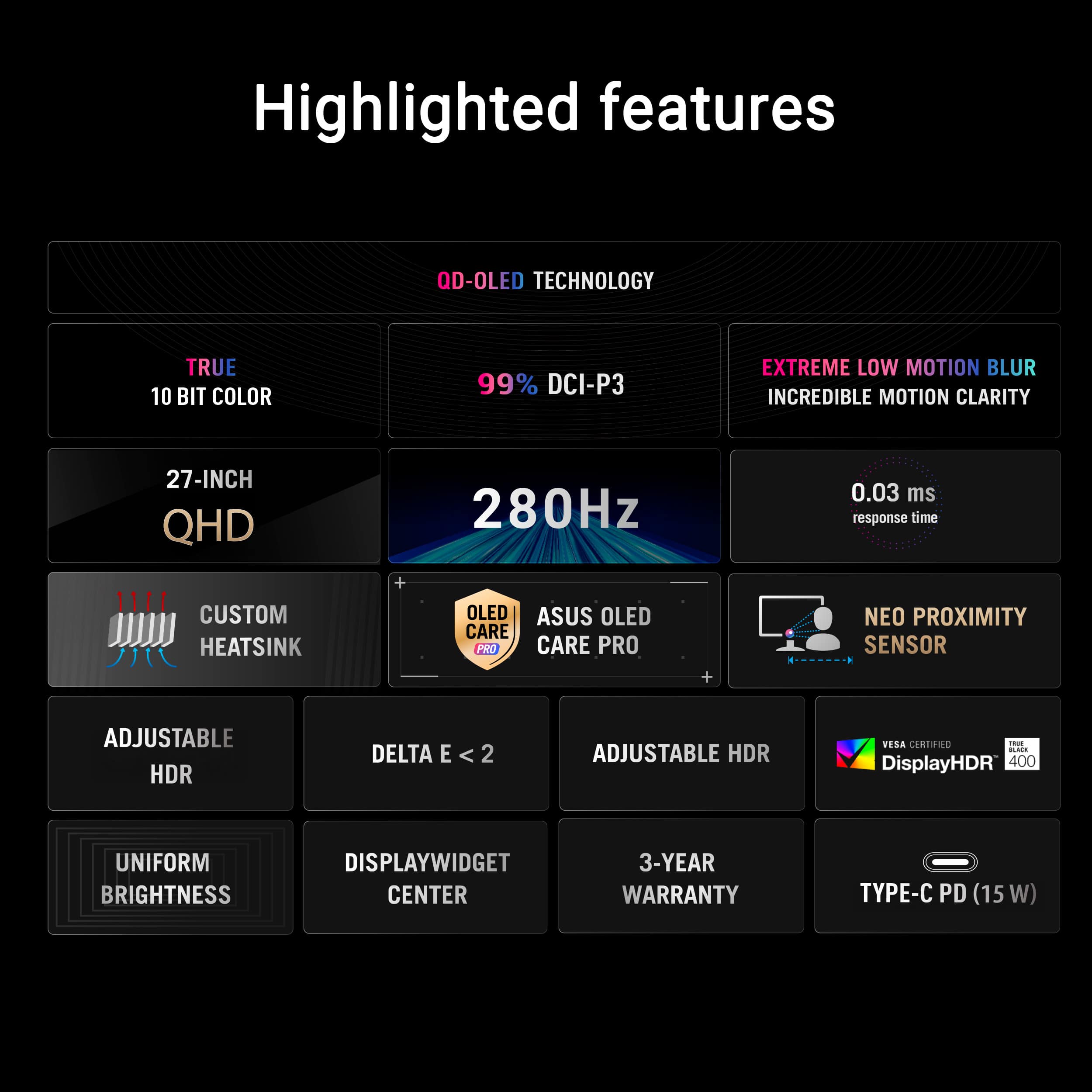
positive experience using the product, will agree that this monitor was designed for discerning games and professional creators that offers a refresh rate of 280Hz and 0.03ms gray-to-gray response time for supersharp fluid visuals and an incredible motion clarity..
Should you need further assistance with the product, please email me at [email protected] and I would be more than happy to help. Or, you are most welcome to call Product Support Hotline at: 1(888) 678-3688. Also, you can chat with an ASUS live support agent from the link: https://www.asus.com/us/support/article/1135/.
Thank you for choosing an ASUS product.
Regards,
Rodel
ASUS Customer Loyalty
Rated 5 out of 5 stars
One Beautiful Display
|
Posted .
This reviewer received promo considerations or sweepstakes entry for writing a review.
The ASUS ROG Strix 27" 2K OLED gaming monitor strikes an excellent balance between performance and visual quality, and after spending time with it, I'm incredibly pleased with my experience. At 27 inches, 2K (1440p) feels like the right resolution—it's sharp enough for everyday use and gaming without pushing unnecessary load onto my GPU the way 4K often does. It allows me to take advantage of higher refresh rates (I personally look for around 165Hz, although 100Hz is great, too) while still enjoying a crisp, clear image, and for this screen size, I don't feel like I'm giving anything up by not going higher in resolution.
The QD-OLED panel is of course the real standout feature and is what primarily attracted me to this monitor. When properly calibrated, the colors are wonderfully vibrant and rich, and just like my other OLED displays, the contrast provided by true black levels with HDR400 completely changes how my games look. HDR truly shines with an OLED display, and this one is no exception. Dark scenes actually look dark instead of gray, and highlights pop in a way LCD panels just can't match no matter how I would calibrate them. The image has a depth and clarity that makes games feel even more immersive. Once you've experienced OLED, it's hard to go back to anything else. QD-OLED is beautiful, but it's worthy of note is that the image stands out better in dark or dimly lit rooms. Anything brighter, and you've got a monitor that looks like it's set to 50% brightness.
Performance-wise, the XG27ACDMS feels exceptionally fast and responsive. I typically utilize the G-SYNC feature and motion is smooth and consistent, and I've noticed practically no input latency. The 280Hz refresh rate is more than enough headroom, and I rarely get there. Running most modern games in the 100-165FPS range feels excellent. Older titles can easily achieve higher frame rates, but I tend to favor a balanced approach—higher visual quality with a consistent target of at least 60 FPS. Even when not maxing out the refresh rate, motion clarity and responsiveness are top tier.
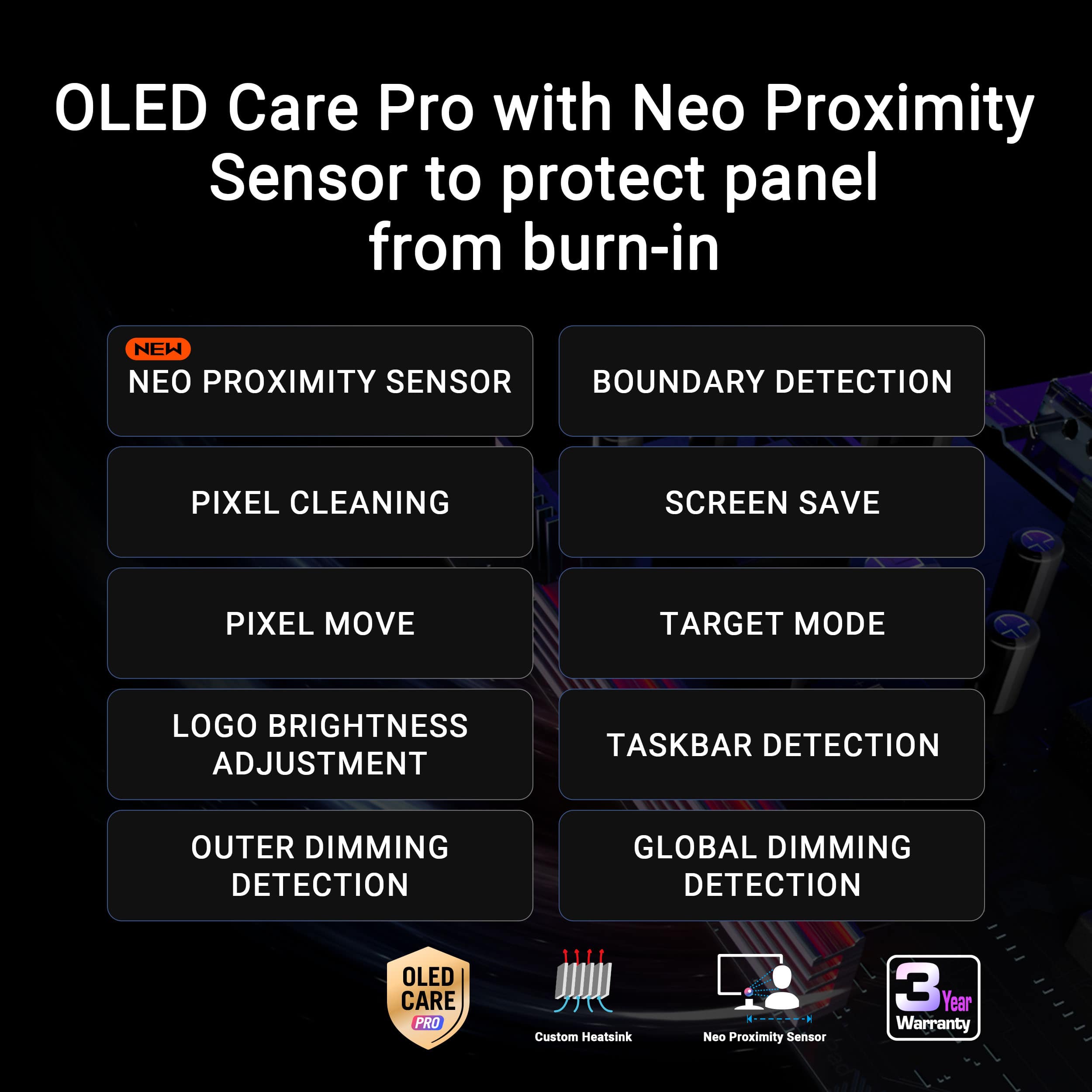
There was definitely some thought put into long-term OLED usability with features like the custom heatsink and OLED Care Pro features like screen dimming, logo detection, and taskbar detection, which help address common OLED concerns by reducing burn-in potential. But while I appreciate the reminder to clean the pixels, I don't think I need reminded as often as the pop-up appears. Not only did the reminder setting not work properly, but the 2-, 4-, and 8-hour options seem limited.
One feature that didn't work well for me is the Neo Proximity Sensor. In theory, it's a smart idea for helping protect the panel from burn-in when away from the screen, but it seems to at least partially rely on detecting movement or a change in distance rather than actual presence. If I'm sitting still (fairly common), the screen will suddenly go black mid-session, and I have to move a little to get it to come back on. Calibrating or even manually adjusting the detection distance didn't improve this behavior either, and it became disruptive enough that I ultimately decided to disable the feature.
Overall, the XG27ACDMS helps deliver an outstanding gaming experience. The combination of OLED image quality, fast response time, and a high refresh rate makes it an absolute joy to use. While there are only a few rough edges (more software than hardware itself), they don't overshadow the core strengths. If you're looking for a premium 27-inch gaming monitor that prioritizes responsiveness and visual impact, don't overlook this very compelling OLED option.
I would recommend this to a friend
Rated 5 out of 5 stars
Oh the games we will play...
|
Posted .
This reviewer received promo considerations or sweepstakes entry for writing a review.
My son and I have been looking to update our gaming area monitor for a while now. I had trouble making a decision on which way I wanted to go, but the ASUS - ROG Strix OLED 27" (XG27ACDMS) monitor really spoke to us with the OLED technology. We’ve had OLED TVs in the house, but never in a monitor. We were very intrigued and ASUS has yet to disappoint us with the various laptops and computers we’ve taken in over the years.
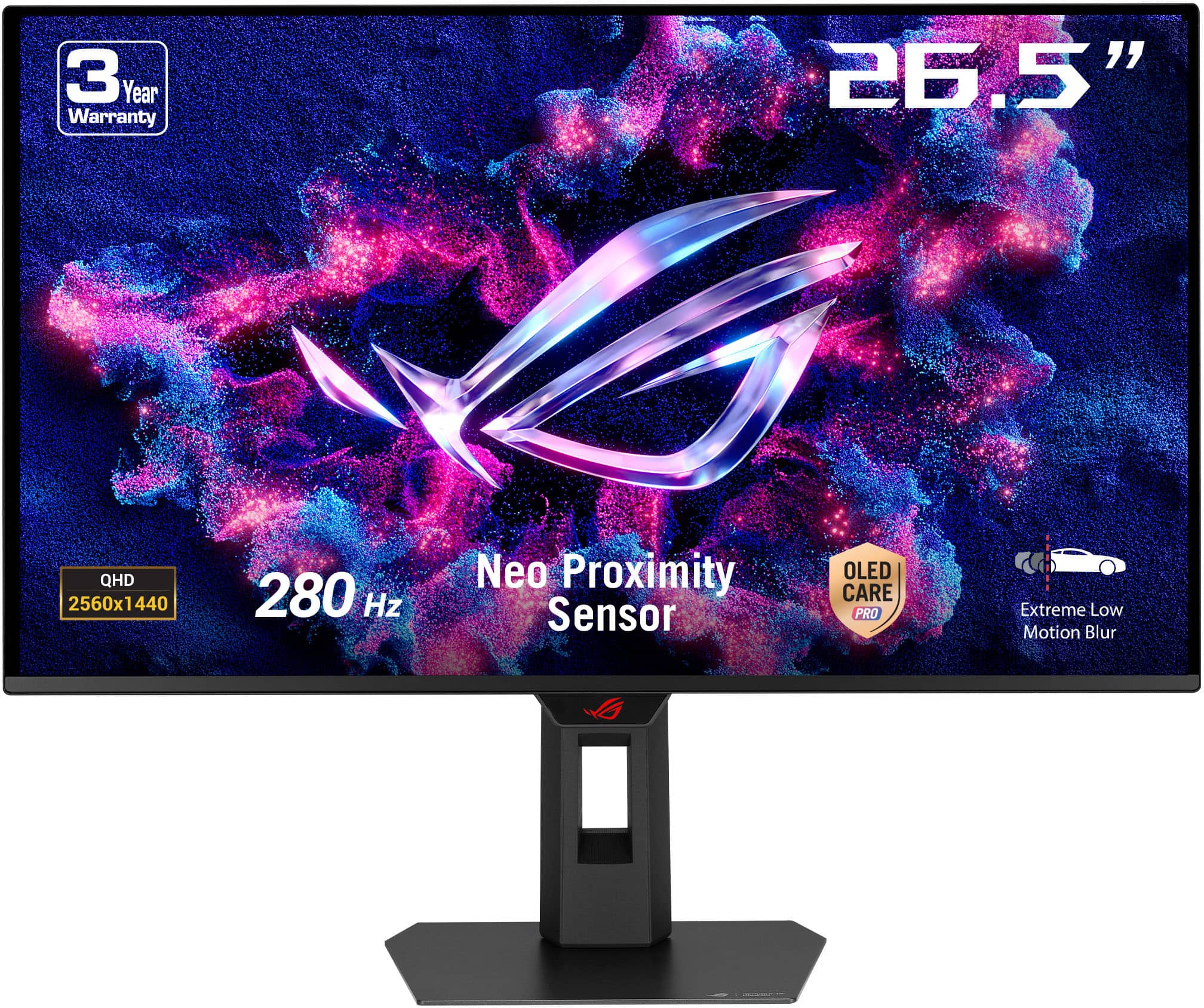
This monitor boasts a 2K OLED screen with a super fast refresh rate and response time. At 280Hz and .03 milliseconds, gaming on this bad boy is wonderful. So far, we’ve experienced nothing but smooth transitions playing various games (Fortnite, Roblox, Hogwarts Legacy, and more) or while watching movies/videos. The colors are great and the blacks are deep with the 1440p resolution . Luckily, this is in a very dark area, most of the time, so we don’t deal with a ton of exterior brightness impacting the quality. The only display “difference” that we did encounter was with the text that appears on screen. Whether it was an in-game chat or the storyline script, it was a little funky. It’s hard to describe, but the way it’s displayed just looks a tad off. It’s not terrible, but we noticed the change from our previous monitor to this one. Not a huge deal though.
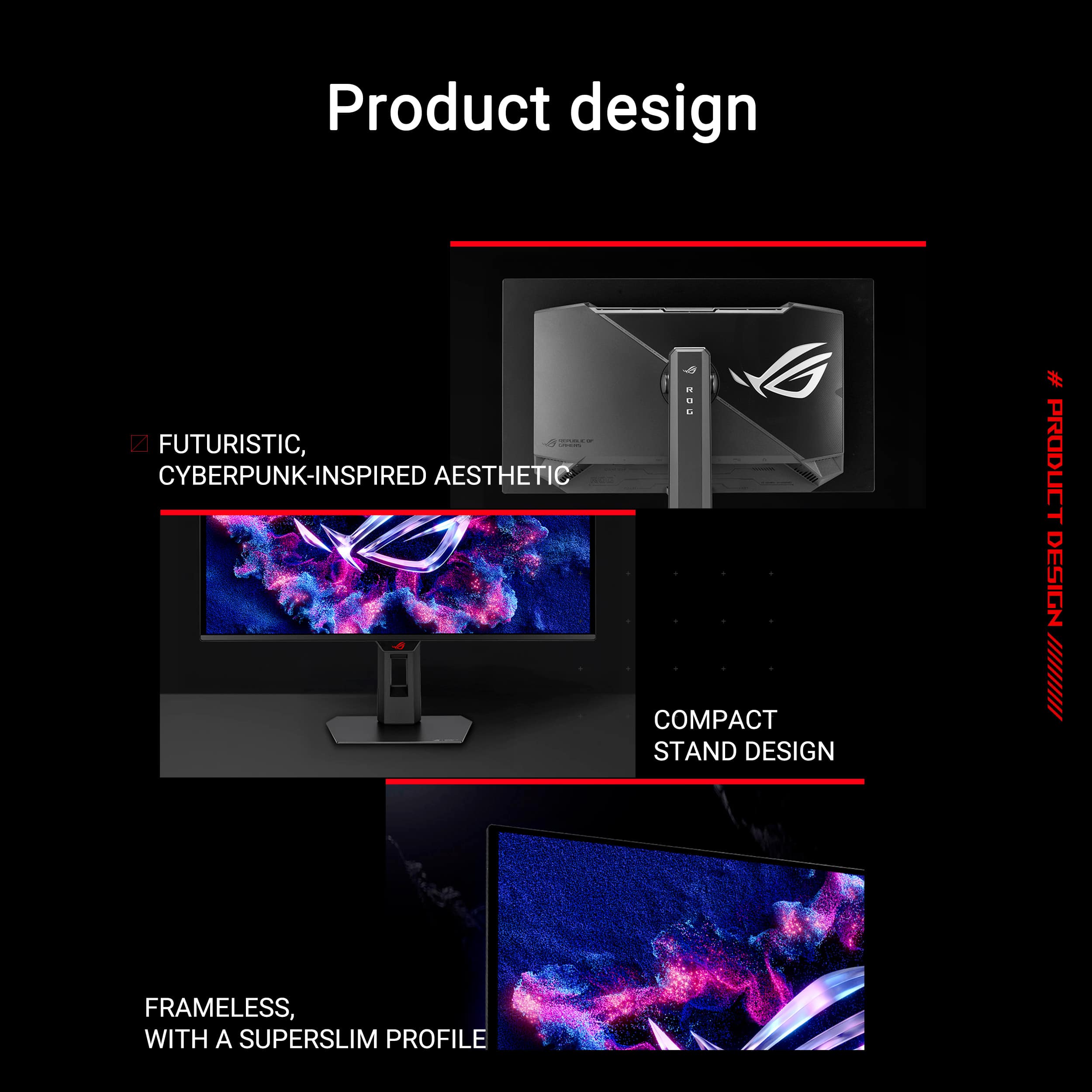
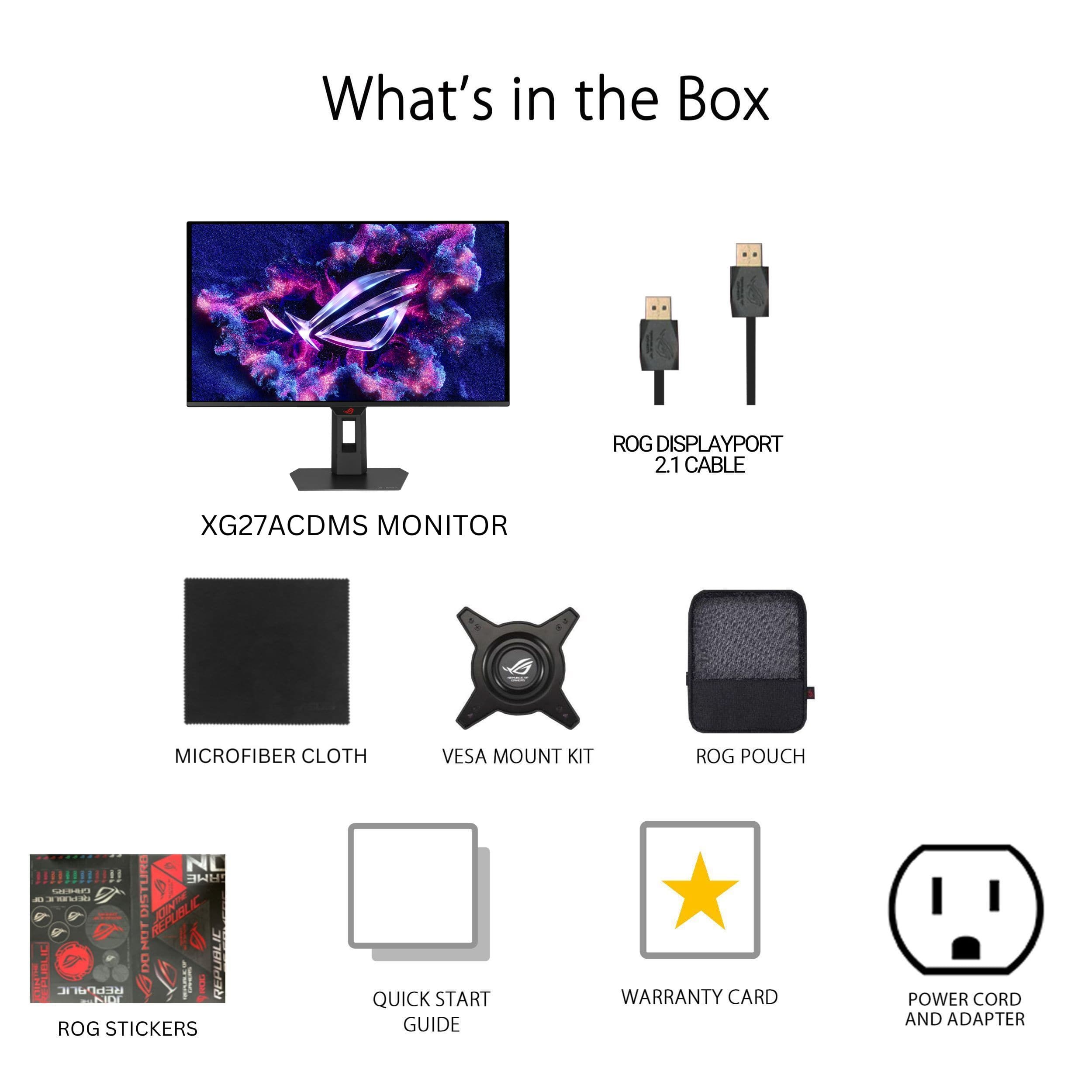
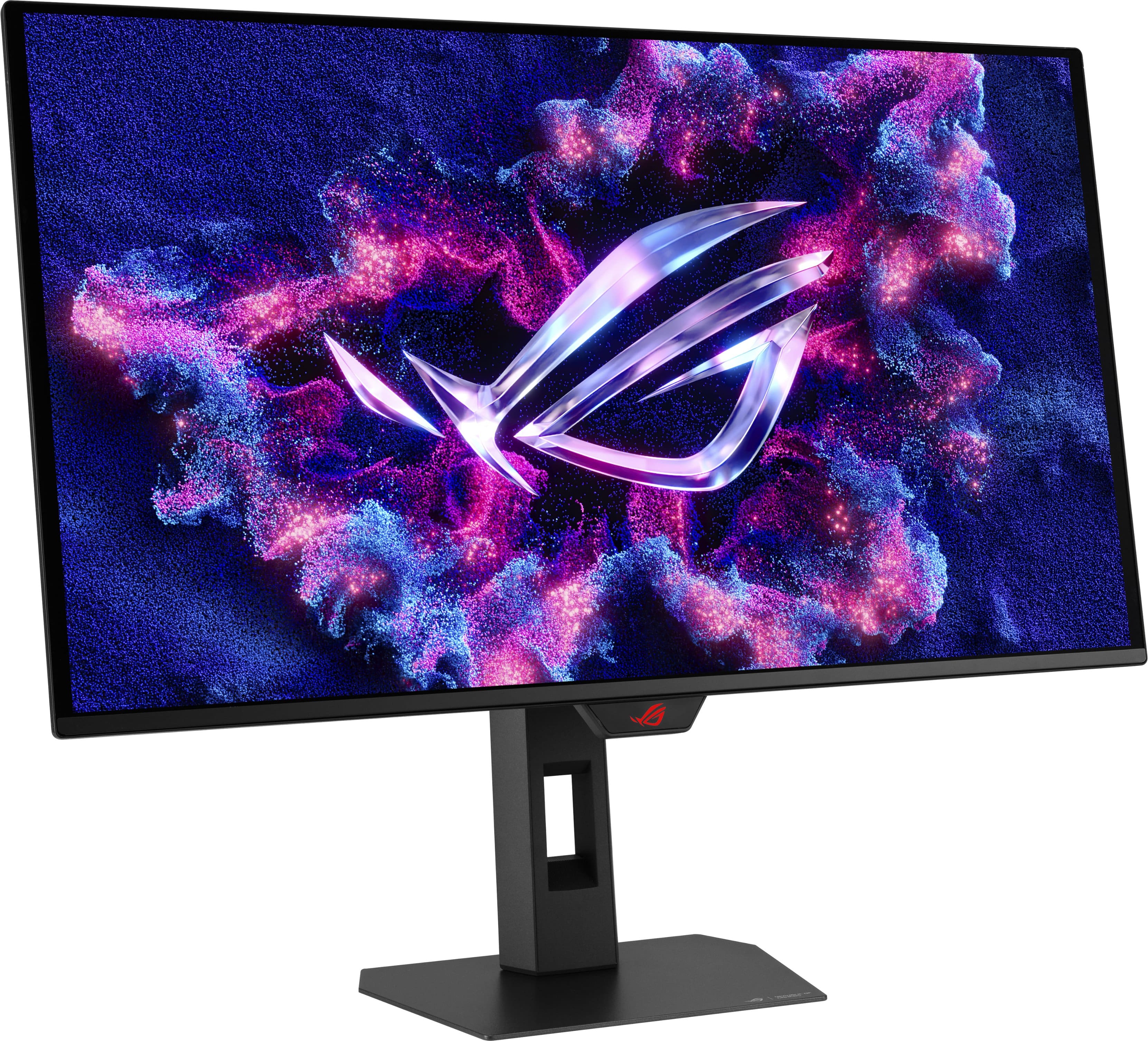
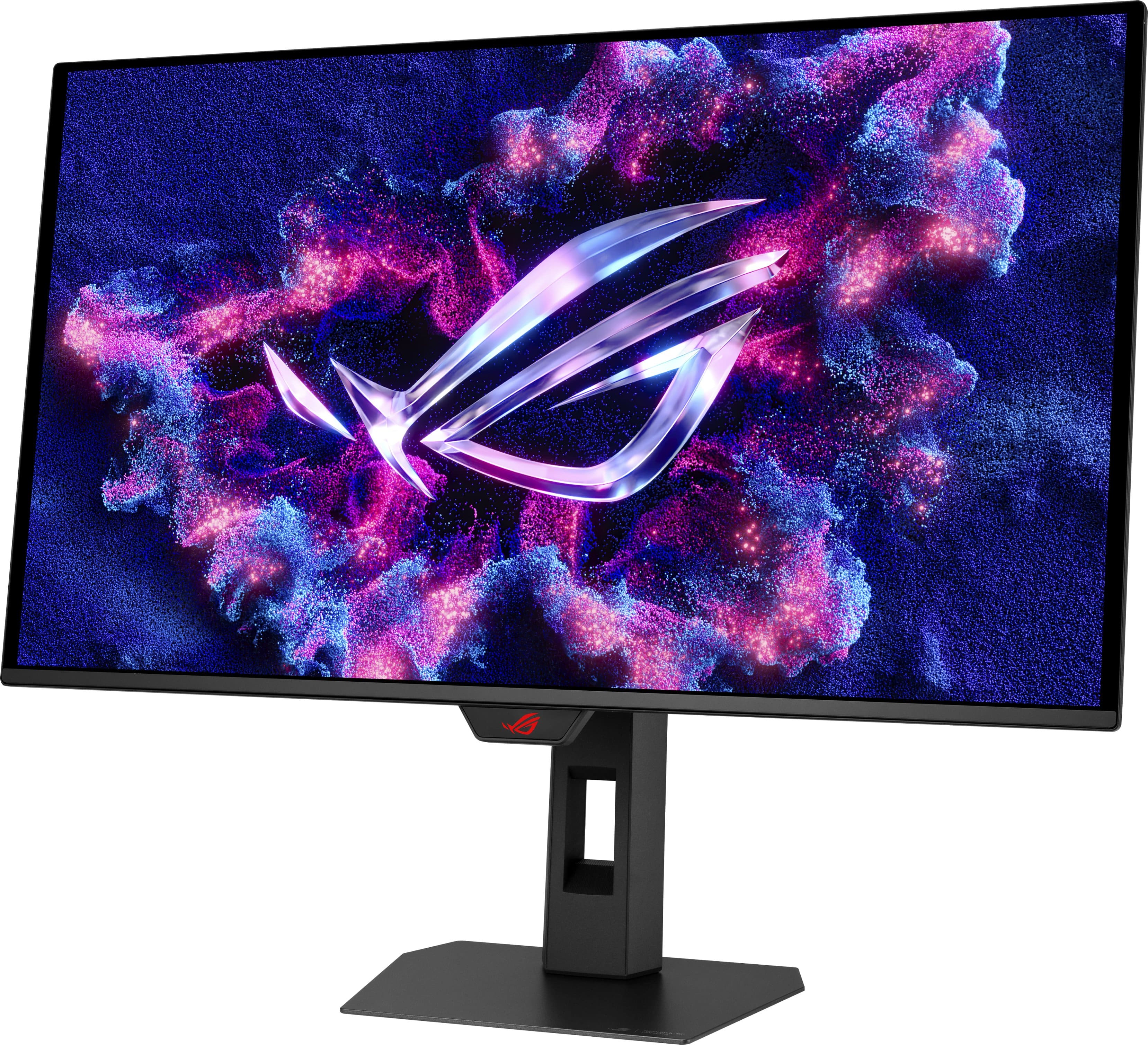
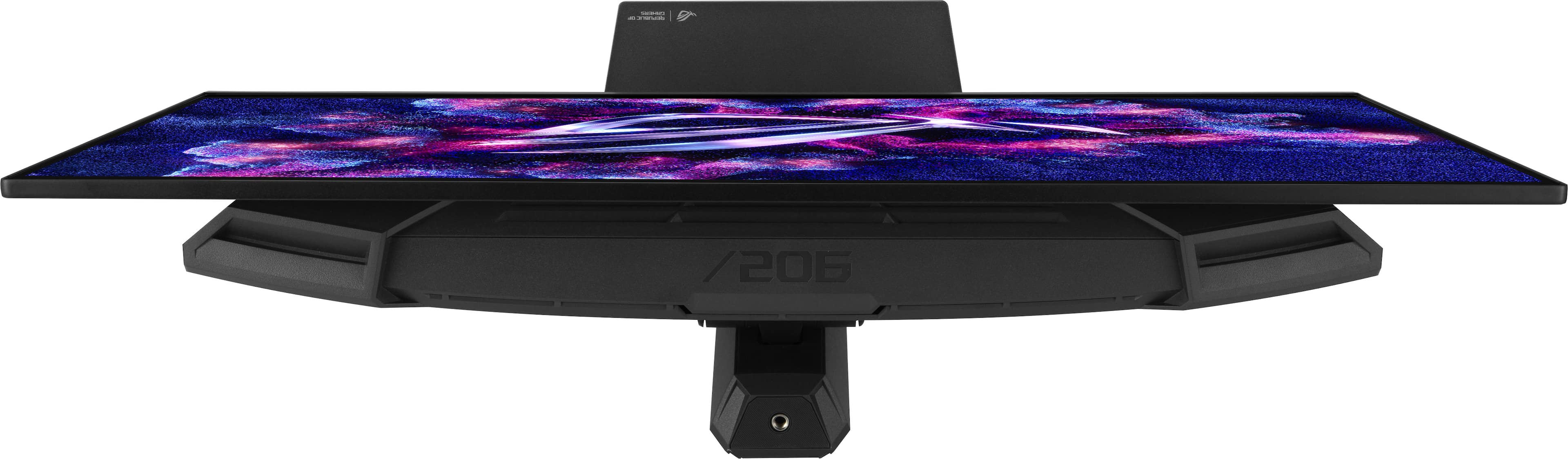
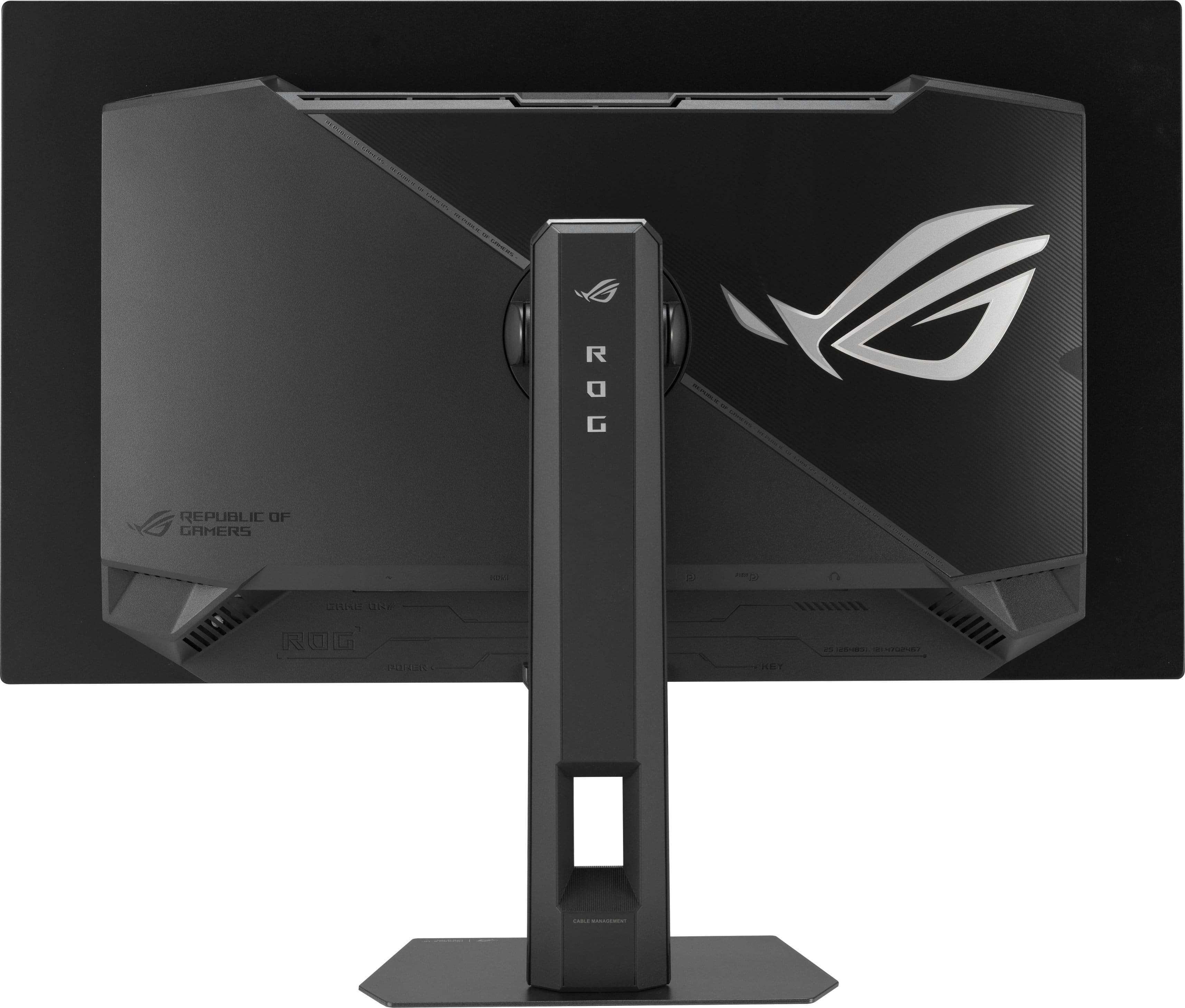
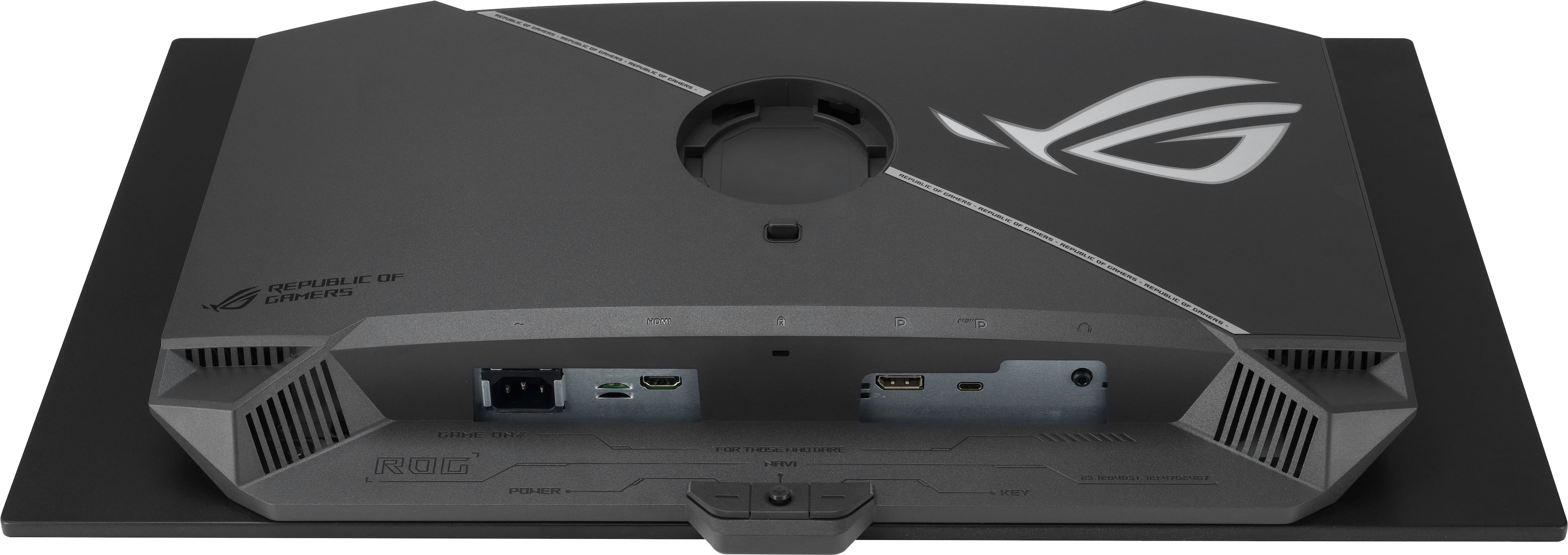
Now, let’s dive in on the physical aspect of this monitor. It’s not the best design, but it’s not terrible either. Nobody is going to see the back of it and how thick it is. From the front, its appearance is very slim and nearly frameless. Returning to the back, the connections are interesting. This one comes with a DisplayPort 1.4, an HDMI 2.1, and a USB-C. I really like having two of something for consistency, but it’s not the end of the world. ASUS does supply you with a DisplayPort cable to get you rolling right away. They also have microfiber cloth in the box for you as well. This is very important because this should be the only thing you use on this screen. It’s very delicate and you want to keep it protected from “foreign objects” as much as possible.
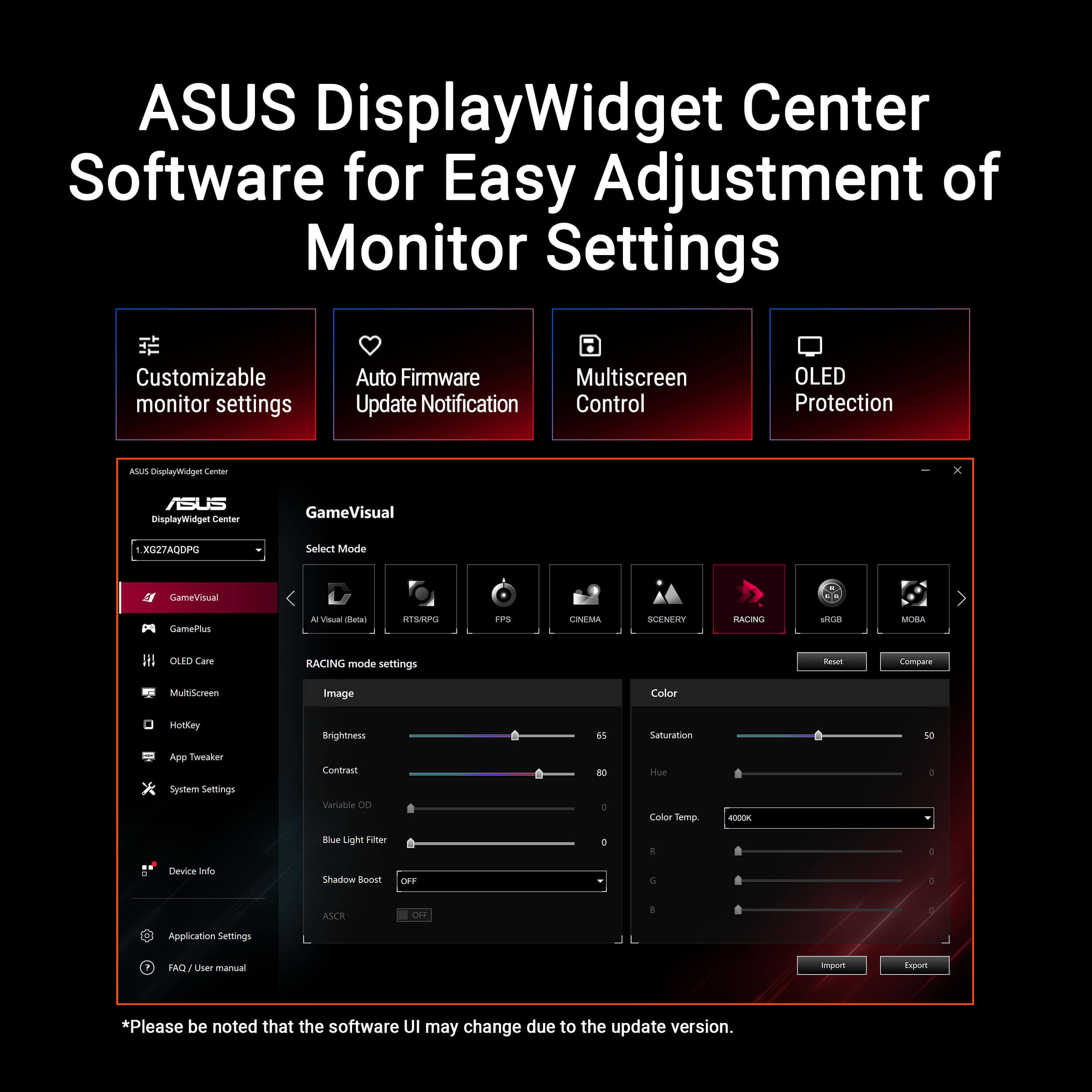
Lastly, there are a couple of features that are nice hidden gems with the ASUS - ROG Strix OLED 27" (XG27ACDMS) monitor. The Neo Proximity Sensor is great to reduce the chances of burn-in. Considering my son loves to leave everything on, this worked out great when he was done with his gaming sessions. The other is the ASUS DisplayWidget Center app that can help you set things up and keep up to date with firmware notifications. Keeping the monitor finely tuned and current is going to help improve things as we progress.
Ultimately, there are probably better monitors out there, but you are going to pay more for it. I think this one sits right in between the midtier and upper tier offerings. I don’t think anyone would be disappointed to have this a part of their setup.
I would recommend this to a friend
Rated 5 out of 5 stars
Smooth, sharp, premium, sweet spot for a monitor
|
Posted .
This reviewer received promo considerations or sweepstakes entry for writing a review.
ASUS has been one of my favorite brands for years, but that doesn’t mean I give them a free pass on anything. They’ve simply earned my trust through consistent quality, and this ROG Strix 27" 2K OLED 280Hz monitor keeps that streak alive without missing a beat. Just reading the product title alone tells you that this thing is built for serious gaming. The 27-inch size hits that perfect balance where games feel immersive but you’re not overwhelmed, and the almost invisible bezel really adds to the premium look. There is also extensive connectivity with a 1.4 DisplayPort, 2.1 HDMI, and surprisingly a USB-C with power delivery. But it’s the OLED panel that steals the show with deep, inky blacks, insanely vibrant colors, and that signature OLED contrast that makes everything pop in a way even the nicest IPS panels can’t touch. The only catch is the fragility of OLED surfaces. You absolutely need to be careful not to touch the screen, because fingerprints, oils, moisture, and even casual dust can be a pain to clean properly. If you go at it the wrong way, you can seriously damage the panel, so gentle is definitely the keyword here. During my setup, I accidentally smudged my finger on the screen, but from previous experiences, I just took my time and gently cleaned in a circular motion with a microfiber glass cloth.
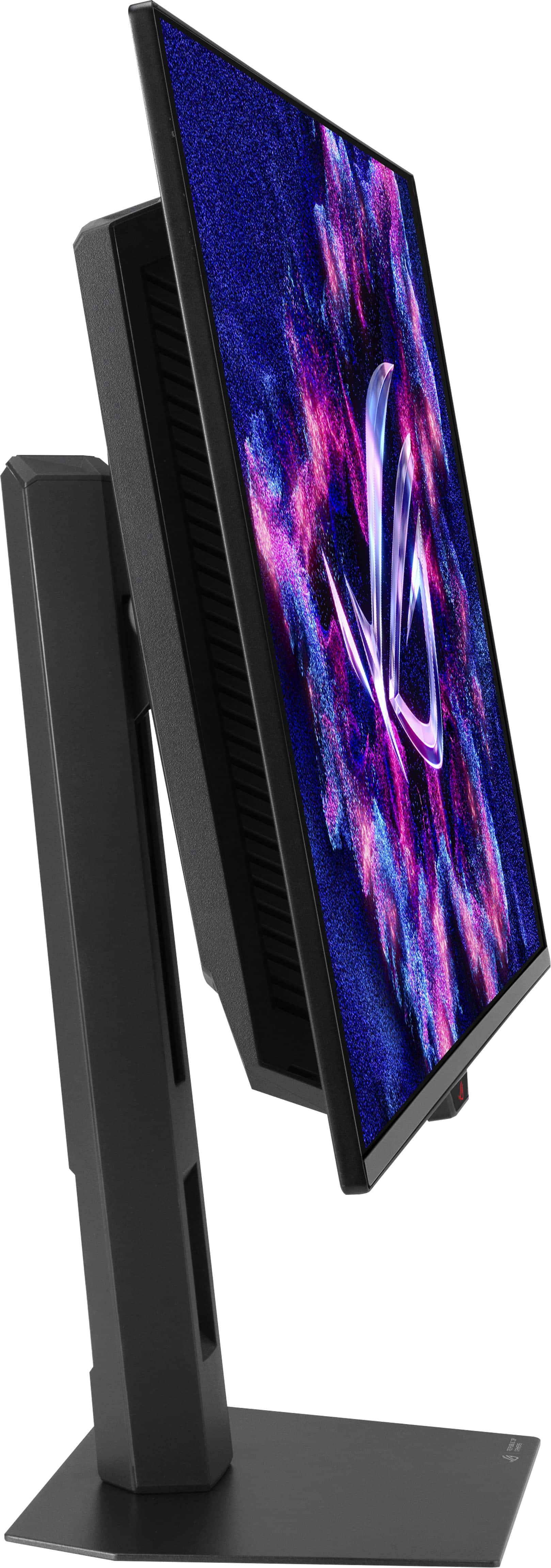
The stand setup is thankfully painless. It snaps into place quickly and gives you full tilt, swivel, and even a 90-degree rotation into portrait mode. I’m actually running it in portrait mode right now, and it’s been a game changer for the way I multitask. Discord on the side, extended menus, strategy games, even browsing or streaming sessions feel more organized. I’ve always wanted to experiment with a vertical monitor, and this one makes me wonder why I waited so long. The 280Hz refresh rate paired with the lightning-fast response time makes everything feel unbelievably smooth. Fast-paced shooters, racing games, even just scrolling through content feels silky. Since I’m also using an ASUS ROG PC, the synergy between the monitor and ASUS settings is seamless. Everything just works without any unnecessary hoops to jump through.
The monitor does include its own display widget software, but honestly, it’s more of a hassle than it needs to be. I tried it, poked around for a bit, and ended up going back to the standard ASUS system controls. They’re easier and faster. One feature I almost overlooked is the Neo proximity sensor, which turns the screen black when you’re not in front of it. It’s meant to help prevent burn-in, which is a fair concern with OLED panels, but I haven’t bothered with it. I’m either at my PC or not gone long enough to worry about burn-in anyway. I do make use of the screen cleaning cycle when powering down, just to give the panel the maintenance it needs over time.
This monitor is definitely worthy of a top contender in the OLED market and if you can catch it on sale would be a great pick up. If this were my only monitor, I wouldn’t complain one bit. It’s more than capable of being a primary gaming display, and honestly, it feels like it was built to compete with the best. Smooth, sharp, punchy, premium visuals and performance, this thing checks all the boxes and then some.
I would recommend this to a friend
Rated 5 out of 5 stars
OLED Monitor is a Game Changer
|
Posted .
This reviewer received promo considerations or sweepstakes entry for writing a review.
“Wow.” That was my first word when I accidentally turned on the monitor. At the time, I was connecting it to my monitor mount. When it turned on, I saw a pitch black screen with a few logos (hdmi, nvidia g-sync, etc) as it booted up.
It comes with a solid stand. How good is it? I’m not sure. I put my monitor on the mount immediately. However, I could tell that it seemed sturdy. It seems it had a lot of adjustments as well. It also came with a lot of Republic of Gamer stickers. That’s where the high cost of this monitor comes from. Jokes. Included was also a bag with a zipper. Inside, there was a power cable and a display port cable included. About 6 feet each.
After having my mind blown for about ten minutes, an application asked to be installed. “Asus DisplayWidget Center.” I did not have to connect to my PC via USB or search for the install.exe. In fact, it popped up on a PC connected via HDMI and another connected via DisplayPort. It can do almost everything you can do from the onscreen menu on the monitor. It can’t change inputs, language, sound, and a few other settings. However, it can change the main options. You can adjust the brightness, turn HDR on or off, run pixel cleaning, and change the visual mode from the app. To be honest, I’m afraid of even touching the nub on the back of the monitor. The monitor is so thin that I find myself touching or nearly touching the monitor sometimes. So it’s great that there is an app made that helps you control the main settings you want to adjust.
I really like the Neo proximity sensor. You walk out of your room and come back several minutes later, and your monitor will have turned itself off. It will turn on when you sit down. The monitor detects you. The range and the timer are customizable.
In terms of quality, it is a drastic difference from my previous monitor. My last monitor was 120Hz. You can notice just how much smoother this one is. My last monitor was not OLED. So let me tell you, this was a huge game-changer. Playing games or watching content now is so much better. Everything just pops. Content and gaming are just more vibrant. The blacks are pitch black. No light bleed at all. And to tell you the truth, I don’t believe I have even found the correct display settings yet.
My biggest concern was that I might see reflections on this monitor. I went to a store recently that had OLED monitors on display, and I was worried. At the store, you can see the ceiling lights on the screen. This being a QD-OLED monitor, it does a good job of preventing reflections. At the same time, with this being a QD-OLED monitor, you get the issue of seeing purple-ish colors instead of dark scenes. For me, it’s not that much of a problem. My monitor is actually in direct sunlight sometimes. But if you keep your blinds and curtains closed/partially closed, you’ll be alright. If, of course, you’re looking for constant pitch black and a more glossy screen all the time, you want a W-OLED monitor then.
I would recommend this to a friend
Rated 5 out of 5 stars
Beautiful and OLED for gaming as it should be.
|
Posted .
This reviewer received promo considerations or sweepstakes entry for writing a review.
Let me start by saying if you have never experienced OLED then you are missing out. Just like other monitors and tv's, there are good OLED and there are great OLED implementations. The ASUS - ROG Strix is a great implementation.
While it will make anything look good, it truly shines in gaming as it is designed to do. Honestly, other than a little crisper text and lines, I didn't see much when doing office type work on it which reinforces my thought that I don't need one for my office as I do not do graphic art type work. I'm sure it would provide some relief from eye strain, but that has never really been an issue for me either so I think it would overkill (though if I were replacing the price isn't out of bounds and the quality is excellent).
I have this connected to a gaming machine with a middle/upper GPU and the difference between it and my previous gaming monitor is immediate and large. The image is much cleaner, the blacks much deeper, and the colors in general are more vibrant as they should be with an OLED monitor.
The 280Hz keeps ghosting and tracing away, but I'll be honest that it really wasn't an issue with my old monitor either. I'm not sure my eyes are capable of noticing the difference in refresh, but perhaps it reduces strain as well and I just haven't noticed it yet.
The response of 0.03ms is incredible. Coming from the 1ms to the 0.5ms and now this is something that I never thought would be necessary, but with each iteration I notice things on the older generation that I never noticed before. I guess you don't notice issues until you see them resolved sometimes.
Physically, it's 27" and desk mounted. The stand is heavy and solid, but not bulky. It's adjustable to a degree and I set it to my comfort level and left it alone. I appreciate that it stayed where I left it without that slow drift that is prevalent on cheaper stands.
I use G-SYNC and have for a long time. This implementation is seamless even though I can't really tell a difference from my previous generation.
The overall take on this monitor is that it is beautiful, affordable, and just works. I'm familiar with ASUS but have never felt one way or another toward the brand. After this, I have faith in their monitors and they are going on my short list for sure.
I am waiting to see how the burn goes and if I have any long term issues, but out of the box and for the first 2-3 weeks there have been absolutely no issues whatsoever.
I would recommend this to a friend
Rated 4 out of 5 stars
Great OLED Monitor, But With Caveats
|
Posted .
This reviewer received promo considerations or sweepstakes entry for writing a review.
IMPORTANT FEATURE NOTE: To adjust other monitor settings, bring up the OSD, go to System Setup, then Power Settings, and set to Performance Mode. It was set to Power Saving Mode when I first turned it on.
There are several models of the ROG Strix monitors. The one reviewed here is model XG27ACDMS which features 280Hz refresh rate. Most of the information is already listed on the product page. My current setup is an edge case where I run 3 monitors. Also of note, this monitor has a VESA mount in 100x100mm spacing, which allows me to use a special monitor stand designed for multi-monitor setup.
While unboxing the display, I found that the mounting mechanism to be proprietary and small. In fact, in order to use the VESA mount, there is a separate included adapter. Depending on the user’s mount design, one either has to screw in the adapter first or connect the adapter first. In my case, I needed to connect the adapter. There are no included screws for the mount which is unfortunate. Also of note is that all of the electrical components are built into the display. Some monitors are designed to have the power brick separate from the display. So this is something to consider when tidying up the back of the monitor.
Connecting the monitor using the included DisplayPort cable to a RTX 3070Ti, the display springs to life. (Actually, it turned itself on as soon as I connected the power cable.) Windows 11 lists all of the supported refresh rates and I was able to set it to the maximum supported “280Hz” (Windows lists it, amongst some others, as 279.96Hz). Using both the popular UFO test and vsynctester website, it showed the high refresh rate working.
Apparently by default (for me at least), the monitor is set to Power Saving Mode, and thus only brightness and contrast were available to adjust. In order to fully use the other features and settings, one has to bring up the OSD, go to System Setup, Power Settings, and set it to Performance Mode. I was not aware of this and was thrown off by how I was not able to access or use its built-in proximity sensor.
While on that subject, the proximity sensor is perhaps the most interesting method of mitigating image retention. Granted, there are screensavers and turning off the monitor after a period of time. Yet I find the sensor to be an intriguing way of caring for your OLED screen. Setting it up is straightforward, with a setting for distance and timeout period. Step away from the display and after a period, the screen will turn black, making it appear to be off, yet not. While this is an interesting feature to be had, it is not without a drawback. While gaming, I would be so focused that I did not move for a while. And in the middle of gaming, the screen would black out. At first, it surprised me, thinking it’s a possible problem with the video card. But I realized shortly after that it was actually the proximity sensor that thought I had stepped away. It’s an amusing quirk of the sensor. I do not know if I’ll keep the sensor on after that.
After using the monitor for a while, it became clear that OLED displays have a future in the desktop space. Providing the best colors and the blackest black, the OLED display really makes it tricky going back to traditional LCD panels. On the other hand, the high price of OLED displays makes it difficult to consider the high refresh IPS displays that can perform reasonably well and at a better price. In addition, the fear of image retention in OLED screens continues to linger around. Recommending this monitor heavily depends on usage scenario. If you can be proactive in caring for it, then it’s not a bad choice to get it. But if you got a lot of static elements on the screen (ie. Windows’ taskbar, desktop icons), I would reconsider looking at this.
The Good: OLED color goodness, high refresh rate, proximity sensor to turn “off” screen
The Bad: high price, image retention fears
The Ugly: image retention fears
Verdict: Buy if you can handle taking care of it
I would recommend this to a friend
Rated 5 out of 5 stars
Great gaming monitor with a high quality display
|
Posted .
This reviewer received promo considerations or sweepstakes entry for writing a review.
The ASUS ROG Strix is a nice 27" 2K OLED Gaming Monitor that has a very nice OLED screen with G-Sync & freeSync capability.. It comes in a Black and Gray color and build quality is very solid. It comes shipped in a well packaged box with a quick start guide. The instructions in the quick start guide are very easy to follow, and I was up and running in to time at all. Mine came with a Display Port cable. If you wish to use an HDMI cable to connect to your computer, you will have to provide your own. The stand base is made of metal, while the rest of the stand is made of hard plastic. The monitor and the stand feel very solid. The connections for the monitor are not easily visible from the rear of the unit. They’re up under the main housing of the monitor. Therefore, I have to try and look up under the housing when plugging in items. The connections are labeled, but the engraved labels are quite small. I had to use a flashlight to get a better view while making connections. The monitor comes with Display Port connection, HDMI connection, USB-C connection, 2 USB A connections, and a headphone jack. The headphone jack can be used to connect my wired gaming headphones or I can connect them to my desktop speakers for sound. The screen is awesome while gaming. It’s very clear from all angles. It’s like I’m looking at a large iPad. The graphics are very clear and any text on the screen is very easy to see. The OLED screen quality with the 280Hz refresh rate is top notch. The bezels are a little thicker than I imagined they would be. The top bezel is thin, but the left, right and bottom bezel aren’t as thin. It’s not a game change, but it’s something that I noticed. The monitor also supports ASUS DisplayWidget Center. It’s an app that you can download and install on your Windows or Mac computer. It’s a monitor management software that’s designed to you personalize and optimize the display to its full potential. Overall, I’m really enjoying this monitor and I hope to get years of great use from it.
I would recommend this to a friend
Rated 5 out of 5 stars
10/10 (basically) no notes
|
Posted .
This reviewer received promo considerations or sweepstakes entry for writing a review.
This is a really top notch monitor. Incredible picture quality , smooth refresh rate, great customization.
Pros:
Picture quality - This might be biased as this is my first OLED monitor, but the picture quality is fantastic. Sitting next to my IPS monitor you really appreciate the deep blacks and pops of color.
Refresh rate - Butter smooth. Not sure how else to describe it
Build quality - The monitor panel is bright and glossy but also has minimal screen glare in brightly lit environments. With how much tech is in the panel I was pleasantly surprised with the relative thinness overall and the size of the bezels. The stand is also very sturdy, attractive, and easily adjustable.
Settings - I appreciated the software to tweak settings. I enjoyed the varied presets but also that you can make minor adjustments within them to really fine tune the picture. The cross hair and shadow boost are pretty neat too.
Cons: Very minimal. I noticed that desktop icons can look blurry based on size and I have had struggles with the pixel clean up pop up. I know you can adjust the pop up delay but for some reason it doesn't seem to take and pops up every 30-45 minutes. Minor annoyance
overall this is such a great monitor and I highly recommend.
I would recommend this to a friend
Rated 5 out of 5 stars
As good as it gets!
|
Posted .
This reviewer received promo considerations or sweepstakes entry for writing a review.
The Asus Rog 27" OLED monitor is one of the best looking, but even more important best performing monitors I've had.
Nothing at the moment can beat OLED so right off the bat you know you're getting the best image quality out there.
The colors are outstanding. Of course you get true proper blacks due to the OLED technology, as well as amazing contrast ratio.
But there's a lot more then just that here. The 280hz display makes everything move so smooth with no input delay I noticed.
The monitor itself looks like high end and looks great paired with the G700. It has nice and thin bezels and almost looks like it's all screen.
The gaming performance is top notch. All my shooters, driving games, and more played with a smoothness and responsiveness that I hadn't been able to achieve with even my more expensive TVs. These would be great for competitive gaming!
I am extremely happy with the Asus Rog Strix and couldn't recommend it more. If you need the best look and performance look no further! Highly recommend!
I would recommend this to a friend
Rated 5 out of 5 stars
Packs a punch with 2K OLED, Asus does it again!
|
Posted .
This reviewer received promo considerations or sweepstakes entry for writing a review.
Gaming monitors are emerging from all the top companies now and becoming more competitive with state of the art features and top of the line looks so its hard to choose which one will be a better device. Asus continuous to impress with not only laptops and desktops for gaming but other devices and peripherals. This monitor is no different and in fact writing this review on this monitor right now. Not only is this monitor a thing of beauty in 27", the 2K OLED screen, with 280Hz is fantastic and easily sets up in my gaming ecosystem. Asus packs a punch when it comes to graphics and I can play my top PC games on this monitor and be wowed by how good the games look. The monitor is easy to set up and includes all the cables to get you started. Adjusting the picture is easy as well, with a small touch of a button the back and you evwen refresh your pixels occassionally to avoid screen burn. The colors pop and OLED really impresses with any high speed in demand graphics game. I highly recommend this monitor to anyone looking for the latest and greatest from Asus!
I would recommend this to a friend
Rated 4 out of 5 stars
Amazing Screen, that Needs Tweaking Out Of The Box
|
Posted .
This reviewer received promo considerations or sweepstakes entry for writing a review.
I truly believe that if you want the best possible gaming experience, an OLED monitor is the way to go. That’s why I was so excited to get my hands on Asus’s new ROG Strix OLED monitor—my expectations were sky-high, and I’m happy to say it more than lived up to them.
Let’s start with the unboxing. Everything is packaged well, easy to unpack, and you can have the monitor fully set up in about ten minutes. I will say that out of the box, the picture settings are cranked up to eleven. The colors are incredibly vivid, but they’re also quite inaccurate—especially if you’re watching movies or TV shows that aren’t in a wide color gamut. You can cycle through the various presets, but customization is really only available in the User mode.
Once I took the time to dial in the settings, though, the results were worth it. The visuals are stunning, with deep contrast, rich colors, and those black levels you only get with an OLED
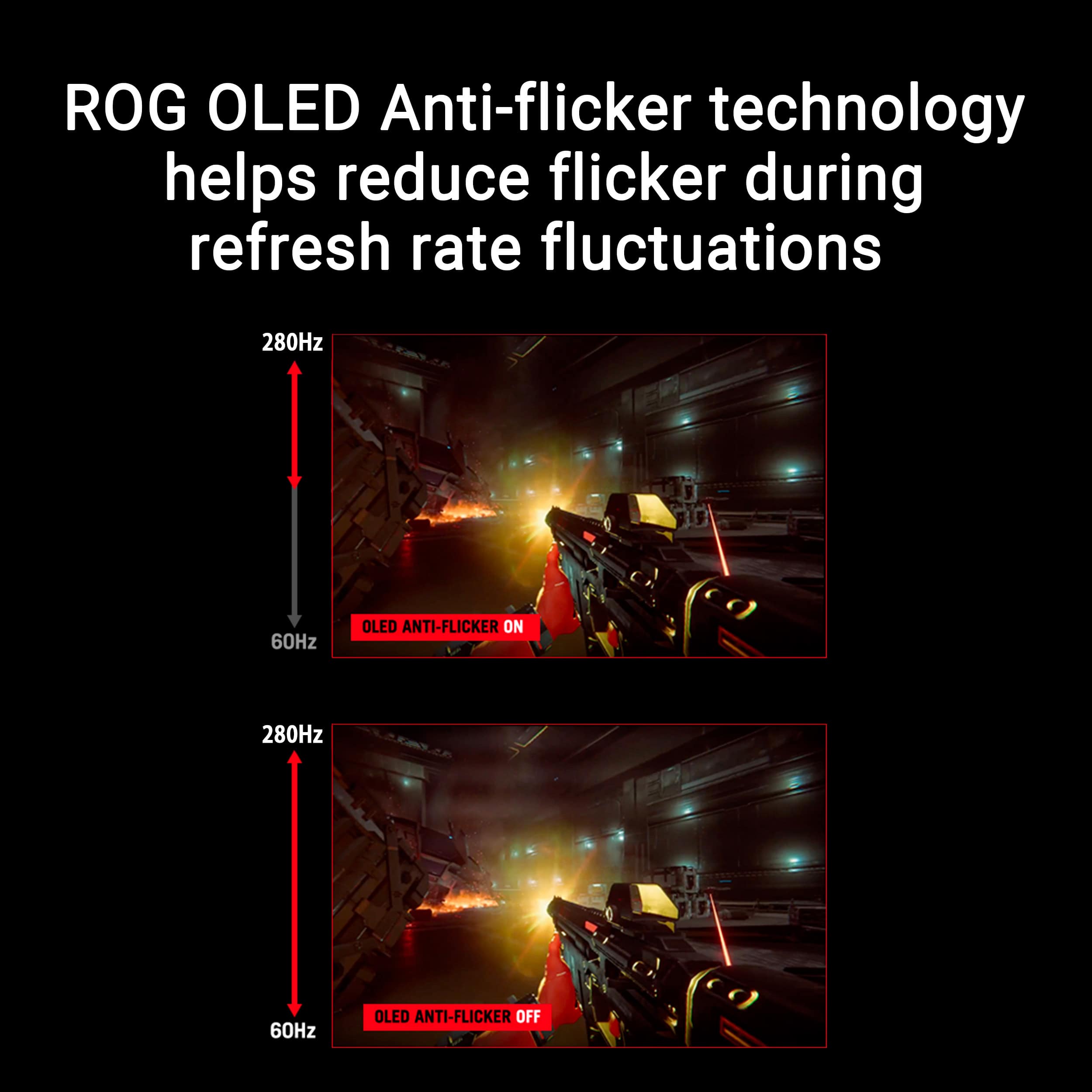
Performance is excellent as well. The high refresh rate makes gameplay feel unbelievably smooth, and I didn’t run into any screen tearing or flickering. Overall, I came away extremely impressed with the entire experience and would highly recommend this monitor to anyone looking for a premium gaming display.
I would recommend this to a friend
Rated 4 out of 5 stars
Asus Rog Stix QD-OLED 280hz
Posted .
This reviewer received promo considerations or sweepstakes entry for writing a review.
Great monitor with a great display. They have many options through their OSD to ensure your wants are met.
I would recommend this to a friend
Rated 3 out of 5 stars
make my eyes uncomfortable
Posted .
This reviewer received promo considerations or sweepstakes entry for writing a review.
i was using a 4k monitor and change to this monitor and could not use it more the 2 hours my eyes start to feel uncomfortable and the text looking bit blurry i return it with in 1 day of use
No, I would not recommend this to a friend
Brand response from ASUS Answers
Posted .
Dear EmmanuelB,
Thank you for your feedback regarding the ASUS XG27ACDMS Gaming Monitor. We sincerely apologize for the discomfort and text clarity issues you experienced after transitioning from a 4K monitor. We recognize how important visual comfort is and regret any inconvenience this situation may have caused. We hope you were able to secure a suitable replacement.
We stand behind our products and continuously strive to improve our products and processes to achieve customer service excellence. If you require any further assistance, please email us at [email protected] and include the case number "N2511009867-0003" as a reference. We will do our best to resolve your case quickly. Your feedback is very important to us, and it enables us to improve our support channels. Thank you for choosing ASUS.
Best Regards, Chantae ASUS Customer Loyalty US Support