Customer Ratings & Reviews
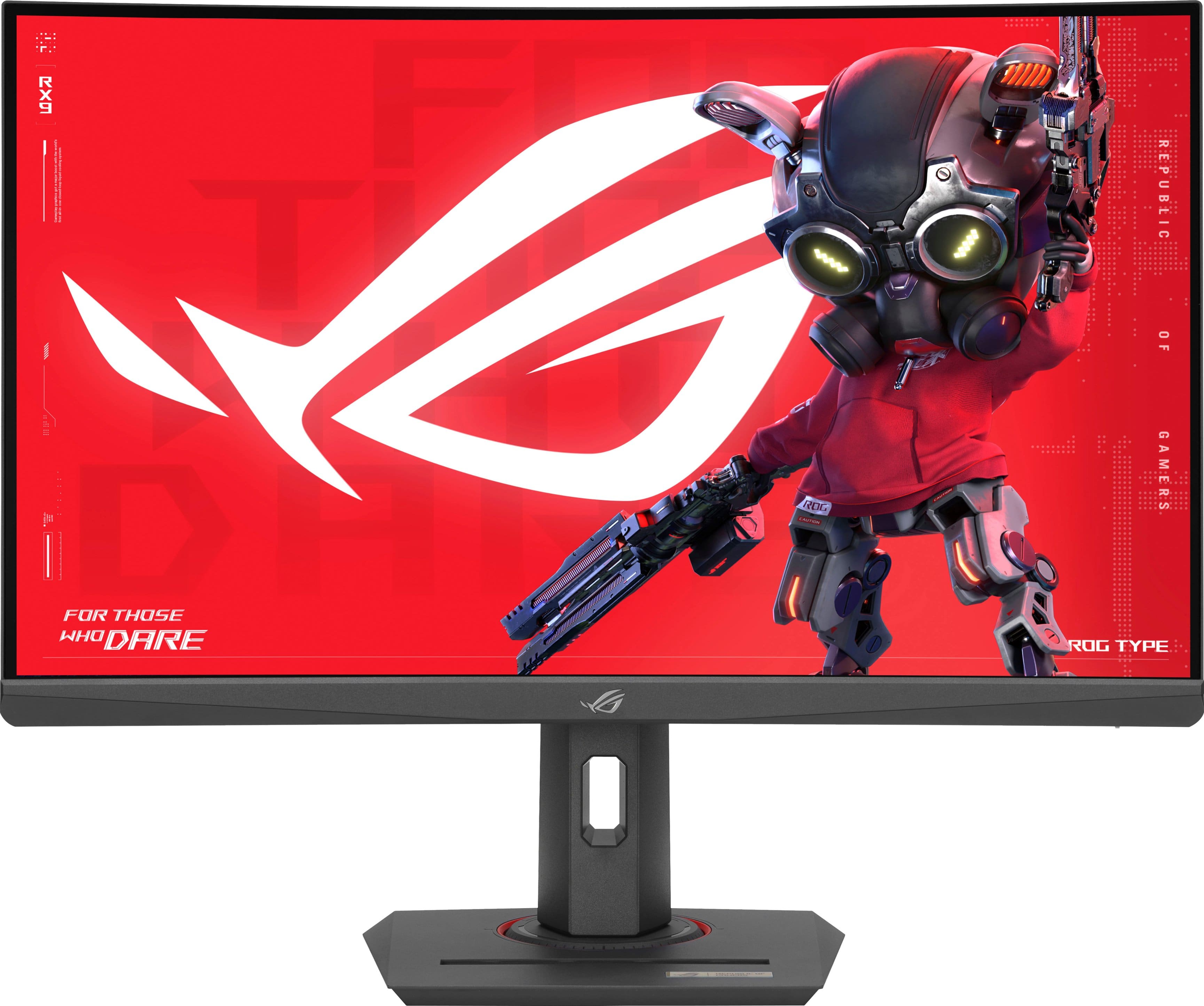
- Model:
- XG27WCS
- |
- SKU:
- 6572369
Customer reviews
Rating 4.8 out of 5 stars with 202 reviews
(202 customer reviews)Rating by feature
- Display Quality4.8
Rating 4.8 out of 5 stars
- Ease of Use4.8
Rating 4.8 out of 5 stars
- Features4.7
Rating 4.7 out of 5 stars
Customers are saying
Customers highly value the ROG Strix 27" monitor for its color quality, fast refresh rate, and sharp resolution. The HDR and curvature are also appreciated, along with the stand that includes a phone holder. Some customers have expressed a desire for more USB ports and have noted backlight bleed issues.
This summary was generated by AI based on customer reviews.
Rated 4 out of 5 stars
Close but no dice.
||Posted . Owned for 3 months when reviewed.This reviewer received promo considerations or sweepstakes entry for writing a review.This was a nice monitor but it was worth a little more to get a 4K monitor. I returned it and got a better version of an Asus monitor.
No, I would not recommend this to a friendRated 5 out of 5 stars
Gaming Monitor
||Posted .This reviewer received promo considerations or sweepstakes entry for writing a review.This is a solid monitor! I bought 2 of them for my setup!
I would recommend this to a friendRated 5 out of 5 stars
Pc rebuild
||Posted . Owned for 1 week when reviewed.This reviewer received promo considerations or sweepstakes entry for writing a review.Very pleased thank you. The computer works very well!
I would recommend this to a friendRated 4 out of 5 stars
rog strix monitor
||Posted . Owned for 1 week when reviewed.This reviewer received promo considerations or sweepstakes entry for writing a review.Got here on time and i love this monitor it's perfect for gaming
I would recommend this to a friendRated 4 out of 5 stars
Good monitor
||Posted . Owned for 3 weeks when reviewed.This reviewer received promo considerations or sweepstakes entry for writing a review.Good but the colors are not so great. Works well.
No, I would not recommend this to a friend- Pros mentioned:Color quality, Curvature, Hdr
Rated 5 out of 5 stars
Worth every penny!
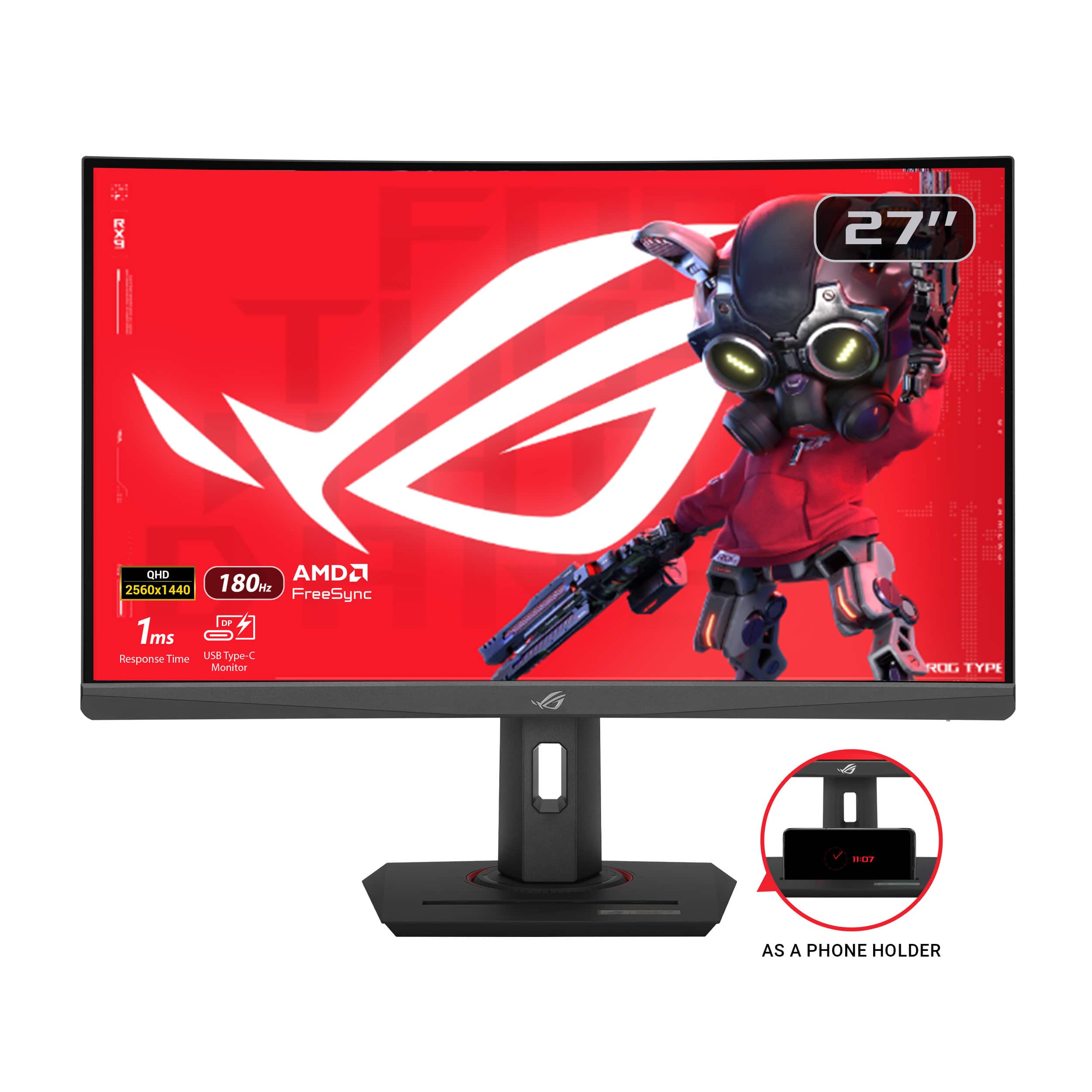
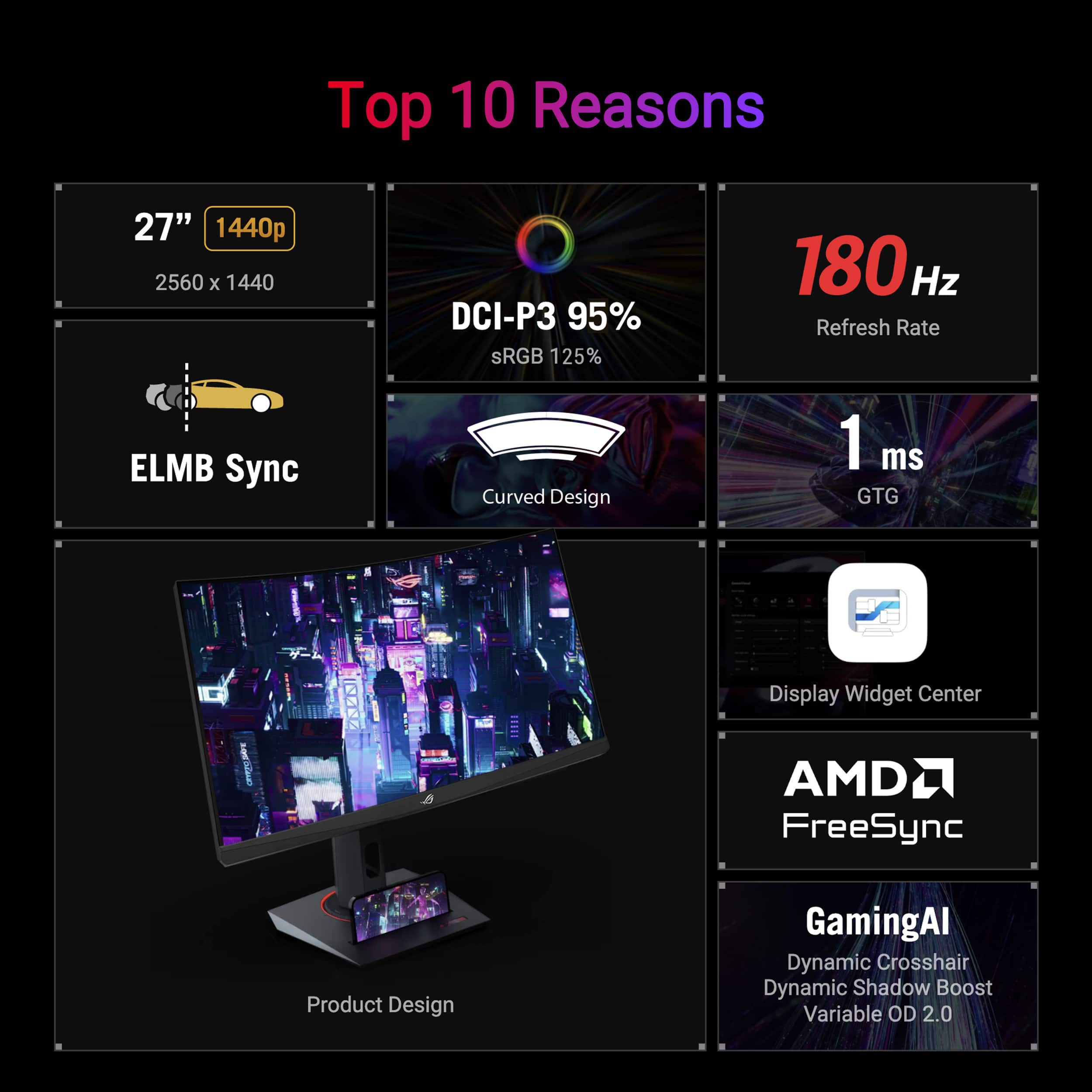
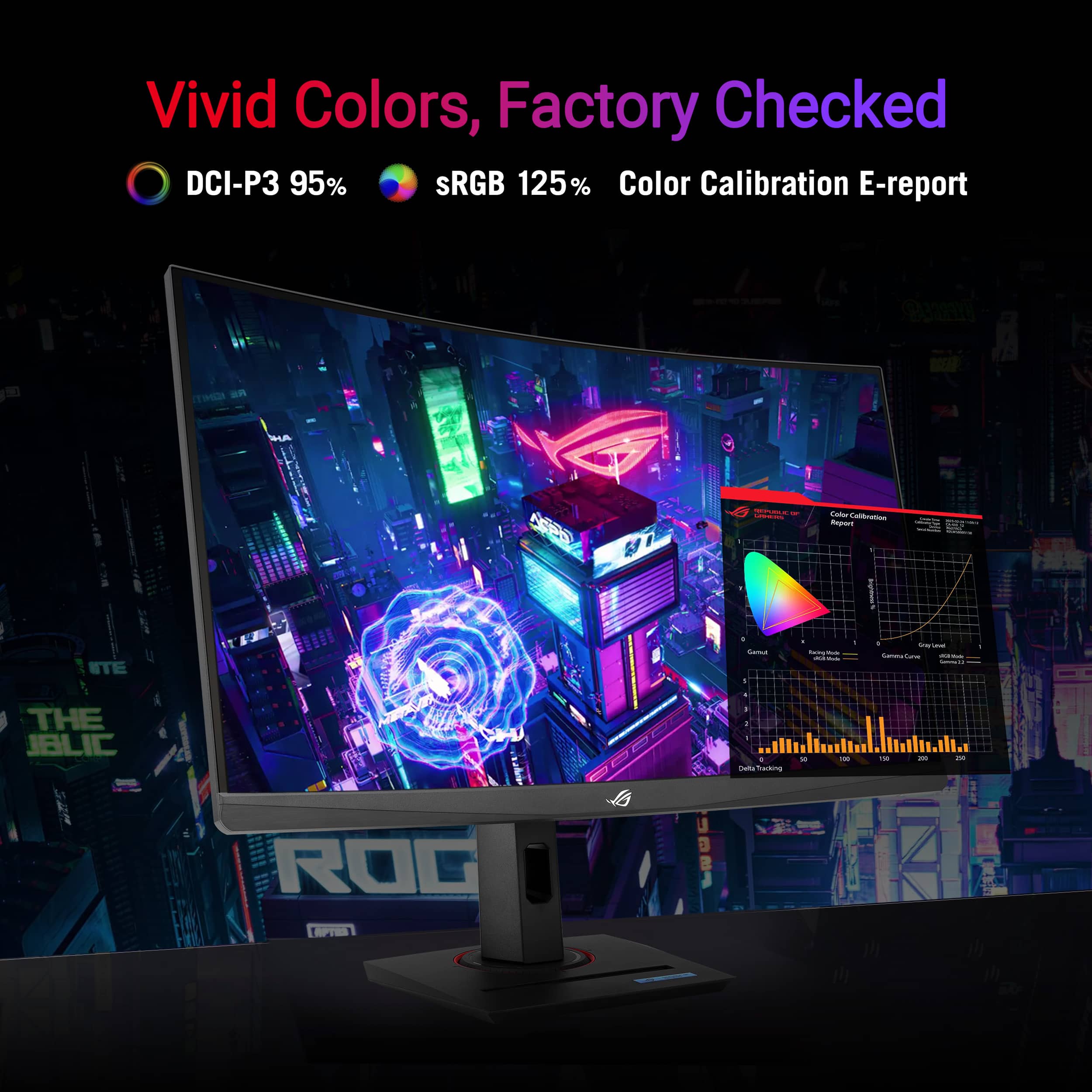
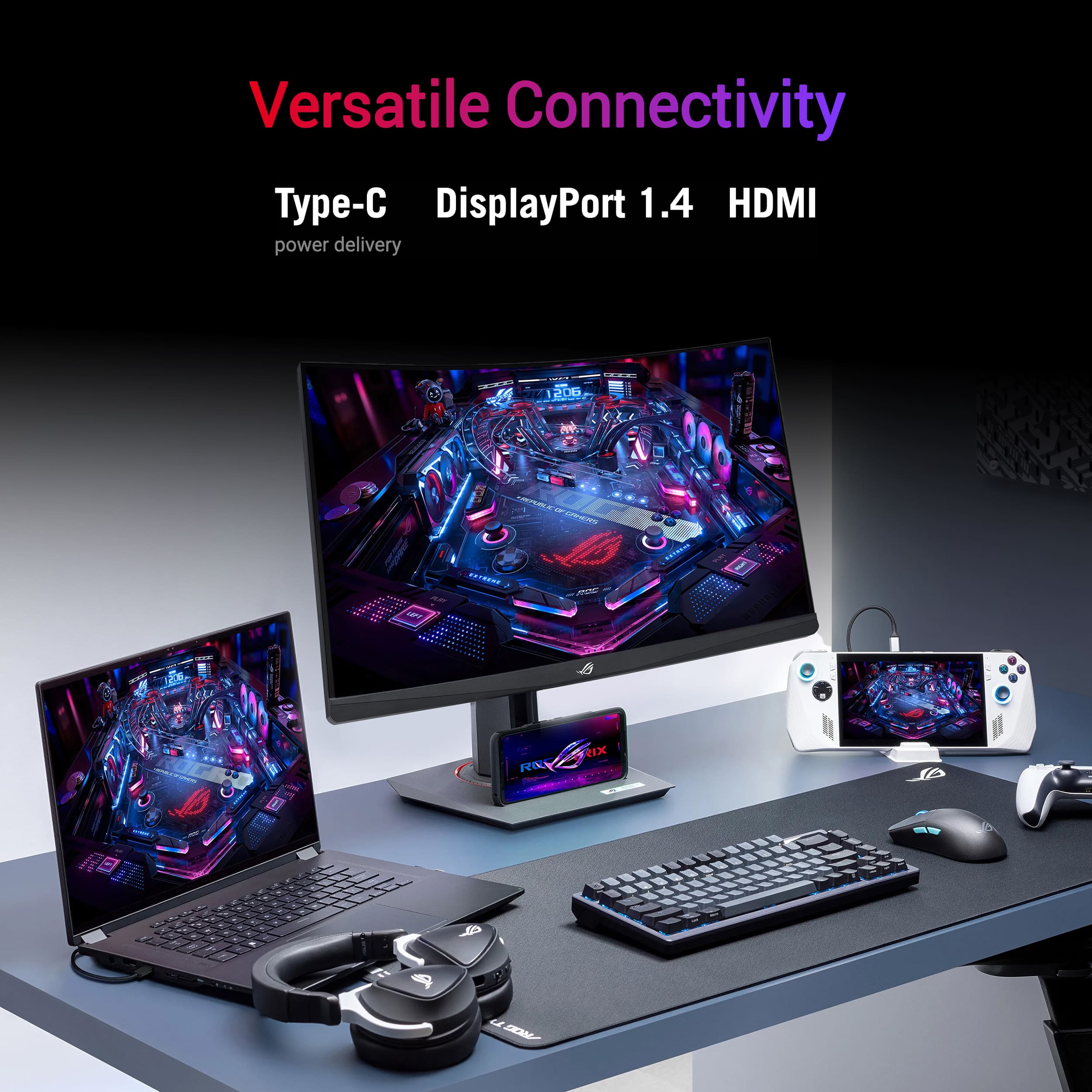
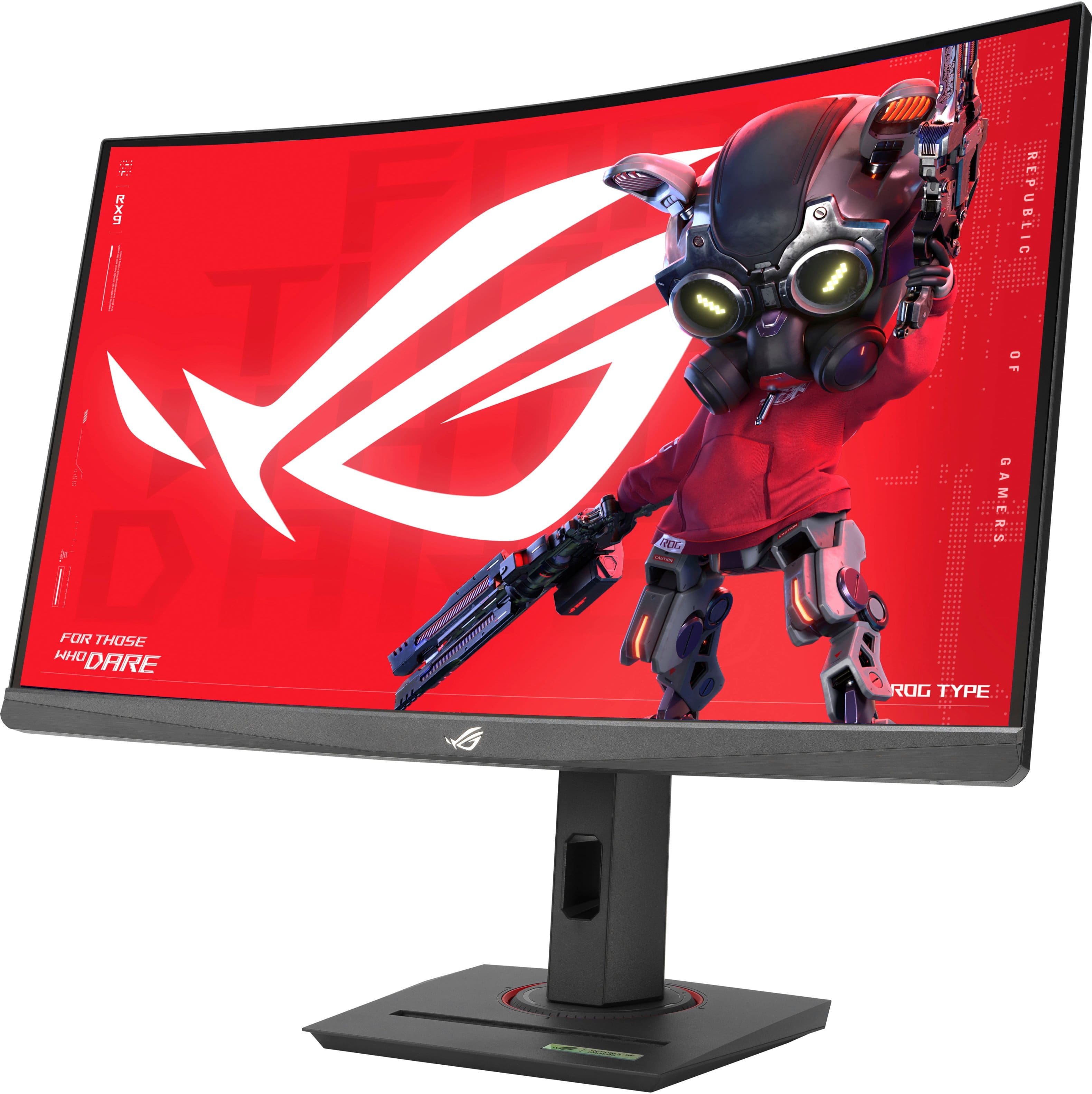
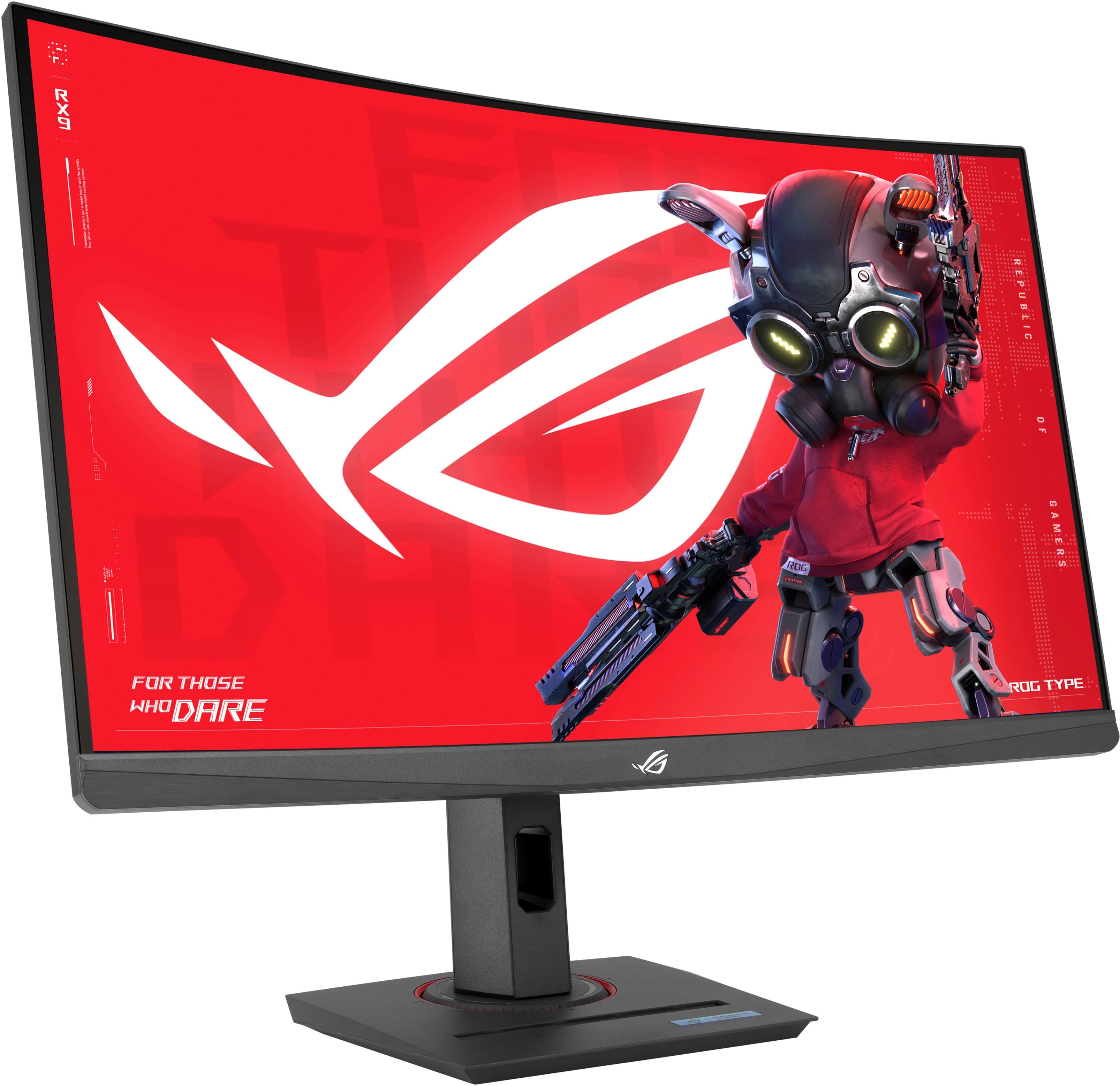
|Posted .This reviewer received promo considerations or sweepstakes entry for writing a review.As a dedicated gamer, I’ve seen my fair share of monitors promising the ultimate gaming experience, but let me tell you, this ASUS ROG Strix 27" Curved 1440P 180HZ FreeSync Gaming Monitor with HDR is in a league of its own. First things first, the design is sleek and modern. The curved display draws you in from the moment you power it on, creating an immersive gaming environment that’s second to none. The curvature of the screen enhances peripheral vision, pulling you deeper into the action and making every game feel like an epic adventure. But it’s not just about looks—the performance of this monitor is truly exceptional. With ultra-fast refresh rates and response times, every frame is rendered with crystal clarity and precision. Say goodbye to motion blur and lag, and hello to buttery-smooth gameplay that’ll leave you feeling like you’re right in the heart of the action. The 27” screen size strikes the perfect balance between immersion and practicality. It’s large enough to fully appreciate the stunning visuals and intricate details of your favorite games, yet compact enough to fit comfortably on any desk or gaming setup. One of the standout features for me is the color accuracy and vibrancy. The monitor’s HDR technology brings games to life with rich, vivid colors and deep contrasts, ensuring that every pixel pops off the screen with breathtaking realism. Setup is a breeze, with a variety of connectivity options including HDMI 2.1, USB-C 3.2 and DisplayPort 1.4, ensuring compatibility with all your favorite gaming devices. It also has a 3.5mm headphone jack. Impressive Value for Money: Let's talk about the elephant in the room - the price. For what this monitor offers, it's an absolute steal. It delivers a 1440P resolution with 180Hz refresh rate, which looks crisp and clear without breaking the bank. Sharp Image Quality: I was initially skeptical about the image quality of the monitor at this price point, but boy, was I pleasantly surprised! The visuals are sharp and vibrant, making it a joy to watch movies or play games. Sleek and Modern Design: The monitor has a sleek and modern design that adds a touch of sophistication to my desk setup. It doesn't feel cheap or flimsy, which is a pleasant surprise given its affordable price. Smooth Performance: I've been using this monitor for a while now, and it has performed remarkably well. There's no noticeable lag or screen tearing during fast-paced gaming or video playback. Decent Size for Multitasking: At 27", the screen size is just right for multitasking without feeling overwhelmed. I can comfortably have multiple windows open side by side without sacrificing clarity. Easy Setup: Setting up the monitor was a breeze, and it connected seamlessly to my computer. It didn't require any complicated adjustments or software installations. Final Verdict: In conclusion, the ASUS ROG Strix 27" Curved 1440P 180HZ FreeSync Gaming Monitor with HDR is a true hidden gem. The price-to-performance ratio is outstanding, and the image quality is surprisingly good. If you're on a budget but still want an excellent monitor for work or play, this one is definitely worth considering. It has earned my genuine praise with its impressive features and affordability. I give it a well-deserved thumb sup. Whether you’re a casual gamer or a hardcore enthusiast, this gaming monitor is a game-changer in every sense of the word. Prepare to be blown away by its stunning visuals, lightning-fast performance, and immersive gameplay experience. Trust me, once you’ve experienced gaming on this monitor, there’s no going back. A five-star recommendation without hesitation!
I would recommend this to a friend - Pros mentioned:Curvature, Refresh rate, ResolutionCons mentioned:Usb ports
Rated 5 out of 5 stars
Great monitor for any stage gamer
|Posted .This reviewer received promo considerations or sweepstakes entry for writing a review.I decided I wanted to get myself a proper gaming set up, so per usual, I started with trying to find an ASUS monitor. This one has exceeded all expectations! Features The ROG Strix is a curved gaming monitor that boasts a maximum resolution of 2560x1440 for a spectacular picture all-around. My model is 27" and includes FreeSync Premium synchronization, a 180Hz refresh rate, and a 1 millisecond pixel response time to make the visual aspect of gaming a breeze. Pros The refresh rate is lightning fast with a much better response time than any other monitors I have tried! FreeSync Premium synchronization is a feature I haven't experienced before, but it helps the syncing of a visual display to a game's frame rate and makes it seamlessly combine for a smooth visual experience. As always, a curved monitor helps give a better perspective of how our eyes naturally see things and therefore makes gameplay much more immersive. Pixel response is also very fast, to the point where I am seeing no delay. Cons I wish there were more HDMI ports. It only includes two, but I can use as many as I can get. I love being able to have one seamless set-up for whatever I need and by preparing a gaming set-up, I'm able to do just that. I can easily get an external accessory to correct it, of course. Conclusion I'd definitely recommend this monitor! It's a bit high tech for simply browsing the internet, but if you game or watch a movie with it once, you'll be hooked.
I would recommend this to a friend Rated 2 out of 5 stars
Hit or miss.
|Posted . Owned for 1 week when reviewed.This reviewer received promo considerations or sweepstakes entry for writing a review.Bought one the middle of June and dead pixels out the box. Returned it the next day perfectly fine until today now it has stuck pixels on the top left side.
No, I would not recommend this to a friendBrand response from ASUS Answers
Posted .Dear LuisIngles99,
We sincerely apologize for the display issue you've faced with the Gaming Monitor and the inconvenience caused. This is not the kind of quality to expect from ASUS products and it's not the norm. At ASUS, we take quality control, testing, and inspections seriously to ensure our products meet high standards. What you've experienced was not intentional or representative of our brand. The decision to make a purchase can be an important one, and we want to ensure that our customers receive the best products and services. We understand the impression this may have created and we hope this will not be a long-term lasting impression as you have chosen ASUS as a trusted brand for excellence. Providing our customers with a high level of satisfaction is our top priority, and we'll forward your feedback to our Product Team for review.
Please allow us to make your experience with ASUS a better one. To troubleshoot the issue described, we recommend following the steps in the FAQ below. Should the issue persist, please contact our support team at https://www.asus.com/us/support/CallUs to further investigate the problem or assist with repairing the device.
We stand behind our products and continuously strive to improve our products and processes to achieve customer service excellence. For more information, email us at customerloyalty@asus.com and include the case number "N2407006727-0001" as a reference. We will do our best to resolve your case quickly. Your feedback is very important to us and enables us to improve our support channels. Thank you for choosing ASUS.
Best Regards,
Chantae
ASUS Customer Loyalty US Support
https://www.asus.com/support/faq/1013113/
- Pros mentioned:Color quality, Hdr, Refresh rateCons mentioned:Usb ports
Rated 5 out of 5 stars
2560 x 1440 180 Hz monitor!
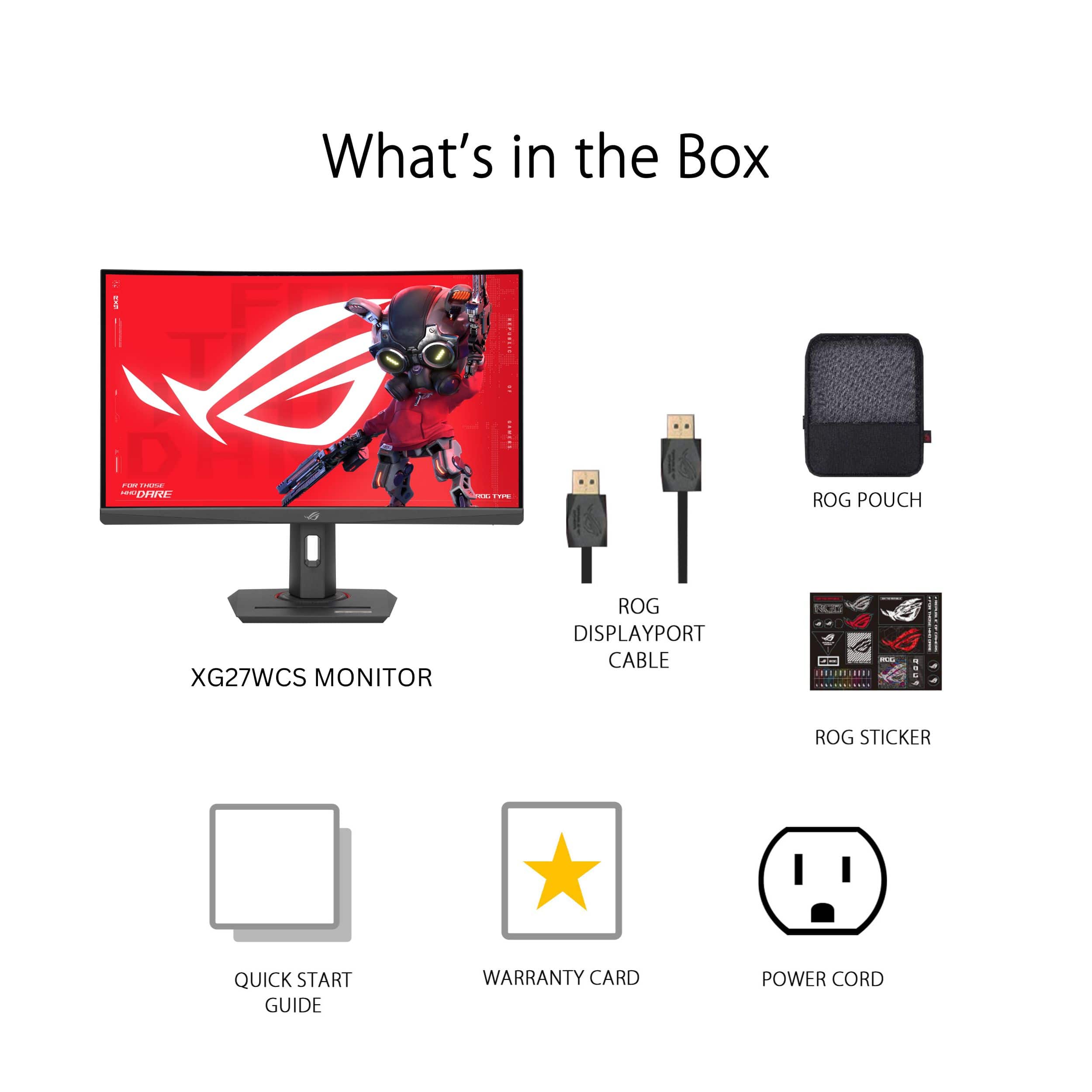
|Posted .This reviewer received promo considerations or sweepstakes entry for writing a review.This monitor – the box was so big, my neighbor thought it was a television and it took a bit of energy to unpack it myself. Connected via Displayport to a RTX 4090, and set at 2560 x 1440 at 180 Hz (Intel i9 14900k) running Windows 11 Workstation with 128 G of RAM, it's quite a dream machine. Everything I through and it worked perfectly. Downloaded a few demonstrations of current games and they all working fine. The same neighbor was more impressed with this monitor then the video card itself. Netflix and Amazon prime looked absolutely gorgeous because of the HDR. It is very physically sturdy and is well made. I turned my Windows desktop background to black just to see how dark it is – almost thought it was an OLED screen (and yes, I have an OLED tv so I know how dark when it's black). The text (scale) at 100 percent is a bit small, but I can easily have two programs running side by side. Compared to a 240 Hz monitor (that I have), I couldn't tell the difference during a game play, but when I lowered it to 60 Hz, I saw the fast movements of the game that being played quite blurry. For under $300, the price is amazing considering that a couple of decades ago you could buy for the same amount of money, a plain VGA monitor that weighted a ton. It comes with all the cables and even cute sticker booklets if you are into that. By the way there is no VGA port in the back but it if you are going to spend this type of money for a said monitor, you would not connect a VGA output to this monitor anyway. This is a recommended gaming monitor and good just about for everything else and for streaming channel, as well.
- Pros mentioned:Curvature, Refresh rate, Resolution
Rated 5 out of 5 stars
Great Monitor for the Money
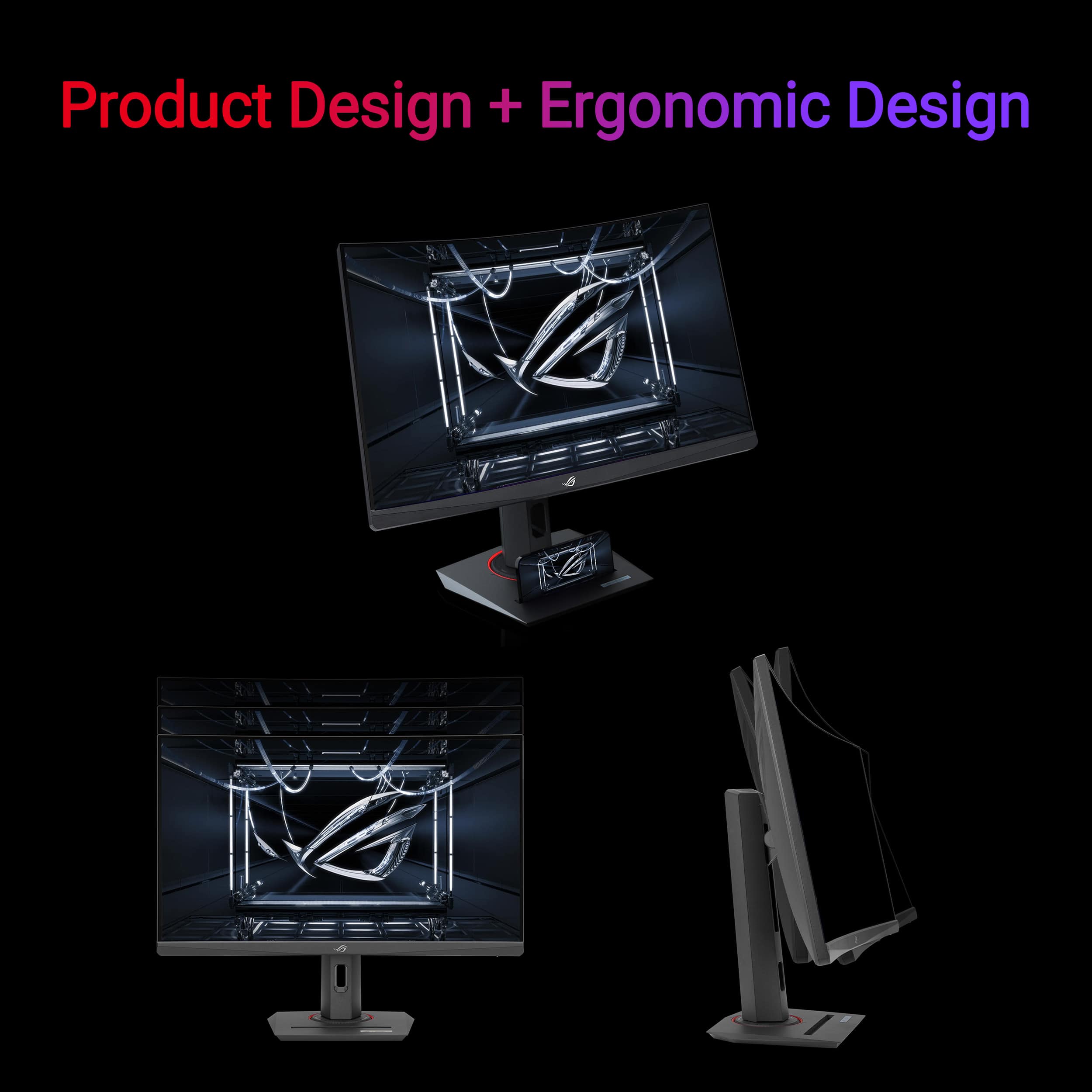
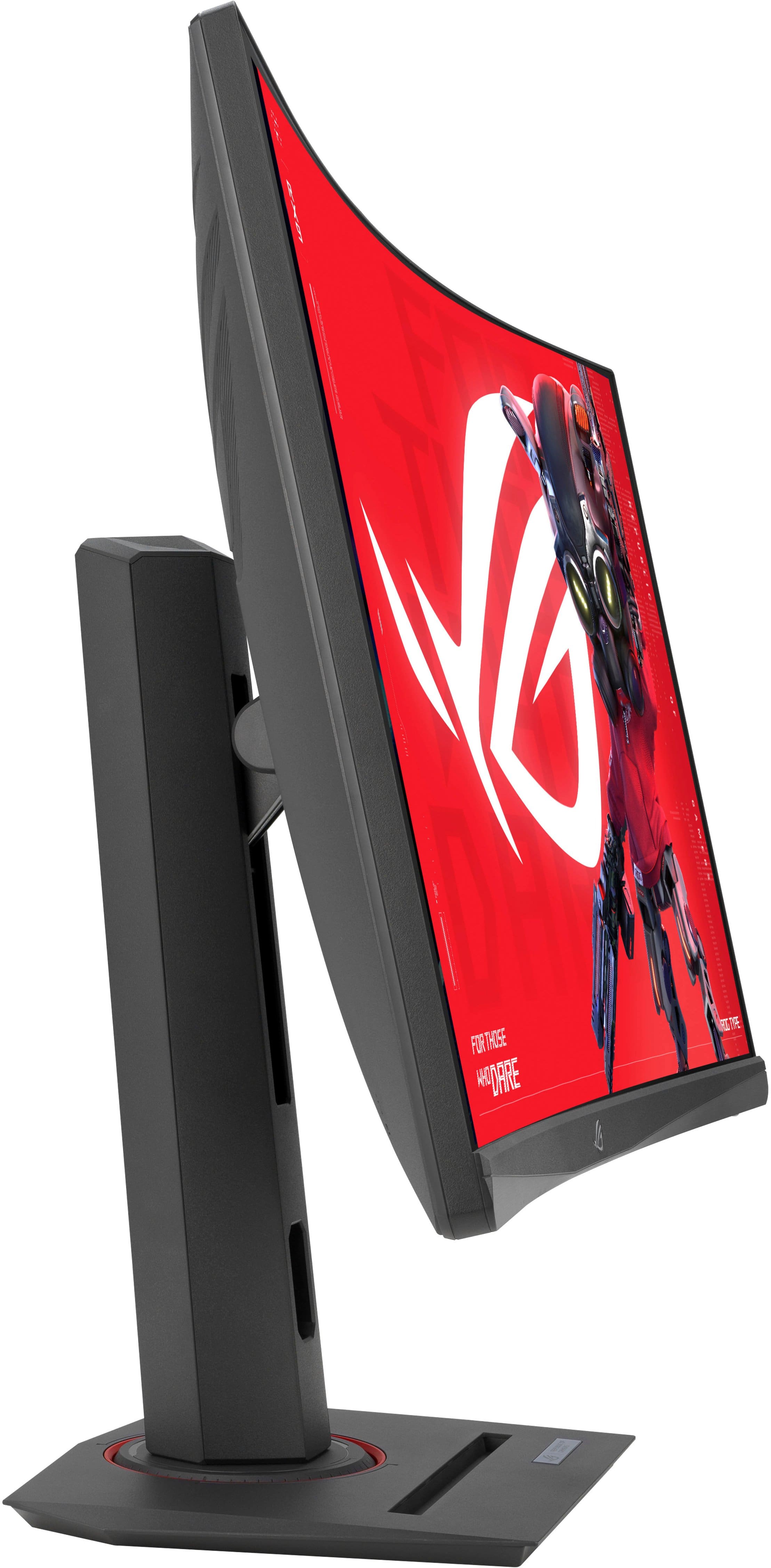
|Posted .This reviewer received promo considerations or sweepstakes entry for writing a review.The monitor is very visually appealing. It fits well on my desk and is very adjustable. The stand has many adjustments and I was able to set it at a good viewing height. I set it up to use with my Steam account games on my pc. The resolution is good and rivals more expensive monitors. It is a good balance between economy and high quality colors and resolution. I had some trouble setting it up at 180hz, so used 120hz and the refresh rate was great. The colors were accurate and refresh rate was fast enough to prevent pixelation and make playing my first person shooter games very enjoyable. I am sure it would be great on other types of games as well. I was a little concerned on whether I would like the 27” monitor. It is a little larger than I am used to using. Since the monitor is curved it doesn’t feel that wide and it helps put you right into the action. It engages more of your periferal vision. Asus is a great company with very reliable products. I have owned other Asus monitors in the past and I believe this is a great addition to their line up. I would definitely recommend other gamers to purchase this monitor.
I would recommend this to a friend - Pros mentioned:Color quality, Hdr, Refresh rate
Rated 5 out of 5 stars
Great Gaming Monitor for the price point.
|Posted .This reviewer received promo considerations or sweepstakes entry for writing a review.The Asus ROG Strix XG27ACS 27-inch curved 1440p display, is a great entry level gaming monitor, it won’t break the bank, and it’s not as capable as the Asus ROG Strix XG27AQMR, but at the price savings its worth a look. The XG27ACS Refresh Rate is 180Hz (overclockable), has a response time of 1ms GtG, has HDR600 and is an IPS Panel. The XG27ACS offers vibrant colors, good contrast for an IPS panel, and sharp visuals thanks to the 1440p resolution. It’s great for smooth gameplay, especially in fast-paced titles. It minimizes ghosting and blurring for a clear viewing experience. While it’s not the most amazing HDR experience, it can enhance the visuals in some games and movies. It is Freesync compatible and will eliminate screen tearing for a smoother gaming experience with compatible graphics cards. It offers rich connectivity options: Includes HDMI, DisplayPort, and USB-C ports. With the 180Hz capability of the Asus ROG Strix XG27ACS can significantly improve your visual experience in many games, especially those that emphasize fast-paced action or require split-second reactions. With Smoother Visuals the monitor can update the image on the screen 180 times per second. This means you'll see much smoother motion compared to a standard 60Hz monitor, which can make fast-moving objects appear blurry or jittery. With the high refresh rate it can also help reduce input lag, which is the time it takes for your monitor to display an image after your graphics card renders it. Lower input lag is crucial for competitive games where reaction time is critical. I went away from a 32” flat panel and found the XG27ACS a better fit for my space and with the curve, I don’t really miss the 32” screen. When choosing an Asus ROG Strix 27" curved 1440p monitor, consider your priorities. If you prioritize a high refresh rate for competitive gaming, the XG27AQMR is the best option, but it's also the most expensive. The XG27ACS is a more affordable option with some trade-offs.
I would recommend this to a friend - Pros mentioned:Color quality, Curvature
Rated 5 out of 5 stars
Amazing value
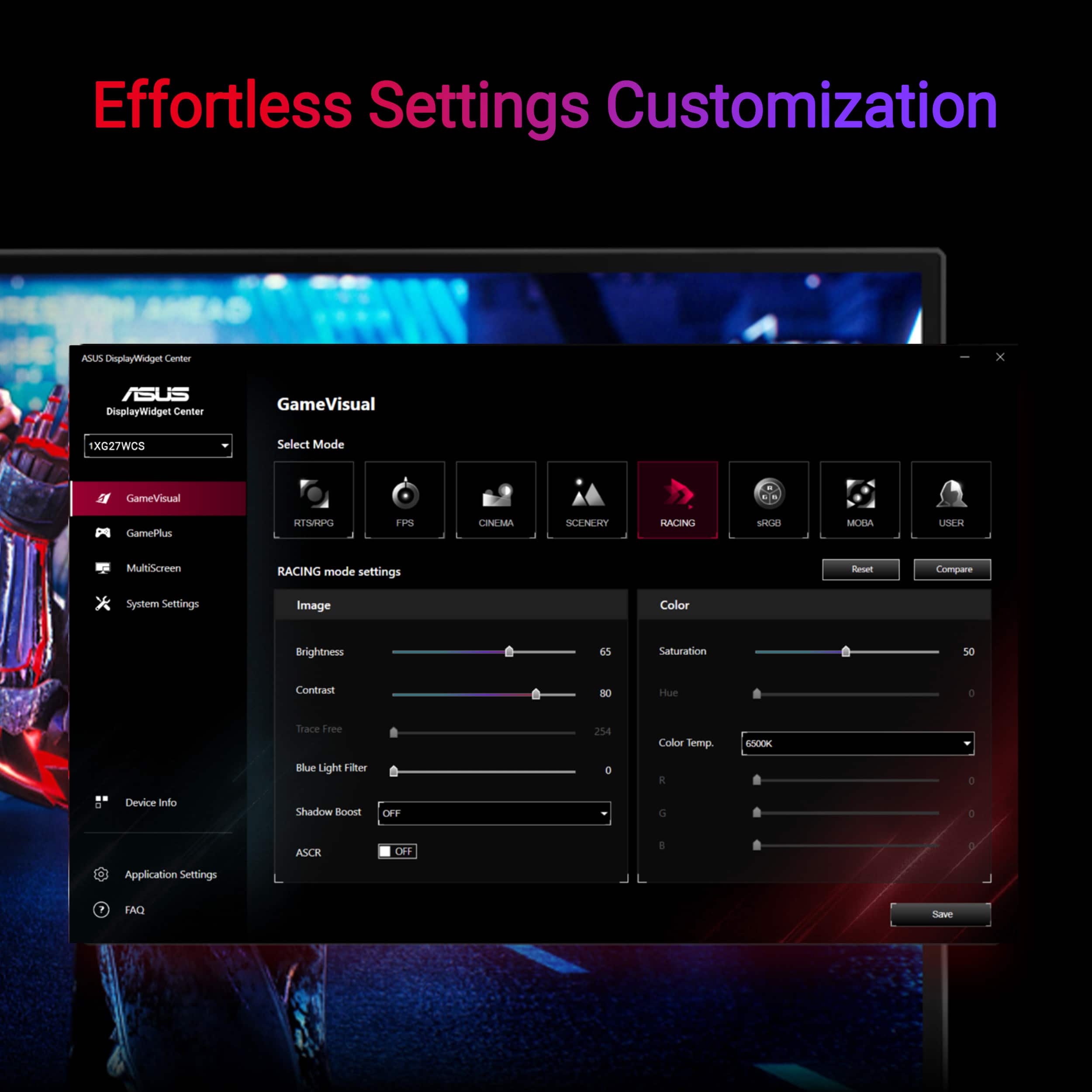
|Posted .This reviewer received promo considerations or sweepstakes entry for writing a review.This curved monitor is excellent for gaming and other uses too. I use it for gaming and also as an extension to my laptop screen while working or during school work, this makes it easier to multitask. It comes with some label stickers, I didn’t care for them much but son thought they were really cool. The instruction page is a very simple one-page with pictures and no words showing how to set it up. The pictures were easy to follow. This page also has QR codes for getting detailed instruments/manual in many languages, registering it and the display widget center. This monitor allows for so much flexibility, from being able to raise or lower the monitor on the stand, to titling backwards and forward and swivelling it from side to side. The stand also offers a phone holder. I really love this monitor. It meets all my needs. It provides many options for connecting, a HDMI, USB-C port and DisplayPort and access to using headphone that connect to the monitor. Please not that this comes with a DisplayPort cable but not an HDMI cable. It also has a fast response time, I notice no lag difference whether I use the laptop or this external monitor. The colors are great! I’m just excited because there litetraty is no negative difference from this monitor or using my laptop monitor. I love the widget display center. It is so convenient and offers many specifications. I was nervous at first, because there are buttons for the OSD menu on the side of the of the monitor screen and I did not like using them at all. So I was thrilled with the display center that I could download to access so much! Some of the things I really like are the blue light feature, timer, the game visual options, setting up different multi-screen options, and setting up different hotkeys. There is so much to like about this monitor. I have no complaints and would recommend.
I would recommend this to a friend - Pros mentioned:Refresh rate, Resolution
Rated 5 out of 5 stars
Great monitor for just about everything
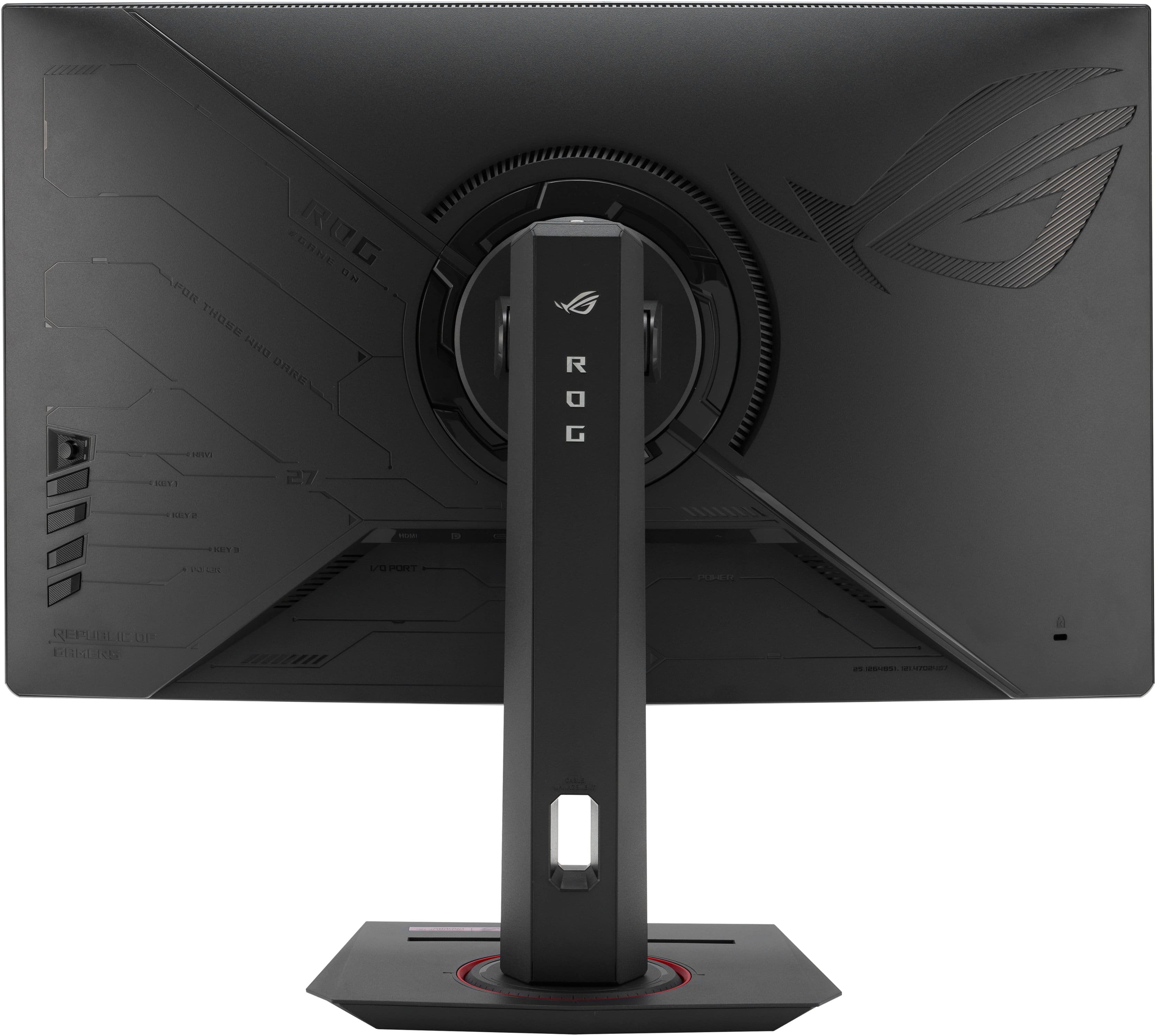
|Posted .This reviewer received promo considerations or sweepstakes entry for writing a review.I've been using this monitor for a little while and it's been great. The monitor looks like a premium unit with the design and color details. It has every input you could want, the stand is very adjustable and easy to use. The screen is bright, easy to view and the refresh rate works well while gaming. I honestly haven't found anything I don't like about this monitor yet. It's a solid unit for gaming and general computer use. The resolution is great for gaming as my mid-range 3050 video card is able to push 1440. I also have several non-high refresh 23" 4k monitors and great vision and honestly 4k at 23" is not that noticeable. The 27" is more noticeable but doesn't work for gaming so this monitor is a great sweet spot in resolution. The curved screen works well gaming also. I haven't used a curved unit before and it does seem to be a little more immersive. The inputs are HDMI, DP, USBc, and VGA. They all work well (VGA being limited). The USBc was temperamental as the computer has to support the protocol, which apparently all my computers do not. The HDMI and DisplayPort work seamlessly though. The monitor menu is also easy to get around and honestly one of the best I've used. It's easy to use the joystick on the back of the monitor and the menus are intuitive and thorough. The stand is great. It's easy to assemble and it's got every adjustment I could want. You can drop it almost down to the table or have it at least 6" higher. It pivots and swivels easily and smoothly and stays where I put it every time. Overall I would highly recommend this monitor. It's clear, quick, colorful, adjustable and looks premium. I can't think of what else I'd need in a monitor.
I would recommend this to a friend - Pros mentioned:Hdr, Refresh rate
Rated 5 out of 5 stars
Works good for my gaming
|Posted .This reviewer received promo considerations or sweepstakes entry for writing a review.I finally decided to upgrade from my old 2018 qhd monitor to an actual gaming monitor. I have a smaller gaming set up and 27 inches is the largest I can fit on my desk setup. This came along and fit the bill I was looking for. Fast refresh rate, qhd, curved screen, and a price point that doesn't drain my wallet. The hook up went reasonably well. The slots are recessed a bit and my old fingers did struggle a bit getting the hdmi and the power cord in coming from the bottom blindly. My old monitor was straight on in the middle through a hole in the stand. I did like that. The adjustability on this stand crazy good with tilt top to bottom or rotate side to side, and adjustable height for each person to put it directly in front of your face for best viewing angle. I have an old curved TV and my experience with it made me want that for gaming. So far, I have tried several setting for the hdr and colors and also modified some of the brightness settings to get it to the tones I'm used to. Games from the Forza series, Fortnite, and Beam NG are my most played games and all look just crisper detail and no lag or stutter that I can tell. I did occasionally have that on my old one. Colors pop, and the black depth/contrast is really good. It is certainly better than my old monitor, and I feel it was worth the upgrade. I see no reason not to give it 5 stars and do reccomend it.
I would recommend this to a friend - Pros mentioned:Color quality, Refresh rate
Rated 5 out of 5 stars
Immersive and brilliant gaming display
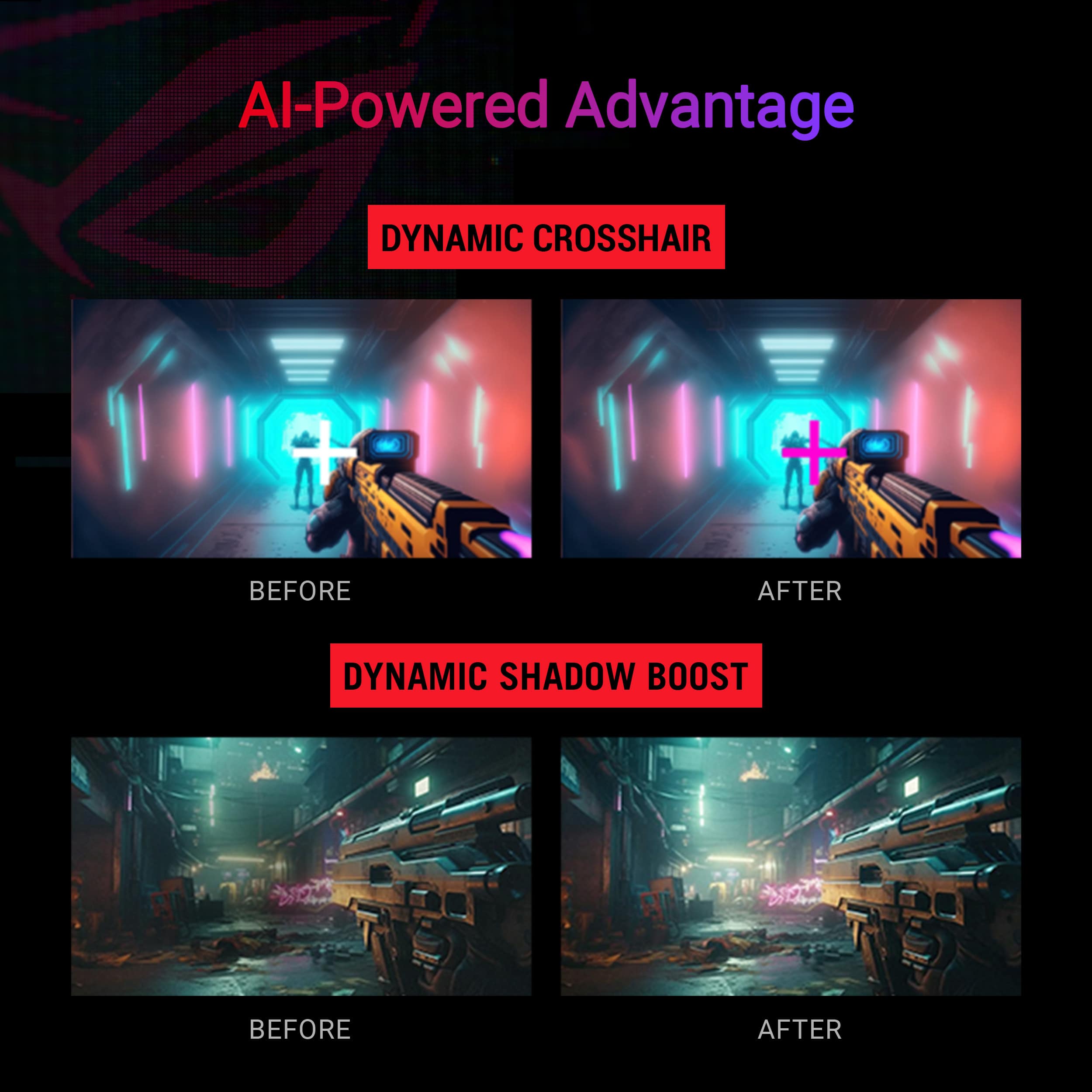
|Posted .This reviewer received promo considerations or sweepstakes entry for writing a review.This monitor is a gamer's delight. With a 27" curved display and a fast 180Hz refresh rate, you can be sure you're ahead of the game with the Asus ROG Strix. A true monster of a monitor, this bad boy is not for the minimalist. The display doesn't take long to set up - only a few screws to tighten and the screen snaps on easily at its rear center. The base is very heavy to securely prop its large screen. Once connected, you can raise and lower the eye-level of the screen with a little push up or down on the edges, or turn the display left or right depending on your desk configuration. Its base also has a functional slot to hold your mobile device front and center. The stem connecting the display to the base has a hollowed out center, which looks nice but doesn't help to hide the power cord or HDMI cable. I ran it along the back, left side of the stem and held it with cable ties to ensure a seamless, clutter-free aesthetic. Curved screens function to give users an immersive experience, and combined with the fast refresh rate and brilliant, vivid 1440p resolution, the ROG Strix does just that. This is the perfect monitor for an optimal gaming and multimedia environment. While it is on the smaller end of curved gaming monitors, it looks beautiful as the centerpiece of any workstation or gaming desk. While the center of the screen catches the eye and deservedly so, it's on the edges of the display where the ROG Strix stands out. It doesn't lose clarity or ghost during sessions, leaving the peripheral view undistracted and able to focus on the main task at hand. Asus's ROG Strix comes equipped with lots of connectivity options for multiple devices. Switch between your console on the HDMI to your laptop on the DisplayPort or USB-C connected mobile device. And the customizable settings on this display through the DisplayWidget Center are exhaustive but easy to configure, with specifications for every gaming or media type, from racing games to cinema views to FPS-centric settings. If you're looking for a quality curved gaming monitor with a simple setup and a brilliant display, the Asus ROG Strix is the one for you. Seamless refresh rates and customizable settings for any gaming experience make the ROG Strix a perfect option for gamers everywhere.
I would recommend this to a friend - Pros mentioned:Color quality, Refresh rate
Rated 4 out of 5 stars
Delivers Surprising Quality
|Posted .This reviewer received promo considerations or sweepstakes entry for writing a review.The ASUS ROG Strix XG27WCS curved monitor is nice, and truly affordable for what technology you get. The 1440p resolution is optimal for this 27" display, with a suitable 180Hz refresh rate. After spending several hours using it, here's my review. The 1440p resolution on this monitor is great and my preferred resolution at this size display. Not surprisingly, the picture is sharp and colors are vibrant. Standard HDR400 gets the job done, but I opt not to use HDR. Instead there are different modes to choose from, all customizable, as well as a user mode. The 180Hz refresh rate is perfect for fast-paced gaming if your rig allows you to have it. The curvature of this display is 1500R, which most may find as optimal. For me, however, the curvature is too subtle and doesn't make a significant difference, or any noticeable difference for that matter, in terms of immersive experience. For the record, I sit about two feet away from the display, so there may be some benefit if sitting closer. The monitor is equipped with ELMB, VRR, and ELMB Sync, all aimed at mitigating or eliminating ghosting and tearing. I prefer VRR over ELMB (although the differences are minor in actual use), but if you have AMD FreeSync, you can utilize ELMB Sync, which combines both low-motion blur and variable refresh rate. I do not have AMD FreeSync and was therefore unable to test ELMB Sync. Navigating the monitor’s OSD is fairly straightforward. Adjusting brightness, contrast, and other settings is hassle-free, and there are plenty of customization options to tailor the display to your liking. The monitor also features multiple connectivity options, including DisplayPort, HDMI (cable not included), and USB ports, providing flexibility for various setups and peripherals. When not using HDR, I'm absolutely taking advantage of the GameVisual feature. There are various optimized settings for different types of games and content. Each preset is customizable and allows you to adjust brightness, contrast, blue light filter, and other settings. It takes some tweaking to get right where you want, but the compare function is helpful here, too. Additionally, you can set different games and applications to trigger the different presets. The monitor comes with a DisplayPort cable but no HDMI cable. Chances are if you have a device with only HDMI output, you have a cable for it, but I wanted to make mention of this as it could be inconvenient for some who expect to receive all the compatible cables in the box. The design of the monitor is sleek and modern, although a multi-monitor setup would be not ideal, as the bezel is not very thin. The base of the monitor is somewhat large, taking up a considerable amount of desk space. This might be an issue for those with smaller desks like me. The base does includes a built-in phone holder, a thoughtful addition that both makes my phone easily accessible and helps to reduce clutter. Overall, the ASUS ROG Strix XG27WCS curved monitor offers decent performance and a fine range of features. The slight curvature, while not drastically enhancing the viewing experience, still adds a subtle aesthetic appeal. The exclusion of an HDMI cable is a minor inconvenience, but the included DisplayPort cable ensures you can fully utilize the monitor's capabilities. The large base may require some desk space adjustment. For anyone looking for a high-refresh-rate, high-resolution monitor with great design and useful features, this monitor is a solid choice. Despite a few minor drawbacks, it delivers outstanding visuals and performance, making it a worthy addition to any setup.
I would recommend this to a friend - Pros mentioned:Color quality
Rated 5 out of 5 stars
ASUS - ROG Strix 27” Curved 1440P 180Hz Monitor
|Posted .This reviewer received promo considerations or sweepstakes entry for writing a review.As an avid gamer who is used to a 34" curved Monitor this is a completely different beast to me so to speak of as the settings are completely different all though mush easier to work with with the toggle switch to move up, down, left or right to get to which setting you want. The pros for this monitor are that it's small in size even though it does look big for a 27", the stand for it which you can turn or raise up or down to suit your taste and the fact that the stand itself has a cable management hole in it so you can thread the cables through to the ports your going to use. I has 8 different visual setting depending on your type of gaming. It will take you some time to get used to as you will want to set the colors up to how bright or dark you want them to be. To be very honest the only two cons that I see with this type of monitor being someone that's not really used to a 2560x1440 type monitor is that when you do use it for looking up things on a browser is the size of the text and trying to set them up big enough to see which you end up having to play around with to set them and figuring out how to get the HDR setting to work which it does have. It comes with an HDMI and a display cable so you can in fact use either one, right now I'm using the display port cable which is giving a clear image more so that the HDMI that I use on my 34 inch with everything being said I personally think that ASUS has one of the better if not the best monitors going with this 27". If I had to recommend it to anyone it would be a yes GO and get one 100%
I would recommend this to a friend - Pros mentioned:Refresh rate
Rated 4 out of 5 stars
An average monitor for the novice gamer.
|Posted .This reviewer received promo considerations or sweepstakes entry for writing a review.Following a few initial hiccups, which I'll discuss shortly, this ASUS ROG turned out to be a decent gaming monitor. I was very excited to unbox this well-packed curved monitor and put it to use. Everything needed is included in the box, including the cables. Initially I was struck by two things - one, the excellent build quality of the fully adjustable stand, and two, the rather lackluster build quality of the monitor itself. The stand is solid, heavy, and seems like a tank compared to the very "soft", flimsy feel of the plastic monitor. The initial setup was not as seamless as anticipated. Use of the HDMI port yielded screen blackouts, which I initially thought might be related to my graphics card going bad. However, this continued on a second gaming computer. Switching to the optical cable also did not fix this issue, and both laptops worked perfectly with other monitors. Oddly enough I switched back to HDMI but utilized a different cable and have had no issues since. I can't say I know what the issue was, but somehow it seems to be rectified. Now that the screen blackouts were no longer a thing, it was time to tweak the settings, which is easy enough to do with the joystick toggle and buttons on the back of the monitor. While the refresh rate and response rate are both certainly of the caliber to satisfy most gamers, the overall picture quality is just average. HDR yields a flat, darkened image regardless of the adjustments made. Don't get me wrong, it's definitely playable and useable, but it's not the greatest quality. Along that same line, there are many adjustments that may be made to the refresh rate, mode, colors, etc. along with presets that for many beginner gamers will fit the bill. Unfortunately, I think more seasoned gamers will be left wanting more. So why the 4-star rating? Quite simply, given the price point you would be hard pressed to find a curved gaming monitor with such a high refresh rate and low latency. So as long as you go in knowing what you're getting, you likely won't be disappointed. I would recommend this to a certain subset of people - those wanting an inexpensive curved monitor that are more along the line of an occasional or novice gamer.
I would recommend this to a friend - Pros mentioned:Curvature
Rated 4 out of 5 stars
Very nice monitor for all sorts of uses!!!!
|Posted .This reviewer received promo considerations or sweepstakes entry for writing a review.I got this not only for gaming, but for general use and movies. So, monitor arrives packed very well. One thing that was very nice was to have all the little stuff in a little mesh bag- hard to lose stuff and papers. Anyway, I get it set up with my laptop running it and it looks just like any other monitor. smacking myself around wondering what is so special about this monitor. Then I called my IT buddy. Turns out the dock was not strong enough for such a monitor. So, I went to the store and spent over $100 and got exactly what I needed. I got home, hooked up, and WOW. I dont understand all the numbers that make this monitor so good, but lets just say I now see more detail which helps we win more. Using it as a regular monitor was great as well. It still has a small footprint for its size and the curve lets a bigger monitor fit nicely on my desk. With its large size I can easily have 2 things open at once. I gave it only 4 starts because of the extra expense of the new dock- that MAY be my fault for not understanding what it needs to run. But, I do enjoy it!!!!!
Rated 5 out of 5 stars
Great for Flight Sim!
|Posted .This reviewer received promo considerations or sweepstakes entry for writing a review.The ASUS 27” curved monitor is excellent for flight simulation. I’ve used it with both Microsoft Flight Simulator and X-Plane 11, and it renders scenery without any jutter or motion blur, even when flying high speed and low altitude through the mountains weaving through tight valleys. Color performance is also excellent with lifelike images and beautiful depth. The monitor arrived securely packaged with all required cables (power and display port) and a helpful quick start guide. Attaching the stand to the base was just a matter snapping it in and installing a captive thumb screw. The monitor then attaches to the stand by clicking in a round socket. The monitor can be removed by releasing a single button. Once up and running, exploring the menus which allow many different modes specific to the activity you are performing. For flight sim, I like scenery mode. Race mode also looked great. There’s a cinema mode, and several others as well. I was very happy with performance right out of the box , but also enjoyed experimenting with the various modes and settings. I really like this monitor and find it excellent for my use. I wouldn’t hesitate to recommend it to a friend.
I would recommend this to a friend