Customer Ratings & Reviews
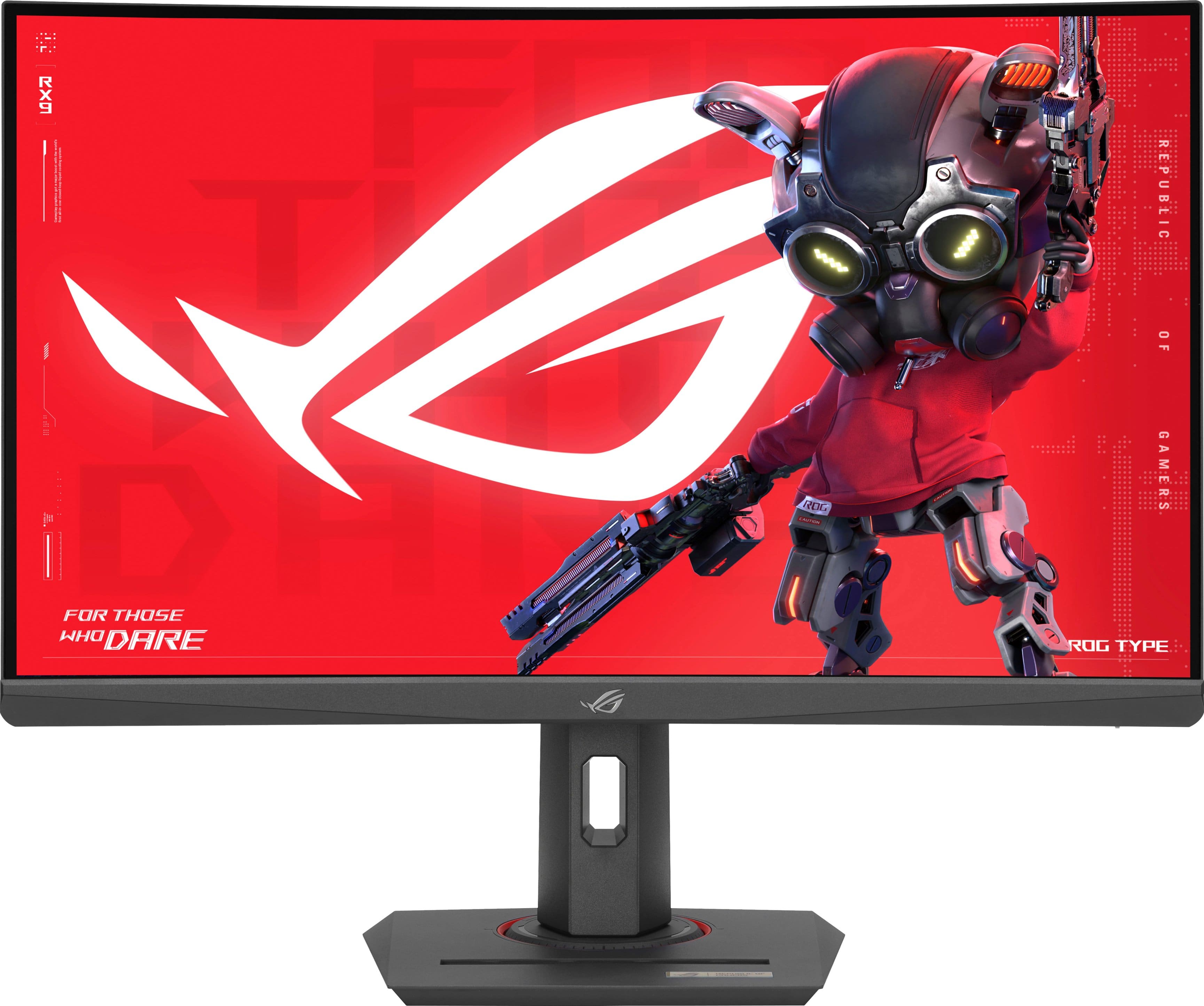
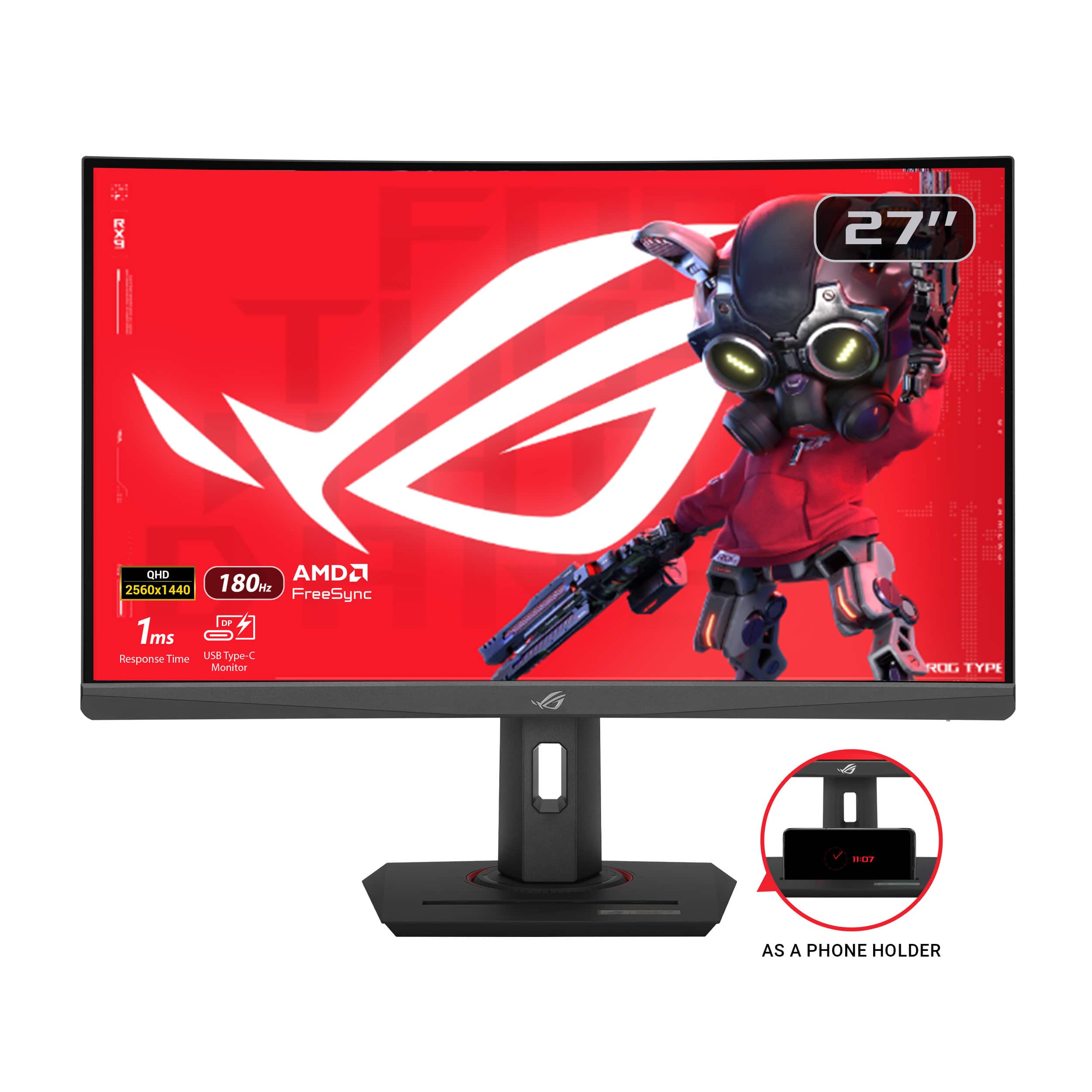
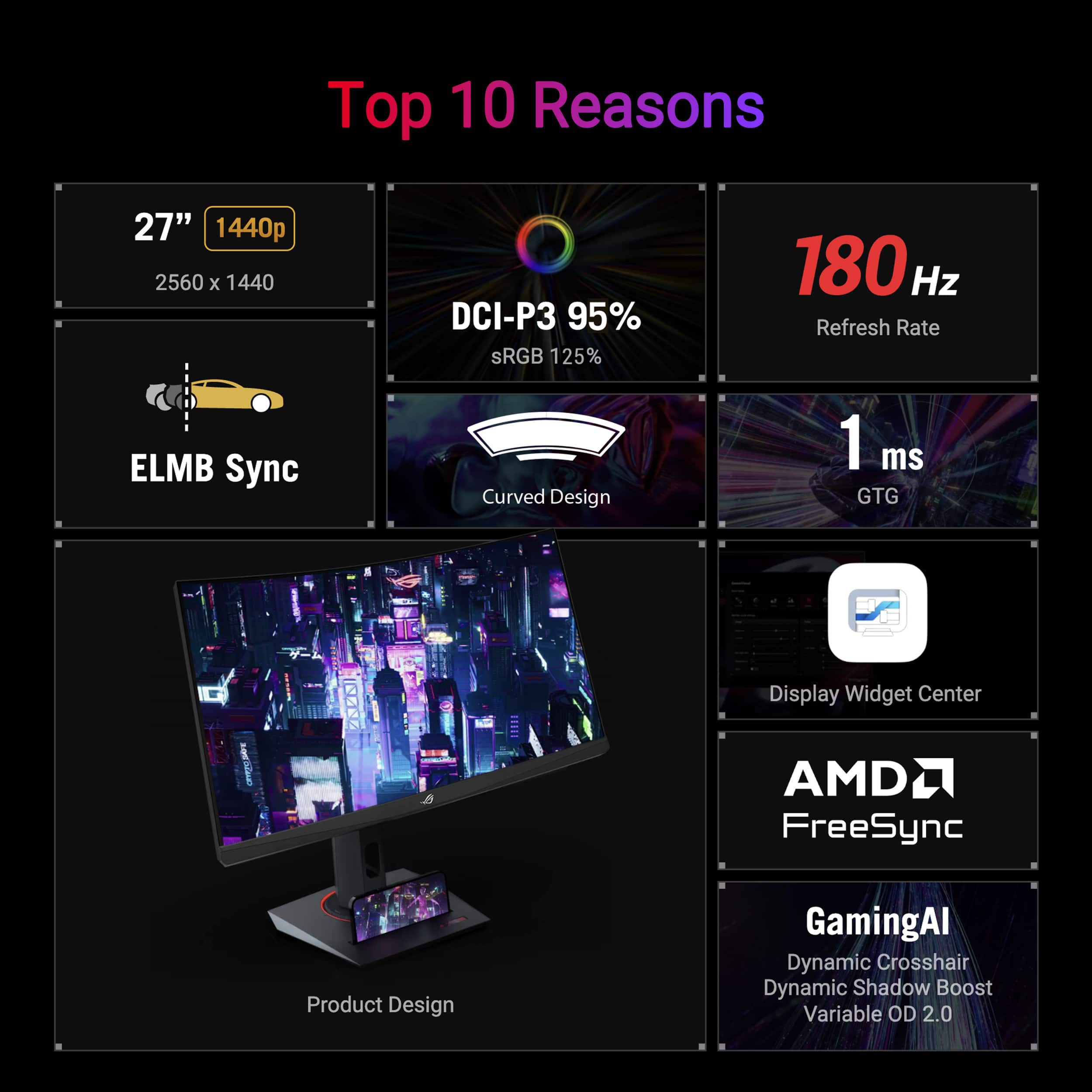
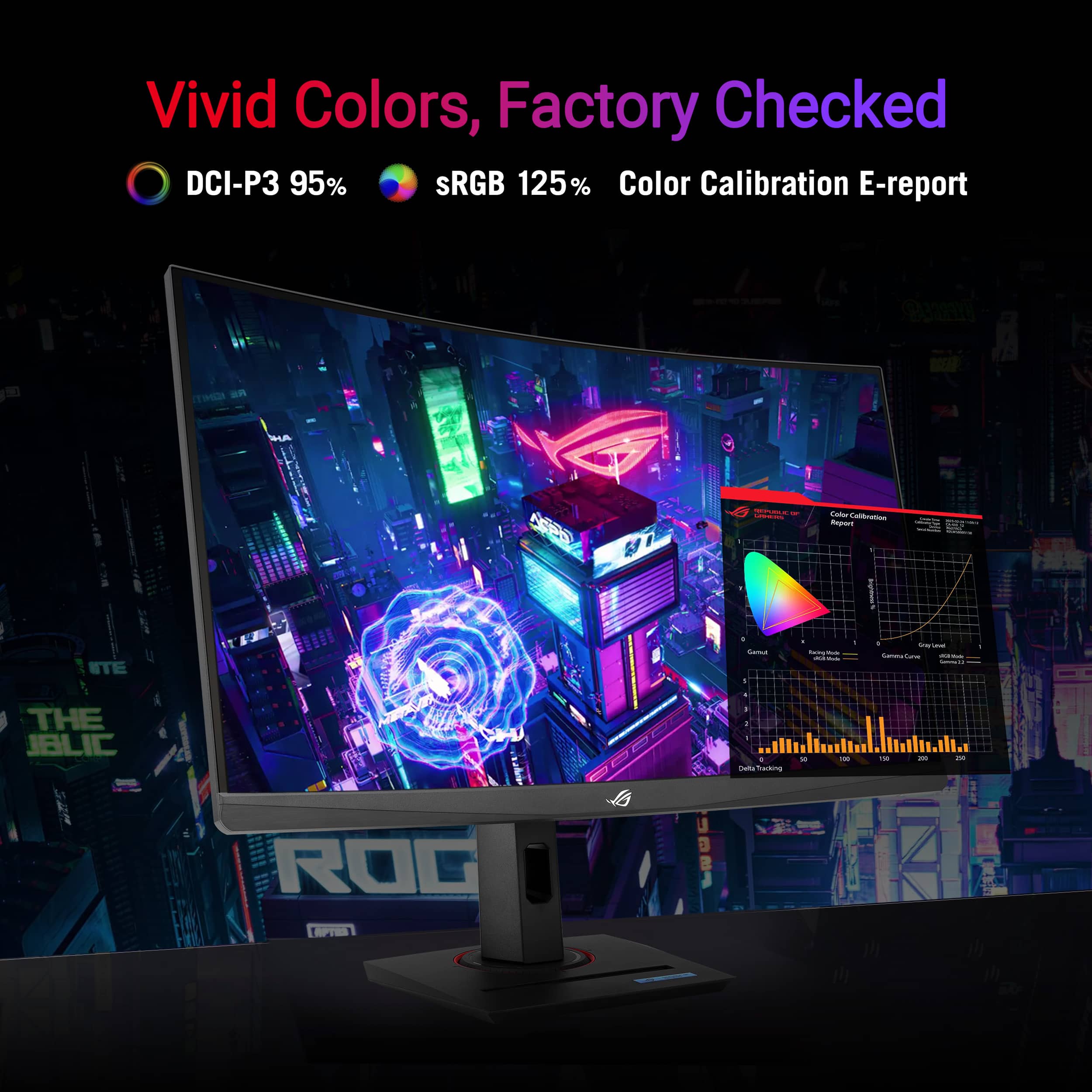
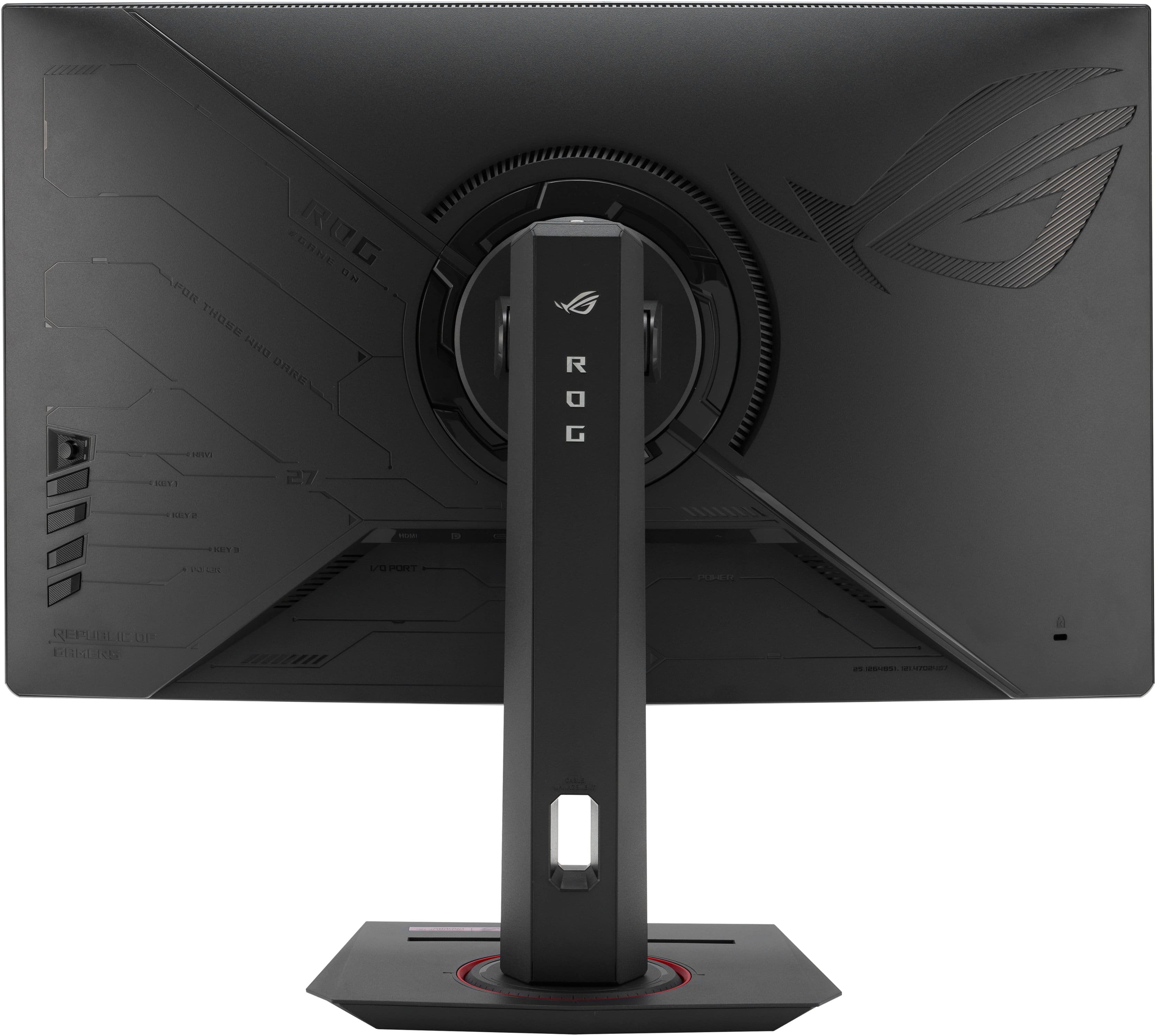
- Model:
- XG27WCS
- SKU:
- 6572369
Rating by feature
- Display Quality
Rating 4.8 out of 5 stars
- Ease of Use
Rating 4.8 out of 5 stars
- Features
Rating 4.7 out of 5 stars
Customers are saying
Customers regard the ROG Strix 27" monitor highly for its color quality, fast refresh rate, and sharp resolution. The HDR and curvature are also appreciated, along with the stand that includes a phone holder. However, some customers have expressed a desire for more USB ports and have reported issues with backlight bleed.
This summary was generated by AI based on customer reviews.
I Like it
||Posted .This reviewer received promo considerations or sweepstakes entry for writing a review.Generally awesome monitor, really clean and nice OS, the only flaw might be its VRR can flicker pretty badly so i leave it off.
I would recommend this to a friend- Pros mentioned:Color quality
Good and affordable monitor!
||Posted . Owned for 1 month when reviewed.This reviewer received promo considerations or sweepstakes entry for writing a review.Satisfying quality for console and PC! hope it will good in the long run.
I would recommend this to a friend - Pros mentioned:Color quality
Great quality for the price
||Posted . Owned for 7 months when reviewed.This reviewer received promo considerations or sweepstakes entry for writing a review.Been using this monitor for about six months now no complaints highly recommend.
I would recommend this to a friend A Nice 1440p Monitor
||Posted . Owned for 2 weeks when reviewed.This reviewer received promo considerations or sweepstakes entry for writing a review.a great Monitor for the price would recommend it to anyone interested.
I would recommend this to a friend- Pros mentioned:Color quality, Hdr, Refresh rate

Great QHD Gaming Monitor
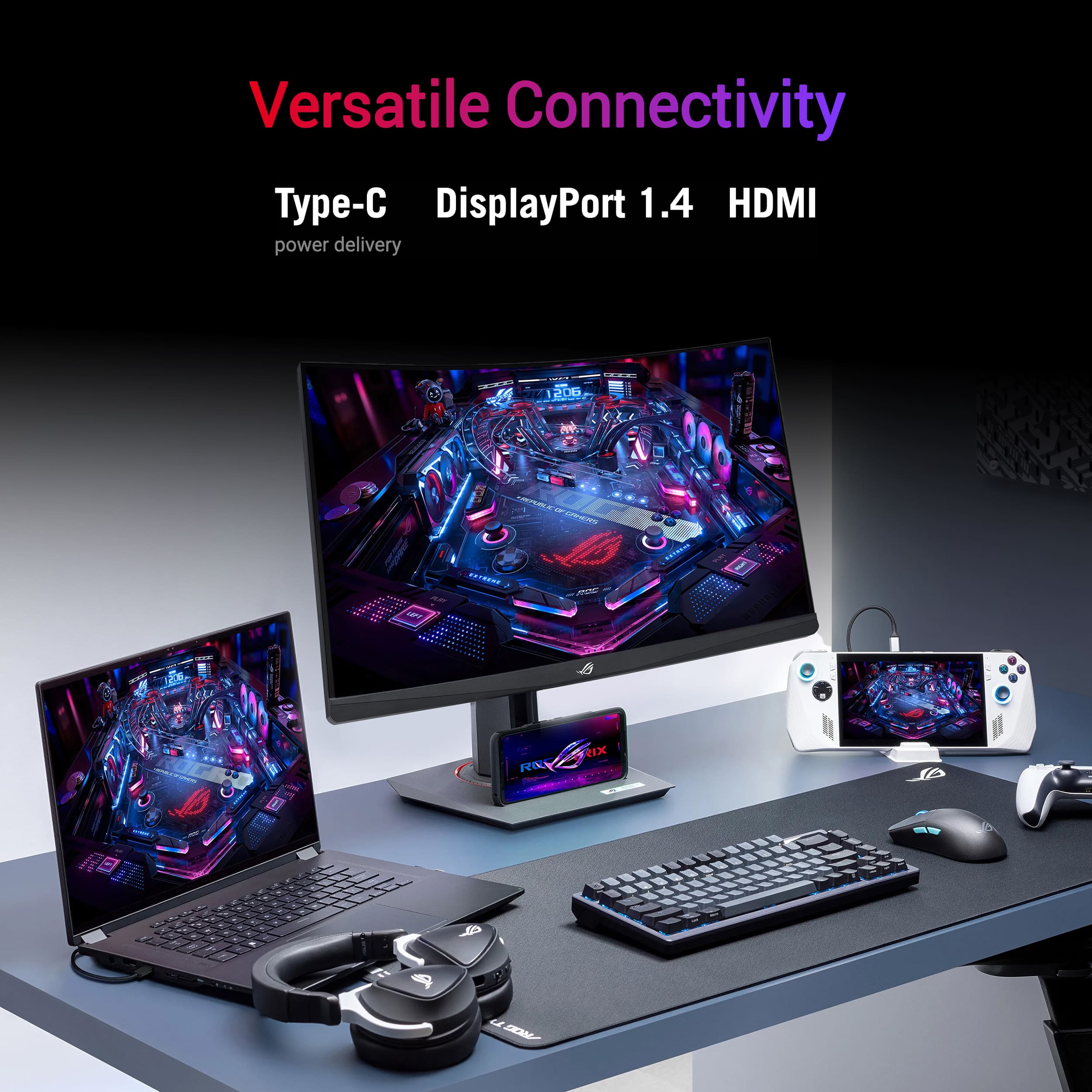
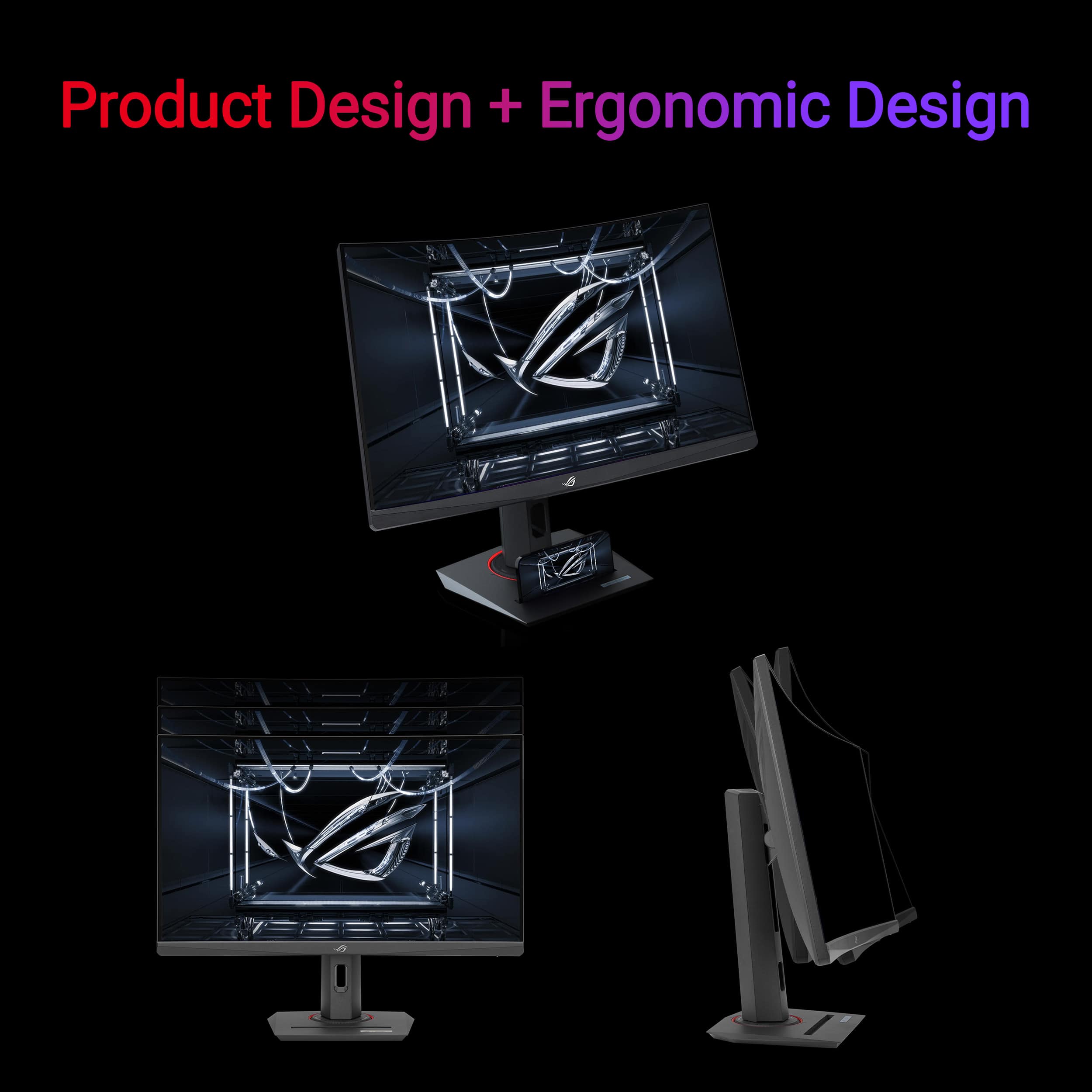
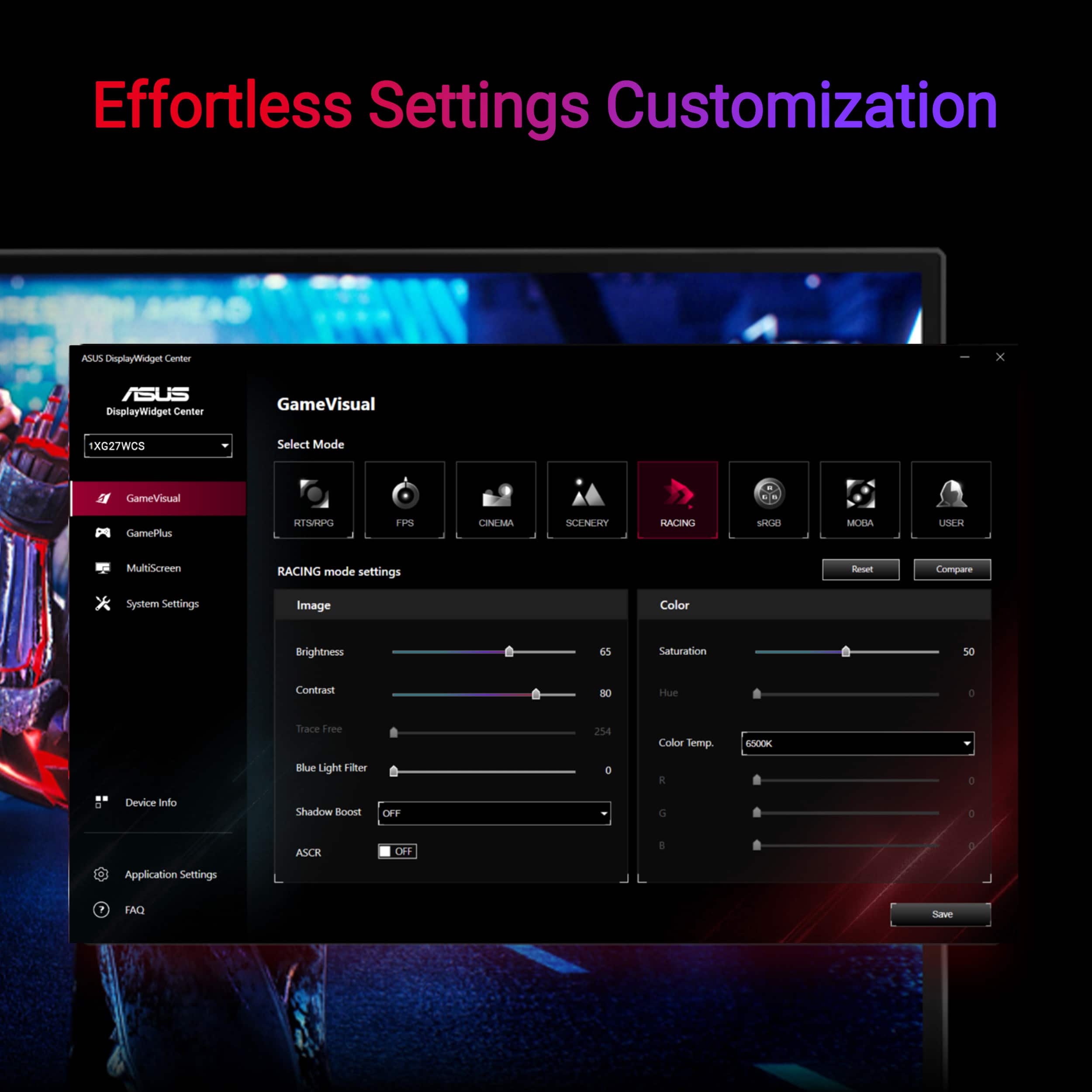
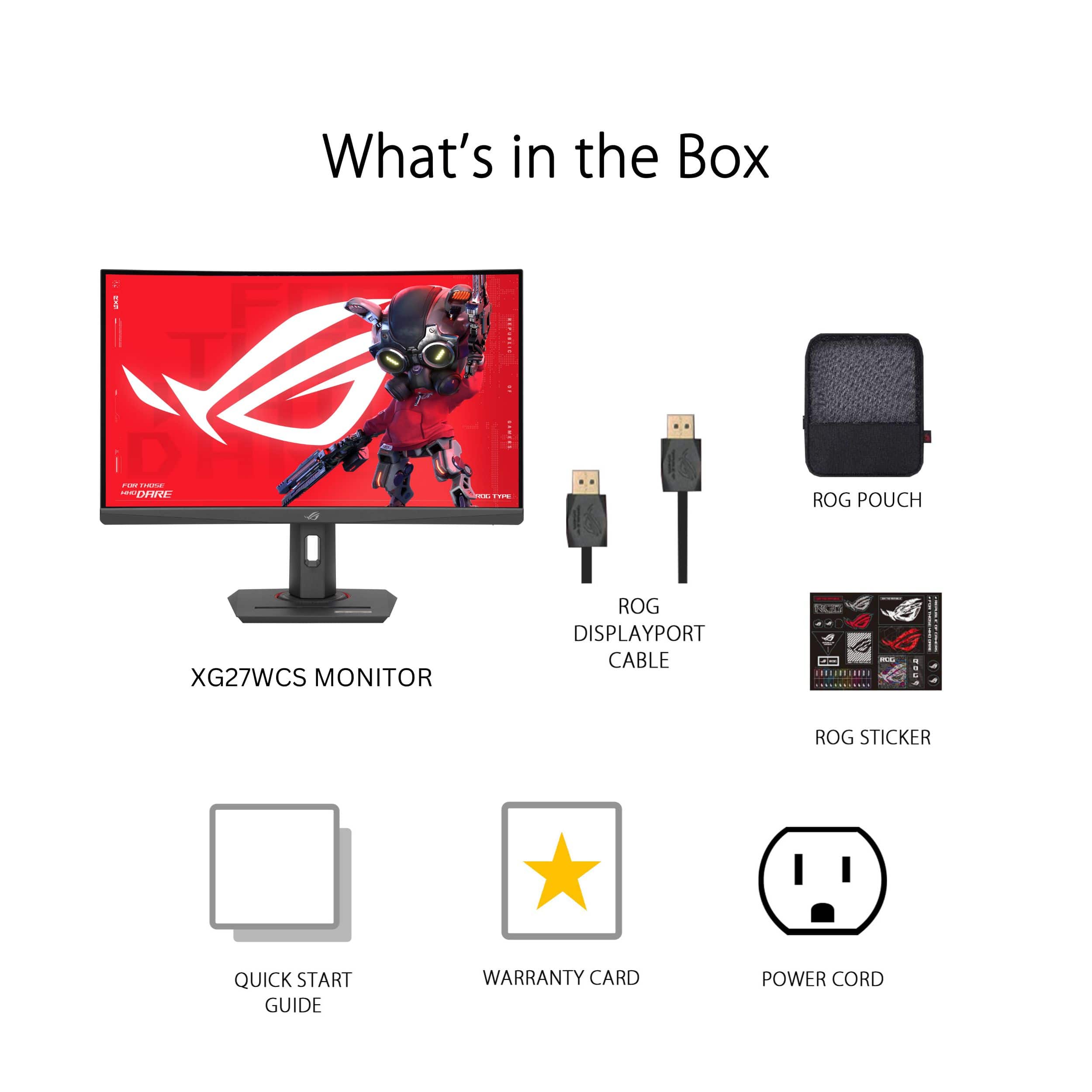
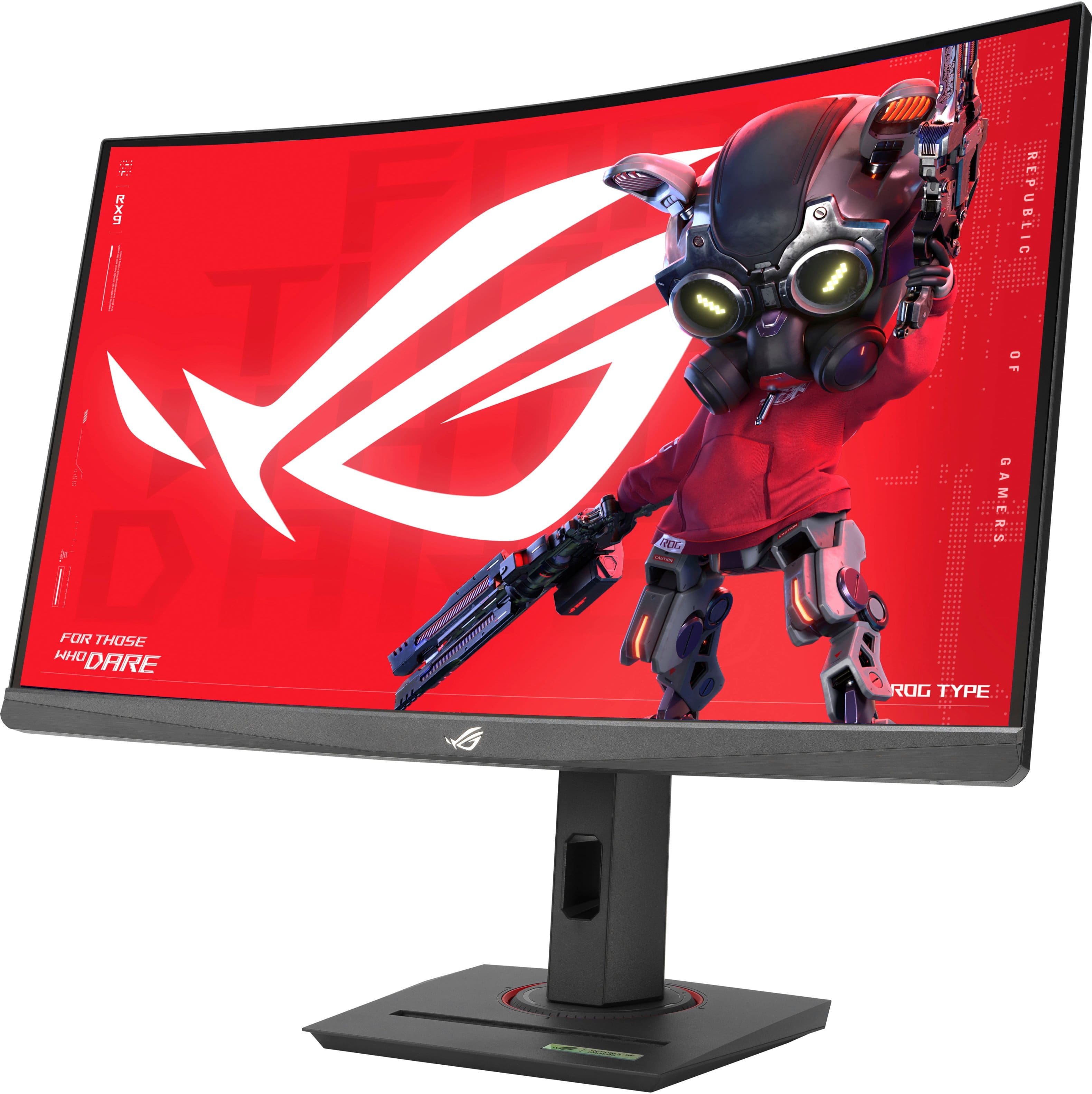
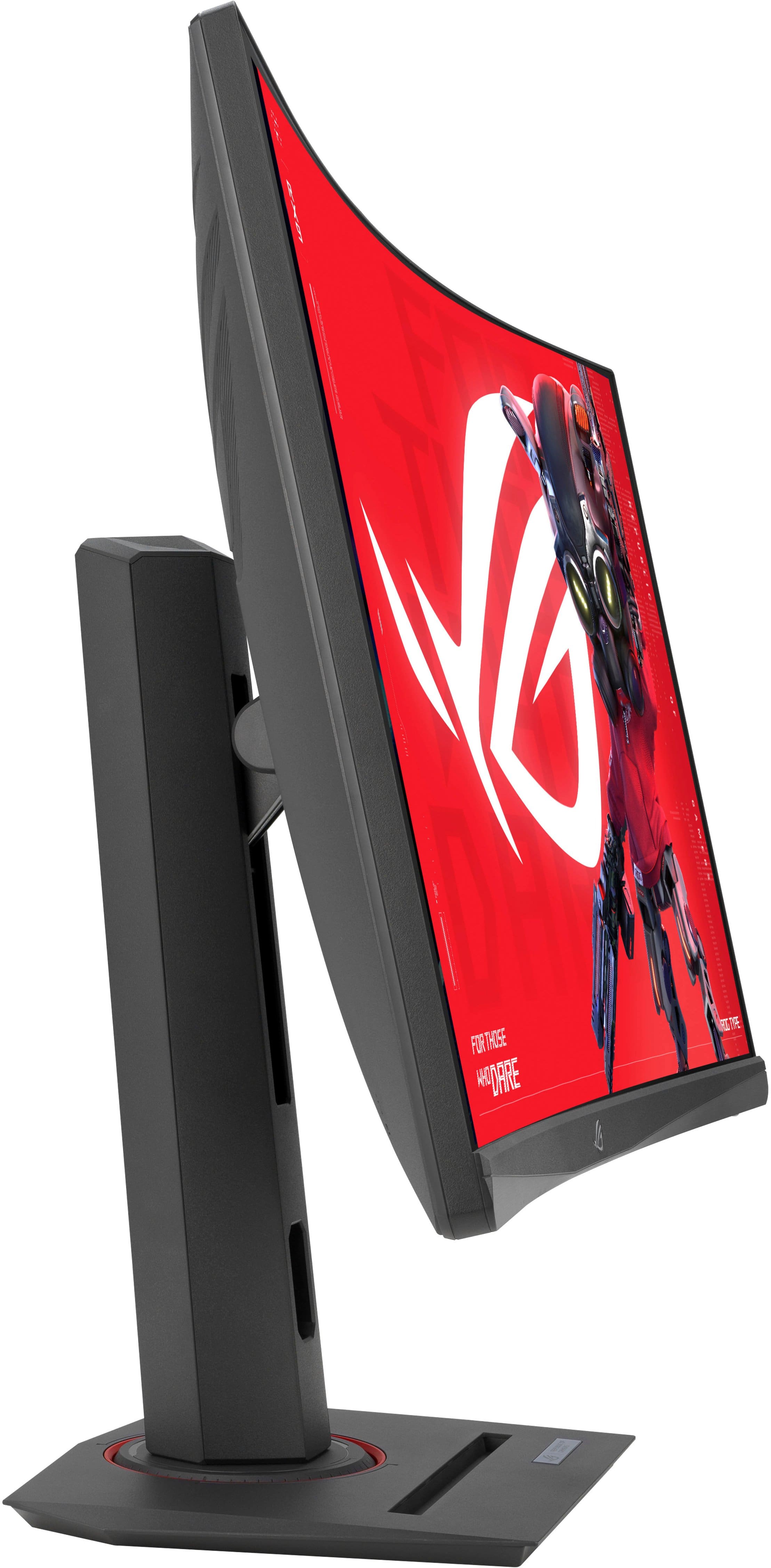
|Posted .This reviewer received promo considerations or sweepstakes entry for writing a review.The Asus XG27WCS is one of Asus’s latest offerings in the budget/mid-price range that offers 1440p resolution, very high refresh rate, HDR, curved design for optimal viewing, three input methods, and lots more. My experience using the monitor was overall very positive although the number of inputs on the product listing is incorrect. Inputs: 1x HDMI 2.1 (Product Listing Says 2, which is not the case) 1x USB-C 3.2 1x DisplayPort 1.4 1x 3.5mm Headphone Jack In the Box: - Stand (Height, Tilt, Rotation + Threaded mount on top) - Monitor - Power Cable - Display Port Cable - Zipper Bag + Manuals Setup: Setup is very easy as with nearly every monitor. Just place the stand where you want it, and clip the monitor in. Cord management is as expected with a slot for everything to pass through. The top of the monitor stand has a threaded 1/4-20? Mount for accessories which is great for those that might stream or use a camera/light a lot. The base of the stand also has a phone slot which you can use horizontally for your other thin device. Also included is a zipper bag with the display port cable and a place to store other accessories. Usage: I first tried connecting the display via HDMI as this is what my previous monitor was using perfectly fine to achieve it’s 165hz refresh rate at 1440p. Unfortunately, I was unable to get anything more than 60hz out of this monitor using HDMI. No biggie, I switched to Display Port and everything immediately went to 1440p at 180hz. This monitor also has the option for USB-C input at maximum display settings. The buttons on the back of the monitor to adjust settings and use some of the gaming features are easy to use compared to other monitors out there. I like the fact it has a little joystick for navigation. The display itself has a nice picture with lots of customization depending on your use case or person preference. I really like the amount of presents available in the menu’s which allows easy switching between gaming and casual use. During my use I found no issues with gameplay or causal browsing. It’s snappy with just about as little lag as one could ask for. 1440p at 27” offers a good PPI of 108 which is the equivalent of a 1080p monitor of 20” is size. I find 27” is a great size for most use cases as 32” can be a little overwhelming only a couple feet from your face while smaller can be tough to feel immersed. Pros: - DisplayPort cable included - Good colors, brightness, resolution - 180hz refresh rate capable - Stand features/quality - HDMI, DP, USB-C inputs Cons: - HDMI limited to 60hz? Overall: I would certainly recommend this monitor to anyone looking for a somewhat inexpensive, curved, QHD gaming monitor. With tons of gaming features and a quality stand, it feels like a quality monitor. Despite my issues with HDMI, I find the number of inputs above average for the price with some monitors limiting you to two input methods so having three is great to see for a monitor of this price.
I would recommend this to a friend Awesome screen
||Posted . Owned for 1 year when reviewed.This reviewer received promo considerations or sweepstakes entry for writing a review.Very operational, I enjoy the graphics and would buy this brand again
I would recommend this to a friendAsus monitor
||Posted . Owned for 3 weeks when reviewed.This reviewer received promo considerations or sweepstakes entry for writing a review.This monitor is very good I have no problems with it
I would recommend this to a friendROG strix monitor
||Posted .This reviewer received promo considerations or sweepstakes entry for writing a review.Love this monitor. Definitely worth it for the price for a 1440p monitor.
I would recommend this to a friendExcelent
||Posted . Owned for 1 month when reviewed.This reviewer received promo considerations or sweepstakes entry for writing a review.I didn't expect less from this product, it's something that fits my needs and at an excellent price, very good
I would recommend this to a friendNice display
||Posted . Owned for 2 weeks when reviewed.This reviewer received promo considerations or sweepstakes entry for writing a review.Great gaming monitor. Sleek design with clear display. Great size for my gaming desk.
I would recommend this to a friendTEN OUT OF 10
||Posted . Owned for 1 month when reviewed.This reviewer received promo considerations or sweepstakes entry for writing a review.Great monitor I love it, fits right into my setup looks great, have had no problems
I would recommend this to a friendROG monitor
||Posted . Owned for 3 weeks when reviewed.This reviewer received promo considerations or sweepstakes entry for writing a review.Works great i love it best monitor ive bought in a while
I would recommend this to a friendGreat monitor
||Posted . Owned for 3 weeks when reviewed.This reviewer received promo considerations or sweepstakes entry for writing a review.Looks awesome this is my first curved monitor and it actually is a big difference
I would recommend this to a friendGreat monitor
||Posted . Owned for 3 weeks when reviewed.This reviewer received promo considerations or sweepstakes entry for writing a review.I love that I can adjust the height and I love the settings for the graphics.
I would recommend this to a friend- Pros mentioned:Color quality, Curvature, Refresh rate
Good for work and play
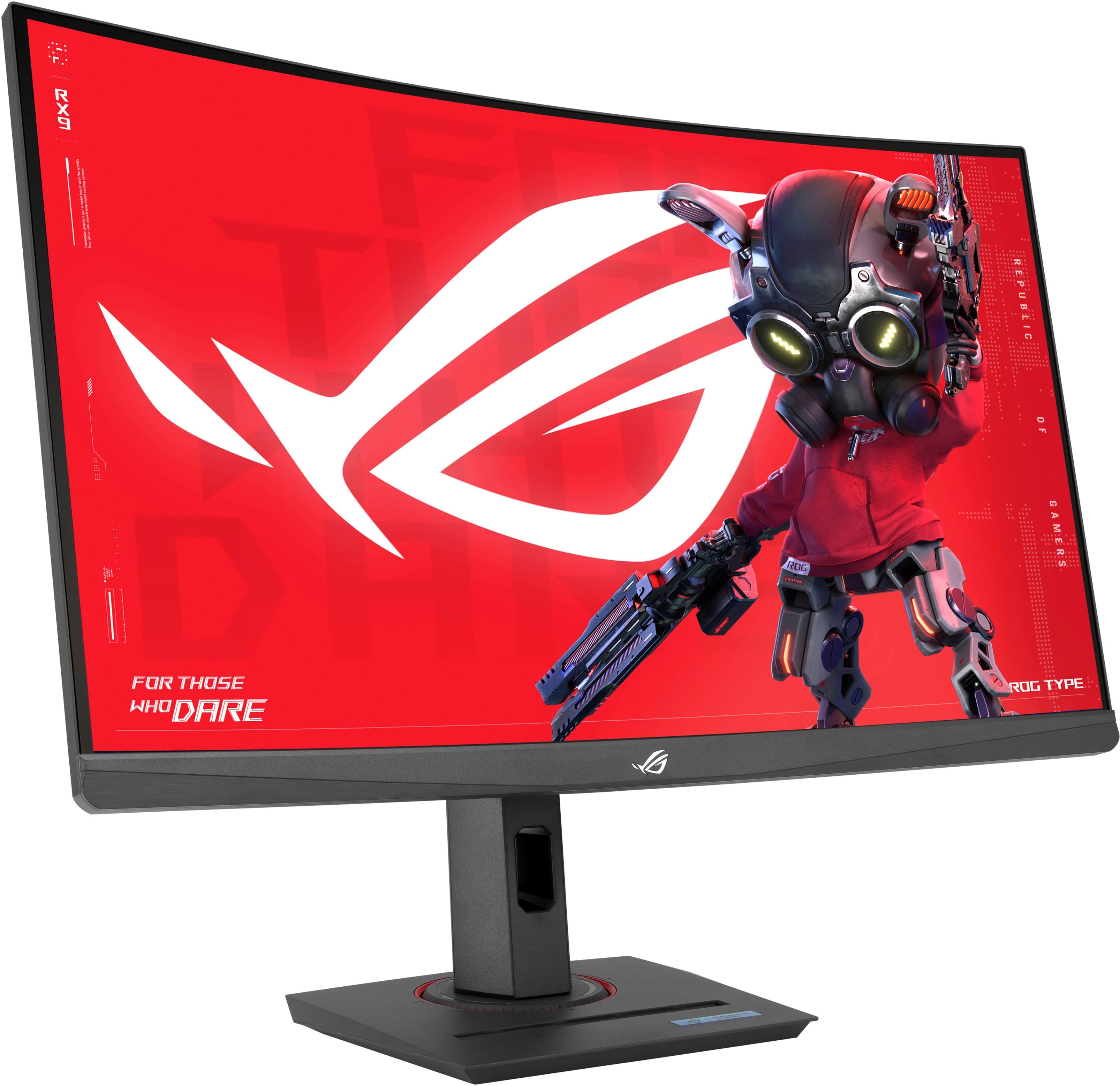
|Posted .This reviewer received promo considerations or sweepstakes entry for writing a review.I have a four-monitor setup for both work and gaming. I was using two 24” Dell SE2417HG monitors stacked horizontally, and two HP 27yh 27” monitors (one on each side). The Dell monitors were decent for gaming, but I wanted another 27” for my main center monitor so it would match the size of the two HP’s flanking. When I saw this Asus curved 17” display I knew that it would be perfect. I’ve been a fan of Asus products for many years. They have always offered great value and never disappointed me. The curved shape offers a clear head-on view and also helps with matching the angles of the flanking monitors creating a “cave” effect. I really like that the Asus has a standard 100mm VESA mount, so it was easy to attach to my mount. My only small complaint is that the controls are midway up on the right side instead of on the bottom edge. With another monitor next to it, the controls are hard to reach, but the joystick does make it easier to adjust even with a long reach. Speaking of the monitor’s controls, they are intuitive and fairly easy to use. I like some of the on-screen display options like seeing the frame rate. The monitor itself is not terribly heavy – around 15lbs. The plastic housing feels sturdy enough, and the top and side bezel is very thin which makes it look very sleek, until I found that the image does not reach the edges as there’s about ½ an inch of unused area around the top and sides. The bottom bezel is about an inch thick. Overall, the physical display housing is somewhat plain and nothing special. I really like the color representation of this monitor. Even with adjustable settings, most monitors are a challenge to calibrate. This one is actually very good right out of the box. For daily use, whites are just slightly warm, and blacks are crisp. I did make some minor adjustments to better match the colors to my existing monitors, and I am very happy with the results. The viewing angle is good, too. It’s not like an OLED screen, but great for an LED – especially a VA screen. I know IPS has long been the best for gaming, but this Asus VA panel definitely competes with the IPS monitors that I have used. As for inputs, it has both Display Port and HDMI. There are no DVI or VGA ports, but I don’t think that most buyers of monitors in this class would be using those connections. As for gaming, I connected this to my Acer Predator laptop and it supports a 144hz refresh. I noticed no lag or artifacts in the display. In fact, I think it outperformed the laptop’s built-in display which supports 165hz. Colors were good and so was brightness, though contrast could be better, though it’s about as good as it gets with an LED panel. The curved screen works well for gaming immersion. Overall, this is a very good monitor, and it’s a decent value. I highly recommend it for gaming and general computer use.
I would recommend this to a friend - Pros mentioned:Curvature, Hdr, Refresh rate
Great option for 1440p curved monitor
|Posted .This reviewer received promo considerations or sweepstakes entry for writing a review.The Asus-ROG Strix XG27WCS is a very solid option for high refresh rate gaming on a curved monitor while also having a higher resolution in 1440p. For the price, I believe it is an excellent value choice for someone who prefers curved monitors over flat panels and is in the market for something new. Overall, I have greatly enjoyed my time testing out this monitor. Gameplay looks great and I find it to be very nice in most games, but especially first person shooters and racing titles, such as Project Cars or even simulators like American Truck Simulator. While lacking in terms of viewing angles, the Asus-ROG Strix XG27WCS has very solid build quality, was super simple to put together, has great color depth, has HDR, G-sync and FreeSync capabilities, and many other features you will find in most modern monitors. It does only go up to 180hz, so it does not quite hit the 240 threshold that a lot of people are looking for now-a-days, but it is also way cheaper than your typical 1440p/higher than 144hz monitor would be. In the current market, I feel that there really aren't too many bad options, but Asus has always been a very solid choice when it comes to monitors and this Asus-ROG Strix XG27WCS is just the latest example of why that is. If you choose to go with this monitor, you won't be disappointed. It is a great value.
I would recommend this to a friend - Pros mentioned:Hdr, Refresh rate, Resolution
Nice monitor for the value and good features
|Posted .This reviewer received promo considerations or sweepstakes entry for writing a review.I have mostly enjoyed my time with the ROG Strix 27. It is a nice side for gaming, and you can check out the specs which are nice too. If you are using a desktop monitor to play games now, this is going to be an impressive update. The refresh rate is awesome and the 2k resolution is the best way to play PC games from my experience. The HDR also works, and color is OK (more on this later). So, if you are looking to get a gaming monitor this is an excellent choice. There are also a few cool features that I like. The stand is surprisingly good in how you can not only tilt forward and back, but also side to side and on top of that rotate the screen. The button placement is a little weird, but I have not had any monitor that is good. You also get HDMI, DisplayPort and USBC which although you will want to use DisplayPort but good to have options especially if you brought a laptop to use quickly. There are two things though that I see as lacking. First, the display color is not as good as you get if you go with an OLED. This is not something you notice unless you have been using an OLED gaming monitor, just a note the colors are a little bright and your blacks are not super deep. The other part is that with this size an ultrawide would have been nice. Again, unless you have used an ultrawide not something you would notice. Overall, the monitor value is great for what you get. Sure, there are better options if you want to upgrade but as a good gaming monitor from my experience you cannot go wrong with this.
I would recommend this to a friend Damaged “Open-Box Excellent”, Absolute Nightmare
||Posted .This reviewer received promo considerations or sweepstakes entry for writing a review.I purchased an ASUS ROG Strix 27" 2K curved gaming monitor listed as open-box excellent condition, but it arrived with a cracked screen and visible damage. I returned it once by mail, but it was sent back to me in the same condition. I contacted customer support multiple times but received no helpful response. I then tried to return it in-store, but staff could not assist, so I left the damaged monitor there. After all these failed attempts, I’m now forced to file a credit card dispute to recover my money. Very disappointing experience and poor customer service for something advertised as “excellent condition.”
No, I would not recommend this to a friendBrand response from ASUS Answers
Posted .Dear ASadCustomer,
Thank you for your feedback.
We do understand your dissatisfaction with the quality of the product you received and the quality of your recent customer service experience from your vendor, and the inconvenience this may have caused if they were not able to help you resolved the issue with the damaged product your received.
If you need further assistance with the monitor or other ASUS products, please email me at cl-rodel@asus.com and I would be more than happy to help. Or you are most welcome to call Product Support Hotline at: 1(888) 678-3688. Also, you can chat with an ASUS live support agent from the link: https://www.asus.com/us/support/article/1135/.
Thank you for choosing an ASUS product.
Regards,
Rodel
ASUS Customer Loyalty
- Pros mentioned:Color quality, Refresh rate, Resolution
A Great Budget-Friendly Gaming Monitor!
|Posted .This reviewer received promo considerations or sweepstakes entry for writing a review.Do you need a budget-friendly gaming monitor with a 2k resolution and high refresh rate? If that sounds enticing, I would certainly look into this model. While it may not be the brightest monitor or have the best HDR, this is a solid gaming monitor for those who have a budget in mind. This is my review of the ASUS - ROG Strix 27” Curved Gaming Monitor. *TLDR at the bottom ===================== IN THE BOX/SETUP: In the box, you get a monitor power cable, display port cable, ASUS small storage bag, some documentation, and stickers. There is no HDMI cable included which I thought was unusual considering most monitors have both cable types included. Regardless, the small storage bag that can be used for cables or miscellaneous item storage is a neat addition! Setup is quick and easy, It’s simply all plug-and-play! Of course, you can set how the display appears, using the monitor’s built-in settings. On the monitor, there are 4 buttons, and a joystick to navigate the settings menu. Do note that you will need to provide your own HDMI cable if you plan to use this for console gaming. ===================== DISPLAY: The gaming monitor has a 2k resolution, a refresh rate up to 180Hz, and a 1ms response time. These features are usually seen in higher-tier models but am glad to see these features get included in a budget-friendly monitor like this one. Of course, not everything is sunshine and roses. The monitor is not as vibrant as some other monitors. At peak brightness, the monitor is seemingly dimmer compared to other monitors. Viewing angles are also decent. This monitor is best used when you sit directly in front of it. Viewing the image from a different angle does “wash” away the image. This gaming monitor uses a VA panel which is the reason for the aforementioned items but that doesn’t take away from its performance and crisp quality. ===================== PERFORMANCE: Performance-wise, the monitor performs well. I mostly tested the monitor in Destiny 2. I’m a quality over-performance person but I did want to max out the monitor's refresh rate. I adjusted a couple of in-game settings and obtained the 180Hz refresh rate, which to the eye, gameplay appeared buttery smooth. I also did the opposite and maxed out the graphics and even with the maxed-out graphics, I was averaging about 125 FPS. I also love the deep colors that the monitor provides! ===================== CONCLUSION: In conclusion, this is a solid gaming monitor that doesn’t break the bank. The 2k display and up to 180Hz refresh allow for buttery smooth gameplay with crisp quality. This gaming monitor is best placed in front since viewing the monitor from an angle does tend to “wash” away the image. The monitor is also not the brightest but if you don’t mind these two minor nuances, I recommend you give this one a shot!
I would recommend this to a friend - Pros mentioned:Refresh rate, Resolution
Keep Your Expectations In Check & You'll Love It
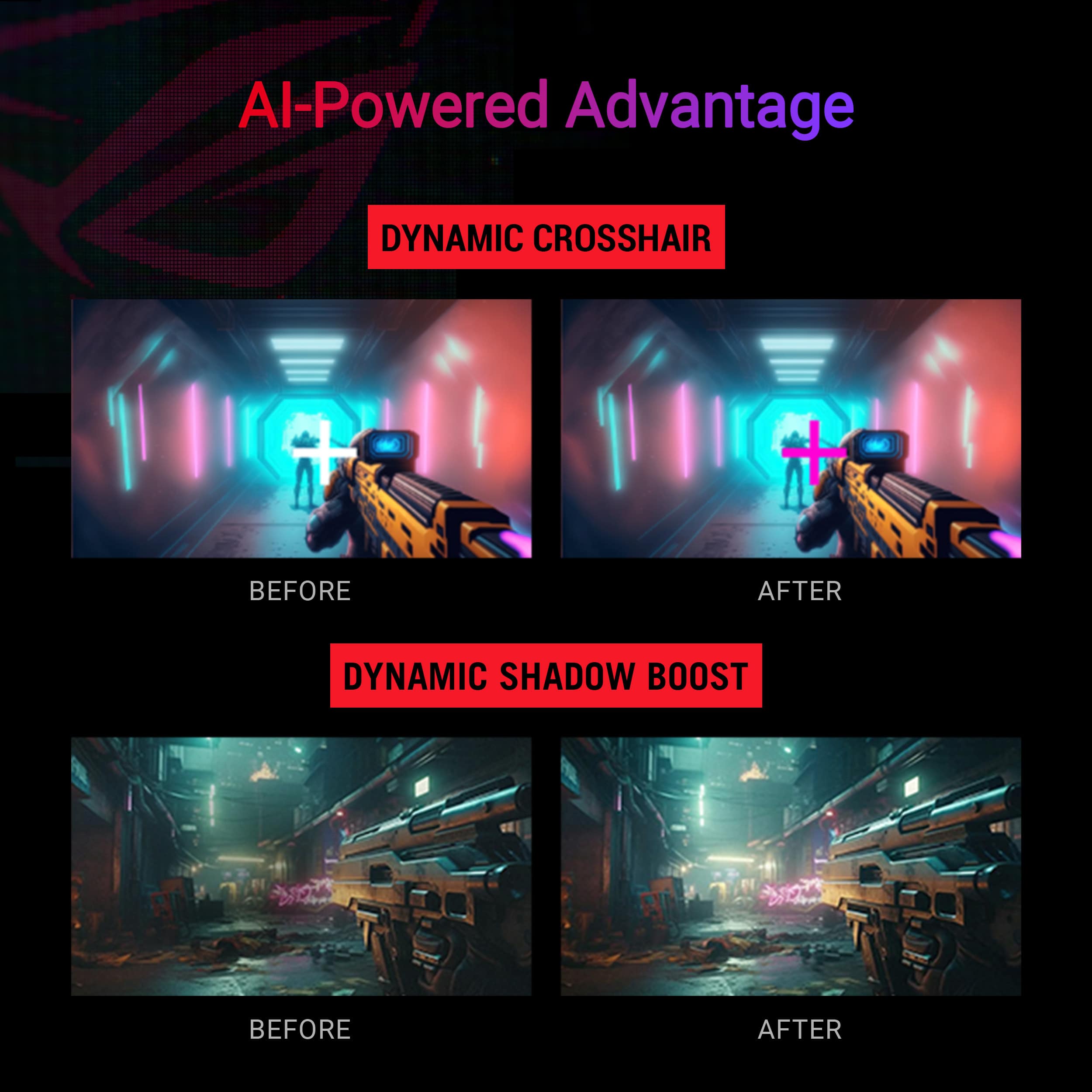
|Posted .This reviewer received promo considerations or sweepstakes entry for writing a review.The Asus ROG Strix XG27WCS is a budget gaming monitor that offers great visuals, and a variety of features that are sure to appeal to most gamers. Design The XG27WCS has a sleek and stylish design built with mostly plastic, but it’s easy to look at and will blend in with most gaming setups. The monitor features a 27-inch Fast VA panel with a resolution of 2560×1440. The panel is surrounded by a thin bezel that helps to create a more immersive gaming experience, and the curve of the screen definitely catches the eye. Performance The XG27WCS offers decent performance for gaming. The monitor has a fast refresh rate of 180Hz and a low response time of 1ms. For a VA panel, there is very minimal ghosting, it’s so slight that I think you’d only notice it if you’re actively looking for it. It’s there, but is one of the best performing VA panels I’ve ever used. The other variant of this monitor is the ACS, which comes with an IPS panel, so please be aware of which one you are purchasing. If you want deeper blacks and better contrast ratio, I’d stick with a VA panel, like this WCS model. The IPS variant (ACS) will be almost completely ghost and blur free, but have much lower contrast ratio and black will look like gray most of the time. Features like HDR are present, but at only 400 nits, I wouldn’t recommend using HDR since the panel doesn’t get bright enough to truly experience it. VRR support is present and if you have AMD card you will get Freesync support. If you have an Nvidia card, this monitor is G-Sync compatible, so turning it on will enable VRR as well. ELMB can also help with motion blur, but will limit the screen brightness and lock you out of other features, which some users won’t like. Experiment with all the features to find the ones that best suit you, but right out of the box the monitor provides a bright, vivid picture that’s ready for gaming. Features The XG27WCS is packed with features that are designed to enhance the gaming experience. The monitor has a variety of gaming-specific features, such as GamePlus and GameVisual, which can put a crosshair on your screen or an FPS counter, amongst other things. I’m a pretty minimalistic person when it comes to features like these, so I don’t usually turn them on, but they are there and they do function. Features like blue light filtering are also present for those that will use this monitor later at night or for productivity instead of gaming. These additional features are all just icing on the cake as Asus doesn’t seem to skimp out on packing this budget monitor full of high end features. The adjustable stand is solid and works like a charm. This is a huge bonus because a lot of monitors at this price point come with a fixed stand that can be uncomfortable if you’re a little too tall or short. You’ll also get 1 DP, 1 HDMI and 1 USB-C port on the back for connectivity. USB-C is great to see on a monitor of this price and will allow for future connectivity as well. Overall The Asus ROG Strix XG27WCS is a fantastic choice for the budget friendly gamer and offers a lot of features for its price point. Pros Great contrast, vivid colors, deep blacks Fast refresh rate and low response time Variety of gaming-specific features Adjustable stand Cons Slight ghosting still present, even with Fast VA technology Questionable build quality
I would recommend this to a friend