Customer Ratings & Reviews


![Esc F1 F2 F3 F4 F5 F6 F7 F8 F9 F10 F11 F12 PrtSc ScrLk Pause
1 2 3 4 5 6 7 8 9 0 - = Backspace
Q W E R T Y U I O P [ ] \
A S D F G H J K L ; '
Z X C V B N M , . /
Caps Lock Shift
Ctrl Fn Alt Spacebar Alt
Insert Home PgUp NumLock 7 8 9 +
End PgDn 4 5 6 -
PgDn 1 2 3
0 Ins](https://pisces.bbystatic.com/image2/BestBuy_US/images/products/94c198b1-7216-4a06-8a33-f4b4d87a673c.jpg)
![F10 + F11 + F12 + PrtSc + ScrLk + Pause + {I ] + { / + Ctrl + I + Ins + Home + PgUp + Num + Del + End + PgDn + 1 + H + ASFW + 5 + F + H + M1 + M + A + + + .C.E + V + + + .E + O + Ins + E + Del +](https://pisces.bbystatic.com/image2/BestBuy_US/images/products/a573bec8-953f-426a-a906-fd8c40a8be98.jpg)
- Model:
- XA14 ROG STRIX SCOPE II X/NXSW
- SKU:
- 6633432
Rating by feature
- Value
Rating 4.7 out of 5 stars
- Quality
Rating 4.6 out of 5 stars
- Ease of Use
Rating 4.5 out of 5 stars
Customers are saying
Customers value the product's robust build quality, effective noise dampening, and impressive RGB lighting. They also appreciate the swappable mechanical switches, excellent typing experience, and comfortable wrist rest, which contribute to strong gaming performance. However, some users have reported issues with key functionality, indicating potential concerns with connectivity or quality control.
This summary was generated by AI based on customer reviews.
- Pros mentioned:Noise level
Worth the money.
||Posted .This reviewer received promo considerations or sweepstakes entry for writing a review.My first asus keyboard and I'm very happy with it. The keys are very tactile, but not super loud like some mechanical keyboards. No issues with imput like my previous razer keyboard.
I would recommend this to a friend Easy to install and easy to use
||Posted . Owned for 1 week when reviewed.This reviewer received promo considerations or sweepstakes entry for writing a review.As with all Asus hardware, its super easy to set up and use. Plug and play. This product has the RGB compatibility that I was looking for combined with high speed connectivity and nice mechanical key strokes
I would recommend this to a friendGreat smooth switches and footprint
||Posted . Owned for 3 weeks when reviewed.This reviewer received promo considerations or sweepstakes entry for writing a review.Pretty excellent and well damped for a stock keyboard and especially when on a good sale
I would recommend this to a friendBest keyboard
||Posted . Owned for 3 weeks when reviewed.This reviewer received promo considerations or sweepstakes entry for writing a review.Great keyboard its great for gaming and even better for typing
I would recommend this to a friendCool looking
||Posted .This reviewer received promo considerations or sweepstakes entry for writing a review.It ligth for it full size and easy to use it programable buttons.
I would recommend this to a friendGreat keyboard
||Posted . Owned for less than 1 week when reviewed.This reviewer received promo considerations or sweepstakes entry for writing a review.This is a great keyboard. It has reliable key actuation and feels great to use.
I would recommend this to a friendnice keyboard
||Posted .This reviewer received promo considerations or sweepstakes entry for writing a review.nice keyboard, has everything I wanted. It does take time to get used to but, most of that is human error (ME)
I would recommend this to a friend- Pros mentioned:Noise level, Rgb lighting, Switch performance

Love the "click"
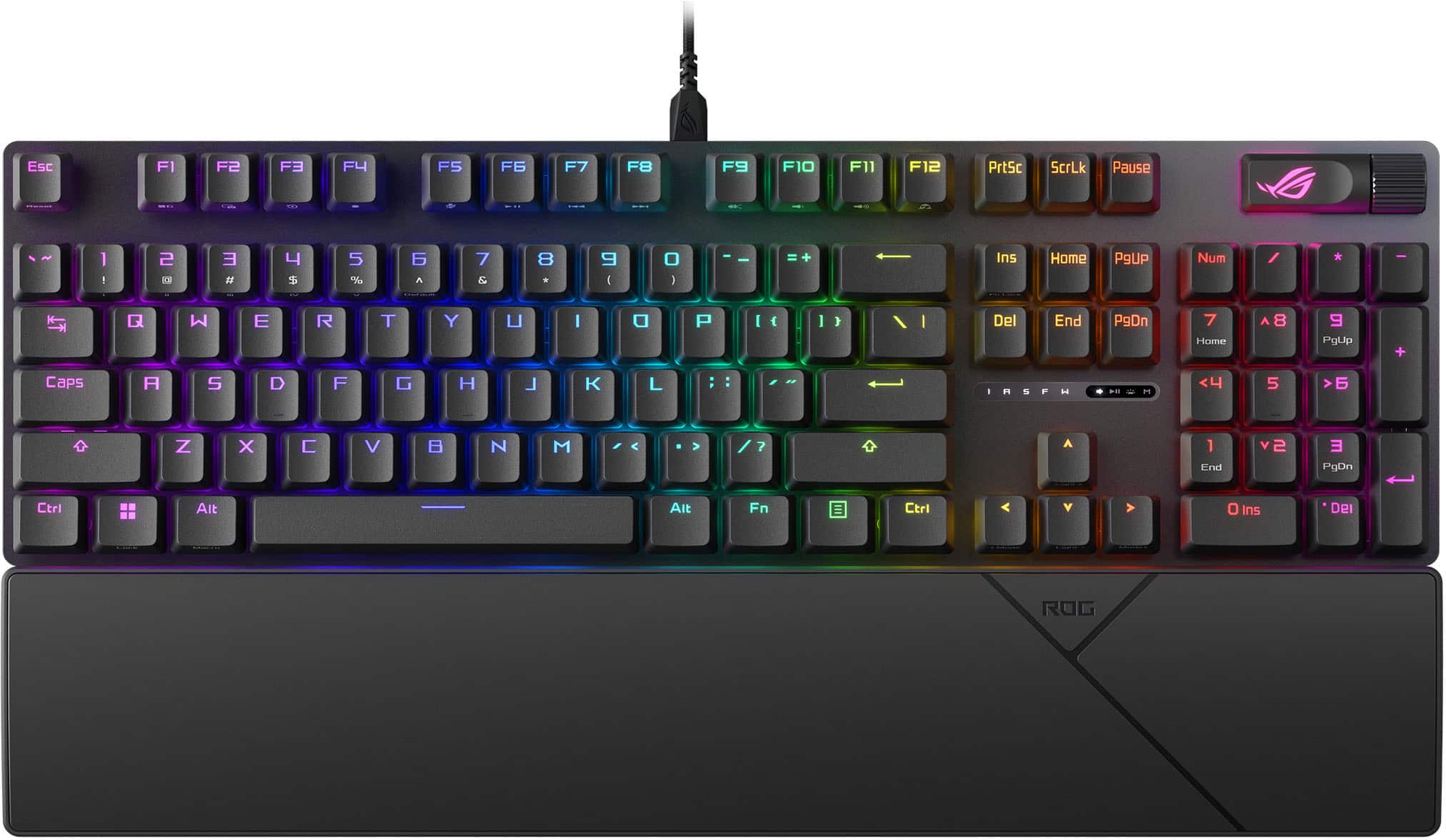
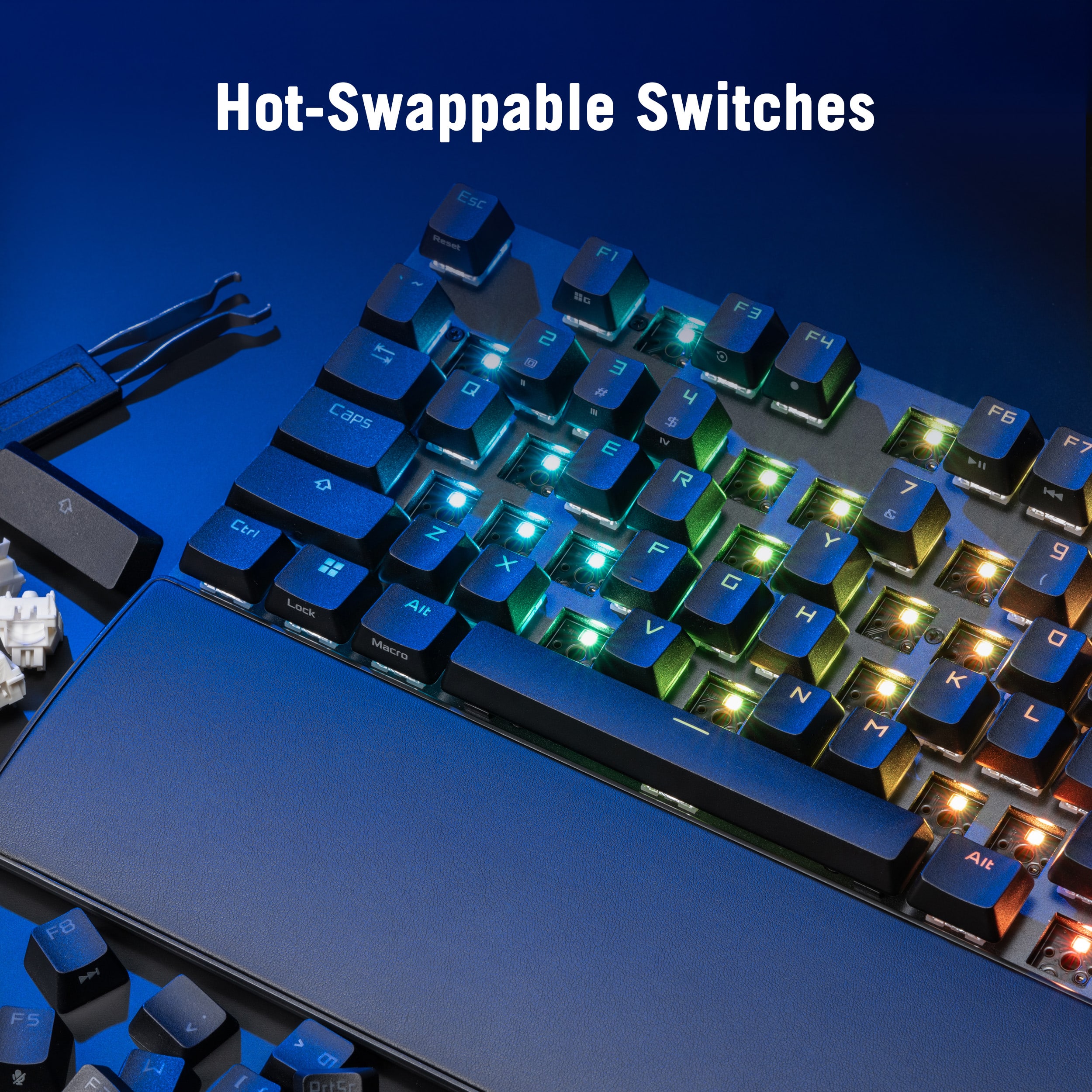
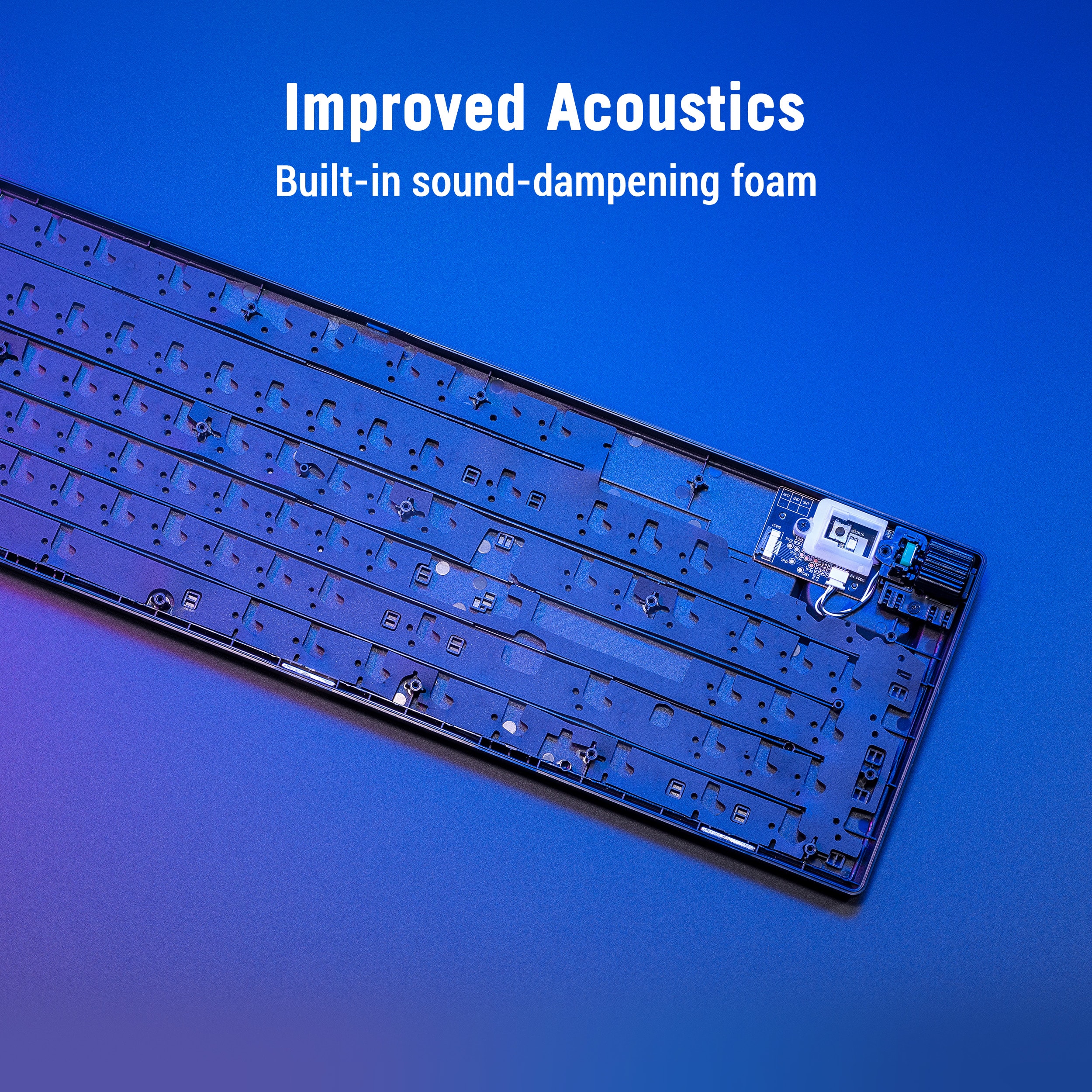
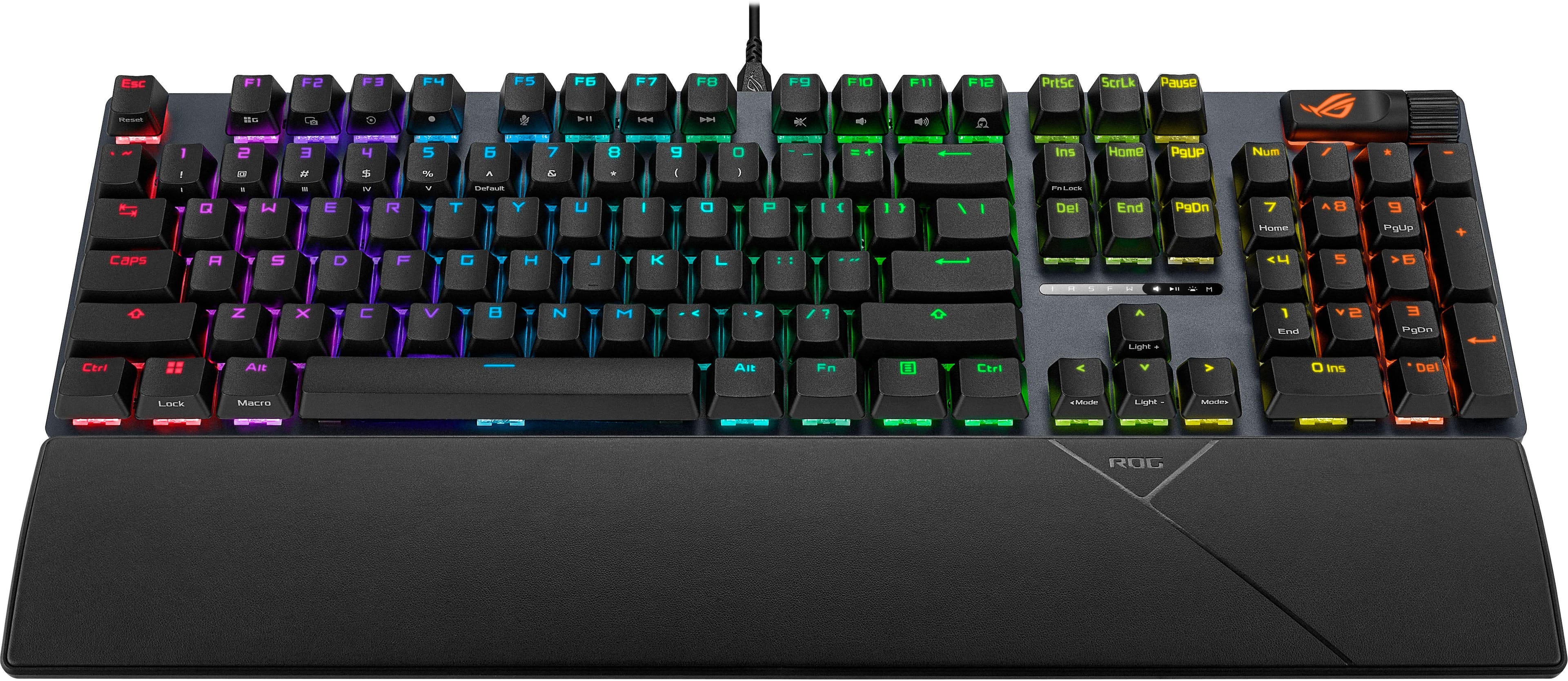
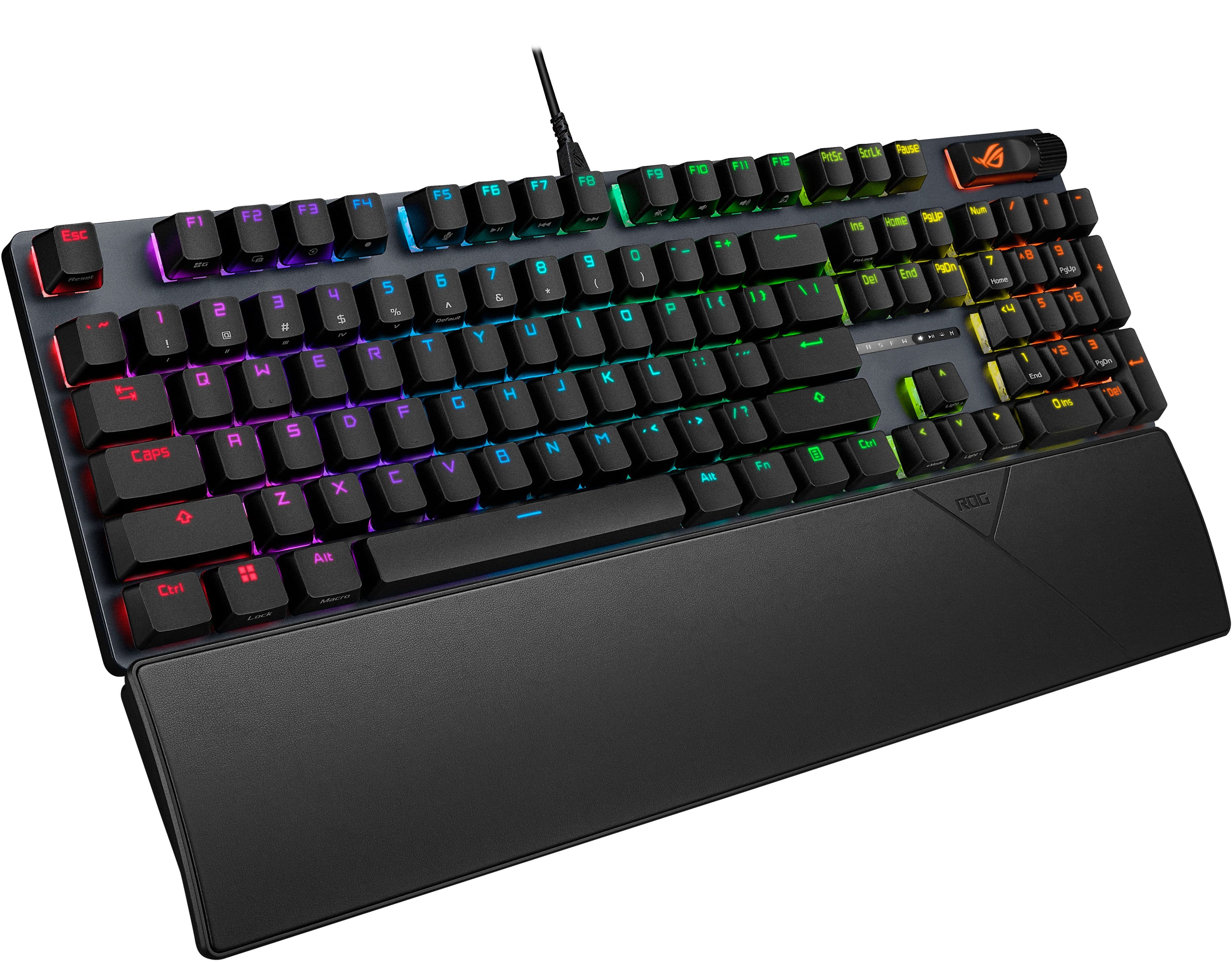
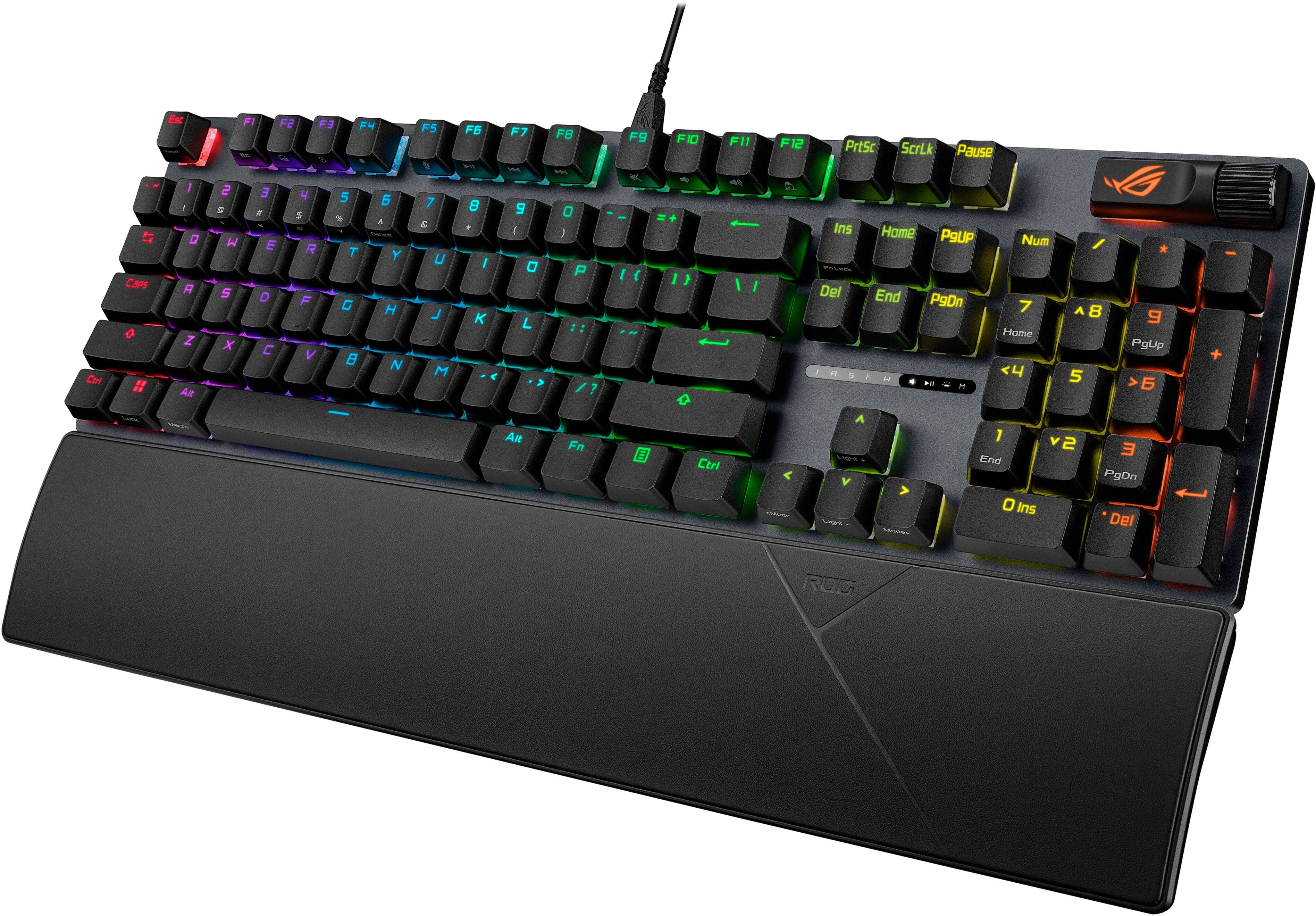
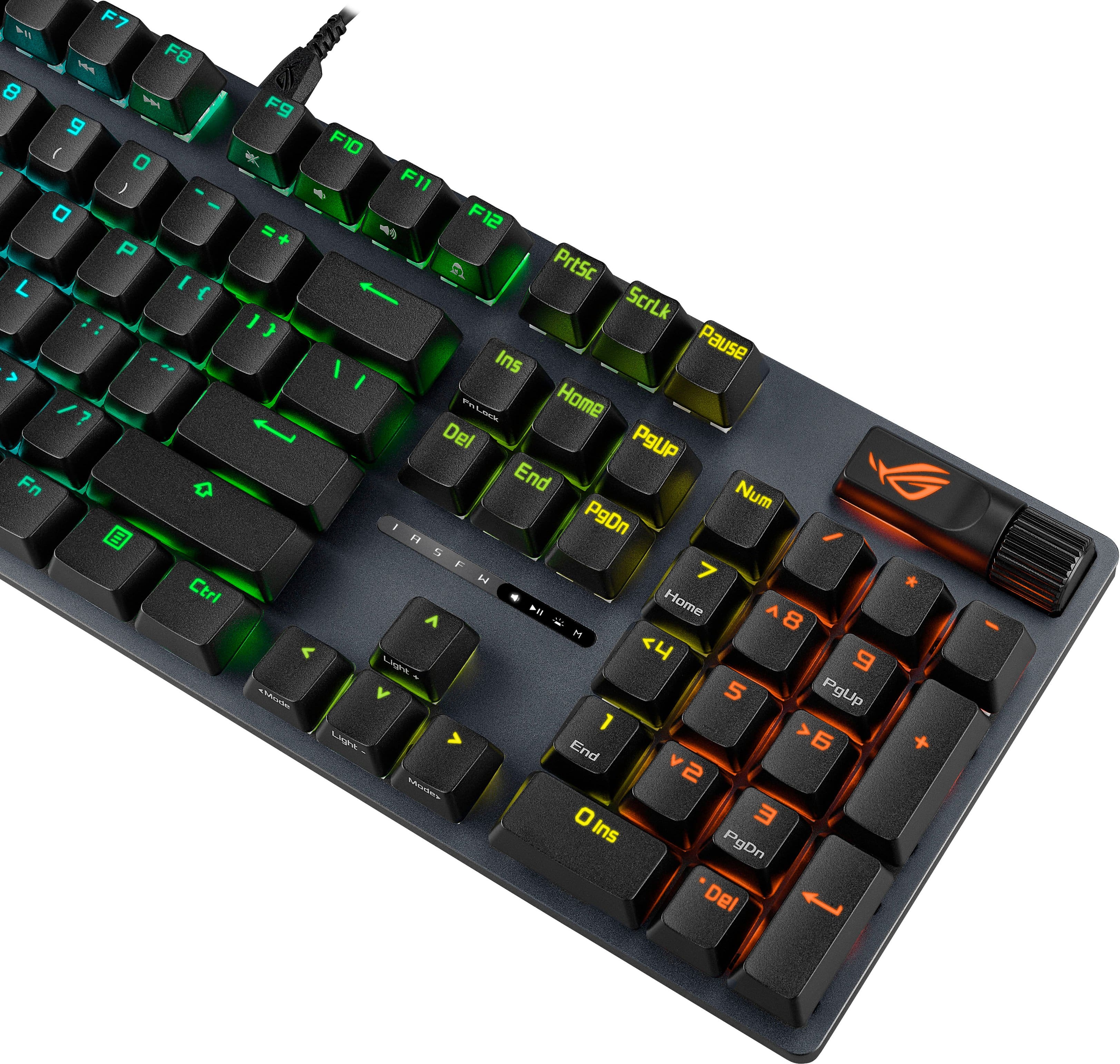
|Posted .This reviewer received promo considerations or sweepstakes entry for writing a review.The ROG (Republic of Gamers) Strix Scope II X is a wired gaming keyboard from the folks at Asus. It offers swappable, mechanical switches, sound-dampening foam behind the keyboard, multi-function keys, and a comfortable wrist pad that magnetically attaches to the keyboard. The RGB color scheme looks great and can be manipulated within the Armory Crate app (which you should download to enjoy the full benefits of the product). The roller switch is conveniently located in the top right corner of the keyboard making it easy to adjust the volume. There are even five hot keys reserved specifically for XBox users. (As a PC gamer, I haven't tried these). I'm pleased with the mechanical keyboard and enjoy the comfortable "click sound" as I type. The sound dampening foam helps limit the noise so others don't hear it as much. I enjoy the click and the sound doesn't bother me! Although this is a wired keyboard, the cord is long enough to allow me to place the keyboard virtually anywhere on my desk. I use it as an external keyboard for my laptop as I prefer the larger keys. Speaking of larger keyboards, I was so excited to see that this is a full-size keyboard with a number pad. So many gaming keyboards remove the 10-key to reduce space making it a 75% keyboard. I really appreciate (and have room for) a full size keyboard. I use my computer for everyday tasks as well as gaming so the number pad is greatly appreciated! Overall this is a great product!
I would recommend this to a friend - Pros mentioned:Build quality, Rgb lighting, Switch performance
Buttery Keycaps and great looks
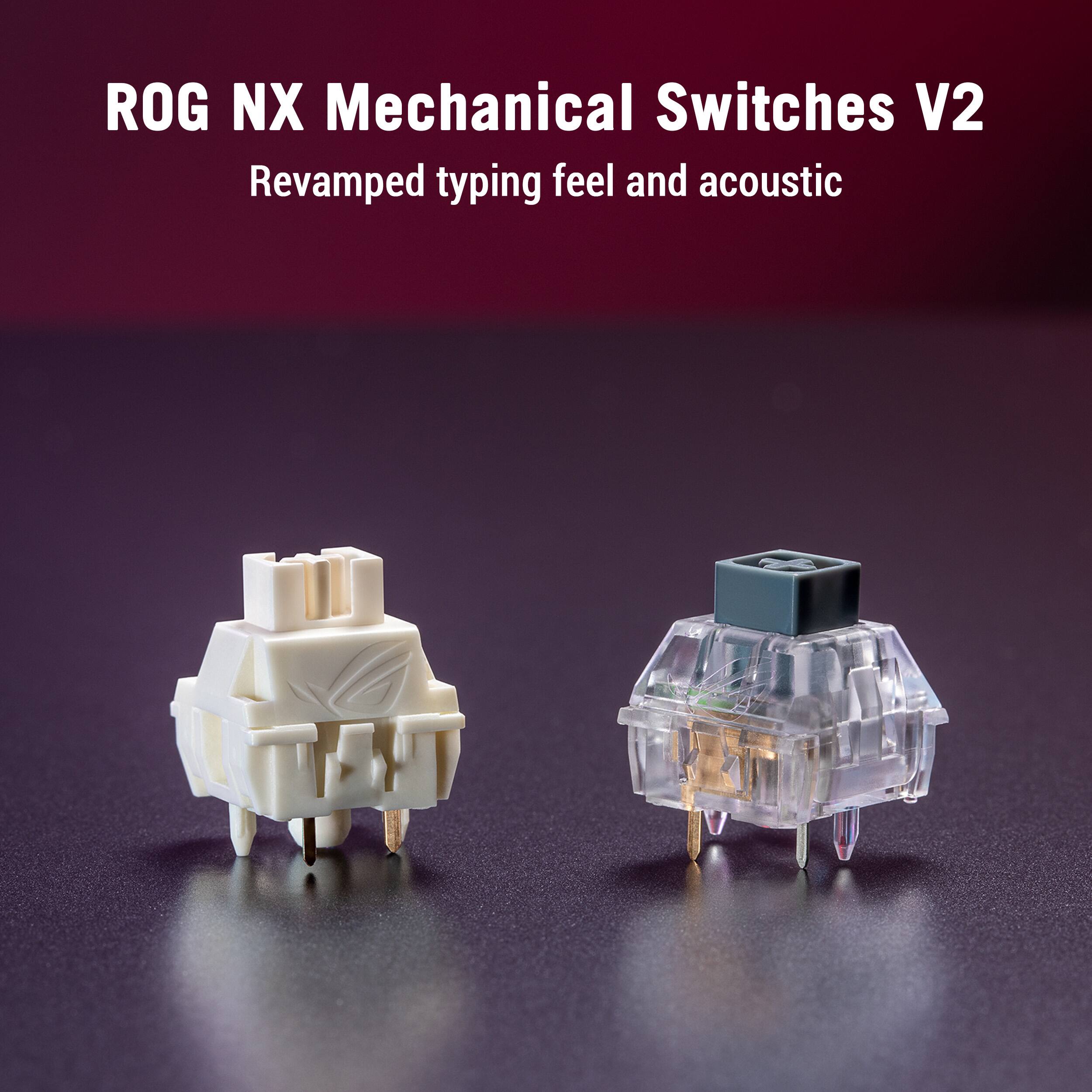
|Posted .This reviewer received promo considerations or sweepstakes entry for writing a review.I have spent some time with my Asus ROG Strix Scope II. Straight out of the box this thing is nice. The unboxing experience is something Asus always nails. I have had my fair share of keyboards and straight out of the box this keyboard is something else. The sound it makes is music to my ears. I’m used to super clacky keyboard switches and super loud. These yeah they clack but it’s that buttery sound. When they say they are pre lubed I believe them. This keyboard is almost no notes it sounds that good. That buttery sound and feel. This is gonna definitely be my daily driver. It also it great for gamers for performance and also the most important thing. RGB and we all know ASUS loves to give us the unicorn puke. And it looks great. I love the form factor as well. I’m a huge fan of gaveling a number pad but hate the large size. This keyboard keeps is smaller but giving you that number pad. I feel it’s a perfect bond of gamer and productivity. If you want a solid keyboard that sounds and looks great this is for you.
I would recommend this to a friend - Cons mentioned:Connectivity
Not Wireless!
||Posted .This reviewer received promo considerations or sweepstakes entry for writing a review.Best Buy advertises this model as wireless; it is not! This must be plugged in via the USB C to USB A cable for it to work! When opening the box, I was searching for some type of wireless dongle to connect to my pc; but, lo and behold, there was none. I searched this specific model number online and found that other retailers do not advertise this as wireless! The box specifically states it is wired only! There are no wireless versions of this model #! False advertising!
No, I would not recommend this to a friendBrand response from ASUS Answers
Posted .Dear TeslaGeek,
Thank you for your comment.
We do understand your dissatisfaction with the quality of your recent customer service experience and the inconvenience this may have caused if you received a different keyboard than what is advertised. Normally, we recommend to contact your vendor for a resolution if your received a different keyboard. If you need further assistance with this keyboard, please email me at cl-rodel@asus.com and I would be more than happy to help. Or you are most welcome to call Product Support Hotline at: 1(888) 678-3688. Also, you can chat with an ASUS live support agent from the link: https://www.asus.com/us/support/article/1135/.
Thank you for choosing an ASUS product.
Regards,
Rodel
ASUS Customer Loyalty
- Pros mentioned:Build quality, Switch performance
Great switches, hot-swap,PBT,and more on a budget
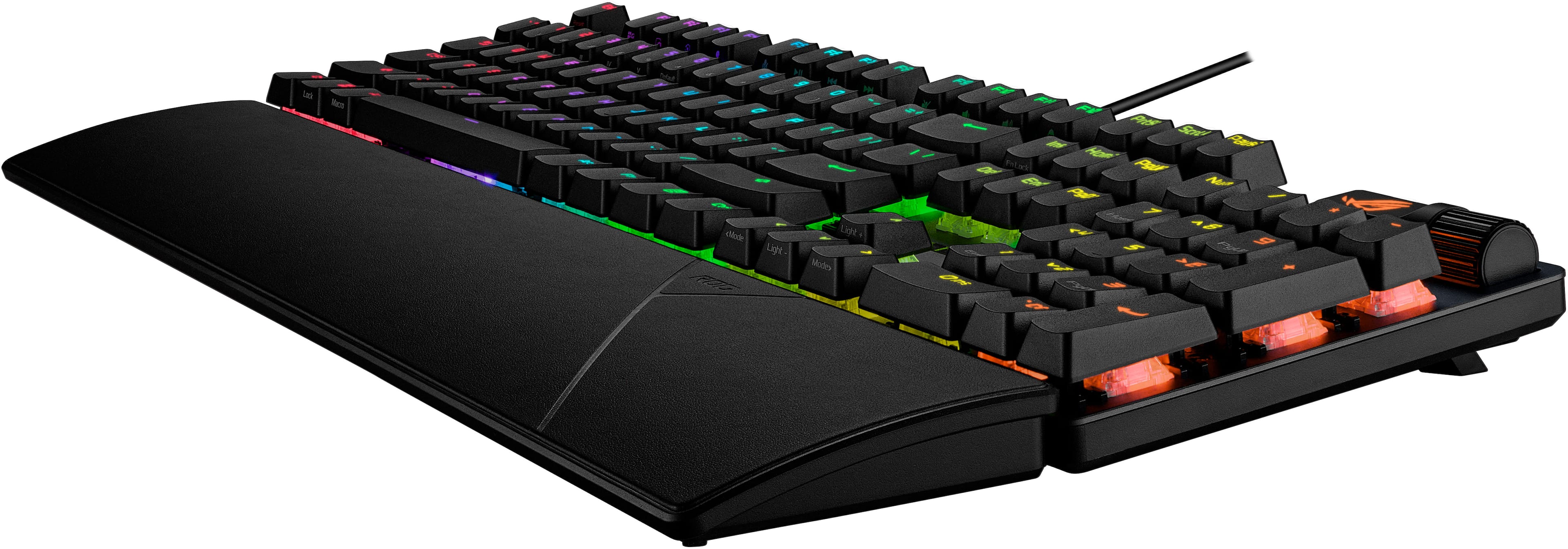
|Posted .This reviewer received promo considerations or sweepstakes entry for writing a review.The ROG Strix Scope II X is a highly customizable budget friendly option from Asus in the custom keyboard market. What you get out of the box is a fine full sized keyboard with PBT keycaps, competent switches, customizable lighting, metal deck, and magnetic wrist rest and a customizable multi-function dial. Straight out of the box, you’ll find the keyboard, wrist wrest, keycap puller, extra space bar, paperwork and some ROG stickers. A few things you’ll notice right away, this is a low profile keyboard, with low profile cherry style profile keycaps. This creates a very thin feel, which belies the really solid build quality. The metal deck makes this keyboard extremely rigid. Despite the metal, there is no real ping sound - especially with these switches. Speaking of the switches; the snow v2 switch from Asus. These switches have a 40g activation force and 53g total force. They have a nice thocky sound, and don’t come across too clacky. I was surprised how well tuned they are. After years of playing with linears, I find they tend to not be my favorite switch, but somehow the snow’s here hit differently. I found my ability to hit near my 85 wpm max on the keyboard without much practice to be a good endorsement for typing. The light actuation force along with the familiar cherry profile make these easy to type on. The adjustable feet have two levels for raising the angle. Similarly the light actuation force really added to gaming. I sat down for a multi-hour session of SC2 (a RTS), and my hot keys, and key presses seemed to be seamless. At least once the high actuation and reset point caused me to miss, but I adjusted to that fairly quickly. The reset point was less of an issue when I played an FPS. CS2 was fun and I found the keyboard performed well here. The F-keys are oriented well, making them quite touch typable. All in all everything was where I expected with this keyboard’s layout. Getting used to a full sized keyboard after years of TKLs was an adjustment, but when you need the keypad, you need the keypad. From a comfort and usability perspective, the design is very standard. The keycaps are made from PBT, which resists the shine you may have experienced in keyboards from the past decade. The shine through on these is excellent, and the orientation is top mount LEDs. The switches have lenses that (compared to gateron diffusers in my experience) actual focus the light very well. The font on the keycaps is techy/gamery in a sense that almost everything from Asus is, but it’s not gaudy. Software wise, Armory Crate’s footprint seems to be better than it used to be. I already use Asus products so I already had Armory Crate installed. The software did a good job getting firmware updated and providing for an easy to use key remapping. Macros and other recordings are hardware based, which means they don’t rely on the software which is a good trend. There are explicit settings to disable things like ALT+F4 (close program) and other key combos that might interfer with games. The software even lets you customize the multiwheel. The Multiwheel is this keyboard’s highlight. It offers a wheel, somewhat reminiscent of a mouse wheel, but thicker, flanked by a large bar-like button that toggles functionality. You get standard volume, media controls, keyboard brightness, and a custom layer. Which layer is active is shown by little LED lights above the arrow keys. I found that the keyboard brightness control does not work if you’re using Aura Sync (which syncs lighting effects across devices). I might suggest to Asus to update that so it syncs brightness adjustments globally from this wheel; which would be really cool! Until then be aware. A quick word about hotswap-ability. I’m a huge fan of keyboard customization, but I do feel like the snow is a great switch for this keyboard. I tried a couple extra switches from my collection, and wasn’t that impressed with them on this board. That said, if you wanted to swap this to say Gateron melodolics or oil kings, this keyboard can handle it using the standard keycap puller. It’s a basic, but solid board at a reasonable price, and fits well within the Asus ecosystem. These factors will probably weigh in if you’re looking for a custom board, but want to keep both a known manufacturer as well as a RGB/device ecosystem. Overall the Scope II X exceeded my expectations for the price. For a name brand keyboard sold at retail for around a benjamin; this is a solid offering. No fancy screen, no gee whiz features other than a competent dial. Hot swap-ability offers both upgradability and ease of repair if a switch does go bad. The PBT keycaps feel great. Overall the biggest problem with this keyboard is that my girlfriend wants to steal it!
I would recommend this to a friend - Pros mentioned:Build quality, Key feel
Solid offering with some extra features
|Posted .This reviewer received promo considerations or sweepstakes entry for writing a review.The ASUS ROG Strix II X is a premium keyboard that instantly impresses, offering a blend of robust construction and high-performance features. It looks pretty too! It offers responsive, short travel keys and a wired connection for quick gaming performance. Macros are standard with easy access from shortcut combinations. First thing I noticed is the contruction is very solid. The keyboard stays exactly where I put it, even with a heavy hand on the keys. There’s no noticeable flex to the base while tapping the keys. Each key has a relatively short travel, making repeated taps very fast. Unlike other gaming keyboards I’ve used, it’s not so sensitive that adjacent keys activate if I brushed over them. It was comfortable whether I hit things hard in an intense game or tapping softly while writing this review. To me, this suggests the keyboard will last! The Strix II X has great aesthetics and functionality with highly customizable lighting. Each key can be customized using ASUS Aura Sync. The vibrant illumination allows for millions of color combinations and dynamic effects, perfect for matching your system's theme or setting up profile-specific lighting schemes. The lighting can also be used functionally to highlight essential keybinds or display system information, enhancing both style and awareness during play. ASUS thoughtfully included a dedicated Custom Control Key for power users. Easily programmable via the ROG software, this versatile key can be assigned to virtually any function—from launching specific applications or macros to toggling multimedia controls. This key provides quick, one-touch access to essential functions without breaking immersion, streamlining your workflow both in and out of games without having to add a Streamdeck or similar extra keyboard Overall, the solid feel and ultra-fast short-travel keys, customizable RGB, and the highly useful Custom Control Key, makes it an excellent choice for anyone seeking performance and reliability.
I would recommend this to a friend - Pros mentioned:Build quality
Nice clicking keyboard
|Posted .This reviewer received promo considerations or sweepstakes entry for writing a review.The typing experience on this keyboard is noticeably smoother and quieter than what I’m used to, while still keeping a clean, satisfying click. Key presses feel controlled and consistent with no harsh bottoming out of the keys, which makes long gaming or typing sessions much more comfortable. The sound profile is refined instead of loud or hollow, hitting a nice balance between feedback and noise. The ability to swap key caps and switches on the fly is a great feature that adds flexibility without needing to turn off the computer to change keys. I just have not found a reason where I needed to change in a hot swap manner. The programmable button near the scroll wheel is another unique feature. Being able to customize it for volume, brightness, media controls, or anything else you want ends up being more useful than expected for everyday use. I found this to be extremely comfortable and very consistent when playing Fortnite, Forza and Flight Simulator. The keys allowed me fast reactions, and nothing seemed delayed. Also the coating on the keys was nice and soft but after 30 or more minutes of gaming they can become slippery if your hands get a little sweaty which was my experience. Armoury Crate ties everything together well. The software feels smooth and responsive, making it easy to remap keys, create profiles, and tweak RGB lighting without digging through confusing menus. Changes apply quickly and make customizing the keyboard feel effortless. There are a couple of small downsides. The lack of RGB lighting for the secondary functions on the number and F keys makes them harder to see in low light and feels like a missed opportunity on an otherwise complete keyboard. The wrist rest is soft and comfortable, but the material seems like it will collect dust easily. Overall, though, it’s a well rounded keyboard that balances comfort, customization, and performance effectively.
I would recommend this to a friend - Pros mentioned:Key feel, Noise level
A solid, well-made keyboard
|Posted .This reviewer received promo considerations or sweepstakes entry for writing a review.I am not a gamer, but I am VERY particular about my keyboards. I spend 8 to 10 hours a day on a keyboard for work, so I want a high-quality keyboard with good feedback. I also have large hands, so I need more “room” so I can minimize errors. On top of all that, I am a very heavy typist. Years ago, when I worked in an office with others, they made me use a “silent” keyboard because my typing made too much noise. Ironically, I prefer a very noisy keyboard with solid key travel and distinct feedback. I suppose this is because I learned to type on old IBM mainframe and mini-computer terminals that had keyboards weighing more than today’s entire computers. In the last five or six years, I have gone through several Logi keyboards and have been happy with none of them. Most recently, a friend suggested I try a gaming keyboard, and the Cherry brand (or brands that Use Cherry switches) seems to be the most popular. I’ve tried two of them, and I have a favorite, but I had also been a big fan of Asus products, so when I saw this new ROG Strix Scope II X keyboard available, I had to give it a try. Given my experience with Asus routers, monitors, and two laptops, my expectations were high. Simply unboxing the ROG Strix Scope II X impressed me. They keyboard is well-packaged, and I appreciate that it includes its own USB A to C cable that’s plenty long to reach the back of my desktop computer. The keyboard itself has a decent weight to it. It’s not as heavy as some of the other gaming keyboards I’ve used, but it feels solid and well-made. Since it’s not wireless, there is no battery to add weight or size, so it feels a bit sleek, without being too small. The keyboard does have folding legs that give it two additional tilt heights. Unfortunately, even in their highest position, the keyboard is still very flat. I prefer a steeper angle, so I added an aftermarket stick-on set of taller feet. I don’t fault the ROG Stix Scope II X for this, as I have yet to find a modern keyboard that offers as much tilt as I’d like. Again, I think this goes back to my old IBM days with steeply tilted keyboards. It uses a standard, full-size layout with good key spacing, which is nice for my large hands and fingers. The keycap surfaces have a nice dished contour with a slightly textured matte finish giving them a pleasant, ergonomic feel. The keys travel very linearly, with no wobbling or binding. The switches themselves make no sound, so no clicking. The only sound is made when the key bottoms-out at the end of its travel. I prefer a good audible feedback, and it’s fine for me. For those with a softer touch, it will likely be much less noisy. Comparing this to my previous Cherry keyboard with “brown” switchers, the keystrokes feel more stable and solid and sound less “clanky”. I also have a Cherry keyboard with “red” switches, and this ROG Strix Scope II X reminds of that one, but with longer travel which I like better. Overall, I am very satisfied with the ROG’s mechanics and feel, and it is very responsive. The ROG has indicator lights for various function locks. One thing I miss from other gaming keyboards is when they use the backlight for the caps, scroll, function and number lock keys to indicate their status. I don’t consider that a major flaw in this ROG keyboard, but it is a nice feature once you are accustomed to it. On the top right corner of the keyboard is a “ROG” button and a clickable scroll wheel. The ROG button selects the mode for the wheel, which can be used to control audio volume, playback functions, keyboard backlight brightness, as well as window scrolling. It’s very convenient and works nicely. There are indicator lights to show what mode is selected for the wheel. The function key can be used to control the backlighting, as well as operate keyboard macros. The recording and playback of keyboard macros is not intuitive, and I don’t find it very useful. Luckily, it is not something I need. There is a Windows software app called Armoury Crate that can be installed for easier, on-screen control of the ROG Strix Scope II X’s settings. It’s fairly user-friendly and straightforward to use. Overall, this is a good keyboard and it’s a decent value at around $100. It feels well-made and works well for me. I highly recommend it.
I would recommend this to a friend - Pros mentioned:Build quality, Rgb lighting
ASUS ROG Strix Scope II X Wired Gaming Keyboard
|Posted .This reviewer received promo considerations or sweepstakes entry for writing a review.So I received my ASUS ROG Strix Scope II X Wired Gaming Keyboard a few weeks ago and have been putting it through its paces. First off, ASUS is an amazing brand that I've come to love over the years from the various products the make. I've never purchased or received a bad product from them that I didn't like, so I knew the ASUS ROG Strix Scope II X Wired Gaming Keyboard would not fail me. Upon opening the package, you'll find: * ROG Strix Scope II X Wired Gaming Keyboard * Detachable Wrist Pad * ROG-themed Spacebar Keycap * 2-in-1 ROG Keycap & Switch Puller * USB-C Cable * ROG Sticker * User Documentation Right off the bat, one of my immediate favorite things I love about this gaming keyboard is that this is a full-sized keyboard with the numeric keypad on the right side. Next is as with all ASUS products that I've used in the past, is its amazing build quality. Very solid, so kudos to the ASUS R&D team for such a sturdy and solid keyboard. Once you get everything unpacked, connect it to your Windows 11 PC, just load up your favorite game and get ready to be impressed. The RGB lighting is nothing short of amazing. Once I got going it was hard to stop, this keyboard is amazing, the keys are easy to reach without any lag and another great feature is the switch function button and multi-wheel above the numeric keypad. It allows you to change various settings to your liking. You can also download the Armoury Crate software to tweak and adjust your settings even further. Everything just vibes so well together. You can't go wrong with this gaming keyboard. And lastly you can change out the included spacebar key that looks better than the one that comes installed.
I would recommend this to a friend - Pros mentioned:Build quality, Switch performance
Republic of Gamers Gaming Products Rock!
|Posted .This reviewer received promo considerations or sweepstakes entry for writing a review.I have used ROG gaming gear for years so I was very much looking forward to trying this product. I have a ROG gaming laptop which I absolutely love and felt that this ROG gaming keyboard would fit well with it. It use excellent linear switches that perform marvelously. I have been using this keyboard as my primary keyboard for the last few days and am very impressed with the look and performance. This keyboard has earned its place as my new primary keyboard for gaming and non-gaming functions. The first thing I noticed after taking it out of the box was well made it seems. The frame feels very well manufactured. If you are used to flimsy keyboards then you will really appreciate the feel of this keyboard. The LED backlighting is likewise among the best I have ever used. It offers numerous levels of customization that will likely please most users. This is a mechanical keyboard so the keys are slightly louder than basic keyboards. This is an acceptable tradeoff for me though because I appreciate the precision and performance provided by a quality mechanical keyboard. Republic of Gamers makes some of the beast gaming gear out there and I strongly recommend this product to gamers and non-gamers alike.
I would recommend this to a friend Perfect Upgrade
Posted .This reviewer received promo considerations or sweepstakes entry for writing a review.Fantastic response on this keyboard! If you are looking to upgrade your gaming setup, this one's the best for the $$$!
I would recommend this to a friend