Customer Ratings & Reviews
- Model:
- GA402RJ-G14.R96700
- SKU:
- 6494638
Rating by feature
- Battery Life
Rating 4.0 out of 5 stars
- Speed
Rating 4.6 out of 5 stars
- Display
Rating 4.5 out of 5 stars
Customers are saying
Customers find value in the ROG Zephyrus 14” laptop's performance, battery life, build quality, and portability. Many appreciate its impressive display and compact size, while some users experienced issues with heat generation and fan noise. A few customers also reported problems with the Wi-Fi and graphics processing unit.
This summary was generated by AI based on customer reviews.
- Cons mentioned:Heat
Good laptop, I think
Posted .This reviewer received promo considerations or sweepstakes entry for writing a review.I did quite a bit of research and picked up this laptop based on PC magazine editors choice award. The laptop is lightweight and fast. Some people note that it gets warm when playing games. It’s a work laptop for me and it seems no warmer than anything else I’ve used. The case is plastic and has that less solid feel. On the plus side the back is removable allowing memory and hard disk to be upgraded. My only issue with the laptop was that after having it for three weeks it suddenly would no longer power up.I took it to the geeks. They were able to swap it for a new in the box model, move over the M2 drive and I didn’t lose any work. One week in the replacement is working properly.
I would recommend this to a friend 
Beastly performance with some quirks
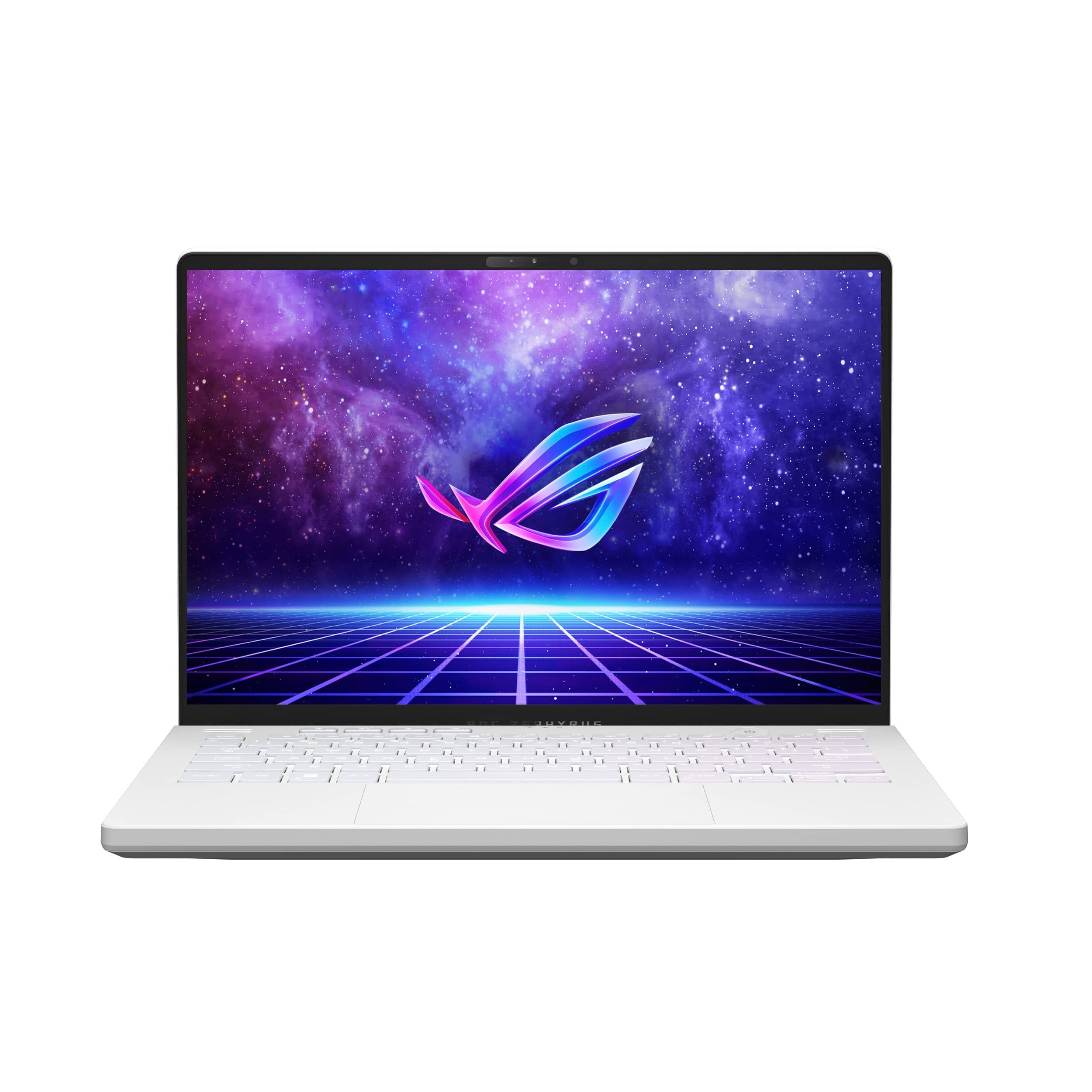
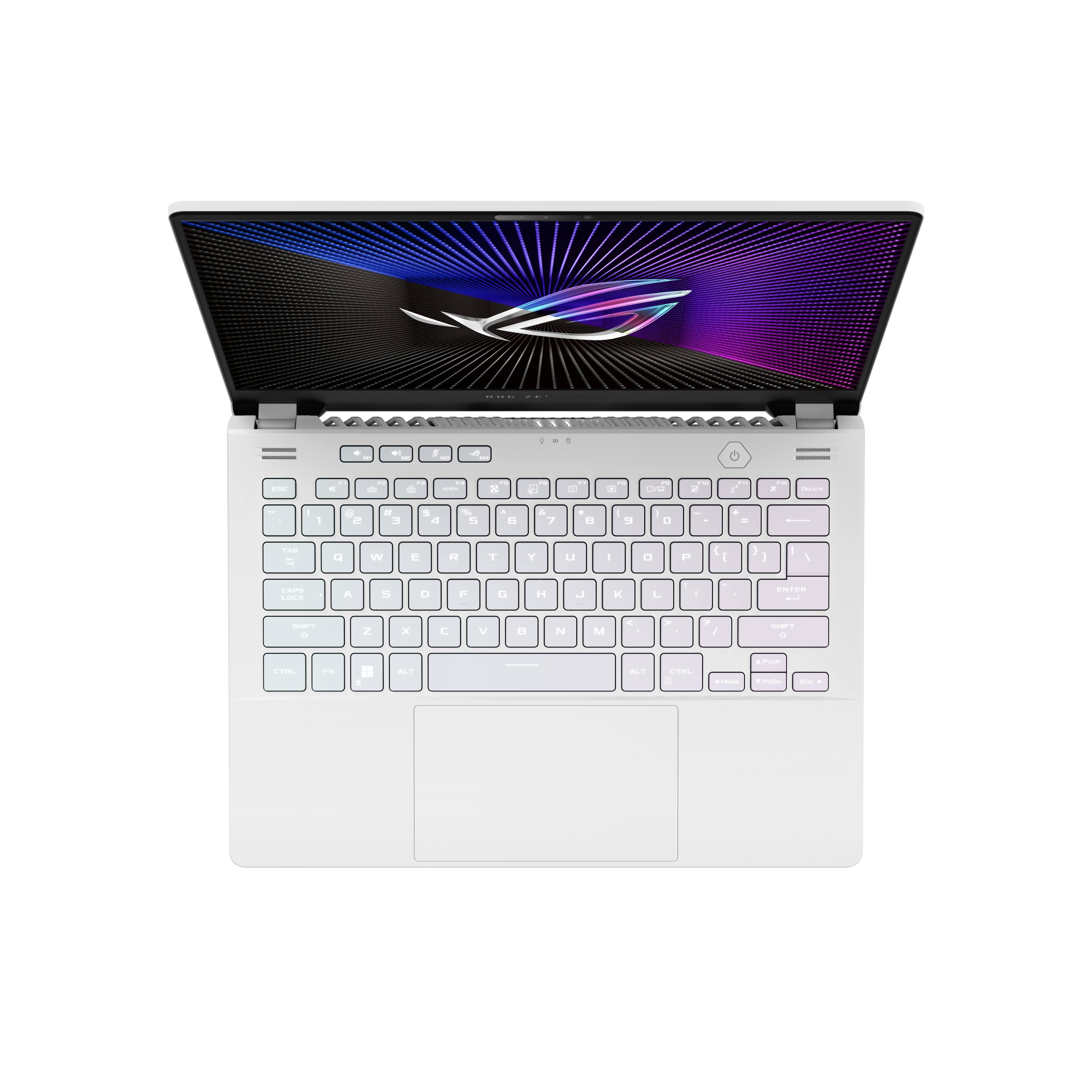
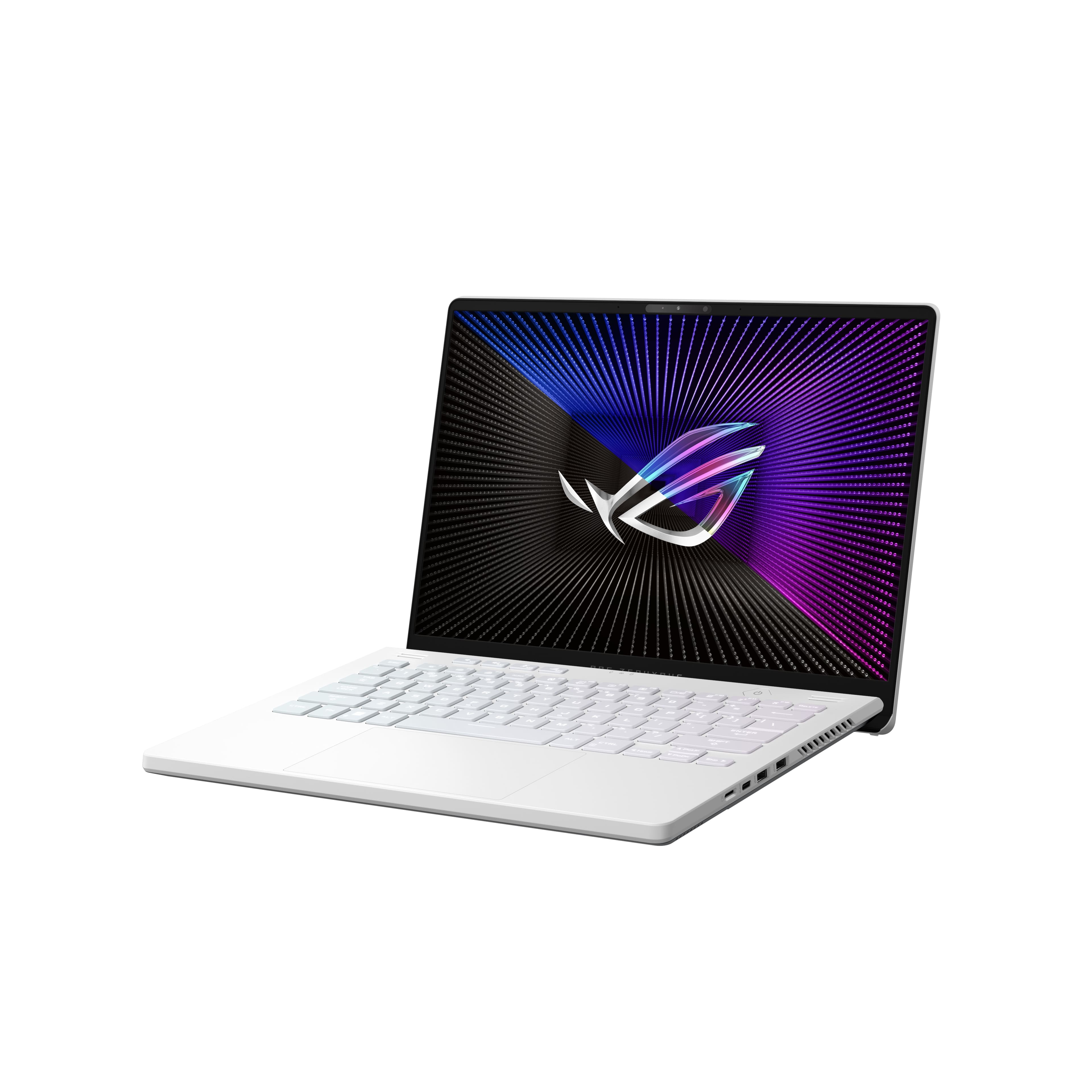
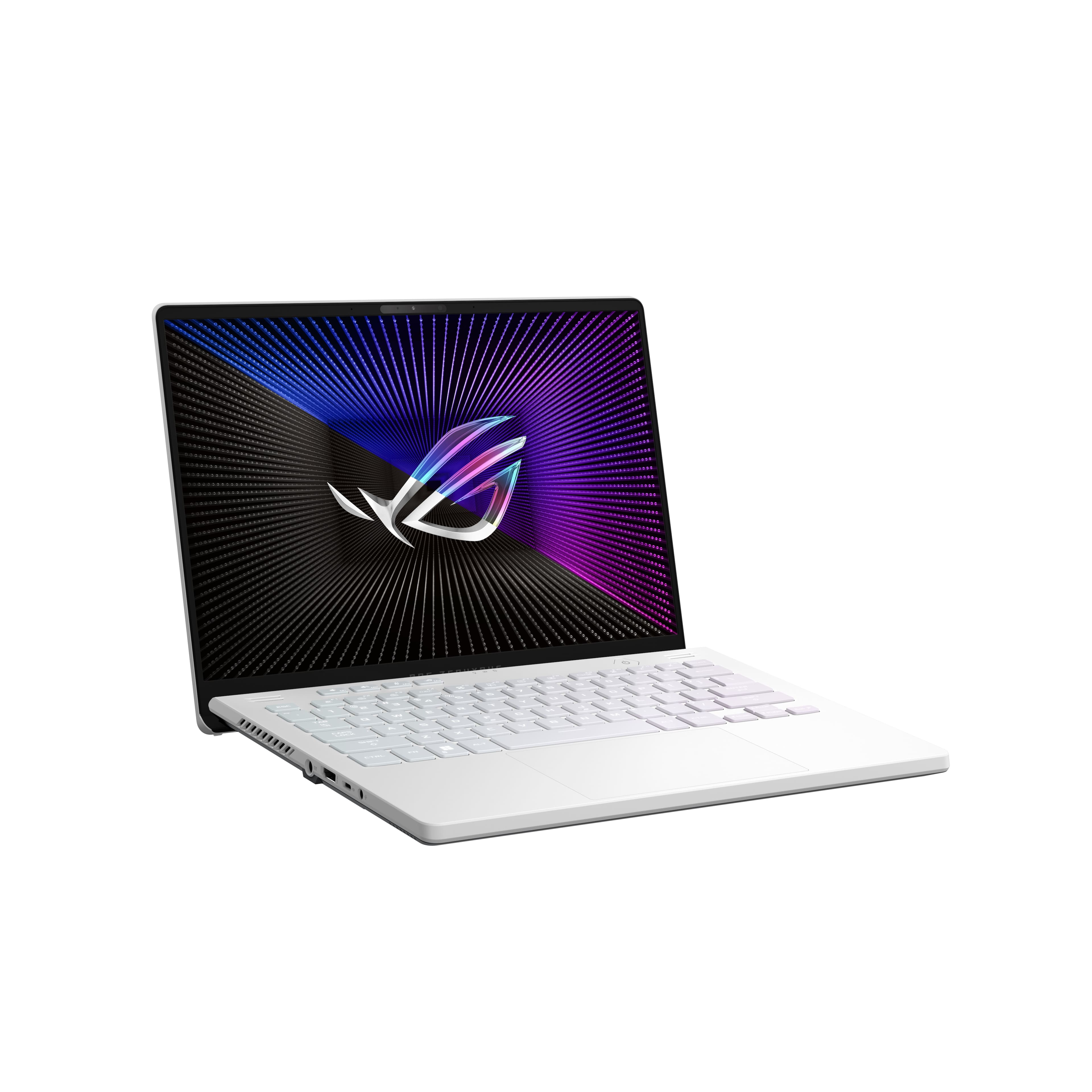
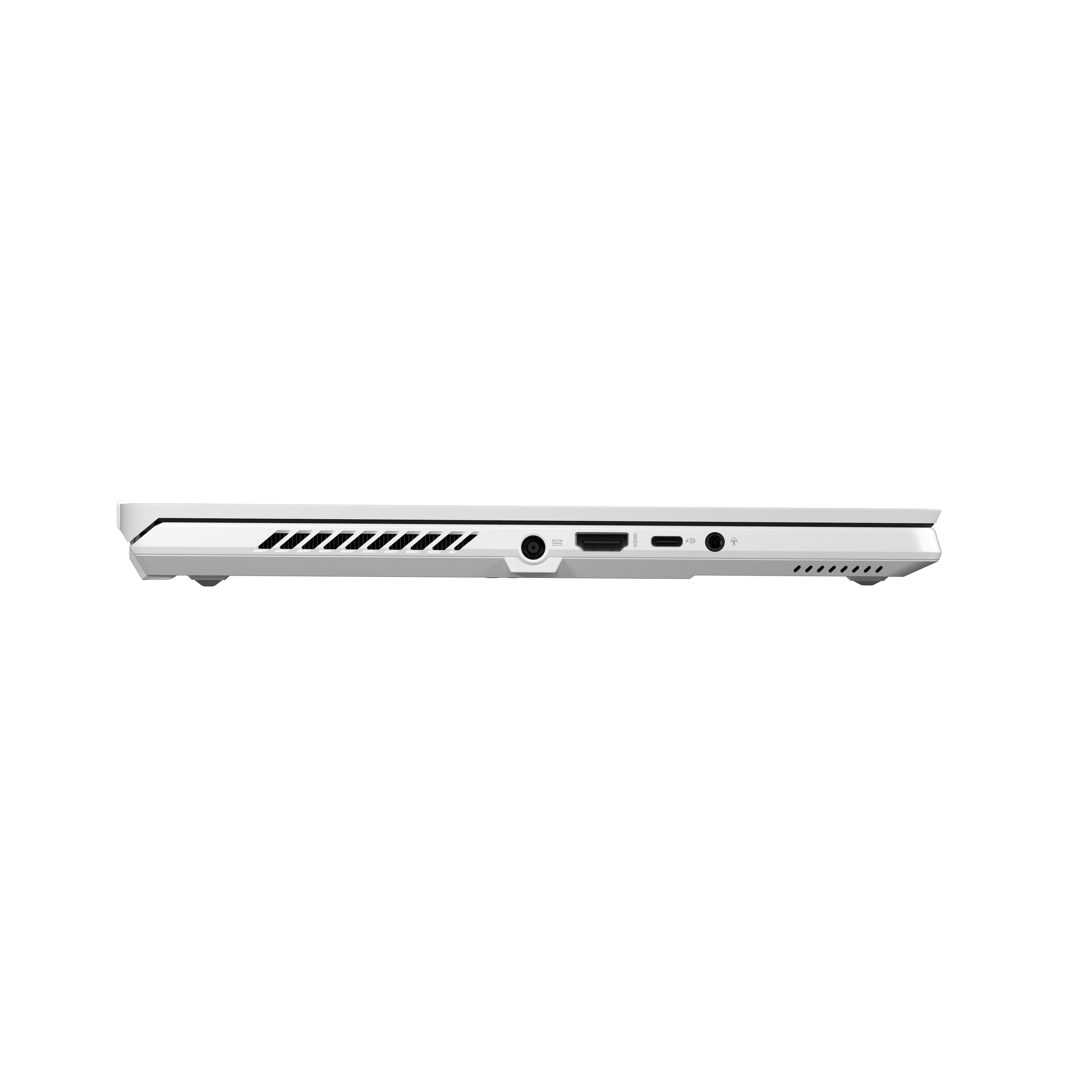
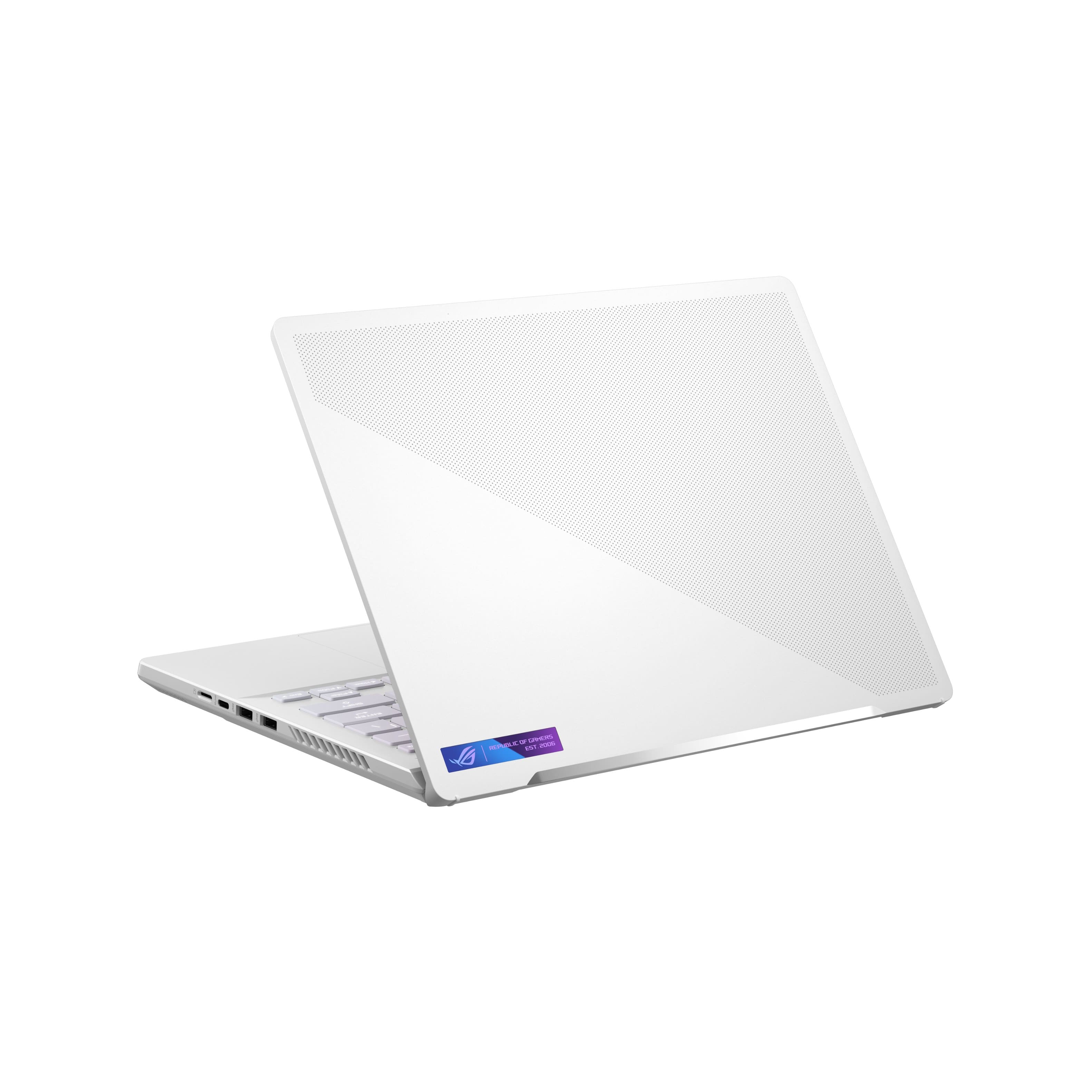
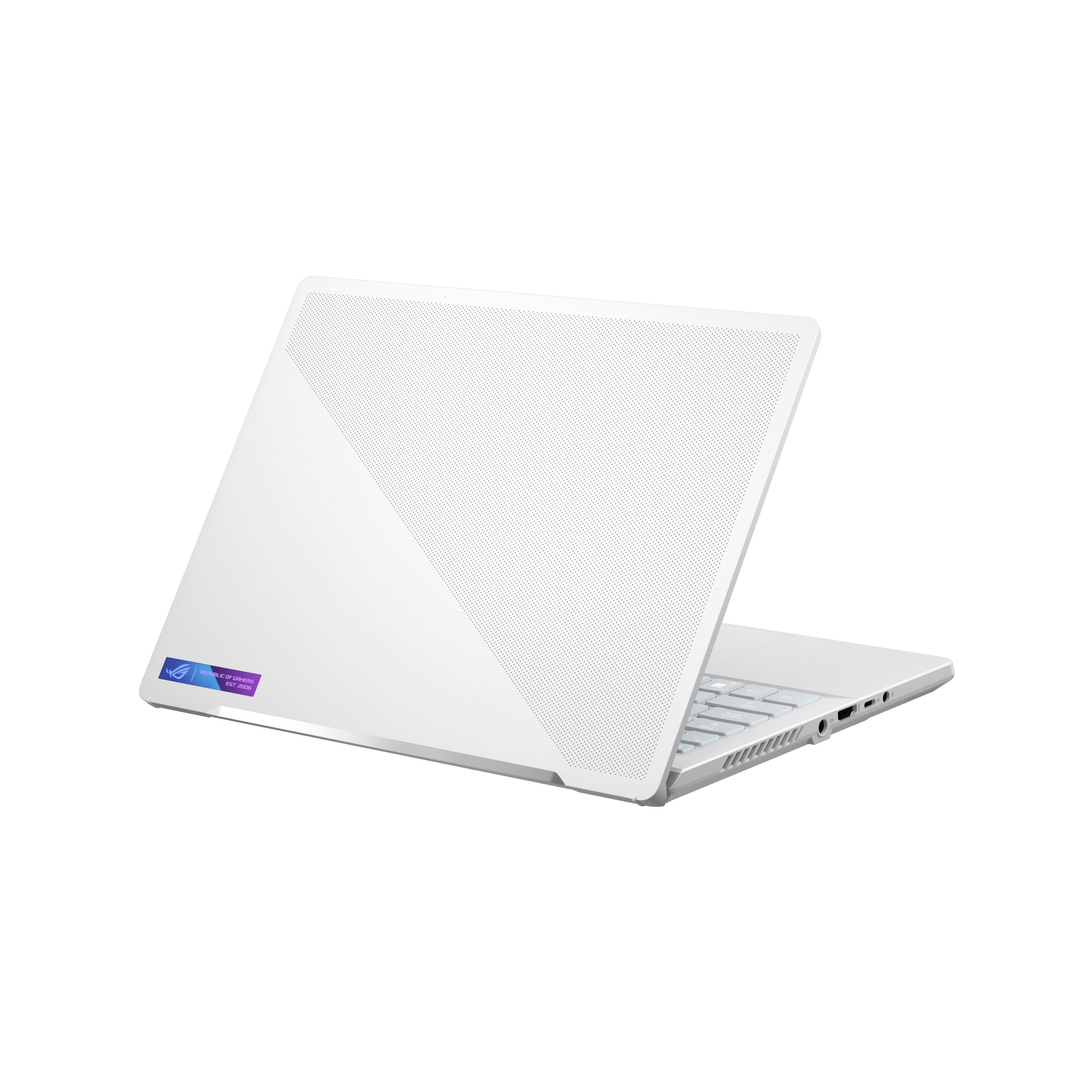
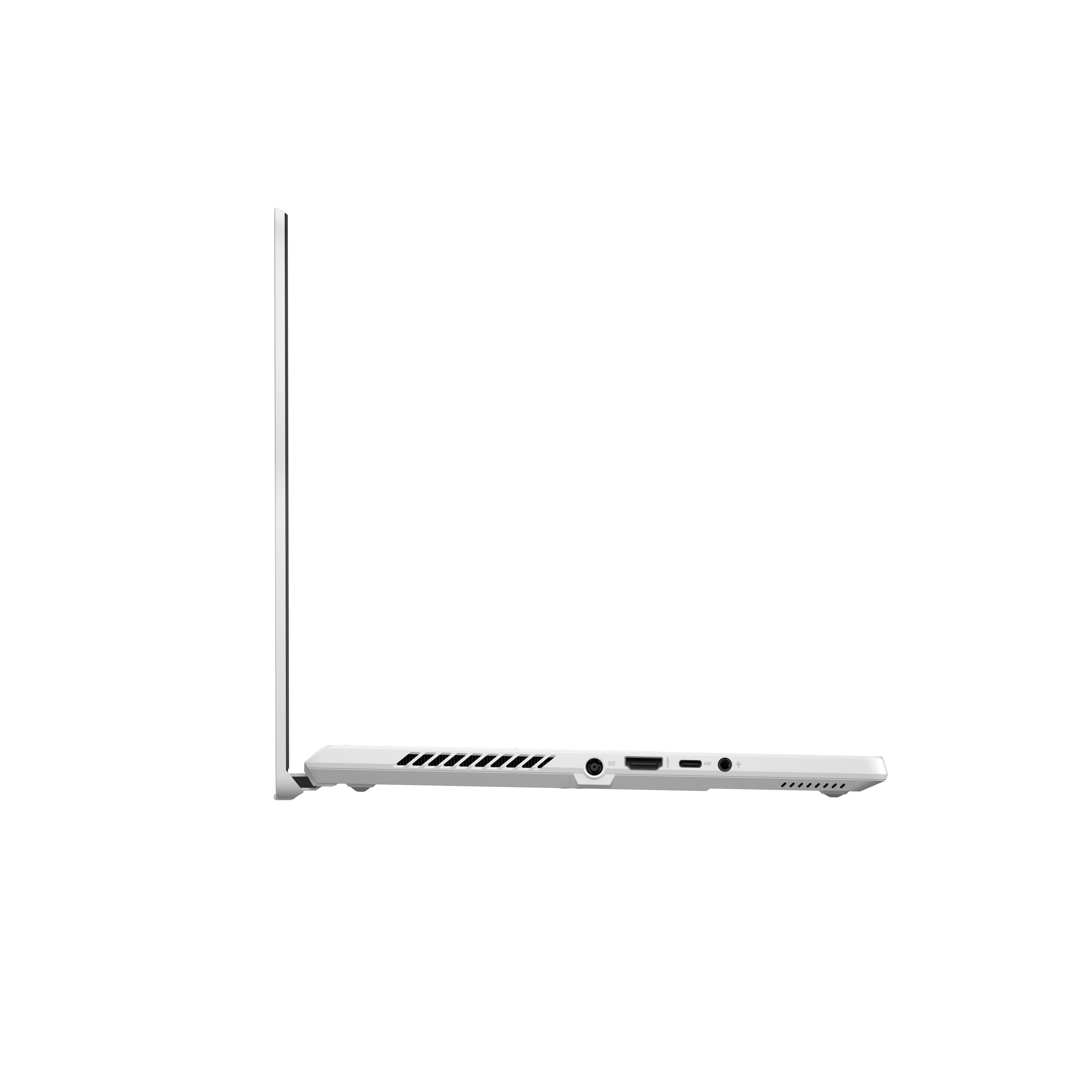
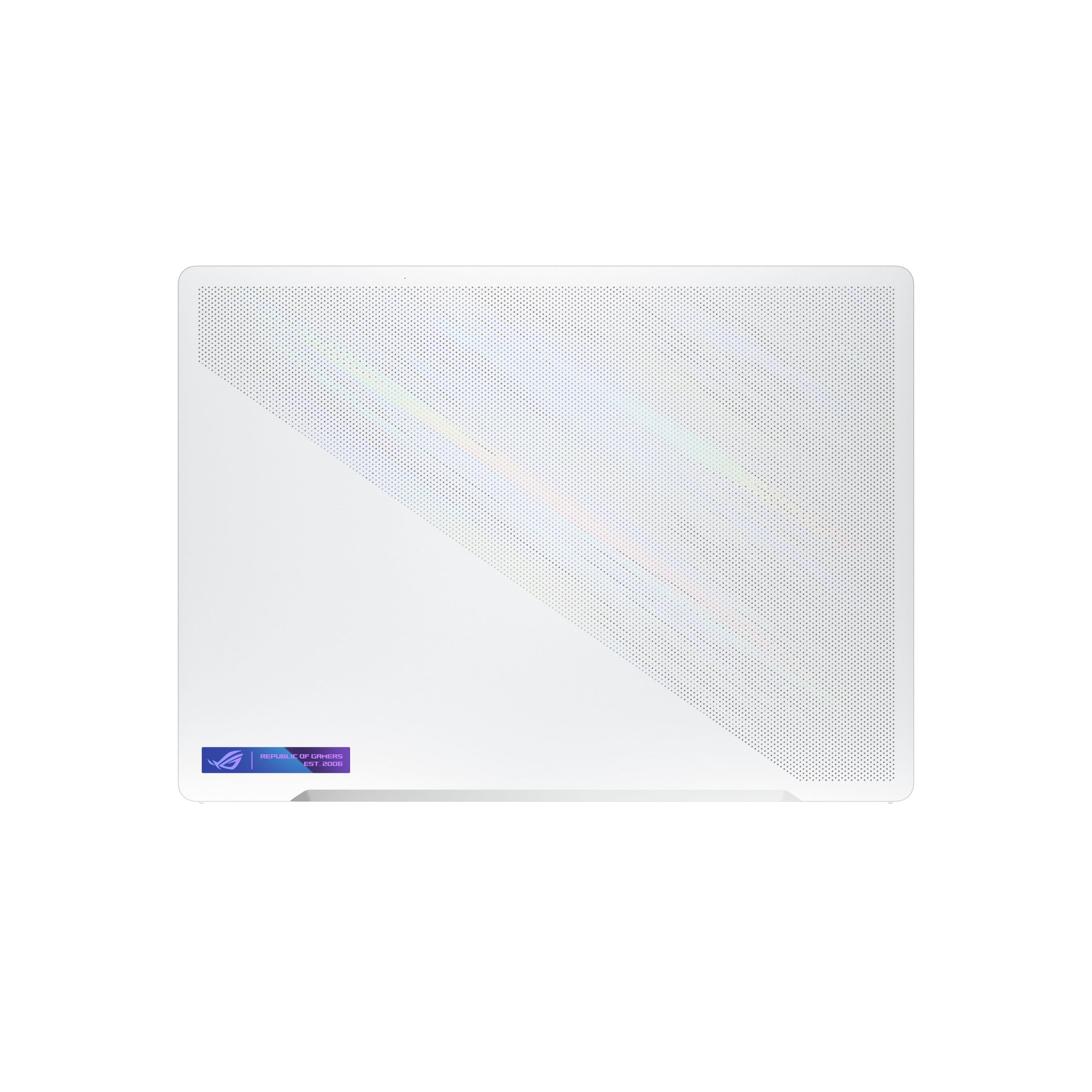
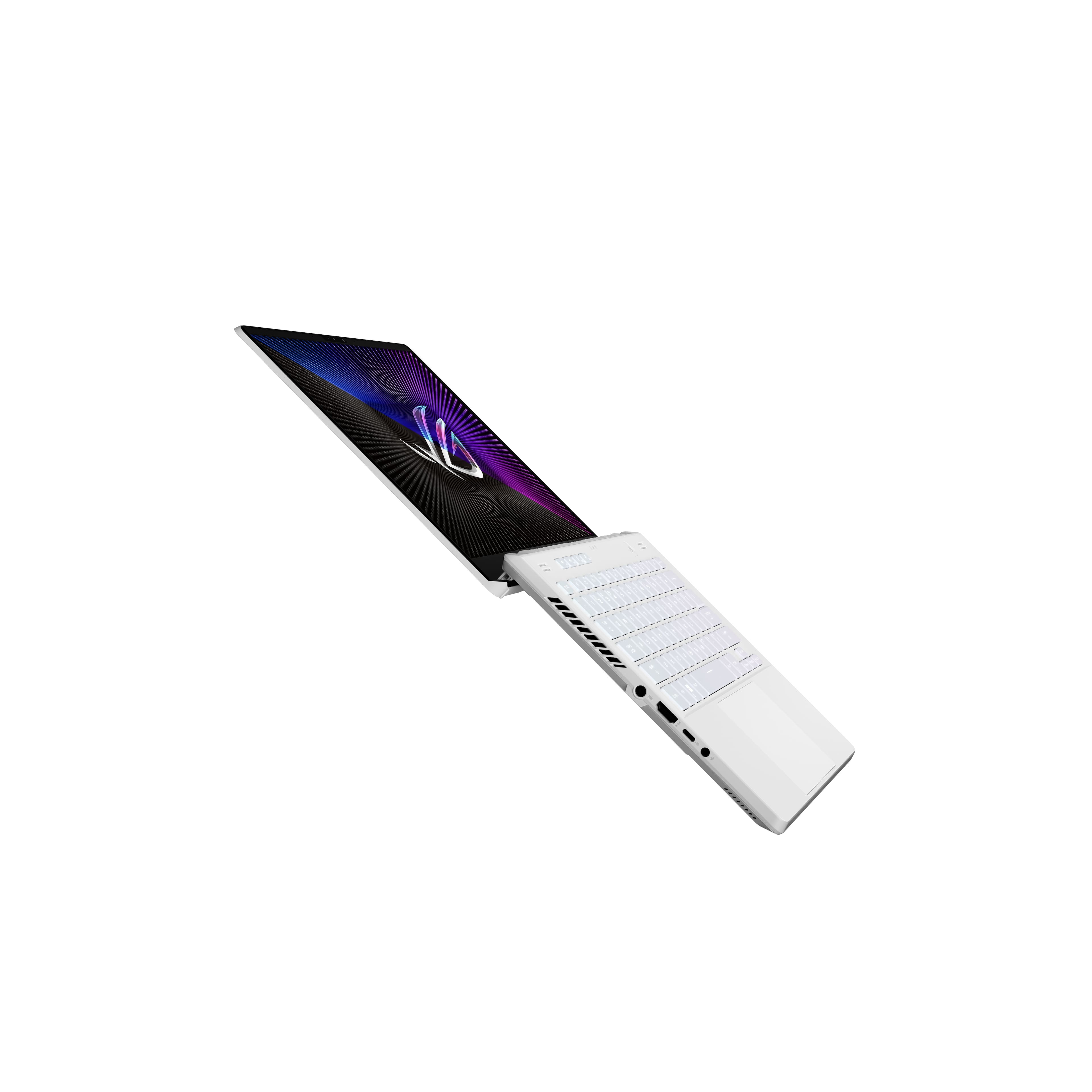
|Posted .This reviewer received promo considerations or sweepstakes entry for writing a review.I must admit, it has been a long while I have been excited about a new laptop. Especially for the last few years, all the non-AMD based CPU offerings had marginal change and improvements, and while AMD Ryzen was making headwinds, I was unable to get my hands on a new unit (the last one I have is a Ryzen 3000 which was using a Zen+ core). And among those the Asus ROG Zephyrus G14 has been the poster child for AMD (and Asus) that shows what Ryzen mobile processor can do in a thin and light gaming laptop. Since the 1st generation from 2020, G14 has been the benchmark for gaming ultrabook and has been praised for its design and performance, and in for third generation Asus has made quite some improvements. While keeping the 14" clam-shell form factor and a thin-and-light chassis, the AMD Ryzen CPU is now paired with an AMD Radeon mobile GPU. I have the "base" model (GA402RJ) which has an AMD Ryzen 9 6900HS CPU (Zen3+ architecture), an AMD Radeon RX 6700S mobile GPU, 16 GB of DDR5-4800, 1 TB NVMe SSD and WiFi 6E. I believe all the G14 releases in US uses the same CPU, however you can get an Radeon RX 6800S as an upgrade. Furthermore, there are variants of the 2022 G14 which has 32 GB memory, and has the Asus's signature AniMe Matrix on the lid. Specs and Performance: In terms of specifications, the 2022 G14 rocks an AMD Ryzen 9 6900HS mobile CPU based on the updated Zen3+ microarchitecture that utilizes TSMC's 6 nm fabrication process. Compared to Ryzen 5000 mobile CPUs, AMD claims the 6000-series achieves better performance and higher efficiency due to optimization of the SoC, while keeping the core architecture similar. 6900HS is not the faster one in the list, with a TDP of 35 W. The inclusion of RX6700S is difficult to judge. Previous G14s used Nvidia GPUs and performed really well. However, in this generation, the AMD Advantage design framework comes into play to take advantage of some platform level optimizations such as AMD Smart Shift (which shifts power between CPU and GPU, similar to Nvidia Resizable BAR), Smart Access Memory (CPU can access GPU memory directly) etc. The 6700S is based on the formidable RDNA2 architecture, and has 28 compute units (CUs) running at 1890 MHz game frequency. 8 GB GDDR6 memory with a 128 bit interface is there to get the job done. In terms of spec, it sits kind of in the middle of RTX 3060 and 3070, and from the numerous benchmarks in the web the performance seems decent. However, in terms of gameplay, the lack of DLSS is something that needs to be taken into account. AMD's Fidelity FX is out there as a replacement, but so far I haven't seen a lot of games taking that advantage - this may change in the near future. The base TGP is 80W, but the G14 can pump it up to 90 W using Smart Shift. The ASUS Armoury Crate software provides a lot of control on the power settings: the default Silent, Performance and Turbo Mode are quite good, and then there's the Manual mode that provides control over CPU TDP and GPU TGP, as well as fan control. In day to day use, Silent was the one I have been using, while when I'm doing something extensive (running simulations in MATLAB for example), I'd go to Performance mode. Turbo, where you a large penalty in terms significant fan noise in exchange for peak performance, is only used when running AAA games (and while using a headphone). As for the Armoury Crate itself, I seem it has become better from previous iteration, but the layout is still not the best - sometimes it's hard to tell which option will do what. I won't dwell on benchmarks and fps comparisons in gaming as there are a lot of sources out there who do a better documentation. But overall, with 1080p gaming, I was pleasantly surprised. Forza Horizon 5 is one of the games I have been playing extensively and it had no difficulty running it at Ultra setting and hitting near 60 fps in Turbo mode. Display The 16:10 2560 x 1600 QHD+ display with a 120 Hz refresh rate is one of the highlights of the laptop. According to ASUS, the peak brightness is around 500 nits - in everyday task I was really pleased with it. Most of the games I ran was at 1080p or 1440p (only a few games gave me the option to utilize the 1600p res.) so there was black-bar on the top and bottom edges. However, this 16:10 comes in pretty handy with productivity apps (like office) and web browsing. The display has a matte finish which vastly improve visibility of the IPS display. According to ASUS it has 100% coverage of DCI-P3 color gamut so my guess is it's pretty decent in terms on color accuracy. One think that boggled my mind is the HDR capability - though it's Dolby Vision "certified" in reality it only support streaming contents with Dolby Vision. Windows 11 does not recognize this as an HDR capable display, and games can't use this as well. I think ASUS needs to clarify the messaging here so as not to confuse or misdirect consumers. Keyboard & Trackpad The white keyboard in the all-white keyboard deck is excellent and in my experience so far one of the best I had used. The chiclet style keys are well placed, has good feedback, and even thought doesn't have the longest travel, is comfortable to type for extended period of time. 4 quick access keys (which can be remapped) provides volume control, mic mute, and launch of Armoury Crate software. The Al-function keys are also useful. Finally, there's the single-zone RGB backlighting that can be customized by Aura control, and even though it's on the dimmer side, is very useful. The only other button is the hexagonal power button. The trackpad is on the larger side and I like the smoothness of the glass surface which provides good tracking. The click mechanism is good, and the unit is well put to together. There's no fingerprint sensor so the only biometric login is via the IR webcam. Connectivity The G14 sports 2 USB 3.2 Gen 2 Type-A, 2 USB 3.2 Gen 2 Type-C with DisplayPort 1.4 (one of which supports 100 W Power Delivery), full-size HDMI 2.0b port, 3.5mm audio jack, and an UHS-II microSD card slot. There's a barrel-type charging port that get connected to the 240 W wall charger for maximum charging and performance. Being an AMD system, there's no Thunderbolt support, but it seems Asus will enable USB 4 support to one of the USB-C port later. There is no lock connector (Kensington or wedge-type) in this laptop. The ports are well placed except maybe the barrel power connector - since it sit's almost at the middle of the keyboard deck, it's either blocking the ports, or the exhaust. A nice touch would have been to put it towards the back. One confusing thing was to figure out which display connector hooks up to what in the inside, and it took me a lot of googling to find that since sadly there's nothing that I could find in ASUS' website. This is what I found: HDMI and the right-side USB-C connects to the discrete GPU, while the left-side USB-C connects to the integrated GPU. Furthermore, since the HDMI is only 2.0b, it supports only up to 4k@60Hz - no variable refresh rate support. A MediaTek MT7922 provides WiFi 6E and Bluetooth 5.2 wireless connectivity. I have been having excellent performance with it so far with my 5 GHz WiFi5 mesh router - I don't know how it performs with a proper 6E router yet. Webcam, Mic & Speakers: Finally, the G14 gets a much needed webcam. I always felt strange Asus decided to ditch it in their gaming laptops. This 720p one, though not the best out there, is a welcome addition. Furthermore, there's Windows Hello support thanks to the IR capability. A 3-mic array provides decent performance during online meetings, which can be further enhanced using Asus' AI Noise Cancelling software (which can be turned on in the Armoury Crate). I found it useful from time to time, with a few instances where my voice got overly compressed and processed. There are 4 speakers in total - 2 bottom firing woofers under the lower keyboard deck, and 2 top-firing tweeters near the top. I think the sound was pretty good compared to others, with decent bass and loudness while having no distortion at max volume. It is Dolby Atmos certified, but in this small setup I'm not sure what to expect. Design and Build Though the G14 is aimed more at performance, but Asus has done a very nice job in making the laptop feel premium and sturdy. The Moonlight White finish is a breath of fresh air in the hordes of black and gray laptops I'm surrounded with. The body is non-metallic to touch with a kind of matte finish. Presumably the chassis is made from Magnesium-Aluminum alloy. Every portion seemed well put together. There was minimum flex to the keyboard deck, the hinges are sturdy and lets the display open up to 180 degrees (i.e. lies flat), and it can be opened up single-handedly. I also liked the fact that the entire lid provides a surface to open up the lid instead of a notch (or worse no notch at all). Even though the corners are not rounded off, they are not sharp and made using the trackpad and keyboard enjoyable. This display is surrounded by a quite thin bezel - especially with the longer 16:10 ratio of the display, the "chin" of the laptop looked quite small. Furthermore it created a good contrast to the white internal deck color. So in terms of both design and build quality, I think Asus delivered a remarkable package with the G14. Conclusion All in all, I'm really glad that I have this laptop as my primary one now. It is an impressive performer for most of my use cases. While it has some shortcomings, bugs, and quirks, overall it has been a very positive experience. If this is withing someone's budget, then definitely should be checked out.
I would recommend this to a friend- Pros mentioned:Build quality
WORTH IT!! But has some small issues 2 b aware of
Posted .This reviewer received promo considerations or sweepstakes entry for writing a review.If you're considering getting this laptop, I'd highly recommend waiting for it to go on sale for 999 and to get it. First of all, I'm a junior animation student. I have to run really hard-drive intensive 3D Modeling softwares, Adobe products, video editing etc. This computer opens photoshop in less than 1 minute while my last computer took at least 5 minutes to boot up photoshop if that's any example. The screen is absolutely beatuiful- watching movies and cartoons is better than a TV! The speaker is GREAT. Keyboard is nice and klacky, and the screen is a perfect size. While I absolutely adore this laptop- it came with a few issues. First of all- there are some programs you may have issues running on a 14 inch laptop. Personally, adobe substance painter is completely unusable. Luckily I don't really need it so its fine- but be aware of that if you're using softwares. Also- I had a very early on WIFI DRIVER ISSUE. My wifi driver COMPLETELY stopped working, on and off for WEEKS. It was incredibly annoying- but it seemed to be a windows issue. Turning my computer completely off at night, and when I wasn't using it, ended up fixing the problem. So turn this guy off every once and a while to avoid that. It also tends to heat up a bit on the keyboard when I'm playing super intensive games- but its not a big deal to me. Overall- those are all the issues I've had, And I believe I've had it for 6 months now! If you don't mind a few small issues- GET THIS LAPTOP NOW DUDE
I would recommend this to a friend DO NOT BUY. Buy a monitor and it still has better.
||Posted . Owned for 3 months when reviewed.This reviewer received promo considerations or sweepstakes entry for writing a review.This laptop sucks to the all the cores on it. DONT BUY! Returned 4 times coz of bugs and finally got a refund.
No, I would not recommend this to a friendBrand response from ASUS Answers
Posted .Dear MidhunSatheesh,
We're sorry to hear about the unfortunate experience you had with this model. We do value our customers and take negative customer service experience very seriously. This is not the quality of service expected from ASUS. We do stand behind our product and we continuously strive to improve our approach and processes in order to achieve customer service excellence.
For more information send us an email at customerloyalty@asus.com and provide the link of this review for reference. We’ll do our best to provide a quick resolution to your case. Your feedback is important as it helps with improvements to ASUS Support channels. Please copy a link to this post as a reference.
Thank you for choosing ASUS.
Best Regards,
Joan
ASUS Customer Loyalty US Support
- Pros mentioned:Build qualityCons mentioned:Heat
Poor build quality, choppy frames, very hot
Posted .This reviewer received promo considerations or sweepstakes entry for writing a review.I wanted to like this laptop more because it has a lot of great things going for it. I love the size, the keyboard is enjoyable to type on. I love that asus uses metallic/sparkley tint to the keyboard and frame. I love the aesthetics of this laptop a lot, but unfortunately there are a few build quality issues that I noticed immediately. The power button looks like it doesn't sit flush, like there's more gap on one side of the button. This was the first thing i noticed that i just didn't like. Then i looked at the track pad, which also has a tiny gap all the way around allowing particles to get under more easily. Maybe this isn't a big deal to some, but after trying out a demo and feeling how poor this track pad would perform over time(it was look and flimsy on demo), i realized that the quality wasn't what i expected from a $1600 laptop. Then I tried playing GTA 5 and noticed some choppy frames. Which isn't something that I want happening when gaming. Plus it runs very hot, like cook a steak hot. This will lead to overheating issues later on that I am not willing to deal with after this deal solidifies. So today i will return this laptop unfortunately. I might try out the one with the 3070 instead of the Radeon graphics. But at this point I might go with another brand all together. I wanted to get another Asus laptop becuase I had one in high school that i was quite fond of. It also had some cool sparkley aesthetics to it that I was fond of and wanted that experience again. Most gaming laptops have a few flaws that i'm willing to live with but there has to be a line drawn at some point with the way all these companies are pumping out products that are poor quality that we then pay over $1400 for? Sad
No, I would not recommend this to a friendBrand response from ASUS Answers
Posted .Dear Valued Customer,
We're sorry to hear about the unfortunate experience you had with your unit running hot and with the product didn’t quite match your expectations. We do value our customers and take negative customer service experience very seriously. This is not the quality of service expected from ASUS. Please reach out to us with your case number so we can do some investigation into this issue. We would love to have your issues resolved in a timely manner.
For more information send us an email at customerloyalty@asus.com and provide the link of this review for reference. We’ll do our best to provide a quick resolution to your case. Your feedback is important as it helps with improvements to ASUS Support channels. Please refer to this case number (N2203002239-0018) for us to better assist you.
Thank you for choosing ASUS.
Best Regards,
Ramon
ASUS Customer Loyalty US Support
Great Gaming Laptop
Posted .This reviewer received promo considerations or sweepstakes entry for writing a review.Great laptop. Performance met gaming expectations. The speakers and mic were great. Awesome product. Also extremely quiet when performing non-intensive tasks. I might have gotten a defective one since the keyboard had repeat input issues and random BSoDs. BestBuy replaced mine.
I would recommend this to a friend- Pros mentioned:Build quality, Performance
Very happy with a high performance laptop
Posted .This reviewer received promo considerations or sweepstakes entry for writing a review.Very nice performance. Very nice laptop. Love the speed, the quality of the screen plus two things you interact with the most. The excellent touchpad and keyboard. A good selection of ports though I do wish the positioning was a bit different. Very good value considering the large amount of memory and the terabyte drive you get.
I would recommend this to a friend Not just an ordinary gaming rig
|Posted .This reviewer received promo considerations or sweepstakes entry for writing a review.As the title of this review states, this is not just a gaming rig. It is in fact an EXPERIENCE. One that you have to see, feel, and hear to believe! I can hear you saying "oh, just another fanboy over-hyping a laptop". No.. Let's dig deeper. This powerhouse of a gaming rig, the Asus ROG Zephyrus G14 (A+ for that name, BTW) is a fresh off the line - state of the art - gaming and multi-purpose dynamo. You know you're in for a treat opening the box is an experience in itself. Upon opening the box, the G14 levitates up and is presented to you like it is a magical box and I could swear I heard "ahhhhhhhhhhhhhhs" in the background. The build of the laptop is solid. You don't feel like you are carrying around a piece of plastic that might break if you close the lid too hard. While, yes there are elements of plastic present, the G14 is also comprised of aluminum and a magnesium allow. It is hefty but not overly so at just a tad bit above three and a half pounds. But that really is amazing when you consider all that is inside. Closed and on my desk this laptop, with no apparent sharp edges anywhere makes a visual statement sitting alongside some of my other systems. That statement being "I'm Different". And that is, of course, in a very good way. It stands out and is extremely visually appealing - not another plastic rectangle. It draws me to use it more frequently. It says "I have everything you need to game and more, come on in!" Connectivity/input placement gets five stars as well. On the left you have you power port (for the included,not too heavy power brick), HDMI, USB-C power port/DisplayPort combo, and mic/headphone jack. No ports on the back. A wise move. On the right, an sd card slot (always good to have), usb-c, and 2 USB 3.0 ports to finish off. The keyboard is a bit more cramped than I expected, though I have big hands. One must remember that this is a 14" rig. So with that in mind, it's not THAT bad. The track pad is sensitive yet intelligent. I had no wrist or hand soreness even after multi-hour sessions playing Cyberpunk, etc. The 16:10 aspect ratio display is one word. Gorgeous. With a 120hz refresh rate everything just looks more lively. Scenes truly do come alive. Be it gaming or youtube - everything just looks better. I have to take a moment and single out the sound. I don't know how Asus have done it but this has to be the best sounding "stock" laptop audio output I have ever heard. The Dolby Atmos audio technology projects sounds around much like you would hear from a true surround sound set up. There is nothing muffled or tinny about the sound. Though, being realistic for a moment - this isn't going to hop off your lap from bass bumps. But that would just be..... Weird. The Ryzen 9 6900HS chip packs a punch with it's 8 core, 16 thread 3.3GHZ base clock speed which can be safely pushed to 4.9GHZ. This processor blew my mind as it can take anything you throw at it. Not just gaming. But I literally was being obnoxious and opening tabs in firefox to see how many I could open before any lag was noticed. Needless to say, I became bored with that exercise. This processor just laughed in the face of the doom that would befall any lesser performing chip and asked for more. Absolutely nothing I could throw at it would halt the system. Perhaps I'm not trying hard enough. But this things SOARS! The graphics card, Radeon RX 6700S no doubt plays a big part in the mind blowing gaming graphics I have enjoyed. It's been a good minute since I've had the opportunity to enjoy an "up to date" AMD card. I had no idea what I was missing. It's like making a mega jump from black and white TV directly to an 8k display. One negative, and the only negative I can cite (as I hum "Chestnuts Roasting on an open fire"), is this thing generates heat like there is no tomorrow. Thankfully it only cranks above the 90C mark if you are playing on Ultra settings. And perhaps now you realize why I was humming the above song. The G14, when used for graphic intensive gaming purposes should not be done on your lap. At least not with a cooling pad (do they still make those?) All kidding aside, this rig only hiccuped when trying to fiddle with ray-tracing on a few titles. It's a feature that I could take or leave anyway (hides under desk). Asus has gone above and beyond in creating an ultimate super portable gaming rig. It is so much more though. The 16GB of DDR5 RAM is definitely welcome in a world where it seems most manufacturers think that 8 is acceptable. Microsoft office suite opens in a blink of an eye, as well as the Adobe Suite of products. Photoshop was a joy to use on the G14. The included 1TB PCie 4 SSD HD provides around 880GB of space out of the box with Windows 11 Home edition preinstalled. The setup process was much smoother and faster than I had previously experienced and everything was ready to go faster than you can make a grilled cheese sandwich. What is it about this laptop, you are asking, that has drawn me and so many others to it? It can simply be stated that this is the complete package when it comes to portable gaming and computing. It has the looks with its aluminum alloy and white keyboard. And oh the keyboard - did you think I'd forget? Again, as stated above - a pleasure to type on but also back-lit. And no, my friend, not just a single color like other competing brands. You get the whole enchilada. Just like the super expensive gaming keyboards, you can control the color effects of the back-lighting to your hearts content. When opening the lid, the G14 utilizes a unique hinge system that again emulates the levitation that was experienced when opening the product box. It is almost as if ASUS knew what they had done. And they are not afraid to let everyone know. If you are in the market for a gaming rig that will last for years, as well as being a reliable everyday powerhouse - this laptop is for you. Give it a spin at your local BestBuy. You'll fall in love. And I can say from hundreds/thousands of miles away: I told you so!
I would recommend this to a friendDo not recommend, thermals are hot
||Posted . Owned for 1 month when reviewed.This reviewer received promo considerations or sweepstakes entry for writing a review.Thermals are awful. The temps were constantly 90+C, keyboard hot to touch.
No, I would not recommend this to a friendBrand response from ASUS Answers
Posted .Dear Mattymsu,
We do understand your concern about thermal issues.
It is normal for the laptop, with the same hardware configuration and regardless of the manufacturer, to generate more heat than normal while under heavy load especially during gaming, WINDOWS Update and antivirus scan. When system resource utilization is high, this will generate more heat than normal and tends to trigger the fan to spin at full-throttle. Please ensure the air ventilations are free from obstructions in order to have an efficient air flow for better heat dissipation. While gaming, please ensure no resource hungry applications are running in the background, this will definitely spike the temperature. The heat or temperature does decreases or normalizes once system resource utilization goes down.
Should you need further assistance with the product, please email me at cl-rodel@asus.com and I would be more than happy to help. Or, you are most welcome to call Product Support Hotline at: 1(888) 678-3688. Also, you can chat with an ASUS live support agent at: http://bit.ly/AsusLiveChat.
Thank you for choosing an ASUS product.
Regards,
Rodel
ASUS Customer Loyalty
- Cons mentioned:Heat
Good performance & pleasing design - meh screen...
Posted .This reviewer received promo considerations or sweepstakes entry for writing a review.Not much a gamer but I bought this laptop for architectural programs and the pretty clean aesthetic +Good size! white tech is cute +Like the height of the keys ('gamer' font so-so) +Big, smooth trackpad +Hooray for refresh rate (with smooth trackpad, makes it fun just to swirl the cursor around) +Extensive key lighting options +Handles Revit very well, Enscape fly throughs are good (depending on the size of your project of course. haven't tried vray or others yet...) -Screen is too matte for my preference (weird switching from Apple glass to matte) -^ and too many display color profile options, Asus.... and none of them are good!? This especially sucks when photoshopping images/editing saturation -Can heat up drastically -Can almost open the laptop one-handed (without the lifting) -LEDs under keycaps are not quite even (spacebar for example is dimmer on side?) Great performance wise. Just hate that the screen isn't as satisfactory as I was hoping it'd be.
I would recommend this to a friend - Pros mentioned:Performance, Portability
Restarting and Freezing Issue
Posted .This reviewer received promo considerations or sweepstakes entry for writing a review.Was very excited to start using this laptop as it incorporates great portability with its size and still has very powerful components (on paper at least). I am a university student and this laptop is great in terms of that with great portability and fast processing speeds. But the main issue that I have with this laptop is that it would either restart out of nowhere or even freeze the entire laptop where the only thing I could do to remedy this freezing is to press and hold the power button to shut the laptop off. And after reading numerous reviews it seems that this is a pretty common issue. The laptop is good, don't get me wrong, it's just that this is marketed as a gaming laptop but I can't game on it, well I guess I could game for about 5 minutes before the issue comes up. And that makes little to no sense in my eyes. I do have it hooked up to a monitor that I use but it is also ASUS branded so I don't think that there would be any compatibility issues found, but you never know since my ASUS laptop is faulty. Any recommendations?
I would recommend this to a friendBrand response from ASUS Answers
Posted .Dear RyanT,
We are sorry to hear about the freezing and auto reboot issues you have been experiencing with your ASUS laptop. We can assure you that this is not the norm and is not the kind of quality to expect from ASUS products. Please follow the steps in the FAQ linked below to troubleshoot the issue. We do stand behind our product and we continuously strive to improve our products and processes in order to achieve customer service excellence. For more information send us an email at customerloyalty@asus.com and provide the case number "N2203000528-0034" for reference. We’ll do our best to provide a quick resolution to your case. Your feedback is important as it helps with improvements to ASUS Support channels. Thank you for choosing ASUS.
Best Regards,
Leonardo
ASUS Customer Loyalty US Support
[Notebook/Desktop/AIO] Troubleshooting - How to fix the auto Shutdown/Restart problem: https://www.asus.com/support/FAQ/1046480/
Terrible quality control.
||Posted . Owned for 1 week when reviewed.This reviewer received promo considerations or sweepstakes entry for writing a review.Came with an obviously broken screen. What a waste of time.
No, I would not recommend this to a friendBrand response from ASUS Answers
Posted .Dear valued customer, thank you for bringing this to our attention and please allow us to apologize for the inconveniences caused. I will be letting the related department know about this concern for continuous improvements to the product line. I would advise that you have the return to Best Buy for inspection and repair. However, if you should have any other concerns or feedback feel free to reach out to us at customerloyalty@asus.com. I'll be happy to provide a quick resolution to your case. Thank you for choosing ASUS! Best Regards, Jonelle, ASUS Customer Loyalty US Support
- Pros mentioned:Battery life, Build quality
Not regretting purchase
Posted .This reviewer received promo considerations or sweepstakes entry for writing a review.Great laptop so far. Facial recognition login is always nice to have. Solid keyboard that feels good to use. Track pad is smooth and responsive. Good amount of storage to play games. Some good options to play with to get good battery life. It's been everything I wanted.
I would recommend this to a friend - Pros mentioned:Performance
Great laptop!
Posted .This reviewer received promo considerations or sweepstakes entry for writing a review.Laptop is perfect! Very powerful and perfect mobile size! Gets a little warm during gaming because it’s so powerful. When I received the laptop, it would get stuck on the ROG load screen, so I reset it in BIOS. After that it was perfect!
I would recommend this to a friend - Cons mentioned:Heat
amazing laptop. do these if you want to avoid iss.
Posted .This reviewer received promo considerations or sweepstakes entry for writing a review.this laptopnis amazing..not surr what all thr negativr reviews are about. just dont turn everything full blast. i hit the mux button. put the GPU at standard. but the CPU at performance. fans on turbo. i run OW2 at medium settings with a few turned up to high. i use a pixio 25 inch 280hz monitor , 1080p. i pull a constant 220 FPS. i bought a belkin 1 gig ethernet adapter. evga x17 mouse with a logitech pro tkles keyboard. absolutely flawless. i also keep my llaptop lid open while gaming because this baby gets hot. also turn off any over lays. for some reason this laptop locks up bad with overlays such as xbox game bar etc. i love this. ethernet adapter is a must. i have a wifi 6 tplink router and wifi 6 mesh adapter abd would still drop here and there. make sure to update bios
I would recommend this to a friend - Pros mentioned:Build quality, Performance
Great laptop for gaming and for everyday use
Posted .This reviewer received promo considerations or sweepstakes entry for writing a review.I’ve had this laptop for about a 2 weeks now and I can safely say that this laptop is great. It’s performance when playing video games is fantastic. The games are fast, it’s not laggy or glitchy, and the graphics are incredible too. When playing any kind of videos or movies, the playback speed is great and I get clear HD to 4k graphics. Because of the AMD Ryzen 9 processor, this laptop is great for just everyday use like checking emails or doing school work. I’ve seen a lot of people have complaints on the battery getting drained but most of the time, that is because the default settings of this computer is high performance all the time. You can easily go to the setting of this computer and change the setting for maximum battery life efficiency. You can also go to armory crate and put the performance setting on “optimized” so that when in battery power, the laptop is doing its best to maximize battery life and when on a charger it is switched to a more powerful setting suited for playing videos. Doing these two steps will give you a full 10hr battery life with one full charge. The keyboard is great and I had no problem with typing on the keyboard at all. My only real complaint is the weird placement of the audio ports. When watching videos the audio sometimes does seem slightly muffled but again the key word is “slightly.” I have no issue with the audio and a lot of times I used headphones on the laptop anyway. I do wish the screen was bigger but that’s not a real issue. I would definitely recommend this laptop to a friend.
I would recommend this to a friend - Pros mentioned:Battery life, Display
A very well balanced laptop
Posted .This reviewer received promo considerations or sweepstakes entry for writing a review.Amazing laptop with balanced specs. Great for gaming and general use with a really good display and battery life.
I would recommend this to a friend - Cons mentioned:Heat
After a month, enjoying it so far
Posted .This reviewer received promo considerations or sweepstakes entry for writing a review.The first day or two, ran really hot under no load. After updating drivers and stuff, havent had a problem. Runs games and videos great, not as loud as I expected for a gaming laptop. Only thing that most people say, which I found to be true, is that you cant game with it closed; it will overheat.
I would recommend this to a friend One Outstanding Gaming Laptop!
|Posted .This reviewer received promo considerations or sweepstakes entry for writing a review.ASUS - ROG Zephyrus Advantage Edition 14” 120Hz Gaming Laptop – AMD Ryzen 9- 6900HS – 16GB Memory – Radeon RX 6700S – 1TB SSD I have a recent Alienware 15.5" gaming laptop, and I only mention that here because I can't help but compare it to my ASUS ROG (Republic of Gaming) 14" while doing this review. That being said, the bottom-line is that I am very impressed with the ASUS ROG 14". I was a bit hesitant as to what I expected with it - it was a smaller screen than what I was used to...smaller footprint so I wondered whether cooling would be an issue - you know, all that hardware inside a smaller device...so, I wasn't expecting it to be up to what I was used to. I have been very pleasantly surprised. Some specs are that it has a 2560x1600 (16x10) display, which is WQXGA, so the resolution and clarity are excellent. By the way, the screen is very bright and the color is excellent running at 120Hz full-time. The keyboard is laid out very well and the smooth key response insures a good typing experience. The track pad is as smooth as butter and quite large for this size laptop. You get single-zone RGB back lighting with any choice of color. The 720p IR camera provides Windows Hello sign-in when you start it up. It offers a standard headphone/mic jack, power port, HDMI port, USB-C 3.2 second Gen port and lock port on the left side of the base. On the right side you have another USB-C 3.2 second Gen port, two USB-A 3.2 second Gen ports and a micro-SD card slot. Obviously, you are set up to run all sorts of peripherals off the ASUS ROG 14". Sound is through 4 speakers with Dolby Atmos support provides loud and clear stereo sound, and it is among the upper end of laptop speakers I've heard for volume and clarity. The 16GB of RAM is DDR5 with the additional 8GB on the Radeon RX 6700S GPU is DDR6! The ASUS-ROG 14" is only .73" thick and weighs 3.65 lbs, so it's easy to carry, if that's what you need. The other specs are equally impressive, but you can see those in detail elsewhere. Now, my gaming impressions - I loaded up 7 Days to Die (Alpha 20) and played that on the laptop screen while having two external monitors running (one 27" HP 144Hz 1080p and one Samsung 32" 2560x1440 60Hz) with a total of 3 separate browsers open each running separate videos nonstop (one browser on the HP and two browsers on the Samsung). So, while all that was going on I was pushing a game known for not being kind to high FPS on a 2560x1600 laptop screen and still getting 60 FPS, sometimes higher. This went on for most of the day, so... cooling? It runs hot gaming (as does every gaming machine I've ever seen when gaming), but the cooling system is very good so it didn't throttle the FPS, even though my gaming session lasted all day. The next day I ran the game without the 3 browsers and 3 videos running and the FPS ran from 60 up to 120 depending on what was going on at the moment. During all of this I noticed no lag or jerkiness going on in the game; it was as responsive as you could ask for. As far as fan noise, it was only really noticeable while gaming - video watching, office work etc didn't cause the fans to spin up hardly at all, and the time or two it did was very quiet. Of course, I had other peripherals attached besides the monitors since the laptop sets on my desk in my home office for ordinary use as well as gaming. The ASUS-ROG 14" is an excellent choice for gamers or professionals running high-end CAD or photo/video software regularly. I couldn't recommend the ASUS-ROG 14" gaming laptop anymore highly!
I would recommend this to a friend- Pros mentioned:Battery life, Performance
Killer laptop
Posted .This reviewer received promo considerations or sweepstakes entry for writing a review.I love love this laptop. Easy to use. Super powerful. AAA games no issues. Battery is better then expected.
I would recommend this to a friend