Customer Ratings & Reviews





- Model:
- GA503QR-211.ZG15
- SKU:
- 6448848
Rating by feature
- Battery Life
Rating 4.2 out of 5 stars
- Speed
Rating 4.6 out of 5 stars
- Display
Rating 4.4 out of 5 stars
Customers are saying
Customers often highlight the excellent performance, impressive build quality, and long battery life of the ROG Zephyrus 15.6" QHD Gaming Laptop. Many also praise its powerful GPU, lightweight design, and vibrant display, along with the keyboard. However, some users mention that the laptop can get hot, and the fan noise can be noticeable. Other criticisms include the soldered RAM, less-than-stellar speakers, and the absence of a built-in webcam.
This summary was generated by AI based on customer reviews.
- Cons mentioned:Heat
Good laptop - better used as a desktop
Posted .This reviewer received promo considerations or sweepstakes entry for writing a review.+ Good specs + very reliable so far(3 years out) - runs HOT This is best designed as a desktop replacement, and used with an external monitor and keyboard. The laptop runs VERY hot when gaming, so much that the laptop surface(area between the keys) gets uncomfortably hot to the touch. When used as a desktop, you'll need to store it vertically and cracked open somewhat /\ so that it can cool, but I think that's just due to the power requirements of modern laptops. For any prospective buyers, be aware that running HDMI goes through the CPU and will result in a performance hit. Make sure to route displayport through the USB-c ports for the GPU to kick in.
I would recommend this to a friend Dead after 4 months
||Posted . Owned for 3 months when reviewed.This reviewer received promo considerations or sweepstakes entry for writing a review.Mainboard failed after 4 months. All my other computers are Asus, so it's disappointing to see this one have a major failure while the rest are in perfect shape. I blame the lack of QC with the technology boom.
No, I would not recommend this to a friendBrand response from ASUS Answers
Posted .Dear SleeperAgent43 , We appreciate you sharing this information with us. However, please send us the serial number of the unit to us at customerloyalty@asus.com. I'll be happy to provide a quick resolution to your case as the issue is hardware related and will need to be repaired. We do appreciate your feedback as this will aid in any improvements that need to be made to the model. Thank you for choosing ASUS! Best Regards, Jonelle, ASUS Customer Loyalty US Support

Heat Problems
||Posted . Owned for 1 year when reviewed.This reviewer received promo considerations or sweepstakes entry for writing a review.Overheats incredibly quickly to the point where you cant comfortably hold your hands on the keyboard for an extended amount of time. Screen brightness seems to be really struggling too.
No, I would not recommend this to a friendBrand response from ASUS Answers
Posted .Dear Valued Customer,
It's unfortunate to hear your unit is overheating. All our products do go through an intensive quality control testing process to ensure that customers get units that are in proper working condition, what you've experienced was not intentional.
Have you tried updating your Bios? Please follow the many steps included in the FAQ below.
For more information send us an email at customerloyalty@asus.com and provide the link of this review for reference. We’ll do our best to provide a quick resolution to your case. Your feedback is important as it helps with improvements to ASUS Support channels. Please refer to this case number (N2111015300-0067) for us to better assist you.
Thank you for choosing ASUS.
Best Regards,
Ramon
ASUS Customer Loyalty US Support
Troubleshooting - https://www.asus.com/support/FAQ/1015064/#:~:text=Overheat%20of%20laptop%20usually%20results,to%20perform%20at%20its%20best.
Not worth it ..
||Posted .This reviewer received promo considerations or sweepstakes entry for writing a review.The speakers built on this laptop is bad. A decent amount of screen backlight bleed., Finger print scanner doesn’t work all the time. Retuned it after a week. Not happy ..
No, I would not recommend this to a friendBrand response from ASUS Answers
Posted .Dear Valued Customer,
It's unfortunate to hear about the multiply issues with your notebook, and you had to return it. All ASUS products undergo intensive quality control, testing, and inspections. What you've experienced was not intentional and this was a random case. If you have any concerns about another unit, feel free to send us a tweet or direct message to our Official ASUS North America Support Twitter at AsusHelpUS. We’ll do our best to provide a quick resolution to your case. Your feedback is important as it helps with improvements to ASUS Support channels. Please copy a link
to this post for reference.
Thank you for choosing ASUS!
Best Regards,
Jamalie,
ASUS Customer Loyalty US Support
Dead USB-C port after just two weeks.
||Posted . Owned for 1 week when reviewed.This reviewer received promo considerations or sweepstakes entry for writing a review.Laptop was great until one the USB-C ports completely died. Only had it for about two weeks. Everything else about the laptop was great. Probably going with a different manufacturer now.
No, I would not recommend this to a friendBrand response from ASUS Answers
Posted .Dear Gasly10 , We appreciate you sharing your feedback on this as this will aid in any improvements that need to be made. Just to confirm, does the issue remain the same after rebooting windows or updating the driver? Please provide the serial number at customerloyalty@asus.com. I'll be happy to provide a quick resolution to your case. Thank you for choosing ASUS! Best Regards, Jonelle, ASUS Customer Loyalty US Support
Avoid
||Posted . Owned for 3 weeks when reviewed.This reviewer received promo considerations or sweepstakes entry for writing a review.WiFi would constantly disconnect and would only work again by restarting machine. Turning off WiFi and back on would not fix. Same happened with trackpad once. Also sounded like a jet engine taking off.
No, I would not recommend this to a friendBrand response from ASUS Answers
Posted .Dear Valued Customer,
Certainly, we understand your disappointment with the Wi-Fi disconnecting. This is absolutely not the kind of experience we want any of our customers to have. Have you tried to re-install the driver? Please attempt the steps from the FAQ below. For further troubleshooting, feel free to reach out to me at customerloyalty@asus.com and provide this link for reference. I'll do my best to provide a quick resolution to your case. Your feedback is important as it helps with improvements to ASUS Support channels.
Thank you for choosing ASUS!
Best Regards,
Jamalie,
ASUS Customer Loyalty US Support
- Pros mentioned:Battery life, Gpu, Performance
True Epicness !!! Best of Both Worlds. CPU+GPU
Posted .This reviewer received promo considerations or sweepstakes entry for writing a review.This is one of the highly anticipated laptops featuring the new AMD processors and the New RTX 3070. The AMD processor destroys Intel processors, yes even the I9 on benchmarks and the GPU is amazing as well. The 3070 definitely pulls it's weight and the QHD 165Hz 2k screen is amazing. This is a combo made in heaven and destroys laptops almost twice it's weight. This benches better than my Desktop with i7-6700k and GTX 1080. That desktop was almost $3000 to build. It's amazing how you can carry that performance around in your bag and get it for $1800 Dollars. I bought this laptop off the Asus website. This should easily last the next 3 years for any and all AAA gaming. Battery life is very good as well. I got 7 hours with basic internet and watching a youtube video. I wish the charger brick could be a little smaller and if it had full Aluminum build. But other than that I have no complaints. Those would add to the cost of the device and the weight.
I would recommend this to a friend Never again
||Posted . Owned for 3 weeks when reviewed.This reviewer received promo considerations or sweepstakes entry for writing a review.I was told i could extend the warranty with Asus and when i called Asus they told me i couldnt. Very disappointed.
No, I would not recommend this to a friendBrand response from ASUS Answers
Posted .Dear DavidandMarj,
We do understand the inconvenience this may have caused and your disappointment with the quality of your recent customer service experience.
We do value our customers and take negative customer service experience very seriously. This is not the quality of service expected from ASUS. We continuously strive to improve our approach and processes in order to achieve customer service excellence. To learn more about warranty extension for ASUS products, please go to: https://www.asus.com/support/FAQ/1040170/.
If you need further assistance, please email me at cl-rodel@asus.com and I would be more than happy to help. Or, you are most welcome to call Product Support Hotline at: 1(888) 678-3688. Also, you can chat with an ASUS live support agent at: http://bit.ly/AsusLiveChat.
Thank you for choosing an ASUS product.
Regards,
Rodel
ASUS Customer Loyalty
- Pros mentioned:Battery life, Gpu

Great Gaming Laptop
|Posted .This reviewer received promo considerations or sweepstakes entry for writing a review.We recently got the ASUS ROG Zephyrus 15.6" QHD Gaming Laptop for my 12 year old son. He enjoys recreational gaming and needed a reliable laptop with speed and enough memory to store multiple games. Here are the pros: - High level of graphics while gaming at 165hz - Windows boot times are fast, and games/apps boot in a few seconds - Long lasting battery - High resolution 2560x1440p screen running at 165hz - Good audio - Packaging and boxing are impressive Here is the Con: Only 2 USB-A ports Overall, we are very impressed by the speed and graphics on this laptop. A big improvement over the last one he had. He just downloaded multiple games without issue.
I would recommend this to a friend - Pros mentioned:Build quality, Gpu
Great laptop, Great performance, Ok Build quality
Posted .This reviewer received promo considerations or sweepstakes entry for writing a review.I purchased my G15 GA503 from the Clearwater, FL BestBuy as an open box in "good condition". By the looks of it, it could've fooled me for being brand new, aside from it not coming in the original box, which is the reason they couldn't classify it as an excellent condition open box. Everything works good on it, good power limits, good clock speeds, good thermals. Screen looks fantastic, but it isn't the brightest screen on the market. The software for controlling the 5900HS cpu is kind of a joke though. By default, the system runs the cpu either AT turbo boost(4.4 or 4.6, whatever it is), or very close to it. It doesn't matter what you're doing, it will be running at near max speeds just sitting on the desktop with nothing open. Not a problem though, there's a way to disable the turbo boosting, and that DRASTICALLY drops the CPU temperatures. Before I did this the CPU temps were typically 65-75c at idle, which is very unacceptable. After disabling turbo, the cpu idles between 40-55c, and that's with the fans spinning slow, or completely off. -My one complaint though, about two weeks after I had purchased it, I noticed the hinge for the display was making a noise. I am 100% certain it was not making this noise right after I got it, because I am VERY meticulous and thorough with my purchases. It is a noise that I wouldn't be able to accurately describe, but it'[s almost like a creaky/clicky noise. It does it if I move the laptop at any angle, and it only occurs with the left hinge. I would definitely like to get some reassurance from ASUS that it's something that isn't a big deal. But worst case scenario I don't want my hinge failing, or worse the hinge mechanism is rubbing up against a ribbon cable and does serious damage. Aside from the hinge, the build quality is quite decent. Only plastic parts are the bottom part of the shell(quite typical on laptops), and the chin bezzle of the display. - Anyways as long as this hinge issue does not lead to anything serious, this laptop with these specs was a STEAL for only $1260. Couldn't find any other laptop with similar specs for under $1800, so I jumped on this the moment I saw it.
I would recommend this to a friend Nice laptop if it worked
||Posted . Owned for 2 weeks when reviewed.This reviewer received promo considerations or sweepstakes entry for writing a review.Wifi did not work out of box. Did not have replacement laptop. Had to spend 200$ more for Alienware
I would recommend this to a friendBrand response from ASUS Answers
Posted .Dear Bondkmf,
I'm sorry to hear that the WIFI adapter failed out of the box and you had to seek another brand. What you've experienced was not intentional and this is a random case. If you have any concerns about another model, feel free to reach out to me at customerloyalty@asus.com and provide this link for reference. I'll do my best to provide a quick resolution to your case. Your feedback is important as it helps with improvements to ASUS Support channels.
Thank you for choosing ASUS!
Best Regards,
Jamalie,
ASUS Customer Loyalty US Support
space bar malfunction, watch out for lemons
||Posted . Owned for 2 months when reviewed.This reviewer received promo considerations or sweepstakes entry for writing a review.Space bar only works if you press hard in the exact middle...on hold with ASUS!! I didn't open this during the return period so I am likely screwed.
No, I would not recommend this to a friendBrand response from ASUS Answers
Posted .Dear Notthrilled,
We're sorry to hear about the unfortunate experience you had with the space bar on this model. We would recommend that you have this unit return for a replacement model.
For more information send us an email at customerloyalty@asus.com and provide the link of this review for reference. We’ll do our best to provide a quick resolution to your case. Your feedback is important as it helps with improvements to ASUS Support channels. Please copy a link to this post as a reference.
Thank you for choosing ASUS.
Best Regards,
Joan
ASUS Customer Loyalty US Support
Beware Defective product
||Posted . Owned for less than 1 week when reviewed.This reviewer received promo considerations or sweepstakes entry for writing a review.Worked for the first 5 minutes and then the screen started showing a bunch of lines and wouldn’t turn back on. Product was defective
No, I would not recommend this to a friendBrand response from ASUS Answers
Posted .Dear Will, It's unfortunate that this model does not meet your expectations, this is absolutely not the kind of experience we want any of our customers to have. We would recommend that you reach out to Best Buy support so their team can look into this issue as it is hardware related. If you have any other concerns you can email us at customerloyalty@asus.com and we will explore every possible avenue to address the issue the best way we can. Your feedback is important as it helps with improvements to ASUS Support channels. Thank you for choosing ASUS! Best Regards, Jonelle, ASUS Customer Loyalty US Support
Dead on arrival
||Posted . Owned for 1 week when reviewed.This reviewer received promo considerations or sweepstakes entry for writing a review.Setup was initially easy but the speakers and microphone had a hardware issue within the first 24 hours. Computer was returned without issue.
No, I would not recommend this to a friendBrand response from ASUS Answers
Posted .Dear Jesse,
We certainly understand your disappointment and the inconvenience this may have caused.
All ASUS products undergo intensive quality control testing and inspections, the issue with the speakers and microphone is random. Normally, ASUS provides one year warranty coverage, if product was purchased brand-new, in order to fix or repair any hardware or part that stop working prematurely under normal usage.
If you need further assistance with the the laptop or other ASUS products, please email me at cl-rodel@asus.com and I would be more than happy to help. Or, you are always welcome to call Product Support Hotline at: 1(888) 678-3688. Also, you can chat with an ASUS live support agent at: http://bit.ly/AsusLiveChat.
Thank you for choosing an ASUS product.
Regards,
Rodel
ASUS Customer Loyalty
Dead ssd
||Posted . Owned for 1 month when reviewed.This reviewer received promo considerations or sweepstakes entry for writing a review.Ssd is already dead. Legit died days after the 30 day Best Buy warranty. And for a 2k laptop. What a joke.
No, I would not recommend this to a friendBrand response from ASUS Answers
Posted .Dear Memeweaver,
I'm sorry to hear that the SSD failed to work. This is not the kind of experience we want our customers to have. Have you tried to reset the BIOS? You can attempt these steps below. For further troubleshooting, feel free to reach out to me at customerloyalty@asus.com and provide this link for reference. I'll do my best to provide a quick resolution to your case. Your feedback is important as it helps with improvements to ASUS Support channels.
Thank you for choosing ASUS!
Best Regards,
Jamalie,
ASUS Customer Loyalty US Support
Troubleshooting - https://www.asus.com/support/FAQ/1043244/
Geek Squad needs to be serious
||Posted .This reviewer received promo considerations or sweepstakes entry for writing a review.Open box item and also was a certified for geek squad and the item was defective. Now i have to get it back
No, I would not recommend this to a friendBrand response from ASUS Answers
Posted .Dear Valued Customer,
Certainly, we understand your disappointment with the unit. Certainly, you can have the geek squad team resolve this matter. If you have any concerns or need any technical assistance, feel free to reach out to me at customerloyalty@asus.com and provide this link for reference. I'll do my best to provide a quick resolution to your case. Your feedback is important as it helps with improvements to ASUS Support channels.
Thank you for choosing ASUS!
Best Regards,
Jamalie,
ASUS Customer Loyalty US Support
Performance you can live with
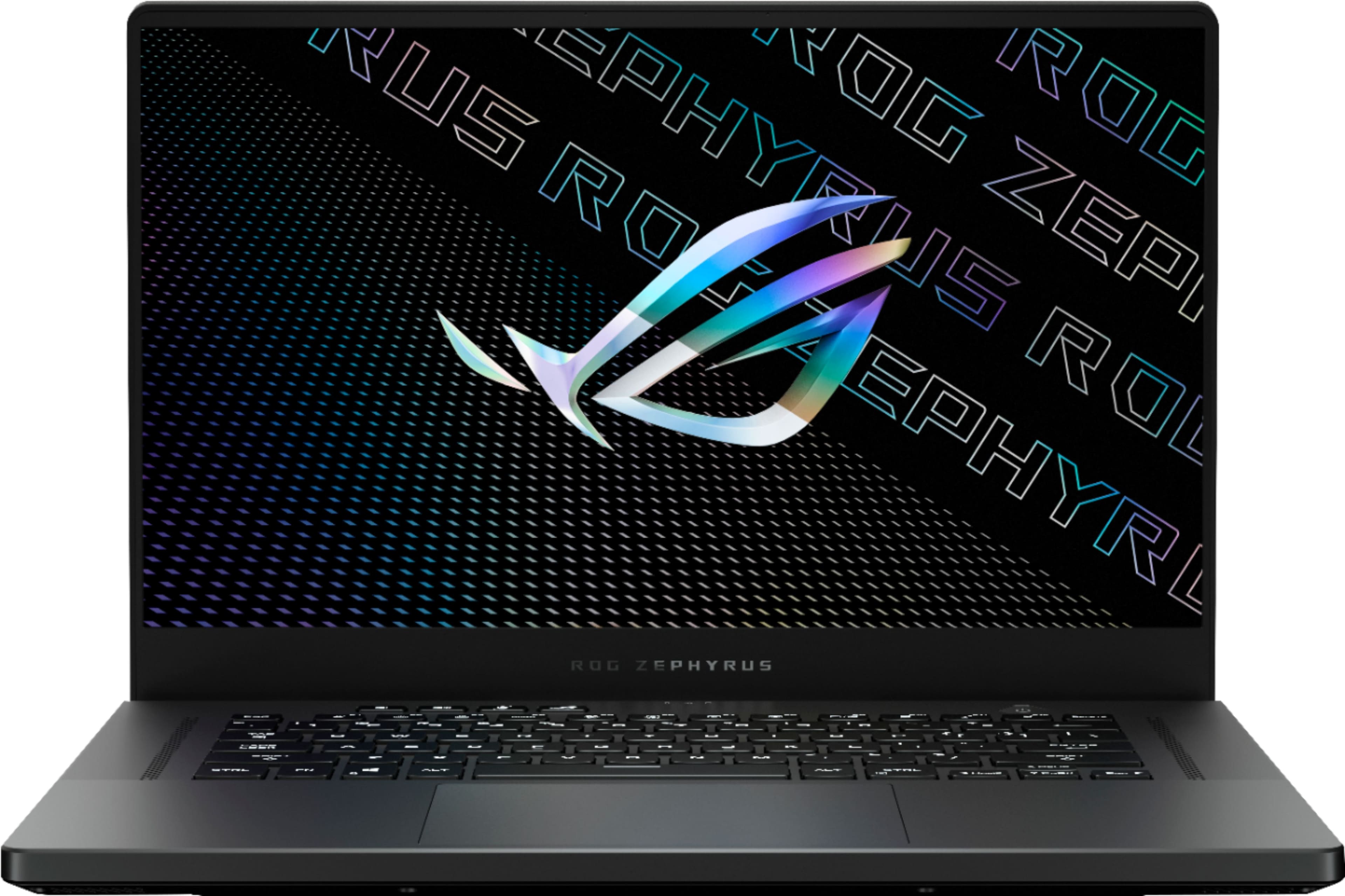
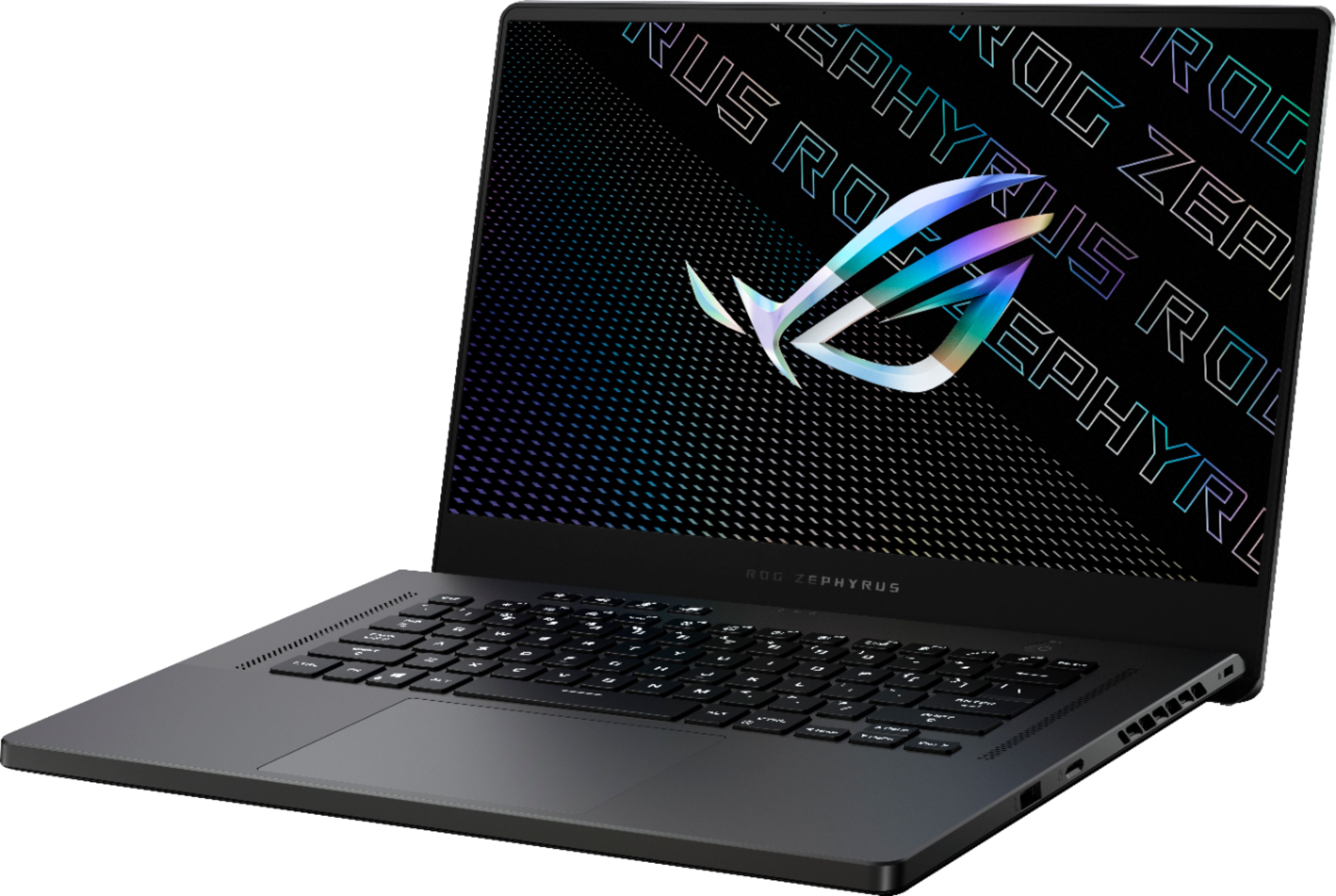
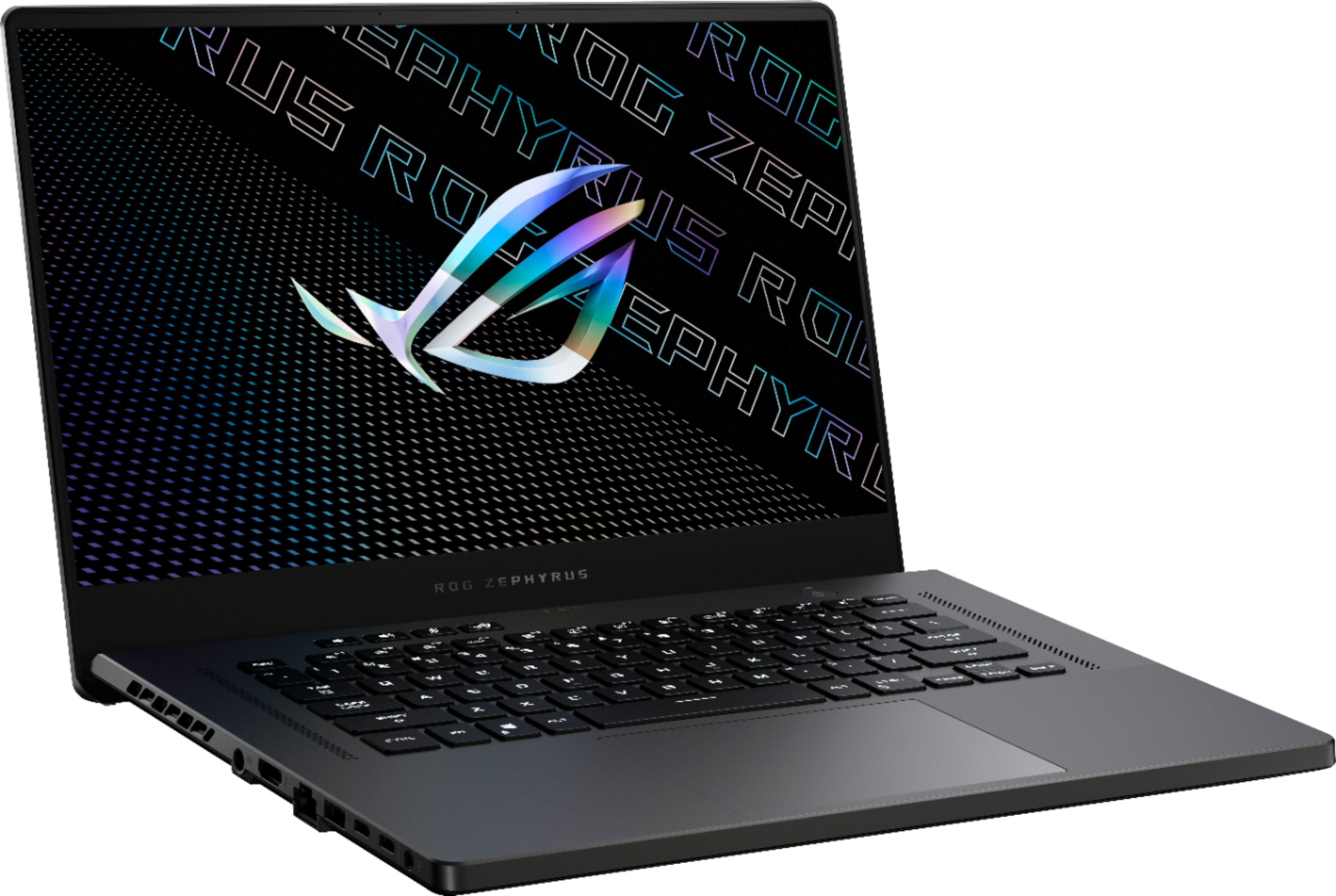
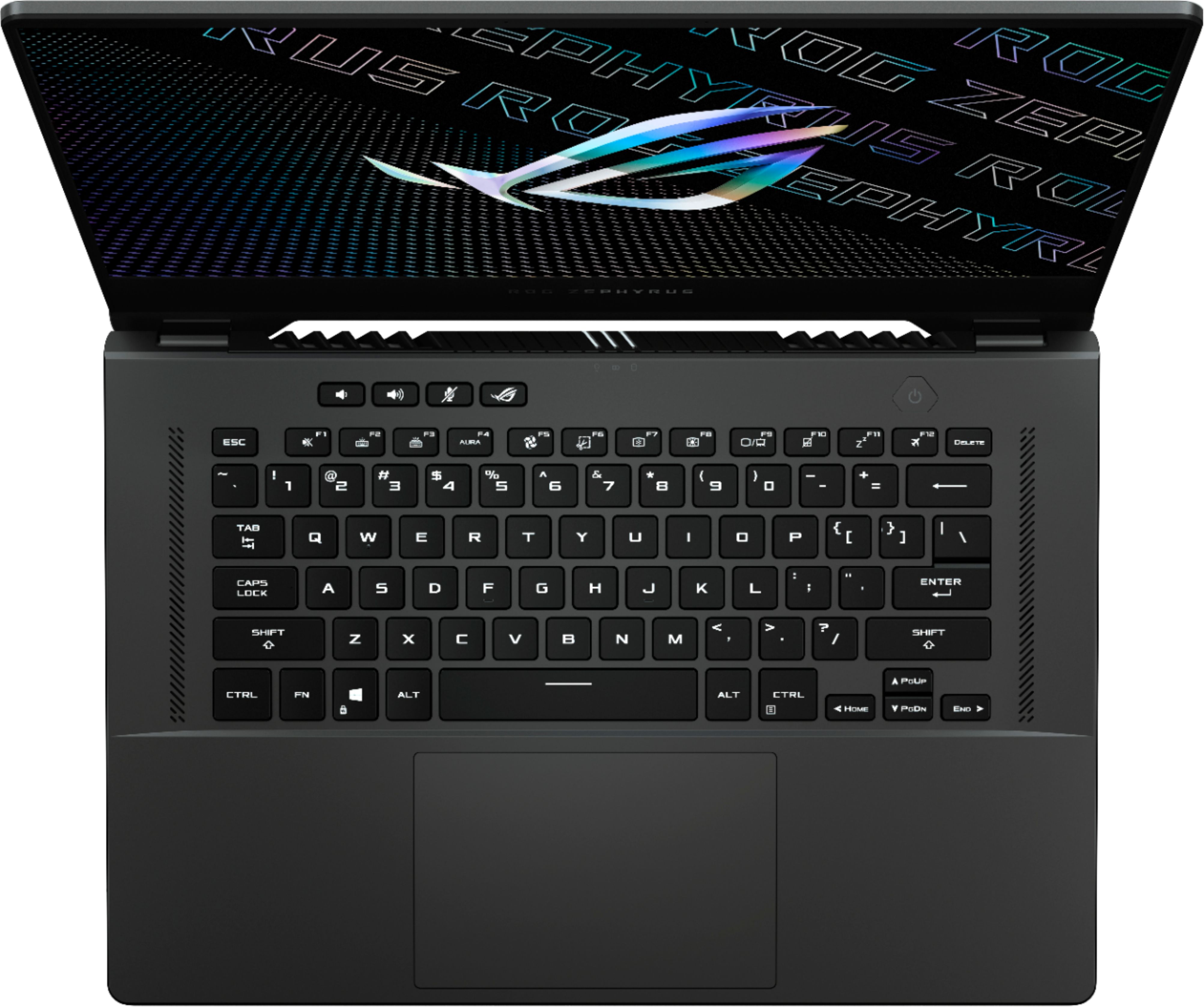
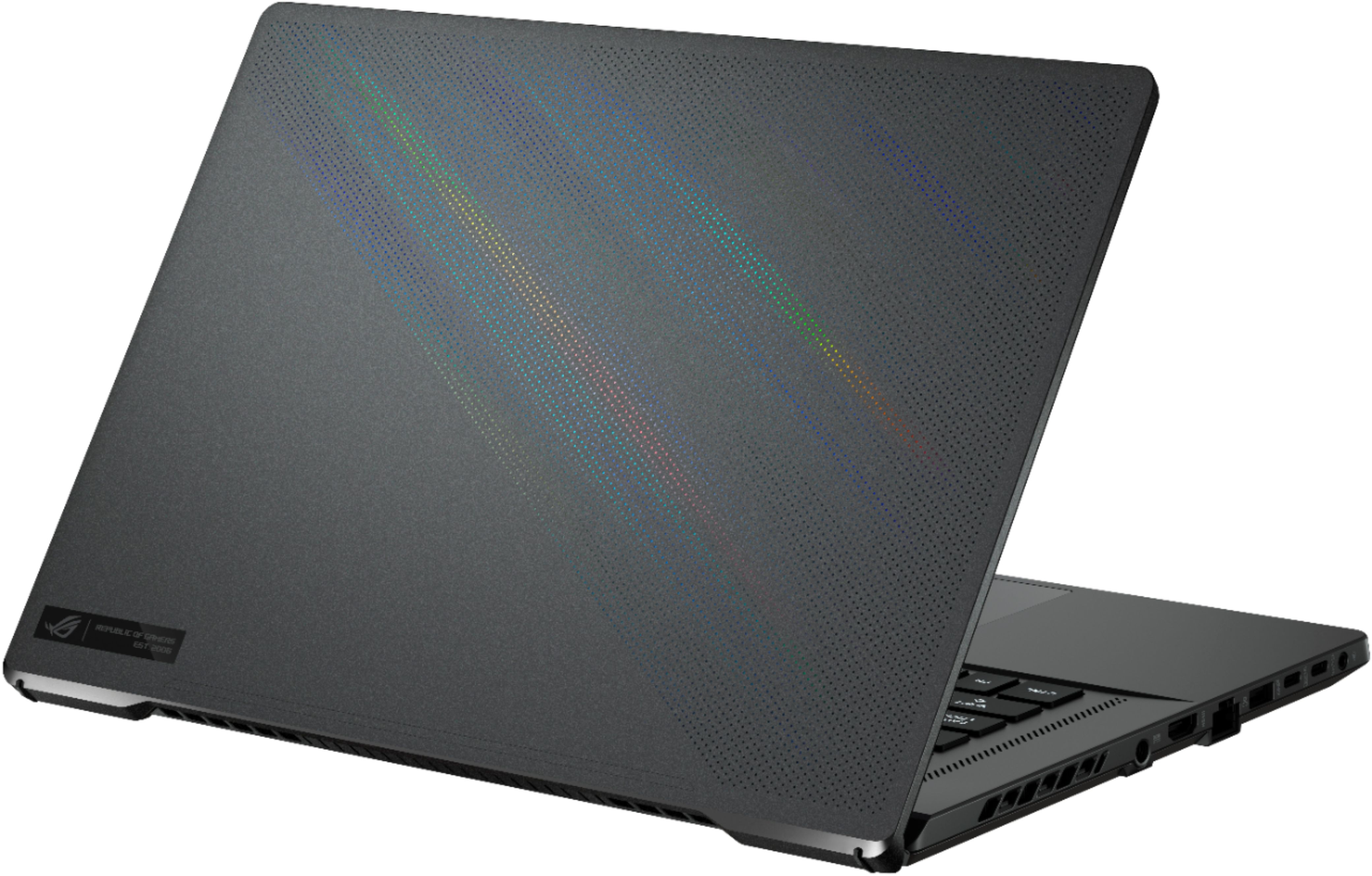
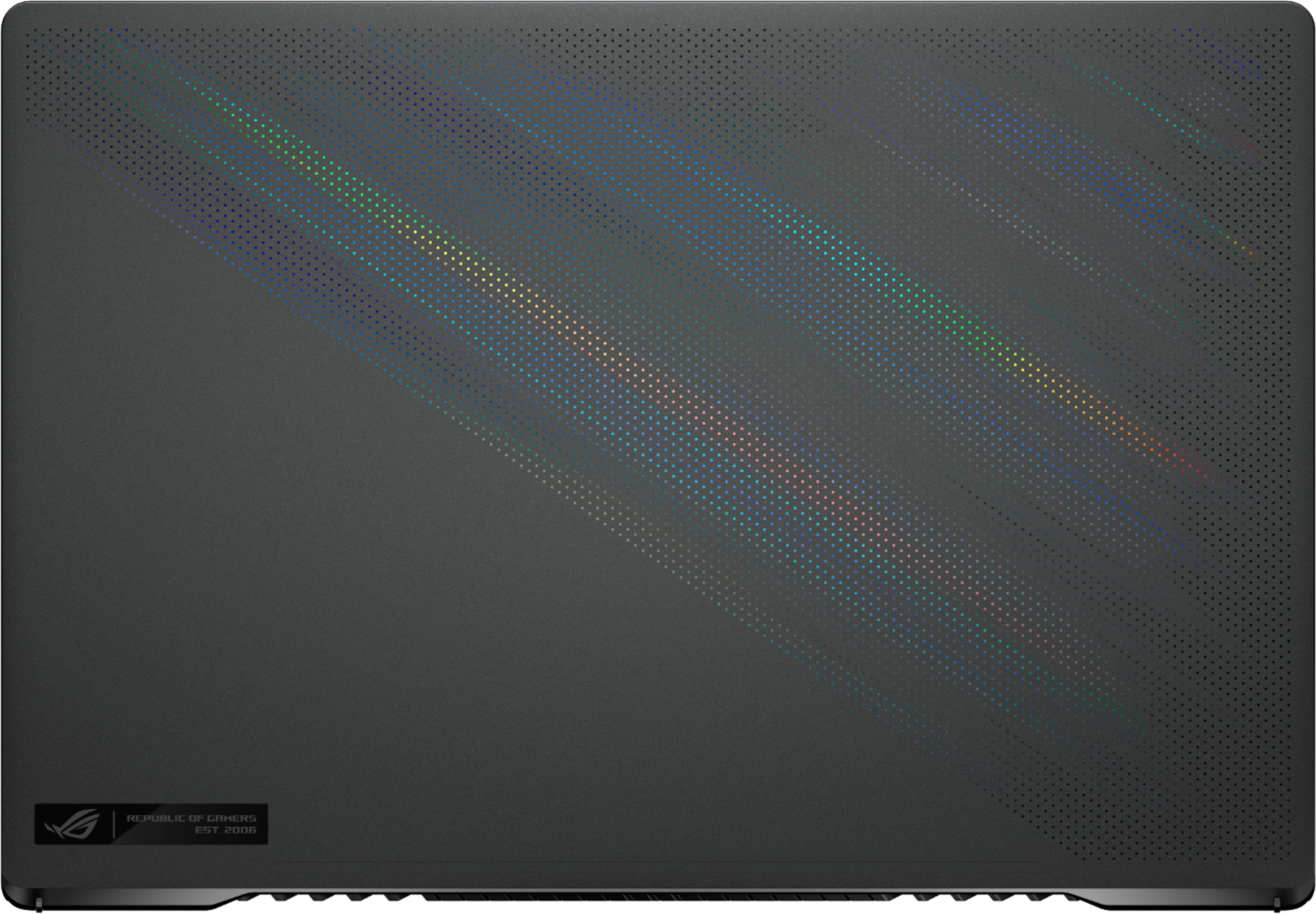
|Posted .This reviewer received promo considerations or sweepstakes entry for writing a review.The Asus Zephyrus G15 promises to balance both worlds – being portable and easy to live with, while still offering compelling performance for gamers. Can this new model for 2021 deliver? Time to put it through its paces and find out. Flipping open the cover on the suitcase style box reveals the G15, with the power supply tucked underneath along with some paperwork. After unwrapping the system from the protective plastic, you can immediately feel the premium quality of the build materials. The laptop feels and looks like a well machined high-end laptop. For a system aimed towards gaming, it is very thin, light, and understated. It doesn’t scream gaming, which is appreciated. The cover has a series of finely machined holes, with a holographic film behind them. At the right angles, a subtle rainbow effect shines through, which much like the rest of the design, shows you that under the graphite color exterior, something special lies underneath. The system has a good number of I/O options, 2 USB-A ports on each side, and 2 USB-C ports on the left that support DisplayPort and up to 100W of power delivery if you need to run the machine in a pinch in a lower power mode or charge the battery. All of the USB ports are the USB 3.1 Gen 2 10gbps type. Rounding out the I/O ports on the left are an HDMI port, wired ethernet, an analog audio jack with support for headsets, and power. On the right, a micro SD card reader and a Kensington style lock point if you need to secure this thing so it doesn’t take a field trip with your jealous friends. Give the fingerprint reading power button a push wakes up this beast. As expected, you are at the windows guided setup in no time. A neat trick is that if the power button got a good read on your finger when you power on the laptop, it automatically logs you in using Windows Hello. Be sure to run Windows update before doing a lot with the system, as well as updating all apps in the store. There are several apps and drivers that are updated and are important to keeping the system running. This system comes with a minimal amount of included software, Asus Armoury Crate, My Asus, and Dolby Atmos audio. If you notice a slight resonance buzz in the speakers above about 50% volume, the Dolby Atmos audio app is the key to fixing it. Changing the setting to “dynamic” in the app seems to make it stop. Dolby Atmos for headphones is also available to provide spatial audio for headphones, which I find does a really good job of virtual positional audio. Using Armoury Crate, you can manage the system settings, keyboard lighting, performance profiles, and other aspects of the system. This is also where the AI Noise cancellation settings can be found. This is a pretty neat trick – using the microphone array on the laptop, the G15 can provide noise cancellation for both your microphone and your headset, regardless of the capability of the headset you are using. While it won’t compete with the best ANC headsets, it certainly helped cut down on ambient noises, especially the system fans, which I couldn’t hear at all when gaming with the fans going full tilt. On battery, setting the system to silent drops the performance curve, but it runs cool with no fans going. There is still plenty of power on tap in this mode for web browsing, productivity, and watching videos, while maximizing battery life to an astounding 10 hours or so leveraging the high capacity battery in the G15. The display on this system is another highlight. At 15.6”, the 2560x1440 resolution is a good match for the display size, with a high enough DPI that text and images are sharp and crisp. I noticed little variance in the panel with a grey background, overall colors pop and the lighting is very uniform. The display can push up to 165hz and supports G-sync for variable refresh rate support. The refresh rate and panel resolution pair very well with the RTX 3070 in this machine, allowing for high frame rates at full native resolution. Viewing angles are decent and colors don’t wash out badly in dark areas in games. One omission here is an integrated webcam in the display bezel. This allows for a very thin bezel and helps the compact footprint of this powerhouse, but in the age of the pandemic it means that if you must use video, you need an external webcam or a different device. As this machine is designed to perform many roles and be portable, this miss limits your ability to pack light if you need to do video from time to time. The keyboard is not overly loud and has RGB backlighting in a single zone. It’s not an optical mechanical keyboard, but it’s certainly functional with good spacing between the keys. It has been comfortable to use as I write this review. Since it is only a single zone backlight, it does make some of the effects pretty silly looking, like the starfield one that would normally light up and fade individual keys only makes the entire keyboard flash and fade randomly. I just stuck with a steady on mode. Under the surface lies the real power of this system. The Ryzen 9 5900HS in here is just incredibly fast. 8 cores with hyperthreading, this thing rips through any workload you can throw at it with ease. The CPU is coupled to the new Nvidia RTX 3070 Max-Q, which provides a balance between performance, power consumption, and thermals. The 3070 has 8GB of GDDR6, and the system has 16gb of memory installed. The memory is kind of an odd configuration – 8gb is soldered on to the motherboard, while 8gb is user replaceable. If the memory module is replaced with a different capacity, it will break dual-channel memory support, resulting in slower memory performance feeding the CPU. 512mb of the system memory is also dedicated to the integrated graphics chip in the CPU, which provides low power graphics for most common tasks, while the 3070 is reserved for high performance graphics like gaming. Even so, 15.5gb of memory is plenty for most common applications and games. The 1TB NVMe SSD in the system is fast – 1.6GB/sec write and 2.0GB/sec read. The speeds in these PCIe 4.0 NVMe drives are just incredible, almost acting like a permanent RAM instead of the slow spinning platters of yesteryear. Gaming performance is great, especially considering the hardware and some tradeoffs that are made to keep this compact and light form-factor. For games that support DLSS, the performance can really get good. In Fortnite it can average about 120fps in DirectX 12 RTX with DLSS on balanced mode and all other details set to epic. Some of the latest titles with everything turned on can still tax it, however nothing is what I would call “unplayable” on this machine. It won’t match a desktop running the latest graphics cards, or some of the other larger gaming laptops, but for 1440p gaming it is more than adequate now and for the reasonable future. Given the relatively compact size, light weight, and understated style I would pick this laptop to be my gaming on the go platform without hesitation. Overall, despite a couple of odd quirks, this is one of the most capable portable gaming laptops you can buy. It hits the sweet spot between performance, portability, and price, while looking great, and is highly recommended.
I would recommend this to a friend- Cons mentioned:Fan noise, Heat
So thrilled with this laptop
Posted .This reviewer received promo considerations or sweepstakes entry for writing a review.I have been so happy with this ASUS laptop! I originally went in stores to purchase the smaller white Zephyrus laptop but after handling and seeing both, this one is the winner. You can't beat the larger display and more room for your hands on the keyboard. I believe this one has slightly better specs too. Onto usage...its been amazing. I can run all my games on the highest settings. The fan can be kind of noisy but its not over the top. I also use this for work and it's been fantastic. I put a good 6-12 hours on this computer every day, a combo of gaming & working. This is my first time with a backlit keyboard and its beautiful. The track pad is not the best, so I have always used a mouse with this. This laptop does tend to get hot, like my other ASUS laptops, so I keep it on my desk on a raised stand with airflow and so far no issues. I've had it for about 5 months now and its been great since starting up. Everything works smoothly, starts up in seconds, etc. I was worried about getting a broken one or defective one because of some reviews I read, but no issues at all!
I would recommend this to a friend Poor service
||Posted . Owned for 7 months when reviewed.This reviewer received promo considerations or sweepstakes entry for writing a review.Poor service fixing me link for a 1700 computer then knocking me off of chat
No, I would not recommend this to a friendBrand response from ASUS Answers
Posted .Dear KimberlyK,
We're sorry to hear about the unfortnate experience you had with our technical support team. We would recommend that you reach out to us with your case number so we can have our team look into this issue. We do value our customers and take negative customer service experience very seriously. This is not the quality of service expected from ASUS. We do stand behind our product and we continuously strive to improve our approach and processes in order to achieve customer service excellence. For more information send us an email at customerloyalty@asus.com and provide the link of this review for reference. We’ll do our best to provide a quick resolution to your case. Your feedback is important as it helps with improvements to ASUS Support channels. Please copy a link to this post as a reference.
Thank you for choosing ASUS.
Best Regards,
Joan
ASUS Customer Loyalty US Support
Not worth the price
||Posted . Owned for 1 month when reviewed.This reviewer received promo considerations or sweepstakes entry for writing a review.A gaming laptop that shuts off when you play games. Definitely not worth what I paid for it
No, I would not recommend this to a friendBrand response from ASUS Answers
Posted .Dear Sanoctis,
We're sorry to hear that your unit shuts off whenever you're playing games. Please allow us to make your experience with ASUS a better one. It could be that the computer is overheating. Ids the computer in a ventilated area? We would also recommend that you close out all the apps that are running in the back ground when playing these games. If the issues persist, we would recommend that you reach out to us so our team can look into this issue.
For more information send us an email at customerloyalty@asus.com and provide the link of this review for reference. We’ll do our best to provide a quick resolution to your case. Your feedback is important as it helps with improvements to ASUS Support channels. Please copy a link to this post as a reference.
Thank you for choosing ASUS.
Best Regards,
Joan
ASUS Customer Loyalty US Support