Customer Ratings & Reviews




- Model:
- GA503RM-G15.R93060
- SKU:
- 6494630
Rating by feature
- Battery Life
Rating 4.1 out of 5 stars
- Speed
Rating 4.7 out of 5 stars
- Display
Rating 4.7 out of 5 stars
Customers are saying
Customers find value in the ROG Zephyrus 15.6" gaming laptop's performance, graphics, build quality, and lightweight design. However, some users experienced issues with excessive heat generation, short battery life, and occasional fan noise. The keyboard also received some negative feedback. While the display and RAM are generally well-regarded, storage capacity may be a limiting factor for some users.
This summary was generated by AI based on customer reviews.
Good but windows 11 sucks
||Posted . Owned for less than 1 week when reviewed.This reviewer received promo considerations or sweepstakes entry for writing a review.Really good laptop and well built. Windows11 sucks
No, I would not recommend this to a friendBrand response from ASUS Answers
Posted .Dear Hank,
Thank you so much for the feedback, I'm sorry to hear that you are not pleased with Windows 11. To be free from bugs, please ensure to keep your Windows OS up to date. If you have any technical concerns, feel free to reach out to me at customerloyalty@asus.com and provide this link for reference. I'll do my best to provide a quick resolution to your case. Your feedback is important as it helps with improvements to ASUS Support channels.
Thank you for choosing ASUS!
Best Regards,
Jamalie,
ASUS Customer Loyalty US Suppor
- Pros mentioned:Build quality, Speed

Asus with the answer back
|Posted .This reviewer received promo considerations or sweepstakes entry for writing a review.The packaging is amazing, I know that's not the best place to start but sometimes you can tell just how good something is or is going to be by looking at the box and effort in it. To be clear, to those that are not this is asis's answer to Dell's alienware and boy what an. Blazing fast speeds mixed with a gorgeous screen all wrapped up in a beautiful case. The DDR5 RAM makes loading times a thing of the past and the Ryzen 9 processor makes this the best PC you can buy. It was easy to get started and going. Your typical window startup and your typical program running. I took it to Best Buy to strip away. All the unnecessary programs that clunk up your hard drive, so I can make sure and get the best out of my product, and the most efficiency out of the space that comes right out of the box. Obviously running basic programs and my software editors like the Adobe suite has been very easy. We're not even going to get into internet and basic computer function because that's just a little obvious. I ran a steam game of The Division 2 one of my favorites and it looked so fluid and ran like paper. Simply put you will regret not buying this. Just buy it.
I would recommend this to a friend Not to happy
||Posted . Owned for 1 month when reviewed.This reviewer received promo considerations or sweepstakes entry for writing a review.I was really expecting more out of this… The computer craps out and shuts off randomly for no reason.
No, I would not recommend this to a friendBrand response from ASUS Answers
Posted .Dear BearCave,
We do understand your disappointment and the inconvenience if you are experiencing auto-shutdown or stability issues with the laptop.
This issue is temporary if you are experiencing it during the initial WINDOWS setup and before installing cumulative WINDOWS Update, regardless what brand name of computer this may be. The laptop will do several system reboot, black screen temporarily or restart during the update process. Once initial setup and WINDOWS Update installation completed, system speed or performance will be optimized. Keeping Windows, chipset and drivers updated will maintain optimum system stability and performance. If these steps were already performed to no avail, please try to run a diagnostics or optimization test using the "My ASUS" utility software or application. If this is not pre-installed on the laptop, please download the application at the Microsoft Store. For details on how to use "My ASUS", please go to: https://www.asus.com/support/FAQ/1041686/.
If you need further assistance, please email me at cl-rodel@asus.com and I would be happy to help. Or, you are most welcome to call Product Support Hotline at: 1(888) 678-3688. Also, you can chat with an ASUS live support agent at: http://bit.ly/AsusLiveChat.
Thank you for choosing an ASUS product.
Regards,
Rodel
ASUS Customer Loyalty
BROKEN. DO NOT BUY
||Posted . Owned for 1 month when reviewed.This reviewer received promo considerations or sweepstakes entry for writing a review.Would leave 0 stars if I could. After using the laptop only a handful of times when I was away from home it will no longer connect to any microphone. I am now past my return period and have to take the laptop in for service. I will now be without my brand new laptop for days or weeks who knows.
No, I would not recommend this to a friendBrand response from ASUS Answers
Posted .Dear AustinC,
We sincerely apologize for the microphone issue you are experiencing with this laptop. Please download and install the audio driver from the link below. After installing please restart the system for the changes to take effect and then test to see if the microphone is working or not. This is definitely not the type of quality to expect from ASUS products and we can ensure you that this is not the norm. We do value our customers and take negative customer service experiences very seriously. We do stand behind our product and we continuously strive to improve our products and processes in order to achieve customer service excellence. For more information send us an email at customerloyalty@asus.com and provide the case number "N2207020407-0007" for reference. We’ll do our best to provide a quick resolution to your case. Your feedback is important as it helps with improvements to ASUS Support channels. Thank you for choosing ASUS.
Best Regards,
Leonardo
ASUS Customer Loyalty US Support
https://rog.asus.com/laptops/rog-zephyrus/rog-zephyrus-g15-2022-series/helpdesk_download/
Houston we have a Lemon
||Posted .This reviewer received promo considerations or sweepstakes entry for writing a review.Only had this computer for a handful of months and it crashed on us several times and had to reset each time. When we returned it we were told that is was unusual for this brand so maybe we got a lemon. Went with another brand after we returned it.
No, I would not recommend this to a friendBrand response from ASUS Answers
Posted .Dear Ceee,
We're sorry to hear that you had issues with your computer crashing and that you had to return it. We would recommend having this unit sent in for servicing so we can have our team look into this issue. We do value our customers and take negative customer service experience very seriously. This is not the quality of service expected from ASUS. We do stand behind our product and we continuously strive to improve our approach and processes in order to achieve customer service excellence.
For more information send us an email at customerloyalty@asus.com and provide the link of this review for reference. We’ll do our best to provide a quick resolution to your case. Your feedback is important as it helps with improvements to ASUS Support channels. Please copy a link to this post as a reference.
Thank you for choosing ASUS.
Best Regards,
Joan
ASUS Customer Loyalty US Support
- Cons mentioned:Heat
Elegant and solid gaming choice
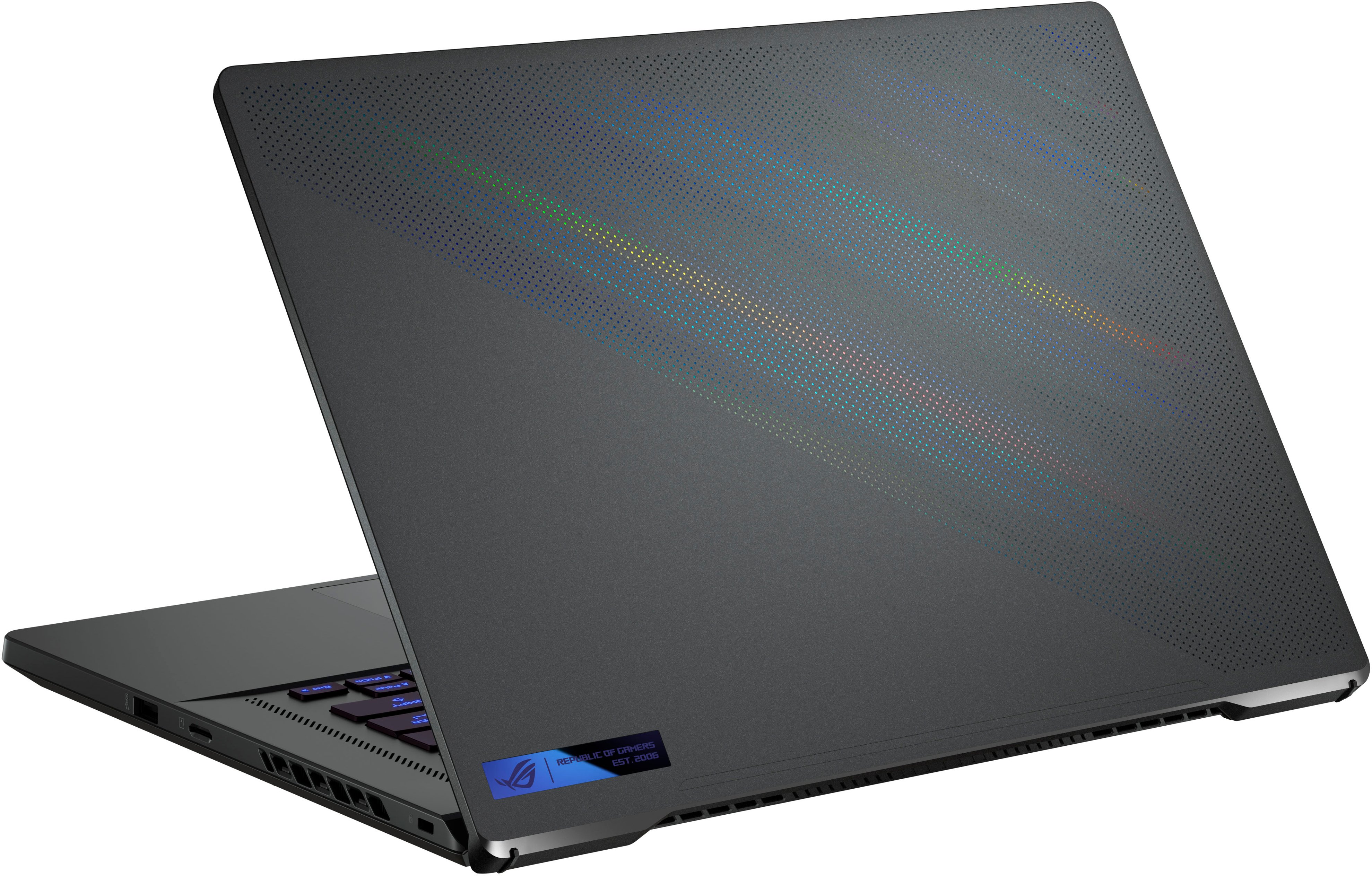
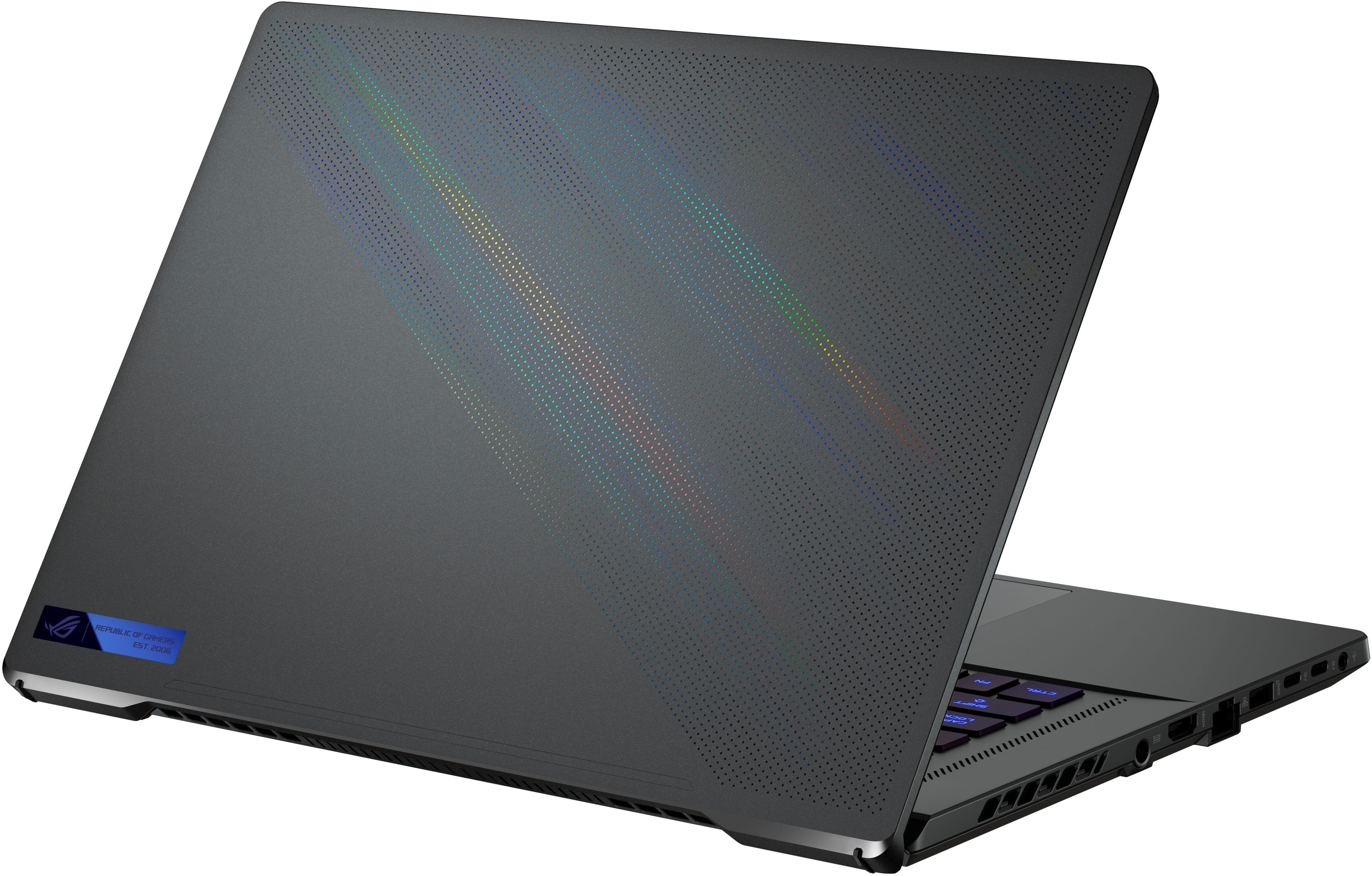
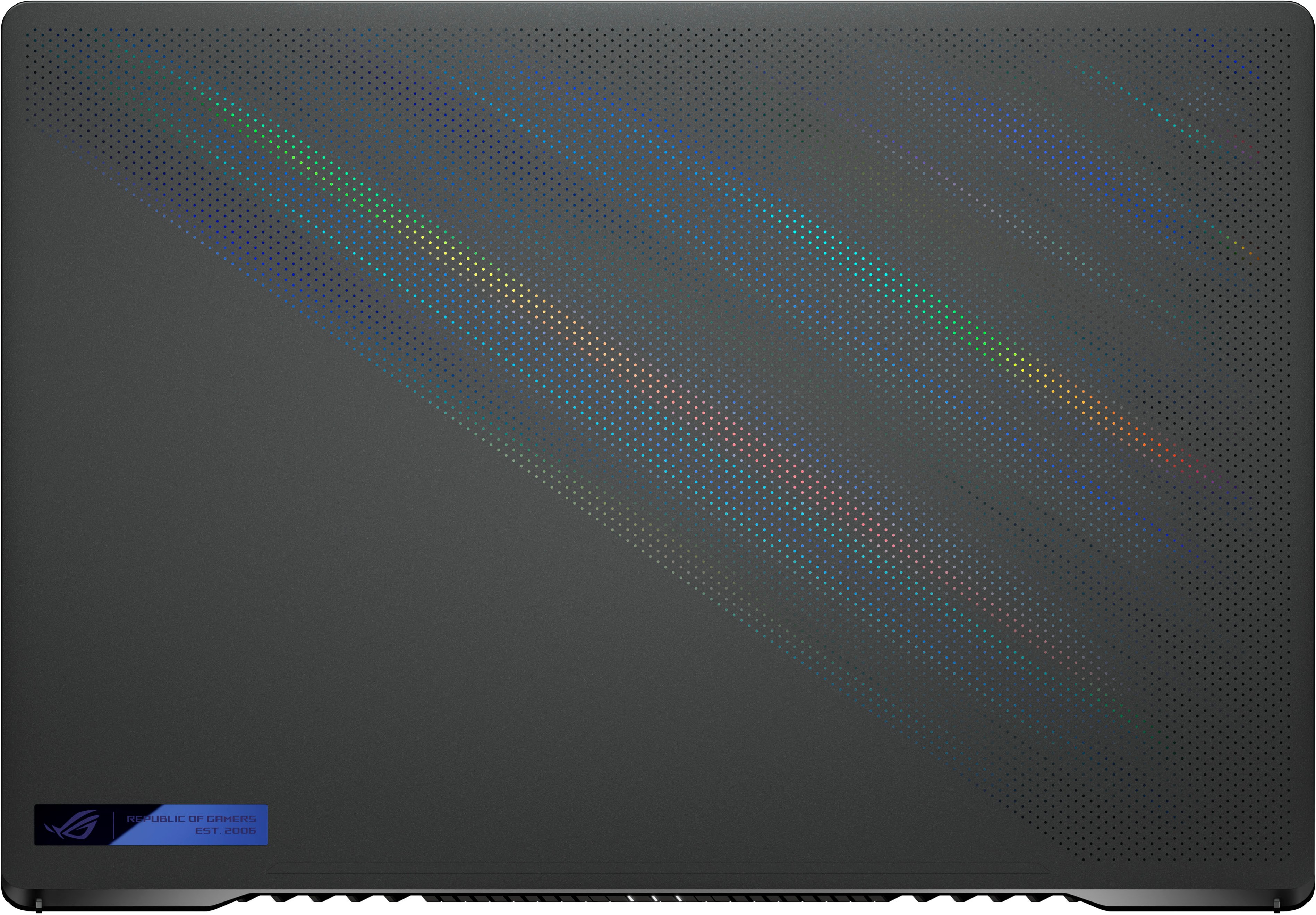
|Posted .This reviewer received promo considerations or sweepstakes entry for writing a review.This is a solid successor in the Asus ROG Zephyrus line. The matte 1440P screen is beautiful with razor thin bezels and a 165Hz refresh rate-- I just wish it had a 16:10 aspect ration for productivity, but at least Asus delivers in the portability department. They went with a cheese grater look on the lid which looks nice aesthetically, but if you're one who obsessively maintains your devices free from fingerprints and dust... you'll eventually need toothpicks to get little specs of dust cleared out. The NVIDIA RTX 3060 delivers as you'd expect and gameplay is butter-smooth. It heats up like any gaming machine, but I haven't run into throttling yet. The power brick is of a tolerable size, though I wish they had used USB-C or incorporated a USB port like Microsoft or Apple do. You get an extra m.2 slot and AMD can take advantage of the PCI-e 4.0 speeds which is nice for productivity even if not noticeable in gaming. There are 2 thunderbolt ports, HDMI, 2 USB-A, LAN, and a microsd card reader. Even though the chassis has a lot of plastic, it looks elegant and feels thin/light. I've had MSI/Alienware/Dell gaming laptops and the Zephyrus are my favorite. If you're looking for a road warrior gaming laptop, then this is a solid choice. If you're hoping for mobile productivity first and gaming second, then pick something with a 16:10 aspect ratio. If you have an external monitor, then this is a solid choice for both gaming and productivity.
I would recommend this to a friend Blue screen of death.
||Posted . Owned for 1 month when reviewed.This reviewer received promo considerations or sweepstakes entry for writing a review.It was okay for the first 2 weeks, then last wednesday is started to give blue screens after 10 minutes of CS GO gameplay. I restored Windows, updated everything but no luck. Most probably there is cooling issue.
No, I would not recommend this to a friendBrand response from ASUS Answers
Posted .Dear Joseph,
It's unfortunate to hear you are experiencing Blue Screen of death with your unit. All our products do go through an intensive quality control testing process to ensure that customers get units that are in proper working condition, what you've experienced was not intentional. Have you tried to update your Bios? Please attempt the steps from the FAQ below.
For more information send us an email at customerloyalty@asus.com and provide the link of this review for reference. We’ll do our best to provide a quick resolution to your case. Your feedback is important as it helps with improvements to ASUS Support channels. Please refer to this case number (N2105002363-0002) for us to better assist you.
Thank you for choosing ASUS.
Best Regards,
Ramon
ASUS Customer Loyalty US Support
Troubleshooting - https://www.asus.com/support/FAQ/1038855/
Excellent gaming laptop but can run hot
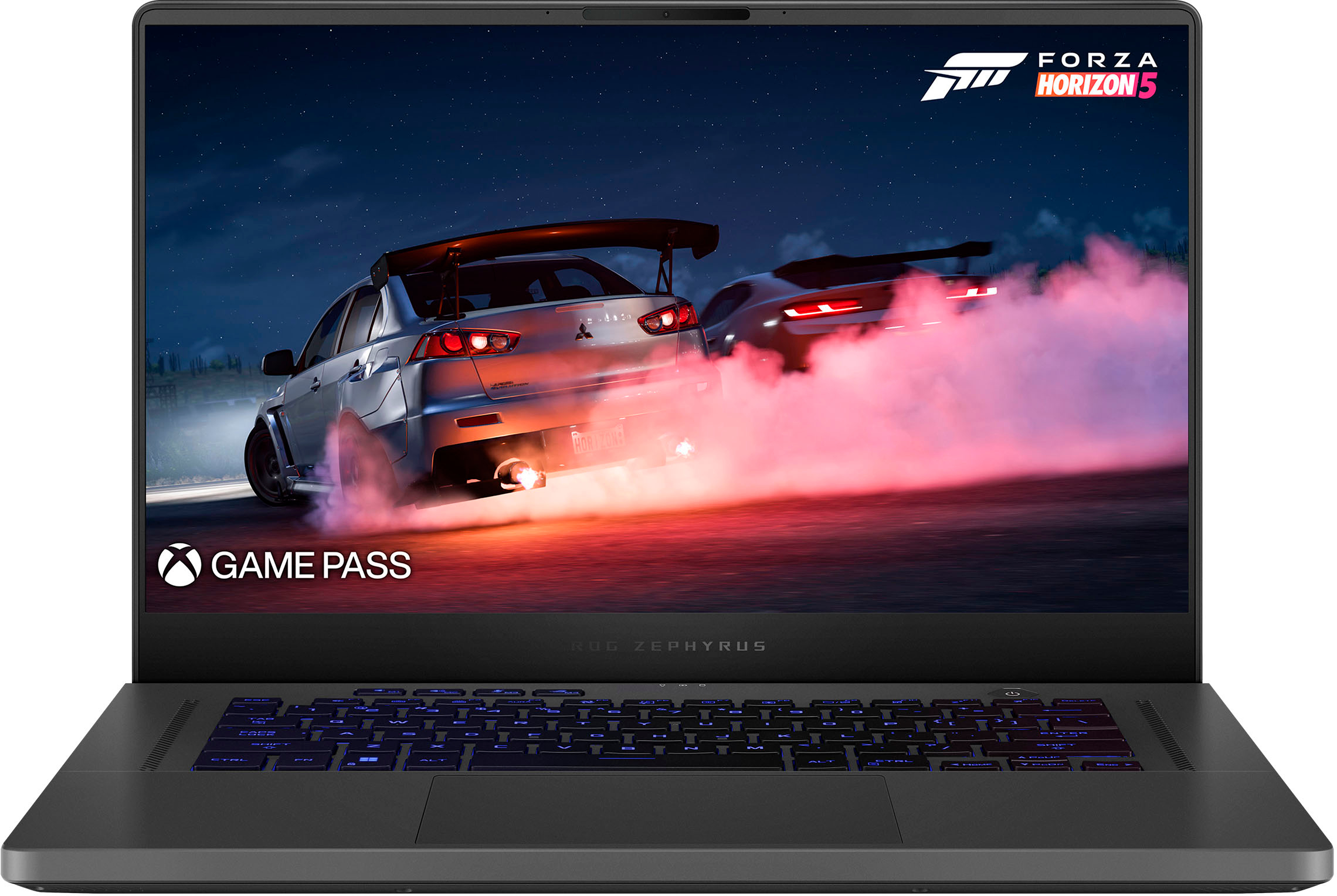
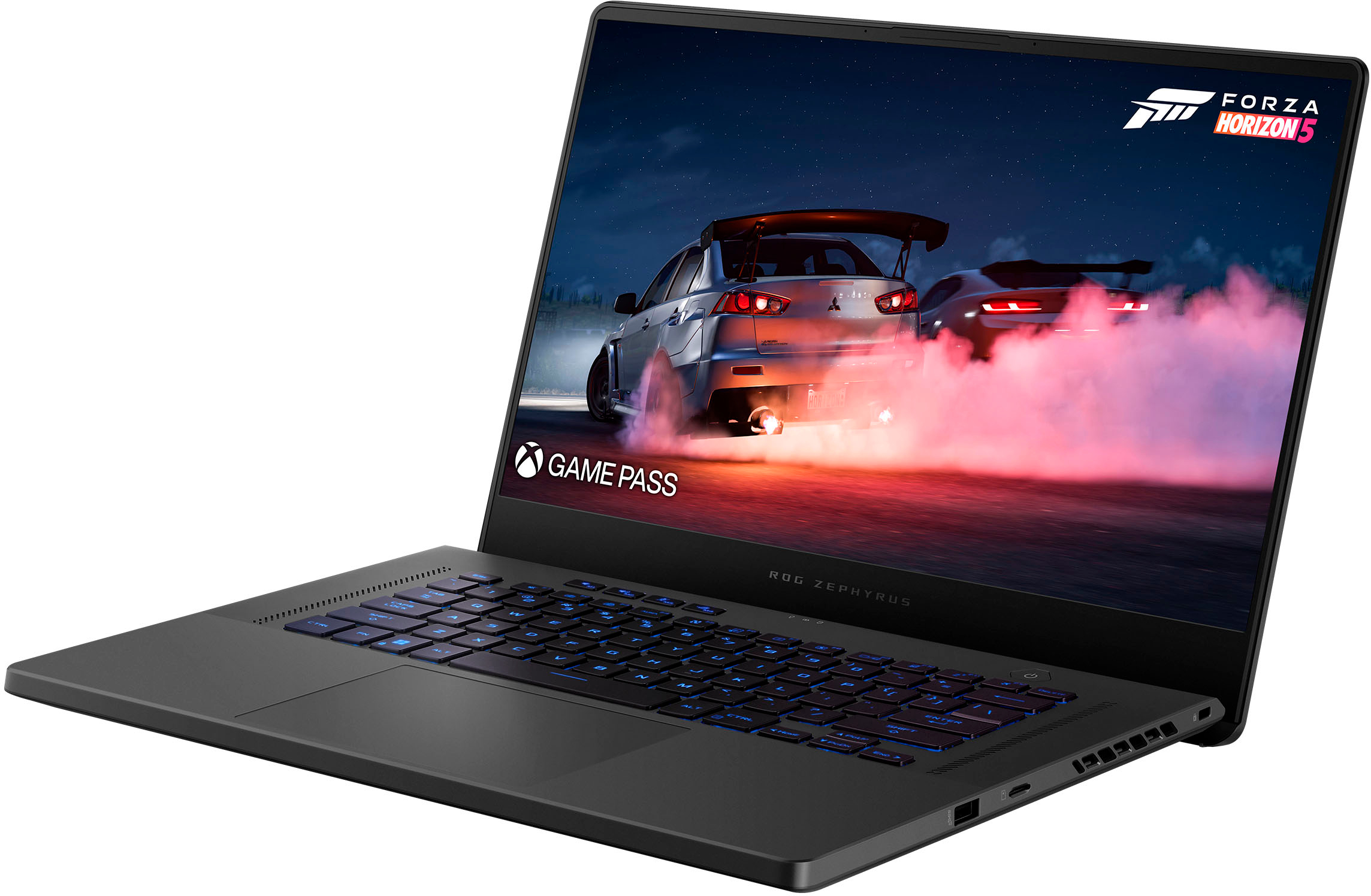
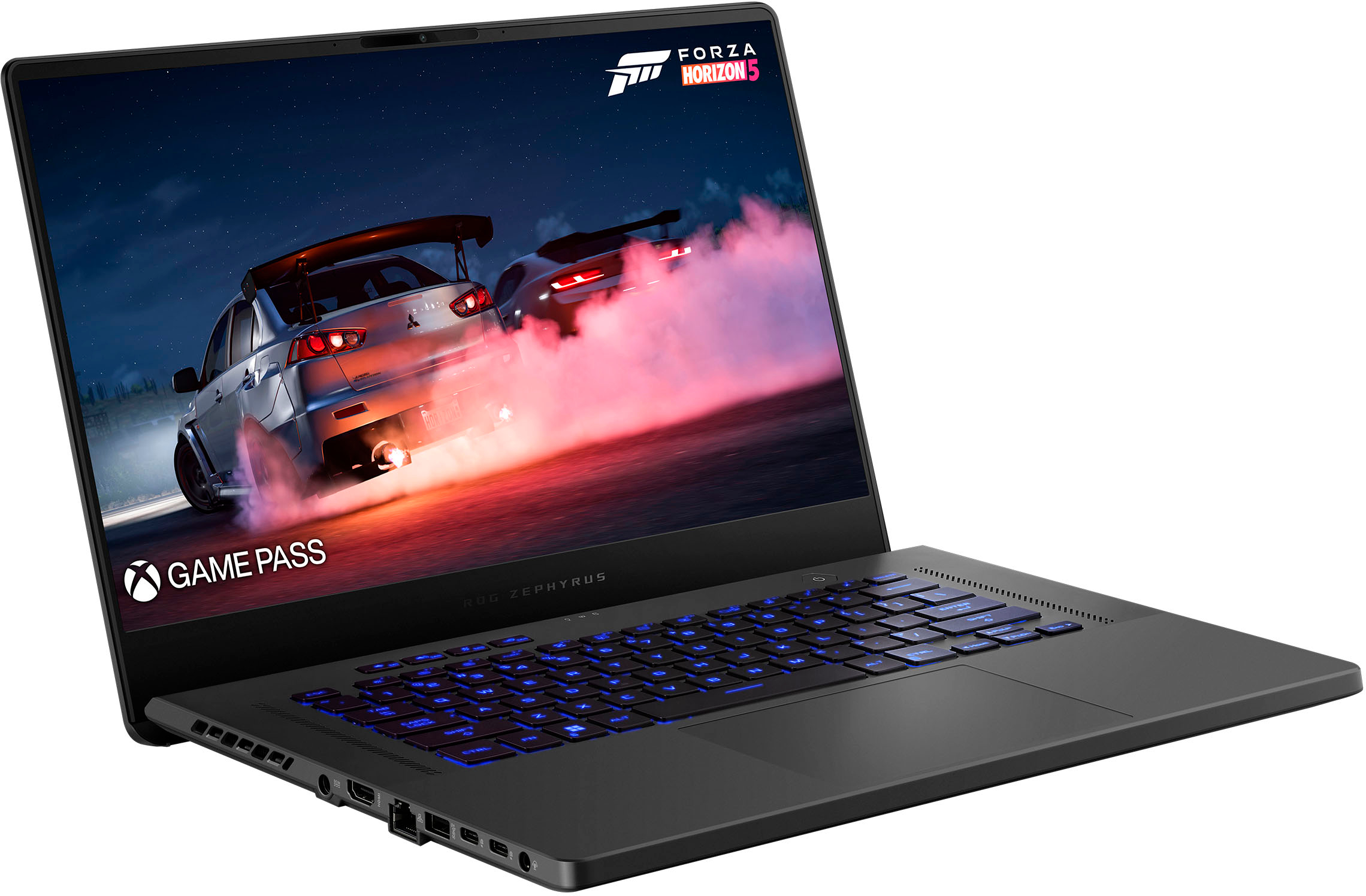
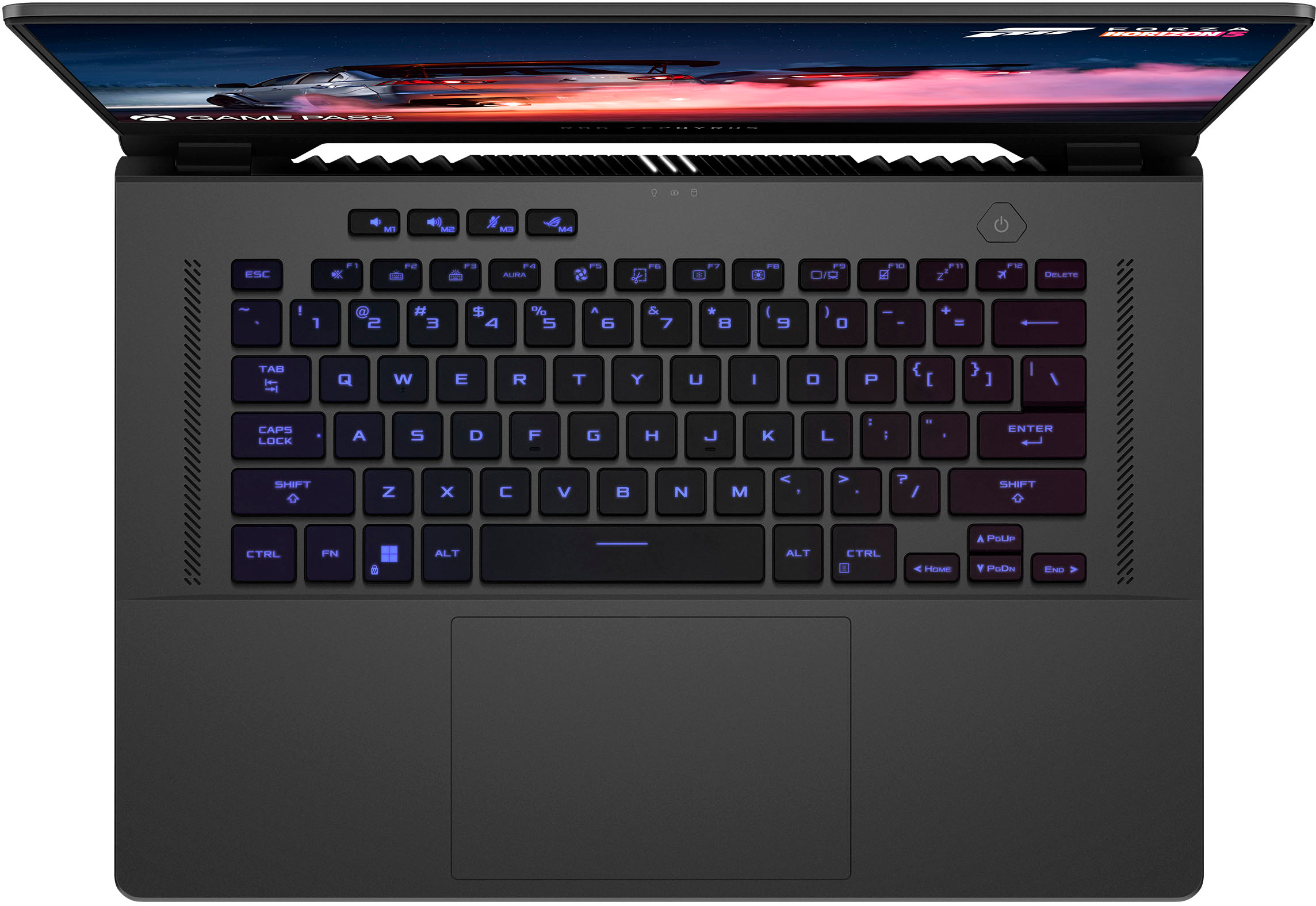
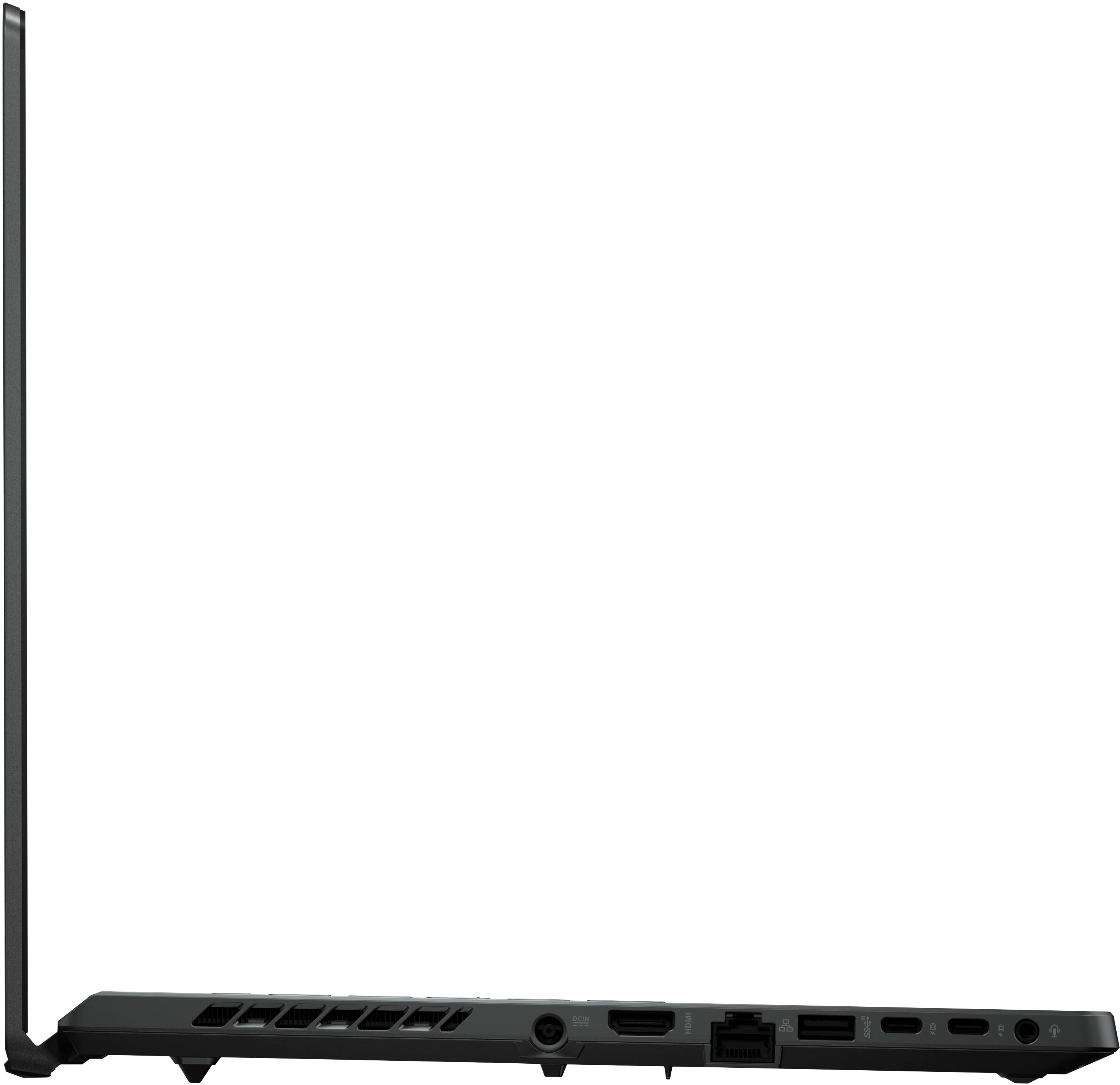
|Posted .This reviewer received promo considerations or sweepstakes entry for writing a review.The Asus ROG Zephryus 15" gaming laptop is a versatile beast, with ample power not just for games but also as a mobile workstation, courtesy of its 8-core/16-thread Ryzen 9 6900HS processor. It has an attractive, understated (for a gaming laptop) design, solid feel and construction, and a very nice 165Hz, Pantone-validated QHD 15.6" screen. About the only thing I can detract--and it's undoubtedly a result of the thin design--is that under load in gaming, the laptop can get hot enough that it might be uncomfortable for some. They keyboard gets quite warm, and the upper case near the vents is almost too hot to touch. I'll note this is seemingly only an issue in gaming; looping the Cinebench multicore benchmark notably didn't cause nearly as much heat as a single pass of a gaming benchmark. This is probably due to the Ryzen being highly efficient as a CPU; while it's architecturally no different than Zen 3 apart from DDR5 support, it is produced on a new 6nm process at TSMC. RTX 3000-series GPUs are typically on Samsung's less efficient 8nm process. Otherwise, the only thing that mars it at all--and in a gaming laptop, this is 100% forgivable vs. a productivity-oriented one--is the lack of a numerical keypad. As said before, the laptop is really understated for a gaming laptop, with a dark metallic gray finish. Opening it up, the large 15.6" IPS screen dominates. With QHD resolution, it is razor-sharp, and the colors are vibrant (it supports 100% of the DCI-P3 color space, a nice touch). With a 165Hz refresh rate, the screen is ideal for high FPS gaming, though to achieve anything like 100+ fps in games with a 3060 will require lowering the settings significantly. E-sports games should definitely be fine to hit that lofty number. Connectivity around the chassis is very good; on the left side you get power, HDMI, ethernet, a USB type A and a pair of USB type C ports, plus a headphone jack. The right side features a microSD slot, another type A USB port, and the Kensington lock. The keyboard is backlit and features a variety of RGB colors and is generally nicely responsive to type on as well as game. The trackpad is large and generally pleasant to use; I prefer hooking up a mouse for most things however. The screen is surrounded by thin bezels; in the middle of the topmost one there is a webcam that does well with quick Windows Hello facial recognition logins. Under the hood, the stars are the Ryzen 9 6900HS, a 35W mobile part produced on a new 6nm process, and the RTX 3060, paired with 6GB of VRAM. The Ryzen 9, in my CPU benchmarking, scored about 10,600 points in Cinebench R23 multicore. To put that in perspective, that is a bit faster than the desktop Ryzen 7 2700x, which was also an 8-core/16-thread chip, but which was rated at 105W! AMD has come a long way with their mobile parts, and this Ryzen 6000 series chip is very impressive. In games, the 3060 is a good card for 1080p to 1440p gaming, with 4k within reach if you are partial to older titles. I personally don't think the 3060 particularly powerful enough for heavy use of ray tracing, unless you can do in conjunction with a feature I consider far more important: DLSS, which can be a gamechanger in titles that support it. One worry I have with the 3060 is the 6GB VRAM and the possibility of exceeding that limit over time, and DLSS does give an out on that front. I benchmarked Forza Horizon 5, which has a very good built-in benchmark that gives a decent indication of real gameplay performance. Using the Ultra preset at 1080p, I got around 74fps. Sticking with the Ultra preset, QHD resolution returned a solid 60fps even. I honestly didn't notice much visual difference between QHD and FHD on this size screen; this would be more obvious if output is sent to a larger monitor. In that case, one could probably modify the Ultra preset to disable MSAA; on a 15.6" screen, the image is so sharp that I'm not sure it's needed, especially at QHD resolution. I also benchmarked Shadow of the Tomb Raider, a still-demanding title that fairly recently received updated support for DLSS 2.0. SotTR also supports some limited ray tracing, and the DLSS allows this to be turned on and still deliver excellent framerates. With all settings maxed out at QHD but DLSS enabled, the 3060 returned 73fps with ray tracing enabled, and 84fps with it disabled. In short, I don't think this will have any difficulty running modern AAA titles at high/ultra settings anywhere from 1080p to 1440p, and DLSS support will enhance that even further. As said before, though, only e-sports titles run at lower resolutions, or old games, are going to be able to push frame rates high enough to fully take advantage of the 165Hz panel. The rest of the hardware is curious in that Windows and CPU-Z both report 16GB of system RAM, but it appears that 8GB is soldered onboard memory along with a single 8GB stick of DDR5-4800 RAM. I have not taken the bottom panel off yet, but CPU-Z does report there are actually two DIMM slots, so I'm not sure how that would be handled if a 2nd stick is installed. Storage is provided by a 512GB SSD. Windows Device Manager shows it is as a WD SN735, a model that must be very new, as there was little info to find about it. Presumably it is an evolution of the SN730, a WD drive made for high performance and high efficiency. Crystaldiskmark returned a read speed of over 3600MB/s and a write speed of 1927MB/s, which would suggest it be a pretty fast. Its 512GB capacity leaves a bit to be desired, as newer AAA titles routinely push 80-100GB, which means one must be judicious in installing games. While I've not taken the bottom panel off yet, the predecessor model to this one did have a 2nd M.2 drive slot open from what I can discern, so hopefully this one does as well. I don't generally think any laptops have really great sound, but I do want to comment that I was really pleasantly surprised by the speakers on this laptop, to the point that I wouldn't automatically reach for my headphones. Dialog in movies was particularly clear, and music was as well, with a hint of some bass even. Power brick: It's suprisingly small for a 200W power supply brick. It would get slightly warm to the touch over time, and the cord is ample. I ran the laptop in a battery-preservation mode that capped its capacity at 60% to preserve its longevity. But this is the kind of laptop made to be run plugged in--why else have all this power? Final Words: Who is the laptop for? I think this is an ideal laptop for someone who needs power for productivity work but also likes to play the latest AAA titles and have them look good, or play e-sports games at high fps settings. The Ryzen 9 CPU is a mobile powerhouse, with ample capacity to handle demanding CPU-intensive tasks like video rendering. The IPS QHD screen is really a treat, and with its Pantone validation and coverage of the P3 color space, it should be a great screen for accurate graphics work. While those doing heavy Adobe Premiere video work might want more, 16GB RAM out of the box is good for most and is certainly still perfect for gaming. The storage is a little slight and an upgrade might in store for some, but it is fast. The chassis has plenty of connectivity, including ethernet, though the Mediatek 7922 provides support for Wifi 6E. In the end, the only thing that really gave me pause in using this was the amount of heat put out when the discrete GPU is engaged. I've never seriously thought about getting a laptop cooler before, but this one might tempt me to purchase one for lengthy gaming sessions. Overall, though, it's an amazingly powerful, attractive system that is quite compact and easily portable. Most gamers would be quite happy with it.
I would recommend this to a friendDon’t buy it.
||Posted . Owned for 1 month when reviewed.This reviewer received promo considerations or sweepstakes entry for writing a review.Not great. Returned it. Got it set up and all it would do was keep rebooting. Upon research it seems this model has that problem. Not an isolated issue.
No, I would not recommend this to a friendBrand response from ASUS Answers
Posted .Dear Sheri,
We sincerely apologize for the auto rebooting issue you experienced with this laptop. We can assure you that many of our customers have been thoroughly satisfied with this model, this is not the norm and is not the type of quality to expect from ASUS products. You can find some troubleshooting steps we would have recommended before returning the device in the FAQ linked below. We do stand behind our product and we continuously strive to improve our products and processes in order to achieve customer service excellence. For more information send us an email at customerloyalty@asus.com and provide the case number "N2207020407-0008" for reference. We’ll do our best to provide a quick resolution to your case. Your feedback is important as it helps with improvements to ASUS Support channels. Thank you for choosing ASUS.
Best Regards,
Leonardo
ASUS Customer Loyalty US Support
[Notebook/Desktop/AIO] Troubleshooting - How to fix the auto Shutdown/Restart problem: https://www.asus.com/support/FAQ/1046480/
- Pros mentioned:PerformanceCons mentioned:Keyboard
Solid laptop
Posted .This reviewer received promo considerations or sweepstakes entry for writing a review.Great solid aluminum body laptop, Fast snappy performance. Expandable hard drive and memory slot. The only issue with mine is the Tab key is malfunctioning
I would recommend this to a friend - Pros mentioned:Performance
Great for work
Posted .This reviewer received promo considerations or sweepstakes entry for writing a review.Great computer. Mainly used for work (construction and construction estimating software). Did not try it for gaming unfortunately, but for this price I don’t think there’s a better “non-gaming” computer. It’s really in a class of its own.
I would recommend this to a friend This is a great laptop!
|Posted .This reviewer received promo considerations or sweepstakes entry for writing a review.When I think of gaming laptops, I'm use to 17" screens, 8 plus pounds, thick body, and high heat output when gaming. Well this only has the usual high heat output when gaming, none of the rest. This is a thin and light (under 5 lbs) laptop. It also has a WQHD (for the layman, more than 1080p of FHD, but less than 4k) display that has a native refresh rate of 165Hz. Well more than my eyes would be able to tell the difference. The only stat that is a bit low on the display is its nits brightness rating, which is fairly low. I had no problem with the brightness and think it would only be a concern in a bright classroom with some natural sunlight or outdoors of course on a sunny day. This has a MUX switch, so you can turn on the MUX switch for Discrete Graphics through the Armoury Crate software, which will then prompt you for a reboot, and then your Nvidia RTX 3060 graphics card will be the only thing sending graphics straight to your screen. This comes with 16 Gb of ram, 8 Gb soldered on the motherboard, and one 8 Gb ddr5 stick in the one and only memory stick slot. This amount of ram did fine on the games I played on this, the usual ones I am playing currently which is Forza Horizon 5. I set the graphics on the game to match the screen resolution, and set it to preset of Ultra, which only Extreme is higher. On Ultra running in MuX Discrete mode and of course plugged in, when I turn on the Frames Per Second Counter, it shows consistently over 80 FPS during heavy action on the screen. And this laptop handily beats my 3 year old mid range gaming desktop playing Forza Horizon 5, as you would probably expect. This thing gets HOT when going full bore at playing games. You definitely do not want to use this on a blanket on your lap very long when heavily gaming, you need to let this thing breathe :). The way the display hinge works, it lifts up the back of the laptop a bit when opened AND some of the heat exhaust actually blows up on the bezel below the display screen through the gap between the main body and the display. When turning the Mux switch back to Optimus mode and rebooting of course, this will greatly increase the battery life when unplugged, but will hinder the gaming performance by a bit, I've read 5 to 9 percent depending on the game. Optimus mode tries to chose the use of the internal graphics or the discrete graphics depending on the mode you select or the apps you set up to match that mode. This works pretty well. I got about 7.5 hours out of a charge when doing browsing, mixed with some video streaming, and some downloading and uploading of files. Pretty good. I love the form factor, this fits in any laptop backpack slot I have easily and even when toting the power brick with it, and a controller and mouse, only makes up about 8 to 9 lbs of gear. Very portable gaming setup. I would really recommend this for a mid range gaming / coding laptop that can also do admirably as a day use / travel light use laptop as well.
I would recommend this to a friend- Pros mentioned:Speed
Really good
Posted .This reviewer received promo considerations or sweepstakes entry for writing a review.The speed is incredible. My laptop has 10th gen i7 core, 32gb ram and gtx 2060ti, but it is slower than this crazy laptop.
I would recommend this to a friend - Pros mentioned:PerformanceCons mentioned:Battery life
ASUS G15 Review
Posted .This reviewer received promo considerations or sweepstakes entry for writing a review.The performance is very great however the main reason why this is getting a 3 stars is the battery life. The battery life is absolutely trash, and honestly disappointing coming from ASUS, It only last an hour on light gaming, I expected better because of their previous laptops but this one has underperformed.
I would recommend this to a friend Excellent Design
|Posted .This reviewer received promo considerations or sweepstakes entry for writing a review.In the well packaged box is the laptop, ac adaptor charger and instruction manual. First impression, out of the box, I was immediately in love with the sleek design and lighter weight. Initially, plugging in the charge cord and powering on, the laptop booted up immediately for the set up process. Next time for updates and uploads; while this process is going on, I played around with the different keyboard illuminating settings and checked out the laptop panel keys. The keys are very nice and non-sticky. Also this computer has face ID, which is definitely a nice addition to have instead of the normal pin. At the moment, I have three favorite game that I am playing, one MMORPG and two Action role-playing and so far, I have had no issues; great screen display, sound and no lagging. The cooling fans and vents are also in a great location. The vents blow out the sides and the bottom. Bluetooth works great, I was able to connect headphones, wireless mouse and keyboard and a gaming controller. Everything is staying connected and working well. The battery right now is long lasting, I played the action role playing game for over 2 hours and it barely drained. So far my only con is the charging cord. It would have been great to be able to use a USB-C plug instead but definitely not a deal breaker since I will probably only unplug when traveling. Would I recommend to friends and family? Yes!
I would recommend this to a friend- Cons mentioned:Battery life
Decent laptop, only real flaw being battery.
Posted .This reviewer received promo considerations or sweepstakes entry for writing a review.Functional, easily upgraded. The only complaints is the battery lifespan was not advertised and is tolerable at best, and the startup screen is irritating. Nothing deal breaking I would recommend to anyone who needs something mobile but can plug it in easily.
I would recommend this to a friend Awesome laptop! But...
Posted .This reviewer received promo considerations or sweepstakes entry for writing a review.The laptop is great, the quality of games it can play and hold and graphics it can support are very high up there. However, and I understand that games take a lot of power, the battery life of the computer goes from 100 to 0 very quick with even a basic game running on it. I'll be playing a game on steam that has low requirements in terms of the computer graphics and memory, and the laptop will give me a battery low warning very quickly, and best of all, it doesn't give me enough time to find the charger before it completely shuts off, completely kicking me from the game I was in if it was online. I just assumed laptops were meant for moving around with ease. Overall, however, an easy 8/10, as long as you have your charger with you wherever you go.
I would recommend this to a friend- Pros mentioned:Performance
Gaming laptop
Posted .This reviewer received promo considerations or sweepstakes entry for writing a review.Love it it's the best game laptop ever owe In Joy editin my video for YouTube
I would recommend this to a friend - Cons mentioned:Battery life
Good laptop
Posted .This reviewer received promo considerations or sweepstakes entry for writing a review.Great laptop, good price. Best Buy was the way to go for this, sold for way less than other retailers for the same product. Battery life runs out fast when playing games however.
I would recommend this to a friend - Cons mentioned:Battery life
Great laptop
Posted .This reviewer received promo considerations or sweepstakes entry for writing a review.The laptop is very good but batery dosent last more thank 5 hours
I would recommend this to a friend