Customer Ratings & Reviews









- Model:
- GA402XV-G14.R94060
- SKU:
- 6535495
Rating by feature
- Battery Life
Rating 4.1 out of 5 stars
- Speed
Rating 4.7 out of 5 stars
- Display
Rating 4.7 out of 5 stars
Customers are saying
Customers admire the ROG Zephyrus G14's performance, battery life, and screen quality, frequently praising its portability and compact size. Many appreciate the upgradable RAM and the sleek design, although some users note that the device can get warm and the fans can be loud. A few customers also mentioned concerns about the keyboard's reliability and the storage capacity. Overall, the positive feedback on performance and portability outweighs the negative comments regarding heat, fan noise, and storage.
This summary was generated by AI based on customer reviews.
- Pros mentioned:Performance, Screen qualityCons mentioned:Fan noise, Heat
Good laptop with a couple small flaws
||Posted . Owned for less than 1 week when reviewed.This reviewer received promo considerations or sweepstakes entry for writing a review.Computer is quiet good, runs super smoothly and can handle most everything thrown at it. I've been able to run Minecraft at high frame rates with very detailed shder add ons. And the display is very detailed, which makes up for it being smaller than normal laptops. The weight is also amazing, you can Carry it around without any discomfort. Only thing I will say is the ram is a bit low, so you should invest in adding 16 gigabytes to get up to 32 gigs(there is only one additional slot f.y.i) The only other problem I have is it gets very hot, so after 15-20 minutes of use you can feel the heat through the keyboard (not burning, but warm) and fans can be quiet loud. And a final thing I will say is this computer goes on sale every week (I've watched it for the past 4 months daily) so if you are going to buy make sure it is on sale.
I would recommend this to a friend - Pros mentioned:Battery life, PerformanceCons mentioned:Fan noise
Zephy-ruckus
||Posted . Owned for 4 months when reviewed.This reviewer received promo considerations or sweepstakes entry for writing a review.Pros: This is an awesome laptop with great preformance and good (its a gaming laptop) battery life. The first thing I did was to run cinebench r23 and she goes! I have yet to actually utilize 100% of the cpu in any daily task or game, perfect for future proofing. The rtx 4060 is a small monster that can play most of my steam library at native res high settings. The last pro would be the battery life. It is better than 95% of all the other gaming laptops, at least on battery saving. I would point you toward Jarodd's tech (i think) if you want a much fuller review. Ok. Lastly, ITS WHITE! the color is kinda nice but, oh boy, have a microfiber cloth to go. And it is small (in a good way). Cons: Price. I got it on sale. Thank goodness. Also, when the gpu starts to get to about 75-80 degrees c, the fans sound like an f-22 doing a flyover 50 ft from the ground. However, the fans don't scream (pitch), which makes the noise MUCH more bearable. I had a chromebook before this fellow and its fan (yes, one) had the ability to act as a dog whistle. Summary: Very good. Buy if you like a snazzy laptop that can fit snuggly in your bag. I wish there was a darker color that didn't attract all the pencil lead in your bag.
I would recommend this to a friend - Pros mentioned:Battery life, Screen qualityCons mentioned:Fan noise
Great gaming performance with good battery life
||Posted . Owned for 1 month when reviewed.This reviewer received promo considerations or sweepstakes entry for writing a review.This laptop can run RDR2 with high to ultra settings and have more than 70 fps with DLSS enabled. 4060 is more than capable of running games at 1600p. CPU is even faster compare to GPU. It is very light weight, easy to carry around. I usually get around 7 to 8 hours of battery when DGPU is disabled. Please note that the resolution is 2560*1600 with 16:10 aspect ratio. Most games support 16:10 but you have to use 16:9 for games that don’t support it. The display is beautiful even though it’s not OLED. The stereo is great with built in dolby atoms. The fan noise can get a bit loud during gameplay with turbo mode but it’s not a deal breaker. 512gb SSD is relatively small which is the only downside of this model. And there is only one SSD slot so you have to swap it to have a larger SSD. Overall it has great performance and you should pick one up when it’s on sale.
I would recommend this to a friend - Pros mentioned:Battery life, Screen qualityCons mentioned:Fan noise
WONDERFUL
||Posted . Owned for 1 year when reviewed.This reviewer received promo considerations or sweepstakes entry for writing a review.An Incredible Gaming and Productivity Powerhouse – Worth Every Penny! ⭐⭐⭐⭐⭐ I've been using the ASUS ROG Zephyrus G14 (Moonlight White) for a while now, and I can confidently say it's one of the best gaming and productivity laptops I’ve ever owned. Whether I’m gaming, working, or multitasking, this machine handles everything effortlessly with its AMD Ryzen 9 processor and NVIDIA RTX 4060 GPU. Performance: The Ryzen 9 CPU and RTX 4060 deliver a blazing-fast experience across the board. Games run buttery smooth, even at high settings, and demanding tasks like video editing or 3D rendering don’t slow it down at all. Plus, the 165Hz QHD display makes everything look insanely crisp and fluid. Design & Build: The Moonlight White finish gives it a sleek and premium look, and the build quality is sturdy yet lightweight for a gaming laptop. It’s compact and easy to carry, making it great for travel or remote work without sacrificing power. Battery Life: For a gaming laptop, battery life is surprisingly good. While gaming obviously drains it faster, I can get around 8-10 hours of light use (web browsing, media, etc.), which is way better than most gaming laptops. Cooling & Noise: The cooling system is solid, and even under load, the fans aren’t obnoxiously loud like some other gaming laptops. It stays cool during extended gaming sessions, which is impressive for such a powerful, compact device. Final Thoughts: This laptop is an absolute beast for gaming, content creation, and productivity. If you’re looking for a powerful, stylish, and portable gaming laptop, the ROG Zephyrus G14 is 100% worth it. Easily one of the best purchases I’ve made! Would I recommend it? Absolutely!
I would recommend this to a friend - Pros mentioned:RamCons mentioned:Fan noise, Heat

ASUS always delivers, beast of a machine
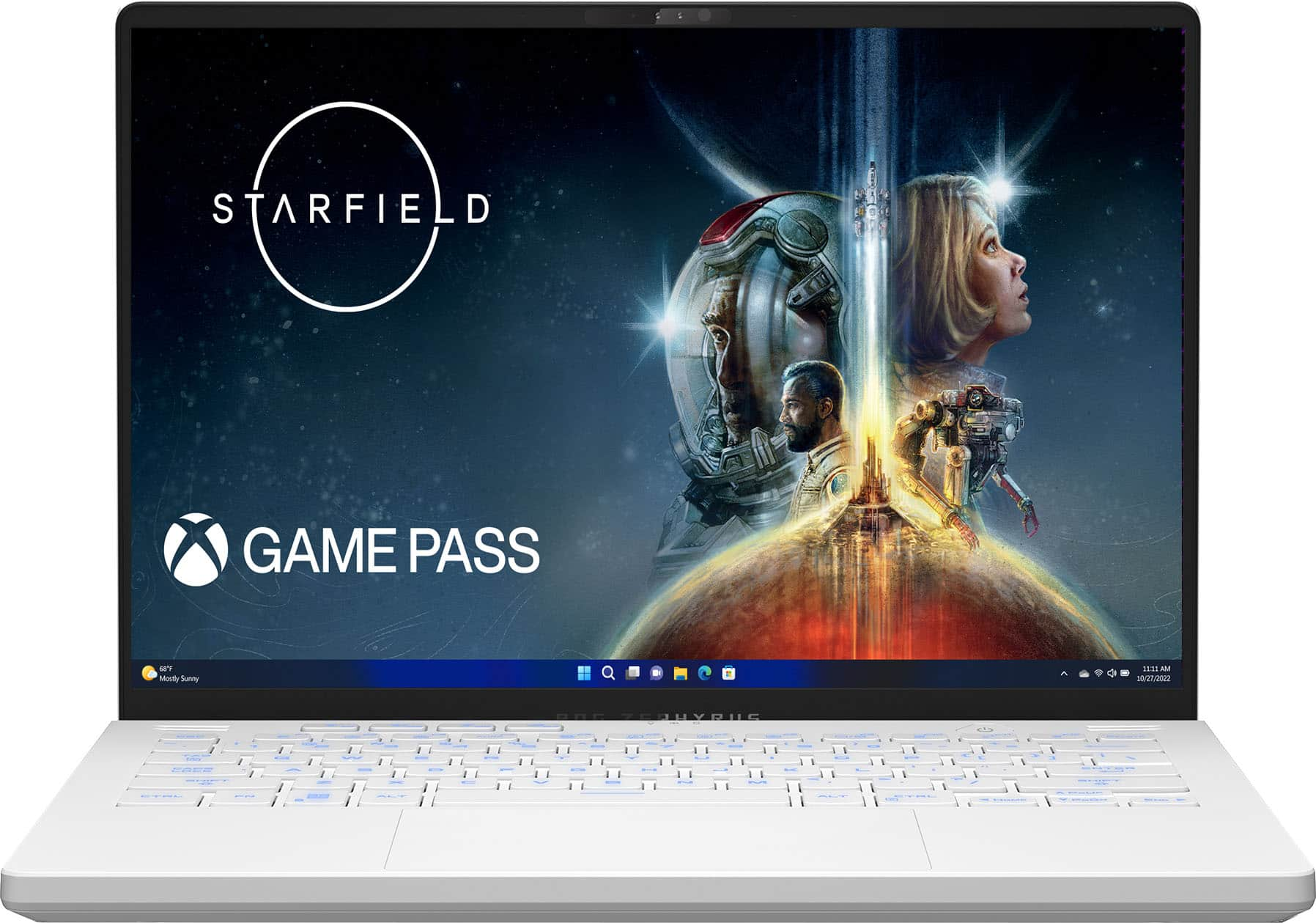
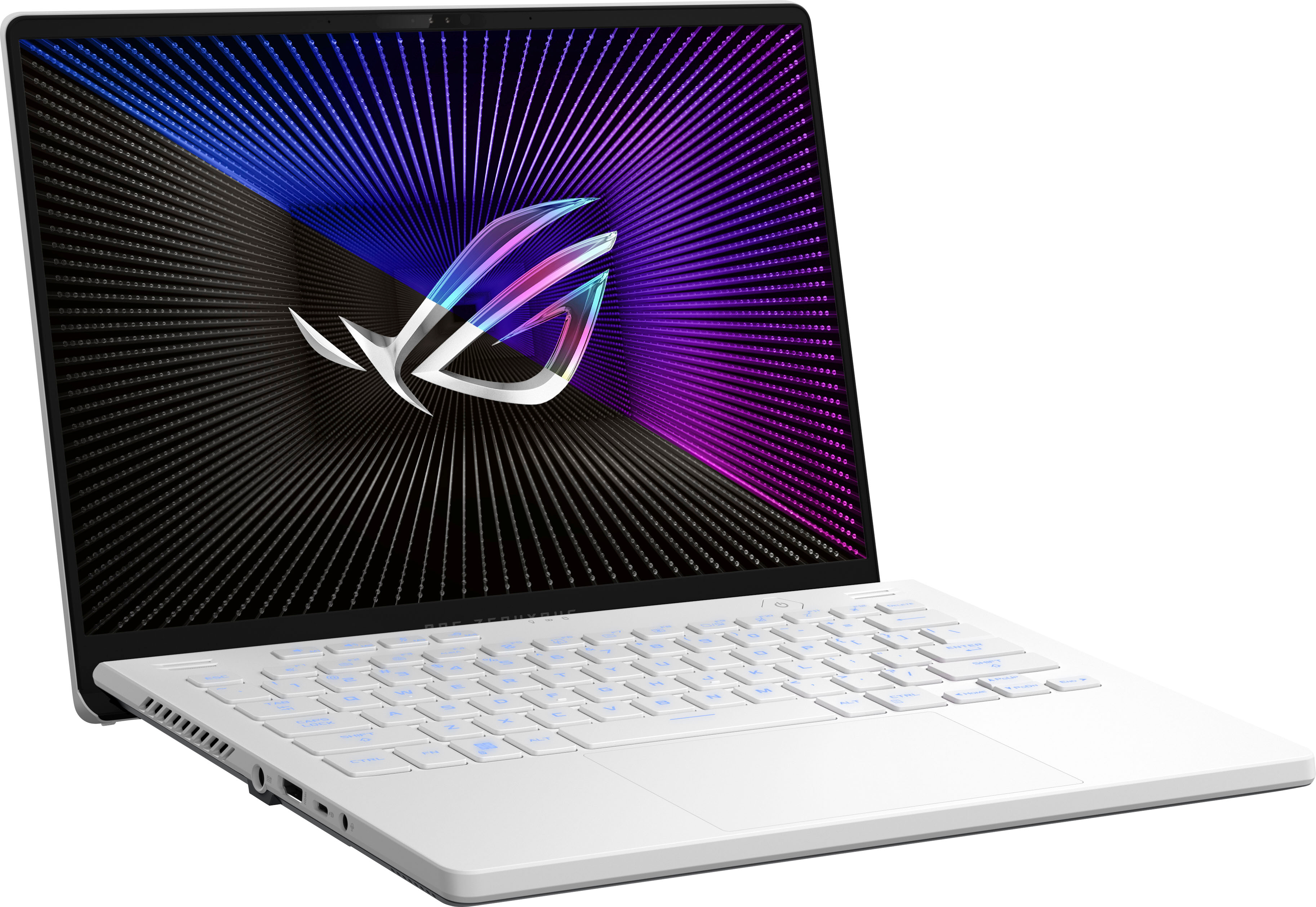
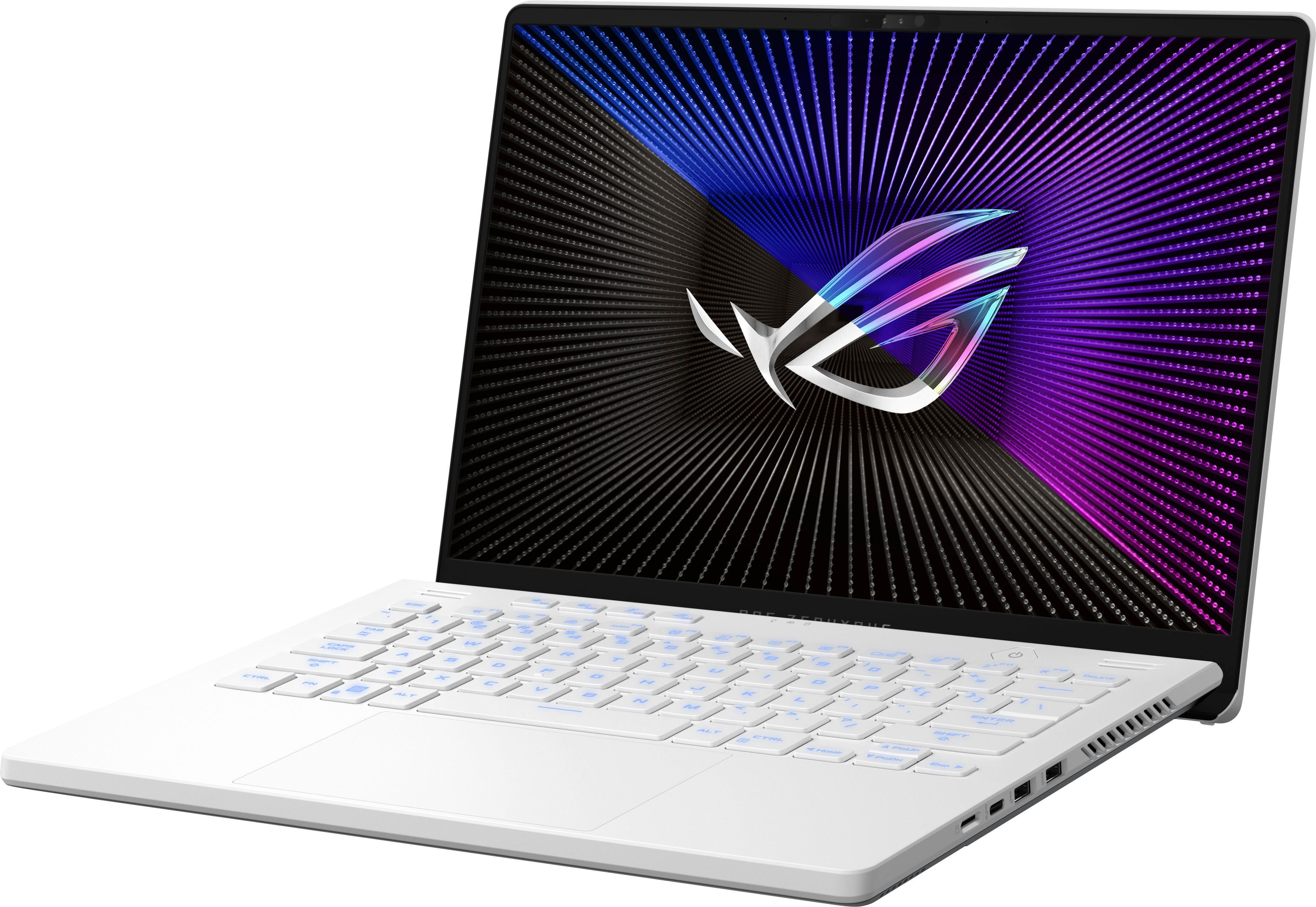
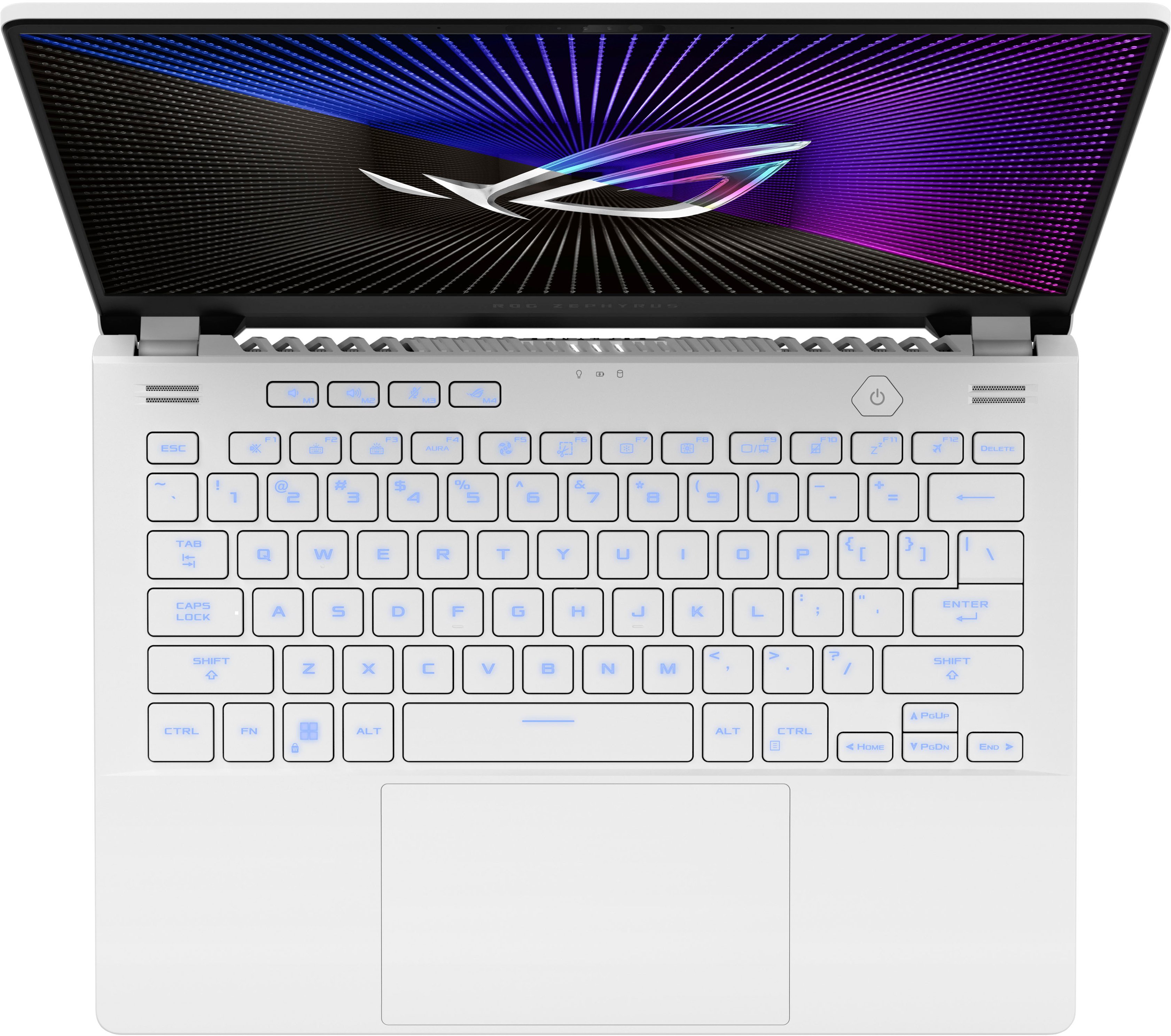
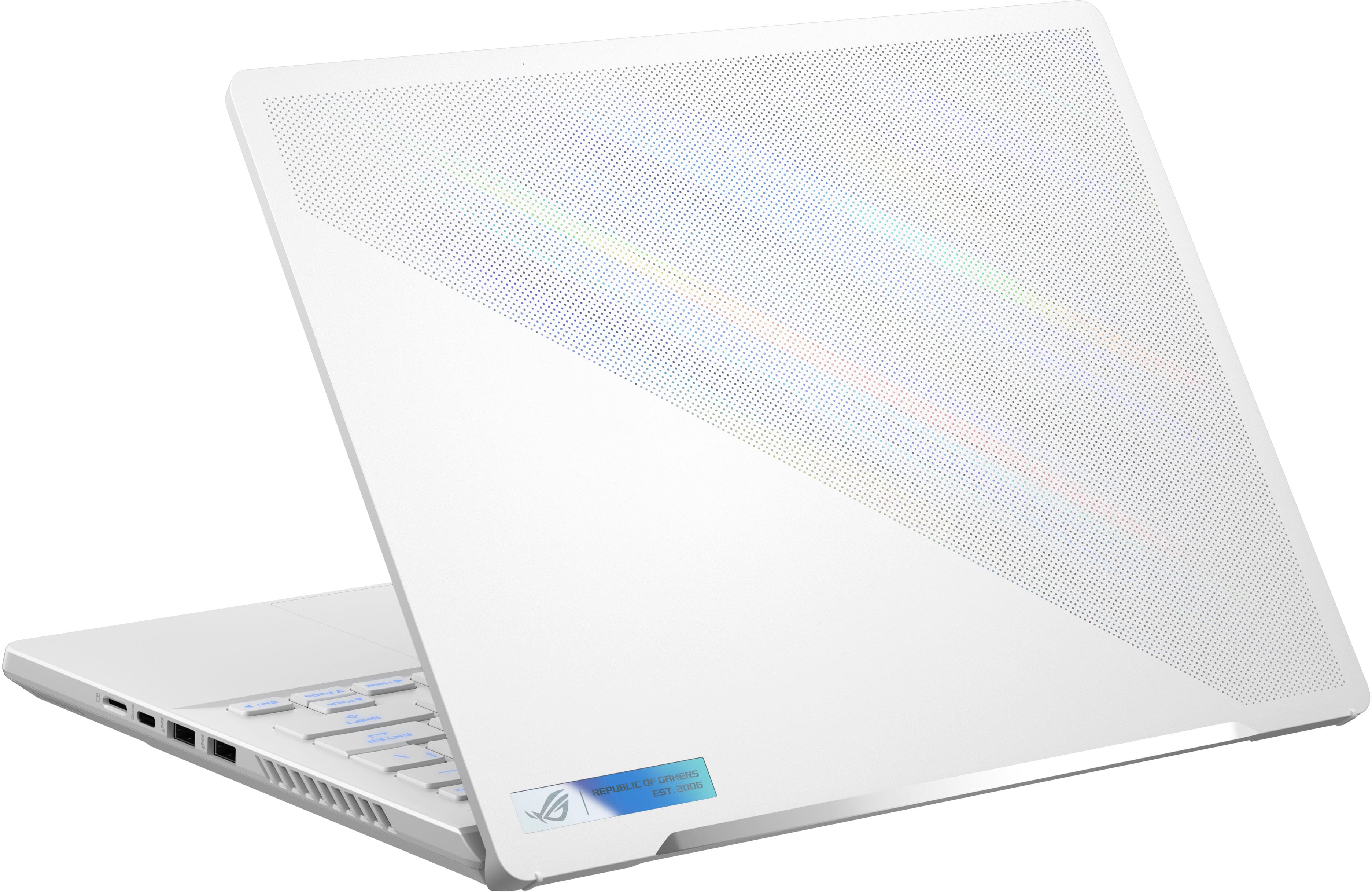
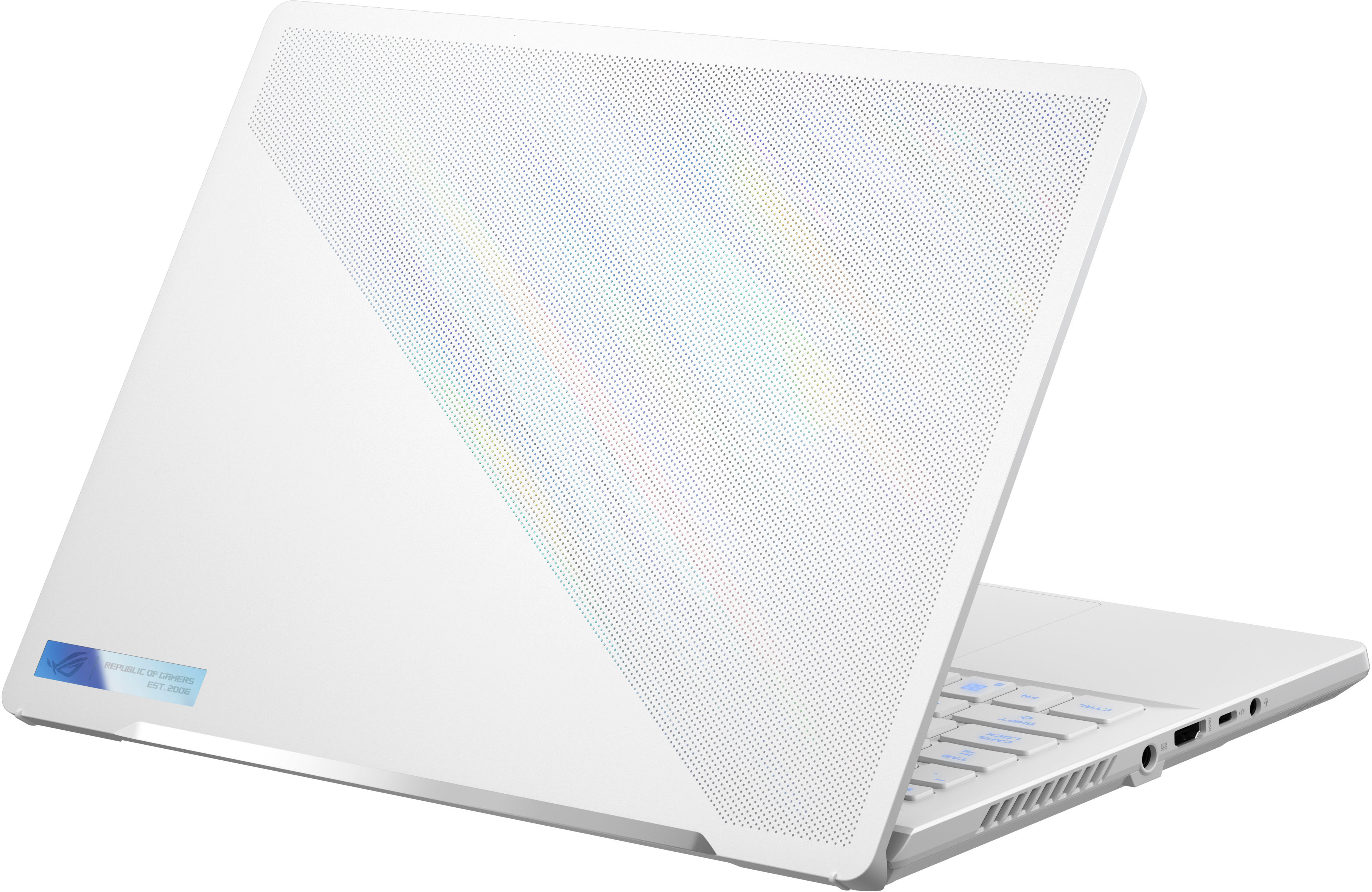
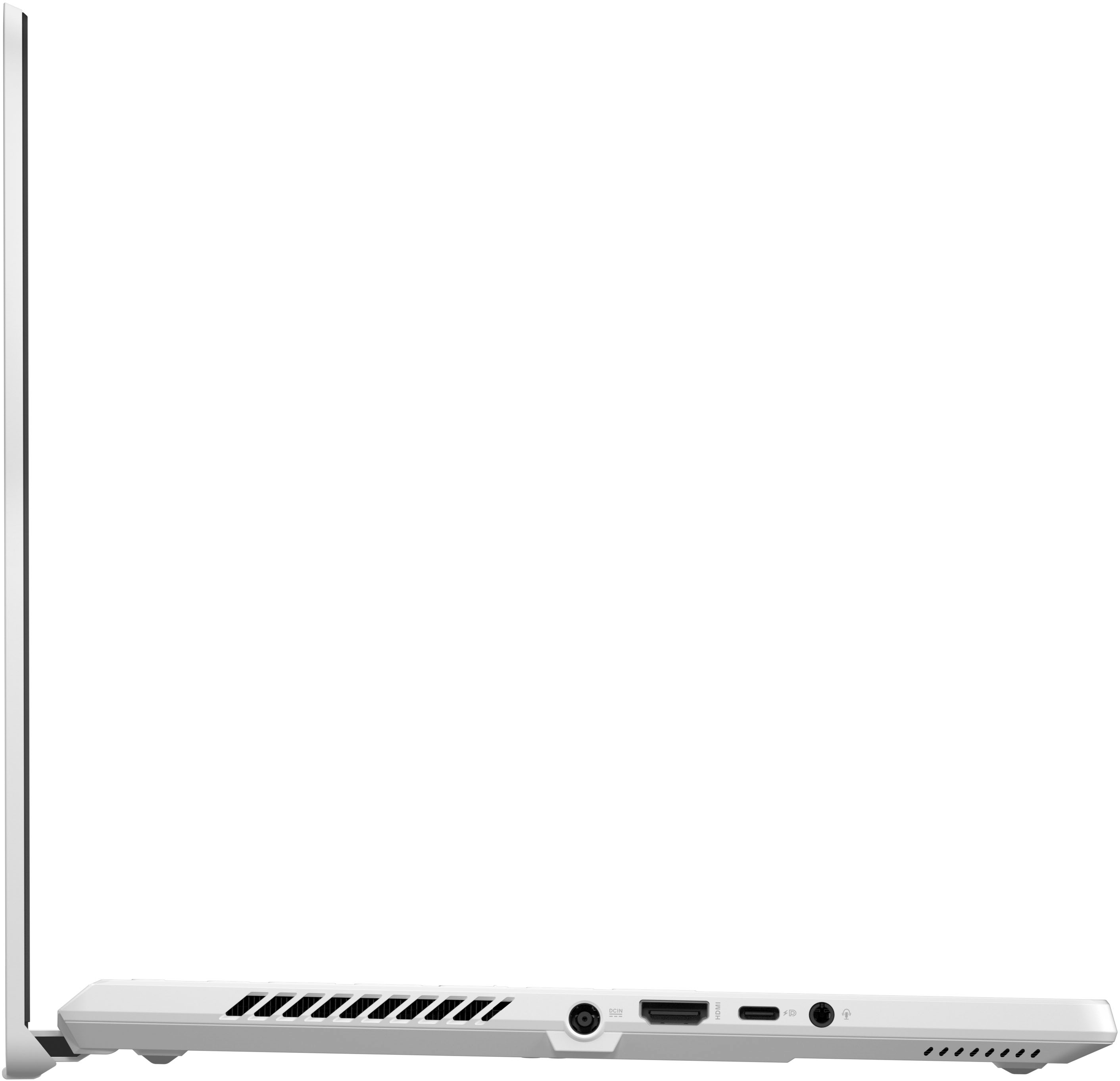
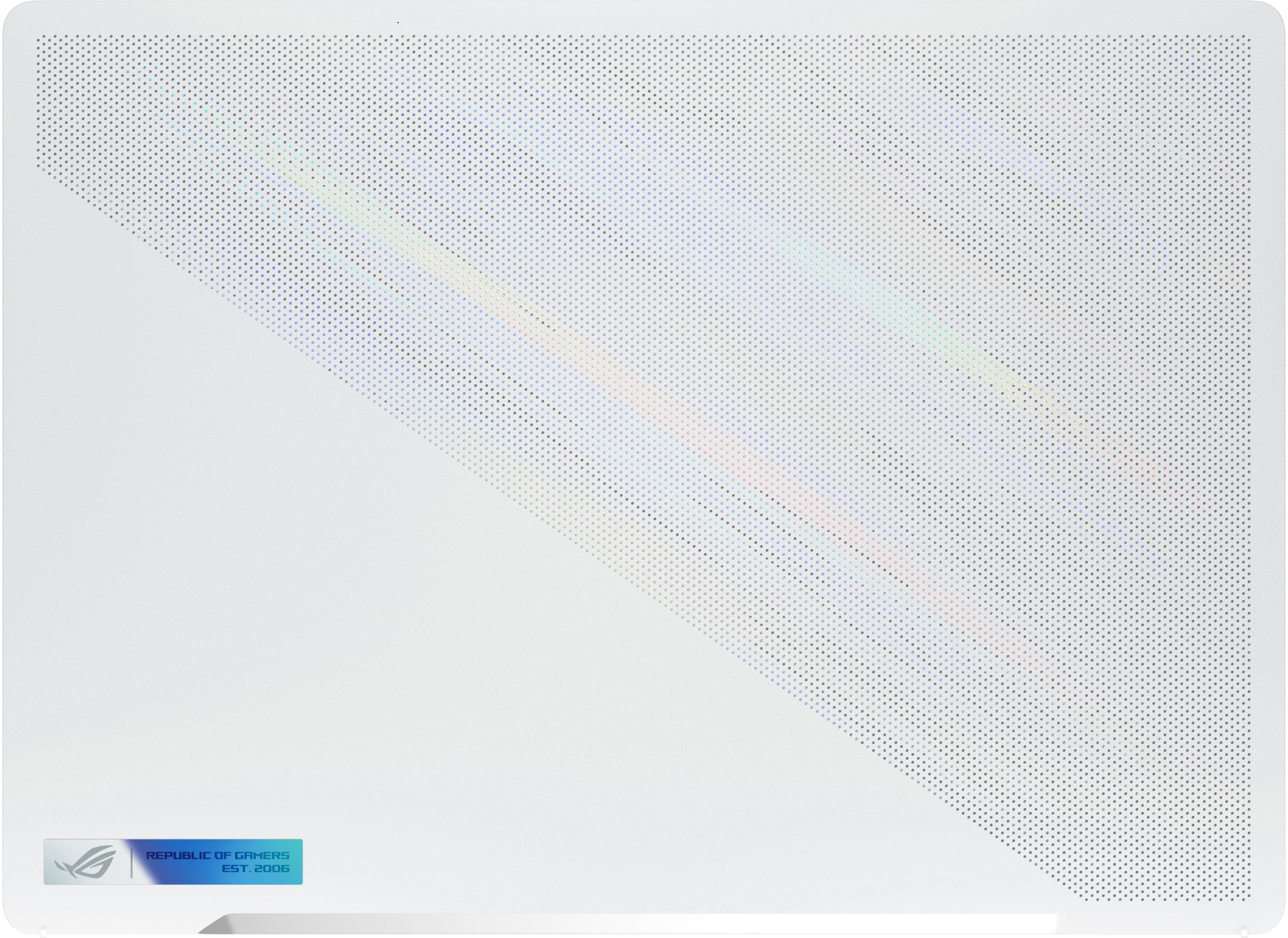
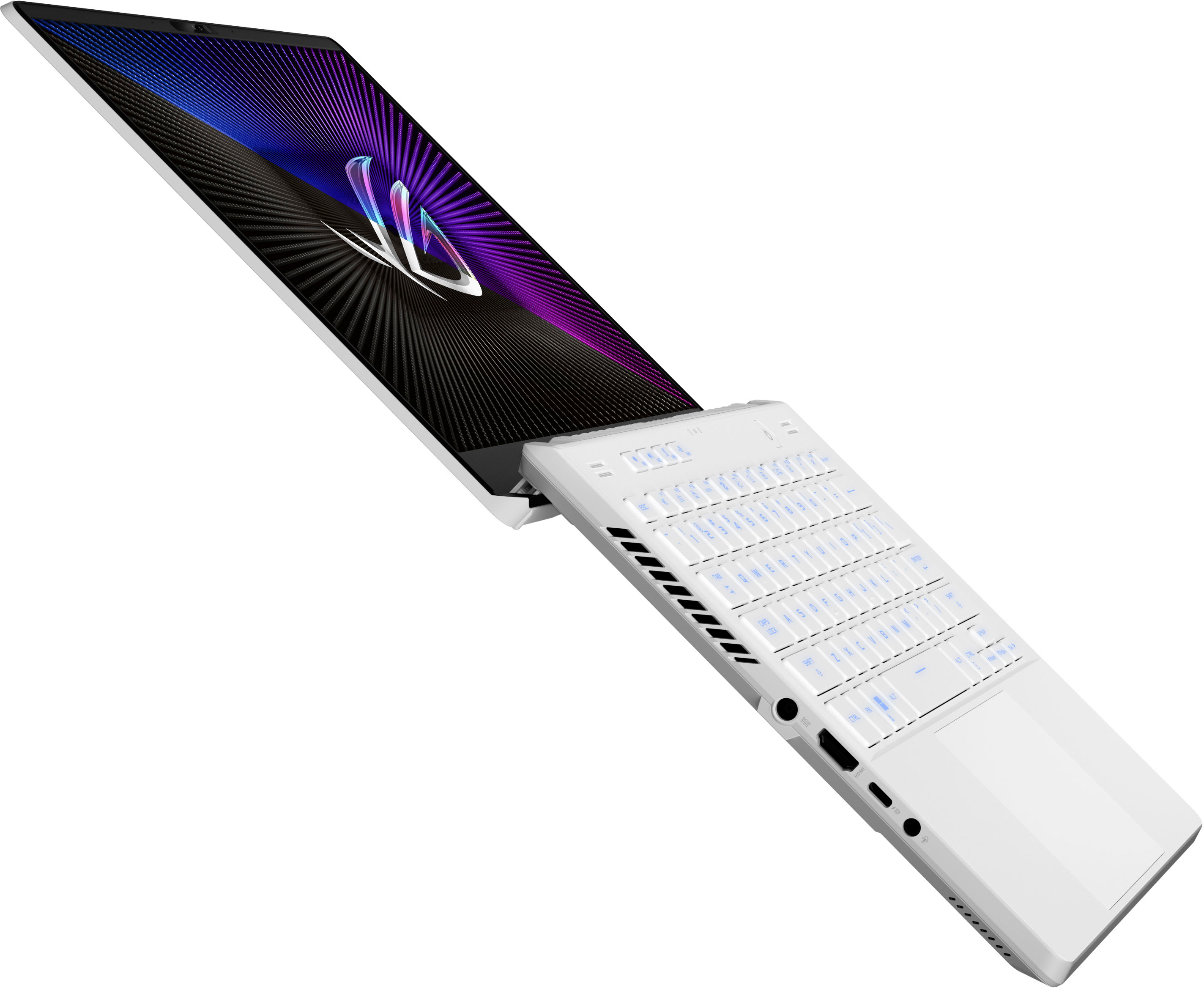
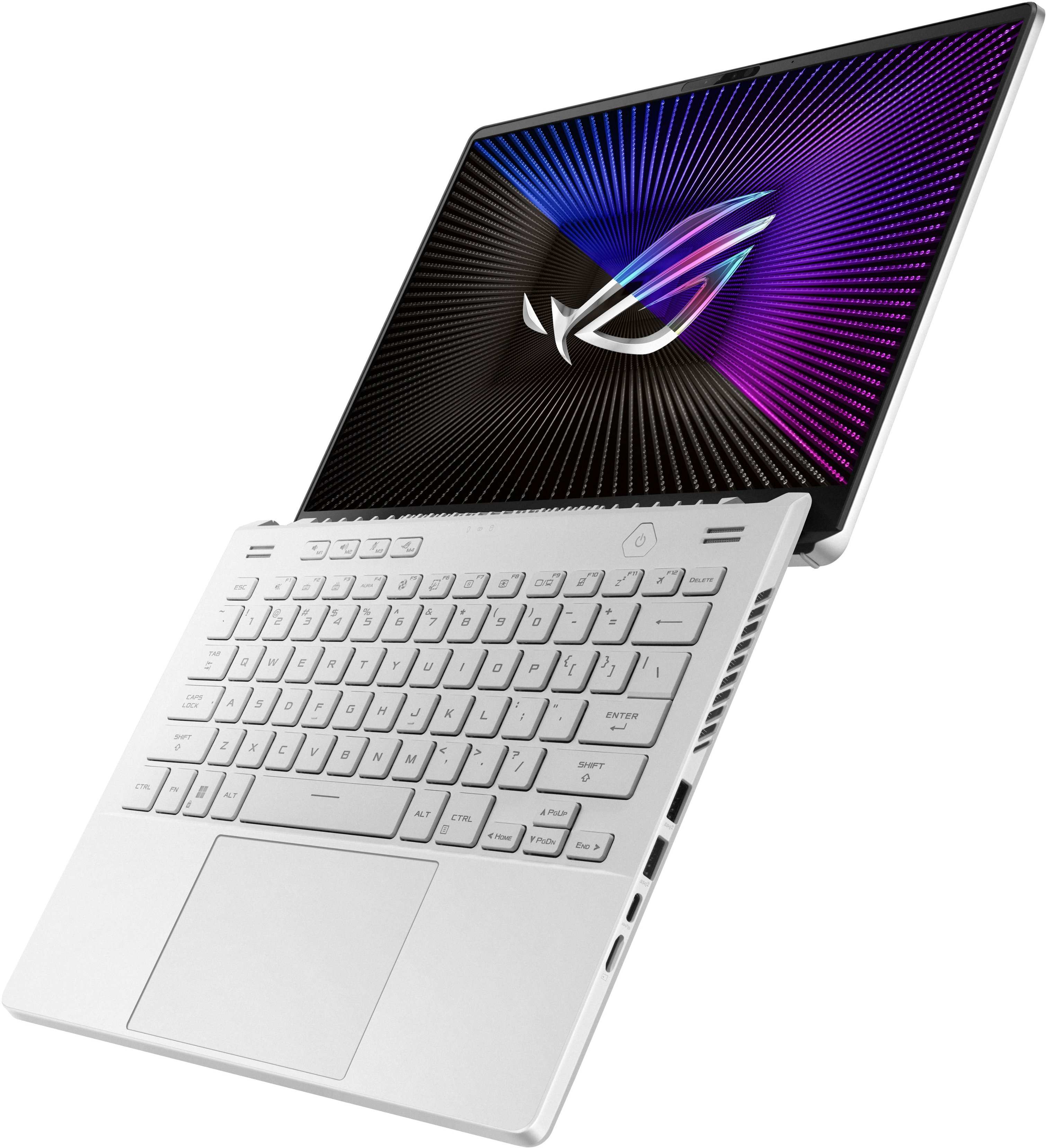
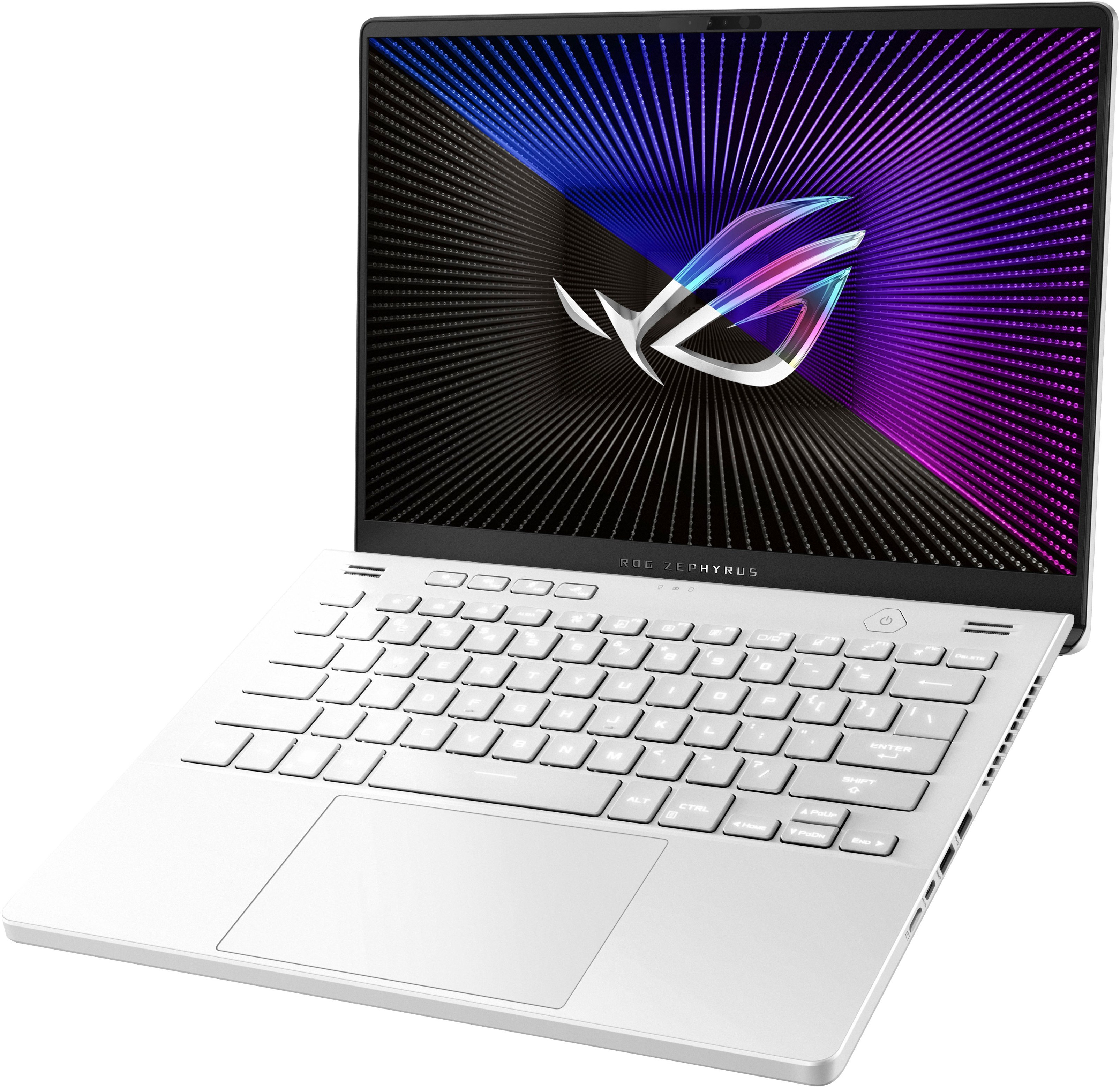
|Posted .This reviewer received promo considerations or sweepstakes entry for writing a review.ASUS is known for making top quality products that focus on usability and customization. Both are represented here with the GA402XV-G14. This laptop sits in an almost perfect balance of form factor, usability and performance. Out of the box, the design of the laptop is very straightforward, a nice white slab. 14” is a sweet spot for me, however if you’re looking for a hardcore gaming laptop, you might want to look at something with a larger screen. For me, 14” offers a nice balance for both gaming and home office, web surfing and even light picture/video editing. While not the thinnest or lightest out there, it never feels too big or too heavy, but just right. It has the unmistakable ROG design asthtice with angled perforation and hard angle vents, etc. Very nice to look at. It also offers a nice matte feel both outside and in. The I/O is split across both sides, with the right side offering 2 USB-A, 1 USB-C ports and a microSD slot, and the left side housing the power, HDMI 2.0, additional USB-C and headphone jack. All the USB portals are 3.2. I really wish the HDMI port was 2.1 for hooking up to compatible external monitors, big miss there for me considering the GPU inside. The networking inside is 802.AX and Wi-Fi 6E compatible. Connection is super-fast if you have the capable network hardware. I have an ASUS Wi-Fi 6E mesh network in my home, the PRO ET 12, and the laptop connects instantly at 2.4Gbps. Wi-Fi download speeds on my 1GB fiber connection were amazing even on the standard 5ghz band, around 750Mbps consistently anywhere in the house. The monitor lid has the traditional ROG fan blade design which hinges down behind the laptop, creating more immersive feel when viewing and keeping bottom bezel fatigue to a minimum. The keyboard is very nice, with full size keys in a chiclet style. Keys are very firm and pleasant to type on, which good response feedback, but almost virtually silent, no “click” or anything. You get all the traditional key placements including some custom ASUS buttons that will take you directly into the Armory Crate app and also keys for backlight, GPU modes and more. Boot up for me was super fast, even right out of the box. It did the usual Windows and application updates for the first few minutes which is expected for any new PC purchase. I will say, for the first couple days I thought I had an issue with the storage encryption software BitLocker. After boot ups from sleep or a recent update, I would be taken to the BitLocker Recovery screen. That seemed concerning at first, you shouldn’t be presented with storage recovery on a simple boot. I looked online to find some support answers, and actually after a few more ASUS updates, including one directly to the BIOS, the issue seems to have gone away. So I’m going to just chalk this up to some settings on my machine and possible config changes that updates were making, until finally a more recent update to the BIOS got it all squared away. You also have the option to turn off BitLocker if you choose, but that leaves your storage unencrypted. Needless to say, this machine is a beast. The specs are all here, Ryzen 9, plenty of RAM, RTX 4060 GPU, etc. This thing can handle just about anything you throw at it. All the benchmark testing was super impressive, I’ll attach some screen shots. When using for home office or watching videos or web surfing, just having fun, you can’t put a dent in this. It’s flawless. The speed at which applications open and close, multitasking, it’s all super impressive. The onboard display resolution is 2560 x 1440 (QHD) at 165hz. The screen is beautiful. Colors pop, blacks are deep, HDR looks really good. It has a matte finish as well so reflections are not a problem. Some people might be looking for a touchscreen capability at this price? But I’m not one of them. The display is great! I also love the amount of customization that ASUS and NVIDIA allow you, when configuring and tweaking the display and GPU settings. You have access to everything. ASUS makes most of the main controls right up front and easy to find in their custom dashboard, and then NVIDIA control panel allows you to configure to your hearts content, to get the best possible experience out of this machine. Gaming was excellent on this. Yes the processing power and GPU are beasts, but it is still a laptop. So you’re not going to play most current games at their highest end settings and get full FPS or resolution. But you can come pretty close. Being able to tailor in game settings with the GPU settings independently means you can find that sweet spot for each of your favorite games to maximize the resolution and FPS. Games played super smooth and in such hi fidelity. I was also able to push my LG UltraGear 48” 48GQ900 OLED external display at full resolution and 120hz. So when I’m at home and want to have that large, immersive experience on the LG, this laptop can deliver flawlessly. Picture editing using Lightroom was amazing as well. Using the LG display, pictures were vibrant and accurate, and the ASUS didn’t struggle at all to run the app plus push the monitor. It’s going to be a great workflow machine for both home and travel. It does have a few things I don’t love, some are small like the activity lights are centered above the keyboard, but they are behind the top panel, actually facing the screen. So unless you stretch to look over the top of the keyboard to see your activity lights, you won’t see them, but a small tiny reflection in the bottom bezel of the display. The charging brick is HUGE. It does deliver a ton of power and rightfully so, but I feel it could be smaller, and also the location of the power input is right in the middle of the left side I/O. It should be placed more toward the rear of the chassis. Last is the heat. When using GPU intensive programs, this thing gets hot. Like really hot. The fans are not the quietest I’ve ever heard, but not the loudest either. With that said, you will hear a lot of fan noise. Once the GPU gets humming, the fans will hum non stop. Headphones will be a must for longer gaming sessions. I will say I also feel I noticed some heat throttling when gaming for a period of time, when it became it’s hottest, FPS certainly did dip when playing the same games with no change in physical settings. I would 100% recommend a laptop stand for this, as the bottom becomes so hot you could cook on it. And the vent design to me is terrible. The main exhaust fans vent out the rear. Usually that’s fine. But ASUS laptops have that fan blade design that hinges down, so the bottom of the display lid sits directly behind the back of the chassis. So all the hot air is being exhausted out the back, directly on to the display. Doesn’t make sense to me. All in all, I love this machine, it’s the second ASUS ROG 14” laptop we have in our home, and we love them!
I would recommend this to a friend - Pros mentioned:Performance, Screen qualityCons mentioned:Fan noise
Almost totally fabulous--just slightly frustrating
|Posted .This reviewer received promo considerations or sweepstakes entry for writing a review.This latest G14 fixes or improves on so many issues from the older variants that I almost had nothing to grouse about--but there are a few niggles you should be aware of going in. Unboxing was a bit underwhelming; there is no swag or handy laptop sleeve, no ethernet adapter or headphone/mic splitter--not even a sticker. That’s okay, it’s what’s on the inside that counts, right? In that respect...truly...the G14 does very VERY little to disappoint! Construction feels solid & even slightly heavy--surprisingly so for a laptop this size; there is virtually no flex around the keyboard or trackpad. The trackpad is smooth & reassuringly taut; there is nothing cheap-feeling here! There are ports-a-plenty including microSD (I have a 1TB Sandisk card in mine that was recognized immediately), HDMI 2.1, 3.5mm combo headphone/mic jack, 2 USB-3.2 Gen 2 Type A, 1 USB-3.2 Gen 2 Type C w/DP, & 1 USB-4 Type C port w/DP & power delivery! The USB-4 port worked perfectly w/my Thunderbolt eGPU running either an external monitor or the G14's own panel. The chicklet keyboard feels pleasantly solid & is almost completely full-sized with just the 4 multimedia & arrow keys getting awkward half-height dimensions. Thankfully you can change the keyboard’s backlighting to something other than white (which made the keys virtually unreadable in bright light), though effects are limited to 1 color at a time--no per-key RGB. Initial setup took <11 minutes from initial power-up to Win 11 desktop. Bloatware was minimal w/just a 1-month McAfee trial, 3-month Xbox Ultimate trial, & some ASUS-specific software incl. Armoury Crate (performance tuning/tweaks & system monitoring), Aura Creator (RGB effects—such as they are--for the keyboard as well as animated wallpapers & any other connected Aura Sync hardware), MyASUS (software, driver updates, & support hub), & Virtual Pet (animated screen buddy that can be used to set display or system status notifications while I wanders around the desktop). The Virtual Pet seemed better suited to those models featuring an AniMe Matrix LED display on the back of the screen (this G14 doesn’t have), but there might be an appetite for a little robot-monkey thing wandering around while you work & play. Once all MyASUS, Armoury Crate, Windows app, & MS system updates were finished, operation was smooth & responsive with a full power-up from shut-down taking ~25 seconds. The G14 supports advanced Optimus switching which means you basically have two video cards to pick from via simple taskbar activation or NVIDIA control panel toggle--no need to restart or mess around in BIOS to choose between the iGPU or discrete RTX GPU- -you can even let the PC pick the appropriate GPU for you, automatically switching based on power/battery settings or whether you’re gaming or not…NICE! Integrated wireless performance was outstanding with the G14’s MediaTek Wi-Fi 6E adapter besting my desktop's AX210 6E performance (despite the latter’s larger antenna) for download speeds via 6Ghz @ 160Mhz channel width by at least 80-200 Mbps at the same distance; those of you w/very high-speed Internet & 6E router are going to love what operating in that segment of the Wi-Fi spectrum is going to do for you! Much ado was made in ASUS' marketing about the ROG Nebula Display & it’s mostly got the goods to deliver on those promises. It’s got a more document/web-friendly 16:10 aspect ratio & a denser, more detailed QHD+ (1600p) picture than prior generations’ 16:9 1440p displays; & the mini-LED backlighting does a LOT to improve uniformity, contrast & PQ than some sloppier, edge-lit panels. No, you will not get inky blacks that come close to OLED, but colors are vivid & bright enough to cause eye strain if you want & off-angle performance is excellent per usual w/IPS displays. Gamers will love the low 3ms response time coupled w/a 165Hz refresh rate, & the native G-Sync makes gameplay deliciously, silky smooth. Where I was more than a bit let down was how HDR was handled. Yes, you can *STREAM* HDR content & even get a reassuring note in Netflix for Dolby Vision, but the panel itself is NOT VESA DisplayHDR certified, meaning you cannot game or view desktop content in HDR. You MIGHT be able to hit somewhere near ASUS’ claimed 500 nits brightness during some part of a Dolby Vision stream; but in regular use, you’re probably going hit closer to 140-180 nits (based on my measurements) depending on your settings--still very bright & engaging, but also very disappointing once I realized HDR wasn’t available outside of streamed content. In fact, Windows doesn’t even recognize the panel’s 32bit/10-bpc color depth capabilities when the RTX card is selected—you have to make *that* change in NVIDIA control panel under Display>Change Resolution>Use NVIDIA Color Settings. Speaking of color settings, Armoury Crate gives you a selection of color profiles, many supposedly tuned for specific game genres (RTS, FPS, etc.), content (cinema, photos of scenery), or functions (blue-light reduction, faster panel response time)--much of which I found gimmicky & unnatural. But if you’re after accurate/neutral colors, out-of-the-box color temperature leans slightly towards the bluer/daylight end of the spectrum. Armoury Crate does give you color space choices: Native, sRGB, DCI-P3 & Display P3. Native, sRGB, & Display P3 all measured ~7300K at 171 nits—all had a tiny cut in red & VERY slight boost in blue. DCI-P3 was closer to neutral at 7089K/165 nits w/a slight cut in red & tiny boost in green. Moving Armoury Crate’s color slider down to 20 brought things to 6553K w/just a slight bump in green that I tamed using Windows & NVIDIA color sliders getting me w/in 1 degree of perfectly neutral 6500K color temps! The G14 is upgradable, but there are some gotchas. First, there are three bottom screws inexplicably hidden underneath rubber stoppers glued to the screw heads. They aren’t tall enough to provide any surface/scuff protection (so why have them?), but getting them off without damaging the plastic cover required irritatingly difficult effort w/some needle-nose tweezers. Once you’re inside though, replacing the SSD & starting w/fresh Windows 11 was a piece of cake thanks to ASUS’ cloud recovery tool that works from BIOS. Read that again—you can reinstall Windows & factory ASUS software directly from BIOS without buying/downloading any software, messing with partitions, formatting a new drive, etc.—it was effortless. So long as you have a steady Internet connection, just pop in a new NVMe & let the tool run. I replaced the stock 512GB WD SN740 SSD (no slouch itself in performance) w/a 2TB WD Black SN850x...which ABSOLTELY hit WD’s crazy-high read/write speeds in the G14 BTW. It took about 20 mins for the download & 30 mins of unattended reboots & reinstallation to get back to the “let’s get Windows ready for you” welcome screen. **Be sure to resist the temptation to start mousing or press ‘OK’ during one of the MANY system reboots into Administrator mode, especially when a pop-up appears requesting confirmation to restore the “out of box experience”—it all happens automatically; kudos to ASUS for this one!** The onboard RAM is soldered to the motherboard; but unlike previous G14s, you have a completely open SODIMM slot for upgrades! BUT, here’s where it gets tricky again. I used CPU-Z's info from the onboard RAM to purchase an IDENTICAL stick of 16GB Micron DDR5 4800Mhz CL40 memory—the G14 wouldn’t boot. I quickly learned through some Google & Reddit-fu that the G14 is notoriously picky about RAM upgrades. I tried Crucial RAM but still nothing; the laptop would power up but would not post, even after waiting to accommodate DDR5’s "memory training" time. I finally got a stick of Corsair VENGEANCE DDR5 to work—the laptop booted immediately & has been rock solid ever since. Because DDR5 runs natively in dual-channel mode even with just one stick, the only performance gains I noted going to 32GB were in handling larger files & more open tabs than before; I measured no gaming performance increases like I have seen going from single to dual-channel RAM in other PCs. How does it play? Honestly, the G14 is surprisingly capable, especially for an NVIDIA xx60 model pushing WAY more than 1080p. Sadly, you’re not going to max out the beautiful 165Hz panel on AAA titles @ Ultra settings in native 1600p; but you are going to enjoy gameplay & eye-candy way above 60fps—throw in G-Sync smoothing, DLSS scaling & frame generation & you’re going be loving how much performance you can get from a chassis this small. Sadly, the fans get a bit loud once the action gets hectic w/all settings maxed. The “performance” fan profile still lets you game comfortably on the built-in speakers, but the fans are loud enough to start getting intrusive—at turbo/full speed, fan noise is approaching 48dB so headphones are basically a necessity. Temps *can* get a bit toasty though the fans exhaust out both sides & the back of the chassis; the keyboard got noticeably hot a few times but never quite enough to become painful (which I have experienced in the past). Finally, here is some sample gaming performance for your consideration: FPS Min/Max/Ave all @ 1600P, no V-Sync/G-Sync/DSR/FSR/DLSS/frame limiters. Obviously adding DLSS or dropping a few video settings a level or two will produce better results, but I wanted to see what unassisted top-tier performance looked like. • Timespy – 9954 (Legendary); GPU temp peaked 81C • AC Valhalla (NV recommended HIGH/Very HIGH): 35/130/86; GPU Temp peaked 80C • Horizon Zero Dawn (Ultimate): 32/140/76; GPU Temp peaked 85C/CPU Temp peaked 92C • Metro Exodus Enhanced (High+Raytracing): 30/85/48 GPU Temp peaked 80C - because raytracing was so punishing here, I added DLSS just to see what would happen: 39/107/70 • Shadow of the Tomb Raider (Highest): 65/121/81; GPU temp peaked 85C • Gears 5 (Ultra): Ave 80FPS, Ave Min (5%) 61.3FPS; GPU temp peaked 76C/CPU peaked 90C
I would recommend this to a friend - Pros mentioned:Battery life, Screen qualityCons mentioned:Fan noise, Heat, Keyboard
Definitely worth consideration
||Posted . Owned for 2 weeks when reviewed.This reviewer received promo considerations or sweepstakes entry for writing a review.If you’re looking for a MacBook alternative that punches above its price-point, this is it. Asus builds a decent product, not top-tier but definitely not budget either. Build quality is good but the majority plastic construction feels a little less than premium. The display is bright and colorful, the refresh rate is a nice bonus and doesn’t heat up. I don’t like the keyboard, it feels spongy and the rounded edges of the keys makes it feel clumsy. Let’s talk about the processor….wow! It’s powerful (on performance mode) and has decent battery life (in eco mode). It does make a lot of noise when running it at full power and still builds heat despite the ridiculously loud fans. I plugged it into my 65” 4k HDR tv, closed the lid, and used a game controller to get away from the noise. Gaming on the big screen tv playing Starfield maxed out on graphics settings yielded a smooth experience with almost no FPS drops. I upgraded the RAM to 32gb and put the fastest M.2 SSD I could find into it and now, no frame rate drops. Overall, I’m extremely happy with this laptop. It’s a mid-tier gaming setup with $300 worth of upgrades but also a docile easy to transport everyday laptop. I’ve seen up to 9 hours of battery life offline, 5 streaming videos. It’s light and small enough to go in my bag almost everyday. I see it lasting me a couple of years and at this price point, that’s not too bad.
I would recommend this to a friend - Pros mentioned:Battery life, Performance, PortabilityCons mentioned:Fan noise
G14 with 4060
||Posted . Owned for 2 weeks when reviewed.This reviewer received promo considerations or sweepstakes entry for writing a review.Amazing laptop for people that want portability and the ability to game still. Ran any of my games flawlessly. Computer fans can be a little loud but what gaming laptop isn’t especially with the power you get from this device. Battery life is great and you can easily get over 8 hours which is pretty incredible for a gaming laptop I have no complaints on this laptop
I would recommend this to a friend - Pros mentioned:Performance, Portability, RamCons mentioned:Fan noise
Great portable machine that can do anything i need
||Posted . Owned for 3 months when reviewed.This reviewer received promo considerations or sweepstakes entry for writing a review.Amazing laptop minus there being fan noise on the right fan to the right of the track pad. I've been able to run most games that I play at high settings at 1440p and at 120-144hz for the refresh rate. I upgraded the SSD to a 1tb and added another 16gb of ram. It's portable and light but can do anything I need while being mobile.
I would recommend this to a friend - Pros mentioned:Performance, Screen qualityCons mentioned:Fan noise
An excellent laptop
||Posted . Owned for 2 weeks when reviewed.This reviewer received promo considerations or sweepstakes entry for writing a review.A nice little machine. So far it’s been used for some light gaming and general browsing. Performance in cyberpunk 2077 has been great. The screen looks great aside from some backlight bleed that is pretty noticeable on dark screens. Fans can get a bit loud but that issue can be solved by some tuning in armory crate, or even better, ghelper the less bloated alternative to armory crate.
I would recommend this to a friend - Pros mentioned:Screen qualityCons mentioned:Fan noise
Great laptop but don't pack tightly in a backpack
||Posted . Owned for 2 months when reviewed.This reviewer received promo considerations or sweepstakes entry for writing a review.Be careful not to pack it tightly in a backpack. When I did this, the other items in my backpack pushed the screen against the keyboard, which left scratches on the screen. I have not had this problem with my other laptops, so I think it is a design flaw with this laptop. Seeing the scratches when the screen is black is very annoying. Other than that, the build quality is great. The metal chassis gives it a premium feel. The screen is bright with vibrant colors. Turning the graphics settings to high in games makes them look amazing but causes the fans to sound like jet engines. It's fine after I put on my noise-cancelling headphones though,
I would recommend this to a friend - Pros mentioned:Screen qualityCons mentioned:Fan noise, Heat
Great laptop for the price
||Posted . Owned for 1 month when reviewed.This reviewer received promo considerations or sweepstakes entry for writing a review.It's a very good laptop. It display is excellent and it runs all the games that I need. The only problem is that it runs very hot under load and the fans get noticabley loud to the point where I can't really play demanding games in a public setting
I would recommend this to a friend - Cons mentioned:Fan noise, Heat
Powerful, efficient gaming laptop
||Posted . Owned for 2 months when reviewed.This reviewer received promo considerations or sweepstakes entry for writing a review.I jumped from years of console gaming to the wonderful world of PC with this laptop. Couldn't be happier with my decision. This little beast is more than capable at running the latest games with no issues at all. It's portable, its powerful, its capable. I couldn't ask for more. Some reviewers have stated that battery life isn't great, that it gets too hot, that fans are loud. Yes, all that is true. But you don't buy a gaming laptop to play a AAA game on high settings for hours running on battery, do your research. These laptops are best used when they are connected to power without fearing to ruin the battery, when using ac adapter the power will bypass battery and go straight to the internals to power. Yes it gets hot, yes the fans spin and make noise, its powerful and small. That's what you get with this laptop. Explore Reddit to see what you should expect.
I would recommend this to a friend - Pros mentioned:Screen qualityCons mentioned:Fan noise, Heat
Works well, but fan noisy and it runs hot
||Posted . Owned for 1 month when reviewed.This reviewer received promo considerations or sweepstakes entry for writing a review.Bought this for gaming. Display is good, works well for most games and ultra settings (BG3, diablo IV), but fan runs constantly and is pretty noisy. It also runs pretty hot.
No, I would not recommend this to a friend - Pros mentioned:PerformanceCons mentioned:Fan noise
Solid overall
||Posted . Owned for 2 months when reviewed.This reviewer received promo considerations or sweepstakes entry for writing a review.Great looking design with strong performance. However, fan curves are a bit weird out of the box: browsing the web would make the fans turn on and off. Fixable in software so not an issue.
I would recommend this to a friend - Pros mentioned:RamCons mentioned:Fan noise, Heat
Pretty good for the price
||Posted . Owned for 2 weeks when reviewed.This reviewer received promo considerations or sweepstakes entry for writing a review.A little bit of tweeks with G-Helper to help with temperatures and fans decibels, a quick upgrade of the SSD and RAM and it became my favorite laptop by far.
I would recommend this to a friend - Cons mentioned:Fan noise
A Beast!
||Posted .This reviewer received promo considerations or sweepstakes entry for writing a review.I love his laptop. It is super fast handled. He handles all games, wonderfully. It is a lower wattage, 4060, but with DLSS and frame generation turned on. It holds up like a champ. It does get a little hot a long play sessions, but as long as the underbody is well ventilated, it should never have any issues. The most demanding James, I will get a little loud, but that is to be expected from laptops. this next part is not a thing against the laptop. It’s self, but more against the company while I love Jesus, and what they’re doing with rock. I’m not a fan of their armory software, and a couple other preloaded junk they put in. However, that’s just my opinion. Some people like armory Creech, and some of the other Jesus products. It’s just not my cup of tea. All in all, I would definitely recommend this laptopto anyone.
I would recommend this to a friend - Pros mentioned:PerformanceCons mentioned:Fan noise
Great purchase for gamers and software engineers
||Posted . Owned for 1 month when reviewed.This reviewer received promo considerations or sweepstakes entry for writing a review.This PC works great for me. The downside is that it is loud and the fans run a little hot. The price is low for the market and you would have to pay to not have that happen. It can do everything you want it to do. There is nothing that you are considering that the ROG cannot endure and give you maximum performance. Pushing it to the edge would be attempting to run a couple of high system requirement games at the same time. Multiple spreadsheets and cross function R projects can definitely be done with ease.
I would recommend this to a friend - Pros mentioned:PerformanceCons mentioned:Fan noise, Heat
Small but powerful
||Posted . Owned for 1 month when reviewed.This reviewer received promo considerations or sweepstakes entry for writing a review.Really powerful little computer, can handle all the heavy design and gaming I throw at it. Only knock I have on it is how hot it runs and how loud the fans are.
I would recommend this to a friend - Pros mentioned:Screen qualityCons mentioned:Fan noise
Great laptop
||Posted . Owned for 3 weeks when reviewed.This reviewer received promo considerations or sweepstakes entry for writing a review.Light weight, great built quality and easy to upgrade ram and internal ssd. A little noisy with the fans but definitely not intrusive
I would recommend this to a friend