Customer Ratings & Reviews


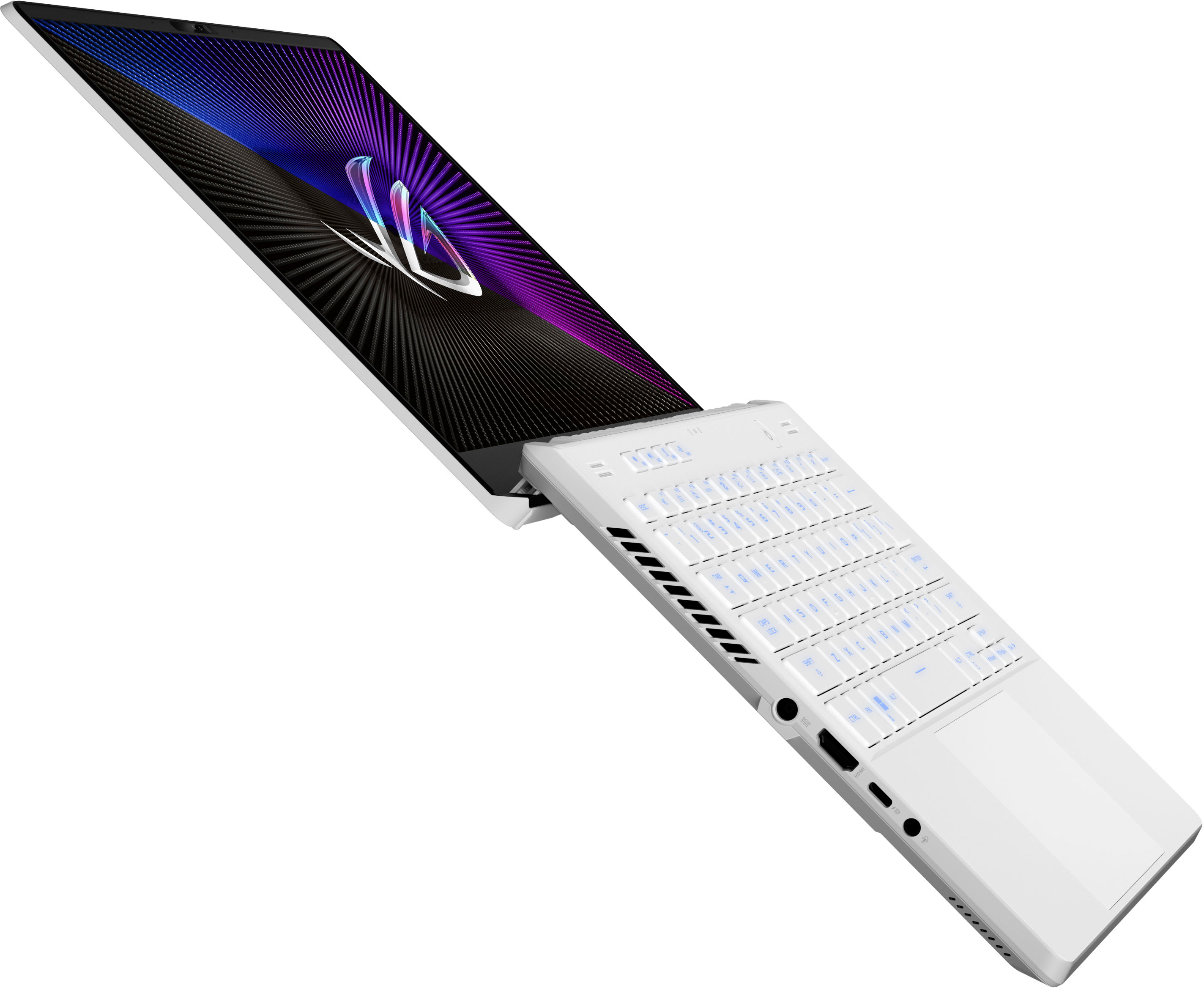
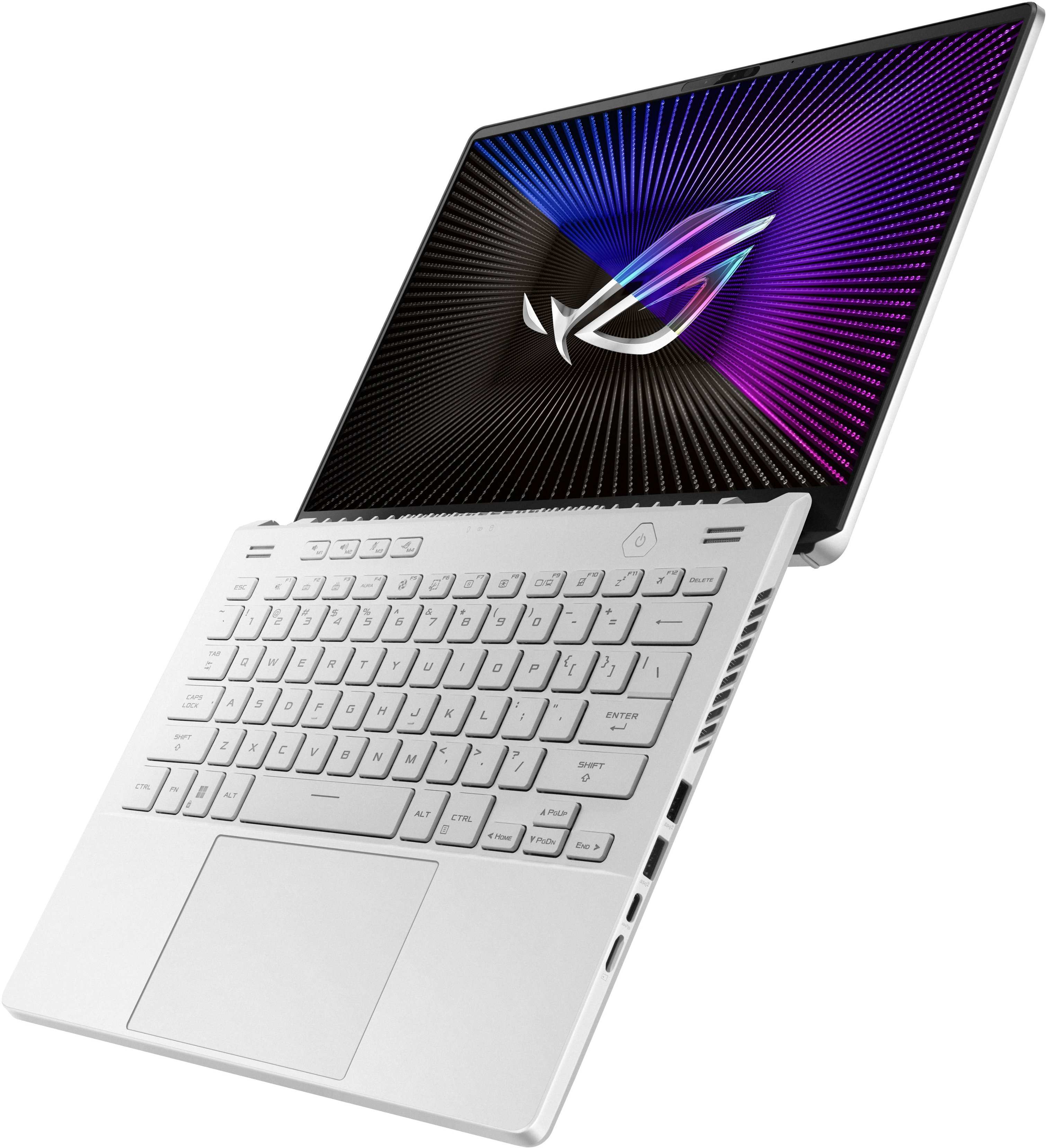
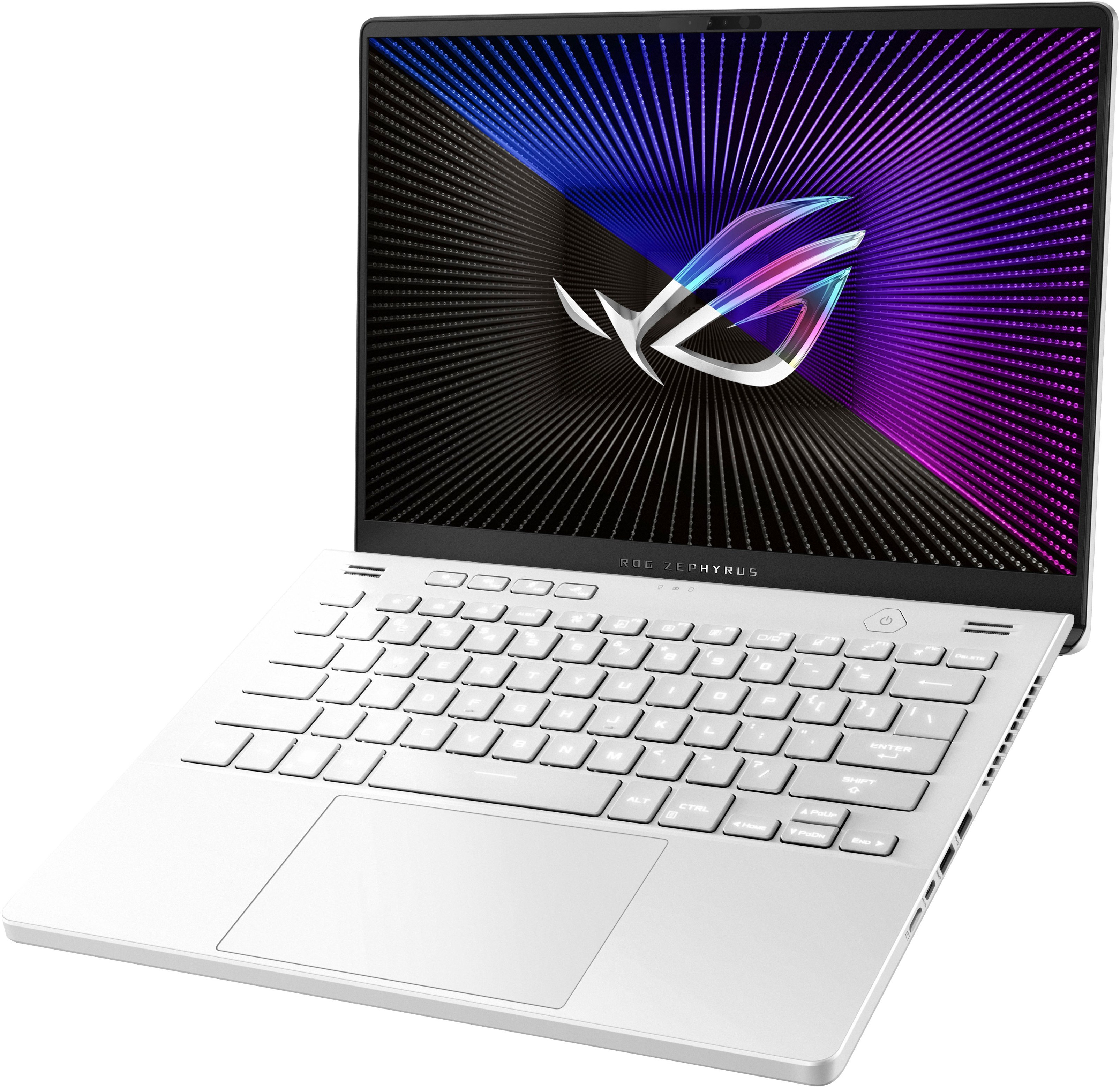







- Model:
- GA402XV-G14.R94060
- SKU:
- 6535495
Rating by feature
- Battery Life
Rating 4.1 out of 5 stars
- Speed
Rating 4.7 out of 5 stars
- Display
Rating 4.7 out of 5 stars
Customers are saying
Customers admire the ROG Zephyrus G14's performance, battery life, and screen quality, frequently praising its portability and compact size. Many appreciate the upgradable RAM and the sleek design, although some users note that the device can get warm and the fans can be loud. A few customers also mentioned concerns about the keyboard's reliability and the storage capacity. Overall, the positive feedback on performance and portability outweighs the negative comments regarding heat, fan noise, and storage.
This summary was generated by AI based on customer reviews.
- Pros mentioned:Battery life, Performance, RamCons mentioned:Heat
MUST BUY! ROG nailed this one.
||Posted . Owned for 3 weeks when reviewed.This reviewer received promo considerations or sweepstakes entry for writing a review.I’ve owned many computers. And this fits every need. I love the size, performance and battery life. You won’t regret this purchase! I upgraded the ram by adding a 16gb stick in making it 32 gb and upgraded the storage to a 1tb ssd. This laptop unlike others is easy to get into and fix. Display is amazing! I play with a laptop stand and a little fan to help with cooling and I’ve had no issues at all with cooling!
I would recommend this to a friend - Pros mentioned:Battery life, Performance, Ram
Pretty Reasonable Machine
||Posted . Owned for 3 weeks when reviewed.This reviewer received promo considerations or sweepstakes entry for writing a review.While I've got a solid desktop for my main work at home, having something reasonably portable and capable when traveling was what I was looking for here. My previous laptop was a 2016 Razer Blade 14, which served me well (until the battery gave up), so a similar sized and reasonably powerful machine was what I was looking for (without the major cost of a Razer device). Battery life is solid. Being a secondary device, I primarily was charging it very infrequently (~ 1 time a week or so), and even when I was using it for web and work related tasks, it had plenty of life for what I needed (Windows reported as high as 13hrs, but I wasn't too sure about that). Gaming Performance was reasonable for the games that I'd keep on a travel device (a mix of singleplayer and multiplayer mainstream titles). It is a little jarring when the computer switches from the AMD integrated GPU to the Nvidia GPU as the screen goes black briefly when it switches over. Keyboard feels pretty good for typing, good key-travel and feel. And the trackpad is nice, felt pretty reasonable (though I daily drive plugging in a mouse) Upgradeability is acceptable with 1 DDR5 SO-DIMM slot available and you can change out the stock NVME SSD with a larger capacity one. ASUS has pretty solid documentation on how to do these upgrades on their support site (both upgrades I did on my own). Note: the stock RAM on the machine is soldered onto the mainboard. I/O is reasonable for a laptop this size, no complaints here. The webcam has Windows Hello facial recognition which is nice, and does 1080p video which is also nice. I'm not a huge fan of the power adapter plugging in midway on the left side of the chassis, though that is due to their design of the display and the cooling system taking up the back half of the chassis. It's manageable none the less. I would have preferred the power adapter plugging in further back on the chassis. Speaking of the power adapter, a 240W power adapter is pretty chunky, so do have some room for that in your bag. All things considered so far, I really like this laptop for the feature set and price. Get some hands on time if it's at a local store. Cool things for future iterations Would be nice if USB-C PD 240W existed and the charger used USB-C for charging rather than the barrel jack.
I would recommend this to a friend - Pros mentioned:Ram, Screen quality
2023 G14 with RTX 4060 16GB of ram and 512SSD
||Posted . Owned for less than 1 week when reviewed.This reviewer received promo considerations or sweepstakes entry for writing a review.This model with the 4060 seems to have the right balance of power and thermals at a great price. I have the 2022 G14 with the 6700 as well. My son fell in love with it, so I gave it to him for college. The laptop is nice and light with a solid build and just feels very premium. The white color looks great and is super easy to keep clean. I want to be honest here and tell everyone at first, I did not think the 4060 version would be powerful enough for what I wanted to do. I found out this 4060 on this laptop has 16 TFLOPS! I am able to get upwards of 125 FPS on MW2 when gaming at QHD and this model can run any game I have, Dead space and Cyber punk 2077 etc. The nebula display is wonderful at 500 nits of brightness and looks crisp and clear. I have almost 0 backlight bleed when I ran the test. Just a tiny bit in the bottom right corner. I can hardly notice it, but it is there. When watching movies or YouTube it is a real treat. The sound from the speakers is amazing for such a small laptop. Yes, it has Dolby Atmos! I am about to add a 2TB SSD and another 16 GB of ram for about $200 as this one is a keeper! Why spend more for what I don't need is my thought. I feel for $1599 you get what you pay for. Another big surprise to me was how cool this laptop stays for long gaming sessions. It is much quieter and cooler than last year's model. Overall, I highly recommend this year's model with the 4060 and have had 0 issues with it from day 1.
I would recommend this to a friend - Pros mentioned:Battery life, Ram, Screen quality
Amazing piece of machine for the right price
||Posted . Owned for 1 week when reviewed.This reviewer received promo considerations or sweepstakes entry for writing a review.Fast, reliable, great battery, and an amazing screen. Bought it as our home computer with an ability to play video games. We’re loving it and would highly recommend this pc to anyone. For the right price you get a lot of high end equipment. I upgraded storage to 2TB 960 evo hard drive and added additional 16gb of ram. It’s extremely fast now.
I would recommend this to a friend - Pros mentioned:Ram
Awesome Gaming Laptop
||Posted . Owned for 1 week when reviewed.This reviewer received promo considerations or sweepstakes entry for writing a review.Bought this on the BF deal of $1149. Upgraded the SSD to 2TB and the ram to 48GB. The size and speed of this thing is sweet. The screen is perfect. Battery life could be better but with some tweaking with settings, its acceptable. Definitely recommend this if you can get it on sale and I'm sure with the holidays not over just yet, it could go on sale again.
I would recommend this to a friend - Pros mentioned:Ram
Best laptop I've ever had (and I'm in IT!)
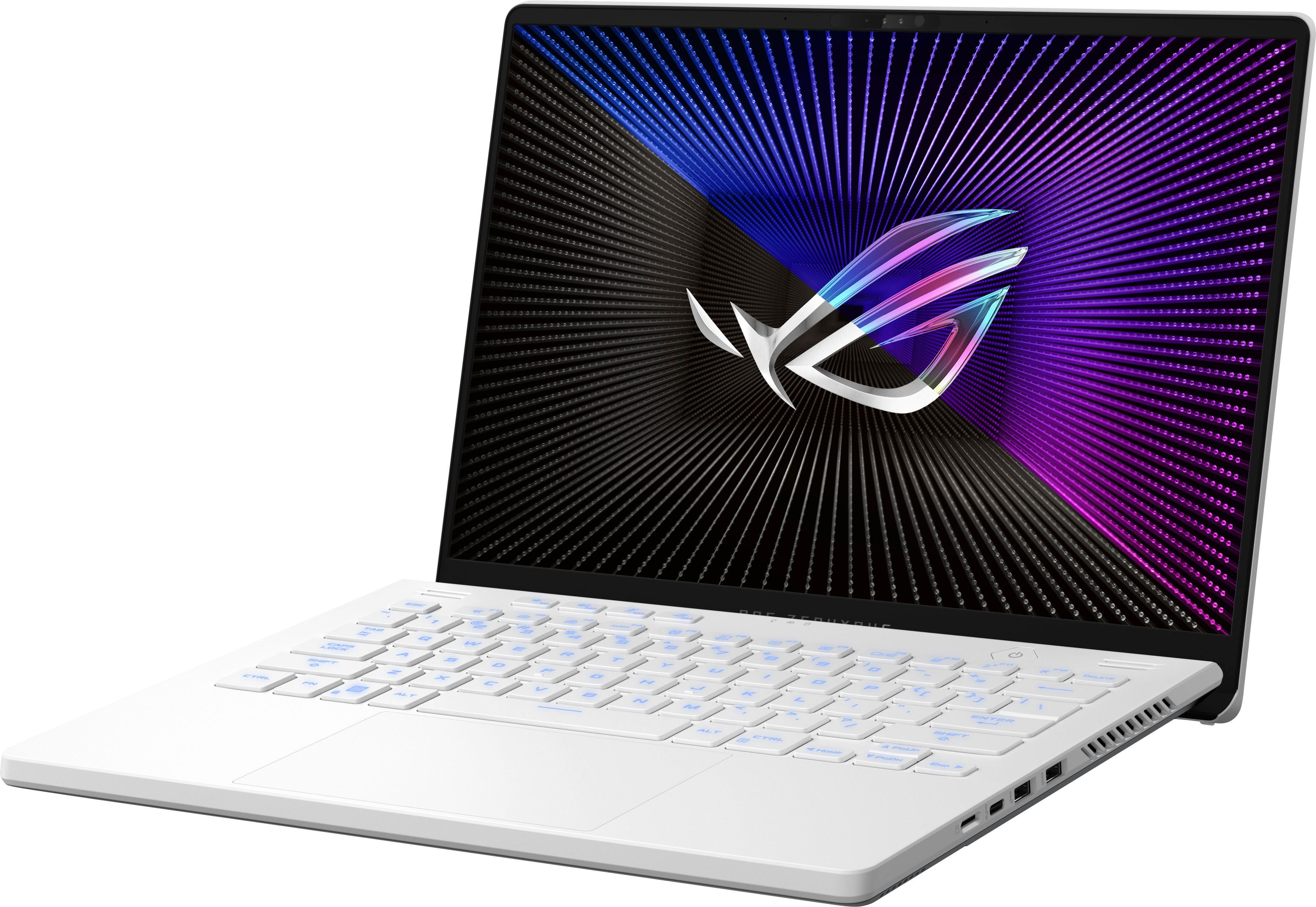
||Posted . Owned for 3 weeks when reviewed.This reviewer received promo considerations or sweepstakes entry for writing a review.I love this laptop. Incredible upgrade from my Dell G5 series (which was a good laptop). I upgraded the memory and SSD almost immediately, but the laptop was fine right out of the box. - I like the matte feel of the case surface, doesn't attract fingerprints but I do worry about the white getting dirty over time. - The screen hinge at the back creates a gap when open, so there is airflow which helps keep this monster cool when gaming. Lots of ports around the machine for air flow. - The backlit keyboard is bright, but can be turned down. I like mine full blast. - The AMD Ryzen 9 7000 series paired with the Geforce RTX 4060 just screams. - I picked up a Crucial RAM 32GB DDR5 4800MHz sodimm, works great. Matched the specs to the onboard RAM. Total RAM is 48 GB now. - I swapped the NVME with a Samsung 980 PRO M.2 NVMe drive, at 1TB. There's only one NVMe slot. - Opening the case is easy (Thanks ASUS!). Keep in mind that ONE screw on the case does not come out like the rest - this is on purpose. Once the other screws are out, this screw slightly pushes up the bottom panel, to give you easier access to open the laptop with scraping. Use plastic tools! - USB: Two USB A and one USB C (non charging, but DP capable) port on the right side. One more USB C (charging capable) on the left. - HDMI 2.1 port on the left - Display: 14-inch QHD+ 16:10 (2560 x 1600, WQXGA) - One left headphone jack, and one microSD card port on the right. This is my first ASUS and I'm glad I got it! While doing my research on the different laptops out there, I kept coming back to Best Buy and the ASUS ROG machines. Also, Best Buy keeps their prices competitive, and this laptop went go on/off sale often - keep an eye on the pricing and you can get a good deal. The only thing I really miss is the number pad, but everything else I gained with this Zephyrus far outweighs that! Best Buy and ASUS ROG forever now :)
I would recommend this to a friend - Pros mentioned:Performance, Ram
Well constructed, Powerful, lightweight and Sleek.
||Posted . Owned for 3 weeks when reviewed.This reviewer received promo considerations or sweepstakes entry for writing a review.This is a well constructed and powerful laptop. Small form factor, very thin, lightweight and aesthetically pleasing. Minimalist yet stylish. We are at a crossroads where technology exceeds the gaming requirements and this laptop fits the bill at a pricepoint that cannot be ignored. I thought I would need to ipgrade the memory or the NVME SSD storage but I only play 1 or 2 games at any given time and I have not had any memory issues. I have ran multiple games at max settings and with very generous FPS. It seems tdch upgrades are all aboit getting extra frames or runinng high performance on multiple monitors which I am not concerned about. Best bang for the buck if caught on sale when it was $500 off. If this wouldnt have been on sale at such a great price I woild have boight a much larger Asus Tuff.
I would recommend this to a friend - Pros mentioned:Battery life, Ram
A small beast of a machine.
||Posted . Owned for 2 weeks when reviewed.This reviewer received promo considerations or sweepstakes entry for writing a review.Performance and battery have been great so far I can easily get 9-10 hours of video playback without dimming the display all the way down, and the ability to disable dGPU without requiring a restart is a must-have feature. I would also recommend upgrading the ram to 32GBs or more as there is an empty SODIMM slot.
I would recommend this to a friend - Pros mentioned:Ram
best 14 inch laptop
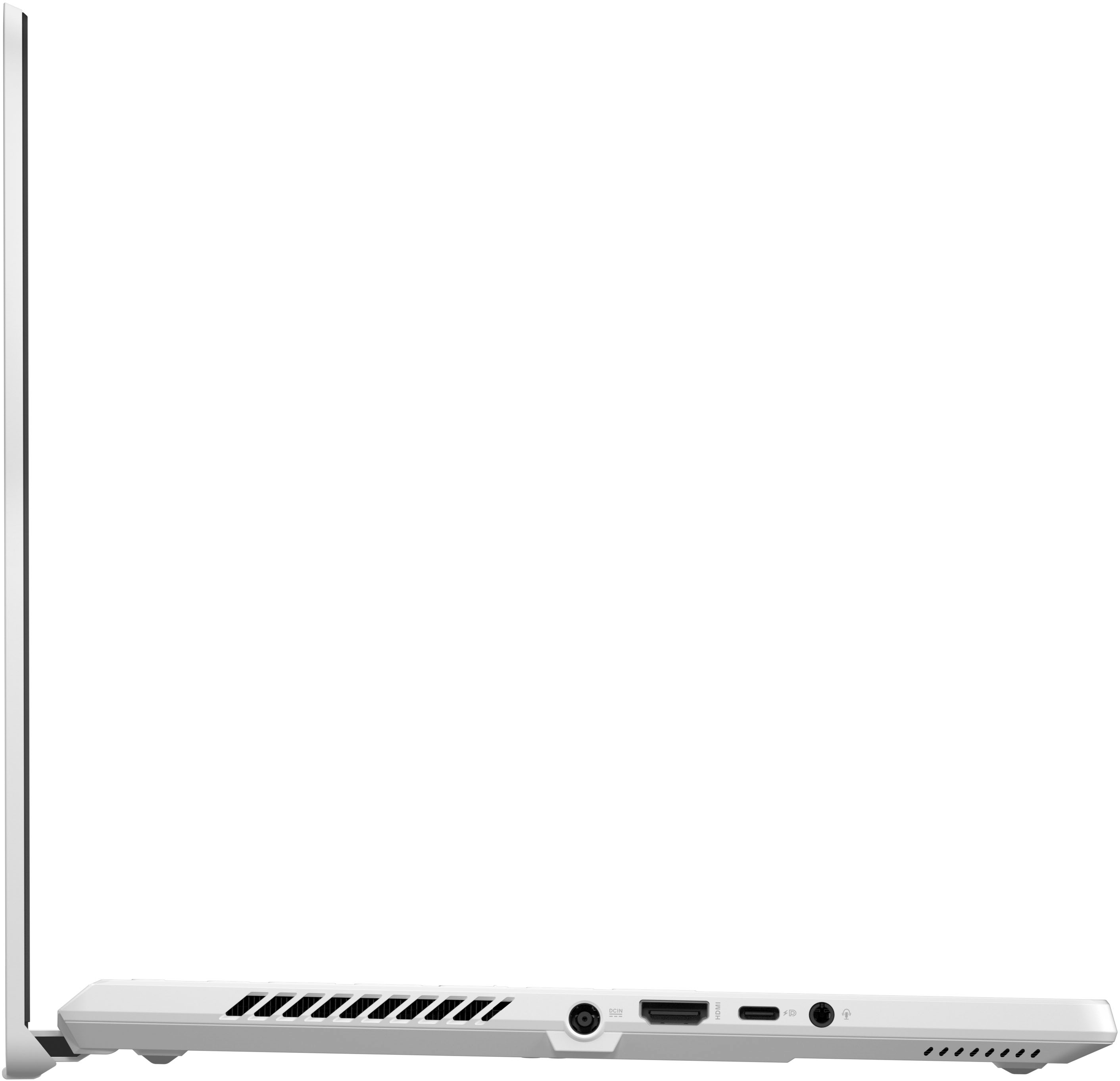
||Posted . Owned for 1 month when reviewed.This reviewer received promo considerations or sweepstakes entry for writing a review.First of all, the model is equipped with a 2.5k 165Hz 500nit high resolution, high refresh rate and high brightness screen, and has 100% DCI-P3 wide color gamut characteristics, basically covering most games and creative design scenes, almost no obvious shortcomings, which is also in line with the hybrid positioning of the model. The left side of the body is the side air outlet, the power round port, support HDMI 2.1 FRL (full blood version 2.1), support 100W PD USB-C (using USB-4 protocol) and 3.5mm audio interface. The right side of the body is equipped with a TF card reader that supports UHS-II, USB-C 3.2Gen2 (does not support charging), two USB-A 3.2Gen2 and the right air outlet. The interface specification of the whole machine is quite excellent in the 14-inch body, especially the new TF card reader, making the type and number of interfaces of the whole machine are very satisfactory. The Phantom 14 is equipped with 16GB of DDR5 memory, and the on-board single-channel memory cannot be upgraded, but an empty slot is reserved, which can be inserted into the memory to form a dual channel, which is very good.
I would recommend this to a friend - Pros mentioned:RamCons mentioned:Storage
Very good
||Posted . Owned for 1 week when reviewed.This reviewer received promo considerations or sweepstakes entry for writing a review.Very good machine, it has great power and can run anything the only cons of this machine is that it comes with 512gb is you buy this for gaming it will eventually end up with no space i bought an extra 16gb ram to add and will swap out the ssd.Adding ram can increase its efficiency in editing.Overall great machine.
I would recommend this to a friend - Pros mentioned:Ram
Good performance, but careful is you are linux use
||Posted . Owned for 3 weeks when reviewed.This reviewer received promo considerations or sweepstakes entry for writing a review.This computer has good CPU and GPU and therefore very good performance in the current market. 512GB is a bit small but can easily swap with a large one. 16GB memory was pretty sufficient for me with no strong gaming requirement. But be careful is you are a linux user!!! The WIFI adaptor may not be recognized for some unknown reason. Restart can fix that problem with a probability. Also, the screen some time becomes frozen and you have to power off by pressing power button for a long time...
I would recommend this to a friend - Pros mentioned:Ram
Asus Zephyrus G14 ROG AMAZING LITTLE COMPUTER !!!
||Posted . Owned for 1 month when reviewed.This reviewer received promo considerations or sweepstakes entry for writing a review.Excellent computer. Couldn't be happier with computer or price. Super fast sick graphics. I've already upgraded it with a Samsung 990 pro 2Tb hard drive. And a 32 gig ram from G Skills works Flawless with the AMD processor. Total with upgrades just under 1000. Can't beat it.
I would recommend this to a friend - Pros mentioned:Ram
wow!
||Posted . Owned for 1 year when reviewed.This reviewer received promo considerations or sweepstakes entry for writing a review.purchased as open box, and this thing is a little power house! Upgradable RAM (up to 32gb), as well as storage and wifi chip all upgradable. Cant reccomend enough!
I would recommend this to a friend - Pros mentioned:Ram
Great gaming laptop
||Posted . Owned for 2 weeks when reviewed.This reviewer received promo considerations or sweepstakes entry for writing a review.Absolutely the best gaming laptop I’ve ever owned. I own a pc and this is a great laptop and you have used it everyday since getting it! Great open box under 1000 I’ve upgraded memory to 32 and ssd to 2tb perfect now!!
I would recommend this to a friend - Pros mentioned:RamCons mentioned:Heat
Worst customer service number
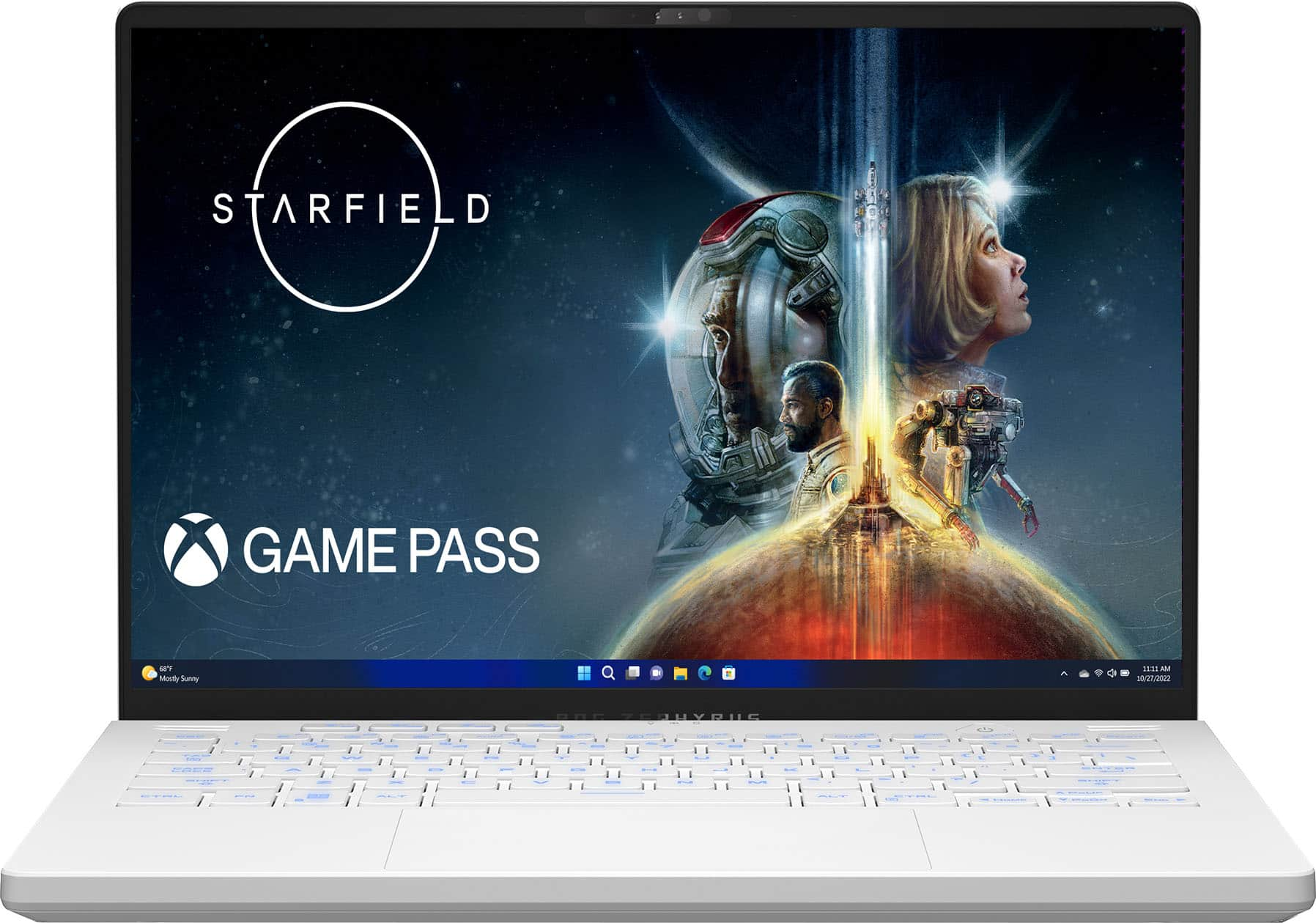
||Posted . Owned for 1 week when reviewed.This reviewer received promo considerations or sweepstakes entry for writing a review.Great product to bad Best Buy has the worst customer service. Should have purchased the product from Amazon. I was told to call the help center to get assistance in ordering replacement screws for the laptop cover. Wasted 30 minutes talking to someone who refused to assist with my request because she said the store lied even though they handle online orders, and I purchased my laptop online. Laptop run starfield great just need to upgrade ram and hardrive space. Run a bit hot so look for a good cooling pad. Gaming battery life is horrible only get around 75 minutes before you hit 10%.
I would recommend this to a friendBrand response from ASUS Answers
Posted .Dear Ace101382,
We sincerely apologize for the issues you've faced with Best Buy. This is not the experience we want our customers to have with our resellers. If you require further assistance in purchasing the replacement screws, please contact our support team at https://www.asus.com/us/support/CallUs.
We stand behind our products and continuously strive to improve our products and processes to achieve customer service excellence. For more information, email us at customerloyalty@asus.com and include the case number "N2305045852-0061" as a reference. We will do our best to resolve your case quickly. Your feedback is very important to us and enables us to improve our support channels. Thank you for choosing ASUS.
Best Regards,
Chantae
ASUS Customer Loyalty US Support
- Pros mentioned:RamCons mentioned:Fan noise, Heat

ASUS always delivers, beast of a machine
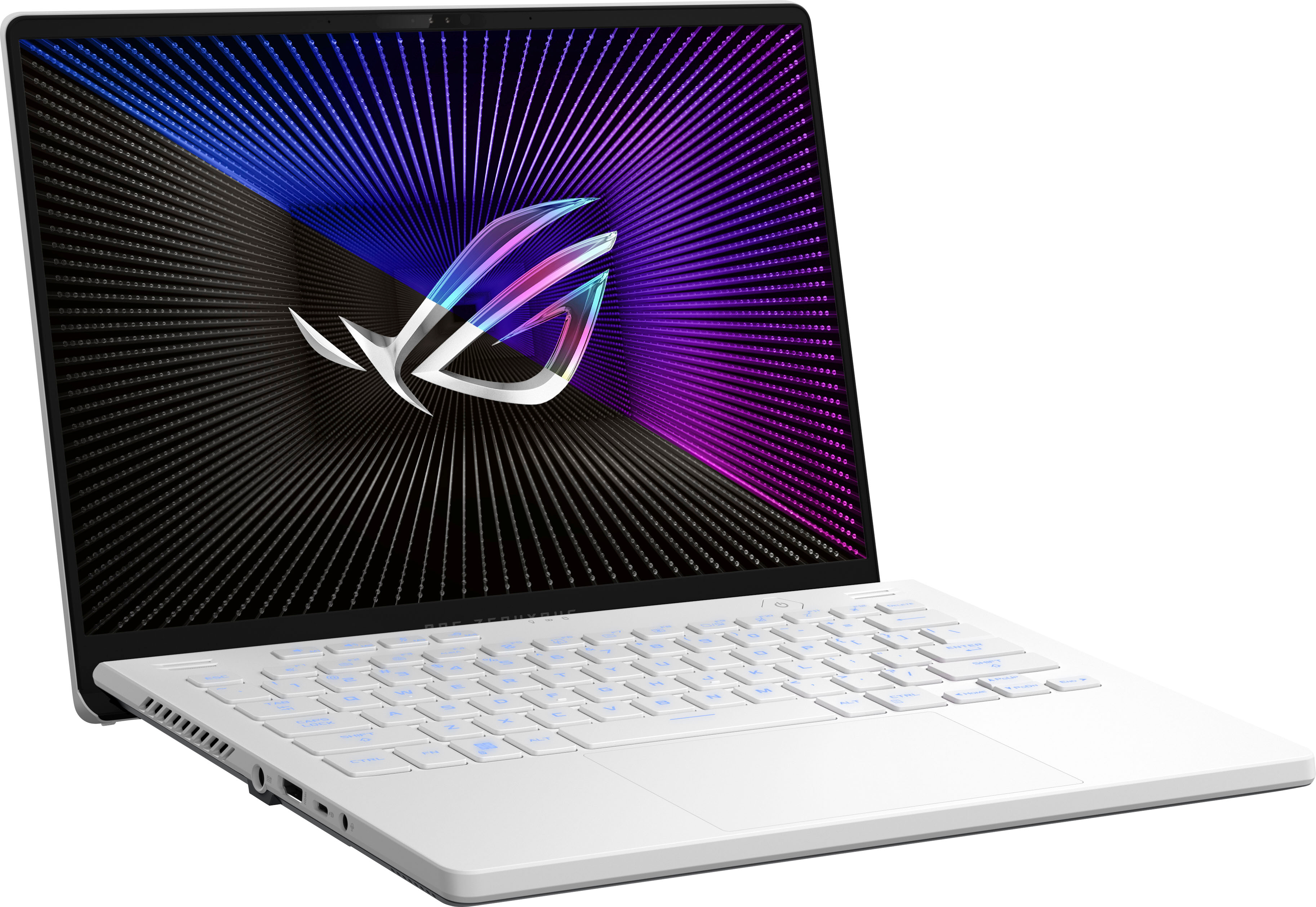
|Posted .This reviewer received promo considerations or sweepstakes entry for writing a review.ASUS is known for making top quality products that focus on usability and customization. Both are represented here with the GA402XV-G14. This laptop sits in an almost perfect balance of form factor, usability and performance. Out of the box, the design of the laptop is very straightforward, a nice white slab. 14” is a sweet spot for me, however if you’re looking for a hardcore gaming laptop, you might want to look at something with a larger screen. For me, 14” offers a nice balance for both gaming and home office, web surfing and even light picture/video editing. While not the thinnest or lightest out there, it never feels too big or too heavy, but just right. It has the unmistakable ROG design asthtice with angled perforation and hard angle vents, etc. Very nice to look at. It also offers a nice matte feel both outside and in. The I/O is split across both sides, with the right side offering 2 USB-A, 1 USB-C ports and a microSD slot, and the left side housing the power, HDMI 2.0, additional USB-C and headphone jack. All the USB portals are 3.2. I really wish the HDMI port was 2.1 for hooking up to compatible external monitors, big miss there for me considering the GPU inside. The networking inside is 802.AX and Wi-Fi 6E compatible. Connection is super-fast if you have the capable network hardware. I have an ASUS Wi-Fi 6E mesh network in my home, the PRO ET 12, and the laptop connects instantly at 2.4Gbps. Wi-Fi download speeds on my 1GB fiber connection were amazing even on the standard 5ghz band, around 750Mbps consistently anywhere in the house. The monitor lid has the traditional ROG fan blade design which hinges down behind the laptop, creating more immersive feel when viewing and keeping bottom bezel fatigue to a minimum. The keyboard is very nice, with full size keys in a chiclet style. Keys are very firm and pleasant to type on, which good response feedback, but almost virtually silent, no “click” or anything. You get all the traditional key placements including some custom ASUS buttons that will take you directly into the Armory Crate app and also keys for backlight, GPU modes and more. Boot up for me was super fast, even right out of the box. It did the usual Windows and application updates for the first few minutes which is expected for any new PC purchase. I will say, for the first couple days I thought I had an issue with the storage encryption software BitLocker. After boot ups from sleep or a recent update, I would be taken to the BitLocker Recovery screen. That seemed concerning at first, you shouldn’t be presented with storage recovery on a simple boot. I looked online to find some support answers, and actually after a few more ASUS updates, including one directly to the BIOS, the issue seems to have gone away. So I’m going to just chalk this up to some settings on my machine and possible config changes that updates were making, until finally a more recent update to the BIOS got it all squared away. You also have the option to turn off BitLocker if you choose, but that leaves your storage unencrypted. Needless to say, this machine is a beast. The specs are all here, Ryzen 9, plenty of RAM, RTX 4060 GPU, etc. This thing can handle just about anything you throw at it. All the benchmark testing was super impressive, I’ll attach some screen shots. When using for home office or watching videos or web surfing, just having fun, you can’t put a dent in this. It’s flawless. The speed at which applications open and close, multitasking, it’s all super impressive. The onboard display resolution is 2560 x 1440 (QHD) at 165hz. The screen is beautiful. Colors pop, blacks are deep, HDR looks really good. It has a matte finish as well so reflections are not a problem. Some people might be looking for a touchscreen capability at this price? But I’m not one of them. The display is great! I also love the amount of customization that ASUS and NVIDIA allow you, when configuring and tweaking the display and GPU settings. You have access to everything. ASUS makes most of the main controls right up front and easy to find in their custom dashboard, and then NVIDIA control panel allows you to configure to your hearts content, to get the best possible experience out of this machine. Gaming was excellent on this. Yes the processing power and GPU are beasts, but it is still a laptop. So you’re not going to play most current games at their highest end settings and get full FPS or resolution. But you can come pretty close. Being able to tailor in game settings with the GPU settings independently means you can find that sweet spot for each of your favorite games to maximize the resolution and FPS. Games played super smooth and in such hi fidelity. I was also able to push my LG UltraGear 48” 48GQ900 OLED external display at full resolution and 120hz. So when I’m at home and want to have that large, immersive experience on the LG, this laptop can deliver flawlessly. Picture editing using Lightroom was amazing as well. Using the LG display, pictures were vibrant and accurate, and the ASUS didn’t struggle at all to run the app plus push the monitor. It’s going to be a great workflow machine for both home and travel. It does have a few things I don’t love, some are small like the activity lights are centered above the keyboard, but they are behind the top panel, actually facing the screen. So unless you stretch to look over the top of the keyboard to see your activity lights, you won’t see them, but a small tiny reflection in the bottom bezel of the display. The charging brick is HUGE. It does deliver a ton of power and rightfully so, but I feel it could be smaller, and also the location of the power input is right in the middle of the left side I/O. It should be placed more toward the rear of the chassis. Last is the heat. When using GPU intensive programs, this thing gets hot. Like really hot. The fans are not the quietest I’ve ever heard, but not the loudest either. With that said, you will hear a lot of fan noise. Once the GPU gets humming, the fans will hum non stop. Headphones will be a must for longer gaming sessions. I will say I also feel I noticed some heat throttling when gaming for a period of time, when it became it’s hottest, FPS certainly did dip when playing the same games with no change in physical settings. I would 100% recommend a laptop stand for this, as the bottom becomes so hot you could cook on it. And the vent design to me is terrible. The main exhaust fans vent out the rear. Usually that’s fine. But ASUS laptops have that fan blade design that hinges down, so the bottom of the display lid sits directly behind the back of the chassis. So all the hot air is being exhausted out the back, directly on to the display. Doesn’t make sense to me. All in all, I love this machine, it’s the second ASUS ROG 14” laptop we have in our home, and we love them!
I would recommend this to a friend - Pros mentioned:Battery life, Performance, Portability
Portable Power and a Sleek Design
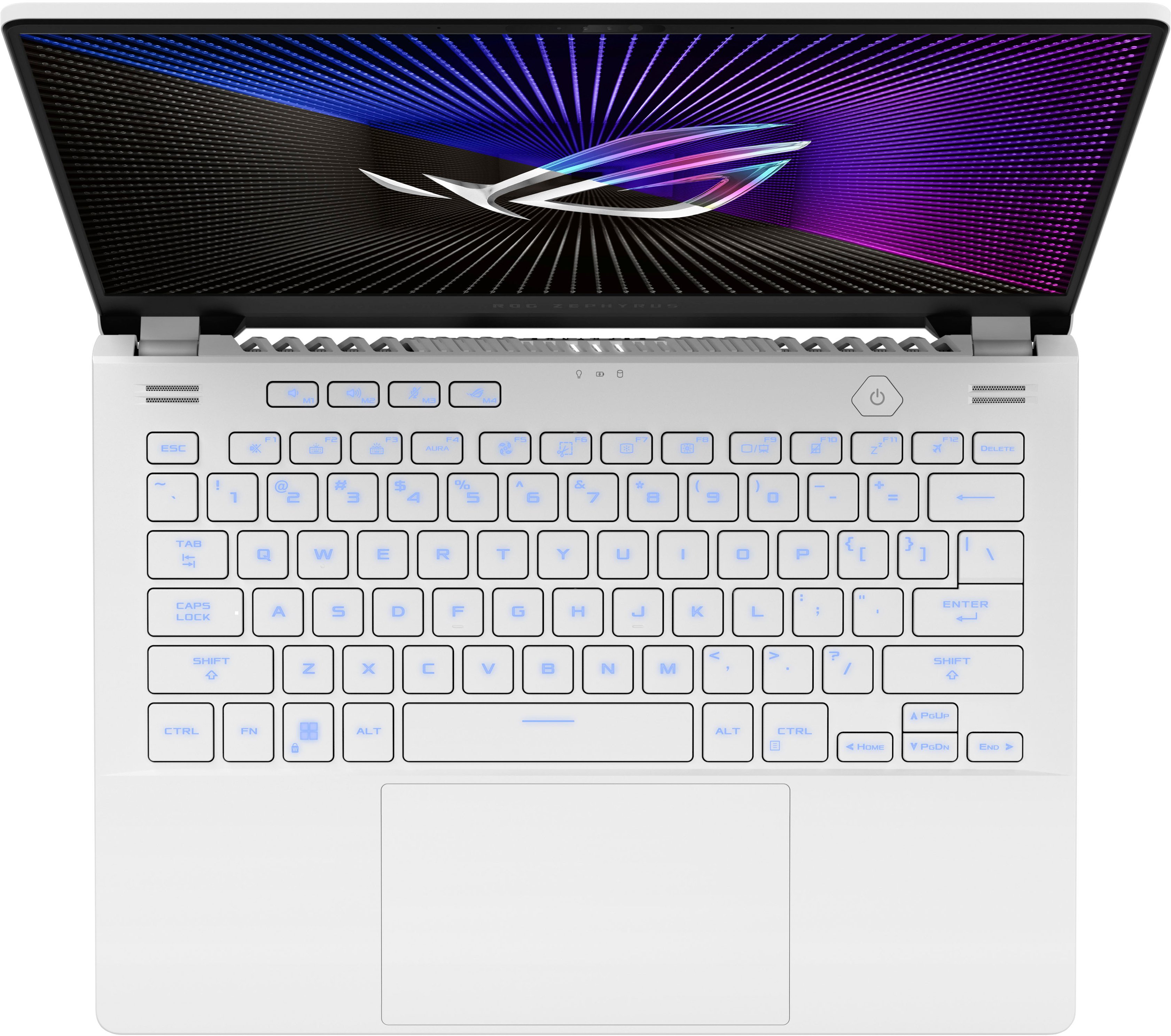
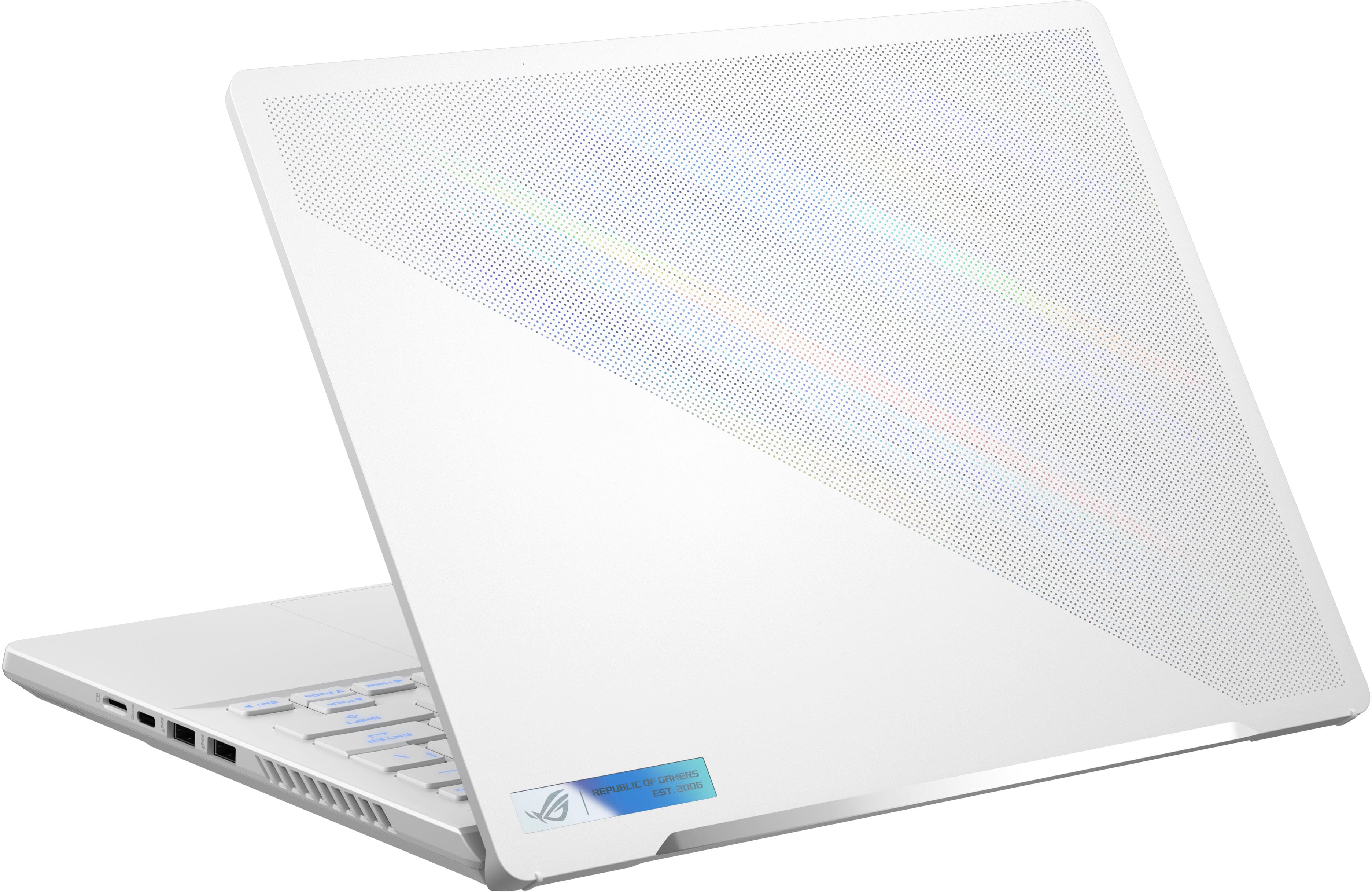
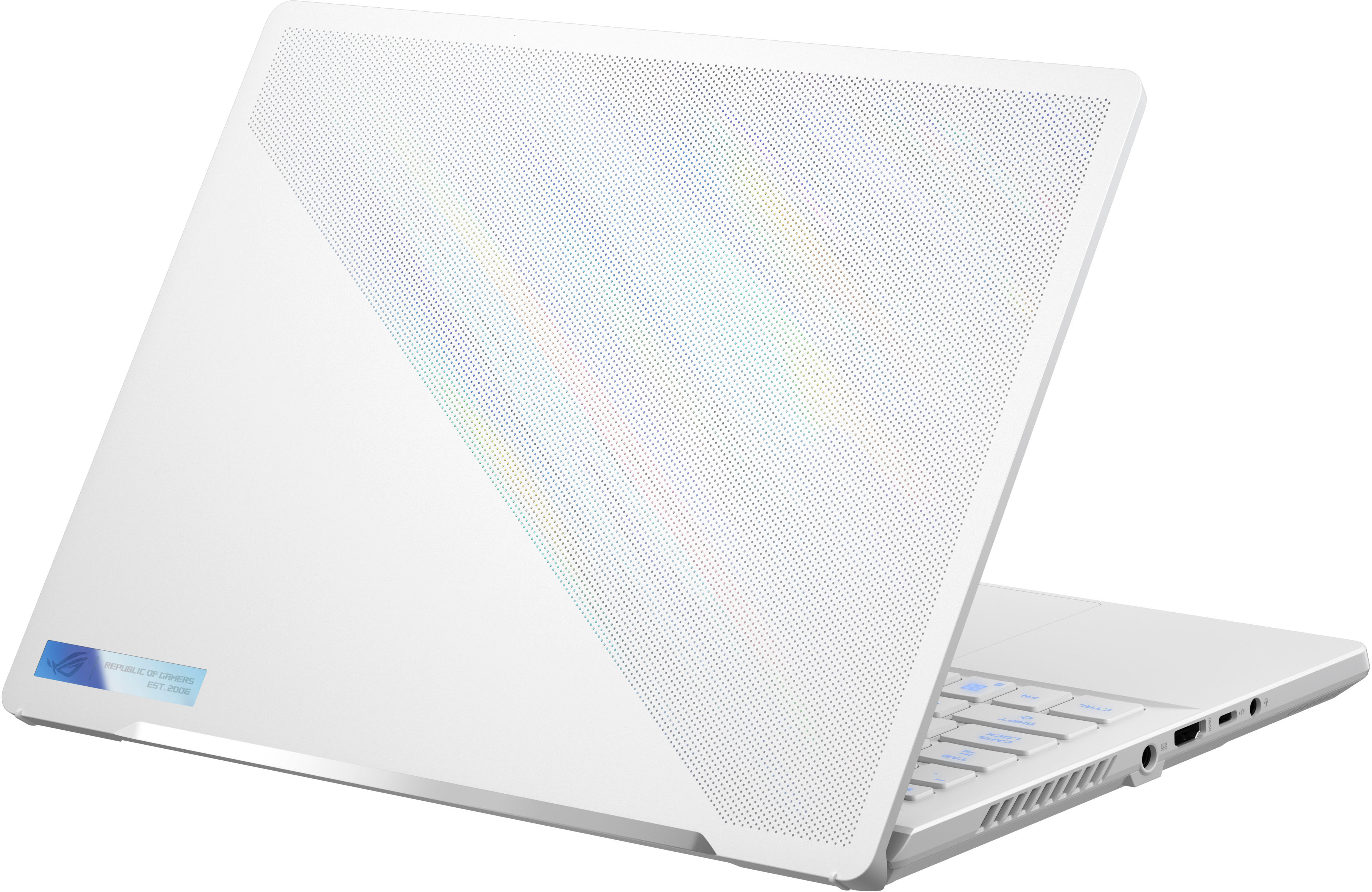
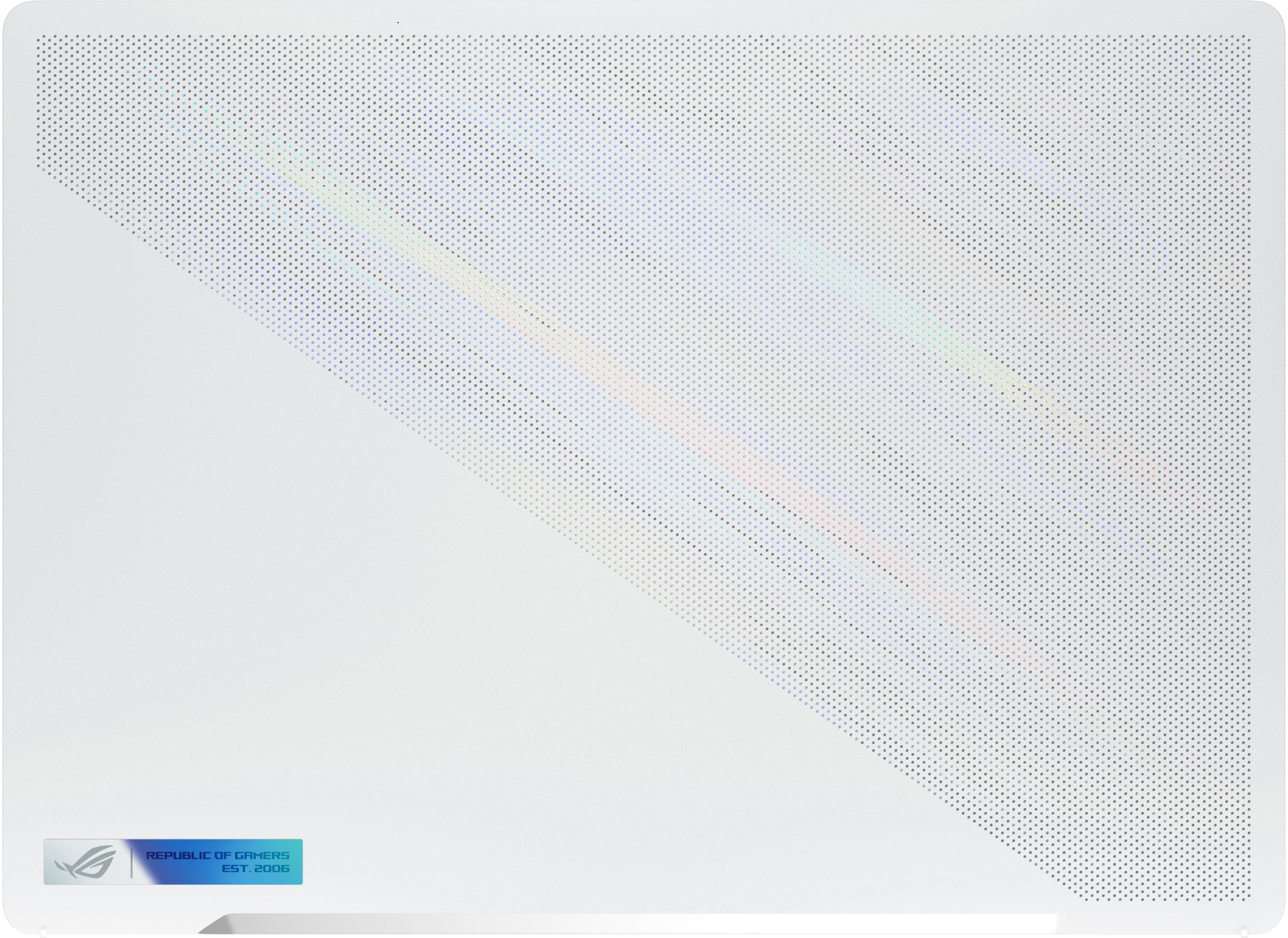
|Posted .This reviewer received promo considerations or sweepstakes entry for writing a review.The Asus ROG Zephyrus G14 is a refresh to their 2022 G14 offering that comes with the updated AMD 7XXX series processors and Nvidia 4XXX series GPUs. I am familiar with ASUS gaming laptops as I have a TUF Dash F15 from 2021, and a TUF Gaming A15 from 2022. The ROG series sits at the top of ASUS’s laptop hierarchy with the Zephyrus combining sleek design elements with high end components. The Zephyrus G14 is also the most portable of the lineup. Specs Processor – AMD Ryzen 9 7940HS - CPU 8C/16T @ 4.0 GHz with boost to 5.2 GHz Graphics – NVidia GeForce RTX 4060 Laptop GPU w/ 8GB GDDR6 @ 2300 MHz Radeon 780M onboard the Processor @2800MHz Memory – 16GB DDR5 4800 Single Channel (40-39-39-77) Storage – 512GB PCI-e 4.0 NVME WD SN740 SDDPNQD-512G-1002 Display - 14” 2560 x 1600p 16:10 (WQHD) LED IPS screen @165HZ, 3ms, 100% DCI-P3, G-Sync Camera – 720p IR Webcam Network Adapter – 802.11AX (WiFi 6e) adapter / Bluetooth 5.3 Radio Ports – 1X USB 3.2 Gen 2 Type-C with DisplayPort and power delivery / 1X USB 3.2 Gen 2 Type-C with DisplayPort / 2X USB 3.2 Gen 2 Type-A / 1X HDMI 2.1 / 3.5mm TRRS jacks for headsets / 1 MicroSD Reader Battery – 76Wh – Good for 8-10 hours of web browsing and some light gaming OS – Windows 11 Home – a few preinstalled ASUS utilities The G14 comes with an AMD Ryzen 9 7940HS, which is part of the new Zen 4 architecture. The onboard graphics card is a Nvidia 4060 laptop GPU. The R9 processor is a multithreaded 8 core with a 4.0GHz base clock with a single core boost up to 5.2GHz. The 4060 supports ray tracing and DLSS 3.0, which will help the GPU keep up with the 2K panel resolution. The laptop can be connected to multiple external monitors through the HDMI 2.1 port and the other through the USB-C ports. Your monitor count is limited by the bandwidth each monitor needs. The G14 comes with a single 16GB RAM module that is mounted on the motherboard - it is not a removable stick. There is an open SODIMM slot if you wish to upgrade. The G14 uses DDR5-4800 RAM with a max capacity of 32GB (adding a 16GB stick in the open slot). Seeing some of the RAM heavy new games coming out it might be a worthwhile upgrade in the future, but for me the 16GB is fine. Storage comes in the form of a 512GB PCIe 3.0 M.2 2280 NVME drive from Western Digital. There are no additional slots, so if you need more storage you would have to swap the drives and reinstall the OS and utilities. The display is a 14” 2560 x 1600p IPS screen with a 165Hz refresh rate, which ASUS calls the Nebula Display. This is the mid-tier display offered in the G14 with the top tier being the Nebula HDR. This is a pretty good panel with solid specs. The 3ms response time is on par with most IPS panels, and its peak 500nit brightness is plenty bright for a laptop. The display also handles support Dolby Vision HDR, and supports a 100% DCI-P3 color gamut for a very accurate display color. The display can be driven seamlessly by the 4060 GPU or by the processor based 780M GPU thanks to the included MUX switch and Nvidia Advanced Optimus. The system will automatically toggle between the GPUs depending on the process needs. The screen is excellent to watch movies and TV – I watched a few shows and was very pleased with the brightness and image quality. I didn’t see any backlight bleed and the contrast levels looked pretty good even though it doesn’t have local dimming zones. Games and Benchmarking I ran the G14 through a similar series of benchmarks (3DMark Time Spy, GeekBench, PCMark, Cinebench R23, Dirt Rally Benchmark, and Shadow of War Benchmark) that I used to test my A15, which has similar hardware (Ryzen 7 6800S with 3050Ti). I have included a screenshot of my raw results table. The results from 3DMark (per their readout chart) puts it just behind a high end gaming PC from 2020 with a i9-9900K and 2080. Compared to my A15 from last year the scores are up all around. Render times are down, FPS is boosted, and productivity tasks are improved. Overall, this is a quick system that should be able to keep up for years. Using my existing Xbox Gamepass subscription - which I added the included 3-months redemption code - I downloaded a couple of my favorite games. I currently play a lot of Halo MCC and Forza Horizon 5. With Halo MCC I played the game on the highest settings. The graphics on the screen were super crisp, and gameplay looked great. I noticed very little, if any, screen tearing or artifacts. Load times on the single player campaign were quick – maybe a little faster than on my Series X. Toggling between 2K and 1080p really didn’t affect things much. I know frame rates were higher at 1080p, but without a counter I couldn’t quantify it. However, there wasn’t any impact to my experience or gameplay with lower FPS on the full 2K resolution of the screen. Forza on the other hand was a little more demanding. Playing at 2K I had to knock the settings down to high to stay around 60FPS. Ultra settings were dragging the FPS into the 30’s at the lows and started producing some jutters and tears. Medium settings I hovered around 100FPS with no noticeable tears or juttering. The maps also loaded very quickly and the render distance was great. Knocking things back to 1080p I was getting 65-70FPS on ultra, and around 100+ on high. Screen tears were gone or imperceptible at 1080p. Honestly I had no need to drop it down to 1080p since the game played just fine at 2K with the lower quality settings and FPS. Design This version of the G14 comes in Moonlight White. It has a sleek and premium look to it. The brushed metal accents and the dot matrix on the lid really set it off. The body shell is plastic, but it feels sturdy and pleasing to the touch. The bottom cover has an aluminum ventilation plate that also helps dissipate the heat. This plate works in tandem with the exhaust and intake vents along the sides and back of the body. The screen hinge is located underneath the body which helps to prop the body up when the screen is open, and giving a nice little angle to the keyboard surface. The hinge design also allows the screen to open a little beyond 180°. The main body is pretty slim at just .73” thick and weighing just over 3.5lbs. Again keeping with the portability aspect, this will be easy to cart around in small laptop bag. The G14 keeps a narrow bezel around the 14” screen while included a camera at the top. The screen itself is a 16:10 ratio, which I actually prefer over 16:9 because it gives you just a little extra screen real estate. The screen is easy enough to open up, but the lightweight nature of the laptop means you have to hold the base down a bit while initially opening it. Having that extra screen height means they keys aren’t scrunched together or made narrower. Above the keyboard is a row of media controls and a dedicated button to launch the Armoury Crate App. The power button is still the triangular shape that ASUS has used in years past. Keyboard and Trackpad The keyboard is a tenkeyless full RGB chiclet membrane design. The keys have a nice amount of travel The RGB is bright and has excellent color range. When the RGB isn’t lit up the letters on the keys appear dark gray against the white keycaps. When the keys are lit up the lighter colors make it difficult to see the key letter against the white keycap. If need to look where you type, you might want to avoid the color cycle option. You can customize the colors in the included Armoury Crate app under the lighting section. However, it doesn’t support individually assigning colors to keys. You can apply different lighting profiles – breathing, strobing, static, and color change. The keys themselves have a 1.5mm travel distance and feel nice to use. Typing on it is quiet and the keys have a reasonable amount of resistance force. The trackpad isn’t too bad to use, and it’s pretty big – about half the width of the machine is the trackpad. I am not a big trackpad fan as I typically reach for a mouse, but on a laptop sized for portability the trackpad should see regular use. The large size is nice for moving around and utilizing gesture controls. It feels accurate as well. You can easily toggle it off if you don’t need it by hitting Fn+F10. Upgradability The G14 is pretty limited on upgradability. You can’t add any additional drives, but you can swap out the current one for a larger drive if needed. You are also limited on RAM upgrades since the included RAM is built into the motherboard. For RAM you can add an additional 16GGB stick for a 32GB system max, but you need to make sure you match the existing RAM specs in order to get the a dual channel boost. To change out these parts there are 11 screws to remove. The bottom right screw is captive, and it serves to pop open the cover after you loosen it. 4 screws are along the bottom edge, and another 4 along the hinge edge. The remaining 3 are across the middle and are cover by little adhesive-backed rubber dots. These were pretty difficult to remove, and added to some frustration with getting the back cover off. Once the screws are removed the panel comes off easily and the RAM and SSD locations are easy to spot. Final Thoughts The G14 with the R9 7940HS and Nvidia 4060 makes a compelling argument for a portable gaming system with enough power to keep up with its full-sized siblings. The design of the G14 is eye-catching and well thought out. I would have no issue tossing this in my laptop bag with my work laptop when I have to travel. I think I would hardly notice it. I didn’t find any drawbacks or things to not like about the G14. Its thermals were good, so using it on my lap was comfortable. Setting it up on a desk and hooking up to an external monitor worked great as well. Honestly as long as 512GB of storage works for you and the games you play are easily handled by the 4060, then I think this is really a nice machine to take a look at.
I would recommend this to a friend - Pros mentioned:Battery life, Ram, Screen qualityCons mentioned:Storage
Excellent gaming laptop with few downsides
|Posted .This reviewer received promo considerations or sweepstakes entry for writing a review.ROG (Republic of Gamers) is a brand which ASUS introduced in 2006 that is geared towards gamers. ROG Gaming laptops have always been top notch in terms of build quality, hardware and performance. G14 in the recent times has been the most hyped ROG laptop. Between 2022 and 2023 the design and overall exterior has not changed much. ASUS has mainly focussed on the internal specs to create something spectacular and I would say ASUS has finished this in style. Some of the most significant and noticeable changes are ditching the AMD GPUs for Nvidia's latest RTX 4000 chipset, Vapor-chamber cooling module to name a few. First impression: ASUS has put lot of thought process in creating this Moonlight White beauty. The box was big from outside. It made me think that the Laptop is going to be heavy but i was wrong. This laptop weighs only 3.64 pounds. The laptop was very neatly packed. While I opened the box, the laptop was getting elevated. It changed my entire initial perception about this laptop. ASUS has nailed almost every single thing. Let it be the box design or Laptop exterior or Internal specs you name it. The laptop is aesthetically designed to give a premium look as well as there are lots of vents to cool the laptop down. The case is made out of Aluminum, Magnesium alloy and plastic. Even though the laptop is light weight the build quality is excellent. There is no cheap plastic of whatsoever. The laptop looks sturdy. The charger is a little bigger in size as it is 280 W when compared to the 2022 model which was just 240 W. Upon opening the lid the ROG logo is displayed with an impressive sound greeting makes it feel more welcoming. As we continue opening the lid due to the 180 degree Ergolift display the keypad starts tilting upwards which gives a wonderful feel. We can almost slide the lid down a little more than 180 degrees. Pros: 1. Processor - This laptop comes with the most powerful AMD Ryzen 9 7940HS CPU and RTX 4060 GPU featuring AMD Smartshift and Smart Access Memory technology with 8 cores and 16 threads to handle the most latest games. AMD SmartShift technology dynamically shifts power in the laptop to help boost performance for gaming, video editing, 3D rendering, content creation and productivity. This helps increase the performance by upto 14% especially for gamers and while editing videos. The laptop features a hardware boosting interface between the Processor and Graphics with machine learning algorithms to automatically boost performance where workloads demand it. Smart Access Memory technology - With this technology, a CPU can now utilize a much larger portion of memory from the GPU when needed. That means Smart Access Memory can help fix slowdowns and other problems that resulted from the CPU not being able to handle all the operations that the GPU threw its way. 2. Display - This laptop features a Nebula QHD 165 Hz ultra bright 500 nits display. This a huge improvement in the refresh rate which improves the overall quality of the games. Gamers will be able to experience a mind blowing gaming experience with greater refresh rates. 3. MUX Switch for intense gamers - MUX Switch can be turned on from inside the Armoury Crate. For the first time users, installation and initialization of Armoury crate will take about 5 to 10 min and we will have to restart the laptop upon installation. Once installed and after restarting the computer it will be possible to turn the MUX switch on to switch to Direct GPU mode to reduce any latency and boost the performance by upto 9%. 4. Memory - This laptop comes with a 16 GB of next generation Dual channel DDR5 RAM which can be expanded upto 32 GB. Dual channel memory (8 GB + 8 GB) helps to increase the performance of gaming or video editing or content creation. 4800 Mhz DDR5 memory standard allows this laptop to do multi tasking as well. 5. Wifi connectivity - Wifi 6E standard helps to connect to the 6 GHz frequency band other than the 2.4 and 5 GHz bands. Even though this technology has been there for few years now, it will take few more years before the router manufacturers start providing the 6 GHz bands as a standard in the mid range routers. 6 GHz band will be like a fast lane especially helpful to avoid any slowness or latency issues. 6. ROG Intelligent cooling - Depending on how demanding the tasks are the system will automatically choose between different cooling modes intelligently. The laptop never got overheated so far. 7. RGB keyboard - This keyboard is so stylish. The keys are clearly visible when backlit in RGB color. Also the keys are quite and very soft. The keys are spaced correctly and makes it very easier to use. 8. Ports - 2 USB 3.2 Gen 2 Type C Ports on each sides, 2 USB 3.2 Gen 2 Type A ports and 1 Micro USB port on the right, Charging, HDMI and Headphone jack gives us lots of ports to connect various devices and to transfer the files quickly. USB 4.0 port is still not there. 9. Battery - So far the battery has lasted over 3.5 hours with not too much of stress. Even with intense gaming i think the laptop will last over 3 hours. Cons: 1. Storage - The major downside of this laptop is the storage. ASUS should have atleast provided a 1 TB storage for this price point. I am little disappointed because 512 GB of space is too little especially on a Gaming laptop as the installation of games or video editing softwares and storing the videos for content creators will easily occupy more than 512 GB. ASUS should seriously consider upgrading the storage to 1 TB for all the Gaming laptops. 2. No SD Card slot - Though there is a micro SD card slot, this laptop does not have the SD Card slot. Being a content creator i rely on SD Card slot which is missing on this laptop. It would have been nice if there was a SD Card slot too. Overall this is a wonderful laptop for anyone who wants a powerful laptop with plethora of options. This laptop is a strong contender for Acer predator Triton 300, Razer Blade 14 and Alienware X14. But i strongly feel ASUS has that all that it needs to be a worthy contender. You will not regret for buying this laptop.
I would recommend this to a friend - Pros mentioned:Battery life, RamCons mentioned:Heat, Keyboard
Good laptop for the price
||Posted . Owned for 3 weeks when reviewed.This reviewer received promo considerations or sweepstakes entry for writing a review.Overall a good laptop for the cost; even better if you have the time to install g-helper and fine tune it to your uses. Pro: 0. When on sale, the price/performance of this laptop is very good; if you need more than 16gb of memory like I do, it beats every other similar laptop currently available in 2024, including the 2024 version of this 1. Can charge via USB-C (there is a downside to this too, see cons) 2. Reasonably light (the 2024 version is lighter but has soldered ram), if you don't carry its own charger 3. 1 slot upgradeable ram (+ 16gb built in); you can get 32gb of ram reasonably cheaply; you can even get a 48gb stick to bring this to 64gb if you don't need quad channel above 32gb (DDR5 is by default dual channel, so the first 16gb you put in the slot will give you quad channel, and dual channel thereafter) 4. Trackpad/screen/keyboard are all pretty good for the price point 5. GPU can be turned off completely and battery life using only the CPU+iGPU is decent Cons: 0. USB C charging go through battery even if it provides enough power for laptop. This means that 1) it degrades your battery when you do this and 2) you only get on-battery performance while plugged into USB C 1. The ports are placed towards the mid/front of the laptop, which means anything you plug in on the right side (or whichever side you use your mouse on) can interfere with your mouse usage. This is particularly annoying because all type A ports are on the right side. It's a solvable issue with a USB C hub on the left side. 2. Laptop gets pretty warm to the touch, even though I've tuned it to use much lower power (~25W CPU, ~50W GPU under heavy load). There's also vents on the left/right side of the laptop that can blow hot air onto your hand. 3. The top of the touchpad takes far too much pressure to physically click; this is especially strange if you're used to the macbook touchpad. Tapping it works fine though. And I wish the keycaps are slightly bigger like the 2024 version, but it's serviceable. The touchpad can sometimes be triggered while playing games, but it does offer an easy way to turn it off so that's a plus. 4. Charger is heavy; but you can use USB C in a pinch, assuming you're okay with the downsides aforementioned.
I would recommend this to a friend - Pros mentioned:Battery life, Performance, Ram
A Gaming Powerhouse in a Sleek Package - ASUS ROG
||Posted . Owned for 2 weeks when reviewed.This reviewer received promo considerations or sweepstakes entry for writing a review.I recently got my hands on the ASUS ROG Zephyrus 14 gaming laptop, and I must say, it has blown me away with its incredible performance and stunning design. This laptop is an absolute powerhouse, capable of handling the most demanding games and tasks with ease. From the moment I turned it on, I knew I was in for a treat. Let's start with the aesthetics. The Moonlight White color option adds a touch of elegance to the laptop, making it stand out from the crowd. The build quality is top-notch, with a sleek and slim profile that is both durable and portable. It's the perfect blend of style and substance. But what truly sets the ROG Zephyrus 14 apart is its performance. Powered by an AMD Ryzen 9 processor and an NVIDIA GeForce RTX 4060 graphics card, this laptop is an absolute beast. It delivers lightning-fast speeds, ensuring a seamless gaming experience without any lag or stuttering. The 16GB of memory ensures smooth multitasking, allowing me to switch between applications effortlessly. The 14-inch QHD display with a refresh rate of 165Hz is a visual treat. The colors are vibrant, and the details are crisp, making every game and movie come to life. Whether I'm exploring vast open worlds or engaging in intense firefights, the display never fails to impress. The high refresh rate adds an extra level of fluidity to the gameplay, making everything feel incredibly smooth. The keyboard on the Zephyrus 14 is a pleasure to type on. The keys are well-spaced and provide a satisfying tactile feedback, making long gaming sessions or writing tasks comfortable. The backlit keys are a nice touch, allowing me to play in low-light environments without any hassle. In terms of storage, the 512GB SSD is blazing fast, ensuring quick boot times and rapid data transfers. It offers ample space for all my games, movies, and files, and if needed, I can always expand the storage further. Thermals are always a concern with gaming laptops, but ASUS has done an exceptional job in this department. The ROG Zephyrus 14 features an advanced cooling system that keeps the temperatures in check even during demanding gaming sessions. It's a relief to know that I can push the laptop to its limits without worrying about overheating. To top it all off, the battery life of the Zephyrus 14 is surprisingly good for a gaming laptop of this caliber. I can easily get several hours of uninterrupted gaming or work done on a single charge, allowing me to be productive on the go. Overall, the ASUS ROG Zephyrus 14 is an absolute gem of a gaming laptop. It combines stunning design, unparalleled performance, and excellent features to deliver an exceptional gaming experience. Whether you're a casual gamer or a hardcore enthusiast, this laptop will exceed your expectations in every way possible. I wholeheartedly recommend it to anyone in search of a high-performance gaming laptop that doesn't compromise on style or portability.
I would recommend this to a friend