Customer Ratings & Reviews
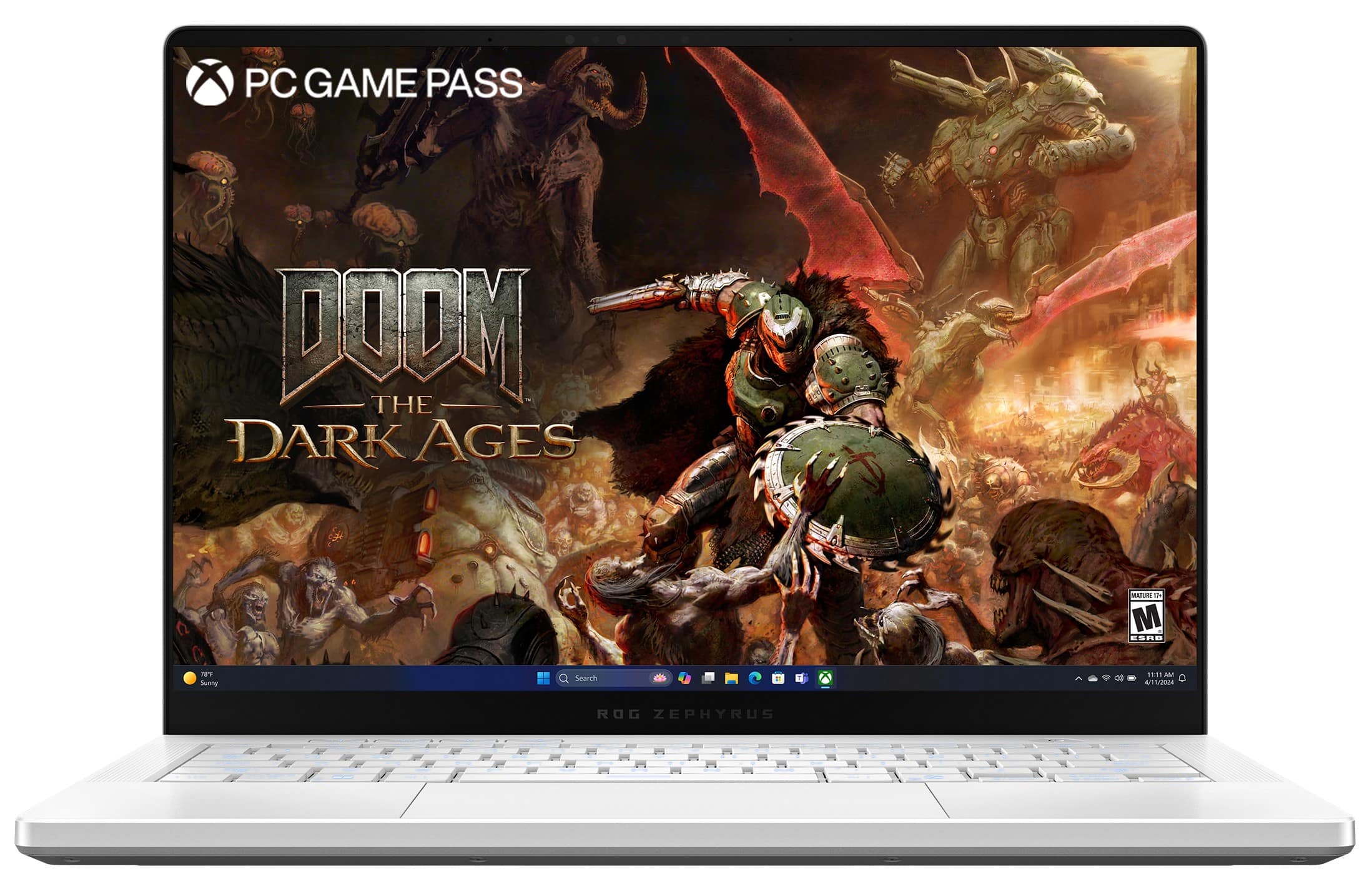


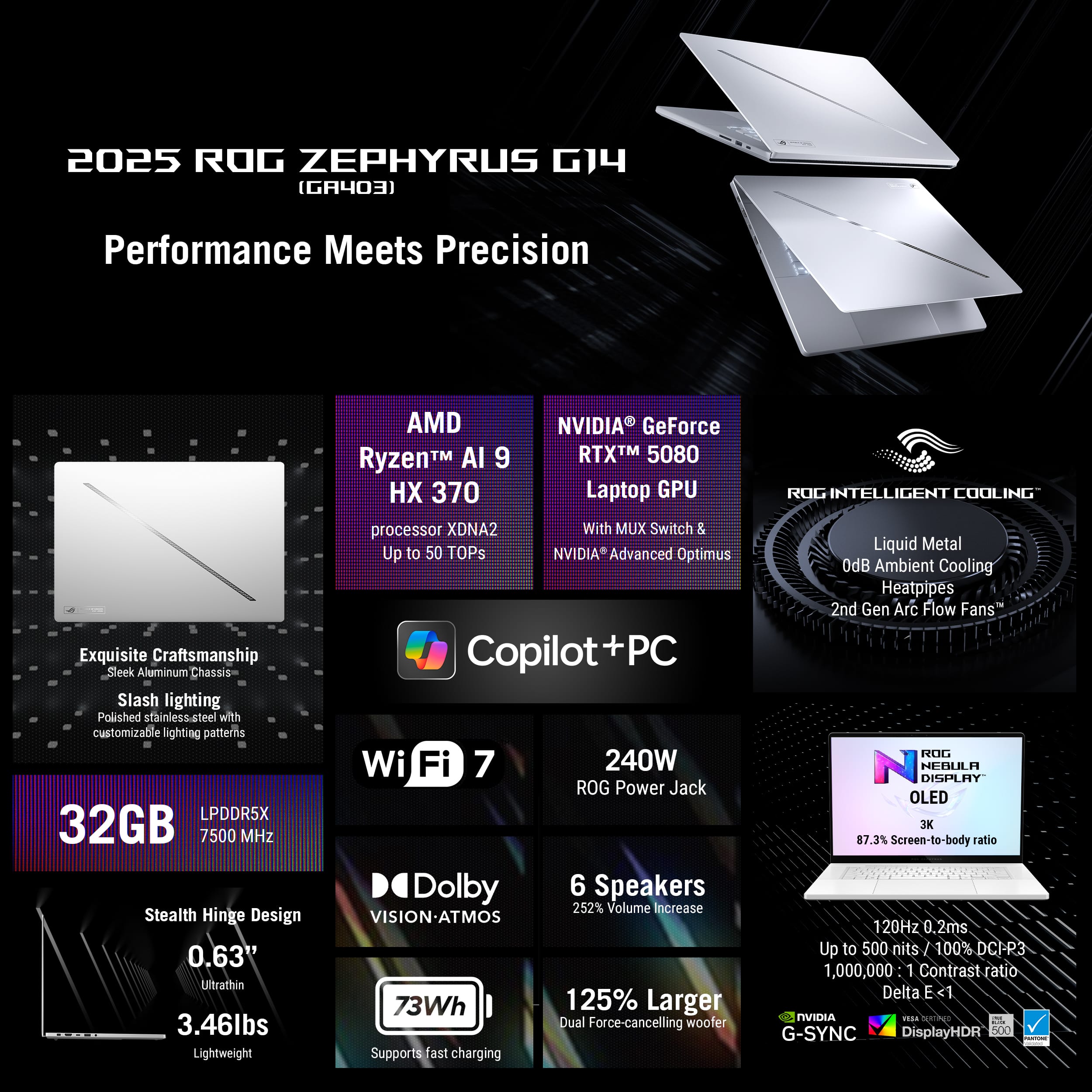
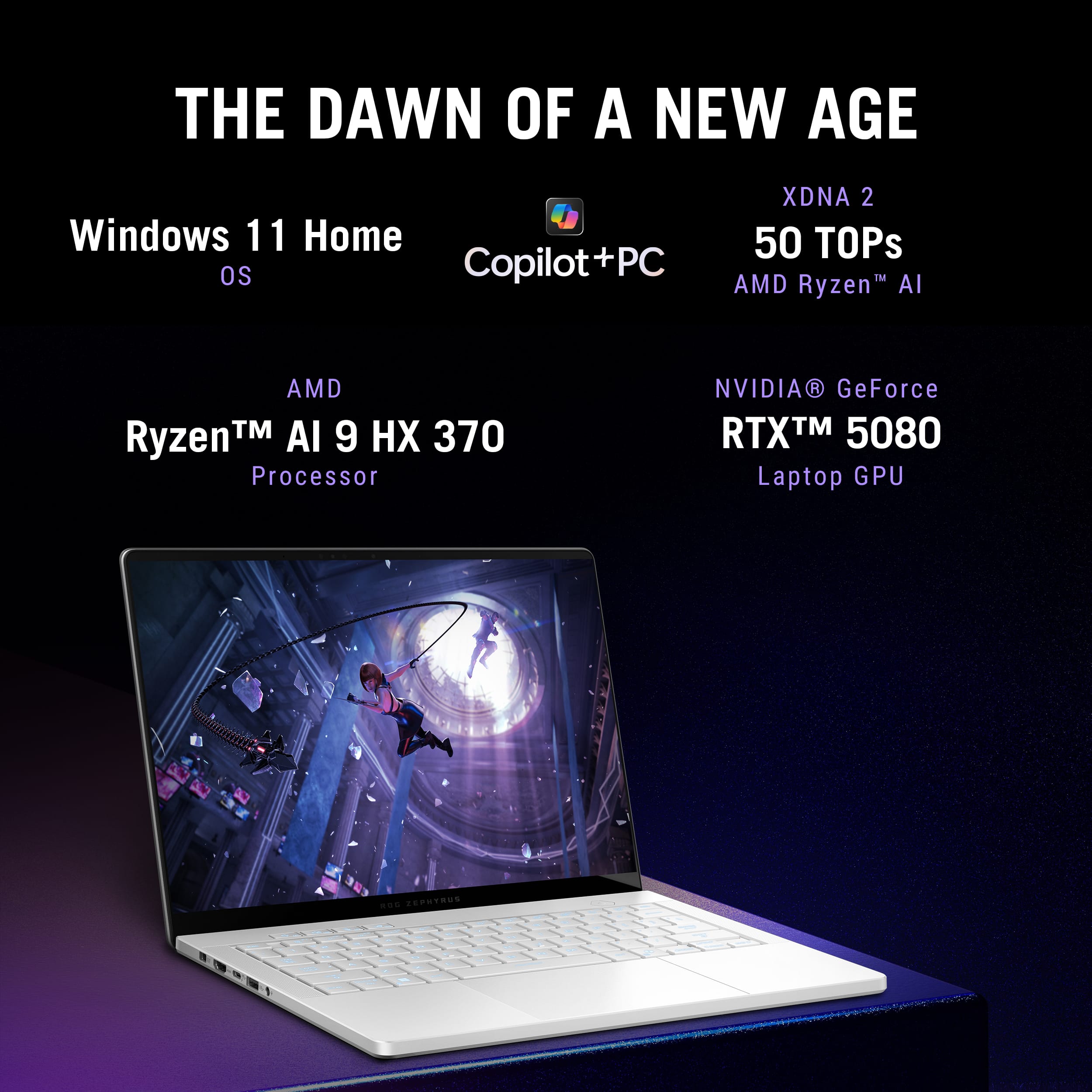
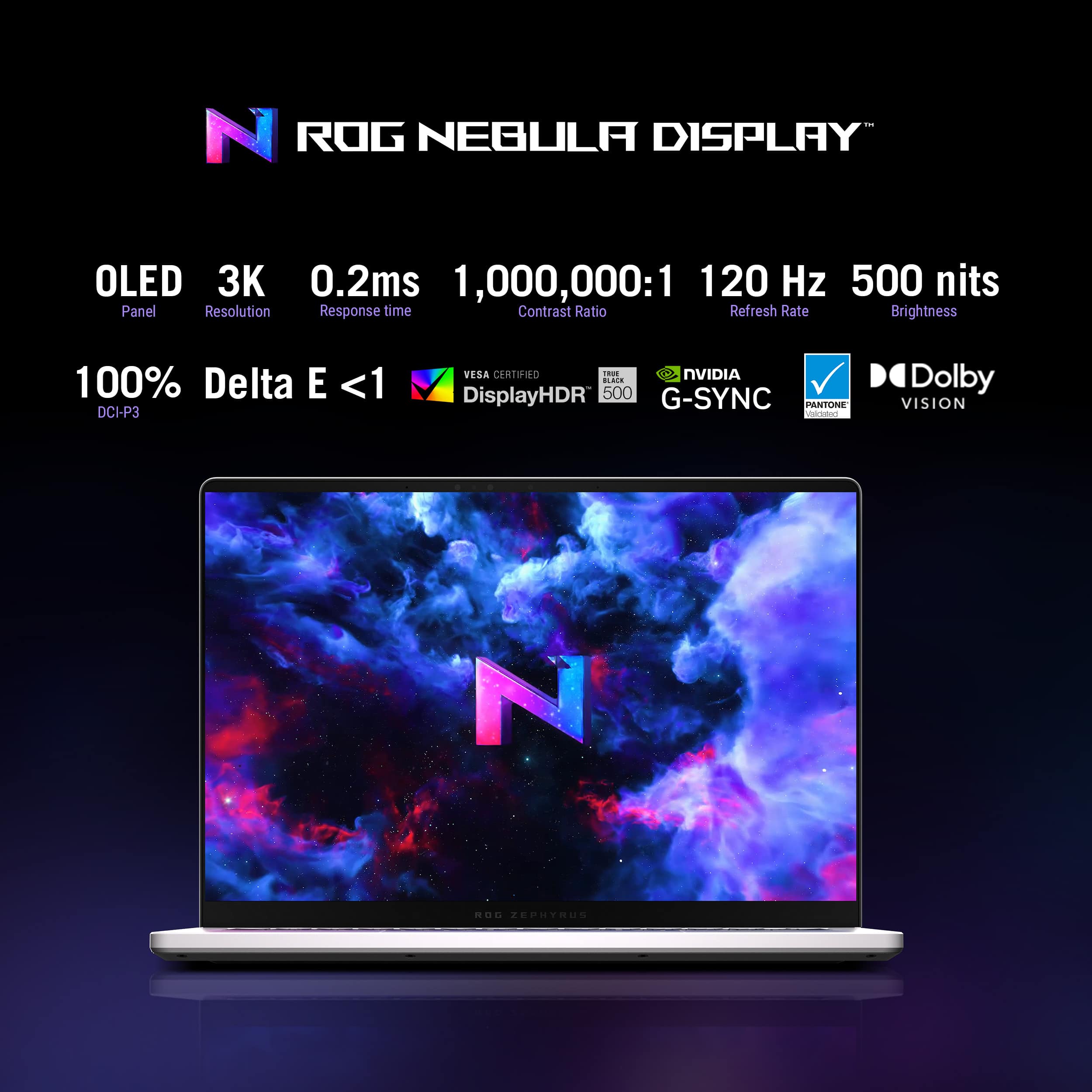




















- Model:
- GA403WW-G14.R95080
- SKU:
- 6613953
Rating by feature
- Battery Life
Rating 4.3 out of 5 stars
- Speed
Rating 4.9 out of 5 stars
- Display
Rating 5.0 out of 5 stars
Customers are saying
Customers highly value the ROG Zephyrus G14 for its premium build quality and portability as a thin and light gaming laptop. The battery life and gaming performance receive positive feedback, along with its weight and processor speed. Some users note fan noise and heat dissipation as potential drawbacks. However, the availability of a decent number of ports is appreciated.
This summary was generated by AI based on customer reviews.
- Pros mentioned:Battery life, Build qualityCons mentioned:Fan noise
Excellent laptop
||Posted .This reviewer received promo considerations or sweepstakes entry for writing a review.Owned this laptop for about two weeks and am very impressed. Overall impression: Build quality- superb. Solid aluminum and no flex anywhere. Easy to open the lid with one hand. Nice large glass touchpad and spacious keys with adequate travel. The screen is FANTASTIC. No issues with backlight bleed or otherwise, colors really pop due to OLED. The screen isn't antiglare but not nearly as glossy / reflective as typical glossy screens. Appears to utilize DC dimming at certain brightness levels which reduces eye strain. Sound- the speakers sound incredible. Sound is full and very loud. Noise- Doing office work the fans are completely off. Gaming with the 5080 active causes the fans to get loud obviously, but no whine or high pitched noise on my unit. If you expect silence when gaming on a 14" laptop... Performance- the 5080 is limited to 120w but performance is really great all things considered. The real star of the show is the integrated 890M GPU. AMD's FSR and fluid motion frames 2.1 (AFMF 2.1) are truly amazing. Games such as F1 24, Forza Horizon 5, Indiana Jones, Cyberpunk can call be played at 60+ fps at 1200p using frame generation and AMD upscaling. Again, this is INTEGRATED graphics, very impressive. The 5080 in this laptop performs on par with a full powered 140w 5070 Ti laptop GPU. My TimeSpy result is simply running in Turbo mode with a +150/+150 core and memory offset. I swapped in a 4TB WD SN850 SSD without issue. I ran Cloud Restore from within the BIOS and set up everything on the new SSD that way. Software- uninstall Armoury Crate and install G-Helper. Probably the best utility you can use for the G14, it completely replaces AC, is far more useful, and uses far less resources. You can adjust GPU TDP and CPU TDP to your liking, as well as customize fan profiles and slash / keyboard lighting. Battery- using G-Helper and using the laptop for 2D office and internet work, I get well over 11 hours estimated use (I used the laptop for 3 hours and had 84% left). The key is to adjust CPU power, which I limit to 5w sustained and 10w boost for just office and internet work. Fans remain completely off and it's just perfect. I never game on battery power. Overall this laptop is the best ultraportable laptop I've used to date. Highly recommend.
I would recommend this to a friend - Pros mentioned:Battery life, Build qualityCons mentioned:Fan noise
Most Performance You Will Get at 14"
||Posted .This reviewer received promo considerations or sweepstakes entry for writing a review.This laptop is absolutely amazing. Let it be clear, you will not find anything even close to this much performance from any other 14" laptop. That is the selling point. The portability mixed with having more VRAM and higher GPU (and likely CPU) performance than any other 14" laptop on the market is why you should want this. I have compared it to the 4090 G14 from a couple years ago, and it does in fact surpass it in most games. All with an upgraded form factor being very thin and light and that beautiful oled display! Oh and of course the speakers are insane too, you will be shocked! The RTX 5080 in this is of course not going to match that of a much bigger laptop, but it is about the equivalent or slightly better performance of a full-powered, thick and heavy RTX 4080 laptop from last gen. Plus the benefit of multi-frame generation, which is great in some games. I believe every other 14" laptop on the market only goes up to an RTX 5070, so even the 5070 Ti version of this will beat the competition. This one gives about 15% more fps than that one. Essentially this one in Balanced mode is the equivalent of the 5070 Ti model in its Turbo mode. This also overclocks extremely well, giving another 10-15% more fps in some games. The Time Spy screenshot I attached is with an overclock of +350 core, running smooth and stable! Battery life is great, the CPU is awesome, I really have no major complaints. I think the only thing that might bother some people is the fan noise while gaming, but when you're doing basic stuff like checking emails, it's dead silent. Overall very glad Asus brought back a version of the G14 with a high end GPU in it like the RTX 5080, this thing is a BEAST!
I would recommend this to a friend Gaming Laptop in a Compact Package
||Posted . Owned for 9 months when reviewed.This reviewer received promo considerations or sweepstakes entry for writing a review.The ASUS ROG Zephyrus G14 with the RTX 5080 has exceeded my expectations. It's impressive how ASUS managed to fit this level of performance into such a slim and portable 14-inch laptop. Whether I'm gaming, multitasking, or working on creative projects, everything feels incredibly fast and responsive. Gaming performance is outstanding. Modern AAA titles run smoothly at high settings, and the RTX 5080 delivers excellent frame rates while supporting the latest features like ray tracing and AI-enhanced graphics. The display is sharp, vibrant, and fluid, making games and media look fantastic. Build quality is another level. The aluminum chassis feels premium and sturdy, and the laptop looks professional enough to use for work or school without screaming "gaming laptop." The keyboard is comfortable and the speakers are surprisingly powerful for a laptop this size. The trackpad is good, but I wish ASUS had adopted a haptic design similar to a MacBook. The current trackpad is responsive and usable, but it doesn't quite match the consistency and premium feel of Apple. Battery life is better than I expected for a high-performance gaming system, especially during everyday productivity tasks. Just don't game on battery you will get about and hour or so. Normal use like web email or streaming expect anywhere from 7 to 10 hours. Thermals are well managed, though the fans can become noticeable during demanding games, which is understandable given the hardware. My biggest complaint is the price. The RTX 5080 configuration carries a significant premium, but in actual use I haven't found the performance difference to be dramatic compared to the RTX 5070 Ti version(I exchanged it for this model). While the RTX 5080 is certainly faster, the improvement doesn't always feel large enough to justify the extra cost unless you're determined to get the highest-end configuration available like I did lol. That said, if you're looking for one of the best premium gaming laptops on the market, the Zephyrus G14 is still an excellent choice. I just think most buyers should carefully compare the RTX 5070 Ti 12GB and RTX 5080 16GB models before spending the extra money and see if you need that extra 4GB is worth it to you.
I would recommend this to a friend- Pros mentioned:Build quality, Portability
Highly recommended
||Posted . Owned for 2 weeks when reviewed.This reviewer received promo considerations or sweepstakes entry for writing a review.Overall, I think it is a solid choice for those who wants to balance between performance and workflow. It has a very high-end GPU, especially those who need extra performance in addition to the beautiful display and light weight. I think it’s a good combination for those who want to work and game.
I would recommend this to a friend - Pros mentioned:Build quality, Gaming performance
Amazing fit form performance
||Posted .This reviewer received promo considerations or sweepstakes entry for writing a review.Hands down best gaming laptop i've ever owned. Still use my macbook pro for work but for the house / gaming / chilling this thing performs. Screen is amazing, loading times are great on games, and wifi speeds are fire.
I would recommend this to a friend - Cons mentioned:Fan noise
Best Compact Laptop
||Posted .This reviewer received promo considerations or sweepstakes entry for writing a review.Hey, I just want to start off by saying that of you are in the market for a work horse laptop in a compact chassis. There is simply no better laptop. It will handle anything from prductivity, to high end gaming. Keep in mind this is a small laptop with insane specs. Three things to keep in mind are 1.) This Laptop's fan noise can be very loud (which is regular for gaming laptops) 2. Battery life is not something you should rely on (again normal for gaming laptops) 3.) The specs do not represent the full capacity of the same specs in a desktop. You will be running closer to mid wattage 4070 desktop due to the wattage restrictions on such a device. This is a knock out of tha park and reccomend this to anyone with the cash to spend :)
I would recommend this to a friend - Pros mentioned:Battery life
G14 is a beast in a super portable format
||Posted . Owned for 1 week when reviewed.This reviewer received promo considerations or sweepstakes entry for writing a review.The 2025 G14 delivers an unbeatable blend of stellar battery life when unplugged and desktop-class performance when plugged in. It’s shockingly efficient — handling everyday tasks for hours on battery thanks to smart power management and the integrated GPU, while still pushing Time Spy scores that rival full-sized RTX 5070 Ti machines when gaming. Paired with G-Helper, the experience transforms. You get fine-grained control over power limits, fan curves, and profiles, making this machine not just powerful — but personalized. It's an essential tool for anyone who wants to unlock the G14’s full potential. Final Verdict: A perfectly tuned beast in a slim body. For gamers, creators, and mobile performance junkies — this is the one.
I would recommend this to a friend - Pros mentioned:Portability
Finally - Gaming Laptop Perfection
||Posted .This reviewer received promo considerations or sweepstakes entry for writing a review.I have been using thin & light gaming laptops since the MSI GS65 (2018) - needless to say I have been through a lot of them. In 2024 - my final laptop was the Razer Blade 14 4070 (2024) - prior to that I had the G14 4060 (2023). Both really good thin & light laptops - but there was something missing. The 2025 G14 nails it - the power that you want (despite TGP limits - but hey its physics), amazing when you tune it for low power for daily use, and super light and near-MacBook Air-like quality. Yes the trackpad could be better - but honestly I use it and like it more than any other Windows laptop in the past (I have no clue why Apple is consistently way better here...must be macOS). Don't hesitate - get the G14 2025 that fits your budget. My recommendation is if you have a gaming rig at home - get the G14 2025 5060. If not - get as high as you can starting with the G14 2025 5070 Ti. That's the sweet spot price-wise...but this unit with the 5080 is incredible. I have zero regrets. Go for it! (Pictures are GPU/CPU temps after a Time Spy run and my current G-Helper settings for my benchmarking - https://www.3dmark.com/spy/56014139).
I would recommend this to a friend - Pros mentioned:Battery life, Portability
Little beast conquers every task!
||Posted .This reviewer received promo considerations or sweepstakes entry for writing a review.If you are looking for a compact gaming laptop which can do it all, that’s your best option. Nothing this beast cannot conquer in a really high quality package. Feels and looks very premium. Love the portability compared to my 16 inch laptop and I take this thing everywhere. Battery life is also very good.
I would recommend this to a friend Product gets 5 stars. Best Buy gets 2
||Posted . Owned for less than 1 week when reviewed.This reviewer received promo considerations or sweepstakes entry for writing a review.I'll start with the bad. I ordered an open box g14 5080 and paid for 1 day shipping. The laptop came from Athens, Georgia, and once i got it from the delivery man, i raced inside and opened it. The first issue was that it was factory reset. I went into bios to reset it and saw that my unit had a different serial number than the box. I also saw that it showed 16gbs instead of 32gbs Ram. I immediately brought up customer chat on the app and let them know. They assured me it would be ok and to bring it to my local best buy, and they would return it and order the right one. Well, i get to Best Buy, and after talking with a couple of workers, the manager comes out and tells me that since it was bought on bestbuy.com, i would have to send it back to them. He said there was nothing they could do. I showed him multiple messages from a few chats with different people on Best Buy chat where they said that was false and that he could. After a couple of hours of saying i wasnt leaving without either the correct product or a refund the manager went to his office to "make a call" and finally came back and returned it and ordered the right one. Someone had returned their older model with a 4060 in it and put a sticket of the serial number on the bottom of the laptop. (I left out exchanges of words to save whoever is reading this some time.) Now, i dont know if he was tryjng to keep a 3000 dollar return from coming in his store or what, but screwing over a customer whonis trying to give you money tells me 1.) You dont care about your customer and 2.) You dont care that someone didnt due their due dillagence to make sure the correct product was returned before it was put on the floor for someone else to buy. I know enough about computers to know it was the wrong one, but not everyone knows that and could have bought this pc and not realized it for weeks or months. The manager said i could either call customer care or he could order the same laptop for me but new. I chose the latter because i had already spent more time than i should have on an issue Best Buy created and was trying to make me do extra work. Both of which are unacceptable. I didn't get the new one for the 2900. The excellent open box was priced for, and i didn't get refunded for my 1 day shipping. To everyone who reads this (before it's probably taken down), be mindful of what you buy and check it in the store and who you have to deal with if an issue arises.
I would recommend this to a friendBrand response from ASUS Answers
Posted .Dear Gray,
Thank you for your feedback.
We do understand your dissatisfaction with the quality of your recent customer service experience with your seller and the inconvenience this may have caused if the serial number of the laptop doesn't match the shipping box's serial number. If you need further assistance with the product, please email me at cl-rodel@asus.com and I would be more than happy to help. Or you are most welcome to call Product Support Hotline at: 1(888) 678-3688. Also, you can chat with an ASUS live support agent from the link: https://www.asus.com/us/support/article/1135/.
Thank you for choosing an ASUS product.
Regards,
Rodel
ASUS Customer Loyalty
Sleek and Compact Gamer Laptop
||Posted . Owned for 1 week when reviewed.This reviewer received promo considerations or sweepstakes entry for writing a review.Very well built machine, speakers are absolutely amazing, screen is quality minus the 120hz but that's all that's offered in 14". Heats up real quick compared to my strix. Not sure how that will work long term.
I would recommend this to a friend- Pros mentioned:Battery life, Build quality, PortabilityCons mentioned:Fan noise

Portable Powerhouse, Perfected
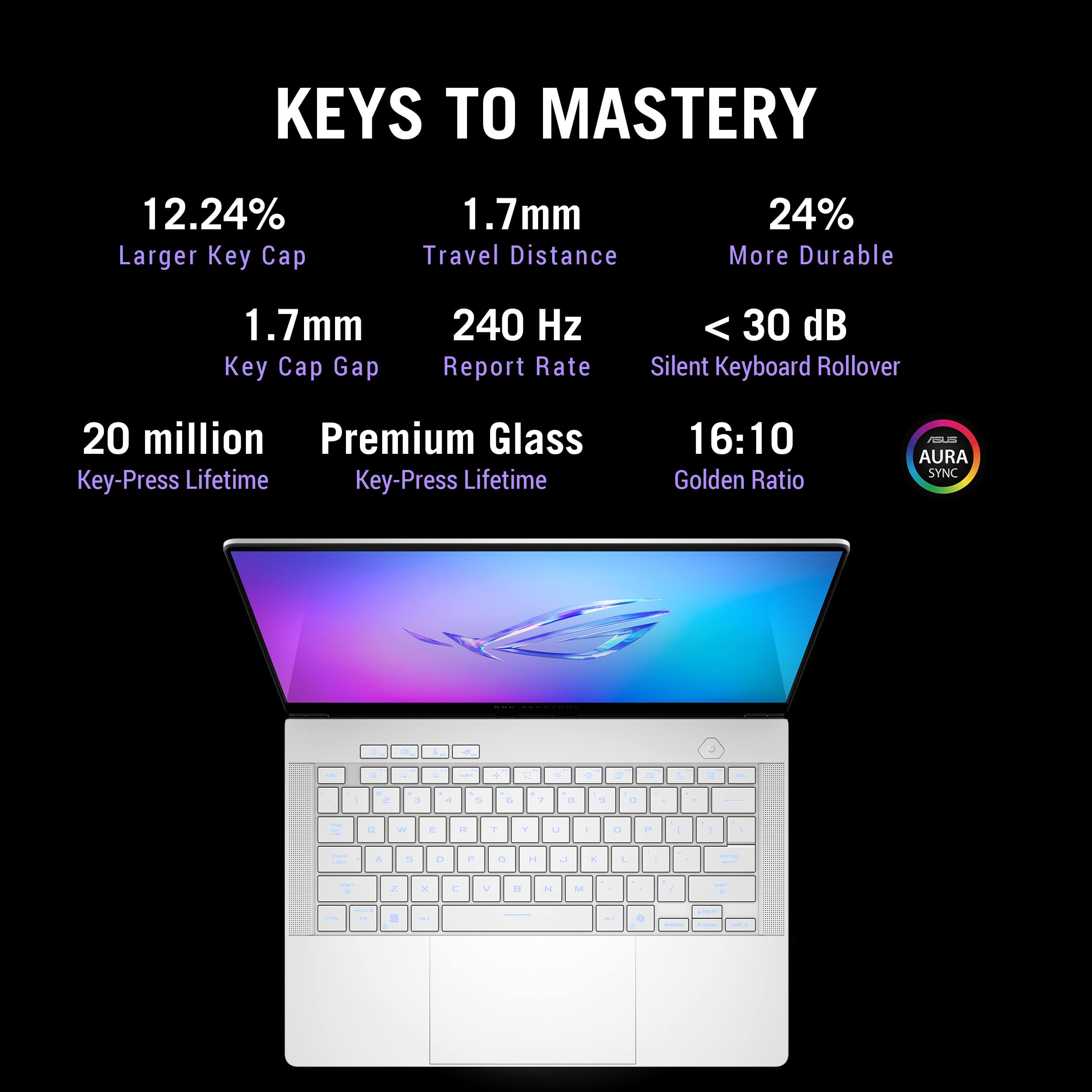
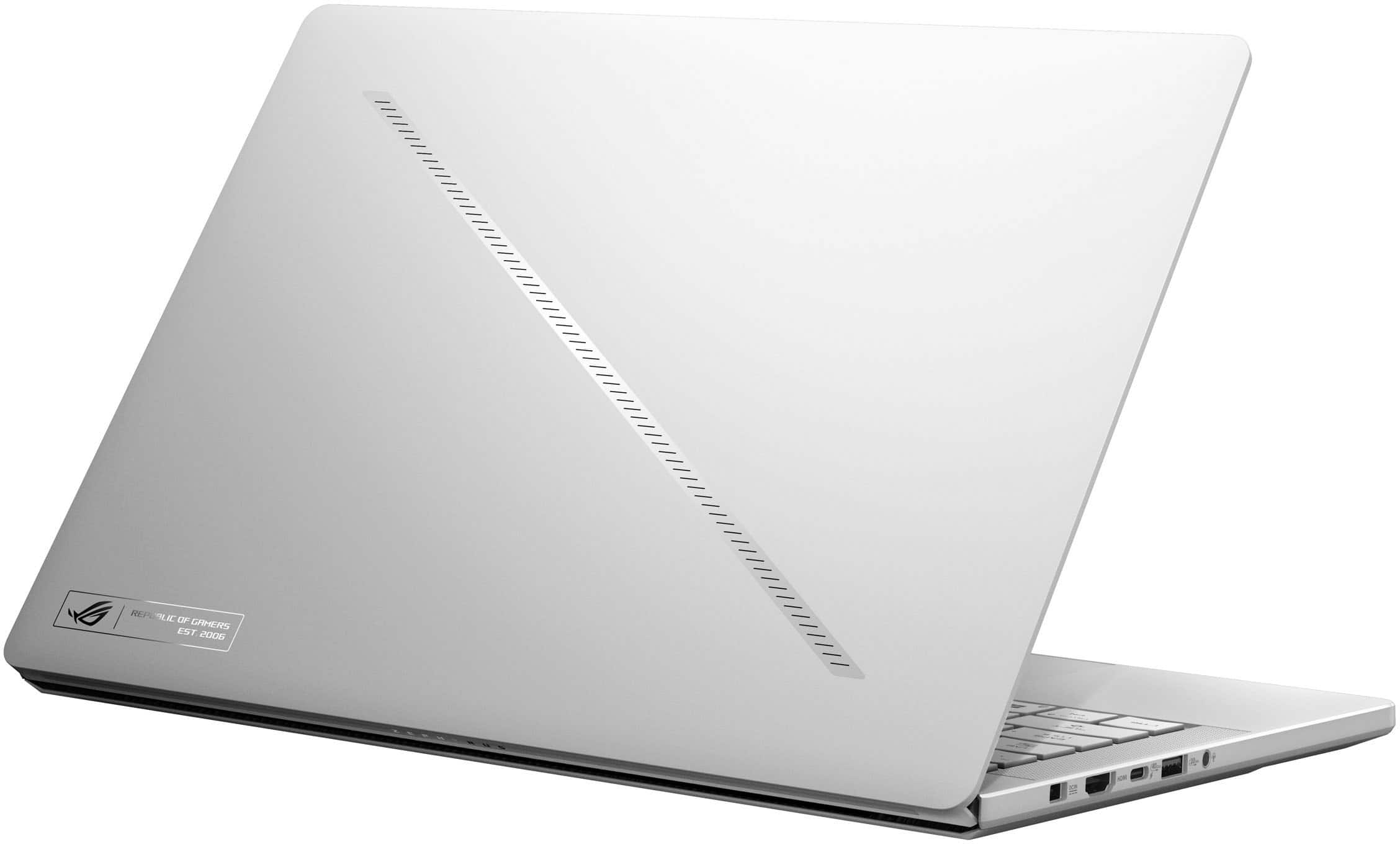
|Posted .This reviewer received promo considerations or sweepstakes entry for writing a review.ASUS's ROG Zephyrus laptops have always been my go-to choice for portable gaming. I've owned several of the larger 15" and 16" ROG Zephyrus models, but this is my first 14" model. I was worried that the smaller form factor and screen size would result in too many sacrifices, but that is not the case. This 2025 G14 model has quickly become my new favorite portable gaming powerhouse. Even better - ASUS has seemingly resolved many of the issues with heat, battery life, build quality that plagued last year's Zephyrus laptops. === DESIGN & BUILD QUALITY (5 Stars) === - This G14 model is the "Platinum White" color. I was worried that I wouldn't like this color, but it has some big advantages over the darker gray color. Namely, it hardly shows any fingerprints or smudges, and it seems to take on a slightly different tone or shine depending on your lighting. If you typically lean towards darker color laptops, don't be afraid to give this white color a chance. - The 2025 G14 shares the same overall design as last year's models and is almost entirely aluminum, which gives it a very premium feeling. There is hardly any plastic to be found outside of the keyboard. Notably, the edge of the laptop near the trackpad is rounded, so there are no sharp edges that will cut into wrists while typing. - The laptop measures 12.2" wide by 8.6" deep, and just over a half inch thick. This model weighs about 3.4 pounds. It's almost the exact size as a modern 14" MacBook Pro. - There are a decent number of ports available. On the left, there's the "ASUS Slim" power port, an HDMI 2.1 port, a USB-C 3.2 Gen 2, a USB-A 3.2 port, and 3.5mm jack. On the right, there's a microSD card reader, another USB-A 3.2 port, and a USB-C 3.2 port. There is no Ethernet port on this laptop. - ASUS is continuing to use its proprietary "ASUS Slim" power port on this year's ROG laptops. The plug is reversible similar to USB-C, but the size of the actual power brick remains very large. The included 200W power brick is almost the same size as the more powerful 240W brick that I had with my older G16 laptop, and you'll need to find room for it in your bag if you want to get the most power out of this laptop while traveling. You can also power and charge the laptop via USB-C, but the laptop can only draw up to 100W of power via USB-C, which will limit performance. - ASUS has carried over the “Slash Lighting” array on the cover. You can select tons of different flashing patterns, but when you’re using the laptop, you can’t actually see the lights. But I suppose it's a nice minimalist touch and is less obvious than flashy multi-colored LEDs. - My previous 2024 G16 model had some concerning build quality issues such as a loose hinge and random popping/creaking noises whenever I touched the bottom of the laptop. I'm happy to report that this G14 model does not have such issues -- the build quality is excellent. The hinge feels much tighter and the screen no longer wobbles while I'm typing. Similarly, there is almost no flex on the keyboard or anywhere else on the chassis -- this is a solidly built machine. === DISPLAY, KEYBOARD, TRACKPAD, & AUDIO (5 Stars) === - The 16:10 2880x1800 OLED display appears to be the same one used in last year's model, and that's fine with me -- it is one of the most beautiful laptop displays I've ever used. It has perfect black levels and rich, deep colors. Viewing angles are very good, but there is a slight rainbow effect at extreme angles. While only rated for 500 nits, the display gets incredibly bright. The 120Hz refresh rate is perfectly paired with the RTX 5080. Games look incredibly smooth with no tearing or choppiness. - The keyboard feels nearly identical to other Zephyrus models of recent years. Keys have 1.7mm of travel and the key caps are very large, but they feel slightly more cramped than my larger G16. The keyboard is RGB-lit, though the entire keyboard can only display one color at a time (there are not multiple RGB zones to control). - The trackpad isn’t haptic, but it’s probably the best mechanical “diving board” trackpad that I’ve used on a Windows laptop. It is very large and centered perfectly below the keyboard. Windows gestures work perfectly thanks to the smooth glass surface. I was really hoping that ASUS would switch over the Zephyrus lineup to haptic trackpads this year, but I guess the wait continues. - ASUS says the speakers on this year’s models have a “252% volume increase” compared to last year. I’m not sure exactly what that means, but the speakers don’t seem any louder or different to me. They’re still excellent — again, probably among the best in a 14” Windows laptop — but I still prefer to wear headphones while gaming to drown out fan noise. === PERFORMANCE, COOLING, & UPGRADES (5 Stars) === - My old Zephyrus G16 had an inefficient Intel Core Ultra 9 processor that chewed through battery life and left the laptop almost too hot to touch. Luckily, ASUS has gone with the much more efficient AMD Ryzen AI 9 HX 370 for this year’s G14 models. In TimeSpy, the highest CPU score I was able to achieve was 9,730, which is more than powerful enough to pair with the RTX 5080. - The following benchmarks were conducted with the “Turbo” setting selected in ASUS Armoury Crate: Time Spy benchmark: 15,386 (graphics score 17,145). Cyberpunk 2077 (High preset, 1080p, RT Ultra): 77 fps average. Horizon Zero Dawn: Remastered (Ultra preset; 1080p): 96 fps average. Returnal (Ultra preset; 1080p): 100 fps average. ⁃ Of course, one of the main features of RTX 50 series GPUs is frame generation, and this laptop takes full advantage of the feature. When I turn on 4x Frame Generation in Cyberpunk 2077 with DLSS Super Resolution, the average frame rate jumps to nearly 150 fps. This feature adds some artifacts and flickering around edges, but it’s almost imperceptible during gameplay. - The RTX 5080 in this G14 model has a maximum power draw of 110W when in Turbo mode (it can be boosted another 10W in manual mode). Other, thicker laptops with a 5080 (such as the ASUS ROG Strix) can deliver up to 175W or more of GPU power (and therefore more performance). So just be aware of what you’re getting with this thin and light G14 — it’s branded as an RTX 5080, but in the world of gaming laptops, not all 5080s are created equal. The thin design and thermal limitations of the G14 chassis simply cannot support a more powerful GPU. Still, the 5080 in the G14 is extremely efficient and powerful enough for all but the most hardcore of gamers. - ASUS has made some massive improvements to the cooling systems in this year’s Zephyrus laptops with upgraded fans and new heat pipes — and the difference is tremendous. My 2024 G16 got so hot during gaming that I was afraid to touch it. Luckily, this G14 has no such issues. Yes, it gets warm while gaming, but never to the point where I’m worried about burning my skin. Under full loads, the CPU tops out around 86 degrees Celsius, while the GPU seems to top out at about 81 degrees. - Like most gaming laptops, fan noise does get annoying while gaming. The fans aren’t very noticeable when doing simple tasks such as web browsing or light photo editing. But once you set the laptop to “Turbo” mode and start gaming or doing more intense creative tasks, I’d recommend a pair of headphones: the fans get as loud as 54 dB, and the fan noise is relatively high-pitched. - Battery life has improved significantly over previous models, but it still won’t compete with more power efficient laptops. The 73 Whr battery can give you about 5-6 hours of basic tasks like web browsing and watching videos with the screen at half brightness and Armoury Crate set to “Silent” mode. While gaming, I was able to squeeze out nearly 2 hours on battery while playing Returnal at medium settings on Silent mode. That’s pretty good, but still — if you want to game while traveling, don’t forget the power adapter. - The included 2 TB SSD offers tons of space and is very fast, with read speeds upwards of 5,000 MB/s and write speeds of 4,400 MB/s. There is one extra M.2 slot if you want to add more storage. - 32GB of LPDDR5X RAM are soldered onto the board. As such, you can’t add or upgrade the RAM, so I’m glad ASUS decided to include 32GB rather than 16GB. The RAM clock speed is 8000 MHz. === SOFTWARE AND OTHER THOUGHTS === - There is a decent 1080p webcam (Windows Hello-capable) on the bezel above the screen. It seems to be unchanged from last year’s Zephyrus laptops. It’s not the best quality but gets the job done. The Windows Hello facial recognition is infinitely better than the unreliable fingerprint readers in older ASUS laptops. - ASUS has finally added a wireless card capable of Wi-Fi 7, so the wireless connectivity of this laptop is relatively future-proof. - The ASUS Armoury Crate and MyASUS apps are essential for tweaking the performance and fan curve settings of this laptop and for performing firmware updates, but these apps seem bloated and confusing. It seems like ASUS is slowly updating the Armoury Crate app, at least, to bring commonly used settings to the forefront, so hopefully it will keep getting better. - The inclusion of the AMD Ryzen AI 9 HX 370 means that this is a “Copilot+ PC.” That’s good and bad - there are some neat Copilot+ features such as image creation and live captions, but it also means that the controversial Recall feature will try to install itself when you first set up the laptop. In addition to the privacy concerns, I found that leaving Recall turned on had a negative impact on gaming performance. Luckily, it’s easy enough to disable. === OVERALL === With its excellent display, build quality, performance, and cooling, the G14 is truly the new portable gaming powerhouse. I hope that ASUS continues to refine this excellent design in the coming years (a haptic trackpad, reduced fan noise, and better battery life all come to mind). Still, for gamers and creators alike, the G14 is an excellent choice.
I would recommend this to a friend - Pros mentioned:Portability
Best do it all 14 inches machine
||Posted . Owned for 1 month when reviewed.This reviewer received promo considerations or sweepstakes entry for writing a review.Amazing 14 inch laptop, I tried 16 inch but its not that portable for me, this instead fells like you can take it anywhere and rtx 5080 handles everything you throw at it
I would recommend this to a friend - Pros mentioned:Gaming performance
Very good for gaming, but little disappointing
||Posted .This reviewer received promo considerations or sweepstakes entry for writing a review.It is very good. I can play most of the games using this, in the best settings. Some parts i feel disappointing is the battery. The battery stays on for like 6 hours on normal usage, and shortens to an hour and half when gaming. It would have been better is it could stay on for 8 hours.
I would recommend this to a friend - Pros mentioned:Build quality, PortabilityCons mentioned:Fan noise, Heat dissipation
A premium device at a premium
|Posted .This reviewer received promo considerations or sweepstakes entry for writing a review.It's no secret that the Asus ROG Zephryus line of laptops is highly coveted by many. There are only a few other laptops that can claim this much power in this small of a package. Of course along with being at the top is a top of the line price. According to the Asus website there are five Zephyrus models for 2025. The starting G14 is available with the RTX 5070 and at the top is the G16 that can be equipped with the RTX 5090. As you should expect this laptop has everything checked to be a fully competent Windows companion. I hope this laptop can finally be not just my pick for travel but as a desktop replacement. I break my thoughts down into two general categories. Number #1 is the daily use. That for me is how it is docked and undocked. When I am docked I share my monitor with a KVM so I can switch back and forth from the company laptop to mine. The ROG Zephyrus G14 has the correct HDMI port so it works seamlessly with my KVM. I am pushing 250hz into my desktop OLED monitor without any issues. For desktop use I am using the included 200 Watt power supply so I get full power when switching to gaming. The AMD Ryzen AI HX370 processor has 12 CPU cores and 12 SMT cores for a total of 24 threads. On its own this processor is more than a match for my daily use. The 32GB of ram runs at 800MT/s. Add the included Radeon 890M integrated GPU and this is a very powerful package. Well let's not forget the 2TB of storage. Ok let’s also not forget about the Nvidia RTX 5080. This is a very powerful mobile GPU. Using Nvidia’s DLSS upscaling and new for the 5000 series, Multi Frame generation you have a lot of options for getting great frame rates and power management. For games that support these types of advanced features PC gaming is changing. You can really get playable frame rates on lower specced hardware. And that is important here too. You have more options than ever for how you want to play your games. On my desktop I want all of the available performance. On the road I can run at lower resolutions and not push the system as hard and improve my battery life. And depending on the game I can just use the integrated GPU on the AMD Ryzen AI HX370. I do love choices. So docked you have workstation level CPU and GPU performance for almost any tasks regardless if it's gaming or as a content creator editing 4K videos. #2 was how it performs undocked. Starting with the build quality and all aluminum chassis. All edges are beveled and I could not find any sharp edges. The color is not quite white. At 3.46 pounds and only .63 thick it's easy to take along anywhere you want to go. As an X machinist I am a succker for the look and feel here. The lighted keyboard feels very nice and is one of the best I have used. Keyboard backlighting is through the keys. The trackpad is glass and has that perminum smoothness. The clicks are smooth and have a solid feel without being too loud. The 3K OLED display supports 120Hz and is bright and colorful. The display supports 100% of the DCI-P3 color space so content creators will be happy. The two USB type C ports will pass through charging as they should. I am glad to see there are two USB type A ports. I know they're getting a bit old. But in the real world it makes connecting a mouse and keyboard a lot easier when you are out and about. When you Include the audio and mic jack and SD card reader you have great options for both travel and desktop connections. And in this small of a package it really is amazing. And now like any product there are always a couple of things I would add. One I do prefer is my power button to be located on the side. The G14 has the power button on the top by the keyboard. You have to open the lid to turn it on. A minor grip but when docked it is not as convenient. I also miss not having a fingerprint reader. Which my older laptop had. The G14 supports Windows Hello through the webcam. But for those of us who don’t want to use the webcam, a fingerprint reader is a nice alternative. Using the Zephyrus G14 daily is a pleasure. I have completely replaced my RTX 3080Ti desktop gaming computer with the G14. The desktop performance of the RTX 5080 mobile chip is comparable to a 5070 desktop GPU. It has no problem playing AAA titles and again using DLSS and Multi Frame generation I can dial in the performance I want. You will want to use AC power to take full advantage of the RTX 5080. Again for mobile gaming using these technologies you can dial in the balance you need for frame rates and battery usage. You can expect the fans to run hard but they're not annoying and the keyboard will definitely get warm. You won’t want to have the laptop on your lap when gaming as most of the heat is pushed out through the bottom and it does get uncomfortably hot. The good news is at this price I only had some minor cons I could come up with. Well that’s other than the price. Yes this is a very expensive laptop. But for those that want the very best the Asus Zephyrus G14 should be on your list. There is a reason this laptop is so highly coveted. There are many other features here I could go into. The Armoury Crate software from Asus is much more refined and seems to be the best yet. All of this creates an impressive package that should provide years of service without sacrificing anything. This laptop is a reminder of why I love computers.
I would recommend this to a friend - Pros mentioned:Build quality, PortabilityCons mentioned:Fan noise, Heat dissipation
Compact Powerhouse
|Posted .This reviewer received promo considerations or sweepstakes entry for writing a review.The Zephyrus G14 is a slick thin and light gaming laptop with plenty of power. This particular configuration pairs the more than capable R9 HX370 with the RTX5080 Mobile GPU and a healthy 32GBs of RAM for an overall compact powerhouse of a laptop that brings some serious performance in a really portable form factor. There are some trade-offs here, while you're getting the very capable 5080 mobile GPU, it is limited by both the amount of power it's allowed to consume, and the thermal design of the laptop. So, the real benefit here is more it's additional VRAM over other models and less it's additional performance. But even considering these limitations It's still a high-end gaming laptop and performs like one. Like any gaming laptop, when you push it hard, the fans are going to get loud, and it's going to heat up. I haven't had any issues with thermal throttling, but headphones are kind of a must if you want to play really demanding games. Like last year's G14 we get the same slick milled aluminum alloy chassis with the slash lighting on the lid, and single zone RGB backlit keyboard. This year we have higher tier options for the GPU, with the 5070TI and 5080 models that have a slightly thicker chassis to accommodate additional cooling for the more powerful hardware. Aside from that, the overall laptop is physically the same. Again we get an OLED display with a 2880x1800 resolution and at 14 inches is an amazingly sharp visual experience both for gaming and media consumption or creation. The same great speakers introduced with last year's models that honestly are close to if not are, the best sounding speakers in a windows laptop I've had the pleasure of listening to. The webcam is passable and enables Windows Hello for password free logins using your face. I'd personally prefer to have a fingerprint reader for logging in instead. But for discord or other video conferencing, zoom etc, this works fine and gets the job done as well as any other. It's not an amazing camera, but we don't buy gaming laptops for their webcams. As expected, games run amazing. It's handled everything I've thrown at it with gusto. Outperforming my aging desktop at every turn. Which probably shouldn't surprise me, but the power limited 5080 Mobile in this laptop handily beats my Desktop 2080 Super in Time Spy by quite a bit, GPU score of 11293 on my desktop 2080 Super, and a score of 16528 on this 5080 mobile. Despite being limited by the power it is allowed consume I'm getting a serious upgrade in performance. If you're coming from last years G14 the extra power here is nice, but probably not as much of an improvement as would be needed to warrant the investment. But if your coming from a 2021 or 2022 G14, it starts to look a little more appealing, with its sleek design that's a little less 'gamery' and the powerful new 5000 series graphics and far superior speakers and display, it makes for a great upgrade across all metrics. The only real complaints I have are the fact that Asus is still using a diving board trackpad and not a haptic trackpad. Everything feels so premium and nice, and then that trackpad breaks the spell a little. Beyond that, the keyboard is great, but the bright white keys make the backlight lighting seem less bright by comparison. Minor nitpicks but should be mentioned.
I would recommend this to a friend - Pros mentioned:Battery life, Build quality, PortabilityCons mentioned:Fan noise
Incredible Performance, Lightweight Design and AI
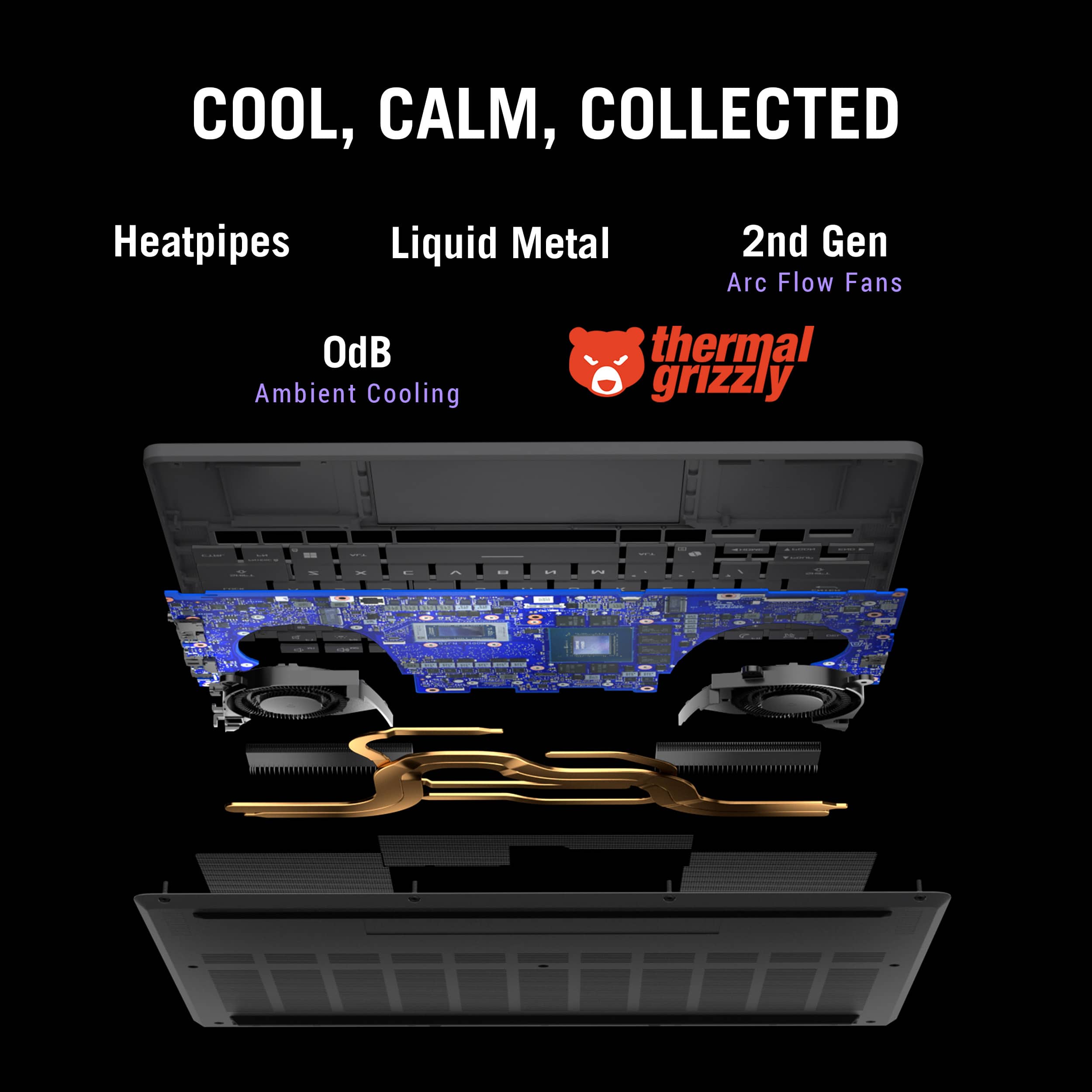
|Posted .This reviewer received promo considerations or sweepstakes entry for writing a review.Over the years, the Asus ROG Zephyrus G14 line has been one of my favorite laptops/notebooks due to its lightweight size and their ability to pack as much tech inside them as humanly possible without sacrificing performance and their latest release does not disappoint. Packed with cutting-edge technology, including the AMD Ryzen AI 9 HX and the NVIDIA GeForce RTX 5080, this notebook is designed to deliver exceptional performance for both gamers and creators. Perhaps the biggest standout feature, in my opinion, is the fact that the tech wizards behind the scenes were somehow able to pack the latest NVIDIA GeForce RTX 5080 graphics card with 16GB GDDR7 RAM into a notebook of this size. The NVIDIA RTX 5080 powerhouse is already known for handling anything gaming related as well as tackling large scale design and creator projects that require dedicated graphics memory. With its ray-tracing abilities, which provide realistic lighting, shadows, and reflections in games, it can display the true potential of high-end games at maximum graphics settings without “batting an eye”. Couple that power with the latest AMD Ryzen AI 9 HX 370 processor with 12 cores and 24 threads which integrates AI capabilities and incredibly fast processing speeds, and you’re able to optimize any performance or task based on your needs. Whether you're playing the latest AAA titles or working with demanding applications, the Ryzen 9 HZ ensures smooth and efficient operation. It also comes equipped with 32 GB of LPDDR5X memory that is capable of up to 8000 mHz speeds and a large 2 TB PCIe 4.0 SSD for plenty of on-board storage. The combination of these powerful components makes the G14 a powerhouse for gaming and creative tasks such as video editing and 3D rendering. Honestly, I’ve never witnessed the AAA games I play look and perform so incredibly fluid in my life even in comparison to any other gaming laptop or gaming rig I used previously and the multiple benchmarks I ran on this notebook mirror that sentiment. The overall design of the latest Zephyrus G14 is aesthetically similar to that of previous generations with its nonchalant, non-flashy looks with the exception of ASUS’ customizable LED AniMe Matrix diagonal light bar on the lid. However, we all know what’s inside is more important (awwwww 😊) and the sleek and compact design, featuring a magnesium-aluminum chassis that is both lightweight and durable, makes it highly portable without sacrificing performance. The keyboard is designed with gamers in mind with several convenient shortcut buttons specific to the ASUS ROG line as well as for Microsoft’s Co-pilot AI. The backlit keyboard and smooth touchpad also provide a comfortable and responsive experience without noisy, clicky buttons. You can’t have all the high-end specs listed above without pairing it with an incredible display as it would defeat the purpose. Therefore, the Zephyrus G14 sports a 14-inch 3K OLED ROG Nebula display with a 120Hz refresh rate, which ensures crisp, colorful and fluid visuals providing incredible detail and ultimately making your gaming experience even more immersive. If you require an additional or larger screen, there is an HDMI port located on the left side of the rig next to one of its two USB-C ports, one USB-A port and audio jack. Something worth mentioning is the G14’s ability to keep the rig cool when cranking out all this power. I specifically mention this as in some of their previous models the heat became an issue of mine as well as the fan noise. Both of these issues have clearly been addressed as I have not experienced any heat as much as the previous model I used and the fan noise is relatively minor in comparison as well. This is due to Asus's latest innovative cooling system, which includes liquid metal thermal compound on the CPU, multiple heat pipes, 2nd Gen Arc Flow Fans, and Tri-Fan Technology all reducing temperatures up to 13 degrees to ensure the notebook remains cool even during intense gaming sessions, preventing thermal throttling and maintaining optimal performance. One of my gripes from the previous G14 line was the battery life, or lack thereof, due to only having so much space to work with in a smaller notebook. Ultimately, this led me to go back to a larger laptop in the interim because of the larger battery and longer life. Using the latest technology, the new ROG Zephyrus G14 offers better, longer lasting battery life, up to 10 hours on a single charge obviously depending on usage. Something I typically am never impressed with on laptops or notebooks is the audio and usually just resort to headphones. Recently I’ve noticed many manufacturers have really stepped up their sound game and the new G14 does just that. Believe it or not, they were somehow able to pack in six speakers on both sides of the keyboard firing directly at the user with Dolby Atmos and able to produce up to a whopping 252% volume increase compared to prior models and 100Hz bass frequency. It even has AI noise cancellation and a 3D mic array for gamers and streamers. I was blown away at how loud this notebook was so I wanted to make note of that for consumers. While the new Asus ROG Zephyrus G14 is considered as a premium gaming notebook, and its price reflects the advanced technology and features it offers, I honestly believe it would be well worth the investment considering it should be able to keep up with the competition and newly released AAA games for a few years before considering upgrading. I would recommend the latest G14 gaming notebook to anyone in the market for a portable gaming experience, 3D designers or content creators.
I would recommend this to a friend - Pros mentioned:Build quality, Gaming performance, Portability
Unbelievable performance per sq inch - does it all
|Posted .This reviewer received promo considerations or sweepstakes entry for writing a review.Asus ROG G14 (2025) AMD Ryzen AI 9 HX, 32GB RAM, Nvidia RTX 5080, 2TB SSD, 3K OLED 120hz Overview ===================================== Asus keeps innovating with their Republic of Gamers line and has a gaming laptop for whatever size you need. Their G14 has been their densely packed powerhouse. It's compact but typically makes no compromises in terms of performance by including top-of-the-line CPUs and GPUs. I've had a previous version and I'm very eager to look at what's new in the 2025 G14. This model from Best Buy is generously spec'd out with: AMD Ryzen AI 9 HX processor, 32 GB of RAM, an Nvidia RTX 5080 GPU, 2 TB SSD, and a stunning 3K OLED that can support 120hz. Unboxing and setup ===================================== I love these G14s! Their first generation didn't feel as solid, but this one and recent years have felt as solid as other unibody metal laptop models. It's cool to the touch and though it's packed with power, it's still under 4lbs. It has a distinctive slash on the rear panel (with configurable lighting modes!) and plenty of ports. Again, no compromises on their most compact serious gaming laptop. Note - since this model has the Nvidia 5080 GPU, it is 2mm thicker than the other, less powerful G14 models to make room for better cooling. Left side ports: Power, HDMI, USB-C 4.0 (connected to the integrated GPU), USB-A, headphone jack Right side ports: USB-C 3.2, USB-A, microSD slot It's important to note that the left side's USB-C port is a 4.0 that's capable of 40 Gb/s, DisplayPort Alt mode, and is connected to the integrated GPU, so it won't cause the Nvidia GPU to kick in and draw power. As you can see, that's plenty of ports for whatever accessories you might need. Sure, there's no room for a wired Ethernet/RJ45, but with Wi-Fi 7 onboard, it's as speedy as your home wireless infrastructure is. The keyboard is still as good as the previous generation with simple backlighting (single zone) that's just fine for me. Even though I've had laptops or keyboards that you could configure per-key lighting, I never took advantage of them. The included power brick isn't nearly as big as some desktop replacement ones I've had, and if you're on the go, just bring a powerful USB-C charger. Each side's USB-C port can handle up to 100w USB-C charging! Before we get to the test, let's talk about the beautiful OLED. For generations, Asus has been using high-quality OLED panels in their G14s and this one is no different. Stunning colors with vivid saturation, deep, inky blacks and a fast response time make this one of the best panels out there. You will love working, gaming, watching movies and more on this G14! Performance ===================================== Though this G14 can definitely perform any graphic-intensive tasks like 3D modeling/rendering and local AI workloads like Stable Diffusion, let's talk about the gaming performance since that's the target audience. As you can imagine, this combination of top-of-the-line components can handle anything you throw at it. Sure, it can be challenging to push new AAA games on a high-res panel regardless of the GPU, but not in this case. After using the included Armoury Crate utility to set maximum performance (Turbo mode, Ultra GPU), it was time to test! Some notable games that can push the limits include the following, but even at full 2.8k, you can run (at depending on your DLSS/RTX options): Cyberpunk 2077 - 60-100 fps The Witcher 3: Wild Hunt - 65-120 fps Black Myth: Wukong - 55-105fps Those are some impressive numbers at full 2880x1800 resolution! If you're playing at anything less, like QHD or FHD, then you can really push the limits of the fast, 120hz OLED with G-sync. Otherwise, the overall performance will let you play practically anything at high details with smooth performance. Another aspect of the G14 is the sound system. With 6 speakers, it sounds WAY better than it has any right to at this size. The previous generation already sounded great with full, rich sound that was miles better than most any laptop out there. Somehow Asus improved on the speakers and sound to make this G14 a true gaming entertainment system. Movies, music, and games will sound much better on this G14 than any previous generation laptop you've played games on before. As always with a compact device that's this powerful, please don't leave it on the desk! Using a nice laptop stand, angle the rear upwards to allow more airflow. With this generation and the previous one, cooling is important if you want maximum performance. This is an AMD Ryzen AI 9 HX CPU that has an NPU (50 TOPs) for local AI tasks including AI noise cancellation for great sounding conference calls or even local image generation using tools like Microsoft's Copilot. It can also reframe your video and do eye contact correction. Conclusion ===================================== There might be no better way to get this kind of performance in something smaller than 15". With a top-of-the-line set of components, this G14 can do it all wherever you want to go. Besides just gaming, the fact that there's a local NPU for AI and a powerful GPU means you can work on local AI models, 3D/CAD, or any other programs that benefit from a full-fledged GPU like DaVinci Resolve. Of course it's a great entertainment machine with a beautiful display, awesome speakers and the power to play any game at full details. Asus is doing great things with its ROG line and this G14 is seriously impressive!
I would recommend this to a friend - Pros mentioned:Build quality, PortabilityCons mentioned:Fan noise, Heat dissipation
Gorgeous Screen, High Performance Laptop
|Posted .This reviewer received promo considerations or sweepstakes entry for writing a review.The Asus ROG series laptops have always been my favorite because of the great quality and performance expectations (for me, personally). The Zephyrus G14 does absolutely NOT disappoint. From the screen and speakers to the gaming performance, it is absolutely amazing. Starting off with the display, wow, it is gorgeous and glossy goodness. Having a 3K, 120Hz OLED, 100% DCI-P3 calibrated screen, on paper, it is expected to be a high-quality display. From the different games I played to the movies on Netflix I watched, everything really did look amazing. Colors popped in Assassin's Creed Shadows and dark scenes looked exceptional with HDR enabled and its nice (1 million) contrast ratio. (Also, no backlight bleed issues because of the OLED screen!) I thought more than anything, the 14” screen would feel smaller than it does, but I found it to be a great size (especially for portability) for me personally. The 500 nits of brightness also displayed content perfectly fine while outside in the sunlight and in Zoom meetings while inside my car. To add on to the display aesthetics, Asus added a chrome bar with slits across it with bright white LEDs behind it to create an animation to the back side of the screen that adds some “umph” to the gamer aesthetic. To top it off, the speakers on this 14” beast were some of the best I've ever heard and tested in any laptop. Audio was amazingly crisp, detailed, and while not loud enough to fit my smaller office-sized room, it thoroughly surrounded my personal space. Through Dolby Atmos, it also helped create a (albeit small) surround sound experience and helped immerse me into what I was watching without any headphones. It was truly stunning, and I was not expecting to be awestruck by the great sound. To finish off the aesthetics part of the laptop review, I found the touchpad reminiscent almost to the feel of an older 2010s MacBook, and I didn't have any comfort issues with the keyboard either. I found the key sizes to be slightly bigger than other small-sized laptops and felt great when typing research papers for school. And as far as weight and feel, the smooth aluminum chassis felt light to carry and sturdy when holding it in one hand. Now on to the performance. I was especially excited to try out the Nvidia 5080 for gaming and AI. The 5080 was able to keep graphics looking great during AC Shadows, Warzone, and other shooters gameplay. Specifically for AC Shadows, fps averaged in the mid 50 fps range on Very High settings and at 2560x1600 resolution but would dip at times to 29/30fps during cut scenes. Deciding to change it up a bit and try on a 2K gaming monitor, the framerate increased to 60-87fps on just High settings. Even after hours of gaming, the 5080 kept up with what I could throw at it and did amazingly well in its more portable, 100w laptop form factor. For everyday tasks like web browsing, YouTube, and using Adobe Lightroom, everything runs buttery smooth, and I personally did not experience any hiccups even when having different apps open. This is where the 32GB of memory shined and could easily run everyday tasks without issues. To help with comparing performance against other laptop hardware, I decided to run benchmarks against the NPU for AI, as well as the CPU and GPU. I used Geekbench 6 for these benchmarks without overclocking. Screenshots of the results for the tests are shown, but for reference, CPU-wise, according to Geekbench, the Ryzen AI 9 compares to an i7-13700k desktop-grade processor in single-core results, although it slightly beats an i5-13600k in multi-core tests (or slightly lower scores than a Ryzen 7 7700X). GPU-wise, according to Geekbench OpenCL, results compare to a desktop-grade RTX 4070 or slightly lower than a RX 7900 XT. As for heating and cooling, Asus touts a newer, efficient, and quieter cooling system in the Zephyrus G14. Expanding on their heatpipe system, Tri-Fan technology, liquid metal thermal compound, and more, I did find the fans to noticeably kick on for higher loads (like when gaming). The speaker audio helped to drown out most of the fan noise and did find it to help keep temps mostly down. I did notice that the top and middle parts of the laptop's keyboard area felt uncomfortably hot (not warm) to the touch during high loads. I definitely recommend keeping it on a desk or flat surface when using it while gaming, as the fan on the back side helps the laptop keep air flowing in for cooling, and can get pretty hot. Temps reached up to 87 degrees (Fahrenheit) for the CPU and 83 degrees for the GPU during high loads (gaming). After letting it idle for 20 minutes, temps averaged at about 46 degrees for both the CPU and GPU. Overall, this laptop is great with anything you can throw at it. For gaming, AI tasks, and just aesthetics in general, it is definitely worth it for the price point compared to similar laptops. It will last for years to come with its included NPU and 5080 graphics card for AI tasks, gaming, and basically anything you'll be able to throw at it.
I would recommend this to a friend - Pros mentioned:Build quality
BEST OF THE BEST FOR GAMING
|Posted .This reviewer received promo considerations or sweepstakes entry for writing a review.This years Asus ROG Zephyrus G14 improves upon previous iterations in nearly every way. I couldn't wait to get my hands on this beast of a machine and it couldn't have come at a better time. Lots of great games have/are set to release, to put this laptop to the test! Build- Overall the sleek design feels fresh and samey but doesn't take away from the premium experience. I prefer darker colors to alluminum silver but that's a small nitpick. At a glance it's not much different visually but that's okay, it still looks great. It's what's on the inside that counts. The keyboard and track pad are standard and it'll come down to personal feel, though the size of the pad is very nice and will fit most hands comfortably. For me, I'd like the keys to feel a little more clicky. As well as your usual affair of ports and inputs, there's even a USB-C 4 port which provides incredible data transfer rates. Visuals- Following suit with a 3K OLED display, you can't help but gush at the visual fidelity and color grading. Everything you throw at it will look fantastic. For a 14 inch laptop, it doesn't get much better than this. Another repeat offender is the max of 120 hz refresh rate, to some this may be a negative, more so in the competitive department. Peak brightness is 500 nits, this is fair for a screen of this size and doesn't detract from the quality of lighting, in my opinion. Performance - The meat and potatoes of a gaming rig has all to do with how well said games run. So then, to no surprise it can run even the most demanding of games no problem. Boasting the latest series of Nvidia graphics cards, the RTX GeForce 5080 is monster of a GPU and truly turns this laptop into something special. With the inclusion of not only ray-tracing and DLSS, but the latest in frame generation technology, your games have never looked and felt better. For starters, vRam is bumped up to 12 gb so higher settings and options are more attainable. Games like, God of War, Cyberpunk 2077 and Black ops 6 all looked and felt incredible. Audio and Battery- Sound design and quality was a particular standout for me last generation and I'm happy to report, it still slaps. The speaker and audio clarity is still some of the best I've used. Most of the time the speakers are preferable over headphones unless I'm playing multiplayer. Battery life is a necessary trade off when you're demanding this much power from a small package. Some productivity and light game is feesable for a couple of hours but you'll want to be plugged in, to fully experience the G14 at its best. Closeout- The Asus ROG Zephyrus G14(2025) is an absolute unit of a laptop, with masterclass in build quality. The minor nitpicks don't hold it back from being among the best of the best for portable gaming. If you can stomach the pretty penny required or have been waiting for the time to upgrade, this is the one to get.
I would recommend this to a friend