Customer Ratings & Reviews






















- Model:
- GA403WR-G14.R95070TI
- SKU:
- 10937006
Rating by feature
- Battery Life
Rating 4.1 out of 5 stars
- Speed
Rating 4.7 out of 5 stars
- Display
Rating 4.8 out of 5 stars
Powerful, Beautiful, and Totally Worth It
||Posted .This reviewer received promo considerations or sweepstakes entry for writing a review.I came from using an HP ProBook with just an FHD screen, so switching to this ASUS is a massive and necessary upgrade. I needed a machine that could handle AI models, and this one runs them flawlessly. The performance is top-tier, the OLED screen is stunning, and the keyboard, touchpad, and audio are all excellent. One cool AI feature is the Copilot+ button that can summarize YouTube videos, which is super useful and a nice touch for productivity. It does get warm and the battery drains quickly, even with light tasks like updates or watching videos, but overall, it’s an amazing laptop for anyone who needs serious power and modern AI tools.
I would recommend this to a friendFantastic
||Posted .This reviewer received promo considerations or sweepstakes entry for writing a review.Fantastic laptop so far it’s honestly great performance for money, I wish it was 240hz but it works fine.
I would recommend this to a friendReview: I’m very happy with this product. It works
||Posted . Owned for 2 weeks when reviewed.This reviewer received promo considerations or sweepstakes entry for writing a review.I love it! This computer works fast, runs smoothly, and is very easy to use. It handles everything I need without any issues.
I would recommend this to a friend- Pros mentioned:PortabilityCons mentioned:Heat dissipation

Asus Brings the Performance and the Heat
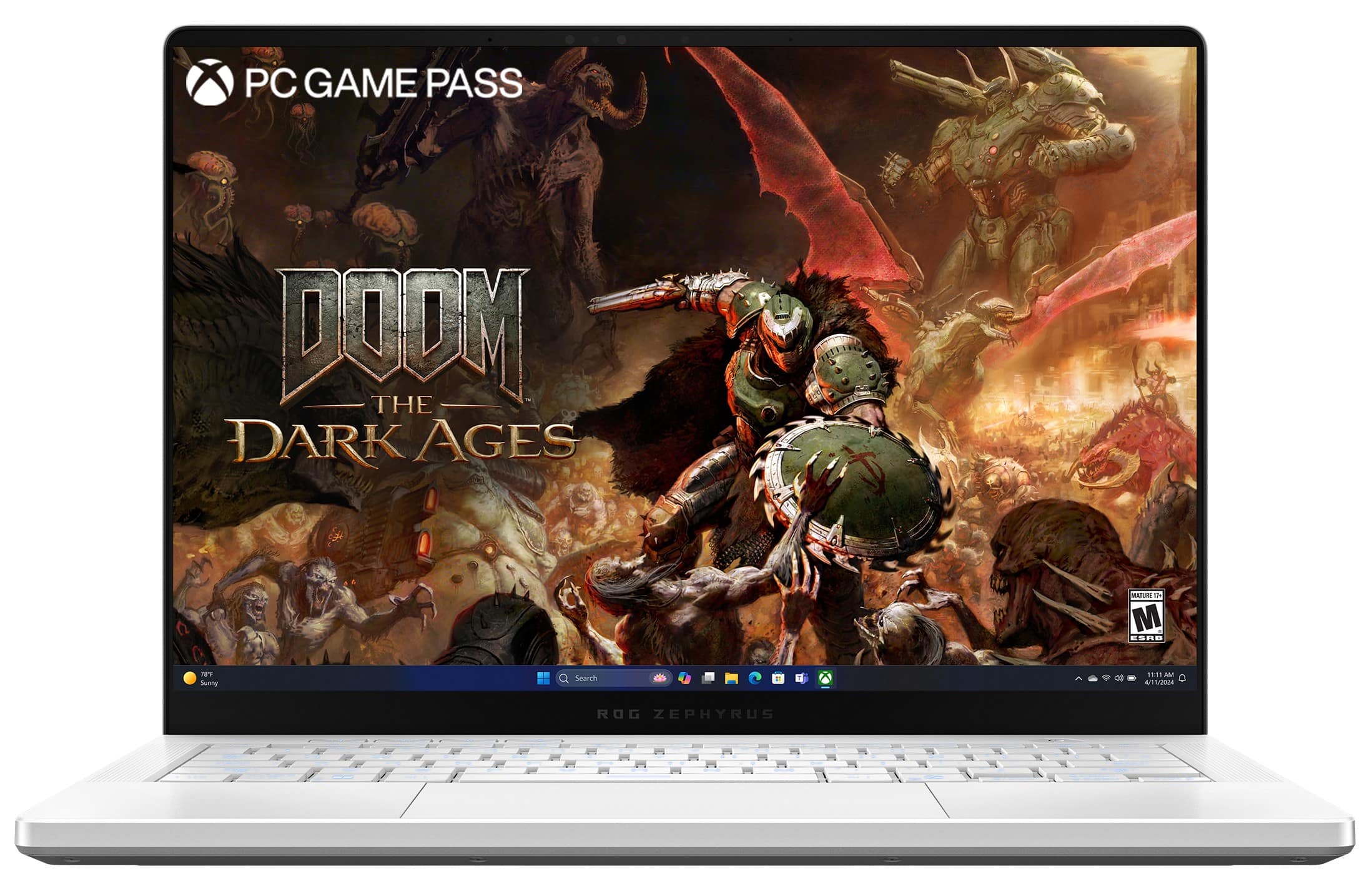
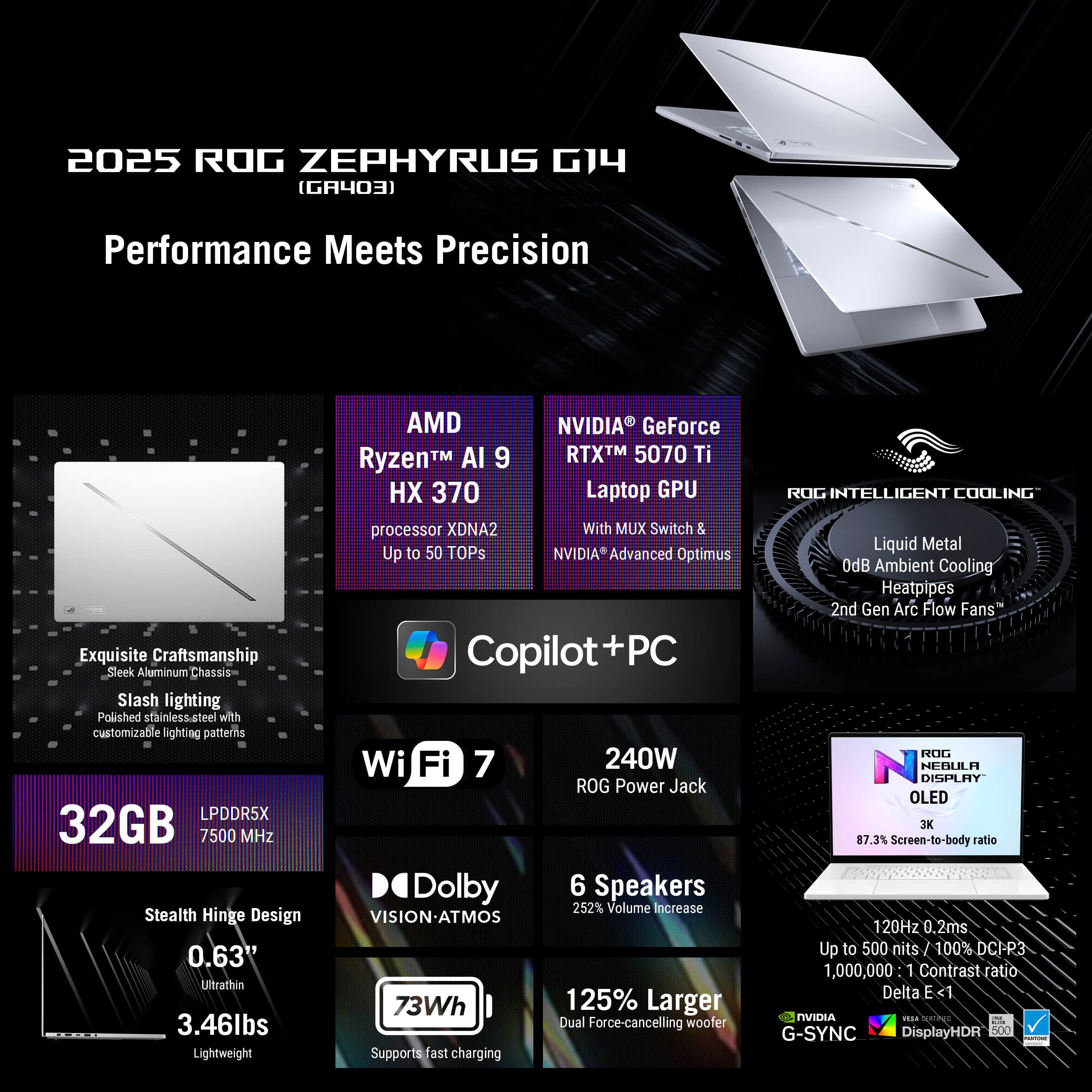
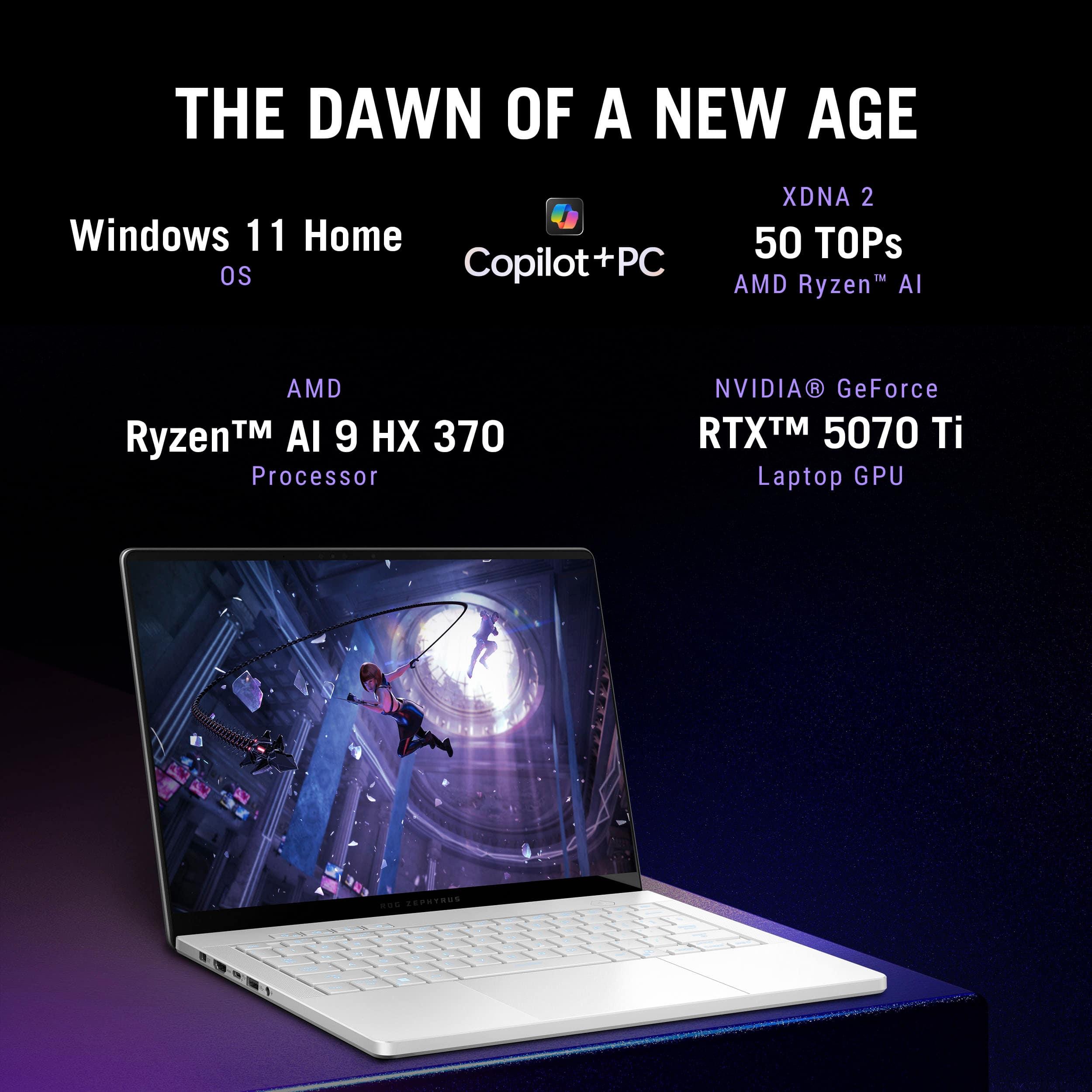
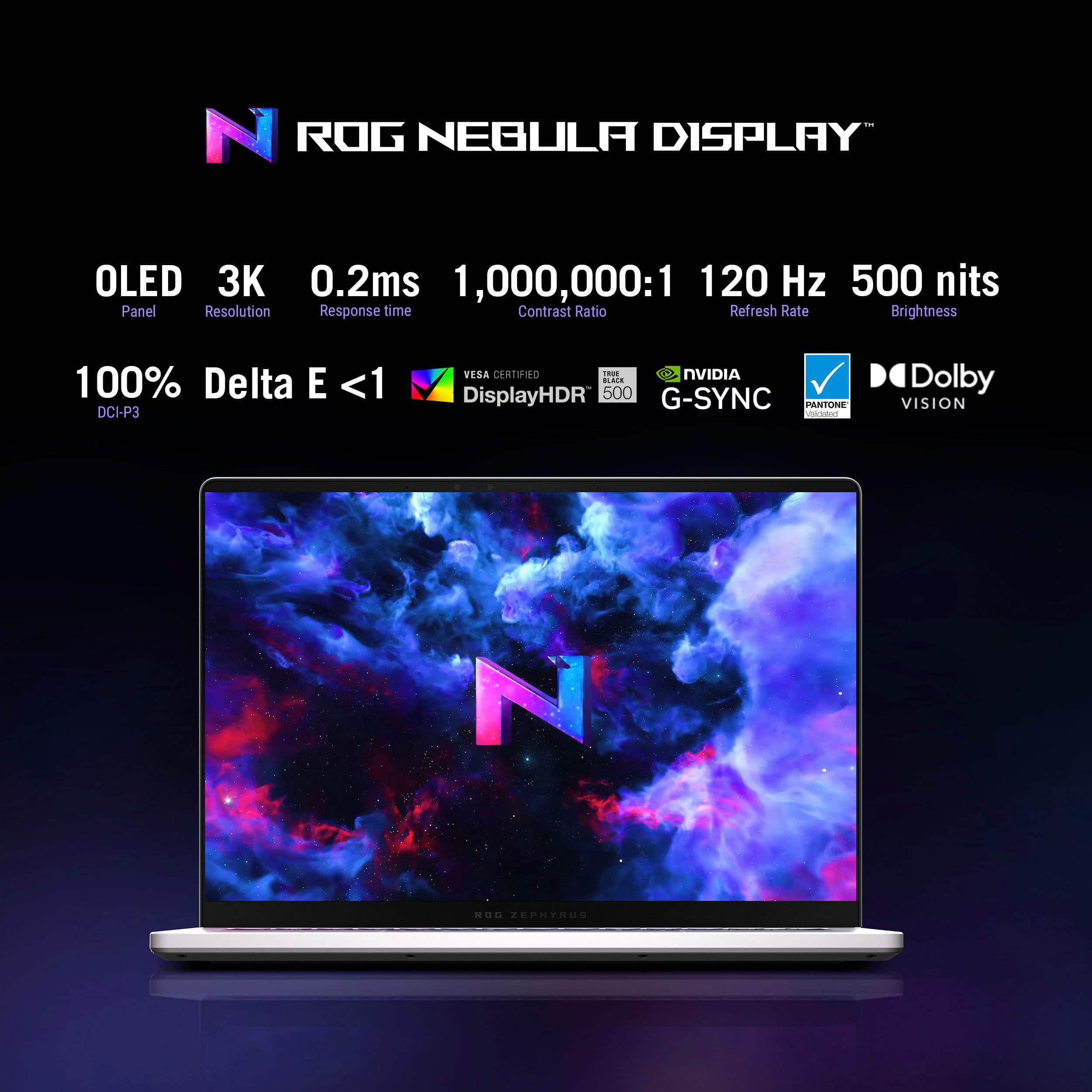
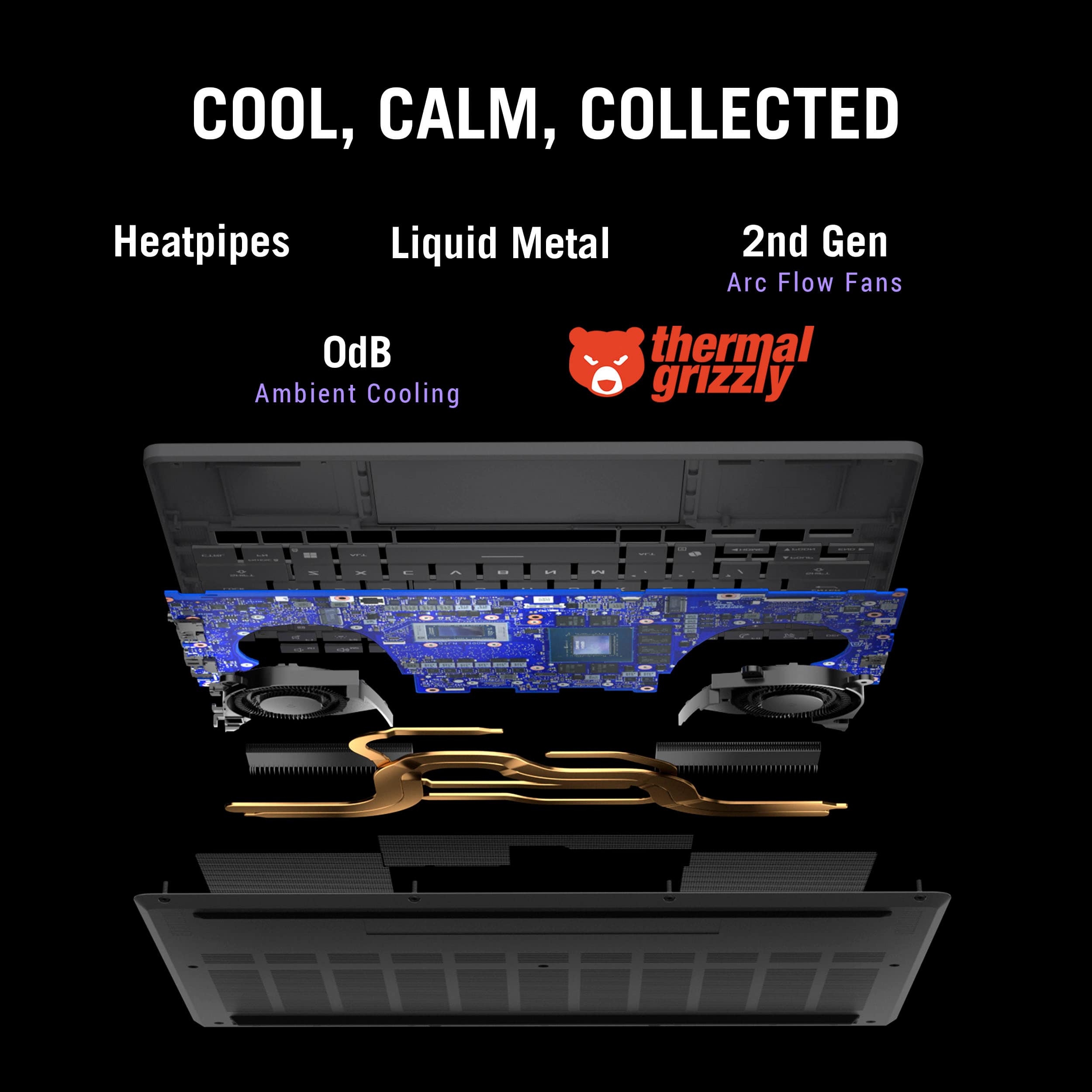
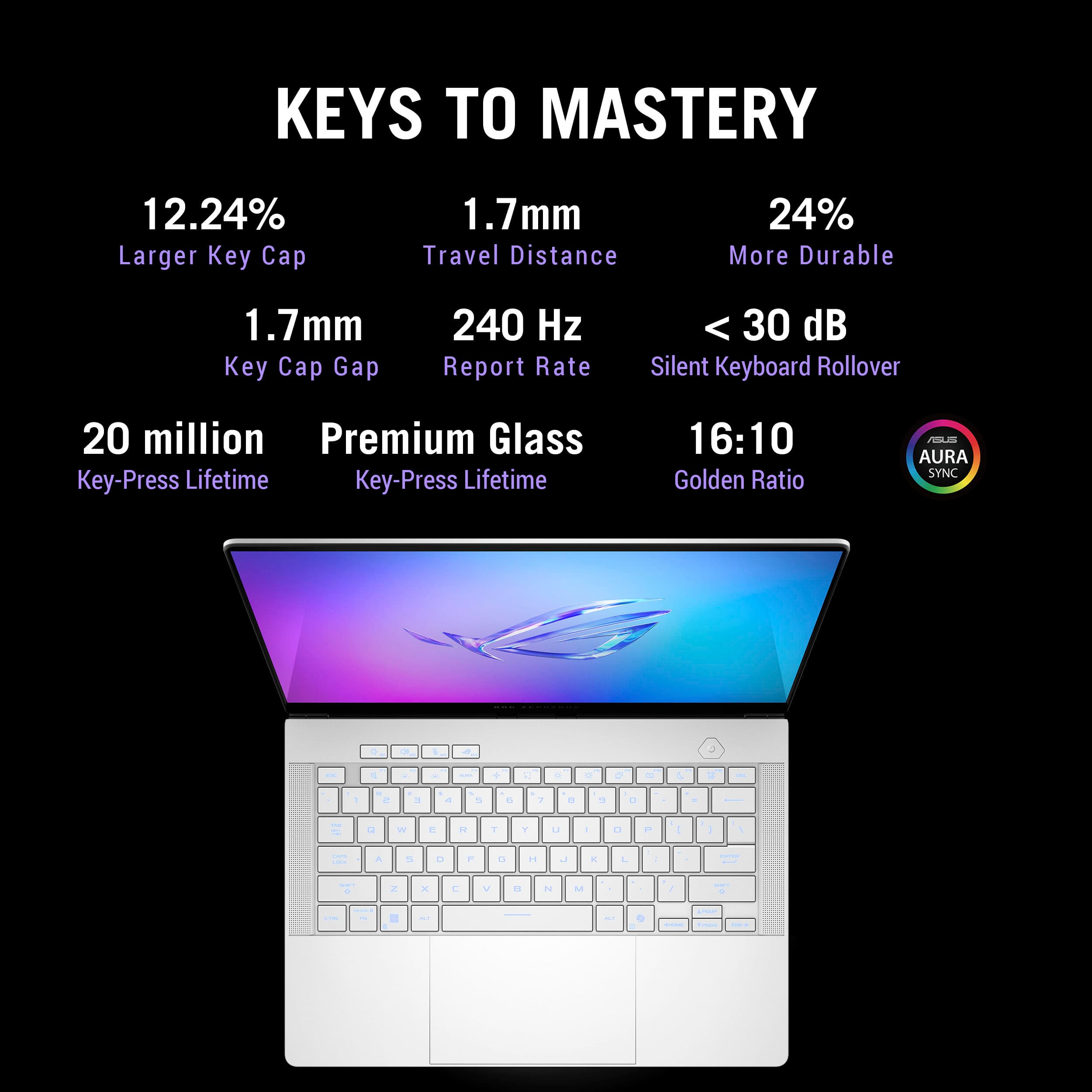
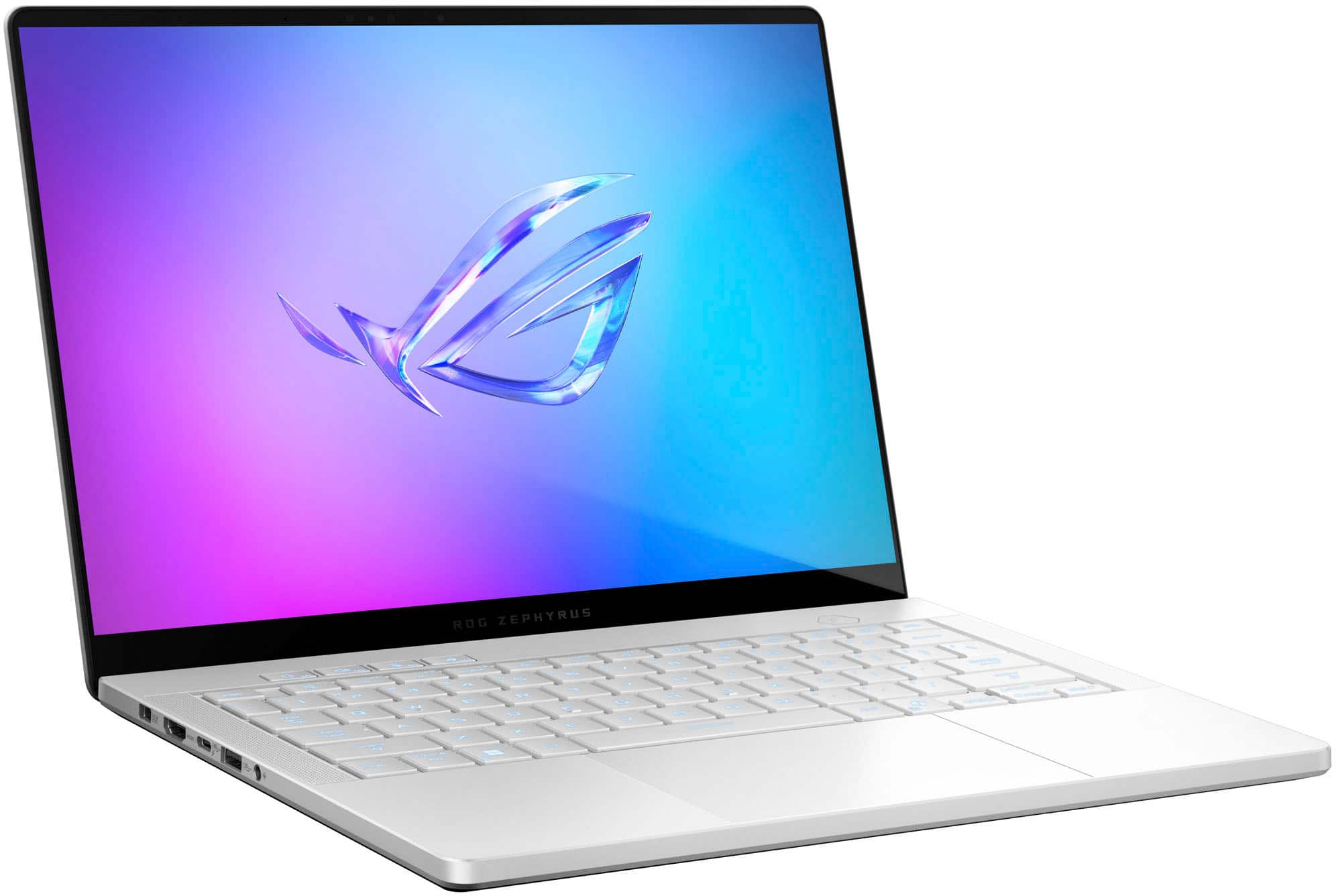
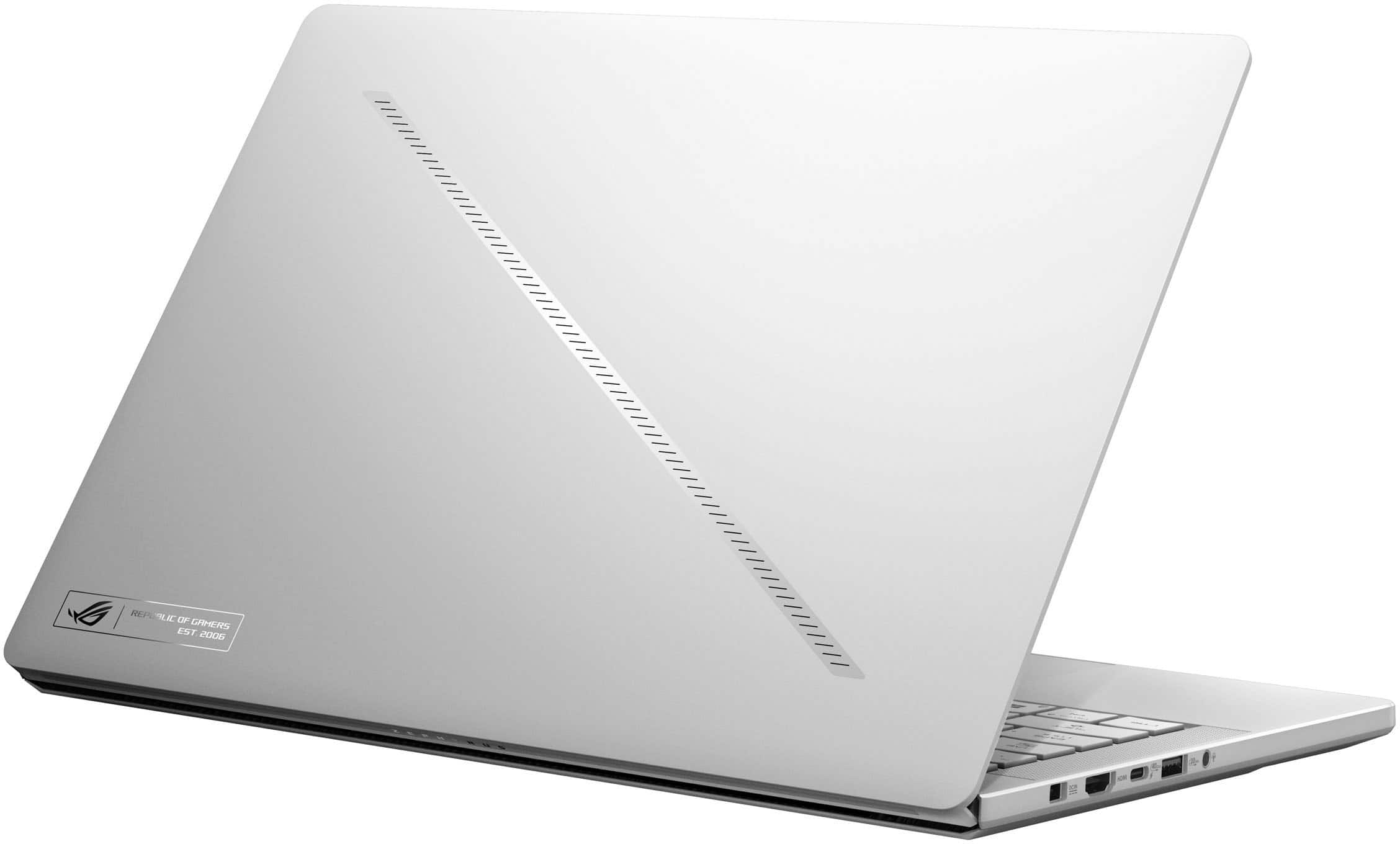
|Posted .This reviewer received promo considerations or sweepstakes entry for writing a review.ASUS ROG Zephyrus G14 (GA403WR‑G14.R95070TI) Review "Asus Brings the Performance and the Heat" ASUS’ 14‑inch Zephyrus G14 line has long been regarded as a benchmark for portable desktop power. The 2024 GA403WR variant tested (SKU GA403WR‑G14.R95070TI, available at Best Buy) pairs AMD’s new Ryzen AI 9 HX processor with an RTX 5070 Ti Laptop GPU and tops it off with a 14‑inch 120 Hz OLED panel. In my hands‑on testing, I found a machine that absolutely flies, so long as its thermals are kept in check. Specifications: • CPU: AMD Ryzen AI 9 HX (Strix Point, 12 cores / 24 threads, up to 5.1 GHz, integrated NPU) • Integrated GPU: Radeon 890M (RDNA 3, 16 CUs) • Discrete GPU: NVIDIA GeForce RTX 5070 Ti Laptop GPU (12 GB GDDR6, 90–105 W TGP) • Memory: 32 GB LPDDR5X‑6400 (soldered, dual‑channel) • Storage: 1 TB PCIe 4.0 NVMe SSD (M.2 2280, user‑replaceable) • Display: 14‑inch 2880 × 1800 OLED, 120 Hz, 16:10, Pantone‑validated, Gorilla Glass with AR coating • I/O Ports: – 2 × USB‑A 3.2 Gen 2 (10 Gbps) – 1 × USB‑C 3.2 Gen 2 (DP 1.4, 100 W PD) – 1 × USB‑C 4 (40 Gbps, DP 1.4, 100 W PD) – 1 × HDMI 2.1 (4K120 / 8K60) – 3.5 mm combo audio jack – micro‑SD (UHS‑II, up to 312 MB/s) • Charging: 240 W proprietary barrel charger included; supports up to 100 W USB‑C PD input • Wireless: Wi‑Fi 7 (802.11be 2 × 2) + Bluetooth 5.4 • Battery: 73 Wh 4‑cell Li‑ion Design and Build: At 3.5 lb and clad in magnesium alloy, the G14 feels rock solid yet backpack friendly. A beveled front edge keeps the palm rest comfortable while the firm hinge allows almost effortless one‑hand opening. Under the lid, the glossy OLED panel is surprisingly resistant to reflections thanks to a subtle anti‑reflection coating. Its rich colors, true blacks, and punchy contrast are every bit as impressive as reviewers across the web have claimed, making games and HDR video look outstanding. Inputs and Audio: Typing is classic Zephyrus: shallow but crisp keys with single‑zone RGB. The edge‑to‑edge glass touchpad is large, silky smooth, and flawlessly responsive. Side‑firing speakers deliver shockingly full‑bodied sound until heavy loads force the cooling system to drown them out. Performance: Out of the box (Windows 11 with Armoury Crate set to Ultimate for dGPU only) the RTX 5070 Ti flexes real muscle. 3DMark results: • Time Spy: 13 702 (86 FPS) – Legendary • Time Spy Extreme: 7 339 (49 FPS) – Legendary • Speed Way: 3 957 (40 FPS) – Legendary • Steel Nomad (DX12): 3 468 (35 FPS) – Excellent • Fire Strike Ultra: 9 669 (60 FPS) – Legendary • Port Royal: 10 008 (46 FPS) – Legendary In real‑world play Overwatch 2 at 1440p Ultra holds at the 120 FPS limit of the screen. Thermals and Acoustics: Fast hardware creates serious heat. Surface temperatures reached 94 °F (34 °C) on the palm rests during web work, 109–111 °F (43 °C) around the WASD area while gaming, and 119 °F (48 °C) at the rear exhaust after consecutive benchmark loops. Fans peak around 50 dBA during heavy loads, which noticeably muffles the otherwise impressive speakers. In warm rooms sustained loads will throttle clocks unless you elevate the rear, add a cooling pad, or reduce settings. Software Experience: ASUS ships a refreshingly clean Windows image. Boot to desktop takes about 15 seconds with 167 GB already used. Automatic GPU switching introduced one‑ to two‑second freezes and a single BSOD while starting Time Spy Extreme. Setting Armoury Crate to Ultimate (dGPU only) before gaming removes the hiccups, though changing modes requires a full reboot. Webcam, Ports, and Storage: The 720p webcam is serviceable for calls and includes an IR sensor that enables fast Windows Hello log‑ins, but image quality trails newer 1080p options. Port selection is solid with USB‑C 4, HDMI 2.1, and micro‑SD, yet the single 1 TB SSD fills quickly. Power users should plan on a larger NVMe drive or a fast USB‑C 4 enclosure. Advice for New Owners: •Lock the GPU to dGPU‑only mode in Armoury Crate (System > GPU Mode > Ultimate) before launching demanding games or benchmarks. This eliminates the freezes and the BSOD observed when the system auto‑switched graphics. Changing this setting forces a reboot. • Reboot each time you adjust Armoury Crate power or fan profiles. Many options do not apply until after a restart. • Elevate the rear edge or use a cooling pad. Better airflow dropped surface temps by several degrees and kept clocks from throttling in long sessions. • Game on an external keyboard and mouse. Deck temperatures can exceed 110 °F under sustained GPU load, making the built‑in keys uncomfortable. • Keep the system in an air‑conditioned space. High ambient temperatures quickly push the chassis into the thermal limit. • Update NVIDIA drivers directly (no login required) for the best performance and bug fixes. • Budget for storage expansion. A fast USB‑C 4 or Thunderbolt NVMe enclosure can double as an external Steam or Epic library with only a minor load‑time penalty versus the internal drive. Verdict: After several days with the GA403WR, I see it as a pint‑sized powerhouse that lives up to the Zephyrus reputation, provided you keep it cool. On a desk with AC and external peripherals it rivals bulkier sixteen‑inch rigs, but on your lap in summer it quickly becomes uncomfortable. During my years of constant travel I longed for a laptop I could slip into a carry‑on, connect to a hotel TV over HDMI 2.1, and enjoy full PC gaming at night. This G14 finally fits that role. It remains efficient on integrated graphics for flights and cafés, then unleashes the RTX 5070 Ti once plugged in. Buy if: • You want desktop‑class RTX 5070 Ti performance in a portable form factor. • A vibrant 120 Hz OLED panel is essential. • You game on AC power with external keyboard, mouse, and added ventilation. Skip if: • Fan noise and hot surfaces are deal breakers. • You need an excellent webcam for frequent video calls. • Your game library easily exceeds 1 TB of storage.
I would recommend this to a friend i love my new laptop
||Posted . Owned for less than 1 week when reviewed.This reviewer received promo considerations or sweepstakes entry for writing a review.just like how everyone says, beautiful display, powerhouse, lightweight, but average battery life
I would recommend this to a friendGreat laptop
||Posted .This reviewer received promo considerations or sweepstakes entry for writing a review.Build quality is amazing, keyboard very nice to type on, screen is amazing
I would recommend this to a friendLOVE IT & DISLIKE IT
||Posted .This reviewer received promo considerations or sweepstakes entry for writing a review.Its great and amazing system, can play Triple A games anywhere anytime. My two only cons are it dies insanely fast (So keep it plugged in at all times) & about 6/8 months in the screen now randomly goes black causing me to turn on & off. Very upsetting now that its my main gaming platform. Other than this I love it.
I would recommend this to a friendBrand response from ASUS Answers
Posted .Dear JonathanG,
Thank you for sharing your experience with the ASUS ROG Zephyrus G14 GA403WR Gaming Laptop. We’re pleased to know that you enjoy the system’s performance and portability. However, we sincerely apologize for the battery and display issues you’ve encountered, and we regret the inconvenience this has caused.
To help resolve these concerns, we recommend following the steps outlined in our FAQ guide linked below. If the issue persists after completing these steps, please contact our support team directly at https://www.asus.com/us/support/callus/ so we can assist with further diagnostics or provide warranty service if necessary.
We stand behind our products and continuously strive to improve our products and processes to achieve customer service excellence. For more information, email us at customerloyalty@asus.com and include the case number "N2505028230-0026" as a reference. We will do our best to resolve your case quickly. Your feedback is very important to us and enables us to improve our support channels. Thank you for choosing ASUS.
Best Regards,
Chantae
ASUS Customer Loyalty US Support
[Windows 11/10] Troubleshooting - Short Battery Life (Rapid Battery Drain): https://www.asus.com/support/faq/1043914/
[Windows 11/10] Troubleshooting - Main (Internal) Display problem: https://www.asus.com/support/faq/1015072/
Beautiful laptop with great specs!
||Posted . Owned for 1 week when reviewed.This reviewer received promo considerations or sweepstakes entry for writing a review.I upgraded from a years old Razer Blade 15 with an RTX 2070, so this a big upgrade over that. The OLED display looks amazing and feels smooth. Definitely excited to run games on it, gonna start adding more games to my library to play. Also went with the 5070 ti (12gb of vram) model as I read that the 5080 (16gb of vram) is not much of an improvement in the 14in model due to it being power limited. So the 5080 is really only needed if you want the 4gb of extra vram.
I would recommend this to a friendPremium Price, Conflicting Statements, No Results
||Posted . Owned for 5 months when reviewed.This reviewer received promo considerations or sweepstakes entry for writing a review.Purchased a top-tier laptop that appears to have suffered a hardware failure shortly after purchase. Our IT company and Best Buy employees both indicated it was likely hardware-related. What was disappointing was being pressured by a store manager to purchase the extended warranty because “otherwise it can’t even be sent in to be looked at” — only for him to discover it had already been sent in. An honorable company stands behind premium products, especially when customers invest heavily and lose valuable business time troubleshooting issues.
No, I would not recommend this to a friendBrand response from ASUS Answers
Posted .Dear Ross,
Thank you for your feedback.
We certainly understand your disappointment with the quality of the laptop and the inconvenience this may have caused if it stop working shortly after purchased. All ASUS products undergo intensive quality control testing and inspections, and are built to last, this is a random problem. ASUS provides warranty one-year warranty coverage for the product. We recommend you send the laptop in for service to determine if this is a hardware issue so this may be resolved immediately. An RMA number is required to send it in for service. For RMA details, please go to: https://www.asus.com/us/support/article/818/.
We do value our customers and take the negative customer service experience very seriously. This is not the quality of service expected from ASUS. Indeed, we stand behind our product and continuously strive to improve our approach and processes to achieve customer service excellence. If you need more information or further assistance with the warranty for the product, please email me at cl-rodel@asus.com and I would be more than happy to help. Or you are most welcome to call Product Support Hotline at: 1(888) 678-3688. Also, you can chat with an ASUS live support agent from the link: https://www.asus.com/us/support/article/1135/.
Thank you for choosing an ASUS product.
Regards,
Rodel
ASUS Customer Loyalty
Amazing PC
||Posted .This reviewer received promo considerations or sweepstakes entry for writing a review.Works amazing and runs smoothly without any hiccups
I would recommend this to a friendAmazing
||Posted .This reviewer received promo considerations or sweepstakes entry for writing a review.An amazing laptop that runs over 8 hours on battery life with ghelper
I would recommend this to a friend- Pros mentioned:Portability
Thin and can pack a punch!
|Posted .This reviewer received promo considerations or sweepstakes entry for writing a review.The new ASUS Rog Zephyrus G14 (2025) that I have been using for about a week now and its been a blast so far. The sleek portable, thin look, feel, performance, specs including the beautiful vibrant OLED display is awesome. -- Design -- As mentioned above, this laptop is fantastic from its thin, sleek look and the white color for this makes it feel like a premium 14 inch laptop with its sturdy chassis made out of premium metals. Ergonomics feel great, smooth hinges, the only small minor thing I wish was front and center and noticeable is the LED indicator lights such as the SSD (formerly known as the HDD) Indicator LED was more pronounced and shown to the user and the charging indicator LED light. The SSD LED helps if Windows ever happens to freeze and your curious if the SSD is doing something such as installing updates, working in the background, etc. Same with the charging, if I was in a rush and wanted to glance for a second from a far distance to see if the charging LED color has changed to a solid color of some sorts stating the laptop is charged, I can unhook and im ready to rush out the door and be worry free if my laptop is charged all the way or not. -- Display -- The screen on this laptop is a awesome 14 inch. 16:10 glossy slick looking OLED. Its beautiful looking at anything on the OLED with its deep blacks and colors that just punch. Upon looking in the settings, it shows a 240Hz refresh rate with instant response time. If you worry about content/games being to big on this small screen, I assure you, don't be as the screen and resolution set at 2880 x 1800 and to me, it feels just as if I was on a 16 inch laptop. A big win to ASUS for this and most appreciated for content creation, media consumption and game playing. -- Performance -- To me, this laptop feels like one of the most powerful 14 inch laptops out there today. With its AMD Ryzen AI 9 HX 370 processor and a integrated Radeon 890m GPU along with that, but.... lets not also forget the main NVIDIA GeForce RTX 5070 Ti with 12gb of GDDR7 VRAM packed into this AND last but not least, a dedicated NPU, the usage out of this is limitless. Trying out some games, first off, recently released in the past month, The Elder Scrolls: Oblivion Remastered, by default, everything was set to medium in graphics, I put all the settings to Ultra and I was averaging around 55-60FPS. 2nd game I tried was Cyberpunk 2077 with RT on Overdrive, DLSS 4.0 - DLSS Balanced, MFG on 4x, Ray Reconstruction On, Path Tracing on, around 100FPS avg. With just these 2 games, I was just in awe with how smooth and great these games played. Also do not forget, This is also considered a Copilot+ PC with a dedicated NPU, enabling Windows 11 features like Recall, which uses snapshots to help you find content via natural language search. It also includes the updated Paint app with Copilot, allowing AI-based image generation, background removal, and editing. -- Connectivity -- For charging, this has a proprietary square plug for the charging port on the left side, then it has its fair selection of ports on the sides. The port selection is really generous here starting on the left side of the laptop, (1) HDMI 2.1 port, (1) USB-C 4.0, 1x USB-A 3.2, audio jack, then on the right side, you get (1) USB-A 3.2, (1) USB-C Gen 2 & micro SD UHS-II card reader. Then it has WiFi 7 2×2 with Bluetooth 5.4 (Mediatek MT7925). Didn't have any problems with WiFi what so ever, in fact, this laptop out performs my ASUS ROG Zephyrus G16 (2023) model's Wifi module by a long shot downloading at the max speeds I expect. -- Interface -- The keyboard layout is cozy, typing on this feels excellent with great feedback and very quiet, may I dare say, quiet actuations. The keys are backlit with RGB, bright and good lighting LED's. While looking through the settings, I see its only a single zone RGB control over the keyboard RGB and not for each individual key but im ok with that as I usually set it to my favorite color, a mid tone blue. The touchpad is huge and its made of glass, It could be a tad smaller but not really a gripe, just a wish as sometimes when im typing, my palm will accidently swipe to something else on the screen. -- Battery -- Battery life is ok on this, its a 73 Wh, up to 180 W power adapter, USB-C charging up to 100W which I rather would use the included ASUS power adapter for the full quicker charge, 50% in 30 minutes. But using it on battery, I got on 2 occasions with a full charge, I got around 5-6 hours of usage with no gaming, just casual browsing, doing work, playing a video here and there. Then with a 3rd charge with a game running at max settings, 1 hour average before the battery is depleted and needs to be recharged again. -- Sound -- I give double thumbs up to ASUS. The speakers on this laptop are so loud, and so crystal clear, its enough to fill a room that there is no need for external speakers hooked up. To sum it up, the sound is rich! -- Suggestion -- For the next Zephyrus line next year, please DO NOT GET RID OF THE LED INDICATOR LIGHTS! Make them more noticeable on the front/top of the keyboard or if needed, put the lights on the sides for ones like me who are use to seeing these LED's/lights back in the 90's/2000's on PC's and laptops. -- Conclusion-- As this is my main laptop, it has a gorgeous display, great keyboard, plenty of ports, rich sound/speakers, and performance beast, its a premium must buy. I am looking forward to continue using this for work, play while lounging around. ASUS really did a banger job with this premium carefully made laptop!
I would recommend this to a friend Great laptop worth it
||Posted .This reviewer received promo considerations or sweepstakes entry for writing a review.Love this laptop works great for me as a Uni student since it’s small and portable but has enough power for me to game when I get back to my dorm
I would recommend this to a friendGreat slim productivity plus gaming laptop
||Posted . Owned for 1 month when reviewed.This reviewer received promo considerations or sweepstakes entry for writing a review.Love it. Works really well, smooth and portable, plays the games I want, so happy.
I would recommend this to a friendGood for windows only
||Posted .This reviewer received promo considerations or sweepstakes entry for writing a review.It's good, but not a good option for Ubuntu or linux unless you are using the very latest distro, like Ubuntu 25.04. Other distros break. Also, I have been hearing high-pitched sounds from it.
I would recommend this to a friendBrand response from ASUS Answers
Posted .Dear Jose,
Thank you for your feedback regarding the ASUS GA403WR laptop. We sincerely apologize for the issues you've encountered, particularly with Linux compatibility and unexpected high-pitched noises. Your insights will be passed along to our development and engineering teams to help improve future compatibility and user experience.
To investigate the high-pitched noise further, we recommend reaching out to our support team at https://www.asus.com/us/support/CallUs.
We stand behind our products and continuously strive to improve our products and processes to achieve customer service excellence. For more information, email us at customerloyalty@asus.com and include the case number "N2505028230-0006" as a reference. We will do our best to resolve your case quickly. Your feedback is very important to us and enables us to improve our support channels. Thank you for choosing ASUS.
Best Regards,
Chantae
ASUS Customer Loyalty US Support
I loveee ittt!
||Posted . Owned for 2 months when reviewed.This reviewer received promo considerations or sweepstakes entry for writing a review.My first asus laptop! I love it as a gaming and work laptop!! She is sleek and beautiful!!
I would recommend this to a friend- Cons mentioned:Heat dissipation
Asus laptop
||Posted . Owned for 3 weeks when reviewed.This reviewer received promo considerations or sweepstakes entry for writing a review.Heats up too fast. My son uses it for school and gaming.
No, I would not recommend this to a friendBrand response from ASUS Answers
Posted .Dear Smarttv,
We regret to learn that you are experiencing overheating issues. To troubleshoot this issue, we recommend following the steps in the FAQ below. Should the issue persist, please contact our support team at https://www.asus.com/us/support/CallUs to further investigate the problem or assist with repairing the device.
We stand behind our products and continuously strive to improve our products and processes to achieve customer service excellence. For more information, email us at customerloyalty@asus.com and include the case number "N2505028230-0008" as a reference. We will do our best to resolve your case quickly. Your feedback is very important to us and enables us to improve our support channels. Thank you for choosing ASUS.
Best Regards,
Schottky
ASUS Customer Loyalty US Support
FAQ: Troubleshooting - Overheating and Fan issues https://www.asus.com/support/faq/1015064/
Buggy
||Posted .This reviewer received promo considerations or sweepstakes entry for writing a review.Buggy AMD drivers keep causing this BRAND NEW device to BSOD. I can't stand Windows!
No, I would not recommend this to a friendBrand response from ASUS Answers
Posted .Dear Jayteebae,
We regret the inconvenience caused by persistent BSODs on your new ASUS GA403WR laptop, attributed to AMD driver instability. This falls short of the high performance standards we strive to uphold. To address the issue, please refer to our system troubleshooting guide linked below. If the issue continues, please contact our support team at https://www.asus.com/us/support/CallUs so we can assist you further.
We stand behind our products and continuously strive to improve our products and processes to achieve customer service excellence. For more information, email us at customerloyalty@asus.com and include the case number "N2505028230-0007" as a reference. We will do our best to resolve your case quickly. Your feedback is very important to us and enables us to improve our support channels. Thank you for choosing ASUS.
Best Regards,
Chantae
ASUS Customer Loyalty US Support
[Windows 11/10] Troubleshooting - Blue Screen Errors in Windows (BSOD) - https://www.asus.com/support/faq/1042499/
- Pros mentioned:Portability
Best Laptop for an Engineering Student
||Posted .This reviewer received promo considerations or sweepstakes entry for writing a review.TL;DR If you need a 14-inch laptop that can handle MATLAB/Simulink, CAD/CAE (SolidWorks, CATIA, Fusion 360, ANSYS), coding, and the occasional AAA game without turning your backpack into a brick, the 2025 G14 with RTX 5070 Ti and 32GB RAM is the sweet spot. It pairs the new Ryzen AI 9 HX 370 performance with a 3K 120 Hz OLED, strong thermals for its size, and a practical port selection — all while staying around 3.46 lb / 0.63 in thick. Battery life isn’t amazing, but it’s good enough for a day of classes with power-saving modes. Why it’s great for engineering work: 1) Real workstation-class compute in a 14-inch chassis The 2025 G14 can be configured with the Ryzen AI 9 HX 370 (12 cores / 24 threads, Zen 5) — a serious step up for multi-threaded compiles, simulations, and MATLAB tasks — paired with NVIDIA RTX 50-series GPUs. The 5070 Ti variant hits the right balance between performance and thermals, with CUDA support for GPU-accelerated simulation and machine learning toolboxes. 2) GPU power that matches your workload The 5070 Ti is fast enough to outrun rival 14-inch laptops without the heat and noise tradeoffs of the top-tier GPU configurations. Expect excellent results for GPU-accelerated rendering, finite-element previews, and AI workloads, while still being more efficient than most 16-inch machines. 3) A display you can design on The 14” 2880×1800 OLED (120 Hz) panel is sharp and color-accurate — perfect for CAD line work, PCB layouts, and long coding sessions. 4) Portable enough to carry daily At ~3.46 lb and 0.63” thin, this laptop delivers workstation-level performance in a size you can comfortably carry around campus. 5) The right ports for labs and presentations You get HDMI 2.1, 2× USB-A, USB-C (USB4 with PD and DisplayPort), a microSD UHS-II reader, and a 3.5 mm jack — so you can plug into lab monitors, dev boards, and projectors without a pile of dongles. 6) Battery life that’s decent for the category You can get around 5–6 hours of mixed use on battery in efficiency mode, which is enough for a day of classes if you’re careful. USB-C charging makes it easy to top up between lectures. Performance notes for engineers: • MATLAB / Simulink / Python: 12 cores + 32GB RAM handle large datasets and simulations; CUDA on the 5070 Ti unlocks GPU-accelerated toolboxes and AI frameworks. • CAD/CAE: While it’s not a Quadro, the raw GPU performance is more than enough for student-level assemblies, FEA pre/post processing, and CFD visualization. • Coding and compiling: High multi-threaded performance and fast SSDs keep build times short. The 32GB config is ideal for running MATLAB, VS Code, Docker, and a ton of browser tabs at the same time. What I liked: • Top-tier performance in a truly portable body. • Gorgeous OLED with 120 Hz refresh — easy on the eyes. • Thoughtful I/O (HDMI, USB-A, USB4, PD, microSD). • Excellent build quality, keyboard, and trackpad. What could be better • Battery life is good but not exceptional — long simulation sessions will need a charger. • Fans can get loud under heavy load (expected for this much power in 14”). • OLED brightness is great indoors but not ideal in direct sunlight. • The GPU is slightly power-limited compared to the same chip in larger laptops. Verdict for engineering students: The 2025 Zephyrus G14 (32GB / RTX 5070 Ti) nails the balance engineering students need: workstation-class performance, CUDA for compute, a gorgeous OLED display, and a truly portable chassis with all the ports you’ll actually use. If you want one laptop for CAD, coding, simulations, and gaming — and you value portability as much as raw performance — this is the best 14-inch option of 2025.
I would recommend this to a friend Not good for high end editing
||Posted . Owned for 1 month when reviewed.This reviewer received promo considerations or sweepstakes entry for writing a review.I purchased this laptop for video editing using DaVinci Resolve and remote DIT work when I travel overseas. It updated it's bios 3 times in the middle of an edit. it also restarted multiple times in the middle of an edit. I used capcut which it was preinstalled. But I use Canon RAW and this computer can't seems to handle it.
No, I would not recommend this to a friendBrand response from ASUS Answers
Posted .Dear Matt,
Thank you for sharing your experience with the ASUS GA403WR gaming laptop. We sincerely apologize for the disruptions you've encountered, particularly the unexpected BIOS updates and system restarts during critical video editing sessions. This is not the level of performance we aim to deliver.
To help address these issues, we recommend reviewing the steps in the troubleshooting guide linked below. If the issue continues, please contact our support team at https://www.asus.com/us/support/CallUs so we can assist you further or arrange repair service if necessary.
We stand behind our products and continuously strive to improve our products and processes to achieve customer service excellence. For more information, email us at customerloyalty@asus.com and include the case number "N2506027921-0009" as a reference. We will do our best to resolve your case quickly. Your feedback is very important to us and enables us to improve our support channels. Thank you for choosing ASUS.
Best Regards,
Chantae
ASUS Customer Loyalty US Support
[Windows 11/10] Troubleshooting - Automatic Shutdown/Restart Issues - https://www.asus.com/support/faq/1046480/