Customer Ratings & Reviews




- Model:
- GA403UV-G14.R94060
- SKU:
- 6570270
Rating by feature
- Battery Life
Rating 4.2 out of 5 stars
- Speed
Rating 4.7 out of 5 stars
- Display
Rating 4.8 out of 5 stars
Customers are saying
Customers praise the ROG Zephyrus G14's performance, stunning OLED display, and excellent battery life. Many appreciate its premium build quality, impressive speakers, and lightweight, portable design. However, some users note that the laptop can get warm under heavy use and that the RAM is not upgradeable. Concerns were also raised regarding the fan noise and the GPU's limitations in fully utilizing the high-resolution display.
This summary was generated by AI based on customer reviews.
- Pros mentioned:Overall performance
Its a beast
||Posted . Owned for 3 weeks when reviewed.This reviewer received promo considerations or sweepstakes entry for writing a review.One of the best i had so far, excellent performance Its a beast
I would recommend this to a friend great build quality and only little nitpicks
||Posted . Owned for 3 weeks when reviewed.This reviewer received promo considerations or sweepstakes entry for writing a review.Great laptop, I like how the trackpad feels and how it has a nice soft click. The volume adjusting buttons are a bit low and hard to press when not looking, but other than that great experience. I'd love this laptop even more if it had a full size sd card slot.
I would recommend this to a friend- Pros mentioned:Battery life, Oled quality, Overall performanceCons mentioned:Heat dissipation, Noise level

Lightweight, hi-res OLED, great for gaming
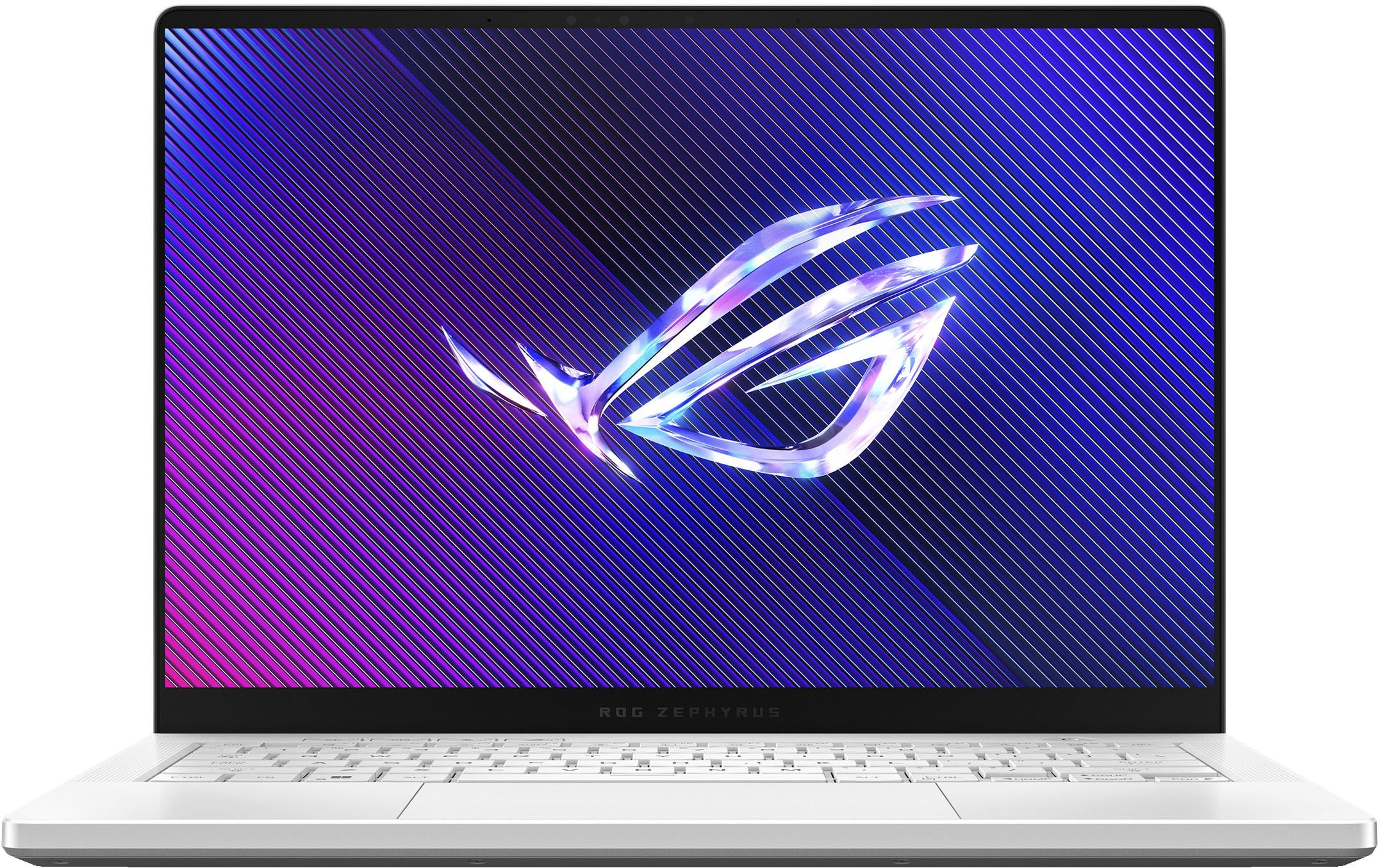
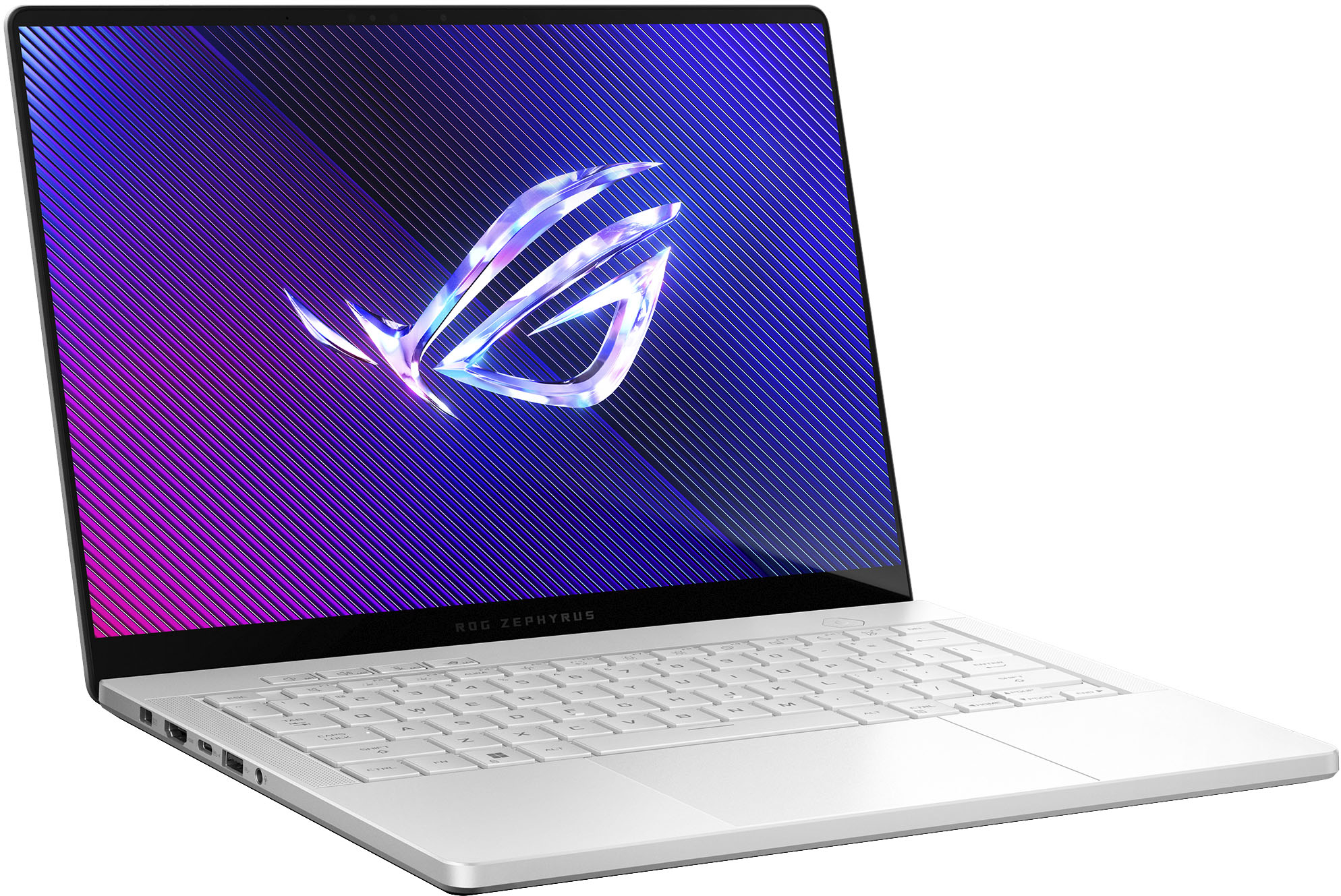
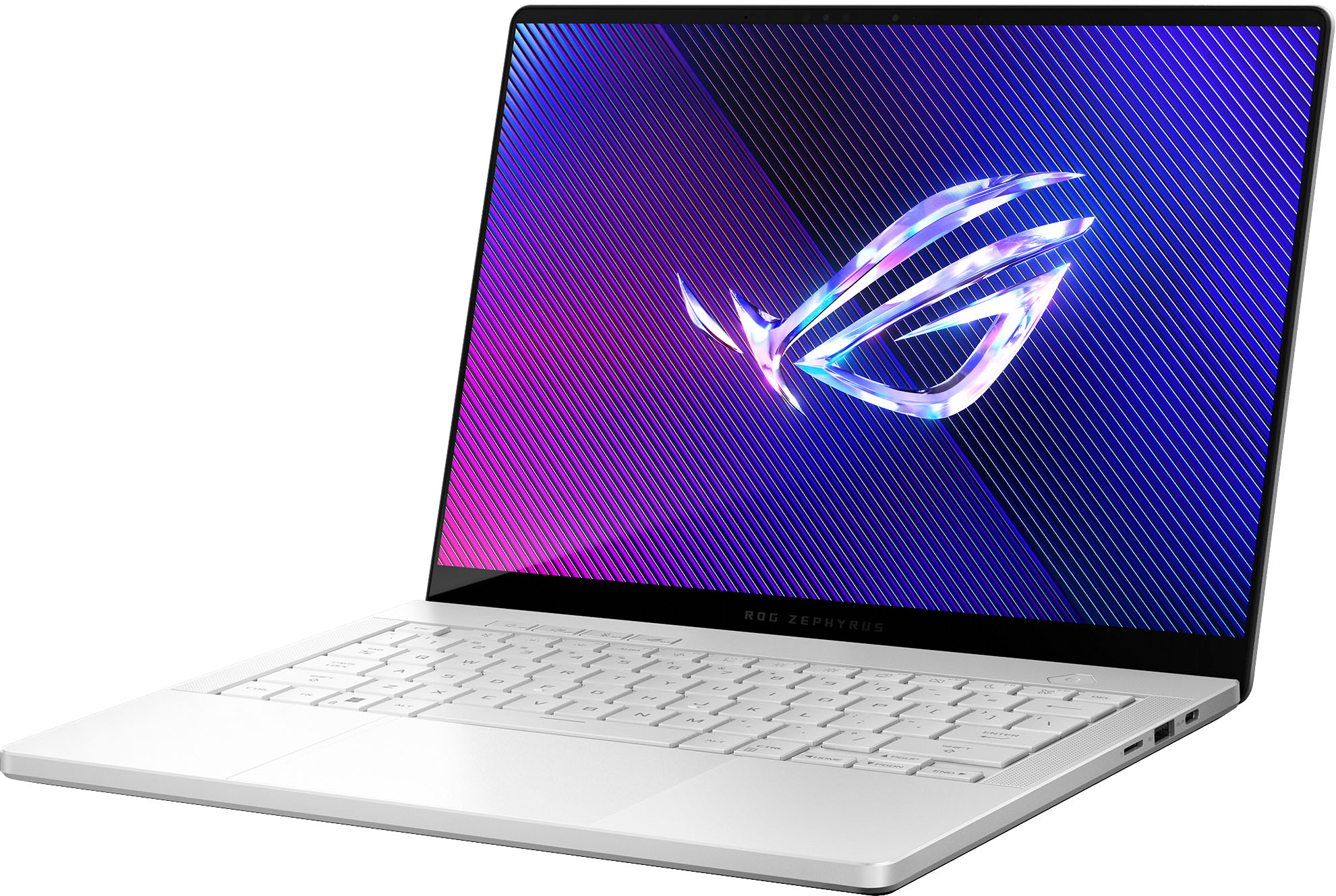
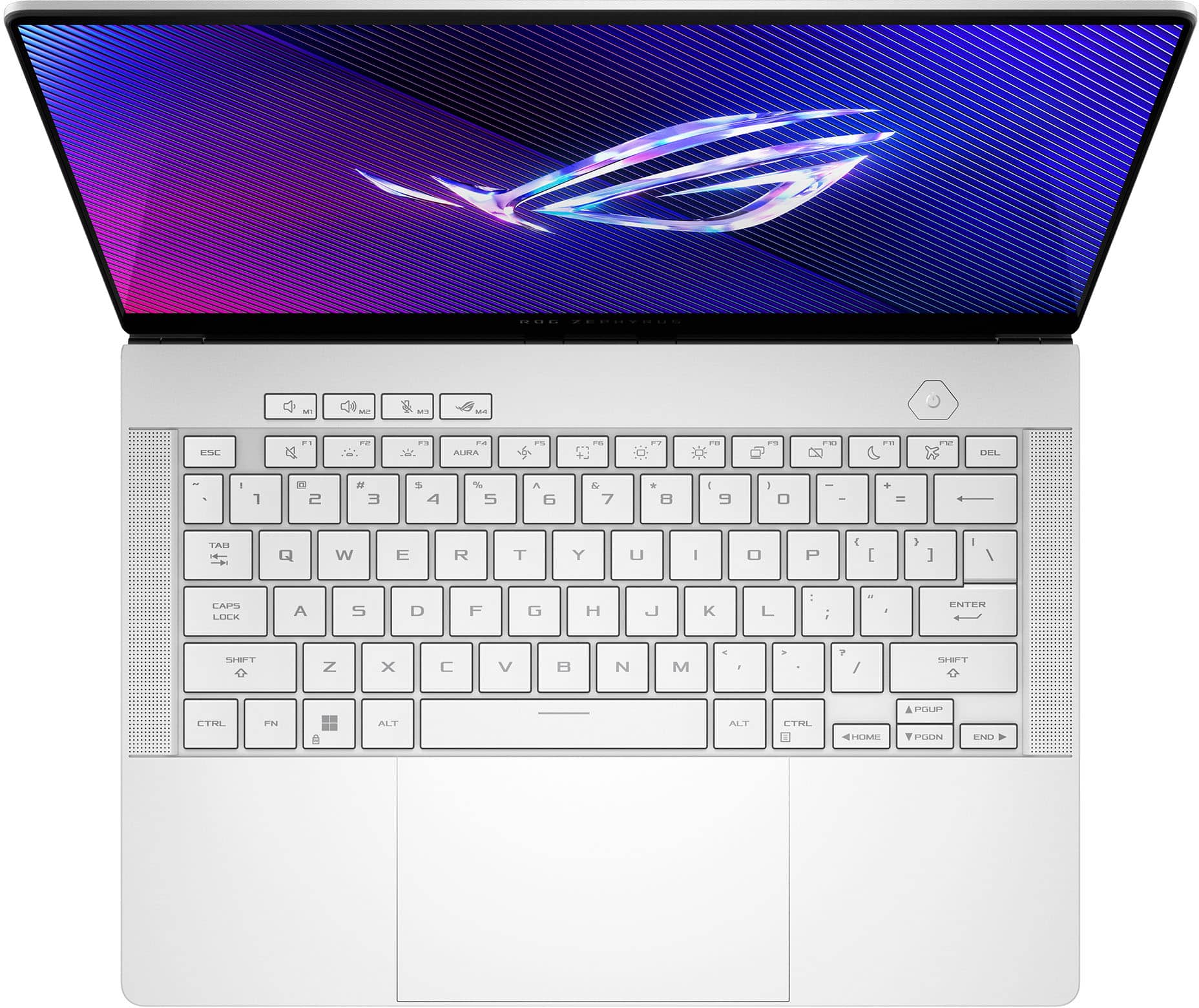
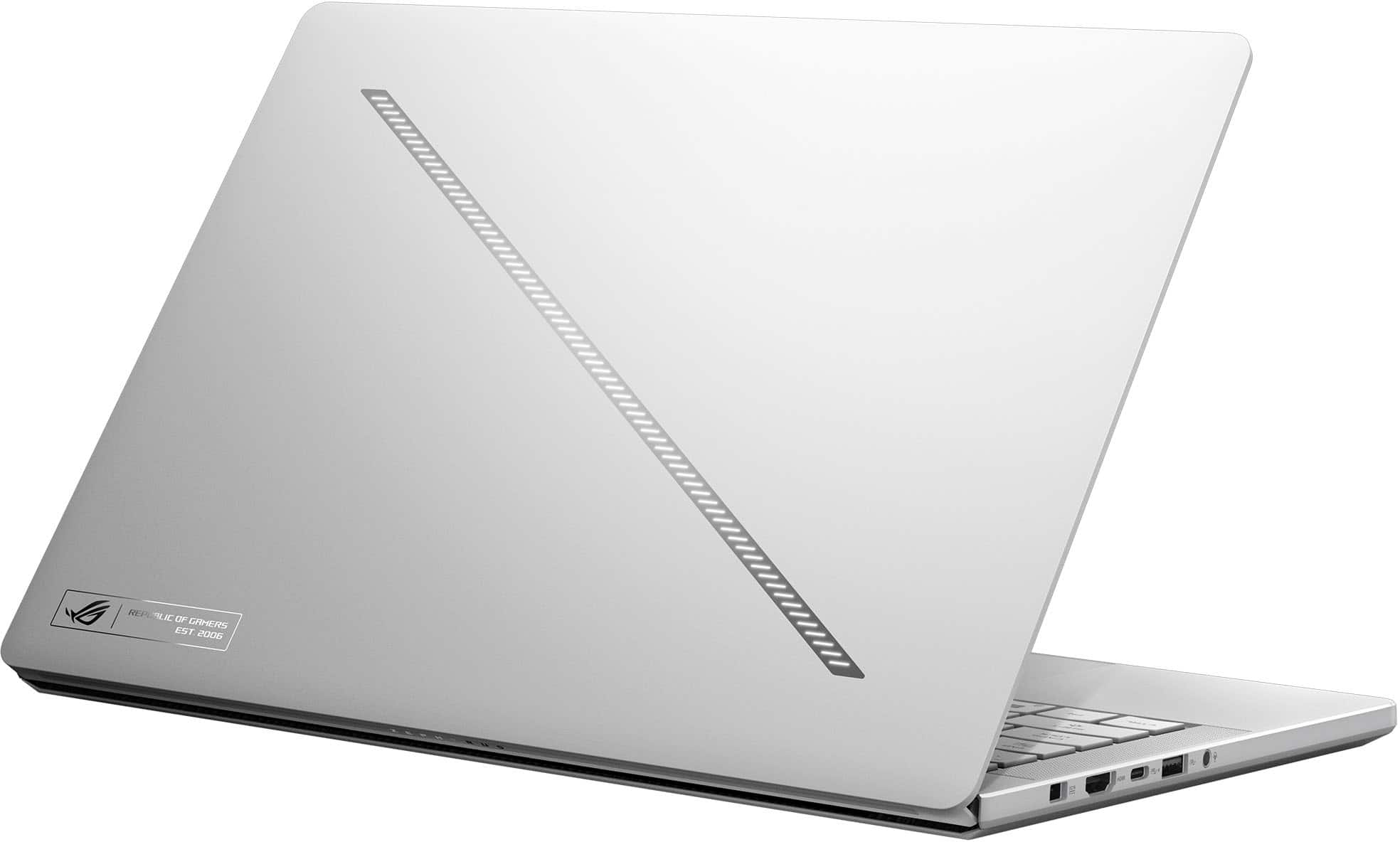
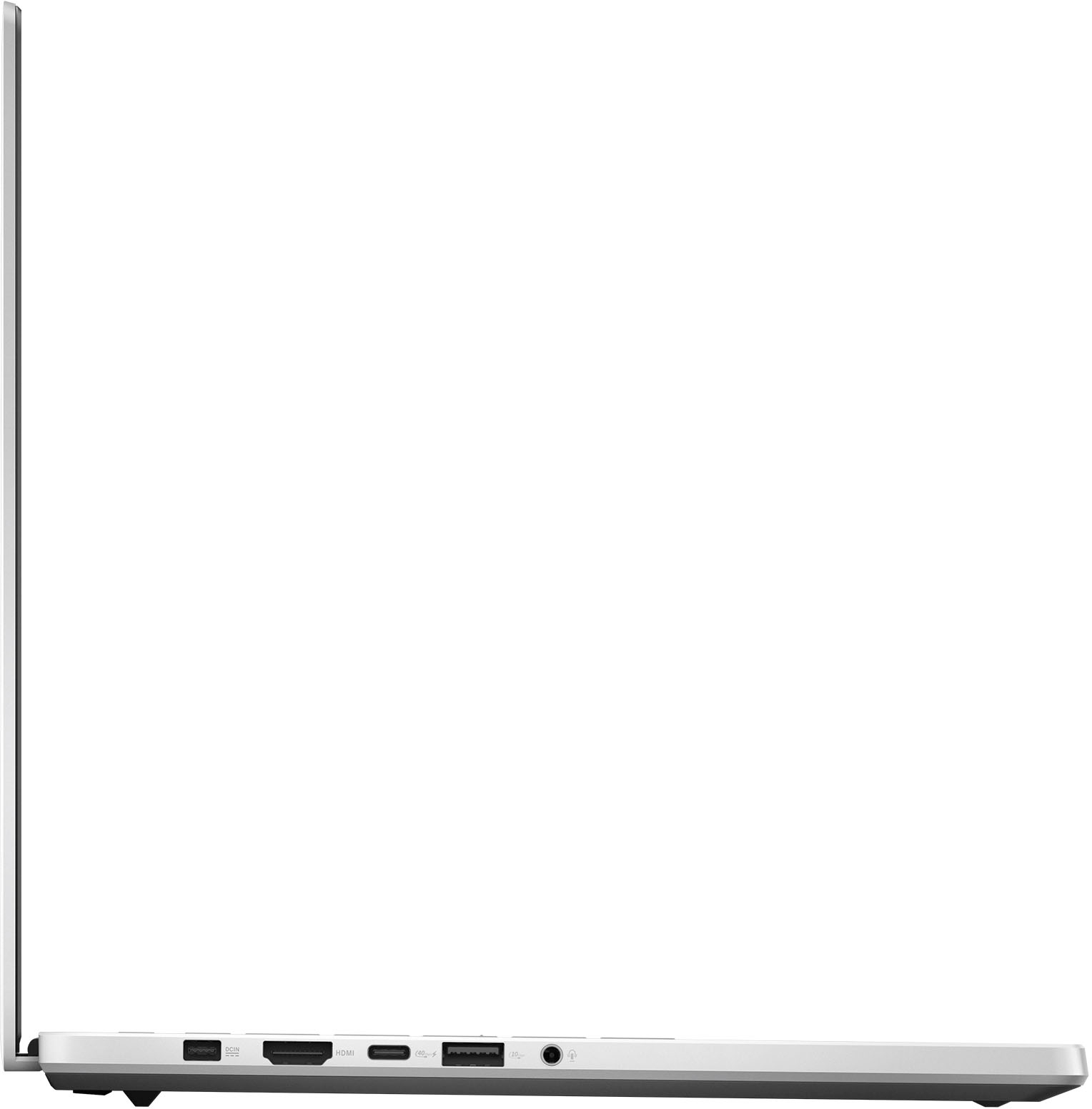
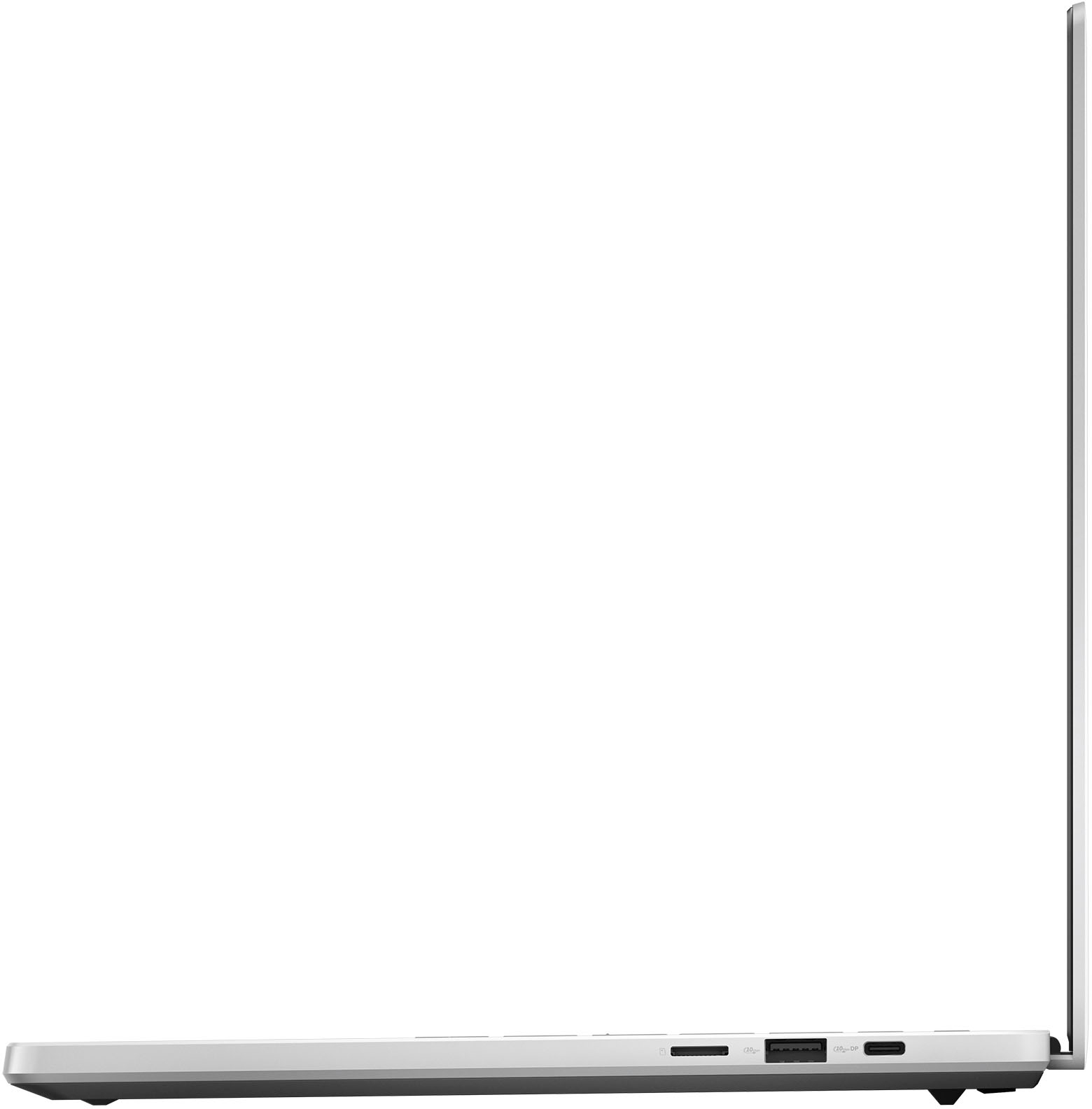
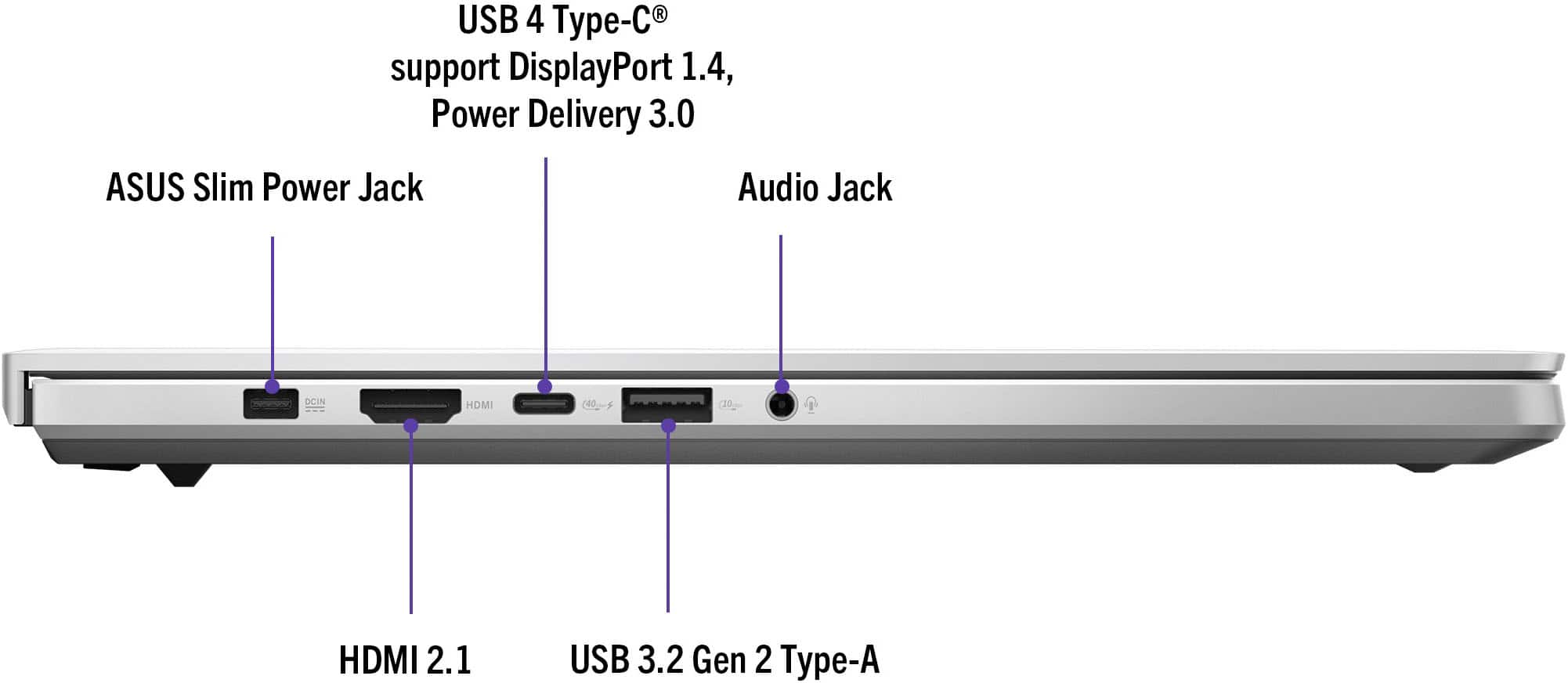
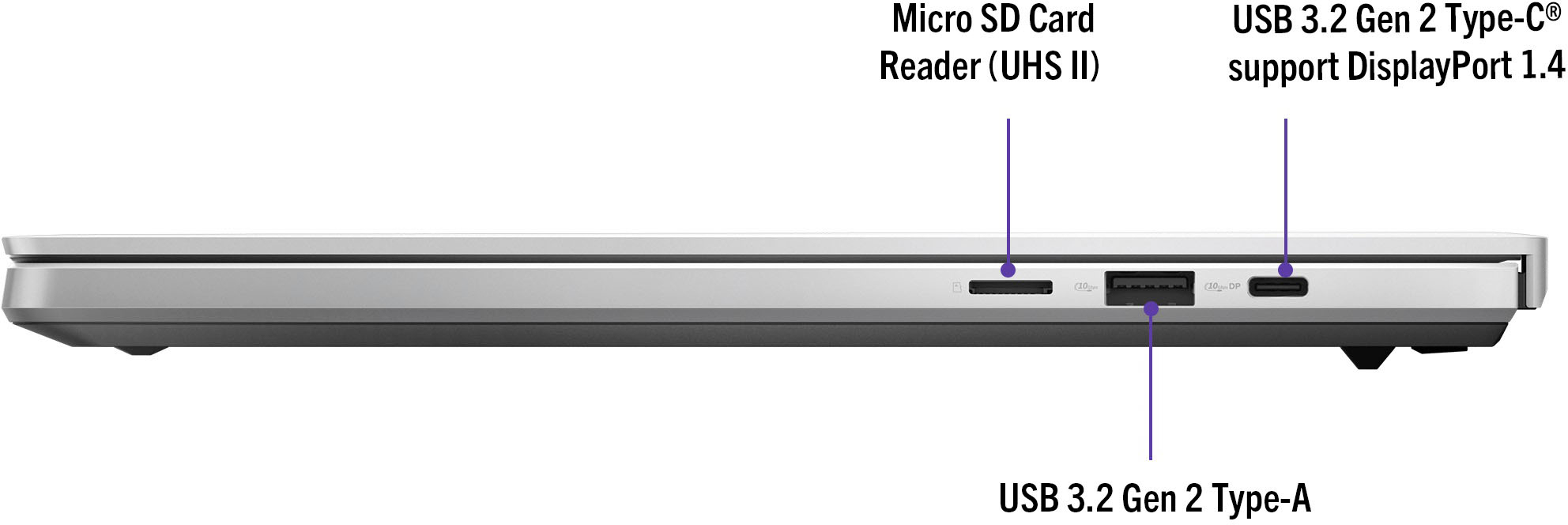
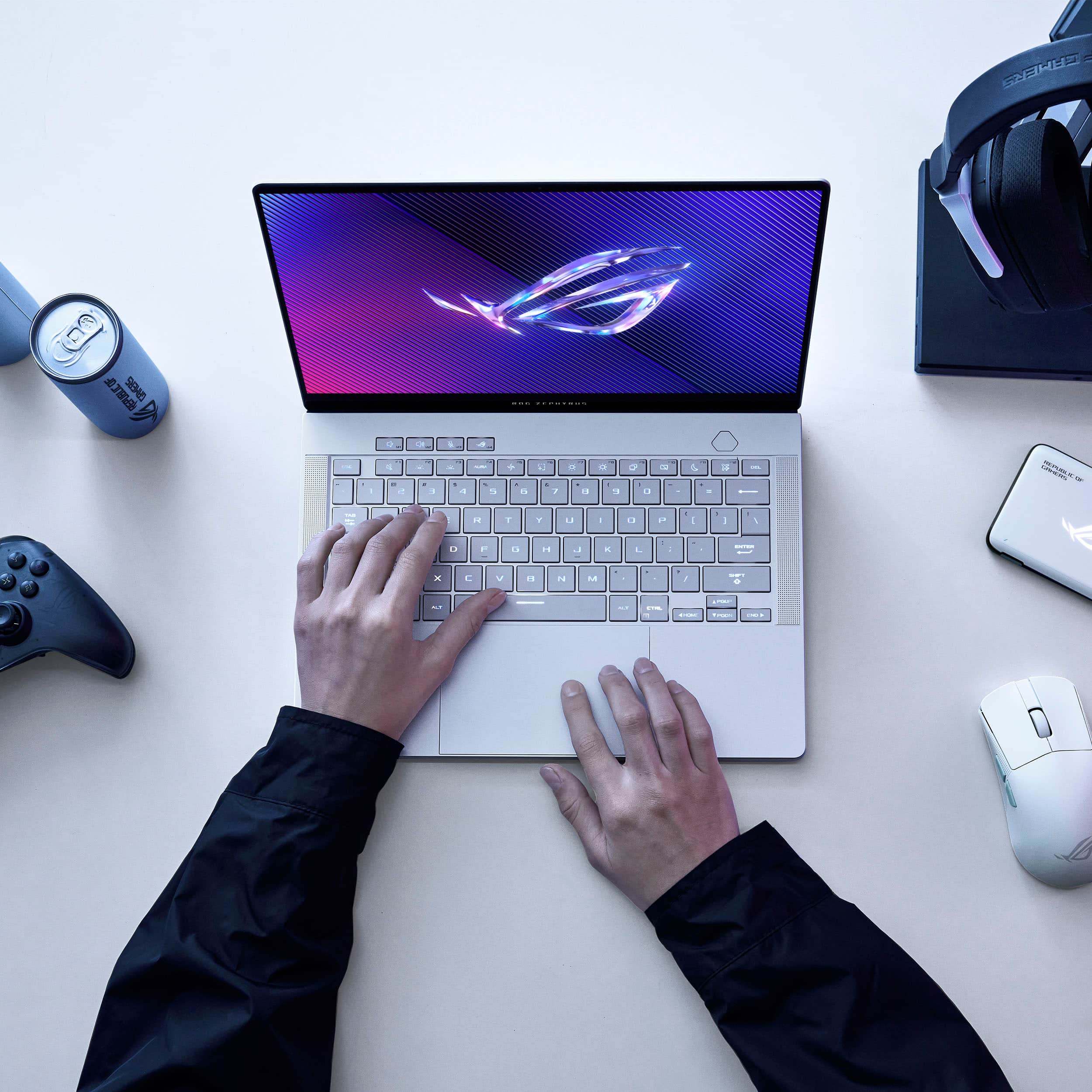
|Posted .This reviewer received promo considerations or sweepstakes entry for writing a review.The Zephyrus G14 is my first ultra-lightweight gaming laptop from ASUS’s ROG line. I’ve owned ASUS TUF gaming laptops in the past, but this one is a completely different class of product. The matte silver exterior chassis is entirely CNC-machined aluminum that feels sleek and high-end with its smooth, rounded corners. I liked that the finish doesn’t appear to pickup fingerprints easily making it less of a chore to keep looking new. The laptop is thin, just shy of ¾” at its thickness with a slight downward taper towards the front. It weighs around 3.25 lbs though the charger adds another pound when travelling. The mirror-finish ‘slash’ on the lid has LEDs that give it a unique design flourish that looks really cool. While the color of the slash can’t be set to anything other than white, you can select from a number of flashing patterns, including sonic matching, and adjust the repeat interval and brightness. The slash animation can be set to show when you receive a toast notification with optional sound for the selected pattern. When you open the laptop, the ten-keyless chiclet keyboard has striking RGB-backlit white keys, four customizable hot keys at the top-left, however, the directional arrow keys are half-sized. The keys are responsive but require a firm press for actuation. There’s a generously sized multi-touch mouse trackpad that maximizes its area by spanning the entire distance between the keyboard and front edge. A majority of the trackpad can be clicked (left-click function) though it is more difficult towards the top of the pad; right-clicking is executed on the right-half along the bottom of the trackpad or with a two finger click. For I/O there’s a full-size HDMI 2.1 out, USB-C 3.2 Gen2 supporting DisplayPort (DP) on the right-hand side, a USB-C 4 port that supports DP and power delivery charging at 100W (though is not Thunderbolt), and two USB-A 3.2 Gen2 ports, one on either side. The charging port on the left is proprietary for the 180Watt charger though the rectangular connector is reversible, so it doesn’t matter which side faces up. There’s also a combo mic/headphone jack. No ports are present along the back, as this is where the heat exhausts from. In terms of connectivity, it uses a tri-band WiFi 6E card (2.4GHz and 2x5GHz) for reliable and fast streaming, gaming, and downloads and also supports Bluetooth 5.3 allowing for lag-free pairing with audio devices like speakers, earbuds, and headphones for perfectly synced video playback. Inside it runs on the AMD Ryzen 9 8945HS CPU with integrated Radeon 780M Graphics, 16 GB LPDDR5x 6400Mhz RAM, 1 TB SSD, and NVIDIA GeForce RTX 4060. That places this machine’s capabilities in the high-end range without breaking the bank. Since the RAM is soldered to the motherboard, it is not upgradable. These specs still provide a very clean gaming experience when set to high quality graphics on AC power. However, the fans can be a bit noisy, and the sides towards the back definitely get pretty hot. While it is not really positioned for content creators, you can get away with running video editing software as well with few issues. The only upgrade path would be to swap out the SSD with a larger capacity, requiring you to remove the bottom panel, secured with nine 5-point screws. However, there is a microSD card slot available for you to add additional storage space. If you want 32 GB of RAM, you’ll need to go with the pricier RTX4070 version. One interesting thing about the processor is that it has dedicated Neural Processing Units (NPUs) for handling AI tasks, up to 39 TOPs (tera operations per second). This helps the machine respond to AI requests faster with today’s growing demand and more frequent app integration with AI technology. The highest screen resolution of the 14” OLED panel is 2880x1800 (3k at 16:10 aspect ratio) with a max refresh rate of 120 Hz. It reproduces 10-bit color, covering 100% of the DCI-P3 colorspace with a max HDR brightness of 500 nits. There are other color gamut choices in Armoury Crate, for example, sRGB for more accurate color reproduction at the expense of saturation and contrast. Either way, the image quality of the screen is stunning with dark inky blacks and brilliantly lush colors. I did find that reflections can be a minor issue when viewing the screen with bright lights behind you. The screen opens to a max angle of around 120° and it has thin bezels at the sides though a thicker one along the top to accommodate a 3-mic array and integrated 1080P webcam with IR facial detection for logging in with Windows Hello. I was impressed that the face-unlock recognized me with and without my glasses on and is pretty fast too, eliminating the need to enter a password or PIN. The microphones also can utilize AI noise-cancelling via the Realtek Audio Console to emulate various mic pickup patterns. While gaming with medium quality graphics, the battery lasted around 2 hrs, which is decent for a gaming laptop. When plugged in, the laptop performs flawlessly for many games at high or ultra video settings. I experienced smooth, lag-free, and tear-free performance in fast-paced open world RPGs like Warframe and quick responsiveness in FPS games like CS:2. Framerates were consistently above 100 fps, occasionally pushing 135 without any smearing, ghosting, or dropped frames. With non-gaming use, I was able to get nearly 5 hours from a fully charged battery at maximum brightness. This makes it a great companion for day trips, allowing me to get some work done or consume media on-the-go without worrying about having to plug in. The battery charges quickly and 30 minutes is all that’s needed for a 50% top up. I also really enjoy putting it in silent mode because you don’t hear the fans at all and that allows the stereo speakers to shine when listening to music or watching video. Unlike most laptops, the speakers are located along the sides of the keyboard and produce clear, vibrant, and powerful sound that have a surprising amount of bass response (as low as 100Hz). They sport twin tweeters as well as woofers on the bottom to reflect even more sound off the table back towards you, effectively providing additional volume that sounds full and open. Overall, the Zephyrus G14 is one of the coolest gaming laptops that I’ve had to date and is great for gaming as well as casual/work use, has a vivid, clear and bright 3K OLED display, and produces awesome sound for this form factor. It not only looks and feels high-end but delivers excellent performance to match.
I would recommend this to a friend - Pros mentioned:Battery life
Games, movies, music - great sound and performance
|Posted .This reviewer received promo considerations or sweepstakes entry for writing a review.Quick Overview ================================= A few years ago Asus released their first G14 pretty successfully with a combination of an AMD CPU, Nvidia GPU in a small form-factor. During the first generation, there were some annoyances like poor keyboard backlighting and some ghosting on their slow refresh screen. Fast-forward a few years and this 2024 version of the Asus ROG G14 may be one of the best compact gaming (or productivity) laptops on the market! It comes in a few flavors, but the one I'm testing includes the AMD Ryzen 9 8945HS, Nvidia GeForce RTX 4060 (8GB VRAM), 16GB system RAM, 1TB m.2 NVMe storage, 2880x1800 120hz Dolby Vision OLED display. Overall build ================================= After unboxing, you'll immediately know you've got a premium product in your hands. As somewhat of an Asus fan, I have the ROG Strix G18 and the Flow Z13. This 2024 Asus G14 is built like a MacBook with a solid aluminum body that looks great and is packed with ports. The Strix G18, by comparison is quite plastic-y and in a different league entirely. Gone is the rear-lid "AniMe Matrix", which was kinda cool but ultimately gimmicky, now replaced by the Slash Lighting array which is also gimmicky, but perhaps less of a waste of space. Ports on the left side include power, HDMI, USB-C, USB-A, and a headphone jack. The right side includes USB-C, USB-A, and a microSD reader. Upon opening it, you're greeted by a nice chiclet-style keyboard with full RGB backlighting options and generously-sized glass touchpad. A 1080p webcam that supports Windows Hello is mounted at the top center, and then the display itself. After spending nearly 40 minutes logging in, doing Windows updates, doing Asus driver updates (via MyAsus), it was time to install Steam and Epic Games Store to load up some games and test it out. Additionally, I downloaded DaVinci Resolve to test out some video editing on the go. Performance ================================= I wasn't sure exactly what to expect as I moved from my giant desktop replacement (Strix G18 connected to a 4k monitor) to a portable gaming laptop, but I figured there would have to be come compromises. Sure, the Strix G18s native LCD is 2560x 1600, but I'm using it on a 4k monitor for more real estate. For this review, I decided to just use the G14 "on the go" without an external monitor. First of all, the display is gorgeous. There's no doubt this is one of the best laptop displays out there. From the initial ROG logo during bootup to videos, games, and pictures, this thing is inky-black and produces accurate, vivid colors. It's Pantone Validated and supports Dolby Vision. It's also a 120hz panel at 2880x1800 so games that can run that fast at full resolution will be smooth. Paired with this lovely display are some serious speakers. I did read some impressive reviews, but I wasn't prepared for how good these speakers actually are! The stock speakers on my Strix G18 are somewhat tinny with no bass which required me to use headphones or an external speaker/subwoofer setup for better sound. The 2024 G14 has great, full, rich sound due to the 6 speakers and larger drivers. This laptop sounds great on its own and unless I was using this connected to a projector or large screen, I wouldn't feel the need for external speakers. For gaming on the go or in your smaller office, the G14 really sounds great for music, gaming, and movies. After Steam and Epic completed their downloads, it was time to play! Though Divine Divinity Original Sin 2 isn't going to really take advantage of a 120hz display, it looked utterly gorgeous with Larian's attention to detail displayed in their full glory. Characters and environments looks stunning and I wasted plenty of time just zooming in to see little details like a character's idle animations. The music and voices conveyed the feel and gravity of situations and helped add to the enjoyment. Moving on to a bigger challenge, Cyberpunk 2077 at the native resolution ran at a surprising 40-45 fps on Ultra. The world looked incredible, and if I wanted more smoothness, I could simply dial down the resolution a bit to stay in the upper 50s. Seriously impressive for a small laptop and you wouldn't be missing much by going with the 4060 vs. the 4070 (though you would miss the extra RAM, since these models aren't RAM-upgradeable). Night City sounded awesome on these great speakers and I could definitely lose myself for a few hours at time! Benchmarks online confirm somewhere between a 5-10% difference in performance from the 4070 to the 4060 in these models, so I wouldn't recommended it unless you absolutely needed the extra RAM. Lastly, using this to edit some 1080p videos destined for YouTube wasn't as big a chore as I thought it would be. I was worried that the DaVinci Resolve interface would be too cramped, but it was actually OK once I got some of the panels adjusted. Heat and fan noise were more than acceptable. Sure, during gameplay the fans would spin up and the keyboard deck could get warm, but I don't feel that it was anything out of the ordinary for something packing this much power into a dense frame. You can get full control of the lighting and fans via Asus' Armoury Crate. I'd also recommend going into MyAsus (why two different places?) to set the battery charge mode to smartly charge the battery if you plan to leave it plugged in more often than not. Battery life on the go for gaming isn't great, as you'd expect, but plan to use it plugged in for maximum power anyway. If I'm on the go and need it for productivity-related tasks, I can disable the Nvidia dedicated GPU for a cooler time and longer battery ife. Overall I wouldn't expect more than 5 hours out in the wild without some real battery-saving tricks. The good news is that the 180w charger is fast and can get this full in less than 2 hours. Not only that, it can charge via USB-C (up to 100w) as a backup option! Conclusion ================================= After a few iterations, it really looks like Asus has perfected their portable powerhouse in the 2024 G14. It looks and feels great, has all the connectivity you need without extra dongles, sounds great, has a fabulous display, and has plenty of power for gaming and productivity. If you're not in the Apple camp, this could be a great portable option for those needing power and gaming on the go!
I would recommend this to a friend G14
||Posted . Owned for 1 week when reviewed.This reviewer received promo considerations or sweepstakes entry for writing a review.Good laptop helps me play video game and very fast
I would recommend this to a friend- Pros mentioned:Battery life, Design, Oled quality
Zephyr
Posted .This reviewer received promo considerations or sweepstakes entry for writing a review.The ASUS zephyrus g14 is a perfect blend of elegance, performance, and portability. From the moment you hold it, you’ll appreciate the ultra-slim, lightweight design crafted from premium materials that give it a luxurious feel without compromising durability. Powered by the latest AMD Ryzen processor and paired with fast LPDDR5X RAM and PCIe 4.0 storage, the Zenbook S16 handles multitasking and demanding applications with ease. Whether you’re editing media, running creative software, or browsing with dozens of tabs open, the performance remains smooth and responsive. The 3K OLED display is truly stunning — rich colors, deep blacks, and excellent brightness make it a joy to use for work or watching content. Plus, with ultra-thin bezels and great viewing angles, it feels immersive and modern. Battery life is impressive, comfortably lasting a full workday on a single charge. The keyboard is comfortable for long typing sessions, and the large touchpad is responsive and accurate. Overall, the Zenbook S16 is a top-tier ultrabook that balances power, style, and efficiency. It’s perfect for professionals, students, or anyone who values a high-quality, portable laptop that delivers both performance and design.
I would recommend this to a friend - Cons mentioned:Ram
Portable but very capable
|Posted .This reviewer received promo considerations or sweepstakes entry for writing a review.I do not normally comment on the looks, just functionality and features but this Asus ROG Zephyrus G14 looks great. It is also light for what it can do. It is just over 3.3 lbs and it is thin. The 14” screen handles 2880x1800 resolution at 200% scale. I played some Overwatch 2 on battery and I was very impressed at its performance. It had a steady 55-60 FPS, at 99% FPS at 42 FPS. The average latency was in the 30-38 ms range. CPU utilization 88% with GPU 95%. This is using the NVIDIA performance overlay. I was taking a peak every now and then and noting it during a match. The laptop does get warm to hot when playing games. The fans do kick on but they are not as loud as other gaming laptops I have played on. It is impressive for how small and compact it is. The speakers sound above average when playing games. Listening to music, I have heard better. You will need a T5 screwdriver if you want to open the laptop. Two of the screws are hidden by rubber squares. I do not believe the ram can be upgraded on this laptop. I did not find it so I assume they are soldered on. You cannot add an additional NVME drive but you can upgrade the exiting one. Playing Overwatch 2 and doing Microsoft Office documents with 16GB of ram is very responsive. The screen quality is nice. The colors look good. I really like how I can use Windows Hello and unlock the laptop with it. The touch pad can get weird sometimes when I want to right-click on something. Sometimes it may take two tries before the menu pops up. This laptop is great. I really like it for its size, weight, portability, and performance. It does get hot but it is understandable.
I would recommend this to a friend Brilliant laptop
||Posted . Owned for 1 month when reviewed.This reviewer received promo considerations or sweepstakes entry for writing a review.I’m happy to have this laptop it satisfies my needs to do my work as fast as possible. Color, brightness, efficiency all what matters found.
I would recommend this to a friend- Pros mentioned:Battery life, Oled quality, Overall performanceCons mentioned:Heat dissipation, Noise level
Happily surprised.
Posted .This reviewer received promo considerations or sweepstakes entry for writing a review.Hands down love it. I had done a lot of my research before going to buy my first laptop, and decided I wanted the 4070 version. Then when I got there seen the 4060 was on sale and couldn't pass it up, and I'm glad I didn't. The OLED screen makes everything I play and watch look crisp, and even fluid thanks to the 120hz. The battery was the most surprising thing for me, I can get up to 10 hours of just sitting watching TV on this in bed with one charge depending on my settings, now I don't go to bed without it. The 4060 in it really surprised me as well, I'm able to run every game I own on high-ultra settings with absolutely no problems. Even the newest ones. Sure some will only run at roughly 40fps, but that's still good enough to me. No stuttering and no lagging. Can get VERY hot but has never heat throttles on me yet so that's a plus, the fans can get loud but the speakers are so good on this thing that you can have the volume at 40 and hear everything right over the fans so it hasn't bothered me. Id definitely recommend this buy, especially if you can grab it on sale, no brainer.
I would recommend this to a friend Review
||Posted . Owned for 4 months when reviewed.This reviewer received promo considerations or sweepstakes entry for writing a review.It really good , the only problem that it’s getting hot
I would recommend this to a friendAsus ROG
||Posted . Owned for 1 week when reviewed.This reviewer received promo considerations or sweepstakes entry for writing a review.The laptop is amazing… but there was some cracking sound from the speakers… so i had to return it and upgraded for the 32gb version
I would recommend this to a friendLoving this gaming laptop
||Posted . Owned for 4 months when reviewed.This reviewer received promo considerations or sweepstakes entry for writing a review.Amazing computer and excellent service would come again geek squad great service
I would recommend this to a friendUnhappy with the shipping and state of device
||Posted . Owned for less than 1 week when reviewed.This reviewer received promo considerations or sweepstakes entry for writing a review.While I understand that I bought an “open box” device and that it can come with risks, I was still expecting a certain level of care and caution when packing the laptop to be shipped. The laptop did not have its own box, the shipping box was very large in comparison to the device, there were two sheets of bubble wrap thrown into the box that offered little to no protection. The charger was also just thrown in the box without any protection, so during transit the two could have been flying around the box colliding… while I purchased an “Excellent Condition” open box device, it very well could have arrived in horrible condition. When i powered on the laptop it had not been factory reset, there was still an account logged in that I could not remove from the device. I also was unable to factory reset the device through the settings because there was an admin account connected to the laptop. Luckily I know how to reset the device via the BIOS but I cannot say the same for anyone else thinking of purchasing this laptop. Overall unhappy with this experience.
No, I would not recommend this to a friendBrand response from ASUS Answers
Posted .Dear Joshua M,
We regret to learn about the condition in which you've received the device. We understand that this has caused inconvenience and we apologize sincerely on behalf of ASUS and the reseller. Providing our customers with a high level of satisfaction is our top priority, and we'll forward your feedback to our team for review.
We stand behind our products and continuously strive to improve our products and processes to achieve customer service excellence. If you require any further assistance, please email us at customerloyalty@asus.com and include the case number "N2404037188-0010" as a reference. We will do our best to resolve your case quickly. Your feedback is very important to us and enables us to improve our support channels. Thank you for choosing ASUS.
Best Regards,
Chantae
ASUS Customer Loyalty US Support
My Computer
||Posted . Owned for 2 months when reviewed.This reviewer received promo considerations or sweepstakes entry for writing a review.My son loves this computer. Only complaint is the battery life dies a lot faster than what it says. Glad we paid for the insurance to have it checked.
I would recommend this to a friendBrand response from ASUS Answers
Posted .Dear KarenC,
Thank you for reaching out.
We certainly understand your concern regarding the short battery charge life. To improve or prolong the battery charged time, please try to do battery calibration manually. To start with, please drain it completely then charge it fully without using the system. Once fully charged, please use the system, without the AC adapter connected, and drain it completely again. Please repeat the charging process thereafter. Also, please verify if this laptop is running with the most Windows, drivers and BIOS update. Updates for this laptop are available at: https://rog.asus.com/us/laptops/rog-zephyrus/rog-zephyrus-g14-2024/helpdesk_download/. Additionally, ensure no third-party battery draining applications are running in the background if not in use. If you need further assistance, please email me at cl-rodel@asus.com and I would be more than glad to help. Or you are most welcome to call Product Support Hotline at: 1(888) 678-3688. Also, you can chat with an ASUS live support agent from the link: https://www.asus.com/us/support/article/1135/ .
Thank you for choosing an ASUS product.
Regards,
Rodel
ASUS Customer Loyalty
Awesome laptop
||Posted . Owned for 1 month when reviewed.This reviewer received promo considerations or sweepstakes entry for writing a review.It would be better if the battery lasted longer, everything else is great
I would recommend this to a friend- Pros mentioned:Design, Oled quality, Overall performance
All around great vaule for PC gaming.
|Posted .This reviewer received promo considerations or sweepstakes entry for writing a review.ASUS' new ROG Zephyrus G14 (2024) is downright a perfect example of what a gaming laptop should be today. I have to get this out of the way. I love it, I enjoy what ASUS did with this model. The most shocking to me? because it’s thin and lightweight for a gaming machine. It’s so impressive to me that I keep picking up the laptop. I’ve never felt any gaming laptop like this. Just carrying it from room to room; it was just refreshing to see a gaming laptop packed in this size. The 14” size is wonderful for gaming, especially on the OLED screen. The design: It’s gorgeous and isn’t too out of place for a gaming laptop. Mostly looks like a basic laptop and I wouldn’t be too ashamed to use this out at a coffee shop. There is a giant “slash” on the laptop lid that glows and flashes with white LEDs. It’s not ugly by any means but would be distracting to those around. This can be turned off in the armory crate. There are little touches such as the Zephyrus logo on the back of the laptop that looks great. Vents on the laptop are directed so they won’t blow heat on the OLED panel. The keyboard is about as good as most Zephyrus laptops and feels about the same travel distance. There is no single-key RGB which is fine in this case. To be honest with you the RGB here doesn’t really “fit” with the color of the laptop and would just use white RGB. The lights on the keyboard get very bright. This silky smooth glass trackpad is large and useable. No issues with it so far and fingers stay in place. CNC Aluminum chassis feels pretty premium around the laptop not that this was an issue with ASUS before but here it feels champion. Perfectly complements the laptop. Again one of the shining stars is the fact that this gaming machine is lightweight. Like really light for a laptop that can game. Using it for basic tasks on a lap wasn’t cumbersome either. Very comfortable to use. The OLED screen: This is the beauty right here. The 14” OLED screen never gets old to look at. Colors pop like crazy, high contrast is eye-melting. To live in an age where there is OLED on such a portable powerful laptop for gaming makes me proud. I promise you every game on this screen looks amazing. No matter what game I played on this 14-inch screen, it just looked great. Huge fan of OLED screens in general but it’s paired with a value-rich computer. 2880 x 1800 @ 120hz is a good sweet spot for the new Zephyrus. Sound: Finally, speakers that are good on a gaming laptop. Not sure why it took us so long to get here but I do appreciate the 6 speaker setup this laptop has. The volume gets loud enough to hear yourself gaming at least. This Zephyrus has such clear rich sound quality from the models I’ve had. Total improvement in this area. Performance: The laptop is great for gaming and creative work. AMD R9-8945HS & RTX 4060 perform as they should and are a great GPU for this screen size. While this laptop has a version with the RTX 4070, I feel the price justifies this model more. This is good for 1440p gaming but it’s even better running @ 1080p with the added benefit of playing the latest games. Thermals are in line keeping things cool on the machine. Gaming Performance test: (Max Settings / Full Resolution. Games run better @1080p. ) GTA V: 48 FPS God of War: 44 FPS Horizon Zero Dawn: 75 FPS. Features: HDMI 2.1, USB4 Type-C support DisplayPort 1.4, Power Delivery 3.0, USB 3.2 Gen-2 Type A, Audio/headphone jack on the left side of the laptop. On the right side, there is a Micro SD Card Reader, USB 3.2 Gen-2 Type A, and USB 3.2 Gen-2 Type C that support DisplayPort 1.4 Comes with 1TB of storage, that’s great and should be the bare minimum that should come in laptops. It’s enough space to get you playing a few games. Asus gaming products mostly use “Armory Crate” software. This is where you can fine-tune your PC settings, but this is also where you can get updates. I advise you to download updates to your bios after setting up the PC. No strange corks but highly recommended. Microsoft also throws in a free month of Xbox Game Pass so you can immediately get started with gaming. My overall experience was awesome coming from an older PC gamer. There is so much to love in this year’s Zephyrus at a really valuable price. Extremely capable of handling its gaming with the added advantage of it being easy to take with me places. It has a great CPU and GPU combo, a lustful-looking screen, great sound, and a nice build all at a super reasonable price point. Another good laptop from ASUS for gaming.
I would recommend this to a friend - Pros mentioned:Oled quality, Overall performance, Portability
Excellent Quality Gaming Laptop
|Posted .This reviewer received promo considerations or sweepstakes entry for writing a review.If you are into gaming laptops then you know how bulky and cumbersome gaming laptops are but look no further as this ROG Zephyrus G14 is changing how gaming laptops should be without compromising on the thrill and fun while playing all the high resolution and resource-heavy games. This laptop is extremely thin at only 0.63 inches and weighs approximately 3.31lbs. And I haven't yet mentioned the look and elegance of this laptop, I was overwhelmed when I first looked at it, simply beautiful. Its compact size doesn't compromise performance as it combines portability with cutting-edge technology, with Windows 11 and a powerful GeForce RTX 4060 GPU that provides unparalleled gaming performance. The add-on is the AMD Ryzen™ 9 8945HS processor that further enhances productivity with 16 TOPS in AI Performance. Next, we should talk about the OLED display with an astonishing response time of approximately 0.2ms and 3K resolution. I haven't noticed any visual tearing with minimal stuttering, and reduced input lag. The overall experience is much smoother than other regular gaming laptops. Not just this, even the audio is of advanced technology with upgraded woofers that offer almost double the volume increase, superb bass frequency, and Dolby Atmos support. Lastly, this use ROG Intelligent Cooling integrates liquid metal and aerodynamic 2nd Gen Arc Flow Fans to sustain peak performance for intense gaming sessions and overcome the processor heating issues. What more should I expect as this let me experience lifelike graphics like simulating sunlight and creating a realistic environment for an immersive gaming experience, simply amazing. With Windows 11 Home Operating System, feel the difference as it is efficient and has everything that you may need to operate this. The all new Windows Copilot AI assistant is in built and provides the trending features of Gen AI to leverage for my daily day to day tasks. This takes creativity to its limitless best! I was able to perform the other regular tasks seamlessly as I do it otherwise and while multitasking, its gaming experience and performance didn't deteriorated at all and looked as if I was fully focused on playing the game itself. Overall, this laptop is of excellent quality and ASUS has done an outstanding job in creating this gaming laptop. I highly recommend it to anyone in search of a compact gaming laptop.
I would recommend this to a friend I am Very Disappointed
||Posted . Owned for 2 weeks when reviewed.This reviewer received promo considerations or sweepstakes entry for writing a review.I got the G14 (2024) RTX 4060 two weeks ago while it was on sale 1,100 vs 1,600 regular price. I have bought two more G14, one G16 and a ROG ALLY, so I do like Asus products. My experience with this new one has been, unfortunately, awful. The OLED screen just started flickering. on the 12th day after I bought it; and even if I return it I was only getting 1100 back and the item is no longer on discount. Now is too late to return and I need to deal with ASUS customer service. Pictures are attached to illustrate my problem.
No, I would not recommend this to a friendBrand response from ASUS Answers
Posted .Dear Jorge Rosado,
We sincerely apologize for the display issue you've faced with the notebook and for the inconvenience caused. This is not the kind of quality to expect from ASUS products and it's not the norm. At ASUS, we take quality control, testing, and inspections seriously to ensure our products meet high standards. What you've experienced was not intentional or representative of our brand. The decision to make a purchase can be an important one, and we want to ensure that our customers receive the best products and services. We understand the impression this may have created and we hope this will not be a long-term lasting impression as you have chosen ASUS as a trusted brand for excellence. Providing our customers with a high level of satisfaction is our top priority, and we'll forward your feedback to our Product Team for review.
Please allow us to make your experience with ASUS a better one. To troubleshoot the issue described, we recommend following the steps in the FAQ below. Should the issue persist, please contact our support team at https://www.asus.com/us/support/CallUs to further investigate the problem or assist with repairing the device.
We stand behind our products and continuously strive to improve our products and processes to achieve customer service excellence. For more information, email us at customerloyalty@asus.com and include the case number "N2404037188-0007" as a reference. We will do our best to resolve your case quickly. Your feedback is very important to us and enables us to improve our support channels. Thank you for choosing ASUS.
Best Regards,
Chantae
ASUS Customer Loyalty US Support
https://www.asus.com/support/faq/1015072/
- Pros mentioned:Oled quality, Overall performanceCons mentioned:Heat dissipation, Memory
Lots of beauty but just shy of being a beast
|Posted .This reviewer received promo considerations or sweepstakes entry for writing a review.Gaming is crazy on the Zephyrus G14. I don't know if it's the OLED, HDR, or both that make the games pop. My current gaming fix is Diablo 4 and it looks amazing. I mean the graphics look good on an SDR plain ol' LED Ultrawide, but something about the the Zephyrus' screen that just brings out that "Oh, snap!" The one thing that holds it back is the lower wattage on the GPU. In a way I can understand having to lower the power because the laptop gets hot, not warm, but HOT. So hot that I'm worried the heat being exhausted underneath the screen, which makes the lower part of the screen heat up, is going to cause the OLED to degrade faster. How fast I have not clue. But it is concerning. I ran PC mark and 3Dmark and the results were respectable for a small gaming machine. The fans do get loud running at full blast running multiple tests but the sound from the speakers or even headphones can take care of that annoyance. The sound is pretty robust considering how much is packed inside the laptop. It's not going to rattle any windows, but the range is good enough to keep things from being tinny. One thing that you have to keep in mind when buying a new Zephyrus is that you have to be 100% on the amount of RAM you think you'll need. There is no easy option to upgrade after you purchase. Go for the 32GB or higher models. I didn't do a battery rundown since my main usage scenario will be plugged in. It'll be mobile, but always to a location where external power is available. So battery life isn't a huge concern for me, but I'm sure it'll last as long or longer than the 2022 version. I played a little D4 at native res, HDR, DLSS frame gen, Ray tracing at Med, and all other setting at High and was hitting around 100FPS in most places. I didn't get a chance to run into a ton of mobs near water, so I'm not sure yet how well it'll handle it with all the reflections. Even though the GPU runs at 90w it's still powerful enough to push games high enough to keep the FPS up and keep the graphic quality at least medium. You'll have to make the decision if you want more eye candy or more performance. If you're looking for an ultra portable for gaming the Zephyrus should be given a strong consideration.
I would recommend this to a friend - Cons mentioned:Heat dissipation
DO NOT BUY
||Posted . Owned for less than 1 week when reviewed.This reviewer received promo considerations or sweepstakes entry for writing a review.Keeps getting stuck on the white boot logo screen after some research this would happen on older mdorls aswell. Terrible battery life (2-3:30 hours) even in low power mode and display set to 60hz, always hot.
No, I would not recommend this to a friendBrand response from ASUS Answers
Posted .Dear Tyrees,
We sincerely apologize for the performance issues you've faced with the notebook and the inconvenience caused. This is not the kind of quality to expect from ASUS products and it's not the norm. At ASUS, we take quality control, testing, and inspections seriously to ensure our products meet high standards. What you've experienced was not intentional or representative of our brand. The decision to make a purchase can be an important one, and we want to ensure that our customers receive the best products and services. We understand the impression this may have created and we hope this will not be a long-term lasting impression as you have chosen ASUS as a trusted brand for excellence. Providing our customers with a high level of satisfaction is our top priority, and we'll forward your feedback to our Product Team for review.
Please allow us to make your experience with ASUS a better one. To troubleshoot the boot issue described, we recommend following the steps in the FAQ below. Should the issue persist, please contact our support team at https://www.asus.com/us/support/CallUs to further investigate the problem or assist with repairing the device.
We stand behind our products and continuously strive to improve our products and processes to achieve customer service excellence. For more information, email us at customerloyalty@asus.com and include the case number "N2403012069-0005" as a reference. We will do our best to resolve your case quickly. Your feedback is very important to us and enables us to improve our support channels. Thank you for choosing ASUS.
Best Regards,
Chantae
ASUS Customer Loyalty US Support
https://www.asus.com/support/faq/1042613/