Customer Ratings & Reviews







- Model:
- GA403UI-G14.R94070
- SKU:
- 6570271
Rating by feature
- Battery Life
Rating 4.2 out of 5 stars
- Speed
Rating 4.7 out of 5 stars
- Display
Rating 4.8 out of 5 stars
Customers are saying
Customers love the ROG Zephyrus G14 for its exceptional performance, stunning screen quality, and impressive battery life. Its portability and lightweight design are also highly praised, making it easy to carry around. While some users have noted fan noise under heavy load, the laptop generally manages heat well. Overall, the design, ample RAM, and top-notch speakers contribute to a fantastic user experience.
This summary was generated by AI based on customer reviews.
- Pros mentioned:Battery life
Great Small Gaming Laptop
||Posted . Owned for 2 months when reviewed.This reviewer received promo considerations or sweepstakes entry for writing a review.This is a great thin and light gaming laptop. I can't max out my games, but it holds it's own on moder titles with high framerates. Its light and easy to travel with and gets good battery life for web browsing.
I would recommend this to a friend - Pros mentioned:Performance
VERSATILE
||Posted . Owned for 3 months when reviewed.This reviewer received promo considerations or sweepstakes entry for writing a review.Great laptop Easy to use Portal Runs every game I've played so smooth The cable does get hot The fans are relatively quiet Beautiful display as well It's a gaming laptop so the battery isn't phenomenal but it's average
I would recommend this to a friend - Pros mentioned:Performance
Recommended!
||Posted . Owned for 1 week when reviewed.This reviewer received promo considerations or sweepstakes entry for writing a review.I bought this laptop for a major in graphic design and it’s so good! It runs smoothly and keeps up with every movement. It’s light and compact so I can carry it in my school bag no problem.
I would recommend this to a friend The best 14” gaming laptop hands down!
||Posted . Owned for 2 weeks when reviewed.This reviewer received promo considerations or sweepstakes entry for writing a review.This thing is absolutely amazing, it’s crazy thin and light! The 3k Oled display is bright and vivid, the ryzen 9 and rtx 4070 laugh at any games I throw at it! It’s definitely worth every penny!
I would recommend this to a friend- Pros mentioned:Performance
Amazing
||Posted .This reviewer received promo considerations or sweepstakes entry for writing a review.Love it. Been using it for almost 3 weeks now and has performed perfectly.
I would recommend this to a friend - Pros mentioned:Performance
Definitely worth it
||Posted .This reviewer received promo considerations or sweepstakes entry for writing a review.Love it it’s been really fun to use so far and I haven’t had any issue with it so I give it a 5-5 stars
I would recommend this to a friend - Pros mentioned:Battery life, Screen quality, WeightCons mentioned:Gpu

Great Gaming and General Purpose Laptop
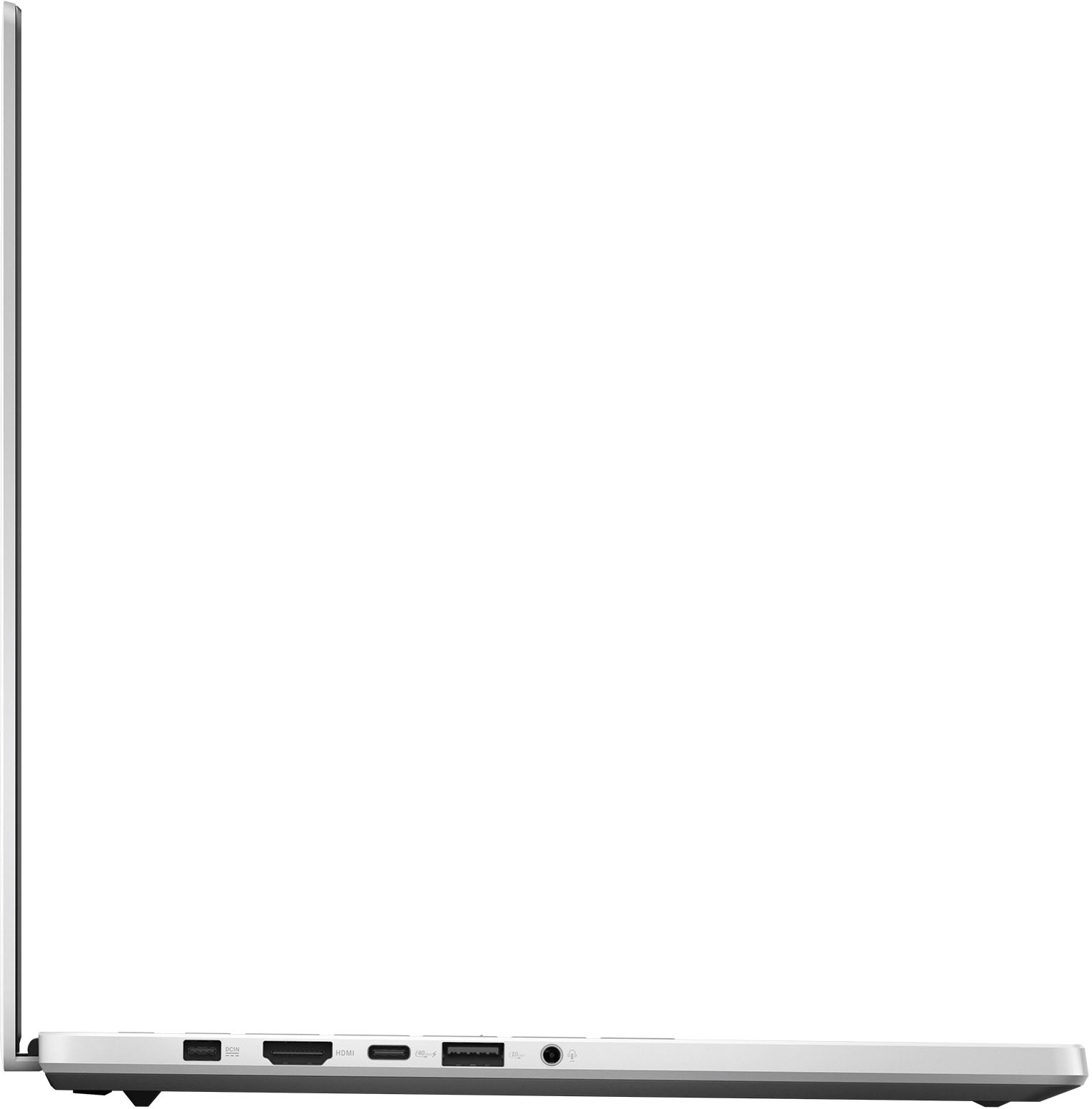
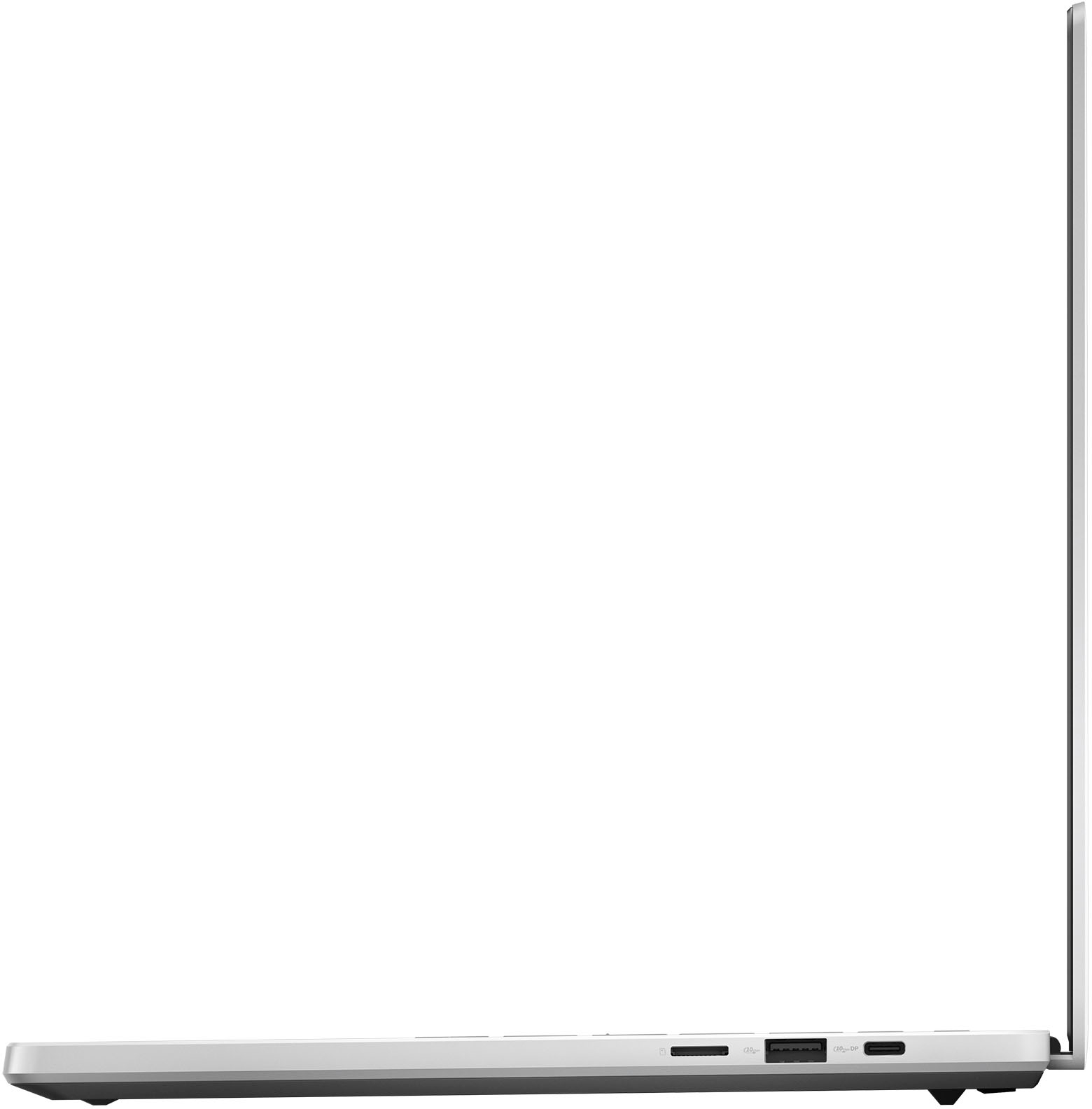
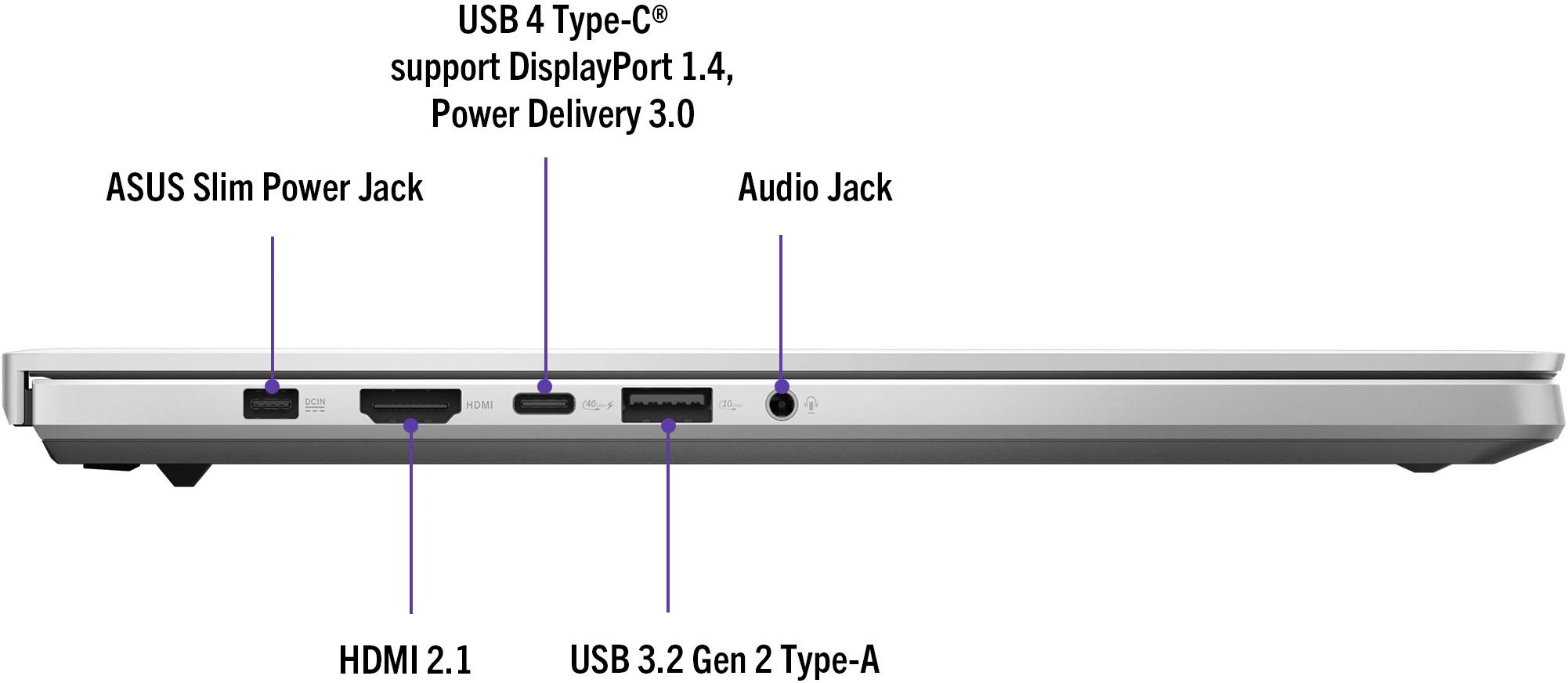
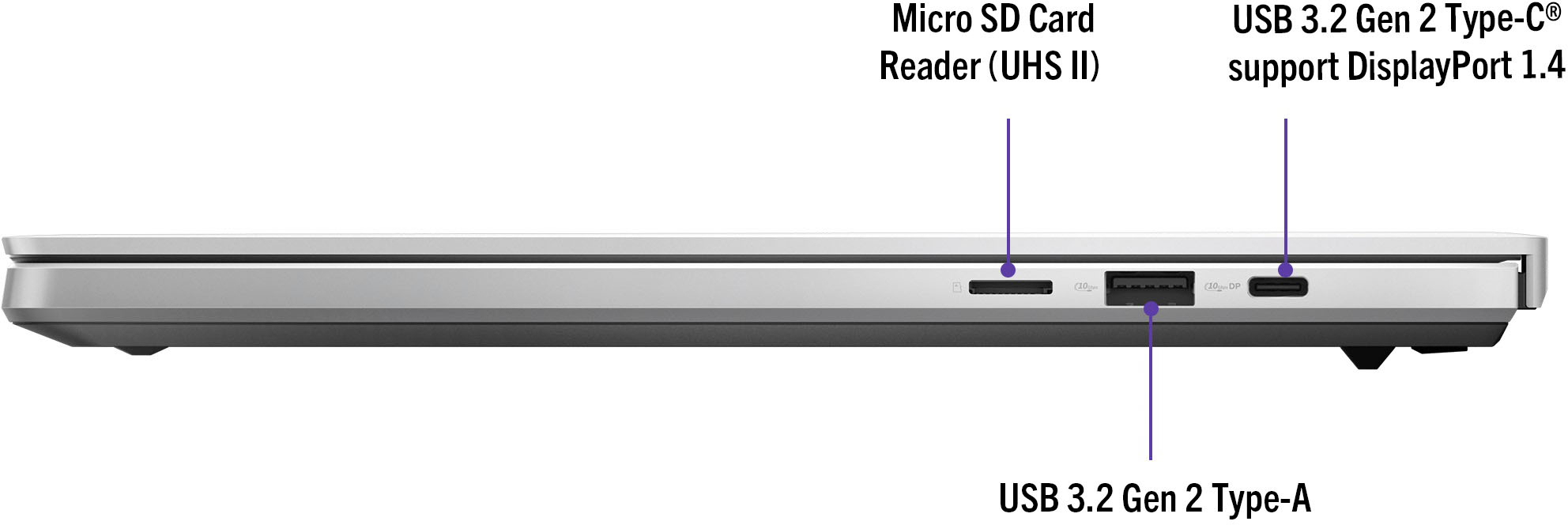
|Posted .This reviewer received promo considerations or sweepstakes entry for writing a review.I’m loving the Zephyrus G14. It’s almost perfect for me and does a great job both at gaming and being a general purpose thin-and-light laptop. As a gaming laptop, its wattage-limited GPU makes it a little underpowered compared to other 14 inch options, but for the portability I think the small performance hit is worth it. The build quality is great. The body is aluminum and very lightweight and thin, but also solid at the same time. The hinge is hidden away on the bottom of the laptop and feels solid with minimal wobble while typing. For ports, there are 2 USB-C, one that is 10 Gbps and one that is 40 Gbps, and 2 USB-A, both 10 Gbps. There is also a microSD slot, an HDMI out, headphone jack, and a proprietary charging port. The 40 Gbps USB-C port accepts up to 100W via a USB Power Delivery 3.0 charger, but the included proprietary charger is 180W. It’s a little disappointing Asus didn’t incorporate PD 3.1 and do away with the proprietary port, but the included charger is at least relatively compact and easy to pack away. If they were going to include an SD card slot I also wish it was a full size one instead of microSD, but it is still useful if you have something like a GoPro or a drone and need to get the files off of those cards. The screen is a 14” 16:10 120Hz OLED that supports G-Sync and it looks fantastic. The default SDR color profile out of the box is a little oversaturated, but if you set it to sRGB mode it looks great. The 2880x1800 resolution is a little bit higher-res than 1440p and sort of straddles the line between 1440p and 4K. Not every game will run the native resolution well, but upscaled games still look great. The general performance with the Ryzen 8945HS is as fast as you’d expect. Every application launches quickly and I haven’t experienced any hitches so far. The 8945HS performance should be largely the same as the previous generation 7940HS and this version just adds more AI performance. There are a couple of neat tricks with that like being able to set the camera to maintain eye-contact and better background blurring, but in general I don’t think most people using this for gaming purposes would notice much of a difference. The RTX 4070 laptop GPU is definitely not a match for its desktop equivalent and it’s limited to 90W, so it will fall behind other 4070 laptops with higher power limits. Still, the gaming performance for me has been very good and I can run most games at high settings and be at 60+ FPS. I’ve been playing Helldivers 2 a lot as an example and the ‘High’ preset with ‘Quality’ rendering is getting around 70 FPS. Having frame generation and DLSS helps a lot in the games that support them, but in general I was leaving ray tracing off. You are also limited to 8GB of VRAM with the laptop 4070, which is beginning to be an issue for some games. Overall I still think it gives good performance for the form factor. You also get a Radeon 780M with the 8945HS, which from my experience with the ROG Ally should be able to handle some lighter games, but this would likely need to be something you’d enable deliberately and I did not test any games using the integrated GPU. The battery life so far is the best I’ve seen on a gaming laptop, though to be fair most of the ones I’ve used in the past have been ‘desktop replacements’ where that kind of thing wouldn’t be prioritized. For non-gaming tasks, I’m seeing around 7-9 hours. If I was using this as my work laptop I don’t think I’d leave the charger at home for a full work day, but you could pack a smaller 100W PD charger instead if you aren’t doing any gaming (performance is limited when not using the Asus charger). In general usage, I could barely hear the laptop and the fans spin up only very occasionally in silent mode. In performance and turbo modes, the fans are definitely audible under heavy load, but not loud enough that I found them to be unbearable to listen to and with headphones on I did not hear them at all. The laptop also stays cool and never felt hot to the touch. The keyboard feels great to use and type on and the trackpad is very spacious and responsive. I did notice the single-zone RGB lighting on the keyboard isn’t quite uniform and fades a bit at the top of the keys, but I didn’t really notice this in my normal use. There’s a diagonal ‘Slash’ light strip across the back of the screen that has a few preset effects you can set in the Asus software. The amount of customization you can do with the Slash lighting is limited, but it still looks nice and ultimately I ended up setting it to ‘Sonic Match’, which mirrors the sound. Miscellaneous Notes: The 32GB of DDR5-6400 RAM is soldered to the motherboard and not upgradeable. It should be enough for most people, but if you are between this model and the 16GB version I’d consider that for longevity purposes. The bottom panel is secured by Torx screws of very lengths. Be careful not to mix those up if you open this up, but the only real upgrades you’d be able to do would be replacing the Wi-Fi card or the SSD (there is only one SSD slot). The 1TB SSD is a Western Digital SN560 PCIe Gen 4. It’s not top of the line, but performance is still decent with 5000 MB/s read and 3000 MB/s write. The speakers sound great and get quite loud and clear without any distortion. The webcam has IR sensors for Windows Hello, so that makes logging in convenient. The webcam quality is excellent and so is the microphone, so if you are planning to use this for video calls it’s a good choice. Overall I’m really happy with the 2024 G14. If you are after a purely gaming-focused machine there are better performing options, but I think this strikes the right balance of portability and power for me. There are a couple of things that keep it from being perfect for me, but overall I’d give it a 4.5/5.
I would recommend this to a friend - Pros mentioned:Battery life, Performance, Weight
Productivity & Play / Performance & Portability
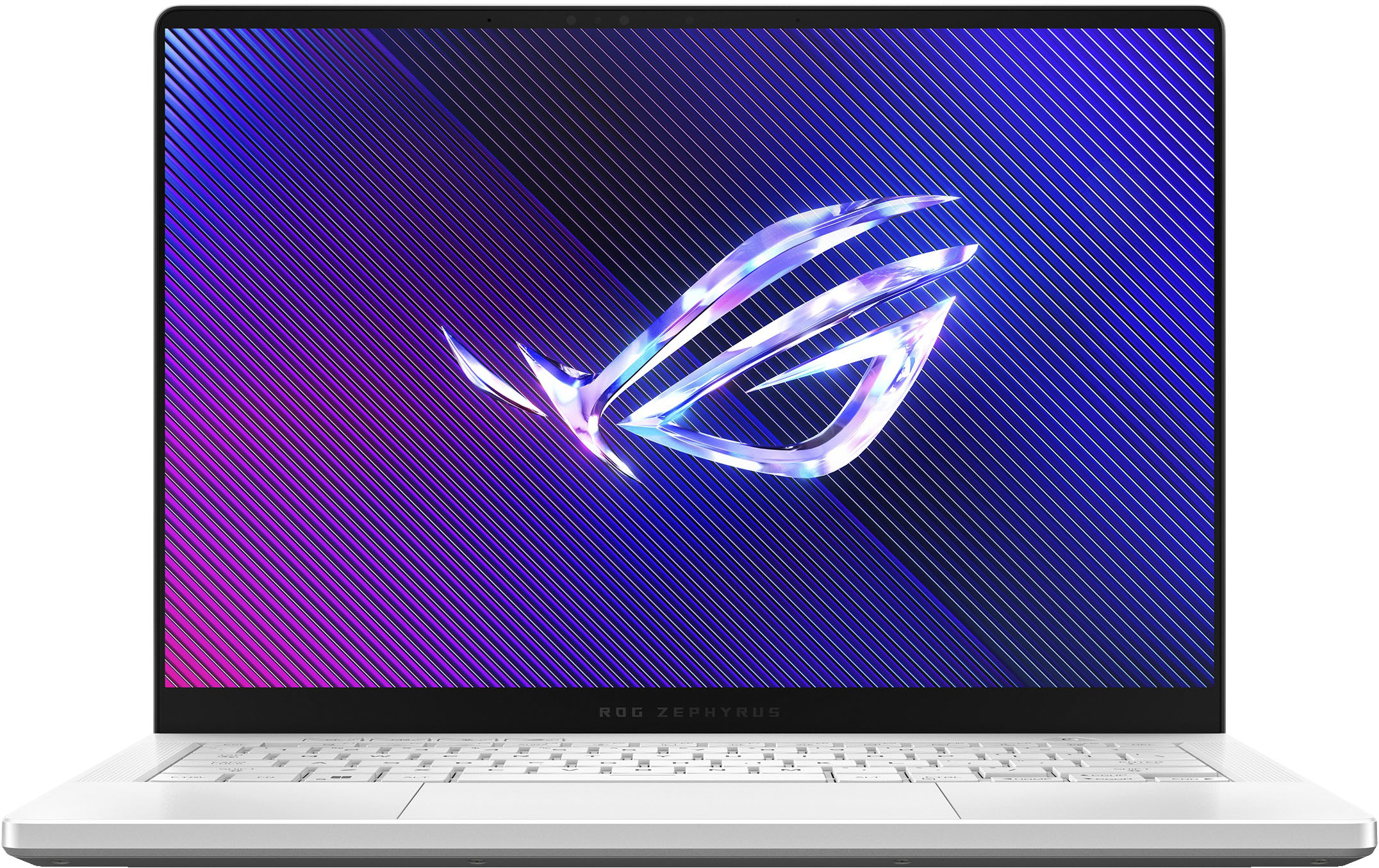
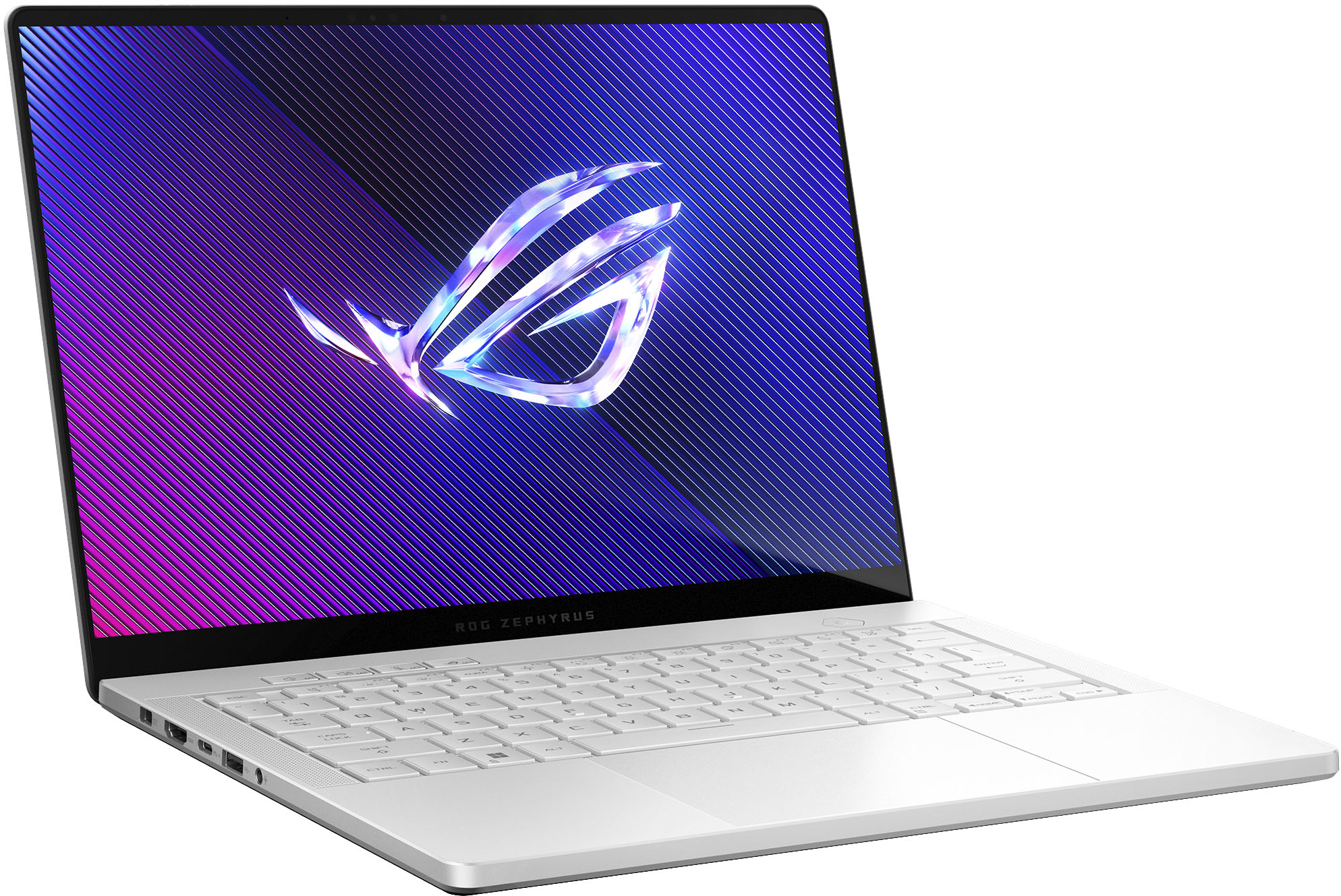
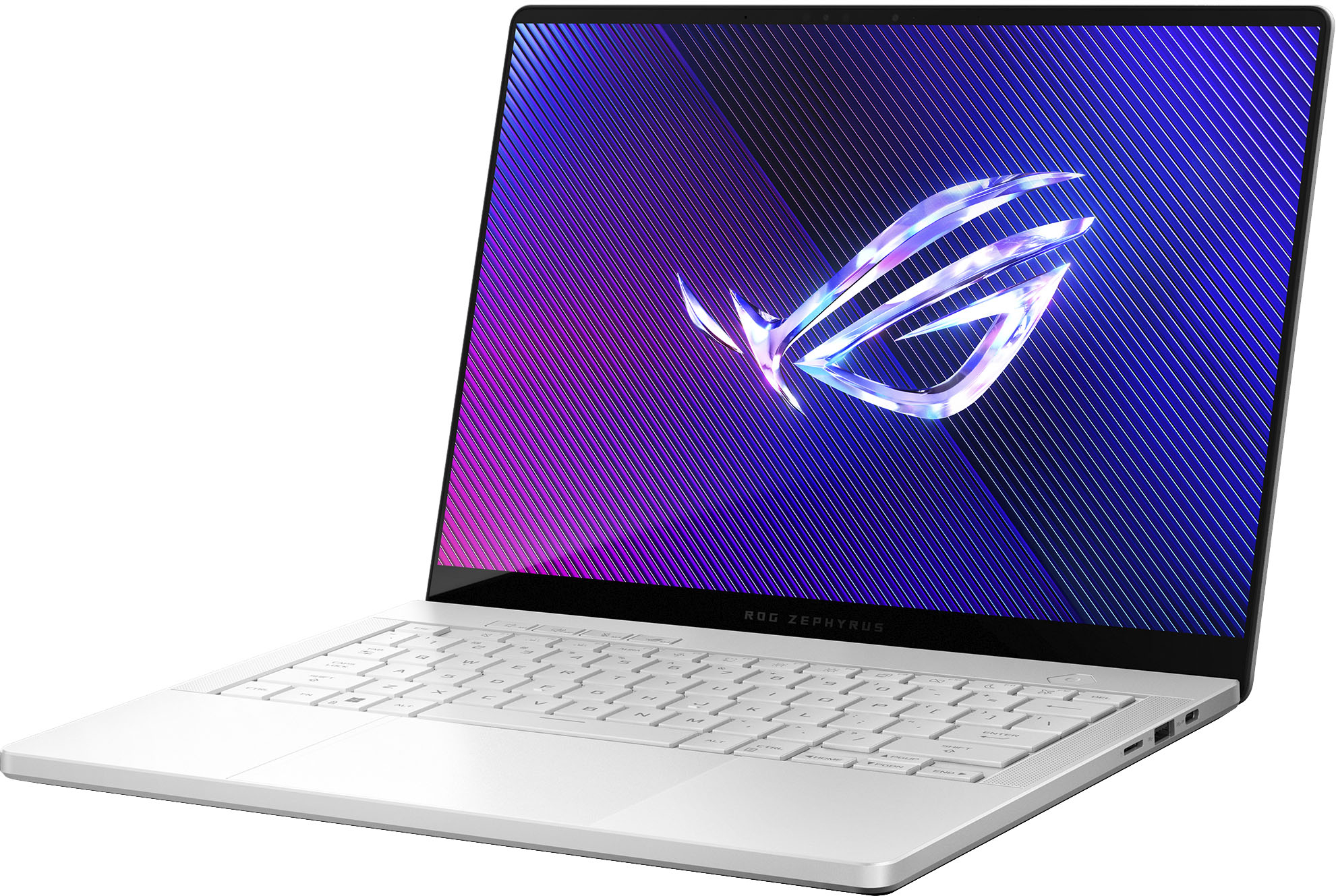
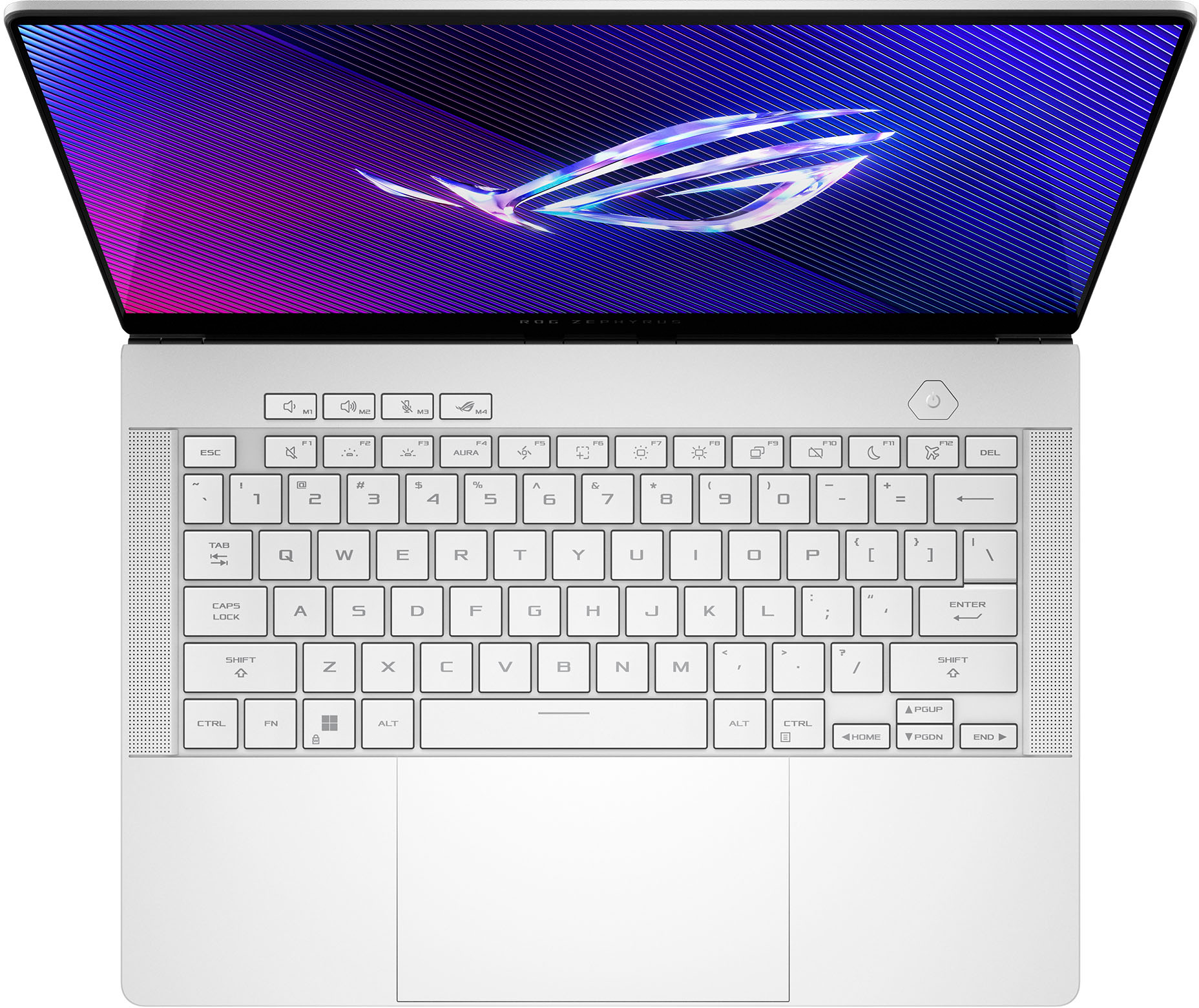
|Posted .This reviewer received promo considerations or sweepstakes entry for writing a review.The ASUS Zephyrus G14 hit a little different for me. I feel like it’s in a different league of laptops with respect to its competition. Let’s get things straight: The Zephyrus lineup of laptops were primarily made for gaming. But man, this laptop is different! It’s very, very thin at 0.63”, with all internals covered in its CNC aluminum chassis. It only weighs 3.3 pounds! The darn thing oozes premium all over. First glance at this laptop, you’ll think to yourself, “This is NOT made for gaming”. But it is! And that’s the crazy part. ASUS made a laptop that carries the strong traits of a gaming laptop, but kept its form factor to those of ultra portable productivity laptops. This configuration (GA403UI-G14.R94070) comes with an AMD Ryzen™ 9 8945HS Hawk Point Zen 4 processor (24MB Cache, up to 5.2 GHz, 8 cores, 16 Threads, Radeon 780M), an NVIDIA® GeForce RTX™ 4070 Laptop GPU with ROG Boost (1655MHz* at 90W [1605MHz Boost Clock+50MHz OC, 65W+25W Dynamic Boost]) @ 8GB GDDR6, 32GB LPDDR5X and a PCIe 4.0 1TB SSD. The 14” display is nothing short of amazing. ASUS put an OLED panel into this laptop and it is, by far, the best display I have ever seen on a laptop. If you’re versed in the OLED universe, you know these things can provide one of the best contrast ratios of any panel sold today. Color accuracy is superb: DCI-P3 @ 100%. Refresh rate? 120Hz. Of course, there is support for Dolby Vision HDR. Resolution @ 3K. No backlight bleed! Of course, OLEDs do come with the scare of image burn in. Fortunately, the Microsoft Windows screen saver feature kicks in after idling for 5 minutes and can move displayed pixels slightly to avoid consistently showing static images. This is the same screen saving tech used in OLED televisions to save from burn in. For the keyboard, you’ll find the typical Chiclet keys that are very reasonably sized and will feel natural when typing. The 1.7mm travel distance gives the keyboard that tactile feel it needs. It’s not a gaming keyboard for sure, but it is more than plenty for the traveling gamer who needs to get work done as well. Keys are rated for 20 million clicks. The trackpad is very large @ 5.75” diagonal, 16:10 aspect ratio. It’s huge! It has no corresponding buttons to keep the look very clean, as the only button will be the touchpad itself. A lot of the function keys are very useful, and ASUS decided to add a couple of ROG specific buttons for its control center as well as cycling through Aura profiles. The audio output is pretty dang amazing. It’s shockingly good coming out of this tiny laptop. The woofers can provide a low 100Hz frequency to provide pretty good lows!! Listening to music sounds full, and movies sound reasonably nice for a laptop. I will probably find myself using my headphones on this, but still, way to go ASUS for adding these nice woofers to an already amazing laptop. Inputs to the laptop are either on the left or right of the laptop and are the following: 1x 3.5mm Combo Audio Jack (Left Side) 1x HDMI 2.1 FRL (Left Side) 2x USB 3.2 Gen 2 Type-A (Left and Right side) 1x USB 3.2 Gen 2 Type-C support DisplayPort™ (Right Side) 1x Type C USB 4 support DisplayPort™ / power delivery (Left Side) 1x card reader (microSD) (UHS-II) (Right Side) Power (Left Side) I currently use one for the mouse (USB-A), one for a headset (USB-C) and another for an external drive (USB-C). This Zephyrus G14 comes with a 73Wh battery; if you’re on the move and need to maximize your battery life, switching to the “Silent” profile dims the screen brightness as well as reduces the CPU speed; if you’re not doing anything GPU intensive, it will make use of the on-board Radeon 780M to further reduce power usage. The laptop will feel a bit on the sluggish side and it’s normal; no need to drive up the power usage for light duty use. There’s no question that this laptop can perform. Here are a few games I ran with their respective FPS and temps using GeForce Experiences’ recommended settings for each game. The laptop was on wall power and set to Turbo settings. I think it’s worth mentioning that I was able to achieve the best results using these settings. Horizon Zero Dawn: 90fps, 80c Helldivers 2: 75fps, 80c Cyberpunk 2077: 70fps, 80c I love using 3DMark to get a feel for how well this PC performs: 3DMark: Overall 11487 (CPU 11085, GPU 11562) Included is a 1TB NVMe PCIe 4.0 SSD, and the read/write speeds are what I expect from a SSD of this spec. The one included in my G14 is a Western Digital SN560. Similarly, the 32GB LPDDR5X RAM is installed in an 4x8GB configuration, soldered to the board, so you won’t be able to upgrade the RAM. Fortunately, the SSD is the standard m.2 and can be replaced. Overall, the ASUS ROG Zephyrus G14 for 2024 has impressed me because the folks at ASUS did a solid job of catering this laptop to a broader audience. It’s a gaming laptop, a productivity laptop and even a media laptop. It’s extremely portable at 14” and it’s lightweight at 3 pounds. I do a lot of traveling for work and this will be my daily driver for all the things this laptop can be.
I would recommend this to a friend - Cons mentioned:Gpu
Severe quality control issues.
||Posted . Owned for less than 1 week when reviewed.This reviewer received promo considerations or sweepstakes entry for writing a review.I tried to exchange this laptop multiple times and each one had some sort of quality issue. All three units I got had what felt like a poorly made keycap specifically on the A key. Every time I would press down on it, it felt like the cap was unclipping from the scissor switch underneath. On top of that, the second unit had a trackpad that didn't press down properly, excessive coil whine, and artifacting on the GPU in games. I decided to exchange it one more time and within an hour of setting up the laptop it suddenly developed a vertical line on the screen. I could forgive receiving one lemon, maybe even two, but having 3 separate brand new laptops show up with different issues in each of them is ridiculous and speaks to how bad Asus quality control really is. It's a shame because on paper the laptop is great and it's built really well, but after wasting weeks of my time having to receive and send back 3 laptops, I'm never going to touch anything from Asus ever again.
No, I would not recommend this to a friendBrand response from ASUS Answers
Posted .Dear Suchir M,
We sincerely apologize for the issues you've faced with the notebook and for the inconvenience caused. This is not the kind of quality to expect from ASUS products and it's not the norm. At ASUS, we take quality control, testing, and inspections seriously to ensure our products meet high standards. What you've experienced was not intentional or representative of our brand. The decision to make a purchase can be important, and we want to ensure that our customers receive the best products and services. We understand the impression this may have created and we hope this will not be a long-term lasting impression as you have chosen ASUS as a trusted brand for excellence. Our top priority is providing our customers with a high level of satisfaction, and we'll forward your feedback to our Product Team for review.
Although you have returned the notebook, we do stand behind our products and we continuously strive to improve our products and processes to achieve customer service excellence. If you require any further assistance, please send us an email at customerloyalty@asus.com and include the case number "N2403014099-0006" as a reference. We will do our best to resolve your case quickly. Your feedback is very important to us, and it enables us to improve our support channels. Thank you for choosing ASUS.
Best Regards,
Chantae
ASUS Customer Loyalty US Support
- Cons mentioned:Heat
Good
||Posted . Owned for 2 weeks when reviewed.This reviewer received promo considerations or sweepstakes entry for writing a review.Great, endures a bunch of games, very beautifully, overheats a lot tho and battery life is like 1h
I would recommend this to a friend Its a monster
||Posted . Owned for 3 weeks when reviewed.This reviewer received promo considerations or sweepstakes entry for writing a review.Very thin and stylish design. Like a daily use laptop. But you can't see that there is a beast inside until you use it.
I would recommend this to a friendReview
||Posted .This reviewer received promo considerations or sweepstakes entry for writing a review.The battery does not last that long. The system is overall decent
No, I would not recommend this to a friend- Pros mentioned:Performance
Best Premium Laptop
||Posted .This reviewer received promo considerations or sweepstakes entry for writing a review.This is by far the best laptop I've ever used. Better than macbook pro!
I would recommend this to a friend Good computer, gone bad! G14 32G 2024 Model Review
||Posted . Owned for 8 months when reviewed.This reviewer received promo considerations or sweepstakes entry for writing a review.I really want to love this laptop, but I am experiencing some serious issues while gaming, particularly with Call of Duty: Black Ops 6. The laptop tends to stutter, freeze, and reboot, creating a frustrating cycle of problems even on low settings. I contacted Geek Squad for troubleshooting and sent the laptop to their service center at Best Buy for further repairs, which took two weeks. They informed me that they replaced the motherboard, reinstalled Windows, and updated all drivers. They also confirmed that everything was tested, although the drivers might not have been updated due to the reinstallation. However, after picking it up yesterday (March 27), I am still facing the same issues—it's even worse now, as I can't even get into a match without the laptop freezing and rebooting during gaming sessions. As of March 28, the computer is currently with Best Buy again, and I hope my Total Tech membership will help resolve this issue. If not, I'm hopeful that Best Buy can provide a solid alternative solution. For anyone else out there with the G14, good luck, and I hope yours is working properly!
No, I would not recommend this to a friendBrand response from ASUS Answers
Posted .Dear Bryan W,
We regret to learn about the issues you're experiencing with the ROG Zephyrus G14 Laptop while gaming and we apologize for the inconvenience this may have caused you. We understand the impression this may have created and we hope this will not be a long-term lasting impression as you have chosen ASUS as a trusted brand for excellence. We would like to make your experience with us a better one.
Please email us at customerloyalty@asus.com and include the case number "N2405007362-0020" as a reference so that we can investigate this issue further. We know that maintaining a functioning unit is an urgent matter, and we are committed to helping you.
We stand behind our products and continuously strive to improve our products and processes to achieve customer service excellence. We will do our best to resolve your case quickly. Your feedback is very important to us, and it enables us to improve our support channels. Thank you for choosing ASUS.
Best Regards,
Chantae
ASUS Customer Loyalty US Support
- Pros mentioned:Performance, Portability, Screen quality
Absolute Top Tier Total Package
|Posted .This reviewer received promo considerations or sweepstakes entry for writing a review.First off, I have to say ASUS absolutely killed it this year with the new redesigned G14! For some background ive owned and used at some point every G14 ever released. Ive also had a couple other models like X16 flow, zephyrus M16 along with a plethora of other gaming laptops from other manufacturers over the past 3-4 years doing deep dives on performance, benchmarks (see some below in the CPU and GPU sections), daily use etc to the extreme trying to find the best balance of all things with the least amount of sacrifice. That being said the design this year is basically new from the ground up and absolutely perfect. When they did the last redesign in 2022 for the G14 it was really close to ideal in just about every way with only a few drawbacks to speak on. These have all been addressed and out the window with this 2024 version. Notable things I saw as a con on the last generation was the screen hinge as I never liked how it flip flopped to prop itself up higher for cooling, though it made sense it just made it awkward to use in your lap as it dug into your legs. This year that no longer exists and its flat on the bottom which is perfect. Another thing that was a bit annoying was the amount of heat that came through the keyboard previously. This was also taken care of as the new model has way way more airflow coming in from both sides of the laptop to vent at the read and when it does this it actively cools the keyboard deck and track pad to the point it barely feels warm at all when gaming which is a huge step up from years prior. The mini LED display of last years 4090 model was really really good but as mini led always does it had blooming issues to speak of around bright colored objects on a dark background making some things look strange. Im happy to say this new 4070 model here has their brand new OLED panel which of course only lights the pixels in use as needed resolving any of that type of behavior and creating an extremely immersive display for a 14” laptop with not only color depth but even brightness, refresh rate (120hz g-sync) and most of all HDR! There is not a single other 14” gaming laptop on the market right now that can even come close to touching the display on this laptop, it’s just that good. Next on the list is speakers and audio. Some how some way this years is even better and not only that the surround modes in the dolby software you can turn on actually surround your head just like a MacBook does which is normally the benchmark to beat as far as audio quality. That said this is easily the best 14” windows laptop speakers ive ever heard providing a full rich sound which is sadly extremely uncommon in this size laptop but in this case sets the G14 even more apart from the rest. Honestly I cant believe how much better they are when last years was already the best at the time. The new Ryzen processor 8945HS is an extremely solid performer for the chassis size and doesnt seem to have any compromises. It can routinely score above 1800 single core and 17k multi-core in cinnebench R23 benchmark which is very solid. Yet in silent mode can run so cool during web browsing and video watching that the fans all stay OFF which is wild for a gaming laptop at this size. The tried and true second year of the 40 series RTX GPUs in these gave ample time to get drivers completely up to perfection which these are. This model comes stock with the studio drivers rather than the gaming version which is essentially just a more stable release and what I prefer to run on them for such. As this specific laptop has the RTX4070 which is sadly the top sku this year for this chassis (4090 last year) it is still an extremely good performer. Running a benchmark such as 3dmarks time spy you’ll be looking at scores in the high 11 thousands overall with my specific testing at 12,043 GPU and 11,326 CPU which again is extremely good all things considered and at the top of the range with these chips even versus 16” models with similar specs. The chassis design itself is a CNC milled aluminum piece which is absolutely top tier in every way you can think of. This thing is not only the perfect size for daily commute and travel but also gaming on the go or at home. It has plenty of ports with HDMI 2 usb c (one is USB4) usb A audio combo jack basically anything you’d need. There is a new rectangular power plug this year which is also a great addition as I didnt much like the old barrel style plugs as they could loosen up over time. The power brick itself shrunk this year as well which is a welcome change and really lightens things up. Honestly on the go though I dont even bring the brick I use a USB c charger instead as im not gaming it does perfectly fine through my work day. One day that I forgot my charger all together it still had enough juice at half screen brightness to get through the entire 8 hours on silent mode in armoury crate which is again a feat of strength for this. The bottom and back side filled with ventilation holes for the fans to push a pull air which again need no more said about how well this design works because it just does no matter what your doing and isnt at all sketchy like it has been in the past for heat. The track pad is glass and still spring board style but the smoothest ive used of such and I have no complaints. The keyboard somehow again feels even better than last years which I didnt think was possible. Overall you really cant get any better of a gaming laptop that can also be cross used not only as a gaming power house, but work horse for daily use by day, video editing machine by night with the power to edit canon raw files from the R5 (many fail at this) but also can be used to watch your favorite shows at night while in silent mode without the worry of fans spinning up or overheating on your bed. It’s absolutely amazing in every way! Though I wish there was a 4090 model again this year I cant be mad about it because this thing is even lighter than a 14” MacBook Pro while having the power of a gaming desktop machine in a thin and light 14” form factor its just crazy. Some tips if you buy this machine make sure and go through when you first start it up and update all your drivers in windows update, armoury crate, the Nvidia graphics driver, windows store and the myasus app. That seems like a lot but most of these would update themselves over time naturally but for the best possible experience you can have its best to just get through all these right off the bat as it will restart a few times and then your good to go.
I would recommend this to a friend - Cons mentioned:Fan noise
Kind of a Lemon - Guess Iʻm Stuck With It
||Posted .This reviewer received promo considerations or sweepstakes entry for writing a review.Honestly, I bought this becuase on the books itʻs awesome. However, IRL, after having used it for almost a year now, I can say that its battery life is laughable, it feels like itʻs some how bottle-necked, itʻs fan works overtime, and it gets terrifyingly hot very quickly. It should be much faster IMHO, but it struggles to find resources during boot up and during various tasks for reasons I cannot seem to figure out. Also, the lights are obnoxious and sometimes start blinking on their own--despite my having turned them off. The mouse pad and keyboard will often become unresponsive (like now), prompting me to restart. Sometimes when I restart, it hangs. Some of this (the lights, fs) could be owing to the fact that MyAsus and Amoury Crate seems to be in a power struggle but somehow I need them both? Anyway, here I am on my $2k + laptop, using an external mouse and keyboard because sometimes they just donʻt work. Iʻve just paid it off and am now considering a new ASUS Zenbook Duo, hoping itʻs not also a lemon. It seems like it might actually work for simple and complex tasks AND stay on for longer than 20-30 mins without my needing to plug it in--did I mention how obnoxious it is that the plug has to be some bizzarre proprietary thing when so many others are going with standard C-type? This will def play some of the more demanding games, but why does it matter if I have to plug it in and it starts whirring away and heating up like crazy? I already have a great gaming desktop. Now I have a smaller gaming desktop,
No, I would not recommend this to a friendBrand response from ASUS Answers
Posted .Dear JarrettC,
Thank you for reaching out.
We do understand your concern about thermal issues. It is normal that excessive heat is generated while the laptop is under heavy load. When system resource utilization is high, this will generate more heat than normal and tends to trigger the fan to spin at full throttle. Please ensure the air ventilation is free from obstructions to have an efficient air flow for better heat dissipation. Furthermore, check in the Task Manager for resource-hungry services, processes and applications that are running in the background and disable them if not being used. Running these applications simultaneously will certainly spike the temperature and will cause an auto-reboot, or an auto restart. The heat or temperature does decrease or normalize once system resource utilization goes down. You may need to reconfigure your system settings inside the Armoury Crate utility. Ensure you are running the most current version posted at the Product Support page: https://rog.asus.com/us/laptops/rog-zephyrus/rog-zephyrus-g14-2024/helpdesk_download/ . Additonally, ensure Windows, other laptop drivers, games and applications are up to date to maintain optimum system stability and performance.
Should you need further assistance with the product, please email me at cl-rodel@asus.com and I would be more than happy to help. Or you are most welcome to call Product Support Hotline at: 1(888) 678-3688. Also, you can chat with an ASUS live support agent from the link: https://www.asus.com/us/support/article/1135/.
Thank you for choosing an ASUS product.
Regards,
Rodel
ASUS Customer Loyalty
- Pros mentioned:Battery life
Small form gaming PC disguised as a work laptop
||Posted . Owned for 2 weeks when reviewed.This reviewer received promo considerations or sweepstakes entry for writing a review.Amazing battery life when not playing games and super easy to travel with.
I would recommend this to a friend coool tech
||Posted . Owned for 8 months when reviewed.This reviewer received promo considerations or sweepstakes entry for writing a review.After 8 months, this thing is pretty nice! I use it for school, digital art making, and some casual gaming, and it does its job well! There are times when the screen won't display after turning it on, and I would have to force a restart with a power button. Something to keep in mind :p
I would recommend this to a friend- Cons mentioned:Heat
Great Laptop
||Posted . Owned for 3 weeks when reviewed.This reviewer received promo considerations or sweepstakes entry for writing a review.Got my gf it for her birthday and she loves it. Only downside it gets very hot
I would recommend this to a friend Outstanding Laptop woth the money
||Posted . Owned for 2 weeks when reviewed.This reviewer received promo considerations or sweepstakes entry for writing a review.Wow, what a laptop from having an OLED display to having 3 fans to having liquid metal as the thermal paste this laptop is excellent for a 4070. This thing SMOKES the HP Omen 4070 laptop at the same price point. If you're going to get this or the HP Omen this is the way, way better value at the $2,000 price point.
I would recommend this to a friend