Customer Ratings & Reviews

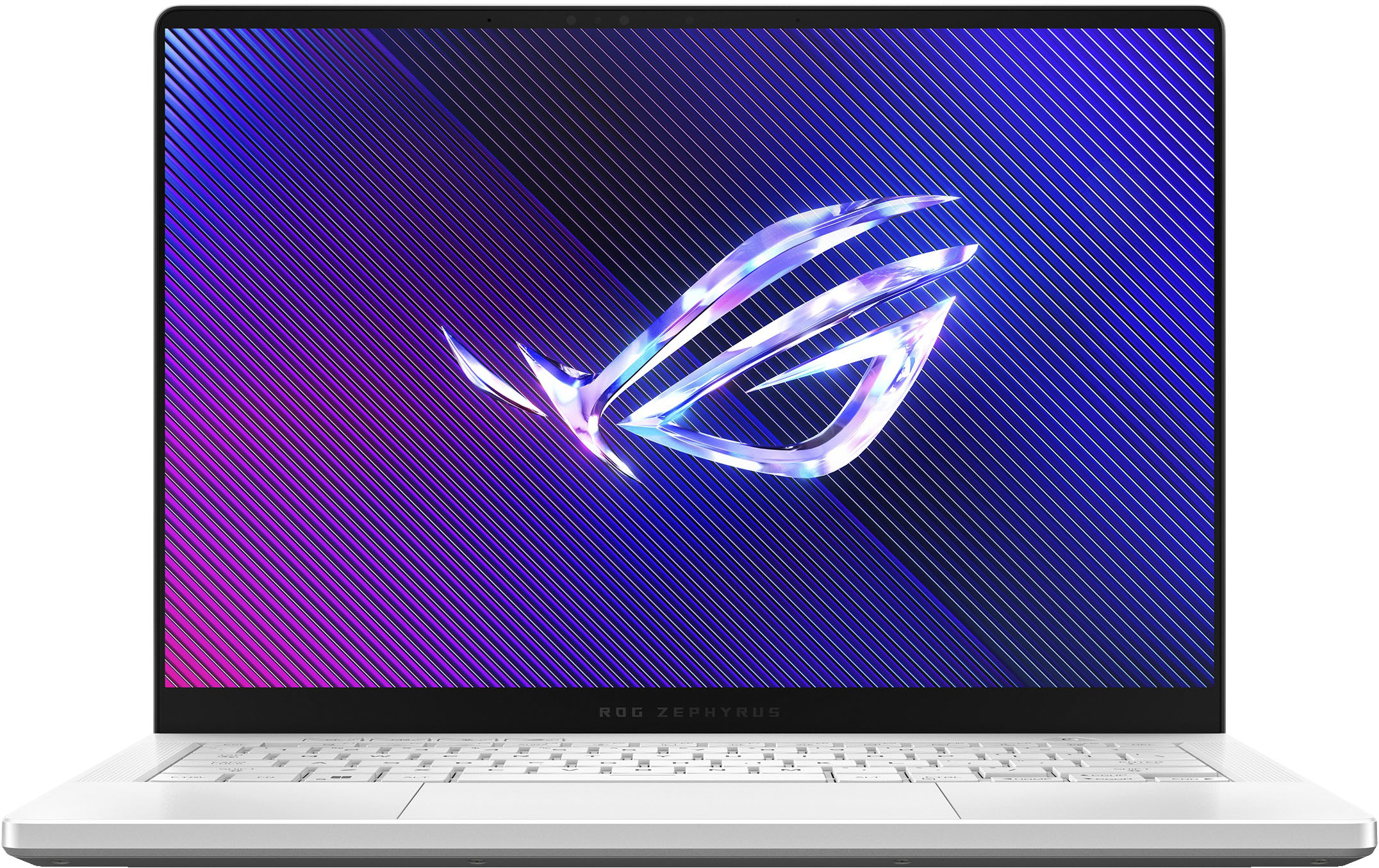
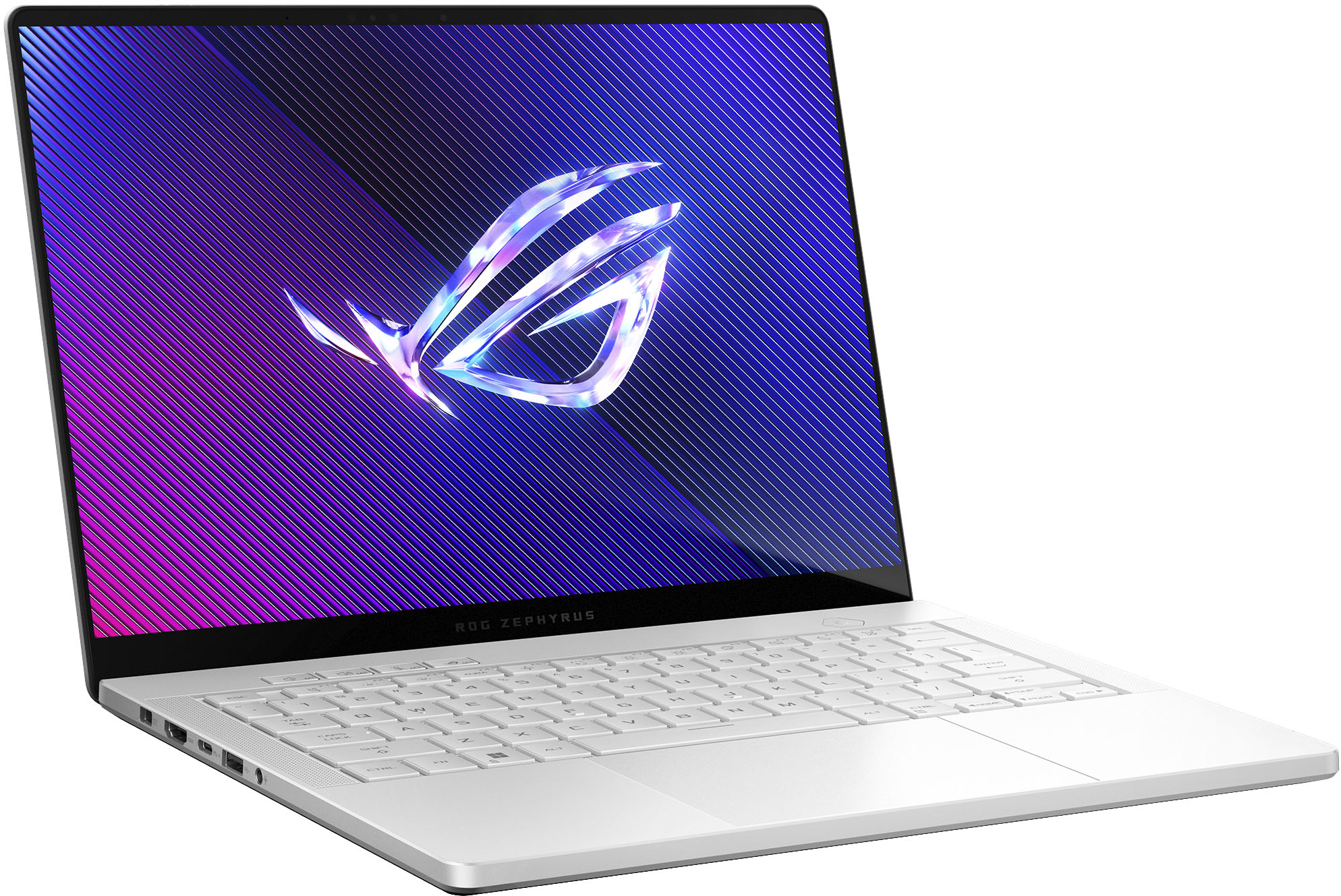
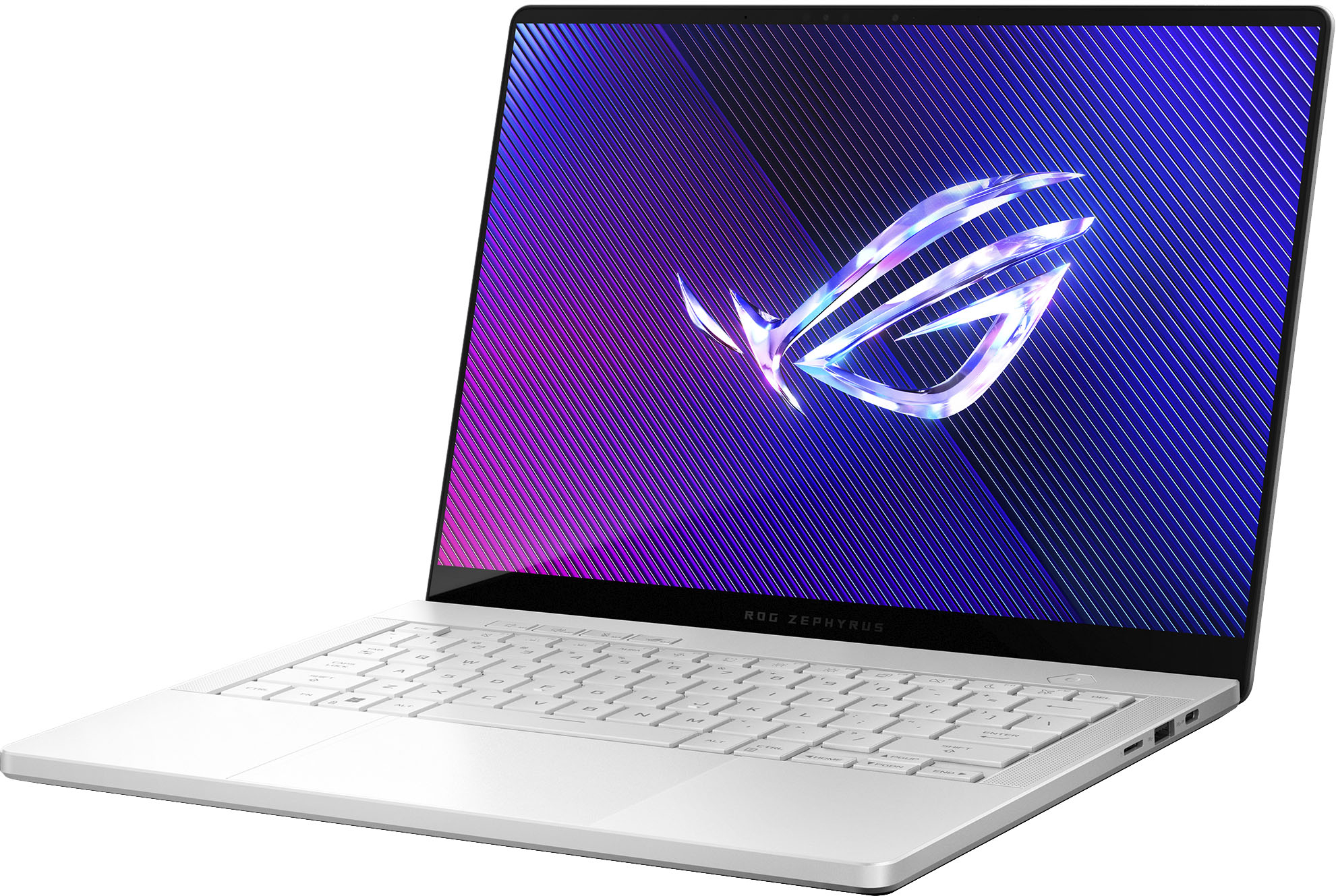
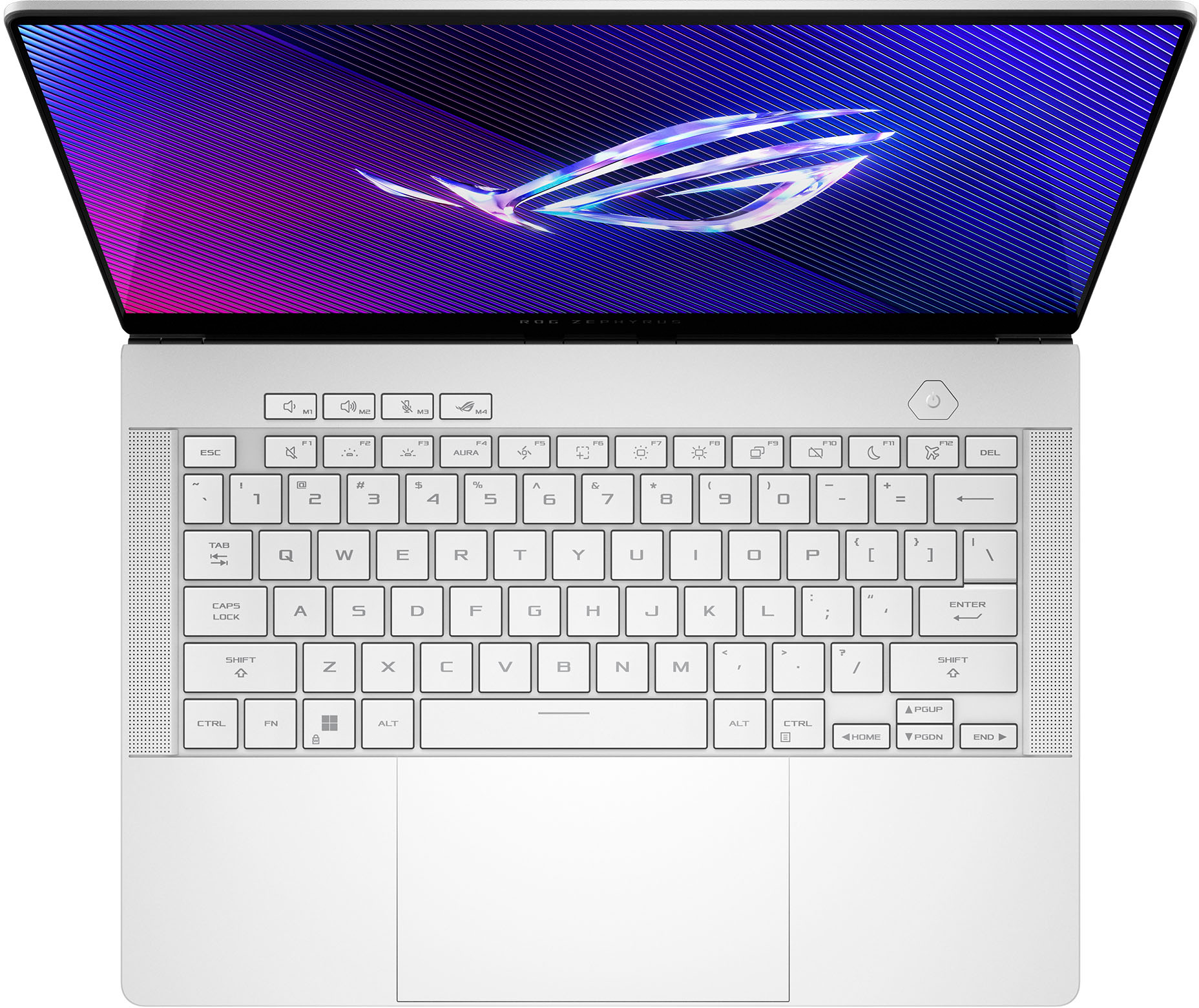






- Model:
- GA403UI-G14.R94070
- SKU:
- 6570271
Rating by feature
- Battery Life
Rating 4.2 out of 5 stars
- Speed
Rating 4.7 out of 5 stars
- Display
Rating 4.8 out of 5 stars
Customers are saying
Customers love the ROG Zephyrus G14 for its exceptional performance, stunning screen quality, and impressive battery life. Its portability and lightweight design are also highly praised, making it easy to carry around. While some users have noted fan noise under heavy load, the laptop generally manages heat well. Overall, the design, ample RAM, and top-notch speakers contribute to a fantastic user experience.
This summary was generated by AI based on customer reviews.
Vry good
||Posted . Owned for less than 1 week when reviewed.This reviewer received promo considerations or sweepstakes entry for writing a review.Good laptop, you may go broke but at least you have a cool laptop. The top of the laptop gets pretty toasty (this goes for both versions) so make sure you dont block the vents.
I would recommend this to a friendDO NOT BUT ANY ASUS LAPTOP
||Posted . Owned for 1.5 years when reviewed.This reviewer received promo considerations or sweepstakes entry for writing a review.I have had 2 of these and the older one started falling apart. Like the shell started cracking and flaking. This one lasted less than 2 years before it started bending????? Conveniently out of warranty. Now it won't even boot up and I can't get into bios. What a waste of money for absolute trash. The rubber foot came off and it's buggy as hell. Asus sells complete slop.
No, I would not recommend this to a friendBrand response from ASUS Answers
Posted .Dear ESTEBANC,
Thank you for sharing your experience with the ASUS GA403UI Gaming Laptop. We sincerely apologize for the issues you’ve encountered, including casing concerns, unexpected bending, boot failures, and hardware defects such as the rubber foot coming off. This is not the quality of products we aim to deliver, and we regret the inconvenience this has caused.
To ensure this matter is properly investigated and resolved, we kindly advise contacting our support team directly at https://www.asus.com/us/support/callus/. Our specialists will be able to review the issue in detail and provide tailored assistance, including service options.
We stand behind our products and continuously strive to improve our products and processes to achieve customer service excellence. For more information, email us at customerloyalty@asus.com and include the case number "N2403014099-0038" as a reference. We will do our best to resolve your case quickly. Your feedback is very important to us and enables us to improve our support channels. Thank you for choosing ASUS.
Best Regards,
Chantae
ASUS Customer Loyalty US Support
Fast and good quality
||Posted .This reviewer received promo considerations or sweepstakes entry for writing a review.From the start until now the computer has been of good quality and very fast! The graphics card is good as well, however it can drain battery fast. All in all, I recommend!
I would recommend this to a friendSecond g14 and loving it
||Posted . Owned for less than 1 week when reviewed.This reviewer received promo considerations or sweepstakes entry for writing a review.Recently purchased the open box g14 4070 at an amazing price, came in perfect condition. Such a sleek slim powerful machine, exactly what I needed.
I would recommend this to a friendBattery life inconsistent
||Posted . Owned for 2 weeks when reviewed.This reviewer received promo considerations or sweepstakes entry for writing a review.It is a beautiful machine, lightweight, and sleek. However, the battery life for some reason wasn't reaching the same length as previous versions I've bought before even on silent/eco modes.
I would recommend this to a friendDamaged w/ Unprofessional & Improper Service/Care!
||Posted .This reviewer received promo considerations or sweepstakes entry for writing a review.I ordered the "Geek Squad Certified Open Box - Excellent Condition" option of the G14. When I received the package the box was rather large for a laptop box. Which at first was very reassuring, as I thought it meant that the laptop was double packaged for protection - I was wrong. Upon opening the box, the laptop was just sitting there with the charging cable on top of it and nothing else. This is problematic as the laptop had ~2" of space on all sides & top and ZERO packaging. There was no paper, bubble wrap, or insulation of any kind. Once I pulled the laptop out of the box, I immediately noticed a deep gouge in the top lid as well as other scrathes and damages to the product. I would say that overall the quality was "Good" and not "Excellent". Likewise, Geek Squad or Best Buy should know better than to package and ship hardware like this. Very very unprofessional and amatuer. Packaging and physical damage aside, I setup the laptop and started to play around with it and immediately noticed lagging and studdering. I spent ~8hr troubleshooting and checking online forums. Updating drivers, rolling them back, etc. and nothing seemed to work. When I contacted Geek Squad I was charged $160 for a remote session that did not fix the problem. The technician was rude, short, and left the session after he did the "work" that he was hired to do - not before telling me that the issue was hardware and not software. Something was wrong with the processor. This was apparent as the laptop struggled to run very very basic games/tasks. Best Buy told me that they could not exchange or refund bc it had been over the 14 days since purchase. This is due to the fact that I am stationed in Japan and by the time that I received the device, it had been ~30 days. ***I would like to note this could have been avoided if Best Buy shipped to APOs (like they use to) but Best Buy doesn't care at all about service members, government workers, contractors, or their families. They said unless I spent $250 on the Geek Squad Protection Plan, there was nothing that they could do. They also had absolutely nothing to say about the terrible packaging and proceeded to tell me that I should not have purchased and open box and expected quality. As well as saying that they do not replace open box devices - even with the Protection Plans. ASUS said I could send the device to them for repairs but that they do not do replacements - only repairs. After being stripped of all real options, I purchased the protection plan, I usually do with my Best Buy purchases. However, Best Buy will not ship the laptop to me once fixed. So, I have to pay to ship the laptop from Japan to a family member, they have to drop it off at Best Buy, get the device fixed, and then pay to have the device shipped back to myself by said family member. As well as, purchase my own protective packaging and double box the device for protection. This will total around $150 - ontop of the $500 protection plan, and that ontop of the $1,750 I spent for the laptop. Keep in mind that this extra money that has to be spent, only has to be spent due to the company's negligence in verifying its products, properly packaging its products, and lack of service for customers/service members stationed outside of the US - WHICH THEY USE TO PROVIDE! I am very unhappy with the whole experience and truly disappointed in both Best Buy and Geek Squad. I would review for 0 stars if I could.
No, I would not recommend this to a friendBrand response from ASUS Answers
Posted .Dear Jewels,
Thank you for your feedback.
We do understand your dissatisfaction with the quality of your recent customer service experience with your seller and the inconvenience this may have caused if this laptop was terribly packaged when received. If you need further assistance with this product, please email me at cl-rodel@asus.com and I would be more than happy to help. Or, you are most welcome to call Product Support Hotline at: 1(888) 678-3688. Also, you can chat with an ASUS live support agent from the link: https://www.asus.com/us/support/article/1135/.
Thank you for choosing an ASUS product.
Regards,
Rodel
ASUS Customer Loyalty
Great laptop not as well for heavy gaming
||Posted . Owned for less than 1 week when reviewed.This reviewer received promo considerations or sweepstakes entry for writing a review.Very good laptop but if you are wanting to play bigger games like warzone or cyberpunk they will not do as well for handling. i like playing with zero delay fast response and when i play warzone or bigger pvp games like ark survival man it struggles a tad bit which some people dont have a problem with but personally i like having quick response no delay competitive gaming. so expensive for 4090 too just for us to run newer gen games are you kidding me?!
I would recommend this to a friendBrand response from ASUS Answers
Posted .Dear Mrbanks,
We sincerely apologize for the issues you've faced with the Gaming Notebook and for the inconvenience caused. This is not the kind of quality to expect from our products and it's not the norm. At ASUS, we take quality control, testing, and inspections seriously to ensure our products meet high standards. We understand the impression this may have created and we hope this will not be a long-term lasting impression as you have chosen ASUS as a trusted brand for excellence. Please allow us to make your experience with ASUS a better one.
To troubleshoot the gaming performance issue described, we recommend following the steps in the FAQ below. Should the issue persist, please contact our support team at https://www.asus.com/us/support/CallUs to further investigate the problem or assist with repairing the device.
We stand behind our products and continuously strive to improve our products and processes to achieve customer service excellence. For more information, email us at customerloyalty@asus.com and include the case number "N2405007362-0008" as a reference. We will do our best to resolve your case quickly. Your feedback is very important to us and enables us to improve our support channels. Thank you for choosing ASUS.
Best Regards,
Chantae
ASUS Customer Loyalty US Support
https://www.asus.com/support/faq/1046445/
Comfortable, fast and beautiful and
||Posted . Owned for 1 week when reviewed.This reviewer received promo considerations or sweepstakes entry for writing a review.I love this laptop! It is really comfortable, it is very fast, the screen has good resolution and the laptop is very nice compared to other gaming laptops
I would recommend this to a friend- Pros mentioned:Screen qualityCons mentioned:Heat

Sleek Compact Gaming Laptop - Excellent OLED
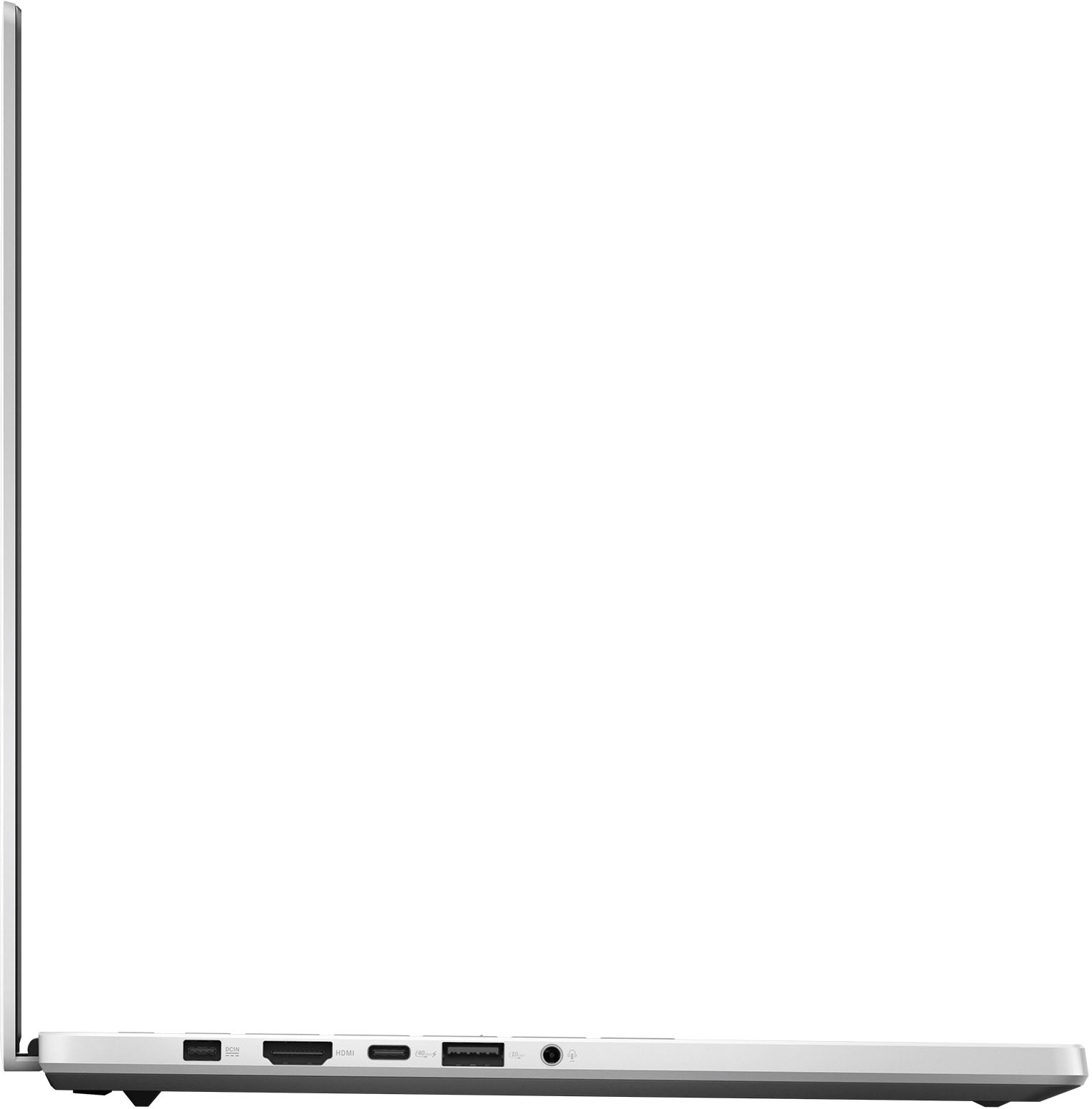
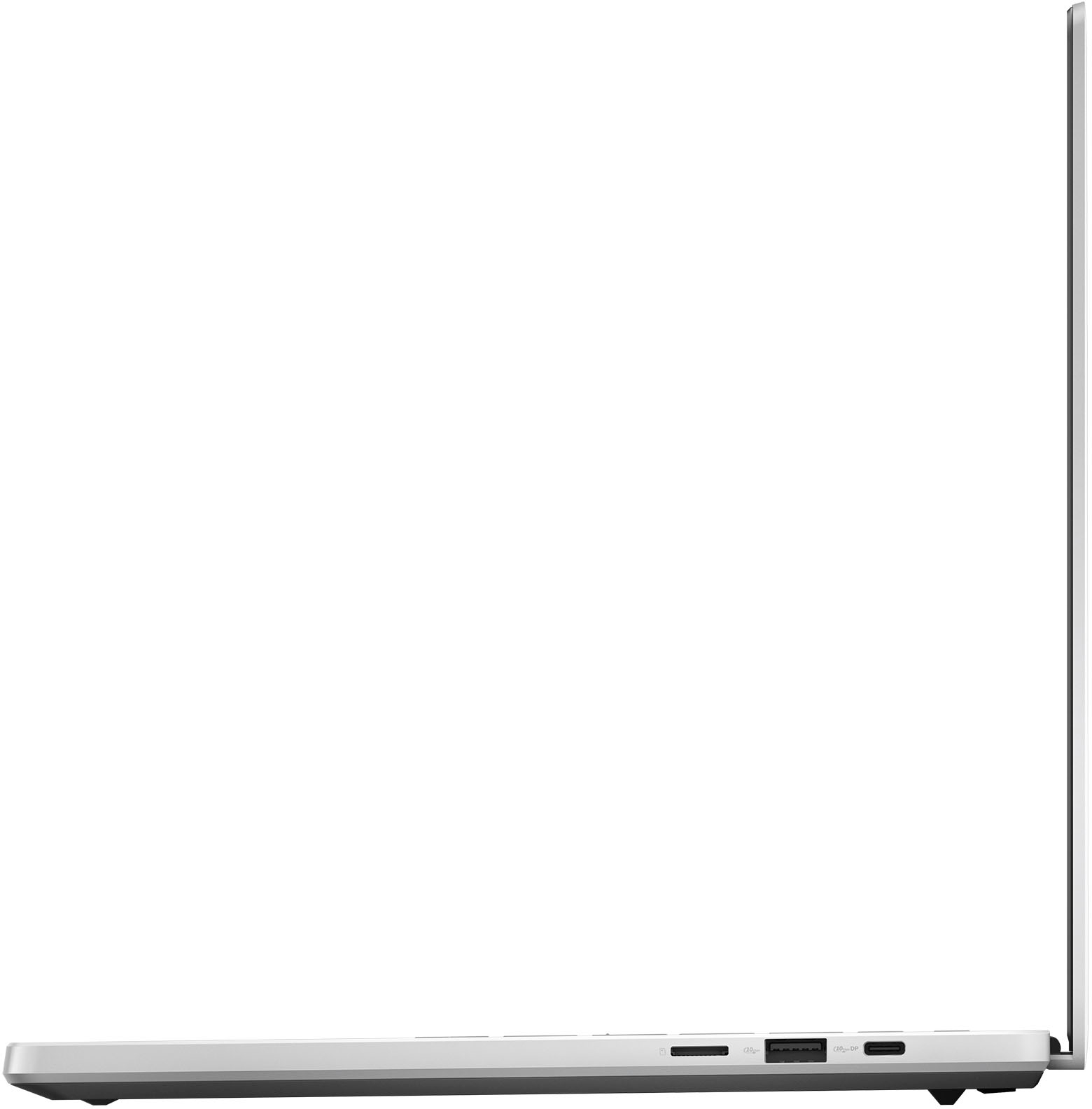
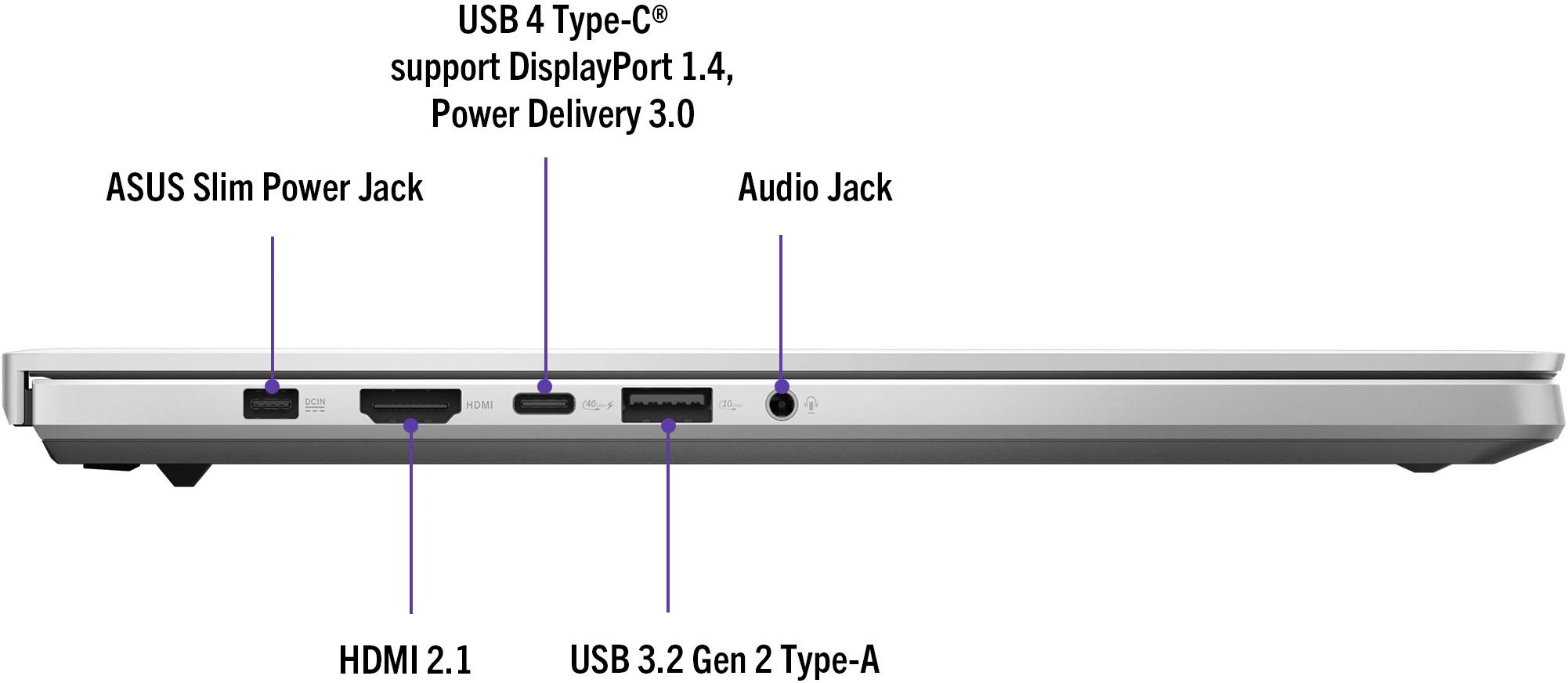
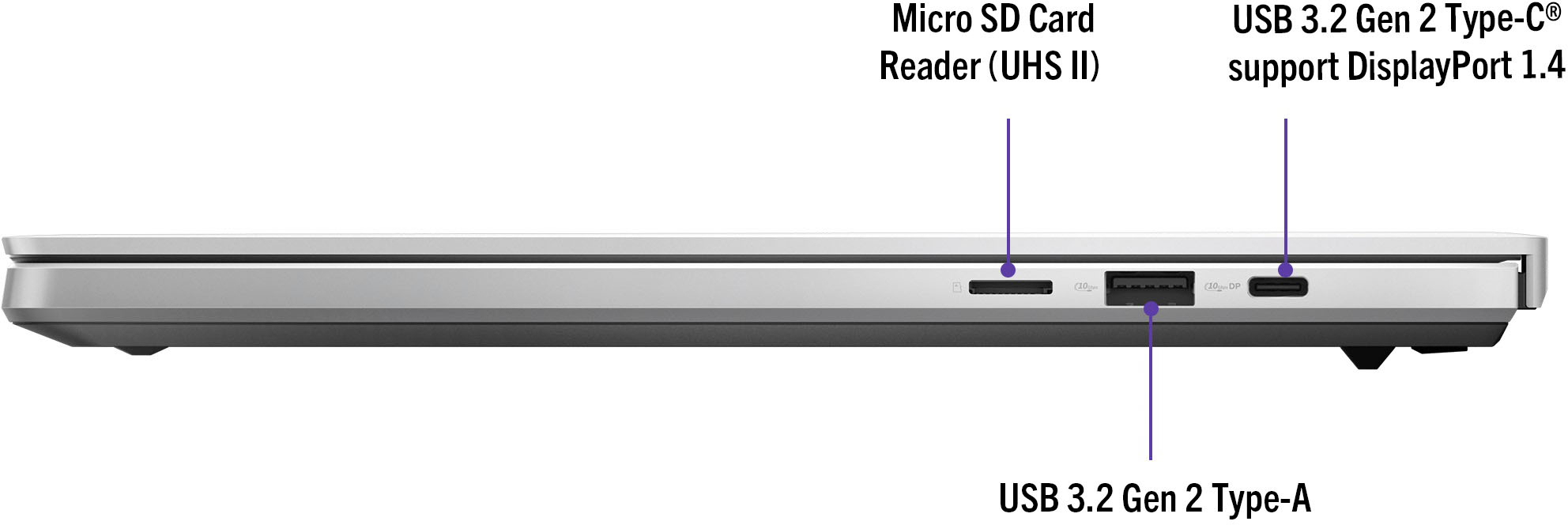
|Posted .This reviewer received promo considerations or sweepstakes entry for writing a review.The 2024 Asus ROG Zephyrus G14 is a bit of a departure from the previous incarnations of the G14. The 2024 model makes improvements to the processor, display, memory, and storage while some things like the 4XXX series GPU’s remained the same. I have a 2023 model G14, so I was able to make a pretty direct comparison. My immediate impression is the this laptop certainly aims more at the Ultrabook crowd compared to prior years more gaming focused look. Specs Processor – AMD Ryzen 9 8945HS - CPU 8C/16T @ 4.0 GHz with boost to 5.2 GHz Graphics – NVidia GeForce RTX 4070 Laptop GPU w/ 8GB GDDR6 @ 1355 MHz boosted to 1655 MHz Radeon 780M 12 core onboard the Processor @2800MHz Memory – 32GB LPDDR5X 6400 Quad Channel (17-15-17-34) Storage – 1TB PCI-e 4.0 NVME WD SN560 SDDPNQE-1T00-1102 Display - 14” 2880 x 1800p 16:10 (WQXGA+) OLED screen @120HZ, 0.2ms, 100% DCI-P3, G-Sync Camera – 1080p IR Webcam Network Adapter – 802.11AX (WiFi 6e) adapter / Bluetooth 5.3 Radio Ports – 1X USB 4 Type-C with DisplayPort and power delivery / 1X USB 3.2 Gen 2 Type-C with DisplayPort / 2X USB 3.2 Gen 2 Type-A / 1X HDMI 2.1 / 3.5mm TRRS jacks for headsets / 1 MicroSD Reader Battery – 73Wh – 8-10 hours of web browsing and some light gaming OS – Windows 11 Home – a few preinstalled ASUS utilities Design This generation of the G14 changes out the old plastic body shell and brings in a machined aluminum 6063 chassis. My initial impression was this wasn’t far off in feel from a Surface or Macbook, and really feels like a very premium laptop. The machined aluminum chassis does not give off a “gamery” vibe, and about the only thing the gives it away is the slash lighting on the display shell and the RGB keyboard. The slash lighting can be configured in the Armoury Crate control panel. It has several presets to change the movement of the light, and even one to match the whatever media you are playing. Beyond that this very much looks and feels like an Ultrabook. The screen hinge is a different setup as it no longer props the base up as it opens, and the hinge opens about 135° compared to just beyond parallel for the old setup. The main body is very slim .63” thick and weighing just over 3.1lbs. This is .1” thinner and almost half a pound lighter than the previous incarnation. This is certainly reaching for the goal of being a portable powerhouse. The G14 comes with an AMD Ryzen 9 8945HS, which is part of the new Zen 4 architecture and likely the last one before the Zen 5 architecture. The 8945HS sits at the top of AMD’s laptop processor list, but it is mainly a rehash of last year’s 7940HS which powers my 2023 G14. The only real update to the processor is improved AI performance out of the chip. The onboard graphics card is a Nvidia 4070 laptop GPU. The R9 processor is a multithreaded 8 core with a 4.0GHz base clock with a single core boost up to 5.2GHz. The 4070 supports ray tracing and DLSS 3.0, which will help the GPU keep up with the 3K panel resolution. The laptop can be connected to multiple external monitors through the HDMI 2.1 port and the other through the USB-C ports. Your monitor count is limited by the bandwidth each monitor needs. The G14 comes with a 32GB of LPDDR5 6400 RAM in two 16GB modules. These are soldered modules, so there is no upgrading the RAM. Storage comes in the form of a 1TB PCIe 4.0 M.2 2280 NVME drive from Western Digital. There are no additional slots, so if you need more storage you would have to swap the drives and reinstall the OS and utilities. The display is a 14” 2880 x 1800p OLED screen with a 120Hz refresh rate, which ASUS calls the Nebula Display. This is a 16:10 display, which I somewhat prefer since it provides a little more vertical real estate. At this resolution you come away with a 242.6 PPI density, which should provide super sharp details. This appears to be the only display offered on this year’s G14 – not that I have any complaints. The 0.2 ms response time is very fast among most displays out there, but right in line time with what OLED panels have to offer (many going even faster). The display is plenty bright with a peak 500nit brightness – more than enough to stay bright in a well-lit space. The display also supports Dolby Vision HDR, and it carries Pantone color validation along with a 100% DCI-P3 color gamut for a very accurate display color. The display can be driven seamlessly by the 4070 GPU or by the processor based 780M GPU thanks to the included MUX switch and Nvidia Advanced Optimus. The system automatically toggles between the GPUs depending on the process needs, and in my usage you don’t even realize the system has made the switch. The screen is excellent to watch movies and TV. I spun up a few 4K OLED demos on Youtube, Netflix 4K, and my 4K digital LOTR trilogy. The deep blacks of the OLED are just so hard to beat – it is a really excellent looking display. Games and Benchmarking I ran the G14 through the same series of benchmarks (3DMark Time Spy, GeekBench, PCMark, Cinebench R23, Dirt Rally Benchmark, and Shadow of War Benchmark) that I use to test my PC’s when I am trying out a new one or tweaking settings. I included a screenshot of my raw results table, which is with the standard G14 settings right out of the box. Overall, it performed CPU heavy tasks fairly similar to the 2023 G14. The aluminum chassis dissipates the heat better, and it sounds like the fan noise isn’t as pronounced. The downside to the superior heat transfer ability of an aluminum chassis is the surface of the laptop body feels noticeably warm after running some heavy benchmarks. The area of the chassis under the function key row up to the screen is the warmest spot, and where the waste heat is being channeled inside. The only thing I can say is ASUS did a good job keeping the rest of the keyboard and laptop surface from getting hotspots, since those are the areas where your hands would rest 99% of the time. I loaded up Halo Infinite through Gamepass and Mirror’s Edge in Steam. I already had a Gamepass subscription, so the included 3-month code just extends my subscription. With Halo Infinite 3K at the highest settings looked pretty sharp, but I also tried it out at 2K and 1080p to see how framerates were handled. The colors on the OLED panel were amazing. Input/response times were instantaneous with the display. I played the game on the high settings with Ray Tracing on low for 1080p, 2K and 3K. I could bump up to Ultra for 1080p and have reasonable FPS but 2K was just a bit to much, and 3K was beyond what the GPU could handle. 3K with high settings I was sitting steady around 60 FPS without any visual issues or screen tears. The game played great. Moving to 2K bumped me to 75 FPS and 1080p brought me up to 85-90 FPS. I could drop the settings to medium and hit 120 FPS at 1080p and around 110 FPS at 2K. 3K was in the upper 90’s with a few peaks that touch 100. Overall, the game looked and ran great. The laptop didn’t get overly warm, but the fan was definitely running on high. Mirror’s Edge is visually one of my favorite games – the super high contrast colors are an assault on the senses, but I still love it. The game, even though it’s pretty old, still runs great. However, it runs seems to run with FPS capped around 62 no matter the setting. Regardless, with the settings maxed out the game ran super stable without any dips or screen artifacting. The graphics settings maxed out at 3K with V-sync on topped out at 62 FPS and held that stable. The imagery on the OLED screen was terrific – the high contrast of an OLED on a game like this really makes the white walls and pop against the shadowy areas. Keyboard and Trackpad The keyboard is still a tenkeyless full RGB chiclet membrane design. The marketing talks about larger keys and improve travel length. I can attest to both of these claims. I liked typing on the 2023 G14 keyboard, but this one does feel like a little bit of refinement. The key material feels nice to the touch and the slightly deeper key travel is appreciated. The keys are very quiet, so you won’t wake anyone up while you hammer away at the keys. The RGB on the keys is nice and bright – this is all controllable in the Armoury Crate lighting controls. There is still the drawback of lighter RGB colors making it hard to discern the key against the white keycaps, which is inherent to almost every white keyboard RGB keyboard I have ever used. The keycaps still don’t have assignable colors for individual keys, which is something I would have liked to see. The trackpad is still pretty good. Its 5 x 3.1”, so it takes up a good amount of space. Multi-touch gestures work well and the sensitivity is just right. I typically switch trackpads off and use a mouse, but with a portable machine like this one I really haven’t felt the desire or necessity to do so. Upgradability The G14 is pretty limited on upgradability – even the 2023 model was pretty limited. With the soldered RAM the storage drive is the only thing you can mess with. You can only upgrade the internal storage drive with a bigger/faster one, and there isn’t space for any additional drives. I would say it’s probably worthwhile to upgrade the NVME drive – the WD SN560 is a middling drive and there are certainly faster options out there. I would ultimately upgrade to a 2TB if I felt I was running out of space. Final Thoughts The redesigned G14 with the R9 8945HS and Nvidia 4070 makes for a great entry in the premium compact laptop space. Its gaming ability is more than enough for its small stature, but it really shines with its portability. The screen is beautiful and the G14 has enough power to take advantage of it. The 32GB of RAM is plenty, even if it isn’t upgradeable. The 1TB NVME drive is decently fast, but I would expect to it fill up quickly with today's larger game files.
I would recommend this to a friend G14 zephyrus laptop 4070 version
||Posted . Owned for 2 weeks when reviewed.This reviewer received promo considerations or sweepstakes entry for writing a review.Great laptop does gaming videos editing compact and ready to go anywhere would definitly recommend
I would recommend this to a friend- Pros mentioned:Battery life, Performance, Screen qualityCons mentioned:Heat
Best 14" gaming laptop of 2024
|Posted .This reviewer received promo considerations or sweepstakes entry for writing a review.Unboxing and Setup: The Asus G14 arrived in a premium sealed box, with the charger neatly packaged separately. Setting up the laptop is a breeze, requiring only a quick connection of the power adapter and a press of the power button. Asus Armoury Crate adds convenience with customizable profiles and easy updates. Battery Life: Playing Fortnite at balanced settings, I achieved a respectable 45 minutes of gameplay at 75% brightness. Further adjustments could extend this time, showcasing the laptop's versatility. Performance: With turbo mode and the dedicated GPU engaged, I effortlessly maintained a solid 120fps in Fortnite, even on ultra settings. The OLED display brings every detail to life, from shadows to distant horizons. Keyboard and Design: This features an excellent keyboard with satisfying key travel and eye-catching RGB lighting. The light slash on the lid adds style and serves as a visual status indicator when closed. Display: The 120Hz refresh rate OLED panel offers a stunning gaming experience with calibrated profiles and G-Sync support. Bright, responsive, and visually stunning, it's a standout feature. Heat and Audio: While the laptop can warm up during intense gaming sessions, the onboard speakers deliver impressive sound quality, enhancing the gaming experience with rich, detailed audio. Ports and Build: The Asus G14 balances portability and connectivity with a selection of essential ports. The aluminum build exudes quality, though it may feel slightly heavier than expected. Pros: - Blazing-fast performance - Stunning display quality - Premium build - Reliable and fast wireless speeds - Seamless transition between gaming on battery and power Cons: - Non-standard PSU - Lack of a lip on the monitor for one-handed opening - Short gaming battery life - Heat generation during intense use - Micro SD slot instead of full-size SD slot
I would recommend this to a friend - Pros mentioned:Battery life, Performance, PortabilityCons mentioned:Fan noise
A Compact Powerhouse for Gaming
||Posted . Owned for 11 months when reviewed.This reviewer received promo considerations or sweepstakes entry for writing a review.I’ve been using the ASUS ROG Zephyrus G14 for a few weeks now, and it’s honestly one of the best laptops I’ve ever owned. The combination of performance, portability, and visual quality is unmatched for a 14-inch machine. Performance The Ryzen 9 processor and RTX 4070 graphics card (depending on your model) make this laptop an absolute beast for gaming and productivity. It handles modern titles like Cyberpunk 2077 and Elden Ring at high settings with smooth frame rates. The 120Hz OLED display keeps everything buttery-smooth, and the load times are lightning fast thanks to the SSD. Display & Design The 3K OLED panel is jaw-dropping. Colors are vibrant, blacks are deep, and the detail is unreal — perfect for gaming, creative work, or even Netflix binges. The build quality feels premium and durable, yet it’s surprisingly lightweight and easy to carry around. Sound & Thermals The Dolby Atmos speakers deliver crisp, clear sound that’s far better than your average laptop. Cooling is solid too — the fans can get audible during intense gaming, but the system stays relatively cool and stable even during long sessions. Battery Life For a gaming laptop, the battery life is impressive. I get around 7–8 hours with light work or streaming, and about 2–3 hours when gaming. It’s not all-day endurance, but very respectable for this power level. Overall Thoughts The Zephyrus G14 strikes the perfect balance between power, portability, and style. Whether you’re a gamer, student, or content creator, it’s hard to find anything that performs this well in such a compact form. The only thing I wish it had was a built-in webcam (some models don’t), but that’s a small trade-off for what you get. Pros: Gorgeous 3K OLED 120Hz display Blazing performance for gaming and multitasking Lightweight and premium build Excellent speakers and cooling system Cons: Fan noise under heavy load If you want desktop-level performance in a portable and stylish design, the ROG Zephyrus G14 is a no-brainer. It’s the perfect blend of power and mobility.
I would recommend this to a friend Confused
||Posted . Owned for less than 1 week when reviewed.This reviewer received promo considerations or sweepstakes entry for writing a review.So i purchased it yestersay and upon checking it shiws graphics of radeon not nvdia…am i missing something, or its just a misunderstanding.??
No, I would not recommend this to a friendBrand response from ASUS Answers
Posted .Dear Vaibhav,
We're sorry to hear that you've received the notebook with the wrong Graphics Card. On behalf of ASUS and the reseller, we sincerely apologize. This is not the experience we want our customers to have with ASUS. The decision to make a purchase can be important, and we want to ensure that our customers receive the best products and services. We understand the impression this may have created and we hope this will not be a long-term lasting impression as you have chosen ASUS as a trusted brand for excellence.
Please allow us to make your experience with ASUS a better one. According to the device specifications, the notebook does have the NVIDIA GeForce RTX 4070 graphics card. If you are still within the return window, we recommend contacting the place of purchase for an exchange or return. Please rest assured that if you cannot gain resolution when contacting the place of purchase, we will be glad to provide further assistance.
We do stand behind our products and continuously strive to improve our products and processes to achieve customer service excellence. For more information, email us at customerloyalty@asus.com and include the case number "N2405007362-0007" as a reference. We will do our best to resolve your case quickly. Your feedback is very important to us and enables us to improve our support channels. Thank you for choosing ASUS.
Best Regards,
Chantae
ASUS Customer Loyalty US Support
- Pros mentioned:WeightCons mentioned:Gpu
One laptop to rule them all
|Posted .This reviewer received promo considerations or sweepstakes entry for writing a review.I’m a legal professional - so computers are my way of life. But I also edit photos and videos for both work and personal reasons. And I love to game. When looking into laptops I need something that handles it all (and Macs aren’t an option for me). I need something that is light, portable, and powerful enough to handle editing and gaming when the need arises. I also need a laptop with decent battery life - at least for typical computing tasks (I don’t expect to be able to game for long periods of time on any laptop battery). Also, the design and style of the laptop really matter to me. This laptop can only be described as the Windows equivalent of a Macbook. It’s expertly designed and feels great. While there are thinner laptops out there, or laptops with even better gaming chops, this is truly the best of all worlds. I cannot say enough good things about this laptop. IN THE BOX Quickly, the laptop comes in an understated box, with another box inside of it (which houses the laptop itself). Then there’s the charger with what appears to me to be a proprietary charging port (which delivers a lot more power). There’s also some documentation. DESIGN This computer is made of aluminum and is meticulously crafted. It’s smooth and has a premium feel and finish. Everything is just lined up perfectly. There’s little to no flex in the chassis, unlike some plastic cases. It weighs less than 4 pounds while maintaining a thickness of less than inch. Honestly, it’s remarkable how ASUS was able to fit all these components in the computer. The bezels on the screen are remarkable thin as well. It’s not borderless but pretty darn close. In other words, there’s no large distracting borders. ASUS continues to include an additional row of keys to the top of its keyboard for volume, mute, and a hot button to start up Armoury Crate. The keyboard feels great, it’s a little clicky but is muted in the sense that it won’t bother people around you like a large mechanical keyboard might. The touchpad is big and responsive. It’s one of the best I’ve used that recognizes taps with precision. And it goes from the bottom of the keyboard to the bottom of the laptop with little to no space in between. It’s one of the best touchpads I’ve ever used. FEATURES First and foremost, the screen. This has a 3K OLED screen with 120 hz refresh rate. While I don’t test laptops for a living, I would find it hard to believe if you told me you found a better screen. OLEDs for those that don’t know, offer deep blacks and high color contrast because individual pixels light up versus an entire backlight lighting up the screen. It truly is a beauty that is perfect for anything - gaming, video editing, surfing the web, whatever. I promise you, after you use this screen you will be hard pressed to go back to a non-OLED that’s less than 3K resolution. And the fact that the screen is 14 inches means the pixels are packed in creating a super sharp image. Just scrolling websites with a high refresh rate is a joy as the animation is inky smooth. The speakers in this laptop are also on another level (relatively speaking). I would never say that any built in speakers will trump any external speakers, but when comparing built in speakers in laptops, you can’t do any better. It has 6 built in speakers with dual side woofers and Dolby Atmos audio. It claims to have a 100hz bass frequency, but when just speaking in the general sense, the sound terrific. The bass is pretty amazing all things considered. When using the laptop in your lap you can feel the “subs.” And honestly, it’s super loud. In a quiet room, I don’t have the speakers over 14 percent. The sound gets a little hollow at higher volumes, but all in all it sounds great. It’s not surround sound obviously, which brings with it a certain level of immersion, but it was certainly not distracting and explosions playing shooter games sounded pretty darn good. It does claim to have intelligent cooling with “high efficiency” fans, and while the temperatures during normal computing didn’t get too high, when gaming or editing when the fans are pumping it does get a little hot. It feels warm while in my lap, but not uncomfortable. When gaming, it never felt too hot to touch. Bottom line is that I don’t see overheating as a major problem. It comes with the laptop GPU RTX 4070 and a Ryzen 9 processor, both are extremely powerful. The Ryzen processor supposedly has AI Accelerators, but this seems to me at least to be marketing (since AI is apparently all the rage). Maybe it made a difference, but I didn’t recognize any benefit the AI Accelerators provided. RGB lighting is another nice touch. As I said, I’m a professional that takes my laptop to court. So I don’t want it to be too flashy, but I do like some personality or at least something to separate it from the crowd. The keyboard has RGB lights that you can adjust relatively easy. Now you can’t change the colors of individual keys, they’re all the color, but you can adjust the effect from strobing, color cycle, static or breathing. The backlight on the keys are great, they’re easy to read, and the ability to change colors is nice because - to me - because it’s nice to mix things up. But the thing I love the most is the slash lighting. Now, it’s a little gimmicky because you can’t see it when you’re using it, but you can adjust the settings so that it lights up with the lid close and the computer is asleep. But the feature I like the most is syncing the lighting with music. GAMING PERFORMANCE Based on the spec sheets, you’d expect this laptop to handle virtually every game you can throw at it. And it does. I have been playing Cyberpunk on it at medium to high settings (DLSS really helps too) and was averaging over 60 FPS. For less demanding games (Fallout 4) it looks and performs phenomenally, getting me well over 100 FPS. Slower paced games, my go to for relaxing is Lego Builders Journey looks absolutely stunning. The inky blacks of the display along with ray tracing is just something you have to see to truly appreciate. I’ve played some Xbox GamePass games (like Starfield) and it looked exemplary. I was truly impressed. Now, it’s a little bit of a bummer gaming on a laptop that’s only 14 inches when I was used to 16 inches, as I said in the outset, I needed a more portable laptop. But frankly, I didn’t miss the larger screen as much as I thought I would. The inclusion of VRR is also a big plus. VRR can cause issues in OLED screens, but this screen provides a smooth and tear free experience. DAY TO DAY PERFORMANCE/VIDEO EDITING I’ve run into absolutely 0 issues with this laptop. Everything I’ve tried to do, albeit Word processing, PowerPoint, Outlook, Chrome, transferring files, etc. has worked flawlessly. I don’t have much to say about it other than it works as it should - at least so far. I haven’t done a lot of video editing on it yet, but it was rendering 2K video files in minutes. While I’ve run into performance issues with Adobe Cloud software on my other devices, I’ve had no such issues here. No crashing, no slow downs, nothing. CONS I have to mention a few quirks if you will. I don’t think these are make or break, but it’s something to consider. There is only one SSD slot. This is a little bit of a bummer as in my other laptops I’ve installed an extra SSD drive to store my raw data like games and videos. Games take up so much space nowadays, 1 TB doesn’t feel like a whole lot. And while you can upgrade the single slot SSD to a bigger drive, that involves a lot more hoops to jump through than just adding a second drive. But there is enough space for a double sided drive, so if you’re willing to spare the money, you could get a pretty large drive. The RAM is also soldered so it’s not user upgradeable either. The power output of the GPU is less than last year’s model, so some of the performance is a little restricted compared to other brands with similar specs. Real world performance, meaning, the gaming experience, I don’t think it matters much, but for those where specs/performance is the end all be all, that’s something to consider. Battery life is not great, even for day to day tasks. I’m getting about 4 hours of typical computer use not including gaming. This isn’t an issue for me, I don’t typically find myself using a laptop for longer than that without finding an outlet, but I realize it might matter to some people. For me, I kind of chalk it up to coming with the territory of using a gaming laptop. The webcam is 1080p, so it’s plenty serviceable, but I wish it came with a physical privacy slider. The microphone however, is pretty good and will work well - although I tend to use external microphones and cameras for web calls so this doesn’t matter much to me. CONCLUSION There are tons of gaming laptops out there to choose from, and while I won’t say this is the best of them all, when it comes to price, performance, design and features, this ASUS ROG14 should be on your list to check out. As an all around laptop, it’s great, and being able to game on such a portable package was just a pleasure. It’s nice to have a laptop that can do it all, and while it may not be the best at everything, it definitely excels at virtually everything.
I would recommend this to a friend - Pros mentioned:Battery life, Screen quality, WeightCons mentioned:Fan noise, Heat
Laptop of pure imagination
||Posted . Owned for less than 1 week when reviewed.This reviewer received promo considerations or sweepstakes entry for writing a review.This laptop is amazing and almost perfect. PROS: -Style and form factor is slim and sturdy -Very light laptop -OLED screen is gorgeous -about 9 hours of battery life with simple usage (half brightness, streaming audio, browsing webpages, working on docs/image editing at the same time) -Sound quality is great. Everything is very clear and you can hear the lows, mids and highs -Keyboard and trackpad are a pleasure to use CONS: -Expensive in comparison to other laptops -Noise level and temperature. With regular usage, the temp and noise levels are barely noticeable and warm to the touch. When I start gaming even with relatively low settings and not native rez (2880 x 1800 down to 1080p) the system will sound like a quiet hair dryer as well as being hot to the touch at the back of the laptop. Since I'm gaming, I'm usually using a controller so I wouldn't be touching the laptop -Mediatek wifi/bluetooth card. For the most part, I don't have too many issues, but a really strange thing is when I'm using the external gpu RTX 4070, the wifi just drops after a period of time. This made playing online games with a persistent online requirement very difficult like with MMOs. Bluetooth also would randomly drop my headsphones or wouldn't reconnect a trackball after awaking from sleeping requiring me to remove and re-add the BT device. -Armoury Crate (Proprietary Asus software used to manage different features). This software was very confusing to use since it manages things like cpu profile, gpu profile, display settings with other software like windows settings, cpu/gpu software. I had to constantly check other settings to make sure they weren't getting reset by some other software. Also, the software seemed laggy to use -Soldered RAM. There is no upgrading ram on this machine as it has been soldered. Highly recommend to not buy the 16gb version of this laptop because I noticed with my 32gb, its hovering around 8gb after a system restart. -Only 1 NVMe SSD slot and it requires drive to be single sided, but it is removable and upgradeable NOTES: -This laptop does an amazing job of balancing both worlds of gamer/developer/standard user. -This laptop does have an NPU (16 TOPS), but it doesn't meet the minimum requirements of 40 TOPS to qualify as a copilot+ PC. The 2025 version will have a cpu + npu that qualifies as a copilot+ PC -RTX 4070 max wattage is 90watts so it doesn't seem as fast as other laptops, but it still does an amazing job -The heat and noise doesn't affect me like 80% of the time, only when I'm gaming or doing video editing. -Armoury Crate can be replaced with gHelper which has almost all the functionality in Armoury Crate, but in a much cleaner and simpler to use design -Wireless card looks like it can be replaced since it's a m2.2230 slot, but this will void warranty. -Originally, I wanted the grey color, but the platinum white is more like a metallic silvery white color that's grown on me.
I would recommend this to a friend - Pros mentioned:Performance, Screen quality
The Best First Gaming Laptop
Posted .This reviewer received promo considerations or sweepstakes entry for writing a review.The Asus Zephyrus G14 is the best first gaming laptop for older teens and up who want to explore their digital creativity and have a smooth gaming experience. My dad had actually bought this computer for me a few weeks ago. I didn't know at the time but my old laptop contained hardware back from 2009 with 4GB RAM and an intel i3 processor—I know it's really sad. I’m honestly surprised it lasted as long as it did for me but it just became too slow for what I'm doing in college. I frantically had to search for a computer that would work for my animation studies with occasional gaming in my free time and I’m so glad I found the Zephyrus G14. This is my first gaming laptop and it is SO much better than what I had before. The OLED screen is phenomenal and the speakers are like Beats headphones without having to wear headphones. They’re so good! The keyboard is single zone RGB, so it’s flashy but not too flashy. There is the option to turn it off in settings if you so choose. The slash lighting on the back is also unique and professional looking at the same time. There are lots of YouTuber reviews such as Crimson Tech, Linus Tech tips, and Jarrod’s Tech so if you want a more in depth physical look just refer to their videos. I’ve tested this with Marvel Rivals and Hollow Knight and it plays them both really well. I made sure to get the 32GB RAM model because the RAM is soldered on. 16 really isn’t enough these days and the 2021-2023 models of the G14 that do have upgradable RAM are running older graphics cards which may not be a big deal for some people but I needed a more recent graphics card. There aren’t too many drawbacks to this computer but after a month of use I will say that the only con is the heat. This laptop runs HOT, but it’s actually quite normal for gaming laptops because of the small chassis. I feel like the G14 could have been a little bit thicker to help with fan cooling but it does have Liquid Metal inside to help with that. There are a bunch of tools I had to learn in order to take care of this new machine like the armory crate software (or Ghelper) to help manage fan speed and thermals, and max TDP for the GPU and CPU. However, it’s a lot easier to learn than it sounds and I think this is the best computer I could have gotten. It has a plethora of side ports to plug other devices into and you can charge other devices with it via USB-C. There’s a huge community on Reddit centered around this one type of computer and the main brand with many helpful guides and other info. Many users there have described this computer as the “Windows version of a MacBook” and I think they are definitely right. If you’re getting this laptop for gaming or content creation or even coding I definitely suggest looking at different models and just seeing which one will suit you best.
I would recommend this to a friend - Pros mentioned:Screen quality
Beast Gaming Laptop in a Very Thin Form Factor
|Posted .This reviewer received promo considerations or sweepstakes entry for writing a review.To date, this 2024 ROG Zephyrus G14 is the best gaming laptop I've had the pleasure of gaming on. While it may not feature a 4090 or come equipped with an insanely high refresh rate, as a full package, this laptop just hits that perfect sweet spot. With each new generation of Asus ROG gaming laptops, Asus is able to take an already near perfect gaming laptop and tweak it ever so slightly to make it even better. One thing I've found that Asus ROG gaming laptops do better than anybody else in the business is their touchpads. They always deliver the most satisfying and smooth tactile feeling touchpads. The massive surface area of the touchpad is also a very welcome design element. It's no different on this Asus ROG Zephyrus G14. Not only do we get the same stupendous build quality on the touchpad, but the build quality of the laptop chassis is equally as impressive. It's fully constructed of metal and machined to perfection. In hand, this aluminum chassis feels extremely premium. I'm also a huge fan of the minimalist design cues. I don't know how Asus managed to get this laptop so thin without compromising on thermal performance. This is easily the thinnest gaming laptop I've ever handled. It only weighs 3.3lbs and is 0.63 inches slim! As a result, this Zephyrus G14 is well suited for on-the-go travel. I was pleasantly surprised to discover that the "Platinum White" on this laptop is more of a light gray steel color. I love this color and I'm so glad Asus went with this over a plain white chassis. The AMD Ryzen 9 8945HS and the RTX 4070 are, of course, the stars of the show. However, the 32GB of LPRDDR5X and the 1TB PCIe 4.0 NVMe SSD are also performance monsters in their own right; they are FAST! When gaming at higher resolutions and with textures turned up to high or fully maxed out, I'm noticing that 16GB of RAM just doesn't cut it for some titles anymore. While playing Alan Wake 2 on the display's 3K resolution with textures set to high, I noticed that the game was utilizing 17GB of RAM. Asus thoughtfully and correctly spec'ed this laptop with 32GB of RAM to perfectly complement the rest of the components that they chose. From gaming to running emulated virtual environments for engineering tasks, this laptop performed flawlessly during my testing. Multi-tasking was also a breeze. I ran multiple tabs on chrome, ran various programs, and had steaming apps open, all while having a game running and it didn't break a sweat. I've taken the liberty to highlight some of my gaming benchmark results below : ****** NOTE:Performance Results are with power adapter plugged in. I set the CPU in "Turbo Mode" and the GPU in "Ultimate Mode" in Asus's Armoury Crate Software ****** 3DMark TimeSpy: TimeSpy Score: 11,447 Graphics Score: 11,485 CPU Score: 11,241 --------------------------------------------------------------------------------------------------------- Alan Wake 2 Resolution: 2560x1440 Quality Preset: Medium Average framerate : 50.2 FPS Minimum framerate : 40.8 FPS Maximum framerate : 66.9 FPS GPU Temp Average: 78C CPU Temp Average: 81C Alan Wake 2 Resolution: 2880x1800 Quality Preset: Medium Average framerate : 43.8 FPS Minimum framerate : 43.1 FPS Maximum framerate : 44.2 FPS GPU Temp Average: 76C CPU Temp Average: 78C --------------------------------------------------------------------------------------------------------- Dead Island 2 Resolution: 2560x1440 Overall Quality Preset: High Average framerate : 84.1 FPS Minimum framerate : 71.8 FPS Maximum framerate : 118.3 FPS GPU Temp Average: 77C CPU Temp Average: 80C Dead Island 2 Resolution: 2880x1800 Overall Quality Preset: High Average framerate : 60.4 FPS Minimum framerate : 49.3 FPS Maximum framerate : 73.5 FPS GPU Temp Average: 77C CPU Temp Average: 80C --------------------------------------------------------------------------------------------------------- Resident Evil 4 Resolution: 2560x1440 Graphics Settings(i.e. Texture Quality, Texture Filtering, Mesh Quality, Shadow Quality): High Average framerate : 123.4 FPS Minimum framerate : 83.1 FPS Maximum framerate : 173.4 FPS GPU Temp Average: 79C CPU Temp Average: 81C Resident Evil 4 Resolution: 2880x1800 Graphics Settings(i.e. Texture Quality, Texture Filtering, Mesh Quality, Shadow Quality): High Average framerate : 109.5 FPS Minimum framerate : 84.3 FPS Maximum framerate : 146.9 FPS GPU Temp Average: 79C CPU Temp Average: 80C --------------------------------------------------------------------------------------------------------- Some of my other favorite highlights of this ROG Zephyrus G14 was the gorgeous 3K OLED 120Hz display, the built-in Dolby Atmos speakers, and the premium keyboard. I'm not sure why BestBuy has this display listed as 2560x1440 (i.e. 2K) resolution under the "Full Specs" section. This display is actually a whopping 2880x1800 (i.e. 3K)! I love that Asus went with this higher resolution over 2K. While one could argue that 2880x1800 resolution is absolute overkill for a screen of this size, I love the versatility of being able to run my games at 2560x1440 (to take advantage of a higher refresh rate) all while having the option to run the display at 2880x1800 when browsing the internet or doing anything on my laptop other than gaming. The higher resolution allows for some beautifully crisp and sharp text. Watching movies on streaming platforms, like Netflix, also looked stunning with the higher resolution. This display is also incredibly fast at 0.2ms for those that play a lot of twitch shooter titles. The color reproduction of this OLED Nebula display is stunning. It has very good contrast, colors are vivid and vibrant, it produces deep blacks, and has very good white uniformity. While the display does support HDR500, I do wish it supported a slightly higher HDR spec like HDR600 or HDR1000. Despite this, my games still looked gorgeous and the display was plenty bright. The Dolby Atmos speakers have to be heard in person. I was very impressed with how well tuned the soundstage is for laptop speakers. I was caught off guard byhow loud the speakers can get while still sounding crisp and defined with no distortion. Lastly, the keyboard is amongst one of the best I've used on a gaming laptop. Each individual key feels very high quality. They are firm and responsive with virtually no side to side wobble. The keys are thoughtfully laid out with convenient key shortcuts to launch things like the armoury crate software, aura lighting, CPU performance modes, and so much more. The keys are also fully RGB customizeable in the Aura software. I'm sure it's clear by now that I'm a huge fan of this ROG Zephyrus G14. I love the thoughtful design and component consideration choices that Asus made for this laptop. It all comes together really well and results in a gaming powerhouse that delivers massive performance in a very thin and compact form factor. If you're an avid gamer or PC power user looking for a portable solution and high-end performance, I can't recommend this Zephyrus G14 enough!
I would recommend this to a friend - Pros mentioned:Screen quality
New King of the hill for Gaming & Productivity
|Posted .This reviewer received promo considerations or sweepstakes entry for writing a review.THIS… Is the ASUS ROG Zephyrus G14 with a 14” 3k 120hz OLED screen, and this might be one of the most feature-packed laptops I have EVER tested or had the opportunity of owning. I am excited to see how this laptop pans out as I am looking to phase out my MacBook Pro as well as my razer into one computer to do everything on. With an OLED screen, a 4070 and 32gb of ram in the model I received, let's see how this stacks up in a growingly competitive marketplace and if this is a true multi-role gaming/productivity laptop. Obviously, we have to start with performance - No this does not come in a model that contains more than a 4070, and a few years ago I think I would have really been upset over this. That being said, today, I can say that I am perfectly fine with this choice. I have had laptops with 2080’s/3080’s and you never gain more performance that is actually realized in day to day tasks/gaming. They cost significantly more, are larger, get hotter and die way faster. We can expect 100+ frames on almost every game you can think of at near max settings given you are in turbo mode and plugged in. On battery, we can expect good performance; I could go over 100fps if I turned the settings down or killed my battery faster… so whichever way you want to tilt that balance you can certainly have a good time. I was also able to use Ableton 11 with no problems, even when I was using external monitors I never saw any noticeable lag or latency. Thanks to the 32gb DDR5 I never really ever notice … any lag ever? I am a Chrome demon and my 20/30 tabs have never been a problem, even when playing a game or opening up a creative application simultaneously. The only thing this laptop is really confined by is battery life, which for me, was about 7 to 8 hours on eco, half that in light gaming and probably 1-3 hours heavy gaming. My screen is always on max brightness too, so you could probably squeeze some more out of this G14 if you needed. The battery life was always more than enough for me to leave the charger at home worry-free. The screen is simply amazing and I was relatively unaware how good Asus has gotten at OLED screens. Yes, this is a 3k (2880 x 1800) screen…and without losing you in the details it really is almost unnoticeable between 4k and 2k… it just looks GOOD. This is a WOLED 16:10 screen with more features packed into it than my desktop monitor: 100% dci-p3/ .2ms gtg / 120hz / HDR 500 & Dolby vision HDR / g-sync / Pantone validated AND with a max brightness of 500nits. I found the brightness to be more than enough for most settings with this gloss screen. I really don’t know what beats this screen, it is truly beautiful and ticks all the boxes that you could dream of for a gaming laptop and also has HDMI 2.1 for when you want to use another screen. Build quality is great, cnc aluminum which is always my favorite feel on a laptop. There is still, however, some flex in the middle of the keyboard and around the edges. It is slight and I have to really press to actuate this flex. I can one hand the screen open as well, which is my FAVORITE feature on higher-end laptops. It has a chamfer lip on the front of the laptop that helps you open the screen and differentiate between the back and front of the laptop. The slash lighting on the back is super cool and if you hate it you can turn it off, but I have a slow pulse. Nothing on this laptop says ‘gamer’ outside of the RGB keyboard. Thanks to the profiles built into the software, I am able to quickly change profiles for the lighting and am easily able to set my keyboard to white for when I am out and about and then back to my preferred color when I am home. My favorite part about my old gaming laptop was how much it didn’t look like a gaming rig and this is a great evolution from that as well. I will endorse wholeheartedly the white design, coming from a black laptop prior I am really enjoying how elegant the G14 looks! I can certainly tell a difference between the CNC MacBook frame in the feel and heft, but at this price point, this is exceptionally well done! The keyboard is something that I was initially on edge about because I am big on productivity out of my laptop and if the keyboard sucks then the whole thing is a bust for me. Thankfully I really do enjoy the G14’s backlit keyboard. It has 1.7mm of travel and feels premium - they don’t say what the switches are or trying to be but to me it feels like a mix between MX brown and a membrane combined. The keyboard is not loud but there is still a soft click as you putter along. They also have the G14 in person at most BestBuy's to try so I would recommend that if you are worried. Cooling is something that is rather important here, but I want to affirm that I never felt the heat on the keys at all and really only in the rear of the chassis. I burnt the hair off my legs from an old old alien-themed gaming laptop and those days are gone! I was really impressed with the variation in fan speeds and the ability to run at 0db for almost every nongaming application! For turbo mode I did put it on a cooling plate, but this was more for performance rather than how it felt. Ports and charging are always some of the biggest gripes for gaming laptops, but thankfully for the G14 it is another highlight reel! That being said, the first reaction to seeing that this has a non-standard power supply I/O is to complain that it isn’t USB-C, and I am always the first to pick up the pitchfork and light the torch! This is just not the case with this, and several other high-end gaming laptops. Asus, much like Razer, Alienware or whatever flavor of gaming RGB you look at, uses a proprietary high-watt power supply to monitor the battery, prevent overcharging, modify the speed at which it charges and so on…it really is for the longevity of your battery. If you still want to charge via USB-C you can still do that as well, so really no harm done in the end. Alright, now that we can put the pitchforks away, the I/O is seriously impressive: 1x 3.5mm Combo Audio Jack 1x HDMI 2.1 FRL 2x USB 3.2 Gen 2 Type-A 1x USB 3.2 Gen 2 Type-C support DisplayPort™ 1x Type C USB 4 support DisplayPort™ / power delivery 1x card reader (microSD) (UHS-II) I really can’t complain about this with a full-size HDMI as well as a type-c display out, the only REAL knock I have is on the microSD card reader…I am using this as a multiuse gaming/production laptop and while my drone does use microSD, my cameras use the standard size…I would rather have a microSD adapter for a full size slot than having to get a type-c or USB adapter for my normal SD cards. Not the biggest deal, but something I kinda of scratched my head on. The ports are all fast enough that I can plug my external SSD in with no noticeable lag either which is always nice. Something I enjoyed was that there is HDMI on the left, and the display port type-c on the right so you can get display output from either side. To wrap this show up, I really don’t have much to gripe about or really any complaints at all. Armory crate, the included software to help control your performance, is on the more clunky side… but nothing that a few minutes and a Youtube video can’t solve. It is easy to swap out the m.2 for something bigger and while I wish that it had another m.2 port…this is a 14” laptop and space is tight! This is 100% going to be my new daily driver, I like to type on this and love to game even more. Thanks to the included HDMI port I can easily plug this into any tv to make any area a productivity or gaming area. This is truly a rockstar gaming laptop, and while I know that the segment is getting really packed with solid competition, I don’t really see anyone that is beating out the Zephyrus G14 as it seems to be the new King of the Hill. Between the build quality, screen, performance and honestly how good this keyboard is…its hard not to recommend this over probably any other laptop in this category and most above it as well. The best part of the whole thing is, when you buy this at best buy… you never have to worry about getting the wrong laptop, they have this model and several others from other brands in the store so I recommend you go in and test them out firsthand. Best Buy has an excellent return policy and even better customer service, so you never have to worry about buying a product that you don’t like… so why not test it out?!
I would recommend this to a friend Great at first
||Posted .This reviewer received promo considerations or sweepstakes entry for writing a review.After one year of use, the IR camera for windows hello was causing major driver issues which lead to random BSOD. After disabling the cameras manually, the laptop 6 months later has now began to not fully boot to windows for god knows what reason. 2,000 down the drain and out of warranty service. This sucks :(
No, I would not recommend this to a friend- Pros mentioned:Battery life, Performance, Screen qualityCons mentioned:Heat
Excellent build quality, screen, battery life, etc
||Posted . Owned for less than 1 week when reviewed.This reviewer received promo considerations or sweepstakes entry for writing a review.Surprisingly good build, keyboard, trackpad, screen, speakers, weight, performance, and battery life! Way better than I was expecting all across the board. I have been demoing some of the Snapdragon X Elite laptops with the desire of going for something lighter with better battery life, but I saw the G14 in the Best Buy store and had to check it out. I realized that it was actually about the same weight as many of the Snapdragon laptops, but with better everything else. Battery life is still pretty good at around 10 hours with video playback, only having to charge it every couple of days unlike my old ROG Flow X16. Gaming performance is also surprisingly good as well, I haven't tested many games yet but Forza Horizon 4 on maximum settings in HDR was getting between 100-120 FPS at full resolution which is awesome. Heat is very minimal when unplugged and doing light work. When gaming, of course the fans are a bit loud and it can get hot. The screen is awesome - I am worried about OLED longevity but there are a few tricks to reduce static elements on the screen (Firefox has an ability to customize the interface with CSS to hide the menu bar and Windows can hide the taskbar). SDR brightness is good enough and HDR brightness is also great. I don't use my laptop outdoors so 500-600 nits is fine. G-Helper has been a lifesaver for enabling Fn lock and customizing the performance profiles easily with a simple interface. I may be returning it though because the AMD Zen 5 processors are about to launch, but so far I'm loving it.
I would recommend this to a friend