Customer Ratings & Reviews

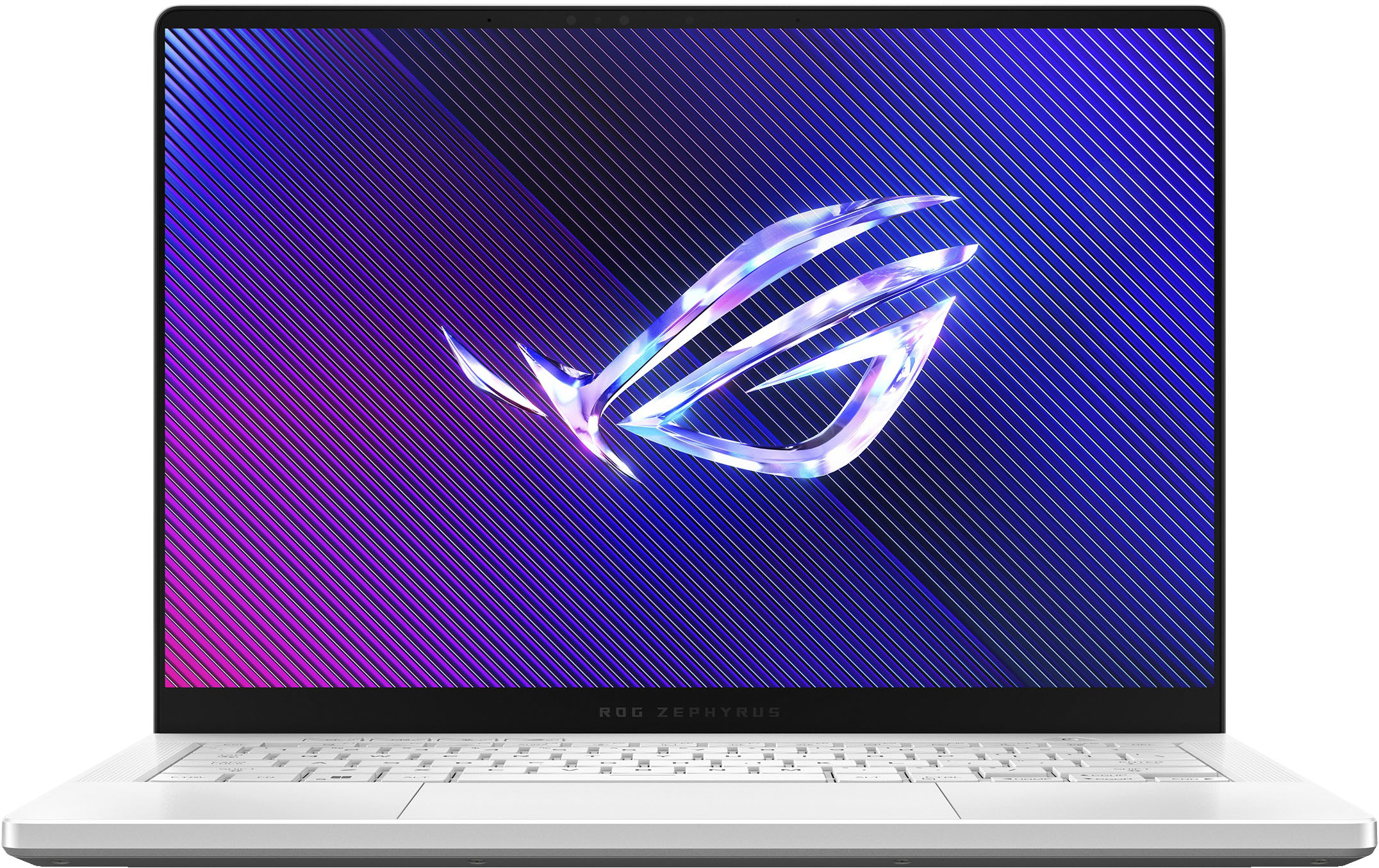
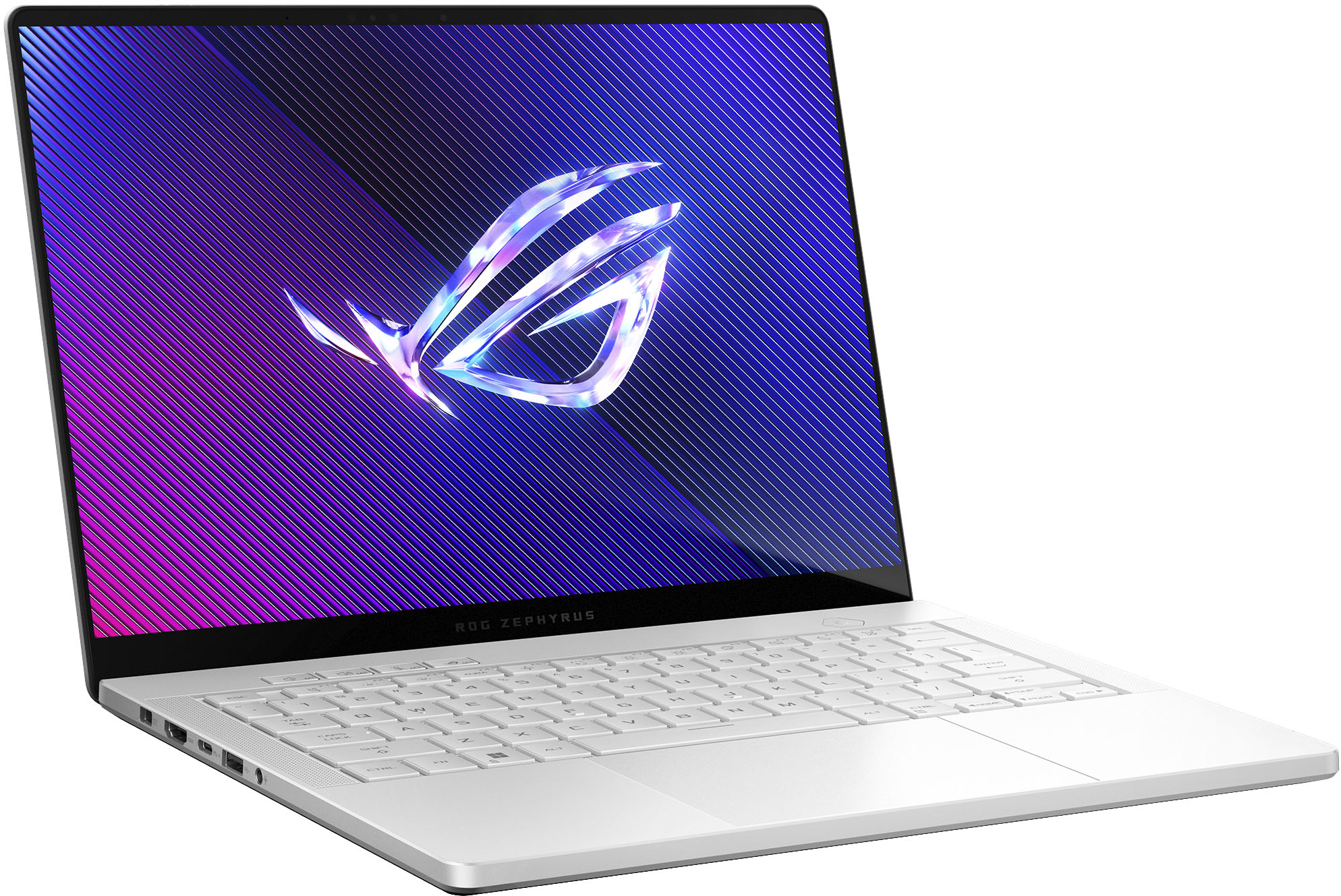
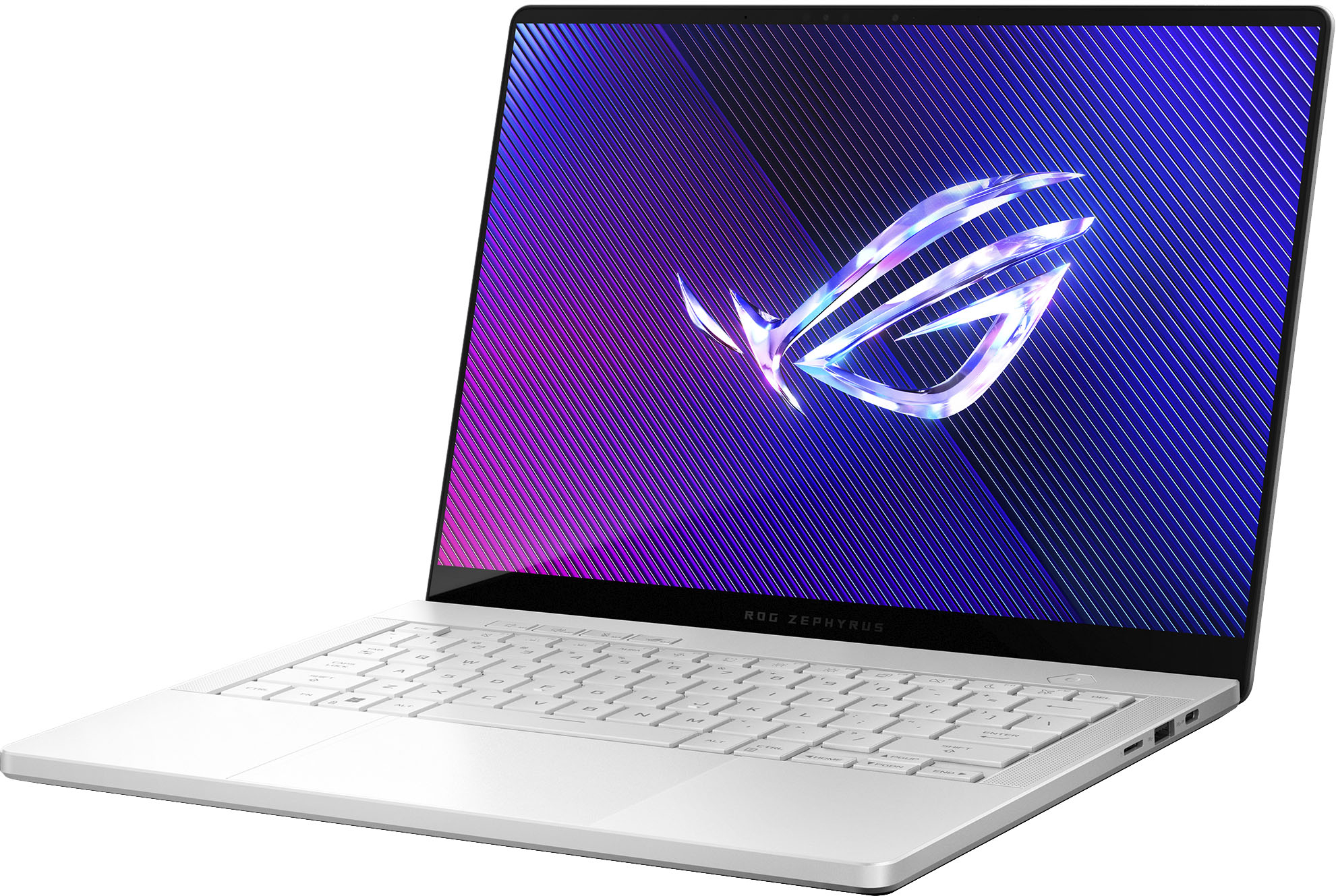
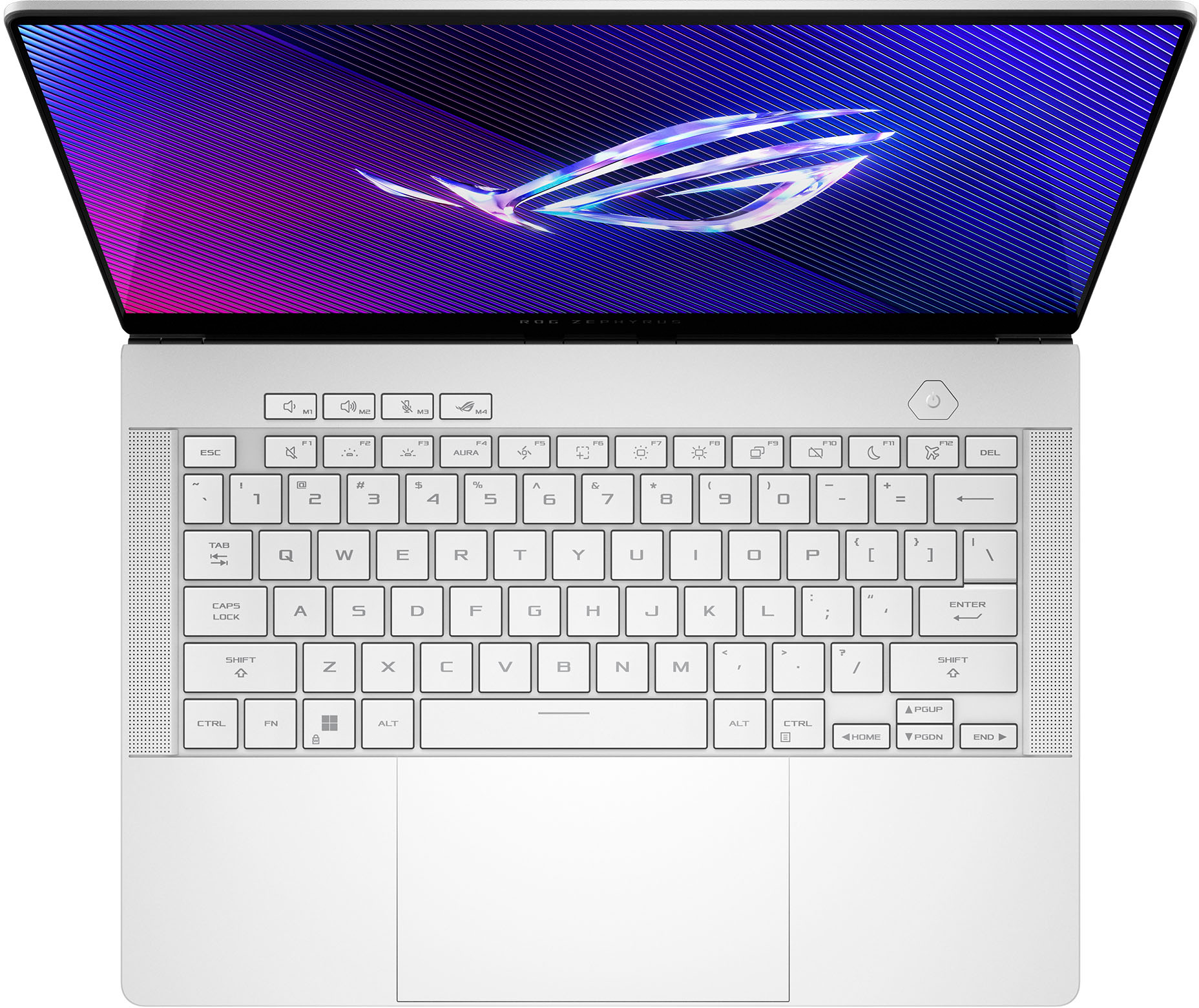






- Model:
- GA403UI-G14.R94070
- SKU:
- 6570271
Rating by feature
- Battery Life
Rating 4.2 out of 5 stars
- Speed
Rating 4.7 out of 5 stars
- Display
Rating 4.8 out of 5 stars
Customers are saying
Customers love the ROG Zephyrus G14 for its exceptional performance, stunning screen quality, and impressive battery life. Its portability and lightweight design are also highly praised, making it easy to carry around. While some users have noted fan noise under heavy load, the laptop generally manages heat well. Overall, the design, ample RAM, and top-notch speakers contribute to a fantastic user experience.
This summary was generated by AI based on customer reviews.
- Pros mentioned:Performance, Portability

Compact, Powerful, PERFECT
|Posted .This reviewer received promo considerations or sweepstakes entry for writing a review.I've reviewed quite a few laptops in recent years and I have to say this ROG Zephyrus G14 is my new #1! As soon as I unboxed it, I was shocked at how they could pack so much in such a slim and lightweight laptop. I was worried 14" would feel drastically smaller than what I'm used to, but it added portability. Since it's on the smaller side, the 3K OLED screen looks incredible and gameplay was buttery smooth on the 120hz display. Every game I played, ran on the high settings with ease. The 32gb of RAM is more than enough for a laptop and I'm still in awe that it includes a GeForce 4070 GPU. Even after hours of gaming, I had no issues with overheating and the fans are very quiet. The audio experience is arguably the biggest standout for me. Without a doubt, this is the best sound from a laptop I've ever heard. It has everything you want from Punchy, full-sounding bass, noise cancellation, and crisp highs that don't distort at higher volumes. I found myself increasingly impressed the more I listened. Music, film, video games—you name it. Not a single flaw in the audio department. My biggest surprise was how well the noise cancellation actually worked. As long as I stayed centered with the screen, I could barely hear background noise like the TV or people talking five feet away from me, something I didn't think was possible without headphones. Of course, Asus's Armoury Crate is pre-installed, so it was easy to customize my different performance settings for gaming and the RGB lighting. I love having different profiles depending on what I'm using it for. I'm still in disbelief that so much power can be packed into such a compact laptop. ASUS has outdone themselves with the ROG Zephyrus G14. Specifically, the standouts are the audio and the compact design without sacrificing performance. This makes the perfect all rounder for gamers on the go and business alike.
I would recommend this to a friend scam
||Posted .This reviewer received promo considerations or sweepstakes entry for writing a review.Less than 3 mo old and failure. Customer service is an insult. Called geek squad and they said that what Asus told me is wrong. I think they're trying to get me to pay for repairs because they're hard up due to the tariffs. I made a bad mistake buying this new and will never buy Asus again.
No, I would not recommend this to a friendBrand response from ASUS Answers
Posted .Dear Drpimento,
Thank you for your feedback.
We do understand your dissatisfaction with the quality of your recent customer service experience with your seller and the inconvenience this may have caused. ASUS is an ISO certified company, as a result, all products go into a strict quality manufacturing standard. All ASUS products undergo intensive quality control testing and inspections that ensure each one is trouble-free, and are built to last. If this laptop stop working properly less than three months of usage and you need further assistance, please email me at cl-rodel@asus.com and I would be more than happy to help. Or you are most welcome to call Product Support Hotline at: 1(888) 678-3688. Also, you can chat with an ASUS live support agent from the link: https://www.asus.com/us/support/article/1135/.
Thank you for choosing an ASUS product.
Regards,
Rodel
ASUS Customer Loyalty
Bad product based on my experience
||Posted .This reviewer received promo considerations or sweepstakes entry for writing a review.My computer stopped working a month after my warranty expired
No, I would not recommend this to a friendBrand response from ASUS Answers
Posted .Dear GiselleV,
We are sorry to hear that your ASUS GA403UI gaming laptop stopped working just a month after your warranty expired, and we sincerely apologize for the inconvenience this has caused.
To further investigate the issue and explore possible solutions, we kindly advise you to contact our dedicated support team directly at https://www.asus.com/us/support/callus/. Our specialists will be able to review your case in detail and provide the most appropriate assistance.
We stand behind our products and continuously strive to improve our products and processes to achieve customer service excellence. For more information, email us at customerloyalty@asus.com and include the case number "N2403014099-0033" as a reference. We will do our best to resolve your case quickly. Your feedback is very important to us and enables us to improve our support channels. Thank you for choosing ASUS.
Best Regards,
Chantae
ASUS Customer Loyalty US Support
Screen stopped working
||Posted . Owned for 6 months when reviewed.This reviewer received promo considerations or sweepstakes entry for writing a review.The PC screen stopped working correctly after a few months of regular use with no incidents. Sometimes it turns on on a certain position, but only when left there and restarting the PC, sometimes it doesn't work at all, but an external screen works just fine.
No, I would not recommend this to a friendBrand response from ASUS Answers
Posted .Dear Gonzalo,
We're sorry to hear that the notebook screen stopped working and we apologize for the inconvenience this has caused. This is not the kind of quality to expect from our products and it's not the norm. To further investigate this problem or obtain assistance with repairing the device, we recommend contacting our support team at https://www.asus.com/us/support/CallUs.
We stand behind our products and continuously strive to improve our products and processes to achieve customer service excellence. For more information, email us at customerloyalty@asus.com and include the case number "N2409003291-0003" as a reference. We will do our best to resolve your case quickly. Your feedback is very important to us and enables us to improve our support channels. Thank you for choosing ASUS.
Best Regards,
Chantae
ASUS Customer Loyalty US Support
- Pros mentioned:Performance, Portability
Fantastic in performance and size.
|Posted .This reviewer received promo considerations or sweepstakes entry for writing a review.This ASUS - ROG Zephyrus G14 (2024) 14" OLED 3K 120Hz Gaming Laptop - AMD Ryzen 9 8945HS - 32GB LPDDR5X - GeForce RTX 4070 - 1TB SSD - Platinum White has become my preferred laptop. There are so many reasons why this is my new go to device. The performance is astounding. You get a true gaming experience no matter your level of gaming. With 32 GB if memory, a dedicated graphics card with plenty of memory, a full terabyte of storage, and one of the best displays I have seen, by far, on a laptop. I use it mostly for gaming, but have also used it with some heavy graphic design software, too. No issues at all with heavy gaming or design software. The design of the laptop is great. I love the backlit keyboard, which is also customizable with color. The outside has a nice light on the top and it’s customizable too. One other thing that makes this such a great gaming laptop is the size. It’s a 14”, it is pretty thin, and not heavy at all. Makes it fantastic for portability. The laptop has never gotten too hot for me, nor has it ever been too noisy. The fans are pretty quiet, even during heavy gaming.
I would recommend this to a friend - Pros mentioned:Battery life, Performance, Portability
Absolute Powerhouse in a Sleek Package!
||Posted .This reviewer received promo considerations or sweepstakes entry for writing a review.The ASUS ROG Zephyrus G14 (2024 model with the Ryzen 9 8945HS and RTX 4070) is an absolute dream machine, especially if you're looking for top-tier gaming performance without being chained to a desk. I've been blown away by what this compact laptop can do. Gaming Prowess: Let's get straight to it – this thing shreds games. The combination of the AMD Ryzen 9 8945HS processor and the NVIDIA GeForce RTX 4070 GPU is a potent one. I've been running all the latest AAA titles at high to ultra settings on its stunning 14-inch OLED 3K display, and the 120Hz refresh rate makes gameplay incredibly smooth and immersive. The 32GB of LPDDR5X RAM ensures that multitasking while gaming is a breeze, and the 1TB SSD means lightning-fast load times. From intense shooters to sprawling open-world RPGs, the G14 handles everything with grace and delivers breathtaking visuals. The cooling system also does a commendable job keeping temperatures in check during extended gaming sessions. Unbelievable Battery Life for a Gaming Laptop: This is where the G14 truly stands out from the crowd. Typically, "gaming laptop" and "good battery life" don't belong in the same sentence. However, ASUS has worked some magic here. For general productivity, web browsing, and video playback, I'm consistently getting hours and hours away from the plug – easily enough to get through a full workday or a long flight. While intense gaming will naturally drain it faster, it's still significantly better than any other gaming laptop I've used in this performance category. It's incredibly freeing to know I can take this powerhouse on the go without constant battery anxiety. Beyond the Specs: The Platinum White finish is gorgeous and feels premium. The 14-inch form factor is the sweet spot for portability and usability, and that OLED screen is simply a joy to look at, whether you're gaming, watching movies, or editing photos. Final Verdict: If you're in the market for a high-performance gaming laptop that doesn't compromise on portability or battery life, the ASUS ROG Zephyrus G14 with the Ryzen 9 and RTX 4070 is an outstanding choice. It's a testament to how far laptop technology has come, packing incredible power and a stunning display into a sleek, portable design with battery life that genuinely impresses. Highly recommended!
I would recommend this to a friend - Pros mentioned:Performance, Portability, Screen quality
An Absolute Powerhouse in a Sleek Package – The RO
||Posted . Owned for 1 week when reviewed.This reviewer received promo considerations or sweepstakes entry for writing a review.I couldn’t be more impressed with the ASUS ROG Zephyrus G14 (2024 model). From the moment I unboxed this stunning Platinum White beauty, I knew I was dealing with something special. It’s rare to find a gaming laptop that balances raw power, aesthetics, and portability this well. Let’s start with the 14" 3K OLED display—it’s simply breathtaking. The 120Hz refresh rate combined with the rich colors and deep blacks makes everything from AAA games to Netflix look incredible. Whether I'm deep into Cyberpunk 2077 or editing photos, this screen is a joy to use. Under the hood, the AMD Ryzen 9 8945HS and NVIDIA GeForce RTX 4070 combo is a dream. It chews through demanding games and multitasking like it’s nothing. I’ve yet to see this laptop stutter, even while streaming, gaming, and running background tasks simultaneously. The 32GB of LPDDR5X RAM ensures buttery smooth performance, and the 1TB SSD loads everything lightning-fast. Boot times? Practically nonexistent. Load screens? What are those? What surprised me most was how lightweight and portable it is for a machine this powerful. At just 14", it fits easily into a backpack, making it perfect for gamers or creators on the go. ASUS has clearly paid attention to the details. The keyboard feels great to type on, the cooling is effective without being too loud, and the overall design feels premium and futuristic. Bottom line: If you're looking for a top-tier gaming laptop that doesn't compromise on design, display, or performance, the Zephyrus G14 is worth every penny. It’s easily one of the best laptops of 2024.
I would recommend this to a friend - Pros mentioned:Battery life, Performance, Portability
Absolute Beast of a Laptop!
||Posted . Owned for 4 months when reviewed.This reviewer received promo considerations or sweepstakes entry for writing a review.As a developer, I’ve been using the laptop and I can confidently say it’s the best laptop I’ve ever owned. The combination of the AMD Ryzen 9 8945HS and RTX 4070 makes everything feel incredibly smooth, whether I’m coding or gaming. Performance: With 32GB ram is creazy handling this chrome tabs. Multitasking is effortless, and I haven’t experienced a single slowdown, even with heavy workloads. Display: The 1OLED 3K 120Hz screen is absolutely stunning. Colors pop, text is crisp, and the refresh rate makes everything feel ultra-responsive. Gaming & Dev Work: Whether I’m compiling large projects or taking a break with AAA games, this machine handles it all flawlessly. The cooling system is also surprisingly efficient for a laptop this compact. Portability & Battery: Despite its power, it’s lightweight and portable, making it perfect for working on the go. Battery life is solid for a gaming laptop, and I can easily get through a work session without scrambling for a charger, best is usign the thunrbolt 4 for chairnign my phone or my laptop , i can even game while playing any AAA game perfectly with no downgrade I’ve dialed in the perfect settings for my needs, and I genuinely have no complaints—this is a dream machine for developers and gamers alike! Highly recommend!
I would recommend this to a friend DID NOT COME WITH A 4070
||Posted . Owned for 1 week when reviewed.This reviewer received promo considerations or sweepstakes entry for writing a review.I recently ordered this laptop just over a week ago and after getting around to setting it up I noticed I did NOT get the graphics card I paid for. This is unacceptable.
No, I would not recommend this to a friendBrand response from ASUS Answers
Posted .Dear Ryan R,
It is with regret that we learn you received the Gaming Laptop with the wrong graphics card. On behalf of ASUS and the reseller, we sincerely apologize. If you are still within the return window, we recommend contacting the place of purchase for an exchange or return.
We stand behind our products and continuously strive to improve our products and processes to achieve customer service excellence. If you require any further assistance, email us at customerloyalty@asus.com and include the case number "N2403014099-0016" as a reference. We will do our best to resolve your case quickly. Your feedback is important to us and enables us to improve our support channels. Thank you for choosing ASUS.
Best Regards,
Chantae
ASUS Customer Loyalty US Support
- Pros mentioned:Screen qualityCons mentioned:Heat
Mixed feelings.. AMAZING screen and speakers.
|Posted .This reviewer received promo considerations or sweepstakes entry for writing a review.You might have noticed that I didn't rate this laptop as high as other reviews, and to be completely honest, I DO want to rate this product higher than what I've settled on, but there are a few key issues that I would like to touch on and give my personal perspective and experience. INTITIAL THOUGHTS: To start off.. I REALLY and I mean REALLY like this laptop in regards to everything involving presentation. From its 120hz 2880x1800 Glossy OLED screen, Speakers/Audio that sounds better than my old MBP, and full aluminum industrial design that rivals some of the best notebooks on the market. ASUS clearly knocked it out of the park with the 2024 model of the G14. There's nothing to really fault in regards to build quality either. It's top notch without flaws. The keyboard and trackpad are also among the best I've experienced in a modern design. I'm honestly just very impressed here. Perfect 5/5 score. SOFTWARE ISSUES: I don't know how or why, but my laptop randomly started uninstalling drivers at the second day of use. It ended up self uninstalling the RTX 4070 Studio driver to where it would only detect the Radeon IGPU. I was able to get this driver back by using GeForce Experience app, but a less technical inclined person may run into problems and not know that the main GPU got disabled. Audio and Alternative drivers were also impacted by this. There was a forced BIOS update too which really confused me, but everything went through and I was able to re-install what was needed. You also have to update armory crate to get keyboard RGB cycles working.. Maybe this had something to do with the prior SW bugs, but everything seems to be working as of now. Speaking of armory crate, the OLED "flicker free dimming setting" seems buggy and completely knocked out the OLED monitor to where it was just black when I set it to 0%. Required me to run an HDMI cable to my main desktop monitor to fix and adjust the slider back to default. 3/5 score given everything is fixable by end user. HARDWARE ISSUES/CONCERNS: Unfortunately, this laptop only comes with a Mediatek 6E MT7922 RZ616. I didn't think much at first, but this design is clearly inferior to alternative hardware. Everything from ping time in games to random app driven Speedtest show that this card isn't as fast or as refined as Intel's AX2XX. Testing between a laptop with an AX2XX card: -Ookla speedtest app on local fiber connection, same local server. -Same distance from WIFI 6E Router, tested on both 5G and 6G connections. Intel AX2XX: 3-5MS G14 MEDIATEK MT7922: 6-9ms 5 back to back runs. Both are right next to each other and alternate Ookla speed test apps directly downloaded to PC itself. Latency variance depends on local ISP load and interference. When it comes to online gaming, the higher ping also translates on League of Legends centralized Chicago server stack. Desktop/Laptop Intel AX2XX: 39-41ms MEDIATEK M7922 (G14): 44-49ms Acceleration from CPU also seems a bit buggy as downloading games on 5G was capped at 50mb/s.. I had to switch the connection over to 6ghz to get a more respectable 450-480mbps at the same distance. You can tell the CPU kicked in as the fan started running. WI-FI on resume seems to also "lag". Any laptop with an Intel card is connected instantly. Speed at distance is generally good.. Antenna design by ASUS is A-OK. Judgement? This is the worse WI-FI I've experienced in a modern PC/Laptop. It's not like I can plug the G14 into ethernet either. Only option is potentially swapping the MediaTek PCI card for an Intel one. I would hope ASUS eventually changes it for the consumers sake. The G16 comes with an Intel card from what I can see with support drivers, but it also has an Intel CPU. It's not that the Intel only works with Intel, but the PCI variant is likely more pricey... hence MediaTek. 2/5 in regards to connectivity. CPU and GPU PERFORMANCE: *Tested with all CPU/GPU modes* I've played a few competitive games over the weekend and while I'm generally impressed with the FPS output.. but the G14 seems to.. stutter? I had my power brick plugged in and everything set to optimial settings. It's not that obvious to most people, but even while plugging the laptop into a desktop monitor via HDMI port, there seems to be some kind of judder in higher FPS game play. Maybe it's tuned for internal OLED screen? Not sure. Resolution was lowered to 2560x1440 and 1920x1080. Same problem, but I noticed I couldn't get FPS over 120hz in Nvidia control panel.. so maybe that's the cause? Could also be the AMD 8945HS being too weak to handle heavily CPU bound gaming, but it's noticeable, especially coming from a 13650HX laptop CPU. The HX CPU is just way smoother and more like a desktop experience, at least in the games I tested. The G14 will pump respectable FPS for what it is, especially on 2880x1800 native resolution, but this is something to consider if you play competitive games. -G-SYNC and full GPU power requires you to switch the machine to "Ultimate mode" which will request a full reboot. Something to note. -For just casual AAA gaming, this machine is pretty amazing and the 4070 Studio 90W is kind of a beast. GPU bound games work pretty nice from what I can tell.. Cyberpunk plays well. The machine can also get a bit hot, especially in the front area where the audio keys/mic/rog button are, but I expected that given its form factor. -I do not like the CPU mode settings outside of "windows" if using the laptop as a mobile portable device. Silent, Performance, and TURBO get way too hot if browsing in bed for example Again, I'd advise against this model if you're a hardcore competitive gamer. The G16 is likely the better pick here, even though the FPS is technically fine on the G14. Just weird anomaly. 3.5/5. OVERALL: You can see why I'm quite mixed about this laptop.. I want to love it and the specs are amazing for this form factor, but it falls short for me in critical areas. If you're just a casual gamer, by all means. I can fully recommend it! The OLED screen is ABSOLUTELY AMAZING and the speakers are quite honestly the BEST I've heard in a laptop. Pair that with form factor + build and you have an amazing combination you won't really be disappointed about. If ASUS ends up fixing the WI-FI by replacing the card, I would say this is a solid 4/5, but till then.. 3/5. Pains me to rate it this low :(
I would recommend this to a friend - Pros mentioned:Battery life, Performance, Portability
Excelent product
||Posted . Owned for 3 weeks when reviewed.This reviewer received promo considerations or sweepstakes entry for writing a review.After searching for a powerful and versatile laptop, I finally decided on the ASUS ROG Zephyrus G14, and I couldn’t be happier with my choice. This laptop combines performance, design, and portability in an impressive way. The first thing that stands out is its compact and lightweight design, which is rare for gaming laptops. Despite its size, performance is not compromised—equipped with an AMD Ryzen processor and an NVIDIA GeForce RTX GPU, it handles demanding games as well as editing and design tasks with ease. Plus, the 14” high-refresh-rate display delivers a smooth and vibrant visual experience. Another big advantage is the battery life, which outperforms most gaming laptops. Not having to rely on the charger all the time is a huge plus, especially if you also use it for work or study. As for cooling, it does a good job of keeping temperatures reasonable, though during long gaming sessions, the fans can get a bit noisy. However, that’s expected in high-performance laptops. Overall, the ROG Zephyrus G14 is an excellent choice for those who need power without sacrificing portability. Whether for gaming, work, or content creation, it excels in every aspect. Definitely a purchase I’m more than satisfied with.
I would recommend this to a friend - Pros mentioned:Battery life, Portability, Screen qualityCons mentioned:Heat
This is the one
||Posted . Owned for 3 months when reviewed.This reviewer received promo considerations or sweepstakes entry for writing a review.Simply the best thin and light gaming laptop. The build quality is top notch, feels solid, tight seams, keyboard has good travel and tactile feel. The speakers sound amazing and the grills don't get clogged easily. The OLED panel looks fantastic, 120hz feels smooth with minimal ghosting. I have no image retention issues or OLED burn in. Colors are vibrant and fairly accurate for color editing. The RTX 4070 is a beast and handles most games at high settings. The laptop gets hot while gaming so I recommend propping it up slightly. The different fan/power modes all work smoothly. Disabling CPU boost helps keep the laptop cooler with minimal performance effects. Battery life on the GPU is short as expected, using the igpu in optimized/eco mode has great battery life (~6-8) hours. Overall this laptop has been a great rig for gaming, GIS work, design work, and general school use. Highly recommend to anyone wanting a windows gaming laptop but in a small formfactor or if you just need the power on the go.
I would recommend this to a friend Watch out for Scam!!
||Posted . Owned for less than 1 week when reviewed.This reviewer received promo considerations or sweepstakes entry for writing a review.Asus is blaming best buy i dont know who did it but this laptop came with the wrong gpu so double check your gpu people! FALSE ADVERTISING! Going to try to exchange it!
No, I would not recommend this to a friendBrand response from ASUS Answers
Posted .Dear Polinski,
We regret to learn that you have received the laptop with the wrong GPU. On behalf of ASUS and the reseller, we would like to apologize for the inconvenience. This is not the quality of products and services we aim to provide, and it's not representative of our brand. The decision to make a purchase can be an important one, and we want to ensure that our customers receive the best products and services. We understand the impression this may have created and we hope this will not be a long-term lasting impression as you have chosen ASUS as a trusted brand for excellence. As a result, we will do everything to ensure that this does not happen again. Providing our customers with a high level of satisfaction is our top priority, and we'll forward your feedback to our Product Team for review.
We understand that you have returned the device, and we hope that you were able to obtain a replacement with the correct GPU.
We do stand behind our products and continuously strive to improve our products and processes to achieve customer service excellence. For more information, email us at customerloyalty@asus.com and include the case number "N2403014099-0003" as a reference. We will do our best to resolve your case quickly. Your feedback is very important to us and enables us to improve our support channels. Thank you for choosing ASUS.
Best Regards,
Chantae
ASUS Customer Loyalty US Support
- Pros mentioned:Battery life, Performance, Screen qualityCons mentioned:Fan noise
Greatest Laptop i ever owned!
||Posted . Owned for 3 weeks when reviewed.This reviewer received promo considerations or sweepstakes entry for writing a review.Best all around laptop. Very light and thin with solid construction. I've owned it for a little over a month now and never had any issues with it. I do recommend deleting Armory Crate and installing Ghelper though makes laptop less bloated and easier to use. I use this laptop for everything i do like creating, gaming, streaming, and regular web browsing and laptop stays quite and cool even when using it all day except obviously while im gaming it turns up the fans and heat but its nothing crazy. I hear some complaints of fan noise from other people that own this device but i dont think its serious how people say it is. its a small form factor laptop, of course your gonna get fan noise. Oled screen is beautiful and colors are on point. Love that it has Gsync which makes gaming smooth and buttery. While im gaming i never see the temps go beyond 70c. MW3 and apex i get about 116+fps at full settings. Helldivers- 70fps. Jedi survivor 90fps. Speakers are amazing. USBC charging works good just make sure you dont game with it. Game with the proprietary asus charger it comes with and make sure USBC charger is 100watts. Battery life- ive gotten almost 8 hrs with silent mode w/ GPU mode set to Optimized and screen brightness to about 70%, screen at 60hz while just browsing and youtube. But yeah 10/10 recommend even if you dont game but want something for everything in a small/very light laptop, this is for you! This pretty much replaced my 3080ti gaming desktop rig.
I would recommend this to a friend - Pros mentioned:Performance, Portability, Screen qualityCons mentioned:Heat
Great performance in a compact design, worth it!
||Posted .This reviewer received promo considerations or sweepstakes entry for writing a review.I’ve been using it for a month now and it’s my first gaming laptop, and I’m really happy with it. The performance is excellent: the Ryzen 9, 32GB RAM, OLED 3K 120Hz display, and RTX 4070 combo is just great for both gaming and work. The screen looks amazing, and everything runs super smooth. It does get hot, especially when running without the battery plugged in, so I definitely recommend getting a cooling pad for better comfort and temperature control. I also suggest downloading G Helper, it really helps manage performance and fan settings more efficiently than Armoury Crate. One of the things I love most is how portable it is. It’s lightweight and easy to travel with, which is rare for a gaming laptop. I bought it when it was close the 1.7k (before tax), so for that price, it was totally worth it.
I would recommend this to a friend - Pros mentioned:Performance, Screen quality
Great laptop
||Posted . Owned for 1 month when reviewed.This reviewer received promo considerations or sweepstakes entry for writing a review.An amazing laptop with awesome performance. I'm really happy with the machine so far. Great for on the go performance handles everything amazing. Personally use it for gaming, editing, and school work. Really happy with it's build quality and would definitely pay a premium for it. I got this at 1599$ which is reasonable considering its the 32gb model. I wouldn't settle for anything less than 32gb of ram in todays age. If you can please invest more into it. This should last a nice 4 years. Would also recommend a laptop stand or cooler with it to help longevity. The fans really arent that loud at all. The laptop sometimes gets hot to the touch but in terms of on my lap when doing something that takes a lot of power its really not that bad. If anything you can always crank the fans to turbo and reduce heat for sound. I also love the speakers on this thing they're really nice. The OLED screen has been butter smooth and nice to edit things on. (MY ONLY COMPLAINT IS STORAGE SIZE) I want to say 1tb is enough for most people but if you're editing you'll find yourself clearing you're drive very often which is excepted also you can also just get a bigger SSD with windows on it and replace the current one. Great laptop dont regret a single dollar spent on this thing.
I would recommend this to a friend - Pros mentioned:Performance, Portability, Screen qualityCons mentioned:Heat
Favorite little laptop
||Posted . Owned for 1 month when reviewed.This reviewer received promo considerations or sweepstakes entry for writing a review.I love this laptop. The look and feel of it is excellent. The screen is amazing and the sound is the best I've had on any laptop ever. I don't even feel like I'm playing on a 14" laptop. It's crazy lightweight. I'm not an in-depth computer person so I can't get into the finer details on specs but I can say this machine runs well and has given me no issues. It does get hot on the metal above the keyboard while gaming but I've found the keyboard comfortable to use even at the hottest. Highly recommend getting something to prop it up a little since the vents are on the bottom. I haven't noticed any fan noise personally. Since it's pretty stationary at this time I have nothing to say about battery life. I was expecting this to be white but it is a silver laptop. Fortunately I can live with that because this laptop is awesome.
I would recommend this to a friend - Pros mentioned:Screen quality
Perfect for gamers, creators and programmers!
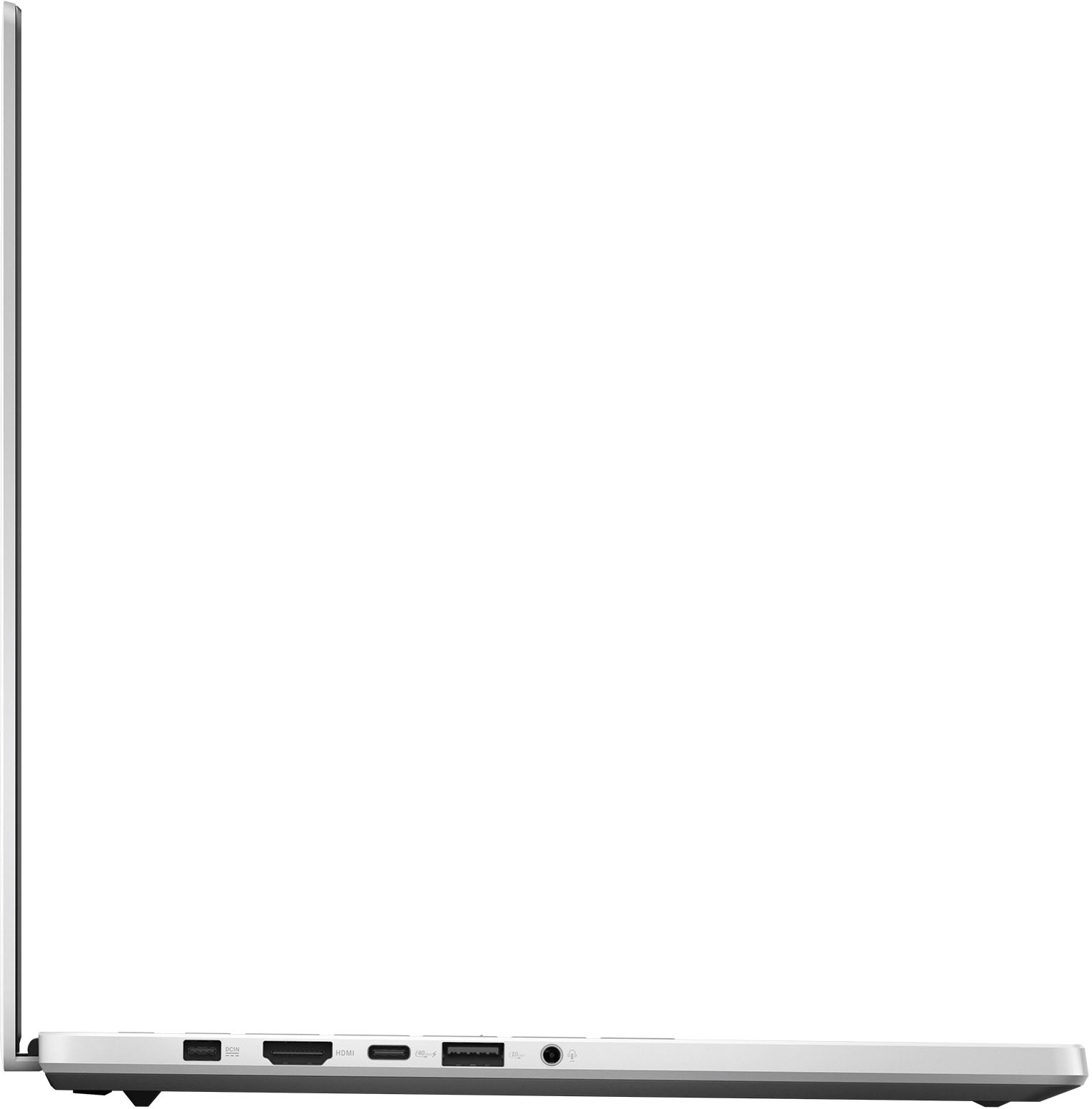
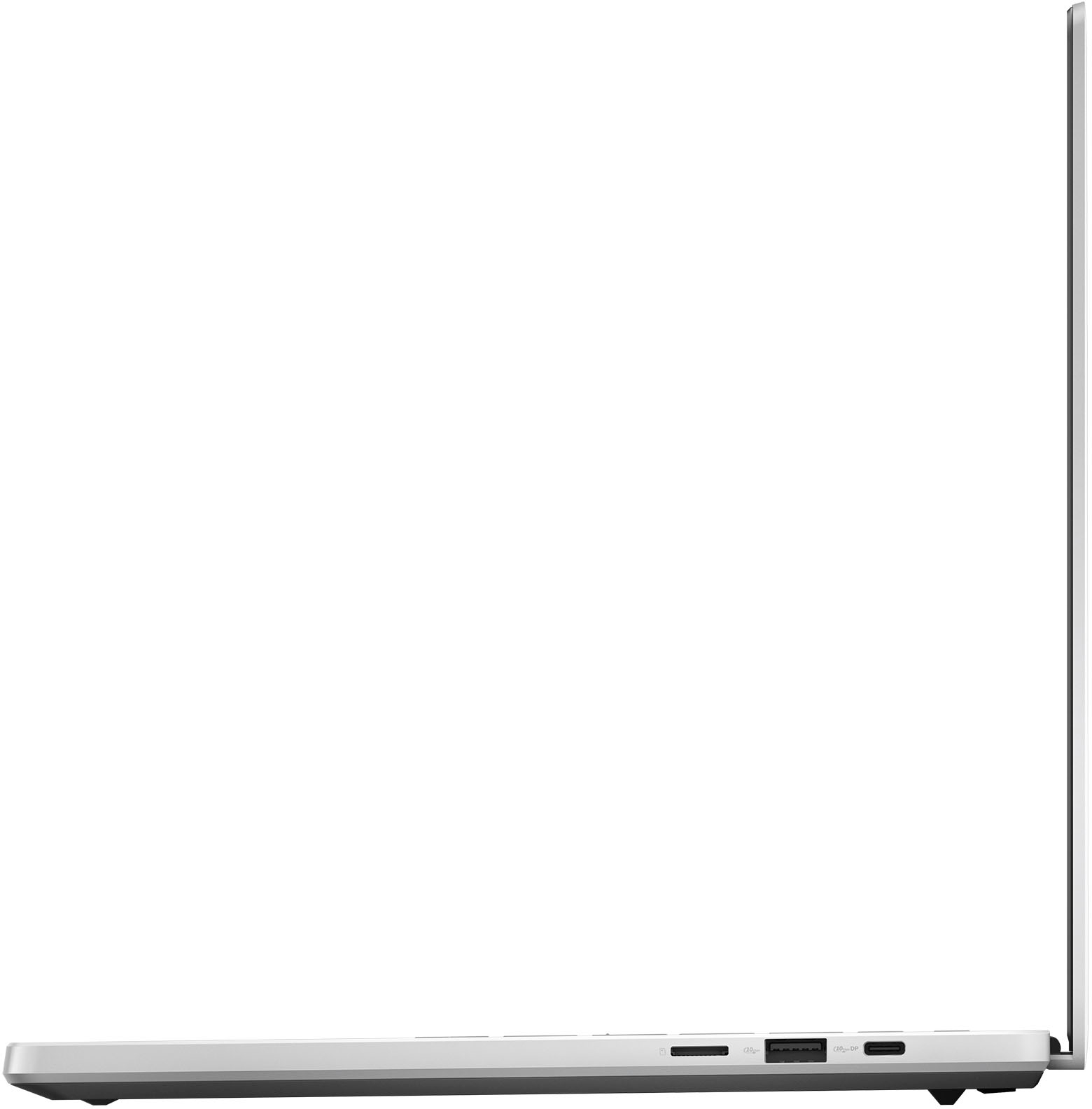
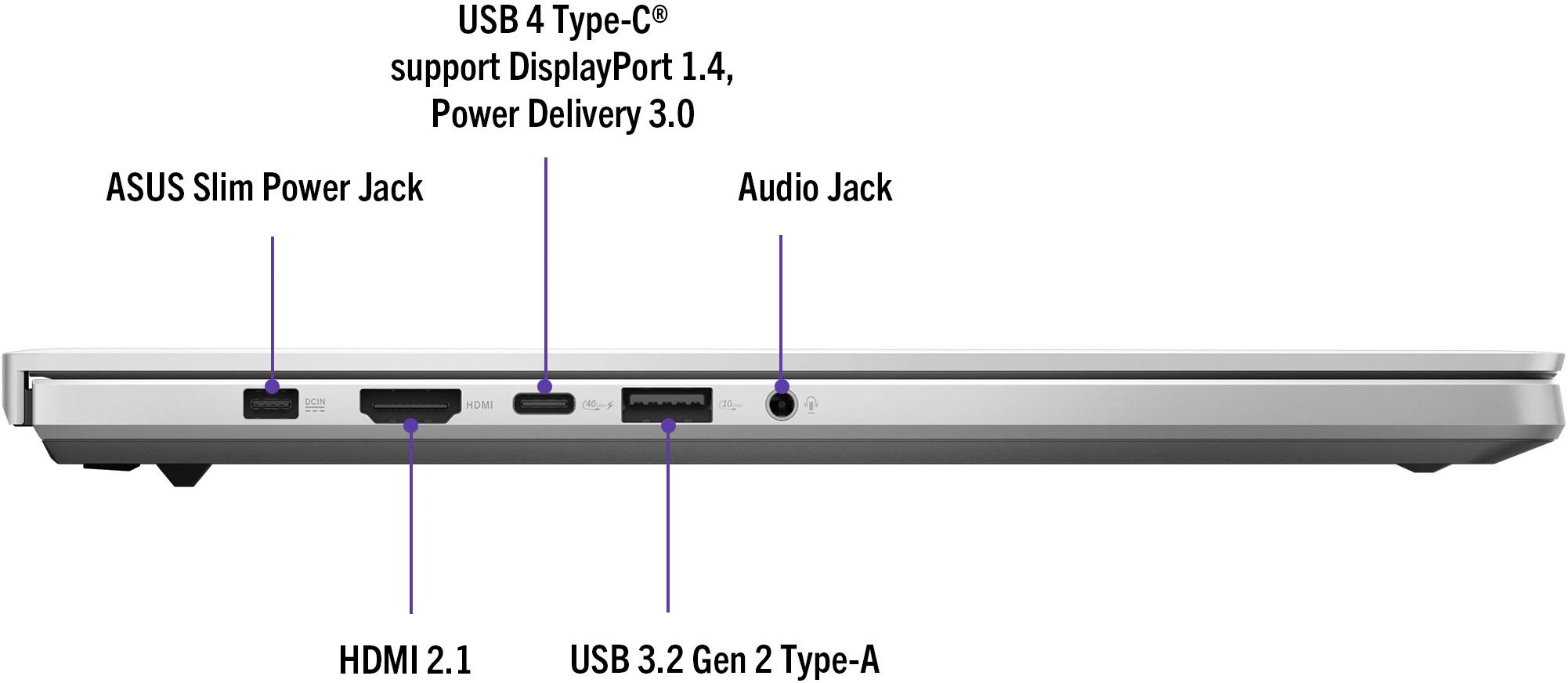
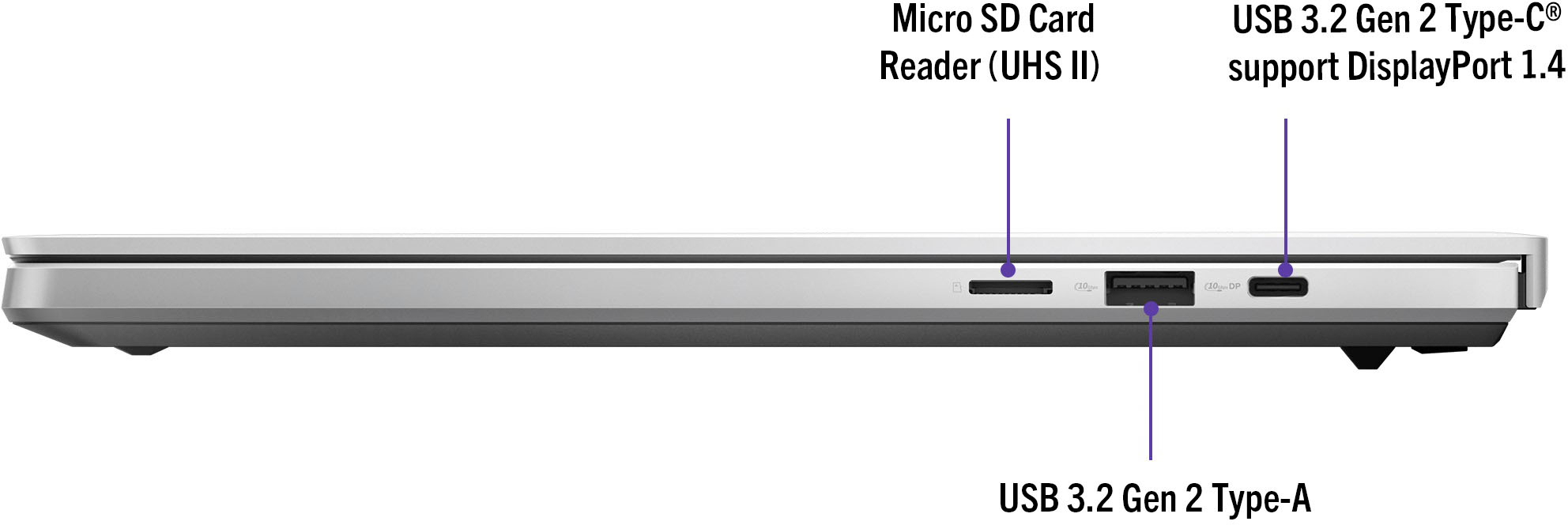
|Posted .This reviewer received promo considerations or sweepstakes entry for writing a review.Wow, this laptop is amazing! Build quality, screen quality, audio, performance, everything is amazing! I have used many laptops over the years, and this is as close to a perfect portable laptop that can be used for gaming and business as I have ever seen. Gamers and creatives will love it. The styling is not fully gamer specific so I would feel comfortable taking this into work or a coffee shop. Pros: -Screen quality -Audio quality -Gaming performance -Connectivity -Runs cool -Professional looks Cons: -Battery life isn’t the longest Build quality: After unboxing and setting it up, I was very impressed with the build quality of this device. The chassis is aluminum and feels very sturdy with very little flex in the keyboard. Some parts are glass such as the power button and large trackpad. All seams are flush and appear to have precise engineering. The dash lighting is neat and can do patterns or sync up to audio. The keyboard has its own lighting you can configure to your liking. Gaming: Getting to the main point of this machine, it is a gaming powerhouse! All tests and benchmarks were conducted using Turbo performance mode at maximum resolution with HDR enabled when available. VSYNC is also off in all tests. Also, default drivers are GeForce Studio drivers for creatives, but you can easily switch over to game drivers in the GeForce Experience app. The GeForce 4070 runs at 90W. Destiny 2 performs very well. At highest settings & full resolution, you can expect 60 FPS when things get intense. If you want a higher framerate with little loss of fidelity, high settings result in 80-90 FPS. Doom Eternal worked at 120 FPS on average on Ultra Nightmare settings with Ray Tracing off. If you want to use Ray Tracing, I recommend turning down the settings or resolution as at max resolution at Ultra Nightmare, frame rates went to 40 FPS with some stutter. The Horizon Zero Dawn benchmark provided an average of 91 FPS. The game looks amazing with HDR on this screen and never bogs down. Alan Wake looks beautiful, but you will likely need to play with settings you are happy with. I tested it on the Quality DLSS setting with all other settings maxed out including raytracing. At best you can expect 30 FPS, at worst, single digits. Turning off Ray Tracing and keeping everything else the same things seemed to average around 40 FPS. Keep in mind this game is very demanding. Heat management: I was very impressed with how this machine keeps up with temperatures. While on external power, the CPU hovers around 71C in performance mode. While gaming or rendering something, the most I saw was 91C for the CPU, 83C for the GPU and fans around 45 dBA. When not gaming, the fans are usually very quiet. Cooling is advertised as using liquid metal. Heat blows out under and behind the screen. On battery in silent mode (great for work and school), the CPU hangs out around 56C. I only lost about 4% while typing this review which I did take my time on while listening to music. Display: This screen is beautiful! At 2880x1800 16:10 it runs at 3K 243 PPI. No matter how close I put my face to the screen, I cannot discern any pixels at all. It supports Dolby Vision at 500 nits so your games should look amazing in HDR, just be sure to turn it on in Windows settings. The screen is great for creators and gamers alike as the refresh rate is 2ms and supports 100% DCI-P3. I do photography so this is perfect for my situation. The OLED colors pop out. The ROG Armory Crate app has some additional OLED protection settings you should check out as the screen supports DC dimming. Audio: The 6 speakers sound loud and impressive. There is plenty of base for listening to music. There is some distortion over 50% but at that volume it is already outrageously loud. I recommend setting Dolby Atmos to Dynamic in the settings. Of note, the Realtek Audio setup only supports 16 bit 44,000 hz, you might want to consider a DAC if you do any audio engineering. Connectivity: There are a plethora of high end ports here. On the left side is the power input, a USB-C 4 port which supports DP 2.0 and PD 3.0 at 40Gbps, HDMI 2.1 port, a USB-A 3.2 Gen 2 port at 10 Gbps and a headphone jack. On the right side is another USB-C port supporting DP 1.4 at 10Gbps, a Micro SD card slot supporting UHS II and a USB-A port identical to the other one. Wi-Fi connects to my WiFi6e network with no issue and Bluetooth 5.3 is supported. Battery: Battery life is fed from a 73Wh battery. It is sufficient for most people, but the Ryzen processors do not have any efficiency cores as it has 8 general purpose cores (and 16 threads). I get decent battery life for work, but if you intend to use anything with the included Radeon 780 GPU or GeForce 4070 on battery, you are better off plugging it in. For simple web browsing and typing, the battery should be fine for a day. It charges quickly with the 180W adaptor. Benchmarks: With 32 GB of DDR5X 6400 RAM and a PCIE 4.0 NVME 1TB hard drive, performance is great all around as well as the processor and GPU setup. This hard drive is fast btw. Geekbench 6 CPU - Single Core: 2267 Multi Core: 12320 Geekbench 6 OpenCL - 4070: 113271 Geekbench 6 Vulkan - 4070: 112749 GeekbenchML CPU - 3159 GeekbenchML DirectML - 4070: 12944 Lightroom export 24MP 156 photos - 2 min 31 sec Cinebench R23 multicore: 15127 CrystalDiskMark: Read: 5015 MB/s Write 3553 MB/s Repairability / upgradability: I attached a photo of the internals. Otherwise, I would give it a near perfect score with the exception of RAM as it is soldered onto the motherboard, so be sure to get the RAM setup you want as you cannot upgrade it later. The bottom lid is held on with 11 hex screws, two of which are hidden under rubber stoppers. Prying the lid off is a bit of a challenge as the fit is near perfect, but once you get a plastic tool under a corner, you can slide it in the direction of the other corner which will pop off the front making the rest easy. Inside you can upgrade the SSD and replace nearly every part aside from the RAM easily.
I would recommend this to a friend - Pros mentioned:Screen quality
ASUS Comes Through With This Top Notch Laptop
|Posted .This reviewer received promo considerations or sweepstakes entry for writing a review.Let's jump into it, this ROG laptop is a show stopper and "WOWS!" right off the bat! Simply stated the styling and sound system of the ASUS is top notch. This is the first laptop in over five years that has floored my expectations when it comes to sound and style. This is a gamer and audiophiles dream laptop. Normally I pop my headphones on so I can immerse myself in my movies or games but I am in awe of how amazing the sound is. The bass is nice and low and the trebles are evenly distributed. All of this was accomplished without even having to adjust or play with the sound settings (if you can believe that). If you're like me when it comes to unboxing your tech then you take into account how thoughtful or modern the experience is and this was top notch. The Zephyrus (not sure where the name comes from) comes in this matte black box with the ASUS ROG icon on the top in this shiny crisp, black ink. I liken this box to one of your luxury bag companies that comes neatly packaged. There is laptop, charging wire, and manuals in the box and then you turn it on. This stylish and compact laptop are simple to set up where you're ready to game in a handful of minutes. I'm a person who loves bells and whistles so as I'm turning it on I am observing everything and then I looked behind the screen on the case and was so giddy to see this diagonal silver line (slash) across the case in chrome silver. It is so crisp and a great accent to the grey milky case. What amazed me was that the slash has LED lights that light up and are responsive to your gaming. You can literally tailor the lights with Armoury Crate which is ROG's built-in software that helps you create the perfect gaming environment and to really take hold of your laptops features. The keys are responsive, nice and wide set, with a linear font that is easy to read and easy on the eyes. Some laptop makers get fussy and try to jazz up the font on the keys and that just takes away from the device. There is RGB backlit keys but I have turned them off because I love how contemporary the keys are with the case of the laptop (they really blend well). My top 3 features thus far have been cloud gaming, the audio system, and the sharp screen visuals. There is nearly no latency and it feels like I'm playing right on my console via a TV. My favorite game to stream and play with my team is Fortnite so it is vital that there are no delays in my loading time and that I have responsive controls. Night one this week I was up and going without any problems. In fact, I won my first round on the laptop which was validating. That leads me to the sound which I cannot boast enough. If you don't believe head on over the a Best Buy store and try the speakers out if you can. I absolutely love the audio system in this laptop. I popped on over to stream my favorite music and Bring Me the Horizon amped me up, then I tried some Karol G where the acoustics and dance beats also came through perfectly. Asus notes that there is AI technology throughout the device and that is clear from the audio and making it feel like I have surround sound in my immediate area. I have zero negative feedback for the sound because I just love it. Quick note, it isn't a loud laptop where the fans are blaring or too noisy so that was also an advantage. Finally, the screen and visuals are beautiful, the colors are perfect, there are no small dots apparent anywhere or static lines switching between scenes in my games. I also downloaded AppleTV and I was able to watch a soccer game (picture attached). Again, I was amazed when I was streaming it I felt like I was in the audience when my team scored a goal. I had to read the manual to realize that the screen has OLED technology which is why I love the picture. This is the perfect laptop for numerous reasons and I think this is why my house is an Asus house. I love my ROG Ally and this will join the ranks of one of the best laptops I have owned in a long time. I have been able to get business/work done, I haven't even begun to tap into the AI features where creating content is concerned, I can play all of my games, and watching tv on it looks great. I'm going to have to say that this is great for anyone in the family because of its versatility and awesomeness.
I would recommend this to a friend - Pros mentioned:Battery life, Portability, Screen quality
Amazing laptop for college
||Posted .This reviewer received promo considerations or sweepstakes entry for writing a review.Love the laptop. Its light weight, portable and not flashy so its really easy to carry around to classes. Works well with all the more demanding software I use for my engineering classes and works well in video games. Battery life is decent, can be improved using asus armory crate software. Screen is very nice, can be used in shade but not as much in direct sunlight. Keyboard is really nice. Speakers are amazing.
I would recommend this to a friend