Customer Ratings & Reviews



- Model:
- GU603VI-G16.I74070
- SKU:
- 6572582
Rating by feature
- Battery Life
Rating 4.2 out of 5 stars
- Speed
Rating 4.7 out of 5 stars
- Display
Rating 4.6 out of 5 stars
Customers are saying
Customers are enthusiastic about the ROG Zephyrus G16's overall performance, battery life, and portability, with many appreciating its lightweight design and fast refresh rate. While the laptop generally receives positive feedback, some users have expressed concerns regarding fan noise and heat. A few others feel that the storage capacity could be improved and have mentioned issues with connectivity.
This summary was generated by AI based on customer reviews.
- Pros mentioned:Battery life
Nice laptop
||Posted . Owned for 1 week when reviewed.This reviewer received promo considerations or sweepstakes entry for writing a review.The laptop is excellent and the battery is great just wish it had a extra m.2 slot
I would recommend this to a friend Best best best
||Posted . Owned for 4 months when reviewed.This reviewer received promo considerations or sweepstakes entry for writing a review.Very strong it’s a must buy had so much storage and it doesn’t lag at all when using for games and yh it’s the best beginners friendly for gta5 rp gaming
I would recommend this to a friend- Pros mentioned:Overall performance, RamCons mentioned:Fan noise, Storage

Powerhouse gaming laptop that hits almost every ✔️
|Posted .This reviewer received promo considerations or sweepstakes entry for writing a review.The ASUS ROG Zephyrus G16 is a powerhouse in the gaming laptop arena, offering a robust combination of cutting-edge technology and sleek design. Featuring a 16" FHD display with a 165Hz refresh rate, this machine ensures buttery-smooth visuals that make gaming and multimedia experiences incredibly immersive. The screen's color accuracy and brightness are exceptional, making it ideal not only for gaming but also for content creation and media consumption.Under the hood, the laptop is equipped with the 13th Gen Intel Core i7 processor, which provides outstanding performance for multitasking and demanding applications. Paired with 16GB of RAM, the system handles multiple applications and large files with ease, ensuring that performance remains snappy and responsive even under heavy loads. This setup is particularly beneficial for gamers who stream or use resource-intensive applications simultaneously.The NVIDIA GeForce RTX 4070 GPU is a standout feature, delivering top-tier graphics performance. Games run smoothly at high settings, and the laptop handles ray tracing and DLSS without breaking a sweat. This GPU is also beneficial for creative professionals who require substantial graphical power for tasks like video editing, 3D rendering, and other GPU-accelerated applications.Storage is managed by a 512GB SSD, which offers fast load times and quick data access. While this is sufficient for many users, gamers with extensive libraries or professionals handling large files might find the storage capacity a bit limiting. An upgrade or external storage solution might be necessary to accommodate larger collections of games or multimedia files.The design of the ASUS ROG Zephyrus G16 is both sleek and functional. The Eclipse Gray finish gives it a sophisticated look, while the laptop remains relatively lightweight and portable for a gaming device. The build quality is excellent, with a robust chassis that feels durable and premium.One notable shortcoming of the laptop is its battery life. High-performance components like the Intel i7 and RTX 4070 are power-hungry, which can drain the battery quickly during intensive use. Users may find themselves tethered to a power outlet during long gaming sessions or demanding tasks. Additionally, the cooling system, while effective at maintaining performance, can become quite noisy under load, which might be distracting in quieter environments.Overall, the ASUS ROG Zephyrus G16 is an impressive gaming laptop that excels in performance, design, and display quality. Its high refresh rate screen, powerful internals, and excellent build make it a strong contender in the gaming laptop market. However, its limited storage and battery life could be potential drawbacks for some users. Taking everything into account, I would rate this product at 4.5 stars out of 5. It offers superb value and performance, with only minor areas for improvement.
I would recommend this to a friend La mejor recomendación para un gamer
||Posted . Owned for 3 months when reviewed.This reviewer received promo considerations or sweepstakes entry for writing a review.Muchas gracias una muy buena atención y le dan una buenas opciones de crédito sin ningún interés
I would recommend this to a friendGreat computer
||Posted . Owned for 3 weeks when reviewed.This reviewer received promo considerations or sweepstakes entry for writing a review.Loved the computer, great service at Pentagon City & bought the insurance just in case
I would recommend this to a friendperfect
||Posted . Owned for 2 weeks when reviewed.This reviewer received promo considerations or sweepstakes entry for writing a review.Very good, runs all games, you can add 16 memory hubs and have 32GB in dual
I would recommend this to a friendROG ZEPHYRUS Review
||Posted .This reviewer received promo considerations or sweepstakes entry for writing a review.The product is as expected, up to mark. No damaged pieces.
I would recommend this to a friend- Pros mentioned:Overall performance, Weight
Big power in a small and light package.
|Posted .This reviewer received promo considerations or sweepstakes entry for writing a review.I've got a great Asus ROG Strix G18 laptop already, but it's a beast (18") and runs flawlessly, whatever I throw at it! However, it's my primary, dedicated gaming machine, when I'm NOT using my desktop. Given the overall weight and size of it, it's pretty much stationary and doesn't get moved around a lot. But, sometimes, I just like to be in a different area of the house when gaming and having a laptop does afford me a little more flexibility, there. Enter the new Asus ROG Zephyrus G16 (16"). I needed a smaller form-factor, more portable and less demanding laptop for other things, but one that can also handle gaming, when I decide to. A system that wasn't such a behemoth as my G18, where I can more easily move from one location to another without feeling like I'm moving an "entire setup", lol... as well as to take it out of the house with me, when I travel. As far as specs go, it has a 13th gen Intel Core i7 processor, 16GB DDR4 RAM, an Nvidia RTX 4070 video card and a 512GB NVMe OS drive. Oh and it's just a hair over 4lb! I was super impressed with how lightweight it is and while it does not have any RGB, I do love the chromatic reflections on the top panel. It has two USB-A and two USB-C ports...so, if you wind up plugging a mouse and keyboard in for productivity/gaming, you may need to get a USB Hub...especially if you wish to use a controller and/or a gaming headset! I use a USB-C Hub that has two additional USB-A and two USB-C ports built into it. I do wish there was at least a 3rd USB-A port, as this would further eliminate the possibility of having to keep up with a Hub. Overall, build quality is superb! I do love how, when open and in use, the screen seems to sit a bit "low"...kind of down behind the back of the bottom chassis a bit... unlike my bigger, Strix G18, which sits above. Really, my only complaint with how/where it sits is the location of the power, charge and hard drive LED's... they kind of put a bit of reflection of them on the very bottom of the screen. I don't have this issue with my Asus ROG Strix G18 system, so this has taken me a while to get used to and mentally "tune it out". Honestly? It's really literally my only gripe with this system, but is more of a nitpick, because everything else is fantastic! Since the default installed SSD is only 512GB, which is plenty for an OS drive... I will be doing some "lighter" gaming on this laptop, so I did purchase a 1TB NVMe SSD to add to it. Removing the back panel to install was a bit tricky. I done the same with my Strix G18, with no issues. However and for whatever reason, Asus decided to hide 3 of the screws behind some little sticky "caps" on the back-middle of the panel. I literally had to look up a video or two on how to remove the panel in order to learn that you have to pop these little caps off to reveal the hidden screws there. Also, they were a PAIN to get out...I had to use one of my wife's crafting tools that had a super sharp point on it do get down and under, in order to lift the cap up and off. Anyway, once that was done, I removed the additional screens and the back plate popped right off. Got the SSD installed no problem, popped the plate back on and secured all of the screws and replaced the little caps. Now, for setup. With the additional SSD installed, I flipped it over and powered it on! Booted up no problem and I proceeded with Windows updates and such. After waiting a bit for this, I was finally greeted with the Windows 11 desktop. I immediately disabled bit-locker encryption - I honestly don't understand why this is "on" by default...especially for a "gaming" centric PC...but this is a Windows thing, not related to Asus or this laptop. Once that was done, I went into Disk Management. The SSD was recognized and I got it set up as my D: drive. I then continued with more Windows and Microsoft Store updates, along with the Asus Armory Crate and MyAsus updates. After a few hours of these final updates, everything was running great. The system response is super fast and snappy when launching/loading apps and games. I also love the Aura Wallpapers within Armory Crate. Normally, I'm a Wallpaper Engine kinda guy, but I haven't even installed that on either Asus laptop I have because I just love the included Aura engine ones! I also went into Armory Crate and enabled the "Ultimate" GPU mode. This basically disables the on-board GPU and uses the dedicated Nvidia GPU 100% of the time. This is also the only way to enable the advertised G-Sync mode as with the "Standard" GPU mode, the Nvidia Control Panel does not list G-Sync. Also, the 165hz refresh rate is a nice bonus! I would have loved to have seen 240, as that is increasingly becoming the new standard, but for the specs and performance of this system, 165 is perfect. Finally, performance. Given the specs and resolution of this system, it's a beast! Like I said, I plan on playing less intensive games on this system, but I did also install a few higher-intensity games, just for fun and testing! Of course, games like Stardew Valley, Vampire Survivors, Deep Rock Galactic (and the "Survivor" spin-off), Hades II and Death Must Die all perform flawlessly at maximum everything. Baldur's Gate 3 runs at max with DLSS set to Quality at around 90-100 FPS, give or take (depending on the Act you're in and the area). I'm also able to run CoD MW3 with DLSS set to Quality and Frame Gen enabled and I'm getting around 100-110 FPS. Sea of Thieves and Dark and Darker are also maxed out and between 90-100 FPS, as well. I mean, literally the only game I've had sub-90 FPS performance on that I've tried is No Rest For the Wicked and this honestly is more of a game optimization issue...even my Desktop system with an RTX 4090 struggles to hit over 80 FPS on this game, lol. In conclusion, I give this Asus ROG Zephyrus G16 laptop a solid 5/5. Given the retail price, size, spec and build quality to performance ratio, you really can't get much better than this. Just spend a little extra and get a secondary 1TB or 2TB SSD, a USB HUB and a wireless keyboard/mouse, along with a gaming headset and you'll be amazed with this system. It'll be able to run the latest games at the highest performance for years to come.
I would recommend this to a friend - Pros mentioned:Overall performanceCons mentioned:Storage
Cool Design, Excellent Performance
|Posted .This reviewer received promo considerations or sweepstakes entry for writing a review.Small note: The display resolution is actually 1920 x 1200 instead of 1920 x 1080 listed on the website [PROS] Great Benchmarks: Performance was great across the board in all titles. For example, I achieved 103 frames per second (fps) with Forza Horizon 5 at the "Extreme Preset" without ray tracing and upscaling/DLSS (Turbo Fan Mode). When I switched my fan to Silent Mode, I achieved 79 fps at the same preset with DLSS which is still pretty good for gaming quietly. Red Dead Redemption 2 also returned metrics with 60 fps in this same mode with the highest preset. I tested several other games with DLSS and Frame Generation which all provided great visuals and stellar FPS results. Thin, Lightweight, and Sleek Design: ASUS hit the bullseye in making the device look cool. I owned three prior gaming laptops, but this style has been my favorite. The chassis is solid and the keyboard design is minimalistic without compromising functionality. Also, the ports are placed very much within reach for my comfort level. The cherry on top is the various colors that reflect back on the laptop lid. Excellent Thermals: In demanding titles, my laptop stayed cool under pressure (metaphorically speaking). The laptop did get warm, but never hot to the touch as I've dealt with some others in the paste. While idle, temperature hovered around 37 degrees Celsius. When I gamed, it didn't exceed 54 degrees Celsius. [CONS] Flawed Airflow: While gaming, I noticed that the front vents near the monitor generated a lot of heat. This is not an uncommon thing to occur. However, the screen sits lower so this heat is constantly hitting the bottom of the display. Because of this, I do have a slight concern about long term damage being caused to the display. Loud: Achieving FPS greater than 100 comes at a cost. At the price of great thermals and performance, the ROG Zephyrus G16 can be quite noisy. This wouldn't bother most, but the sound can be quite distracting sitting next to someone watching television which how I mainly play. Small Storage: I understand that the 512GB of storage is pretty standard when it comes to gaming laptops, however, I would've expected 1TB for a device containing a 4070. I'm gamer who likes to jump around to different titles based on my mood or time limitations. It's such an inconvenience installing, uninstalling, and reinstalling titles as if it were a Series S. Given my habits, I immediately purchased an SSD to add to the device. [CONCLUSION] The G16 checks off many of the boxes in what I would desire from a gaming laptop. Aside from my airflow concern, I do the find the ROG Zephyrus pretty impressive. Without upscaling, I'm able to obtain over 60 fps in many titles. However, DLSS and Frame Generation where available elevates the G16 to be an awesome device to where I'm well over 100 fps in a great amount of games.
I would recommend this to a friend - Pros mentioned:PortabilityCons mentioned:Connectivity, Heat
A Nice Laptop For Casual Gamers
|Posted .This reviewer received promo considerations or sweepstakes entry for writing a review.I generally like this laptop. It does a decent job with games. It is just slightly big, but not so big and heavy you'd never travel with it. The keyboard is super nice as is the touchpad for navigation. The only real complaint I have is the display, it is just not high enough resolution. OLED means it is bright and has huge viewing angles, but darn it I want more pixels. Games Well the acid test for me was Hogwarts Legacy via Steam. The laptop was able to get "High" graphics mode after benchmarking in the game. Ultra is impossible - the game stumbles. Even at High, there are still some frame drops and graphics artifacts. Nothing that gets in the way of playing - just I would have expected Ultra from a gaming laptop. So if you absolutely have to have a laptop, and you are a casual to moderate gamer, this will work. It's not for intense gaming at all. And wow it generates heat while playing, and it really needs to be plugged in to work. Setup Surprised how easy it was to setup. The one downside to Asus, they pack all kinds of programs that have weird names that do strange things. Armory Crate, MyAsus, and GlideX - deep with functions I couldn't figure out (how to just make the keyboard light be one color). And then add in the whole NVIDIA control panel with overlapping features. You'll have to learn a new language to understand those settings. The Guts Teeny tiny 512 Gb WD 4.0 NVMe SN740 hard drive (2280 form factor). 16 GB DDR4 RAM. CPU a mid pack i7 13620H (CPU benchmark - rank 405, CPU 25,502). Graphics card RTX 4070 laptop is a solid card. The great news - there is an open NVMe slot - remember it is the long form factor. And a single full slot for more DDR4 laptop memory. To open the case, you will need the service and maintenance manual from the Asus support site. There are some tricks to getting inside this. Not mentioned in the manual, your best friend will be a guitar pick. Connectivity Wow what a mixed bag. Super awesome, two USB-C ports (both can charge the laptop - and one can do display), two USB rectangular ports, a real live RJ45 port, and a good old full size HDMI port. Scratch my head a bit - a 3.5mm headphone jack. And seriously, why did they do the following? A silly ancient laptop charging port - yes it comes with a massive ancient AC adapter, why not just charge this thing over USB-C, add a third port? And the worst choice in the world - instead of an SD card slot, a micro SD card reader. There's more than enough space on the side of this thing and inside the case to use an SD reader - and everybody that has microSD has an adapter. Photography For everyday casual photography work, the laptop is outstanding. The processor and graphics card are more than powerful enough to work easily. For more demanding work - this isn't the machine to use, without an external monitor. The OLED screen cannot be calibrated. Color can be adjusted to get close to calibrated monitors, but it will always be off. I tried default, windows tweaking, and a Datacolor Spyder X. Running the Datacolor Monitor Quality Analyzer, I wasn't able to get a medium blue band to get anywhere near close to accurate, all other 47 tones were reasonably close to accurate. Luminance uniformity is surprisingly uneven - there are quite a few hot spots. It does cover the full sRGB, and 75% AdobeRGB. I do like this laptop. I've spent years with MacBook Pros. Their displays are light years ahead of the Asus laptop. However, gaming is not much fun chez Apple. And the ability to internally upgrade the Asus is fantastic. I can also seamlessly connect to my cameras with the Asus. Just wish the display had more pixels.
I would recommend this to a friend - Pros mentioned:Portability, Ram
Powerful system with much help with video editing
||Posted . Owned for 1 month when reviewed.This reviewer received promo considerations or sweepstakes entry for writing a review.The ASUS ROG Zephyrus G16 is a powerful and stylish gaming laptop that brings a blend of performance, portability, and sleek design to the table. With its impressive specifications and innovative features, it stands out as a top choice for gamers and creative professionals alike. Design and Build Quality The G16 sports a modern, minimalist aesthetic in Eclipse Gray, making it both stylish and professional. The aluminum chassis feels robust yet lightweight, ensuring durability without sacrificing portability. The laptop’s compact design allows for easy transport, making it ideal for gamers on the go. Display Equipped with a 16-inch FHD display and a 165Hz refresh rate, the G16 delivers stunning visuals with smooth motion. The IPS panel offers vibrant colors and wide viewing angles, enhancing both gaming and multimedia experiences. Whether you’re diving into action-packed games or watching movies, the display performance is commendable. Performance Powered by an Intel 13th Gen Core i7 processor and NVIDIA GeForce RTX 4070 GPU, the G16 handles demanding games and multitasking with ease. The 16GB of RAM ensures seamless performance during heavy workloads, making it suitable for gaming, video editing, and more.
I would recommend this to a friend - Pros mentioned:Portability, Ram
Portable High End Gaming
|Posted .This reviewer received promo considerations or sweepstakes entry for writing a review.The Asus Zephyrus G16 16" Gaming Laptop is an excellent choice if you're in the market for a high end gaming laptop. Everything about it screams high end. The styling, the ultra portability, the high end performance makes this whole package an easy choice. The screen is very responsive, and colors are very accurate. There is minor backlight bleed through due to the fact it's not an OLED. The 165 Hz refresh rate assures you of instant response, zero lag, and no screen tearing. It is also certified for Nvidia's G-Sync. The only downside to this screen has nothing to with the screen itself, but where Asus placed the LED status lights. They placed them in such a way that they reflect onto the screen itself. Not sure what they were thinking there, but it does draw your attention, especially when the HD light is blinking. The CPU is a power house, especially in a package like this. It's more than capable of handling anything your throw at it. Not only is it powerful, it runs fairly cool as far as laptop CPU's go. I haven't had any issues of it throttling due to temps in any of my gaming sessions on the Zephyrus G16. The Zephyrus G16 has dual GPU's. One is on the the die of the CPU, and can handle most of the daily activities like browsing the internet and checking emails. This can considerably save your battery power instead of using the RTX 4070 Laptop GPU. As for the RTX 4070 laptop GPU, it's a beast in this laptop configuration. At the 1920x1200 native resolution of the laptop screen, you can run just about everything at High/Ultra settings and get ultra smooth gameplay. One of my favorites games to play at the moment is The Crew Motorfest, and I play it on "Utlra" settings, and the framerate is pegged to 60FPS, which is the max for this game. It runs so smooth and looks amazing, making it even more enjoyable to play. You get 16GB of memory, which is basically the standard for gaming. Taking a peak inside the laptop, you can see that there is no option to change it, which means that it is most likely soldered to the motherboard, but don't worry, it is still plenty of RAM for gaming or just about anything else this laptop can handle, and is plenty fast. Overall this is an excellent choice for a gaming laptop. It's extremely powerful, and very portable.
I would recommend this to a friend - Pros mentioned:Battery life, Overall performance
Great 16" gaming laptop with power to spare!
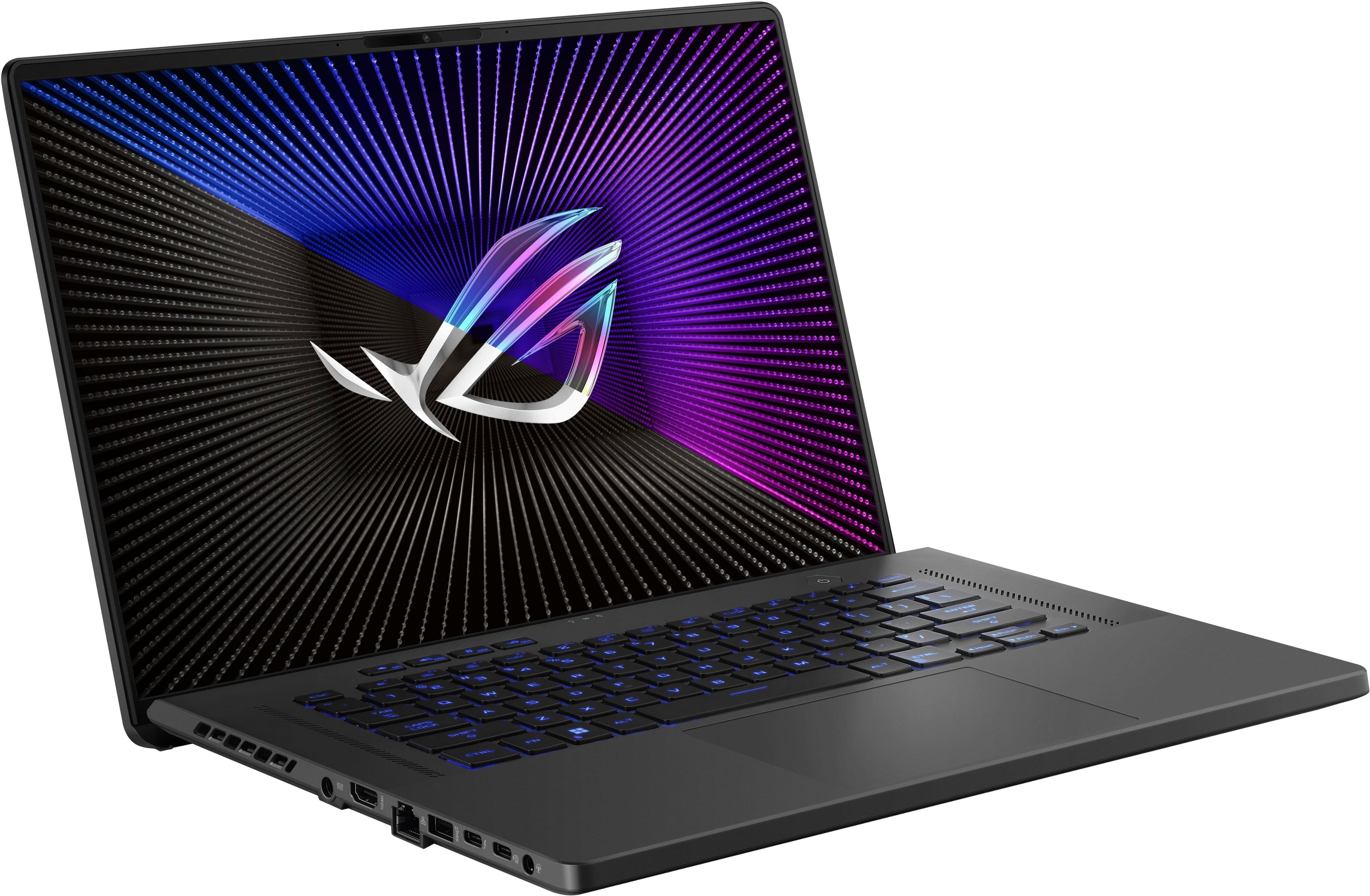
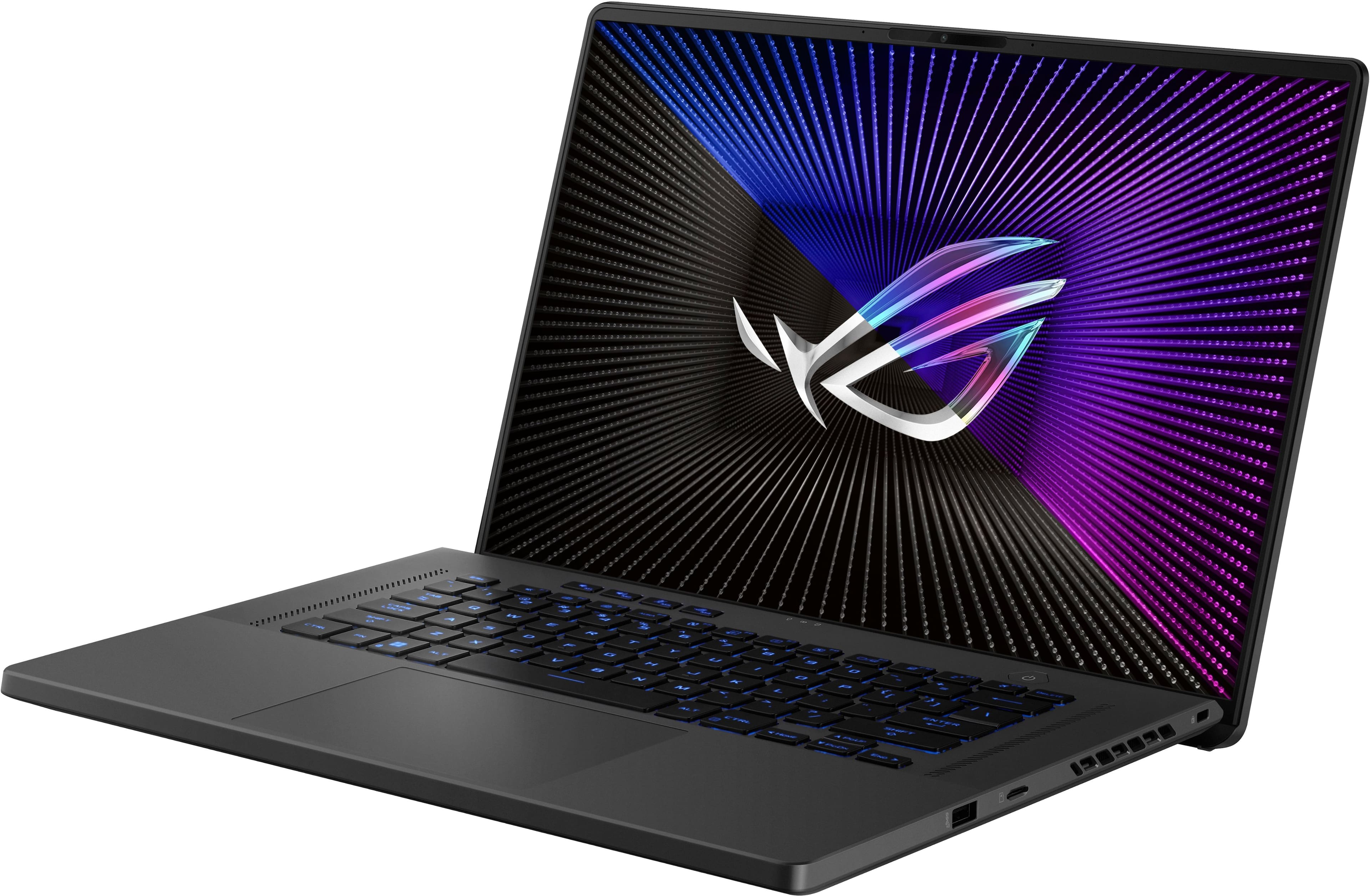
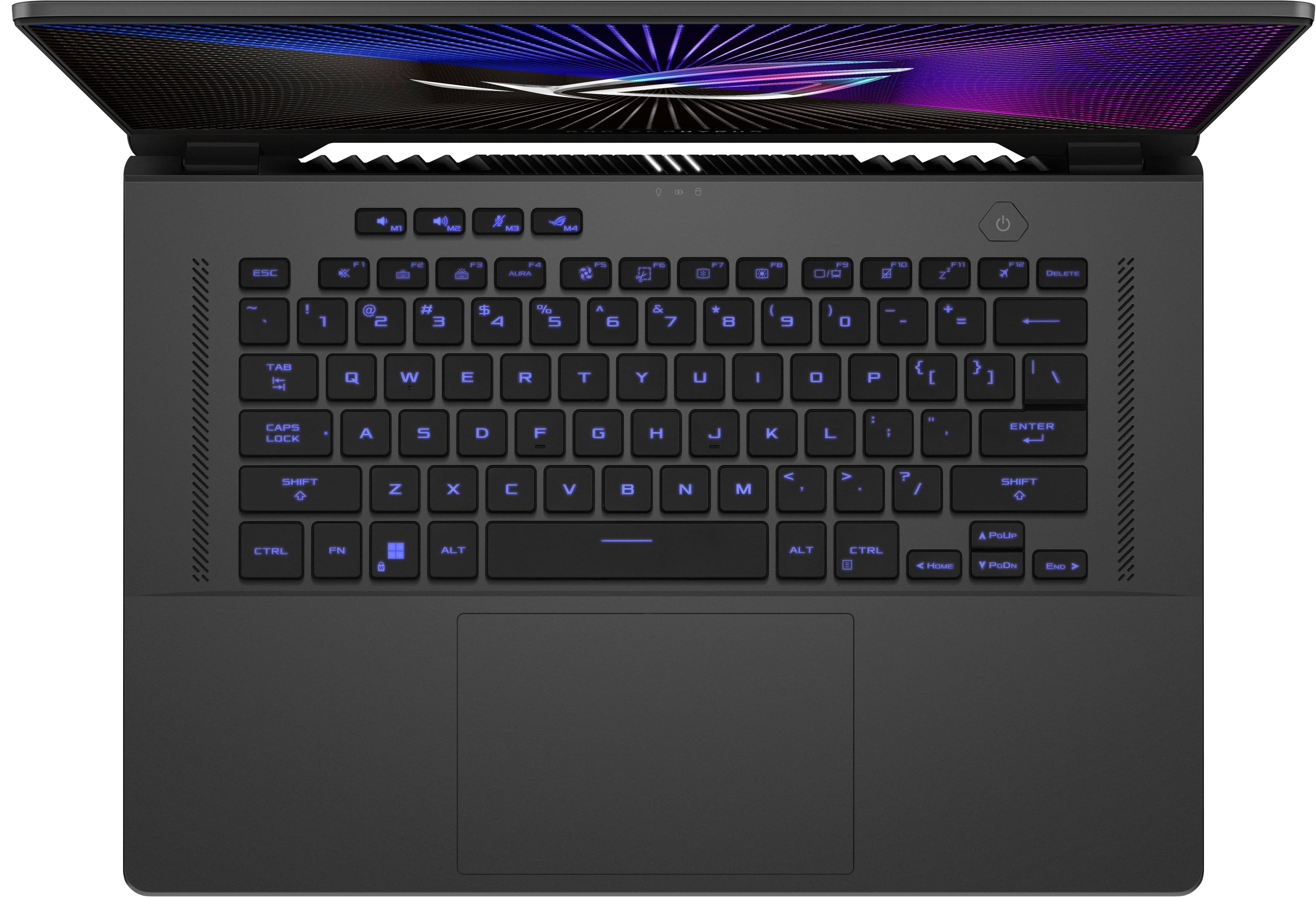
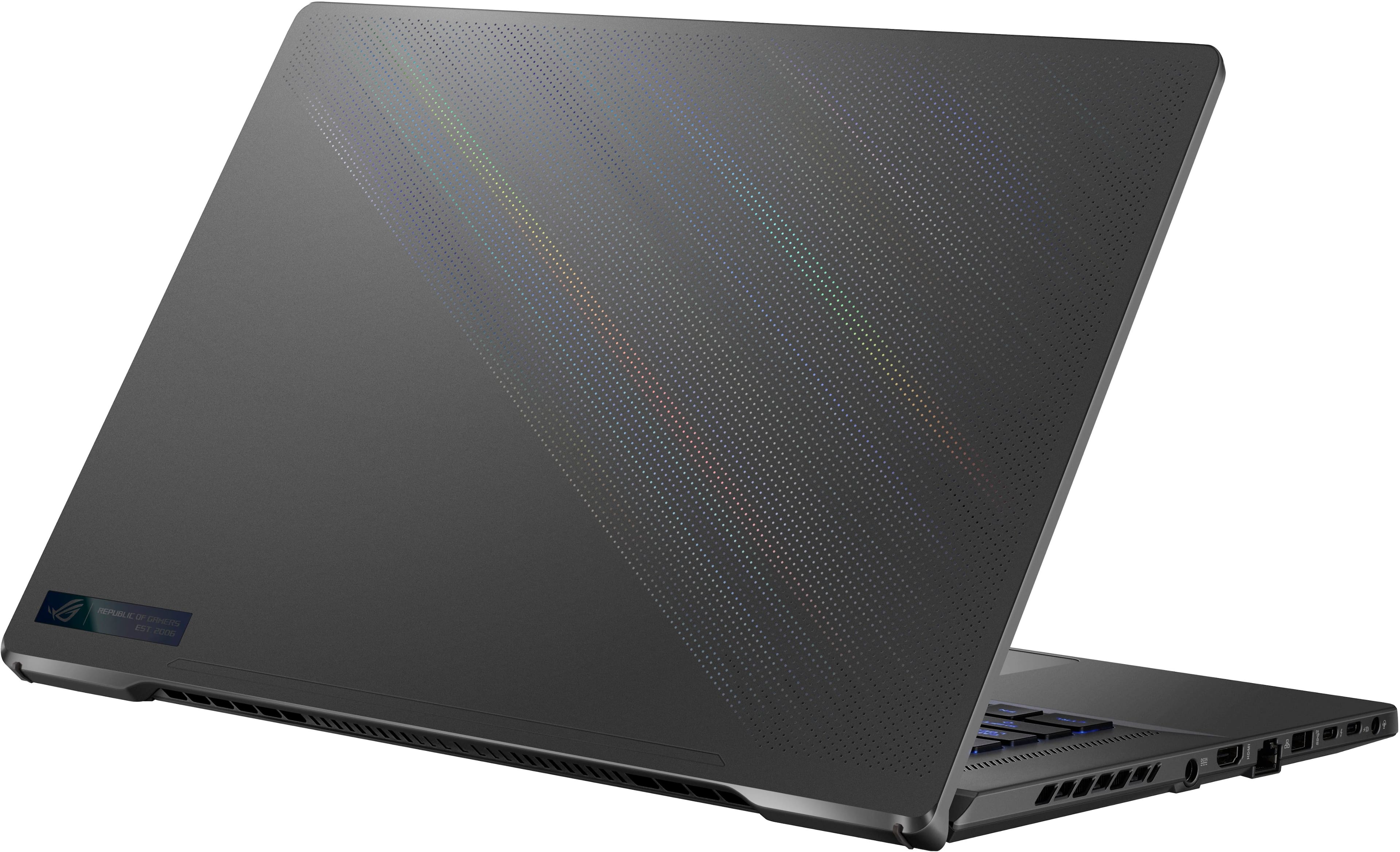
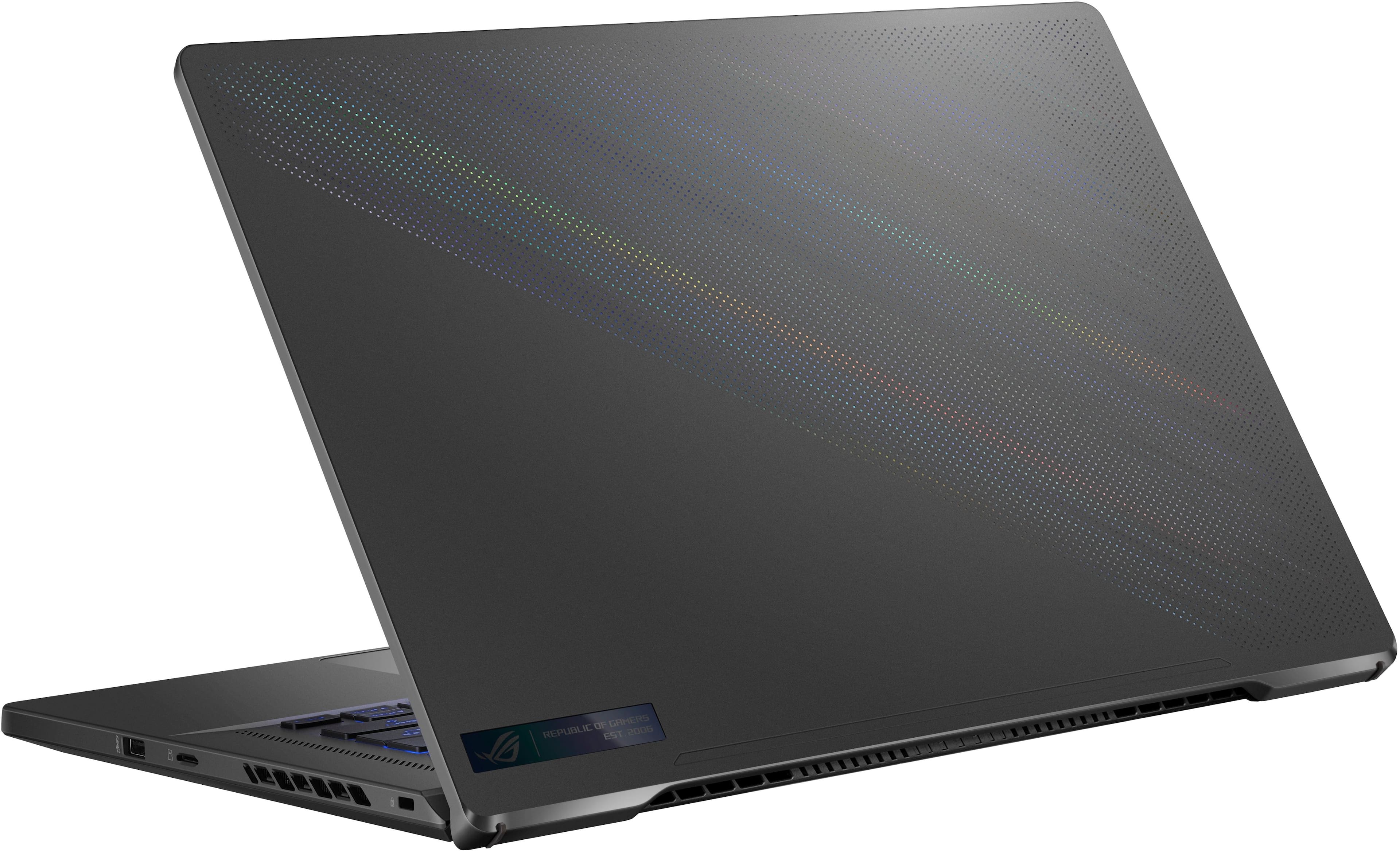
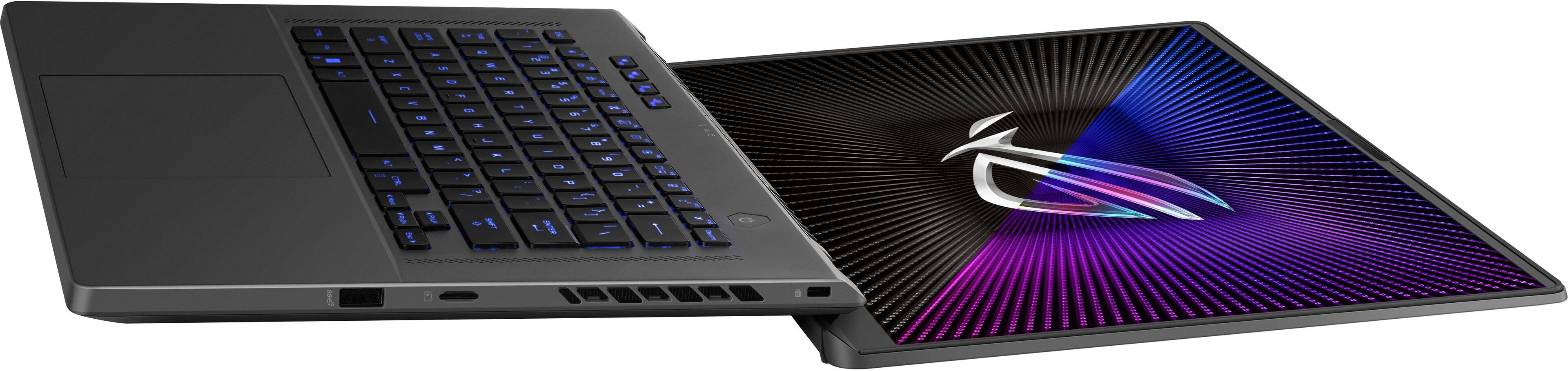
|Posted .This reviewer received promo considerations or sweepstakes entry for writing a review.Quick Overview ================================= I've had the pleasure of having and testing some of Asus' best gaming laptops including the large G18 and the small, but powerful G14. Now it's time to test one of the in-between models, the Asus Zephyrus G16 (GU603) with an intel i7-13620H CPU, 16 GB of RAM, and a Nvidia RTX 4070. There are different models in the G16 lineup and this one comes with the FHD screen - not the OLED - and a 512 GB SSD. Overall build ================================= After unboxing, you'll immediately notice the striking rear of the lid which has thousand of precision-drilled holes that have colored reflective material in them. At different angles, an RGB-style effect is created (they call it Prismatic Shine) and it really is eye-catching. I like how Asus has been trying things on the rear panels to dress them up a bit, even though you can't see them when you're using them! The other thing you'll notice right away is the build quality. It's dense and solid, but it is plastic. It's a bit of a step down coming from the new G14 which is precision-milled aluminum, but it's a bit of a step up from the large G16 and the smooth, large plastic surfaces. This G16 has a matte finish and the plastic does feel solid. Ports on the left side include power, HDMI, RJ45, USB-A, Thunderbolt 4, USB3.2 Gen 2 Type-C, and a headphone jack. The right side includes USB-A, microSD reader, and a Kensington lock slot at the rear. Upon opening it, you're greeted by a nice chiclet-style keyboard with one zone RGB backlighting option and generously-sized touchpad. A 720p webcam that supports Windows Hello is mounted at the top center, and then the display itself. After spending nearly 40 minutes logging in, doing Windows updates, doing Asus driver updates (via MyAsus), it was time to install Steam and to load up some games and test it out. Definitely block out some time for Windows update and clicking "no" or "skip" to all the options that Microsoft wants to throw at you (Office, Xbox Live, etc.). Performance ================================= I was eager to try this G16 that slots right in-between my G18 and G14 since I honestly wasn't sure if I wanted to keep the G14. I didn't need something really compact at this point since I wasn't traveling much and technically the 4070 in this G16 was more powerful than the 4060 in my G14. The first thing I noticed was the display. And I don't necessarily mean that in a good way. If you don't get the OLED option in the G16, then this FHD option can feel like a let down. To be fair, A nice IPS panel should be fine, and this one supports 165hz and 100% sRGB + Dolby Vision and G-sync, but looking at it side-by-side with my G18 it seems noticeably more washed out. Let's not even compare it to the vivid and gorgeous OLED on my G14! Still, this display is good on its own! On paper, the speakers don't have the depth or detail of the G14 which really are exemplary for a laptop. There are Dolby Atmos and Hi-Res Audio (headphones only?) certifications on this model, though. Having said that, these are good speakers and much better than most tinny or thin laptop speakers. After Steam and the Unigine benchmark finished downloading, it was time to play! With the Heaven benchmark, the different models specs were wildly different so I didn't want to compare them. I did notice that I was hitting greater than 200 FPS and it's a good way to test your system and graphics. Moving on to a bigger challenge, Cyberpunk 2077 at the native resolution ran at a surprising 70-80 fps on Ultra. I could turn RTX off to boost it even more and maybe not notice too much detail loss on the 1080p screen. Having said that, this was a smooth experience and ran better at native resolution than my G14 at 3K. Sound while playing was good, but again, missing that full dynamic range of the new G14. Elite Sniper 4 was the next game that again, felt and looked great. It's an older game so pushing > 100 FPS at 1080p wasn't an issue. I could crank up all the details and move smoothly throughout Europe, hunting bad guys. Heat and fan noise were more than acceptable. Sure, during gameplay the fans would spin up and the keyboard deck could get warm, but I think the dense, matte plastic finish helped a bit and there's definitely more room in the chassis for cooling compared to the dense G14. Playing with headphones on would make the fan noise a non-issue. This G16 comes with a 240w power adapter and it's large, but not as big as the bricks from the old Alienware days! It's definitely best to pack this along if you plan to game on the go. If you're not gaming, you can push this past 3-4 hours, realistically. Conclusion ================================= This Asus Zephyrus G16 may not be the top model in the G16 lineup, but it's a great option especially for those that might be gaming on an external monitor. The laptop's LCD could be your secondary display and then you can really leverage the 4070 on your bigger 4k monitor, for example. Size-wise, I think it's a good fit for getting things done around the house and not to unwieldy to take with you. I would never think of moving my G18 out of the house! I don't even think I have a bag that would fit it (besides a duffel bag...). If the 512 GB SSD is limiting, there's another full-sized slot to add more room for your games since they take up so much space these days! Overall, I think this Asus Zephyrus G16 is a great choice for those who need a powerful GPU and a 16" screen in a 15" form-factor. It's a great gaming laptop that you can use at home and on-the-go.
I would recommend this to a friend - Pros mentioned:Battery life, Portability, Ram
A Powerful, Sleek Gaming Laptop That Delivers.
||Posted .This reviewer received promo considerations or sweepstakes entry for writing a review.Review: The ASUS ROG Zephyrus G16 is an absolute beast of a gaming laptop. From the moment I powered it on, I was impressed by the performance and the sleek, premium design. The 16" FHD display with 165Hz refresh rate makes games look buttery smooth, and the colors are vibrant and immersive—perfect for both gaming and content creation. Under the hood, the 13th Gen Intel Core i7 paired with the NVIDIA GeForce RTX 4070 handles everything I throw at it with ease. Whether I’m playing demanding AAA titles, streaming, or multitasking with creative software, the performance is consistently fast and responsive. The 16GB of RAM and 512GB SSD keep things quick, and load times are minimal. I also appreciate how portable it feels for a gaming laptop—thin, lightweight, and stylish with its Eclipse Gray finish. Despite its power, the cooling system does a great job at keeping temps under control without getting overly loud. Battery life is solid for a gaming laptop, and when I’m not gaming, it easily handles productivity and media use. The keyboard feels comfortable and responsive, and the RGB lighting adds a nice customizable touch. Overall, the ROG Zephyrus G16 is the perfect balance of performance, portability, and style. If you want a laptop that can crush modern games and still look professional for work or school, this is one of the best options out there.
I would recommend this to a friend - Pros mentioned:Overall performanceCons mentioned:Storage
Stylish and Fast
|Posted .This reviewer received promo considerations or sweepstakes entry for writing a review.I recently upgraded to the ASUS ROG Zephyrus G16 16" 165Hz Gaming Laptop with an Intel 13th Gen Core i7 processor and 16GB of RAM, and I must say, I am thoroughly impressed. Here are some of the standout features that have made this laptop a game-changer for me: 1. Cool Operation: One of the first things I noticed about this laptop is how well it manages heat. Unlike my previous laptop, the ASUS ROG Zephyrus G16 stays remarkably cool even during intense gaming sessions. This is a huge plus for me as it ensures peak performance without any thermal throttling. 2. Sharp Display: The 16" 165Hz Full HD display on this laptop is a treat for the eyes. The colors are vibrant, and the images are sharp and crisp. Whether I'm gaming, streaming movies, or working on creative projects, the display never fails to impress. 3. Powerful Graphics Card: With a powerful NVIDIA GeForce RTX 4070 graphics card onboard, this laptop handles games with ease. I can run all my favorite titles at high-quality settings without any lag or stuttering. The visual experience is immersive, and I can enjoy games the way they were meant to be played. 4. Impressive Audio Experience: In addition to its stellar performance and visual display, the ASUS ROG Zephyrus G16 excels in the audio department. The built-in speakers deliver rich, immersive sound that enhances my gaming and multimedia experience. Whether I'm exploring virtual worlds or watching movies, the audio quality truly elevates the overall immersion. 5. Responsive and Tactile: The keyboard on the ASUS ROG Zephyrus G16 is not only responsive but also offers a satisfying tactile feedback. Each key press feels firm and precise, making typing and gaming sessions enjoyable and accurate. 6. Backlit RGB Lighting: The keyboard features customizable RGB lighting that adds a touch of style to the laptop. With a range of color options and effects to choose from, you can personalize the lighting to suit your preferences or create a dynamic lighting setup for gaming. 7. Wi-Fi- Screaming fast Wi-Fi 6E rounds out the ability of this laptop to perform at top speed. Only Con: Only has 512MB, so I may expand. Overall, the ASUS ROG Zephyrus G16 16" 165Hz Gaming Laptop is a powerhouse that combines impressive performance with efficient cooling, a stunning display, and a powerful graphics card. If you're looking for a gaming laptop that doesn't compromise on performance or visuals, this is definitely worth considering.
I would recommend this to a friend - Cons mentioned:Fan noise, Heat
Solid mid-level Gaming Laptop
|Posted .This reviewer received promo considerations or sweepstakes entry for writing a review.This appears to be a 2023 system since the 2024 has been refreshed a bit with different slash light lid. I've got a 2024 high end G16 and they are definitely very different in trim. The specs are decent at the price point making it a great mid-level gaming system. It comes with single stick of soldered in DDR4 16GB memory but there is a spare slot for another stick that the user can upgrade up to 48GB using a compatible 16 or 32GB stick. If you jump on Crucial's website and enter in the make and model you can see your compatible options for upgrade. Likewise for the storage. It comes with a 512GB M.2 SSD and there is a spare slot for another M.2 drive so you can upgrade easily. My only complaint about storage is that Asus did not extend the heat spreader to the spare slot. It is only over the primary drive and a heat transfer tape is applied to help dissipate the heat. It would have been great if they would have extended the spreader... just sayin'. Now the upgrades I mentioned of course are done at your own risk. If you are familiar with popping the back off of the laptop and dropping in the upgrades its actually pretty easy. I added a 2TB Gen4 SSD to my unit giving me the needed space for the games I like playing. Later about one of my peeves about cheaping out on storage and memory. My current game of choice is Skull and Bones which is very graphics intensive so makes a great test. With the textures of a rolling ocean, fog, night, storms, crashing waves, it really pushed the 4060. The 165mHz screen offers a clean and crisp display, especially while gaming. Resolution is only 1900 x 1200 max but more than needed for the 16" display. The default ultra high graphics settings were a bit ambitious and I was getting tearing and losing a lot of texture. I backed off graphic setting to high and game play is smooth with an average of 60 frames/second but it did dip to 48fps during intense sea battles but really no noticeable stuttering. The cooling fans do tend to ramp up under gaming load, as expected. Pros + speakers are top mounted and are among the best I've heard on a laptop + great keyboard and trackpad + display adapter and graphics card are well matched for good gaming experience. Cons - soldered memory - short heat spreader for storage - small annoyance with the placement of the status lights, can see reflection on the screen Now for my peeve... for the life of me I don't understand why laptop manufacturers cheap out on storage and memory. Prices of those are really not terrible especially when they buy them in bulk. 512GB is simply not enough storage for a gaming laptop... PERIOD. If you are like me my favorite games require a decent amount of GB. I upgraded my G16 with a 2TB secondary drive and with 8 games installed I am already eating almost 1TB of that drive so 512GB simply doesn't cut it. Increase the price by $50 and add at least a 1TB drive or even 2TB and you will have a great system... not just a good system. I find it funny that they make it upgradeable and then hide 3 screws under rubber plugs. I don't think any of the other laptops I own cover any screws.
I would recommend this to a friend - Pros mentioned:Battery life, Portability
Decent performance with a glaring omission
|Posted .This reviewer received promo considerations or sweepstakes entry for writing a review.This is my second G16. The first was with 30-series graphics card. This version appears to be the same system just updated with a 4070. Is that a bad thing? That depends. All the features that I love are here. Slim body, plenty of ports for connection, and an overall pleasing aesthetic. But, one feature I originally loved, becomes an issue here. The screen. Specifically, there is no native HDR. With NVIDIA pushing the limits on their RTX capabilities, having HDR in the current generation should be a given. While I can turn on RTX Super Resolution, I had to find out the hard way that I couldn't experience in-game RTX HDR because it requires Windows HDR to be activated, which is not available here. And note, streaming HDR and native HDR are not the same thing. As I booted up Hellblade 2 and The Callisto Protocol, I was met with the realization I was missing out on the maximum potential of the imagery...which is seemingly what a good graphics card is all about. So, if you're a gamer looking to maximize the graphical prowess of the 4070, this may be a bit of a letdown. On the other hand, the games run flawlessly with very few framerate dips. My preference would be higher ram for today's games, but the 16GB installed is doing the trick so far. What I don't recall from my last model is the quick access buttons. Great feature. Having the armory crate and volume on quick access is much more convenient than fidgeting with F buttons. Battery life is still decent for a game system, and the portability of the G16 is a great feature in itself. Yes, I still love the size and power, and would recommend, but the lacking HDR has to be considered if you're buying for graphical prowess.
I would recommend this to a friend - Pros mentioned:Battery life, Overall performance
Top Tier Ultraportable
|Posted .This reviewer received promo considerations or sweepstakes entry for writing a review.The G16 continues the Zephyrus line's reputation for providing top tier gaming experiences in ultraportable form factors. And while this model may not be boasting the most modern hardware available at this time, it remains a stellar option for anyone looking for something that can seamlessly switch between gaming on the go or providing a powerful portable workstation. The styling of the G16 is what I'd describe as stealthy. While there's plenty of RGB and aggressive angles to call it out as a gaming laptop, ASUS has kept most of it inside the clamshell. With the lighting disabled or set to a static color one would be hard pressed to tell it apart from any number of premium laptop designs. I find this understated look works very well for it, as it lets the excellent lighted keyboard shine without getting drowned out by the typical gamer bling. Under the hood though it's a bit less subtle. With a bright red PCB and ample space to load it up with further storage and RAM, there's plenty of room to grow with future upgrades. You also have direct access to the cooling fans, which can greatly simplify ongoing maintenance. And a generous selection of ports (most of them arrayed on the left side, which admittedly does take some getting used to) rounds things out. Apart from a few screws hidden behind rubber stoppers I found very little to complain about when it comes to overall build quality or aesthetics. Performance is just as impressive. The combination of the Core i7 and RTX4070 makes for a spectacular gaming experience, helped in no small part by the vibrant and very responsive display. It may lack the vibrancy and extreme resolution of the latest OLED panels, but I honestly can't say that I missed either. Honestly for a 16" laptop a 4K or even 2K panel is almost wasted, as it's almost impossible to tell the difference unless doing a side by side comparison. And limited to FHD resolution as it is means that the 4070 doesn't need to stress itself too much to achieve an acceptable framerate in most games, which is definitely a good thing as it gets remarkably hot when going all out. Battery life is also significantly better than I expected. Engaging the GPU will wipe it out almost immediately, which is more or less unavoidable with laptops, but in low power mode it can easily go six hours or more doing normal productivity tasks. This is admittedly becoming a bit more common in gaming laptops, but has still yet to become the norm and as such definitely makes the G16 stand out a bit. All in all this is an easy recommendation for anyone looking for a gaming laptop. It is a premium device to be sure - but if you can afford it you'll likely find the premium experience to be worth the price tag.
I would recommend this to a friend - Pros mentioned:Battery life, Overall performance
Nice Refresh
|Posted .This reviewer received promo considerations or sweepstakes entry for writing a review.Even though this is a new model number, the isn't the same as the new OLED 2024 version. This is more of a refresh of the old model. There are up and downsides to this model over the real new model. The body style and internals are based on the older version. Con - it's not the newest and freshest. Pro (and it's a big pro) - it's upgradeable. Unlike the 2024 models this G16 can be upgraded with more RAM for just $30. Throw in another TB of disk space for under $100 and you're set. 16GB is soldered but you have one slot to fil. There are also 2 m.2 slots. One is used by the system drive and another slot to upgrade. Taking the bottom to access the upgrades is simple and they even threw in a screw that pops the plate up so you don't have to do digging and scratching to start the removal. Performance is great, but the game I'm playing isn't so demanding since it's Diablo 4. Turning on raytracing taxes it, but there's no benefit for turning it on, not even on my 4080 super desktop. The screen is "only" 1080p. While people love big numbers and swear they break their eyes looking at 1080p, it's actually fine. I work in printing and you be surprised how bad people are at noticing resolution and detail when they're not anonymous on a forum. As a guess, the battery tells me that it'll last roughly 6-8hrs under my low effort usage. I always keep all my screens under 30% (I don't know how others blast theirs at 100!) and with web browsing and watching a movie windows gave me the its best guess. Gaming.. I wouldn't even consider it without external power, but I'd suspect you could get 90min. So, while it's not the highest end model, it's a good refresh and goes nicely with my 2024 OLED G14 when I want a bigger screen over portability.
I would recommend this to a friend - Cons mentioned:Heat
A nice laptop for casual gamers
|Posted .This reviewer received promo considerations or sweepstakes entry for writing a review.I’ve been using an older ASUS ROG laptop - from 2021 - so it was time for a change to get ready for some of the new game releases coming up! TL;DR for those that want the quick facts and details to follow. Good: The ASUS name Laptop Screen Refresh Rate (165Hz) 4070 “mobile” Graphics Card WiFi 6E / 6GHz speeds Faster SSD 16in screen Armoury Crate Software Webcam Bad: Some downgrades 512GB SSD Same old power brick / no USB-C charging No fingerprint scanner No webcam sliding cover WiFi speeds aren’t the best on 5GHz Meh: Weird download / drive responsiveness issues in the beginning I found the same style box that opens and pops up the laptop and the same old power brick - they still haven’t taken on USB-C charging. The matte screen looks very nice and the keys and touchpad had a nice feel even before I even started using the laptop. I also noticed that they added a webcam where the older model didn’t have one so these few things made a good first impression with the 2024 model of this laptop. When it comes to specs, I’m a bit on the fence here. I say that because in having a 2021 ROG Zephyrus G16 - that one had a 1TB SSD & then getting one in 2024 with a 512GB SSD made me think ‘Downgrade.’ After installing a single game and very minimal laptop tools, I’m already over 54% of space in use. Combine that with the same 16GB of RAM (after booting up and being idle - already at 38% of RAM in use) - makes me wonder why … if this is a gaming laptop, don’t the specs keep increasing even slightly? After looking around - they offer other laptops with better overall specs - refresh rate, etc. - so perhaps this model will just get newer parts but roughly the same slightly-better-than-middle-of-the-road specs. For 2024, the ROG G16 has received a bit of a screen size bump, in the same form factor as the 2021 model - from 15.6 to 16in; this version also has an Intel processor vs an AMD. I imagine there’ll be lots of reviews using benchmarking tools and that’s all fine and good to see that the hardware is good; gaming will be random and that’s what matters here. On setup, I didn’t get prompted to enroll a fingerprint but rather use the webcam for hello - which I didn’t want to do as there isn’t a slider to cover the webcam like my Asus Vivoook Pro has, when I’m not purposefully using it. So I went with PIN & went back to set up the fingerprint part and found that the power button isn’t a fingerprint scanner any longer! Downgrade! Immediately, I installed MW3 on the ROG and saw the download chart was very jumpy making it appear like the SSD wasn’t keeping up resulting in a slower download. In the event it was my Internet speeds or something, I fired up the ‘21 ROG and installed it there as well - but had a super smooth and consistent speed and drive match - and the WiFi speeds weren’t near the older laptop either. One of the photos in this review - are of this difference in speed / SSD responsiveness. I did use CrystalDisk to look at a possible hardware issue, but that doesn't seem to be the case as the speeds are WAY faster than my old ‘21 model. Onto the gaming portion. No problems - I didn’t make everything ULTRA, because with only 8GB of Graphics Memory - you need to pick and choose what you want to have so you don’t try to allocate too much memory. While the game indicates I could pull 240FPS, I didn’t see that number really come into play, but I did see 180FPS at times, but then again - anything over 60 FPS is a win for first person-styled games and over 100 is a huge bonus. You will hear the fans go crazy and during a game, the GPU & CPU fans are at 5000 RPM and they’re not quiet. I started off using a 49in Samsung G9 and the laptop kept up perfectly. I used the entire screen vs putting it into 16:10 mode and noticed that it behaved much better than my ‘21 model, so the upgrade to the 4070 was definitely experienced. Then, I switched it up again and hooked up to a 32in Samsung G8 OLED. While less real estate, it’s new and a great monitor (I have a review on Best Buy’s site for this as well). Having WiFi 6E and the ability to use a 6GHz network is great, especially for gaming over WiFi. I found the 5GHz connection of the ROG to be sub-par, with it being the slowest on the speedtest website; my other laptops were 80-100Mb/s faster. When I moved to the 6GHz network, the throughput increased by 200Mb/s - getting what I was hoping for and I’ll be leaving the laptop attached to that network moving forward. Finally, The Armoury Crate software is still pretty solid and for my use, it was easy to navigate round in and allows for a number of features to be changed. For example, if the fans are too loud, you can change the mode to silent, but I imagine that not cooling down the internals can lead to overheating. Maybe you want blue led lights under your keys? You can do that there as well. All things considered, I’ll go 4 starts and recommend this for people looking to play games, have portability and not break the bank doing so.
I would recommend this to a friend