Customer Ratings & Reviews













- Model:
- GA605WI-G16.R94070
- SKU:
- 6583376
Rating by feature
- Battery Life
Rating 4.3 out of 5 stars
- Speed
Rating 4.8 out of 5 stars
- Display
Rating 4.9 out of 5 stars
Customers are saying
Customers frequently mention the exceptional performance, stunning OLED display, and long battery life of the ROG Zephyrus G16. They appreciate the powerful AMD Ryzen AI 9 HX processor, NVIDIA RTX 4070 graphics, and 32GB of memory, which enable smooth and efficient multitasking and gaming. While some users have concerns about overheating, many find that the cooling system is adequate with proper adjustments.
This summary was generated by AI based on customer reviews.
- Cons mentioned:Heat
Overheats
||Posted . Owned for 1 week when reviewed.This reviewer received promo considerations or sweepstakes entry for writing a review.The overall computer is great, but it gets super overheated by even the least demanding games and with a cooling pad, which is probably the worst feature on this computer. However other than that I’m really happy with my purchase.
I would recommend this to a friend - Pros mentioned:Battery life, Overall performance, Processor speedCons mentioned:Heat

Best all around X86 laptop
|Posted .This reviewer received promo considerations or sweepstakes entry for writing a review.The Asus G16 does what very few laptops have ever come close to doing and that is being something that everyone from a normal user to an enthusiast to a professional can use daily without looking like an enthusiast or a professional. Enthusiast: • Performance: The G16 is excellent when it comes to raw power needed to run games or coding or using intensive programs. The new AMD CPU is leaps and bounds above anything else in the x86 market in terms of power and power efficiency. There was nothing that I threw at this laptop that it could not manage (exporting video projects/ 30 tabs in browser/using DJ software). I was able to play all games without any hiccups and since it’s running everything natively, I did not need to worry about programs not working. The 32 GB of DDR5 memory is perfect for most people today for the most extreme task and makes the G16 future proof, my configuration had 2 TB storage which is more than enough for my needs. Asus did a great job with the cooling, the thermals were great and the laptop wasn’t hot to the touch nor did I hear the fans kick on at all (unless doing extensive task). Now once I picked the laptop up and put it next to my ear I could hear the fans were going but there was barley any noise at all. I think the biggest performance upgrade comes to the APU, I was able to play most games above 30 FPS without any issue (getting 47 FPS while playing Like a Dragon: Ishin while running on battery). • Looks: The G16 has a premium look so you can take it anywhere and at the same time you can add some flare for the gamers out there. The RGB keyboard is great for those that prefer it and the light strip in the back not only lights up in different patterns but can be adjusted to match your unique style. Professional: • Battery life: The G16 has excellent battery life, I was getting 10% battery lose an hour while watching videos at 60% brightness. This helped me get 9 hours and 20 mins of battery use which is excellent, most battery test are done with brightness at 20% to get 12 to 15 hours of use. Now I did turn the brightness down to see if there was any changes but sadly I got less of a run time of 9 hours and 15 mins. There is a software bug that Asus needs to address with an update and once that’s done I’m sure the G16 will easily be able to get over 14 hours of battery life if not more. The G16 preforms very well on battery, I noticed anywhere from 8-13% performance loss on batter as opposed to plugged in depending on the task/program. • Connectivity: The G16 has all the ports you will need so there is no need to carry a dongle. There is USB A/C/ USB 4/ HDMI 2.1/headphone jack/SD reader and a proprietary charging port which should be enough for 99.9% of people. Speaking of connectivity the Wi-Fi card is great, for context I have the G14 from 2 years ago and I had to change out the card for multiple reasons. The new Wi-Fi card works great, and it was always connect by the time laptop screen was opened. I have had no issues with dropped signal or not connecting and there is no slow down in the Wi-Fi speeds when connected to a Bluetooth devices as there was with previous MediaTek Wi-Fi card. I didn’t get a chance to use Wi-Fi 7 as my routers support Wi-Fi 6E, the speeds for Wi-Fi 6E were solid hovering around 800 down with my 1GB service. • Fit/Feel: The G16 feels premium in every way with its soft corners and magnetic closing lid. There are no sharp corners anywhere, you can’t even feel the speaker holes if you run your fingers across them. The Platinum white color does not have many fingerprints on it so you’re not having to clean it to get rid of smudges. While it is a 16-inch laptop it doesn’t feel like it, the weight distribution is perfect, so it feels more like the G14 that I have. Normal user: • Screen: For your everyday user one of the biggest things is the screen and the G16 has the best screen of any laptop on the market. It’s an OLED so you get stunning colors and the inkiest of blacks. The brightness of the screen is great as it can reach over 500 nits’ in HDR and over 400 for SDR. The screen also has an antiglare coating, so it reduces the reflections from surrounding lights. Not only is the screen stunning to look at its perfect for gaming with high refresh rate and low latency. The color accuracy is also perfect for editing photos and videos. • Sound: Another thing that most everyday users will love are the speakers, Asus has fitted the G16 with a total of six speakers which includes 2 dual woofers. The highs/mids and lows sound exceptional, I was not expecting such sound quality with the laptop being so thin. Asus also has Dolby Atmos support which just adds to the viewing experience and makes watching content a pleasure. Issues: • One of biggest issues with the G16 is the trackpad, don’t get me wrong it registers clicks perfectly fine and all the gestures work along with it being big enough and placed in a great location, my only issue is that it just doesn’t feel as good as a haptic trackpad. • The keyboard on my G14 had the best keys of any laptop out there, it had the perfect amount of bounce back when pressing the keys and the G16 has taken a step back from that. The keys have much less bounce back and that took some getting used to. • The waking from sleep still does not work correctly. At times the laptop will stay asleep for 5 hours and wake once I open the lid and at other times, I had to push the power button to wake it. • The laptop does get hot when charging near the screen area, so you’re not really feeling the temp while typing. • The mux switch changing from one GPU to another always causes a little bit of a screen flicker. Overall, the G16 is one of the best laptops in the market that blends power with style and is future proofed ready for AI capabilities (if/when they arrive). There are very few shortcomings and most of these will be fixed with software updates (as is my experience with my G14). I would recommend this to anyone in the market above any other laptop out there.
I would recommend this to a friend - Cons mentioned:Heat
100% satisfied
||Posted . Owned for 1 week when reviewed.This reviewer received promo considerations or sweepstakes entry for writing a review.this laptop is so cool and no problem with the frame rate. everything is smooth. its hot when playing but that’s normal for a gaming laptop.
I would recommend this to a friend - Pros mentioned:Overall performance, Screen qualityCons mentioned:Heat, Wifi
All Your Questions Answered (Hopefully)
|Posted .This reviewer received promo considerations or sweepstakes entry for writing a review.Lots of text, should answer most questions on product and next generation CPU/NPU. Shortened language to keep as short as possible. TLDR: 9.5/10 laptop with very little compromise. AMD RYZEN AI HX 370 CPU: - Hard to monitor exact temps, too new. Was getting less than 80C in all tasks including gaming. Usually less than 70C. Neat thing in Asus Armory where you can place Aura lighting on keyboard to Green/Yellow/Red depending on customized values of temps. Mine Green (less than 80C), Yellow (80 – 90C), Red (More 90C). Almost never saw red except for brief periods during loading. Never felt heat on trackpad or keyboard where hands sit. But top of laptop very hot as it vents through the back. - Performance is same plugged in vs battery. Beats Surface and M3 in single/multicore. However, loses to Intel 13900HX. But has significantly better battery life and retains performance when on battery over getting cut in half. I get about 2.5 hours max on my Acer Predator Helios 16 (13900HX, 32 GB DDR5 RAM, 4080). - 890M performance is better than Intel Iris Xe. Also, about 10% better than 880M based on other benchmarks I’ve looked at. - 50 TOP NPU: AI is still too early bird. Hard to test potential. Built in features outside of Co-Pilot is mostly gimmicky. Will have to see how this develops over time. As good potential in increasing power/performance in future. But not there yet. Not a reason to buy currently, should focus more on performance/efficiency. - CONCLUSION: Not the full win I wanted. As battery life not as good as competition. But performance on/off battery is great. A significant step in the right direction. As if this is the worst it is (as it is brand new, not fully released yet, and new architecture) firmware should improve in time. However, you never buy something with promises of what it will be only what it currently is. Cinebench R23 (Single/Multi) AMD AI 370: - Balanced Power: 1,901 / 17,964 (balanced in windows power + Armoury Crate Windows) - Balanced Battery: 1,911 / 19,397 (Balanced + Silent) - Performance Power: 1,949 / 21,532 (Best Performance + Turbo) - Performance Battery: 2,002 / 21,016 (Best Performance + Performance – Turbo N/A) - MacBook Plugged/Battery: 1,881 / 9,223 Acer Helios Predator: - Balanced Powered: 1,999 / 24,892 - Balanced Battery: 1,743 / 9,623 - Turbo Powered: 1,918 / 29,929 - Turbo Battery: 1,646 / 10,219 Cinebench 2024: - Surface 7 Snapdragon X Elite: - Balanced Powered: 102 / 845 - Balanced Battery: 104 / 755 - Max Performance Powered: 123 / 915 - Max Performance Battery: 122 / 926 4070 MOBILE GPU: - Mentioned Acer Predator Helios 16 (I9-13900HX, 4080, 32 GB RAM, 2023) because it is a normal size gaming laptop in similar price range that I own. 4080 at 2.5K is much better netting around 20 – 70 frames more with average of 37, which is significant. So, if looking for best gaming machine, should not go with a thin and light like this. As this doesn’t come with a 4080 option. However, from a holistic perspective this will beat most gaming laptops. - Nice thing about 4070, more frames per watt meaning better battery life, and less power usage when plugged in. - Disgusted with Nvidia as 8GB VRAM is not enough. Minimum should be 12 GB. Run into issues often with modern games at 2560x1600 (2.5K) (resolution of the display) leading to lower settings when shouldn’t with a premium GPU. Recommend dropping resolution to 1920x1200 in game settings as better for VRAM, lower temps, and about 10 – 30 frames more with almost no impact to visual fidelity (on a screen of this size). Also, that resolution is sweet spot for 4070. 2.5K is asking a bit much. - Ultra Settings at 2560x1600 resolution average is around 60 fps. Ideally, want to use High, 60 – 120 fps (average 80 fps). In Triple A games mostly 50 – 60 fps. Where with multiplayer usually getting 100 or more. My opinion 60 should be minimum for good time, ideally 80 – 100 fps or more. As nice buffer making it feel smoother with frame rate fluctuations. As OLED screen has such low latency you feel when you dip below 50 fps compared to other screens. - Max watts I saw was 112. Without boost 4070 is 105 watts so seems fully powered. - To note.10 – 20 FPS increase when I was plugged into an external monitor vs built in display. As getting 10 – 20 more watts to the GPU allowing for more fps. This wasn’t always the case, mostly with very demanding games such as Triple A Single Player Titles. - Average temps during gaming were 75 – 87 C. Recommend cooling pad as vents in bottom helps noticeably. But that was without and just tilting it allowing good natural airflow. When using cooling pad average 70 - 75 C and was getting more watts which sometimes translated to increased fps. BUILD QUALITY: - Stellar. 0.59” aluminum chassis has no flex, very smooth, looks/feels incredible. One of the best, if not the best built laptop I’ve tried. No screen wobble with typing. Only weighs 4.08 lbs. Is well balanced. Incredible at this size and power. Excellent cooling despite being so thin. Satisfying click when closing lid. Lip to open lid with single finger. Torx screws to open. RAM soldered. Additional full size M.2 SSD slot for a total of 2. SCREEN: - 2.5K (2560x1600, WQXGA), 16:10 Aspect Ratio, DCI-P3 100%, Pantone Validated, Supports Dolby Vision HDR. 500 – 600 nits brightness. Gets my mouth salivating just thinking about it. - Color accuracy, punch, blacks, whites, everything is excellent across the board here. Second best display in my house. Losing to Apple iPad Pro M4. - Dolby Vision works. All media, especially, well shot media looks incredible and a delightful treat. Especially, with the lights off. No black crushing. - Max brightness is great. Lower than 50% brightness you get flickering. But not above that. 16-inch screen feels just right. - Gaming is incredible. 0.2 millisecond response time. I didn’t know how much better gaming on an OLED was, but the difference compared to even top of the line IPS is staggering - Screen goes to about 140 degrees full tilt. Hinge stays in place where you put it. - Does not have variable refresh rate (outside of G-Sync). Only 60 or 240 in windows setting. But Gsync works by giving 960 frames to panel so brightness is consistent with lower frames. Super smooth and buttery. Love Gsync. BATTERY LIFE: - Disappointed, perhaps my expectations were too high. I wanted a thin-light gaming laptop that lasted all day. However, with normal use (YouTube videos, web surfing, writing documents, emails, etc.) I got about 4 – 5.5 hours. That was with low power mode, no dedicated GPU, 60 GHz, Bluetooth off, no fans, 30% screen brightness (but caused flickering making me wonder if higher brightness would be better to prevent flickering which may use less power). - Recharge time is quick with included charger, 90% in 1 hour. Full charge in 1.5 hours. Can use USB-C charger on both USB-C’s. However, get warning not providing full power. - I like the proprietary charger. Reversible. Plugs in nicely. Small and compact. Charging brick is small. 200 Watts. - Hoping to see improvement as time goes on. As so new. Snapdragon and M3 destroy this with no regard to settings getting 8 – 12 hours. - Lost 6% in 24 hours on standby (closing lid and leaving unplugged). I lose like 1 – 2% with M3/Snapdragon. TRACK PAD: - Huge. Made of glass. Very responsive, accurate, feels great, smooth, nice to use. However, with it being so big when gaming/typing I hit it a lot which can cause my cursor and screen to go crazy. Can turn off touchpad with shortcut keyboard key for gaming. Turning down sensitivity helped resolve cursor jumping. - Click force varies dramatically on position. No matter what moderate to severe. Slightly disappointed here. - Would’ve been perfect if haptic touchpad. KEYBOARD: - Good travel for a laptop. Making not as good for typing, but great for gaming. Not as crisp/tactile as I would like, slightly mushy but still feel a tactile bump. Still feels good/great to type on. Getting normal WPM at 130 – 160. Didn’t have to acclimate. Quiet to type/game on. Most standard keys are full size. No wobble. - Single zone RGB lighting. Colors accurate. However, not equal lighting (shine through) on some keys. Three levels of brightness. Gets very bright. - Power key not near delete key leading to no accidental hit. Like this. - Four macros on top. Love. No dedicated play/pause. Sadness. Can remap with specific options. Cannot remap other keys. - Can turn on/off FN lock. Love this. FN key shortcuts in general are great choices. WEBCAM: - Supports Windows Hello. Love. Works well. - Picture quality is average. Nothing to write home about. AI features do not appear to be working at this time. Which could help dramatically. - No shutter for privacy. - Microphone quality is great. Above average for laptop. CONS: - Would like more tactile keyboard. But still very good. - Trackpad maybe too big? As hard not to hit with palm. Causing cursor to jump and mistakes to be made. - Battery is not all day. 4 – 5.5 hours. - Expensive. - 4070 is a disappointing graphics card generation comparatively. Nvidia’s fault. Best for 1080p over 2.5K. - Mediatek WiFi card sometimes stops working so I have to restart PC. Also, doesn’t perform consistently. Sometimes slow to connect. They should drop them and go with a better one. - Soldered RAM. - Webcam picture quality is average. No built-in shutter to close. - Wish normal windows setting had variable refresh rate (1 - 240 Hz)
I would recommend this to a friend - Pros mentioned:Portability, Processor speed, Screen qualityCons mentioned:Heat
Very Sleek and Lite weight
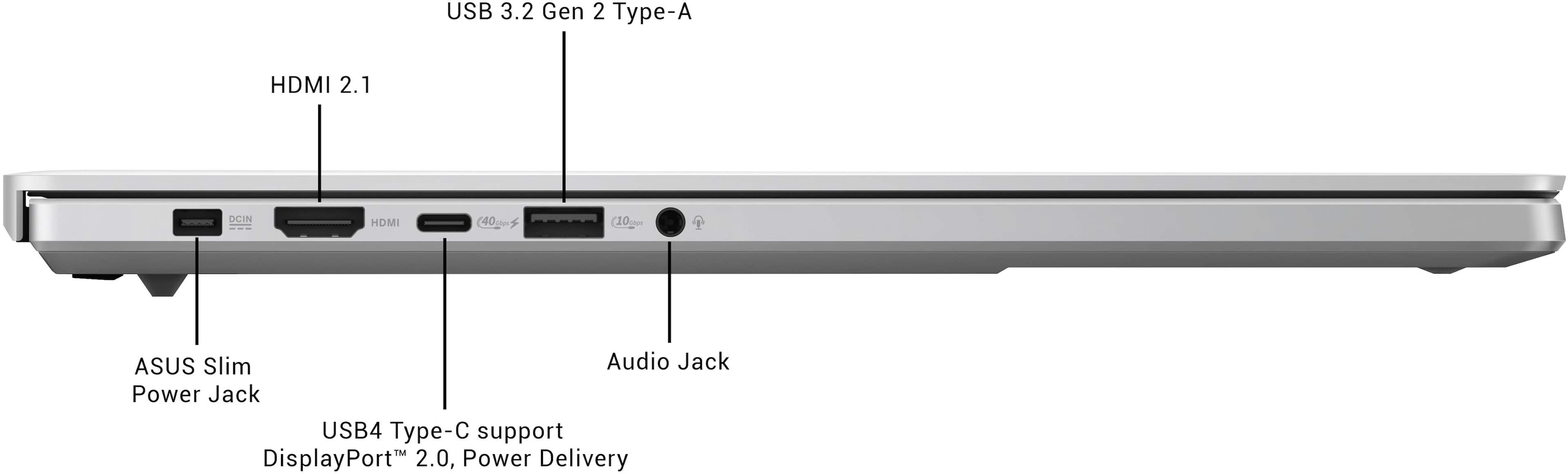
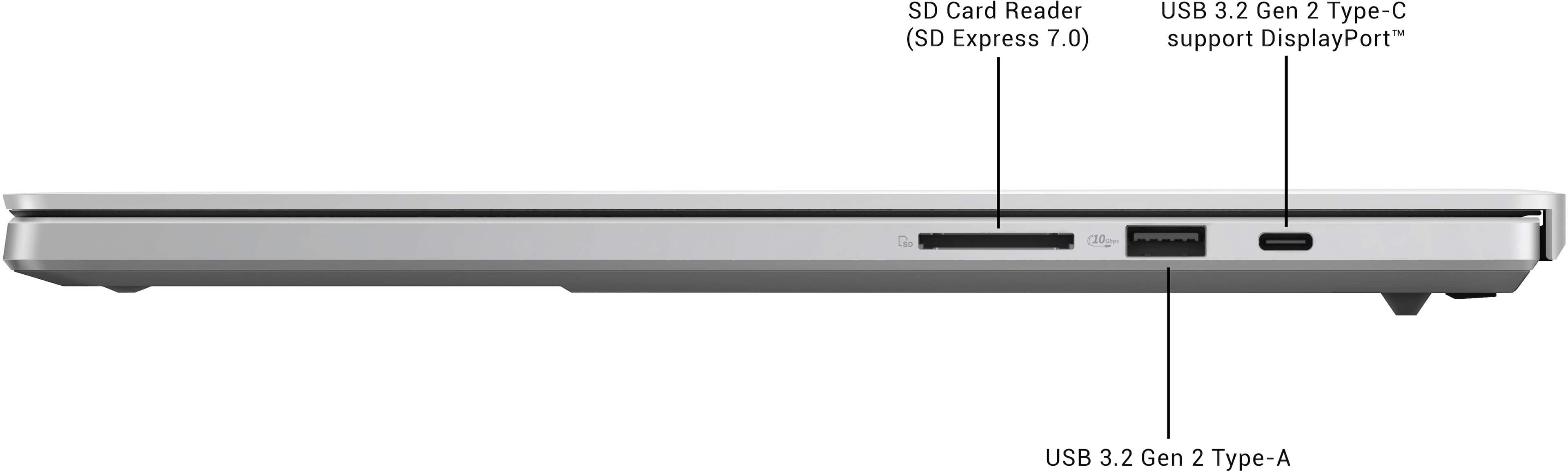
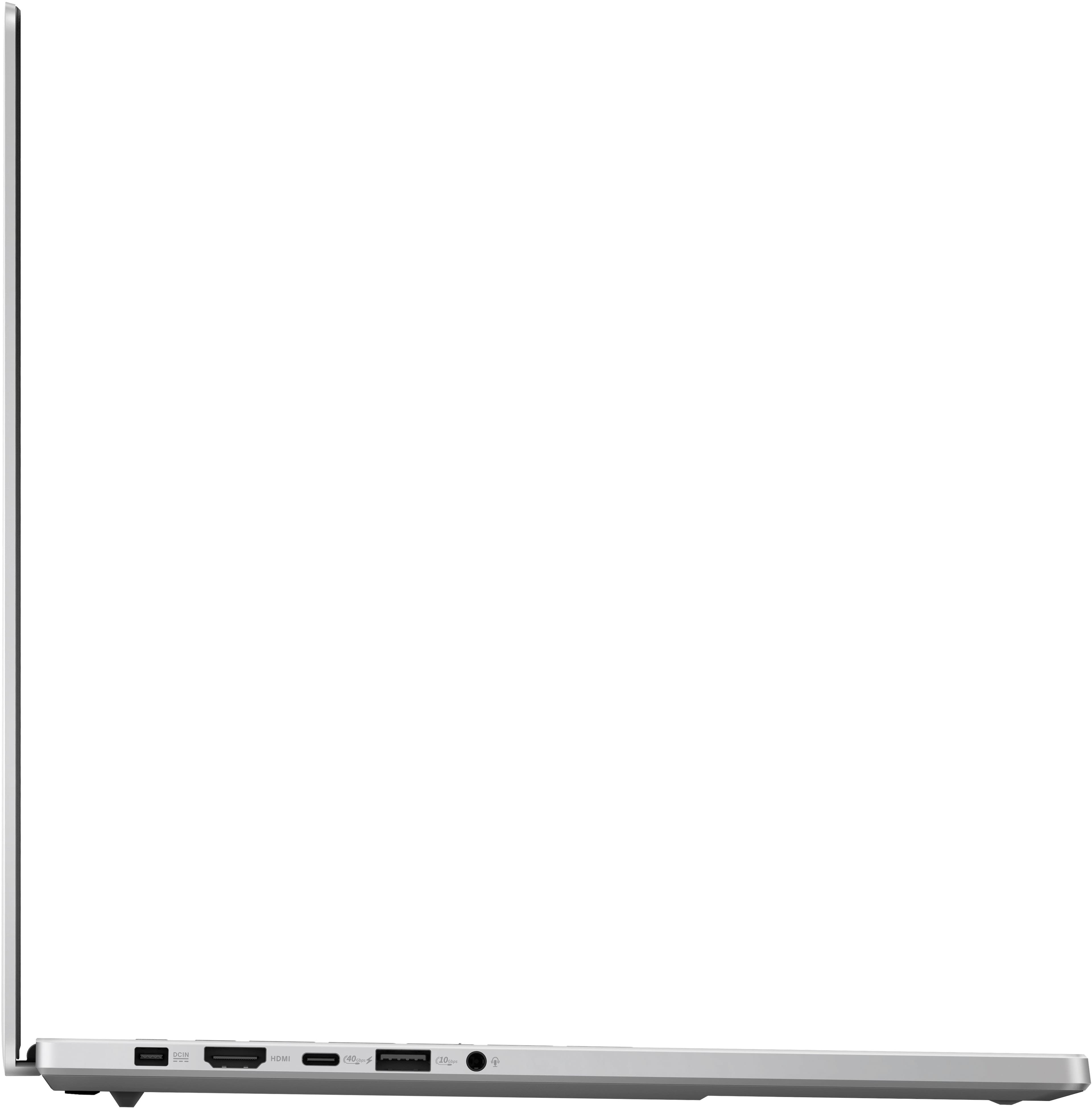
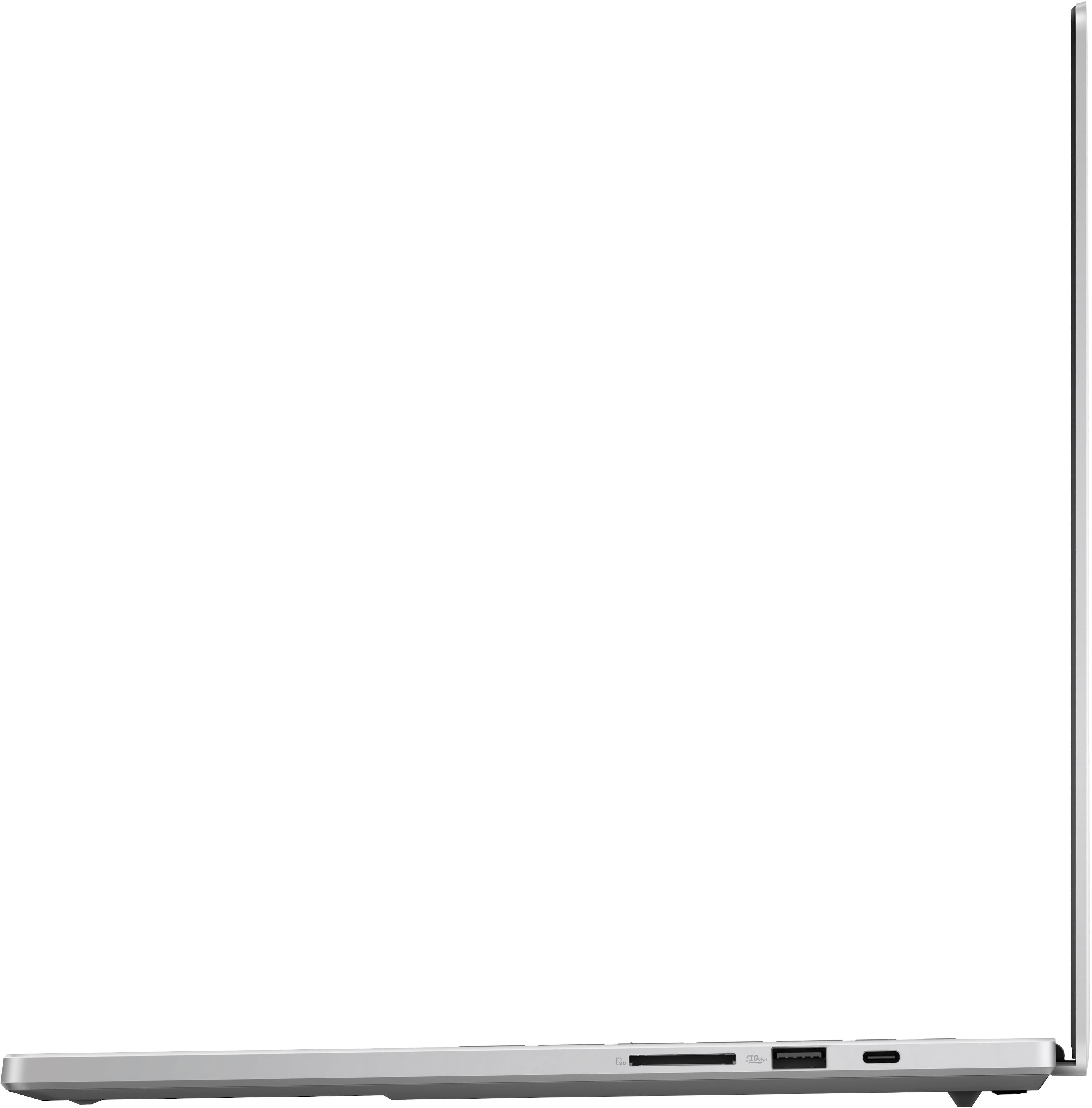
|Posted .This reviewer received promo considerations or sweepstakes entry for writing a review.If you are looking for a lite weight gaming laptop that can also handle any work/video/everyday processing needs this is worth a look. The design is sleek at .56 height x 9.69 width x 14 inches deep weighing in at just over 4 lbs. This is almost .5 lbs lighter than my current 16-inch gaming laptop. The OLED screen with 2560 x 1600 and 240Hz response is fantastic and has little to no reflection. A very thin bezel with connections on the side contributes to the laptops thinness. The keyboard is “interesting” I really like the feel of the soft touch keys but the keyboard itself is about 25% smaller than my other 16-inch gaming laptop. This is due to the very large touchpad as well as having the speakers on each side of the keyboard. The large touchpad (centered on laptop) while very tactile did make it a little difficult to use the keyboard, for me. Also, I had trouble seeing the white keys functions when backlit – may just be my old eyes but preferred the lighting off. AMD Ryzan AI 9 HX 370 with 12 cores, 24 threads @ 2GHz processor and Radeon 890M onboard graphics. 2TB SSD looks to be Micron 2230 mtfdkba2t0qfm-1bd1aabgb PCIe 4x4. Crystal Disk score was acceptable at 5055 MB/s read and 3953 MB/s write speeds. 32GB LPDDR5X at 7500 MHz is fast. But it looks like it is soldered in. #@GB should be more than sufficient any processing needs but if there is an issue with memory – you can’t replace it Power in on left side 1 HDMI 2.1 connection on left side 1 USB-C 4 Gen connection – 40Gbps with power delivery on left side. 1 USB-A 3.2 Gen connection – 10Gbps on left side. 1 Headphone/Mic jack on left side USB-C 3.2 Gen Display Port/Power delivery on right side. USB-A 3.2 Gen 10Gbps on right side. SD card slot on right side. Why not micro-sd so card does not stick out? Wireless is 802.11be (wi-fi 7). I have wi-fi 7 mesh and connected using 802.11be with no issues. No issues running Minercraft (grandsons love it I don’t play), Assetto Corsa and Automobilista 2 (which I do play). There was no stuttering, etc. In PCMark10 GPU testing this units NVIDIA GeForce RTX 40708 (with GB GDDR6?) I was surprised at the somewhat low 18 fps. This was a tad better than my current gaming laptop with Radeon RX 6800S but very far behind my Asus Gaming desktop 197+ fps with Nvidia Geforce RTX4070 Super (which is to be expected). However, its Cinebench score of 11261 was very high as current gaming laptop scored 4600. The area between the top ff the keyboard keys and the top edge got very warm during my GPU tests but was much less during my gaming. I personally don’t use ray tracing but GPU is certified. It does support HDR. I always test running 2021 Adobe Photoshop and Premier (video) Elements editing - which was very fast as is moving files, doing word processing, excel, etc. as well as multi-tasking. Has NPU so has built in Copilot button. Comes with Asus specific software Armory Crate, Aura, etc. to allow for tuning and setting up colors, etc. to your liking. Speakers – Not sure of wattage but 2 x 2W is standard for laptops. Having them firing up on either side of the keyboard does give good separation, if not an immersive experience. Power cord over 6 feet with reasonably sized inline block. I have a USB-C 100W charger and was able to charge using that as well. So, you can leave the brick behind… No Thunderbolt port as it seems Thunderbolt is licensed by Intel. No ethernet connection. 1-year warranty. While not user upgradeable/fixable it is sleek and has enough connections/power for pretty much any use. The keyboard, while small, feels great using. I am not sold on how the white will wear/look over time, but it stands out now from the black/grey crowd. I am also concerned about the machine getting so hot during my tests – but in playing my games it was considerably cooler. Also, mine arrived with a little nick in the top edge of the keyboard (hardly noticeable but wanted to mention). Overall, a nice package I rate at 4.5 and I would recommend giving it a look.
I would recommend this to a friend - Pros mentioned:Screen qualityCons mentioned:Heat
Portable powerhouse, great for VR
|Posted .This reviewer received promo considerations or sweepstakes entry for writing a review.I have been using ASUS products for years and I have always had good luck with them. My daughter has an older ROG laptop that she never gives a moment to rest, and it has been very reliable, but she couldn't use it to play some newer games... it was time for a replacement. After using this new ROG laptop for a week, I am not sure I want to give it to her... it is the best laptop I have ever used. The light weight, quiet fans, awesome screen, large storage space, and performance are a perfect combo. The AMD Ryzen 9 processor and NVIDIA GeForce RTX 4070 GPU is a powerful combination and can easily play most games on higher quality settings with ray tracing (RTX) enabled, although a few tweaks might need to be made to get the frame rate wear you want it. My daughter loves all the Five Nights at Freddy's games, and we recently got a Meta Quest 3 to play the VR versions, but only my liquid cooled tower could play them reliably until now... the ROG G16 maintained over 70fps for hours of playing Five Nights at Freddy's Help Wanted 1 & 2 on the Quest 3. Some other games I have tried (using Turbo performance mode): Metro Exodus Enhanced (~100fps - RTX ON, high quality), Mech Warrior 5 (~70fps - RTX ON, high quality... w/RTX ON the frame rate sometimes drop to ~45fps; RTX off fps ~200fps on ultra), Fortnite (80fps, RTX ON, high quality preset... playable on epic, but fps are low at ~30-45fps), FNAF Security Breach (~70fps, RTX Medium, ultra quality, 1080p), Quake II RTX Demo (70fps, RTX, max quality), Doom Eternal (I know it is old...max quality, ~200fps). Pros 1. Future proof specs and plenty of RAM. 2. Sharp, bright high-resolution screen with excellent color production, contrast (HDR), and deep blacks. 3. Minimal cooling fan noise. There are a few performance modes, each one stepping up the cooling fan speed, but even on Turbo (best gaming performance) fan noise is significantly reduced from my old gaming PC (games are still playable without headphones) and in silent mode there is no noise at all (not for gaming though). 4. Well-built and light weight (especially for a gaming setup this powerful). I also like the design; it has some nice features (like the led slash on the top cover and RGB lighting for the keyboard), but no crazy vents or large labels. The "Platinum White" is almost silver in some lights but is a nice complement to my Meta Quest headset. 5. Large multi-finger touchpad allows you to scroll and pinch to zoom. 6. Great hard drive space with minimal preloaded software; giving you a usable storage space around 1.77GB (I have 10 games from my Steam library and Fortnight installed (so far) with around 70% still available). 7. ASUS Armoury Crate software makes it easy to change performance modes, switch between the integrated GPU and the RTX 4070, change RGB keyboard and slash lighting effects, and monitor system parameters (fan speed, frequency, RAM utilization, temperatures). It has a logging feature that can be helpful in monitoring temperatures and resource utilization during game play. 8. Full sized SD card slot makes it easy to load videos or pictures for my GoPro for editing/sharing (I realize a lot of devices use micro-cards now, but it is easy to use an adapter to go smaller). Things to Consider 1. The speakers are good not great... on par with most quality laptops. They are clear and loud enough to overcome any fan noise, with no distortion at max volume, but they are a bit flat. The Dolby Atmos settings are extremely limited but do help to fill in the sound a bit. Get a good pair of headphones. 2. Bring the charger (warning it is big) - even with some smart battery saving features this laptop will not make it through a full day of casual use. I got just at 6hrs making a few short video calls, web browsing, and watching videos with the iGPU on to save power (no gaming). With the main GPU enabled, battery life dropped to less than 2hrs. 3. Certain parts of this laptop get pretty warm. Consider buying a cooling pad or make sure you have enough space to allow the cooling system to work. The space between the base of the screen and top of the keyboard gets very warm (~120°F) and do not place anything that can be damaged by heat near the back vents (~130°F).
I would recommend this to a friend - Pros mentioned:Processor speed, Screen qualityCons mentioned:Heat
Discreet, Beautiful Powerhouse
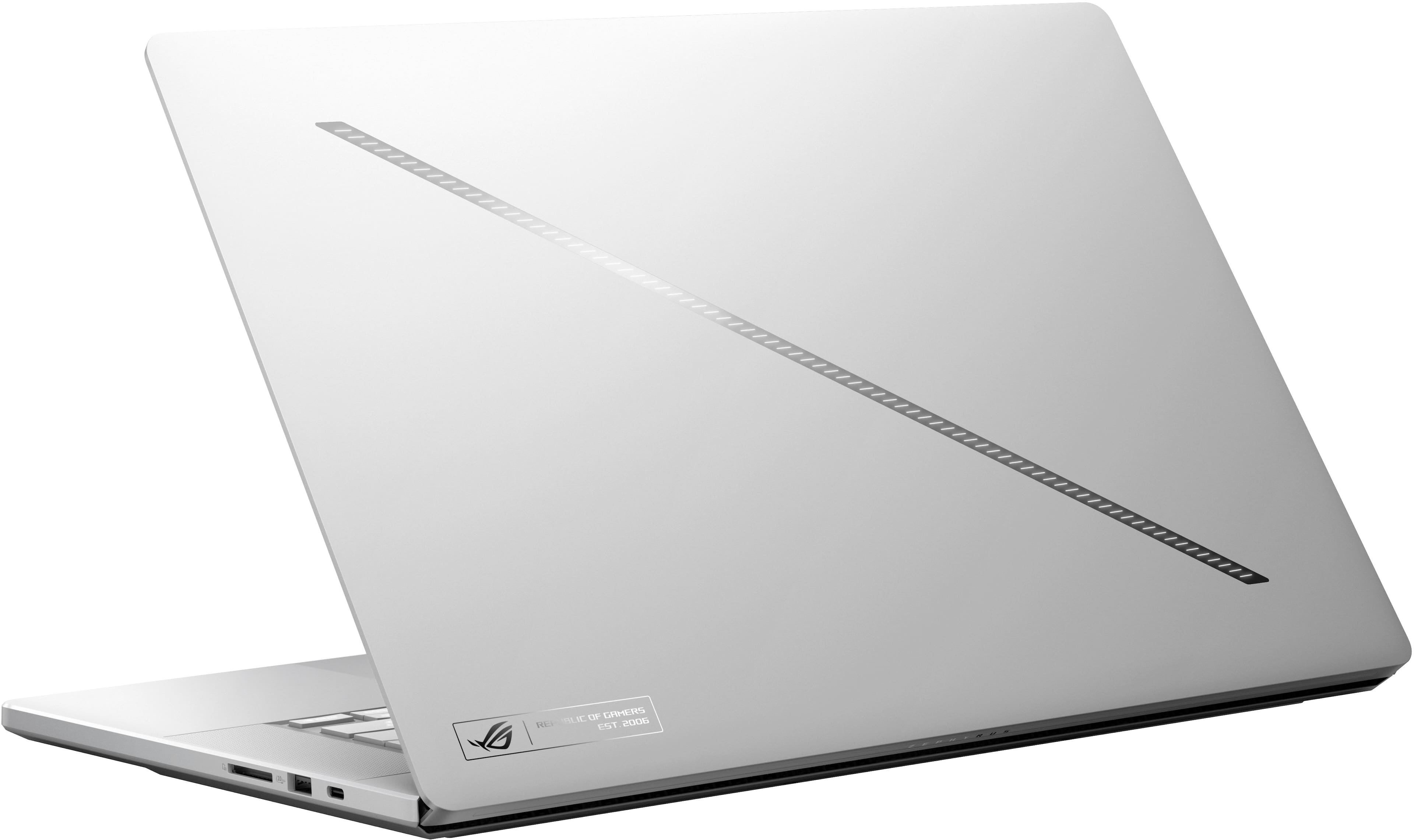
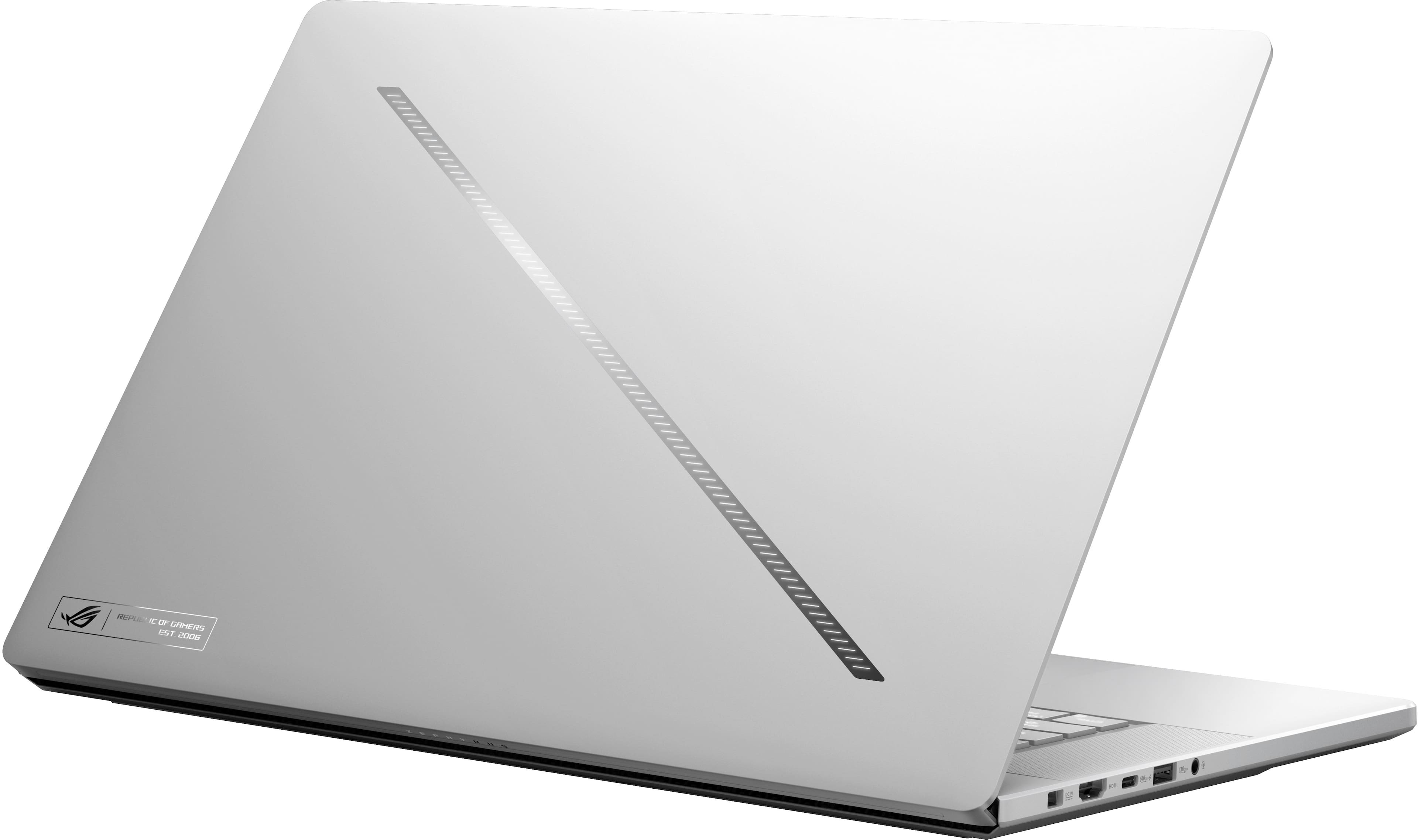
|Posted .This reviewer received promo considerations or sweepstakes entry for writing a review.Gaming laptops have had a specific style for many years, being big, loud, and brash. Usually loaded with bright colors, RGB, and simply screaming “Look at me, I’m a GAMER!”. When I first saw this new Asus ROG Zephyrus G16 it was exactly the opposite in nearly every way, and to me, that is a good thing. Other than the RGB backlight in the keyboard and the fact that it has Republic of Gamers inscribed in the casing, you might never guess this was a gaming laptop. It is a gaming laptop for someone who wishes to be more discreet, or simply someone who feels like the more conventional take is perhaps juvenile. In my opinion, it is gorgeous, with machined aluminum casing, the 240hz OLED HDR screen, hidden hinge, and full ventilation underneath the chassis. It expels a great deal of heat from those vents making using it in the lap very uncomfortable, but that is how you know it is working right, by getting that heat out and staying at an appropriate temperature. As a result, when gaming the CPU and GPU never exceed 74C in my experience so far which is very reasonable. Battery life is abysmal if you attempt to game on it without being plugged in 30 min to an hour at best, and closer to 5-6 hours when doing other less demanding tasks. In general, you’re going to want to keep that charger close by. The OLED screen is beautiful, with flawless colors and perfect blacks. The keyboard and touchpad are high quality, with just the right amount of travel and sensitivity to feel somewhere between a desktop keyboard and a typical laptop one. There is no touch screen or fingerprint scanner, but the touch pad is extremely responsive, and it supports facial recognition via Windows Hello. Sound quality from the built-in speakers is surprisingly excellent, giving my high-end computer speakers a run for their money. The sound is crisp and clean, and with Dolby Atmos support as well. There are plenty of ports, two USB-C, two USB-A 3.2, an HDMI 2.1, and an SD card reader. One of the USB-C ports is dedicated to the 4070 chipset along with the HDMI, and the other runs off the Radeon chipset built into the NPU. As a result, I can run multiple external monitors and depending on which ports I use I can engage the discreet and dedicated graphics simultaneously. The Ryzen AI NPU is very quick, and the Copilot features add a few new usability functions to the table. I have a Wi-Fi 7 mesh network, and this is my first device that supports it fully and the difference in Wi-Fi speeds is extremely noticeable. I spend most of my time PC gaming on strategy or city builders, and the performance is excellent for those types of games. My current favorite, Cities: Skylines II runs flawlessly at max settings without a lost frame in sight and is super smooth. Others like Age of Empires Remastered or StarCraft II also run amazingly. I have even tried much more intense games like Starfield and had good results with it. I had to dial it back a little to get it smooth, but it still looked great. Both on the internal screen and by plugging into my 4K monitor the games I play are almost identical either way. The 2TB SSD goes a long way for storing lots of software and has exceptional loading times as well. Gaming is the primary purpose for it and it excels in what I have tried. Asus Laptops have come a long way since the last time I owned one years ago. This machine is incredibly impressive in every way. I love that it looks discreet and handsome while also being a powerful and capable gaming rig. It is lightweight and easy to transport, but I can’t go far without the charger handy. Everything altogether make it the total package and I can’t recommend it enough.
I would recommend this to a friend - Pros mentioned:Battery life, Processor speed, Screen qualityCons mentioned:Heat
4.5 for amazing machine and true powerhouse
||Posted . Owned for less than 1 week when reviewed.This reviewer received promo considerations or sweepstakes entry for writing a review.This is a truly amazing laptop. I never had a gaming laptop before but I don't think so I am ever going back to a non gaming laptop. I really like the AMD Ryzen 9 HX 370, it is the only AI processor with dedicated NPU which is has the best single and multi core scores. The graphics card is plenty for me to run ML and AI models and I am not a gamer so I really don't care about its gaming performance. I had an HP Specter for the longest, so the keyboard took some adjusting but I love the keyboard. I really wished it had a camera kill button as on one of the function keys but no biggie. Speakers are pretty powerful for a laptop. I wished the trackpad was haptic but like this one as well. Port selection is good and really wished the screen was at least 2.8 or 3K but 240 HZ is fine I guess. Sometimes the unit will get a little heated but armory crate really helps with managing the temperature. and the power. I am really happy with the battery life as don't expect a gaming laptop to last a day anything more then a 2 hr on gaming is really good and anything more then 4-5 hours for other stuff (not running ML or high processing) is above average. Good machine. But still you can get a ProArt with same config for 400K less so a bit higher price. For the screen, a bit higher price and not having a camera shortcut key I rate it 4.5 but if those are not your concerns then DEF a 5 star machine.
I would recommend this to a friend - Pros mentioned:Battery life, Overall performance, Screen qualityCons mentioned:Heat
5 Star Laptop
||Posted . Owned for less than 1 week when reviewed.This reviewer received promo considerations or sweepstakes entry for writing a review.Tried 3 other laptops before settling with this one here, nothing but good things to say about this one. First, the screen is beautful and the build quality is amazing. The speakers also sound really good and get very loud. I haven't done any gaming on the laptop yet since I have a PC, so I can't say anything about the heat while gaming, but for normal use, the laptop is cool to touch. You can feel where the hot spots are, but it's nowhere near hot to touch like an i9 chip. Battery life, before I typed this, I've been listening to music and browsing the web while messaging on Discord as well, and the ETA is 6h with the screen maxed out. I haven't fully tested it out to 0%, but the ETA alone is way better than my previous laptops which only was 2h or less in this field. Aside from that, this one actually has some skins available that you can use to protect the outsides. I accidentally dropped my phone on the top and ended up with a tiny dent on the back, so I do recommend that. It's the first thing I ordered. The only thing that will take some getting used to a bit is the keyboard layout, specifically the right CTRL button. It's not there and it's the copilot button. It could just be an ASUS keyboard layout though, which is new to me, but that's my only complaint.
I would recommend this to a friend - Pros mentioned:Screen qualityCons mentioned:Heat
Great Computer for Gaming
||Posted . Owned for 2 weeks when reviewed.This reviewer received promo considerations or sweepstakes entry for writing a review.Great computer for gaming! The screen looks amazing and the colors are so rich. It does heat up quite a bit, but I combatted this by putting it on a stand to allow for better ventilation. Fan is also very quite and the speakers sounds loud and clear. Great computer for general gaming and have had no issues with graphics lagging or anything.
I would recommend this to a friend - Pros mentioned:Battery life, Overall performanceCons mentioned:Heat
Great machine, very happy with the performance -
||Posted . Owned for 1 month when reviewed.This reviewer received promo considerations or sweepstakes entry for writing a review.As a developer using azure and .net - typically visual studio and vscode I am very happy. All the tooling, inccluding photoshop, runs very smoothly. It can run a little warm, so investing in a cooling pad is a good idea. I used it recently on a nyc to lax 5.5 hours flight with no battery issues..
I would recommend this to a friend - Pros mentioned:Processor speedCons mentioned:Heat
Heat is an issue, but it’s otherwise great.
||Posted . Owned for 2 months when reviewed.This reviewer received promo considerations or sweepstakes entry for writing a review.The laptop gets super hot to the point it burns to touch when gaming, which is quite concerning. This excessive heat can affect the device's performance and potentially cause long-term damage. It might be beneficial to invest in a cooling pad or ensure that the laptop's ventilation is not blocked during intense gaming sessions. On the positive side, the power is impressive, and it operates smoothly and quickly. The fast processing speed makes multitasking and running demanding applications a breeze. Despite the overheating issue, its overall performance is commendable for tasks beyond gaming.
I would recommend this to a friend - Pros mentioned:Battery lifeCons mentioned:Heat
Perfect mix of power and portability but gets hot.
||Posted . Owned for less than 1 week when reviewed.This reviewer received promo considerations or sweepstakes entry for writing a review.I bought this to replace the Zephyrus G16 4090 edition that I found ran to hot as a desktop replacement and ran too short on battery when under heavy workloads. So far this laptop has given me more battery life under 3d and video workloads when on the go. Got a solid 3+ hours using Blender and 4-6+ hours doing Google slides work and little Photoshop retouching before the battery alert came on. The 4070 gpu was quite a downgrade from the 4090, but under short heavy loads it got the job done, Blender and Photoshop was smooth when plugged and under battery + the it lasted 2-4 hours longer than the Intel/4090 version depending on what you're doing, Highly recommend it for medium portable and desktop replacement uses. The only caveat I see is the fan noise when under high workloads and the heat. Its louder and runs hotter than the Intel/4090 version when exporting video, rendering 3d, or AAA gaming, But somehow lasts longer, especially when using the igpu. 6-8 hours under medium workloads, Longer when casual browsing or video.
I would recommend this to a friend - Cons mentioned:Heat
Nice Gaming Laptop
||Posted .This reviewer received promo considerations or sweepstakes entry for writing a review.I’m very satisfied with how lightweight it is. Love that I can get work done in the morning and game in the evening during business trips. However, when running games, the temperature occasionally exceeds 90°C, so I had to purchase an external cooling fan and keyboard. For that reason, I’m giving it 4 stars instead of 5.
I would recommend this to a friend - Cons mentioned:Heat
Happy I left Razer
||Posted . Owned for 5 months when reviewed.This reviewer received promo considerations or sweepstakes entry for writing a review.I bought this laptop as my first Asus after over a decade with Razer, couldnt be happier. Speakers and OLED panel are amazing for watching video as well as games. Fan noise isnt bad, even when maxed out. Can get hot under load, but nothing out of the ordinary with gaming laptops. 10/10.
I would recommend this to a friend - Pros mentioned:Screen qualityCons mentioned:Heat
Very hot, but otherwise great!
||Posted . Owned for 3 weeks when reviewed.This reviewer received promo considerations or sweepstakes entry for writing a review.Very good fantastic. It does get very hot, but the screen is beautiful!
I would recommend this to a friend - Cons mentioned:Heat
Overall
||Posted . Owned for 1 month when reviewed.This reviewer received promo considerations or sweepstakes entry for writing a review.It’s actually good for gaming but does get hot super fast. So if you thinking on playing without plugging it in, then not the best option! Beside that it’s good for gaming!
I would recommend this to a friend - Cons mentioned:Heat
Amazing
||Posted . Owned for 1 week when reviewed.This reviewer received promo considerations or sweepstakes entry for writing a review.This is the best laptop I’ve ever owned to this date. I know it has its own pros and cons, but the value that comes with this laptop surpassed everything else in my opinion. I plan to use this device for school and gaming purposes. I got no complaints so far with this device besides the temperature gets toasty when I play Triple A titles.
I would recommend this to a friend - Pros mentioned:Battery life, Overall performance, Processor speedCons mentioned:Heat, Wifi
Best laptop I've ever used!
|Posted .This reviewer received promo considerations or sweepstakes entry for writing a review.This model of the G16 is basically a mid year refresh of the existing 2024 G16. The big change here is that these come with the the new AMD Ryzen AI 300 Series CPUs which also include a NPU (Neural Processing Unit). Design: The first thing I noticed after unboxing was how slim it was. Especially the display. The entire laptop is aluminum and feels very premium. The color is labeled as metallic white and I think thats a good description of it. Under bight light it looks more silver but under darker conditions it looks more white. They included a customizable LED light strip on the back of the display to add a little more uniqueness. It has a very sleek design that is both stylish and professional looking. It doesn't look like your typical gaming laptop and thats a good thing. Specs: This thing comes pretty loaded! 16" 2.5k 240Hz OLED display AMD Ryzen AI 9 HX 370 32gb of DDR5 RAM AMD Radeon 890M GPU Nvidia RTX 4070 GPU 2tb SSD storage Display: This laptop comes with a 16 inch 2.5k 16:10 OLED display. The display is sharp and clear, with great contrast and vibrant colors. Asus calls it a Nebula Display but all you need to know is that it looks amazing! It also gets bright enough to the point I don't need max brightness. Going OLED this year was a great choice by ASUS. Everything looks so much better than laptops with LCD panels. You can change the screen refresh rate to either 60Hz or 240Hz. Keyboard/Touch Pad: As much as I like the the keyboard on this years model, I feel like the keyboard on last years was overall better. It just felt more satisfying on the 2023 model. The keyboard is RBG backlit and has 3 levels of brightness. It gets really bright on highest setting. You can customize the colors to your hearts desire but its all one zone. One issue I did find is that if you change it to pure white it has a hint of green in it. Hoping they fix that. There is also a Copilot dedicated key to trigger the Windows built in AI. The touchpad on this thing is massive and I love it! It goes from the space key all the way to the edge of the laptop. Basically as big as they could make it. The touch sensitivity and clicks feel perfect. Webcam: It has a HD webcam that supports Windows Hello so you can unlock using facial recognition which in my opinion is better and quicker than fingerprint readers. Sound: The speakers in this thing actually sound really good for a laptop and they get pretty loud. Possibly the best laptop speakers I've heard so far. I guess Asus says it has 6 speakers. Some of them are front facing as well which helps. Performance: This specific model comes with the new AMD Ryzen AI 9 HX 370. With 12 cores so with hyper-threading the count comes out to be 24 threads! It also comes maxed out with 32GB of DDR5 RAM. It has a CPU, 2 GPUs, and a NPU for AI. Listen, with these maxed out specs this laptop smokes pretty much everything. I noticed no lag at all. Since its AMD based it includes a Mediatek wifi card. It does support the latest wifi standard 7 which is nice to see. I ran some speed tests. It ramped up to max speed a lot quicker than their previous wifi 6e cards did so performance wise its fine. Although I keep having this weird issue where sometimes after the laptop wakes up from sleep it can no longer see any wifi networks and I have to reboot for it to work again. Really annoying. Hopefully this is fixed with a driver update down the road. I wish it had a intel wifi card... When it came to fan noise I expected it to be bad but was pleasantly impressed. For day to day non-gaming use it was extremely quite. I have no noise or heat issues at all. If you keep it in silent I don't even hear the fans kick on. If you switch to performance mode they do kick on but they are so quite I dont notice them unless I hold it up to my ears. Same when I game with the integrated AMD GPU, very quiet. But once you do something that utilizes the Nvidia GPU then things change a bit. It gets louder as all fans ramp up another level but its still nothing compared to other gaming laptops I've used. It does get pretty hot though. Especially above the keyboard. Gaming: I've been using the iGPU (AMD 890M) for my older games, which I still play quite a bit. By doing so helps with battery, noise, and heat. Then using the dGPU (Nvidia RTX4070) for my more modern titles. While it's not a desktop-level powerhouse, it's perfect for laptop gaming. I've been able to play everything from classic favorites to modern titles without a hitch. It's a fantastic balance of performance and portability. Yes the 4080 and 4090 versions are going to give better gaming performance but then you have to move to the intel model. I've been able to play every game I've thrown at it thus far. I love that it has a 2tb ssd. I hate having to uninstall games to free up space for new games or for game updates to install. The 2tb of space is double what most gaming laptops typically come with so that's a big help. Battery: Obviously battery life depends on a lot of factors but I'm seeing about 6 - 8 hours with normal use, not gaming. While gaming with the 4070 I'm getting about 1 hour and 15 min. Thats with screen brightness at 75% and in performance power mode. You get better performance with it plugged in anyway. The charger uses a square proprietary connector and goes from 0 to 100% in about 1 1/2 hours. Summary: With these specs and amazing OLED display this is hands down the best laptop I've ever used!
I would recommend this to a friend - Cons mentioned:Heat
Great Product, almost perfect
||Posted . Owned for 1 week when reviewed.This reviewer received promo considerations or sweepstakes entry for writing a review.Overall, this is a good product from Asus, but it can get really hot while doing intensive activity. Sadly, they don't have 4080 or 4090 for the AMD version.
I would recommend this to a friend